VulnEscape writeup
Box name: VulnEscape
Difficulty: Easy
OS: Windows
Overview: VulnEscape is an Easy Difficulty Windows machine that features the Remote Desktop Server service running on its default port. Users can connect to the machine over RDP and login as KioskUser0 without a password. The target environment is restricted, however, by abusing the file:// scheme in Microsoft Edge, users can browse the file system. Further exploitation allows users to bypass the system restrictions and open a PowerShell window. Enumeration of the file system reveals a folder which contains a profile for an application called Remote Desktop Plus. This profile can be loaded in the application and the password in this profile can be extracted by using a second application called BulletsPassView. The extracted password can be used to start a session as the admin user and further bypass of the User Access Controls in place allows attackers to read the root flag.
Link: https://app.hackthebox.com/machines/VulnEscape?sort_by=created_at&sort_type=desc
Machine IP:
Ran rustscan against the machine.
rustscan -a 10.129.234.51 –ulimit 5000 -b 2000 — -A -Pn
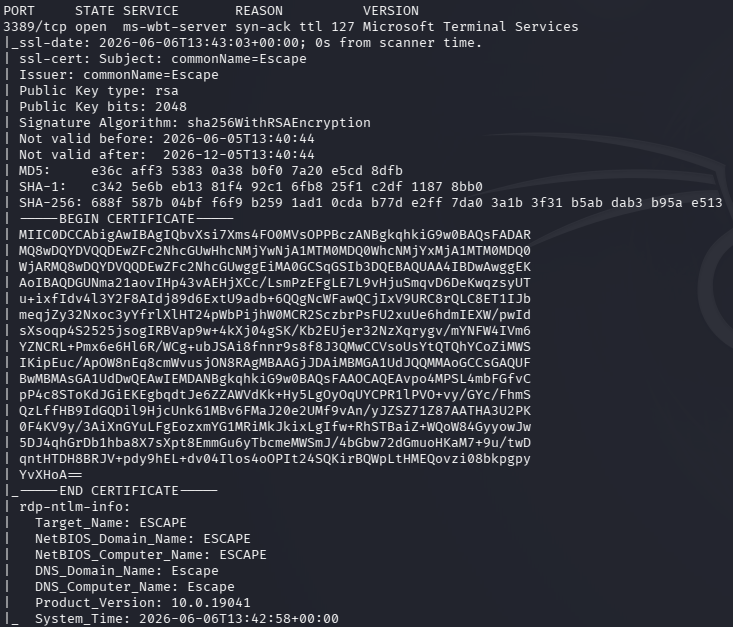
Ran nmap specific scripts against the device to find a bit more information.
nmap -sV -sC 10.129.234.51 -p3389 –script rdp*
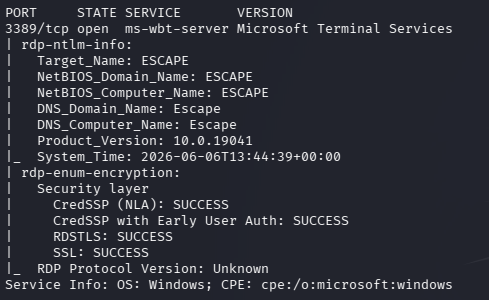
Recently in the CPTS exam I read about rdp-sec-check tool. Downloaded and ran that.
./rdp-sec-check.pl 10.129.234.51
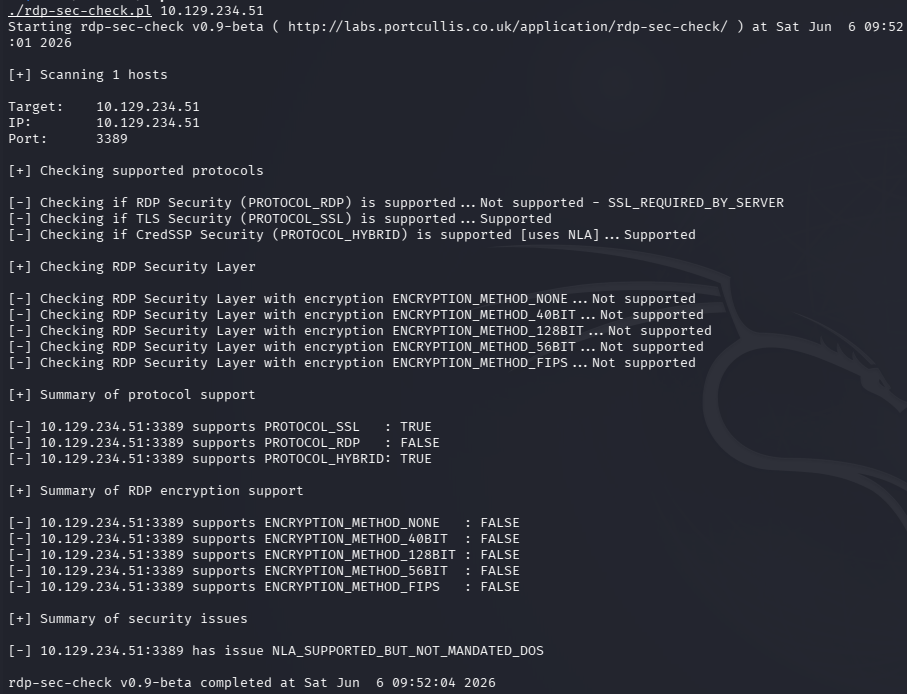
Bruteforcing with username would take days. Interestingly at the end of the summary here, it mentions NLA is supported but not mandated. On Windows devices it typically shows recent user logins so before connecting with a user we may be able to get a user that way.
xfreerdp /v:10.129.234.51 /cert:ignore /dynamic-resolution /sec:nla:off
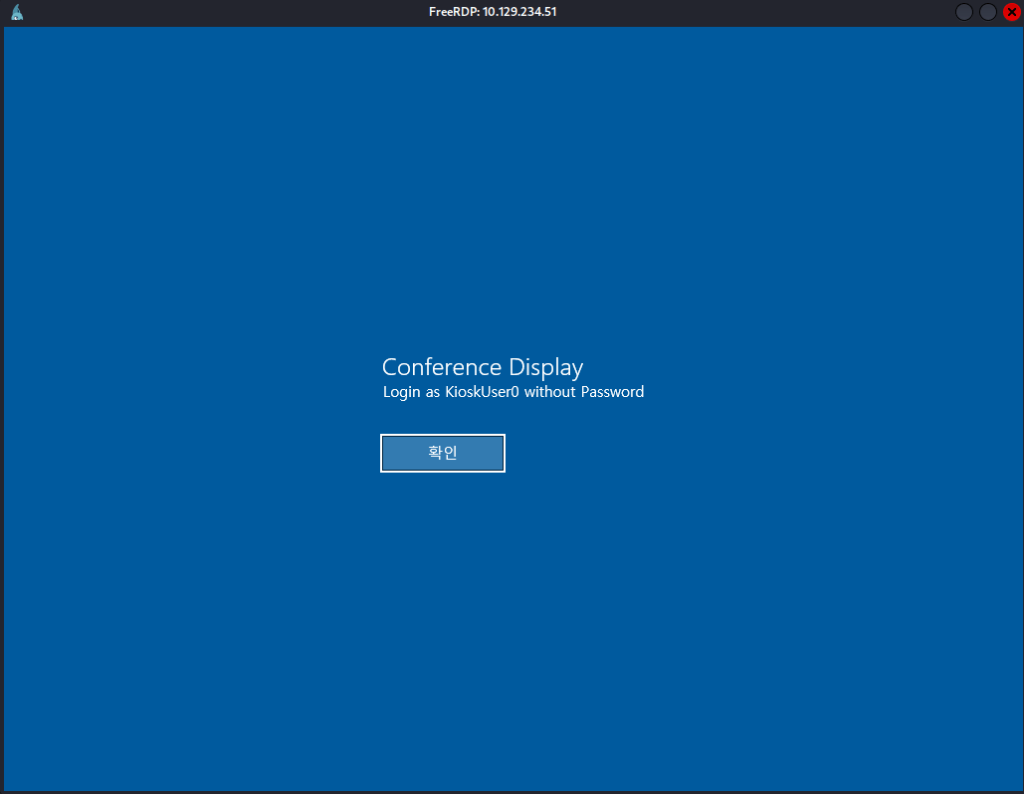
It shows us a KioskUser0 exists. I was able to login with that user with no password.
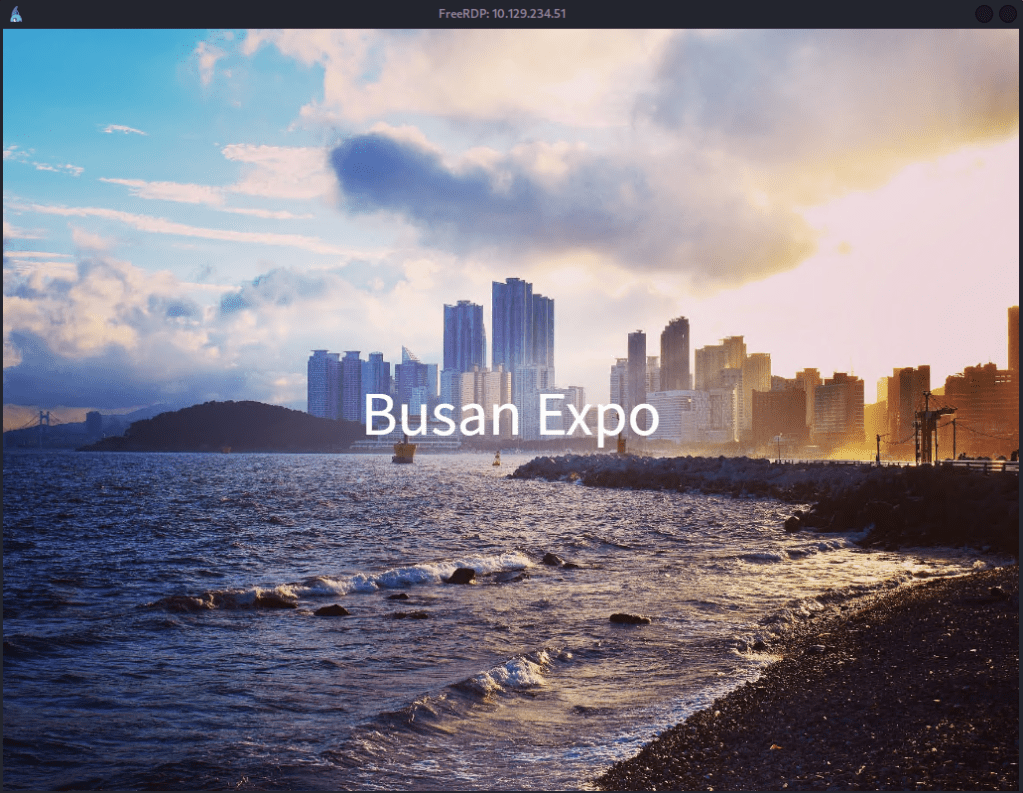
It brought me to this screen which doesn’t let us do much. When I typically see these types of Kiosks in the real world, like hotels, I always try to escape them for fun and it appears in this case it’s just the Windows start button.
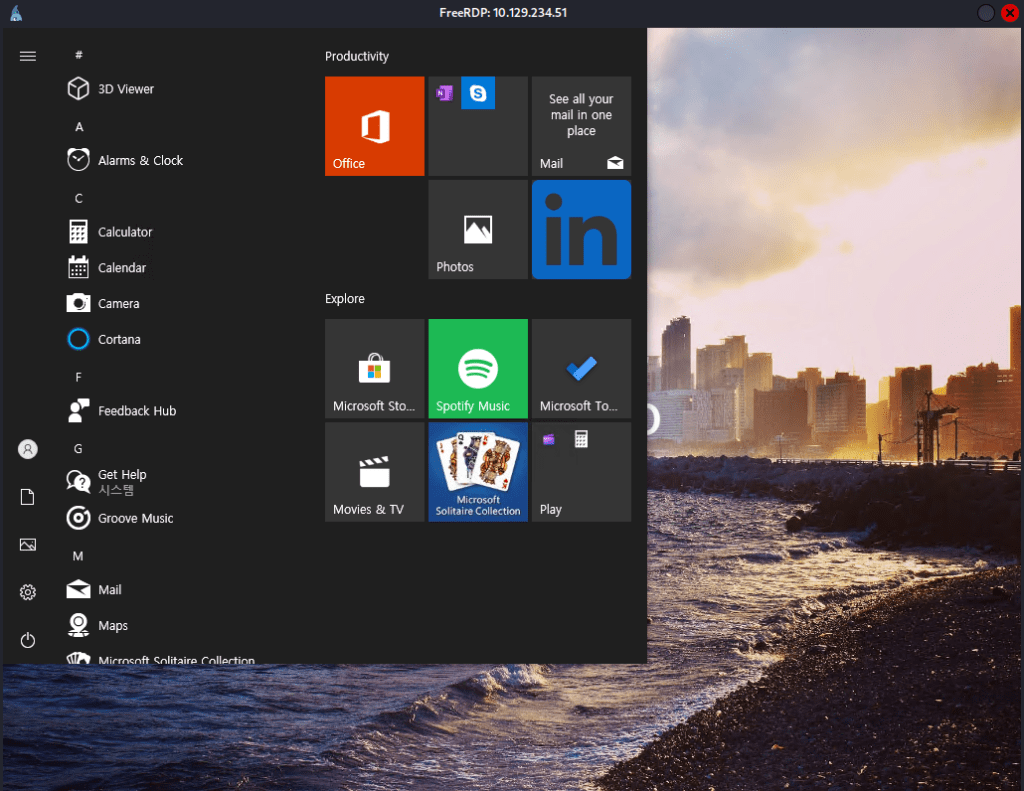
Did some poking around but nothing was outright interesting. Eventually using the search function and opening Microsoft Edge I realized we can navigate the file explorer.
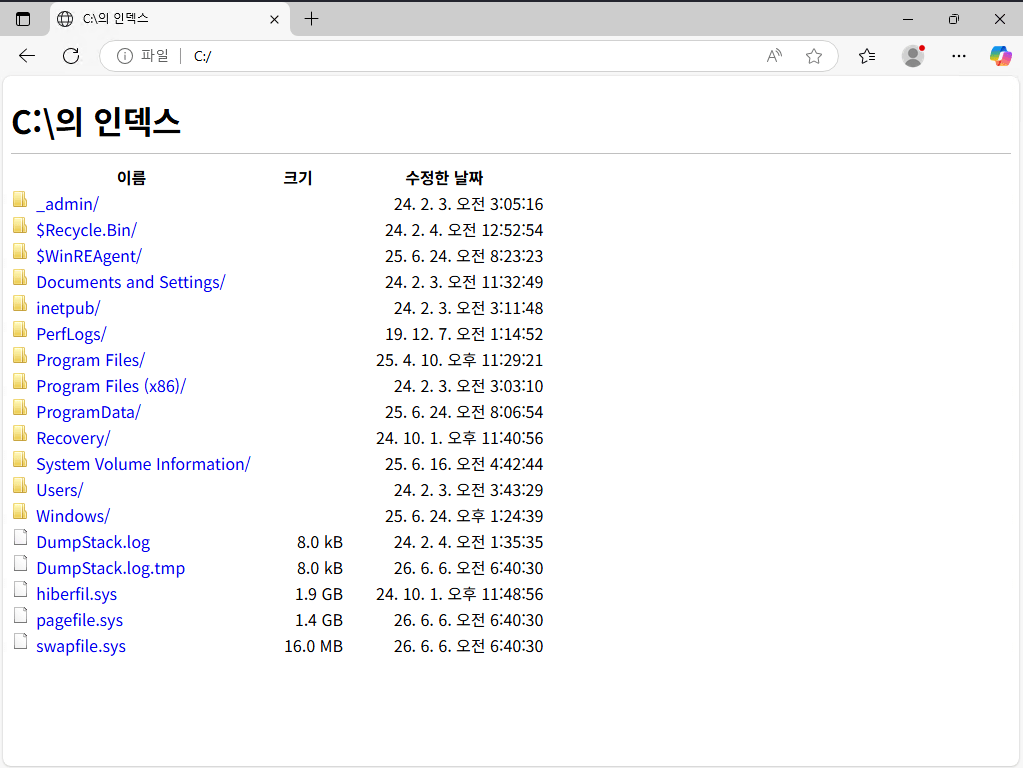
We can get user.txt this way at C:/Users/kiosksUser0/Desktop/user.txt. In Users I noticed there is a user ‘admin’. I also found an interesting directory _admin at C:/_admin and in C:/_admin/profiles.xml there is a password for something called Remote Desktop Plus.
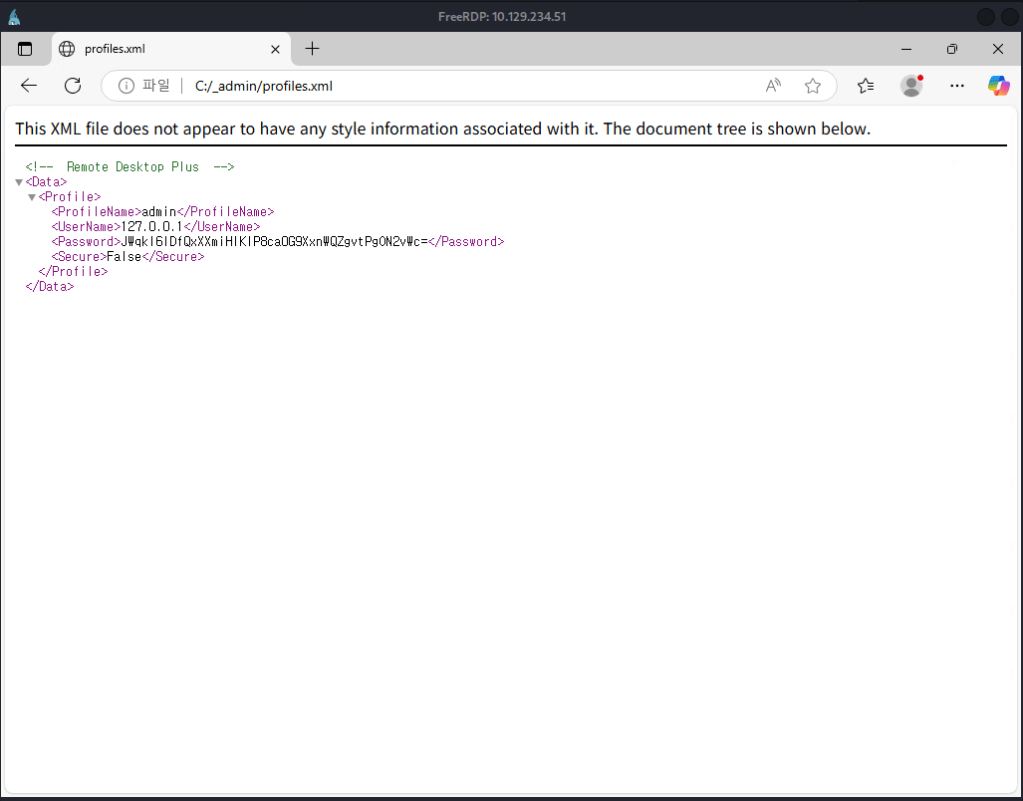
Tried to check the hash with hashid but it’s unknown. I was able to find Remote Desktop Plus existing in Program Files (x86).
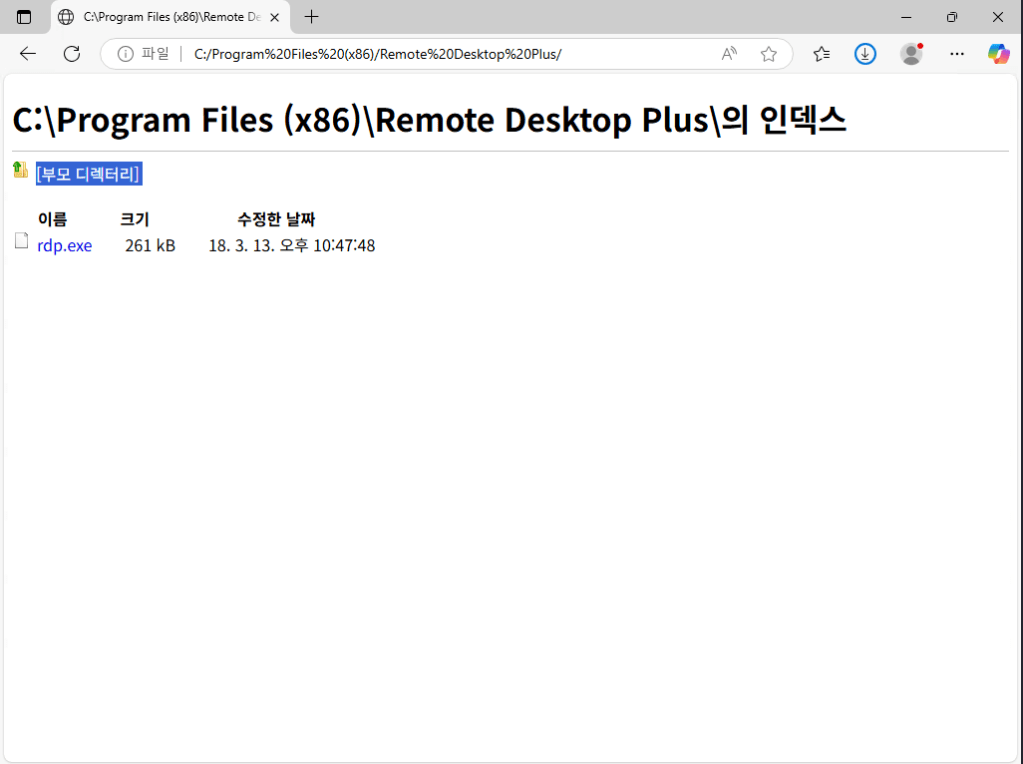
I clicked it, it doesn’t run but it tried downloading it. That also brought me to the file explorer. I can’t do anything further though. We can’t run it still being locked down to run commands. Navigating to C:/Windows/System32/WindowsPowerShell/v1.0 I was able to download powershell.
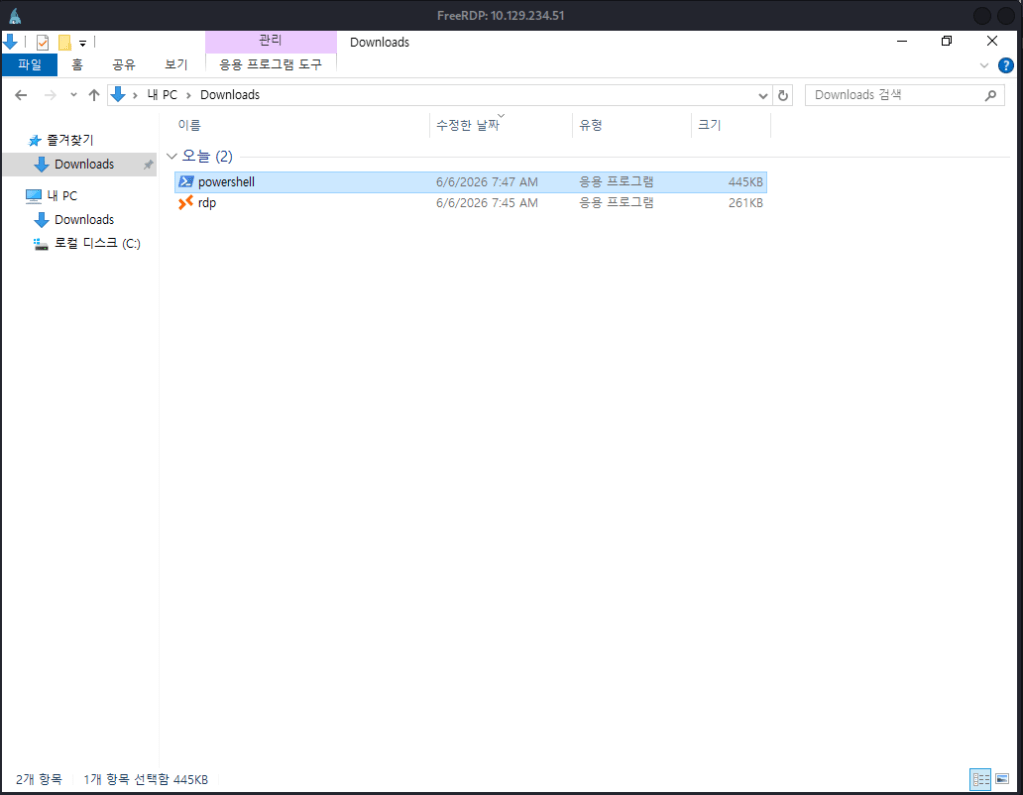
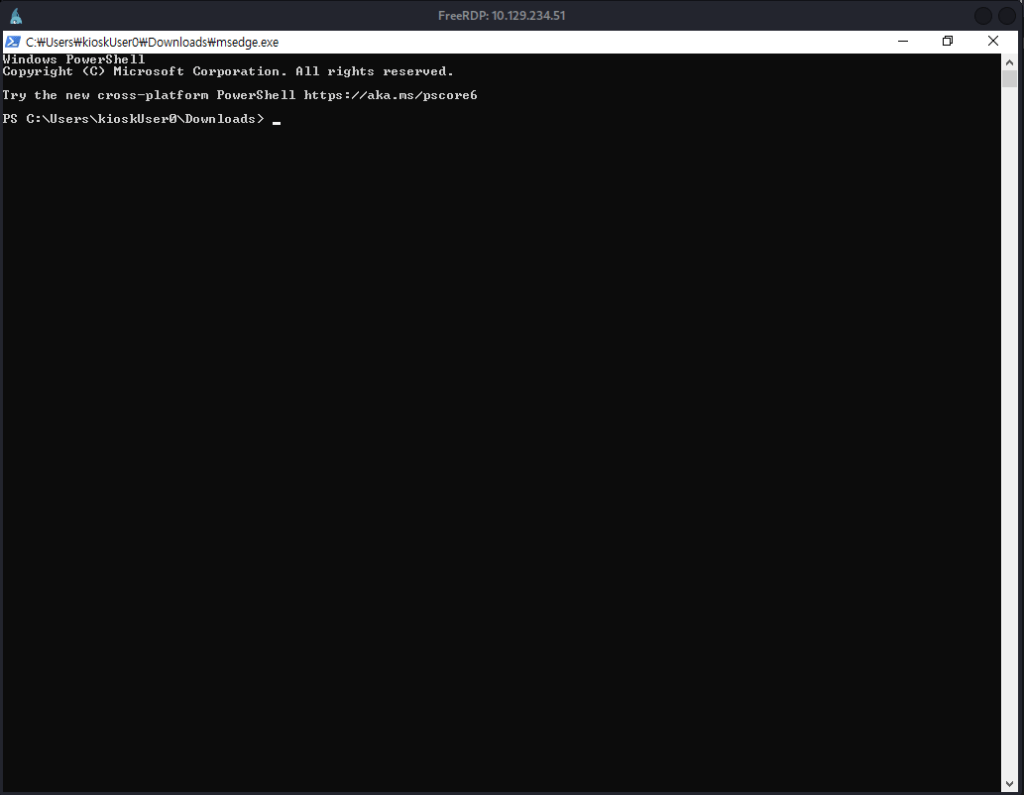
I was not actually able to run it though. As we can run msedge.exe though I tried changing the name and it worked. The korean was throwing me off but to rename a file with a shortcut key you can hit F2.
I couldn’t run the rdp.exe from the downloads but it did let me run it from its original location.
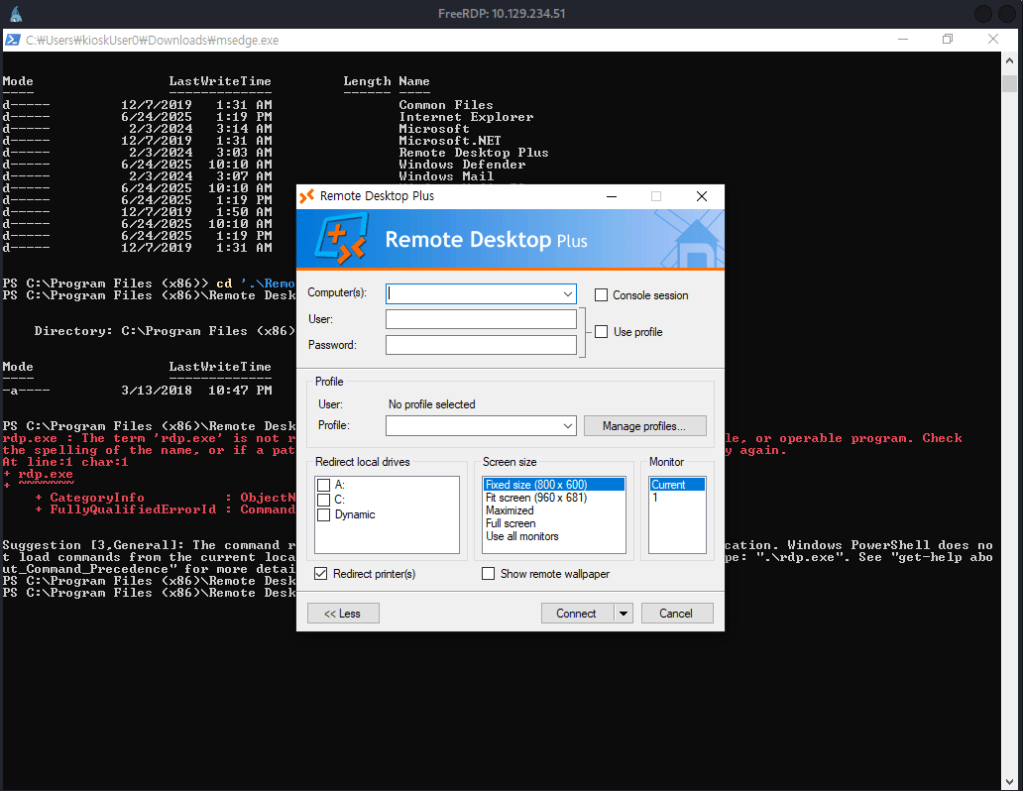
There’s nothing existing already in here and I don’t think we can crack that hash not knowing what type of hash it is. It lets us important profiles using the ‘Manage profiles’ though. I was unable to import from it’s original location so I move the file to Downloads where we currently have access.
copy -r C:\_admin\ C:\Users\kioskUser0\Downloads\
Imported the file.
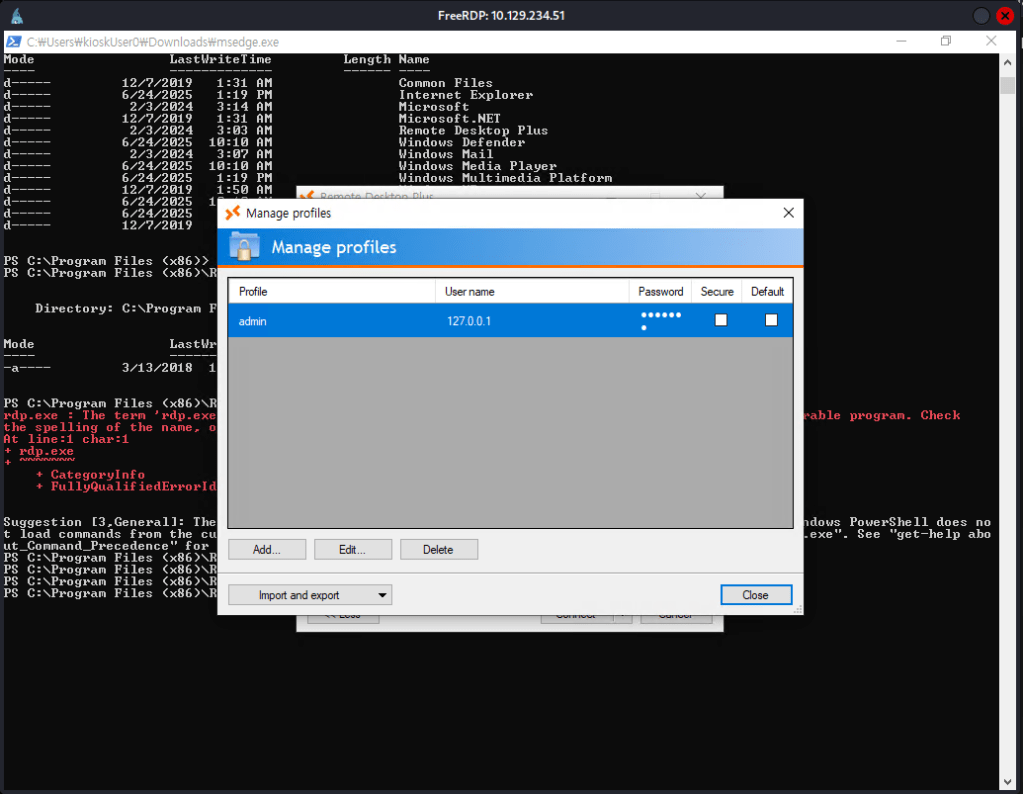
I got stuck of what I could do for this so I peeked at the writeup. Apparently there is a tool called BulletsPassView that could let us unstar the password. Downloaded that, served it up on a http server and downloaded it to the machine in a new Temp directory. I tried using Invoke-WebRequest, but that does not work you apparently need to use wget. Running it while you have the Edit Profile option open it shows us the password.
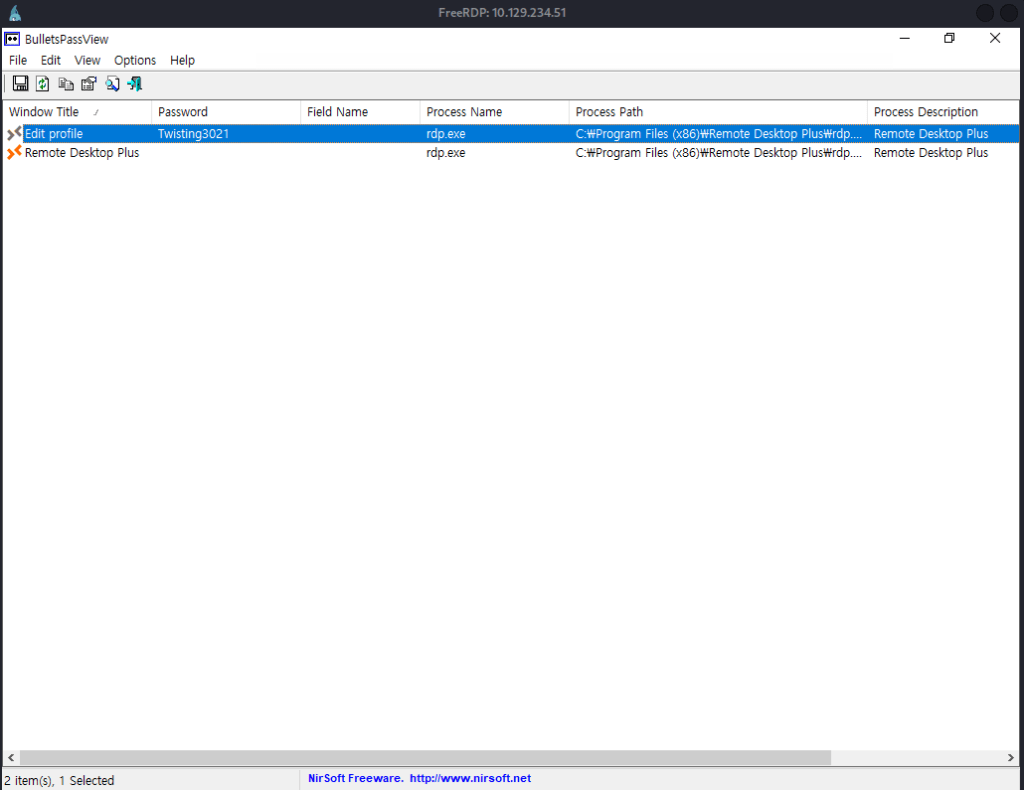
admin:Twisting3021
I was able to get a cmd shell with those credentials.
runas /user:admin cmd
UAC blocked us from actually getting the flag as it’s in Administrator and not admin though. I relaunched powershell from this shell so I am admin. Ran this powershell command.
Start-Process cmd -Verb RunAs
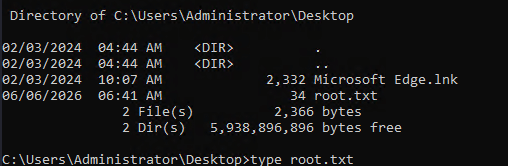
And we can bypass the UAC and get root.txt.
GG
Attack Chain
1 – Reconnaissance Ran RustScan and identified port 3389 (RDP). Ran Nmap RDP scripts for additional enumeration and used rdp-sec-check to assess the RDP security configuration. Found that NLA was supported but not mandated, allowing connection without pre-authentication. Connected with xfreerdp without NLA and observed KioskUser0 as a recent login on the Windows login screen.
rustscan -a 10.129.234.51 –ulimit 5000 -b 2000 — -A -Pn nmap -sV -sC 10.129.234.51 -p3389 –script rdp* xfreerdp /v:10.129.234.51 /cert:ignore /dynamic-resolution /sec:nla:off
2 – Kiosk bypass via Edge file URI and user flag Logged in as KioskUser0 with no password and landed in a restricted kiosk environment. Used the Windows search function to open Microsoft Edge and navigated to file:// URIs to browse the filesystem. Retrieved user.txt from the KioskUser0 desktop. Discovered a C:/_admin directory containing a profiles.xml file with an encrypted Remote Desktop Plus password and noted an admin user account.
3 – PowerShell access via renamed Edge binary Found Remote Desktop Plus in Program Files but could not execute it from the kiosk. Navigated to the PowerShell directory via Edge’s file browser and downloaded powershell.exe but could not run it directly. Renamed the downloaded copy to msedge.exe which the kiosk permitted to run, gaining PowerShell access.
4 – Credential extraction via BulletsPassView Copied the _admin profiles directory to the Downloads folder. Launched Remote Desktop Plus from its original location and imported the profiles.xml file via Manage Profiles. Served BulletsPassView from an HTTP server on the attack machine, downloaded it to a Temp directory on the target using wget, and ran it while the Edit Profile dialog was open to reveal the starred password.
Credentials recovered: admin:Twisting3021
5 – UAC bypass and root flag Used runas to launch cmd as admin. UAC blocked access to the Administrator directory. Relaunched PowerShell from the admin cmd session and used Start-Process with RunAs verb to spawn an elevated process, bypassing UAC and accessing root.txt.
runas /user:admin cmd Start-Process cmd -Verb RunAs
Key Takeaways
- RDP accessible without NLA allowing unauthenticated login screen enumeration – NLA was not enforced, allowing the Windows login screen to be reached without pre-authentication and revealing KioskUser0 as a valid account. NLA must be mandated on all RDP-accessible systems to require authentication before the login screen is displayed.
- Kiosk account with no password – KioskUser0 required no password for RDP login. Every account including kiosk and guest accounts must have a strong password even when they are intended for restricted access. No-password accounts on RDP-exposed systems are a critical finding.
- Edge file URI enabling filesystem browsing from a restricted kiosk – The kiosk restriction did not block Microsoft Edge from using file:// URIs, allowing full filesystem enumeration. Kiosk environments must explicitly block file URI access in browsers and must be configured using dedicated kiosk mode policies that restrict navigation to approved URLs only.
- Encrypted credentials stored in a filesystem-accessible profile – The Remote Desktop Plus profiles.xml file containing an encrypted admin password was stored in C:/_admin and was readable after gaining kiosk access. Credential files must never be stored in locations accessible to restricted or guest accounts and must be protected by filesystem ACLs.
- UAC bypassable from an admin account without elevation prompt suppression – The admin account could spawn an elevated process via Start-Process RunAs without a password prompt, allowing full UAC bypass. UAC must be configured at its highest setting requiring credential confirmation for all elevation requests and admin accounts must be separated from standard users using dedicated privileged accounts.
Remediation
[Immediate] Enforce NLA on all RDP-accessible systems Enable Network Level Authentication for RDP on all Windows hosts via Group Policy. NLA prevents the login screen from being displayed before authentication, eliminating login screen user enumeration and unauthenticated session initiation. Block port 3389 at the network perimeter and restrict RDP access to authorized management IP addresses only.
[Immediate] Set a strong password on the KioskUser0 account Assign a strong randomly generated password to KioskUser0 immediately. If the kiosk requires passwordless login for operational reasons, implement auto-logon via a secured registry entry restricted to the local machine and ensure the account has no network logon rights.
[Immediate] Block file URI access in kiosk browser sessions Configure Microsoft Edge kiosk mode policies to restrict navigation to approved URLs only and block file:// URI access. Deploy Windows Assigned Access or Kiosk Browser policies to prevent users from navigating outside the intended application scope. Test all kiosk configurations against common browser escape techniques before deployment.
[Immediate] Restrict access to credential files in C:/_admin Set restrictive ACLs on C:/_admin and all files within it so they are readable only by the admin account and local administrators. Audit all directories on the C: drive root for world or guest readable folders and correct permissions. Credential files must never be accessible to restricted or kiosk accounts.
[Short-term] Configure UAC at the highest enforcement level Set UAC to Always Notify and require credential input for all elevation requests including from admin accounts. This prevents Start-Process RunAs from bypassing the elevation prompt without supplying a password. Audit all admin accounts to ensure they are not configured to bypass UAC silently.
[Long-term] Implement a hardened kiosk deployment standard Define a hardening baseline for all kiosk deployments covering Assigned Access configuration, browser URI restrictions, filesystem ACLs, account password requirements, NLA enforcement, and UAC policy. Test all kiosk environments against known escape techniques including file URI browsing, binary renaming, and process spawning before production deployment. Include kiosk systems in the scope of regular penetration tests.


Leave a Reply